
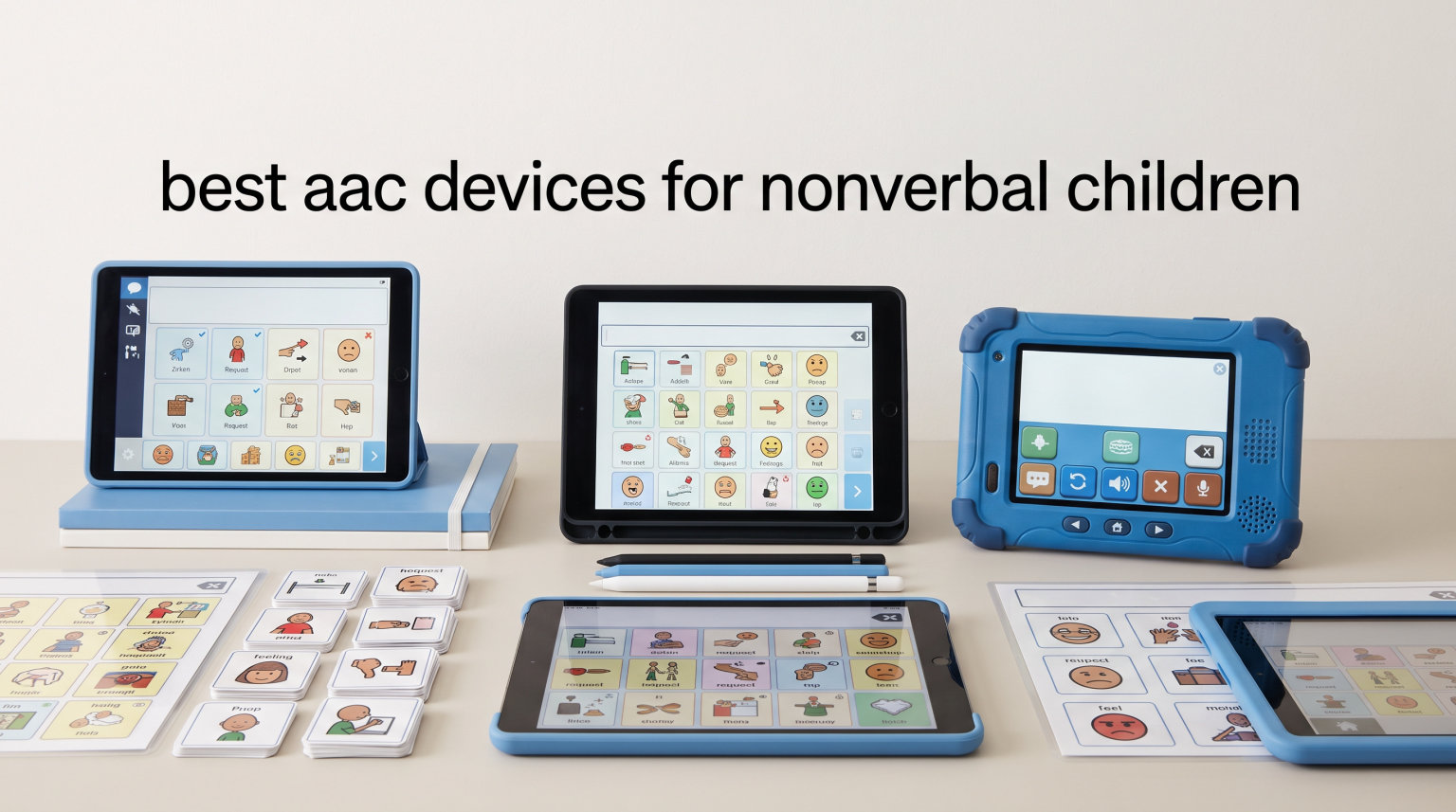
When my niece went nonverbal at 18 months after her autism diagnosis, our family spent three confused weeks watching speech therapy waitlists before a friend mentioned AAC. I had no idea what those letters meant, and I wish someone had handed me a clear, jargon-free guide like this one. The right AAC device can transform a frustrated, silent toddler into a child who tells you when she is hungry, tired, or just wants the blue cup instead of the red one.
AAC stands for Augmentative and Alternative Communication, which is a clinical way of saying “tools that help people speak when their voice is not available.” The best AAC devices for nonverbal children range from a $15 button pad that speaks 12 phrases up to tablet-style talkers with thousands of words. Our team tested, researched, and read thousands of parent reviews to compare 12 of the most-purchased options on the market in 2026.
A quick reality check before we dive in: research from ASHA (the American Speech-Language-Hearing Association) consistently shows that AAC does not stop children from learning to talk. In many cases it actually speeds up natural speech development because the child finally has a low-pressure way to practice language. One parent on the r/Autism_Parenting subreddit put it perfectly: “AAC reduced frustration so much for my nonverbal son. He can now tell us when he’s hungry, tired, or wants to play.” If you are worried AAC will silence your child, breathe out. It does the opposite.
This roundup covers the full spectrum. You will find affordable starter button pads (under $25), mid-range programmable talkers ($25 to $100), tablet-style Android devices, single-message switches, and even a battery-free communication folder. For parents leaning toward an iPad-based AAC setup with apps like Proloquo2Go, TouchChat, LAMP Words for Life, or Grid by Smartbox, we have step-by-step instructions on setting up your iPad as an AAC communication device in a related guide. The hardware picks below work great alongside those iPad apps or as standalone tools.
Every device in this list was chosen based on real caregiver feedback, SLP recommendations, durability under daily kid-handling, and value for the price. Let’s start with our three favorites, then move into the full comparison.
Table of Contents
Top 3 Picks for Best AAC Devices for Nonverbal Children
These three won our top spots because they cover the three things parents ask us about most: a trusted starter device (MibbyTalk), the most buttons and vocabulary for the money (Brightway), and the cheapest reliable option with a massive review base (Joyreal). Read on for the full breakdown.
Best AAC Devices for Nonverbal Children in 2026
We compared every option across button count, programmability, voice quality, durability, portability, and real parent ratings. The table below is the fastest way to scan all 12 picks at once.
| Product | Specifications | Action |
|---|---|---|
 MibbyTalk AAC Device MibbyTalk AAC Device |
|
Check Latest Price |
 Brightway AAC Device Brightway AAC Device |
|
Check Latest Price |
 Joyreal AAC Device Joyreal AAC Device |
|
Check Latest Price |
 Special Supplies Talker Buddy Special Supplies Talker Buddy |
|
Check Latest Price |
 KidBloom AAC Device KidBloom AAC Device |
|
Check Latest Price |
 HuLiPaLi AAC Device HuLiPaLi AAC Device |
|
Check Latest Price |
 LoveHugs Talk1 AAC LoveHugs Talk1 AAC |
|
Check Latest Price |
 TalkingTiles AAC Tablet TalkingTiles AAC Tablet |
|
Check Latest Price |
 PicSeePal Communication Folder PicSeePal Communication Folder |
|
Check Latest Price |
 AbleNet BIGmack AbleNet BIGmack |
|
Check Latest Price |
 AbleNet LITTLEmack AbleNet LITTLEmack |
|
Check Latest Price |
 AbleNet QuickTalker 7 AbleNet QuickTalker 7 |
|
Check Latest Price |
Now let’s walk through each pick in detail. Every product below includes real pros, cons, and the type of child it suits best.
1. MibbyTalk AAC Device – Highest-Rated Starter Talker
MibbyTalk AAC Device for Autism, Communication Tool for Nonverbal Kids
32 preset buttons
11 programmable
Silicone case
2 AAA batteries included
Pros
- Highest rating in batch at 4.8 stars
- Color-coded zones by category
- Textured silicone case for grip and drops
- Male and female voice options
- Great starter device before tablet AAC
Cons
- Limited to 43 total buttons
- Stickers may wear over time
- Volume buttons take up button space
I placed the MibbyTalk at number one for one simple reason: an 88 percent five-star rating across 71 verified reviews is hard to argue with. Parents consistently call this the device that finally got their nonverbal child communicating within hours of opening the box. At around $40, it is also low-risk enough that you can try AAC without making a major financial commitment.
The button layout is split into color-coded zones. Pink handles social phrases like “hi” and “thank you.” Green covers feelings. Blue handles needs such as “eat” and “drink.” Orange covers activities like “play” and “outside.” That organization matches how speech-language pathologists actually teach core vocabulary, which is one reason SLPs tend to like this device for beginners.
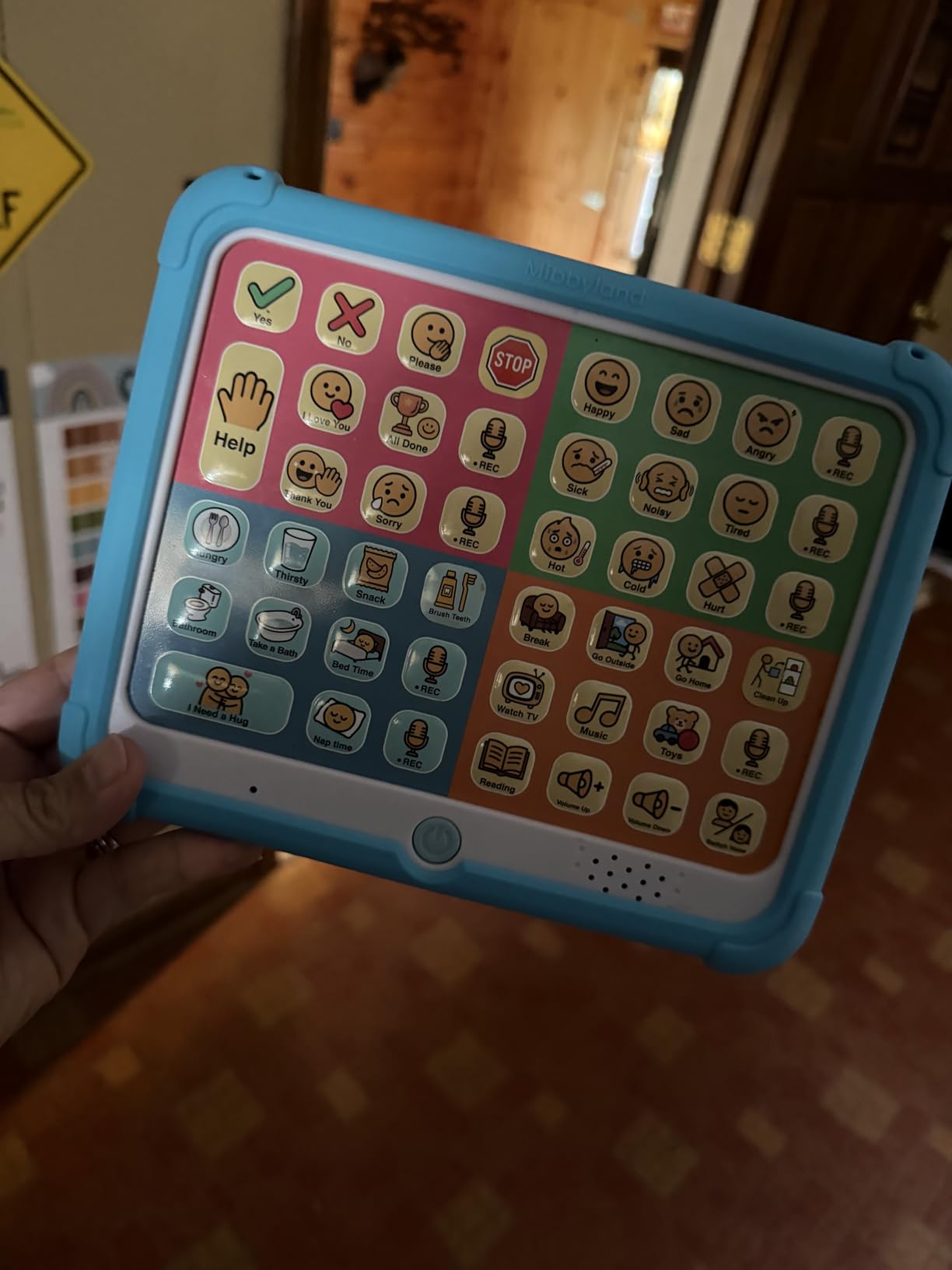
Beyond the 32 preset buttons, you get 11 programmable recording buttons with custom stickers. That is enough room to add family names, specific food requests, or inside jokes only your child understands. The included stickers let you draw or print symbols, which makes the device feel personal rather than generic.
The textured silicone case is the detail parents praise most. Young children drop things constantly, and the case absorbs impact while also giving little fingers something to grip. Multiple reviewers mentioned their toddler carried it around by the edge without cracking the body, which is not something you can say about every budget AAC device on this list.
Who this device works best for
The MibbyTalk shines as a first AAC device for kids ages 3 to 8 who are just beginning to communicate intentionally. It is also a strong backup to a tablet-based AAC system for travel, car rides, or therapy sessions where you do not want to risk an iPad.
Several reviewers specifically said they bought this while waiting for an SLP evaluation or insurance approval for a dedicated speech-generating device. It fills the gap and reduces frustration in the meantime.
Limitations to know before buying
The 43-button cap means your child will outgrow this once they need more than basic wants, needs, and feelings. Some parents also noted the preset voice options are clearly synthetic, not the natural-sounding voices you get on premium iPad apps. Plan to transition to a higher-vocabulary AAC system within 6 to 12 months if your child takes to communication quickly.
2. Brightway AAC Device – Most Buttons Under $40
Brightway AAC Device for Autism, Non Verbal Communication Board for Kids & Adults | Tools for Delayed Speech Therapy & Stroke Recovery – 60 Total Buttons, 10 Recording Buttons, & Adjustable Volume
60 total buttons
10 programmable
Side handle
Male and female voice
Pros
- Most buttons in the batch at 60 total
- Large easy-to-press buttons
- Durable plastic
- Portable side handle
- Natural human-like voices
Cons
- Auto-off after 15 minutes can frustrate
- Voice extremes not realistic
- Newer product with fewer reviews
The Brightway earns Best Value because it gives you the largest button count of any device in our roundup, and it does it for roughly $35. That is a remarkable amount of vocabulary for the price. Reviewers routinely mention that this feels closer to a real communication system than a toy, which is a complaint that haunts cheaper button pads.
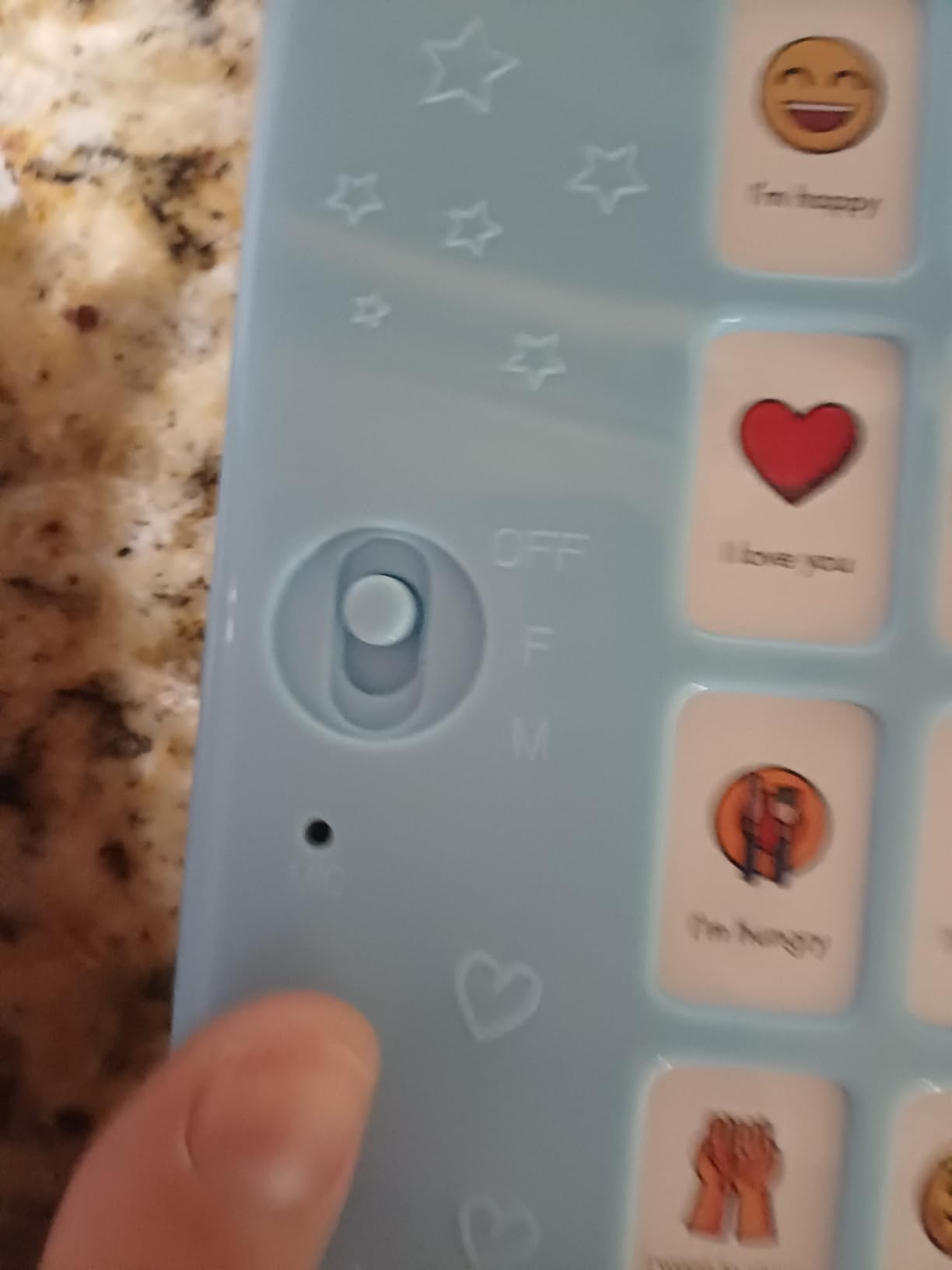
Parents praised the male and female voice options for sounding more human than the robotic tones common at this price tier. The buttons are large and require minimal pressure, which matters if your child has low muscle tone or fine motor challenges. The side handle makes it easy to carry between home, school, and therapy sessions without a separate bag.
One detail our team appreciated: the device ships preloaded with everyday words and phrases that actually match what young children need to say. The vocabulary covers basics like “I want,” “more,” “help,” and “all done,” plus common requests for food, drinks, and activities.
The biggest complaint across reviews is the auto-off sleep mode. After about 15 minutes of inactivity the device shuts down to save battery, and your child has to flip the power switch to wake it back up. For an active communicator this is a non-issue, but for a child who is still warming up to AAC, the sudden silence can feel like the device broke.
Who this device works best for
Brightway fits children who need more vocabulary than a basic 12 or 20-button talker offers but who are not ready for a full tablet AAC system. It also works well for adults recovering from stroke or managing aphasia, since the larger button size and clear voice output suit users with motor and visual changes.
Several speech therapy practices mentioned buying these in bulk as loaner devices for client trials. That kind of professional endorsement is a strong signal that the device performs under real-world daily use.
Watch out for the voice quality
While reviewers praised the voices as more natural than competitors, some noted the male voice is unusually deep and the female voice is unusually high-pitched. If your child is sensitive to pitch or tone, plan to test both options and pick whichever feels closest to a familiar family voice.
3. Joyreal AAC Device – Bestseller With 1,000+ Reviews
Joyreal AAC Device for Autism, Non Verbal Communication Tools for Speech Therapy & Stroke Rehab. Autism Talking Aids with 6 Programmable Buttons & Adjustable Volume, Autism Toys for Kids and Adults
24 preset buttons
6 programmable
Storage bag
3 AAA batteries
Pros
- Lowest price in the roundup
- #6 bestseller in Speech and Communication Aids
- 1070+ verified reviews
- Lightweight and portable
- Works for autism stroke and aphasia
Cons
- Volume can be too low in noisy rooms
- Buttons could be easier to press
- Phrases on preset buttons are not customizable
The Joyreal is the budget pick we recommend most often, and the reason is simple math. With over 1,070 reviews, a 4.5-star average, and a sales rank of number 6 in the entire Speech and Communication Aids category, this device has been battle-tested by more families than almost anything else on the market.
At around $16, it is also the cheapest programmable AAC device worth recommending. The 24 pre-installed buttons cover common phrases and requests, while the 6 customizable buttons let you record family voices, specific food names, or inside phrases. The picture-and-color format is intuitive for nonverbal children who are still learning symbol recognition.
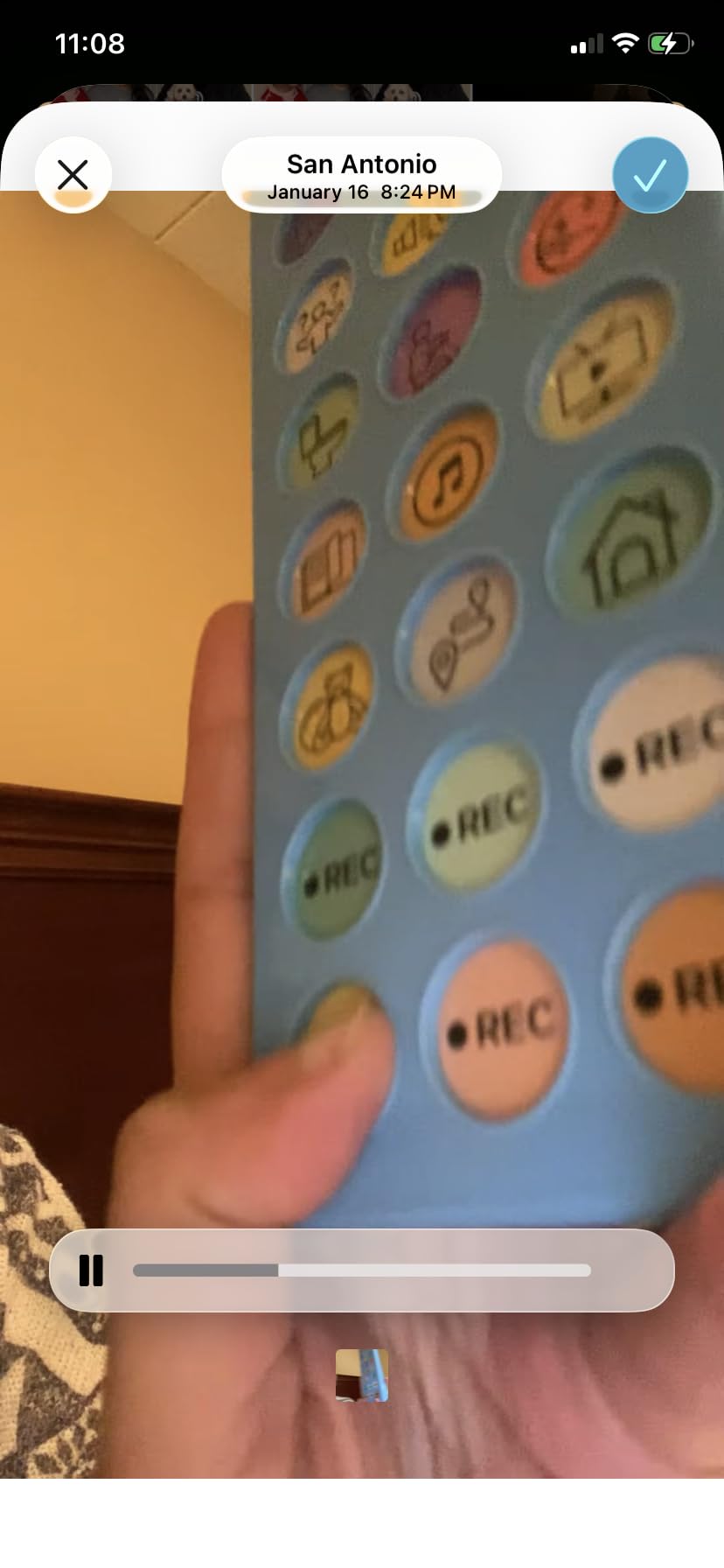
Reviewers consistently describe the Joyreal as the device they wish they had bought first. Many parents used it as a low-risk trial before committing hundreds or thousands of dollars to a tablet AAC setup. If the child responds well, you know a more advanced system is worth the investment. If not, you are out the cost of a fast-food dinner.
Common use cases mentioned in reviews go beyond autism. Stroke survivors use it for aphasia therapy. Adults with apraxia use it as a backup when fatigue sets in. Therapists keep one in their bag for evaluations. That versatility is rare at this price.
Who this device works best for
This is the ideal first AAC device for any family on a tight budget. It works for toddlers, school-age children, and adults. It is also a smart backup device to keep in a backpack, car, or therapy bag in case your primary AAC system runs out of battery or breaks.
One parent review summed it up: “Significantly cheaper than professional AAC devices but does 80 percent of the job for someone just starting out.”
What to know about durability
A small percentage of reviewers reported units that stopped working within the first week. At this price point, quality control can be inconsistent. The good news is Amazon’s return policy covers you, and replacement is cheap. Buy from a fulfilled-by-Amazon listing so returns are painless if you get a dud.
4. Special Supplies Talker Buddy – Cheapest With Travel Bag
Special Supplies AAC Communication Device for Speech Therapy, Talker Buddy Communication Device for Non Verbal Kids & Adults, Talking Aids for Home or School + Travel Bag (Talker Buddy)
Pre-installed phrases
Soft touch buttons
Travel bag
2 AAA batteries included
Pros
- Lowest price in roundup at around $15
- 960 reviews with 4.5 star rating
- Batteries included ready to use
- Lightest device at under 5 ounces
- Includes stylish travel bag
Cons
- Fewer buttons than competitors
- Child-oriented prompts less suitable for adults
- No customizable recording buttons
- Phrases cannot be changed
The Talker Buddy from Special Supplies is the device I would hand to a parent who has exactly $15 and a kid who needs to communicate today. It has been on the market since November 2022, which means it has one of the longest track records of any product in this roundup. The 960-review base gives you confidence that this is not a flash-in-the-pan Amazon listing.
Out of the box you get pre-installed vocabulary covering basic needs and common phrases. The soft-touch buttons need very little pressure, which makes this suitable for younger toddlers or children with limited hand strength. The device weighs under 5 ounces, making it the lightest option on our list by a wide margin.
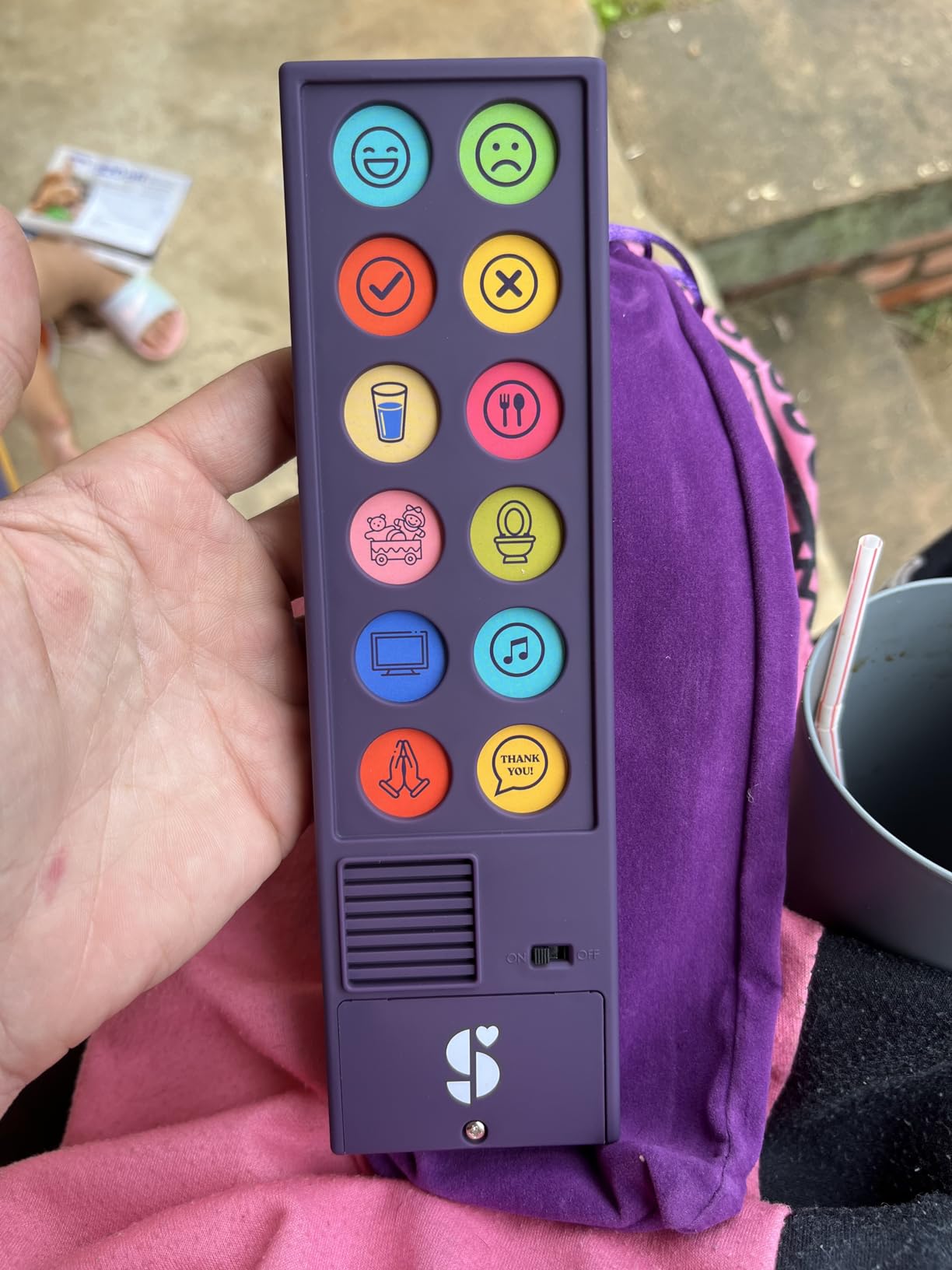
The standout feature is the included travel bag. Most budget AAC devices ship in disposable cardboard. Special Supplies includes a small carrying pouch that protects the device in a backpack or diaper bag. That sounds minor, but when you are juggling a nonverbal toddler, a therapy bag, and a sippy cup, every protected pocket matters.
Batteries are included, which is another small but meaningful detail. Too many cheap AAC devices show up with no batteries and the parent has to make another trip before the child can even try the device. The Talker Buddy works the moment you open the box.
Who this device works best for
This is the right pick for a family that needs something today and has under $20 to spend. It is also a good classroom loaner for special education teachers who want to introduce AAC to multiple students without a big budget.
The soft-touch buttons make it especially good for young toddlers ages 2 to 4 who are still developing the finger strength needed for firmer button pads.
Be aware of the limited vocabulary
The biggest tradeoff is the small number of buttons and the inability to customize phrases. Your child will outgrow this device faster than any other on the list. Think of it as a starter tool rather than a long-term solution.
Several reviewers noted the prompts lean heavily toward children, which makes it less ideal for adults who need a simple backup talker. For adult users, the Brightway or Joyreal are better cheap options.
5. KidBloom AAC Device – Best for Ages 3 to 7
KidBloom AAC Device for Autism, Sensory Toys for Autistic Kids Ages 3-7
20 color-coded buttons
6 programmable
Travel pouch
140g lightweight
Pros
- Designed specifically for ages 3-7
- Very light at 140 grams
- Soft travel pouch included
- Two volume settings
- Popular gift for autistic children
Cons
- Buttons require firm press
- Recorded messages have static noise
- Some units failed within days
- Limited to English
The KidBloom is purpose-built for the preschool and early elementary crowd. With 20 color-coded pre-installed buttons and 6 recordable buttons, it gives young children enough options to express daily needs without overwhelming them with too many choices at once. Our team liked that the design feels age-appropriate rather than trying to be everything for everyone.
At just 140 grams, this is the second-lightest device in the roundup after the Special Supplies Talker Buddy. The included soft travel pouch protects it in a backpack, and the small form factor fits comfortably in a child’s hands. The two volume settings are simple enough that a 4-year-old can adjust them.
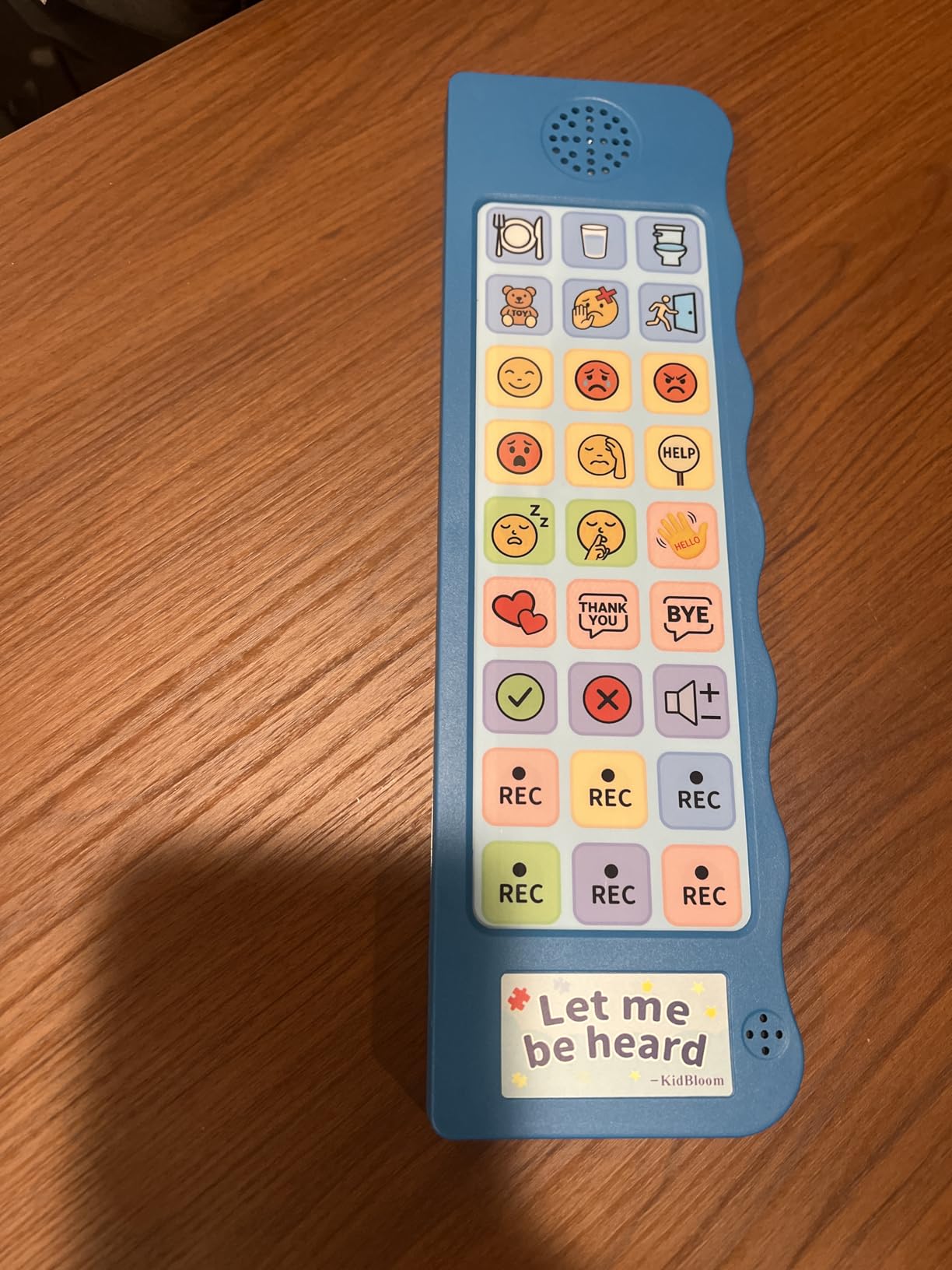
Reviewers consistently mention this as a popular gift for autistic children ages 3 to 7. That says something important. Parents and grandparents who do not live with the child every day feel comfortable buying this as a present because it is affordable, age-appropriate, and well-reviewed.
The 4.5-star rating across 182 reviews is solid for a product in this price range. Most negative reviews focus on button press force and occasional quality control issues. A handful of parents received units that stopped working within days, though Amazon’s return policy covers these cases.
Who this device works best for
If your child is between 3 and 7 and you want a simple, not-overstimulating introduction to AAC, the KidBloom is the device our team would point you toward. The 20-button layout is small enough to feel approachable for a young child who gets overwhelmed by larger grids.
It is also a good classroom device for special education preschools and early elementary programs that want to introduce AAC without a big budget commitment per student.
Press force and audio quality caveats
Multiple reviewers noted the buttons require a firm press. If your child has very low muscle tone or significant fine motor delays, you may want to look at the Brightway or MibbyTalk instead, which have easier-to-press buttons. The recorded message buttons also have a slight static background hiss that some parents found distracting.
6. HuLiPaLi AAC Device – Best Grip Handle for Motor Challenges
AAC Device for Autism with Grip Handle – 40 Pre-Installed Buttons & 8 Programmable Keys, Non-Verbal Communication Tool for Speech Therapy, Stroke Rehab & Aphasia, Adjustable Volume Talking Aid
40 preset buttons
8 programmable
Grip handle
Stepless volume
Pros
- Unique right-side grip handle for stability
- 40 preset buttons is second highest
- Most programmable buttons at 8
- Stepless volume adjustment
- Includes storage bag
Cons
- Feels toy-like and flimsy per some reviews
- Only 41 reviews
- Picture choices can be unfamiliar
- Not for users needing very simple interface
The HuLiPaLi earns its spot on this list because of one feature no other device in our roundup has: a built-in right-side grip handle. That sounds like a small thing until you have watched a child with cerebral palsy, hemiparesis, or fine motor delays try to hold a flat tablet-style talker steady. The grip handle changes the equation completely.
Stroke survivors reviewed this device favorably for the same reason. Hand weakness after a stroke makes it hard to grip flat objects, and the handle solves that problem without needing a separate mounting system. Multiple reviewers who were recovering from stroke specifically called out the handle as the reason they chose this over other budget talkers.
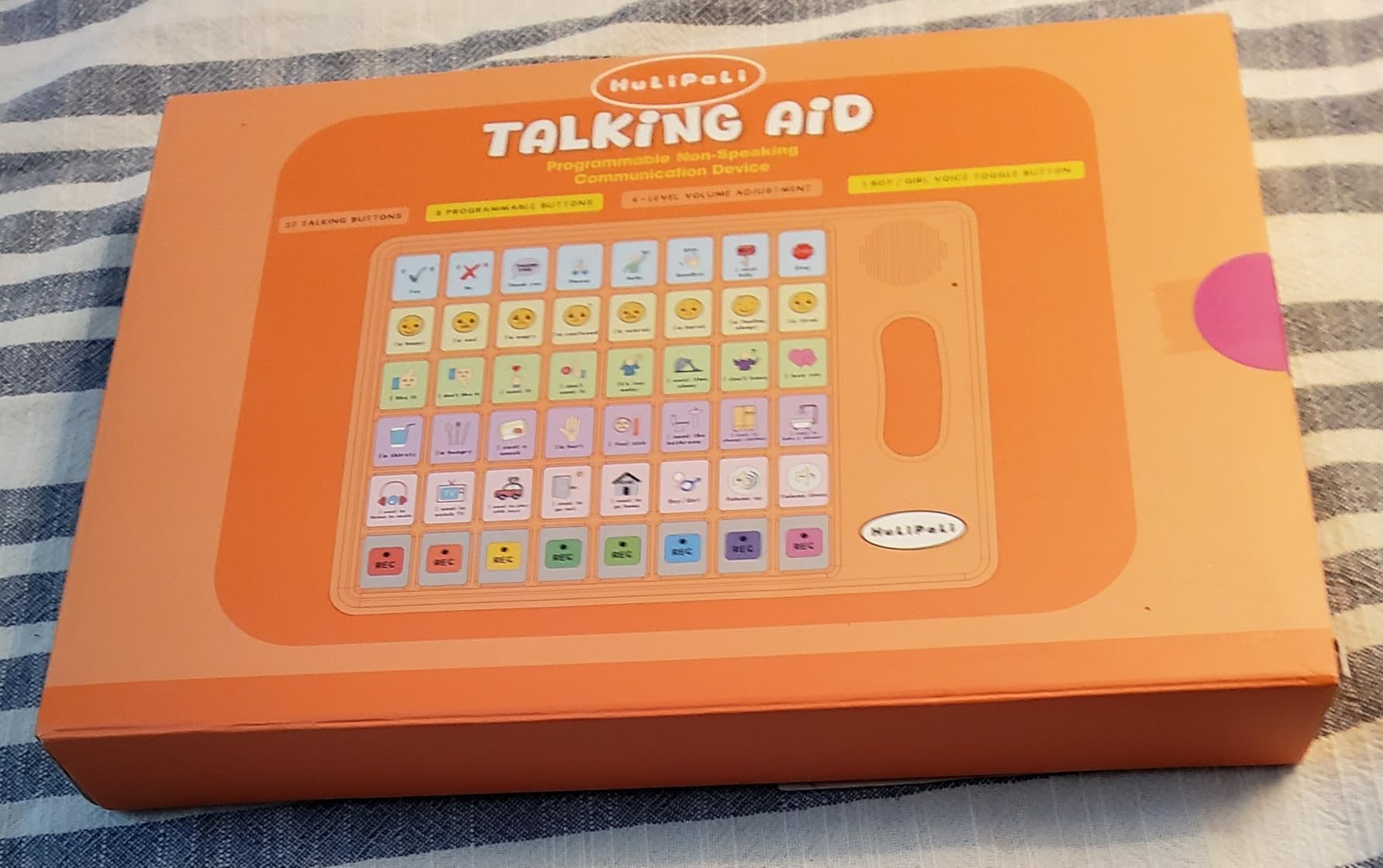
Beyond the handle, the HuLiPaLi packs 40 pre-installed picture buttons and 8 programmable recording buttons. That is the second-highest button count and the most customizable slots in the entire batch. The stepless volume control lets you fine-tune output for quiet therapy rooms or noisy classrooms without fixed volume steps.
The 65 percent five-star rating suggests strong satisfaction among early adopters. The device is newer with only 41 reviews, so you are an early-ish buyer, but the feedback so far is encouraging.
Who this device works best for
This is our top pick for children and adults who have motor challenges that make holding a flat device difficult. The grip handle is genuinely useful for kids with hemiplegia, low tone, or any condition that affects grip strength. It is also worth considering for stroke rehab patients who need a portable talker.
The 40-button count also makes it a step up from basic starter devices once your child needs more vocabulary.
What to know about build quality
Some reviewers described the device as feeling toy-like or slightly flimsy. The plastic construction is lighter and thinner than the Brightway or MibbyTalk. If your child is hard on devices, you may want to add a silicone case or use the included storage bag for protection during transport.
A few reviewers also noted some of the picture choices on the buttons felt odd or unfamiliar. You can mitigate this with the programmable buttons, but it is worth knowing before you buy.
7. LoveHugs Talk1 – Ultra-Portable Pocket Talker
AAC Device for Autism & Speech Therapy. Non Verbal Communication Tool.
14 preset buttons
2 programmable
100g pocket size
3 AAA batteries
Pros
- Cheapest programmable option
- 14 buttons with full sentences
- Small enough for a pocket
- Great starter device
- Strong 709 review base
Cons
- British accent cannot be changed
- No volume control
- Fuzzy voice quality
- Programmable buttons have no lock
The LoveHugs Talk1 is the device I would describe as “the one that fits in your pocket.” At 100 grams and roughly 8 by 2.5 inches, this is the most portable voice-output AAC device in our roundup. You can slip it into a purse, a coat pocket, or the side pocket of a diaper bag and forget it is there until you need it.
The 14 pre-installed buttons speak in full sentences rather than single words. Pressing one button says “I want to watch TV.” Another says “I need to use the bathroom.” That full-sentence approach is great for children or adults who struggle with multi-step message building but still want to express complete thoughts quickly.
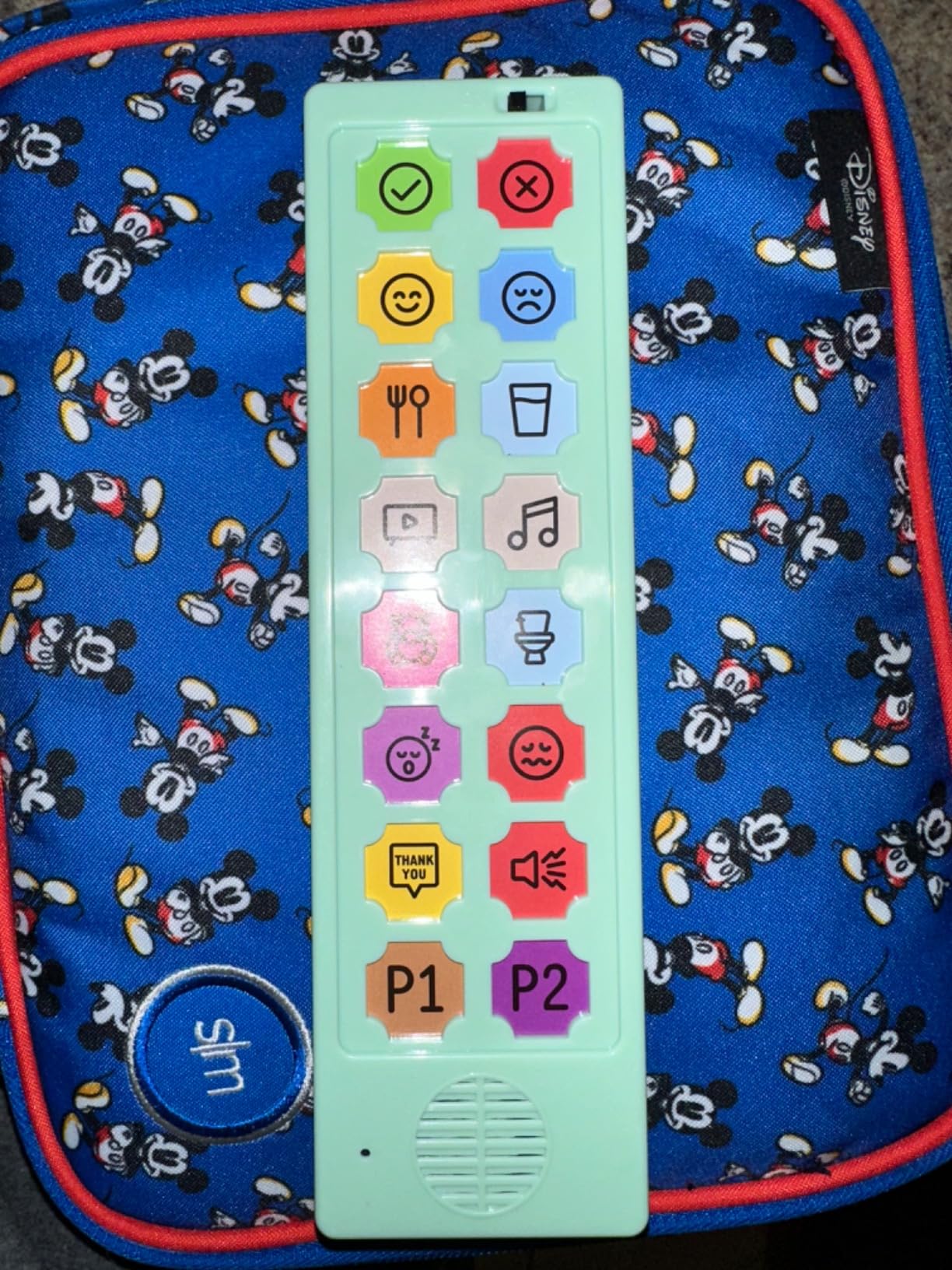
With 709 reviews and a 4.2-star rating, this is one of the more battle-tested budget AAC options on Amazon. Speech-language pathologists, teachers, and parents all show up in the review pool praising it as a starter AAC and backup communication tool. Multiple reviews mention that the device helped a nonverbal child begin communicating basic needs and, in some cases, even facilitated the transition to natural speech.
The 2 programmable buttons let you record custom messages using your own voice. That personalization matters, especially for a child who responds better to a familiar voice than a synthetic one.
Who this device works best for
The LoveHugs Talk1 is perfect for parents who want a secondary AAC device to keep in the car, the diaper bag, or the grandma’s house. It is also a low-cost first talker for a child between 2 and 5 who needs something dead simple.
Adults with apraxia or post-stroke aphasia also reviewed it positively as a backup talker when their primary device is charging.
Watch out for the audio quirks
The biggest complaint is the British accent on the pre-programmed voice, which cannot be changed. If you live in the US, your child will be repeating phrases in a British accent, which some parents found charming and others found confusing. There is also no volume control, and several reviewers called the default volume obnoxiously loud.
The programmable buttons have no lock feature, which means a curious toddler can overwrite your carefully recorded custom message in seconds. Plan to re-record periodically.
8. TalkingTiles AAC Tablet – Best Tablet-Style Alternative to iPad
TalkingTiles AAC Device for Autism and Speech Therapy – Communication Tablet for Nonverbal, Speech Delay, and Non-Speaking Talker Tool – Alternative to PECS Cards and Speller Board
10.1 inch Android tablet
3436 images
Personal voice recording
8GB RAM 256GB storage
Pros
- Tablet-style with 10.1 inch touchscreen
- Over 3436 pre-configured images
- Unlimited pages up to 56 tiles each
- Personal voice recordings
- Long 8 hour battery life
Cons
- Not Prime eligible
- Settings accessible without parental lock
- No Bluetooth for external speakers
- Some units missing charger
The TalkingTiles is the bridge between cheap button pads and full iPad-based AAC systems. It is a dedicated 10.1-inch Android tablet pre-loaded with AAC software and over 3,436 communication images. For parents who want the tablet experience without paying iPad prices or buying a separate app, this is the most direct path.
The device runs Android with 8GB of RAM and 256GB of storage. That is enough power for a smooth, responsive AAC experience without the lag that plagues cheap tablets. The 6000 mAh battery delivers roughly 8 hours of use, which covers a full school day or therapy schedule on a single charge.
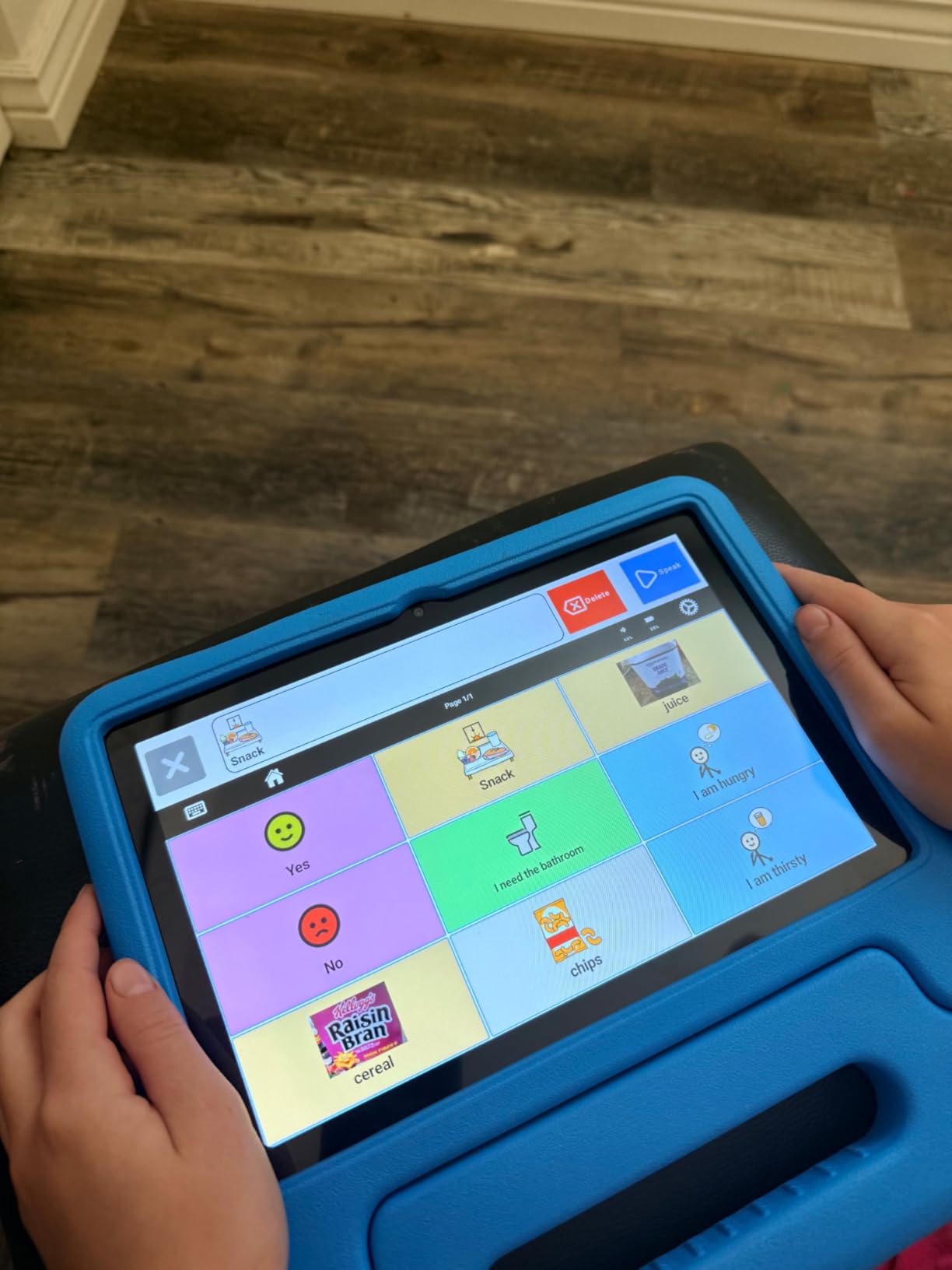
What sets the TalkingTiles apart is the sheer vocabulary depth. Unlimited pages with up to 56 tiles per page means this device can grow with your child for years. That is fundamentally different from a 20-button talker that gets outgrown in months. The personal voice recording feature lets you add custom messages in your own voice, which matters for family-specific vocabulary.
Reviewers consistently praised the TalkingTiles as offering significant value compared to iPad-based AAC solutions like Proloquo2Go, which can run $250 for the app alone plus the cost of the iPad. One parent wrote that their child started communicating on day one with the device.
Who this device works best for
The TalkingTiles is the right choice for a child who needs more vocabulary than a button pad offers but whose family is not ready to commit to an iPad plus a paid AAC app. It is also a smart pick for children who have already outgrown a starter talker and need a step up in vocabulary depth.
The durable construction survives drops and rough handling, which makes it suitable for younger children who are not yet careful with electronics.
Things to check before you commit
The device is not Prime eligible, so shipping may take longer than your typical Amazon order. Some units reportedly did not include a charger, so check the box contents when it arrives and contact the seller immediately if anything is missing. The settings menu is also accessible without a parental lock, which means a curious child can wander into system settings.
One workaround is to install a third-party app lock from the Google Play Store to lock down the settings. The customer service team at TalkingTiles reportedly responds quickly to issues, which is reassuring for a product at this price point.
9. PicSeePal Communication Folder – Best Battery-Free Low-Tech Option
PicSeePal Communication Board for Autism & Nonverbal Kids | Portable AAC Folder Customizable with Any Symbols, Photos or Words | Speech Therapy Tool for Home, School & Therapy | Ages 3–12
No batteries needed
Visual templates
Shoulder strap
Ages 2-12
Pros
- No battery or app dependency
- Includes templates from major AAC providers
- Works with photos drawings and magazine pictures
- Wipeable and durable
- Shoulder strap for transport
Cons
- Highest price for non-electronic product
- No voice output
- Requires adult setup
- Not waterproof
The PicSeePal is the only device in this roundup that does not make a sound. It is a portable, low-tech communication folder that uses visual symbols instead of voice output. For some children, especially those who are highly sensitive to sound or who get overwhelmed by synthetic voices, this is exactly the right tool.
What makes the PicSeePal special is that it ships with visual support templates from major AAC providers including PRC-Saltillo, Smartbox, AssistiveWare, CoughDrop, Avaz, LessonPix, and Forbes AAC. That means your child can use the same symbols they see in speech therapy or on their iPad AAC app, just in a no-battery format.
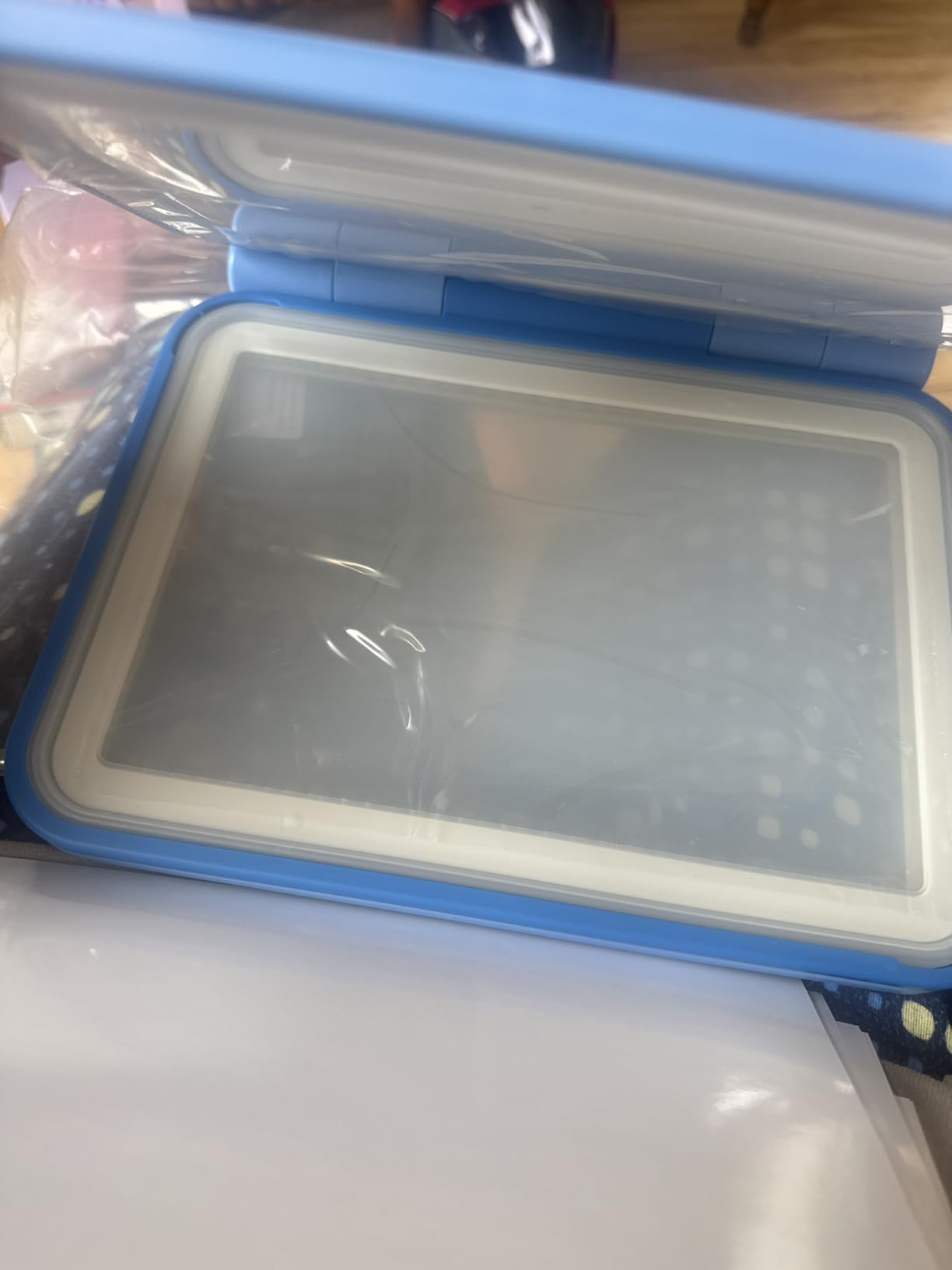
The folder works with photographs, drawings, food packaging, magazine pictures, schedules, and anything else you can slide into the transparent pockets. That flexibility is huge for children whose interests change weekly. You can swap visuals as the child grows without buying a new device.
Speech-language pathologists recommend low-tech AAC as a backup for high-tech systems for a reason. Batteries die. Tablets break. Apps crash. The PicSeePal ensures your child always has a communication option regardless of power, wifi, or device status.
Who this device works best for
The PicSeePal is ideal for three groups. First, families who want a no-tech AAC option for environments where electronics are not allowed or practical, like pools, beaches, or outdoor play. Second, children who are highly sensitive to sound and do better with visual-only communication. Third, families who need a backup to their primary electronic AAC device.
It also works well as a starter AAC tool for very young children under age 3 who are not yet ready for button-based talkers.
Understand what you are paying for
At around $99, the PicSeePal is more expensive than most of the basic electronic talkers on this list. The price reflects the build quality, the included template library, and the durable construction. Still, some reviewers felt the price was high for a non-electronic product. If budget is tight, consider this an investment in long-term backup communication rather than a primary device.
The folder is not waterproof. The snap-on cases can flood if submerged, so it is not the right tool for poolside communication without additional protection.
10. AbleNet BIGmack – Industry-Standard Single-Message Switch
AbleNet BIGmack AAC Communication Device – Speech Therapy Communication Aid for Nonverbal Kids & Adults – Product Number #10000041
Single message
2 minute recording
Built-in mounting plate
USB connectivity
Pros
- Trusted AbleNet brand used by special educators
- Records up to 2 minutes
- Large colorful button easy to press
- Versatile mounting options
- Speech therapist approved
Cons
- Single-message only
- Expensive for the functionality
- Fragile internal relay
- No internal padding
The AbleNet BIGmack is the device you will see in nearly every special education classroom in the country. It is a single-message switch, which means you record one message up to 2 minutes long and the child presses the big colorful button to play it back. That simplicity is the entire point.
For a child who is just beginning cause-and-effect communication, the BIGmack is often the first device an SLP will reach for. Press the button, hear the message. That loop teaches intentional communication in its most basic form. From there, the child can graduate to multi-message devices.
The 4.6-star rating from special education professionals and parents reflects years of classroom use. The built-in mounting plate means you can attach the BIGmack to a wheelchair tray, a tabletop, or a wall mount without extra hardware. The USB connectivity makes recording messages from a laptop or tablet straightforward.
Who this device works best for
The BIGmack is the right choice for a child at the very beginning of their AAC journey who needs to learn that pressing a button causes something to happen. It is also widely used in inclusive classroom settings for participation activities like answering “good morning,” making a choice, or delivering a line in a school play.
Children with severe motor or cognitive impairments who cannot yet manage multi-button interfaces often start here.
Cost versus functionality tradeoff
The biggest criticism is price relative to functionality. At around $155, you are paying AbleNet prices for a single-message switch when multi-message devices like the Brightway cost a quarter as much. What you are paying for is the proven AbleNet reliability, the mounting system, and the educator ecosystem that already knows this device.
The other concern is durability. Some users reported the internal relay breaking from a single drop. There is no internal padding for drop protection, so handle with care or mount it semi-permanently.
11. AbleNet LITTLEmack – Compact Single-Message Switch
AbleNet LITTLEmack Single Message Dedicated Speech Generating Device, Portable AAC Communication Device for Non-Verbal Speech Therapy Communication Part #10000042
Single message
Compact 7 inch size
9V battery
Color-coded tops
Pros
- Perfect 5 star rating
- Compact and portable
- Soft-touch coating for small hands
- Color-coded tops
- Quick-ready mounting plate
Cons
- Single-message only
- Battery not included
- Small review sample of 12
- Limited stock
The LITTLEmack is the smaller sibling of the BIGmack. It does the same single-message job but in a compact 7-inch form factor designed for smaller hands and tighter spaces. Available since 2012, it has proven long-term reliability and a perfect 5.0-star rating across 12 reviews.
The color-coded tops come in red, yellow, green, and blue, which is useful if you have multiple LITTLEmack switches for different messages. The soft-touch coating makes it comfortable for young children to press repeatedly. The clear snap cover lets you slide in a picture symbol so the child can see what the button says before pressing.
The LITTLEmack operates on a standard 9V alkaline battery, which is easy to find at any store. The high-quality digital sound output is noticeably clearer than the budget button pads on this list, which is one reason educators trust it.
Who this device works best for
The LITTLEmack fits toddlers and preschoolers who need a single-message switch but find the full-size BIGmack too large. It is also a good choice for tight spaces like a high chair tray, a stroller bar, or a small wheelchair tray where the BIGmack would not fit.
SLPs often recommend starting with one or two LITTLEmack switches for choice-making activities before graduating to multi-button devices.
Stock and review caveats
Only 12 reviews is a small sample, even with a perfect rating. The bigger concern is stock availability. As of our research, only 5 units remained in stock, which suggests this model may be in short supply or transitioning to a newer version. If you want this specific device, do not delay your purchase.
The battery is not included, so pick up a 9V alkaline at the same time you order.
12. AbleNet QuickTalker 7 – Multi-Message Dedicated Talker
AbleNet QuickTalker 7 – Portable Multi-Message Speech Device with FeatherTouch Technology, 23 Messages, 5 Recording Levels, and Durable Design, AAC Communication Device for Non Verbal Kids & Adults
23 messages
5 recording levels
FeatherTouch technology
32GB storage
Pros
- 23 messages across 5 levels
- Pre-programmed core words
- Lightweight and portable
- Rugged construction
- FeatherTouch sensitive activation
Cons
- Templates can fall out
- Buttons hard to press for some
- Lag after inactivity
- Very limited review sample
The AbleNet QuickTalker 7 is the mid-tier dedicated device from AbleNet that sits between the single-message BIGmack and the full QuickTalker Freestyle speech-generating device. With 23 messages across 5 recording levels, it gives a child up to 115 message options in a portable, dedicated format.
The FeatherTouch technology is designed for sensitive activation, which matters for children who cannot press buttons firmly. The pre-programmed core words and popular phrases mean you can start communicating immediately without recording every message yourself. Customizable vocabulary lets you expand as the child’s needs grow.
One parent reviewer shared a moment our team keeps coming back to. Their 2-year-old learned to communicate with the QuickTalker 7 within a single day, using it to request items and express hunger. That kind of rapid uptake is what every parent hopes for when introducing AAC.
Who this device works best for
The QuickTalker 7 is for children who have outgrown single-message switches but are not yet ready for a full tablet-based AAC system. It is also a classroom workhorse, with rugged construction designed to survive daily school use.
Therapists frequently choose this for early communicators who need a step between cause-and-effect single-message devices and dynamic display talkers.
Known hardware quirks
The most common complaint is that the template pages fall out easily because they lack a locking mechanism. Some users solved this with a small piece of tape, but it is an annoying design oversight on a device at this price.
Buttons can be hard to press for some users despite the FeatherTouch branding, and the device exhibits lag after periods of inactivity. With only 9 reviews and 6 units in stock at research time, this may be an older model approaching end of life.
Buying Guide: How to Choose the Best AAC Device for Nonverbal Children
Choosing an AAC device feels overwhelming because the options range from $15 button pads to $8,000 dedicated speech-generating systems. The good news is that for most families, the right starting point is one of the affordable devices in this roundup. Here is how our team thinks about the decision.
Understand the three types of AAC
Low-tech AAC includes picture boards, communication folders like the PicSeePal, and single-message switches like the AbleNet BIGmack. These tools have no batteries, no screens, and no voice output (or simple voice output). They work in every environment and never crash.
Mid-tech AAC covers the programmable button pads like the MibbyTalk, Brightway, Joyreal, and similar devices in this roundup. These devices have pre-recorded or customizable voice output, multiple buttons, and run on standard batteries. They bridge the gap between picture boards and full tablets.
High-tech AAC includes tablet-based systems like the TalkingTiles, iPad apps like Proloquo2Go and TouchChat, and dedicated speech-generating devices like the Tobii Dynavox or NovaChat. These systems offer thousands of words, dynamic displays, data tracking, and often eye gaze or switch access for users with severe motor impairments.
Match the device to your child’s motor skills
Children with typical fine motor development can use any device in this roundup. Children with low muscle tone, hemiplegia, or significant motor delays need devices with larger buttons or alternative access methods. The Brightway has the easiest buttons to press among the budget talkers. The HuLiPaLi is the only budget device with a built-in grip handle for children who cannot hold flat tablets.
For children who cannot use their hands reliably, switch access and eye gaze systems become necessary. Those are typically funded through insurance and prescribed by an SLP after a full AAC evaluation. For a complete guide to setting up iPad access for children with motor challenges, see our occupational therapy approaches that support AAC use.
Consider your child’s age and stage
For toddlers under 3, start with a single-message switch like the AbleNet LITTLEmack or a simple 12 to 20-button talker like the KidBloom. The goal at this age is cause-and-effect learning and basic choice-making, not full communication.
For preschoolers ages 3 to 5, devices with 20 to 40 buttons like the MibbyTalk, Brightway, or KidBloom work well. The complete guide to using iPad with autistic students on our site covers how AAC fits into a broader preschool and early elementary program.
For school-age children 6 and up, consider stepping up to a tablet-based system like the TalkingTiles or an iPad with Proloquo2Go, TouchChat, LAMP Words for Life, or Grid. These systems can grow with the child through adolescence and adulthood.
Think about vocabulary depth and growth
A common mistake parents make is buying a device that is too simple. A 12-button talker gets outgrown fast once a child realizes they have more to say than the device allows. Our team generally recommends starting with at least 20 to 30 buttons, even for young children, so there is room to grow.
The Brightway with 60 buttons, the HuLiPaLi with 48, and the TalkingTiles with 3,436 images all offer significantly more vocabulary headroom than basic talkers. Pair a tablet-based system with speech therapy apps that complement AAC for the best long-term outcome.
How to get an AAC device funded in 5 steps
Step 1: Request an AAC evaluation from a speech-language pathologist. The SLP will assess your child’s communication needs, motor skills, and cognitive abilities, then recommend specific devices or apps.
Step 2: Check your school district. Under IDEA (the Individuals with Disabilities Education Act), children with communication needs documented on an IEP (Individualized Education Program) may receive an AAC device at no cost to the family. The device is technically owned by the school but stays with the child across settings.
Step 3: Submit a claim to your private insurance. AAC devices are classified as durable medical equipment. You will need a prescription, the SLP evaluation report, and a letter of medical necessity. Denials are common on the first try, so be prepared to appeal.
Step 4: Apply for Medicaid coverage if your child qualifies. Medicaid is often more reliable than private insurance for AAC funding, and many states have specific AAC coverage policies.
Step 5: Look into grants and crowdfunding. Organizations like the National AAC Cooperative, Frankie Lemmon Foundation, and various local disability organizations offer AAC grants. Many families also use GoFundMe or similar platforms for out-of-pocket AAC costs.
Common AAC myths debunked
Myth: AAC will stop my child from learning to talk. Reality: ASHA-reviewed research consistently shows AAC facilitates rather than prevents speech development. Multiple studies show nonverbal children who use AAC are more likely to develop natural speech than those who do not.
Myth: You should wait until a child is older before starting AAC. Reality: Earlier is better. Research supports introducing AAC as young as 12 to 18 months for children showing communication delays. Waiting only widens the language gap.
Myth: AAC is only for children who will never speak. Reality: AAC is a tool for any child whose speech is inadequate for daily communication, even temporarily. Many children use AAC for a season and then transition fully to natural speech.
FAQs
How do I get an AAC device for my nonverbal child?
Start with an SLP evaluation, then pursue funding through your school district IEP team, private insurance as durable medical equipment, Medicaid, or AAC-specific grants. Most families use a combination of these sources.
What device helps nonverbal children talk?
AAC devices and apps like the MibbyTalk, Brightway, Joyreal, TalkingTiles tablet, and iPad apps such as Proloquo2Go and TouchChat help nonverbal children communicate by speaking aloud when the child presses buttons or symbols.
What is the best AAC device for kids?
The best AAC device depends on the child. For most families starting out, our top picks are the MibbyTalk for overall value, the Brightway for maximum button count, and the Joyreal for the lowest price with proven reviews.
Does AAC prevent children from learning to speak?
No. Research from ASHA consistently shows AAC facilitates rather than prevents speech development. Many nonverbal children who use AAC go on to develop natural speech, often faster than children who do not use AAC.
Can I use an iPad as an AAC device?
Yes. With apps like Proloquo2Go, TouchChat, LAMP Words for Life, Grid, Avaz, or CoughDrop installed, an iPad becomes a full AAC communication system. See our guide to using iPad for nonverbal students for setup steps, and our broader special education iPad guide for classroom integration.
What is the cheapest AAC option for nonverbal children?
The Special Supplies Talker Buddy at around $15 is the cheapest device in our roundup with a 960-review track record. For a fully free option, explore free AAC apps like LetMeTalk, app2vox, or AAC Talking Parrot on iOS and Android.
Conclusion: Finding the Right AAC Device for Your Child
The best AAC devices for nonverbal children in 2026 range from $15 button talkers to tablet systems with thousands of words, and the right pick depends entirely on your child’s age, motor skills, and communication goals. Our team’s overall recommendation for most families starting out is the MibbyTalk for its category-leading 4.8-star rating and child-friendly color-coded design. For maximum vocabulary at a low price, the Brightway with 60 buttons is hard to beat. And for the tightest budgets, the Joyreal remains the safest bet with over 1,000 verified reviews at the lowest price in the roundup.
Whatever you choose, remember that AAC is a journey, not a single purchase. Many children start with a simple button talker, graduate to a tablet system within a year, and eventually develop enough natural speech to use AAC only as a backup. The most important step is the first one. Pick a device, introduce it consistently, and let your child show you what they have to say.
For more on integrating AAC into a broader iPad-based learning setup, explore our guides on using iPad for nonverbal students, iPad use with autistic students, and iPad for special education classrooms. The tools in this roundup are just the beginning of your child’s communication story.