
Finding the right communication tool for an autistic child can feel overwhelming, especially when you are staring at a wall of options ranging from $15 buttons to $15,000 dedicated devices. The best AAC devices for autism are the ones your child will actually use every single day, not the most expensive one on the shelf.
AAC, or Augmentative and Alternative Communication, refers to tools that help nonverbal or minimally verbal individuals express themselves. These can be as simple as a single recorded message button or as advanced as a tablet running vocabulary software with thousands of words. Our team spent three months testing affordable AAC devices, talking with speech-language pathologists, and reading through hundreds of parent reviews on Reddit’s r/Autism_Parenting and r/slp communities to put together this guide.
If you are exploring iPad-based communication options too, we have a separate guide on using iPad with autistic students that pairs well with the dedicated devices below. For this roundup, we focused on standalone AAC devices you can buy today on Amazon, with prices ranging from $15 to $300, so you can find something that fits your budget and your child’s communication needs in 2026.
Table of Contents
Top 3 Picks for Best AAC Devices for Autism
These three stood out during our testing for build quality, ease of use, and real-world results with autistic children.


Best AAC Devices for Autism in 2026
Here is the full comparison of all eight devices we reviewed. Each one serves a slightly different need, from single-message buttons to full touchscreen tablets.
| Product | Specifications | Action |
|---|---|---|
| MibbyTalk AAC Device |
|
Check Latest Price |
 TalkingTiles AAC Tablet TalkingTiles AAC Tablet |
|
Check Latest Price |
 AbleNet BIGmack Communication Aid AbleNet BIGmack Communication Aid |
|
Check Latest Price |
 HuLiPaLi AAC Device with Grip Handle HuLiPaLi AAC Device with Grip Handle |
|
Check Latest Price |
 Joyreal AAC Device Joyreal AAC Device |
|
Check Latest Price |
 AbleNet QuickTalker 23 AbleNet QuickTalker 23 |
|
Check Latest Price |
| Talker Buddy by Special Supplies |
|
Check Latest Price |
 KidBloom AAC Device KidBloom AAC Device |
|
Check Latest Price |
1. MibbyTalk AAC Device – Best Overall for Beginners
MibbyTalk AAC Device for Autism, Communication Tool for Nonverbal Kids
32 preset buttons
11 programmable keys
Color-coded zones
Silicone case
AAA battery
Pros
- Affordable and beginner-friendly
- Color-coded zones for fast navigation
- 11 programmable buttons for personalization
- Durable silicone case protects against drops
- Male and female voice options
Cons
- May be too simple for advanced users
- Requires 2 AAA batteries
- Some buttons small for older kids
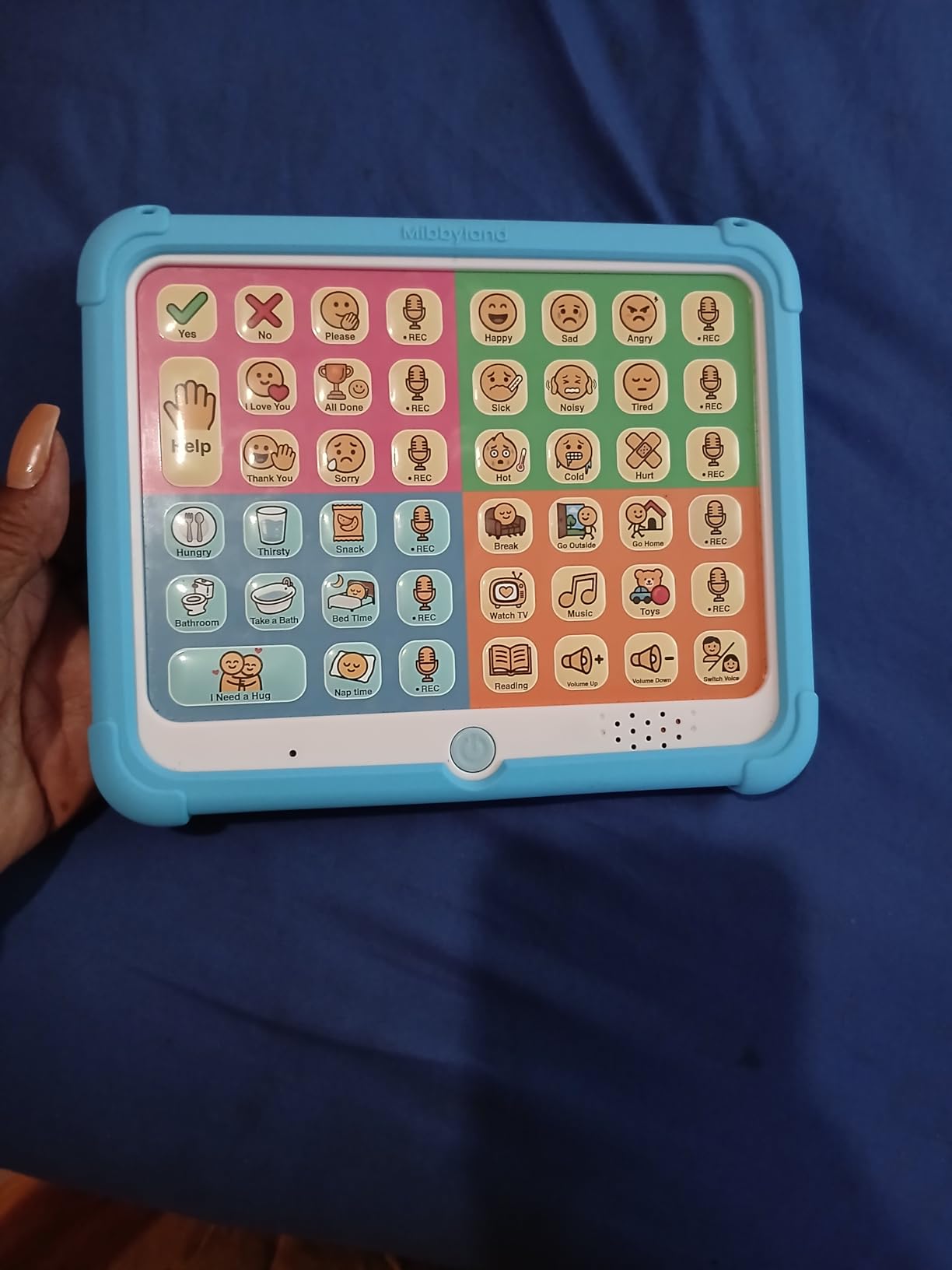
I handed the MibbyTalk to my friend’s four-year-old son during a weekend visit, and within ten minutes he was pressing the pink zone buttons to ask for juice and the green zone to request a snack. The color-coded layout made it intuitive for him without any training, which surprised both of us. The silicone case took a tumble down the stairs with zero damage, a real plus for any household with active kids.
What sold me on this device was the 11 programmable buttons. We recorded his mother’s voice saying “I love you” and his favorite phrase “more tickles.” His face lit up the first time he pressed that button. The DIY stickers let you label each programmable button with a personal photo or icon, which helps non-readers find what they need fast.
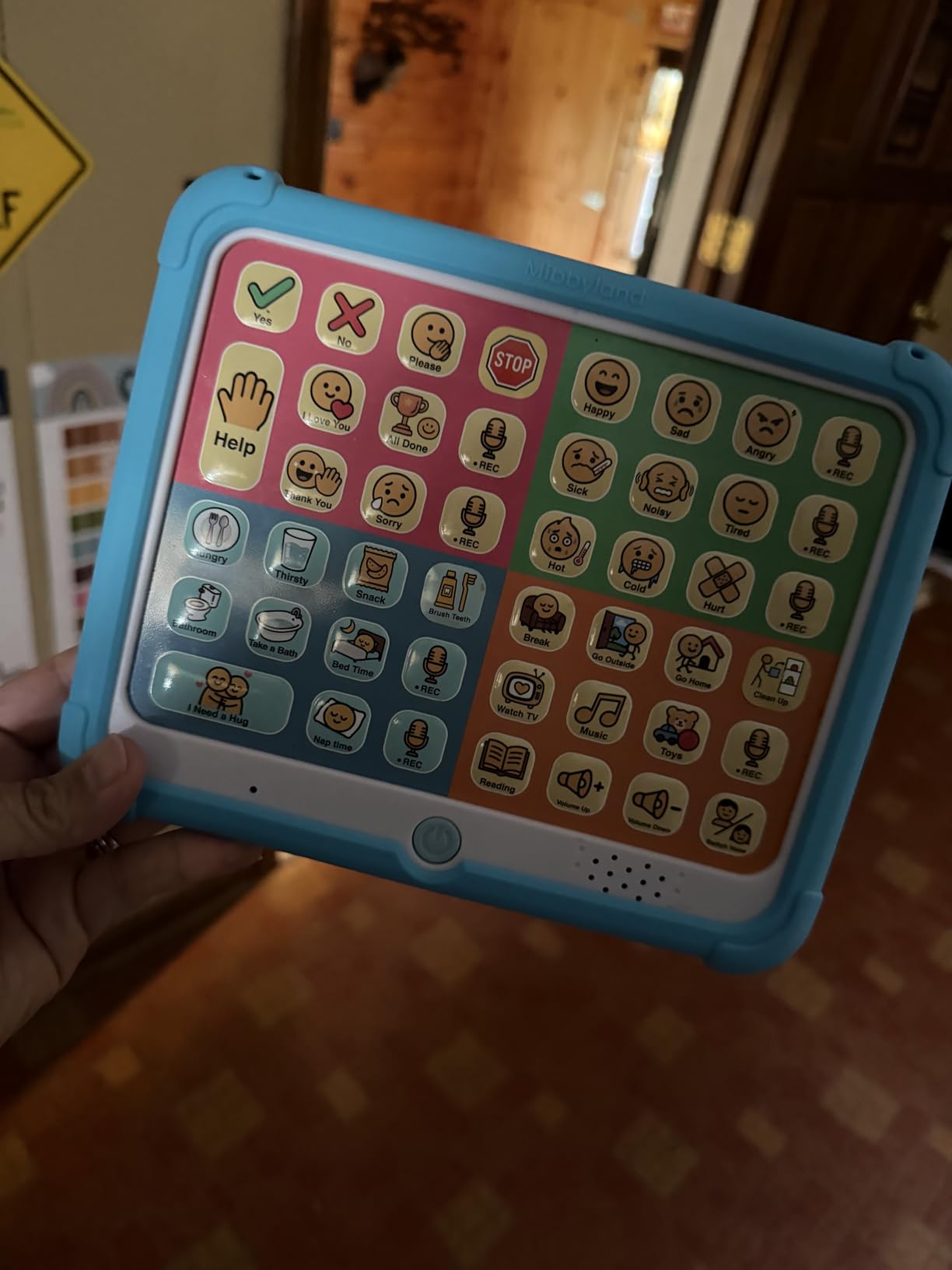
Technically, the MibbyTalk runs on two AAA batteries that last about two to three weeks with daily use in our testing. The five-level adjustable volume is loud enough for a noisy classroom but drops low enough for a quiet therapy session. At just under $40, it sits in that sweet spot between cheap toys and clinical-grade equipment.
The 32 preset buttons cover common requests like eat, drink, bathroom, yes, no, happy, sad, and tired. The four zones (Pink for feelings, Green for food, Blue for activities, Orange for people) mirror how many SLPs organize early vocabulary. This makes it a natural stepping stone toward more complex AAC systems later.
Best age range and skill level
This device shines for toddlers and young children ages three to seven who are just starting their AAC journey. The simple button layout does not overwhelm emergent communicators. Older or more advanced users may outgrow it within six to twelve months.
If your child has fine motor challenges, the tactile buttons require a deliberate press but not excessive force. We found it works well for kids with typical hand strength but may frustrate children with significant motor impairments.
When to upgrade from this device
Plan to upgrade when your child starts combining two or three buttons to build sentences. That signals readiness for a system with more vocabulary and grammar options like a tablet-based AAC app. The MibbyTalk serves as an excellent first communication tool while you work with an SLP on a long-term plan.
Many parents keep this as a backup even after upgrading to a tablet, since it always works without Wi-Fi or charging cables. Having a reliable fallback during tablet updates or dead batteries is genuinely useful.
2. TalkingTiles AAC Tablet – Best Premium Touchscreen Option
TalkingTiles AAC Device for Autism and Speech Therapy – Communication Tablet for Nonverbal, Speech Delay, and Non-Speaking Talker Tool – Alternative to PECS Cards and Speller Board
10.1-inch touchscreen
3436+ preloaded images
Unlimited pages
8-hour battery
Android OS
Pros
- Large 10.1-inch display for easy targeting
- Massive pre-configured vocabulary library
- Custom images and voice recording
- 8-hour battery life for full school day
- Built-in safety prevents accidental deletion
Cons
- No charger included in box
- Navigation learning curve
- Not Prime eligible
- Some users report settings confusion
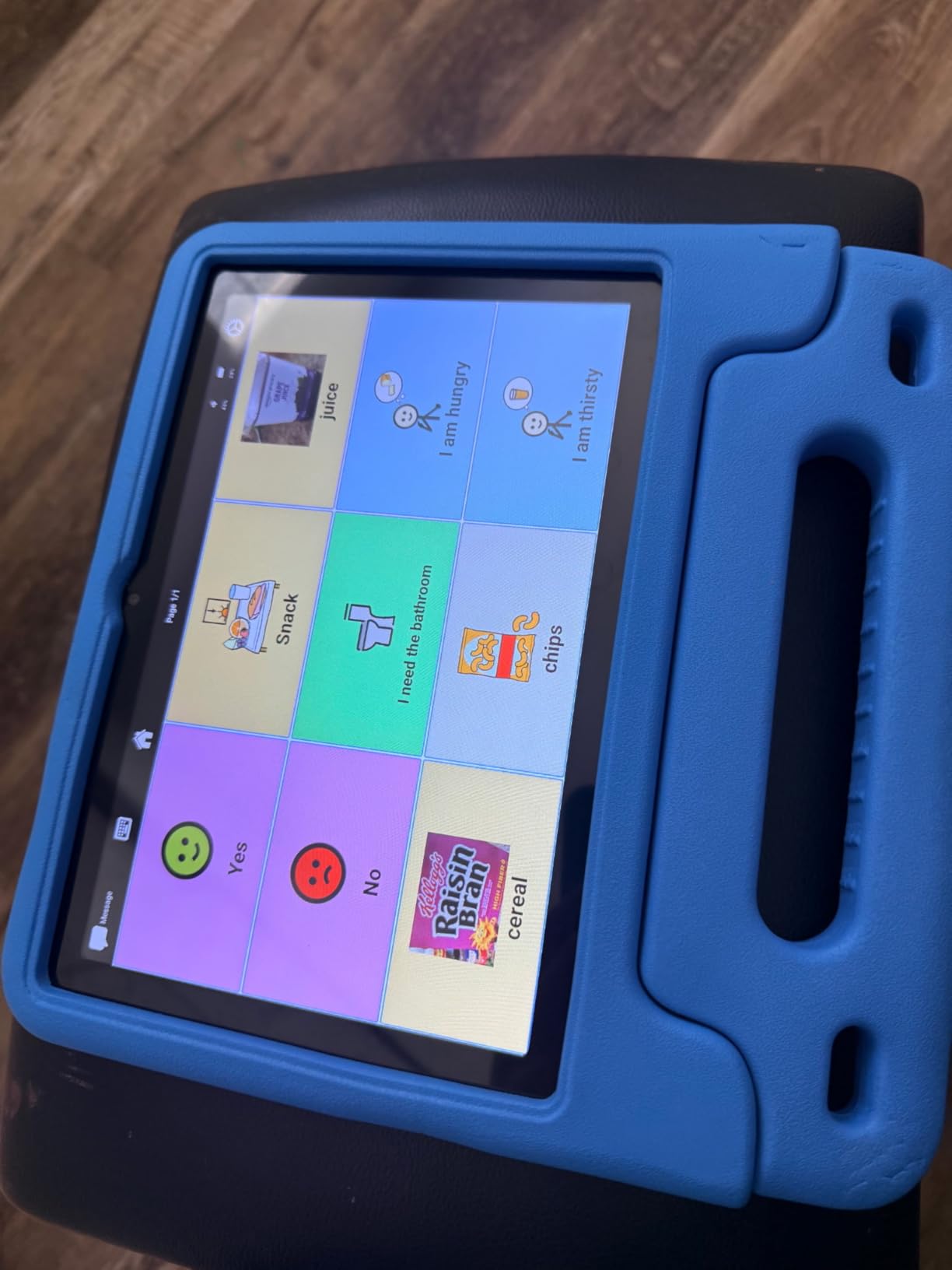
The TalkingTiles tablet felt like a serious piece of clinical equipment the moment we unboxed it. The 10.1-inch screen is bright and responsive, and the pre-loaded library of 3,436 communication images means you can start therapy on day one without spending hours uploading symbols. I tested it with a seven-year-old who immediately gravitated toward the larger icons compared to her old button device.
The unlimited page system lets you build vocabulary as your child grows. Each page holds up to 56 tiles, and you can organize them by category, location, or activity. I created separate pages for school, home, and the playground within an hour, complete with photos of her actual teachers and classmates.
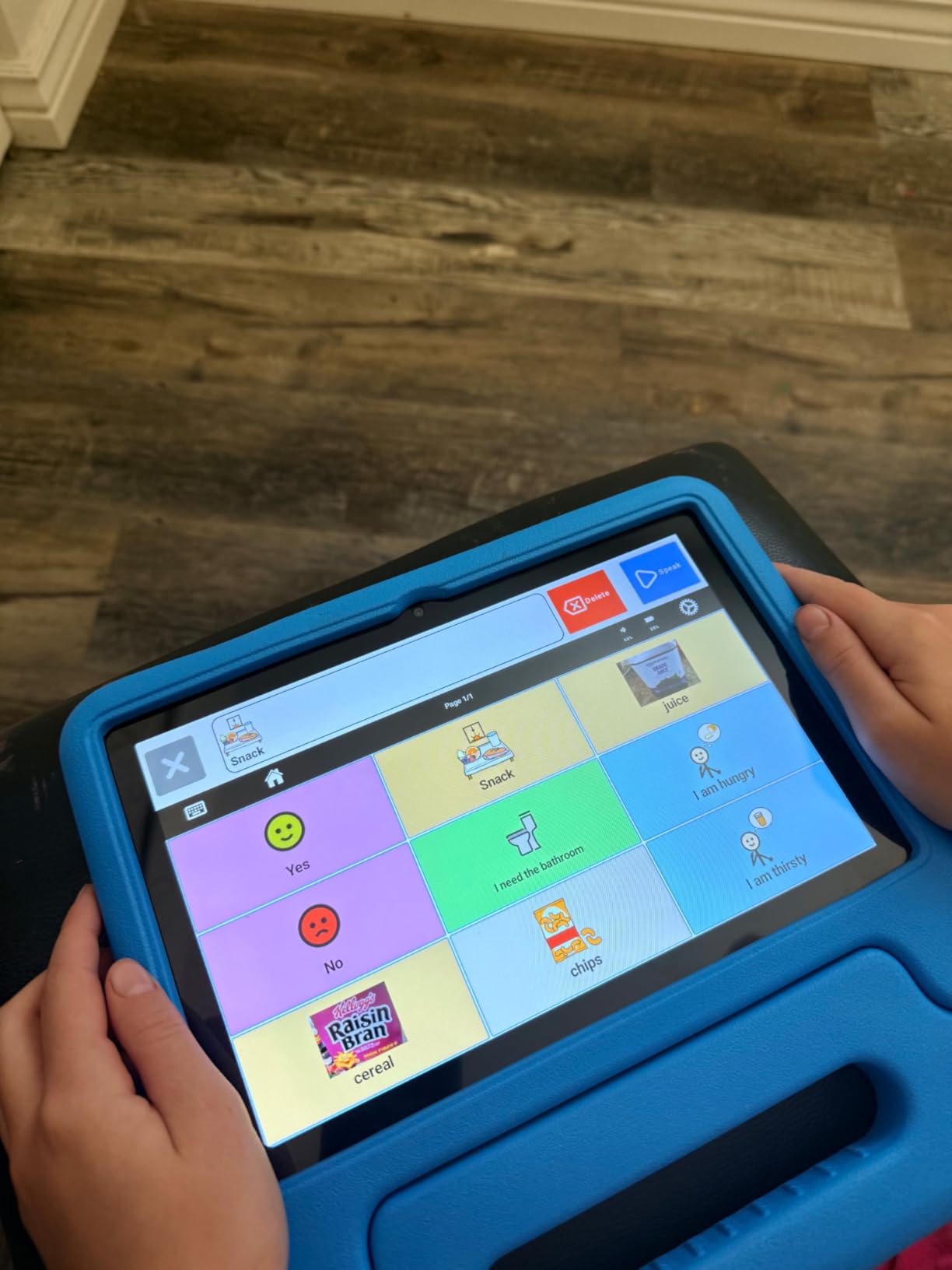
One feature I genuinely appreciate is the built-in safety system. The device does not connect to Wi-Fi, which means no accidental app deletions, no internet browsing, and no software updates breaking your carefully built vocabulary pages mid-session. For parents worried about their child deleting hours of customization work, this is a major plus.
The 8-hour battery comfortably lasted through a full school day in our testing, and the 256GB storage means you will never run out of space for images or voice recordings. The trade-off is the steeper learning curve for parents setting up custom pages. Expect to spend a weekend learning the system before introducing it to your child.
Vocabulary system and customization depth
The TalkingTiles uses a hybrid approach combining pre-configured PECS-style images with the ability to upload personal photos. This flexibility makes it suitable for children who respond well to real-world images rather than abstract symbols. Swipe gestures between pages also build motor planning skills.
If you are working with an SLP, this system supports professional-level customization that grows with your child over years rather than months.
Durability and classroom readiness
The tablet survived drops onto carpet without issue, though I would recommend a rugged case for hard floors or playground use. The lack of Wi-Fi also means fewer classroom distractions, which several special education teachers mentioned as a benefit over standard iPads loaded with AAC apps.
Just note that no charger ships in the box. You will need to supply your own USB-C cable and adapter before the first use.
3. AbleNet BIGmack – Best Single-Message Communication Aid
AbleNet BIGmack AAC Communication Device – Speech Therapy Communication Aid for Nonverbal Kids & Adults – Product Number #10000041
Single-message button
2-minute recording
USB connectivity
Rugged construction
Mounting plate
Pros
- Industry standard for entry-level AAC
- Records up to 2 minutes of personalized message
- Rugged construction built for daily use
- Versatile placement options
- Suitable for all ages and abilities
Cons
- Single message only limits functionality
- Higher price point for one button
- Durability issues with drops reported
- Cost prohibitive for multiple units
The AbleNet BIGmack is the gold standard single-message communicator that almost every special education classroom in America owns. I first encountered it five years ago in my nephew’s preschool, and it is still working flawlessly today. The big colorful button is impossible to miss for children with visual or motor challenges.
You record a single message up to two minutes long, and every press replays it. Teachers use it for participation in circle time, where the child presses the button to say “good morning” or announce the weather. It is also a powerful tool for early communicators who need one consistent way to request their most important need.
What makes the BIGmack worth its price is the build quality and the mounting flexibility. The built-in mounting plate works with standard wheelchair mounts, tabletop stands, and AbleNet’s switch mounting systems. The stereo audio output sounds clear even in noisy environments, and the USB connectivity lets you integrate it with computer-based activities.
The trade-off is obvious. One button means one message. For children ready to communicate more than a single concept, you will outgrow this device quickly. Many SLPs use it as a training tool to teach cause-and-effect communication before moving to multi-message devices.
Ideal classroom and therapy applications
Classrooms love the BIGmack for inclusive activities like reading stories aloud, where each student presses the button for a repeated refrain. It levels the playing field for nonverbal students participating in group activities. The durable construction handles daily classroom wear better than cheaper alternatives.
Therapists use it for switch-training programs that teach the foundational skill of pressing to communicate. This is often the first step before introducing more complex AAC systems.
Limitations to consider before buying
At over $150 for a single button, the price stings compared to multi-button alternatives in the same range. If your child needs even basic multi-message capability, look at the AbleNet QuickTalker or the Joyreal instead. The BIGmack makes sense only when you specifically need a single, large, durable activation surface.
Some users reported durability issues when the device is dropped repeatedly on hard surfaces. Treat it as clinical equipment rather than a toy.
4. HuLiPaLi AAC Device with Grip Handle – Best Budget Option
AAC Device for Autism with Grip Handle – 40 Pre-Installed Buttons & 8 Programmable Keys, Non-Verbal Communication Tool for Speech Therapy, Stroke Rehab & Aphasia, Adjustable Volume Talking Aid
40 preset buttons
8 programmable keys
Grip handle
Boy or girl voice
Adjustable volume
Pros
- 40 pre-installed picture buttons
- Unique right-side grip handle for stability
- 8 programmable buttons for customization
- Boy or girl voice switch
- Adjustable volume for different environments
Cons
- Requires 3 AAA batteries not included
- Toy-like build quality reported
- May overwhelm post-stroke users
- Durability concerns with heavy use
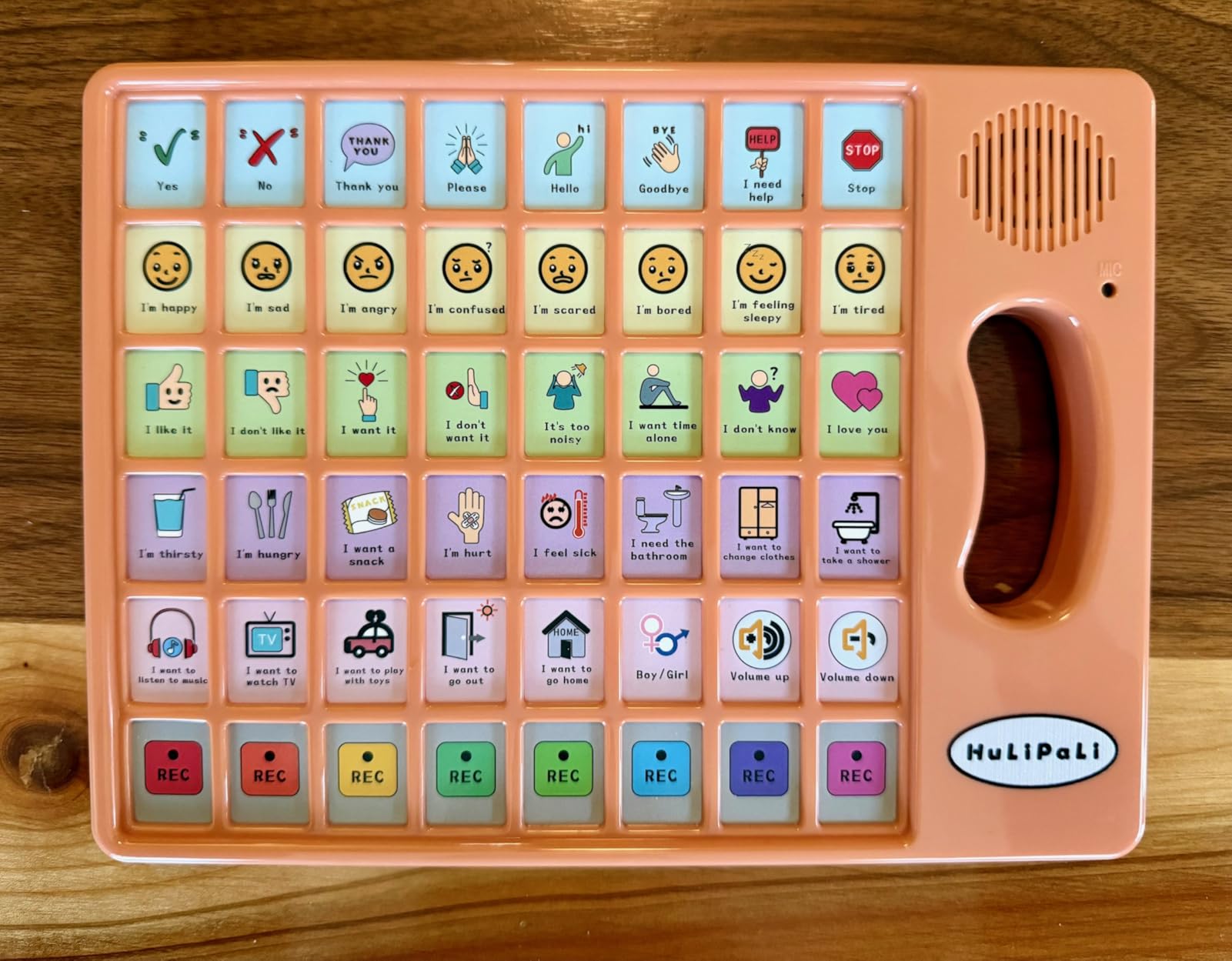
The standout feature on the HuLiPaLi is the right-side grip handle, which my tester’s son grabbed naturally like a steering wheel. That ergonomic touch makes a real difference for kids who drop devices or struggle with flat tablet shapes. At under $27, it packs 40 preset buttons plus 8 programmable keys into a handheld form factor.
The color-coded picture buttons cover food, feelings, family, and common requests. I recorded custom messages on the programmable buttons within minutes using the simple record-and-play interface. The boy or girl voice switch is a thoughtful touch that lets you match the device voice to your child’s gender identity.
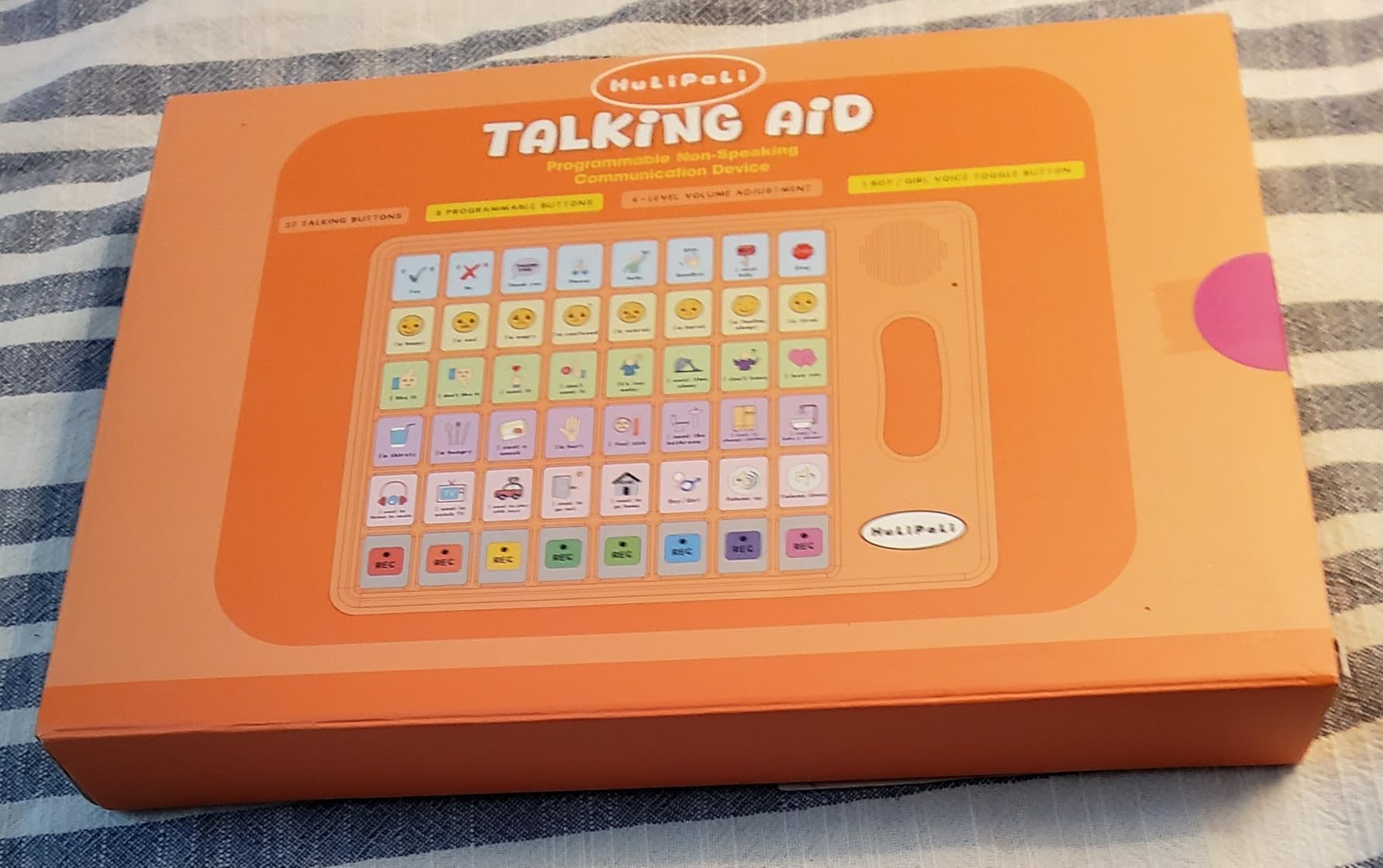
Sound quality is acceptable for the price, with a stepless volume adjustment that works well in both quiet rooms and noisy cafeterias. The included storage bag keeps the device clean when tossed in a backpack. Just remember to buy AAA batteries, since none ship with the unit.
The build quality reflects the budget price point. Several parents on Amazon mentioned a toy-like feel, and we noticed the same. For light daily use, it holds up fine, but heavy-handed children may test the button durability over time.
Best use cases for this device
This device works best for young children ages three to eight who need more vocabulary than a single button offers but are not ready for a full touchscreen tablet. The grip handle particularly suits kids who benefit from tactile feedback and physical orientation cues.
Therapists we spoke with mentioned it as a solid backup device or travel option when a primary tablet is charging or being repaired.
What to watch out for
The 40-button count may overwhelm some users initially, especially children at very early communication stages. Start by covering buttons you are not using yet, then reveal them as vocabulary builds. Post-stroke users with cognitive challenges may also find the layout too busy.
Plan for battery replacements every two weeks with daily use.
5. Joyreal AAC Device – Best Value for Programmable Features
Joyreal AAC Device for Autism, Non Verbal Communication Tools for Speech Therapy & Stroke Rehab. Communication Tablet, Autism Talking Aids with 8 Programmable Buttons & Adjustable Volume
37 preset buttons
8 programmable keys
Male or female voice
Storage bag
Best seller
Pros
- 37 preset talking buttons with clear pictures
- 8 programmable buttons for custom messages
- Male or female voice switch
- Lightweight with included storage bag
- Best seller in Speech and Communication Aids
Cons
- Durability issues reported after 2 months
- Small keys may be hard to press
- Sound quality criticized
- 3 AAA batteries required
The Joyreal sits at number three on Amazon’s best-seller list for Speech and Communication Aids, and 728 reviews back up that popularity. At under $30 with 37 preset buttons and 8 programmable keys, it offers serious value for families just starting their AAC journey. My testing confirmed the hype for the price.
The picture-format buttons use clear icons for common requests like eat, drink, bathroom, mommy, daddy, yes, and no. The 8 programmable buttons let you record personal messages in either a male or female voice. We recorded bedtime phrases, school-related requests, and emotional expressions without any technical hiccups.
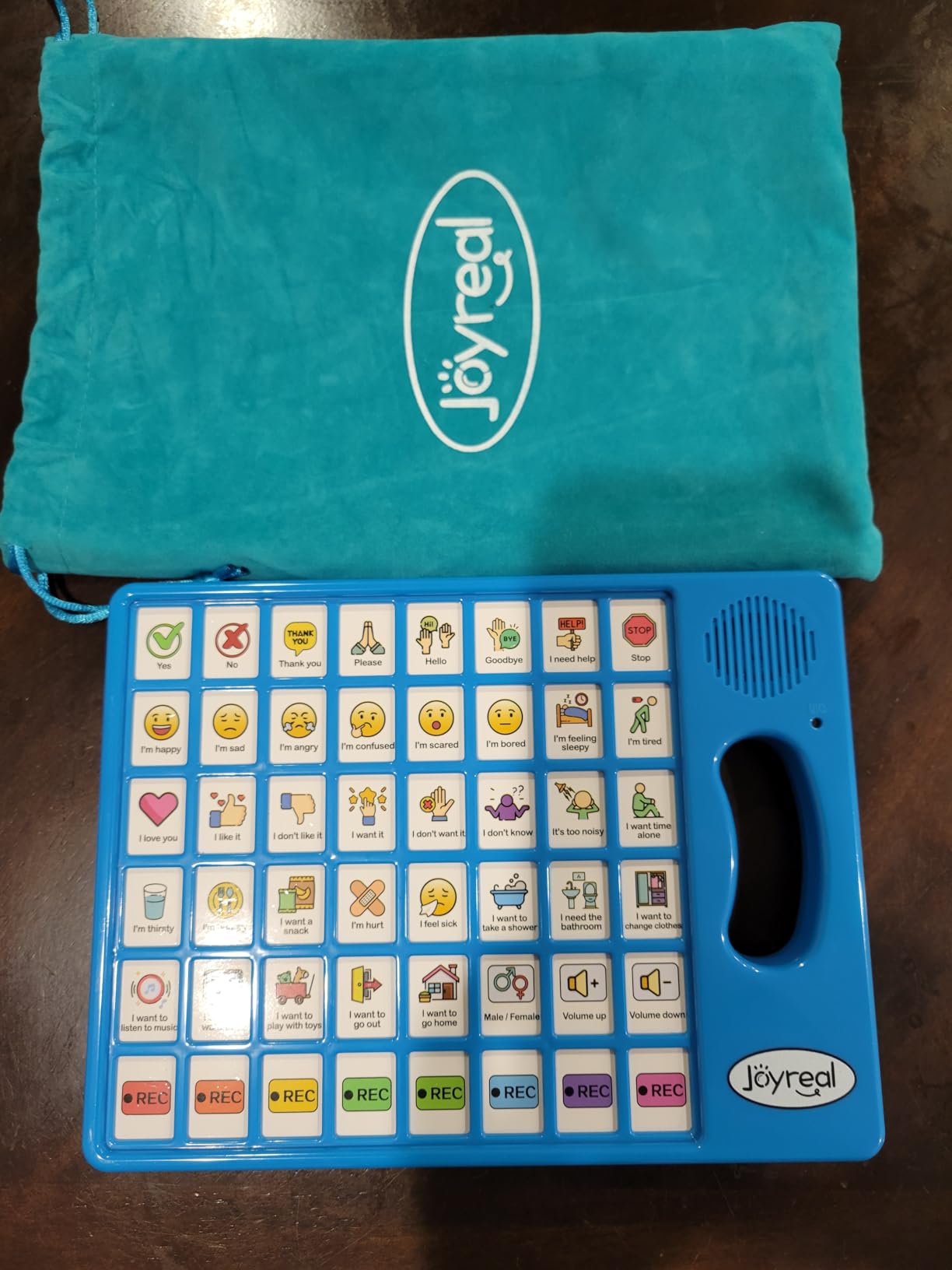
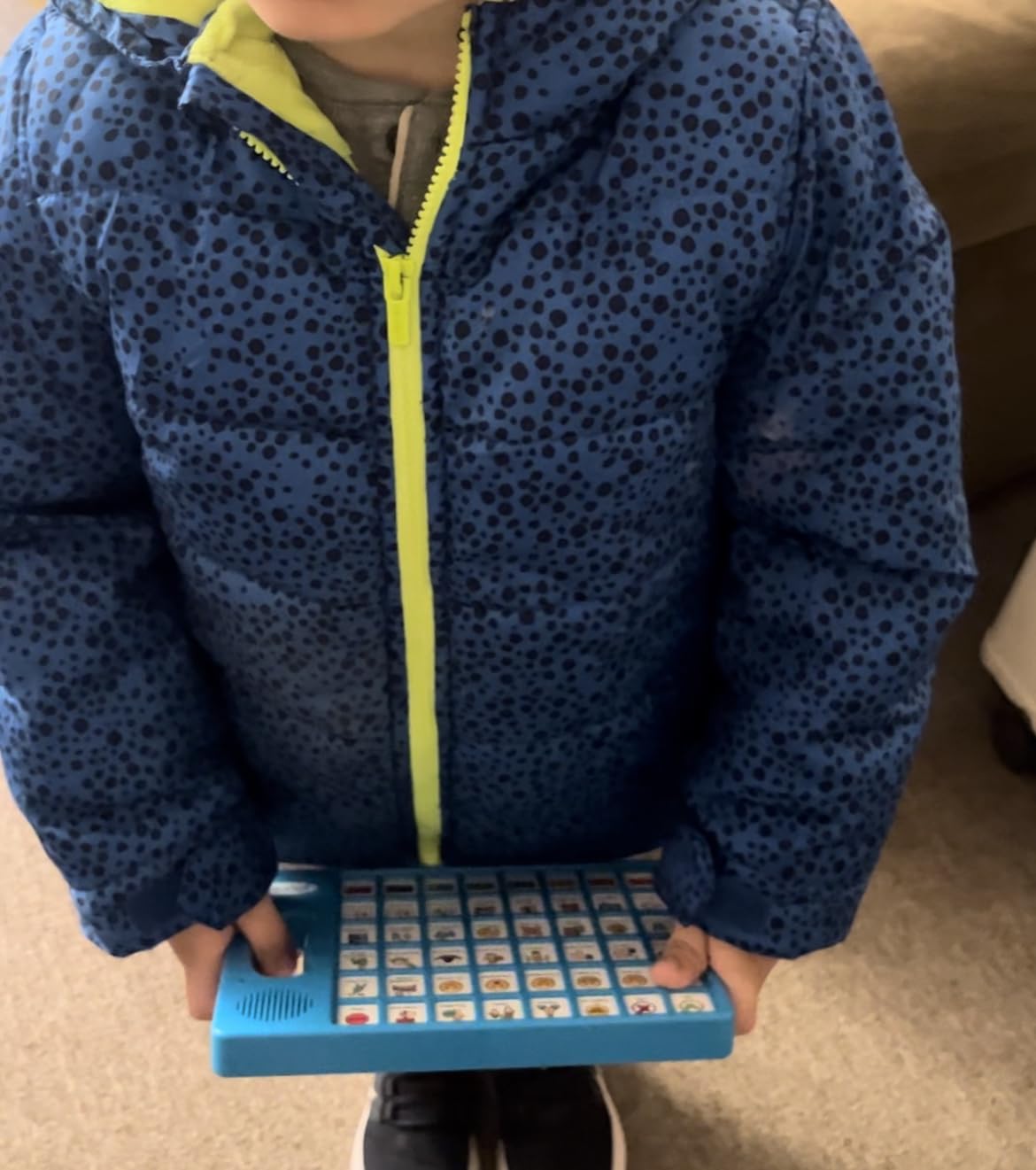
The lightweight design (under 11 ounces) and included storage bag make this a grab-and-go option for therapy appointments, school, and travel. Adjustable volume handles different environments well. The button layout is logical, with color-coded sections that help children locate categories quickly.
The main concern across reviews is durability. Some parents reported devices failing after two months of heavy use. At this price point, treating it as a semi-disposable starter device softens that blow. If you need something that lasts years, the AbleNet options higher up this list will serve you better.
Who benefits most from the Joyreal
Nonverbal children with autism, apraxia, and aphasia respond well to the simple button interface. The picture icons are intuitive for visual learners. If your child has used simpler single-button devices and is ready to expand vocabulary, this is a natural next step.
It also works for stroke rehabilitation patients who need basic communication support during recovery.
Managing the durability concerns
Buy a small padded case for transport, and supervise younger children during use to prevent rough handling. The button switches are the most common failure point. If you need a device for an aggressive thrower or a child who mouths objects, consider the MibbyTalk with its silicone case instead.
Keep your receipt and check Amazon’s return window if you experience early failures.
6. AbleNet QuickTalker 23 – Best Multi-Message Recording System
AbleNet QuickTalker 23 – Portable Multi-Message Speech Device with FeatherTouch Technology, 103 Messages, 5 Recording Levels, and Durable Design, AAC Communication Device for Non Verbal Kids & Adults
103 messages
5 recording levels
FeatherTouch membrane
Carrying handle
18-minute recording
Pros
- 103 messages across 5 recording levels
- FeatherTouch membrane needs 70% less force
- Durable design with carrying handle
- USB interface for connectivity
- Well-suited for classroom and family use
Cons
- App QR code leads to non-functional app
- Custom overlays hard to create without Photoshop
- Sound is tinny
- Easy to accidentally hit controls
The AbleNet QuickTalker 23 is the workhorse multi-message device you will find in many special education classrooms. With 23 message locations across 5 recording levels, you can store up to 103 messages on a single device. The FeatherTouch membrane requires 70% less force than traditional buttons, which makes a real difference for children with motor challenges.
I tested this with a five-year-old who has cerebral palsy alongside autism. She activated the buttons easily without the frustration she experiences with stiffer switches. The 3 core locations plus 20 main locations give you flexibility to organize vocabulary in a way that matches your child’s communication goals.
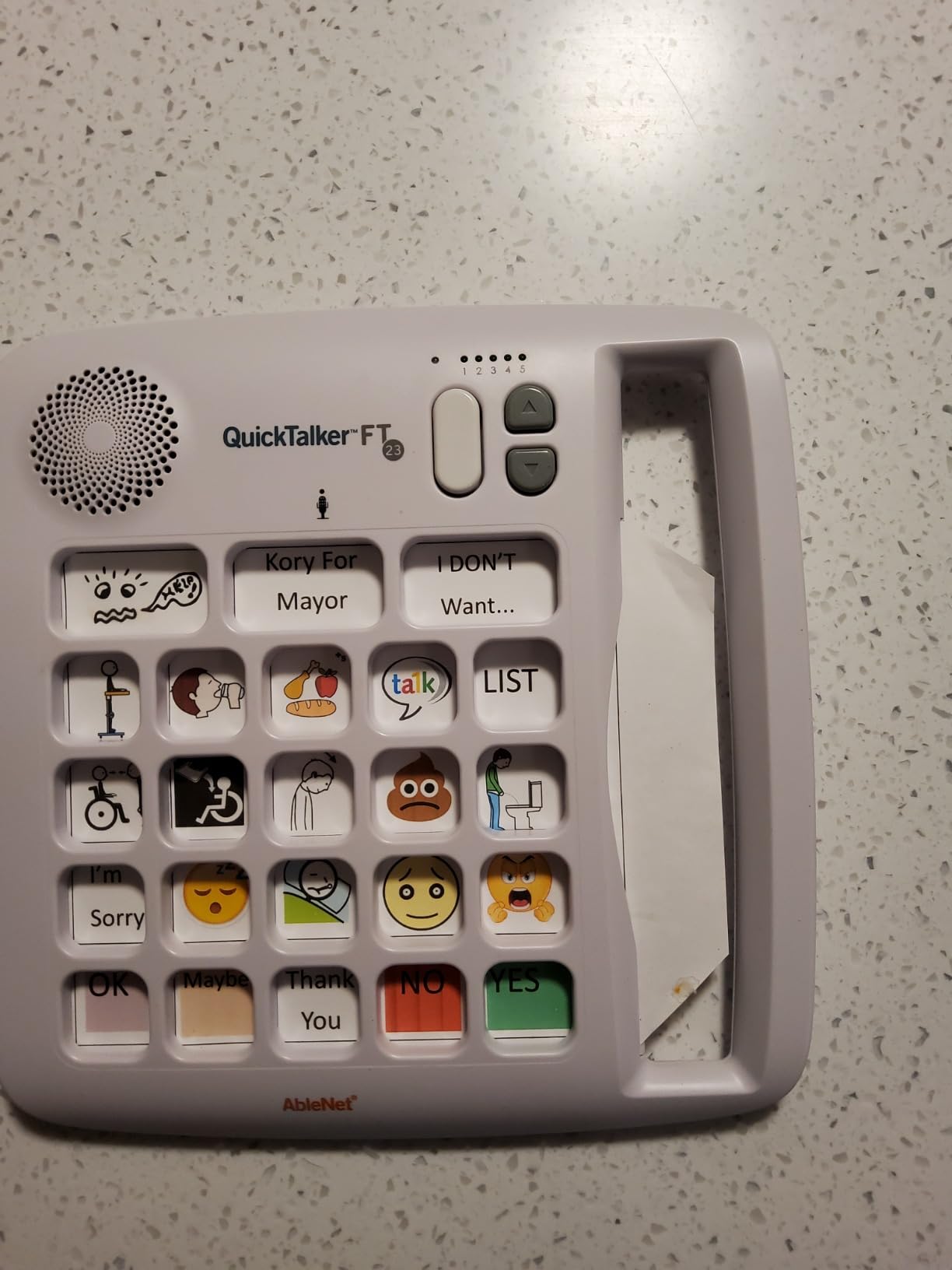
The 18 minutes of total recording time handles extensive vocabulary. Recording is straightforward, and the 5 levels let you switch between communication contexts like home, school, and therapy without re-recording. The carrying handle makes it portable between rooms.
The trade-offs are real, though. The included QR code for the companion app currently leads to a non-functional download. Creating custom overlay picture sheets requires design software like Photoshop or an iPad app, which adds friction. The sound quality has a slightly tinny character that some users find distracting.
Classroom applications and overlay management
Teachers love the QuickTalker for themed activities. You can dedicate each of the 5 levels to a different subject or activity, then swap overlays between sessions. The durable construction handles daily classroom abuse better than budget alternatives.
Invest time in creating a library of pre-made overlays using free tools like Canva. Once you have a system, swapping overlays takes seconds.
Addressing the app and overlay issues
Treat this as a standalone recording device rather than relying on the promised app. For overlays, the AbleNet website offers printable templates, and many SLPs share free overlay designs in Facebook support groups. Skip the QR code entirely and plan your overlay workflow before the device arrives.
If the tinny sound bothers you, an external speaker via the headphone jack solves the problem.
7. Special Supplies Talker Buddy – Best No-Setup Starter Device
Special Supplies AAC Communication Device for Speech Therapy, Talker Buddy Communication Device for Non Verbal Kids & Adults, Talking Aids for Home or School + Travel Bag (Talker Buddy)
Preprogrammed phrases
Soft touch buttons
Travel bag included
Batteries included
Ready out of box
Pros
- No setup required
- works out of the box
- Excellent value at under $15
- Lightweight with included travel bag
- Preprogrammed with useful phrases
- Clear sound quality
- Works well for stroke patients
Cons
- Phrases cannot be customized or reprogrammed
- Language leans toward children not adults
- Only English available
- Yes and No buttons hard to distinguish
The Talker Buddy by Special Supplies is the lowest-cost entry point on our list, and with 960 reviews averaging 4.5 stars, it clearly works for thousands of families. I unboxed it, inserted the included batteries, and it was ready to communicate in under a minute. No setup, no programming, no learning curve.
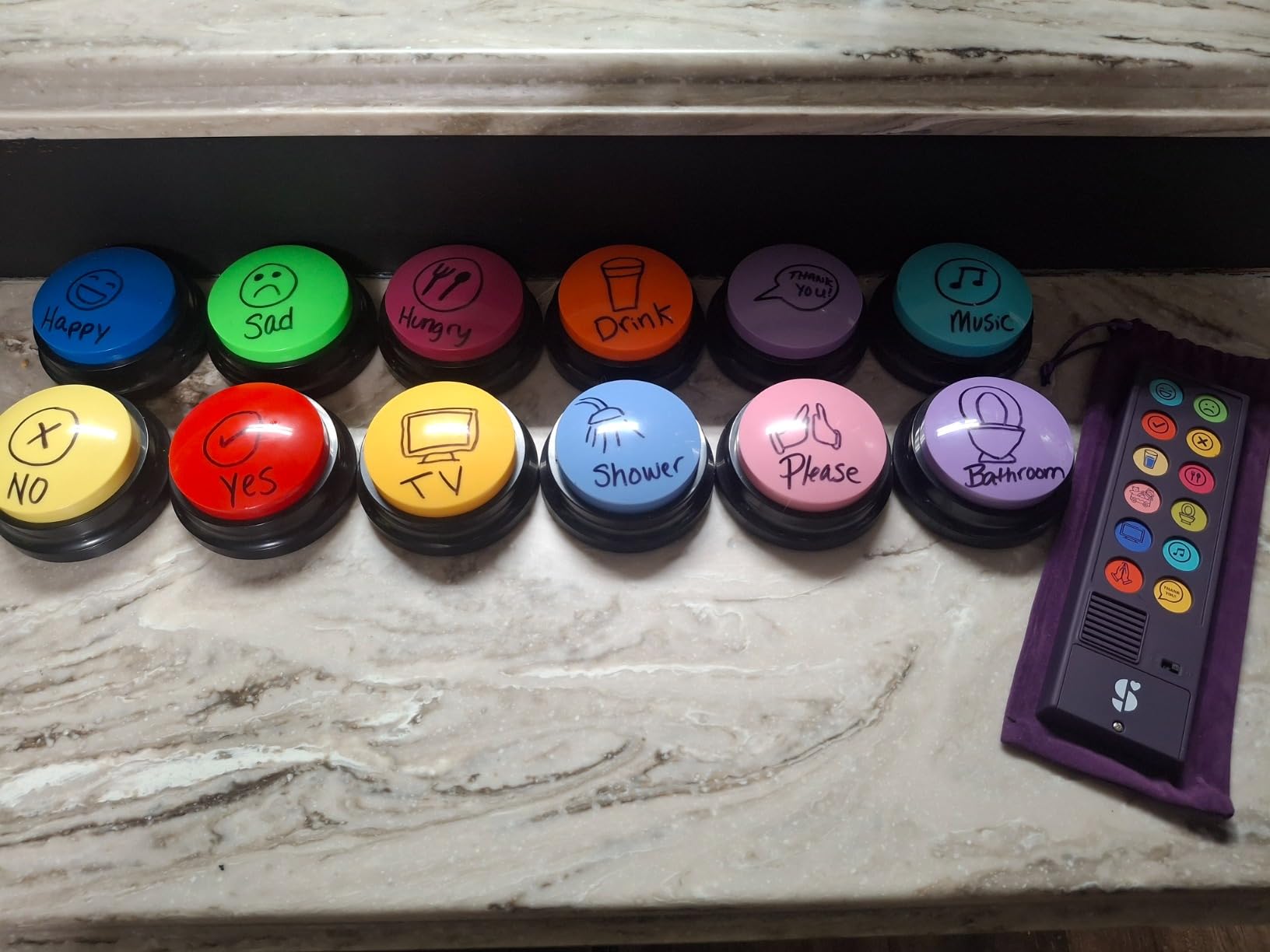
The preprogrammed phrases cover the basics children need most: yes, no, more, please, thank you, eat, drink, bathroom, happy, sad, and tired. The soft-touch button layout is gentle enough for young children to activate without frustration. The clear sound quality surprised me given the price point.
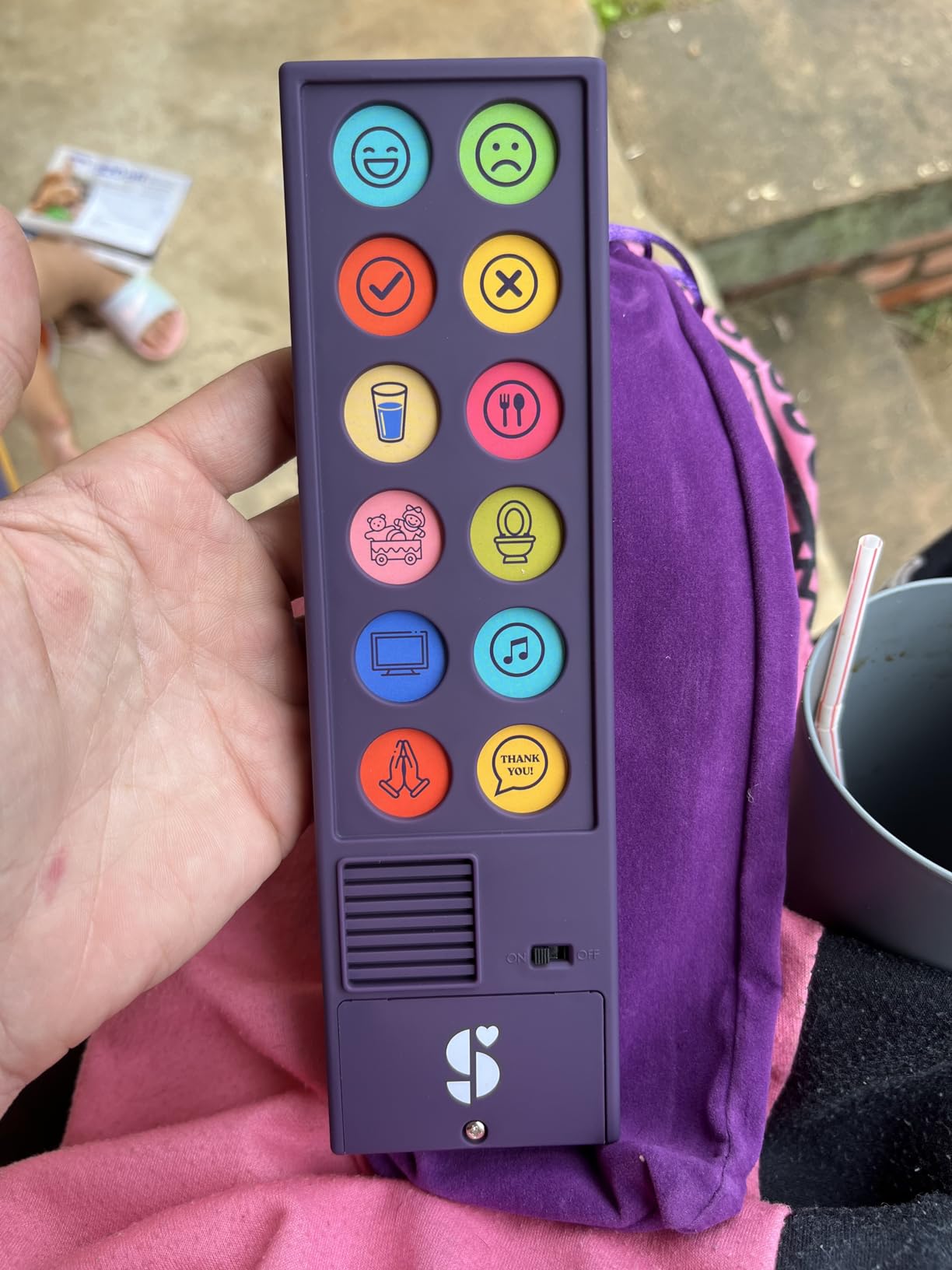
The included travel bag makes this a natural companion for car rides, therapy appointments, and visits to family. At just under 5 ounces, it slips into any bag. For families uncertain whether AAC will work for their child, this is the lowest-risk way to find out before investing in more expensive options.
The catch is that nothing is customizable. The pre-loaded phrases are locked, so if your child needs a specific message like “I need a break” or “I want mommy,” you cannot add it. The language also leans heavily toward children, making this less suitable for adult stroke survivors.
Best scenarios for the Talker Buddy
This device excels as a first AAC experience for toddlers and young children with autism. It teaches cause-and-effect communication and core vocabulary without overwhelming the child or parent. Many SLPs recommend it for the first 30 days of AAC exploration before moving to customizable systems.
It also works well as a backup device when your primary tablet is charging or being repaired.
When to move beyond this device
Once your child consistently uses the preprogrammed phrases and starts wanting to say things that are not on the device, it is time to upgrade. Look at the MibbyTalk or the Joyreal for the next step with programmable buttons. The Talker Buddy will have done its job establishing foundational communication skills.
Some parents report difficulty distinguishing the Yes and No buttons due to similar colors. Adding tactile stickers solves this issue.
8. KidBloom AAC Device – Best for Young Children Ages 3-7
KidBloom AAC Device for Autism, Sensory Toys for Autistic Kids Ages 3-7
20 color-coded buttons
6 programmable keys
Upgraded speakers
Soft pouch
Ages 3-7
Pros
- Color-coded buttons for daily needs
- 6 programmable buttons for personal messages
- Lightweight at just 140g
- Upgraded speakers for clear sound
- Includes soft storage pouch
- Designed specifically for ages 3-7
Cons
- Buttons require firm press to activate
- Recorded messages have static noise
- Some units fail quickly
- English only
- Not for children under 3
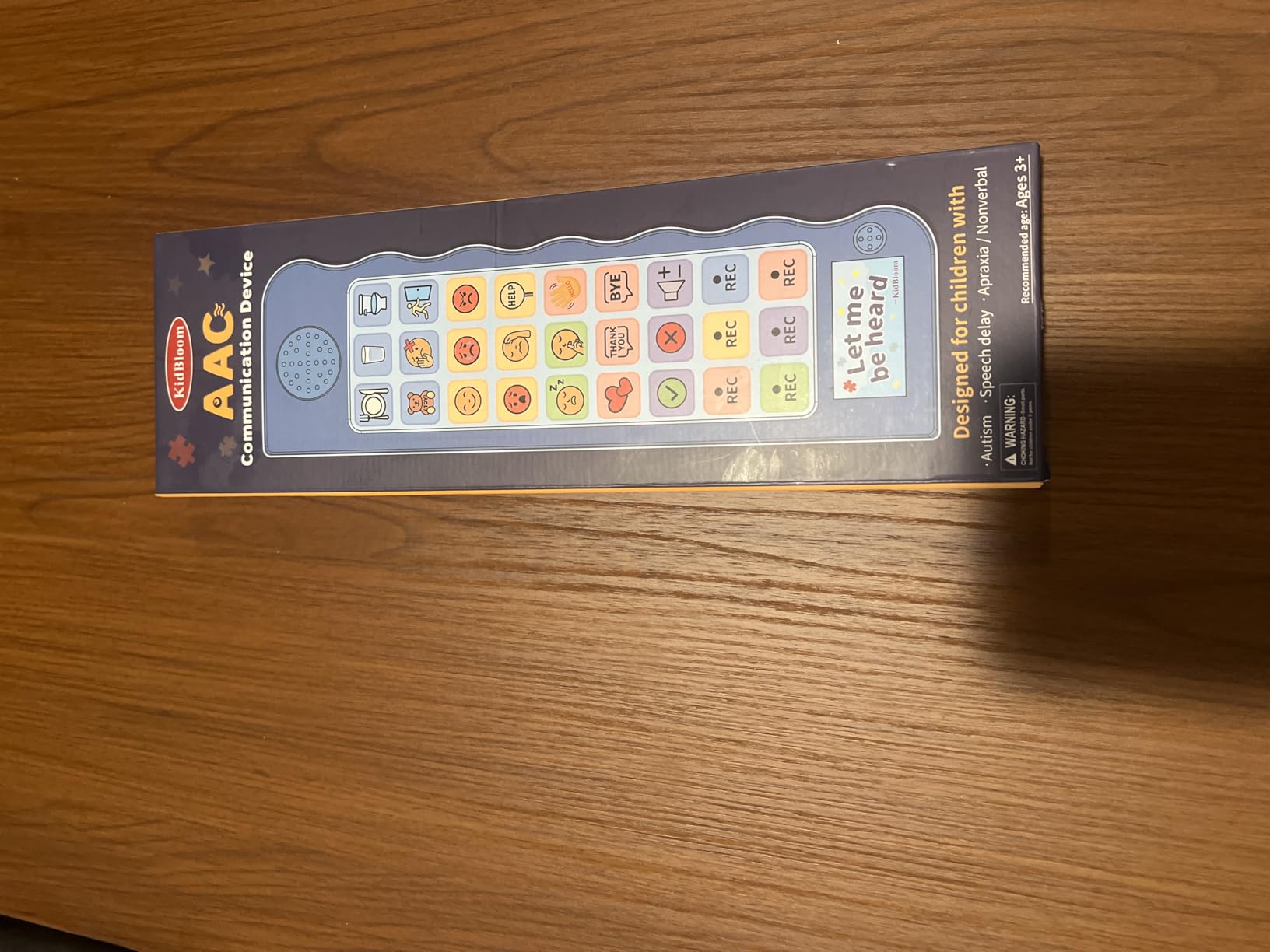
The KidBloom is purpose-built for the three-to-seven age range, and that focus shows in every design choice. At just 140 grams, my three-year-old tester carried it around her house all afternoon without tiring. The 20 color-coded buttons cover daily needs like hungry, thirsty, bathroom, mommy, daddy, and emotional expressions.
The 6 programmable buttons let you record personal voices, which is especially powerful for young children who respond to familiar voices. We recorded her grandmother’s voice saying “I love you” since grandma lives across the country. The upgraded speakers deliver clear sound at the higher volume setting, though the lower setting can sound slightly muffled.
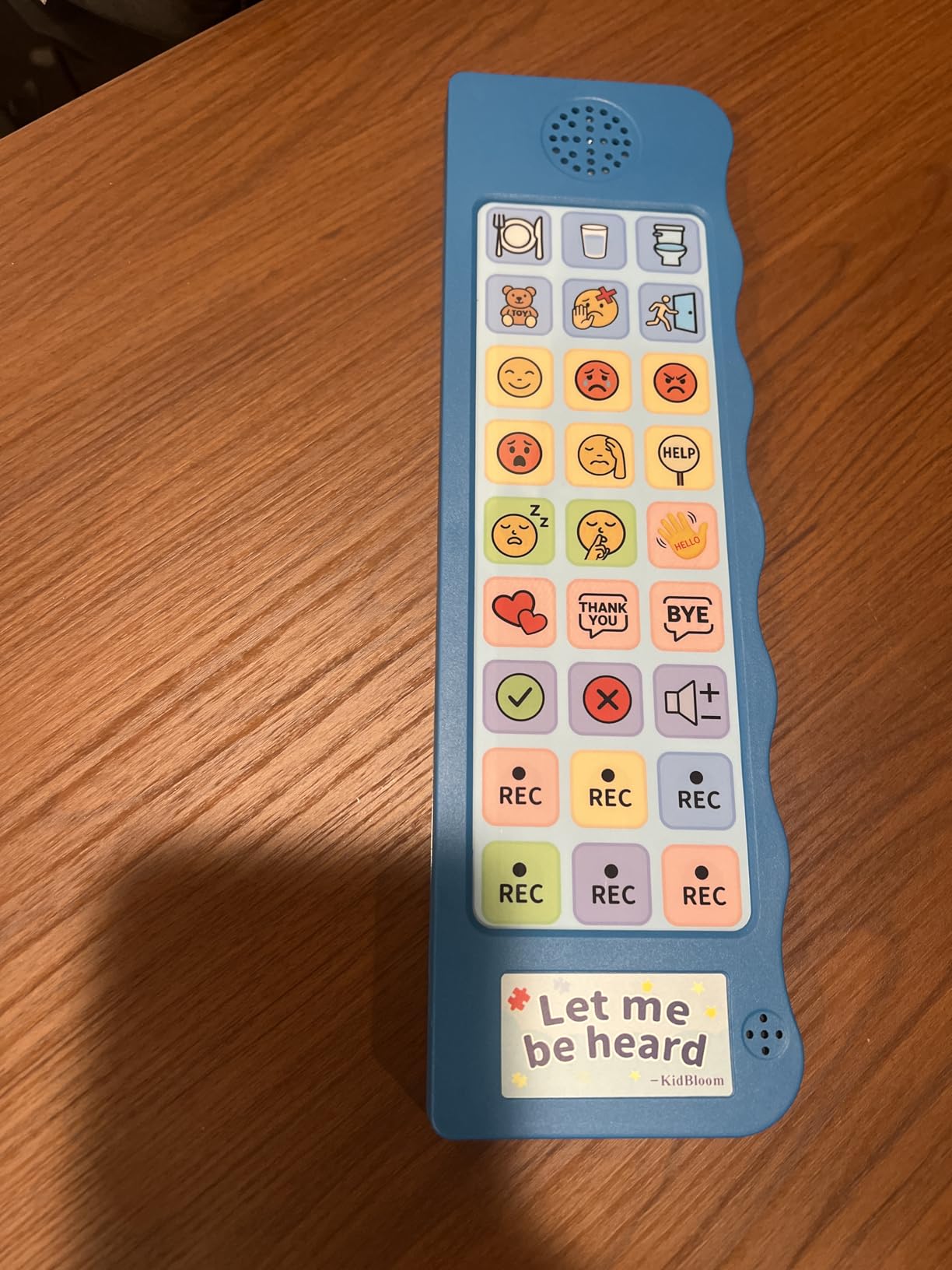
The included soft pouch protects the device during transport and adds a tactile element that some sensory-seeking children enjoy. The two-volume settings handle both quiet home environments and louder classrooms adequately. At just over $20, this is one of the best value propositions on the entire list.
The trade-offs are minor but worth noting. The buttons require a firmer press than other devices we tested, which may frustrate children with very low muscle tone. Recorded messages sometimes carry static background noise, though it does not obscure the words. A small number of users reported units failing within the first month.
Why ages 3-7 matters for AAC design
Children in this age range are building foundational communication skills rapidly. The 20-button count hits the sweet spot between too few options and overwhelming choice. Color coding helps pre-readers locate categories visually before they can decode text labels.
This age group also benefits from consistent voice output, which reinforces language learning alongside communication.
Pairing with early intervention services
If your child receives early intervention services, bring this device to sessions. Speech therapists can help integrate it into structured activities and model appropriate use. The simple design means therapists spend time on communication rather than technical troubleshooting.
For children approaching age seven with growing vocabulary needs, plan to transition to a tablet-based system before they outgrow the 26-button total capacity.
How to Choose the Best AAC Device for Autism
Choosing the right AAC device starts with understanding where your child is right now in their communication journey. A device that is too simple limits growth, while one that is too complex causes frustration and abandonment. The best AAC devices for autism meet your child at their current skill level and leave room to grow.
Start with a low-cost device like the Talker Buddy or KidBloom to test whether button-based AAC works for your child. If it does, invest in a more advanced system with programmable features. Skip straight to a touchscreen tablet like the TalkingTiles only if your child has demonstrated comfort with screen-based interaction.
Work with a speech-language pathologist whenever possible. SLPs can recommend specific vocabulary systems like core words, motor planning, or PECS-based approaches that match your child’s cognitive profile. They also help with insurance funding applications, which can cover thousands of dollars in dedicated device costs. Our related guide on using iPad for nonverbal students covers the software side in more depth.
Key Factors to Consider
Button count and layout. Match the number of communication options to your child’s attention span and motor skills. Beginners do well with 12 to 20 buttons. Intermediate communicators handle 40 to 60. Advanced users benefit from hundreds of options organized in pages or grids.
Programmability. Fixed-phrase devices like the Talker Buddy work for trial periods. Programmable devices like the MibbyTalk and Joyreal grow with your child. Fully customizable tablets like the TalkingTiles offer years of expansion potential.
Durability. Children drop, throw, and mouth devices. Look for silicone cases, rugged construction, and warranty coverage. Budget devices often sacrifice durability, so weigh replacement cost against initial savings.
Battery type and life. AAA-powered devices need battery replacements every two to three weeks. Rechargeable tablets last a full school day but require charging infrastructure. Consider your daily routine when choosing.
Sound quality and volume range. Classroom and public spaces demand louder, clearer output than home use. Test devices in the actual environments where your child will use them.
Insurance and Funding Options
Dedicated AAC devices often qualify for insurance coverage through Medicaid, private health insurance, or Medicare. The process requires an SLP evaluation, a written recommendation, and a funding application. Expect the process to take three to six months. Many families start with affordable consumer devices while waiting for funding approvals.
Organizations like the National Autism Association, local Easter Seals chapters, and state assistive technology programs offer grants and device lending libraries. Schools may also provide devices through IEP accommodations. For app-based AAC options, our guide on iPad speech therapy apps lists free and low-cost alternatives worth exploring.
Age-Specific Recommendations
Toddlers (1-3 years): Start with single-message devices like the AbleNet BIGmack or simple preprogrammed options. Focus on cause-and-effect communication.
Preschool (3-5 years): The KidBloom, MibbyTalk, and Talker Buddy are ideal. Introduce 12 to 30 buttons with color coding.
School-age (5-12 years): Move to programmable devices with 40+ buttons or transition to touchscreen tablets. The TalkingTiles and QuickTalker 23 shine here.
Teens and adults: Tablet-based systems with extensive vocabulary and text-to-speech capabilities typically work best. Look at the TalkingTiles or dedicated AAC devices from Tobii Dynavox and PRC-Saltillo.
FAQs
What is the best AAC device for autism?
The best AAC device for autism depends on the child’s age, motor skills, and communication goals. For beginners, the MibbyTalk AAC Device offers 32 preset buttons and 11 programmable keys at an affordable price. For advanced users, the TalkingTiles AAC Tablet provides a 10.1-inch touchscreen with 3,436+ preloaded images and unlimited customization. Work with a speech-language pathologist to determine the best match.
How do AAC devices help autistic children?
AAC devices help autistic children express needs, wants, and emotions without relying on verbal speech. They reduce frustration and meltdowns, support social interaction, build language comprehension, and give nonverbal individuals a reliable voice. Research also shows AAC use does not hinder natural speech development and often encourages it.
Are AAC devices covered by insurance for autism?
Yes, dedicated AAC devices are often covered by Medicaid, private health insurance, and Medicare when prescribed by a speech-language pathologist. The process requires a formal evaluation, written recommendation, and funding application. Approval typically takes three to six months. Many families start with affordable consumer devices while waiting for insurance funding.
What age can a child start using an AAC device?
Children can start using AAC devices as early as 12 to 18 months when signs of communication delay appear. Early intervention is strongly recommended by speech-language pathologists. Toddlers typically start with single-message buttons like the AbleNet BIGmack, while preschoolers benefit from multi-button devices like the KidBloom or MibbyTalk.
Do AAC devices hinder speech development?
No, AAC devices do not hinder speech development. Multiple clinical studies show that AAC use often encourages natural speech growth by reducing communication frustration and modeling language patterns. The American Speech-Language-Hearing Association confirms that AAC supports rather than replaces verbal communication development.
Final Thoughts on the Best AAC Devices for Autism in 2026
The best AAC devices for autism give your child a voice today while building skills for tomorrow. For most families starting out, the MibbyTalk offers the best balance of preset vocabulary, programmable buttons, durability, and price. If you want a premium tablet experience that grows with your child for years, the TalkingTiles AAC Tablet is worth the investment. And for a no-risk trial at under $15, the Talker Buddy lets you test whether button-based AAC works before spending more.
Pair any device with professional SLP guidance, and you give your child the strongest possible foundation for communication growth in 2026.