
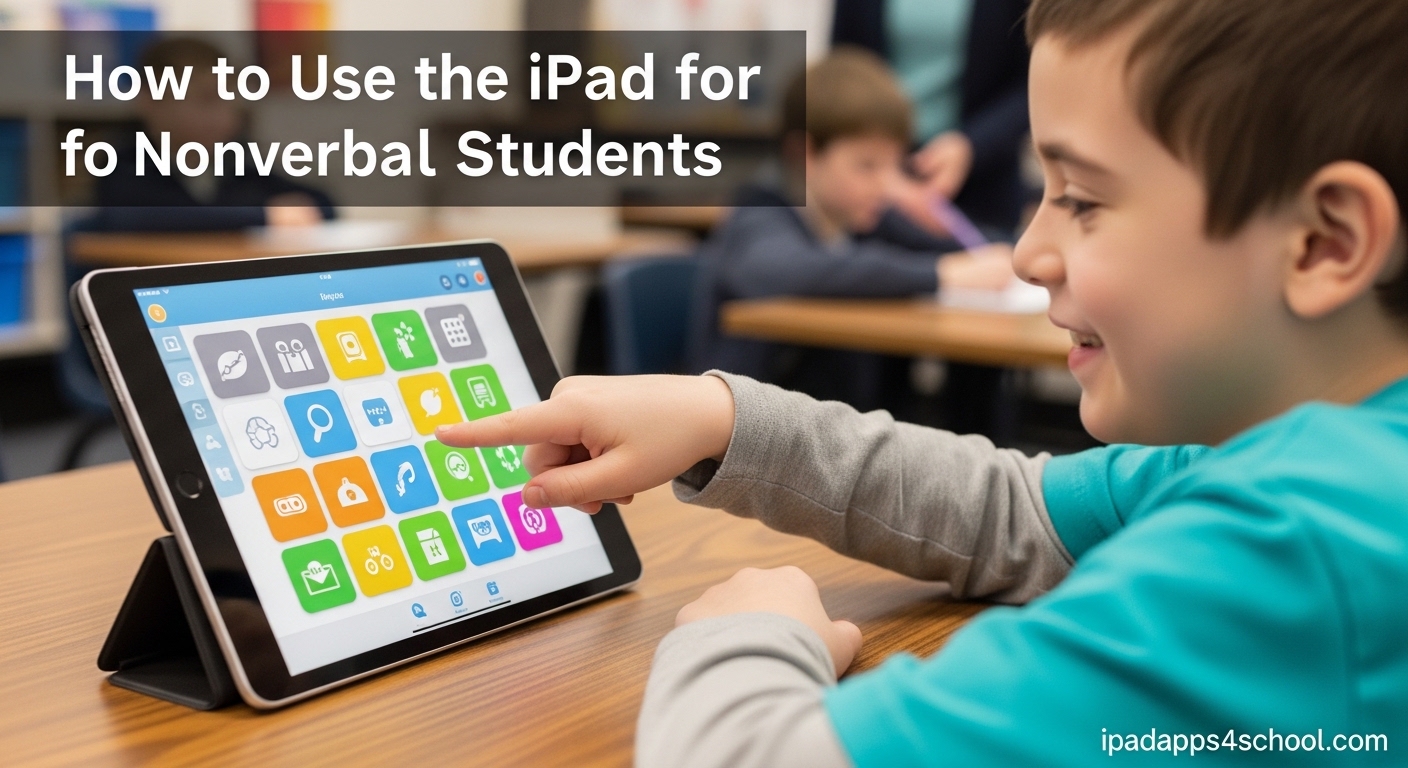
Imagine watching your child struggle to tell you they are hungry, hurt, or happy. For parents of nonverbal students, this silence creates daily heartbreak. An iPad can change everything. When configured correctly, it becomes a powerful AAC device that gives voice to those who cannot speak.
Yes, the iPad is widely used for nonverbal communication. Schools and therapists have embraced it as an affordable alternative to dedicated AAC devices that cost thousands of dollars. With the right apps and setup, your iPad transforms into a speech-generating device that helps students express needs, answer questions, and connect with others.
In this guide, I will show you exactly how to use iPad for nonverbal students. You will learn which AAC apps work best, how to set up your device step-by-step, and proven strategies from research that help children communicate. Whether you are a parent, teacher, or therapist, this walkthrough covers everything you need to get started.
Table of Contents
How to Use iPad for Nonverbal Students
Setting up an iPad for nonverbal communication requires understanding what AAC means and how the technology works. AAC stands for Augmentative and Alternative Communication. It includes any method that supplements or replaces spoken language.
An iPad becomes an AAC device when you install specialized communication apps. These apps display picture symbols that students tap to build sentences. The iPad then speaks those sentences aloud using text-to-speech technology.
Research shows that iPad-based AAC produces remarkable results. One study found that six weeks of iPad use with proper prompting strategies led to spontaneous communication in school settings. Students learned to request items, make social comments, and answer questions without prompting.
What Is AAC and How Does iPad Serve as a Communication Device?
AAC encompasses tools and strategies that help people communicate when speech is difficult or impossible. This includes picture boards, sign language, and electronic devices that generate speech. For many families, AAC becomes a lifeline.
The iPad functions as a speech-generating device, or SGD, when loaded with AAC apps. Unlike dedicated AAC devices that cost $3,000 to $10,000, an iPad plus app costs significantly less. This affordability makes communication accessible to more families.
iPads offer advantages over traditional AAC devices. The touchscreen interface feels intuitive to children already familiar with tablets. The large, bright display works well for visual learners. Customizable vocabulary grows with the child. Plus, the iPad serves multiple purposes beyond communication, reducing the stigma of carrying a special device.
Step-by-Step Guide: Setting Up iPad for Nonverbal Communication
Transforming your iPad into an AAC device takes planning. Follow these steps to create an effective communication system for your nonverbal student.
Step 1: Choose the Right iPad Model
Most AAC apps run on any modern iPad. However, screen size matters. Many parents and therapists prefer the standard iPad or iPad Air over the Mini. Larger screens display more symbols at once, reducing the need to navigate between pages.
Consider durability. Nonverbal children may drop or throw the device when frustrated. Invest in a rugged case designed for special needs use. Cases from companies like Gripcase or Gumdrop provide protection against drops and impacts.
Step 2: Select and Install an AAC App
Choose an AAC app that matches your childs needs and your budget. Proloquo2Go and TouchChat rank as the most popular choices among speech therapists. Free options like SoundingBoard work well for beginners or families testing the concept.
Download your chosen app from the App Store. Most AAC apps require a significant upfront purchase. Proloquo2Go costs around $250. TouchChat runs about $150 to $300 depending on the version. View these as investments in your childs future independence.
Step 3: Configure Vocabulary and Settings
Start with a basic vocabulary centered on your childs immediate needs. Include symbols for food, drink, bathroom, help, yes, and no. These core words provide the foundation for communication.
Customize the voice to match your childs age and gender. Most apps offer multiple voice options. Some allow you to record custom voice messages. Choose a voice your child responds to positively.
Organize vocabulary logically. Place frequently used words on the main screen. Group related items together. Food items should appear near each other. Keep the layout consistent to build muscle memory.
Step 4: Enable Guided Access for Focused Use
Guided Access keeps your child within the AAC app and prevents accidental exits. This feature locks the iPad into a single app until you disable it with a passcode.
To enable Guided Access, go to Settings, then Accessibility, then Guided Access. Turn it on and set a passcode. When your child uses the AAC app, triple-click the home button or side button to activate Guided Access. Now they cannot accidentally open games or other apps.
Step 5: Practice with Your Child Daily
Consistency builds success. Practice using the AAC app during regular routines. Model communication by using the device yourself. When offering a snack, tap the symbols for eat and cracker while speaking aloud.
Do not expect immediate mastery. Some children take weeks or months to independently use the device. Stay patient and celebrate small victories. Each attempt brings your child closer to independent communication.
Best AAC Apps for Nonverbal Students
The App Store offers dozens of AAC apps. Quality varies significantly. These recommendations come from speech therapists, special education teachers, and parents who have tested them with real children.
Proloquo2Go: The Gold Standard
Proloquo2Go ranks as the most comprehensive AAC app available. It uses research-based vocabulary organization called Crescendo. The app grows from simple picture-based communication to complex sentence building.
Parents love the customization options. You can add family photos, record personal voices, and adjust grid sizes. The app supports multiple users, making it ideal for classrooms with several nonverbal students.
The main drawback is price. At around $250, Proloquo2Go represents a significant investment. However, compared to dedicated AAC devices costing thousands, it remains affordable.
TouchChat: Versatile and User-Friendly
TouchChat offers similar functionality to Proloquo2Go at a slightly lower price point. The interface feels clean and intuitive. Many speech therapists recommend TouchChat for students transitioning from basic to advanced communication.
The app includes WordPower vocabulary sets designed by speech-language pathologists. These pre-configured vocabularies save setup time. TouchChat also integrates well with switches for students with motor challenges.
Free AAC Apps Worth Trying
Not every family can afford paid AAC apps immediately. Several free options provide excellent starting points.
SoundingBoard from AbleNet offers simple picture-based communication boards. You can create custom boards with your own photos. While limited compared to premium apps, it introduces the concept of picture communication without cost.
Avaz provides a free trial version with basic vocabulary. The full version requires subscription or purchase. The trial lets you test whether your child responds to the interface before committing financially.
LetMeTalk offers a free option supported by advertisements. The app supports multiple languages and includes a large symbol library. Parents appreciate the ability to organize vocabulary into categories.
Choosing the Right App for Your Childs Age
Age-appropriate selection matters. Preschool children benefit from apps with large symbols and simple navigation. School-age students need vocabulary that supports academic participation. Teenagers require social language options for peer interaction.
Proloquo2Go adapts well across age ranges. Its flexible grid sizing works for toddlers through adults. TouchChat similarly scales with user development. Test apps with your child before purchasing when possible.
Research Evidence: Why iPad AAC Works
Skeptics sometimes question whether iPad-based AAC truly helps. Research provides clear answers. Multiple studies demonstrate significant communication improvements in nonverbal students using iPad AAC.
A study published in the Journal of Autism and Developmental Disorders examined six weeks of iPad AAC intervention. Students received instruction using least-to-most prompting. Results showed increases in spontaneous communication across all participants. Students generalized skills from structured settings to recess and other natural environments.
Another research review analyzed multiple studies on iPad use for autism communication. Findings indicated that iPads function effectively as SGDs. Students learned to make requests, answer questions, and engage socially. Importantly, AAC use did not inhibit speech development. Many students actually increased vocalizations alongside device use.
The visual nature of iPad AAC aligns with how many autistic children process information. Pictures provide concrete representations of abstract concepts. This visual support bridges the gap between internal thoughts and external expression.
Implementation Tips and Prompting Strategies
Success with iPad AAC depends on implementation approach. Research supports specific strategies that accelerate learning.
The Least-to-Most Prompting Method
Least-to-most prompting means providing minimal help first, then increasing support only as needed. Start by waiting expectantly. If your child does not respond, gesture toward the correct symbol. Next, verbally prompt by naming the symbol. Finally, physically guide the hand to tap if necessary.
This approach builds independence. When you always provide full physical guidance, children become dependent on prompts. By starting with minimal help, you encourage self-initiated communication.
The 10-Second Rule for Autism
The 10-second rule suggests waiting at least 10 seconds after asking a question or making a request. Processing takes longer for many autistic children. Rapid-fire questioning overwhelms them.
Count silently in your head. Ten seconds feels like an eternity when you are eager for a response. Resist the urge to repeat yourself or provide immediate help. That pause gives your child time to process and respond.
Starting with Requesting Needs
Begin teaching AAC with highly motivating requests. Food, favorite toys, and preferred activities create natural opportunities for communication. When your child wants something, they have reason to communicate.
Make sure the payoff matches the effort. If your child taps the iPad for a cookie, provide the cookie immediately. This reinforces the connection between AAC use and getting needs met.
Expanding to Social Comments
Once requesting works well, expand to social communication. Add comments like look, cool, and funny. Include greetings like hello and goodbye. These social phrases help your child connect with peers and adults.
Model these comments throughout the day. When playing together, use the AAC device to comment on what you see. Your child will eventually imitate these social communications.
Funding and Assistance Programs
The cost of iPads and AAC apps creates barriers for many families. Several programs help reduce or eliminate these expenses.
Insurance Coverage for AAC Devices
Many insurance plans cover AAC devices under durable medical equipment. Speech-generating devices often qualify with proper documentation. Your childs speech-language pathologist must conduct an evaluation and provide a letter of medical necessity.
Medicaid programs in most states cover AAC devices for qualifying children. Requirements vary by state. Contact your local Medicaid office or ask your childs therapist about the evaluation process.
ASDF iPad for Kids Program
The Autism Spectrum Disorder Foundation operates the iPad for Kids program. This nonprofit provides iPads to children with autism who meet income requirements. Applications open periodically throughout the year.
Visit myasdf.org to learn about current availability. The foundation also provides grants for other autism-related expenses. While not guaranteed, this program has helped thousands of families access technology.
Other Grant Resources
Multiple organizations offer technology grants for children with special needs. The UnitedHealthcare Childrens Foundation provides financial assistance for medical needs including communication devices. Variety the Childrens Charity offers equipment grants in many regions.
Your states Assistive Technology Act program may provide lending libraries or low-interest loans. These programs let you try devices before purchasing. Some offer refurbished equipment at reduced prices.
School District Responsibility
If your child receives special education services, the school district may provide AAC devices. Under IDEA, schools must provide assistive technology necessary for a free appropriate public education.
Request an AAC evaluation through your childs IEP team. The evaluation should assess whether your child would benefit from a device. If recommended, the district must provide the technology at no cost to parents.
FAQs
Is the iPad used for nonverbal communication?
Yes, the iPad is widely used for nonverbal communication when equipped with AAC apps. Schools, therapists, and families use iPads as affordable alternatives to dedicated speech-generating devices. Research confirms that iPad-based AAC helps nonverbal students express needs, answer questions, and make social comments effectively.
Can I turn my iPad into an AAC device?
Yes, you can turn any iPad into an AAC device by installing specialized communication apps. Download an AAC app like Proloquo2Go or TouchChat from the App Store. Configure vocabulary based on your childs needs. Enable Guided Access to keep the child focused on communication. With proper setup and training, your iPad becomes a fully functional speech-generating device.
What is the best device for a nonverbal autistic child?
The best device depends on your childs needs and your budget. iPads offer an excellent balance of affordability, functionality, and familiarity. For apps, Proloquo2Go provides the most comprehensive vocabulary and customization. TouchChat offers similar features at a lower price. Free apps like SoundingBoard work well for beginners. Consult with a speech-language pathologist for personalized recommendations.
What is the 10 second rule for autism?
The 10-second rule means waiting at least 10 seconds after asking a question or making a request before expecting a response. Many autistic children need extra processing time. Counting to 10 silently prevents rushing the child and gives them time to understand, formulate a response, and communicate. This patience leads to more successful interactions.
Will my child become dependent on AAC and stop trying to speak?
No, research shows that AAC use does not inhibit speech development. In fact, many children increase vocalizations after gaining confidence with AAC. AAC provides a bridge to communication while speech develops. The device reduces frustration, which actually creates better conditions for natural speech to emerge. All data shows that AAC contributes to vocalizing rather than replacing it.
Conclusion: How to Use iPad for Nonverbal Students
Learning how to use iPad for nonverbal students opens doors that once seemed permanently closed. With the right AAC app, thoughtful setup, and consistent implementation, your iPad becomes a powerful communication bridge. Research supports this approach. Parents confirm its transformative impact. Speech therapists recommend it daily.
Start by selecting an appropriate AAC app for your budget and your childs needs. Follow the setup steps carefully, paying special attention to vocabulary customization and Guided Access configuration. Use least-to-most prompting strategies and remember the 10-second rule when communicating.
Most importantly, remain patient and persistent. Communication development takes time whether through speech or AAC. Every tap on the iPad screen represents your child reaching toward connection. That effort deserves celebration, no matter how small it seems.
If cost concerns you, explore funding options through insurance, grants, or your school district. Many families have secured iPads and AAC apps at no cost through these resources. The investment in communication pays dividends for your childs entire life.
Your nonverbal student has important things to say. An iPad with AAC capabilities can help the world hear them.