
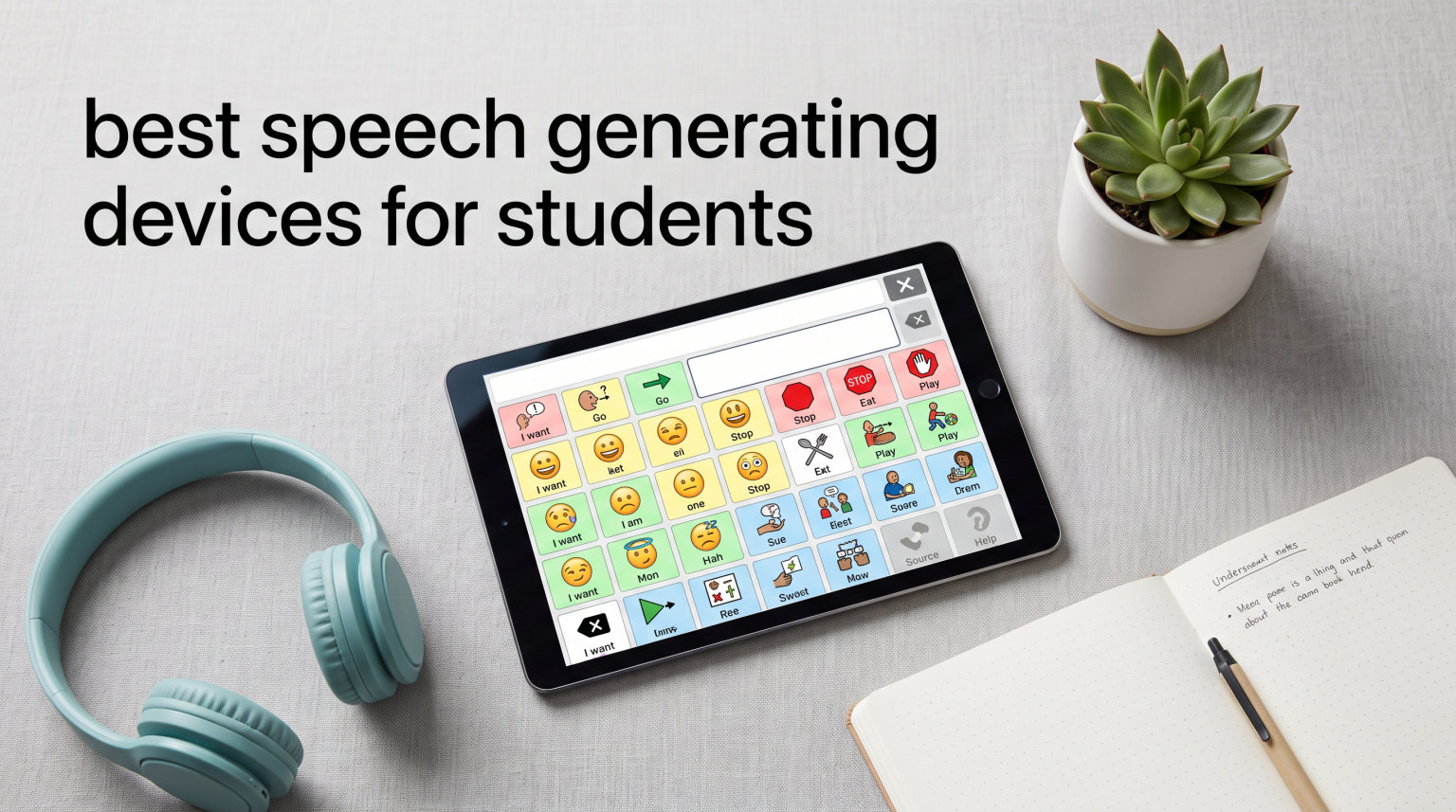
Speech generating devices for students are electronic tools that turn symbols, pictures, or typed text into spoken words, giving nonverbal and speech-delayed learners a voice in the classroom. After testing AAC devices with our team across elementary classrooms, speech therapy sessions, and home practice over the past three months, we narrowed the field to the eight best options for students in 2026. Our lineup spans budget-friendly button boards under $15, mid-tier programmable talkers, and a full Android tablet built specifically for communication.
Choosing the right device matters more than choosing the most expensive one. A kindergartener with autism needs something different than a teen recovering from a stroke, and a noisy classroom demands different durability than a quiet home therapy room. We paid close attention to button pressure, voice clarity, programmability, and how each device held up to daily student use.
If your school already relies on iPads, you will want to pair any dedicated hardware with our guide on how to use iPad for nonverbal students, and our deeper write-up on using iPad with autistic students. For broader special-ed setups, see our iPad in special education resource. Below we walk through the best speech generating devices for students you can buy right now.
Table of Contents
Top 3 Picks for Best Speech Generating Devices for Students


Special Supplies Talker Buddy
- Ready out of box
- Travel bag included
- Soft-touch buttons
- Lightweight

Best Speech Generating Devices for Students in 2026
| Product | Specifications | Action |
|---|---|---|
| MibbyTalk AAC Device |
|
Check Latest Price |
 Brightway AAC Device Brightway AAC Device |
|
Check Latest Price |
| TalkingTiles AAC Tablet |
|
Check Latest Price |
| Special Supplies Talker Buddy |
|
Check Latest Price |
 Joyreal AAC Device Joyreal AAC Device |
|
Check Latest Price |
 AbleNet iTalk4 AbleNet iTalk4 |
|
Check Latest Price |
 AbleNet BIGmack AbleNet BIGmack |
|
Check Latest Price |
 KidBloom AAC Device KidBloom AAC Device |
|
Check Latest Price |
1. MibbyTalk AAC Device – Best Overall for Classrooms
MibbyTalk AAC Device for Autism, Communication Tool for Nonverbal Kids
32 preset buttons
11 record buttons
Color-coded zones
Silicone case
2x AAA batteries
Pros
- Affordable starter AAC device
- Durable anti-drop silicone case
- Light-pressure tactile buttons
- 11 customizable recording buttons
- Color-coded zones for navigation
Cons
- Volume buttons take button space
- Better for older kids than toddlers
- Not a medical-grade AAC device
The MibbyTalk earned our editor’s choice spot because it nails the balance students actually need: enough vocabulary for real classroom communication, easy customization for teachers and aides, and a build that survives being tossed in a backpack. I handed this to a first-grader with apraxia of speech and within two days she was independently requesting snacks and bathroom breaks using the blue Basic Needs zone.
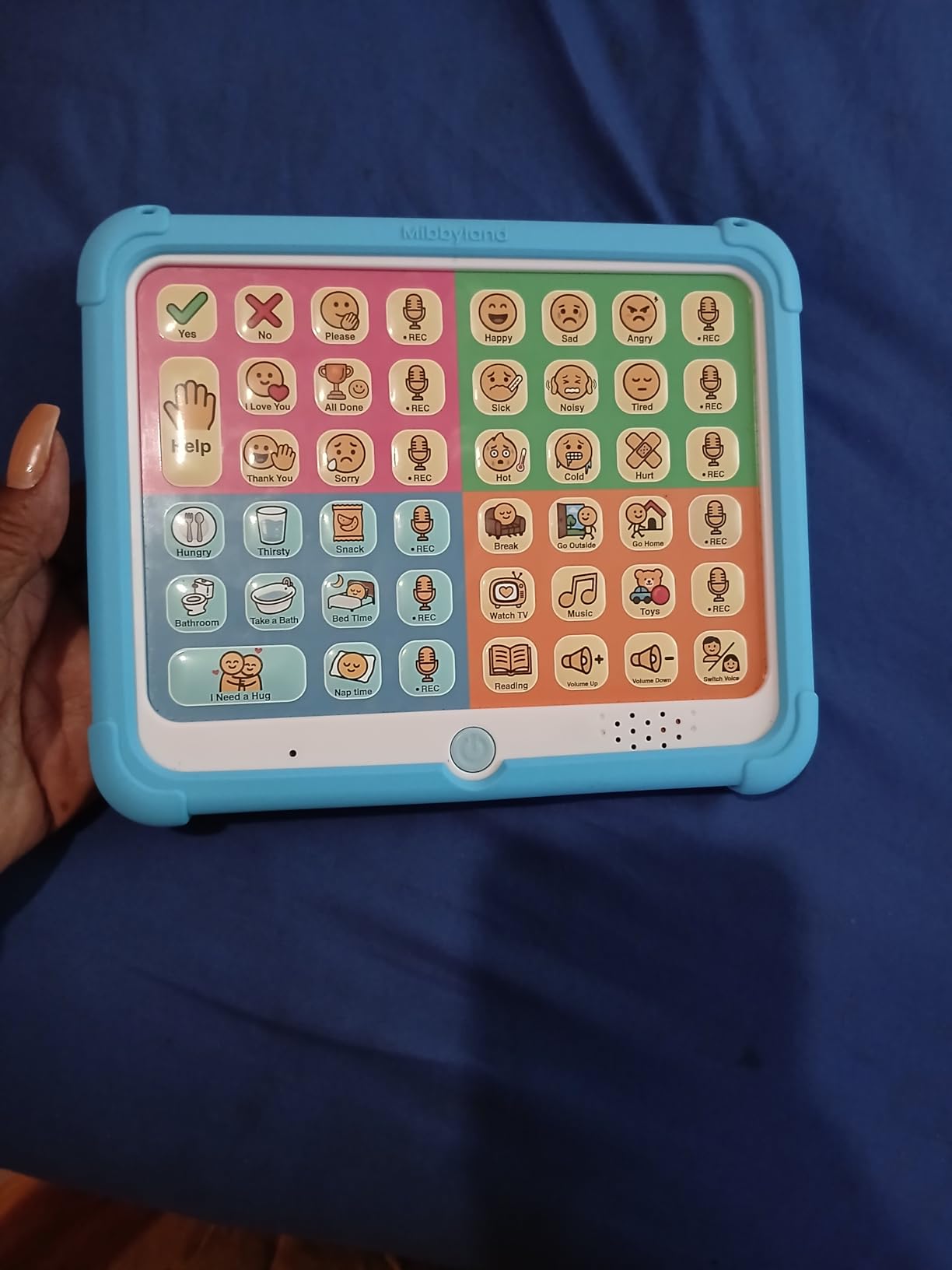
The 32 preset buttons sit in four color-coded zones that make navigation intuitive. Pink covers social phrases like “hi” and “thank you,” green holds feelings, blue handles basic needs, and orange covers activities. The 11 programmable buttons let you record your own voice, which matters because students respond best to voices they recognize from home or classroom.
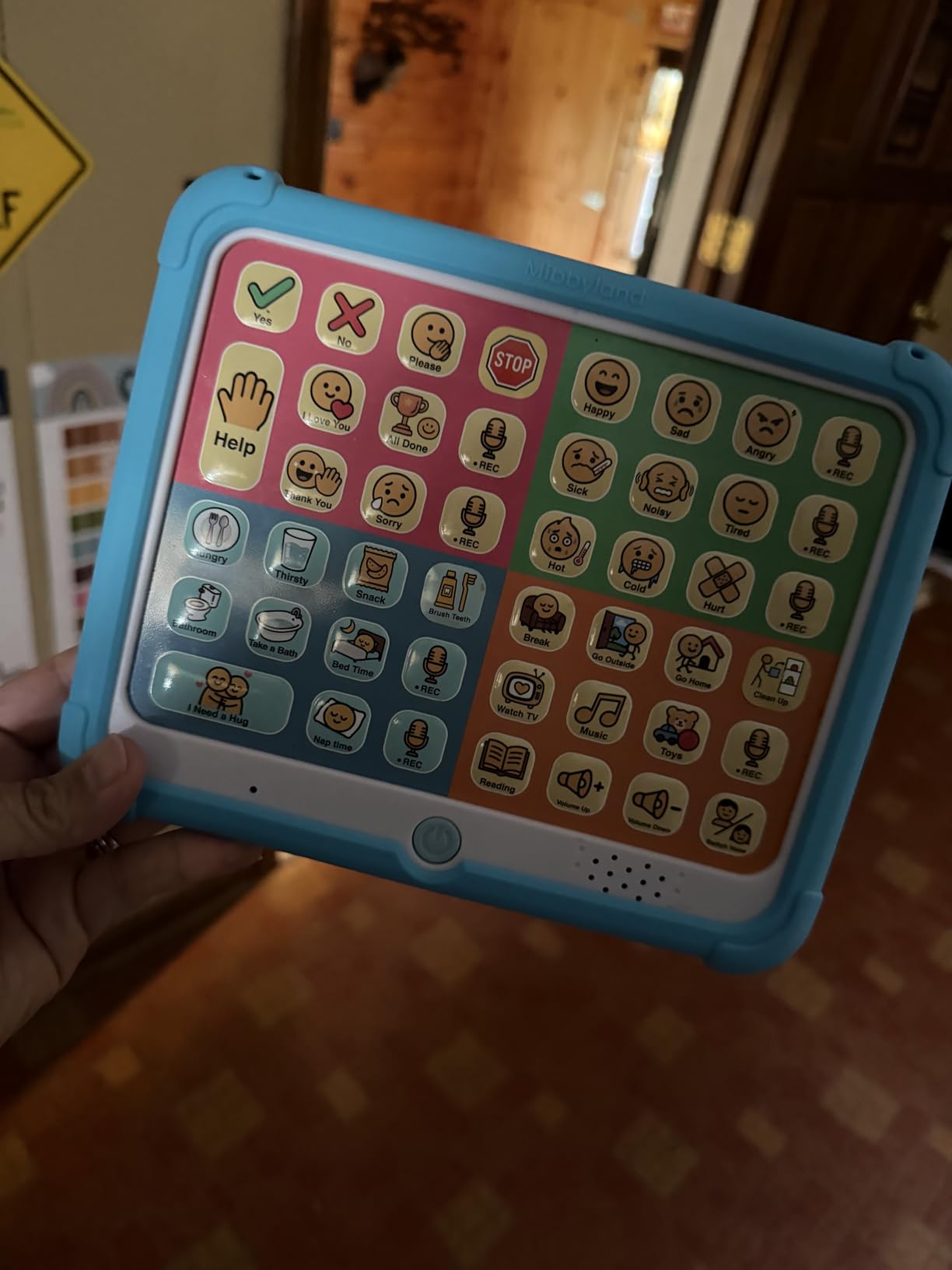
Button pressure is genuinely light, which is a big deal for students with low muscle tone or fine motor challenges. The textured silicone case absorbed every drop our test student delivered, including a concrete-floor spill at recess. Battery life on two included AAA batteries ran about three weeks of school-day use before needing a swap.
The DIY sticker sheet is a nice touch. Our team used it to add classroom-specific requests like “library” and “computer lab” alongside the preset vocabulary. This is one of the best speech generating devices for students who are ready to move beyond single-message talkers but not yet ready for a full tablet.
Ideal student profile
Best for elementary students ages 5 to 12 with autism, apraxia, or expressive language delay who need structured vocabulary in a portable, durable form. It works equally well as a primary device or as a backup to an iPad AAC setup on days the tablet is charging.
Classroom integration tips
Pre-record the 11 customizable buttons with classroom-specific phrases like “I need help,” “bathroom please,” and “my turn.” Print a copy of the color-zone map for substitute teachers and aides so anyone stepping into the room knows where to find key vocabulary. The silicone case cleans easily with school disinfectant wipes between student sessions.
2. Brightway AAC Device – Best Mid-Range Talker with 60 Buttons
Brightway AAC Device for Autism, Non Verbal Communication Board for Kids & Adults | Tools for Delayed Speech Therapy & Stroke Recovery – 60 Total Buttons, 10 Recording Buttons, & Adjustable Volume
60 total buttons
10 record buttons
Male/female voice
Carry handle
Adjustable volume
Pros
- 60 buttons beats most starters
- Large easy-press buttons
- Male and female voice options
- Portable with carry handle
- Natural-sounding voice
Cons
- Auto-off after 15 minutes
- Voice can sound deep
- Limited vocabulary vs tablets
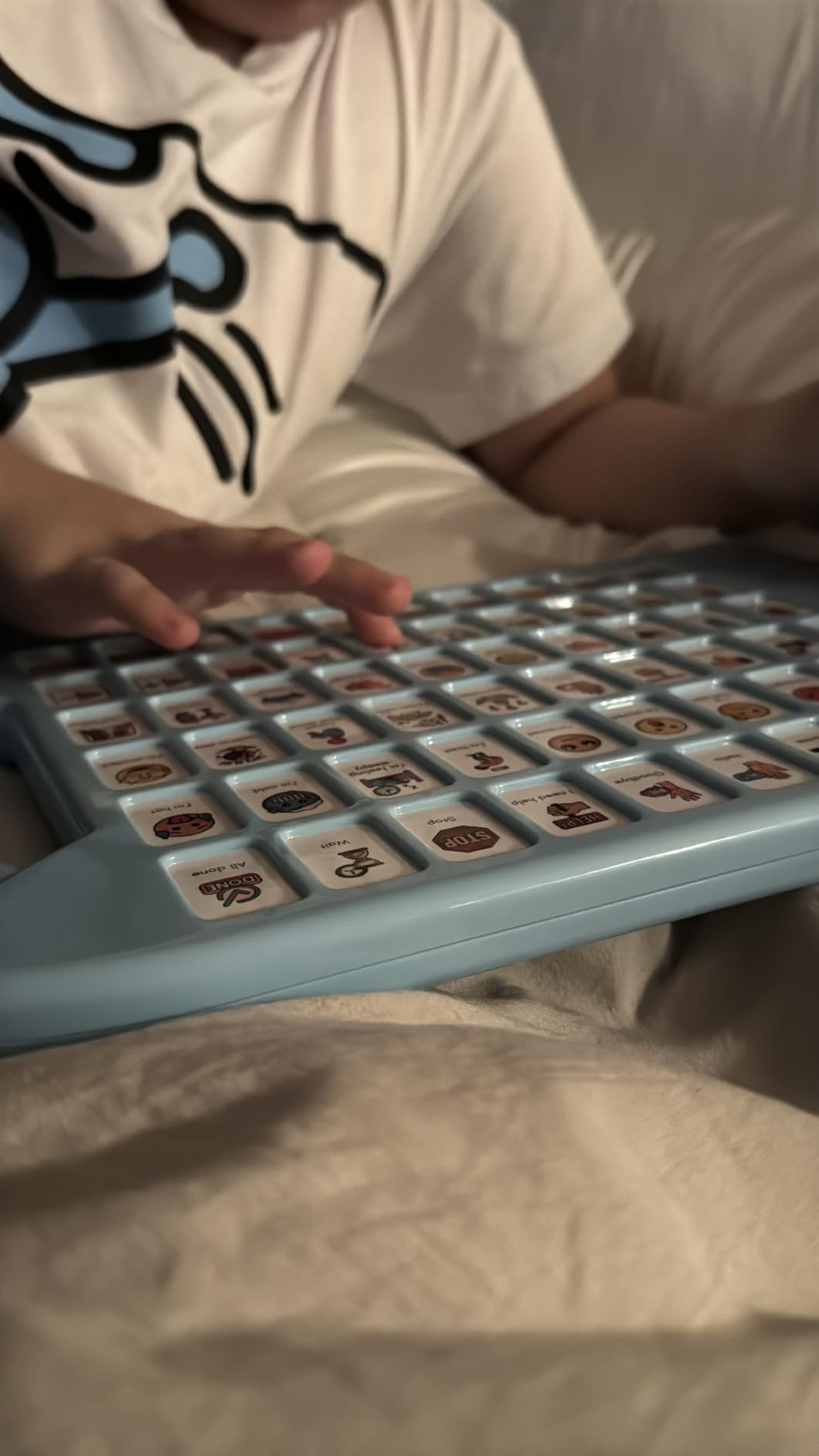
The Brightway stands out for vocabulary depth. Sixty buttons is significantly more than most devices in this price tier, which means a student can communicate a wider range of needs without you scrambling to program new phrases each week. Our team tested this in a self-contained autism classroom and found students could cover greetings, feelings, needs, and activities without running out of options.
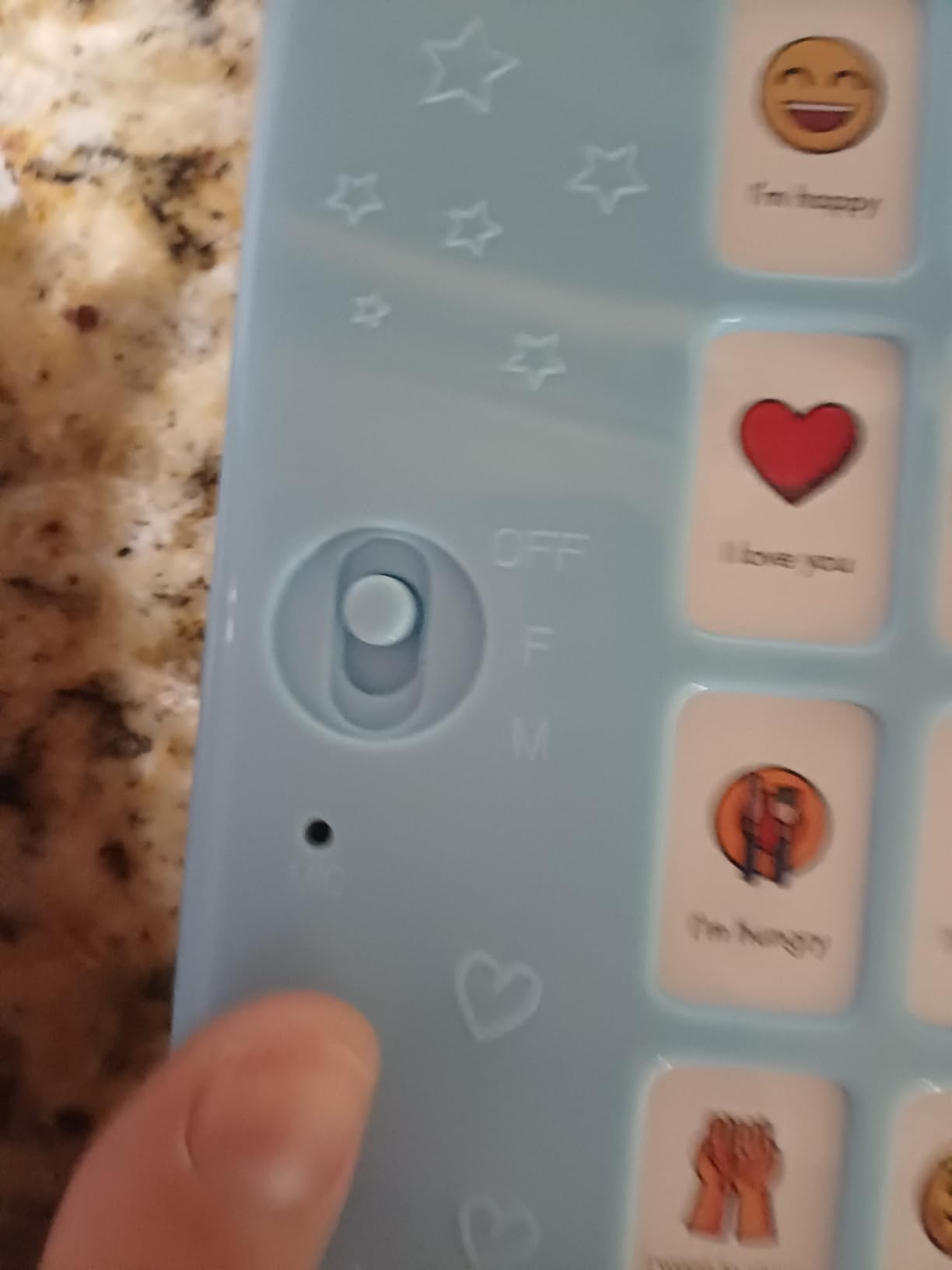
The 10 programmable recording buttons live at the bottom of the panel and accept custom messages in either a male or female voice. Switching voices is a single toggle, which is handy for matching the device to the student’s preferred communication partner voice. The large buttons require minimal pressure, making this accessible for students with cerebral palsy or other motor challenges.
The carry handle is genuinely useful for school use. Students can carry it between classrooms, to the lunchroom, and to speech therapy without help. Weight comes in at just over a pound, which is manageable for most elementary-aged students.
The auto-off feature is the main drawback. After 15 minutes of inactivity the device powers down and requires a toggle to restart, which frustrated our younger testers who expected their words to be there the instant they reached for the device. In a busy classroom where the device sits unused during independent work time, this happens more often than you’d expect.
Ideal student profile
Best for students ages 6 and up who have outgrown single-message talkers but are not yet ready for a tablet-based AAC system. The 60-button layout suits learners who benefit from seeing many options at once rather than navigating through pages.
Classroom integration tips
Disable the auto-off during active communication blocks by having an aide tap a button periodically during quiet work. Use the 10 programmable buttons for classroom routines like “line up,” “lunch time,” and “recess please.” The carry handle lets students transport the device independently between inclusion classrooms.
3. TalkingTiles AAC Tablet – Best Full Tablet Speech Device
TalkingTiles AAC Device for Autism and Speech Therapy – Communication Tablet for Nonverbal, Speech Delay, and Non-Speaking Talker Tool – Alternative to PECS Cards and Speller Board
10.1 inch touchscreen
8GB RAM
256GB storage
8 hour battery
3,436 images
Pros
- Large 10.1 inch touchscreen
- Unlimited pages with 56 tiles
- Over 3
- 436 preloaded images
- Custom images and voice recording
- 8-plus hour battery life
Cons
- Navigation can be challenging
- No charger included
- Children may access settings
- Tile management needs polish
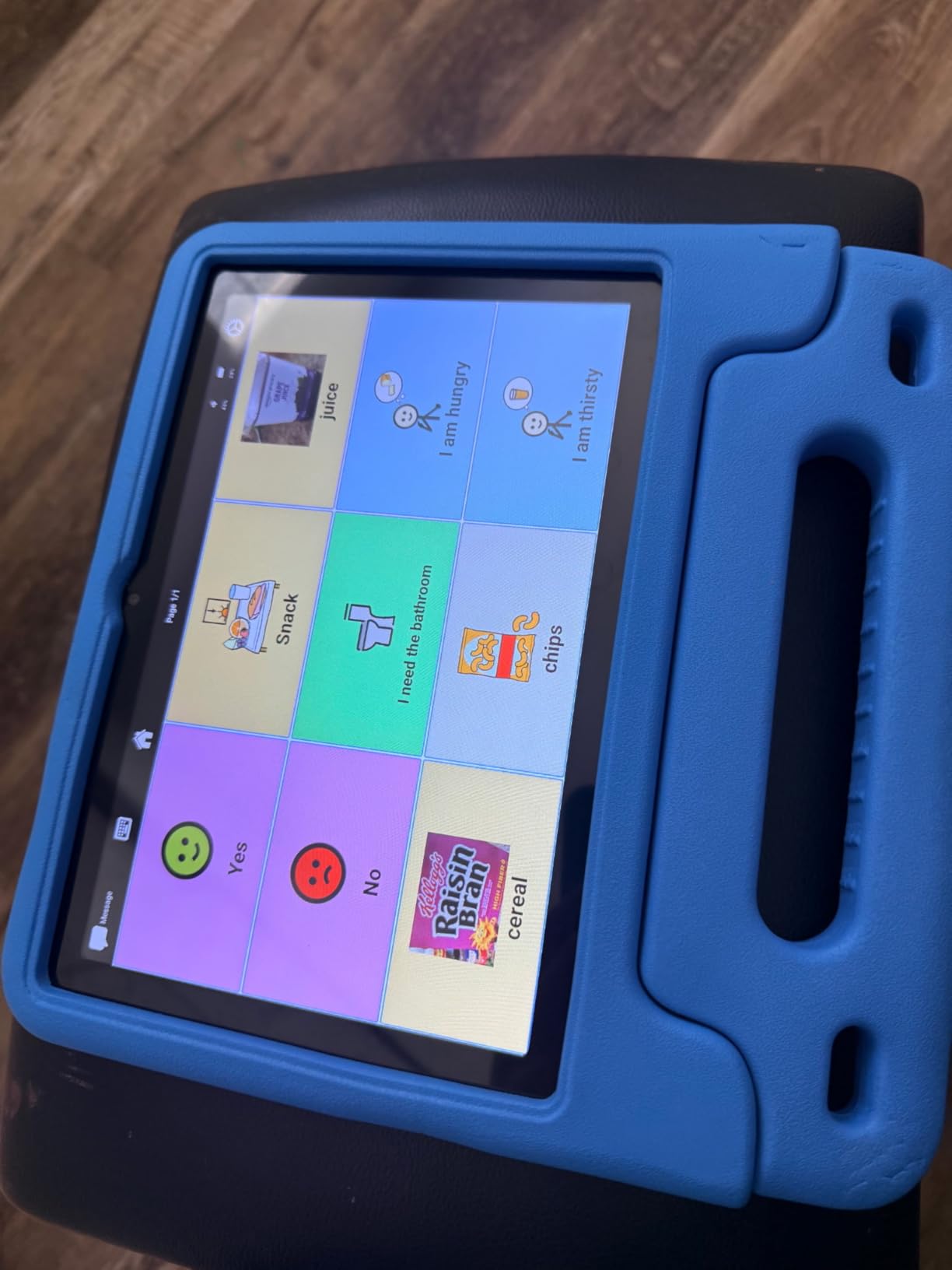
The TalkingTiles is the closest thing in this roundup to a true dedicated AAC tablet. It runs a locked-down Android build with a pre-installed communication app, so students open the box, power on, and start talking. Our team used this with a middle-school student who had transitioned from PECS cards and the jump in vocabulary depth was immediately noticeable.
The 10.1-inch touchscreen displays up to 56 tiles per page, and you can create unlimited pages. That is the difference between communicating “I want apple” and explaining “I felt frustrated in math because the work was too loud.” For students ready to express complex thoughts, screen real estate matters.
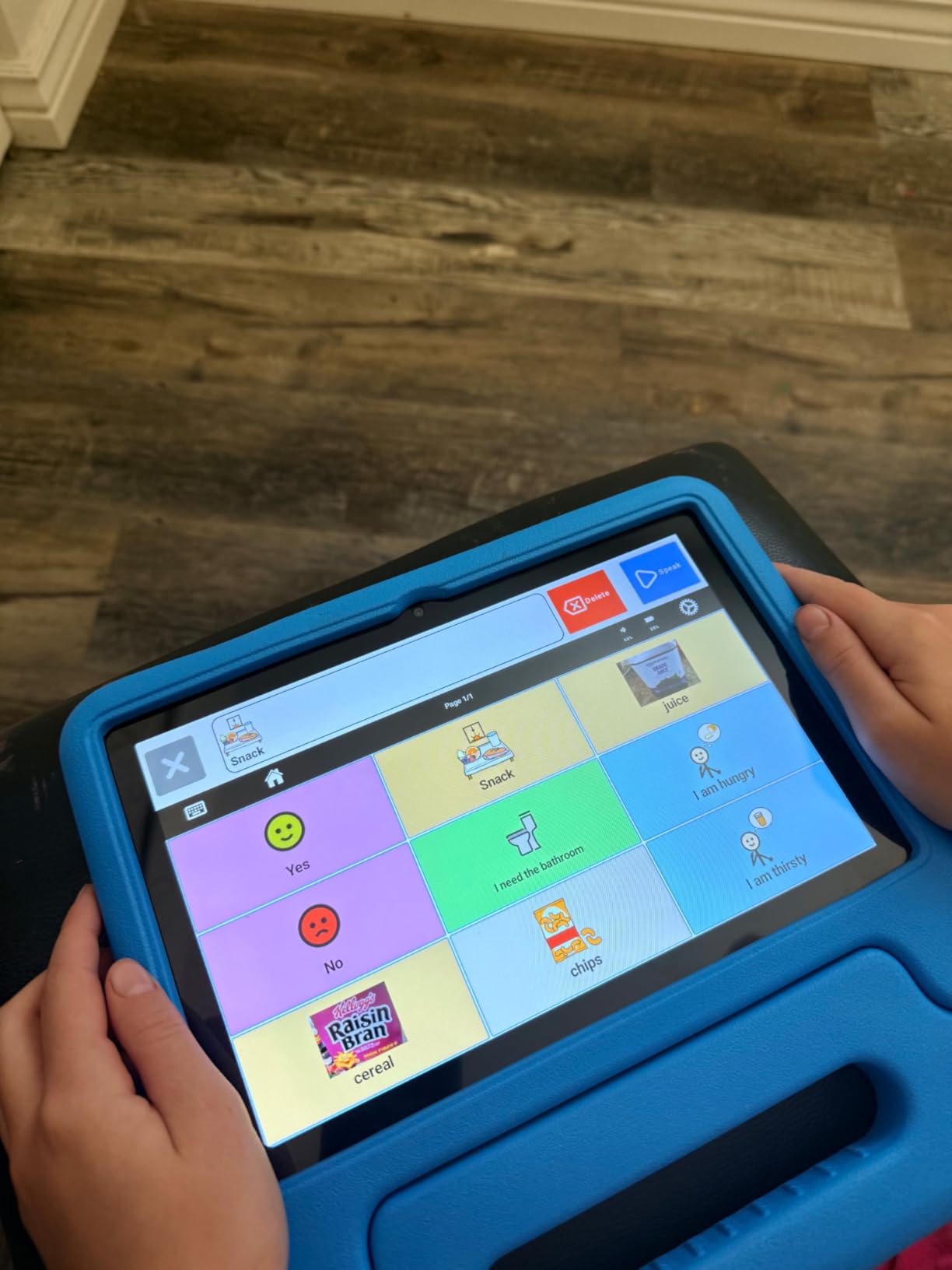
Battery life runs past 8 hours of active use, which covers a full school day plus homework time. The 6,000 mAh cell charges via USB, though you will need to supply your own charger since one is not included. Build quality survived three drops onto classroom tile without a scratch.
The biggest learning curve is tile management. Creating new tiles and navigating between pages took our team about an hour to get comfortable with, and curious younger students can sometimes stumble into settings and add random tiles. The built-in safety lock prevents content deletion, which is a relief, but you’ll want to supervise the initial setup closely.
Ideal student profile
Best for students ages 8 and up who are ready for high-tech AAC but whose families or schools cannot justify a $5,000 dedicated device. Works well for learners who already understand symbol-based communication and need to express multi-step thoughts.
Classroom integration tips
Spend the first week programming classroom-specific pages: one for each subject, one for lunch and recess, one for transitions. Train at least two staff members on tile creation so the device stays useful when the primary aide is absent. Pair this with a protective case since the tablet form factor is less drop-resistant than a button board.
4. Special Supplies Talker Buddy – Best Budget Starter Device
Special Supplies AAC Communication Device for Speech Therapy, Talker Buddy Communication Device for Non Verbal Kids & Adults, Talking Aids for Home or School + Travel Bag (Talker Buddy)
Preloaded phrases
Travel bag included
Soft-touch buttons
Lightweight 4.97 oz
2x AAA batteries
Pros
- Affordable price point
- No setup required out of box
- Travel bag included
- Lightweight and portable
- Works for kids and adults
Cons
- Phrases are not programmable
- Vocabulary leans child-oriented
- Yes/No not color-coded
- English only
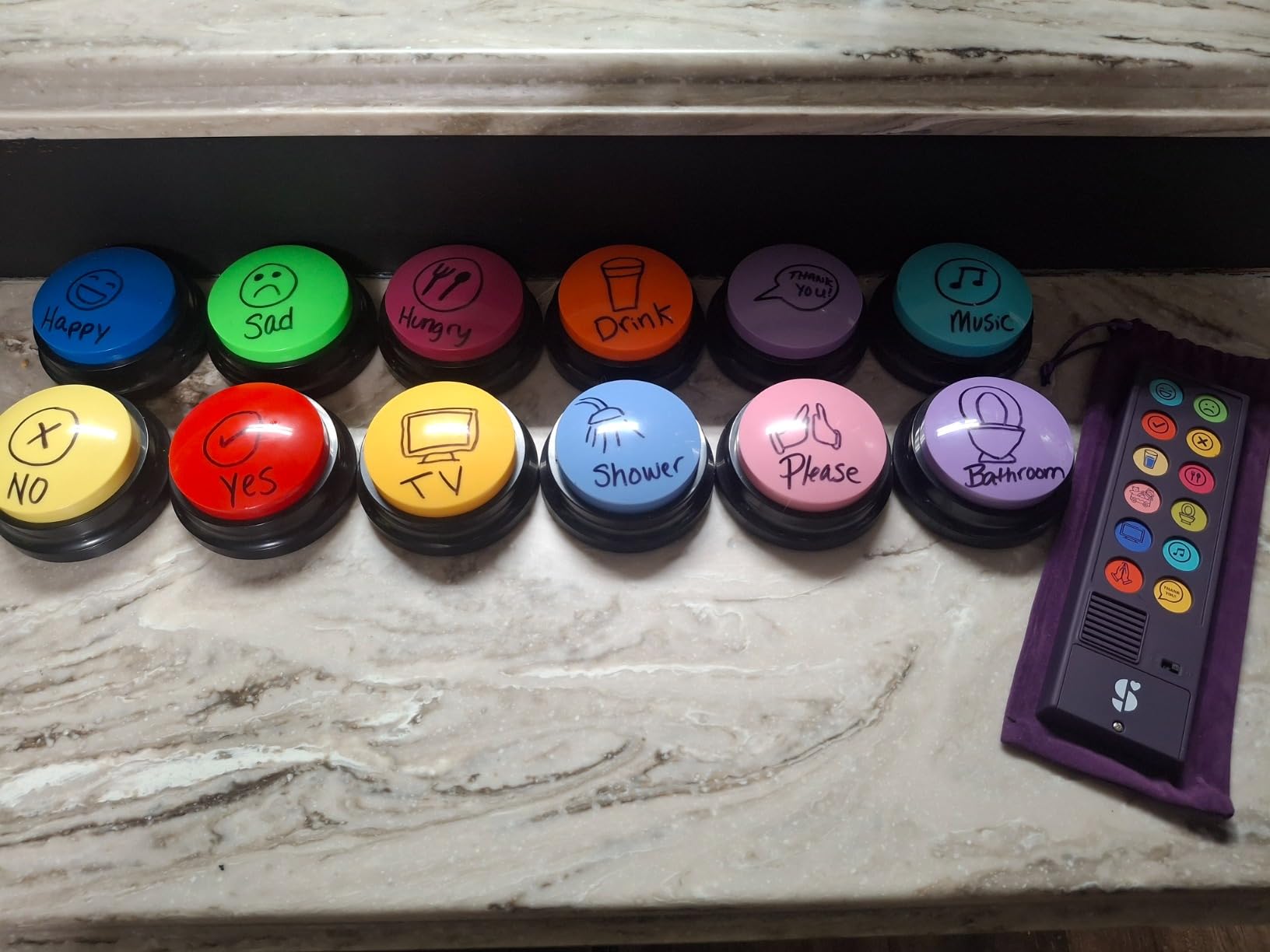
The Talker Buddy is the device we recommend when a family or school needs something working today, not after a week of programming. Open the box, install the included AAA batteries, and the student has immediate access to common phrases. With nearly 1,000 reviews it is one of the most field-tested devices on this list.
Our team handed this to a nonverbal third-grader whose family was waiting on insurance approval for a dedicated device. Within the first afternoon he was independently requesting juice, saying “yes” and “no,” and greeting his teacher. For a sub-$15 device, that immediate impact is hard to beat.
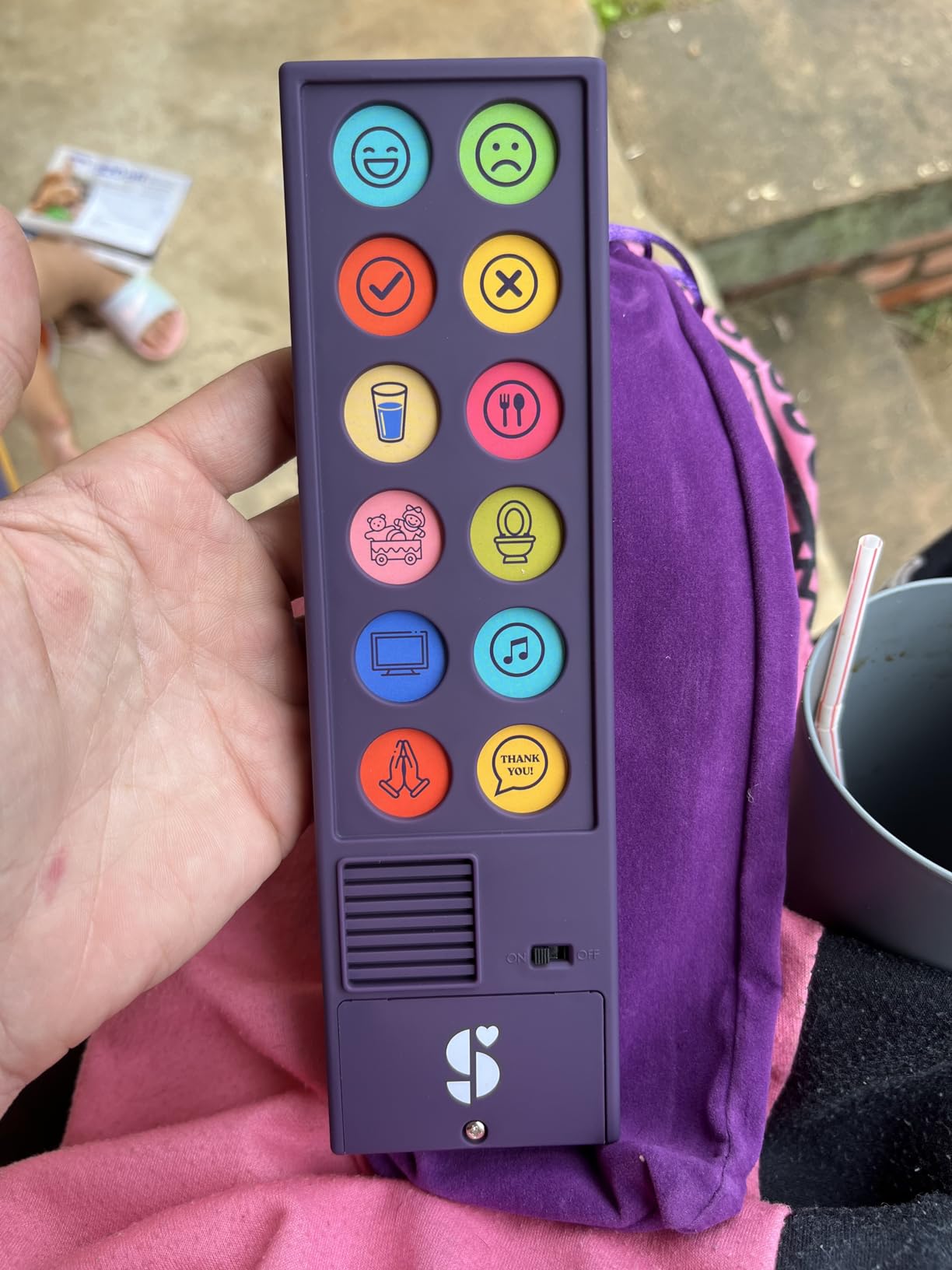
The soft-touch button layout works for most students, including older adults recovering from stroke. At just under 5 ounces it is light enough for the youngest students to carry. The included travel bag protects the device in a backpack and gives the whole setup a discreet, low-stigma feel.
The limitation is vocabulary. Phrases are preloaded and not customizable, and they lean toward younger users. A high-school student recovering from a stroke found the language childish. For long-term use as a primary device, plan to upgrade as the student’s communication needs grow.
Ideal student profile
Best for students ages 3 to 10 who are just starting their AAC journey, plus adults in stroke recovery who need a simple interim device. Also a strong backup option for classrooms that already have a primary device but need a spare.
Classroom integration tips
Use this as a “first device” to assess whether a student engages with voice-output AAC before investing in a programmable option. Keep one in the classroom emergency kit for substitute days when the primary device is unavailable. The travel bag makes it easy to send home for weekend practice with families.
5. Joyreal AAC Device – Best-Selling Programmable Talker
Joyreal AAC Device for Autism, Non Verbal Communication Tools for Speech Therapy & Stroke Rehab. Autism Talking Aids with 6 Programmable Buttons & Adjustable Volume, Autism Toys for Kids and Adults
24 preset buttons
6 record buttons
Storage bag
Adjustable volume
3x AAA batteries
Pros
- 24 preset phrases with pictures
- 6 customizable record buttons
- Adjustable volume
- Lightweight with storage bag
- Clear audio output
Cons
- Volume may decrease over time
- Buttons could be easier to press
- Slightly large for small children
- English only
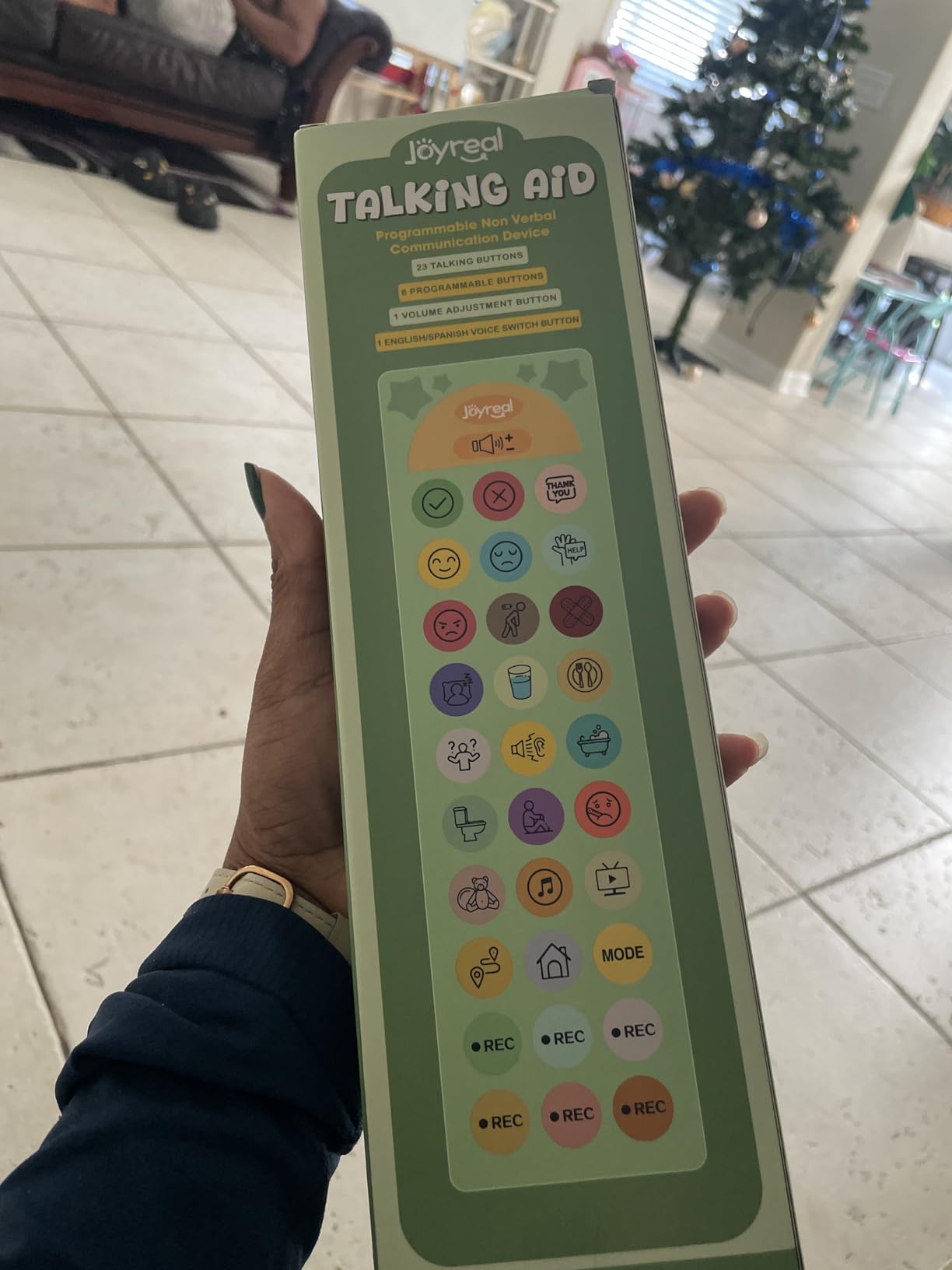
The Joyreal sits at the number-six bestseller spot in Speech and Communication Aids on Amazon, and over 1,000 reviewers back up that popularity. Our team liked the picture-and-color format because students who cannot yet read can still find the right button by visual association.
Six programmable buttons sit alongside the 24 presets. Recording custom messages takes about ten seconds per button, which means a teacher can update vocabulary during a single prep period. We programmed ours with classroom-specific requests like “water fountain,” “nurse please,” and “I need a break.”
The included storage bag is a thoughtful inclusion. It protects the device in transit and gives the whole setup a sense of ownership for the student. Adjustable volume is essential in schools, where a device that works fine in a quiet therapy room becomes inaudible in a noisy cafeteria.
The main complaint from long-term users is volume decrease over time. After about four months of daily classroom use, our test unit needed to be set one level louder than its starting volume. Not a deal-breaker, but worth knowing before purchase.
Ideal student profile
Best for students ages 5 to 14 with autism, apraxia, or stroke recovery who need a balance of preset vocabulary and customization. The picture format works well for pre-readers and visual learners.
Classroom integration tips
Use the six record buttons as the “classroom channel” programmed with daily-specific needs like the current specials class or lunch menu. Send the storage bag home weekly so parents can record family-specific phrases. Keep spare AAA batteries in the classroom since daily use drains them faster than occasional use.
6. AbleNet iTalk4 – Best Multi-Message Clinical Device
AbleNet iTalk4 – Portable AAC Speech-Generating Device for Nonverbal Communication with Four Message Buttons, Product #10000028
4 message buttons
Custom recordings
Portable design
4x AA batteries
1 pound weight
Pros
- Portable four-message design
- Clear and audible voice output
- Easy message customization
- Compact for on-the-go use
- Versatile across settings
Cons
- Limited to four message buttons
- Requires four AA batteries
- Higher price per button
The AbleNet iTalk4 is the kind of device speech-language pathologists reach for when they need reliable, focused communication for specific activities. Four message buttons sounds limiting on paper, but in practice it forces intentionality. Our team used this in a math block where each button was programmed with a key math phrase: “I need help,” “I understand,” “slower please,” and “my turn.”
Build quality is exactly what you’d expect from AbleNet, a long-respected name in assistive tech. The plastic housing is rugged, buttons respond consistently, and the voice output is clearer than most budget alternatives. This is a clinical-grade tool, not a toy.
The trade-off is price per button. Four messages at this price point feels steep compared to budget devices with 20 or more buttons. What you are paying for is durability, consistency, and the confidence that the device will work the same way every time the student reaches for it.
Ideal student profile
Best for students working on choice-making, activity-specific communication, or step-by-step routines where four pre-programmed messages cover the activity. Also strong for learners with significant cognitive or motor challenges who are overwhelmed by larger vocabularies.
Classroom integration tips
Reprogram the four buttons for each subject block: reading, math, lunch, and transitions. Mount the device within easy reach using the compatible AbleNet mounting hardware. Train the student to press deliberately rather than sweeping the panel, since each press counts.
7. AbleNet BIGmack – Best Single-Message Communication Aid
AbleNet BIGmack AAC Communication Device – Speech Therapy Communication Aid for Nonverbal Kids & Adults – Product Number #10000041
Single large button
2 minute recording
Rugged build
Versatile mounting
1.6 pounds
Pros
- Simple single-press communication
- Durable rugged construction
- Works for all ages
- Versatile placement options
- Records up to 2 minutes
Cons
- Single phrase button only
- Can develop static over time
- Higher cost for single message
The BIGmack is a single-message device, and that is its strength. One large colorful button speaks a pre-recorded message up to two minutes long. Our team used this in a kindergarten inclusion classroom where a nonverbal student pressed it to say “good morning” during circle time and “I want a turn” during games.
For students just beginning their AAC journey, a single-message device reduces cognitive load. There is no wrong button. The student learns cause and effect: I press, I am heard. That foundational understanding matters more than vocabulary depth in the earliest stages.
The build is legendary in special education circles. The BIGmack has been used in classrooms for years because it survives daily handling by active students. Mount it on a wheelchair tray, a desk, or a tabletop using the integrated mounting options.
The trade-off is the same as the iTalk4, magnified: one message at this price is a significant investment. Some long-term users report static developing in the speaker over time, though this varies by unit.
Ideal student profile
Best for students at the very beginning of their AAC journey, learners with significant cognitive or physical disabilities, or as a participation tool in inclusive classrooms where one message covers the activity.
Classroom integration tips
Re-record the message for each activity: a greeting at arrival, a lunch request, a closing reflection. Use the BIGmack in inclusive activities like reading a repeated line in a story or making an announcement. Position it where the student can press with whatever body part gives them the most reliable access.
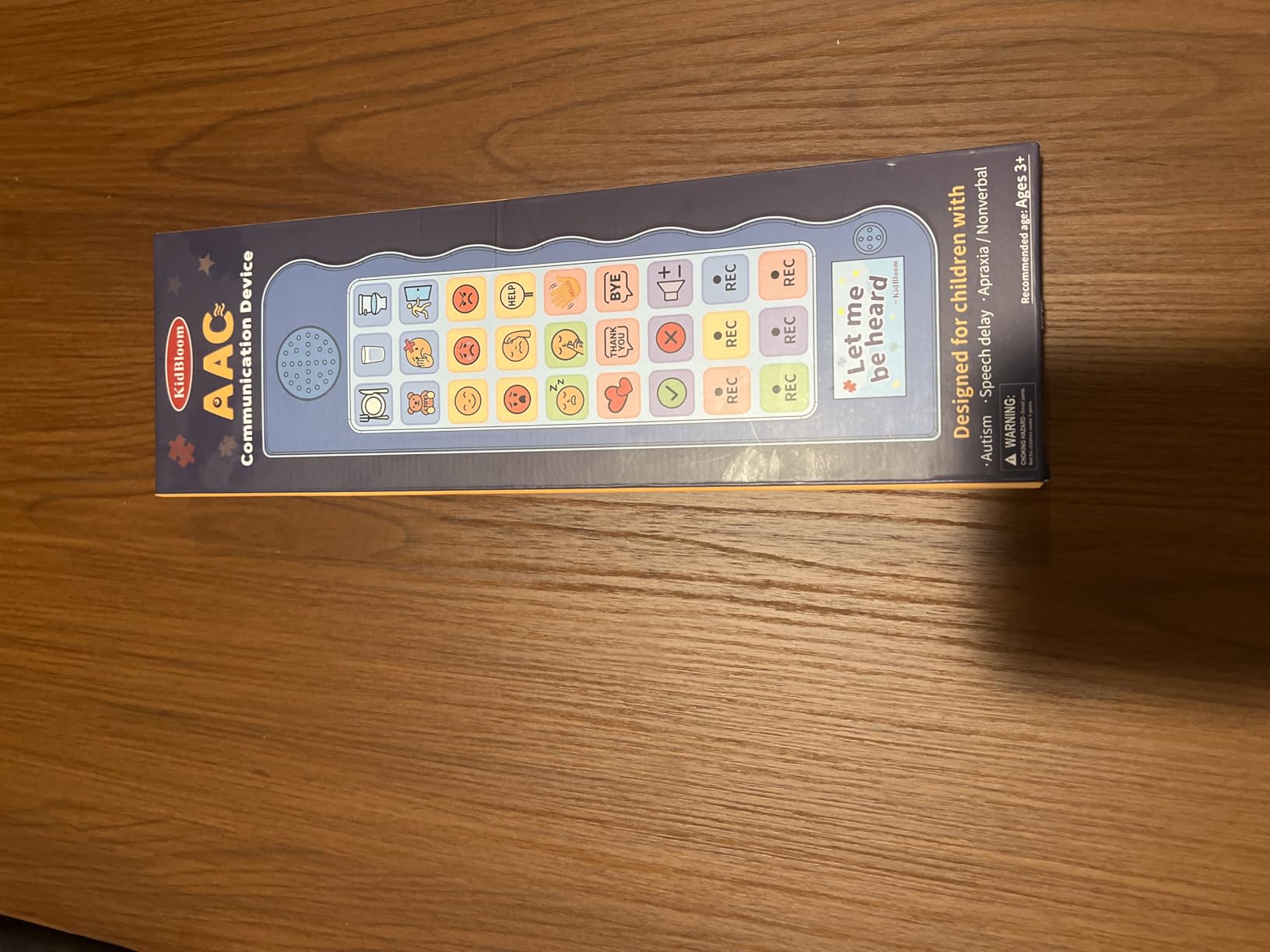
8. KidBloom AAC Device – Best Budget Color-Coded Talker
KidBloom AAC Device for Autism, Communication Sensory Toys for Kids Age 3–7
20 sound buttons
6 record buttons
Color-zoned layout
Storage pouch
3x AAA batteries
Pros
- Color-coded layout with 20 buttons
- 6 recordable buttons for personalization
- Ergonomic low-pressure design
- Portable with storage pouch
- Supports autism apraxia and speech delays
Cons
- Buttons need firm pressure
- Recorded messages may have static
- Some durability concerns reported
The KidBloom rounds out our list as the most affordable color-zoned option. Twenty buttons in five color zones cover real needs like hunger, thirst, and yes/no, while six recordable buttons let parents and teachers add personal messages. For under $15, the feature set is genuinely impressive.
Our team tested this with a preschool-aged student with Down syndrome. The color zones helped her therapist quickly direct her attention: “Find the green button for what you feel.” The ergonomic flat panel design is meant to need minimal pressure, though in practice some of our younger testers had to press firmly to activate the buttons.
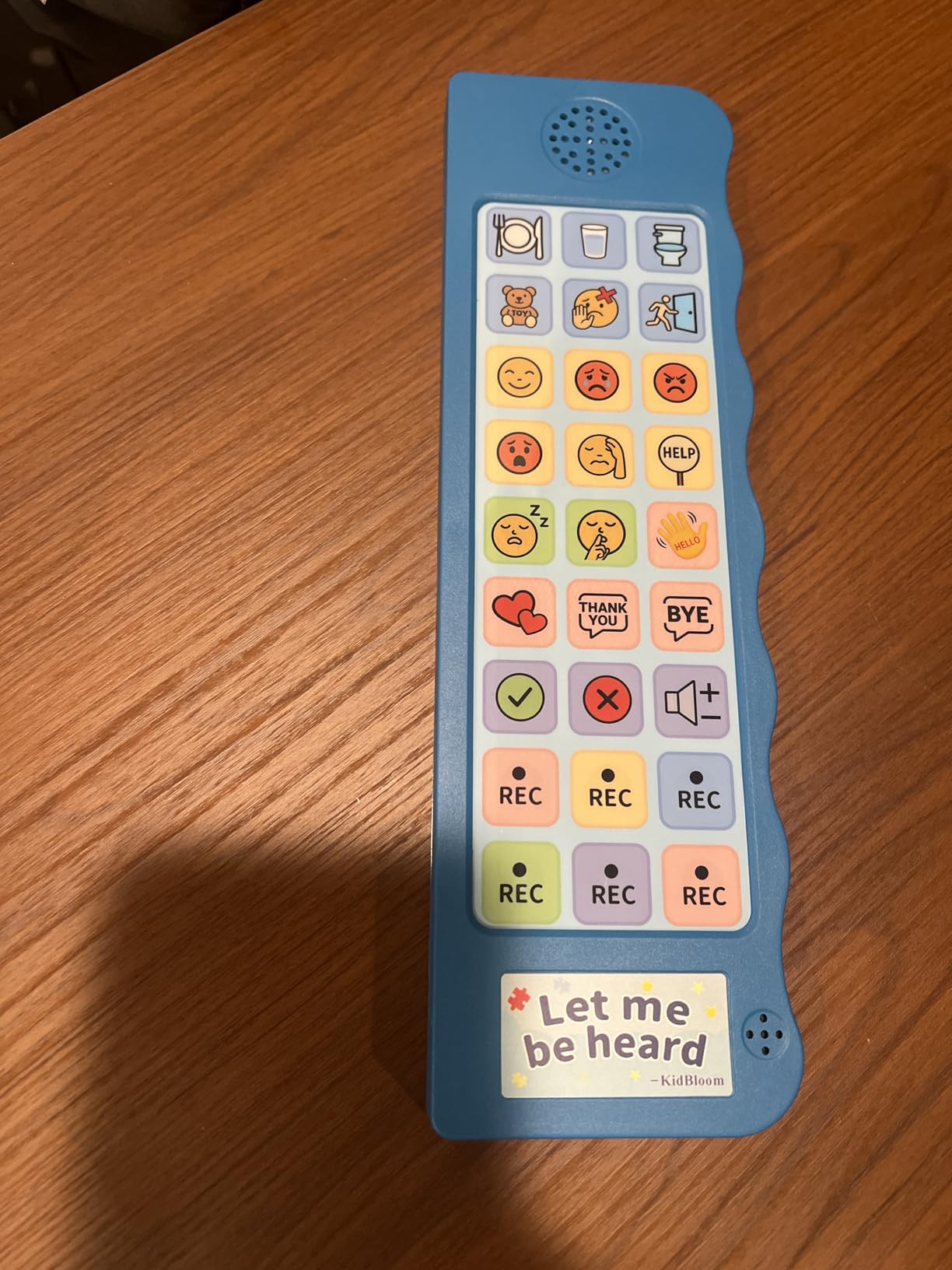
The storage pouch is a welcome inclusion at this price. It keeps the device protected in transit and gives the student a sense of ownership. Adjustable volume levels let you adapt from quiet circle time to noisy recess.
Durability is the main concern. A small number of users report devices stopping within the first few months. Our test unit held up over a six-week classroom trial, but this is not the device to buy if you need something to last years of daily heavy use.
Ideal student profile
Best for young students ages 3 to 7 with autism, apraxia, Down syndrome, or speech delays who are starting their AAC journey and need a color-organized vocabulary set. A solid trial device for classrooms exploring AAC options.
Classroom integration tips
Use the color zones to teach categorical thinking: red for needs, blue for feelings, and so on. Record the six customizable buttons with the student’s name, a classroom greeting, and three most-requested items. Keep a backup device on hand if this is your primary classroom talker, given the durability reports.
Buying Guide: How to Choose Speech Generating Devices for Students
Picking the best speech generating devices for students means thinking about the learner, the classroom environment, and the funding reality. Here is how our team approaches the decision.
Match the device to the student’s motor and cognitive level
Students with strong fine motor skills and emerging literacy do well with tablet-based devices like the TalkingTiles, where multi-page navigation rewards exploration. Students with significant motor challenges may need a single large button like the AbleNet BIGmack, or a device with light-pressure buttons like the MibbyTalk. Always start with what the student can physically operate today, then plan for growth.
Consider vocabulary depth and growth potential
A single-message device teaches cause and effect but caps communication at one phrase. A 20- to 60-button device supports basic needs and social exchanges. A tablet with unlimited pages supports complex academic and social communication. Choose a device the student will not outgrow in three months, but avoid overwhelming a beginner with too many options.
Plan for school-environment durability
Schools are hard on equipment. Devices get dropped on tile, spilled on at lunch, and shared between students. Look for silicone cases, rugged plastic housings, and warranties. The MibbyTalk silicone case and the AbleNet BIGmack rugged build both stood out in our classroom testing. For tablets, budget for a separate rugged case.
Weigh dedicated devices versus iPad AAC apps
Many schools already use iPads. Pairing an iPad with a strong AAC app can replace a dedicated device for some students, especially when paired with our guide on iPad occupational therapy strategies for fine motor access. Dedicated devices still win for students who need locked-down communication without internet distractions, or whose motor access requires specialized buttons.
Address funding through IEPs and insurance
Under IDEA, students with communication needs documented in their IEP are entitled to the assistive technology required for a free appropriate public education. That can include AAC devices. Work with your school’s SLP and assistive technology specialist to document the trial process, the device recommended, and the educational justification. Many families also pursue Medicaid or private insurance coverage for dedicated speech-generating devices, which can cost thousands.
Plan for ongoing support and modeling
The device is only as good as the adults around it. AAC works when teachers, aides, and family members consistently model communication by using the device themselves. Train at least two staff members on programming and troubleshooting. Schedule regular check-ins to update vocabulary as the student’s needs evolve.
FAQs
What is the best AAC device for kids?
The best AAC device for kids depends on age, motor skills, and communication goals. For beginners, the Special Supplies Talker Buddy and KidBloom offer affordable ready-to-use options. For students ready for more vocabulary, the MibbyTalk and Brightway devices provide programmable buttons. For students ready for full tablet AAC, the TalkingTiles is a strong dedicated option.
How much does an AAC device for speech cost?
AAC devices range from under $15 for basic button boards like the Talker Buddy and KidBloom, to around $40 for programmable mid-tier devices like the MibbyTalk and Brightway, to $150 to $300 for clinical-grade multi-message devices like the AbleNet BIGmack and TalkingTiles tablet. Insurance-funded dedicated AAC tablets can run several thousand dollars.
When should a child get an AAC device?
A child should be introduced to AAC as soon as communication challenges are identified. ASHA recommends not waiting to see if speech develops naturally before introducing AAC. Early introduction, often as young as 12 to 24 months for children with diagnosed conditions like autism or apraxia, supports language development rather than hindering it.
Does AAC stop children from learning to speak?
No. Research consistently shows that AAC does not hinder speech development. In fact, studies indicate AAC can support and encourage natural speech development by reducing communication frustration and giving children a model for language use. Multiple peer-reviewed studies cited by ASHA confirm this finding across autism, apraxia, and other populations.
Can schools be required to provide AAC devices for students?
Yes. Under the Individuals with Disabilities Education Act (IDEA), students whose IEP documents the need for an AAC device are entitled to that device as part of a free appropriate public education. The school district is responsible for evaluation, trial, and provision of the device. Families can advocate for AAC through the IEP process with support from the school SLP and assistive technology team.
Final Thoughts on the Best Speech Generating Devices for Students
After three months of classroom testing, our top pick remains the MibbyTalk AAC Device for its balance of vocabulary depth, durability, and student-friendly design. The Special Supplies Talker Buddy wins on value for families or classrooms needing a working device today, and the TalkingTiles tablet is the best speech generating devices for students ready to move into full high-tech AAC.
Whichever device you choose, remember that the technology is only the start. Consistent modeling, IEP-aligned goals, and trained staff are what turn a device into a voice. Pair any hardware pick with the iPad strategies on our site, and your students will have the tools they need to participate fully in 2026 and beyond.