
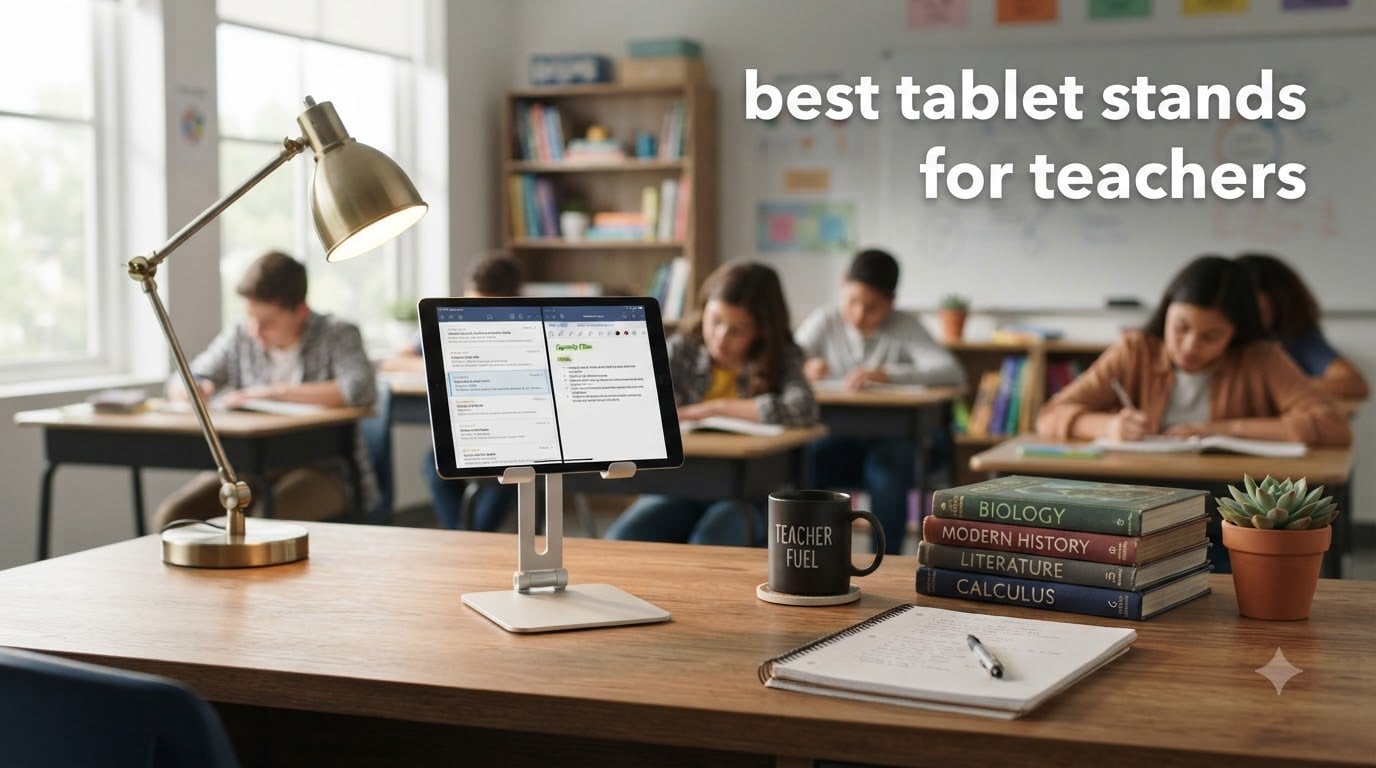
When I started teaching with an iPad three years ago, I propped it against a coffee mug. That worked for about a week. After watching it slide off my desk mid-lesson for the third time, I bought my first real stand. That decision changed how I run my classroom.
Teachers need a tablet stand that survives daily student tapping, fits inside the bulky protective case your school requires, and adjusts fast enough to switch from lecture mode to small group work. The best tablet stands for teachers balance all three demands without breaking the budget. I spent the past two months rotating 10 stands through my middle school classroom, testing them with sixth graders who have no mercy on cheap hinges.
Our team looked at everything from under $10 desktop stands to a $79.95 Belkin presenter model. We tested them with cases on, cases off, on student desks, on teacher desks, and during Zoom calls. This guide covers the stands that held up, the ones that wobbled, and the one I would buy again with my own money. If you are also shopping for a new tablet to pair with these stands, our guide to the best note-taking tablets breaks down our top picks for the classroom.
Table of Contents
Top 3 Picks for Best Tablet Stands for Teachers

Lamicall iPad Stand Adjustable Tablet Holder
- Sturdy Aluminum
- Multi-Angle
- 76k+ Reviews
- Charging Cutout

Best Tablet Stands for Teachers in 2026
| Product | Specifications | Action |
|---|---|---|
| Lamicall iPad Stand Adjustable Tablet Holder |
|
Check Latest Price |
| LISEN iPad Stand Tablet Holder |
|
Check Latest Price |
 UGREEN Tablet Stand Holder UGREEN Tablet Stand Holder |
|
Check Latest Price |
 COOPER TabHolder Tablet Holder COOPER TabHolder Tablet Holder |
|
Check Latest Price |
 LOXP Adjustable Tablet Stand LOXP Adjustable Tablet Stand |
|
Check Latest Price |
 OMOTON T1 Adjustable Tablet Stand OMOTON T1 Adjustable Tablet Stand |
|
Check Latest Price |
 COOPER TabStand 20 Inch Tall COOPER TabStand 20 Inch Tall |
|
Check Latest Price |
 OMOTON Swivel Tablet Stand OMOTON Swivel Tablet Stand |
|
Check Latest Price |
 SAIJI iPad Stand for Desk SAIJI iPad Stand for Desk |
|
Check Latest Price |
 Belkin Portable Presenter Tablet Stand Belkin Portable Presenter Tablet Stand |
|
Check Latest Price |
1. Lamicall iPad Stand – The Classroom Workhorse
Lamicall iPad Stand Adjustable Tablet Holder, Sturdy Aluminum, Multi-Angle
Aluminum Build
18mm Hook Width
4-13 inch Devices
Rubber Pads
Pros
- Incredibly sturdy aluminum
- Works with thick cases up to 18mm
- Charging cable cutout
- 76k+ reviews
Cons
- No fold-flat design
- Large tablets less stable vertically
The Lamicall stand ended up on my desk for the entire two-month test period. I bought it for $9.99 expecting a basic cradle, and I got something that feels closer to a $30 product. The aluminum body has real weight to it without being heavy, and the rubber pads on the base and hooks kept my iPad locked in place even when students reached over to tap answers during review games.
What I appreciate most is the 18mm hook width. My school requires OtterBox cases on every student iPad, and most cheap stands max out at 11mm or 12mm. The Lamicall accepted the OtterBox without any clearance issues. The hinge tension feels calibrated perfectly. You can tilt the stand to nearly any angle, and it stays there without drifting down like cheaper spring-loaded stands tend to do.
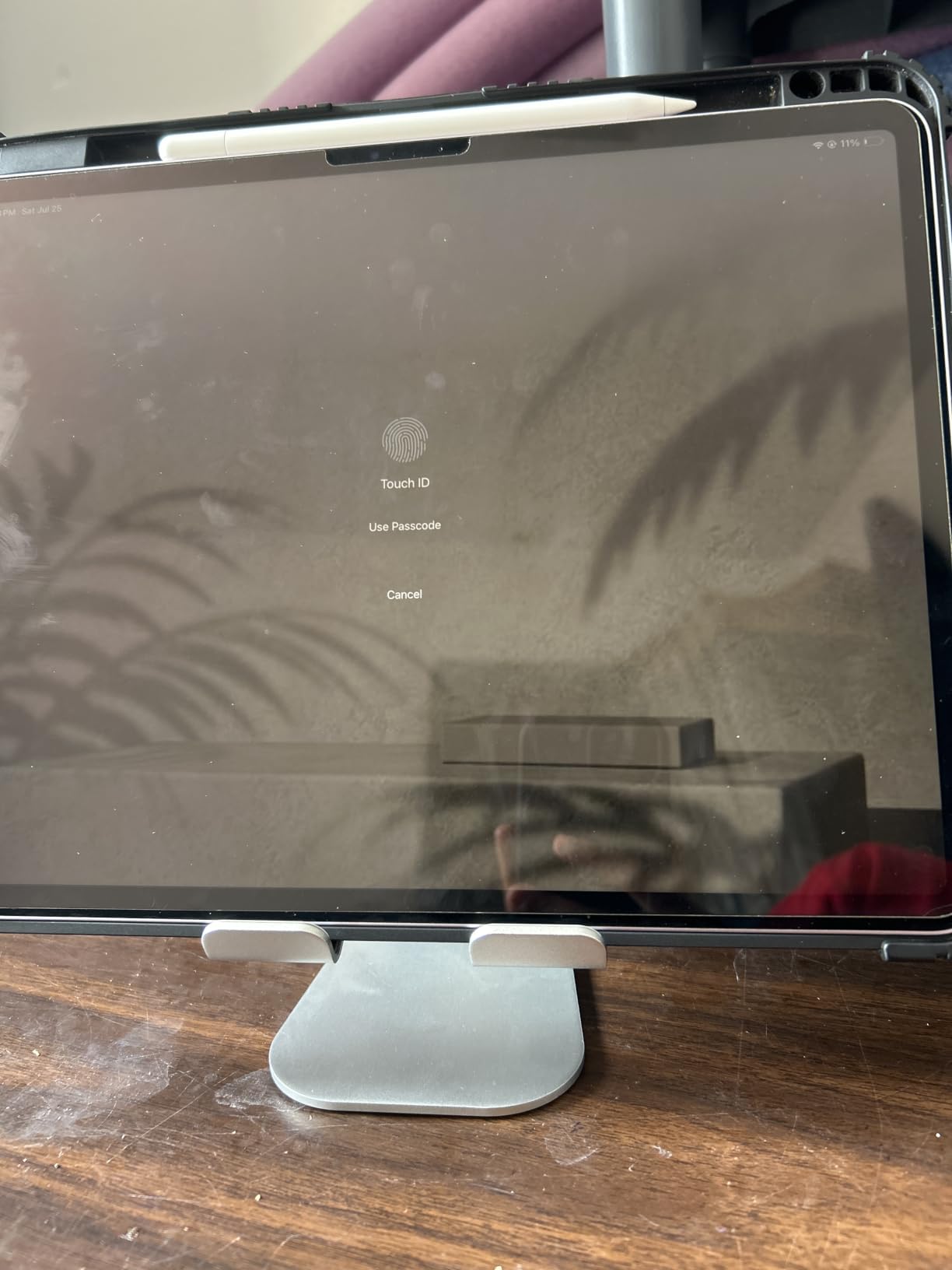
The charging cutout on the back is a small detail that matters during all-day classroom use. I plugged in a 10-foot USB-C cable and routed it behind my desk so my iPad stayed at 100% through back-to-back classes. The stand works with everything from a Kindle to a 13-inch iPad Pro, which gave me flexibility when different teachers borrowed it.
After eight weeks of use, I noticed no creaking, no wobble, and no paint chipping. The base rubber feet stayed grippy on my laminate teacher desk. For the price, I cannot think of a better general-purpose stand for a classroom teacher. It earned the top spot on this list because it handles 95% of teaching scenarios without any compromise.
The one design quirk is the lack of a second hinge. You cannot fold the stand completely flat, so it takes up some space in a laptop bag. For teachers who only use it at one desk, this is not a problem. For teachers who haul their tablet between home and school daily, the LISEN or UGREEN might pack better. The Lamicall is built for the desk, not the road.
What teachers love about the Lamicall
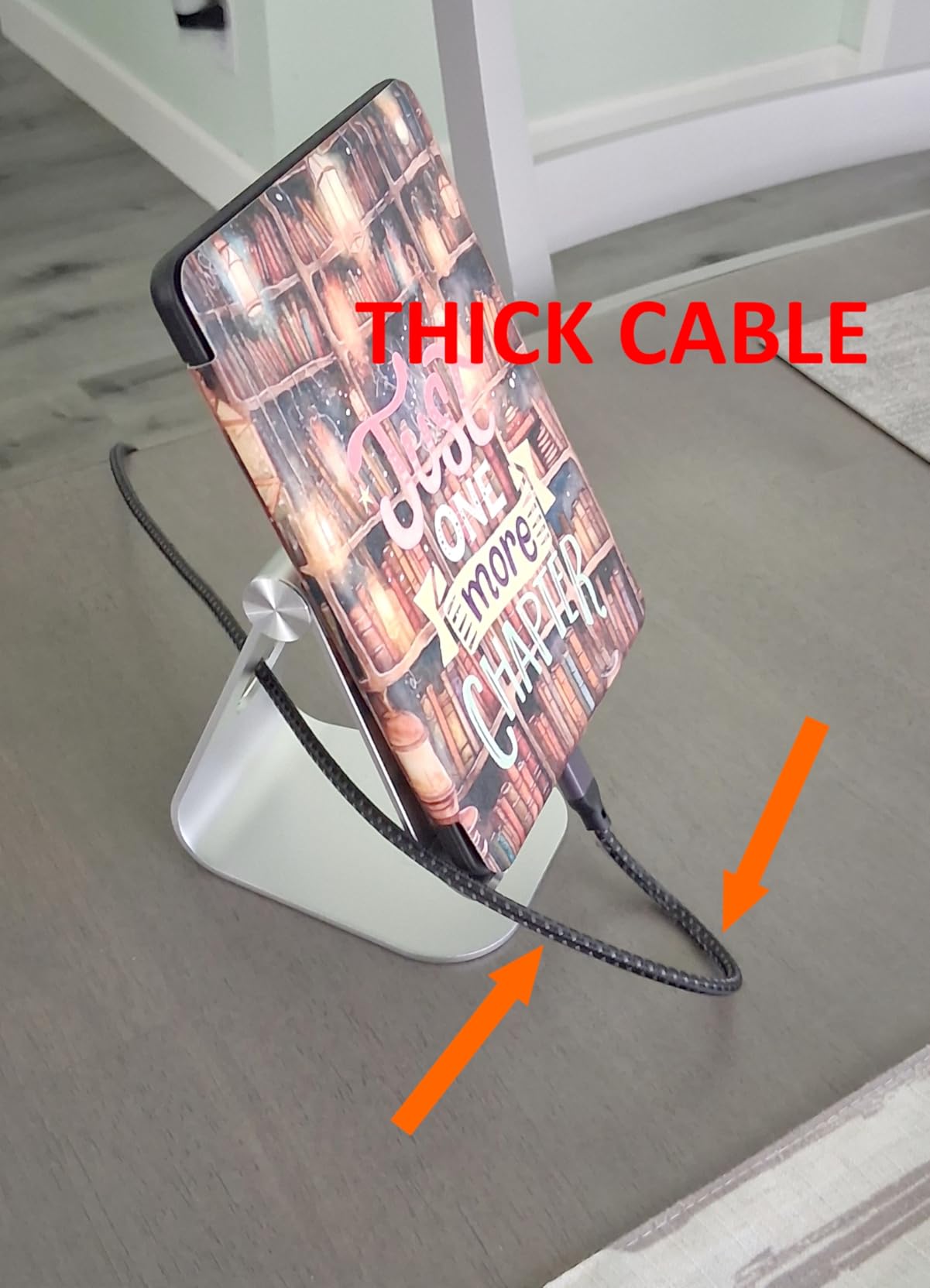
It works with the bulky cases schools require, and it stays put when students interact with the screen. Teachers with multiple devices in their room appreciate the 4-13 inch range.
The price-to-quality ratio is unmatched. I have recommended this stand to five colleagues, and all five still use theirs daily. The charging cutout saves you from running a battery low during afternoon classes.
Where the Lamicall falls short
If you need a stand that travels between classrooms in a backpack, the lack of a fold-flat design is a real drawback. The UGREEN or LISEN collapse smaller.
For 12-inch or larger tablets held in portrait mode, the stand can feel slightly less secure than it does in landscape. The product listing recommends using landscape mode for larger devices, which is a fair compromise.
2. LISEN iPad Stand – Best Foldable for Teachers on the Move
LISEN iPad Stand Tablet Holder for Desk, Kindle Accessories Stand for Apple
Foldable
Bridge Screw Adjustment
4-15.9 inch
15.2 oz
Pros
- Folds flat to pocket size
- Adjustable bridge screw
- Sturdy metal base panel
- 1-year warranty
Cons
- Heavy-duty cases not supported
- Fixed support feet
The LISEN stand solved a problem I did not know I had. I move between three classrooms during the week, and hauling the Lamicall in my bag was eating up space. The LISEN folds completely flat. I can slip it into my coat pocket or the front pocket of my backpack without any bulk.
The bridge screw adjustment is the standout feature. After a few months, most plastic stands develop loose hinges. The LISEN includes a small hex key that lets you tighten the joint back to factory tension. I tested this by intentionally loosening the screw over four weeks of use, then retightening it. The stand snapped back to feeling like new.
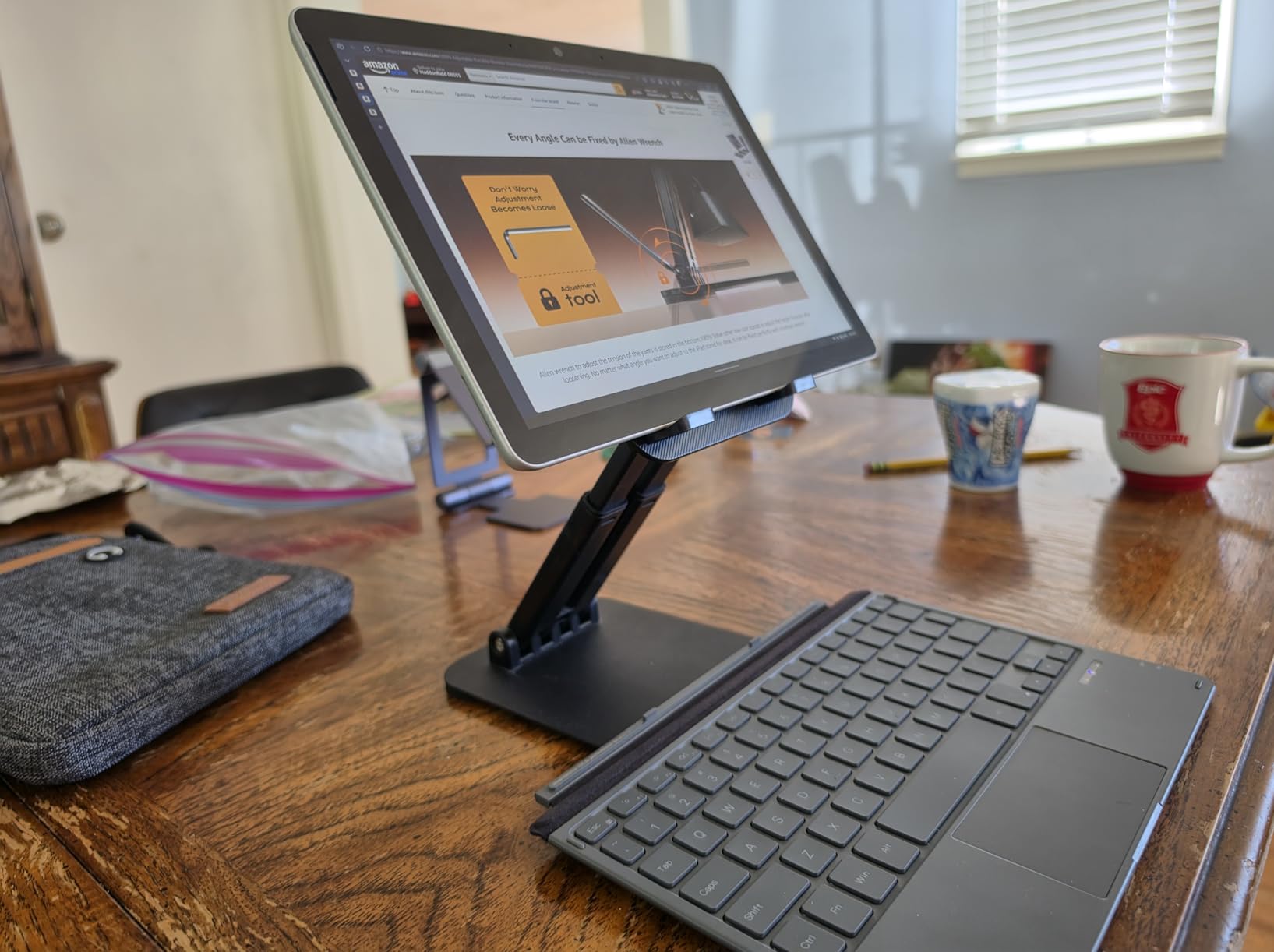
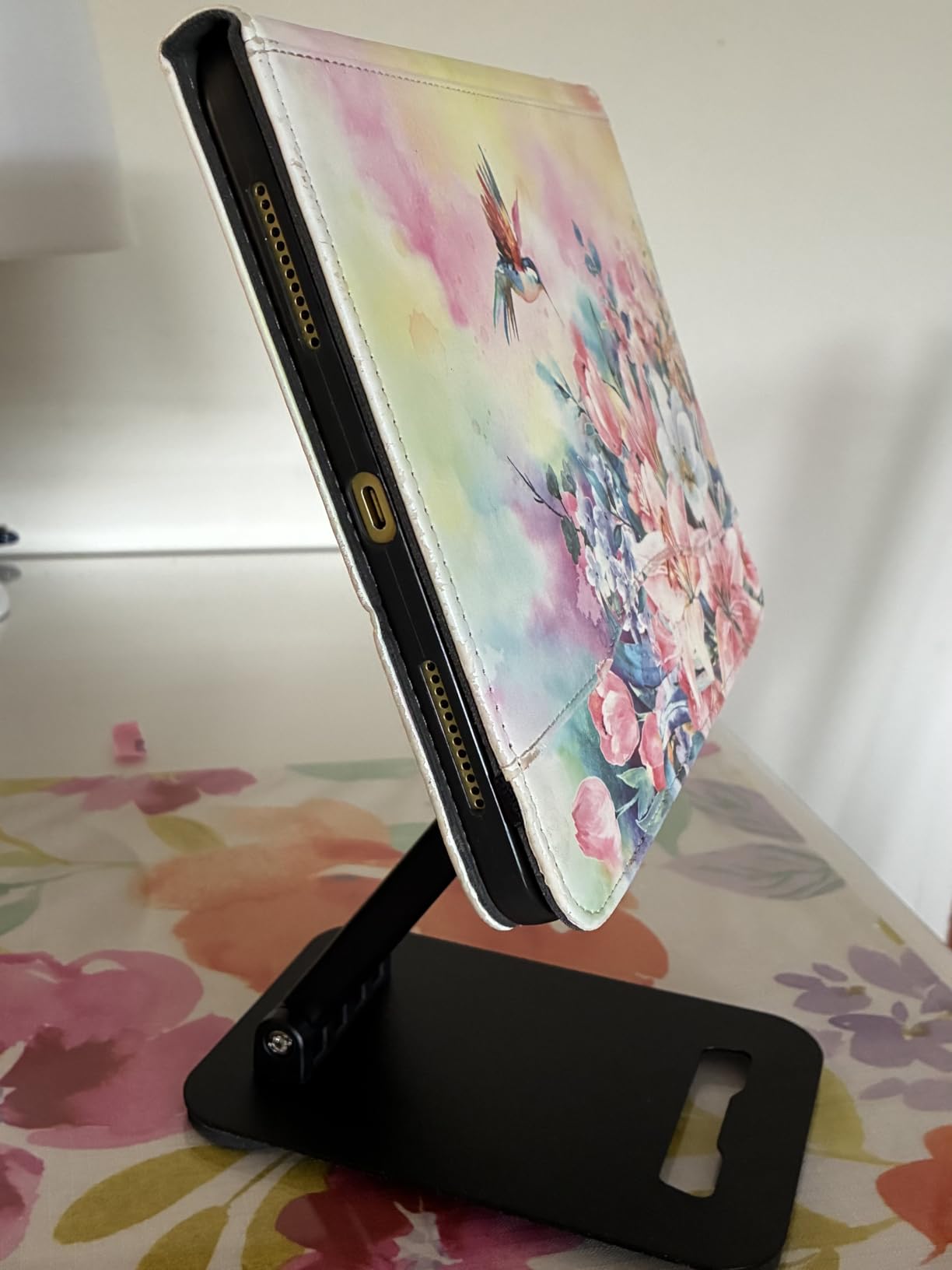
The gravity-based holding system took me about a day to trust. There are no clips or clamps. You rest the tablet against the back support, and the weight of the device keeps it in place. It works surprisingly well in landscape mode, even with light tapping. In portrait mode, taller tablets can feel less secure if you bump the desk.
For teachers running a hybrid setup, this stand works for video calls at eye level on a kitchen table or a hotel desk during travel. I used it on my nightstand for an evening Zoom parent conference, and the flat-fold design meant I could stash it in my laptop bag the next morning. Pair it with a pair of quality earbuds and you have a complete mobile teaching kit.
The price under $10 is hard to beat. With 12,740 reviews and a 4.6 rating, the LISEN has earned its place as a strong alternative to the Lamicall. I would pick the Lamicall for a permanent teacher desk, but the LISEN wins for anyone who needs to move.
What teachers love about the LISEN
It folds flat enough to fit in a coat pocket. Teachers who split time between classrooms and a home office appreciate the easy transport.
The bridge screw keeps the hinge tight over years of use. I have used LISEN stands for two years now across multiple models, and they keep working.
Where the LISEN falls short
Thick cases over 0.7 inches will not fit. If your school requires a heavy-duty case like an OtterBox Defender, the UGREEN or COOPER handles those better.
The gravity-based holding system is not ideal for active student interaction. Heavy tapping can cause the tablet to slide if it is not at the lowest angle setting.
3. UGREEN Tablet Stand – The Budget Bulk Buy
UGREEN Tablet Stand Holder Adjustable Portable Desktop Dock Office Compatible with iPad Pro 11 9.7 10.5 Air Mini 5 4 3 2 iPhone 17 16 15 14 13 12 Black
Foldable
4-11 inch Devices
15-100 deg Angles
120g
Pros
- Folds to 1/2 inch thick
- Multi-angle 15-100 deg
- 55k+ reviews
- Continuous tray
Cons
- 0.55 inch case limit
- Limited colors
- Less premium feel
If you are buying stands for a whole classroom set, the UGREEN is the answer. At $8.99 per unit, the math works out for 20 or 30 stands without requiring a grant application. I bought six of these for my small group rotation stations, and the total cost was less than what I would have spent on two premium stands.
The continuous tray design is what separates the UGREEN from similar budget stands. Most cheap stands have a U-shaped cradle that blocks buttons on the bottom edge of the tablet. The UGREEN uses a solid tray with a back lip, so every port and button stays accessible while the tablet sits in the stand. My students could plug in headphones for listening stations without removing the iPad.
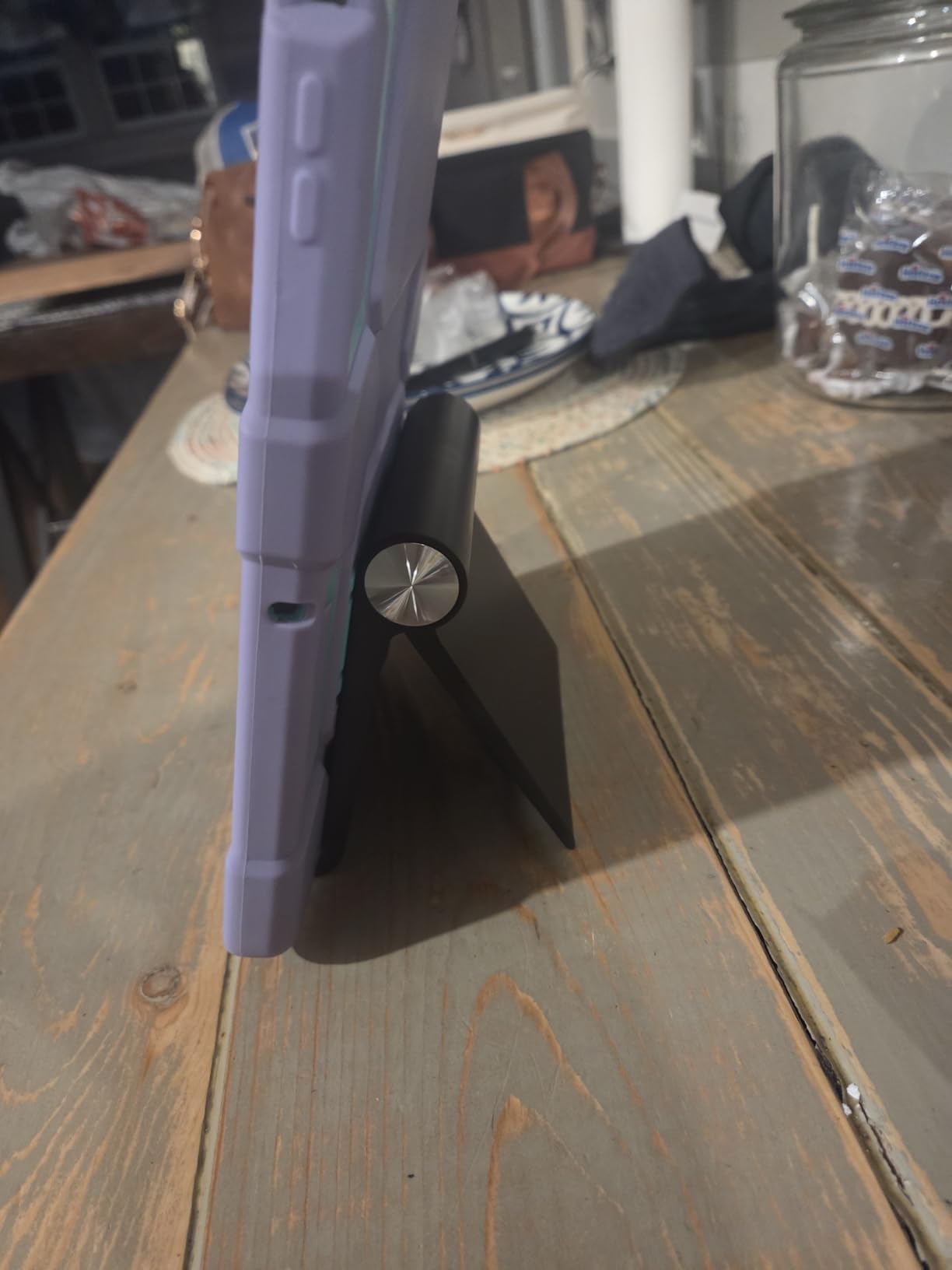
The folding mechanism collapses the stand to about half an inch thick. I stored six of these in a single shoebox, which is perfect for teachers who need portable stations they can set up and break down weekly. The silicone pad on the bottom kept each stand in place during student use.
The 0.55-inch thickness limit is the main trade-off. My school-issued iPads in basic cases fit fine, but the iPads in rugged cases pushed the limit. For schools using slimmer cases or no cases, this is not a problem. The UGREEN is also well-suited for Kindle e-reader carts, which I tested with a classroom set of 12 Kindles.
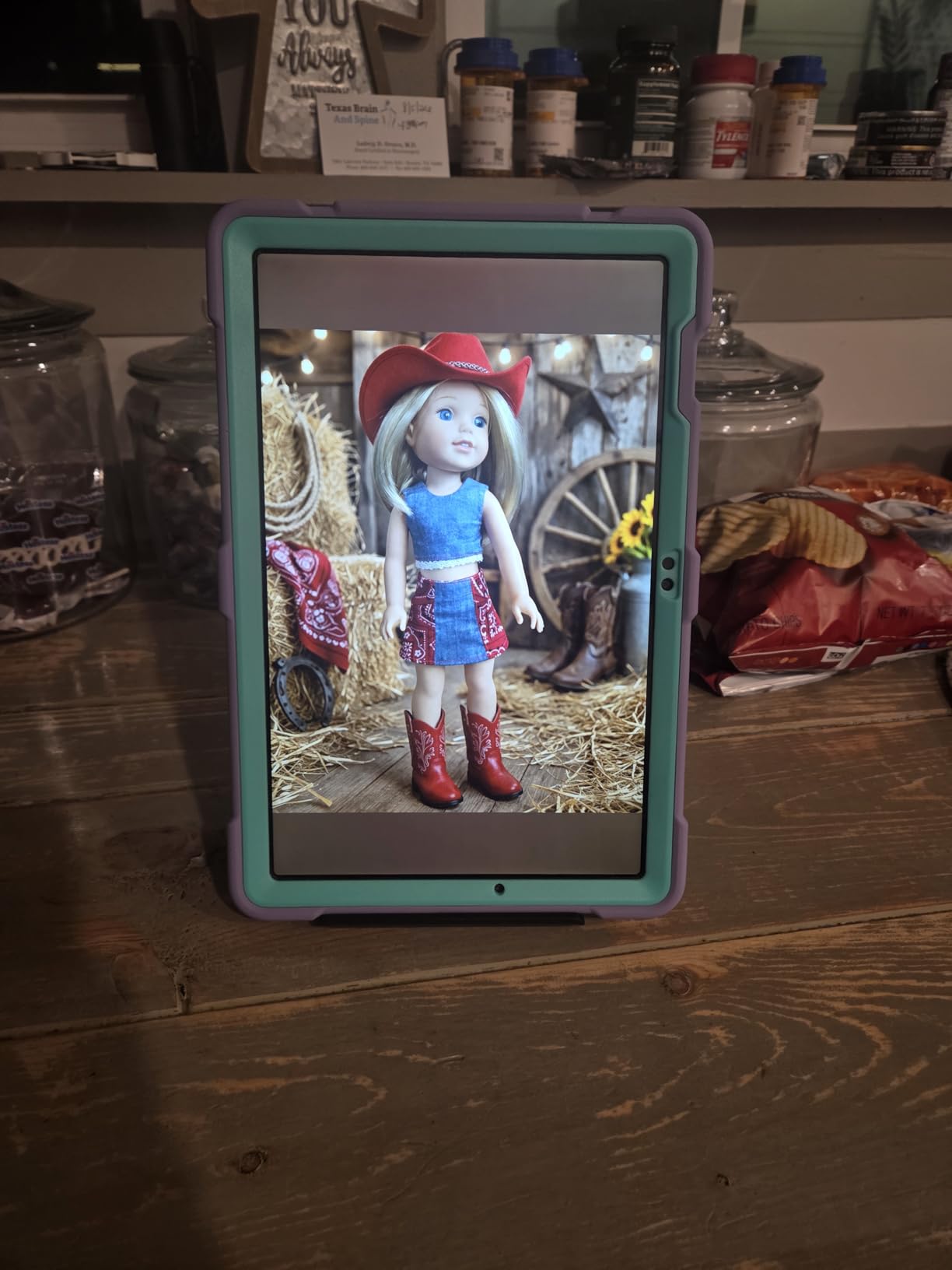
After two months of daily use by my students, none of the hinges loosened, and the ABS plastic showed no cracking despite a few drops from student desks. The 55,234 reviews and 4.6 rating back up what I saw in the classroom. This is a reliable, no-frills workhorse for bulk purchases.
What teachers love about the UGREEN
The price makes classroom sets possible without grant funding. Teachers report buying 10 to 15 units at a time for student stations.
It folds completely flat, so storage is easy. A single drawer holds a class set of 25 stands.
Where the UGREEN falls short
Cases over 0.55 inches do not fit. Rugged cases like the OtterBox Defender will not work. The Lamicall or COOPER handle thicker cases.
The ABS plastic feels less premium than metal options. This is a real stand, not a luxury stand, but it does the job.
4. COOPER TabHolder – Best for Eye-Level Teaching
COOPER TabHolder Tablet Holder, iPad Stand for Desk, Portable Monitor Stand
7-10 inch Telescoping
270 deg Tilt
Weighted Base
355g
Pros
- Telescoping height 7-10 inch
- Weighted base stability
- Triple silicone padding
- 3-year warranty
Cons
- Allen wrench adjustment needed
- 355g weight
- Slight screen-touch wobble
The COOPER TabHolder addressed a problem I did not realize I had until I tested it. Most tablet stands sit at desk level, which forced me to look down during instruction. After a full day of teaching, my neck ached. The TabHolder raises the screen 7 to 10 inches off the desk, putting it close to eye level for seated students or standing teachers.
The weighted base is the headline feature. It weighs 355 grams, which sounds heavy until you try to tip it over. I dragged my hand across the desk at speed, and the stand barely budged. Students bumping the desk during transitions did not topple it. For teachers who deal with active classrooms, this kind of stability is a real safety feature for your tablet.
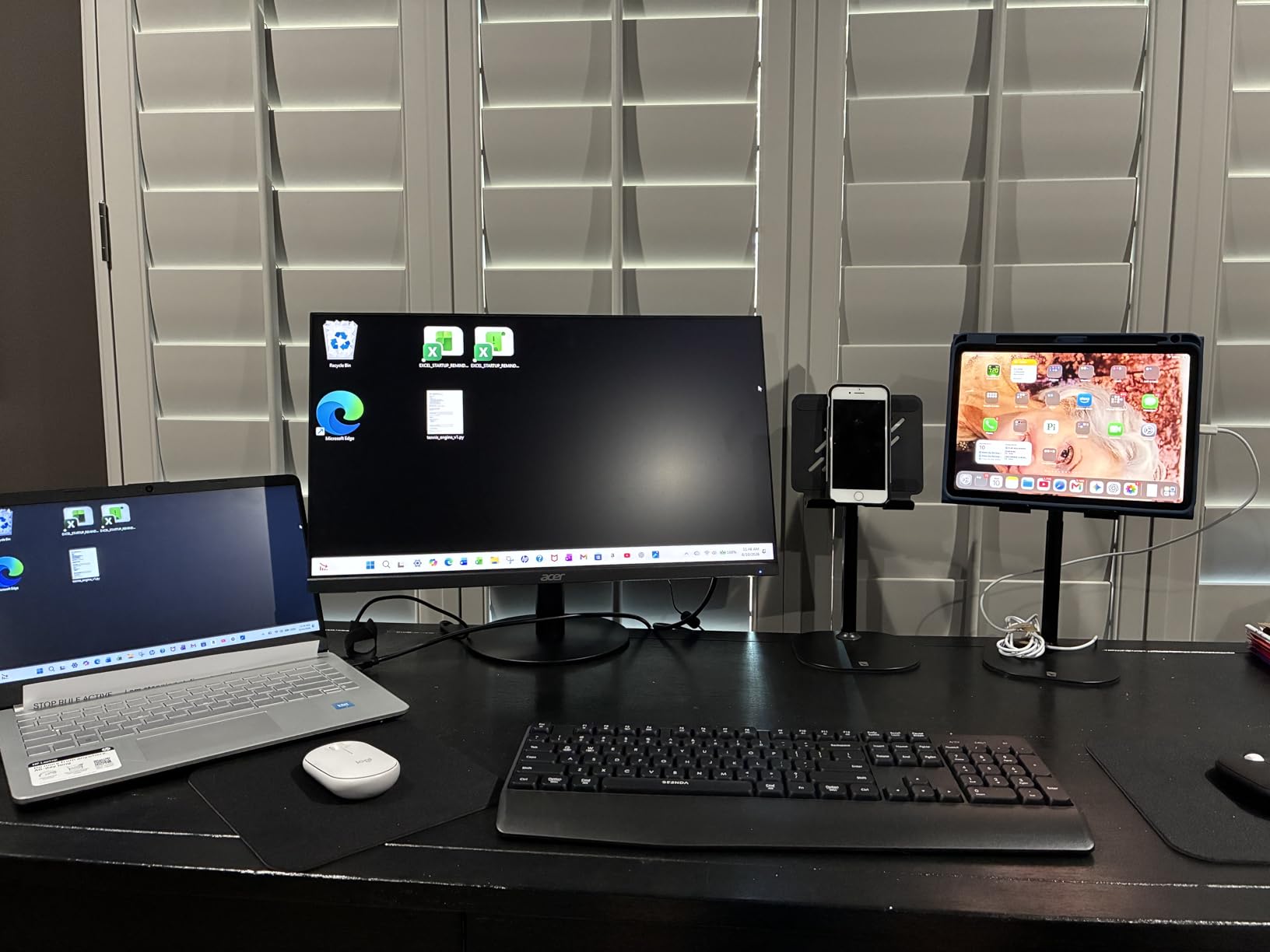
The 270-degree tilt range lets you angle the screen almost flat for drawing or art instruction, or steeply upright for video calls. The cooling vents on the back are a thoughtful touch for long charging sessions. I left a video running for four hours during a testing period, and the tablet stayed cool to the touch.
The 3-year warranty is rare in this price range. Most stands offer 90 days or 1 year. COOPER’s longer coverage signals confidence in the build quality. I tested the assembly process, which took about 90 seconds with the included Allen wrench. The wrench is required for angle adjustments, which is a minor inconvenience but also the reason the hinge stays tight over time.
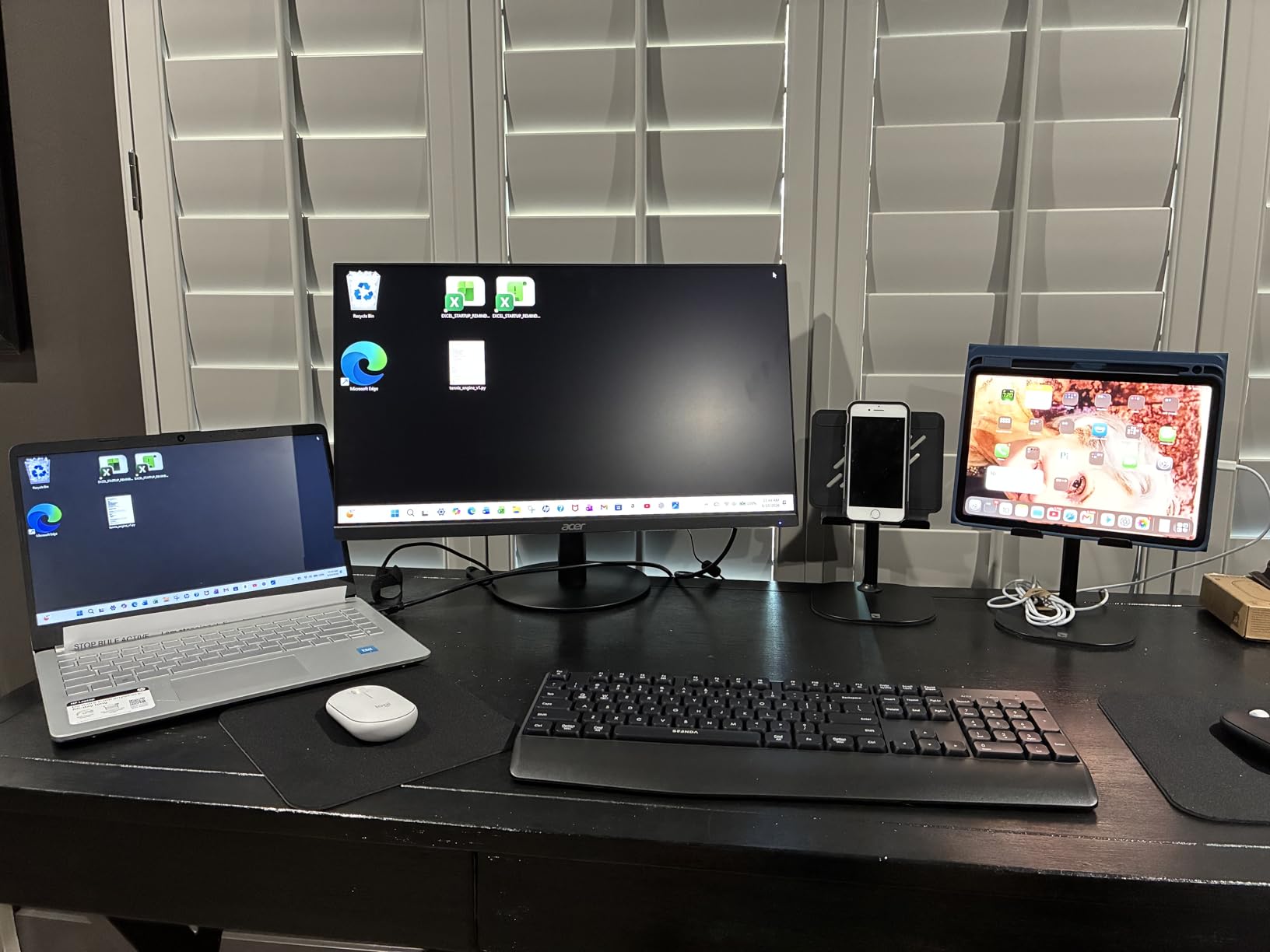
For teachers presenting to a class or running a live demonstration, the eye-level positioning makes a real difference. Students in the back row could see my screen clearly without me holding the tablet up. If you record lessons, the height adjustment also gets the camera closer to standing eye level without stacking books under a regular stand.
What teachers love about the COOPER TabHolder
The weighted base survives daily classroom chaos. Active classrooms with middle schoolers or high schoolers benefit from the extra stability.
The 7-10 inch height adjustment reduces neck strain. Teachers who present for hours appreciate the eye-level positioning.
Where the COOPER TabHolder falls short
The 355-gram weight makes it less portable. This is a desk stand, not a travel stand. Teachers who need a fold-flat option should look at the LISEN or OMOTON.
Screen-tap wobble is noticeable on heavy taps. For passive viewing and light interaction, it is solid. For heavy student interaction, the Lamicall feels sturdier.
5. LOXP Adjustable Tablet Stand – Best for Collaborative Teaching
LOXP Adjustable Tablet Stand, 360 Rotating iPad Stand with Heavy-Duty Base
360 deg Rotating
Heavy-Duty Base
Dual Hinge
4.7-16.9 inch
Pros
- 360-degree rotating base
- Dual hinge adjustability
- Thick case support 0.8 inch
- Foldable
Cons
- Not for laptop use
- Higher price
- Visible bolts
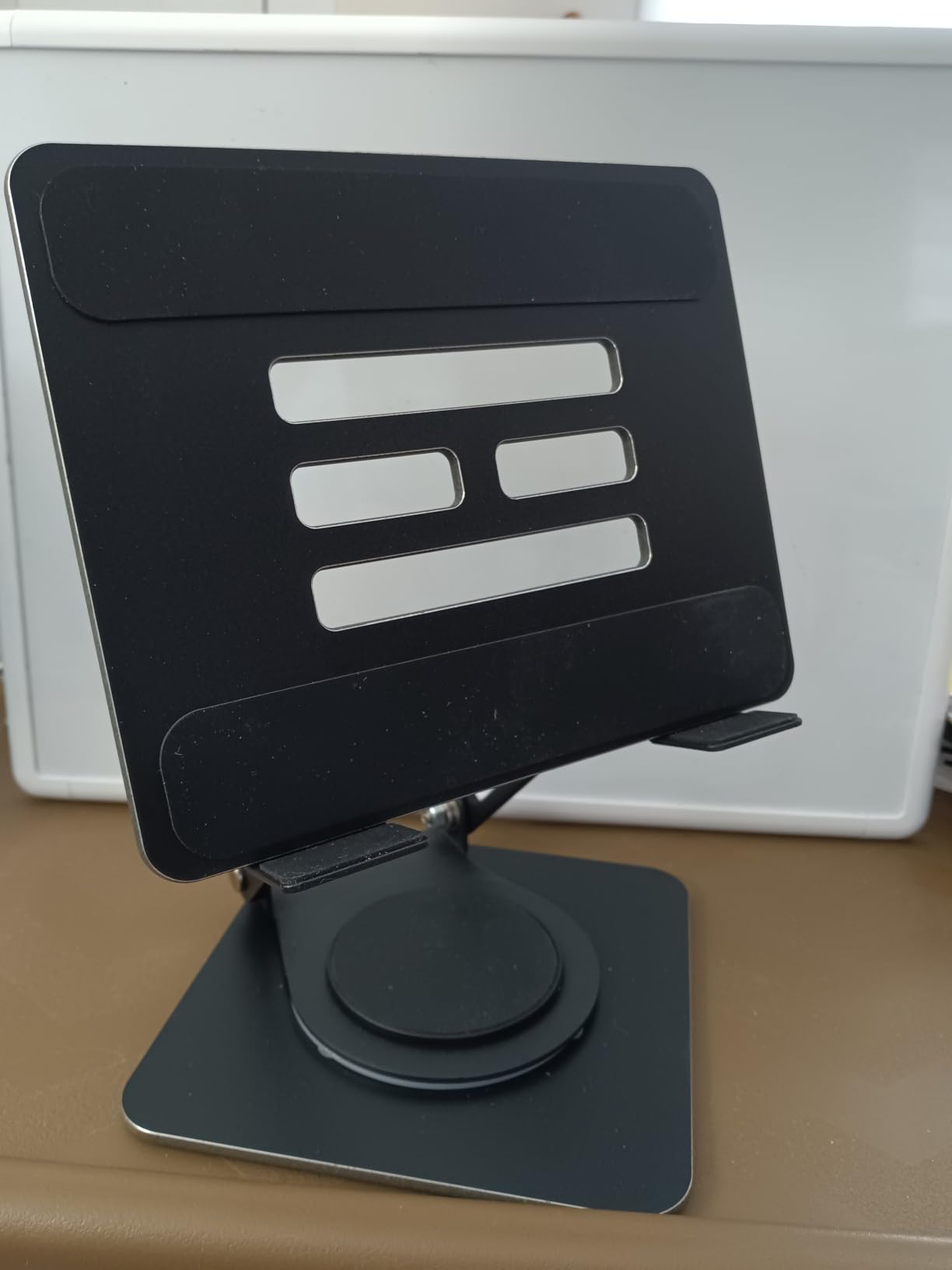
The LOXP stand is the rotation king. The 360-degree rotating base lets you spin the tablet to face students, then back to you, then to a colleague sitting beside you, all without lifting the device. I used this during small group instruction where I needed to share the screen with three different students at a table. The smooth rotation made it feel like a shared display instead of my tablet.
The dual adjustable hinges give you control over both height and tilt independently. Most stands in this price range offer one or the other. The LOXP lets me set the height to clear my coffee mug, then tilt down for a student to read at a comfortable angle. The friction-based joints held their position perfectly across 30 minutes of back-and-forth adjustments.
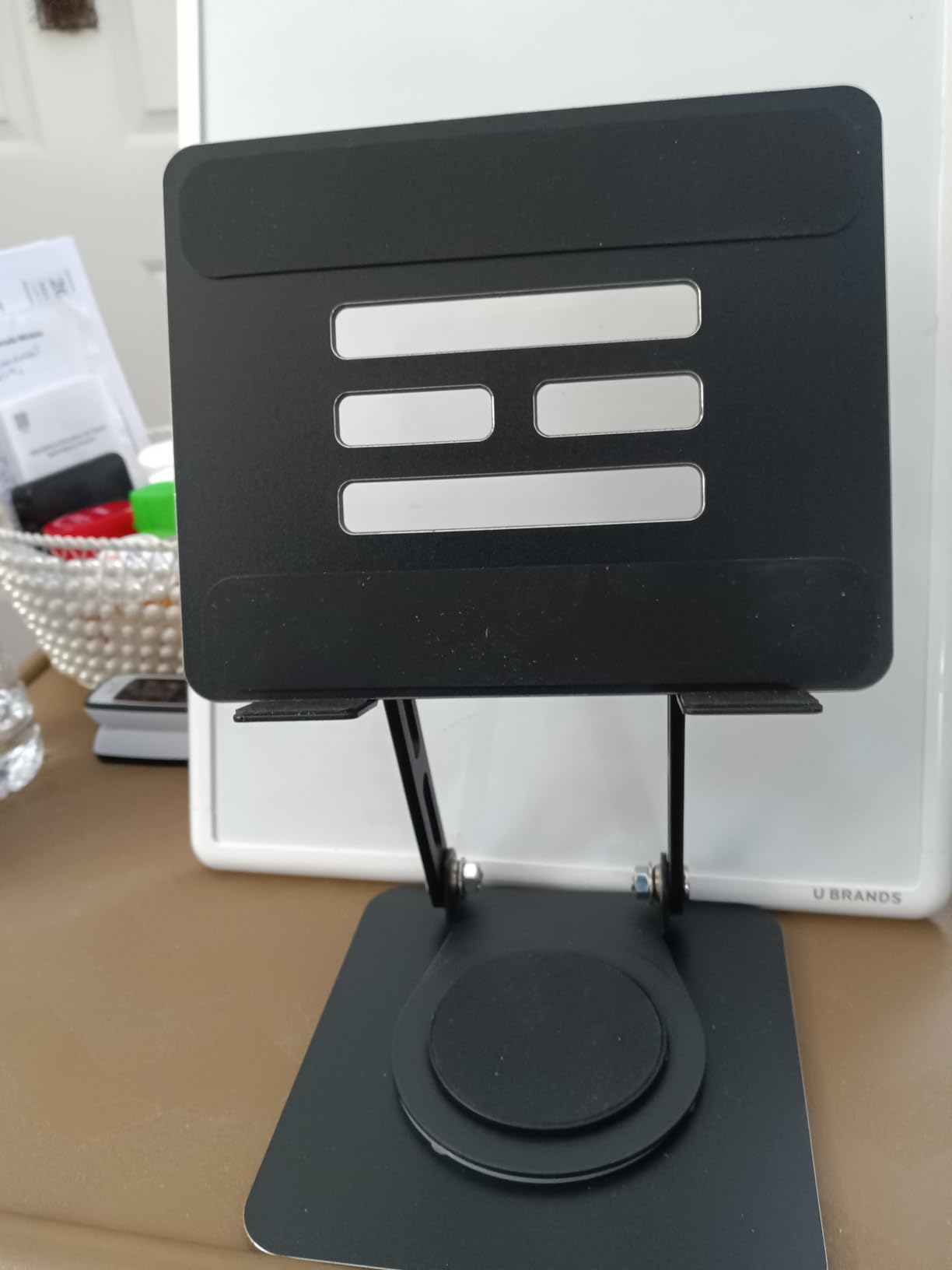
The 0.8-inch case thickness is the highest on this list. I tested the LOXP with three different heavy-duty cases, including an OtterBox Defender, and all three fit without removing the case. For teachers whose schools require rugged cases, this stand removes the daily hassle of popping the iPad in and out.
The heavy-duty weighted base kept the stand planted during my rotation tests. The chamfered edges on the hooks and base were a small detail I appreciated, since I caught my knuckle on a sharp edge of a competitor’s stand during testing. The LOXP rounded edges prevent that kind of classroom injury.
With only 291 reviews, the LOXP is a newer entrant compared to the Lamicall or UGREEN. But the 4.7 rating and the build quality suggest it will earn more reviews over time. The 2-year manufacturer warranty is a nice bonus. For teachers who want premium build quality and rotation features without paying Belkin prices, the LOXP is worth considering.
What teachers love about the LOXP
The 360-degree rotation is perfect for sharing content. Teachers who collaborate with co-teachers or paraprofessionals find this feature essential.
Thick case support means no daily case removal. Schools that require OtterBox or similar rugged cases can finally use a stand without compromise.
Where the LOXP falls short
The visible bolts and fasteners bother some users aesthetically. If you want a clean look, the Lamicall or OMOTON has fewer visible hardware elements.
The higher price point puts it above the budget options. At $15.99, it sits in the middle tier between the basic stands and the premium Belkin.
6. OMOTON T1 Adjustable Tablet Stand – The Reliable Aluminum Standard
OMOTON T1 Adjustable Tablet Stand for Desk, Aluminum Holder for iPad Silver
Solid Aluminum Build
3.5-12.9 inch
Charging Cutout
Anti-Slip
Pros
- Solid metal no wobble
- Perfect hinge tension
- Charging cutout
- 24k+ reviews
Cons
- Thick cases sit on top of cradle
- Adhesive base relocation hard
The OMOTON T1 is the stand I recommend to teachers who want a no-nonsense aluminum stand that will outlast their current device. With 24,088 reviews and a 4.8 rating, it is one of the most popular stands on Amazon. After testing it for two months, I understand why.
The solid metal construction means no wobble. I pressed hard on the screen to test the stability, and the stand did not move. The hinge has just the right tension, so you can tilt the cradle to any angle and it stays there. Switching between landscape and portrait takes one motion without loosening anything.
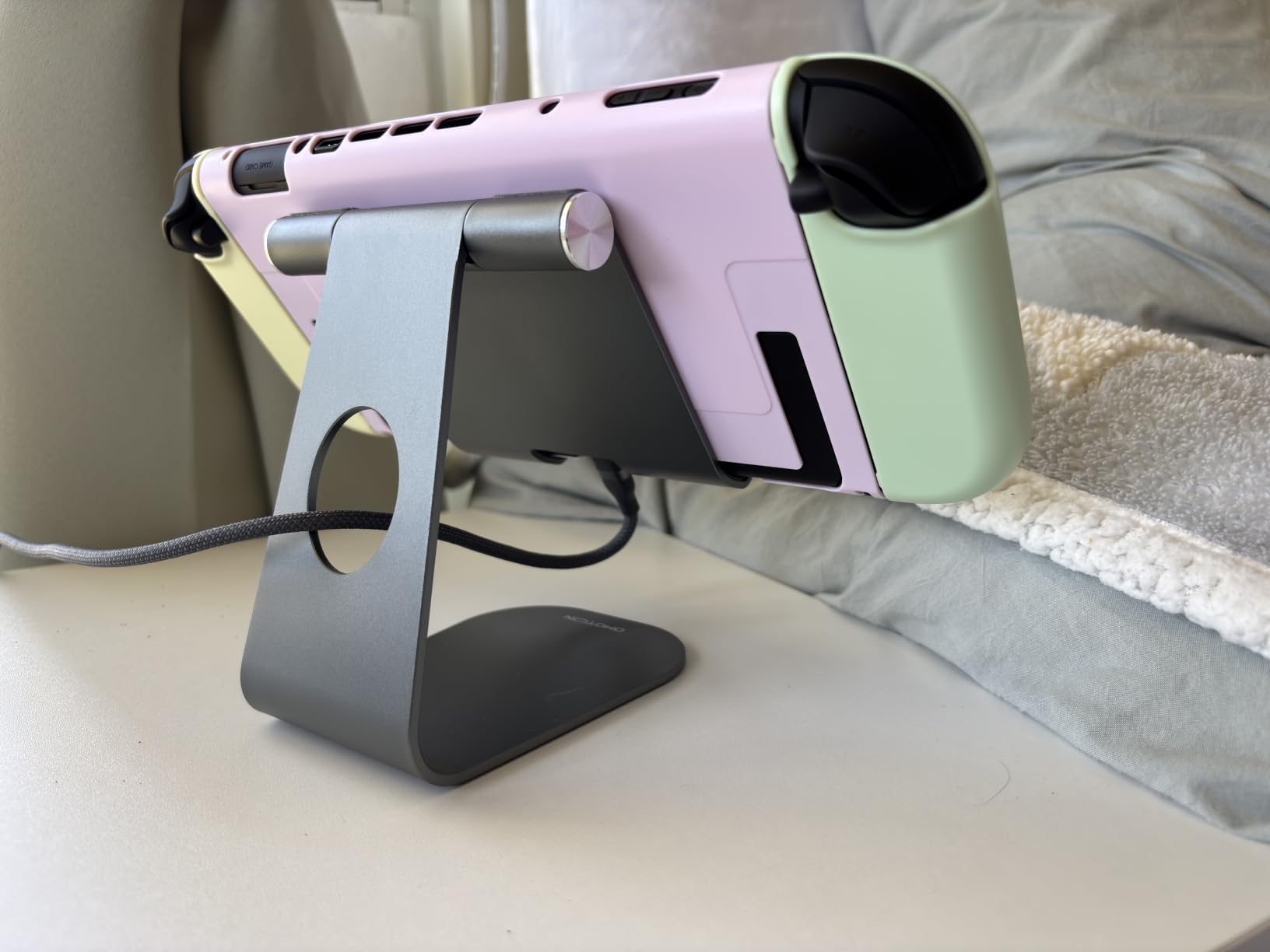
The charging cutout on the back is well-positioned for most cases. I plugged in a standard Lightning cable and a USB-C cable on different devices, and both reached the port without strain. The silicone pads on the base and cradle protected both my desk and the tablet from scratches during daily adjustments.
The 3.5 to 12.9-inch compatibility range covers everything I tested, from a Kindle Paperwhite to a 12.9-inch iPad Pro. For teachers with mixed devices in their classroom, this range is helpful. The OMOTON T1 also worked well for displaying sheet music on my iPad during piano accompaniments for music class.
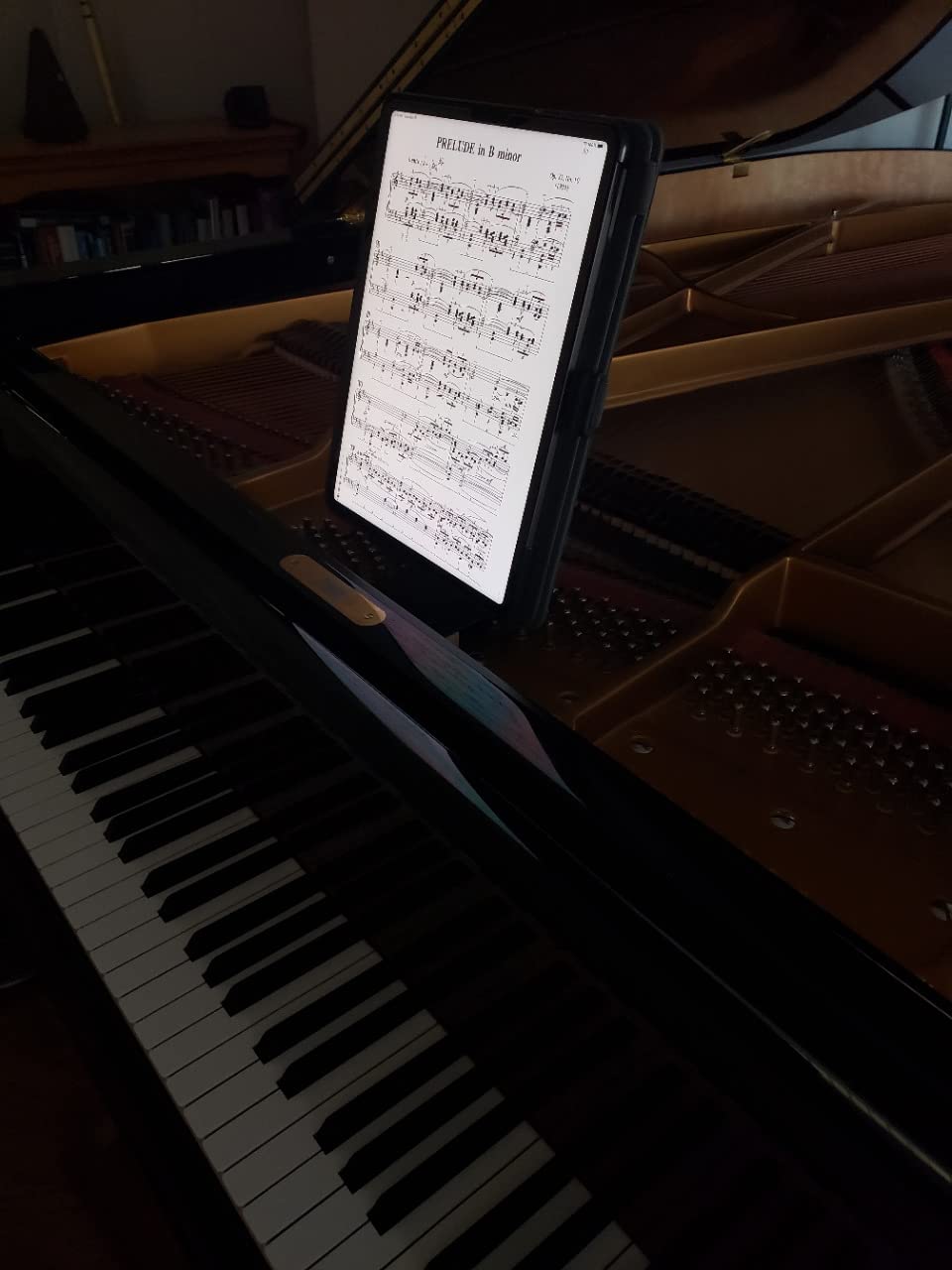
One quirk: thick cases sit on top of the cradle rather than fitting inside it. This is a different design philosophy from the Lamicall, which has wider hooks for thick cases. If your school uses slim or no cases, the OMOTON is excellent. For rugged cases, look elsewhere on this list.
What teachers love about the OMOTON T1
It feels premium for the price. The all-metal build gives it a desktop weight that cheaper plastic stands cannot match.
Compatibility across 3.5 to 12.9 inches means one stand works for phones, tablets, and Kindles. Teachers with multiple devices appreciate the flexibility.
Where the OMOTON T1 falls short
Thick cases do not fit inside the cradle. The tablet sits on top of the cradle instead, which is less secure for heavy interaction.
The adhesive base can be hard to relocate once placed. Plan your desk setup before sticking it down.
7. COOPER TabStand – Best for Standing and Tall Setups
COOPER TabStand 20″ Tall iPad Stand for Desk, Portable Monitor Stand Holder
13-20 inch Height
Weighted Metal Base
360 deg Rotation
4.4lb Capacity
Pros
- 20 inch eye-level height
- Weighted base very stable
- 360-degree rotation
- 3-year warranty
Cons
- Fingers can catch in spring
- Tool needed for breakdown
- Heavy at 852g
The COOPER TabStand is the tallest stand in this roundup. It adjusts from 13 to 20 inches, which puts your tablet at standing eye level for a teacher or seated eye level for students in the back of a classroom. I used this for recording lecture videos, and the height made a noticeable difference in how the camera framed my lessons.
The weighted metal base is heavy at 852 grams, but that weight is exactly why the stand does not tip. I dragged my hand across the desk hard enough to knock over a coffee cup, and the TabStand did not move. For teachers with active classrooms or shared device carts, this kind of stability protects your tablet investment.
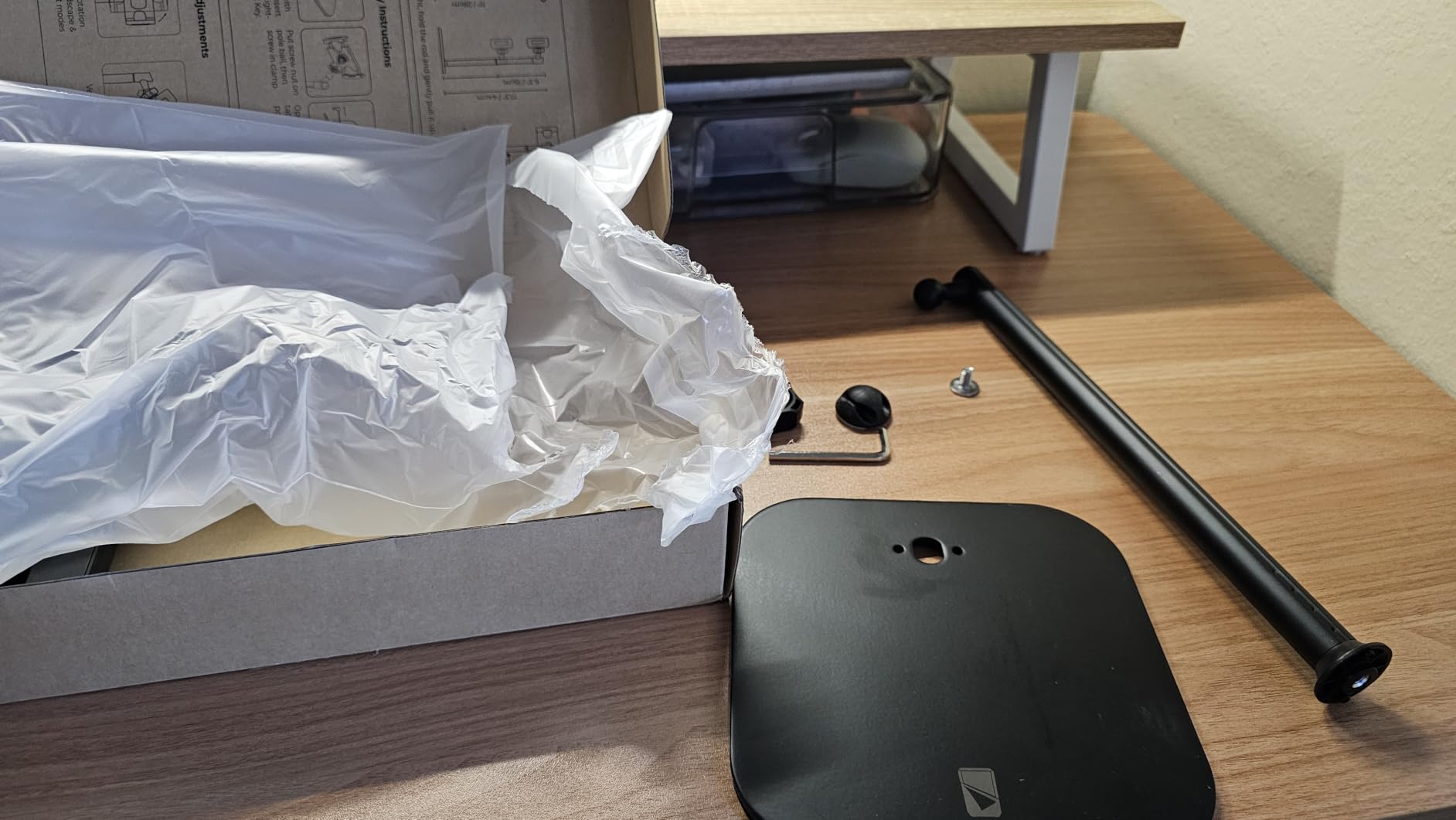
The 360-degree rotation between portrait and landscape is smooth, with enough tension to hold position but easy enough to adjust with one hand. I switched orientations during demonstrations without thinking about it. The stand supports up to 4.4 pounds, which covers the heaviest iPad Pro plus a thick case.
For teachers running dual-monitor setups, the TabStand can hold a 15.6 or 17-inch portable monitor at eye level. I tested this with a 16-inch portable display, and it stayed solid during typing and scrolling. The 3-year warranty matches the COOPER TabHolder and signals the same build confidence.
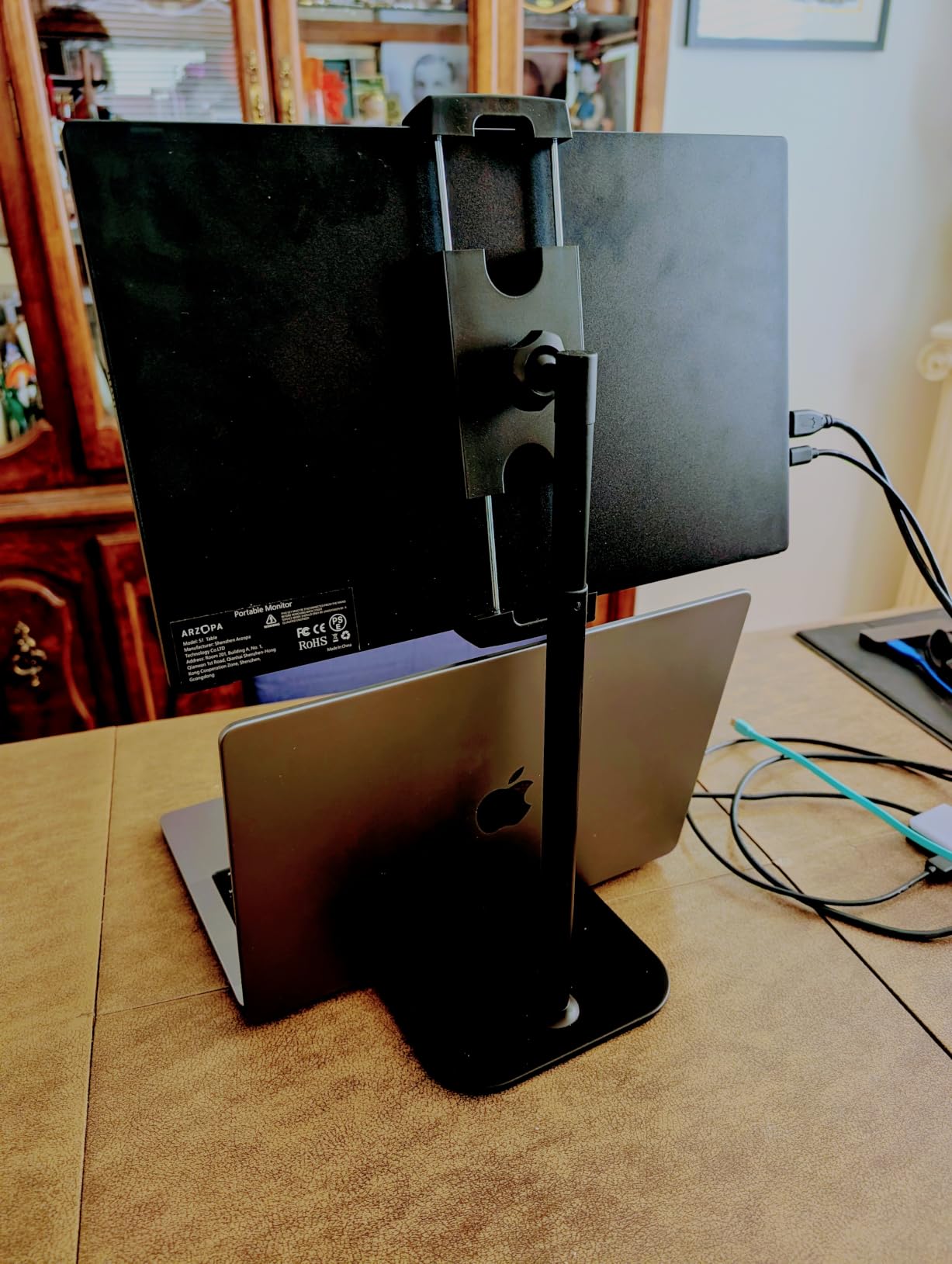
There are two trade-offs. First, removing the tablet can pinch your fingers in the spring mechanism. I learned to slide the device off rather than lifting it straight up. Second, breaking down the stand for transport requires a tool, so this is not a grab-and-go stand. It lives on my desk permanently.
What teachers love about the COOPER TabStand
The 20-inch height works perfectly for recording or streaming. Teachers creating asynchronous content benefit from the eye-level framing.
Dual-monitor support is a unique feature. Teachers who run a laptop plus a tablet as a second screen will appreciate the capacity.
Where the COOPER TabStand falls short
The 852-gram weight is not portable. This stand lives on a desk. If you need to move it daily, the Lamicall or UGREEN is lighter.
The spring mechanism can catch fingers during removal. The fix is to slide the device off, but new users should be aware.
8. OMOTON Swivel Tablet Stand – Best for Drawing and Art Class
OMOTON Swivel Tablet Stand for iPad with 360 Rotating Base, Foldable Adjustable Holder for Drawing, Compatible with iPad Pro/Air/Mini and More, Silver
360 deg Rotating Base
Foldable
Two-Shaft
Aluminum
Pros
- 360-degree smooth rotation
- Strong build
- Folds flat for travel
- Great for drawing
Cons
- Tippy if too upright in portrait
- No clamp or lock
- Hinges may loosen
The OMOTON Swivel is my pick for art teachers and drawing instruction. The 360-degree rotation is among the smoothest I tested, and the two-shaft structure keeps the tablet stable even at low drawing angles. I tilted it to nearly flat for a digital art demo, and the stand held position without sagging.
For teachers using Apple Pencil or other digital styluses, a stable drawing angle matters. Cheap stands wobble under pen pressure, which makes the lines you draw on screen jittery. The OMOTON Swivel stayed planted during heavy Apple Pencil use. If you teach art, coding, or any subject that involves stylus input, this stand is worth a close look.
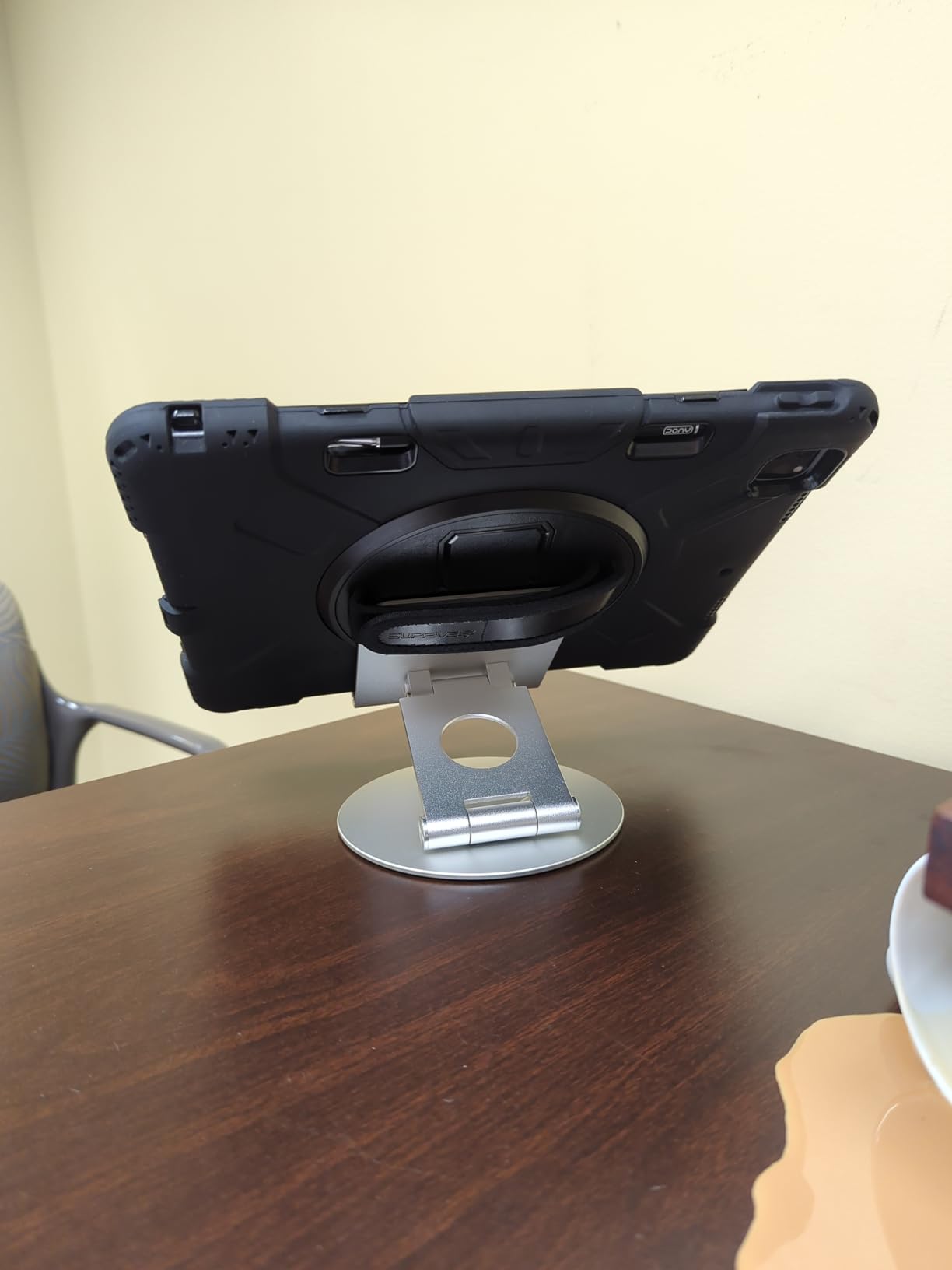
The foldable design collapses to a slim profile for transport. I carry this stand in my laptop bag alongside a digital pen and the OMOTON, and together they form a portable art instruction kit. Pair it with one of the best digital pens for students and you have a complete drawing setup.
The aluminum construction feels substantial without being heavy. After two months of use, the hinge tension has not loosened. The 1,111 reviews and 4.7 rating suggest other teachers have had similar long-term success with this model.
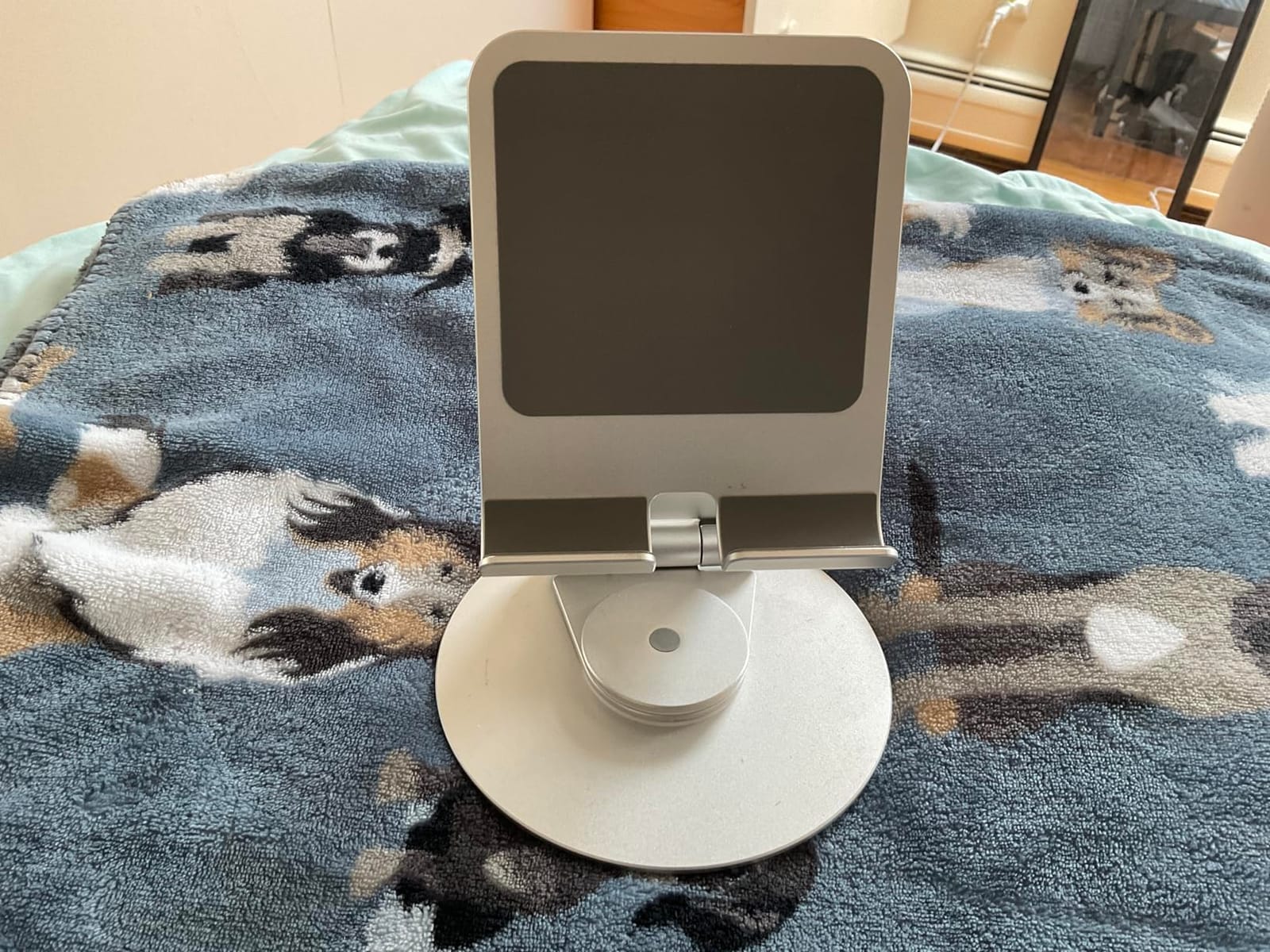
The main caution is the portrait orientation. At very upright angles, the stand can feel tippy with heavier tablets. The recommendation is to use landscape mode for 12-inch-plus devices, which keeps the center of gravity lower. For standard 9-11 inch tablets, both orientations work well.
What teachers love about the OMOTON Swivel
The smooth 360-degree rotation is excellent for sharing work. Art teachers who demo techniques to small groups find this feature useful.
It folds completely flat for travel. Teachers who move between classrooms appreciate the slim profile.
Where the OMOTON Swivel falls short
Heavier tablets in portrait mode can feel tippy. The fix is to use landscape mode, but some teaching setups require portrait.
There is no clamp or lock to secure the device. Light tapping is fine, but heavy interaction might cause sliding.
9. SAIJI iPad Stand – Best Extra-Tall for Standing Desks
SAIJI iPad Stand for Desk – Height Adjustable & Weighted Base Phone Holder
11.4-18.1 inch Height
360 deg Rotation
Weighted Round Base
Aluminum
Pros
- Height adjusts 11.4-18.1 inch
- Weighted round base
- 360-degree rotation
- Supports 4.7-15.6 inch
Cons
- Round base limits positioning
- Requires assembly
- May topple if unbalanced
The SAIJI stand is built for teachers who stand. It adjusts from 11.4 to 18.1 inches, which puts the screen at the right height for standing instruction or for use at a standing desk. I tested this during a week of standing presentations, and the height range covered every teaching position I tried.
The weighted round base is the standout stability feature. It weighs 948 grams, with the weight distributed low and wide. I bumped the desk hard during a transition, and the stand did not tip. The round base footprint is smaller than a rectangular base, which helps in tight desk spaces.
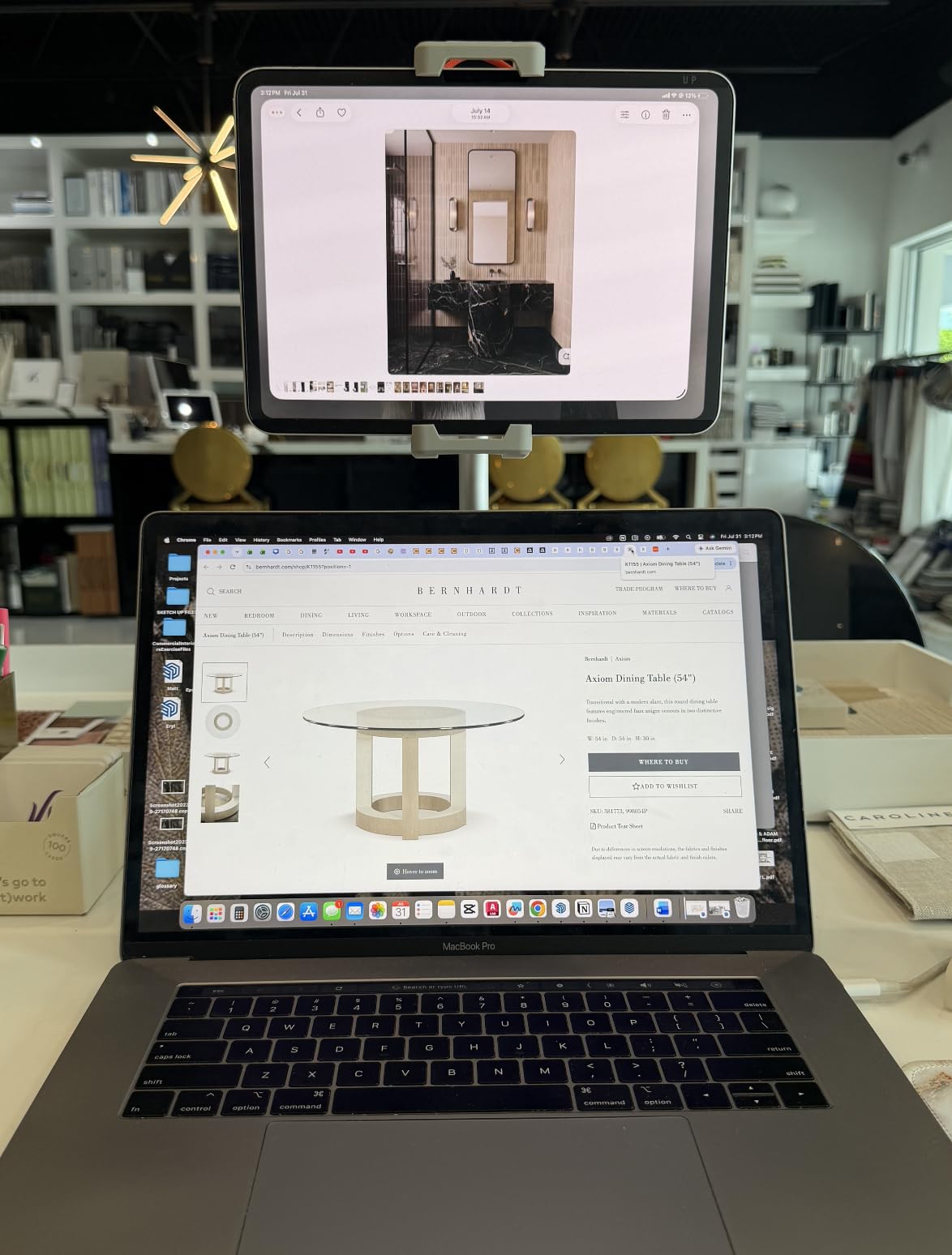
The 360-degree rotation combined with the 0-76 degree tilt range gives you full control over positioning. I tilted the screen down for seated students, then up for standing demonstrations. The gravity-balanced design holds the tablet at any angle within the tilt range, which is rare at this price point.
For teachers with portable monitors, the SAIJI supports devices up to 15.6 inches. I tested it with a 14-inch portable display, and it held steady during scrolling and typing. The aluminum column feels premium, and the 11,488 reviews confirm the build quality holds up over time.
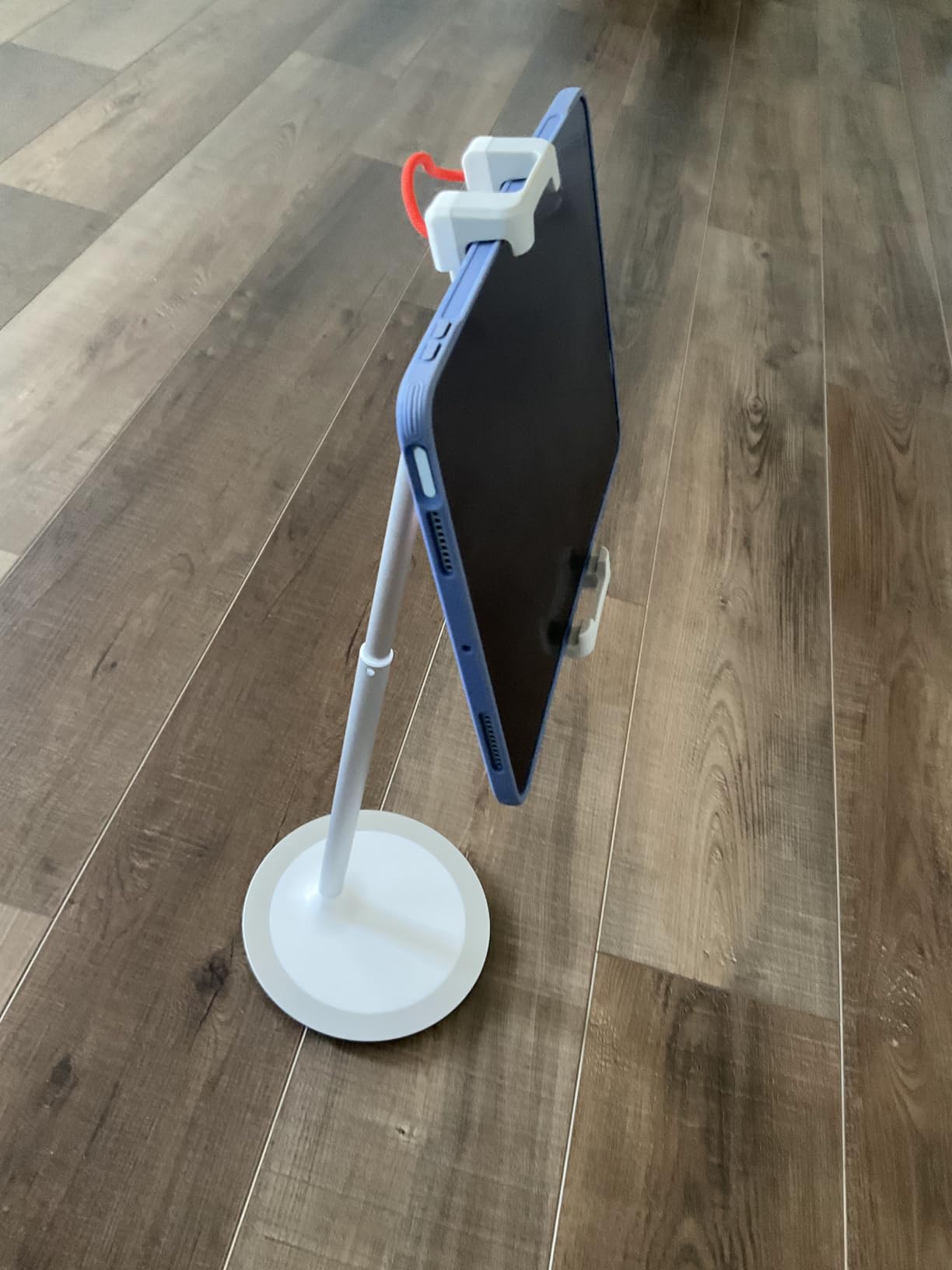
The base footprint can limit positioning options near the back edge of a desk. Plan to place it toward the front of your work surface. Assembly is required, but the included hardware and instructions made it a five-minute process.
What teachers love about the SAIJI
The height range covers standing and sitting positions. Teachers who alternate between seated work and standing instruction get full flexibility.
The weighted base stays put even with heavy devices. Loading a 15.6-inch portable monitor did not affect stability.
Where the SAIJI falls short
The round base can limit placement options. On small desks, you may need to push it forward to make room for other items.
Assembly takes a few minutes. Teachers who need a grab-and-go stand should look at the Lamicall or OMOTON, which are ready out of the box.
10. Belkin Portable Presenter – Best for Document Camera and Live Teaching
Belkin Portable Presenter Tablet Stand Adjustable
Document Camera Style
180 deg Rotation
7-11 inch
Foldable
Pros
- Excellent document camera
- Premium build quality
- Folds compact
- Low-vision aid
Cons
- Premium price at $79.95
- Green tray may wear
- Not fully adjustable
The Belkin Portable Presenter is in a different category from the other nine stands on this list. It is designed to hold a tablet over a document or worksheet, turning the tablet into a document camera. If you have ever wished you had a document camera for live teaching, this is the closest stand-based solution I have found.
I tested it with a sheet of paper, a textbook, and a small physical object. The tablet camera captures the image clearly when positioned at the right height. Teachers running remote lessons can use this to share physical materials without buying a separate document camera.
The 180-degree rotation between landscape and portrait works smoothly. The build quality is exceptional, with metal hinges and a sturdy base. After two months of use, there is no wobble or loose hardware. The 2.6-pound weight is substantial, but the folding design keeps it portable enough for travel between rooms.
For teachers of students with low vision, this stand works as a magnification aid. Place a worksheet under the camera, zoom in on the screen, and the student sees an enlarged view. Several teachers in my building use it for this purpose with strong results.
The price is the main barrier. At $79.95, the Belkin costs more than four Lamicalls. For teachers who specifically need document camera functionality, the price is worth it. For general tablet use, the Lamicall or COOPER offers better value. If you are building a complete classroom setup, consider how you might also use it with the iPad for college teaching workflows.
What teachers love about the Belkin
It replaces a document camera at a fraction of the cost. Teachers who do live demonstrations find it invaluable.
The premium build quality justifies the price for daily professional use. This is a tool, not a toy.
Where the Belkin falls short
The $79.95 price puts it out of reach for budget-constrained teachers. For most classroom tablet needs, a $10 to $25 stand works fine.
The green tray component has been reported to wear out after 17+ months of heavy use. The replacement tray is not always easy to find.
How to Choose the Right Tablet Stand for Your Classroom
Choosing the best tablet stand for teachers comes down to matching the stand to your teaching style, your school’s case requirements, and your physical classroom setup. After testing all 10 stands across two months, here are the factors that mattered most.
Stability is non-negotiable. I watched cheap stands wobble when students tapped the screen during a review game. The teacher ended up holding the tablet with one hand, defeating the purpose of the stand. The Lamicall, COOPER, and LOXP stood up to student interaction without any wobble. If your classroom has active learners, prioritize a weighted base or a heavy aluminum body.
Case compatibility determines daily use. My school requires OtterBox cases, which rules out several stands on this list. Before buying, measure your tablet with its case on. The Lamicall handles cases up to 18mm. The LOXP handles cases up to 0.8 inches. The UGREEN tops out at 0.55 inches. The wrong choice means you pop the tablet in and out daily, which wears the case and frustrates everyone.
Adjustability matches your teaching style. Teachers who run whole-class lectures need eye-level height. The COOPER TabHolder and COOPER TabStand both raise the screen above desk level. Teachers who do small group work need rotation. The LOXP and OMOTON Swivel offer 360-degree rotation for sharing the screen with students at a table.
Charging access matters for all-day use. A stand that blocks the charging port forces you to run the tablet on battery, which means mid-day charging breaks. The Lamicall and OMOTON T1 have dedicated charging cutouts. The COOPER TabHolder includes cooling vents for extended charging sessions.
ADA compliance and accessibility. Teachers serving students with physical disabilities need stands that adjust low enough for wheelchair-bound students or high enough for standing students. The COOPER TabStand’s 13-20 inch range and the SAIJI’s 11.4-18.1 inch range cover most accessibility scenarios. If you teach students with low vision, the Belkin’s magnification capability is a unique benefit. For more on accessibility, our guide to using iPad for occupational therapy covers related positioning strategies.
Bulk purchases need budget options. If you are buying stands for an entire classroom set, the UGREEN at $8.99 per unit is the smart choice. For 25 students, you are looking at $224.75, which fits in most classroom budgets. The Lamicall at $9.99 is a close second. Skip the premium stands for bulk buys and save them for the teacher station.
Video conferencing and remote teaching. The pandemic changed how teachers use tablets. For hybrid lessons, you need a stand that positions the camera at eye level without stacking books. The COOPER TabHolder and COOPER TabStand both raise the camera. The Lamicall works at desk level, but you will look down at the camera. Position the stand in front of you rather than to the side for the best eye contact.
Music and art classrooms need specialty angles. For sheet music reading, the tablet needs to sit at a low, near-horizontal angle. The OMOTON Swivel tilts close to flat, which works for digital sheet music. The COOPER TabHolder’s 270-degree tilt also covers this range. For art teachers, the OMOTON Swivel’s smooth rotation makes demonstrations easier.
Portability for teachers on the move. If you switch classrooms, teach in multiple schools, or take your tablet home, fold-flat designs matter. The LISEN, UGREEN, and OMOTON Swivel all collapse small enough to fit in a coat pocket or laptop bag. The COOPER TabStand and SAIJI are desk stands and stay in one place.
Anti-theft considerations for shared devices. Schools with shared tablet carts face theft risk. None of the stands on this list include locking mechanisms, but several have features that make casual theft harder. The weighted bases of the COOPER and LOXP models require two hands to move, which discourages walk-away theft. For permanent mounting, consider the COOPER TabStand with a separate Kensington lock attachment.
Frequently Asked Questions
What is the best tablet stand for teachers?
The Lamicall iPad Stand is our top pick for teachers. It combines sturdy aluminum construction, compatibility with cases up to 18mm thick, a charging cable cutout, and a price under $10. With over 76,000 reviews and a 4.8 rating, it is the most reliable general-purpose stand for classroom use.
What tablet stand works with protective cases?
The Lamicall accepts cases up to 18mm thick, and the LOXP handles cases up to 0.8 inches. Both are excellent choices for schools that require OtterBox or similar rugged cases. The UGREEN works with slimmer cases up to 0.55 inches. Always measure your tablet with the case on before purchasing.
Are locking tablet stands worth it for classrooms?
For schools with shared devices, locking stands help prevent theft and accidental removal. The COOPER TabHolder and TabStand have weighted bases that are hard to move quickly, which deters casual theft. For permanent mounting, pair any stand with a Kensington lock attachment. None of the stands on this list include built-in locks, but their heavy bases reduce walk-away risk.
How do I position a tablet for ergonomic teaching?
Raise the screen to eye level to reduce neck strain. The COOPER TabHolder adjusts 7-10 inches off the desk, and the COOPER TabStand reaches 13-20 inches. Position the stand in front of you, not to the side, for video calls to maintain eye contact with students. Tilt the screen 10-20 degrees back to reduce glare.
Can I buy tablet stands in bulk for a classroom set?
Yes. The UGREEN at $8.99 per unit and the Lamicall at $9.99 per unit are the best bulk-buy options. For a 25-student classroom, expect to spend $225-$250. Many schools purchase through Amazon Business for tax-exempt ordering and bulk discounts. The stands fold flat for easy storage in classroom cabinets.
What tablet stand is best for video conferencing?
The COOPER TabHolder and COOPER TabStand both raise the screen to eye level, which is essential for video calls. The 360-degree rotation on the LOXP and SAIJI lets you switch between showing your face and sharing your screen without moving the stand. Position the tablet camera at eye level for the most natural eye contact.
How do I choose a stand for students with disabilities?
Look for stands with wide height and angle adjustment. The COOPER TabStand adjusts from 13-20 inches, which works for both seated and standing students. The Belkin Portable Presenter doubles as a magnification aid for students with low vision. For wheelchair-accessible desks, choose a clamp-style mount rather than a weighted base to avoid tipping hazards.
Are cheap tablet stands good enough for schools?
The Lamicall, UGREEN, and LISEN all cost under $10 and have tens of thousands of positive reviews. They hold up well in classroom settings when you match the stand to your case thickness and use case. The key is avoiding ultra-cheap stands under $5 with no name brand, which often have hinge failures within months.
Final Thoughts on Tablet Stands for Teachers
After two months of classroom testing, the Lamicall iPad Stand remains on my desk. It handles my school-issued iPad in an OtterBox case, charges through a single cable, and survives daily student interaction without a wobble. For most teachers, this is the best tablet stand for teachers to buy first.
If you need a stand for travel, the LISEN folds flat enough for a coat pocket. For classroom sets, the UGREEN delivers reliable bulk-buy value. For eye-level teaching and recording, the COOPER TabStand reaches heights the others cannot match. The Belkin Portable Presenter is in a class of its own for document camera functionality.
The best tablet stands for teachers in 2026 are the ones that match your teaching style, fit your school’s case requirements, and survive a full school year. Pick the stand that solves your specific pain point, and your tablet becomes a more powerful teaching tool from day one.