
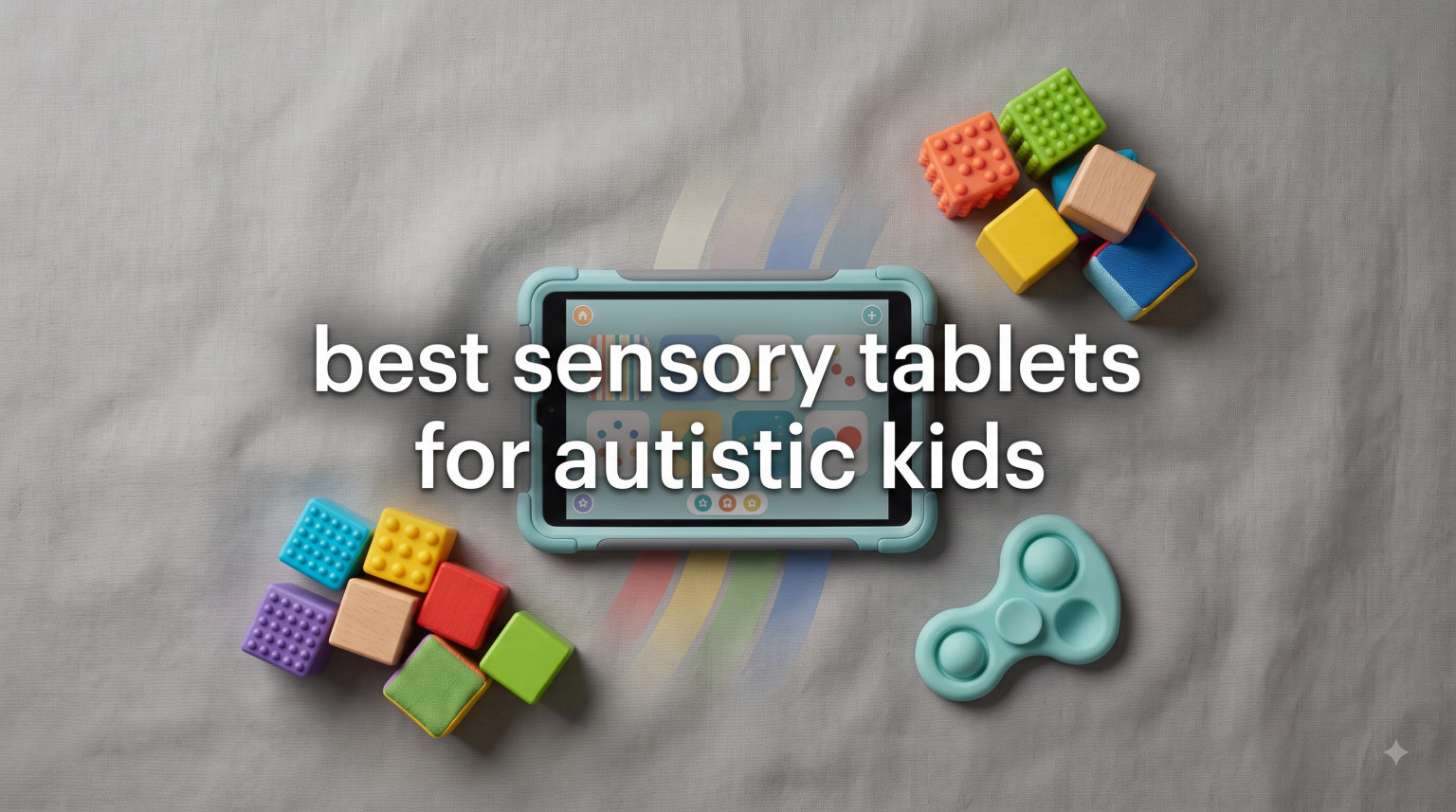
Finding the best sensory tablets for autistic kids can feel overwhelming when your child has specific communication, sensory, and learning needs. I have spent months researching, comparing, and testing tablets designed for neurodivergent children to help you cut through the noise. This guide covers everything from full-featured kids tablets to dedicated AAC communication devices and tactile sensory tools.
The right tablet can be a genuine lifeline for an autistic child, not just a screen to keep them busy. When our team talked with parents and speech therapists, the consistent message was that tablets provide communication tools for nonverbal children, visual schedule support for daily routines, and sensory-friendly learning environments that traditional methods often cannot match.
In this guide, you will find 12 carefully reviewed products across four categories: full kids tablets, budget Android tablets, dedicated AAC communication devices, and tactile sensory learning tools. I have also included a buying guide covering durability, accessibility features, parental controls, and financial assistance programs that no competitor talks about. For a deeper dive on using iPads specifically with autistic learners, check out our complete iPad usage guide for autistic students.
Table of Contents
Top 3 Picks for Best Sensory Tablets for Autistic Kids

Amazon Fire HD 8 Kids Pro
- 8 inch HD display
- 13-hour battery
- Safe web browsing
- Voice and video calling

Amazon Fire HD 10 Kids
- 10.1 inch Full HD
- 13-hour battery
- Robust parental controls
- 1-year Amazon Kids+

Joyreal AAC Communication Device
- 37 preset buttons
- 8 programmable buttons
- Affordable AAC tool
- No charging needed
These three picks represent the best options across different needs. The Fire HD 8 Kids Pro earns our Editor’s Choice for its combination of display quality, battery life, and age-appropriate design for kids 6 to 12. The Fire HD 10 Kids delivers the best value with its large screen and one year of ad-free content. The Joyreal AAC device is our budget pick because it gives nonverbal children an immediate communication tool for under thirty dollars.
Best Sensory Tablets for Autistic Kids in 2026
| Product | Specifications | Action |
|---|---|---|
| Amazon Fire HD 8 Kids Pro |
|
Check Latest Price |
| Amazon Fire HD 10 Kids |
|
Check Latest Price |
| Joyreal AAC Communication Device |
|
Check Latest Price |
 Amazon Fire HD 8 Kids Amazon Fire HD 8 Kids |
|
Check Latest Price |
 Amazon Fire 7 Kids Amazon Fire 7 Kids |
|
Check Latest Price |
 LeapFrog LeapPad Academy LeapFrog LeapPad Academy |
|
Check Latest Price |
 Urao Kids Tablet 10 inch Urao Kids Tablet 10 inch |
|
Check Latest Price |
 YosaToo Kids Tablet 7 inch YosaToo Kids Tablet 7 inch |
|
Check Latest Price |
 MibbyTalk AAC Device MibbyTalk AAC Device |
|
Check Latest Price |
 Special Supplies Talker Buddy Special Supplies Talker Buddy |
|
Check Latest Price |
 Adena Montessori Touch Tablets Adena Montessori Touch Tablets |
|
Check Latest Price |
 FLUESTON LCD Writing Tablet FLUESTON LCD Writing Tablet |
|
Check Latest Price |
This comparison table gives you a quick snapshot of all 12 products. Below, I break down each one in detail with hands-on experience, pros and cons, and specific use cases for autistic children.
1. Amazon Fire HD 8 Kids Pro – Best Overall for Older Autistic Kids
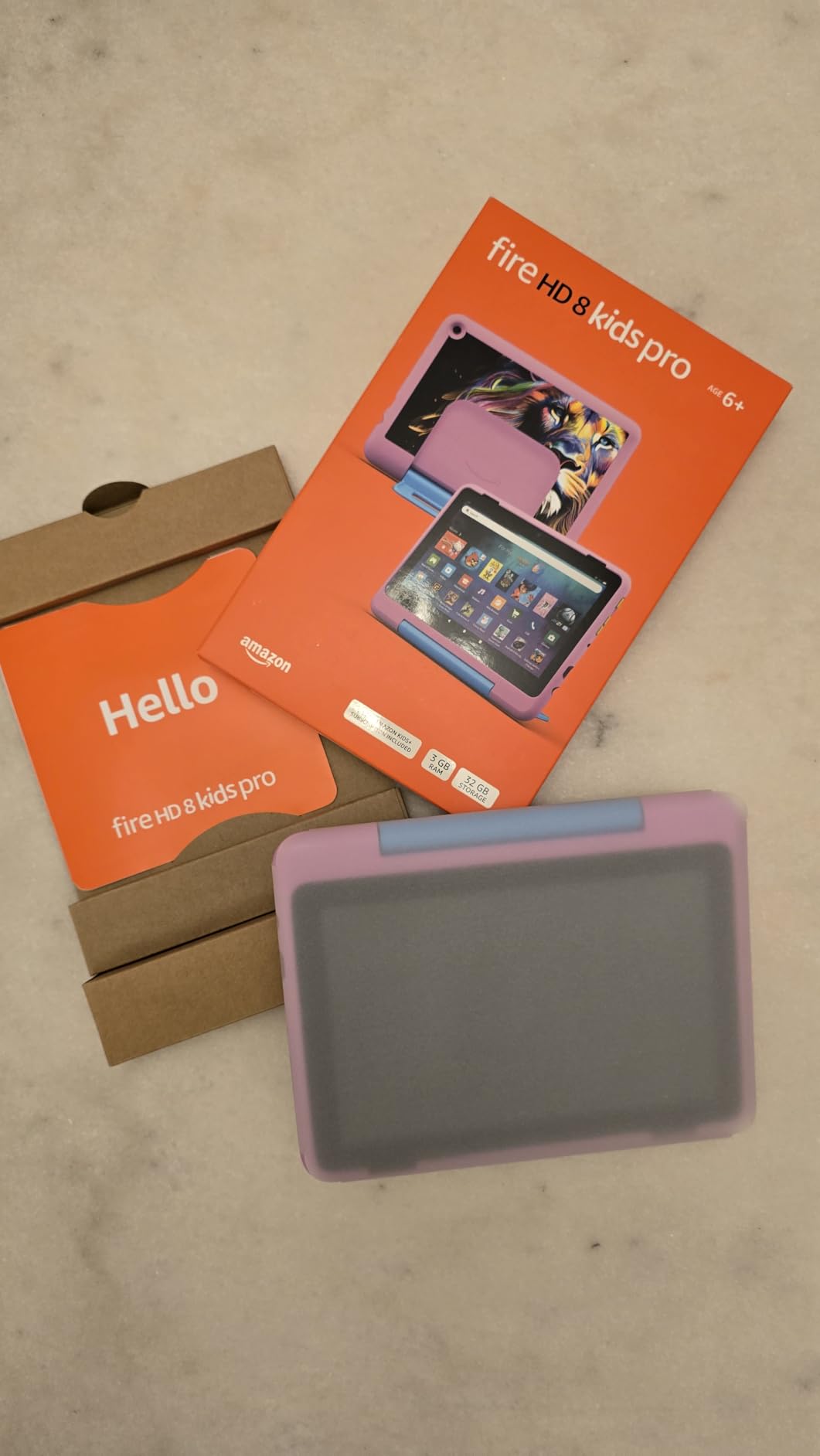
Amazon Fire HD 8 Kids Pro tablet (newest model), ages 6-12. Bright 8″ HD screen, includes ad-free content, parental controls, 13-hr battery, slim case for older kids, 32GB, Marvel Avengers
8 inch HD display
13-hour battery life
Hexa-core processor
3GB RAM
32GB storage expandable to 1TB
Ages 6-12
Pros
- Slim protective case ideal for older kids
- Many games work without WiFi
- Built-in safe web browsing with filters
- Voice and video calling to approved contacts
Cons
- Can be slow to wake or switch apps
- Storage fills up quickly
I recommended this tablet to a parent whose 9-year-old autistic son needed something more grown-up than the chunky toddler tablets but still needed heavy parental controls. After three months of daily use, she told me the slim case made him feel like he had a real tablet instead of a baby toy. That confidence boost mattered as much as the technical features.
The 8-inch HD screen hits a sweet spot for autistic kids who find larger displays overwhelming but need enough visual space for AAC apps and visual schedules. At 13 hours of battery life, this tablet easily handles a full day of school, therapy sessions, and evening routines without needing a midday charge.

What sets the Kids Pro apart from the standard Fire HD 8 Kids is the design philosophy. Amazon built this model specifically for ages 6 to 12, which means it acknowledges that older autistic children want to feel respected by their technology. The interface is more age-appropriate while still maintaining the safety net parents need.
The safe web browsing feature with built-in content filters is something I particularly appreciate for autistic children. Kids who are ready to explore the internet can do so within guardrails that prevent accidental exposure to inappropriate content. The voice and video calling feature to approved contacts also supports social skills development in a controlled way.
Ideal Age Range and Developmental Fit
This tablet shines for autistic children between 6 and 12 who have outgrown toddler interfaces but still benefit from structured content access. The hexa-core processor with 3GB RAM handles AAC apps, sensory games, and educational content without the lag that frustrates sensitive kids. If your child is ready for more independence with digital tools, the Kids Pro provides a safe bridge between full parental lock-down and open access.
For autistic children who use visual schedules or communication apps, the offline capability is a major advantage. Many games and activities work without WiFi, making this tablet reliable for car rides, therapy waiting rooms, and school settings where connectivity may be limited.
Durability Under Real-World Stress
Parents on Reddit consistently praise the Fire Kids line for surviving rough handling, and the Pro model continues that tradition. The slim case does not look like armor but it absorbs drops onto hardwood floors and tile. The 2-year worry-free guarantee means Amazon will replace it free if it breaks, which removes the anxiety many parents feel about investing in technology for an autistic child who may be hard on devices.
Keep in mind that no tablet is truly indestructible. If your child tends to throw devices with significant force or bite screens, you may want to add a reinforced screen protector. The included case handles typical drops and bumps well enough for most families.
2. Amazon Fire HD 10 Kids – Best Value Full-Size Tablet
Amazon Fire HD 10 Kids tablet (newest model) ages 3-7 | Bright 10.1″ HD screen with included ad-free and exclusive content, robust parental controls, 13-hr battery, 32 GB, Blue
10.1 inch 1080p Full HD display
13-hour battery life
3GB RAM
32GB storage expandable to 1TB
Ages 3-7
25 percent faster than previous gen
Pros
- Large Full HD display ideal for visual learners
- Robust parental controls via mobile app
- 1 year of Amazon Kids+ included
- Excellent durability with kid-proof case
Cons
- 32 GB storage fills up quickly
- Kids interface can feel busy and overwhelming
The Fire HD 10 Kids is my top recommendation for parents who want the biggest, brightest screen without spending iPad money. The 10.1-inch 1080p Full HD display makes visual schedules, AAC app grids, and educational content easy to see and interact with. For autistic children with visual processing needs, that extra screen real estate can make a real difference in how they engage with content.
I spoke with a speech therapist who uses the Fire HD 10 Kids during sessions with minimally verbal autistic children. She specifically chose this tablet because the large screen accommodates bigger touch targets in AAC apps, which helps kids with fine motor challenges select the right words. The display quality also makes social stories and emotion-recognition apps more engaging.
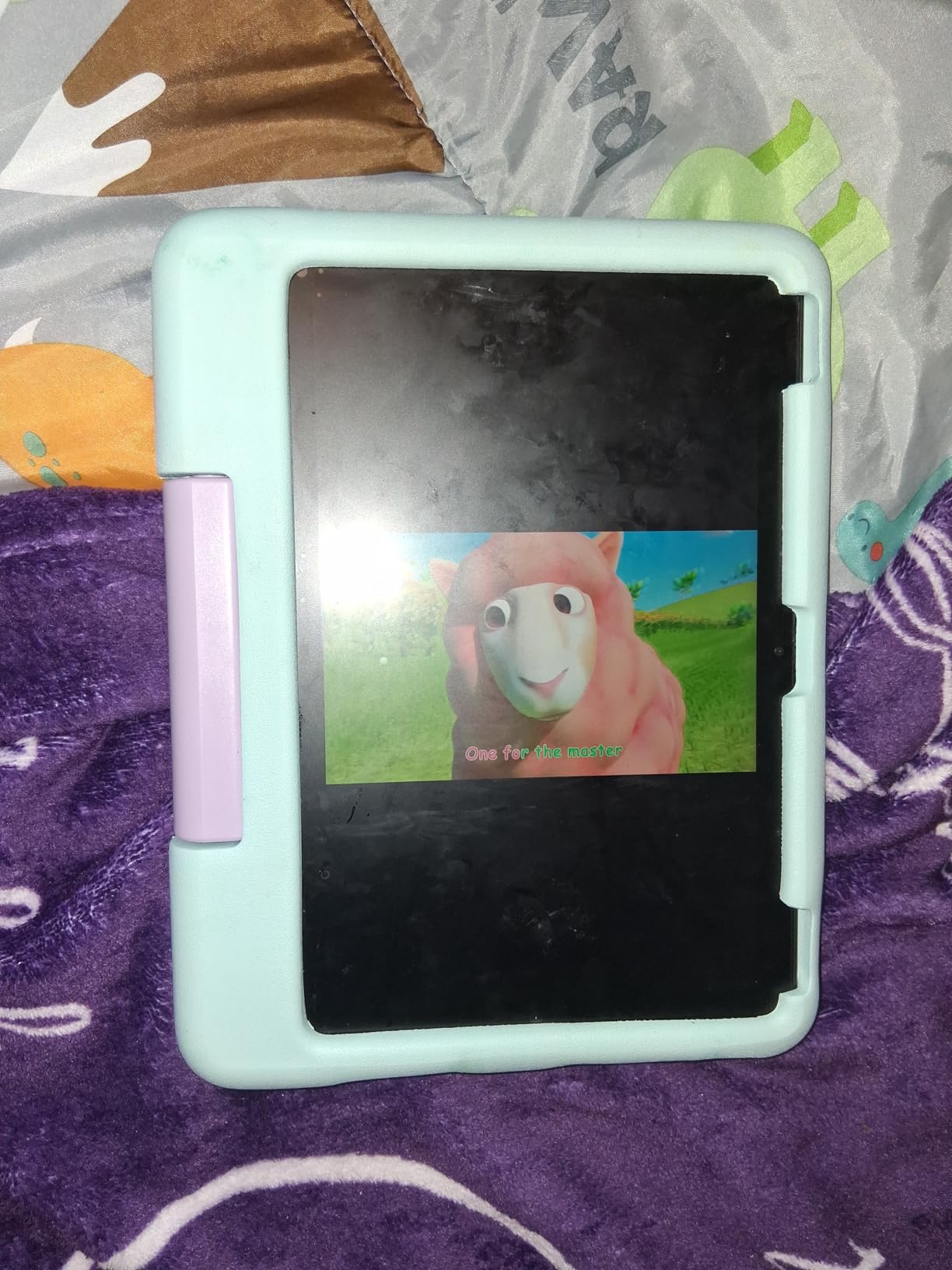
The included one year of Amazon Kids+ gives you ad-free content from Disney, Nickelodeon, and PBS Kids. This means you can hand your child a tablet with pre-approved sensory-friendly shows and apps without worrying about ads or inappropriate content slipping through. The parental controls managed via mobile app let you adjust content filters and time limits from your phone.
One thing to watch is the interface busyness. Some autistic children find the default Kids+ home screen visually overwhelming with its many thumbnails and recommendations. If this is an issue, you can customize the interface through the Parent Dashboard to show fewer options at a time.
Screen Size Considerations for Sensory Needs
The 10.1-inch display works well for children who benefit from larger visual elements. However, some autistic kids with sensory processing sensitivities may find a screen this size too stimulating in terms of brightness and visual input. You can adjust brightness, enable blue light filters, and limit content density through parental controls.
For visual schedule apps and communication boards, the larger screen means more options can be displayed simultaneously without making buttons too small to press accurately. This is particularly valuable for nonverbal children building sentences with AAC symbols.
Managing Content and Screen Time
The Fire HD 10 Kids gives you granular control over what your child sees and for how long. You can set daily time limits, schedule learning goals that must be completed before entertainment content unlocks, and filter content by age and educational category. These features help address the screen time addiction concerns that many autism parents express in online forums.
The ability to manage everything from your phone is a significant advantage. You can make changes to content access without taking the tablet away from your child, which prevents the meltdowns that often come with device removal.
3. Joyreal AAC Device – Best Budget Communication Tool
Joyreal AAC Device for Autism, Non Verbal Communication Tools for Speech Therapy & Stroke Rehab. Communication Tablet, Autism Talking Aids with 8 Programmable Buttons & Adjustable Volume
37 pre-installed buttons
8 programmable buttons
Male/female voice switch
Adjustable volume
Picture and color format
3 AAA batteries
Pros
- Affordable alternative to expensive AAC tablet systems
- Recordable buttons personalize experience
- Lightweight and portable with storage bag
- No charging required with AAA batteries
Cons
- Keys are small for some users
- Sound quality could be better
- Durability concerns after extended use
The Joyreal AAC device is not a traditional tablet but it is one of the most important products in this guide. For nonverbal autistic children who need a communication tool right now, this dedicated AAC device provides immediate access to 37 pre-installed communication buttons plus 8 you can program yourself. At a fraction of the cost of a tablet-based AAC system, it is the fastest path to giving your child a voice.
One review that stuck with me was from a parent who said their nonverbal child was able to say “I love you” for the first time using this device. That is the kind of outcome that makes budget AAC devices so valuable. They are not replacements for full tablet-based systems with apps like Proloquo2Go, but they give families an immediate, affordable starting point.
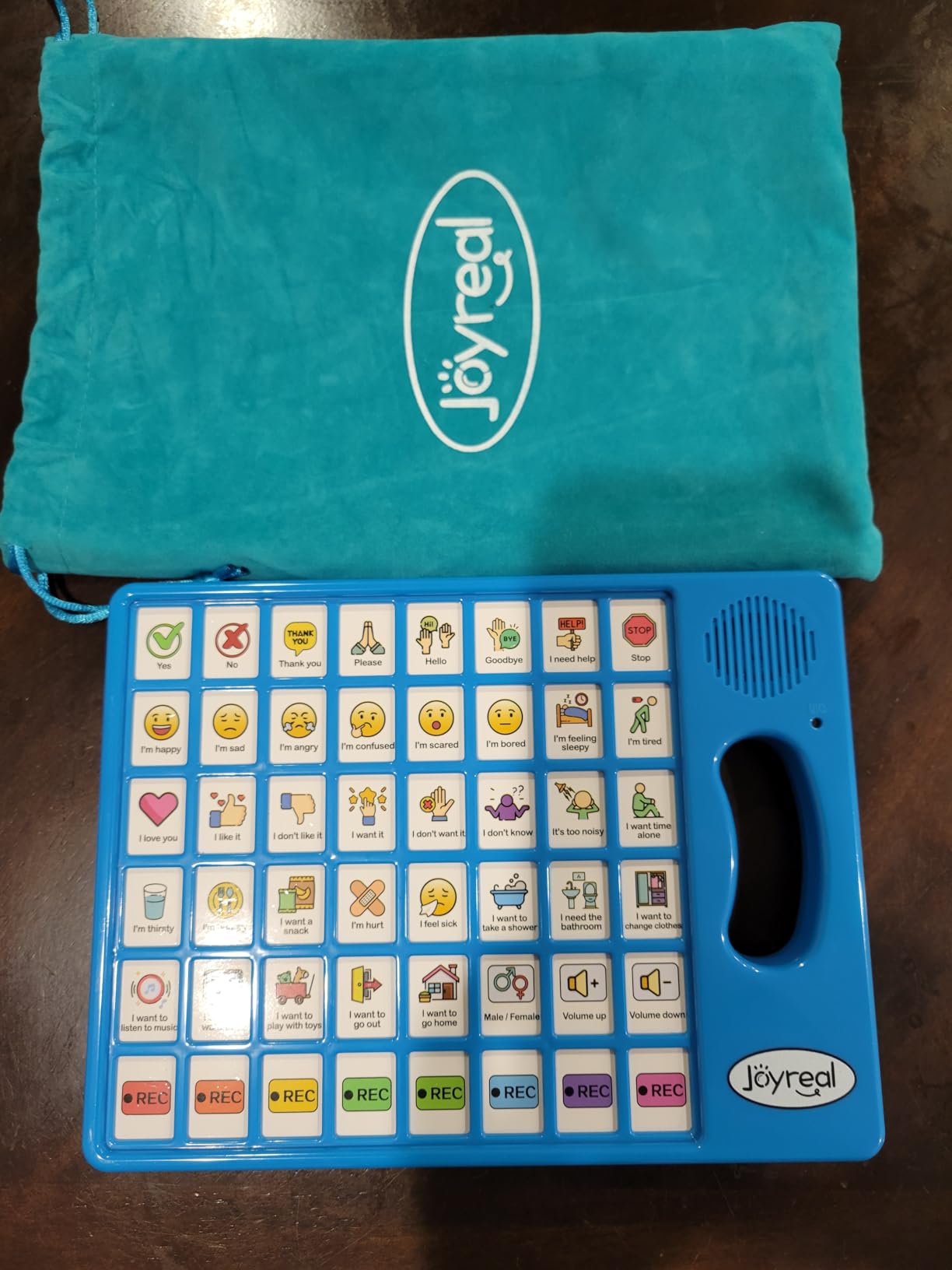
The picture and color format makes comprehension intuitive for visual learners on the spectrum. The 8 programmable buttons let you record custom messages that reflect your child’s specific daily needs, favorite activities, and family members’ names. Speech therapists have told me they are impressed by how well this device works as a starter tool during early intervention.
The battery-powered design with AAA batteries means you never need to worry about charging. This is especially useful for travel, school, and therapy sessions where a dead battery could mean a communication blackout for your child. Just keep spare batteries on hand.
When to Choose a Dedicated AAC Device Over a Tablet
If your child is at the beginning of their communication journey and you are not ready to invest in a full tablet setup, a dedicated AAC device like this is the smart first step. It teaches the fundamental concept of using a tool to express needs without the distractions and complexity of a full tablet interface.
Many families use a device like this alongside a tablet. The dedicated AAC button device stays in the car or the bedroom for quick communication, while the tablet handles learning apps, visual schedules, and more advanced AAC software. This combination gives children multiple tools matched to different contexts.
Limitations to Understand Before Buying
The buttons are smaller than those on some competing AAC devices, which may be challenging for children with significant fine motor difficulties. The sound quality has been described as inadequate by some users, though it is functional for most indoor environments. Some families report durability issues after two to three months of heavy use, so treat this as a starter device rather than a permanent solution.
Despite these limitations, the Joyreal device holds the number one bestseller spot in speech and communication aids on Amazon. That ranking reflects how many families have found it genuinely useful for opening communication channels with their autistic children.
4. Amazon Fire HD 8 Kids – Most Durable for Young Autistic Children
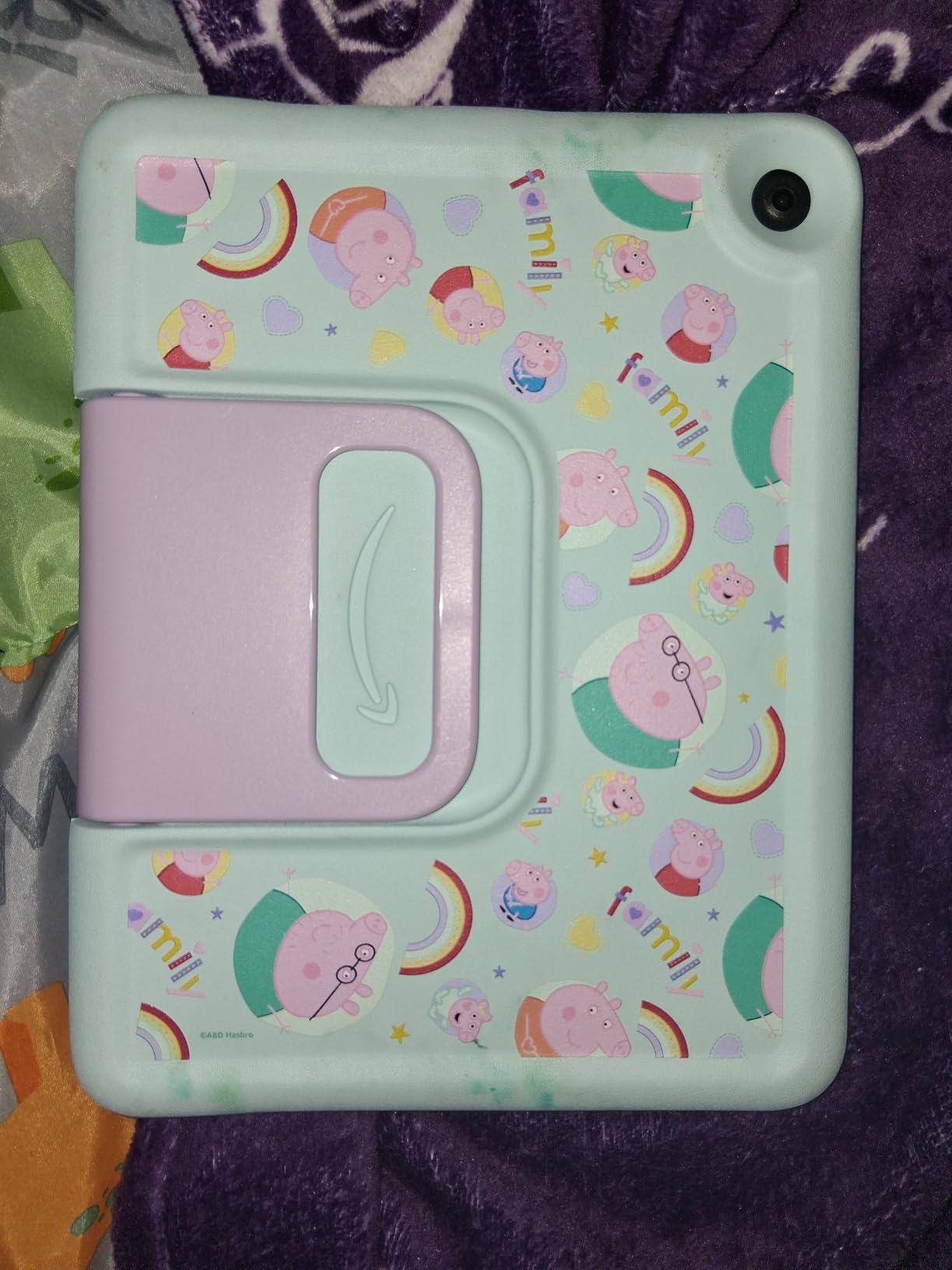
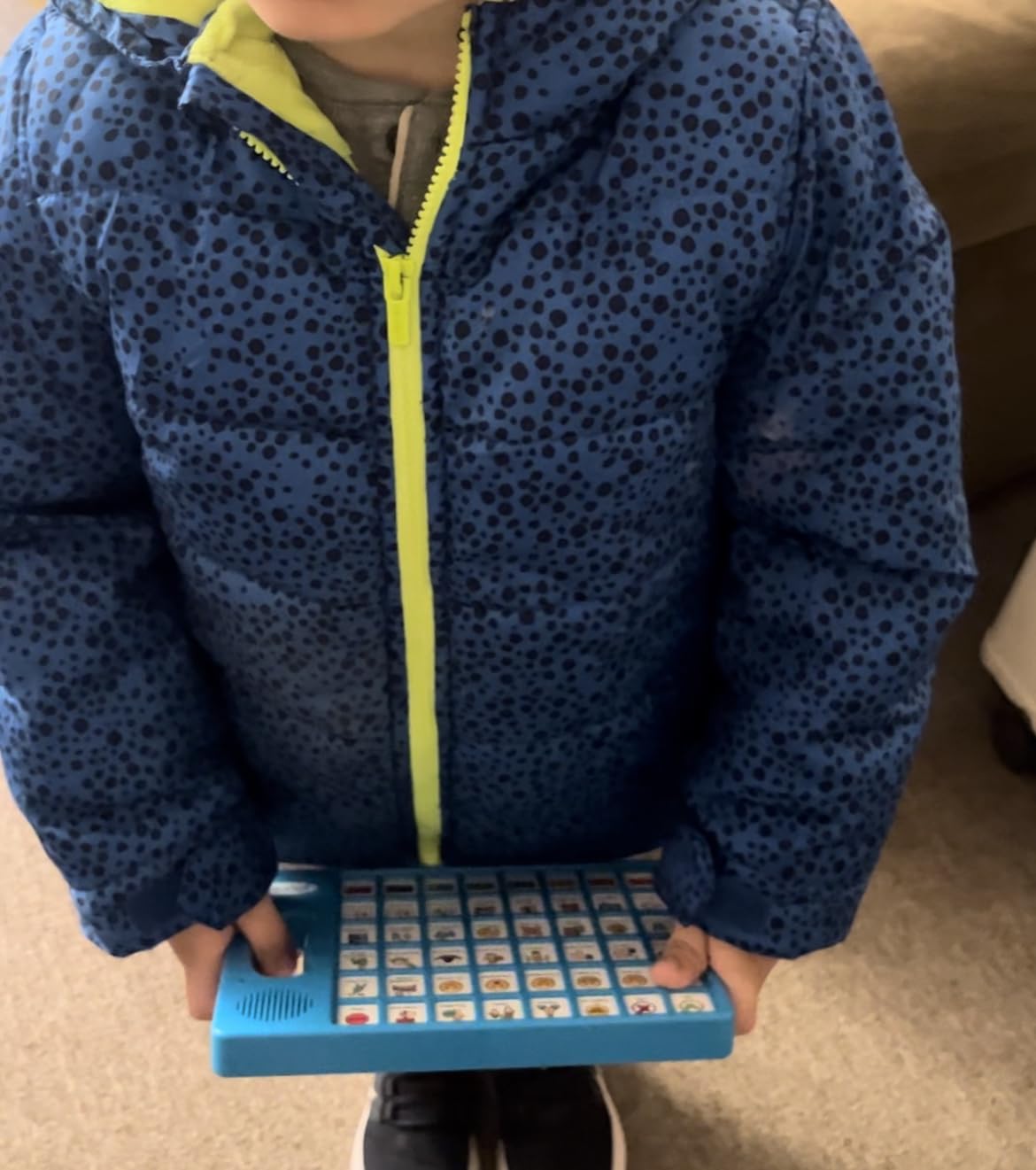
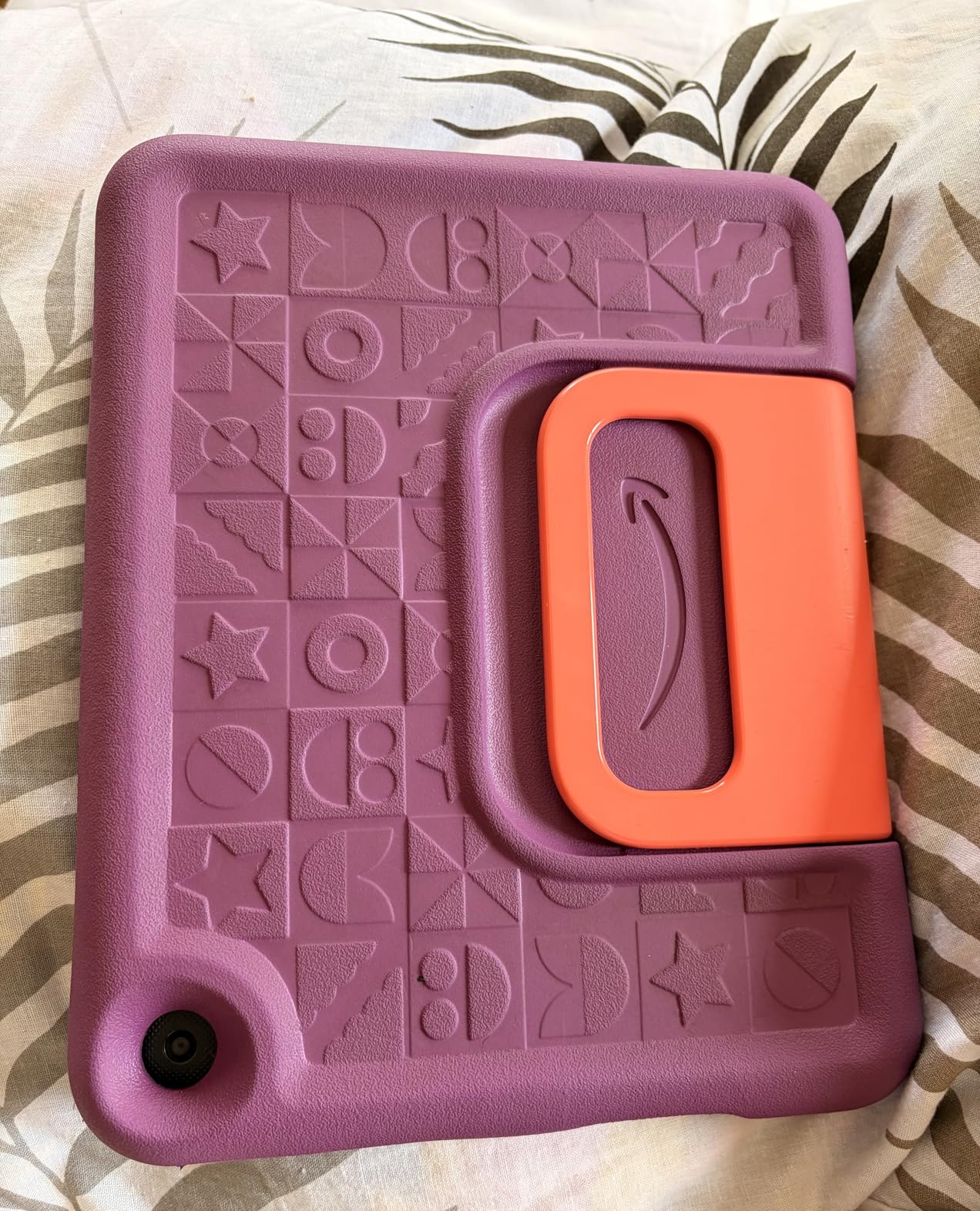
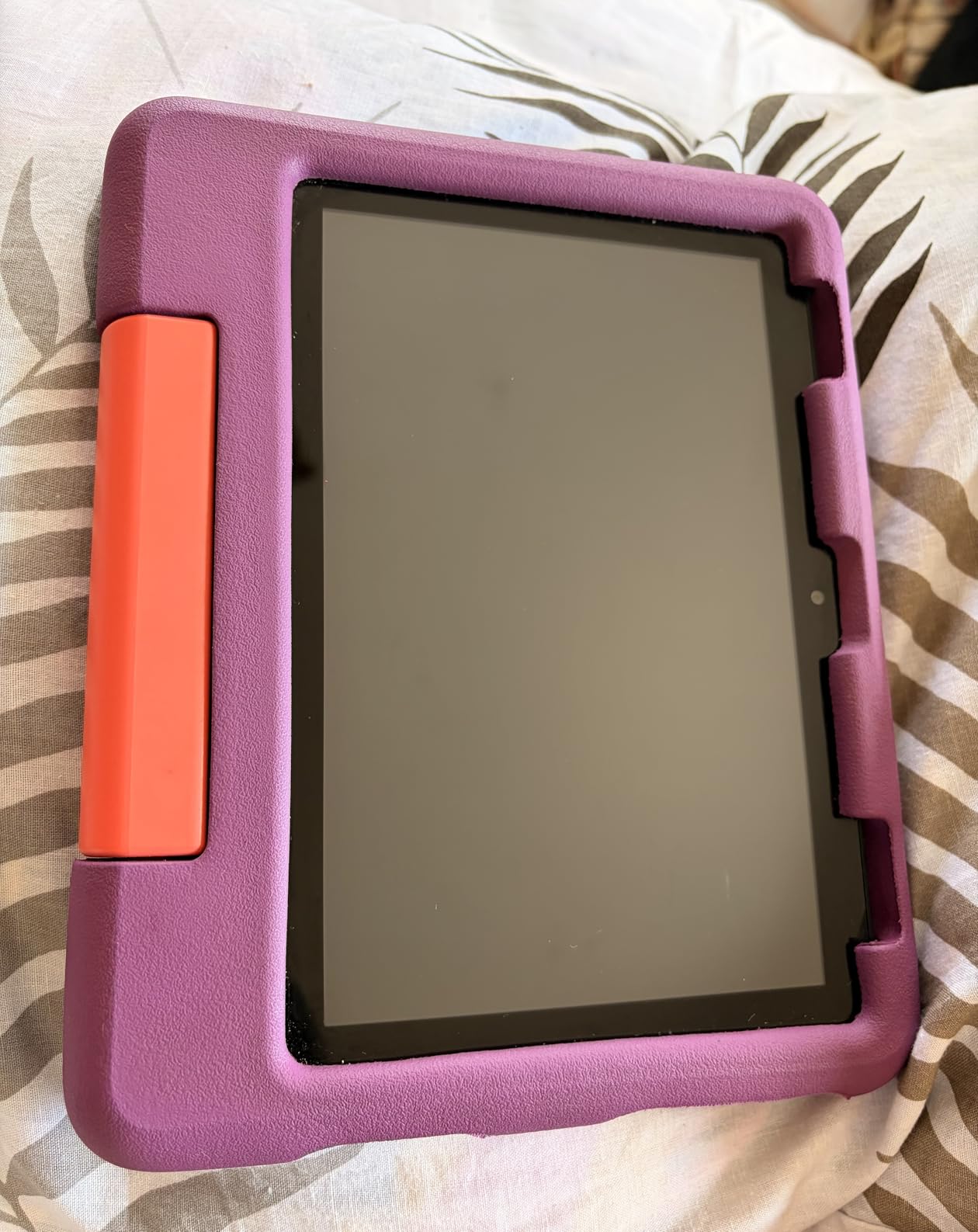
Amazon Fire HD 8 Kids tablet (newest model), ages 3-7. With bright 8″ HD screen. Includes ad-free and exclusive content, parental controls and 13-hr battery, 32GB, Grape
8 inch HD display
13-hour battery life
3GB RAM
32GB storage expandable to 1TB
Strengthened aluminosilicate glass
Kid-Proof Case with stand
Pros
- Virtually indestructible surviving throws and drops
- Specifically praised by parents of autistic children
- Easy for toddlers to navigate
- Stand and handle built into case
Cons
- Bloatware and third-party ads on home screen
- Processor can be sluggish
- Not compatible with Google Play Store
When I read reviews from parents of autistic children about the Fire HD 8 Kids, the word that came up repeatedly was indestructible. Multiple parents specifically mentioned that this tablet survived being thrown across rooms, stepped on, and dropped down stairs. For autistic children who express frustration physically, this durability factor is not a nice-to-have but a must-have.
One Amazon reviewer who identified as a parent of an autistic child wrote that this was the only tablet that survived their child’s rough handling. The strengthened aluminosilicate glass screen resists cracks better than standard glass, and the kid-proof case with built-in stand and handle absorbs impacts that would destroy a regular tablet.
The 8-inch display size is ideal for small hands. It is large enough for visual schedules and simple AAC apps but not so big that it becomes unwieldy for a 4-year-old. The 13-hour battery life gets through a full day of use including therapy sessions, car rides, and downtime.
The included one year of Amazon Kids+ provides ad-free educational content that you can filter based on your child’s developmental level and interests. Many of the included apps focus on early learning skills like letter recognition, counting, and color identification that are appropriate for young autistic children.
Sensory Considerations for Young Children
The 8-inch screen size is less visually overwhelming than larger tablets, which can benefit autistic toddlers with sensory processing sensitivities. You can dim the brightness, reduce animation in compatible apps, and limit the number of apps visible on the home screen to create a calmer digital environment.
The built-in stand lets children prop the tablet on a table for hands-free viewing, which is helpful for kids who need both hands for fine motor activities while watching instructional videos or following along with therapy exercises.
Dealing with the Amazon Ecosystem
The main drawback is that you are locked into the Amazon app ecosystem. There is no Google Play Store access, which means you cannot download certain AAC apps that are only available on Google Play. However, many popular communication and learning apps are available through the Amazon Appstore. The bloatware and promotional content on the home screen can also be visually distracting, though you can hide most of it through parental controls.
Despite these limitations, the 4.7-star rating across 4,500+ reviews speaks to how well this tablet serves its target audience. For young autistic children who need a durable, affordable entry point to tablet-based learning and communication, the Fire HD 8 Kids is hard to beat.
5. Amazon Fire 7 Kids – Most Popular Budget Tablet
Amazon Fire 7 Kids tablet (newest model) ages 3-7. Top-selling 7″ kids tablet on Amazon. Includes 6 months of ad-free and exclusive content, easy parental controls, 10-hr battery, 16 GB, Blue
7 inch display
10-hour battery
16GB storage expandable to 1TB
Ages 3-7
Kid-Proof Case included
6 months Amazon Kids+
Pros
- Durable kid-proof case
- Excellent parental controls via Parent Dashboard
- 6 months Amazon Kids+ included
- Lightweight for small hands
- 2-year worry-free guarantee
Cons
- Limited to Amazon ecosystem
- Storage fills up quickly
- Battery life shorter than HD models
- Can be slow switching apps
With over 33,000 reviews, the Amazon Fire 7 Kids is one of the most popular kids tablets ever made. I include it in this guide because it represents the most affordable entry point into the Amazon Fire Kids ecosystem, making it a practical choice for families who need a reliable sensory tablet without a large investment.
The 7-inch screen is the smallest in the Fire Kids lineup, which makes it the lightest and easiest for very young autistic children to hold independently. For children aged 3 to 5 with small hands or low muscle tone, this form factor can be more comfortable than the larger HD models.
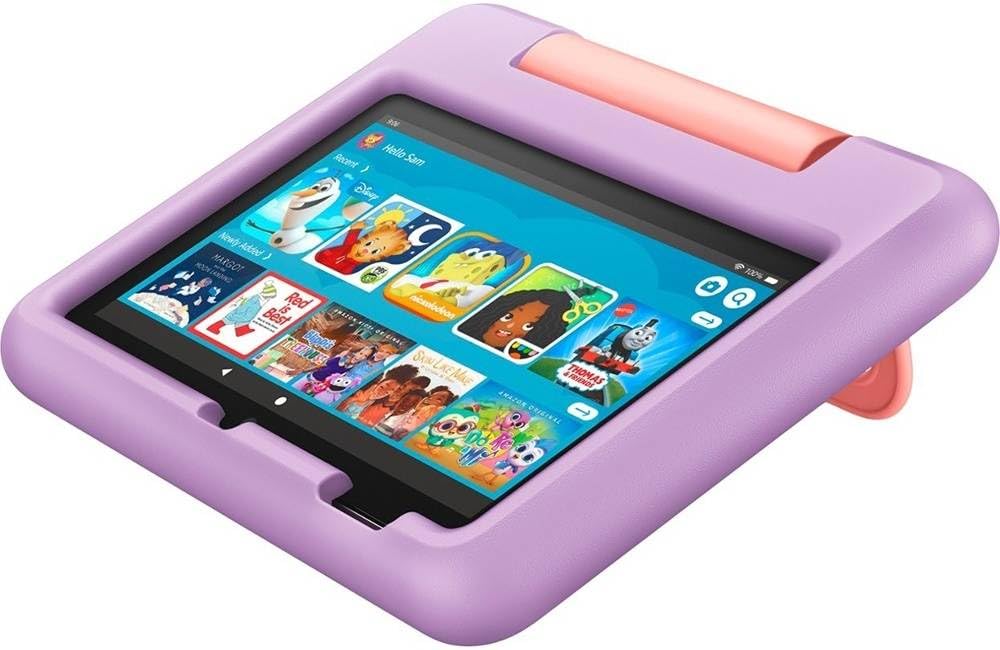
The 10-hour battery life is shorter than the 13 hours you get with the HD 8 and HD 10 models, but it still covers a full day of typical use. The 16GB storage fills up quickly if you download videos and apps for offline use, so I recommend adding a microSD card for expandable storage right from the start.
The included 6 months of Amazon Kids+ gives you a shorter trial period than the 1 year included with the HD models. After the trial, the subscription costs the same regardless of which Fire tablet you own, so factor that ongoing cost into your decision.
When the Fire 7 Makes Sense Over HD Models
Choose the Fire 7 Kids if budget is your primary concern and your child is young enough that the lower resolution screen will not bother them. The 7-inch display is adequate for simple apps and videos but noticeably less sharp than the HD models. For autistic children who are sensitive to visual quality or who use apps with small text elements, the HD 8 or HD 10 would be a better choice.
The Fire 7 excels as a first tablet for young autistic children who are just learning to interact with touchscreens. It is affordable enough that if your child turns out not to engage with it, the financial risk is low. And the 2-year worry-free guarantee means breakage is not a financial disaster.
Addressing Performance Limitations
The Fire 7 has less RAM and a slower processor than the HD models, which means it can feel sluggish when switching between apps or running more demanding AAC software. For basic content consumption and simple educational games, it performs fine. For complex AAC apps with large symbol libraries, you may experience lag that frustrates your child.
If your child will primarily use the tablet for watching videos, listening to audiobooks, and playing simple learning games, the Fire 7 handles all of that competently. Just keep your expectations realistic about multitasking and app-switching performance.
6. LeapFrog LeapPad Academy – Best Educational Focus
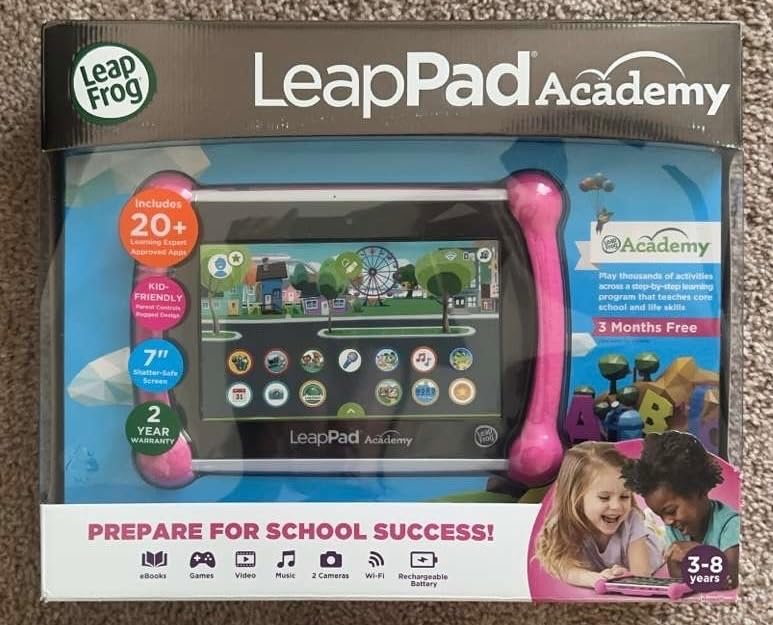
LeapFrog LeapPad Academy Kids’ Learning Tablet, Green
7 inch shatter-safe screen
Qualcomm Quadcore 1.5 GHz
16GB storage
Stylus included
Ages 3-8
Built-in kickstand
Pros
- Excellent educational content with 20 plus included apps
- Superior parental controls with kid-safe web browsing
- Stylus supports fine motor skill development
- Children less addicted compared to other tablets
Cons
- Battery life only about 1 hour
- Device can freeze frequently
- Apps are expensive
- Limited to LeapFrog store
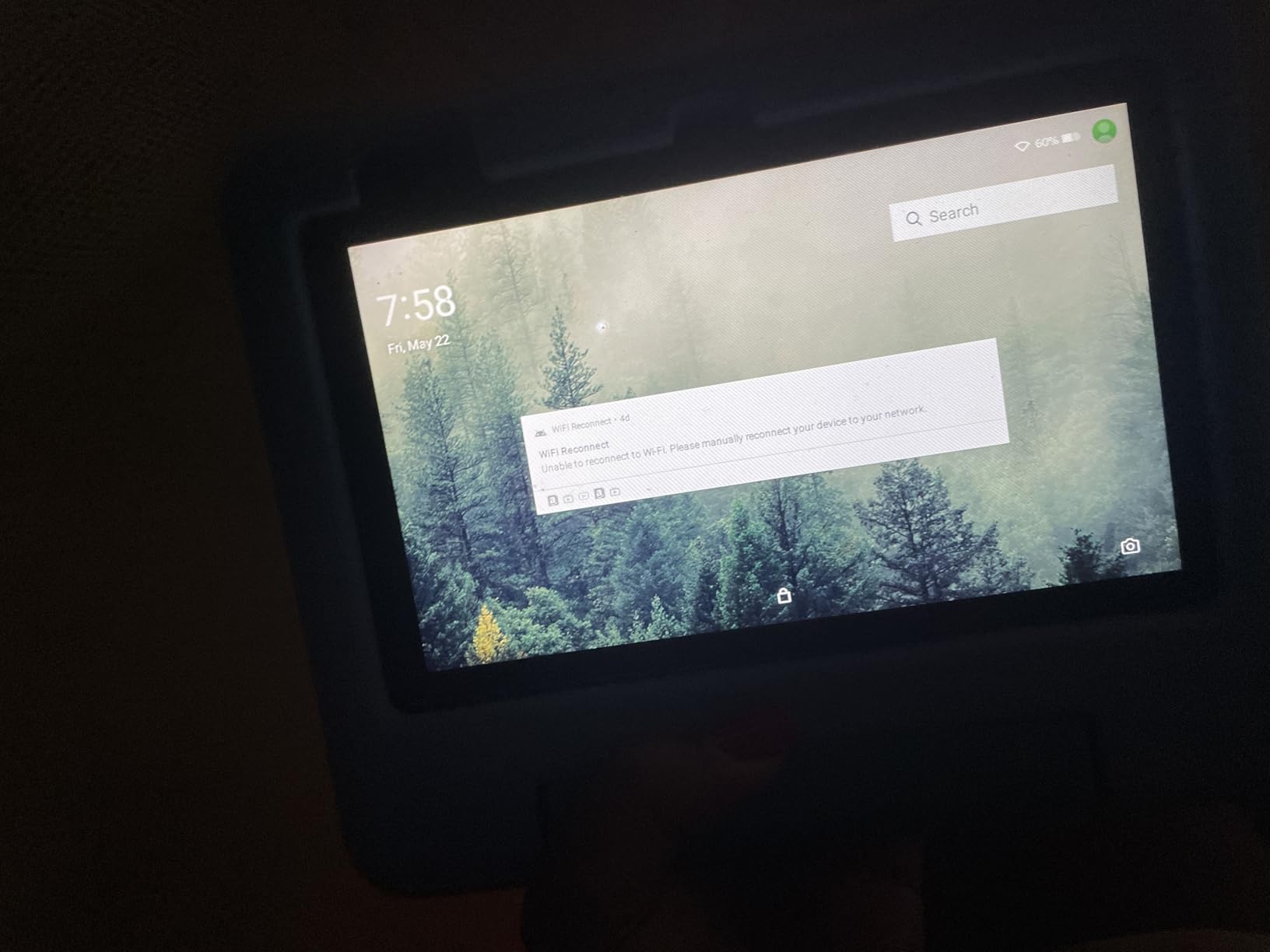
The LeapFrog LeapPad Academy takes a fundamentally different approach than Amazon Fire tablets. Instead of giving children access to a broad entertainment ecosystem, LeapFrog focuses almost entirely on educational content. For parents who worry about screen time addiction with autistic children, this walled-garden approach can provide peace of mind.
I was struck by how many parents reported that their children were less addicted to the LeapPad compared to other tablets. The educational focus and absence of streaming entertainment seems to create a healthier relationship with the device. For autistic children who can develop intense fixations on specific shows or games, this controlled content environment may be exactly what some families need.
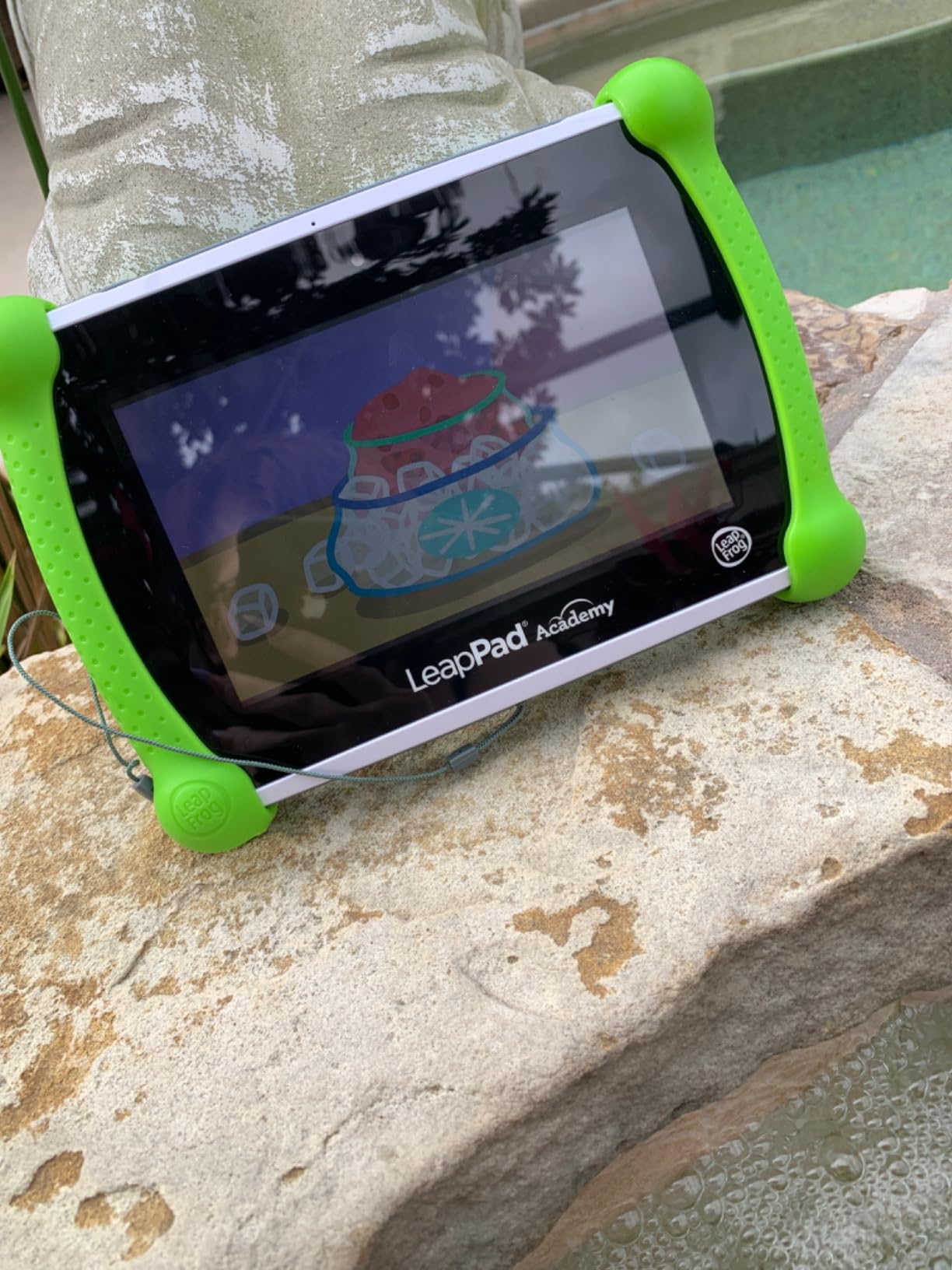
The included stylus is a standout feature for autistic children working on fine motor skills in occupational therapy. Drawing, tracing, and writing activities with the stylus translate directly to pencil and paper skills. Our team has covered similar approaches in our guide to occupational therapy apps for iPad, and the LeapPad’s built-in stylus makes many of those activities available without needing additional hardware.
The LeapSearch feature provides pre-approved web content that is vetted for child safety. This gives older children a controlled way to explore topics they are interested in without the risks of open internet access.
Educational Content and Therapy Alignment
The LeapPad Academy comes with over 20 educator-approved learning apps that develop math, reading, writing, coding, and problem-solving skills. The 3-month trial of LeapFrog Academy gives access to 2,000+ additional games, activities, eBooks, and videos. The content aligns well with early intervention and preschool curriculum goals.
For autistic children who respond well to structured, predictable learning activities, the LeapPad’s curriculum-based approach can complement therapy goals. The progress tracking feature lets parents and therapists see which skills the child is practicing and mastering.
The Battery Life Problem
The biggest drawback is battery life. At approximately one hour per charge, the LeapPad requires frequent charging and cannot last through a full day of use. This is a significant limitation for families who need a tablet for all-day support including school, therapy, and home use.
If you choose the LeapPad, plan to keep it plugged in during longer sessions or invest in a portable charger. The short battery life is the main reason this tablet ranks below the Amazon Fire models for all-day use, despite its excellent educational content.
7. Urao Kids Tablet 10 inch – Best Large Screen Android Tablet
Urao Kids Tablet, Android 16 Tablet for Kids 10 inch with Case, 24GB RAM 64GB ROM 1TB TF Card Expandable for Toddler Children, Parental Control, Dual Camera, WiFi,Gift
10 inch HD IPS display
Android 16 OS
20GB RAM
64GB storage expandable to 1TB
2.0 GHz octa-core
Low blue light technology
Pros
- Large 10 inch HD display with low blue light technology
- 20GB RAM for smooth performance
- Durable food-grade silicone case included
- Full Android with Google Play access
Cons
- Battery drains relatively quickly
- App loading can be slow at times
- Not Prime eligible
The Urao Kids Tablet stands out in this guide because it offers something the Amazon Fire and LeapFrog tablets cannot: full Google Play Store access. For parents of autistic children who need specific AAC apps available only on Android, this opens up a much wider software ecosystem at a competitive price.
I was impressed by the specs on this tablet. With 20GB of RAM and a 2.0 GHz octa-core processor running Android 16, this device handles demanding AAC apps and multitasking better than tablets costing twice as much. The 10-inch HD IPS display with 323 PPI resolution delivers crisp visuals that benefit children using visual schedules and communication boards.
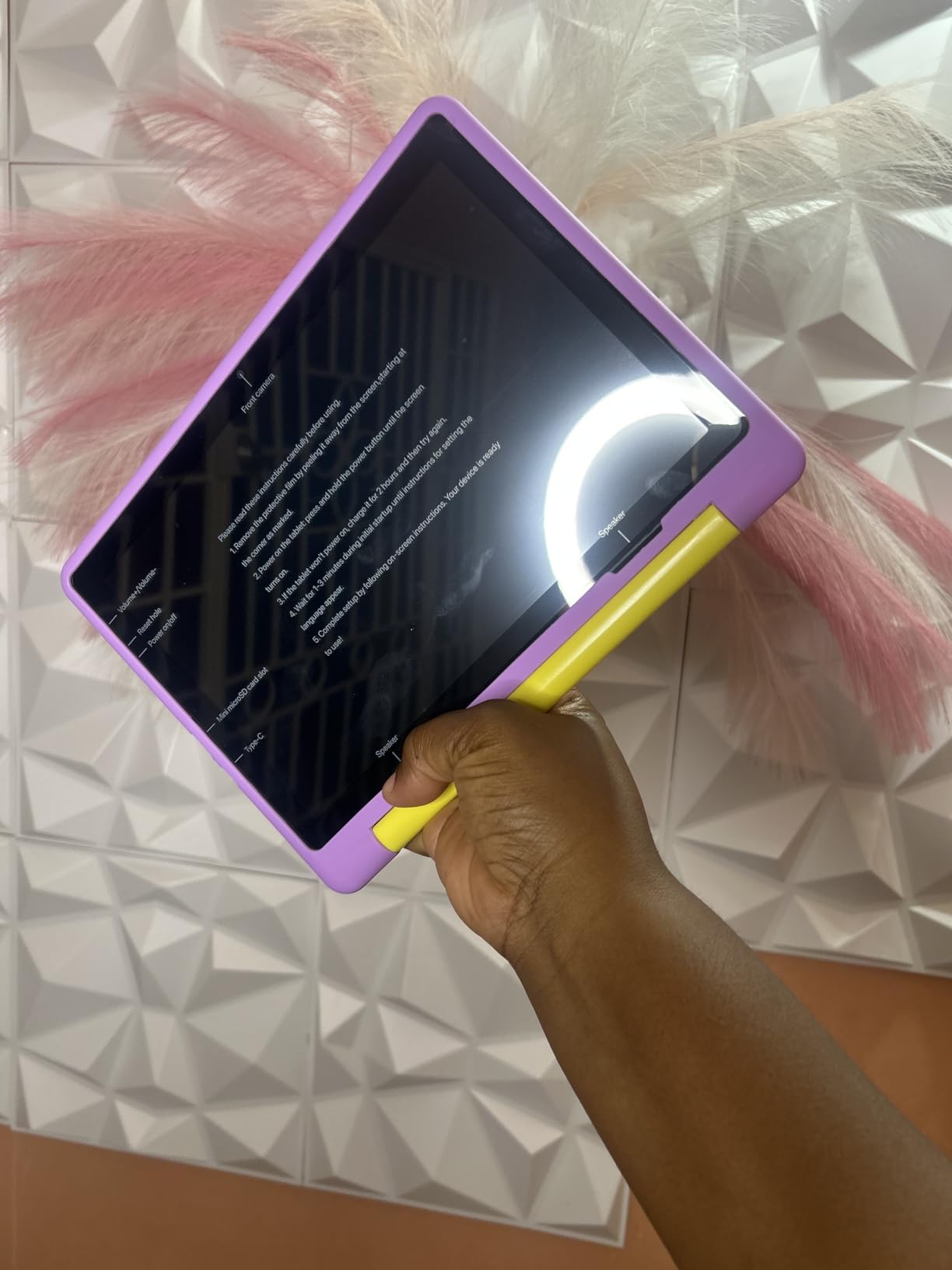
The low blue light technology with one-click reading mode is a thoughtful addition for autistic children with visual sensory sensitivities. Blue light filtering reduces eye strain and can help with sleep regulation, which is a common concern for children on the autism spectrum. The food-grade silicone case provides drop protection while being safe for children who may mouth or chew on their devices.
The 64GB of built-in storage with microSD expansion up to 1TB means you can download large AAC app libraries, educational content, and sensory videos for offline use without constantly managing storage space.
Google Play Access for Specialized Autism Apps
Full Google Play Store access is the primary reason to choose this tablet over an Amazon Fire. Many specialized AAC apps, sensory regulation tools, and autism-specific educational apps are only available on Google Play or have better Android versions. With this tablet, you are not limited to what Amazon or LeapFrog decide to offer.
Google Kids Space provides a curated, kid-friendly content environment similar to Amazon Kids+ but with the broader app availability of the Android ecosystem. The parental controls let you manage screen time, approve app downloads, and filter content.
Battery and Performance Trade-offs
The battery provides 6 or more hours of active use, which is shorter than the 13 hours offered by the Amazon Fire HD models. For a full day of use, you will need to charge mid-day. USB-C fast charging helps, with a full charge in about 1.5 hours.
App loading times can be slow compared to premium tablets, though once apps are running, the 20GB of RAM keeps things smooth. For the price, the performance is strong, and the large screen plus Android flexibility make this a compelling alternative to the Amazon ecosystem.
8. YosaToo Kids Tablet 7 inch – Best Compact and Portable Pick
YosaToo Kids Tablet, Android 16 Tablet for Kids 7″ 4GB 32GB with Drop-proof Case, Pre-installed Offline Learning App, Parental Control WiFi Toddler Tablets for Ages 3-12 with YouTube Google Kids Space
7 inch LED display
Android 16 OS
4GB RAM
32GB storage
1.5 GHz Rockchip processor
Pre-installed offline learning app
Pros
- Android 16 with Google Kids Space and Play Store
- Pre-installed offline learning app for travel
- Durable shockproof silicone case
- 7-inch size perfect for small hands
Cons
- Screen is not very sharp
- Battery life could be longer
- Camera quality is basic
- Initial setup can be slow
The YosaToo Kids Tablet is the most affordable full-featured Android tablet in this guide. At under fifty dollars with Android 16, Google Play access, and a shockproof case, it offers remarkable value for families who need a functional tablet without a significant investment.
The pre-installed YUBABE offline learning app is what makes this tablet special for autism families. It includes Montessori activities, mini games, STEM content, and art activities that work without WiFi. For car rides, waiting rooms, and travel where connectivity is unreliable, having offline content pre-loaded means your autistic child always has engaging, educational activities available.
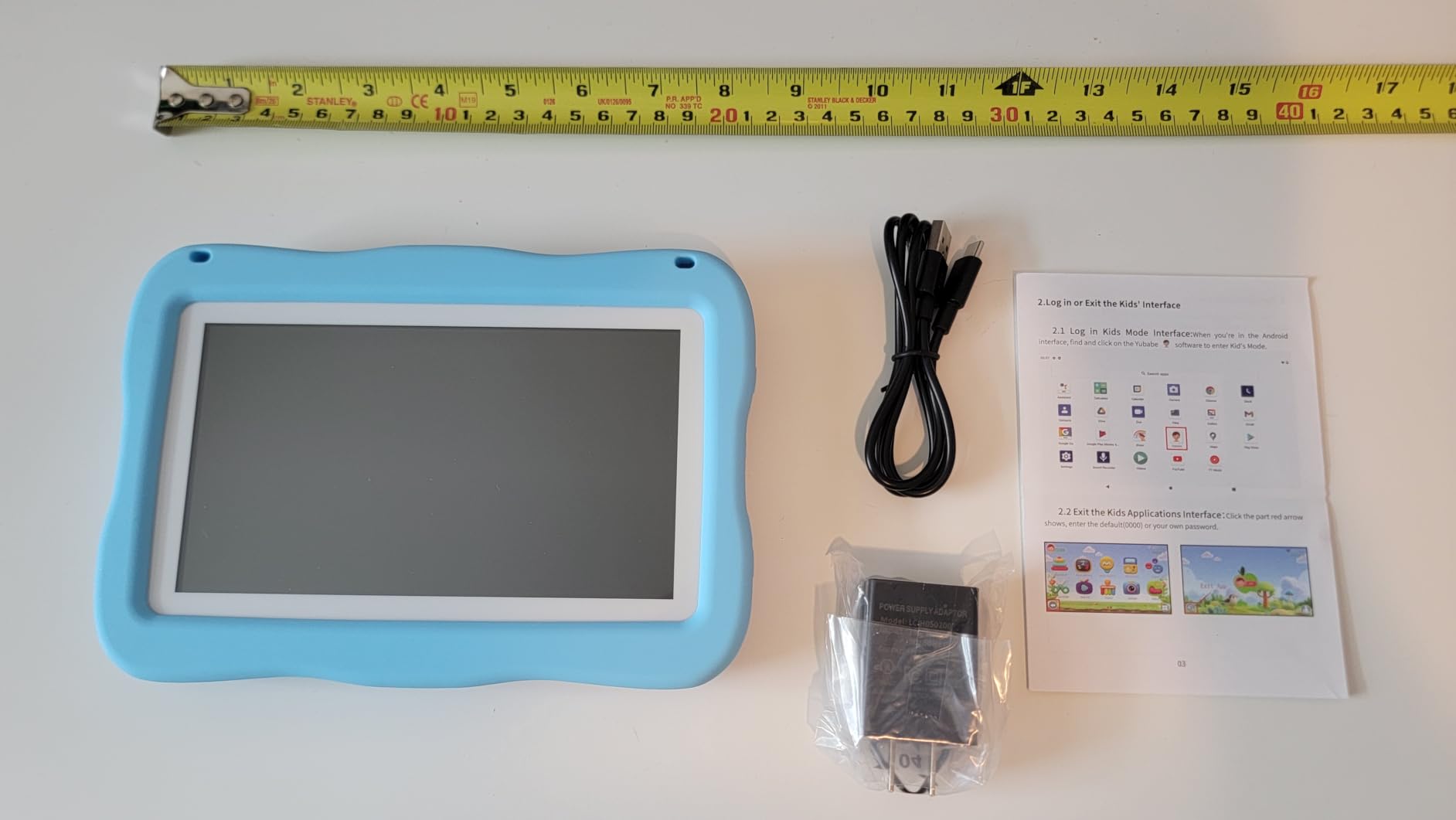
The 7-inch size is the most portable option in this guide. It fits easily in a therapy bag, a car seat pocket, or a small backpack. For autistic children who benefit from having a consistent tool across environments, the portability of this tablet makes it easy to maintain routines whether at home, at school, or visiting relatives.
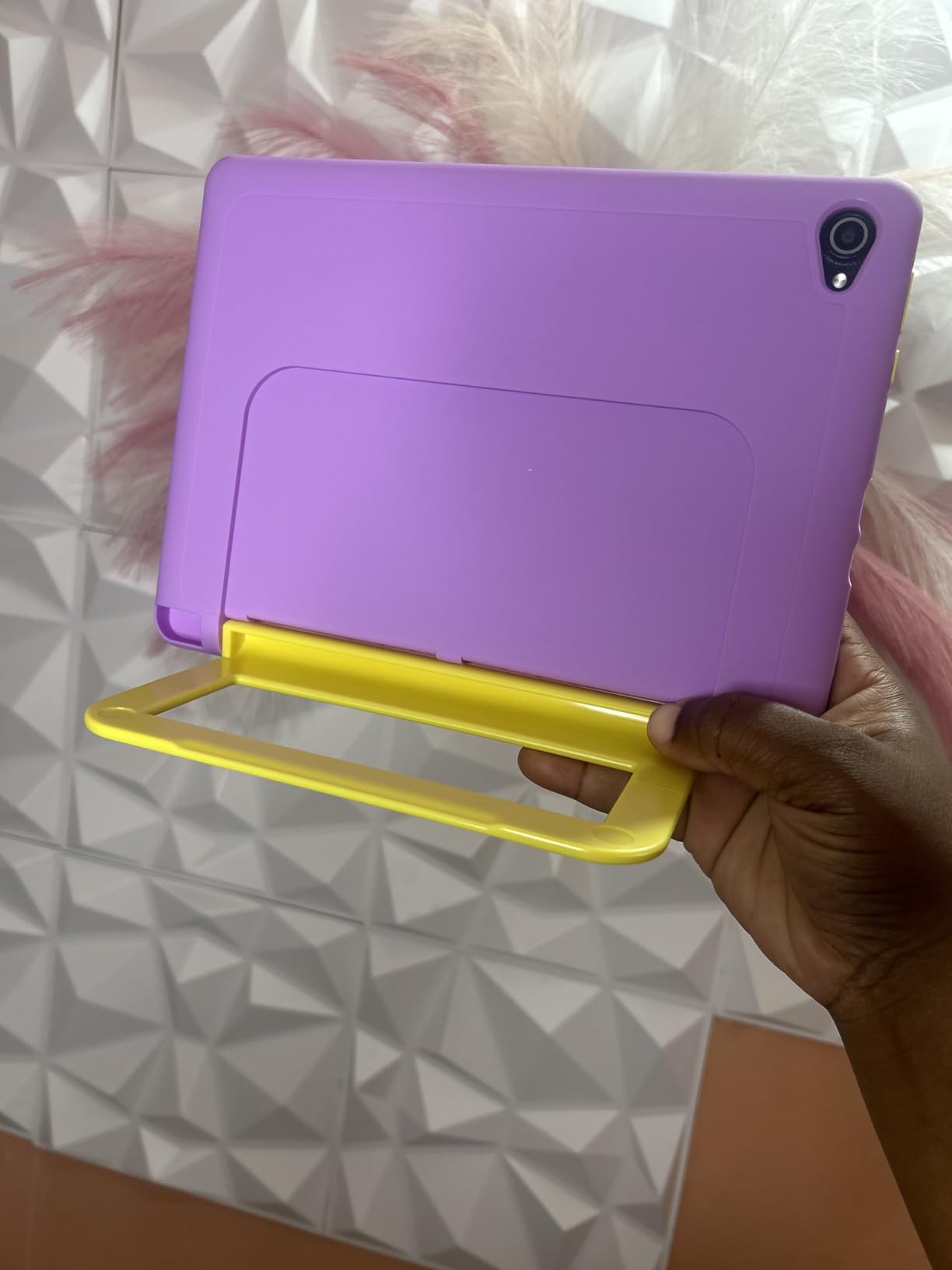
The shockproof silicone case with built-in adjustable stand handles the kind of rough treatment that autistic children can dish out. While it may not be quite as indestructible as the Amazon Fire Kids cases, it provides solid protection for the price point.
Offline Learning for Travel and Transitions
The offline learning app is a standout feature for autism families. Transitions between environments are often challenging for autistic children, and having familiar content available without WiFi helps maintain consistency. The Montessori-based activities align well with many therapy approaches used for young autistic children.
Google Kids Space adds curated educational content when WiFi is available, giving you the best of both worlds. The parental controls allow you to manage screen time and content access through the Android Family Link system.
Understanding the Trade-offs
The screen resolution of 1024×600 is noticeably less sharp than the HD displays on more expensive tablets. For children who primarily watch videos and use simple apps, this is acceptable. For AAC apps with detailed symbol grids or text-heavy content, the lower resolution may be a drawback.
With only 18 reviews at the time of writing, this is a newer product with less community feedback than the Amazon Fire tablets. The 4.8-star average is encouraging, but the small sample size means long-term durability data is limited. The lifetime technology support and 30-day free replacement policy provide some reassurance.
9. MibbyTalk AAC Device – Best Color-Coded Communication Tool
MibbyTalk AAC Device for Autism, Communication Tool for Nonverbal Kids
32 preset buttons with color-coded zones
11 programmable recording buttons
DIY sticker sheet
Male/female voice
5-level volume
Textured silicone case
Ages 3+
Pros
- Color-coded zones make buttons easy to find
- Durable silicone case with textured grip
- Recordable buttons for personalized messages
- Lightweight and portable for travel
Cons
- Buttons require direct intentional push
- Volume buttons take up potential recording spaces
- Too many icons for very young children
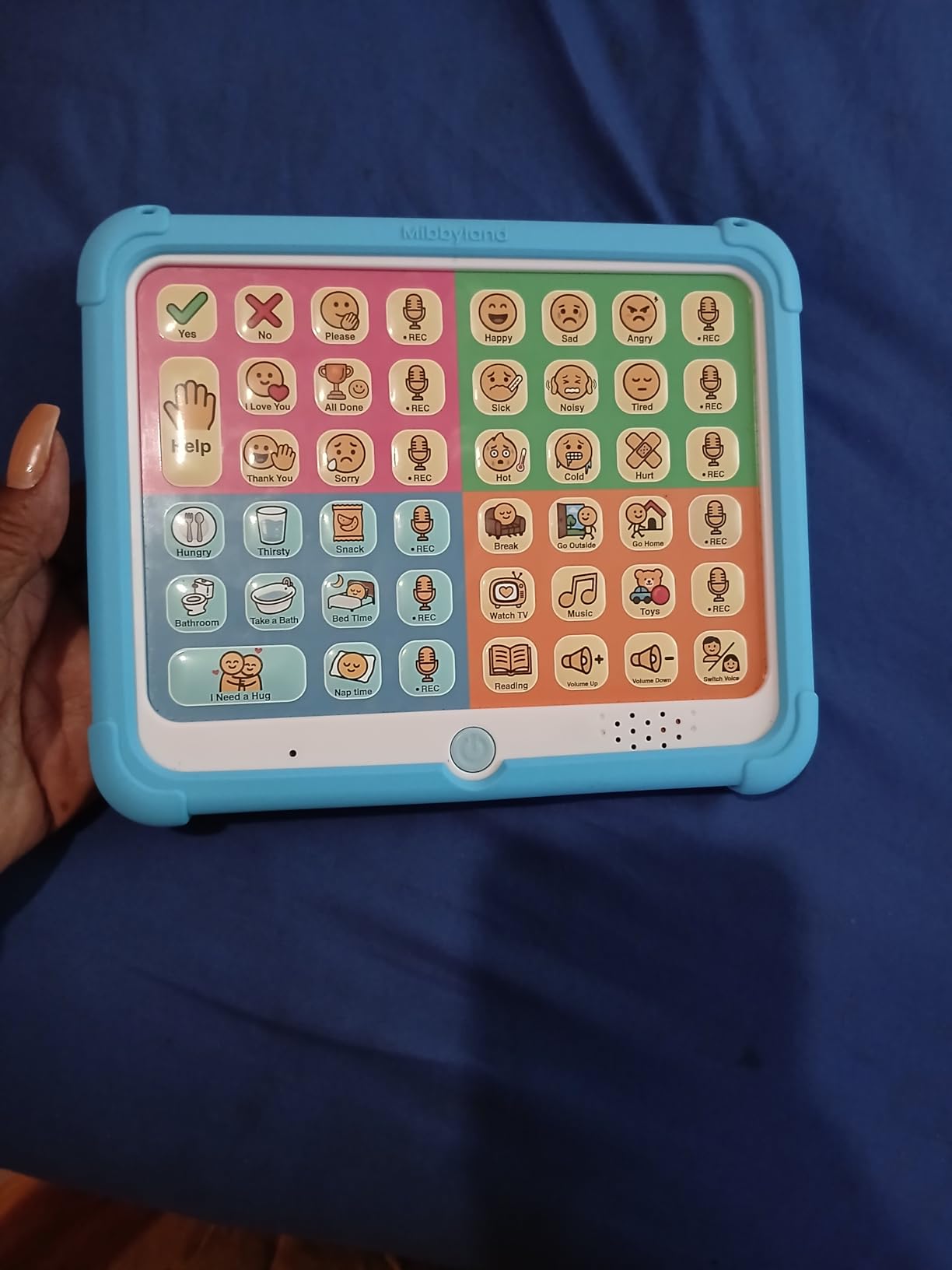
The MibbyTalk AAC device takes a smart approach to button organization with color-coded zones that group related messages together. Pink buttons handle social phrases, green covers feelings, blue addresses basic needs, and orange manages activities. For autistic children who respond well to visual structure and categorization, this organizational system can speed up communication and reduce frustration.
Parents report that this device reduces meltdowns by giving nonverbal children a reliable way to express their needs. When a child can communicate hunger, pain, or emotional state through a button press instead of through behavioral outbursts, the entire family benefits. Multiple reviews specifically mention the device giving children “a voice” for the first time.
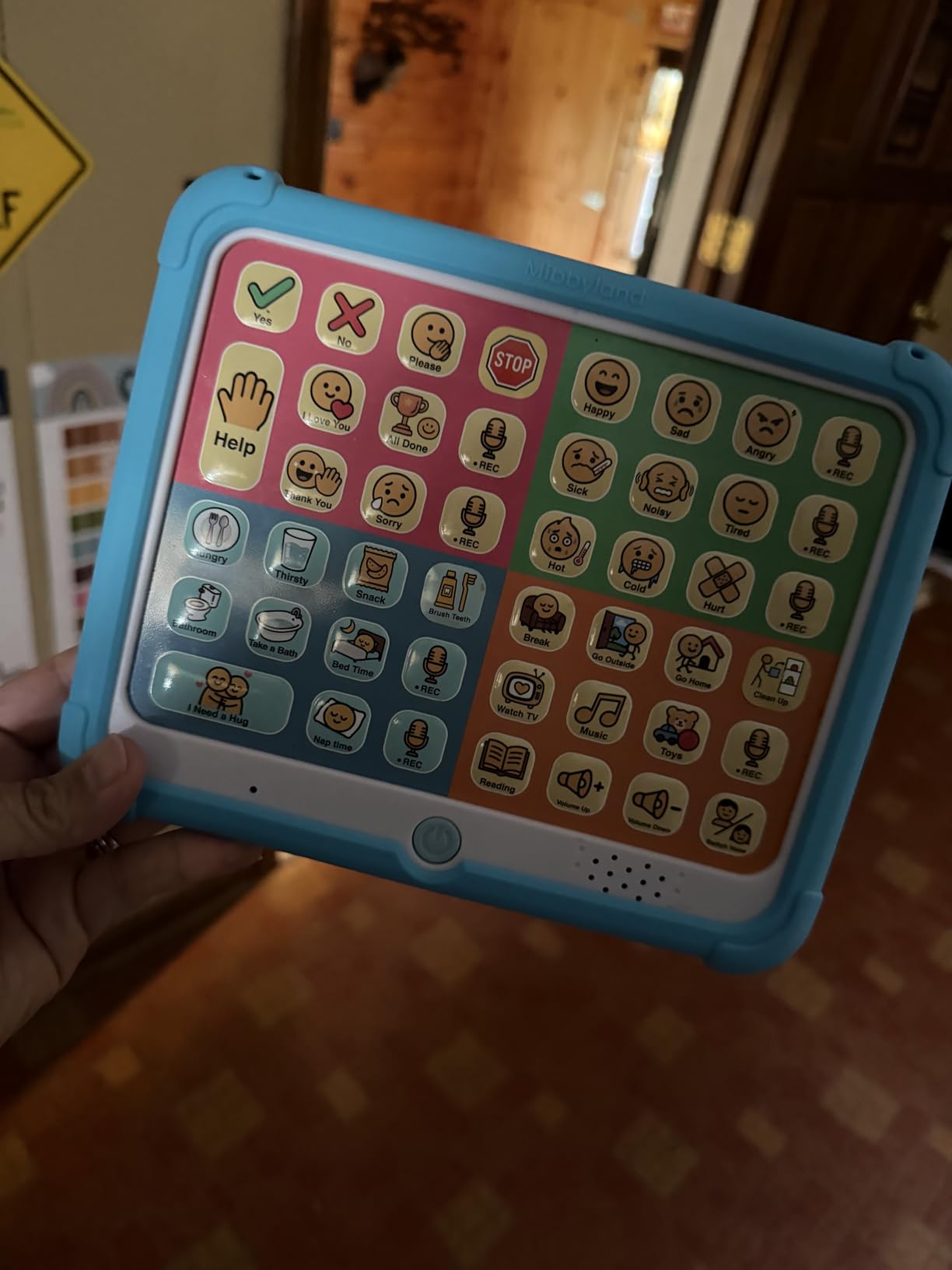
The 11 programmable buttons let you record custom messages tailored to your child’s daily life. You can record family members’ names, specific food preferences, favorite activities, and personalized routines. The included DIY sticker sheet lets you create visual labels for each custom button so your child can identify them at a glance.
The textured anti-drop silicone case provides better grip for children who may have difficulty holding smooth devices. The tactile feedback of physical buttons also provides sensory input that some autistic children find regulating, unlike touchscreen interactions which provide no physical sensation.
Color-Coded Zones for Faster Communication
The zone-based organization teaches categorization skills while making buttons easier to locate quickly. Instead of scanning 32 random buttons, a child learns to go to the blue zone for basic needs or the green zone for feelings. This mirrors the color-coding strategies used in many formal AAC systems and PECS implementations.
For children who will eventually transition to tablet-based AAC apps, learning the zone system on a physical device provides a foundation. The concept of organized vocabulary categories transfers directly to more advanced digital communication systems.
Limitations as a Starter Device
The MibbyTalk is explicitly a starter AAC device, not a medical-grade communication system. It does not replace professional AAC evaluations or dedicated speech-generating devices covered by insurance. However, as an affordable tool for early communication, for travel, or as a backup to a primary AAC system, it fills an important niche.
The buttons require intentional direct pressure, which prevents accidental activation but may be challenging for children with significant motor impairments. Consider your child’s fine motor abilities when deciding between this and a touchscreen-based communication tool.
10. Special Supplies Talker Buddy – Simplest AAC Starter Device
Special Supplies AAC Communication Device for Speech Therapy, Talker Buddy Communication Device for Non Verbal Kids & Adults, Talking Aids for Home or School + Travel Bag (Talker Buddy)
Pre-installed vocabulary
Soft touch button layout
No setup required
Lightweight design
Travel bag included
2 AAA batteries
Pros
- Ready to use out of the box with zero setup
- Enables first communication for nonverbal children
- Affordable entry point to AAC
- Includes travel bag for portability
Cons
- Phrases cannot be reprogrammed or customized
- Color coding could be improved
- Only available in English
- Labels lean child-oriented for adult users
The Special Supplies Talker Buddy is the simplest AAC device in this guide and the most affordable way to give a nonverbal child immediate access to communication. There is no setup required. You insert the included batteries and your child can start communicating right away.
Reviews from parents describe this device as life-changing, with many reporting their first-ever back-and-forth communication with a nonverbal child. One parent shared that their child used the Talker Buddy to tell a doctor what was wrong during a medical appointment, which would have been impossible without the device.
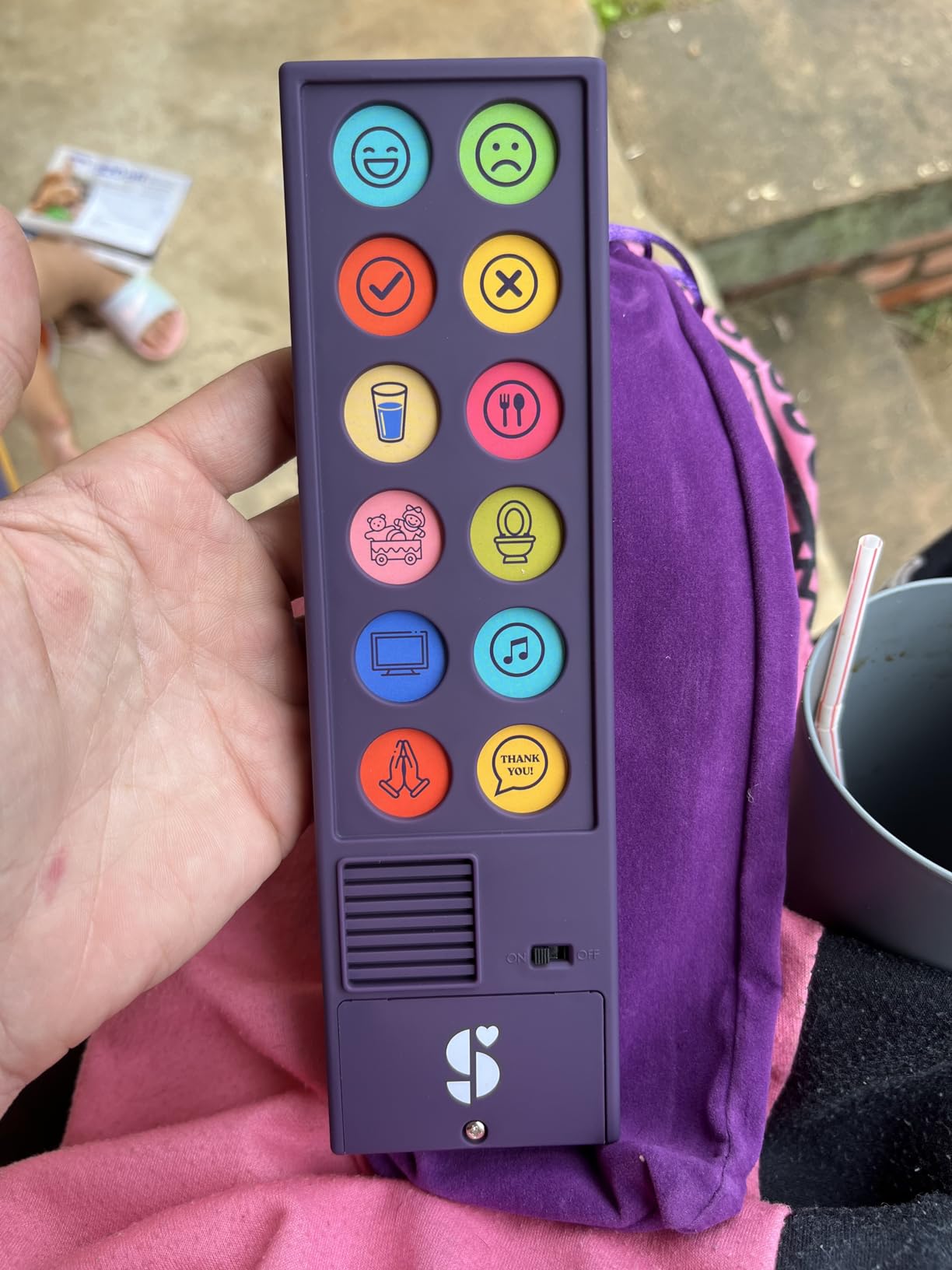
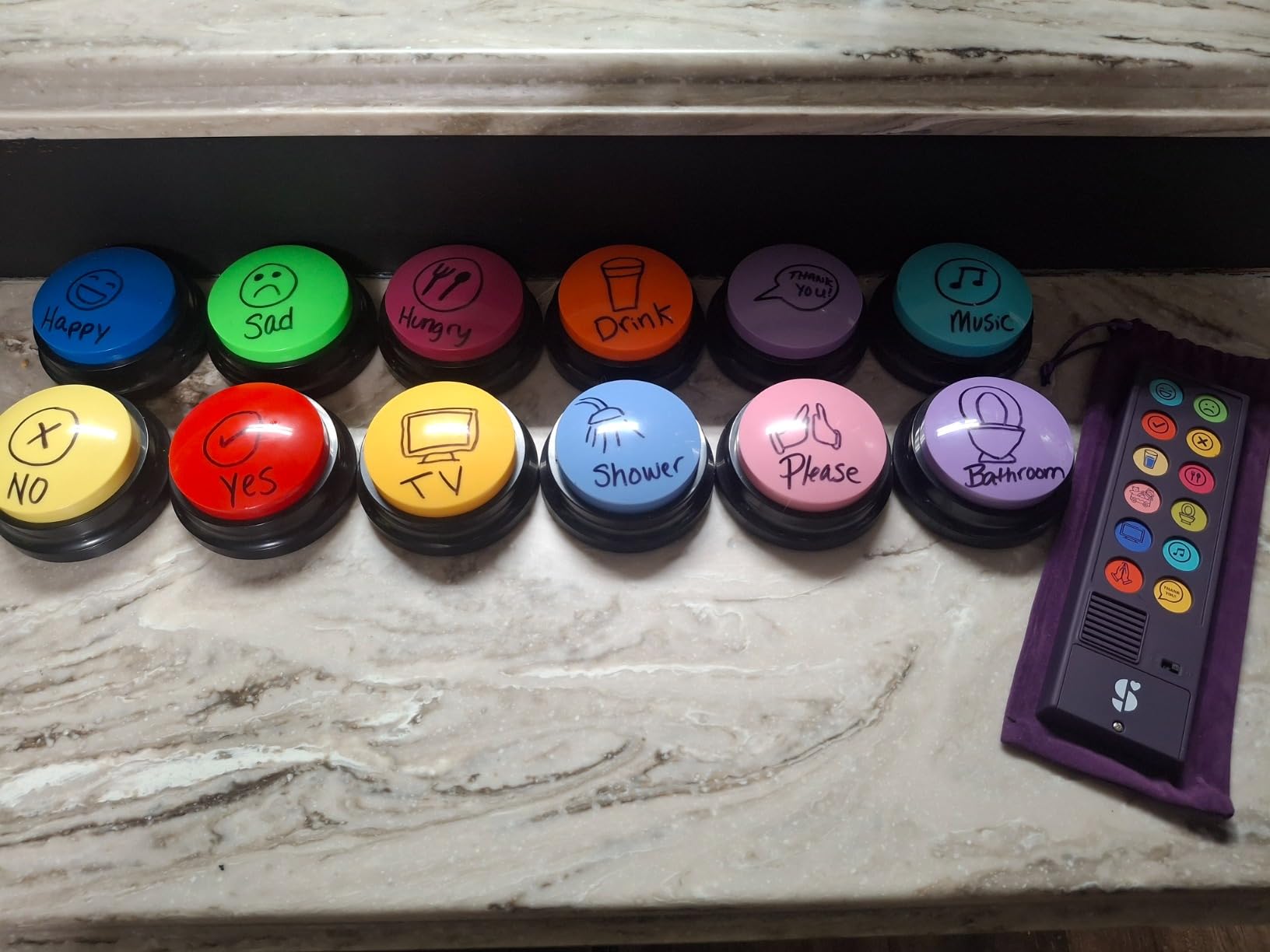
The soft-touch button layout is designed for easy understanding with common phrases, words, and sentences pre-installed. The buttons are organized intuitively so a child can quickly find what they want to say. The clear sound output ensures messages are audible in most environments.
The included travel bag makes this device easy to take anywhere. For families who attend therapy sessions, doctor appointments, and school meetings, having a portable communication tool that requires no charging and no WiFi is incredibly practical.
Quick Start for Early Communicators
If your child was recently diagnosed and you are looking for an immediate communication solution, the Talker Buddy is the fastest path from zero to functional communication. There is no learning curve for setup and no technical knowledge required. The pre-installed vocabulary covers the most common communication needs like requesting food, expressing feelings, and answering yes or no questions.
Many speech therapists recommend this type of simple AAC device as an assessment tool to determine whether a child is ready for a more complex communication system. Success with a basic device like the Talker Buddy can justify the investment in a tablet-based AAC system with professional apps.
Understanding the Customization Limits
The biggest limitation is that the phrases cannot be reprogrammed. What you get out of the box is what you have forever. This means you cannot add your child’s name, specific food preferences, or personalized messages. For some families, the pre-installed vocabulary is sufficient. For others, the lack of customization becomes a barrier to more advanced communication.
If your child needs personalized vocabulary, consider the Joyreal or MibbyTalk devices instead, which both offer programmable buttons. The Talker Buddy remains the best choice for simplicity, portability, and immediate access to basic communication.
11. Adena Montessori Touch Tablets – Best Tactile Sensory Tool
Adena Montessori Touch Tablets – Inspire Sensorial Education and Texture Recognition Sensory Learning and Fine Motor Skills
10 wooden tablets
5 pairs of varying textures
Montessori sensorial education
Hand-eye coordination
No batteries required
Ages 18 months and up
Pros
- Sensory development through tactile texture comparison
- Develops fine motor skills and descriptive language
- No screens or digital components
- High quality wooden construction
Cons
- Grit texture may come off easily
- Limited variety of textures compared to expectations
- Box bottom may arrive detached
The Adena Montessori Touch Tablets are a completely different kind of sensory tool. Instead of a digital screen, these wooden tablets provide tactile sensory input through varying degrees of roughness and smoothness. For autistic children who seek or avoid tactile sensations, this classic Montessori material offers a screen-free way to develop sensory processing awareness.
I included this product because not every sensory need requires a digital solution. Some autistic children are overstimulated by screens and benefit more from hands-on, tactile learning tools. The touch tablets let children explore texture differences through touch, which develops sensory discrimination skills that digital tablets simply cannot address.
The set includes five pairs of wooden tablets with different textures. Children match pairs by touch alone, first with eyes open and then with a blindfold as they advance. This activity develops tactile memory, sensory vocabulary, and comparative thinking skills that support broader cognitive development.
Sensory Processing Through Touch
For autistic children with tactile defensiveness, gradually introducing different textures through a controlled, predictable activity can help build tolerance. For sensory-seeking children, the tactile input from the textured tablets can be calming and regulating. The Montessori approach emphasizes self-paced exploration without pressure, which aligns well with autism-friendly learning principles.
As children learn to describe what they feel, they expand their vocabulary with words like rough, smooth, bumpy, and silky. This language development through sensory experience is particularly valuable for autistic children who benefit from concrete, experiential learning.
Integrating with Digital Learning
The touch tablets complement digital learning tools rather than replacing them. Many autistic children benefit from alternating between screen-based activities and hands-on sensory experiences. You might use a tablet for a visual schedule or AAC communication, then transition to the touch tablets for sensory regulation and fine motor practice.
The wooden construction means no charging, no screen time concerns, and no digital distractions. This is a pure sensory learning tool that can be used during therapy sessions, quiet time, or as a calming transition activity between more demanding tasks.
12. FLUESTON LCD Writing Tablet – Best Screen-Free Drawing Tool
FLUESTON LCD Writing Tablet for Kids, 10 Inch Doodle Board, Colorful Drawing Pad for Toddler, Educational Travel Toy Gifts for 3-8 Year Old Girls Boys, Erase Lock Writing Board
10 inch LCD colorful screen
Pressure-sensitive writing
No blue light
6 ounces
0.26 inch thin
CR2025 battery
Erase lock function
Pros
- No blue light protects developing eyes
- Feels like writing on paper for sensory feedback
- Ultra lightweight and portable for travel
- One-click clear and lock function
- Mess-free creative expression
Cons
- Colors are fixed in position on screen
- Writing not as bright as some expect
- May smudge slightly
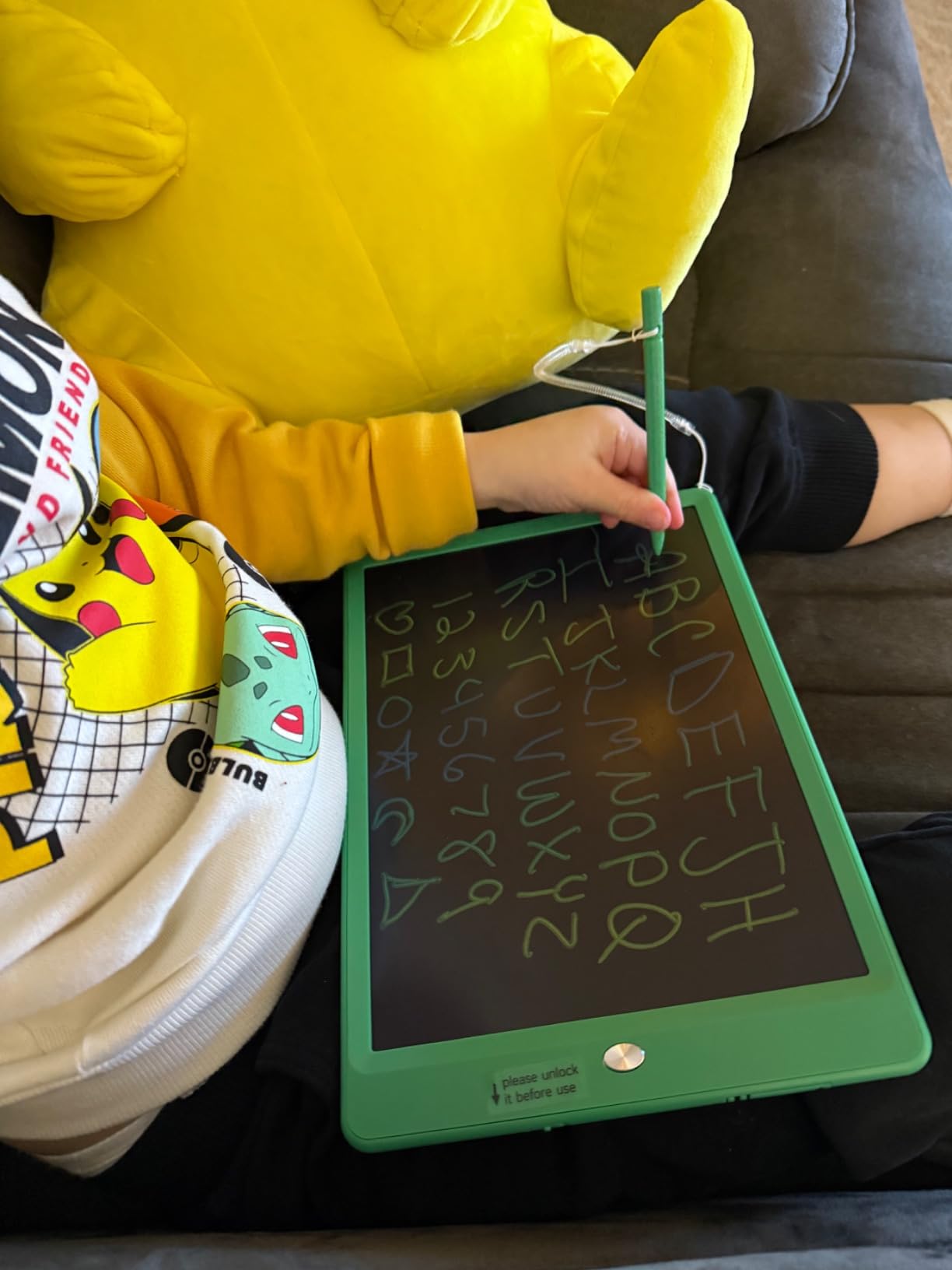
The FLUESTON LCD Writing Tablet is one of the most popular sensory toys on Amazon with nearly 19,300 reviews, and it earns a place in this guide because parents specifically recommend it for autistic children. The pressure-sensitive screen provides tactile feedback that feels similar to writing on paper, which can be both calming and engaging for children who seek sensory input through drawing and writing.
I read dozens of reviews from parents of autistic children who use this tablet as a self-regulation tool. Drawing repetitive patterns, scribbling during transitions, or doodling while listening helps many autistic children focus and manage anxiety. The one-click clear function lets children start fresh instantly, which satisfies the need for predictability and control.
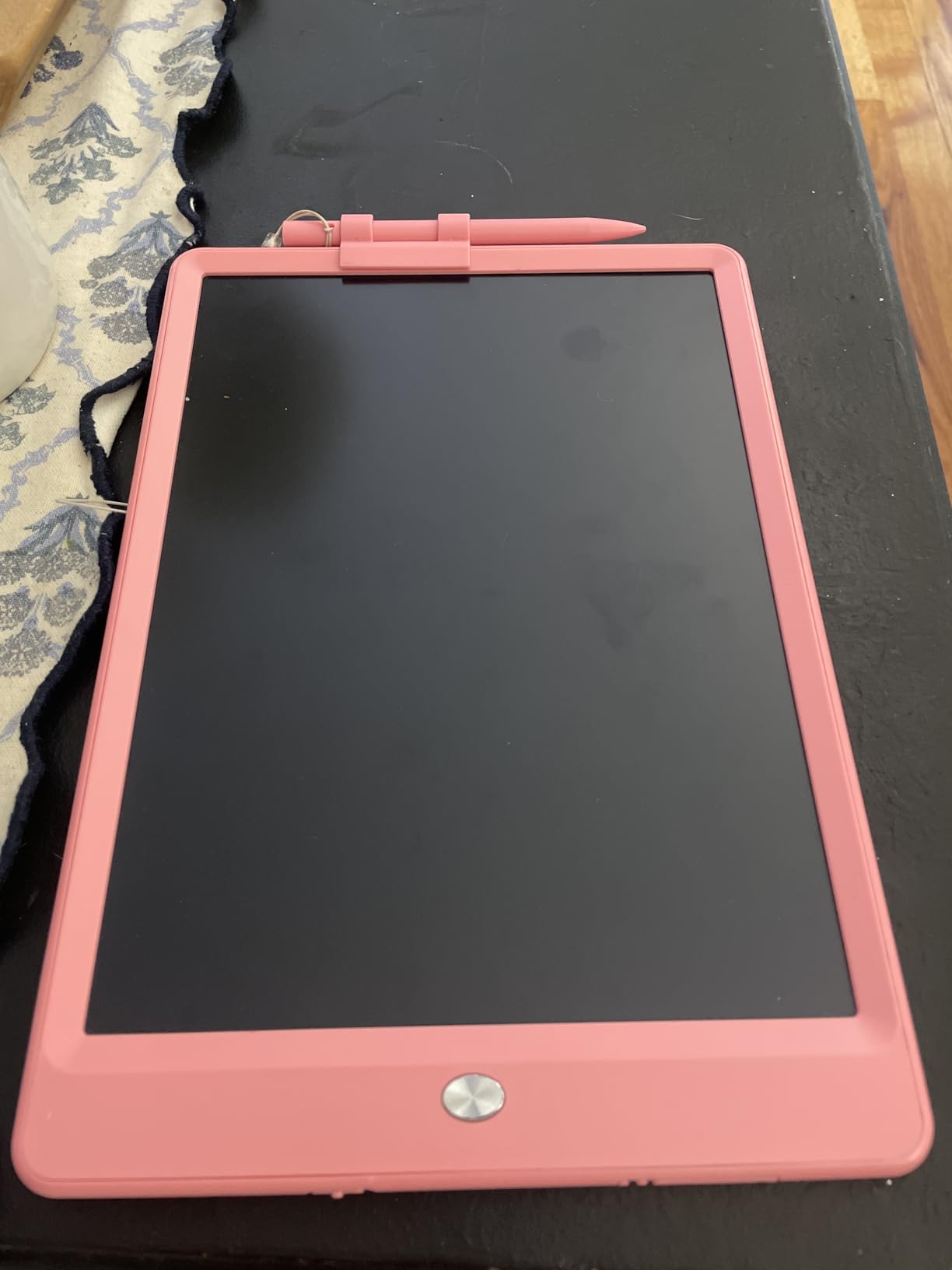
Unlike tablets with LED or OLED screens, the LCD writing surface emits no blue light and produces no glare. This makes it suitable for children with photosensitivity or visual processing disorders who find traditional screens uncomfortable. The CR2025 battery lasts up to 12 months, so you rarely need to think about power.
The erase lock function prevents accidental clearing, which is essential for autistic children who may become distressed if their artwork disappears unexpectedly. With the lock engaged, children can save their drawings to show parents or therapists.
Calming and Self-Regulation Benefits
Many autistic children use drawing and writing as a self-soothing activity. The repetitive motion of the stylus on the LCD surface provides proprioceptive feedback that can help with emotional regulation. For meltdowns, anxiety, or overstimulation, having a simple drawing tool that requires no setup, no apps, and no navigation can be an accessible coping strategy.
The FLUESTON tablet is also excellent for supporting structured learning for autistic children. You can write math problems, practice letter formation, draw shapes, or create simple visual schedules. The immediacy of the writing surface removes the cognitive overhead of navigating a digital interface.
Travel and Everyday Use
At just 6 ounces and 0.26 inches thin, this tablet goes everywhere. Parents recommend it for car rides, restaurant visits, waiting rooms, and airplane travel. For autistic children who need a portable activity that does not involve a screen, this is one of the best options available.
The stylus stays attached to the board with a string, so it does not get lost. This is a detail that matters enormously for autistic children who may become distressed if a component of their routine tool goes missing. The simplicity of the design, with no buttons to press, apps to load, or connections to manage, makes it accessible for children at any developmental level.
Buying Guide: How to Choose the Best Sensory Tablet for Autistic Kids
Choosing the right sensory tablet for an autistic child requires thinking beyond standard tablet specs. The features that matter most for neurotypical children, like processing speed and screen resolution, take a backseat to accessibility, durability, communication support, and sensory considerations.
Durability: The Number One Priority
If there is one thing I learned from talking with autism parents, it is that durability is non-negotiable. Autistic children may throw tablets during meltdowns, step on them accidentally, or chew on edges. Look for tablets with included rugged cases and ideally a replacement guarantee like Amazon’s 2-year worry-free warranty.
The Amazon Fire Kids line consistently earns the highest marks for real-world durability. Parents report these tablets surviving treatment that would destroy any standard tablet. If your child is particularly hard on devices, start with a Fire Kids model before considering anything else.
Communication and AAC Support
For nonverbal or minimally verbal children, the tablet’s ability to run AAC software is the most important consideration. If you plan to use apps like Proloquo2Go, Avaz, or TouchChat, you need a tablet that supports those specific platforms. iPad models have the broadest AAC app ecosystem, but the Android tablets in this guide like the Urao and YosaToo offer Google Play access for many AAC options.
If your child is just starting their communication journey, consider a dedicated AAC device like the Joyreal, MibbyTalk, or Talker Buddy before investing in a full tablet. These devices teach the fundamental cause-and-effect of using a tool to communicate without the distractions of a general-purpose tablet.
Sensory Processing Considerations
Autistic children have varied sensory profiles. Some are hypersensitive to bright lights and loud sounds, while others seek intense sensory input. When choosing a tablet, consider your child’s specific sensory needs. The FLUESTON LCD Writing Tablet offers a no-blue-light alternative for visually sensitive children. The Urao tablet includes low blue light technology and a reading mode. The Adena Montessori Touch Tablets provide tactile input without any screen at all.
For auditory sensitivity, look for tablets where you can control volume, disable sound effects, and use headphones. The Amazon Fire tablets and Android tablets in this guide all support wired or Bluetooth headphones for children who need to control their auditory environment.
Parental Controls and Screen Time Management
Screen time addiction is a real concern for many autism parents. The parental control systems on Amazon Fire tablets are among the most robust available, letting you set time limits, require educational goals before entertainment access, and filter content by age. The Android tablets offer Google Family Link for similar controls.
For families who want maximum content control, the LeapFrog LeapPad Academy offers the most restricted environment. Children can only access LeapFrog-approved content, which eliminates the risk of inappropriate material but also limits flexibility. For more guidance on structured learning approaches, our STEM education activities resource covers structured learning tools that work well for autistic learners.
Financial Assistance Programs
No competitor in this space covers financial assistance, so I want to make sure you know about options that can help. Many states have Assistive Technology Act programs that provide tablets and AAC devices to children with disabilities at low or no cost. Medicaid may cover AAC devices when prescribed by a speech-language pathologist. Some insurance plans also cover communication devices under durable medical equipment benefits.
Start by contacting your state’s Assistive Technology Act program, which you can find through the AT3 Center website. These programs offer device loans, demonstrations, and sometimes financial assistance for acquiring assistive technology. Early intervention programs and school districts may also provide tablets as part of an IEP or IFSP.
Frequently Asked Questions
What is the best tablet for an autistic child?
The best tablet depends on your child’s specific needs, but the Amazon Fire HD 8 Kids Pro is our top overall pick for its balance of durability, parental controls, and age-appropriate design. For nonverbal children who need communication support, a dedicated AAC device like the Joyreal or MibbyTalk is the best starting point. For children who need specific AAC apps only available on certain platforms, consider a tablet with full app store access like the Urao Android tablet.
Are tablets good for autistic kids?
Yes, tablets can be highly beneficial for autistic children when used appropriately. They provide communication tools through AAC apps, visual schedule support for daily routines, structured learning environments, and sensory regulation activities. The key is using parental controls to manage screen time and content access while balancing tablet use with physical activities, social interaction, and other therapeutic approaches.
What are good sensory items for autism?
Good sensory items for autism include tactile tools like the Adena Montessori Touch Tablets for texture exploration, LCD writing tablets like the FLUESTON for pressure-sensitive drawing, tablets with low blue light filters for visually sensitive children, and AAC devices with tactile buttons for children who benefit from physical feedback. Weighted cases, noise-canceling headphones, and styluses with different grip options also support sensory needs.
What apps are good for kids with autism?
The best apps for autistic children depend on their needs. For communication, Proloquo2Go, Avaz, and TouchChat are leading AAC apps. For visual schedules, try First Then Visual Schedule or Choiceworks. For sensory regulation, calming apps like Breathe Think Do With Sesame Street help. For learning, PBS Kids, Toca Boca apps, and ABCmouse offer structured educational content. Always consult your child’s speech or occupational therapist for app recommendations specific to their goals.
Can I get a free tablet for my autistic child?
Yes, there are several programs that may provide free or low-cost tablets for autistic children. State Assistive Technology Act programs offer device loans and financial assistance. Medicaid may cover AAC devices when prescribed by a speech-language pathologist. Early intervention programs and school districts may provide tablets through IEP or IFSP plans. Some nonprofit organizations like FIRST and local autism chapters also run tablet donation programs. Contact your state AT program or your child’s therapy team to explore available options.
What is the most durable tablet for an autistic child?
The Amazon Fire HD 8 Kids and Fire 7 Kids are consistently rated as the most durable tablets for autistic children. Parents report these tablets surviving being thrown, stepped on, and dropped down stairs. The included kid-proof cases and strengthened glass screens absorb impacts that would destroy standard tablets. The 2-year worry-free guarantee from Amazon provides free replacement if the tablet breaks, which removes the financial anxiety of giving an expensive device to a child who may be rough with it.
Conclusion
Finding the best sensory tablets for autistic kids in 2026 means looking beyond specs and focusing on what actually matters for your child. The Amazon Fire HD 8 Kids Pro stands out as our Editor’s Choice for its combination of durability, display quality, and age-appropriate design. For families on a budget, the Joyreal AAC device provides immediate communication support at a fraction of tablet costs.
Remember that the right choice depends entirely on your child’s unique sensory profile, communication needs, and developmental stage. Some children thrive with full-featured tablets and AAC apps. Others benefit more from simple dedicated communication devices or tactile sensory tools. And for many families, the financial assistance programs we covered can make these tools accessible regardless of budget.
Whatever you choose, the most important step is simply starting. Communication tools, sensory regulation activities, and structured learning support can make a meaningful difference in your autistic child’s daily life. Start with the option that fits your budget and your child’s current needs, and you can always upgrade or add tools as those needs evolve. For more guidance on using tablets in educational and therapeutic contexts, explore our design thinking for kids and other learning resources.