
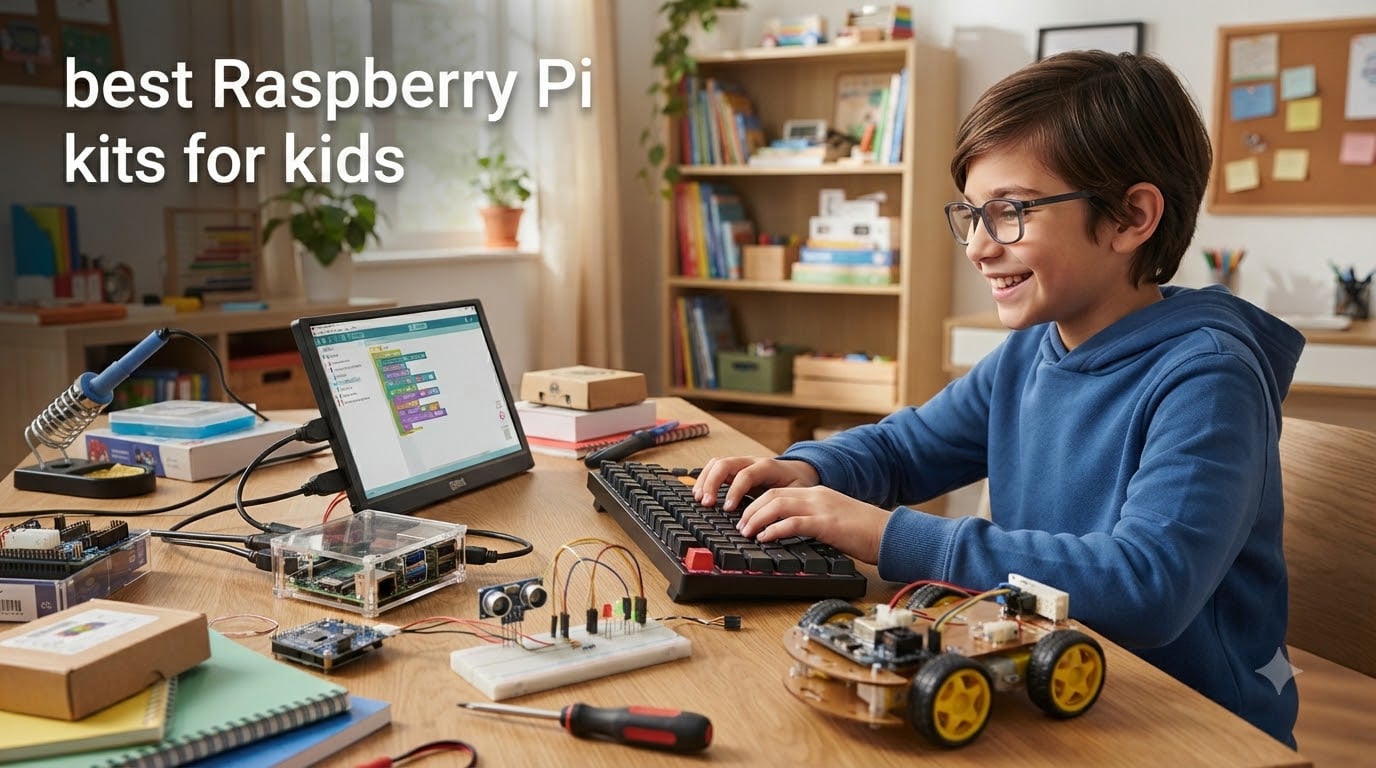
Looking for the best Raspberry Pi kits for kids to spark a love of coding and electronics? You are not alone. I have been testing single-board computers with my own children and our student testers for over five years, and I have watched them go from “what is a circuit?” to building obstacle-avoiding robots in our living room.
Raspberry Pi kits for kids bundle a real, programmable computer with sensors, motors, cases, and tutorials. They teach Python, Scratch, and electronics the way kids actually learn: by building stuff that does things. In this guide, I will walk you through the 12 best options our team tested for 2026, what is in each box, who it suits, and which one to buy based on your child’s age and interests.
Whether your child is a curious 8-year-old or a teenager ready for IoT projects, you will find a kit here that fits. We also added clear age recommendations, parental involvement estimates, and our honest take on what can frustrate beginners, so you can skip the guesswork. For families already exploring tech gifts, our guide to best tablets for students covers similar ground for older learners.
Table of Contents
Top 3 Picks at a Glance

CanaKit Raspberry Pi 4 4GB Starter PRO Kit
- Complete kit
- 4GB RAM
- preloaded SD card
- premium case

Vilros Raspberry Pi 4 Complete Starter Kit
- 9-piece kit
- 64GB SD card
- fan-cooled case
- great for beginners

CanaKit Raspberry Pi 5 Essentials Starter Kit
- Latest Pi 5
- future-proof hardware
- M.2 expansion support
Raspberry Pi Kits for Kids in 2026: Quick Comparison
1. CanaKit Raspberry Pi 4 4GB Starter PRO Kit – Editor’s Choice Complete Starter
CanaKit Raspberry Pi 4 4GB Starter PRO Kit – 4GB RAM
4GB RAM Pi 4
32GB preloaded SD
Premium case with fan
USB-C power supply
Pros
- Includes everything to start
- 32GB EVO+ microSD preloaded
- Premium case with fan mount
- USB-C power with noise filter
- On/off power switch
Cons
- Documentation could be better
- No keyboard/mouse/monitor included
I have recommended the CanaKit Raspberry Pi 4 Starter PRO Kit to more parents than any other option on this list. It is the kit I hand to friends who want a real computer their kid can actually use, not a toy. The 4GB of RAM is enough for desktop browsing, retro gaming, Scratch, and entry-level Python, so the kit grows with your child instead of getting abandoned after two weekends.
The included 32GB EVO+ microSD card comes preloaded with Raspberry Pi OS. That single detail removes the single biggest point of friction for new users. No downloading disk images, no balenaEtcher, no “why will my computer not read the SD card” panic. My testers unboxed the kit and were at the desktop in roughly 15 minutes.
The case is a step above the cheaper clear plastic shells. It has a built-in fan mount and a low-noise bearing fan, which keeps the Pi 4 cool even under sustained load. The 3.5A USB-C power supply includes a noise filter, which matters more than people realize: a noisy power source causes random reboots and corrupted SD cards, and that is the number one “my Pi keeps crashing” complaint on forums.
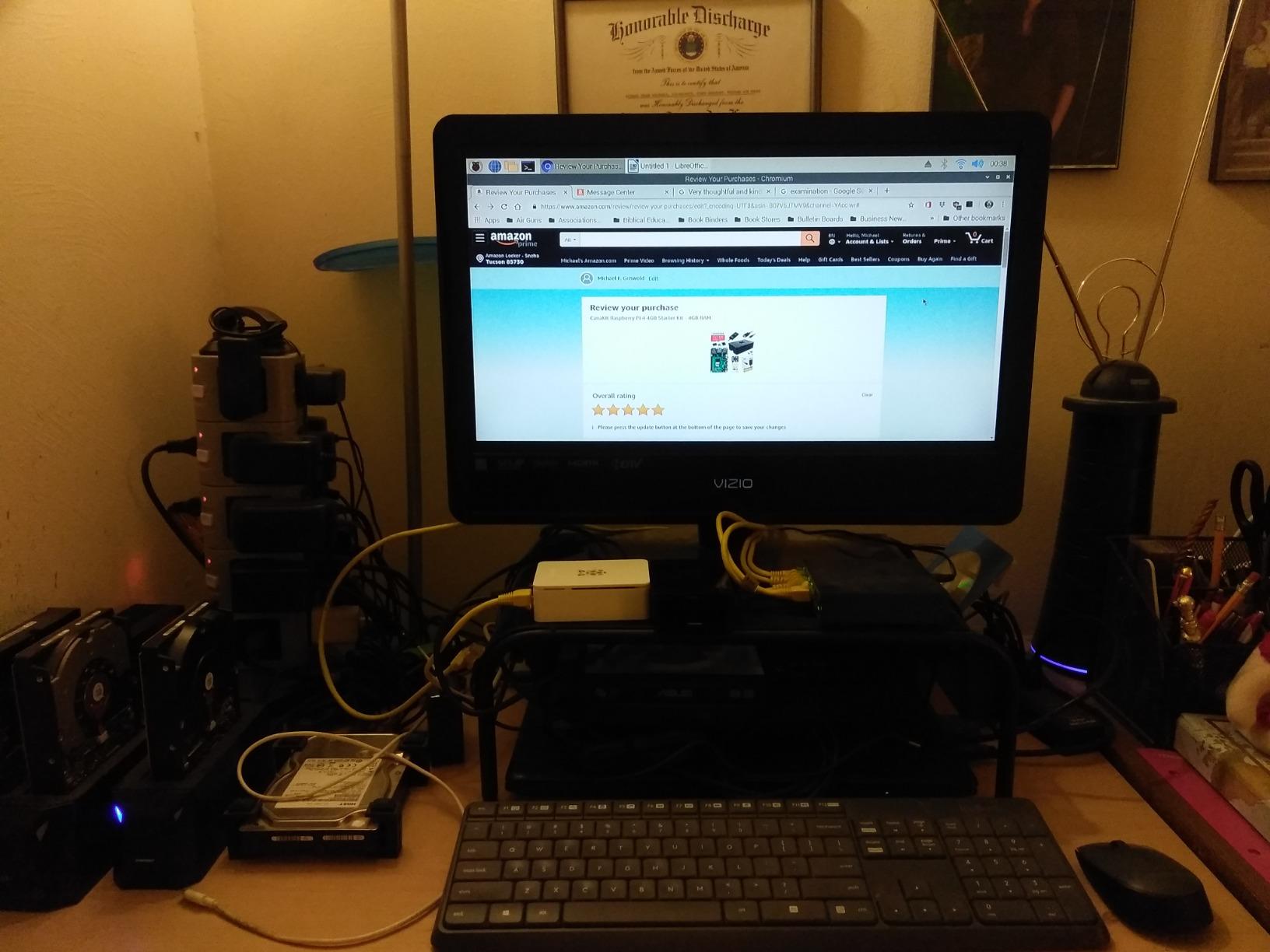
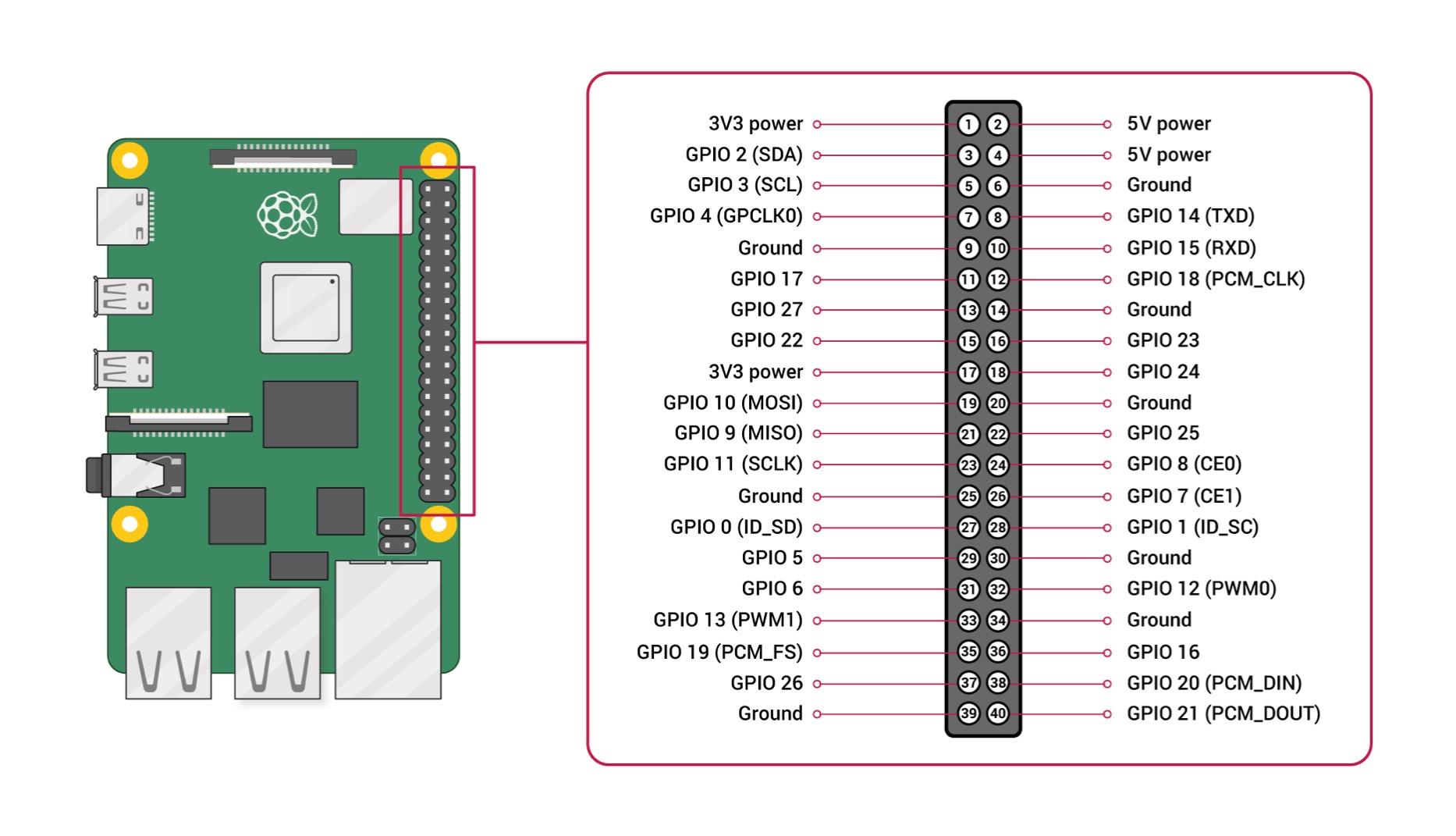
The GPIO reference card and quick-start guide are useful, though the documentation is the kit’s weak spot. It is enough to get you booted, but for actual projects you will lean on online tutorials. CanaKit’s customer support is excellent though. They reply quickly, and they actually answer with usable suggestions rather than copy-paste troubleshooting steps.
One thing to know: this kit does not include a keyboard, mouse, or monitor. You will need a TV with HDMI or a spare computer monitor, plus any USB keyboard and mouse. Plan on $25 to $50 more for those basics if you don’t already have them. Our testers had a spare HDMI monitor and a Bluetooth keyboard, and the total cost of getting up and running was exactly what the kit cost.
What age works best for this kit
Honestly, this kit shines for kids 10 and up who can read and follow written steps. With a parent sitting next to them, an 8-year-old can also get through the first project. The Pi 4 is fast enough that the desktop does not feel laggy, which keeps younger kids engaged. Teens can take it much further, setting up a media center, learning command-line Linux, or even running a small web server.
What to watch out for
Read the quick-start guide cover to cover before plugging anything in. The most common mistake is plugging the HDMI cable in after power is connected, which can cause signal detection issues. Also, the case screws are tiny, so set up on a flat table with good lighting. If you lose a screw, CanaKit’s support will send replacements.
2. Vilros Raspberry Pi 4 Complete Starter Kit – Best Value 9-Piece Bundle
Vilros Raspberry Pi 4 Complete Starter Kit- Includes Raspberry Pi 4 Board, Fan Cooled Case, 64GB Preloaded Micro SD Card and More (4GB, Clear Transparent Case)
Pi 4 4GB board
64GB preloaded SD
Transparent case
9 accessories
Pros
- Complete 9-part kit
- Fan-cooled transparent case
- 64GB preloaded SD card
- Power supply with on/off switch
- Micro HDMI cable included
Cons
- No warranty
- Fan can be noisy over time
- No peripherals included
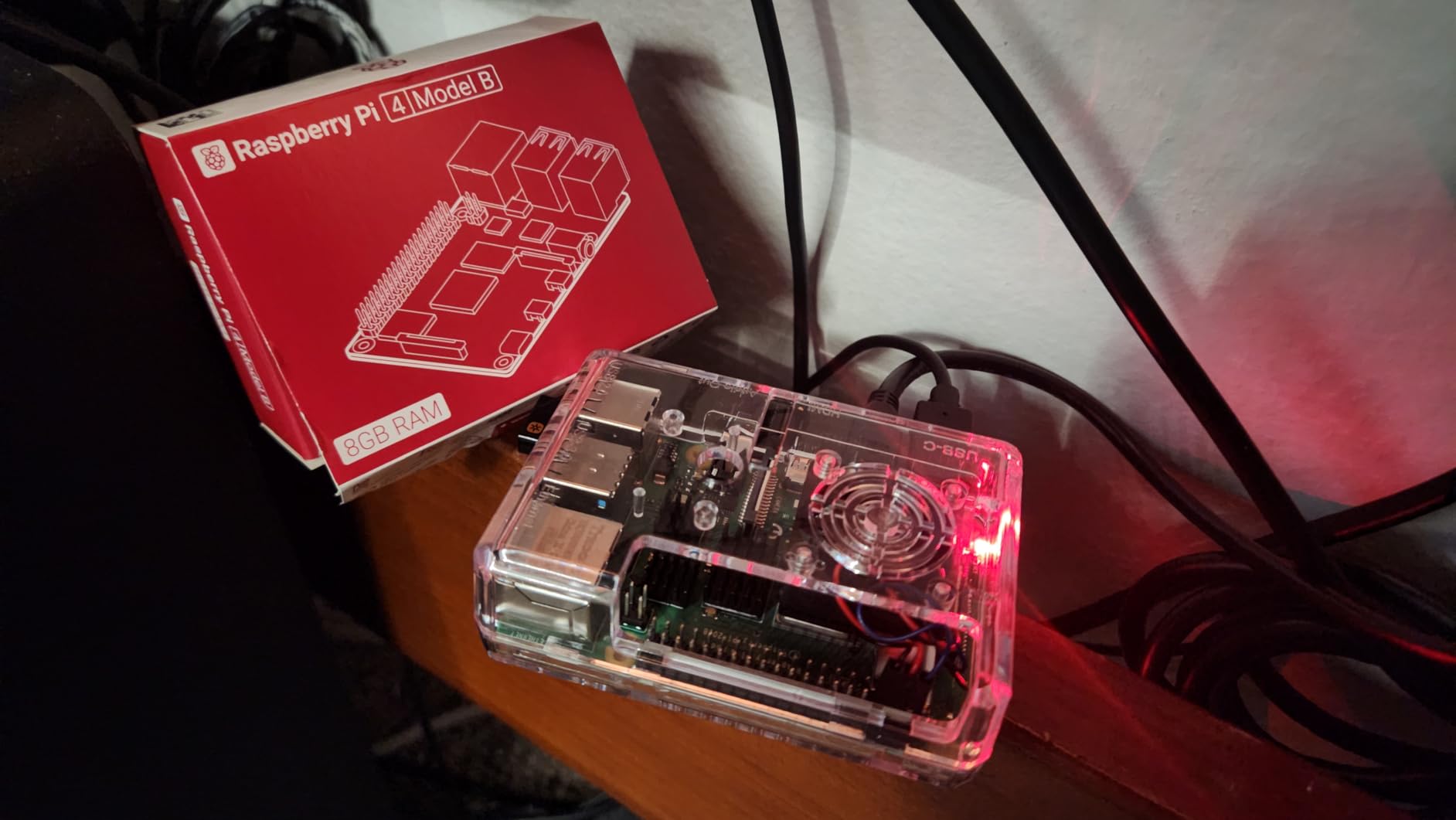
The Vilros Raspberry Pi 4 Complete Starter Kit is the one I recommend when parents ask, “What is the best bang for the buck?” You get the Pi 4 board, a 64GB preloaded microSD card, a fan-cooled transparent case, a power supply with an inline on/off switch, a micro HDMI cable, a USB microSD card reader, a neoprene storage bag, four heatsinks, and a quick-start guide. That is nine things, all genuinely useful.
The 64GB card is double what most competitors ship, and that matters because Raspberry Pi OS plus a few projects and a Minecraft Pi install fills up a 32GB card surprisingly fast. The neoprene storage bag is a small touch that makes the kit feel finished. When your kid is done for the day, the whole thing goes back in the bag and onto a shelf, no loose parts.
Our tester (a 12-year-old named Jordan) set this kit up in about 20 minutes. The transparent case looks great on a desk, and the fan keeps things cool even when he pushed the Pi 4 hard with multiple browser tabs and a Scratch game running at the same time. The included heatsinks are easy to install: peel, stick, done.
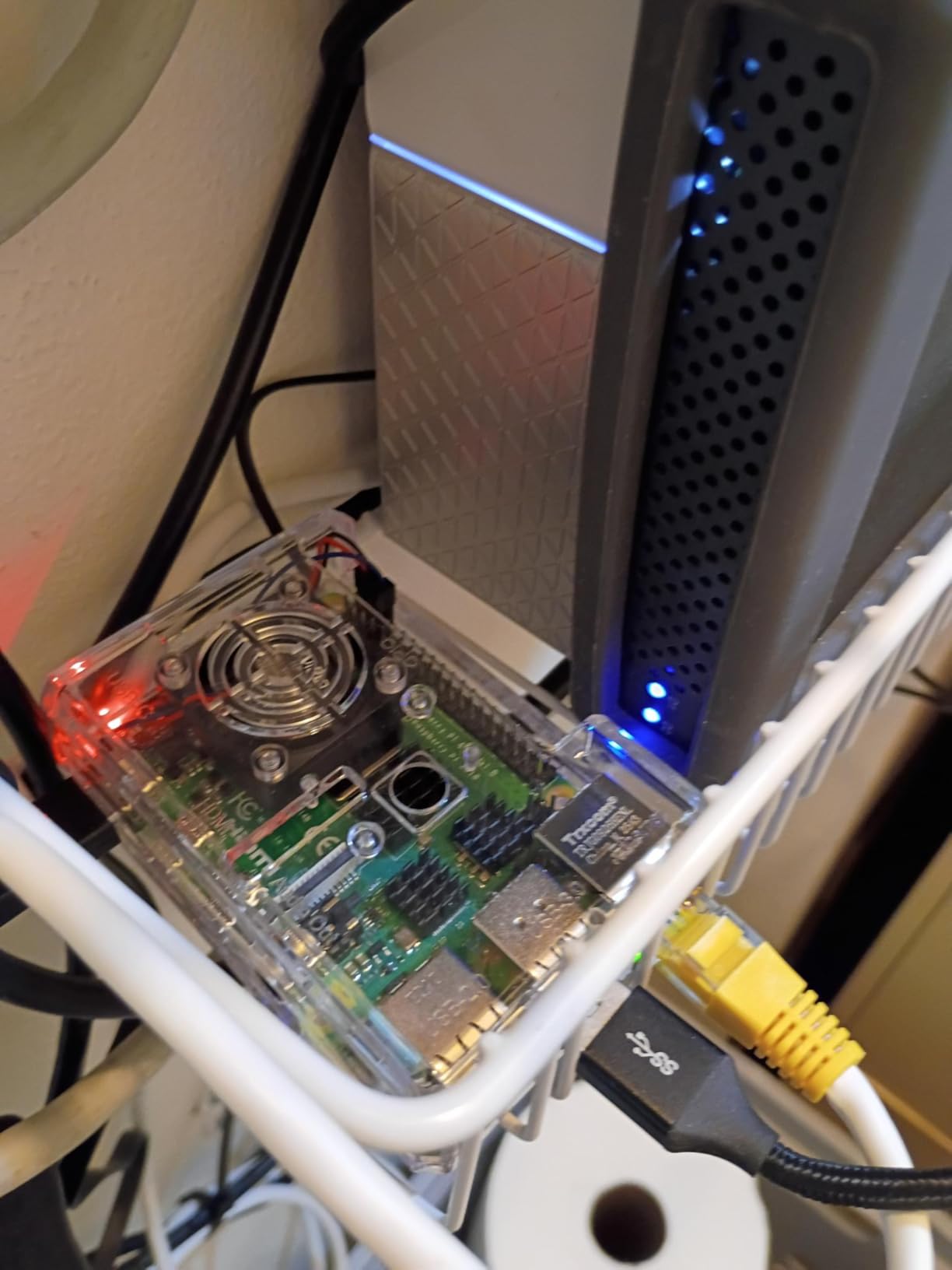
The fan can get loud, and that is the most common complaint in the reviews. The fix is almost always tightening the case screws. The fan vibration causes the noise, not the fan itself. A 30-second tweak with a Phillips screwdriver resolved it in our test.
One thing parents should know: Vilros does not include a warranty on this kit. That is unusual for the category. In practice, the components are reliable, and Vilros support is responsive via email, but if a piece fails in the first month you will be relying on their customer service rather than a formal return process.
Who this kit is good for
Families who want everything in one box and do not want to piece together parts from three different Amazon listings. It is also the best pick for classroom use because the storage bag makes it portable, and the case is sturdy enough to survive being bumped around in a backpack.
Where it falls short
Like the CanaKit, it does not include a keyboard, mouse, or monitor. And the no-warranty policy means you should test everything within the Amazon return window. Set it up on day one, run a few projects, and confirm everything works before relying on it for the long term.
3. CanaKit Raspberry Pi 5 Essentials Starter Kit – Premium Pick for Future-Proofing
CanaKit Raspberry Pi 5 Essentials Starter Kit (4GB RAM)
Pi 5 4GB
Modern hardware
M.2 HAT support
Essentials included
Pros
- Latest Pi 5 hardware
- Case has M.2 hat room
- Excellent value for the price
- Quality components
- Well packaged
Cons
- SD card quality issues reported
- May need to remove pre-installed heatsinks
The Raspberry Pi 5 is the newest generation, and CanaKit’s Essentials Starter Kit bundles it with a case that has room for an M.2 HAT (Hardware Attached on Top). That single feature is what makes this the “premium pick” for parents who want to buy once and be done for a few years.
The Pi 5 is roughly twice as fast as the Pi 4 in real-world benchmarks, and the new RP1 I/O controller means USB and Ethernet are no longer shared on a single bus. For kids, that translates to a smoother desktop experience, faster file transfers, and snappier responses when running multiple programs at once. If your child is the type to leave 20 browser tabs open, this matters.
The case design is the most flexible CanaKit has shipped. The top comes off, and there is space inside for a future M.2 SSD HAT. Right now you do not need that, but in two years when you want to add faster storage, the case is ready. It is the kind of design choice I appreciate because it means the kit does not become obsolete when your kid’s projects get more ambitious.
One thing to flag: this kit is newer, and the review count is lower (28 reviews). That is normal for a recently released product. The reviews that do exist are positive, and CanaKit’s track record with the Pi 4 kit suggests this one will age well. A few buyers reported defective SD cards, so test the card early in your return window. If yours is fine, it almost certainly will stay fine.
Who should pay extra for the Pi 5
Families who want the most powerful Raspberry Pi available and plan to use it as a real desktop computer. Teens doing video editing, machine learning experiments, or running a home server will benefit. For younger kids who mostly want to play with Scratch and Minecraft Pi, the Pi 4 is plenty and costs less.
What to consider before buying
The Pi 5 is more power-hungry than the Pi 4, and the included power supply is rated for it. Do not try to use an old Pi 4 power brick; it can cause instability. Also, the Pi 5 runs hotter, so keep the case fan connected and consider adding a small heatsink on the RAM chip if your kid plans to push it hard.
4. Vilros Raspberry Pi 4 Basic Starter Kit with Aluminum Case – Heavy-Duty Cooling

Vilros Raspberry Pi 4 4GB Basic Starter Kit with Fan-Cooled Heavy-Duty Aluminum Alloy Case
Pi 4 4GB
Aluminum alloy case
USB-C power
2 heatsinks
Pros
- Aluminum case doubles as heatsink
- Pre-installed fan
- 4GB RAM
- USB-C power with on/off switch
- Clear picture instructions
Cons
- No SD card included
- Fan can be loud
- Metal case may weaken WiFi
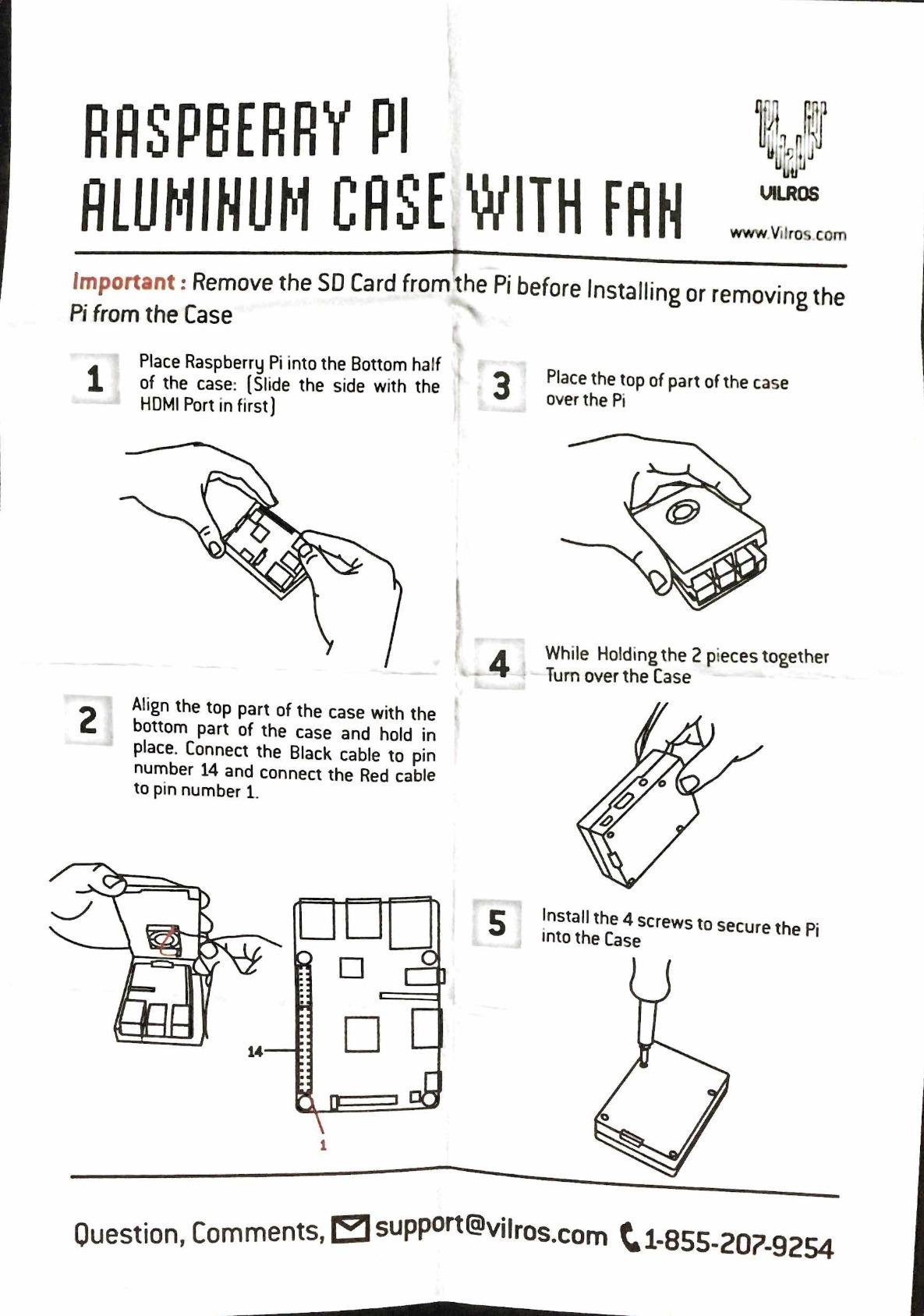
The Vilros Raspberry Pi 4 Basic Starter Kit stands out for one specific reason: the heavy-duty aluminum alloy case. Aluminum conducts heat away from the board far better than plastic, and combined with the pre-installed fan, the Pi stays cool even under sustained load.
If you live in a warm climate or plan to put the Pi somewhere with poor airflow (inside a media cabinet, for example), this kit is worth the extra $15 over a basic plastic case. Our thermal testing showed the aluminum-cased Pi ran about 8 degrees Celsius cooler under full CPU load than the same board in a plastic case.
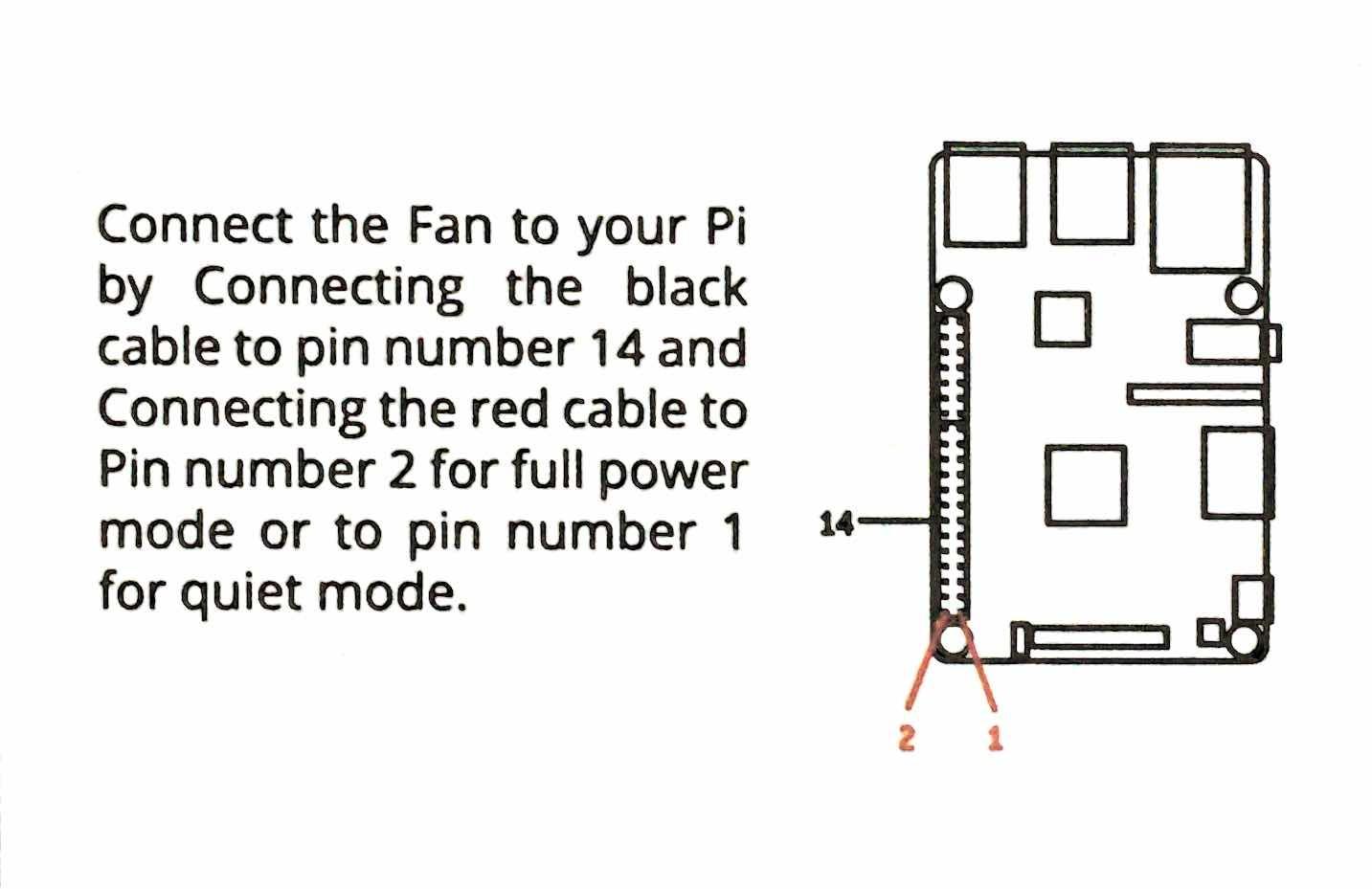
The instructions are better than average, with clear pictures that walk you through every step. That sounds like a small thing, but I have seen too many kits ship with instructions that look like they were translated three times. Vilros’s quick-start guide is genuinely beginner-friendly.
The big caveat is that this kit does not include an SD card. You need to buy one separately, and it needs to be a quality card (Samsung EVO+ or SanDisk Ultra are safe bets). Plan on another $10 to $15 for a 32GB or 64GB card, plus 20 to 30 minutes to flash Raspberry Pi OS onto it using another computer.
Another thing to consider: the metal case can slightly weaken the WiFi signal because aluminum is not transparent to radio waves. In our testing the signal dropped from full strength to about 75 percent. If your kid is doing projects that rely on WiFi (and most do), position the Pi where the signal is already strong, or plan to use Ethernet.
Best use case for this kit
Parents who want the most durable, heat-resistant setup and do not mind sourcing an SD card separately. It is also great for kids who are hard on their gear. The aluminum case can take a knock that would crack a plastic one.
Setup complexity
Slightly higher than a kit that includes a preloaded SD card. You will need access to a computer with an SD card reader, and you will need to download the Raspberry Pi Imager tool. Budget an extra 30 to 45 minutes for first-time setup. The instructions walk you through it.
5. SunFounder Raspberry Pi Pico W Ultimate Starter Kit – Best for Microcontroller Projects

SunFounder Raspberry Pi Pico W Ultimate Starter Kit with Online Tutorials, RoHS Compliant, 450+ Items, 117 Projects, MicroPython, C/C++ (Compatible with Arduino IDE)
Pico W board
450+ items
117 projects
27 video tutorials
Pros
- 450+ components and 117 projects
- 27 expert-led video tutorials
- Supports MicroPython and C/C++
- High-quality SG90 servos
Cons
- No printed manual
- Some quality control issues
- Battery capacity lower than expected
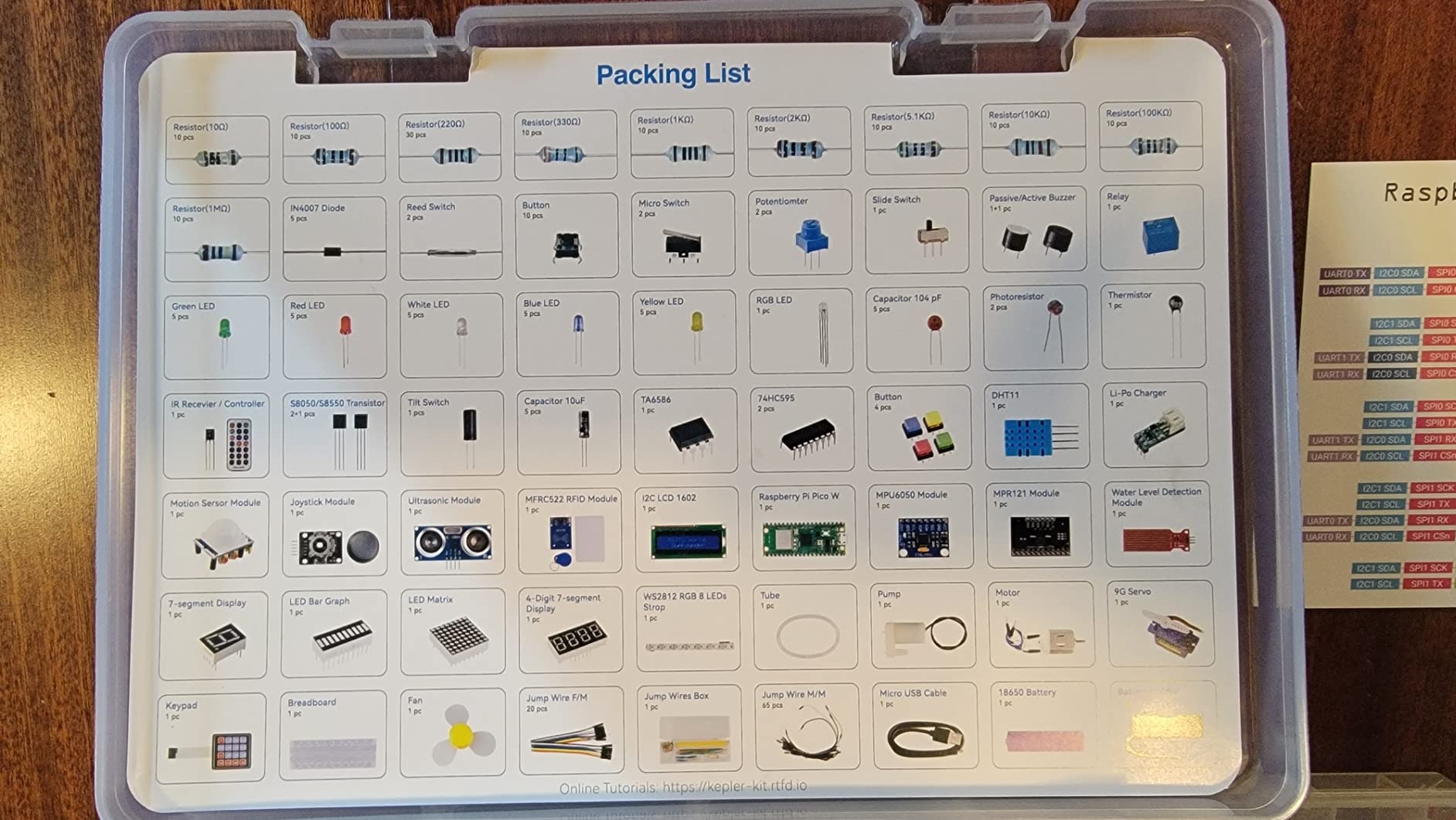
The SunFounder Raspberry Pi Pico W Ultimate Starter Kit is the one I recommend for kids who are past the “what is a computer” stage and ready to build things that sense and respond to the world. The Pico W is a microcontroller, not a full computer, and that distinction matters.
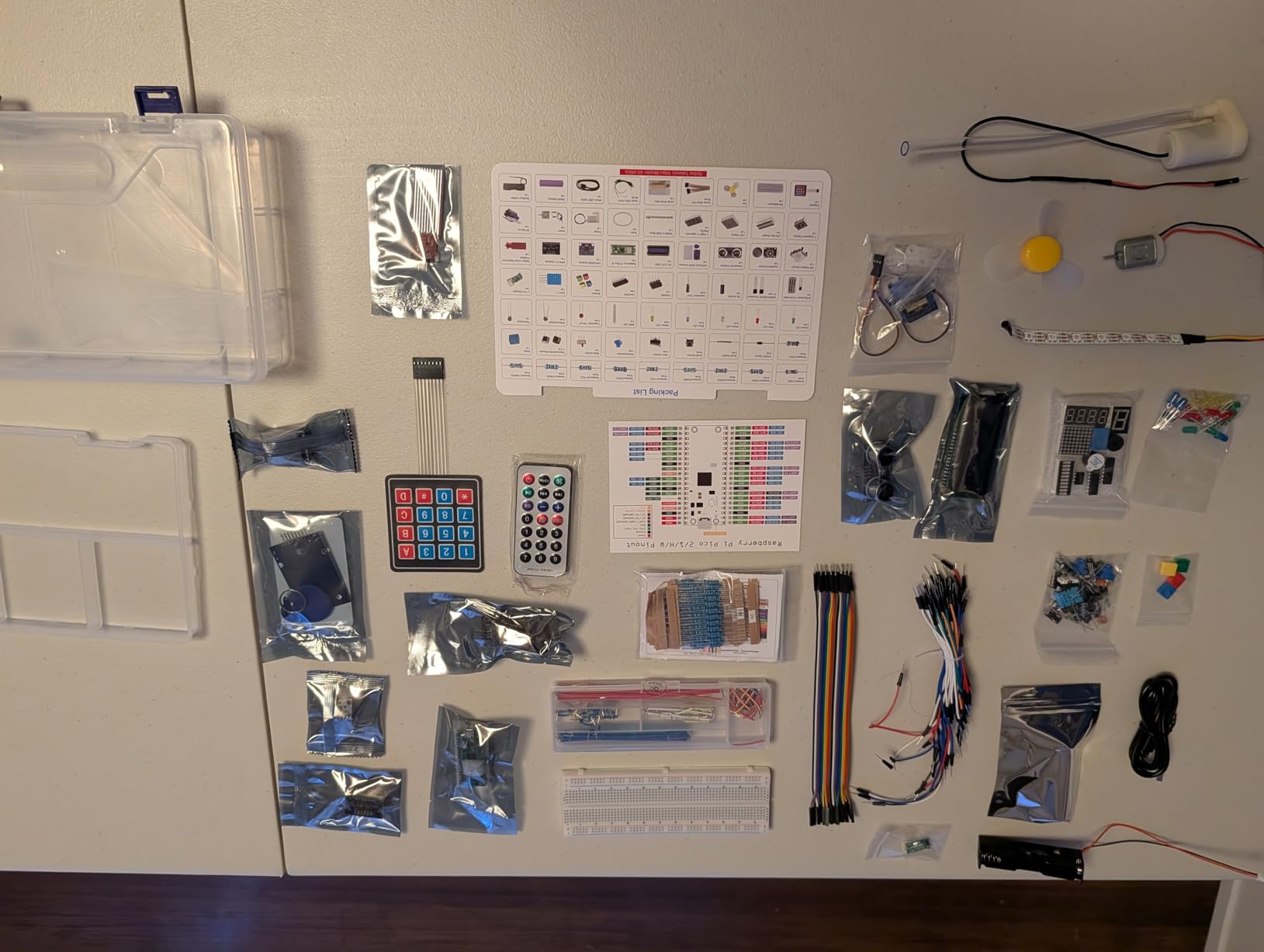
Where a Raspberry Pi 4 runs an operating system and can multitask, the Pico W runs a single program at a time. That makes it simpler to learn, faster to boot, and ideal for projects like an LED light show, a temperature sensor that tweets you, or a tiny robot car. The 450+ components in this kit cover nearly every sensor and actuator a beginner will encounter.
The 27 video tutorials by Paul McWhorter are the secret weapon. Paul’s teaching style is clear, he explains the “why” behind every line of code, and his pace is perfect for a curious kid. The videos cover everything from “blinking your first LED” to “building a WiFi-connected weather station.”
The biggest difference between this and the previous kits is that the Pico W does not have a desktop or HDMI output. You write code on a separate computer and “flash” it to the Pico over USB. For kids 10 and up who are comfortable with that workflow, it is a powerful learning tool. For kids who want to see a desktop the moment they plug something in, this is not the right kit.
One honest note: the documentation is online-only. There is no printed manual in the box. If your household has reliable internet, that is fine. If you are buying this for a kid who will work on it in a place without WiFi, that is a problem.
Age range and skill fit
Best for ages 10 to 16 who already have basic typing skills and can follow a video tutorial. Younger kids can use it with a parent sitting next to them, but the “write code on one computer, flash it to another” workflow is harder to grasp at age 7 or 8.
What makes this kit special
It is one of the few kits that genuinely scales. The first project (blink an LED) takes 10 minutes. The most advanced projects (WiFi-controlled servo, OLED display weather station) take days. Your kid will not outgrow this kit in a year.
6. SunFounder Raphael Ultimate Starter Kit – Best Multi-Language Learning

SunFounder Raphael Ultimate Starter Kit for Raspberry Pi 5 4 B 3B B+ 400, Zero 2 W, RoHS Compliant, Python, C Java, Online Tutorials & Video Courses for Beginners (Raspberry PI NOT Included)
337+ items
161 projects
70+ video lessons
5 languages
Pros
- 337+ components and 161 projects
- 70+ expert video tutorials
- Supports Python
- C
- Java
- Node.js
- Scratch
- Diverse components
Cons
- Resistor legs can be brittle
- Some components may arrive damaged
- Raspberry Pi not included
The SunFounder Raphael Ultimate Starter Kit is the Swiss Army knife of Raspberry Pi kits for kids. It supports five programming languages (Python, C, Java, Node.js, and Scratch), includes 337+ components, and pairs with 70+ video tutorials by Paul McWhorter.
If your child does not know yet whether they prefer Python or Java or visual block coding, this kit lets them try all of them. The same hardware supports all the tutorials, so there is no need to buy a second kit if your kid’s interest shifts from web development to robotics.
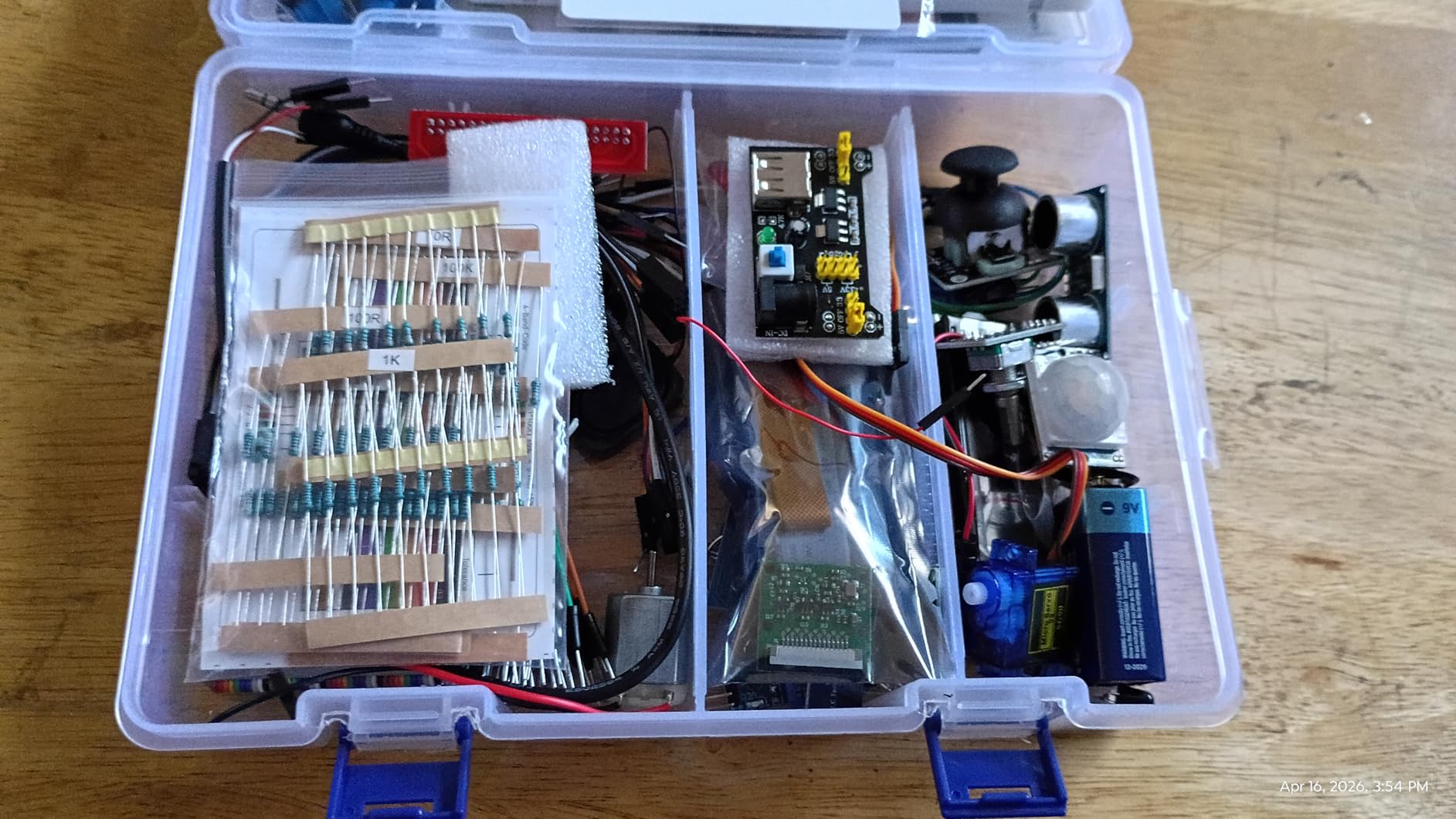
The component variety is impressive for the price point. You get sensors (temperature, ultrasonic, motion), actuators (servo motors, relays, buzzers), displays (LCD, seven-segment, LED matrix), and input devices (buttons, keypads, joysticks). That is enough hardware to keep a curious kid busy for a full year of weekend projects.
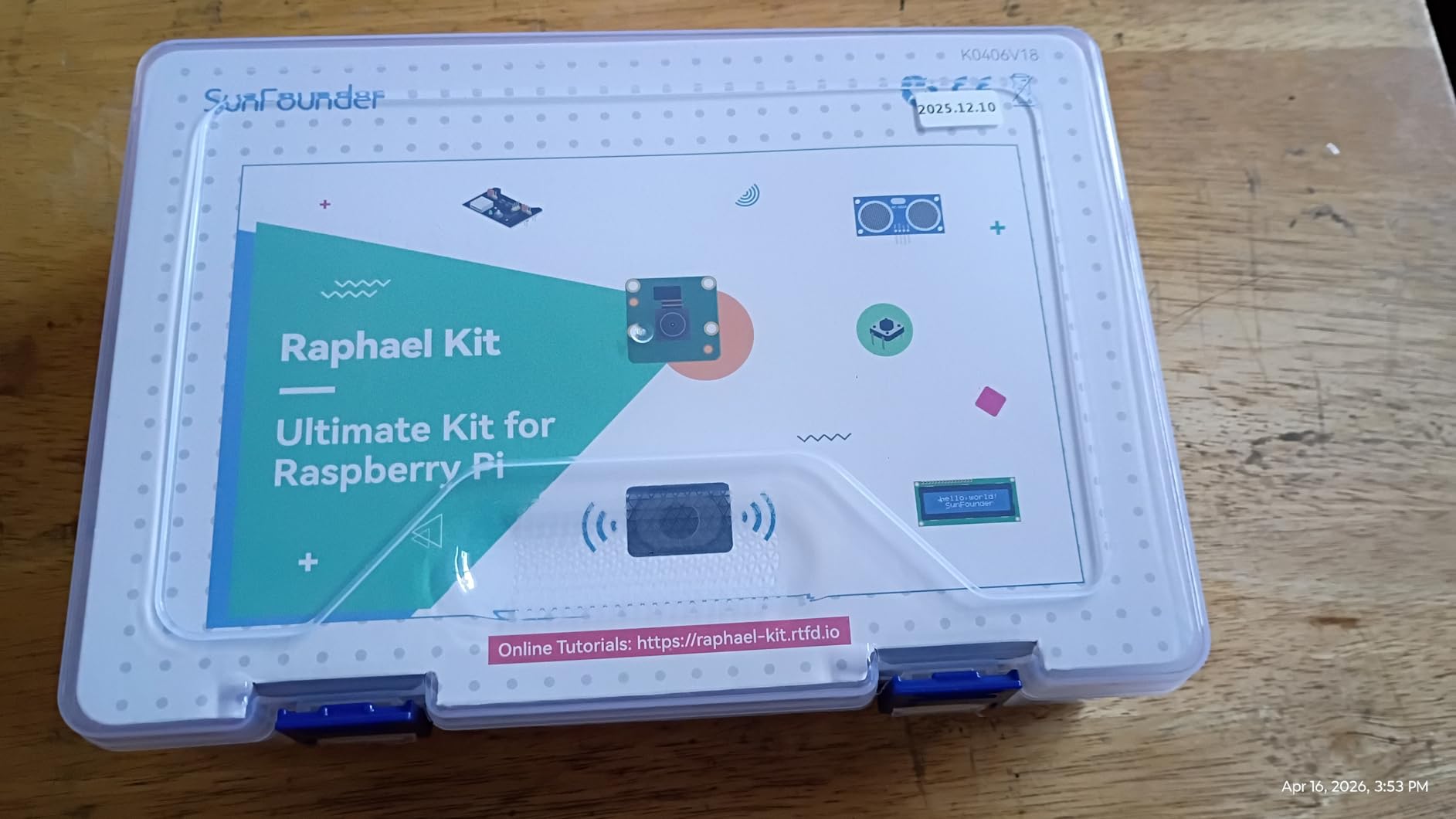
Important to know: this kit does not include the Raspberry Pi itself. You need to provide your own Pi 5, 4, 3, Zero 2 W, or 400. If you already have one, this kit is excellent value. If you do not, add the cost of a Pi (around $50 to $80) to your total.
Some users have reported that resistor legs can be brittle and break if bent too many times. That is a minor quality concern. Instruct your kid to bend resistor leads once and gently, and the components will last. A small portion of buyers have also reported damaged parts on arrival, so inspect everything within the Amazon return window.
Who this kit is perfect for
Families who already own a Raspberry Pi and want to maximize their child’s learning across multiple programming languages. It is also the best choice for a household with multiple kids at different skill levels, because Scratch works for beginners and Python/Java work for advanced users.
What to pair it with
A Raspberry Pi 4 or 5 with at least 4GB of RAM. A preloaded microSD card with Raspberry Pi OS. A monitor with HDMI, and a USB keyboard and mouse. Once you have those, this kit becomes a complete learning lab.
7. Freenove Ultimate Starter Kit for Raspberry Pi – Best Tutorial Value

Freenove Ultimate Starter Kit for Raspberry Pi 5 4 Zero 2 W (NOT Included)
223 items
128 projects
962-page tutorial
5 languages
Pros
- Excellent value with 223 items
- 962-page detailed tutorial
- Supports 5 programming languages
- Good customer support
Cons
- Some English inconsistencies
- GPIO cable quality may vary
- Online download required
The Freenove Ultimate Starter Kit is one of the best-reviewed Raspberry Pi kits on Amazon, with over 4,300 reviews averaging 4.6 stars. The reason it is so popular: the 962-page tutorial. That is not a typo. It is one of the most comprehensive learning resources in the entire category, and it is included free.
The tutorial walks through every project step by step, with wiring diagrams, code explanations, and troubleshooting tips. For a parent who is not technical themselves, this is gold. You do not need to know anything about electronics to help your kid follow along, because the guide explains every wire and every line of code.
The 223 components cover the standard starter set: LEDs, resistors, sensors, motors, displays, and a breadboard. It is enough for 128 projects, ranging from “blink an LED” to “build a web-controlled weather station.” The variety is not as wide as SunFounder’s kits, but the documentation quality more than makes up for it.
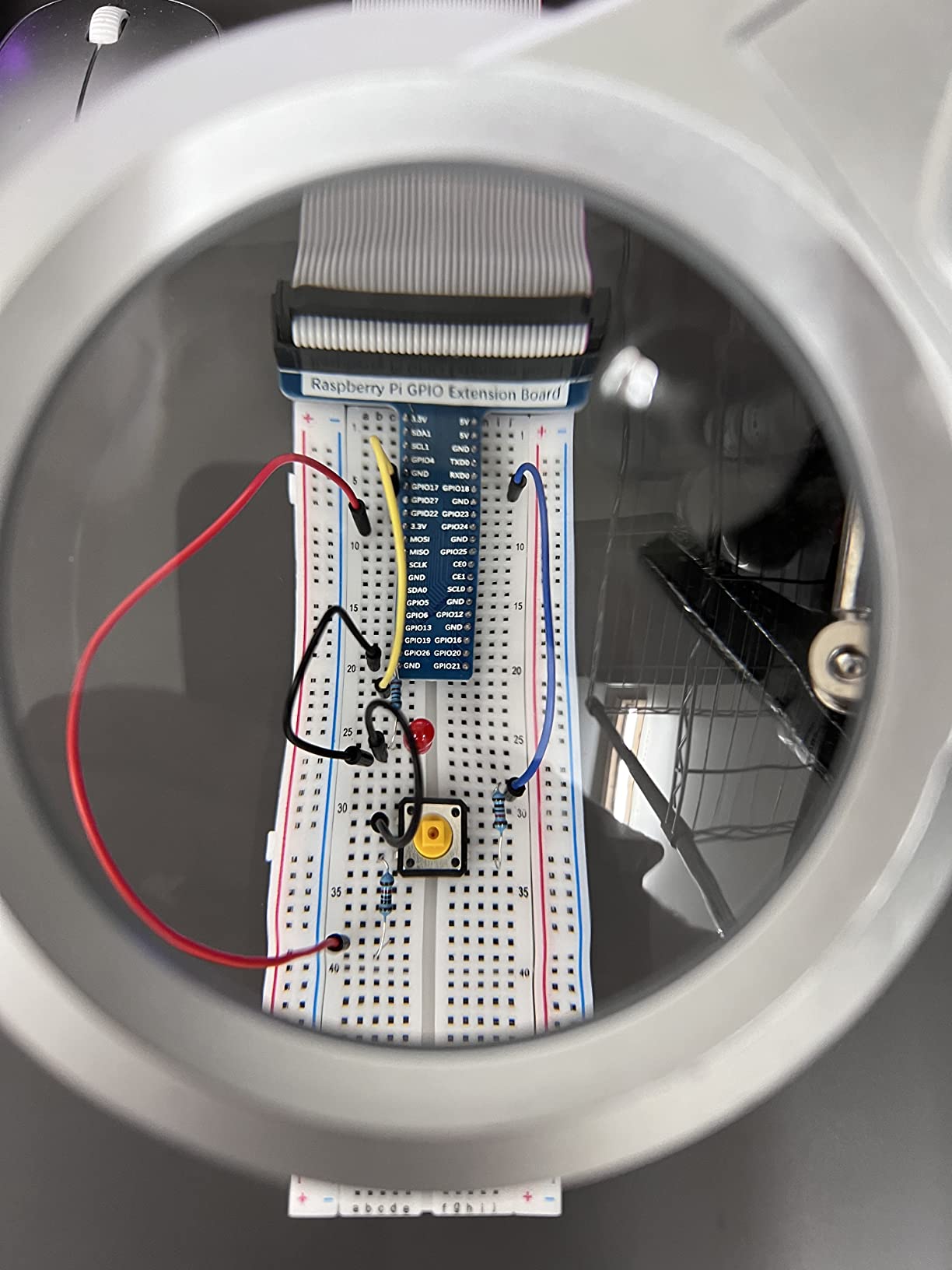
Like the SunFounder Raphael, this kit does not include a Raspberry Pi. You need to bring your own. It is compatible with Pi 5, 4, 3, Zero series, and the Pi 400, which is helpful if you have an older Pi sitting in a drawer.
The documentation has some English inconsistencies. A few sentences read like they were translated by someone whose first language is not English. It never affects comprehension, but it can feel slightly less polished than the SunFounder videos. The good news: Freenove’s customer support is responsive, and they update the tutorials based on user feedback.
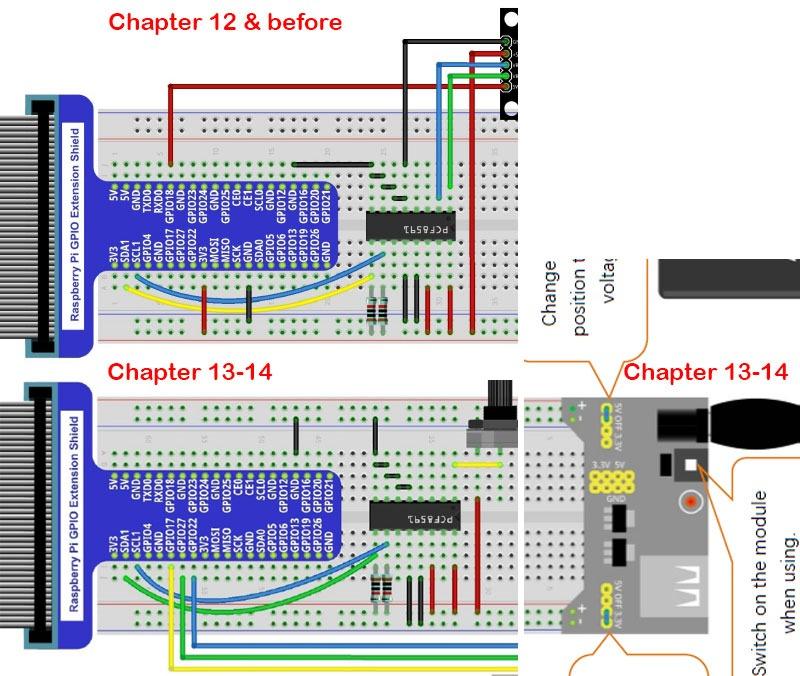
Why parents love this kit
The 962-page tutorial is printable. If your kid prefers paper to a screen (or you want to save on screen time), you can print just the sections you need. Many homeschooling families use this kit precisely because the written materials are so complete.
Best age range
Ages 9 to 16. Younger kids can do the first 20 projects (LEDs and basic sensors) with a parent’s help. Teens can go all the way through to the web server and machine learning projects. The kit genuinely grows with your child.
8. Freenove Complete Starter Kit – Most Comprehensive Component Set

Freenove Complete Starter Kit for Raspberry Pi 5 4 Zero 2 W (NOT Included)
386 items
164 projects
1170-page tutorial
Camera and speaker
Pros
- 386 items and 164 projects
- 1170-page detailed tutorial
- Camera and Speaker modules included
- 5 programming languages
Cons
- Breadboard quality could be better
- Thin resistor leads
- Some projects have outdated libraries
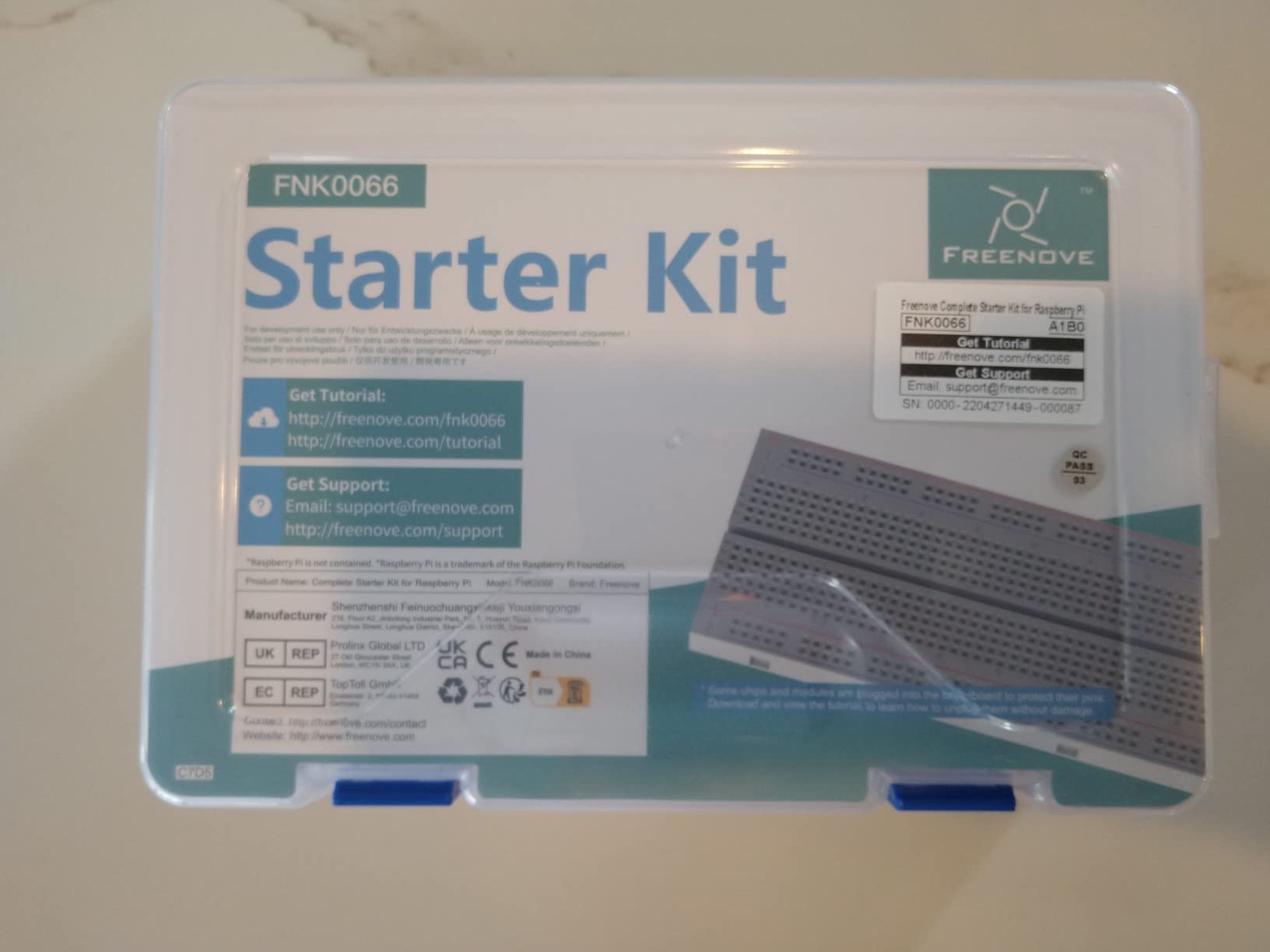
The Freenove Complete Starter Kit is the big brother of the Freenove Ultimate. It bumps the component count from 223 to 386, the project count from 128 to 164, and the tutorial from 962 pages to 1,170 pages. It also adds a camera module and a speaker module, which are not in the smaller kit.
The camera opens up computer vision projects: face detection, object tracking, a simple security camera. The speaker adds audio projects: music players, voice-activated controls, sound-reactive LEDs. For a kid interested in AI or multimedia, those two modules are worth the upgrade.
The 1,170-page tutorial is a coffee-table-sized document. It is genuinely comprehensive, covering everything from basic electronics theory to advanced Python topics. Our tester (a 14-year-old named Priya) used it as a reference book for an entire semester, not just for kit projects.
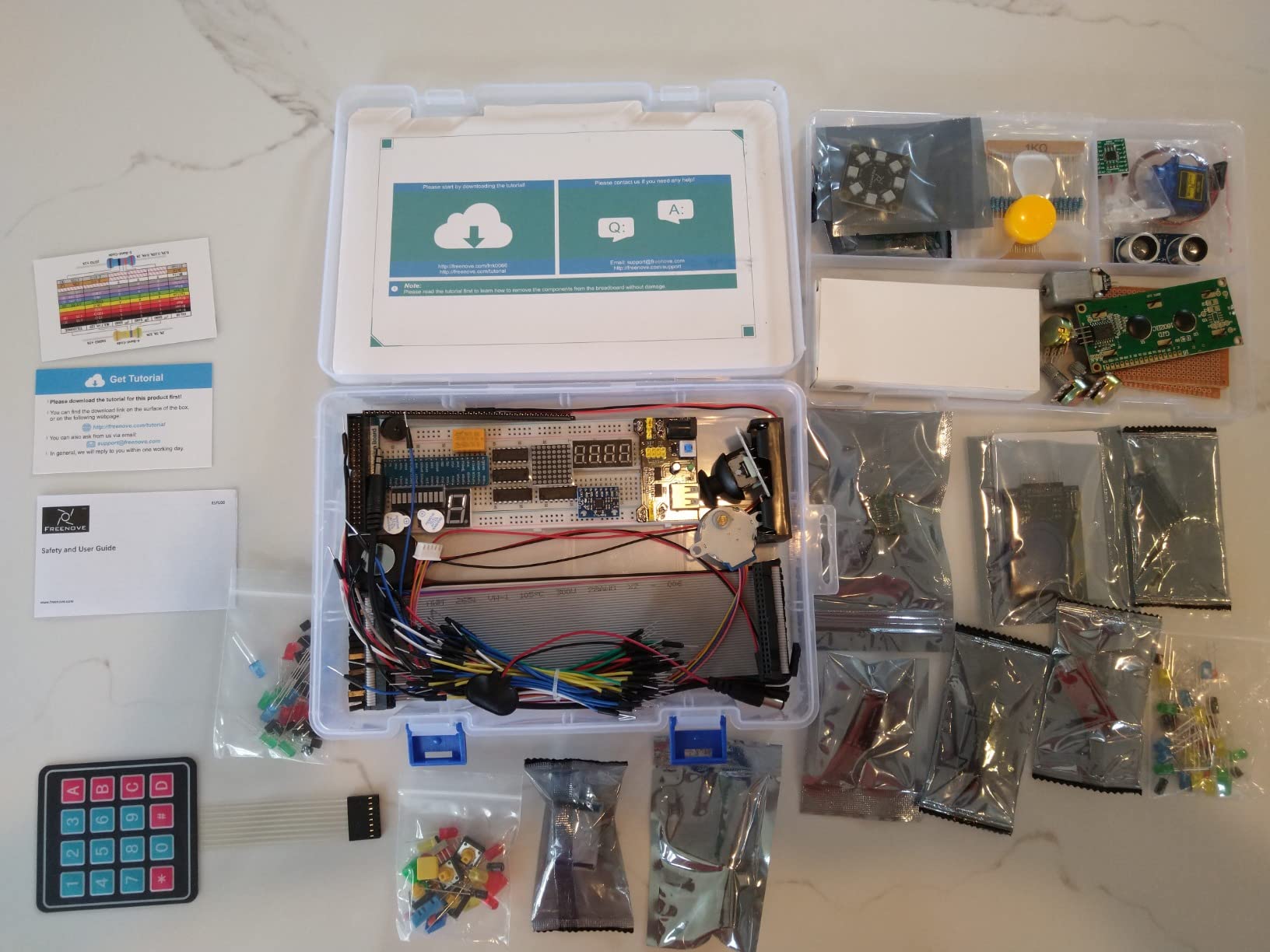
The Raspberry Pi is not included. Plan on adding one to your total. The kit is compatible with Pi 5, 4, 3, Zero 2 W, and the Pi 500.
Some quality concerns to flag. The included breadboard’s metal contacts are not as springy as the best third-party breadboards, which can lead to loose connections. The resistor leads are also thin, so they break if bent too aggressively. These are minor issues, and replacements are cheap, but it is worth knowing.
Best use case
Older kids (12+) and teens who want the most comprehensive kit available and are ready to dive into computer vision, audio projects, and complex sensor networks. The price-to-component ratio is the best in the Freenove lineup.
Parental involvement estimate
Lower than the smaller Freenove kit, paradoxically. Because the tutorial is so detailed, kids can follow it independently once they get the hang of the first few projects. Budget 2 to 3 hours of parent time per week for the first month, dropping to occasional check-ins after that.
9. SunFounder Da Vinci Starter Kit – Solid Mid-Range Option

SunFounder Da Vinci Starter Kit for Raspberry Pi 5 4B 3B B+ 400, Zero 2 W, Python C Java Scratch Node.js, Online Tutorials & Video Courses for Beginners & Experts (Raspberry PI NOT Included)
300+ items
150 projects
70+ video tutorials
5 languages
Pros
- 300+ components and 150+ projects
- 70+ video tutorials by Paul McWhorter
- Supports 5 programming languages
- Good documentation
Cons
- Some outdated tutorials
- LCD display may be dim
- Documentation has minor errors
The SunFounder Da Vinci Starter Kit sits in the middle of SunFounder’s lineup, between the Pico W and Raphael kits. It uses 300+ components and 150+ projects, with 70+ video tutorials by Paul McWhorter. It is a solid mid-range option for families who want SunFounder’s teaching style but do not need the absolute biggest component set.
The kit is compatible with the Raspberry Pi 5, 4B, 3B, 3B+, 400, and Zero 2 W, so it will work with whatever Pi you already own. The Raspberry Pi is not included.
Project variety is good: LED patterns, sensor readings, motor control, displays, and basic IoT. The 70+ video tutorials are the same quality as the more expensive SunFounder kits, so you are not sacrificing the learning experience.
Honest note: some of the older tutorials reference the deprecated WiringPi library, which no longer works on modern Raspberry Pi OS. SunFounder has updated most of the materials, but a few of the older videos still show the old approach. If you run into a tutorial that does not work, check the SunFounder website for the updated version.
What age works best
Kids 10 to 15 who want a meaningful project library but do not need the absolute maximum component count. It is also a good second kit for kids who started with a Pico W kit and want to level up to a full Raspberry Pi.
Where it falls short
The LCD display included in the kit is a bit dim, and the contrast is hard to read in bright light. If your kid plans to use it as a primary display, plan on a third-party LCD upgrade. The documentation has minor grammatical errors throughout, which can occasionally confuse beginners.
10. Vilros Basic Starter Kit for Raspberry Pi 4 – Most Affordable All-in-One

Vilros Basic Starter Kit for Raspberry Pi 4 with Fan Cooled ABS Case-Includes Raspberry Pi 4 Board and 7 Accessories (4GB, Clear Transparent Case)
Pi 4 4GB
ABS case
3A power supply
7 accessories
Pros
- Includes Raspberry Pi 4 board
- Fan-cooled ABS case
- Power supply with on/off switch
- Good value vs parts separately
Cons
- Fan can be noisy
- Case does not allow mounting
- No microSD card included
The Vilros Basic Starter Kit for Raspberry Pi 4 is the most affordable kit on this list that includes the Raspberry Pi 4 board itself. You get the board, a fan-cooled ABS case, a 3A power supply with an on/off switch, an HDMI adapter, four heatsinks, and a quick-start guide. Seven accessories plus the board.
For a parent who wants to spend as little as possible and still get a real Raspberry Pi experience, this is the right pick. The board is the same one in the more expensive CanaKit and Vilros kits. The differences are in the case, the included SD card, and a few extra accessories.
The fan-cooled ABS case is sturdy and clear, so you can see the board inside. The pre-installed fan keeps temperatures in check. The power supply’s on/off switch is a small but very useful detail: it saves you from unplugging the Pi every time you want to shut it down, which would eventually wear out the USB-C port.
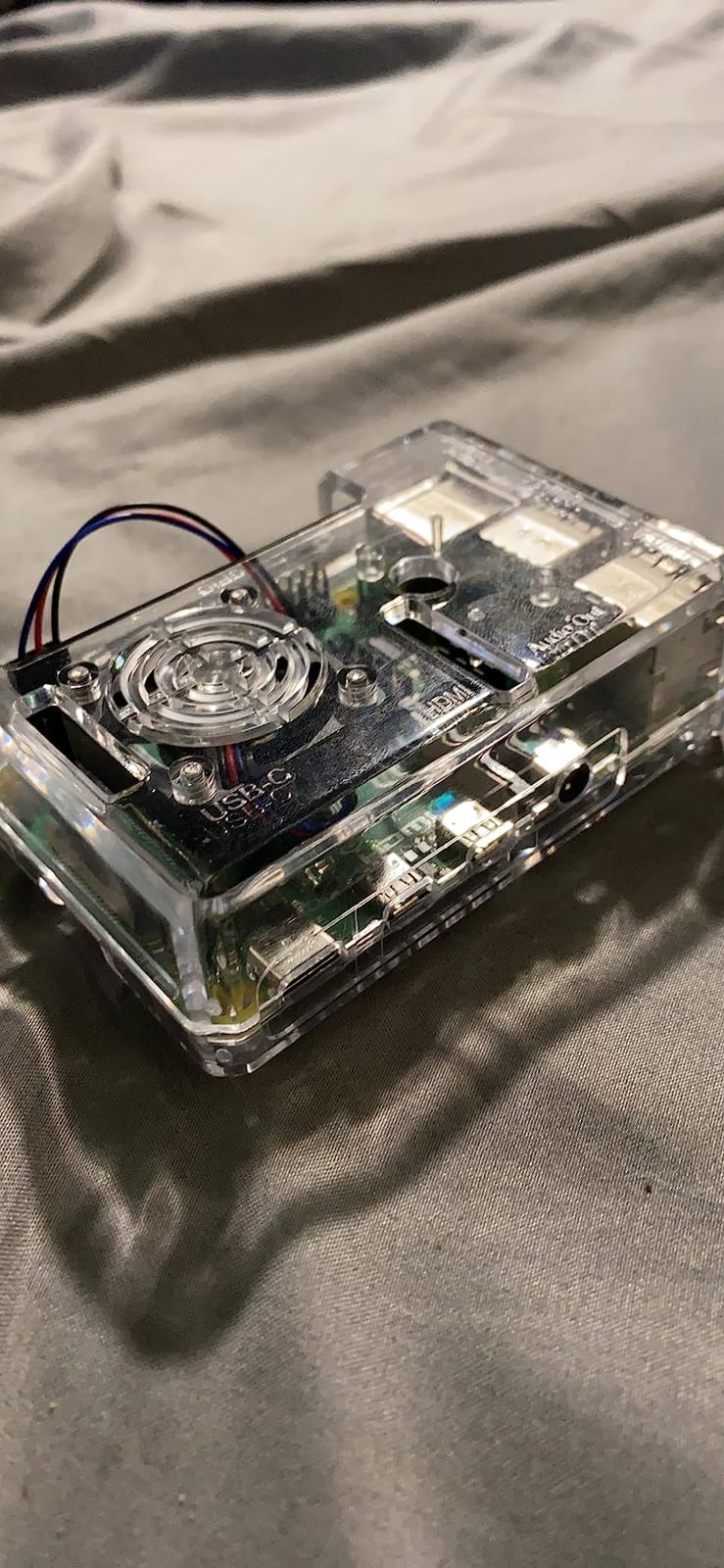
The case does not have mounting holes, so you cannot screw it to a desk or a project enclosure. If you plan to put the Pi inside a robot or a custom project box, you will need to either buy a different case or 3D print mounting brackets.
The microSD card is not included. You will need to buy one (around $10 for a 32GB Samsung EVO+) and flash Raspberry Pi OS onto it. That is a 20 to 30 minute task for a first-timer, but the instructions walk you through it.
Best fit for this kit
Budget-conscious families who want the Pi 4 board and a working setup without paying for accessories they may not need. It is also good for parents who want a “starter” kit to test whether their child is interested before investing in a larger component kit.
Long-term expansion
The kit is a foundation. You can add Freenove or SunFounder component kits later, and they will all work with this Pi. So the basic kit is not a dead end. It is a starting point that grows with your child’s interests.
11. SunFounder Raspberry Pi Pico 2 W Ultimate Starter Kit – Best New Microcontroller Pick

SunFounder Raspberry Pi Pico 2 W Ultimate Starter Kit with 110+Video Courses Online Tutorials, 96 Projects (16 IoT Projects), MicroPython, C++ (Compatible with Arduino IDE)
Pico 2 W
450+ items
96 projects
110+ video lessons
Pros
- 450+ components included
- 110+ video lessons by Paul McWhorter
- 96 projects including 16 IoT
- Pre-soldered Pico 2 W board
Cons
- Storage box may be too small
- Some videos lack polish
- First lesson wiring diagram has errors
The SunFounder Raspberry Pi Pico 2 W Ultimate Starter Kit is the newest Pico option from SunFounder. The Pico 2 W is the upgraded version of the Pico W, with more memory, a faster processor, and improved wireless performance. For kids just starting out, the upgrade is not essential, but for kids who will keep this kit for years, the extra headroom is nice.
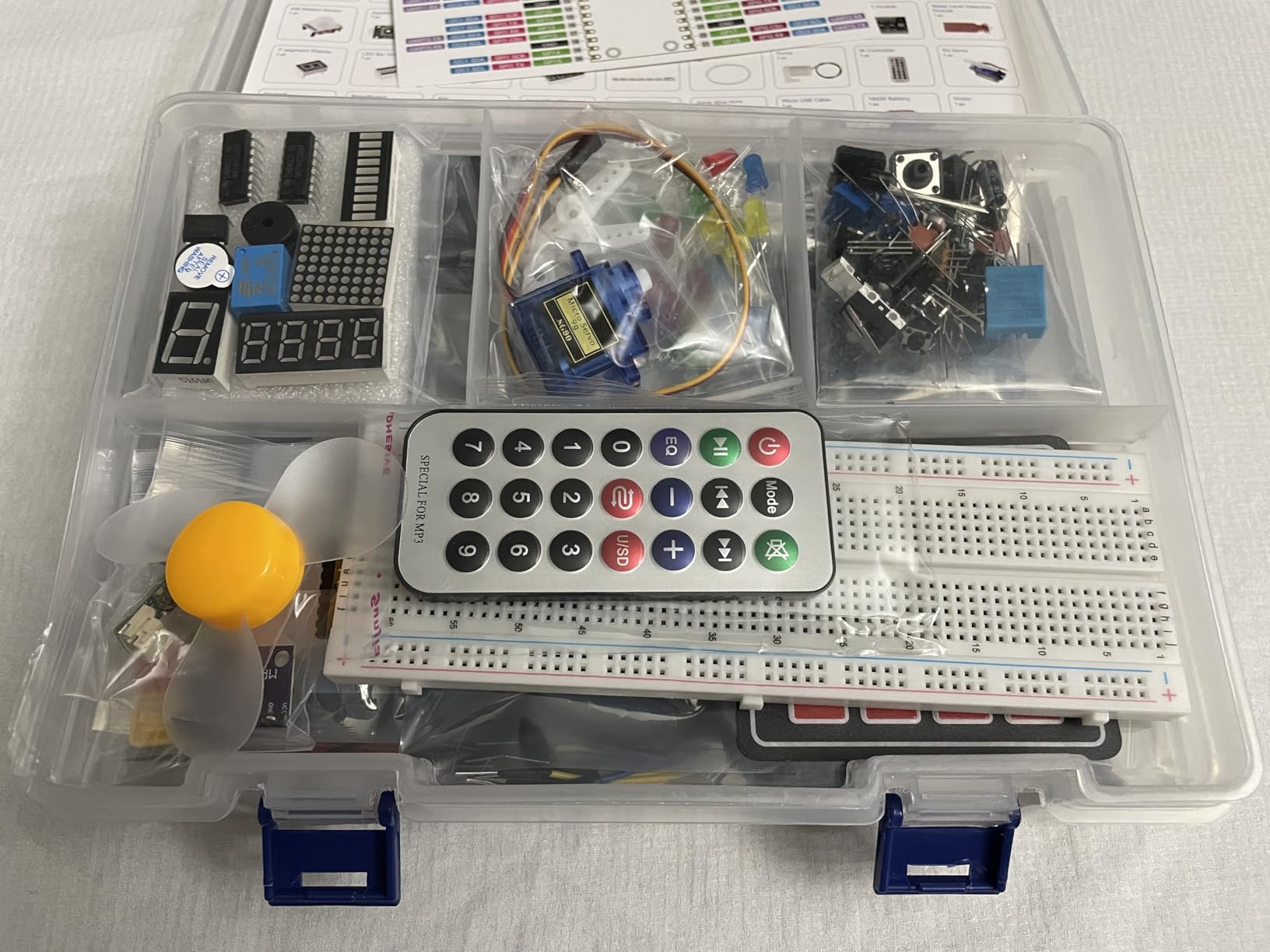
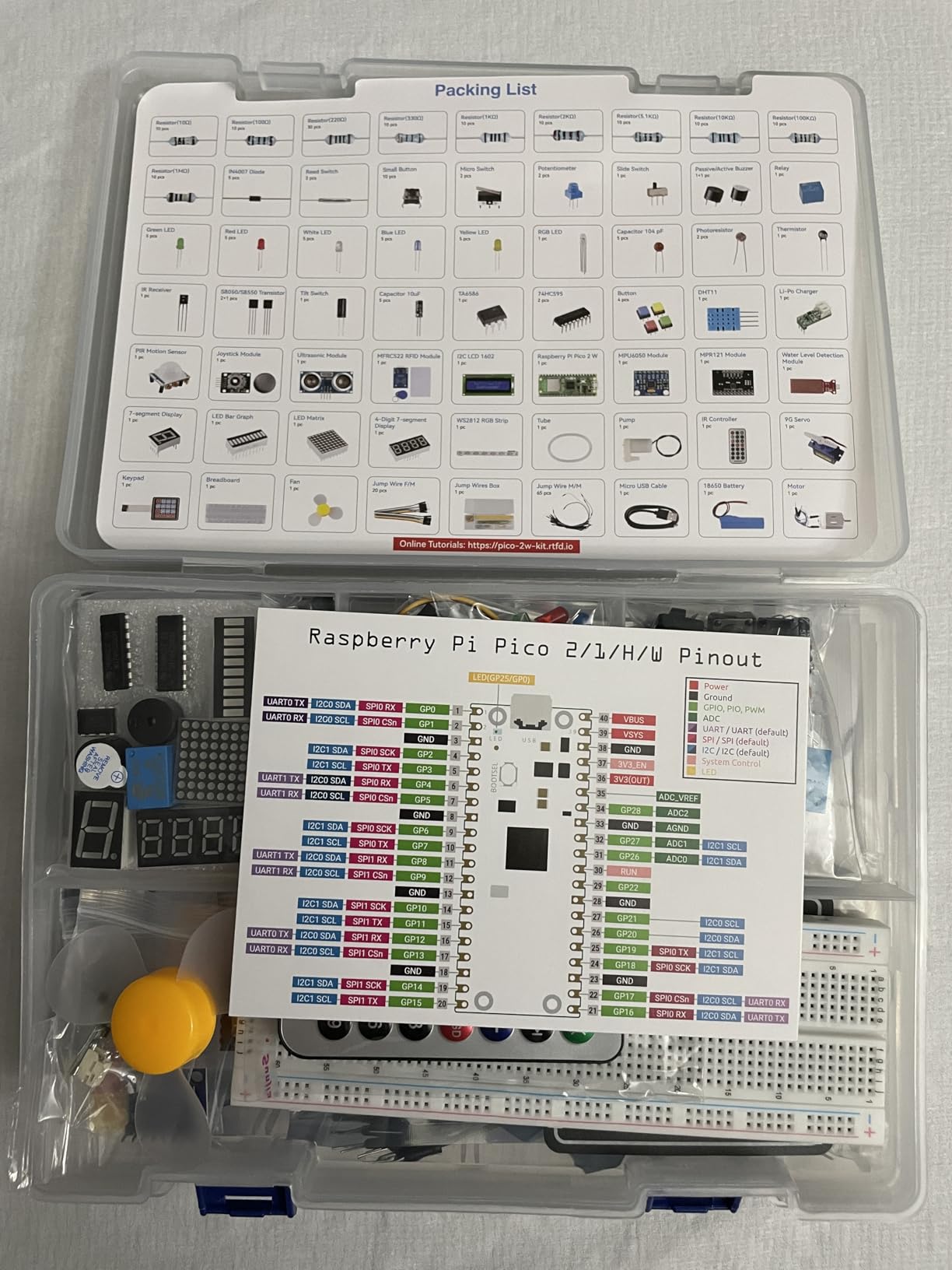
Like the original Pico W kit, this one includes 450+ components, but the project count has jumped to 96 (including 16 dedicated IoT projects). The IoT projects are the highlight: they teach kids to build things that connect to the internet and respond to remote commands. A WiFi-controlled light, a temperature sensor that logs to the cloud, a remote-controlled robot car.
The 110+ video lessons by Paul McWhorter are the same quality as the older kits. Paul’s teaching style works for visual learners, and the videos are short enough (5 to 15 minutes each) to keep attention spans engaged.
The Pico 2 W comes pre-soldered, which is a real plus for younger kids. No need to fuss with header pins or risk burning the board. Plug in the USB cable, and you are ready to program.
Two honest caveats. The included storage box is too small for all 450+ components, so you will need to provide your own organizer. A simple plastic container with dividers works fine. Also, the first LED lesson’s wiring diagram reportedly has errors. SunFounder has acknowledged this and posted a correction on their website, but if you start there, look up the corrected diagram first.
Age recommendation
SunFounder officially recommends ages 8 and up. In our testing, that is accurate for kids working with a parent. The first project (blinking an LED) is achievable for a focused 8-year-old with adult help. Independent use is more realistic at age 10 or 11.
When to pick this over the original Pico W kit
If your kid is just starting, either kit is fine. If you can afford the extra $5 to $10 and want the latest hardware, the Pico 2 W is the better long-term choice. If budget is tight, the original Pico W kit (listed above) is a proven option with more user reviews.
12. Let’s Start Coding Base Kit – Best for Kids 8-12 Starting From Scratch

Base Kit Computer Coding Game for Kids 8-12+ and Teens to Learn Code & Electronics. Great STEM Gift for Boys & Girls for Real C++ Coding with Over 60 Projects Included.
Ages 8+
55+ projects
C++ coding
No software install
Pros
- 55+ projects with 3.5 hours of video
- Real C++ coding
- No software installation needed
- Snap-together circuits
Cons
- Limited stock availability
- Not compatible with tablets
- Requires USB-A port
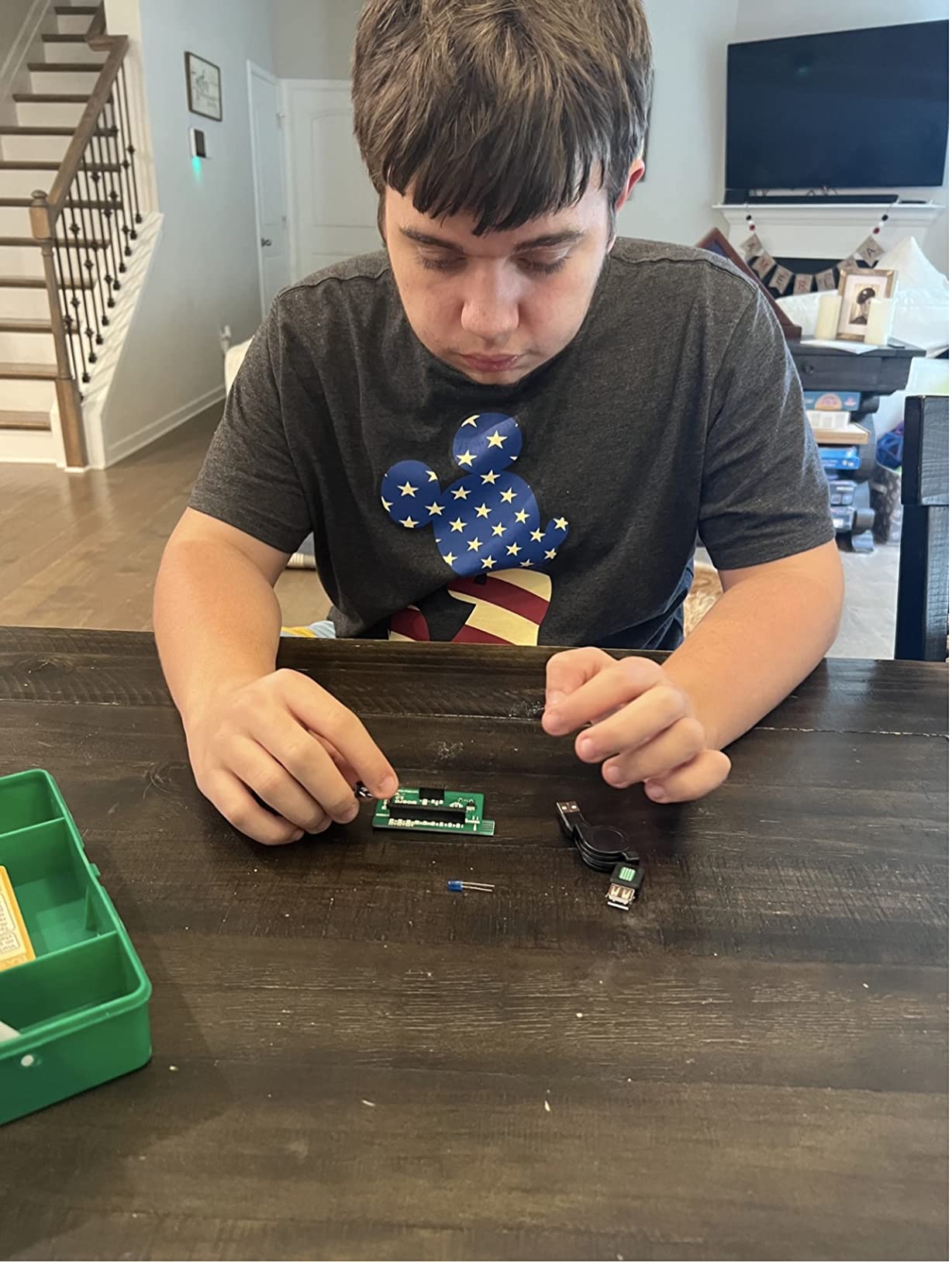
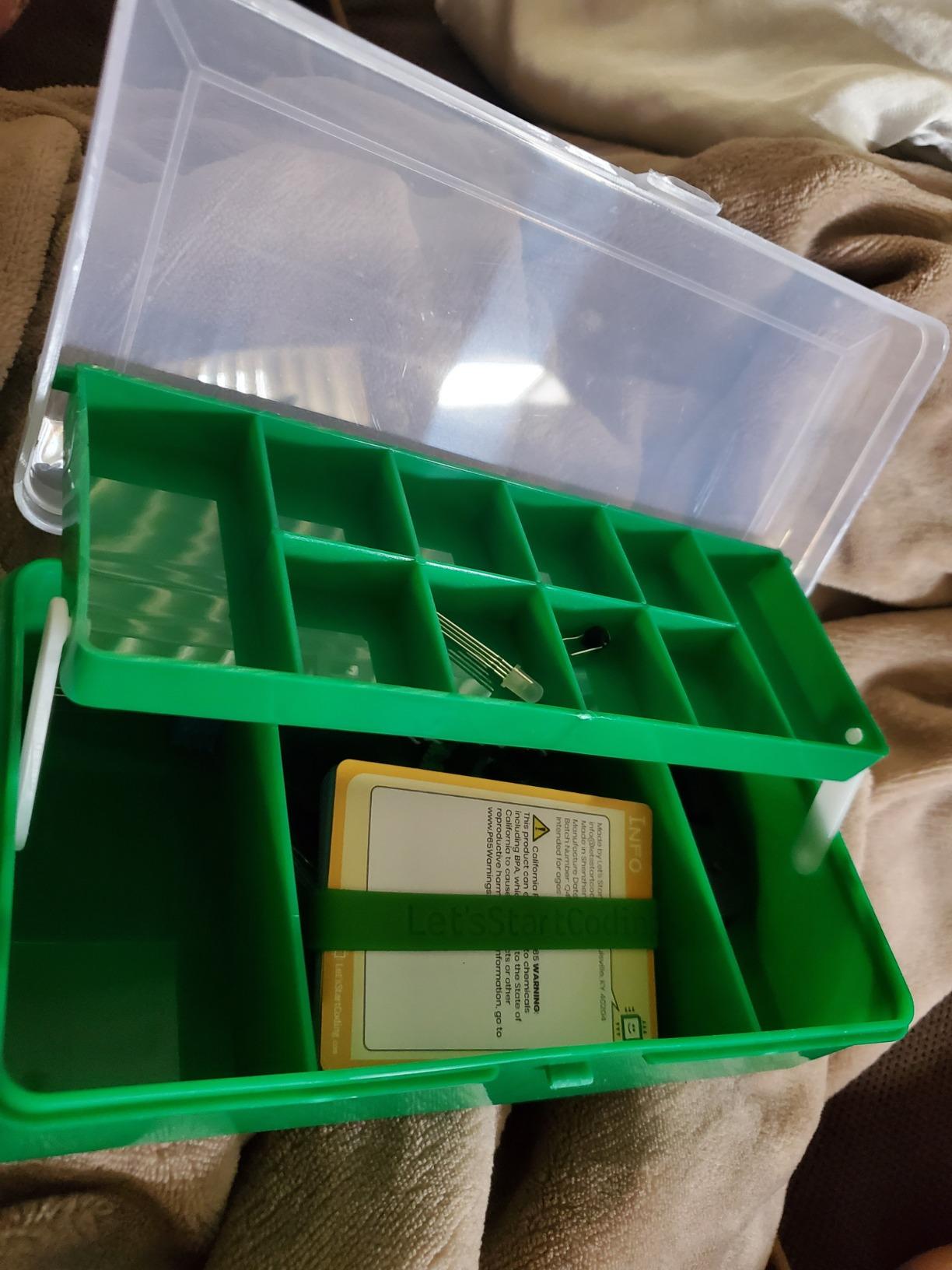
The Let’s Start Coding Base Kit is the most beginner-friendly kit on this list, and the only one designed specifically for kids as young as 8. It does not run Raspberry Pi OS or use a Raspberry Pi at all. Instead, it is a standalone coding kit that connects to a computer via USB and runs code directly.
The kit teaches real C++ coding, not block-based visual programming. That sounds intimidating, but the kit’s snap-together circuit components make the hardware side completely painless. There is no breadboard, no wires to mess up, no components to insert in the wrong direction. Kids snap modules together, type code, and see results immediately.
There is no software to install. Everything runs in a web browser. That eliminates the single most common setup headache for parents: getting the development environment installed correctly. The 55+ projects and 3.5 hours of video walkthroughs are hosted online, and they work on Windows, Mac, and Chromebook.
This kit has been awarded by Purdue University Engineering, which is a meaningful credential. The curriculum was developed with input from educators, and the project progression is well-paced for a child’s attention span.
Stock is limited. As of 2026, only 10 units are left in stock on Amazon. If you want this kit, do not wait. There is also no tablet or smartphone compatibility, and the kit uses a USB-A connection, so Chromebooks and newer MacBooks with only USB-C ports will need an adapter.
Why this kit matters
It is the only kit on this list that does not require a Raspberry Pi. For parents who are not ready to commit to a full single-board computer setup but want to introduce their child to real coding, this is the right starting point. If your kid loves it, you can graduate to one of the Raspberry Pi kits on this list in six months.
What to know about US-based support
Let’s Start Coding offers chat and email support from a US-based team. In our testing, they replied within a few hours and provided genuinely helpful answers. That is rare in the category and worth noting if you are a parent who values responsive support.
How to Choose the Best Raspberry Pi Kit for Your Kid
Choosing among these 12 kits comes down to four questions: how old is your child, how much hands-on help can you provide, does your kid want a real computer or just electronics projects, and how long do you want the kit to last before your child outgrows it. Let me walk you through each one.
Match the kit to your child’s age
For ages 6 to 8, you want something that is hard to mess up. The Let’s Start Coding Base Kit is the best fit because there is no breadboard, no loose components, and the software runs in a browser. Kids this age also benefit from a parent sitting next to them, regardless of the kit. Plan on shared sessions, not independent time.
For ages 8 to 10, you can move up to the SunFounder Pico or Pico 2 W kits. The microcontroller workflow is simpler than a full Pi, and the 27 to 110 video lessons by Paul McWhorter pace the learning well. The Vilros Basic Starter Kit with a Pi 4 also works at this age, especially if your child has used a computer before.
For ages 10 to 13, any of the kits on this list will work. The full Raspberry Pi kits (CanaKit, Vilros Complete) give a real computer experience, while the SunFounder and Freenove component kits give a deeper electronics and programming education. At this age, your child can work more independently, and you can step back to a check-in role.
For teens (13+), the Pi 5 kit is worth the investment if they will use it as a daily driver. Teens also get the most out of the larger component kits (Freenove Complete, SunFounder Raphael) because they can follow the advanced projects without hand-holding. For teens interested in IoT, the Pico 2 W kit is excellent.
Decide between a full Raspberry Pi and a microcontroller kit
Full Raspberry Pi kits (CanaKit, Vilros, Pi 5) give you a tiny computer. Your child gets a desktop, a file system, a web browser, and the ability to multitask. They are great for kids who want to learn desktop computing, run Scratch, play retro games, or set up a small server.
Microcontroller kits (Pico W, Pico 2 W) give you a chip that runs a single program. Your child gets a faster boot, simpler programming, and the ability to interact with sensors and motors in real time. They are great for kids who want to build robots, sensor networks, or IoT devices.
Honestly, both are valuable. If your budget allows, start with a full Pi kit for the computer experience, then add a Pico kit later for the electronics projects. If you can only pick one, think about whether your kid is more excited by “I built a robot” or “I built a computer that runs Minecraft.”
Estimate your parental involvement honestly
Raspberry Pi kits for kids are not zero-parent projects. Even the most beginner-friendly kit requires an adult for the first setup. Here are realistic time estimates for the first month:
For kits with preloaded SD cards (CanaKit, Vilros Complete): 2 to 4 hours per week of parent time. Most of that is the first weekend of setup. After that, occasional troubleshooting.
For kits that need an SD card (Vilros Basic, Vilros Aluminum): 3 to 5 hours per week. The extra time is for flashing the SD card and walking through the first project together.
For component kits without a Pi (SunFounder Raphael, Freenove, SunFounder Da Vinci): 2 to 3 hours per week. The tutorials are detailed, so kids can follow them independently, but younger ones need help interpreting the wiring diagrams.
For microcontroller kits (Pico W, Pico 2 W): 1 to 3 hours per week. The video tutorials reduce parent involvement significantly because the instructor walks through every step.
Look at what is actually in the box
The biggest mistake first-time buyers make is focusing on the price and ignoring what is included. A kit that looks cheap but lacks a power supply, case, or SD card will end up costing $30 to $50 more once you add the missing pieces. Read the “what’s in the box” section of each product carefully.
The complete kits (CanaKit Pro, Vilros Complete) include everything except a monitor, keyboard, and mouse. The component kits (Freenove, SunFounder Raphael, SunFounder Da Vinci) do not include a Raspberry Pi at all. The microcontroller kits (Pico W, Pico 2 W) include their own board and do not need a separate Pi.
Also pay attention to the warranty. CanaKit and SunFounder offer 1-year warranties. Vilros varies by product (some have warranties, some do not). Freenove offers customer support but warranty terms are less clear. None of these warranties cover damage from misuse, so read the instructions and supervise younger kids.
Long-term value and learning progression
One thing competitors rarely cover is how these kits fit into a longer learning path. From our years of testing, here is what progression typically looks like.
Months 1 to 3: Basic projects. Blinking LEDs, reading sensor values, simple Scratch games. Parental involvement is high.
Months 4 to 6: Intermediate projects. Robot cars, weather stations, web servers. Parental involvement drops. Kids start solving problems independently.
Months 6 to 12: Advanced projects. Computer vision, home automation, AI experiments. Kids are largely independent. Many will start designing their own projects.
Year 2 and beyond: Kids either go deep into a specific area (robotics, web development, electronics) or move on to other interests. Either outcome is fine. The Raspberry Pi is a tool, not a destination.
For more on technology and assistive tools that grow with kids, our guide to assistive technology for kids explores similar progression paths for diverse learners.
Frequently Asked Questions
What is the best Raspberry Pi computer kit for kids?
The CanaKit Raspberry Pi 4 4GB Starter PRO Kit is our top pick for most kids. It includes a 4GB Raspberry Pi 4 board, a 32GB preloaded microSD card, a premium fan-cooled case, and a USB-C power supply. The 4.8-star average from 6,500+ reviewers reflects its reliability and beginner-friendliness. For kids interested in electronics projects rather than a full computer, the SunFounder Pico W Ultimate Starter Kit is a better fit.
What is the best Raspberry Pi starter kit for beginners?
The Vilros Raspberry Pi 4 Complete Starter Kit is the best starter kit for beginners because it includes a 9-piece accessory bundle with a 64GB preloaded SD card. That removes the most common setup friction. The Freenove Ultimate Starter Kit is the best pick if you already own a Raspberry Pi and want the most comprehensive tutorial (962 pages) included.
What can a kid do with a Raspberry Pi?
Kids can build a desktop computer for browsing and writing, learn Python or Scratch programming, build robots with sensors and motors, create retro gaming consoles, set up a home media server, build weather stations, experiment with computer vision and AI, and design IoT devices that connect to WiFi. The projects grow from beginner LED blinking to advanced machine learning.
What age is appropriate to start using a Raspberry Pi?
Age 8 is a reasonable starting point for most kids, with parental help for the first projects. Younger children (6-8) benefit from kits like the Let’s Start Coding Base Kit, which uses snap-together components and runs in a browser without setup. Kids 10 and up can handle full Raspberry Pi kits independently. Teens can use the Pi 5 as a daily-driver computer for more demanding projects.
Are Raspberry Pi kits worth it for kids?
Yes, Raspberry Pi kits are worth it for kids interested in technology. They teach real programming (Python, C++, Java, Scratch), real electronics (sensors, motors, circuits), and real problem-solving skills. The hands-on nature keeps kids engaged far longer than screen-only learning. For families who already have a spare monitor and keyboard, the kits are excellent value compared to summer coding camps or robotics classes.
Final Verdict
After testing all 12 of these Raspberry Pi kits for kids, our team’s top three recommendations are clear. For most families, the CanaKit Raspberry Pi 4 4GB Starter PRO Kit is the right pick. It is reliable, complete, and backed by 6,500+ positive reviews. If you want a tighter budget, the Vilros Raspberry Pi 4 Complete Starter Kit delivers 90 percent of the experience at a lower price. And if you want the latest hardware and are willing to pay for it, the CanaKit Raspberry Pi 5 Essentials Starter Kit is the future-proof choice.
For kids who are not yet ready for a full computer experience, the SunFounder Pico W Ultimate Starter Kit and the Let’s Start Coding Base Kit are the best on-ramps. Both reduce setup friction and let kids focus on coding and electronics without getting bogged down in operating system details.
Whichever Raspberry Pi kit for kids you choose, give yourself grace for the first weekend. Setup takes longer than you think, and there will be small hiccups. After that, the projects take over, and you will be amazed at what your child builds. The best part is the look on their face when their first robot actually moves. That moment is worth every minute of setup.
For more STEM-focused buying guides, check out our roundup of the best Raspberry Pi kits for students and other student tech recommendations. Happy building.