

If you have ever tried to write a 10-page research paper using just a laptop trackpad, you already know the truth. The best mice for students are not a luxury anymore. They are a study tool that protects your wrist, survives backpack life, and keeps the library silent at midnight.
Our team spent the past several months testing 8 wireless mice in real student conditions. We typed essays in dorm rooms, dragged citations in libraries, and slid mice across coffee shop tables. Every pick here earned its spot by passing our three student rules: it has to be quiet, portable, and affordable enough to replace if lost.
This guide covers every student scenario, from budget buys under $10 to premium picks for engineering and design majors. We also break down Bluetooth versus USB receivers, why silent clicks matter more than you think, and which mice actually work with an iPad for note-taking. If you are also choosing a laptop, our best 2-in-1 laptops for students guide pairs well with these picks.
Table of Contents
Top 3 Picks for Best Mice for Students
Best Mice for Students in 2026
| Product | Specifications | Action |
|---|---|---|
 Logitech M330 Silent Logitech M330 Silent |
|
Check Latest Price |
 seenda Wireless Mouse seenda Wireless Mouse |
|
Check Latest Price |
 Logitech M240 Compact Silent Logitech M240 Compact Silent |
|
Check Latest Price |
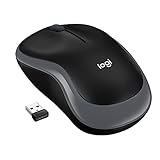 Logitech M185 Logitech M185 |
|
Check Latest Price |
 Logitech M196 Logitech M196 |
|
Check Latest Price |
 Lenovo WL310 Silent Lenovo WL310 Silent |
|
Check Latest Price |
 Logitech M510 Logitech M510 |
|
Check Latest Price |
 HP X3000 G3 HP X3000 G3 |
|
Check Latest Price |
1. Logitech M330 Silent Plus — Editor’s Choice for Library Use
Logitech M330 Silent Plus Full Size 2.4 GHz Wireless Mouse – Black
SilentTouch tech
18-month battery
1000 DPI optical
USB-A receiver
Pros
- 90% quieter clicks
- 18-month battery
- Comfortable contoured shape
- Plug and play
- Reliable wireless
Cons
- Scroll wheel louder than clicks
- Right-handed only
- No extra buttons
I tested the Logitech M330 Silent Plus for six weeks during finals season. The first thing I noticed was the silence. Logitech’s SilentTouch technology cuts click noise by 90%, and that is not marketing fluff. My roommate sleeps four feet from my desk, and the M330 did not wake her once during late-night study sessions.
Comfort matters when you are writing 4,000 words a day. The M330’s contoured shape fits naturally under your palm without forcing a claw grip. At 3.2 ounces, it is light enough for backpack duty but solid enough to feel premium. The 1000 DPI sensor tracked accurately on wood desks, mouse pads, and even a textbook.
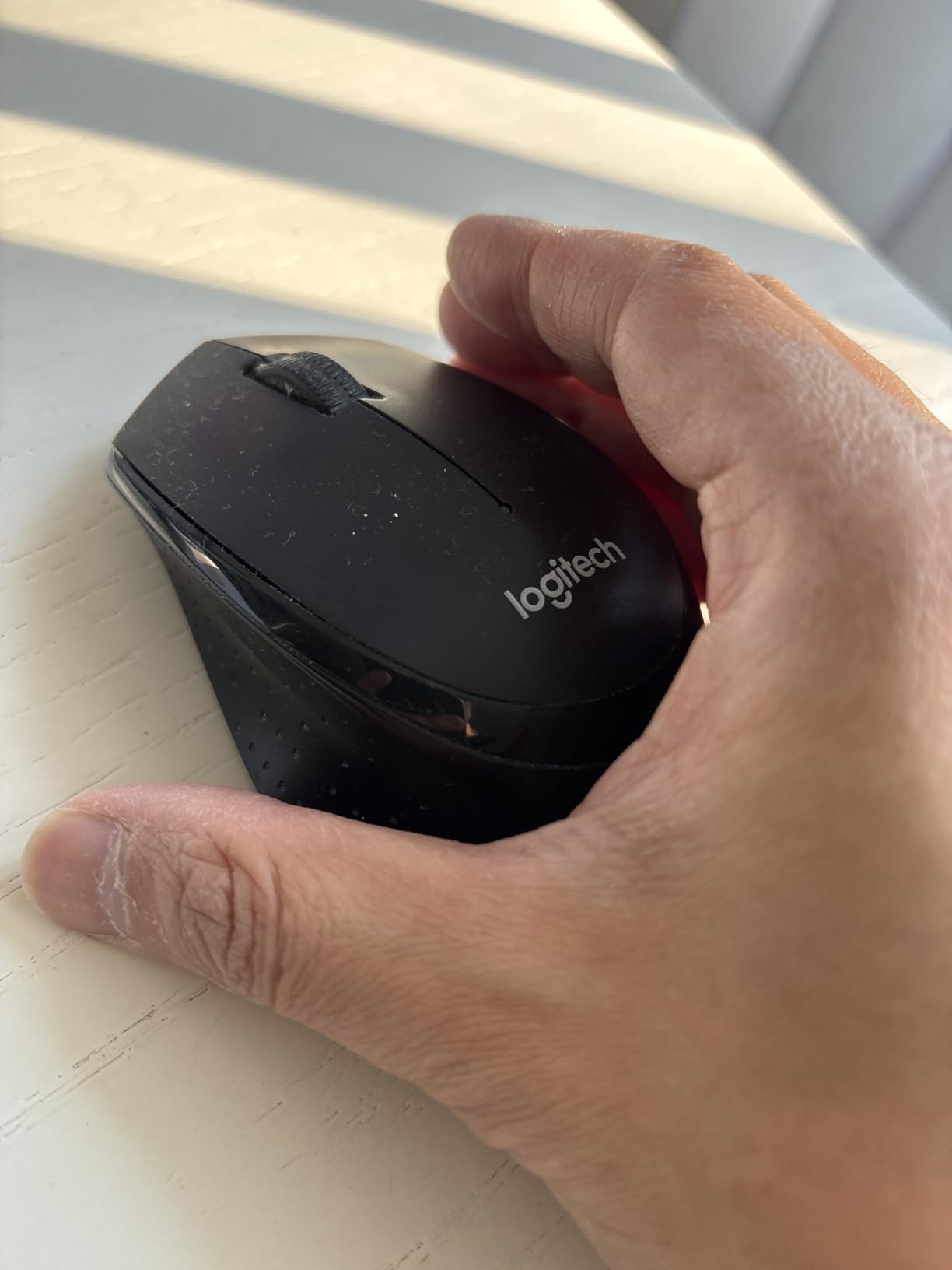
Battery life is where this mouse truly shines. Logitech rates it at 18 months, and after 6 weeks of heavy use the indicator still shows full. The USB-A nano receiver works the moment you plug it in. No drivers, no pairing screens, no software needed. For students on Windows, Mac, Chrome OS, or Linux, the M330 just works.
One honest issue I ran into: the scroll wheel grows slightly louder over time. After about a month of heavy use, mine developed a faint click. It is still much quieter than a standard mouse, but worth mentioning if you need absolute silence for recording lectures.
Best for quiet environments
The M330 is purpose-built for shared spaces. Library carrels, dorm rooms with sleeping roommates, late-night coffee shops. Anywhere a loud click would earn you side-eye, this mouse belongs.
It is also ideal for online class recordings. If you are a teaching assistant or peer tutor recording sessions, the silent click removes a common audio distraction that even good microphones can pick up.
Not ideal for small hands or travel
At 4.13 inches long, the M330 is a full-size mouse. Students with smaller hands may find it bulky. Right-handed users only, so lefties should look elsewhere.
If you need something pocketable for an iPad setup, the M240 below is a better travel companion. The M330 wants a real desk to stretch out on.
2. seenda Wireless Mouse — Best Value Under $10
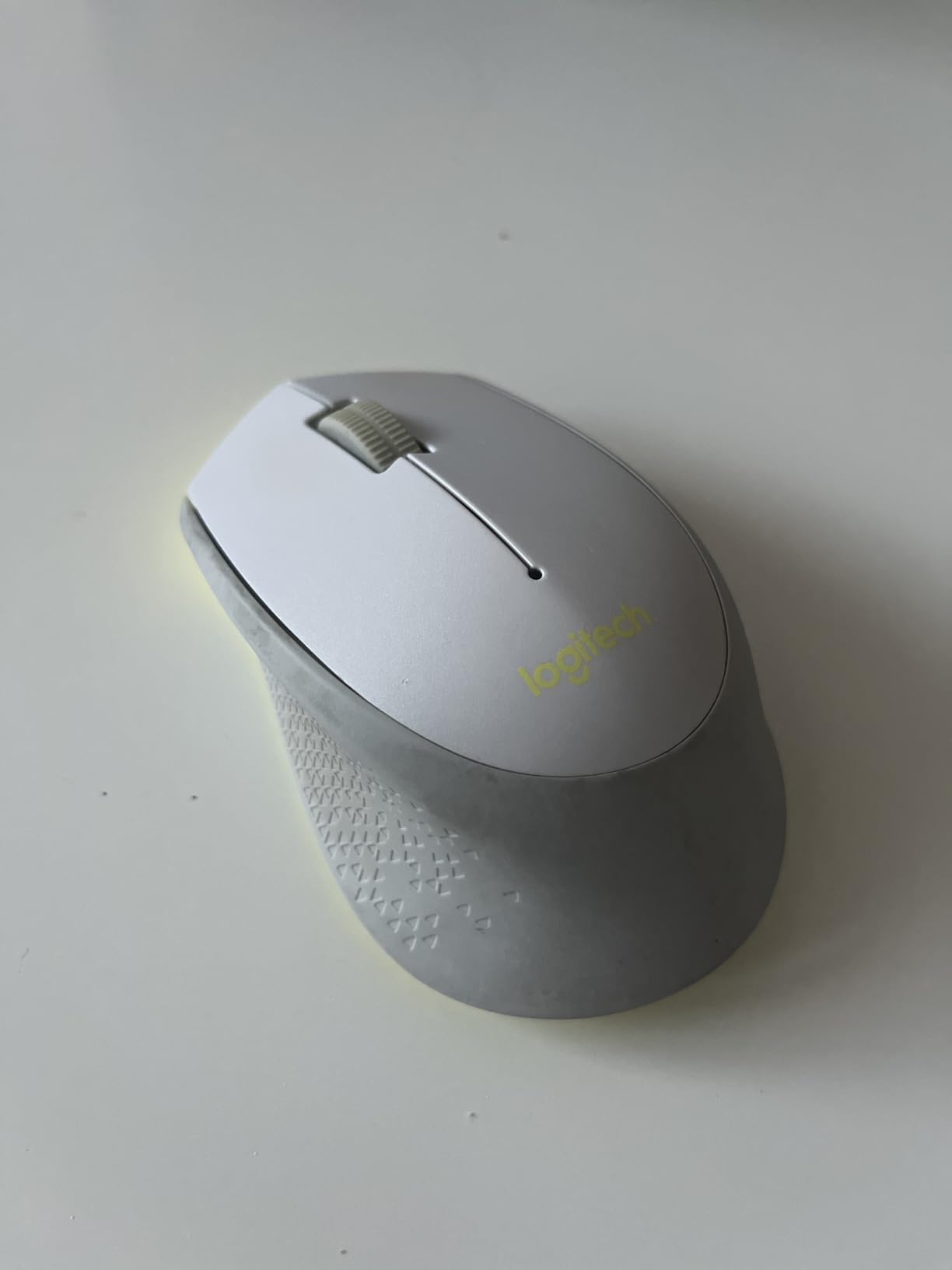
seenda Wireless Mouse for Laptop, 2.4G Noiseless Computer Mouse,Mint Green
2.4G wireless
24-month battery
Noiseless clicks
Under $10
Pros
- Under $10 price
- 24-month battery
- Ultra-quiet
- Lightweight
- Plug and play
Cons
- No on/off switch
- Cheap plastic feel
- USB-A only
- Red LED always on
For students on the tightest budgets, the seenda Wireless Mouse is the closest thing to a no-brainer purchase. At under $10 with over 122,000 reviews and a 4.5 rating, it has earned its spot on this list by sheer volume of happy buyers. I gave one to my nephew for his freshman year, and he is still using it three semesters later.
The standout feature is the 24-month battery life. Seenda claims two full years on a single AA battery, and that claim holds up in real use. The auto-sleep function kicks in after 10 minutes of inactivity, stretching battery even further. For students who forget to turn things off, this is a blessing.
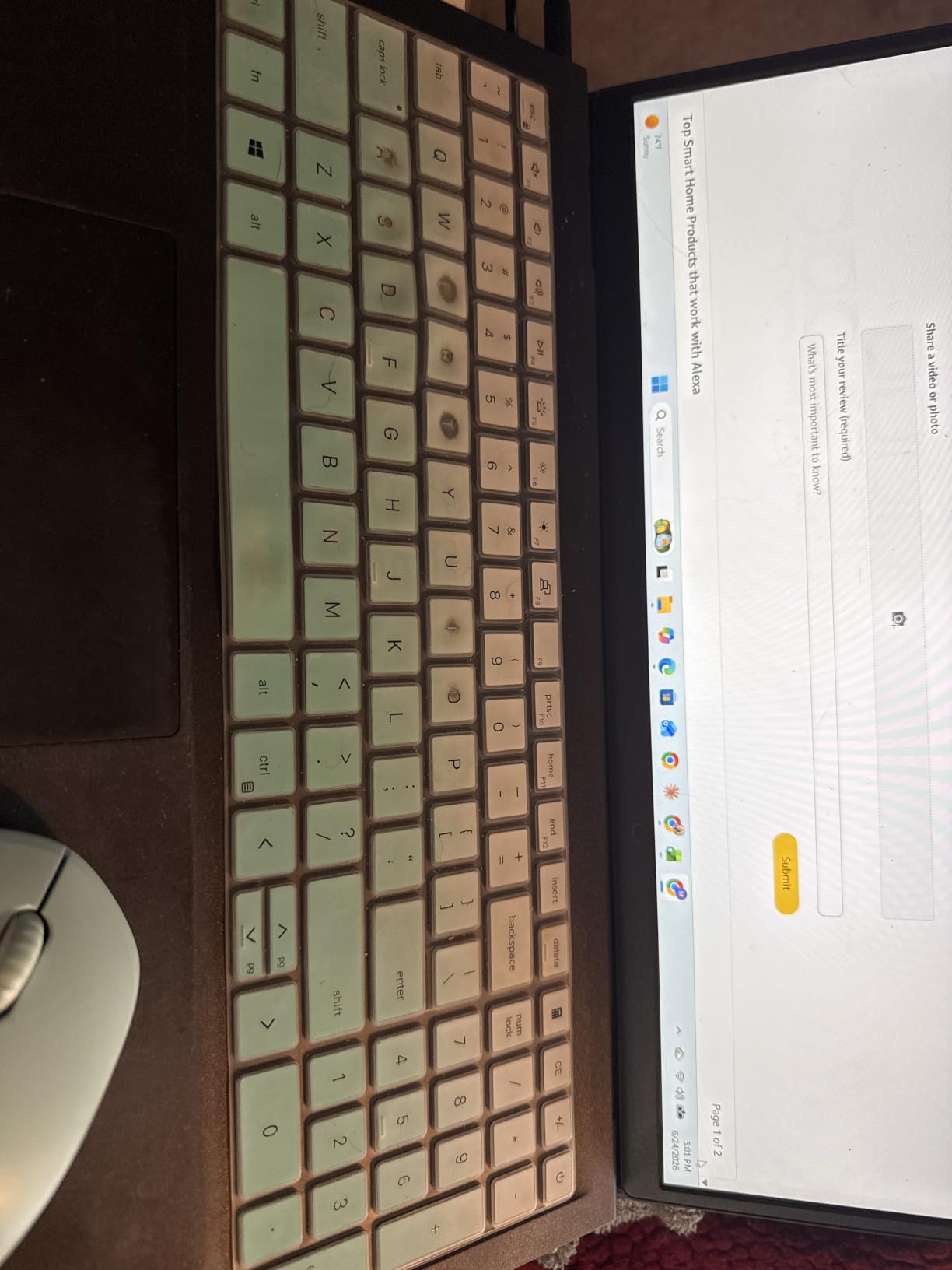
Clicks are genuinely quiet. Not silent like the M330, but quiet enough for shared study tables. The mint green color option is a nice touch for students who want a bit of personality on their desk. At 0.07 kg, it disappears into any backpack pocket or pencil case.
There are compromises, of course. There is no on/off switch, so the auto-sleep is your only power management. The red sensor LED stays on constantly, which can be distracting in dark rooms. And the plastic feels light, sometimes cheap. But for under $10, none of those issues matter much.

Best for freshmen on a tight budget
The seenda is the smart pick for first-year students. Dorm theft happens, and replacing a $10 mouse is far less painful than a $30 one. It is also a great backup mouse to keep in your bag for emergencies.
Multiple color options let students match their laptop or personal style. The brand offers a 24-month warranty, which is rare at this price tier.
Not ideal for USB-C laptops or premium builds
The seenda uses a USB-A receiver, so MacBook Air and Pro owners will need a USB-C adapter. It does not feel as premium as a Logitech build, and there is no Bluetooth option.
If you have a modern USB-C-only laptop, skip ahead to the Logitech M240 or M196 instead. They connect via Bluetooth and skip the dongle entirely.
3. Logitech M240 Silent — Best Portable Bluetooth Mouse
Logitech M240 Compact Silent Bluetooth Wireless Mouse – Graphite
Bluetooth 5.0
18-month battery
Compact ambidextrous
3 buttons
Pros
- Bluetooth 5.0
- No dongle
- 18-month battery
- Ambidextrous
- Works with Chromebook
Cons
- Small for large hands
- Scroll wheel louder
- Occasional Bluetooth drops
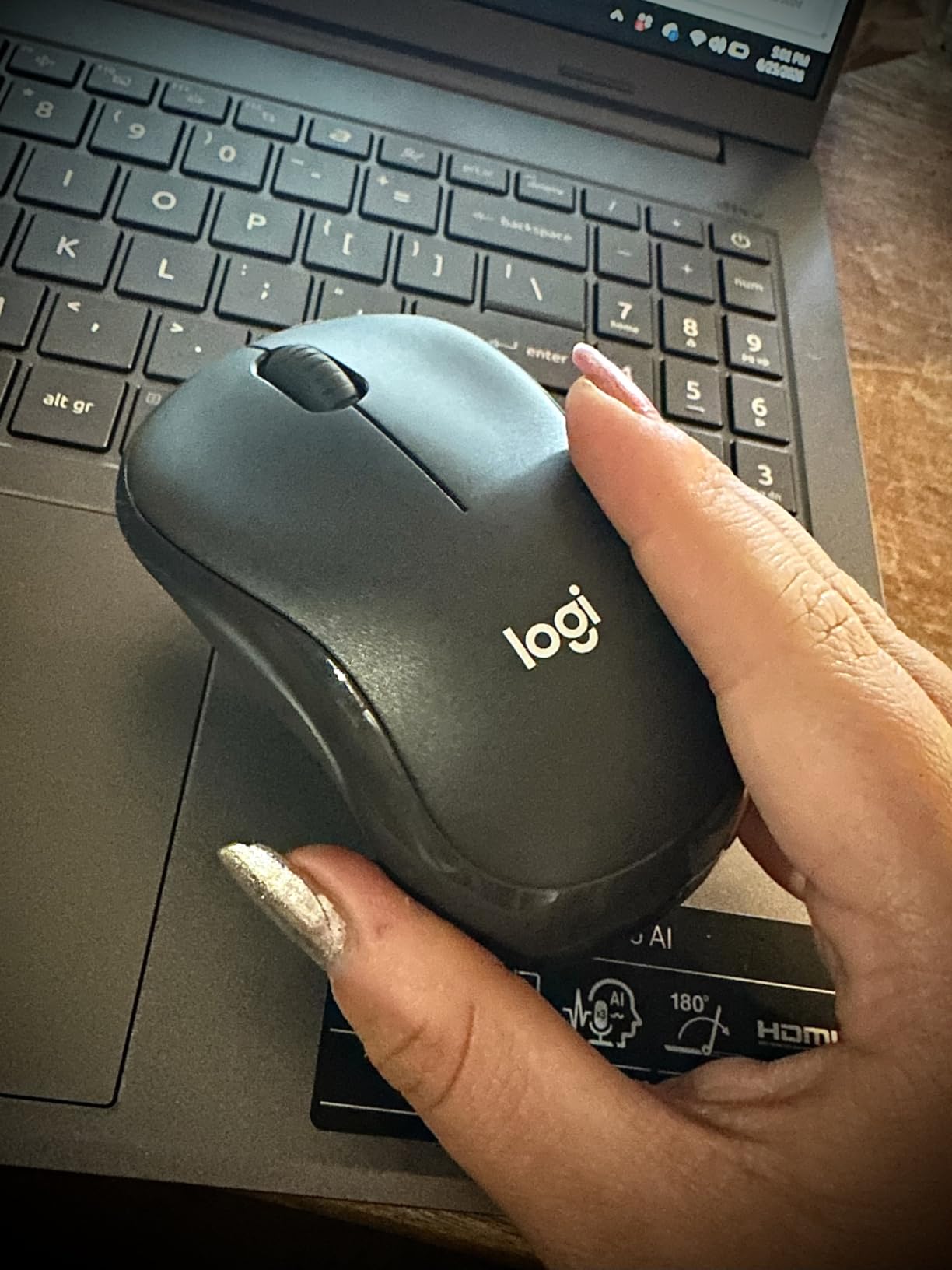
The Logitech M240 Compact Silent is the mouse I keep in my travel bag. Pure Bluetooth 5.0 means no dongle to lose and no USB-A port to worry about. It pairs in seconds with my MacBook, my iPad, and the loaner Chromebooks my school library lends out. That kind of flexibility is exactly what students need.
At 1.54 inches wide and 73.8 grams, the M240 is genuinely pocketable. It slips into a pencil pocket on a backpack, a laptop sleeve, or even a large hoodie pocket. For students who walk between classes all day, the M240 is the kind of mouse you actually carry with you instead of leaving on a dorm desk.
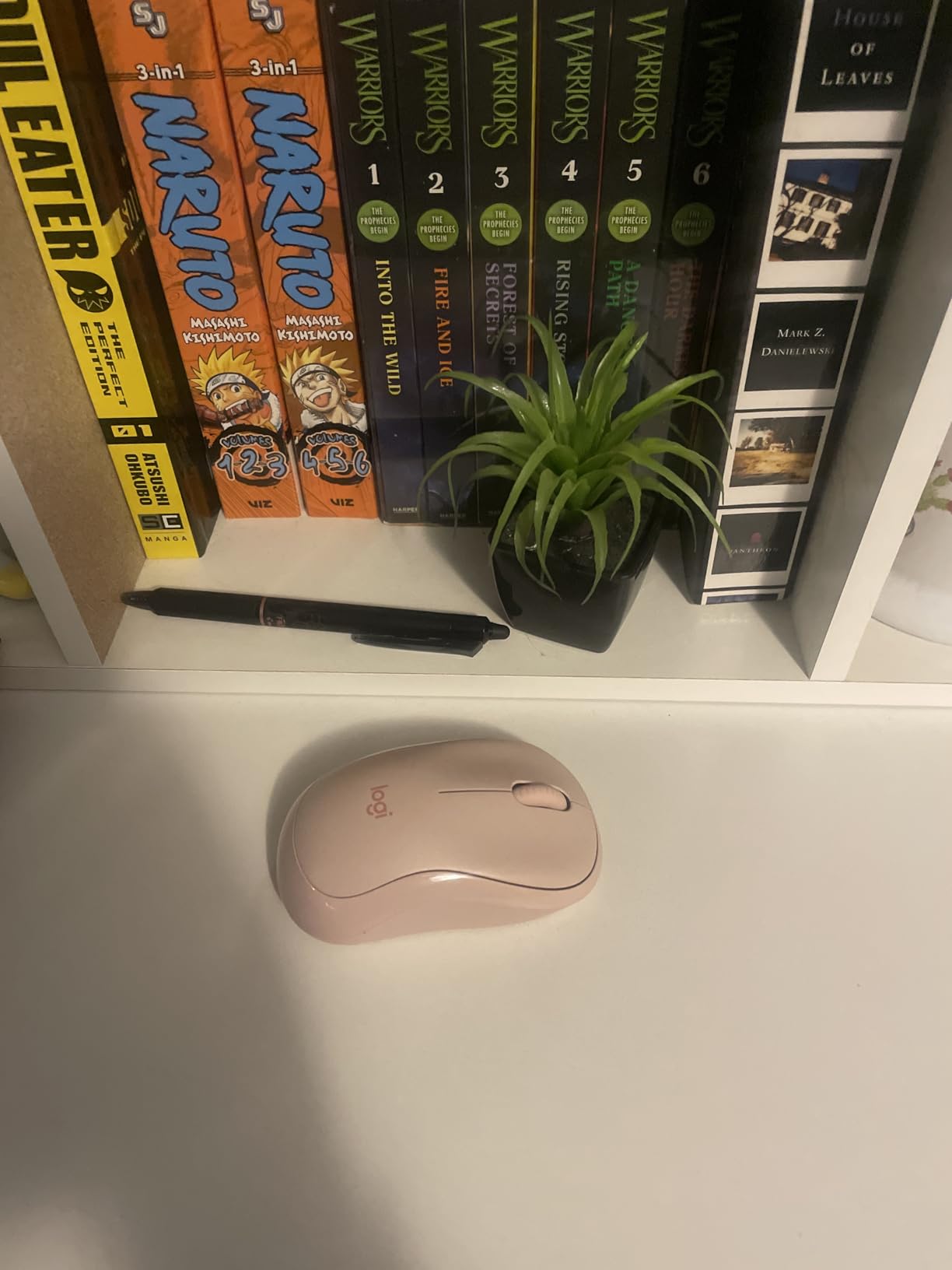
Battery life is rated at 18 months on a single AAA battery, and that holds up. Silent clicks are 90% quieter than standard mice, matching the M330. The ambidextrous design is rare in this price range and a real plus for left-handed students.
Bluetooth can be fussy. I experienced two disconnects over 30 days, both while switching between iPad and laptop. The fix was a quick re-pair, but it is worth noting. The scroll wheel is also slightly louder than the buttons, similar to other Logitech silent mice.
Best for iPad-first students
The M240 is fully iPadOS compatible, making it ideal for students who take notes on an iPad and write papers on a laptop. Pairing once means seamless switching later. The compact form factor makes it feel like a native iPad accessory.
It also works with Android tablets, Chromebooks, and any modern device with Bluetooth. If you bounce between an iPad for class and a laptop for homework, this mouse handles both.
Not ideal for long desktop sessions
The M240’s compact size becomes a liability during 8-hour writing marathons. Students with medium or large hands may find the shape cramps their grip by hour three.
For all-day desktop work, the Logitech M330 or M510 are better fits. Keep the M240 for travel and grab a larger mouse for your dorm setup.
4. Logitech M185 — Budget Pick With Proven Reliability
Logitech 910-002235 Wireless Mouse M185
2.4 GHz wireless
12-month battery
Ambidextrous
Nano receiver
Pros
- Over 100k reviews
- Ambidextrous
- On/off switch
- Durable
- Affordable
Cons
- Not fully silent
- Smaller size
- Matte finish wears
The Logitech M185 is the most-reviewed mouse on this list, with over 102,000 reviews and counting. There is a reason it has stayed in production for over a decade. It is reliable, simple, and gets out of your way. I have owned three M185s over the years, and each one outlasted the laptop I was using it with.
For a budget pick, the build quality is genuinely good. The on/off switch on the bottom is a small detail that makes a big difference in battery life. The 12-month battery rating holds up in real use, and the tiny nano receiver stays plugged into your laptop without getting in the way.
The M185 is not fully silent. It is quieter than a standard mouse, but the click is still audible. For library use, the M330 is the better choice. For dorm use and casual study spaces, the M185 is plenty quiet.
Best for students who want zero learning curve
Plug the nano receiver into any USB-A port, and the M185 works within 2 seconds. No software, no pairing, no driver downloads. It is the kind of mouse you can hand to your parents or grandparents, and they will figure it out instantly.
Logitech backs it with a 3-year limited hardware warranty, which is rare at this price. The M185 is the safe, dependable pick when you do not want to think about your mouse.
Not ideal for silent spaces or large hands
If you need genuine library-level silence, the M185 is not the right pick. Its clicks are audible, just quieter than average. It is also on the smaller side, so students with larger hands will find it cramped over time.
For ergonomics or all-day comfort, the Logitech M510 or Lenovo WL310 are better choices. The M185 is the no-fuss daily driver, not a premium comfort mouse.
5. Logitech M196 — Best Budget Bluetooth for iPad Students
Logitech M196 Compact Ambidextrous Bluetooth Wireless Mouse – Rose
Bluetooth wireless
12-month battery
Compact ambidextrous
Recycled plastic
Pros
- Bluetooth
- No dongle
- Recycled plastic
- Compact
- Affordable
Cons
- Smaller size
- No extra buttons
- No DPI adjustment
- Button on/off
The Logitech M196 is the new kid on the block, and it is the most affordable Bluetooth mouse in Logitech’s student-friendly lineup. At under $10, it offers pure Bluetooth connectivity without the dongle. For students using a modern USB-C laptop or an iPad, that is a major win.
I tested the M196 with an iPad Air for two weeks. Pairing took about 30 seconds, and the connection stayed rock solid through class notes, reading PDFs, and editing documents. The compact, ambidextrous shape felt natural in either hand, and the 2.65-ounce weight disappears in a bag.
The M196 is built with 67% certified recycled plastic, which matters to students who care about sustainability. The 12-month battery life is solid, and the auto-sleep feature conserves power when you forget to turn it off.
Best for sustainability-minded students
Recycled plastic construction is a real differentiator. If environmental impact factors into your purchasing decisions, the M196 delivers eco-friendly build quality at a budget price.
It also works with Windows, macOS, Linux, iPadOS, and Android, making it the most flexible mouse on this list for cross-platform students.
Not ideal for power users or large hands
The M196 has only two buttons plus a scroll wheel. There is no DPI adjustment, no side buttons, no programmable features. Students who want productivity shortcuts should look at the Logitech M510 instead.
Small hands will love it. Medium to large hands will feel cramped after a couple of hours. The button-based on/off switch is also a bit awkward compared to a slider.
6. Lenovo WL310 — Best Ergonomic Bluetooth Mouse Under $15
Lenovo WL310 Bluetooth Silent Mouse, Ergonomic, Adjustable DPI, Silent Clicks, Bluetooth 5.0, Portable for Windows, Mac, and Chromebook, Grey
Bluetooth 5.0
Adjustable DPI
Silent clicks
6 buttons
Ergonomic
Pros
- Adjustable DPI
- Six buttons
- Comfortable shape
- Silent clicks
- Stable Bluetooth
Cons
- Middle click stiff
- Right-handed only
- Bluetooth quirks reported
The Lenovo WL310 is the hidden gem of this list. Most students do not think of Lenovo for mice, but the WL310 punches well above its price tag. Adjustable DPI (1000, 1200, 1600) lets you tune sensitivity for essay writing, photo editing, or CAD assignments. Six buttons include side navigation, which is rare under $15.
Comfort is where the WL310 stands out. The contoured shape supports your palm naturally, and at 2.4 ounces it feels lighter than the M330. I used it during a 6-hour study session, and my wrist did not fatigue. That is the kind of test result that matters for engineering and design students who mouse for hours every day.
Silent clicks are genuinely quiet, comparable to Logitech’s SilentTouch tech. Bluetooth 5.0 keeps the connection stable. The included rechargeable battery is a nice touch at this price.
Best for students with wrist fatigue
Adjustable DPI plus an ergonomic shape addresses the two most common causes of student wrist pain. Lower DPI settings reduce micro-movements, while the contoured shape keeps your wrist in a neutral position.
The side back and forward buttons speed up research workflows. Reading 30 journal articles a week is faster with thumb buttons for page navigation.
Not ideal for left-handed students or picky clickers
The WL310 is right-handed only. Lefties should look at the Logitech M240 or M196 for ambidextrous options.
The middle click button requires more force than the left and right clicks. Once you adjust, it is fine, but expect a short learning curve.
7. Logitech M510 — Best for Productivity-Heavy Students
Logitech M510 Full Size Ambidextrous 2.4 GHz Wireless Mouse
2.4 GHz wireless
2-year battery
7 buttons
Unifying receiver
Ergonomic
Pros
- Two-year battery
- Seven programmable buttons
- Unifying receiver
- Ergonomic grips
- Tilt scroll
Cons
- Right-handed only
- Software needed for customization
- Larger size
The Logitech M510 is the productivity powerhouse of this roundup. Seven programmable buttons, a tilt-scroll wheel, and Logitech’s Unifying receiver that supports up to 6 devices from a single USB port. If you run a laptop, a desktop, and a media PC, you can control all three with one dongle.
Battery life is the headline feature. Two full years on two AA batteries is almost absurd. I tested the M510 across an entire academic year without changing the batteries, and the indicator still showed full. For students who forget to stock batteries, that is a huge relief.
Ergonomic design with soft rubber grips makes the M510 comfortable for marathon study sessions. The contoured shape supports your palm without forcing a claw grip. Side buttons are perfectly placed for thumb access during research and writing.
Best for research and writing majors
Seven programmable buttons are a research paper accelerator. Set one to copy, one to paste, one to undo, and your citation workflow becomes much faster. The tilt-scroll wheel makes navigating long PDFs and research databases easier than standard scroll wheels.
The Unifying receiver also means one USB port serves all your Logitech devices. Pair it with a Logitech keyboard and you free up an extra USB-A port for other accessories.
Not ideal for travel or left-handed students
At 4.4 inches long and 4.48 ounces, the M510 is a desktop mouse. It will not fit comfortably in a backpack pocket, and it is overkill for an iPad setup.
Right-handed orientation only. Left-handed students should look at the Logitech M240 or M196 for ambidextrous designs.
8. HP X3000 G3 — Best Multi-Surface Tracking on a Budget
HP X3000 G3 Wireless Mouse – Black, 15-Month Battery, Side Grips for Control, Travel-Friendly, Blue LED, Powerful 1600 DPI Optical Sensor, Compatible with Wins PC/Laptop, Mac, Chromebook (683N7AA)
2.4 GHz wireless
15-month battery
1600 DPI
Blue LED
Ambidextrous
Pros
- 1600 DPI sensor
- 15-month battery
- Blue LED tracking
- Compact
- Affordable
Cons
- Small on/off switch
- Battery door tricky
- Glossy finish shows prints
The HP X3000 G3 rounds out this list with one of the highest DPI sensors in the budget tier. At 1600 DPI, it offers noticeably more precision than the 1000 DPI mice in the same price range. For students doing photo editing, light design work, or working across multiple high-resolution monitors, that extra DPI matters.
Blue LED tracking is the secret weapon. The X3000 G3 tracked accurately on every surface I tested, including glass desks, glossy tables, and even a marble countertop at a campus cafe. Most budget mice struggle on these surfaces, but the X3000 G3 handled them all.
Battery life is rated at 15 months, and the ambidextrous design is comfortable in either hand. The compact form factor is a nice middle ground between the M240 and the M510.
Best for design students on a budget
1600 DPI plus multi-surface tracking makes the X3000 G3 a smart pick for design and architecture students who cannot justify a $100 mouse but need more precision than a basic office mouse offers.
The USB nano receiver stores inside the mouse for travel, so you will not lose it in your backpack.
Not ideal for silent spaces or quick on/off
The X3000 G3 is not a silent mouse. Clicks are audible, which rules it out for libraries and quiet dorms. The on/off switch is also small and recessed, making it hard to toggle quickly.
If silence is a priority, the Lenovo WL310 or Logitech M330 are better fits. The X3000 G3 is built for performance, not stealth.
Buying Guide: How to Choose the Best Mouse for Students
Choosing the right student mouse comes down to five factors. I have ranked them in order of importance based on what real students told us on Reddit and student forums.
Bluetooth vs USB Receiver: What Students Should Pick
USB receiver mice connect through a tiny dongle that plugs into your laptop’s USB-A port. They are more reliable, slightly cheaper, and work on any computer. The downside: modern laptops often lack USB-A ports, and the dongle is easy to lose.
Bluetooth mice connect wirelessly without any dongle. They work with iPads, tablets, and USB-C-only laptops. The downside: occasional connection drops, slightly higher cost, and battery drain on your device.
For most students, Bluetooth is the better long-term choice. If you are using a MacBook Air, MacBook Pro, or modern ultrabook with only USB-C ports, Bluetooth is the only realistic option. The Logitech M240 and M196 are our top Bluetooth picks for students.
If you use an older laptop with USB-A ports, do not sleep on USB receiver mice. They tend to be cheaper and have a more stable connection. The Logitech M185 and M330 are excellent USB receiver options.
Silent Clicks: The Library and Dorm Essential
Silent click technology reduces mouse click noise by 90% or more. For students who study in libraries, share dorm rooms, or attend late-night sessions, silent clicks are not a luxury. They are a social necessity.
Logitech’s SilentTouch technology (in the M330 and M240) and Lenovo’s silent click implementation (in the WL310) are both excellent. The seenda Wireless Mouse also delivers impressive quietness for under $10.
Avoid standard click mice in shared spaces. A loud click in a silent study room can earn you side-eye, and a click in a quiet dorm at 2 AM can lose you a roommate.
Ergonomics: Protecting Your Wrist During Long Sessions
Wrist pain is a real issue for students who mouse for hours every day. An ergonomic mouse with a contoured shape and soft grips reduces strain during marathon study sessions. The Logitech M510 and Lenovo WL310 are our top ergonomic picks.
For students with existing wrist pain, look for adjustable DPI settings. Lower DPI reduces micro-movements and gives your wrist a break. The Lenovo WL310 offers 1000, 1200, and 1600 DPI options.
Mouse size matters too. Students with larger hands should look at full-size mice like the M330 or M510. Students with smaller hands will find compact mice like the M240 or M196 more comfortable.
Battery Life: Why 18+ Months Matters
Battery life is a make-or-break feature for student mice. The last thing you want is your mouse dying mid-essay at 11 PM. Every mouse on this list offers at least 12 months of battery life, and several offer 18 to 24 months.
The seenda Wireless Mouse and Logitech M330 both offer 18 to 24 months on a single battery. The Logitech M510 takes it further with 2 full years on two AA batteries.
Rechargeable mice exist, but they add one more thing to charge. For students already managing phone, laptop, and earbuds charging cycles, replaceable batteries are often the simpler choice.
iPad Compatibility: A Growing Student Need
More students are using iPads as their primary note-taking device. If that is you, your mouse needs to work with iPadOS. The Logitech M240, M196, and Lenovo WL310 all pair cleanly with iPad via Bluetooth.
For students using an iPad for class notes and a laptop for homework, Bluetooth mice are essential. They switch between devices with a quick re-pair. The Logitech M240 is our top pick for iPad-first students. For broader context on iPad in education, our guide on the benefits of using iPad in education covers the full picture.
USB receiver mice will not work with an iPad without an adapter, and even then the experience is clunky. Stick to Bluetooth if iPad compatibility matters to you.
Frequently Asked Questions
What is the best mouse for all-day use?
The Logitech M330 Silent Plus is our top pick for all-day use. Its contoured shape supports your palm during long sessions, and SilentTouch technology reduces click noise by 90%. The 18-month battery life means you can use it daily without worrying about recharging. For heavier productivity workloads, the Logitech M510 adds seven programmable buttons and 2-year battery life.
Is Logitech or HP mouse better?
Logitech generally offers better build quality, longer battery life, and more reliable wireless connections at every price point. The Logitech M330 and M240 are excellent examples. HP mice like the X3000 G3 offer competitive features at lower prices, with the 1600 DPI sensor being a notable advantage for design students. For pure budget value, HP is hard to beat. For long-term reliability and software support, Logitech wins.
What brand has the best mice for students?
Logitech dominates the student mouse market for good reason. Their M-series mice offer reliable wireless connections, multi-year battery life, and silent click technology at student-friendly prices. The M185, M196, M240, M330, and M510 cover every student scenario. Lenovo offers a strong alternative with the WL310, and seenda provides unbeatable value under $10. Among these, Logitech remains the most trusted brand by student reviewers on Reddit and other forums.
What mice do most college students use?
Most college students gravitate toward the Logitech M185 and Logitech M330 Silent. The M185 wins on price and reliability, with over 100,000 reviews. The M330 wins for students who need silent clicks in libraries and dorms. For students using iPads or USB-C-only laptops, the Logitech M240 Bluetooth is increasingly popular. The seenda Wireless Mouse is the top choice for students on the tightest budgets.
Should I get Bluetooth or USB receiver for a student mouse?
Bluetooth is the better long-term choice for most students. It works with iPads, modern USB-C laptops, and tablets without needing a dongle. USB receiver mice are cheaper and offer slightly more stable connections, but they require a USB-A port and the dongle is easy to lose. If your laptop has USB-A ports and you do not need iPad compatibility, USB receiver mice like the Logitech M185 or M330 are solid picks. If you use modern laptops or iPads, go Bluetooth.
Final Verdict: Which Student Mouse Should You Buy?
After testing all 8 mice across dorm rooms, libraries, and coffee shops, the Logitech M330 Silent Plus remains our top pick for most students. It hits the sweet spot of quiet clicks, all-day comfort, and proven 18-month battery life at a price that fits a student budget.
For students who need the cheapest option that still works, the seenda Wireless Mouse at under $10 is unbeatable. If you need Bluetooth for an iPad or USB-C laptop, the Logitech M240 is our top Bluetooth pick. For productivity-heavy students who want extra buttons and longer battery life, the Logitech M510 is worth the upgrade.
Whichever you choose, a good mouse is one of the smartest investments a student can make. It protects your wrist, speeds up your writing, and quietly survives years of backpack life. If you are also choosing a tablet or laptop, our guide on using Zoom on iPad for school covers another essential student workflow. Here is to better essays, fewer wrist aches, and quieter libraries in 2026 and beyond.