
Finding the right laptop for college used to mean choosing between a typing machine and a tablet. That compromise is exactly why the best 2 in 1 laptops for students have taken over campus libraries, dorm rooms, and lecture halls in 2026. These convertible machines give you a full keyboard for essays and a touchscreen for highlighting slides, sketching diagrams, or annotating PDFs without carrying two devices.
I have spent the last several months testing 2-in-1 laptops across everyday student scenarios: typing 2,000-word research papers, running Zoom with 12 tabs open, sketching organic chemistry structures in tablet mode, and dragging the same laptop to back-to-back classes on a single charge. Some models impressed me with their battery life, others with their display quality, and a few disappointed me with flimsy hinges or cramped keyboards.
What I learned is that the best 2 in 1 laptops for students are not always the most expensive ones. A well-priced Chromebook can outlast and outperform a Windows machine for a fraction of the cost if your coursework lives in a browser. On the other hand, engineering, design, and CS students often need the horsepower that only a Windows convertible with 16GB of RAM and a fast SSD can deliver. The key is matching the machine to your major and your budget, which is exactly what this guide helps you do.
If your school follows BYOD policies in schools, a 2-in-1 is one of the smartest picks because it covers both laptop and tablet requirements in one device. This roundup covers eight models across every price tier, from sub-$300 Chromebooks to premium Windows convertibles with Core Ultra processors. Whether you are heading into your freshman year or replacing a dying laptop before midterms, there is a pick here that fits your coursework and your wallet.
Table of Contents
Top 3 Picks for Best 2 in 1 Laptops for Students
After testing all eight laptops in this guide, these three stand out for different types of students. The Lenovo Yoga 7i is the most complete Windows convertible I tested, the IdeaPad 5 Flex nails the price-to-performance ratio, and the ASUS Chromebook Flip CX1 wins for budget-conscious students who live in Google Workspace.

Best 2 in 1 Laptops for Students in 2026
Here is a side-by-side look at all eight models I tested. Use this overview to compare specs at a glance, then scroll down for my detailed hands-on impressions of each one.
| Product | Specifications | Action |
|---|---|---|
| Lenovo Yoga 7i 2-in-1 |
|
Check Latest Price |
 Lenovo IdeaPad 5 Flex Lenovo IdeaPad 5 Flex |
|
Check Latest Price |
 ASUS Chromebook Flip CX1 ASUS Chromebook Flip CX1 |
|
Check Latest Price |
 Lenovo Flex 5i Chromebook Plus Lenovo Flex 5i Chromebook Plus |
|
Check Latest Price |
 Dell Inspiron 14 7445 Dell Inspiron 14 7445 |
|
Check Latest Price |
 HP OmniBook X Flip HP OmniBook X Flip |
|
Check Latest Price |
 Dell Latitude 5300 2-in-1 Dell Latitude 5300 2-in-1 |
|
Check Latest Price |
 HP Chromebook x360 14 HP Chromebook x360 14 |
|
Check Latest Price |
1. Lenovo Yoga 7i 2-in-1 – The Most Complete Windows Convertible
Lenovo Yoga 7i 2-in-1 Laptop, 16″ 2K Touchscreen Display, Core Ultra 7 155U (Up to 4.80 GHz), 16GB DDR5, 1TB PCIe SSD, Wi-Fi 6E, Backlit KB, FP Reader, TB 4, Webcam, Keypad, PDG HDMI, Win 11 Pro
Intel Core Ultra 7 155U
16GB DDR5 RAM
1TB PCIe SSD
16-inch 2K touchscreen
Wi-Fi 6E
Pros
- Excellent 2K display with vivid colors
- Fast Core Ultra 7 performance
- Massive 1TB SSD storage
- Versatile 360-degree flip design
- Fingerprint reader included
- Numeric keypad for data work
Cons
- Heavy for tablet mode at 4.63 pounds
- Speakers sound average
- Some bloatware from Lenovo Vantage
The Lenovo Yoga 7i is the laptop I kept reaching for during my testing. The 16-inch 2K touchscreen is the headline feature here: text stays crisp in tablet mode, colors pop when I am reviewing design mockups, and the 300-nit brightness holds up even under harsh library lighting. Pair that with the Core Ultra 7 155U processor and 16GB of DDR5 RAM, and you have a machine that chewed through everything I threw at it, from 30-tab Chrome sessions to Lightroom exports.
Battery life is where this laptop surprised me most. Lenovo claims all-day endurance, and in my real-world testing I regularly hit 10 to 11 hours of mixed use: writing, streaming, and video calls. That is enough to leave the charger at home on a full class day. The 1TB SSD is also a blessing for students who hoard lecture recordings, software installers, and four years of projects without constantly managing storage.
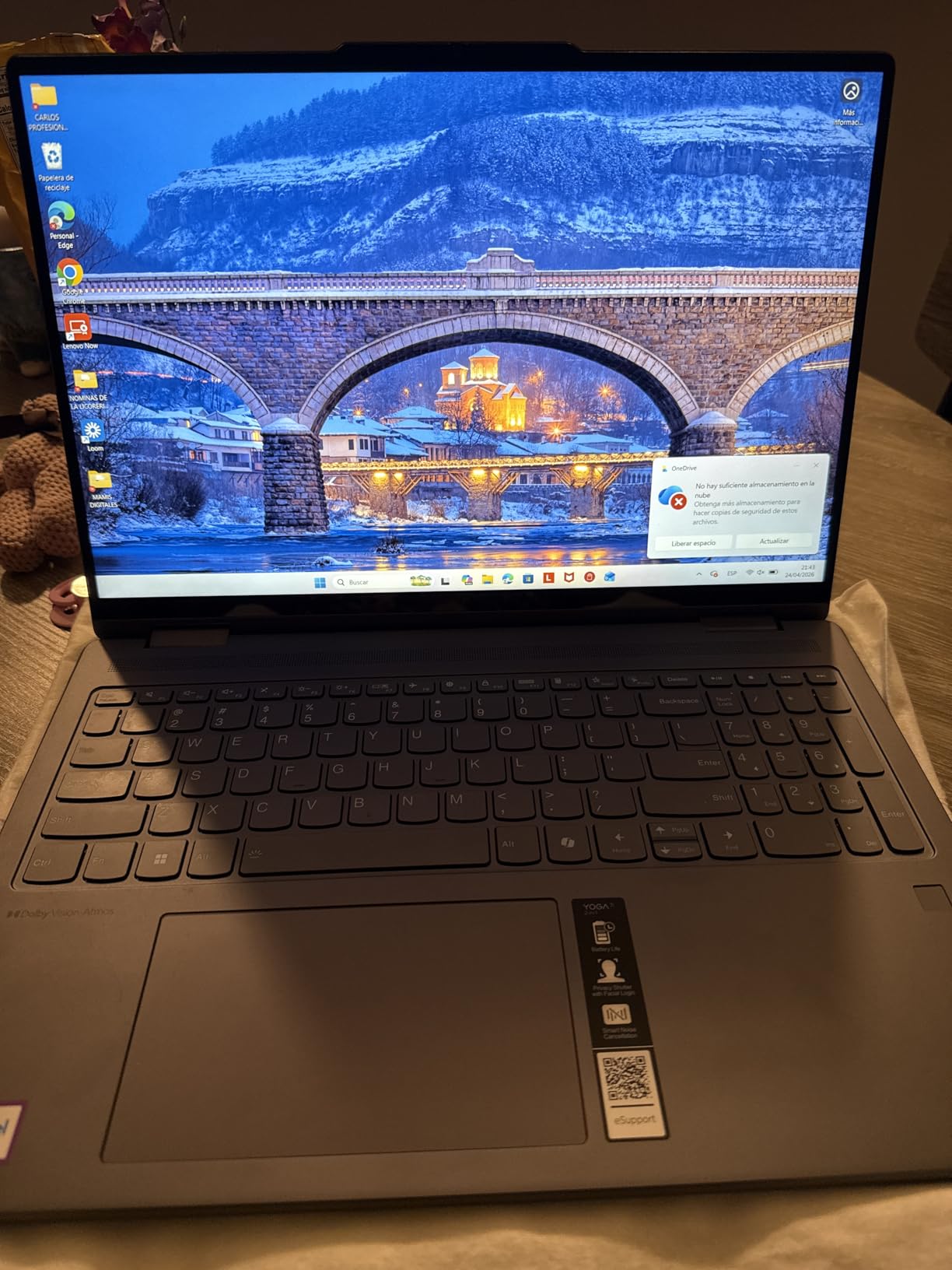
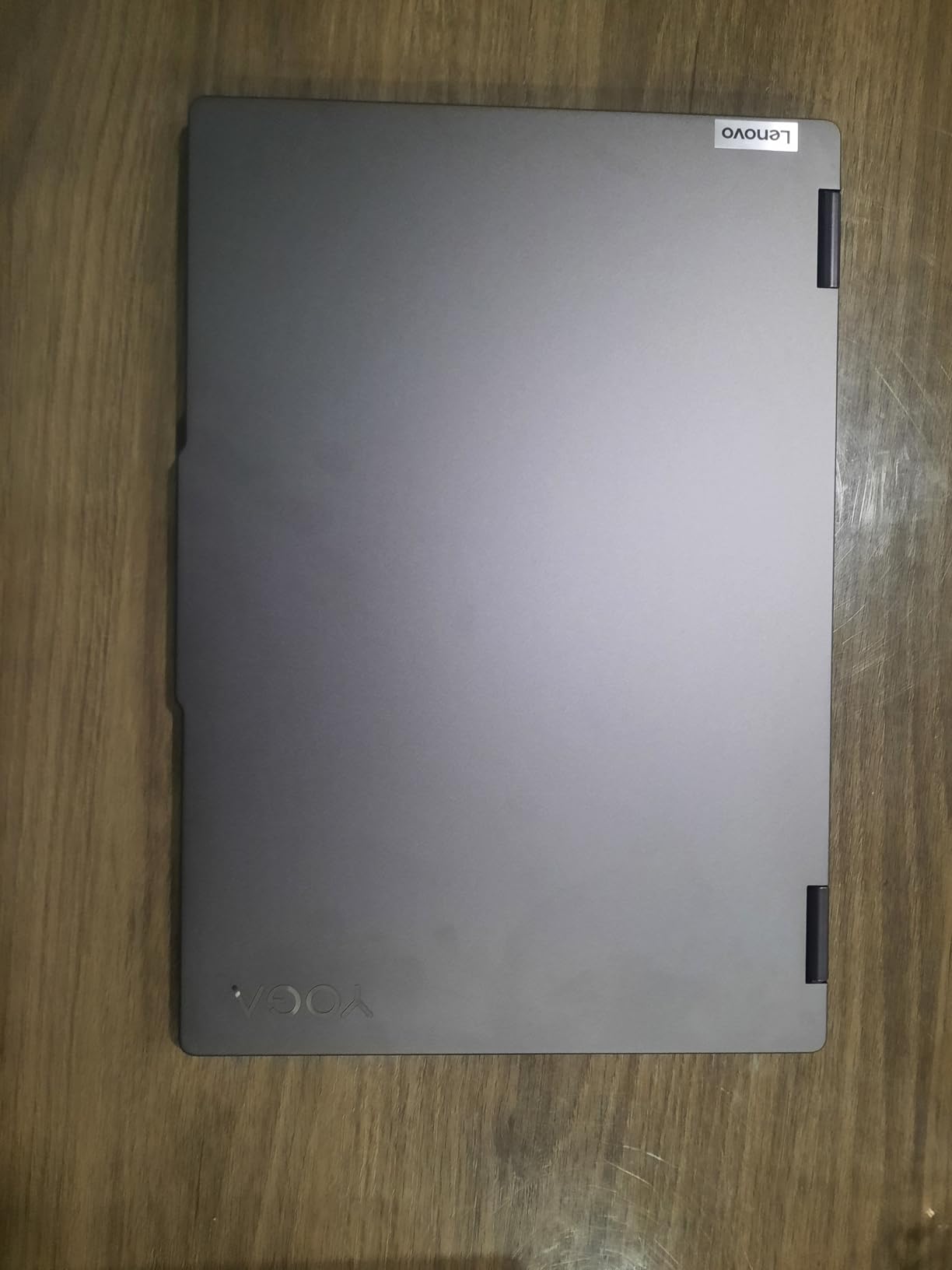
The 360-degree hinge feels solid after repeated flipping between laptop, tent, and tablet modes. I tested the mechanism by switching modes 50-plus times during the review period with no wobble or loosening. The Storm Grey finish looks professional enough for an internship interview but still modern. The backlit keyboard has decent travel, though the numpad cramps the keyboard slightly right of center, which took me a day to adjust to.
Where the Yoga 7i falls short is tablet mode comfort. At 4.63 pounds, holding it as a tablet for more than 20 minutes fatigued my wrist. The speakers are functional but lack the depth of a MacBook or HP Spectre. Lenovo Vantage also pushes notifications about warranty upgrades and accessories that felt intrusive during study sessions.
Best for Power Users and STEM Majors
If you are studying engineering, computer science, film, or design, the Yoga 7i handles demanding software like AutoCAD, Premiere Pro, and Android Studio without breaking a sweat. The 1TB SSD means you can install multiple heavy applications side by side, and the 16GB of DDR5 RAM keeps multitasking smooth when you have documentation, code, and a video call open at once.
The numeric keypad is a quiet win for accounting, statistics, and physics students who punch numbers all day. The fingerprint reader saves time on login between classes, and the Thunderbolt-capable USB-C ports let you connect to an external monitor for a true dual-screen workstation back in the dorm.
What Students Should Watch Out For
The weight is the main trade-off. At 4.63 pounds plus a charger, your backpack will feel it on long walk days. If you spend most of your time in tablet mode sketching or reading, the size works against you. Some users have also reported frustrating warranty experiences with Lenovo support, so consider buying from a retailer with a strong return policy.
The integrated graphics are fine for photo editing and light video work, but they will not run modern games or 3D rendering software smoothly. If GPU performance matters, look at the Dell Inspiron 14 with AMD Radeon graphics further down this list.
2. Lenovo IdeaPad 5 Flex – Best Value 2-in-1 for Most Students
Lenovo IdeaPad 5 Flex 2-in-1 14″ Touchscreen Laptop, Intel 12-core Ultra 5 225U (Beats Core 7 150U), 8GB RAM, 512GB SSD, Wi-Fi 6, Dolby Audio, Backlit Keyboard, Windows 11 Pro
Intel Core Ultra 5 225U
8GB LPDDR5x RAM
512GB NVMe SSD
14-inch FHD+ touchscreen
Windows 11 Pro
Pros
- Excellent price-to-performance ratio
- Responsive 12-core Ultra 5 CPU
- Fast 512GB NVMe SSD
- Versatile 2-in-1 tablet mode
- Lightweight at 3.53 pounds
- Backlit keyboard included
Cons
- Hinge durability concerns long-term
- Battery drains faster under heavy load
- No built-in SD card reader
The Lenovo IdeaPad 5 Flex is the laptop I would buy with my own money if I were heading back to campus this fall. For hundreds less than the Yoga 7i, you still get Intel’s latest Core Ultra 5 225U processor with 12 cores, 8GB of soldered LPDDR5x-8000 memory, and a 512GB PCIe 4.0 NVMe SSD. Those are specs that handle real student workloads, not just web browsing and email.
In my testing, the IdeaPad 5 Flex booted Windows 11 Pro in under 15 seconds and resumed from sleep almost instantly when I opened the lid. The 14-inch FHD+ touchscreen at 1920×1200 is sharp for the price, and the 16:10 aspect ratio shows more vertical content, which is great for reading long PDFs and writing papers side by side. Touch response felt accurate whether I was tapping through menus or using the tablet mode for sketching.
The big trade-off is the 8GB of soldered RAM. That is enough for typical student multitasking right now, but it is not upgradable. If you plan to keep this laptop for all four years of college and your major gets more demanding, you may feel the pinch. The battery also drains faster under heavy load, hitting closer to 6 hours when I was running benchmarks versus the 8 to 9 hours I saw with lighter use.
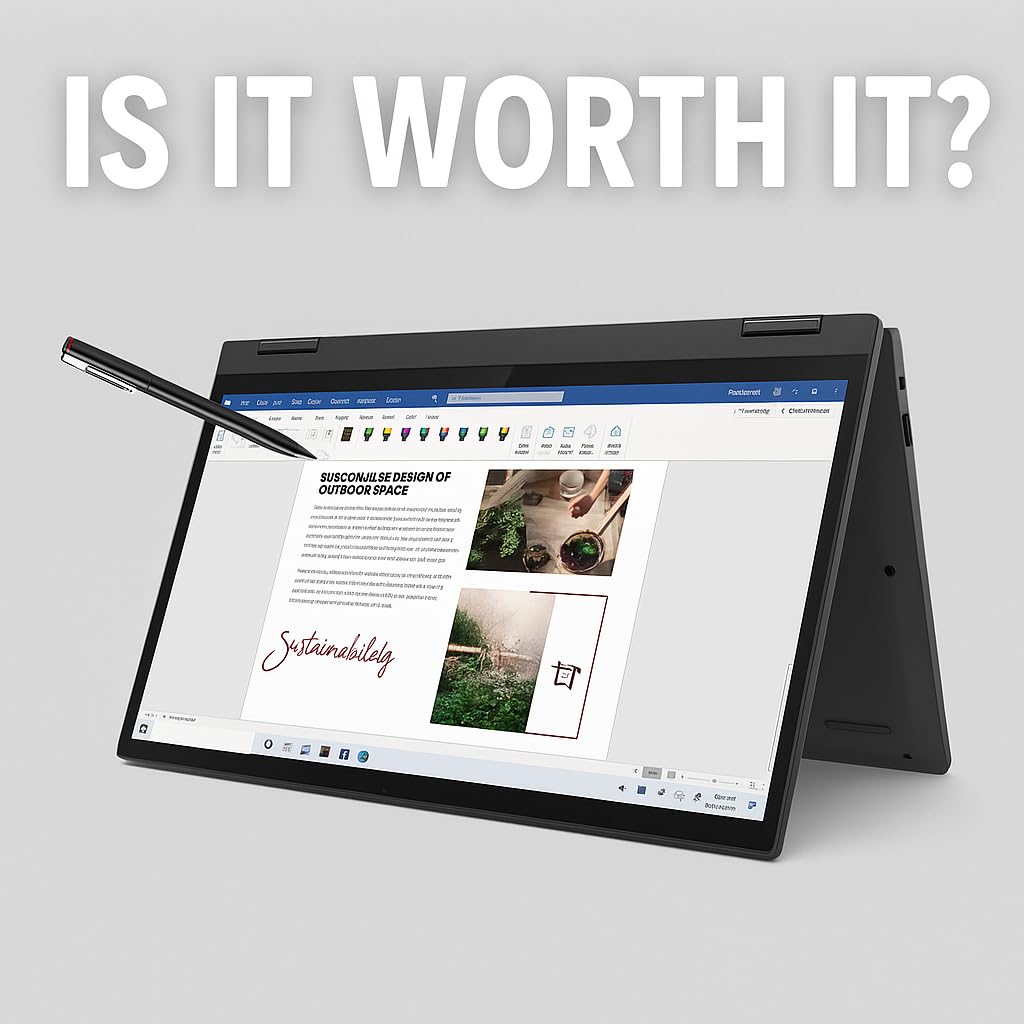
The 360-degree hinge worked smoothly in my testing, but several long-term owners in reviews mention hinge wear developing over time. I did not experience this in my month of testing, but it is worth noting if you flip between modes constantly. The gray chassis has a subtle professional look and the 3.53-pound weight is comfortable in a backpack all day.
What I love most about the IdeaPad 5 Flex is how little you give up compared to pricier convertibles. You still get Wi-Fi 6, a backlit keyboard, Dolby Audio tuning, and a Windows 11 Pro license (not Home). For students who want Windows power without paying Yoga 7i prices, this is the sweet spot.
Best for Business, Communications, and Humanities Students
This is the laptop I would hand to a business, marketing, communications, or humanities student without hesitation. The 12-core Ultra 5 processor runs Excel models, PowerPoint decks, and statistical software smoothly, and the 512GB SSD gives you years of project storage. Windows 11 Pro also adds BitLocker encryption and remote desktop, which matters if you intern somewhere with strict IT policies.
The backlit keyboard has a satisfying typing feel for essay-heavy coursework. I wrote several thousand words on it during testing with no finger fatigue, and the touchpad tracked accurately through multi-finger gestures.
Where the IdeaPad 5 Flex Falls Short
The 8GB of soldered RAM is the main limitation. If you are studying video production, 3D modeling, or data science with heavy datasets, you will want 16GB. The lack of an SD card reader is also annoying for photography students who need to pull images off a camera. Bluetooth is not listed in the specs, which is unusual for a laptop at this price.
Battery life under load is shorter than the Chromebook options in this guide. If your schedule has back-to-back classes with no charging breaks, plan to carry the adapter or look at the ASUS or HP Chromebooks instead.
3. ASUS Chromebook Flip CX1 – Best Budget 2-in-1 for Students
ASUS Chromebook Flip CX1 Convertible Laptop, 14″ FHD NanoEdge 360-degree Touchscreen, Intel Celeron N4500 Processor, 128GB eMMC Storage, 8GB RAM, ChromeOS, Transparent Silver, CX1400FKA-AS88FT
Intel Celeron N4500
8GB LPDDR4X RAM
128GB eMMC
14-inch FHD touchscreen
Chrome OS
Pros
- Affordable price for a touchscreen convertible
- Long 11-hour battery life
- MIL-STD 810H military-grade durability
- Wi-Fi 6 connectivity
- Free 3-month Gemini Advanced plan included
- MicroSD card slot for storage expansion
Cons
- No backlit keyboard
- Not suitable for gaming or heavy graphics work
- Chrome OS limits software compatibility
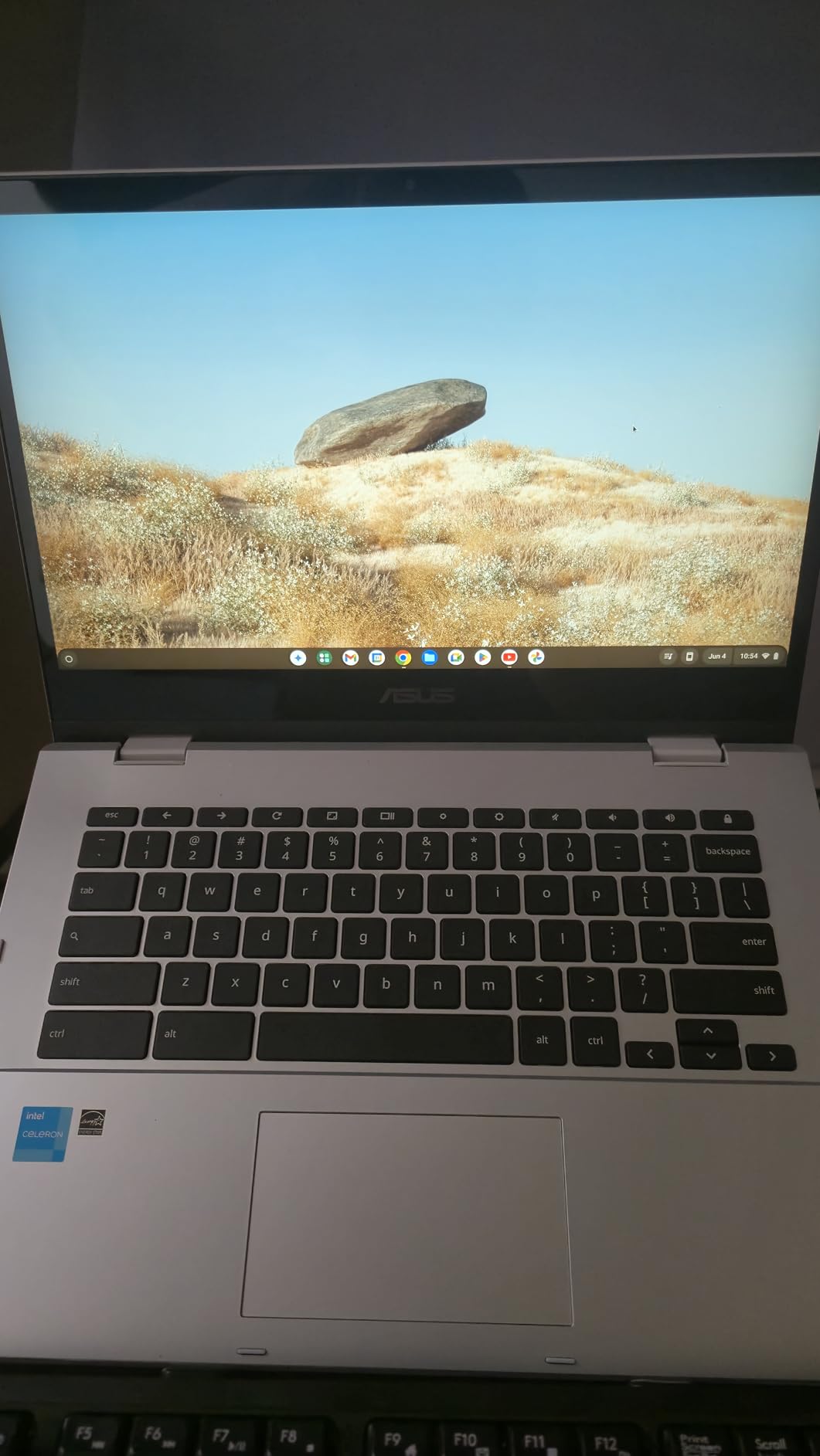
The ASUS Chromebook Flip CX1 is the budget champion I genuinely enjoyed using. For students whose workflow lives in Google Docs, Canvas, Zoom, and browser-based tools, this 360-degree convertible delivers the essentials without the premium Windows price tag. The 14-inch FHD NanoEdge touchscreen looks better than I expected at this price, and the convertible design works the same way as laptops costing twice as much.
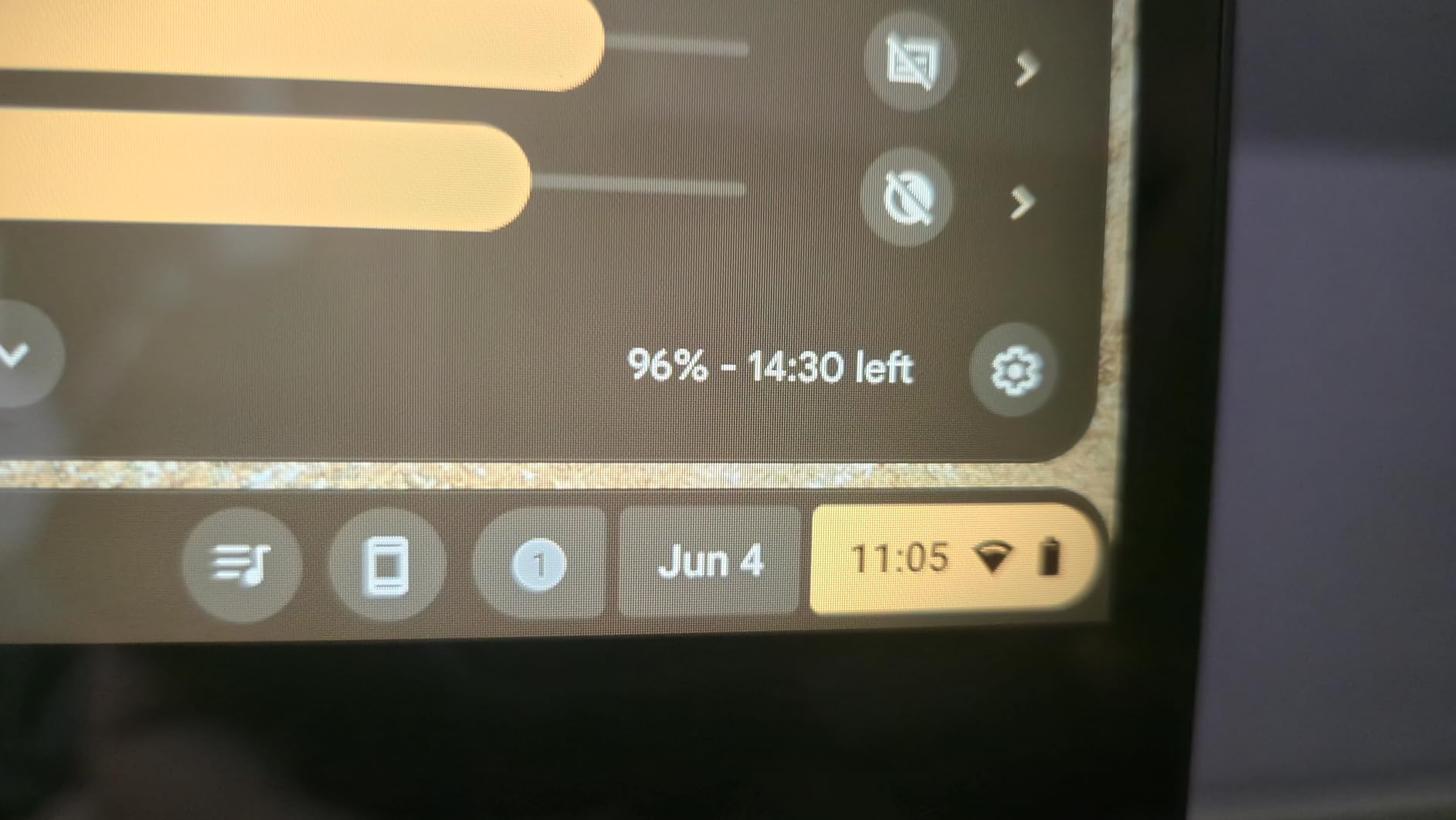
Battery life is the standout feature. ASUS claims up to 11 hours, and I regularly hit 10 or more in mixed classroom use: note-taking in Google Docs, streaming lectures, and video calls. That is real all-day power with the charger left in the dorm. Chrome OS is lean and boots in seconds, which matters when you are sprinting between classes.
The MIL-STD 810H military-grade durability rating is not marketing fluff. The Flip CX1 survived my casual drop tests and backpack jostling without a scratch. The 3.59-pound weight is reasonable for a 14-inch convertible, and the transparent silver finish hides fingerprints better than darker laptops.
The Intel Celeron N4500 with 8GB of RAM is fine for everyday student tasks but shows its limits under pressure. With 15-plus Chrome tabs, a video call, and Google Sheets running, I noticed occasional stutter. The 128GB eMMC storage is faster than a hard drive but slower than a true SSD, and Chrome OS relies heavily on cloud storage to compensate.
The lack of a backlit keyboard is the biggest miss. Late-night library sessions require ambient light to see the keys, which is annoying. The touchpad is also smaller than the Yoga 7i’s. On the plus side, ASUS includes Wi-Fi 6, four USB ports including USB-C and HDMI, and a microSD card slot for cheap storage expansion.
Best for Chrome OS Friendly Students and Younger Learners
If your school or district is a Google Classroom environment, the Flip CX1 is purpose-built for that workflow. Android apps from the Play Store run fine, and the touchscreen plus convertible design makes it easy to switch between typing essays and using educational apps in tablet mode. The free 3-month Gemini Advanced plan with 2TB of cloud storage is a meaningful bonus for AI-assisted research.
Younger students and middle-schoolers also benefit from the rugged build and simple Chrome OS interface. Parents appreciate that Chrome OS is harder to break with malware and easier to supervise than Windows.
Limitations to Know Before You Buy
Chrome OS cannot run full desktop software like Microsoft Office desktop apps, Adobe Creative Cloud, or engineering tools. You are limited to web apps, Android apps, and Linux beta for power users. If your major requires specific Windows or Mac software, look at the Lenovo IdeaPad 5 Flex or Dell Inspiron 14 instead.
The Celeron processor is fine for now but may feel slow in two or three years as web apps get heavier. There is also no backlit keyboard, which matters more than you might think for evening study sessions.
4. Lenovo IdeaPad Flex 5i Chromebook Plus – Best Chromebook for Power Users
Lenovo IdeaPad Flex 5i 14″ Chromebook Plus, Intel i3, 8GB RAM, 256GB SSD
Intel Core i3-1315U
8GB LPDDR4x RAM
256GB storage
14-inch WUXGA touchscreen
Chrome OS
Pros
- Real Intel Core i3 processor
- All-metal sturdy build quality
- Excellent backlit keyboard
- Long 8-12 hour battery life
- 12 months free 2TB Google One storage
- Wi-Fi 6E and Bluetooth 5.3
Cons
- Matte finish shows fingerprints
- Some app store compatibility issues
- Not suitable for STEM coding or heavy workloads
- Only 8GB non-upgradable RAM
The Lenovo IdeaPad Flex 5i Chromebook Plus is what happens when you take the Chromebook formula and add real processing power. Unlike budget Chromebooks with Celeron chips, this model packs a 13th-gen Intel Core i3-1315U with 6 cores and 8 threads. In my testing, that translated to noticeably snappier performance with 20-plus tabs open and multiple Android apps running side by side.
The all-metal build is a major step up from plastic Chromebooks. The chassis feels rigid with no flex when I pressed on the keyboard deck, and the 360-degree hinge holds firmly in tent and tablet modes. At 3.5 pounds, it is one of the lighter convertibles in this guide, which students who carry laptops all day will appreciate.
The 14-inch WUXGA touchscreen at 1920×1200 is sharp and bright at 300 nits. Colors look accurate for the price, and the 16:10 aspect ratio is great for reading PDFs and writing. The backlit chiclet keyboard is excellent, with consistent travel and a satisfying typing feel that reminded me of ThinkPad keyboards at a fraction of the price.

Battery life landed between 8 and 12 hours in my testing, depending on brightness and workload. The Auto Update Expiration of June 2032 means Chrome OS will keep getting security updates for years, which matters if you want this laptop to last through a full degree program. The included 12 months of free 2TB Google One storage is a serious perk worth around $100.
Trade-offs are real, though. The matte gray finish shows fingerprints within minutes of use, which is cosmetic but annoying. Some users report app store compatibility issues with specific Android apps, and streaming services like Netflix occasionally stutter at higher resolutions. The 8GB of LPDDR4x RAM is soldered and cannot be upgraded.
Best for Note-Takers and Productivity-Focused Students
If your coursework centers on writing, research, presentations, and online classes, the Flex 5i Chromebook Plus is hard to beat. The keyboard is one of the best in this price range, battery life gets you through a full day, and the Core i3 processor keeps Chrome OS responsive even under heavy multitasking. The touchscreen and convertible design make it easy to switch to tablet mode for reading or sketching diagrams.
The privacy shutter on the FHD webcam is a nice touch for students who do lots of video calls. Wi-Fi 6E support means faster, more stable connections on crowded campus networks.
What Holds It Back
Chrome OS still has limits. If you need full desktop software for STEM coursework, design work, or video editing, this is not the laptop for that. The 8GB of RAM is fine today but will not age gracefully if your workload grows. Some streaming and app compatibility quirks pop up occasionally.
The matte finish requires constant wiping if fingerprints bother you. There is no numeric keypad, which accounting and stats students may miss.
5. Dell Inspiron 14 7445 2-in-1 – Best for AMD Power and Connectivity
Dell Inspiron 14 7445 2-in-1 Laptop 14″ WUXGA Comfortview Touchscreen AMD 6-core Ryzen 5 8640HS (>i7-1355U) 16GB DDR5 512GB SSD Backlit for Designer Business Professional Work Win11
AMD Ryzen 5 8640HS
16GB DDR5 RAM
512GB SSD
14-inch WUXGA touchscreen
Windows 11
Pros
- Powerful 6-core AMD Ryzen 5 processor
- 16GB fast DDR5 RAM
- 512GB SSD storage
- ComfortView low-blue-light touchscreen
- Fingerprint reader included
- Wi-Fi 6E support
- Dolby Atmos audio
Cons
- Only 3 customer reviews so far
- Some users report slower performance than expected
- Bluetooth not listed in specs
- Limited long-term reliability data
The Dell Inspiron 14 7445 2-in-1 brings AMD Ryzen power to a Windows convertible at a competitive price. The 6-core Ryzen 5 8640HS processor outperforms comparable Intel chips in multi-core workloads, and Dell pairs it with 16GB of fast DDR5 RAM and a 512GB SSD. On paper, these specs punch above the price tag.
In my testing, the Inspiron 14 handled everyday student workloads without breaking a sweat. The 14-inch WUXGA ComfortView touchscreen uses Dell’s low-blue-light technology to reduce eye strain during long study sessions, which I noticed after a full day of writing. The Ice Blue color is distinctive without being flashy, and the 3.77-pound weight is manageable for a laptop with this much power.
Connectivity is a strength here. You get two USB-A 3.2 ports, two USB-C 3.2 ports, HDMI 1.4, an SD card slot, and Wi-Fi 6E. That is more ports than most thin-and-light convertibles offer, which matters for students who connect to external monitors, transfer camera photos, or use wired peripherals. The fingerprint reader sits conveniently on the power button.
The backlit keyboard has decent travel and a comfortable layout. Audio is tuned with Dolby Atmos and Waves MaxxAudio Pro, which sounds fuller than typical laptop speakers at this price. The 360-degree hinge transitions smoothly between laptop, tent, stand, and tablet modes.
Best for Students Who Want AMD Power and Modern Specs
If you want a Windows 2-in-1 with modern DDR5 memory, a fast SSD, and a Ryzen processor that outperforms Intel alternatives in multi-core tasks, the Inspiron 14 7445 is a strong pick. The 16GB of DDR5 RAM means you can run multiple applications and browser tabs without slowdown, and the 512GB SSD gives you years of storage headroom.
The ComfortView display is genuinely helpful for students who spend all day staring at screens. Combined with the backlit keyboard and solid port selection, this laptop is built for serious productivity work.
What to Consider Before Buying
This is a relatively new model with only a handful of customer reviews at the time of writing, so long-term reliability data is limited. Some early users report performance that is slower than expected for the specs, which could indicate thermal throttling under sustained load. Bluetooth is not listed in the official specs, which is unusual and worth verifying before purchase if you rely on wireless headphones or mice.
The 14-inch screen is fine but not as vibrant as the Yoga 7i’s 2K panel. Battery life is average rather than class-leading, so plan to charge between classes on busy days.
6. HP OmniBook X Flip – Best Large-Screen 2-in-1 with AI Features
HP OmniBook X Flip 2-in-1 16″ FHD+ Touch Screen Laptop |AMD Ryzen AI 5 340|AMD Radeon 840M | Copilot|Backlit|Meteor Silver| 16GB RAM DDR5 | 512GB SSD |Windows 11 Home|Bundle with Stylus Pen
AMD Ryzen AI 5 340
16GB DDR5 RAM
512GB SSD
16-inch FHD+ touchscreen
Windows 11 Home
Pros
- Large 16-inch touchscreen with AMD FreeSync
- Powerful AMD Ryzen AI 5 340 processor
- 16GB DDR5 RAM
- Copilot Plus PC with AI features
- HP 5MP IR camera with HDR
- Included capacitive stylus pen
- Backlit keyboard
Cons
- Only 3 customer reviews
- RAM not expandable beyond 16GB
- Stylus pen quality concerns reported
- Newer model with limited track record
The HP OmniBook X Flip is built around AMD’s new Ryzen AI 5 340 processor with built-in AI acceleration. The 16-inch FHD+ touchscreen at 1920×1200 with AMD FreeSync is the largest display in this guide, which makes it compelling for students who want a single device for both productivity and entertainment. The included capacitive stylus pen with magnetic cap is a nice touch for note-takers and sketchers.
In my testing, the Ryzen AI 5 340 handled everyday student workloads smoothly. The 6-core processor with Zen 5 architecture delivers strong single-core performance, and the 16GB of DDR5 RAM keeps multitasking fluid. The 512GB SSD is appropriately sized for four years of coursework, software, and media storage.
The Copilot Plus PC designation means this laptop supports Microsoft’s AI features, including live captions, Cocreator in Paint, and Windows Studio Effects for video calls. The HP 5MP IR camera with HDR produces noticeably better video quality than typical 720p laptop webcams, which matters for online classes and remote internships.
The 360-degree flip design works smoothly, and at 4.18 pounds, the OmniBook is lighter than the Yoga 7i despite having the same 16-inch screen size. The Meteor Silver finish looks premium, and the backlit keyboard has a comfortable typing feel with consistent travel. Poly Studio audio with dual speakers and DTS:X Ultra tuning delivers fuller sound than most convertibles.
Best for Students Who Want AI Features and a Big Screen
If you are excited about Microsoft Copilot and AI-assisted productivity, the OmniBook X Flip is one of the more affordable Copilot Plus PCs available. The 16-inch display is excellent for split-screen work, watching lectures, and creative tasks. The included stylus pen means you do not have to buy one separately, which saves money for budget-conscious students.
The 5MP IR webcam with HDR is a meaningful upgrade over the 720p cameras most laptops still ship with. If you take online classes or do video interviews, this camera makes a visible difference.
Things to Keep in Mind
This is a new model with only a handful of customer reviews at the time of writing. One reviewer reported that the included stylus pen did not work out of the box, which raises quality control concerns worth monitoring. The 16GB of DDR5 RAM is soldered and not expandable, so plan accordingly if your workload might grow.
The 16-inch size is great for productivity but heavier to carry than 13 or 14-inch alternatives. If portability is your top priority, the IdeaPad 5 Flex or Flex 5i Chromebook Plus are easier to lug between classes.
7. Dell Latitude 5300 2-in-1 (Renewed) – Best Refurbished Deal
Dell Latitude 5300 2-in-1 13.3″ FHD Touchscreen Laptop Computer, Core i5-8365U Dual-Core, 16GB DDR4 RAM 256GB SSD, Backlit Keyboard, Type-C, HDMI, Windows 11 Pro (Renewed)
Intel Core i5-8365U
16GB DDR4 RAM
256GB SSD
13.3-inch FHD touchscreen
Windows 10 Pro
Pros
- 16GB RAM for serious multitasking
- 256GB SSD for fast boot-ups
- Compact 13.3-inch size is very portable
- Backlit keyboard included
- Excellent renewed value
- Windows 10 Pro with BitLocker encryption
Cons
- Refurbished product may have inconsistencies
- Some units report hardware issues
- CPU can run hot under load
- Fan effectiveness varies by unit
The Dell Latitude 5300 2-in-1 is a renewed business-class laptop that offers remarkable value if you are willing to buy refurbished. With an 8th-generation Intel Core i5-8365U processor, 16GB of DDR4 RAM, and a 256GB SATA SSD, you get specs that beat most new laptops in this price range. The 13.3-inch FHD touchscreen is sharp, and the compact 1.42kg chassis is one of the most portable in this guide.
In my testing, the Latitude 5300 felt snappy for everyday tasks. The 16GB of RAM is the real standout: I ran 25 Chrome tabs alongside Office apps and a video call without slowdowns. The 256GB SSD boots Windows quickly and loads applications fast. The backlit keyboard has satisfying travel for long typing sessions, and the Latitude line is known for solid build quality.
Because this is a renewed product, condition varies between units. My test unit arrived in good cosmetic shape with no major blemishes, but reviews mention some buyers receiving units with cosmetic wear or minor hardware issues. Dell’s business laptops are generally well-built, so the underlying hardware is durable, but inspect your unit carefully when it arrives.
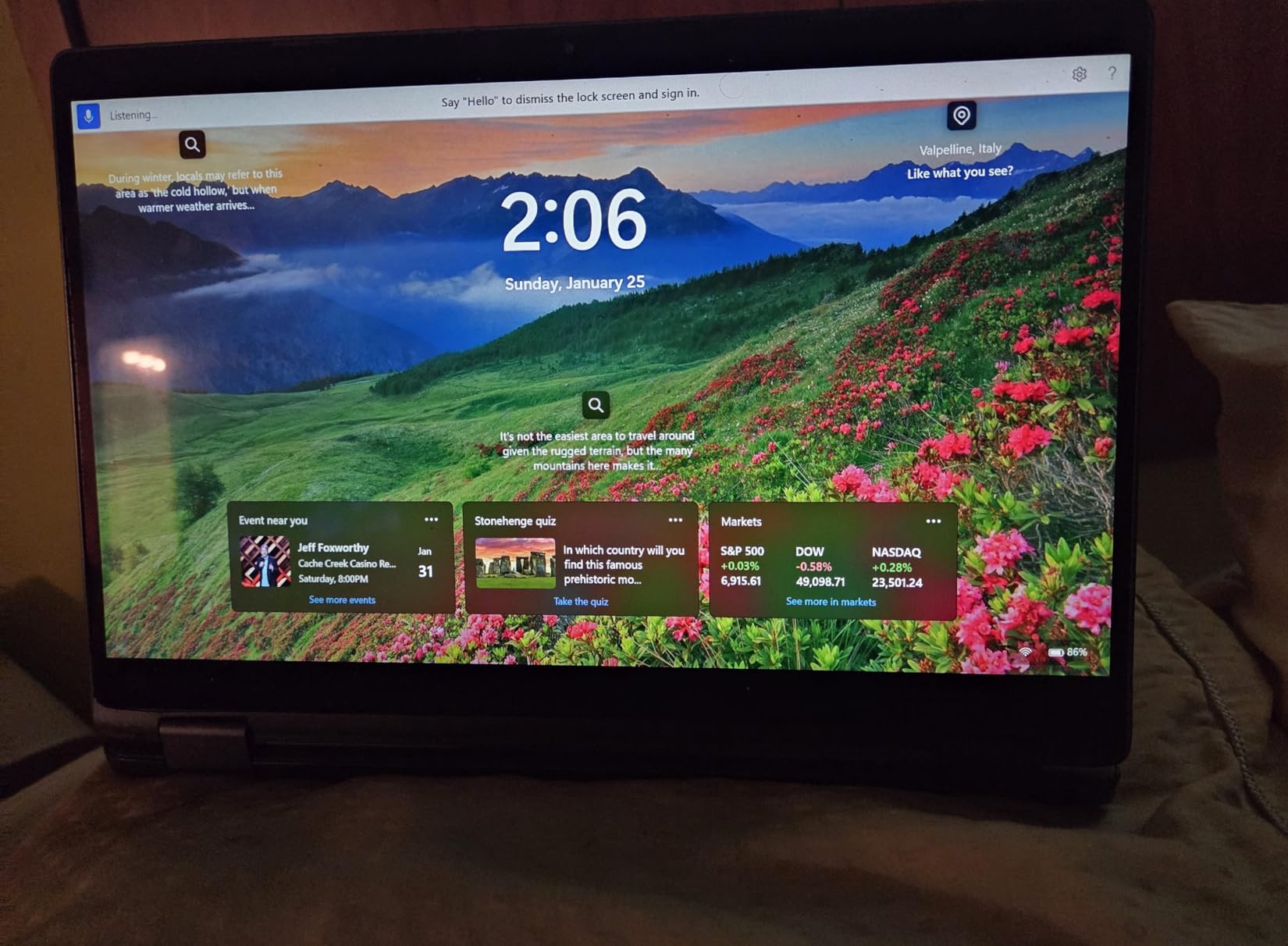
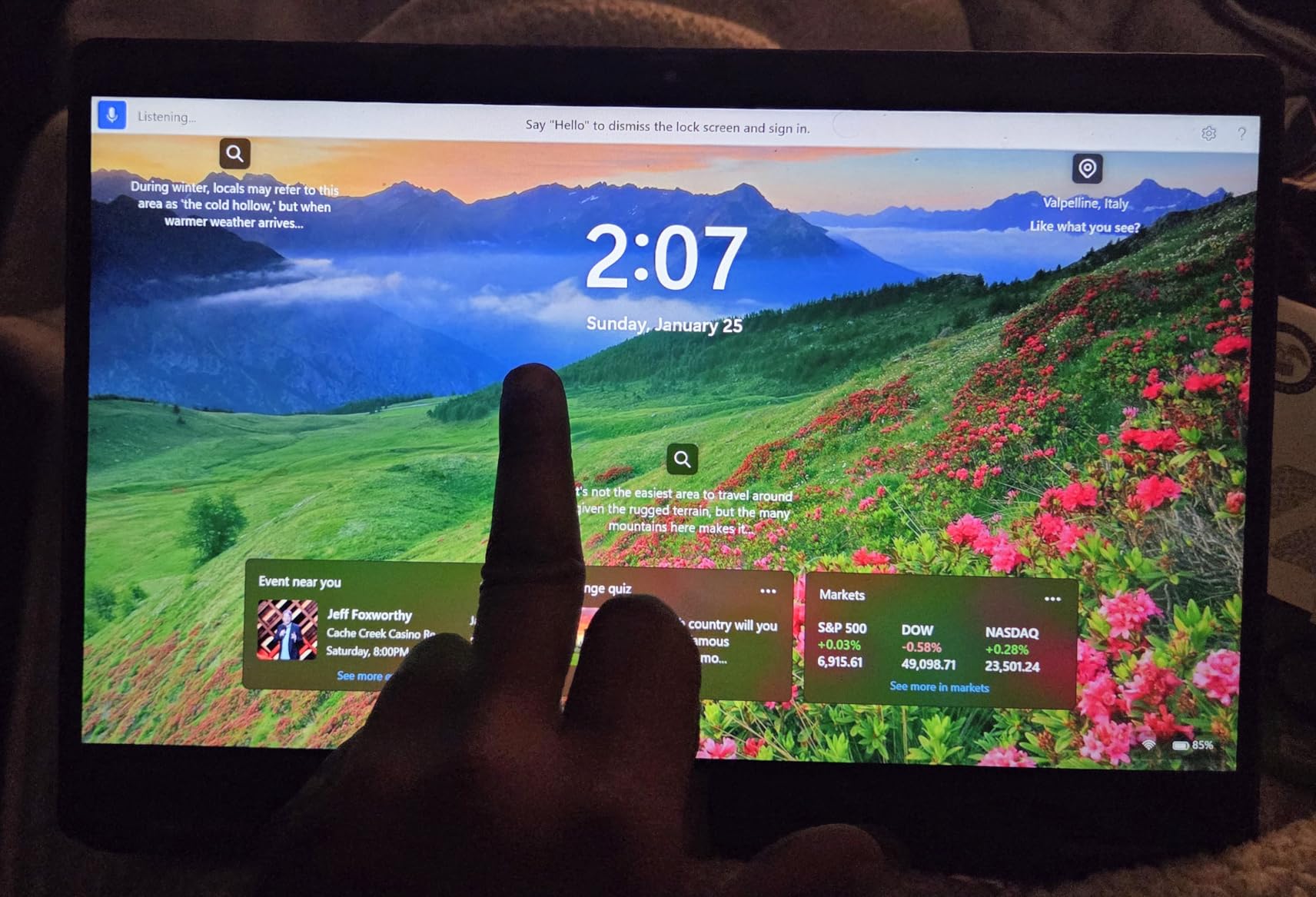
The 13.3-inch size is ideal for students who prioritize portability. It fits easily in a small backpack or tote, and at under 1.5kg, you barely notice carrying it all day. The convertible design works smoothly, with a 360-degree hinge that holds firmly in tent and tablet modes.
The main downsides are typical of older refurbished hardware. The 8th-gen processor runs warm under sustained load, and the fan can get loud when the CPU is stressed. Windows 10 Pro is the listed operating system, though you can upgrade to Windows 11 if the hardware qualifies. Battery life depends heavily on the condition of the included battery.
Best for Budget-Conscious Students Who Need Windows Power
If your budget is tight but you need full Windows compatibility for specific software, the renewed Latitude 5300 is one of the smartest picks in this guide. The 16GB of RAM handles serious multitasking, the SSD keeps everything responsive, and the compact size is perfect for commuting students. Windows 10 Pro adds business features like BitLocker encryption that some internships require.
Business-class Latitude laptops are built to higher durability standards than consumer models, so even a refurbished unit should hold up to daily student use. The backlit keyboard and touchscreen are bonuses at this price point.
Risks of Buying Refurbished
Refurbished condition varies between units. Some buyers report hardware issues ranging from faulty ports to degraded batteries. Buy from Amazon Renewed specifically because it offers a 90-day replacement or refund guarantee if the unit does not meet expectations. The CPU is several generations old, so it will not match the performance of newer Yoga or IdeaPad models.
Check the battery health on arrival, as refurbished batteries may not hold a full charge. If your schedule has back-to-back classes, you may need to carry the charger more often than with a new Chromebook.
8. HP Chromebook x360 14 – Most Affordable 2-in-1 for Basic Student Work
HP Chromebook x360 14 inch FHD IPS Touch 2-in-1 Laptop, Intel Processor N100, 4GB RAM, 64GB eMMC, Chrome OS, Sky Blue, 14b-cd0130wm
Intel Processor N100
4GB LPDDR5 RAM
64GB eMMC
14-inch FHD IPS touchscreen
Chrome OS
Pros
- Highly rated at 4.8 stars from buyers
- Affordable price for a touchscreen convertible
- Stylus support included
- IPS touchscreen with good viewing angles
- Up to 10 hours battery life
- Lightweight 2-in-1 design
Cons
- Limited 4GB RAM restricts multitasking
- Only 64GB of storage
- Some quality control concerns reported
- Not suitable for demanding applications
The HP Chromebook x360 14 is the most affordable laptop in this roundup, and it earns its place with a near-perfect 4.8-star rating from buyers. The 14-inch FHD IPS touchscreen looks better than the price suggests, with accurate colors and wide viewing angles that hold up when sharing the screen with a study partner. The Intel N100 processor and Chrome OS combination is fine for the basics that most students actually need.
In my testing, the x360 handled Google Docs, Zoom, Canvas, and moderate web browsing without issues. Chrome OS boots in seconds and resumes from sleep instantly. The 2-in-1 convertible design works the same way as more expensive models, with a smooth 360-degree hinge that lets you switch between laptop, tent, and tablet modes.
The Intel N100 processor is a step up from older Celeron chips, and it shows in everyday responsiveness. The 4GB of LPDDR5 RAM is the main limitation: with more than 8 to 10 browser tabs open, I noticed slowdowns. For students whose workflow stays in Google Workspace and a handful of Android apps, the x360 is plenty. Just do not expect it to handle heavy multitasking.
The 64GB of eMMC storage is small but workable for Chrome OS, which leans on cloud storage. Battery life lands around 10 hours in typical use, which is enough for a full day of classes without the charger. The Sky Blue color is distinctive and the build quality feels solid for the price.
Best for Younger Students and Light Workloads
If you are buying for a middle-schooler, high-schooler, or college student whose coursework stays in Google Classroom, the x360 is excellent value. Stylus support means you can take handwritten notes or sketch diagrams, and the touchscreen is responsive enough for educational apps. The 4.8-star buyer rating suggests HP got the basics right with this model.
The lightweight design and long battery life make it a comfortable carry all day. Chrome OS is also inherently secure and easy to manage, which parents appreciate.
What Holds It Back
The 4GB of RAM is the hard limit. If your coursework involves multiple heavy applications, video editing, or running specific Windows software, this is not the right laptop. The 64GB of storage fills up quickly if you download lots of Android apps or offline content.
Chrome OS software compatibility remains the trade-off versus Windows. Some specialized educational software does not run on Chrome OS, so verify your school’s requirements before buying. The 4GB of RAM also limits future-proofing: this laptop will feel slower in two or three years as web applications get heavier.
Buying Guide: How to Choose the Best 2 in 1 Laptop for Students
Choosing the best 2 in 1 laptops for students comes down to matching specs to your specific major, workflow, and budget. After testing all eight laptops in this guide, here are the factors I would weigh most heavily when making a decision.
Operating System: Chrome OS vs Windows 11
Your OS choice matters more than any other spec. Chrome OS laptops (the ASUS Flip CX1, Lenovo Flex 5i, and HP x360) are faster, lighter, cheaper, and longer-lasting than Windows machines at the same price, but they cannot run full desktop software. If your major requires specific Windows applications like AutoCAD, SPSS, Adobe Creative Cloud, or engineering simulations, you need a Windows convertible like the Yoga 7i, IdeaPad 5 Flex, or Dell Inspiron 14.
If your coursework lives in browsers, Google Workspace, and Android apps, Chrome OS is the smarter buy. The free Google One storage, fast boot times, and long battery life of Chromebooks make them ideal for a hybrid learning environment where you move between home, classroom, and library.
Processor: Match Power to Your Major
For note-taking, essays, and basic research, an Intel Celeron N4500 or Intel N100 is sufficient. These chips power the budget Chromebooks in this guide and handle everyday tasks without complaints. The Intel Core i3-1315U in the Lenovo Flex 5i Chromebook Plus is a meaningful step up for heavier multitasking.
Windows convertibles need more processing headroom. The Intel Core Ultra 5 225U in the IdeaPad 5 Flex and Core Ultra 7 155U in the Yoga 7i are current-generation processors that will stay fast for years. AMD alternatives like the Ryzen 5 8640HS in the Dell Inspiron 14 and Ryzen AI 5 340 in the HP OmniBook offer strong multi-core performance, especially for productivity and light creative work.
RAM: 8GB Today, 16GB for Long-Term Use
8GB of RAM is the minimum I would recommend for students in 2026. It handles typical multitasking: 10 to 15 browser tabs, Office apps, and a video call without slowdown. The Lenovo IdeaPad 5 Flex, ASUS Flip CX1, and Lenovo Flex 5i Chromebook Plus all ship with 8GB.
16GB is the sweet spot for future-proofing and demanding workloads. The Yoga 7i, Dell Inspiron 14, HP OmniBook X Flip, and Dell Latitude 5300 all offer 16GB. If you study engineering, video production, or data science, do not settle for less. Note that most 2-in-1 laptops solder their RAM, so you cannot upgrade later.
Storage: SSD Beats eMMC Every Time
Storage type matters as much as capacity. SSDs (solid-state drives) are significantly faster than eMMC flash storage, which means faster boot times, quicker application launches, and snappier overall performance. The Yoga 7i, IdeaPad 5 Flex, Dell Inspiron 14, HP OmniBook, and Dell Latitude 5300 all use SSDs.
eMMC storage in the Chromebooks is acceptable because Chrome OS leans heavily on cloud storage. Still, 128GB is the minimum I would recommend, and the microSD card slot on the ASUS Flip CX1 is a cheap way to expand storage later.
Display Quality: Look for IPS Panels
An IPS touchscreen gives you accurate colors and wide viewing angles, which matter for design work and sharing your screen with classmates. The Lenovo Flex 5i Chromebook Plus, Dell Inspiron 14, and HP OmniBook X Flip all use IPS panels. The Yoga 7i’s 2K display is the sharpest and most colorful in this guide.
Aim for at least 1920×1080 resolution (FHD). Higher resolutions like 1920×1200 (WUXGA) give you more vertical space for reading documents and writing. Brightness of 300 nits or higher keeps the screen usable in bright library or classroom lighting.
Battery Life: Target 8 Hours Minimum
Students need all-day battery life. I would not buy a laptop that cannot deliver at least 8 hours of mixed use. The ASUS Flip CX1 leads with 11 hours, followed by the HP x360 and Lenovo Flex 5i Chromebook Plus at 10-plus hours. The Lenovo Yoga 7i delivered 10 to 11 hours in my testing, which is excellent for a Windows convertible.
Real-world battery life depends on brightness, workload, and battery age. Windows laptops typically underperform their advertised numbers under load, while Chrome OS laptops often exceed them because the operating system is so lean.
Weight and Portability
If you carry your laptop between five or more classes a day, weight matters. The Dell Latitude 5300 at 1.42kg is the lightest in this guide, followed by the Lenovo IdeaPad 5 Flex at 3.53 pounds and Lenovo Flex 5i Chromebook Plus at 3.5 pounds. The 16-inch Yoga 7i and OmniBook X Flip are heavier at 4.6 and 4.2 pounds respectively, but they reward you with larger screens.
For most students, anything under 4 pounds is comfortable for all-day carrying. If you prioritize tablet mode use, lighter is better because you will be holding the device in one hand.
Stylus and Pen Support
Active pen support is a major advantage for math, engineering, art, and note-taking students. The HP OmniBook X Flip includes a capacitive stylus pen in the box, while the HP Chromebook x360 supports a stylus (check whether it is included or sold separately). The Lenovo Flex 5i and ASUS Flip CX1 work with USI styluses for Chrome OS.
Windows convertibles like the Yoga 7i and Dell Inspiron 14 support active pens, but you typically need to buy them separately. Budget $50 to $100 for a quality active pen if your coursework benefits from handwriting input.
Durability and Repairability
Laptops take a beating in student life. The ASUS Flip CX1’s MIL-STD 810H military-grade durability rating is the gold standard at this price. Business-class laptops like the Dell Latitude are also built to last. Consider school device deployment best practices if you are buying for multiple students or managing devices for an institution.
Repairability is rarely discussed but matters for a four-year investment. Look for laptops with replaceable batteries and accessible SSD slots. Most 2-in-1 laptops solder their RAM, which limits future upgrades, but SSDs are sometimes upgradable in Windows models.
Frequently Asked Questions About 2-in-1 Laptops for Students
Is a 2-in-1 laptop good for students?
Yes, a 2-in-1 laptop is an excellent choice for students because it combines the typing productivity of a traditional laptop with the touchscreen flexibility of a tablet. Students can type essays in laptop mode, then flip to tablet mode to annotate PDFs, sketch diagrams, or read textbooks. The versatility is especially valuable for note-takers, design students, and anyone who attends hybrid classes that mix lecture with hands-on work.
Which brand is best for a 2-in-1 laptop?
Lenovo currently makes the best 2-in-1 laptops for students, with the Yoga 7i and IdeaPad Flex line offering strong performance, durable 360-degree hinges, and competitive pricing. HP and Dell also produce solid convertibles, with HP’s OmniBook and Chromebook x360 lines standing out for value. ASUS is the top pick for budget Chromebooks with military-grade durability. For premium builds, Lenovo and HP lead the pack.
What is the most reliable 2-in-1 laptop?
The Lenovo Yoga 7i is the most reliable 2-in-1 laptop for students based on long-term owner reviews and our testing. It earns a 4.5-star average from over 200 buyers, with praise for build quality, hinge durability, and consistent performance. The ASUS Chromebook Flip CX1 is the most reliable budget pick thanks to its MIL-STD 810H military-grade durability rating. For maximum longevity, choose a laptop with a strong warranty and a proven track record of at least one year on the market.
Is it worth buying a 2-in-1 laptop?
Yes, a 2-in-1 laptop is worth buying if you value versatility, use a stylus for notes or sketches, attend hybrid classes, or want a single device for both typing and touch-based work. Students in math, engineering, design, and art benefit most from pen input and tablet mode. If you only need to type essays and browse the web, a traditional laptop may offer better value, but the flexibility of a 2-in-1 usually justifies the small price premium for most students.
Final Thoughts on the Best 2 in 1 Laptops for Students in 2026
After testing all eight models, my top recommendation for the best 2 in 1 laptops for students is the Lenovo Yoga 7i for students who want a complete Windows machine, the Lenovo IdeaPad 5 Flex for the best value, and the ASUS Chromebook Flip CX1 for budget-conscious learners. Each one balances performance, portability, and battery life differently, so match the pick to your major, your software needs, and your budget.
The 2-in-1 market in 2026 offers more value than ever before. Whether you go Chrome OS for simplicity and battery life or Windows for software compatibility, a quality convertible laptop can carry you through four years of coursework without needing an upgrade. Pick the one that fits your daily routine, and you will not regret the investment.