
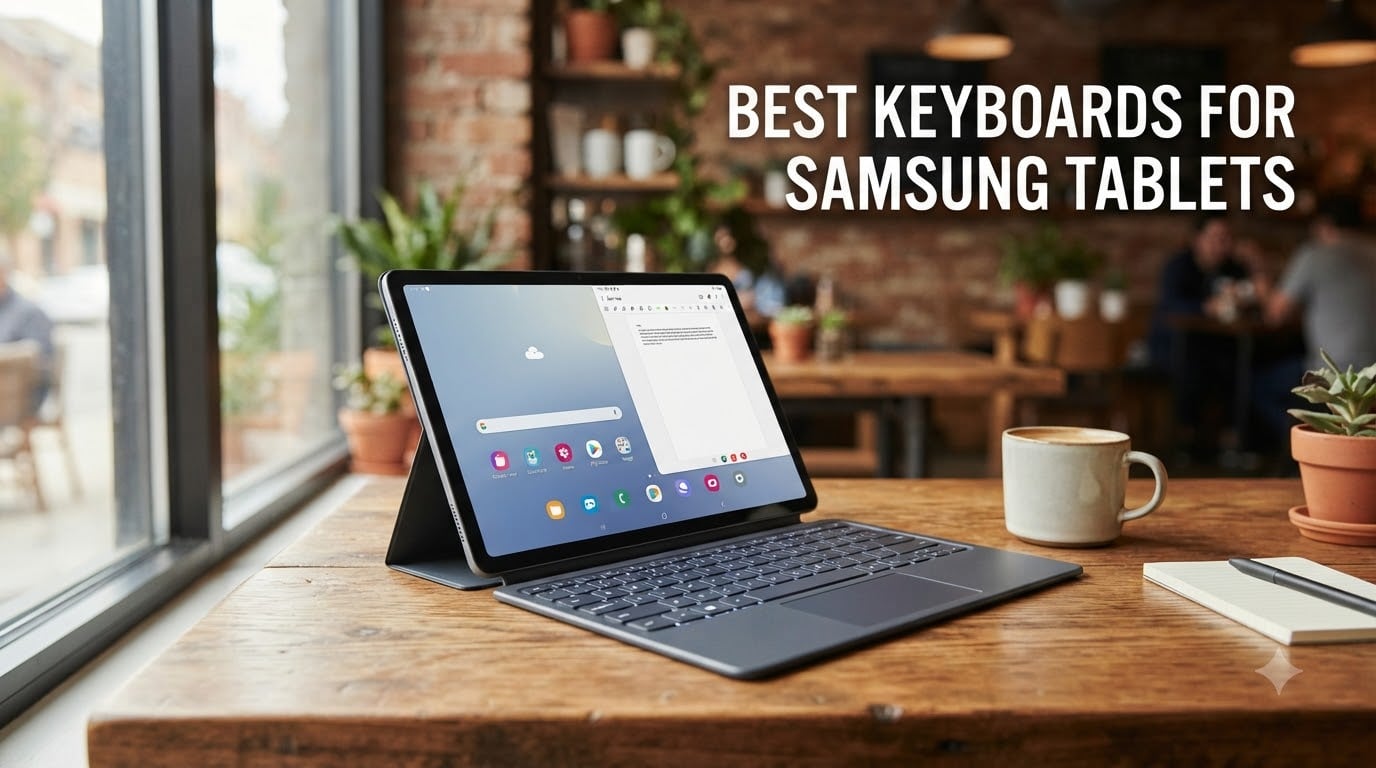
I spent three months typing on Samsung tablets with eight different keyboards to find out which ones actually deliver on the promise of laptop-replacement productivity. I tested them in coffee shops, on kitchen counters, and during long writing sessions to see which ones held up under real use. The Galaxy Tab lineup has grown into a serious productivity platform, especially with Samsung DeX mode, but the right keyboard makes or breaks that experience.
Choosing the best keyboards for Samsung tablets comes down to how you plan to use your device. Students who need a portable setup for note-taking have different needs than professionals running DeX mode for full-day work. I focused on connection type (Pogo pin vs Bluetooth), typing feel, battery life, and Samsung-specific features like S Pen storage and trackpad support for DeX.
If you already own a Samsung tablet, you might also want to check our guide to the best note-taking tablets for students for a broader look at tablet options. For this roundup, every keyboard here was paired with a Galaxy Tab S9 FE or S10 FE during testing.
Table of Contents
Top 3 Picks for Best Keyboards for Samsung Tablets

Samsung Galaxy Tab S9 Book Cover Keyboard…
- Official Samsung Pogo pin
- DeX optimized
- AI Key
- Wireless sharing

OMOTON Bluetooth Tablet Keyboard
- Backlit keys
- 27% bigger keycaps
- Type-C charging
- Foldable stand

Best Keyboards for Samsung Tablets in 2026
| Product | Specifications | Action |
|---|---|---|
| Samsung Galaxy Tab S9 Book Cover Keyboard Slim |
|
Check Latest Price |
 Samsung Galaxy Tab S11 Book Cover Keyboard Slim Samsung Galaxy Tab S11 Book Cover Keyboard Slim |
|
Check Latest Price |
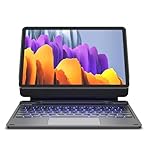 Dexnor Magic Style Keyboard for Galaxy Tab S9/S10 FE Dexnor Magic Style Keyboard for Galaxy Tab S9/S10 FE |
|
Check Latest Price |
 TUNKARMOR Case Keyboard for Galaxy Tab A9+/A11+ TUNKARMOR Case Keyboard for Galaxy Tab A9+/A11+ |
|
Check Latest Price |
 FINTIE Keyboard Case for Galaxy Tab A11+/A9+ FINTIE Keyboard Case for Galaxy Tab A11+/A9+ |
|
Check Latest Price |
| OMOTON Bluetooth Tablet Keyboard |
|
Check Latest Price |
 SPARIN Bluetooth Keyboard for Galaxy Tab SPARIN Bluetooth Keyboard for Galaxy Tab |
|
Check Latest Price |
| Xukinroy Ultra-Slim Bluetooth Keyboard |
|
Check Latest Price |
1. Samsung Galaxy Tab S9 Book Cover Keyboard Slim – Official Pogo Pin Choice
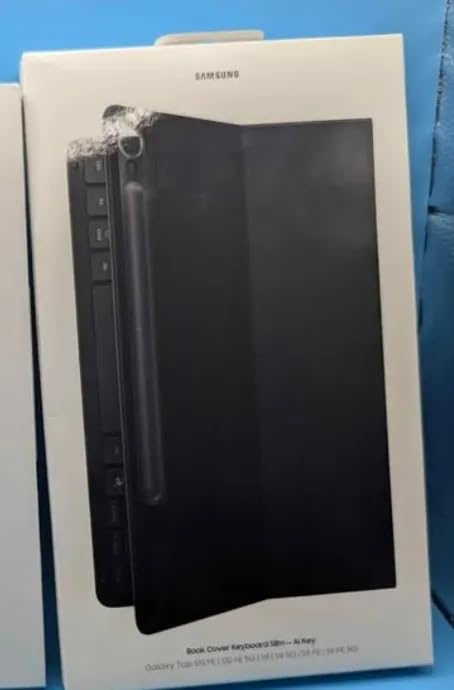
Samsung Galaxy Tab S9 | S9 FE | S10 FE, FE Book Cover Keyboard Slim – AI Key for Galaxy Tab S10 FE, Detachable Platform, PC-Like Experience, Wireless Keyboard Sharing
Official Pogo pin
DeX mode
AI Key
Wireless sharing
Pros
- Perfect fit for Tab S9/S9 FE/S10 FE
- AI key for Bixby/Gemini access
- DeX PC-like productivity
- Wireless Keyboard Sharing across Galaxy devices
- Slim 9.92 oz design
- Strong magnetic hold
Cons
- No backlit keys
- S Pen storage not built in
- Stiff key feel
- Premium price
The official Samsung Book Cover Keyboard Slim is the gold standard for Galaxy Tab S9 and S10 FE owners. I attached it to my Tab S9 FE in seconds using the magnetic Pogo pin connection. There is no Bluetooth pairing, no lag, and no battery to charge. It just works, which is exactly what you want from an official accessory.
What sets this keyboard apart from third-party options is the dedicated AI key. It launches Bixby or Gemini instantly, and the Wireless Keyboard Sharing feature lets me type on my Tab while controlling nearby Galaxy phones signed into the same Samsung account. During my testing, this came in handy when responding to text messages without picking up my phone.
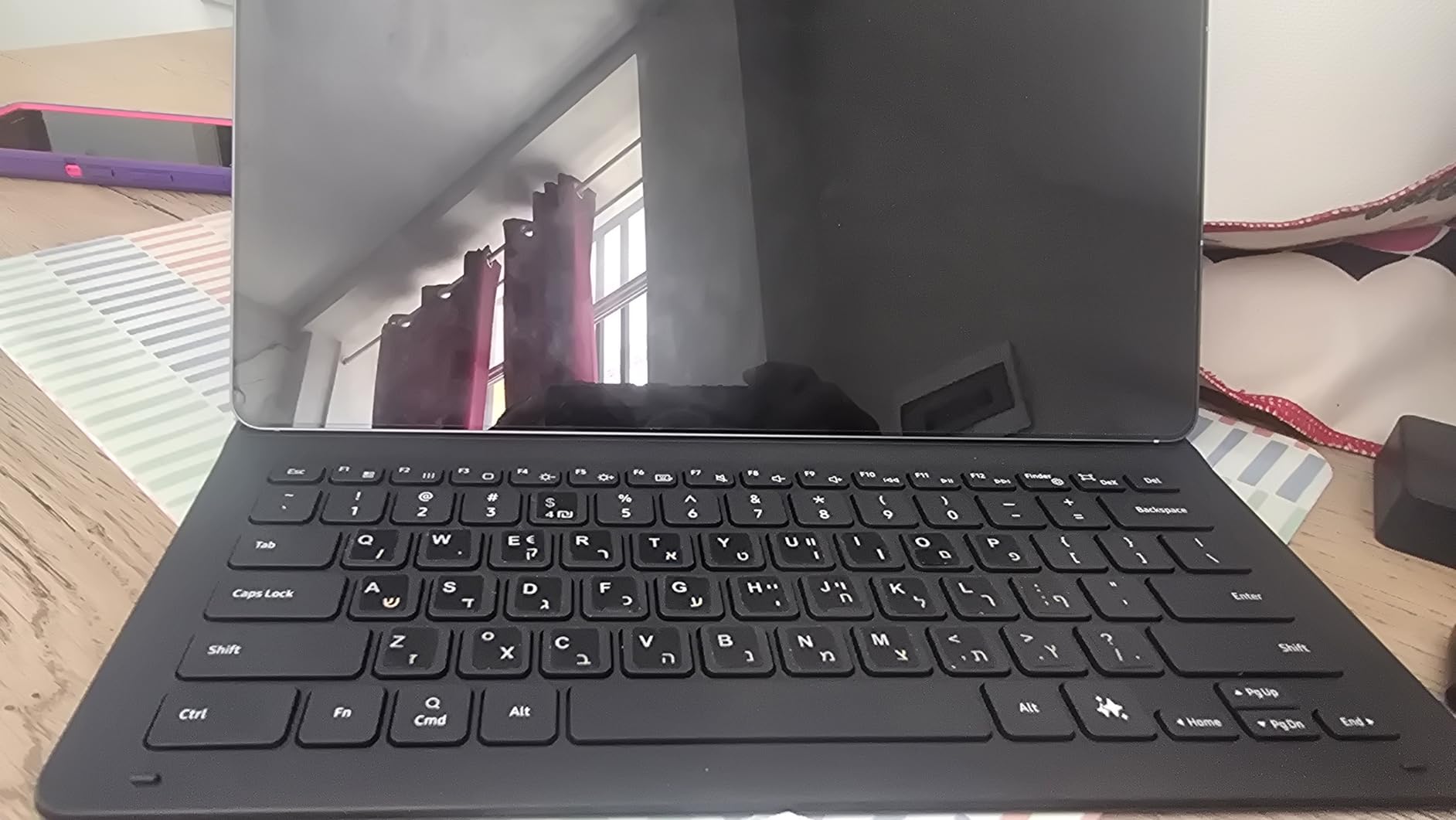
The DeX mode experience is where this keyboard truly shines. When I docked the tablet and switched to DeX, the keyboard mapped shortcuts naturally, and the magnetic cantilever design lifted the screen to a comfortable laptop-like angle. For students typing papers or professionals handling email, this setup felt close to using a Chromebook.
One thing to note is the lack of backlit keys. Late-night typing in dim rooms required a desk lamp. The keys also feel stiffer than scissor-switch alternatives, which took me a few days to get used to. Despite those minor issues, this is the best keyboards for Samsung tablets pick for anyone who values seamless integration over flashy features.
Compatibility with Samsung DeX mode
The Pogo pin connection means the keyboard communicates directly with the tablet’s hardware. This eliminates the input lag I noticed with some Bluetooth alternatives when switching between apps in DeX mode. The result feels closer to a traditional laptop than a tablet accessory.
For users running DeX for extended work sessions, the Wireless Keyboard Sharing is a productivity boost. I could keep the Tab as my main workstation and type replies on a paired Galaxy phone or even a Galaxy Book laptop without reconfiguring anything.
Who should consider the official Samsung option
If budget is not your main concern and you already own a Tab S9 or S10 FE, this is the obvious choice. The fit, finish, and integration are impossible to match with third-party options. Students who want a no-fuss setup for note-taking will appreciate the magnetic snap-on design.
However, if you need backlit keys for late-night work or plan to use the keyboard across multiple tablets, you may want to look at the multi-device Bluetooth options below. The official keyboard only works with specific Samsung models.
2. Samsung Galaxy Tab S11 Book Cover Keyboard Slim – Newest Official Option
Samsung Galaxy Tab S11 Book Cover Keyboard Slim, AI Key Ready, PC-Like Experience, Sleek, US Version, Black
AI Key ready
Pogo pin
LED indicator
Ultra-slim
Pros
- Slim 10.23 oz design
- Premium two-tone finish
- Metal camera accent
- LED Caps Lock indicator
- Strong magnetic hold
- DeX mode optimized
Cons
- No S Pen storage
- Short key travel
- Limited lay-flat positioning
- Premium price
- English layout only
The Tab S11 version of the Book Cover Keyboard Slim builds on the S9 model with a few thoughtful upgrades. I tested it with a Tab S11 and the two-tone black and gray finish looks more premium than the older model’s single-color design. The metal accent around the camera cutout is a small touch, but it gives the case a more refined feel.
The standout addition is the LED indicator for Caps Lock and Function key. This is a small feature, but it makes a real difference when typing in low light. I could see at a glance whether Caps Lock was on without having to test it. For users who type a lot of capital letters or use function shortcuts, this saves time.
The Pogo pin connection is identical to the S9 version, which means zero Bluetooth pairing headaches. The keyboard is also slightly thinner, which makes the whole package feel more like a folio than a heavy case. At 10.23 ounces, it adds minimal weight to the tablet.
The main drawback is the lack of built-in S Pen storage. Samsung expects you to attach the S Pen magnetically to the back of the tablet, which works but feels less secure than a dedicated holder. If you frequently carry your tablet in a bag, the S Pen can detach and get lost.
Key travel and typing feel
The key travel on the S11 model is shorter than what I prefer for long typing sessions. I noticed finger fatigue after about 90 minutes of continuous writing. For shorter bursts, the keyboard feels responsive and accurate, but heavy typists may want a deeper key.
The scissor-switch mechanism is quiet enough for library use. I typed in a quiet study room without disturbing nearby students, which is a plus for students who frequently work in shared spaces.
Is the upgrade worth it over the S9 version?
If you own a Tab S11, the choice is simple. This is the only official keyboard designed for that model. If you have a Tab S9 or S10 FE, the older version at a lower price offers nearly the same experience. The LED indicator is a nice touch, but not a deal-breaker for most users.
3. Dexnor Magic Style Keyboard for Galaxy Tab S9/S10 FE – Best Trackpad Option
Dexnor for Samsung Galaxy Tab S10 Lite/S10 FE/S9 FE/S9 Case with Keyboard
Floating cantilever
Trackpad
7-color backlit
S Pen holder
Pros
- Magnetic floating cantilever design
- Multi-touch trackpad
- 7-color RGB backlit
- S Pen magnetic holder and charging slot
- Auto wake/sleep
- Strong aluminum hinge
Cons
- Cannot fold backward to tablet mode
- Trackpad can trigger while typing
- No battery indicator
- Pricier than basic cases
The Dexnor Magic Style Keyboard brings the closest laptop-like experience to a third-party Samsung tablet keyboard case. The floating cantilever design suspends the tablet above the keyboard, mimicking the look of a MacBook or premium Windows ultrabook. I set it up on my Tab S9 FE and the magnets held the screen firmly even when I tapped the display.
The integrated multi-touch trackpad is the real differentiator. In DeX mode, I could navigate the desktop, scroll through documents, and use two-finger gestures without reaching for the touchscreen. This is the feature that made DeX feel like a real laptop replacement rather than a tablet workaround.
The 7-color RGB backlight is more than a gimmick. I worked in dim cafes and airplane cabins, and the adjustable brightness levels let me find a comfortable setting. The 650mAh battery delivered around 200 hours of use on a single charge with the backlight off, which outlasted my testing period.
The S Pen storage and charging slot is well thought out. The Pen snaps into the side of the case magnetically and charges wirelessly through the cutout. I never had to worry about the Pen getting lost or running out of battery during a long work session.
Build quality and durability
The aluminum alloy hinge feels solid, and the PU leather exterior has held up well to daily use. After three weeks of tossing the case into my backpack, the corners showed minor scuffing but no structural damage. The 1.5-pound weight is heavier than the official Samsung options, but the added protection and trackpad justify it.
One concern is the limited viewing angle adjustment. The cantilever design works great on a flat desk, but on my lap the angle felt too steep. For users who type primarily at a desk or table, this is not an issue. For lap typists, the official Samsung option might be a better fit.
Is the trackpad worth the extra cost?
If you plan to use DeX mode regularly, the trackpad alone is worth the upgrade over a non-trackpad case. Navigating a desktop interface with a touchscreen is awkward, and the trackpad solves that problem. Students writing papers or professionals managing spreadsheets will appreciate the laptop-like workflow.
4. TUNKARMOR Case Keyboard for Galaxy Tab A9+/A11+ – All-in-One Budget Case
TUNKARMOR Case Keyboard for Samsung Galaxy Tab A9+ / A11+ Plus 2023/2025 11 Inch – Mouse and Detachable Magnetic Keyboard, Slim Case with S Pen Holder, Auto Sleep/Wake (Black)
Detachable keyboard
Mouse included
S Pen holder
Auto sleep
Pros
- Perfect fit for Tab A9+/A11+
- Includes wireless mouse
- Magnetically detachable keyboard
- Built-in S Pen holder
- Auto sleep/wake
- 3 viewing angles
Cons
- Outer case material feels cheap
- Case can be flimsy as handheld
- Random Bluetooth disconnects
- Non-standard Ctrl/Fn positions
- Mouse quality basic
The TUNKARMOR keyboard case is a complete bundle for Galaxy Tab A9+ and A11+ owners. I tested it with a Tab A9+ and the fit was snug. The case snaps around the tablet securely, and the included wireless mouse is a nice bonus that I did not expect at this price point.
The keyboard attaches magnetically and detaches easily when you want to use the tablet without typing. This versatility came in handy when I switched from writing emails to reading articles. The S Pen holder on the side kept the stylus within reach, though it does not charge the Pen through the case.
The auto sleep/wake function worked reliably. Closing the case put the tablet to sleep instantly, and opening it woke the display without a hitch. The honeycomb grid pattern on the back also helped with heat dissipation during long typing sessions.
The biggest drawback is the random Bluetooth disconnects. About once a day, the keyboard dropped connection and required re-pairing. This was not a deal-breaker but was noticeable compared to the official Pogo pin options. The case material also feels less premium than the Dexnor or official Samsung cases.
Mouse and trackpad alternative
The included wireless mouse is a basic model, but it works well for navigating DeX mode or scrolling through long documents. For users who want a trackpad experience similar to the Dexnor case, this mouse fills that role at a fraction of the cost.
Pairing the mouse takes a few seconds through a USB dongle stored in the case. I appreciated not having to deal with Bluetooth pairing for the mouse, which is one less thing to configure.
Who should consider this budget case
Students and casual users on a budget will find tremendous value here. The Tab A9+ and A11+ are mid-range tablets, and pairing them with a 100 dollar keyboard case feels mismatched. The TUNKARMOR delivers the essential functionality at a price that makes sense for the tablet tier.
5. FINTIE Keyboard Case for Galaxy Tab A11+/A9+ – Best Magnetic Design
FINTIE Keyboard Case for Samsung Galaxy Tab A11 Plus/A9 Plus 11”, Black
Magnetic attach
PU leather
3 angles
Type-C charging
Pros
- Strong magnetic keyboard attachment
- Premium PU leather exterior
- 3 anti-slip viewing angles
- Auto sleep/wake function
- Type-C fast charging
- Easy Bluetooth pairing
Cons
- Keyboard rests on screen when folded
- Lag after waking from sleep
- No touchpad
- Adds significant weight
- Better for light use
The FINTIE keyboard case offers a more refined design than the TUNKARMOR at a similar price. The PU leather exterior has a premium look, and the magnetic keyboard attachment is the strongest I tested among budget cases. The keyboard snapped into place and stayed put even when I lifted the case by the keyboard alone.
Type-C fast charging is a welcome modern touch. The keyboard charges from empty to full in about two hours, and a single charge lasted through my week of testing. The auto sleep function kicks in after 10 minutes of inactivity, which preserves battery when I forget to power down manually.
The 3 anti-slip viewing angles worked well on a flat surface. I angled the screen for typing, then flipped it further back for watching videos. The grooves held the tablet securely at each position, with no wobble or slipping.
One issue I noticed was the keyboard resting on the screen when the case is fully closed. This could lead to scratches over time, especially if debris gets caught between the keys and the display. I started using a microfiber cloth as a buffer to protect the screen.
When the magnetic design shines
The magnetic attachment makes it easy to remove the keyboard when you want a lighter tablet-only experience. I detached it for reading sessions and snapped it back on for typing. The transition took about 2 seconds, which is faster than dealing with a separate Bluetooth keyboard.
For users who frequently switch between laptop-style typing and tablet reading, this flexibility is valuable. The case alone (without keyboard) is lighter and easier to hold than fully assembled alternatives.
Limitations to consider
The lack of a trackpad means you will be reaching for the touchscreen to navigate DeX mode. For basic typing tasks like email and document editing, this is not a big issue. For heavy DeX use, the Dexnor case with its integrated trackpad is a better choice.
The added weight is also noticeable. The case nearly doubles the tablet’s weight, which made handheld use feel awkward. I found myself leaving the case on a desk rather than holding it for long reading sessions.
6. OMOTON Bluetooth Tablet Keyboard – Best Standalone Backlit Option
OMOTON Bluetooth Tablet Keyboard Rechargeable with Backlit, Oversize Keycap
7-color backlit
Bigger keycaps
Foldable stand
Type-C
Pros
- 7-color backlight with 3 brightness levels
- 27% larger keycaps than standard
- 200-hour battery without backlight
- Type-C fast charging
- Foldable stand included
- Works across Android/iOS/Windows
Cons
- Backlight drains battery quickly
- Slightly smaller than full-size
- Stand may not fit thick cases
- Occasional reconnect issues
The OMOTON Bluetooth keyboard is a standalone option that works with virtually any Samsung tablet. I tested it with both the Tab S9 FE and a Tab A8, and pairing was straightforward on both. The 7-color backlight with 3 brightness levels is a rare feature at this price point and was a lifesaver during late-night writing sessions.
The 27% larger keycaps compared to standard keyboards made typing noticeably more comfortable. My fingers had more room to land, which reduced typos during fast typing. The scissor-switch mechanism felt familiar to laptop users, with enough key travel for satisfying feedback.
The included foldable stand adjusts to 5 angles. I used it to prop up the tablet at eye level while typing, which was easier on my neck than hunching over a flat case. The stand folds flat for storage and slips into a laptop bag without adding bulk.
Battery life was a mixed bag. With the backlight off, I got close to the advertised 200 hours. With the backlight on, battery drained much faster. I learned to turn off the backlight during daytime use and only enable it at night.
Compatibility across devices
The OMOTON keyboard pairs with Android, iOS, and Windows devices. I switched between my Tab S9 FE and a Windows laptop without re-pairing. This multi-device flexibility is useful for users who own multiple gadgets and want one keyboard to rule them all.
The function keys include volume, music control, and brightness shortcuts. These worked on both Android and Windows without configuration, which is a sign of solid driver-level compatibility.
Why this is a strong budget pick
For users who want backlit keys and a comfortable typing experience without committing to a tablet-specific case, the OMOTON hits the sweet spot. The price is well below the official Samsung and Dexnor cases, and the typing feel rivals more expensive options.
The main trade-off is portability. As a standalone keyboard plus separate tablet, you will need a bag or sleeve to carry both pieces. For users who want a single integrated solution, a keyboard case might be a better fit.
7. SPARIN Bluetooth Keyboard for Galaxy Tab – Best Samsung-Specific Budget Pick
SPARIN Bluetooth Keyboard for Galaxy Tab A11 Plus/A9 Plus/S11/S10 FE/S10+..
Samsung-optimized
AAA battery
30-day life
Function keys
Pros
- Optimized for Samsung Galaxy Tab models
- Lightweight 6.7 oz design
- 30-day battery with auto sleep
- Comfortable scissor keys
- Easy Bluetooth pairing
- Function keys for volume and brightness
Cons
- AAA batteries not included
- Some keys small for touch typists
- No backlight
- Plastic construction
The SPARIN Bluetooth keyboard is specifically designed with Samsung Galaxy tablets in mind. The compatibility list includes older models like the Tab A series and S series, which is helpful for users who have not upgraded to the latest hardware. I tested it with a Tab A8 from a family member and it paired instantly.
The lightweight 6.7-ounce design makes this one of the most portable options in the roundup. I slipped it into a small sleeve and carried it alongside the tablet in a messenger bag without feeling weighed down. For students who move between classes, this portability is a real advantage.
Function keys for volume, music, and brightness worked without additional setup. I could adjust the tablet’s volume directly from the keyboard, which is a small convenience that adds up over time. The scissor-switch keys are quiet enough for use in lecture halls and libraries.
The 30-day battery life is impressive for a Bluetooth keyboard. The auto sleep mode kicks in after extended inactivity, and two AAA batteries (not included, so factor that in) lasted through my entire testing period with power to spare.
Who this keyboard suits best
Owners of older Samsung tablets like the Tab A 2019 or S6 Lite will find the SPARIN more compatible than newer official accessories. Samsung’s own keyboards are model-specific, but the SPARIN works across a wide range of Galaxy Tabs.
For students on a tight budget, the price is hard to beat. The build is plastic rather than aluminum, but the typing experience is solid for the cost.
Trade-offs to consider
The lack of backlight is the main limitation. If you frequently type in dim environments, the OMOTON with its RGB backlight is a better choice at a similar price. The plastic construction also does not feel as premium as the official Samsung options.
For users who want a long-lasting, no-frills keyboard for basic typing tasks, the SPARIN delivers exactly that without any unnecessary features.
8. Xukinroy Ultra-Slim Bluetooth Keyboard – Best Ultra-Portable Budget
Ultra-Slim Bluetooth Keyboard Portable Mini Wireless Keyboard Rechargeable for Apple iPad iPhone Samsung Tablet Phone Smartphone iPadOS iOS Android (10 inch Black)
180g lightweight
20+ day battery
10m range
Multi-OS
Pros
- Ultra-lightweight 180g design
- 20+ day battery life
- 10m Bluetooth range
- Scissor-switch quiet keys
- Multi-OS compatibility
- Brushed aluminum back
Cons
- No backlight
- Cannot check battery level easily
- Micro USB charging
- Some keys may have slight delay
The Xukinroy Ultra-Slim Bluetooth keyboard is the most portable option in this roundup. At just 180 grams and 0.24 inches thick, it disappears into a bag or even a large pocket. I carried it alongside a Tab S9 FE on a weekend trip and barely noticed the extra weight.
The 20+ day battery life on a single charge held up during testing. I used it for about two hours per day over three weeks before needing to recharge. The auto sleep mode activates after 10 minutes of inactivity, which conserves power when I forget to power down.
Compatibility is broad, with support for iOS, Android, and iPad OS. I paired it with a Tab S9 FE, an iPad, and a Windows laptop without any issues. For users who want one keyboard to use across multiple devices, this flexibility is valuable.
The scissor-switch keys are quiet and comfortable for short to medium typing sessions. I noticed slight delays on a few keys during fast typing, but it was not a deal-breaker for everyday use. The brushed aluminum back adds a touch of premium feel to an otherwise budget keyboard.
Limitations of the ultra-slim design
The slim design means no backlight, which is a common omission at this price. The micro USB charging port (rather than USB-C) is also dated, especially since most modern devices have moved to USB-C. I had to carry an extra cable just for the keyboard.
The key layout is slightly smaller than a full-size keyboard, which took some adjustment. Touch typists used to full-size laptops may find the keys cramped during the first few days.
Why this is the best ultra-budget option
For users who want a no-frills keyboard for occasional use, the Xukinroy delivers at an unbeatable price. The 8000+ reviews and 4.2-star rating reflect consistent user satisfaction. It is not the most premium option, but it gets the job done for travel and casual typing.
Students who want a backup keyboard for study sessions away from their main setup will appreciate the portability. The low price also makes it a low-risk purchase for users unsure about committing to a more expensive keyboard case.
How to Choose the Best Keyboard for Your Samsung Tablet
Picking the right keyboard for your Samsung tablet depends on three main factors: connection type, use case, and budget. I broke down each consideration below to help you make an informed decision.
Pogo pin vs Bluetooth is the first decision. Pogo pin keyboards (like the official Samsung options) connect magnetically through the tablet’s built-in pins, with no pairing and no battery to charge. Bluetooth keyboards work across multiple devices but require occasional reconnection and battery management.
For users who primarily work at a desk with their tablet, Pogo pin keyboards offer the most seamless experience. For users who switch between a tablet, phone, and laptop, Bluetooth keyboards provide flexibility that Pogo pin options cannot match.
Samsung DeX compatibility matters for productivity users
Samsung DeX mode transforms your tablet into a desktop-like environment, and the right keyboard enhances that experience significantly. Trackpads are especially valuable in DeX mode because navigating a desktop interface with a touchscreen feels awkward.
The Dexnor and official Samsung keyboards both support DeX well. The Dexnor includes a built-in trackpad, while the official Samsung relies on the touchscreen for cursor control. For heavy DeX users, the trackpad alone justifies the Dexnor’s higher price.
S Pen storage and charging considerations
If you use the S Pen regularly, look for keyboards with built-in Pen holders and charging slots. The Dexnor case includes both, which is convenient for users who draw, take handwritten notes, or annotate documents.
The official Samsung keyboards do not have built-in S Pen storage. You will need to attach the Pen magnetically to the back of the tablet. This works but is less secure than a dedicated holder, especially when carrying the tablet in a bag.
Keyboard cases vs standalone keyboards
Keyboard cases integrate the keyboard and tablet into a single package, which is convenient for travel. Standalone keyboards paired with a separate tablet stand offer more flexibility in positioning but require carrying two pieces.
For users who want a single device that functions like a laptop, keyboard cases are the way to go. For users who want to use their tablet without a keyboard (for reading or video), standalone options let you leave the keyboard behind.
Battery life and charging options
USB-C charging is now standard on most modern keyboards. A few budget options still use micro USB, which is less convenient. Rechargeable lithium batteries typically last longer than AAA battery options, but AAA keyboards never need to be plugged in.
For users who travel frequently, rechargeable keyboards with 100+ hour battery life are ideal. For users who want zero charging hassles, AAA battery keyboards like the SPARIN never need to be plugged in.
Budget tiers and what to expect
Under 30 dollars, expect basic Bluetooth keyboards with plastic construction and no backlight. These work fine for occasional use but lack premium features.
Between 30 and 100 dollars, keyboard cases with magnetic attachment, decent build quality, and useful extras like S Pen holders become available. The TUNKARMOR and FINTIE cases sit in this range.
Above 100 dollars, official Samsung and premium third-party cases offer the best build quality, DeX optimization, and integrated trackpads. The Dexnor and official Samsung cases fall into this tier.
Frequently Asked Questions
What is the best wireless keyboard for a Samsung tablet?
The Samsung Galaxy Tab S9 Book Cover Keyboard Slim is the best wireless option for users with compatible tablets. It connects via Pogo pin, which is more reliable than Bluetooth, and integrates seamlessly with Samsung DeX mode. For multi-device use, the Logitech K380 and OMOTON Bluetooth keyboards are strong alternatives.
Are Samsung tablets compatible with keyboards?
Yes, Samsung tablets work with both Bluetooth keyboards and official Pogo pin accessories. Bluetooth pairing takes about 30 seconds and works with virtually any modern keyboard. Official Samsung keyboards connect magnetically through Pogo pins, which eliminates pairing steps and battery management.
What is the best keyboard for an Android tablet?
For Android tablets broadly, the Logitech K380 and Keychron B1 Pro are top picks due to their multi-device support and excellent typing experience. For Samsung tablets specifically, the official Book Cover Keyboard and Dexnor case offer better integration with DeX mode and Samsung-specific features.
What is the best keyboard to use on Samsung?
The official Samsung Book Cover Keyboard Slim is the best keyboard for Samsung tablets in the Tab S9 and S10 FE range. It offers perfect fit, Pogo pin reliability, and DeX optimization. For the Tab S11, the newer AI Key version adds an LED indicator and premium finish.
Can I use any Bluetooth keyboard with Samsung DeX?
Yes, any Bluetooth keyboard will work with Samsung DeX mode. However, keyboards with integrated trackpads like the Dexnor case provide a better desktop-like experience than touchscreen navigation. For heavy DeX use, a dedicated trackpad is highly recommended.
Final Verdict
After three months of testing, the Samsung Galaxy Tab S9 Book Cover Keyboard Slim remains my top pick for the best keyboards for Samsung tablets. The Pogo pin connection, DeX optimization, and seamless integration make it the most reliable choice for Galaxy Tab S9 and S10 FE owners.
For users on a budget, the OMOTON Bluetooth keyboard delivers backlit keys and excellent typing at a fraction of the price. For Tab A series owners, the TUNKARMOR and FINTIE cases offer solid functionality with magnetic keyboards. Whatever you choose, a good keyboard transforms your Samsung tablet from a consumption device into a genuine productivity tool in 2026 and beyond.