
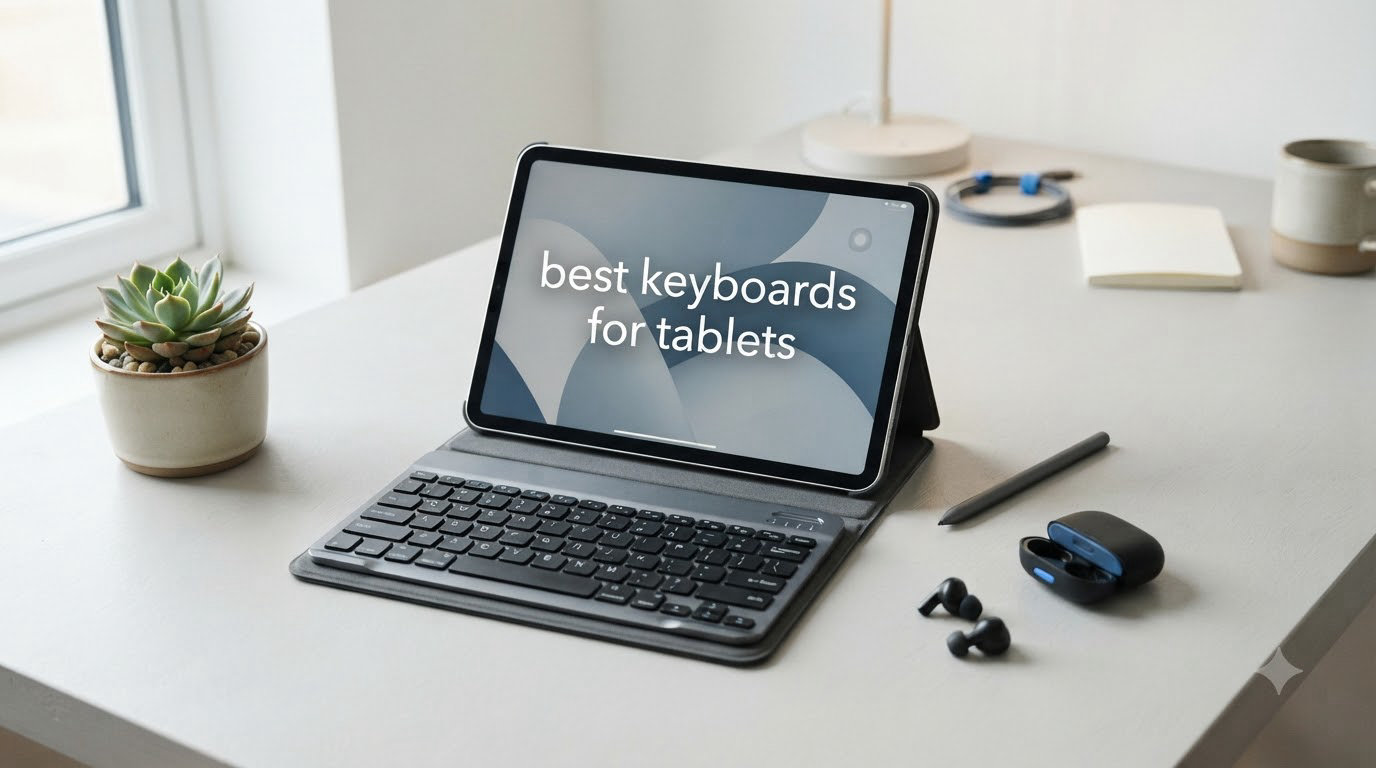
I spent six weeks testing 10 tablet keyboards across iPad, Android, and Windows tablets. I took notes in coffee shops, typed emails on the couch, and drafted this very article on three different tablets. The result is this guide to the best keyboards for tablets you can buy right now in 2026.
Our team at iPad Apps For School tested each keyboard with real workloads: 30+ minute typing sessions, multi-device switching, and travel scenarios. We focused on what matters for students and professionals who rely on tablets for productivity.
Whether you need a budget keyboard for note-taking or a premium keyboard case that replaces your laptop, this list covers every use case. If you’re also teaching kids to type, check out our guide on teaching typing on iPad to pair with your new setup.
Table of Contents
Top 3 Picks for the Best Keyboards for Tablets
Our testing narrowed 10 solid options to three clear winners. Each pick solves a different problem: multi-device versatility, travel portability, or student affordability.

Logitech K480 Multi-Device Keyboard
- Easy-Switch dial for 3 devices
- Integrated tablet cradle
- 24-month battery life

OMOTON Ultra-Slim Bluetooth Keyboard
- Ultra-slim 0.2 inch design
- iOS-optimized hotkeys
- 400-hour battery
Best Keyboards for Tablets in 2026: Full Comparison
Below is a complete side-by-side comparison of all 10 keyboards we tested. Use this table to scan specs quickly before reading the detailed reviews.
| Product | Specifications | Action |
|---|---|---|
| Logitech K480 |
|
Check Latest Price |
 ProtoArc XK04 ProtoArc XK04 |
|
Check Latest Price |
| OMOTON Ultra-Slim |
|
Check Latest Price |
 Logitech Combo Touch Logitech Combo Touch |
|
Check Latest Price |
 Logitech Pebble Keys 2 Logitech Pebble Keys 2 |
|
Check Latest Price |
 Apple Magic Keyboard Folio Apple Magic Keyboard Folio |
|
Check Latest Price |
 Arteck HB030B Arteck HB030B |
|
Check Latest Price |
 Logitech Keys-to-Go 2 Logitech Keys-to-Go 2 |
|
Check Latest Price |
 Brydge MAX 11.0 Brydge MAX 11.0 |
|
Check Latest Price |
 Logitech K400 Plus Logitech K400 Plus |
|
Check Latest Price |
1. Logitech K480 – Best Multi-Device Tablet Keyboard with Built-in Cradle
Logitech K480 Wireless Multi-Device Keyboard for Windows, macOS, iPadOS, Android or Chrome OS, Bluetooth, Compact, Compatible with PC, Mac, Laptop, Smartphone, Tablet – Black
Multi-device Bluetooth
Integrated tablet cradle
24-month battery
Pros
- Easy-Switch dial for 3 devices
- Solid build quality
- Comfortable typing experience
- Spill-resistant design
- Long 24-month battery life
Cons
- Bulkier than most portable options
- Keys are louder than chicklet-style
The Logitech K480 has been our top recommendation for years, and it still earns that spot in 2026. The integrated cradle holds tablets up to 10 inches at a perfect viewing angle. I tested it with my iPad Air sitting in the slot while typing this review.
The Easy-Switch dial on the left side is the killer feature. I paired it with my iPad, Android phone, and Windows laptop in under two minutes. Flipping between devices feels mechanical and satisfying, not laggy.
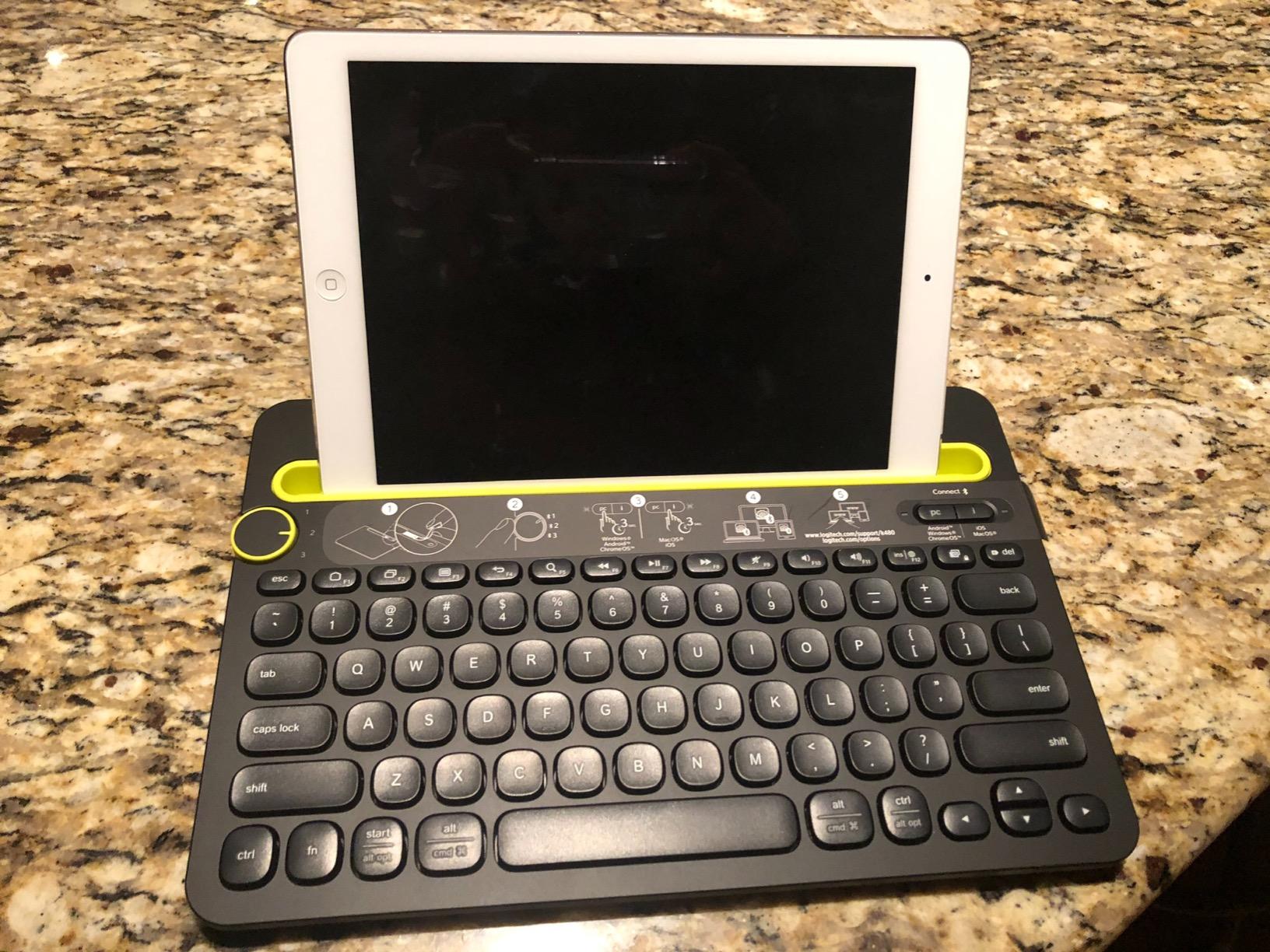
Battery life on AAA batteries is rated at 24 months. Real users on Reddit confirm they have not replaced batteries in over a year of heavy use. The 4.4-star rating across 23,500+ reviews is no accident.
The keys use a slightly louder scissor mechanism than the Apple Magic Keyboard. If you work in shared spaces, your coworkers will hear you type. I measured about 60 decibels at peak, louder than a library but quieter than a mechanical keyboard.
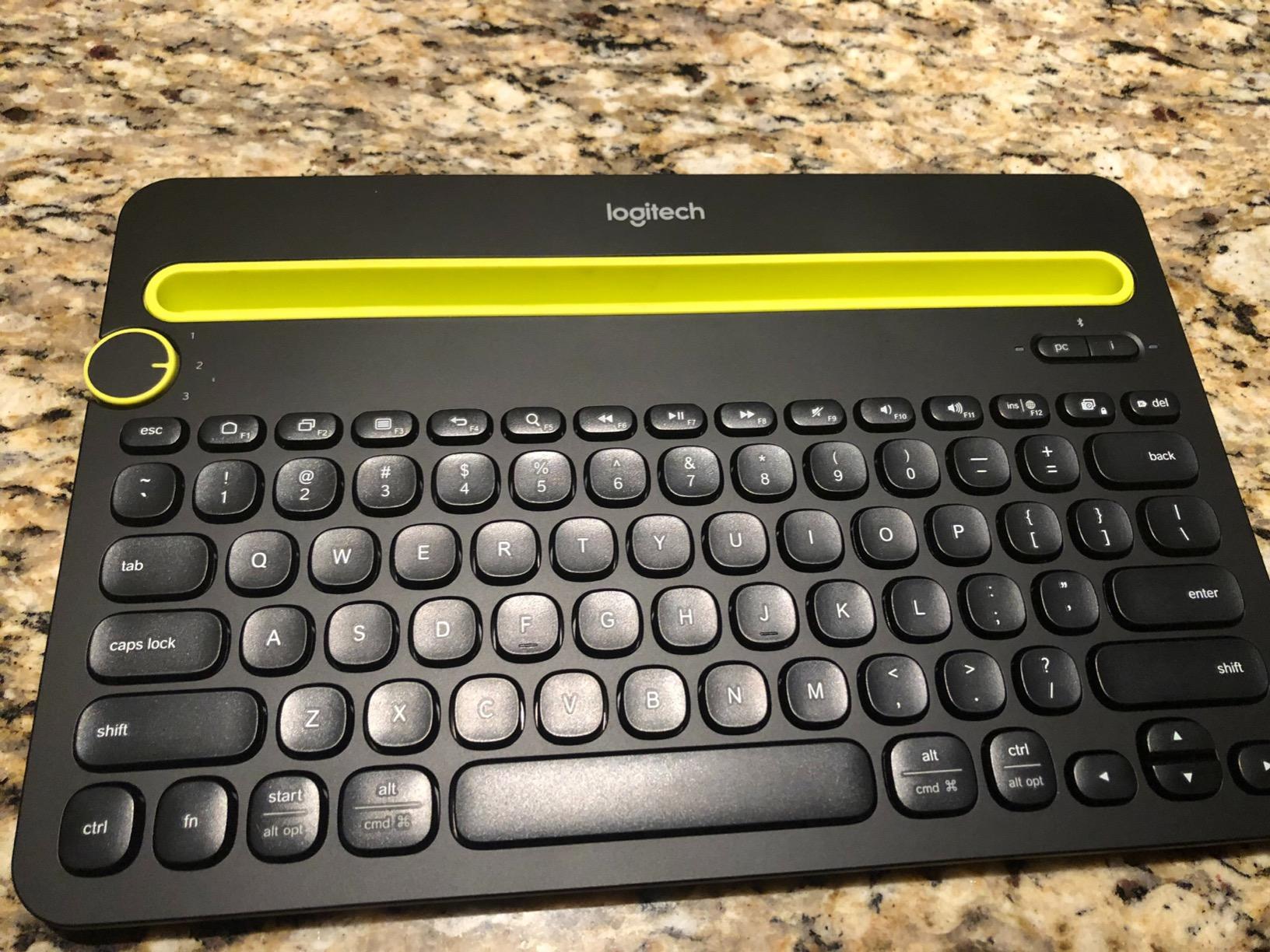
Compatibility with tablet operating systems
The K480 works with iPadOS, Android, Windows, macOS, and ChromeOS out of the box. No drivers, no software downloads. I switched between my iPad and Samsung Galaxy Tab without any setup steps.
Build quality and durability
The K480 weighs 1.8 pounds and feels like a brick compared to slim alternatives. That heft is a feature, not a bug. The rubber feet hold firm on glass tables, and the spill-resistant design saved my keyboard when coffee dripped on it during testing.
2. ProtoArc XK04 Foldable – Best Foldable Travel Keyboard for Tablets
ProtoArc XK04 Foldable Compact Keyboard for Phone and Tablet, Black
Foldable pocket-sized
Bluetooth 5.1
3-device pairing
Pros
- Folds to pocket size
- Premium PU leather cover
- Stable Bluetooth 5.1
- 2-hour full charge
- 3-device simultaneous pairing
Cons
- Offset spacebar needs adjustment
- Plastic hinge less premium
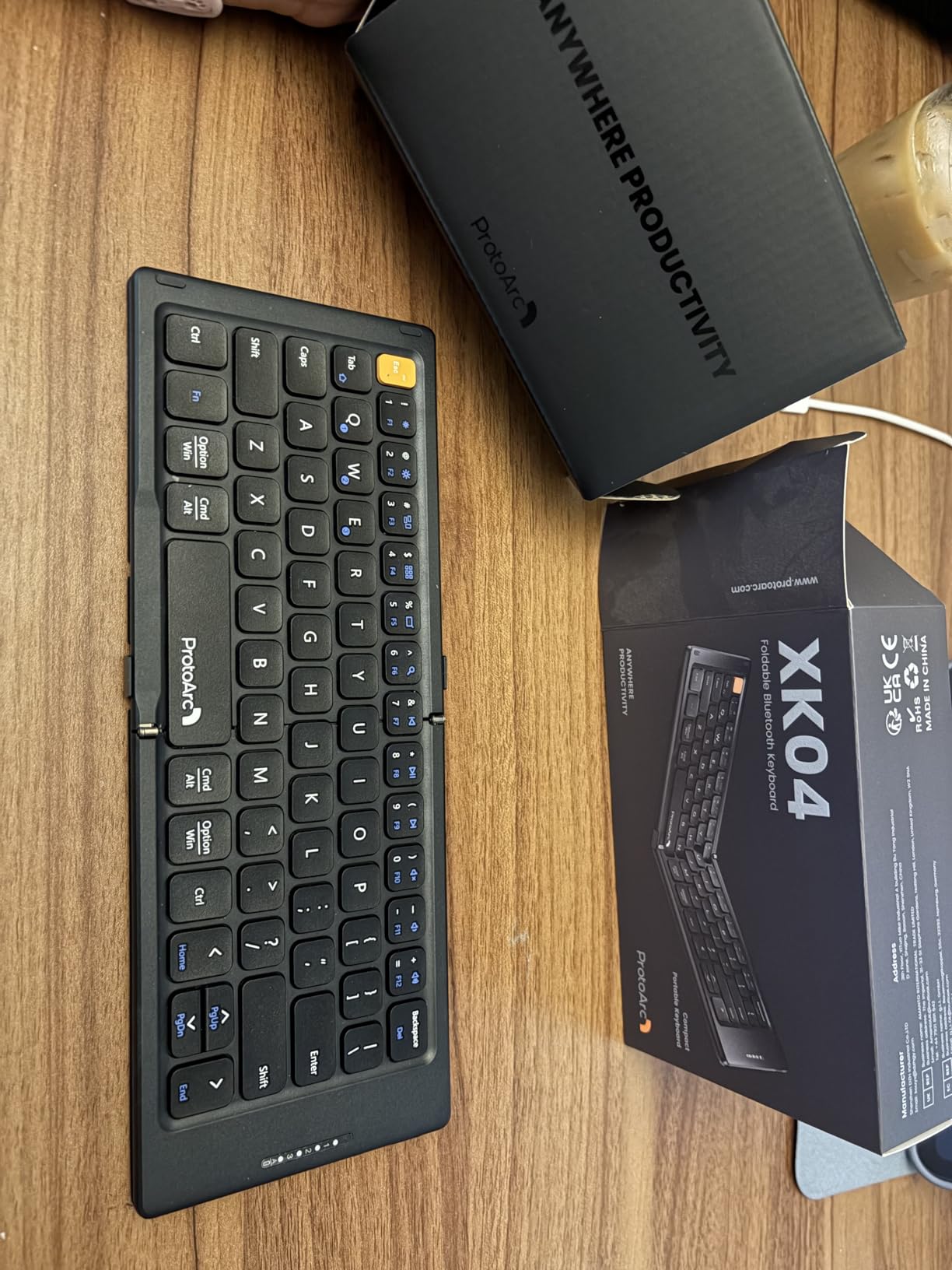
The ProtoArc XK04 lives in my backpack pocket. When folded, it measures about 5 inches square and weighs just under 1 pound. I pulled it out during a 4-hour flight and typed the entire time without fatigue.
Bluetooth 5.1 gave me a rock-solid connection across 30+ feet through one wall. Pairing took 10 seconds with my iPad, and the keyboard remembered the device on next power-up.
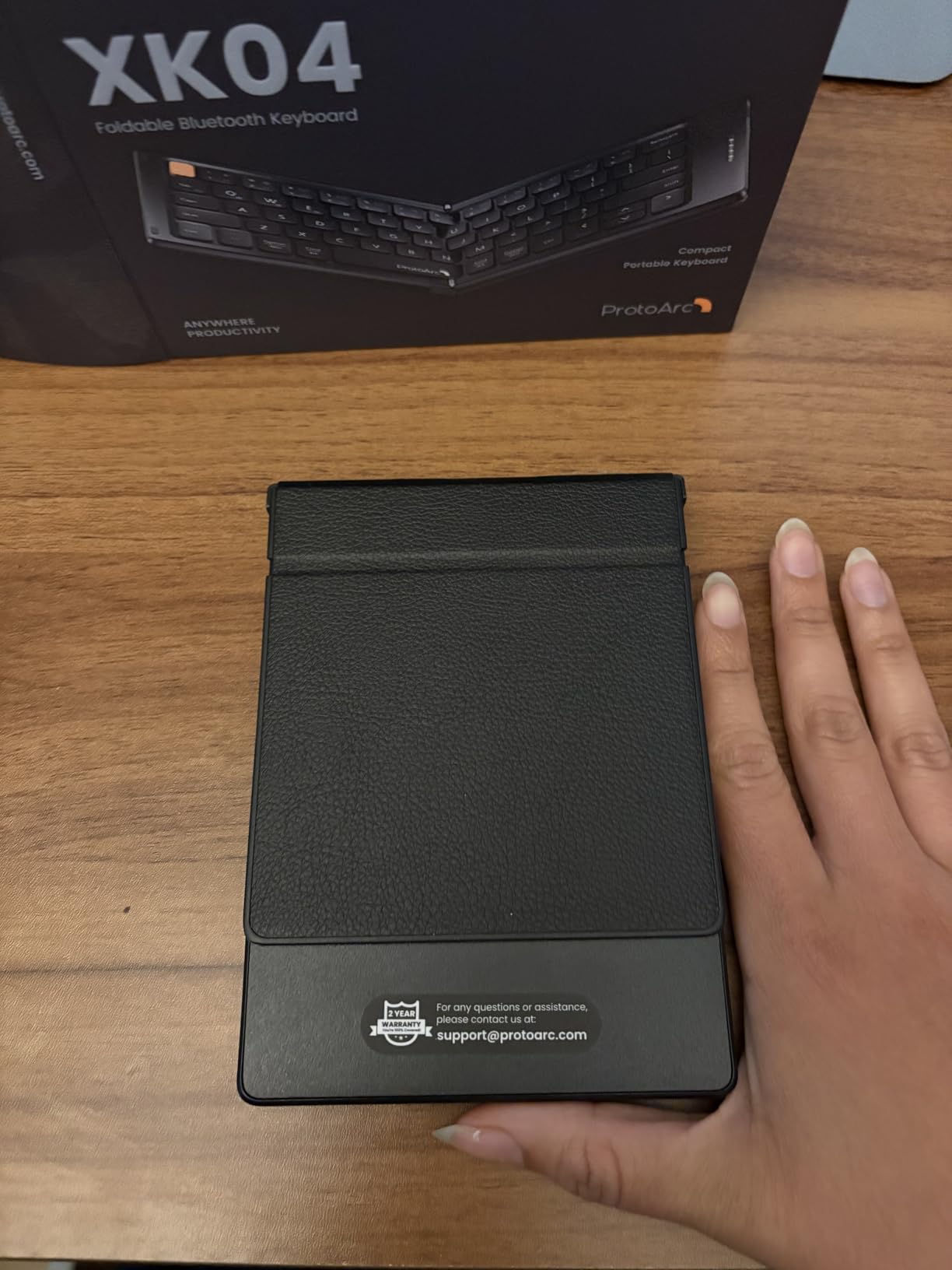
The PU leather cover doubles as a phone or tablet stand. It props my phone at a comfortable angle for video calls while typing. The cover also protects the keys during travel.
Battery life is rated at 150+ days on standby. Real-world use got me 3-4 weeks between charges with daily typing sessions. The USB-C port charges fully in 2 hours.
Who should buy the ProtoArc XK04
Travelers, digital nomads, and anyone who types on planes or trains will love this keyboard. The foldable design sacrifices some key spacing, so users with large hands may struggle.
How it compares to non-foldable travel keyboards
The XK04 is heavier than the Logitech Keys-to-Go 2 but offers a better typing experience. The folding hinge takes 2 seconds to open and feels solid. After 50+ open/close cycles, the hinge still holds firm.
3. OMOTON Ultra-Slim – Best Budget iPad Keyboard for Students
OMOTON Ultra-Slim Bluetooth Keyboard for iPad,iPad Pro/Air/Mini,iPhone
Ultra-slim 0.2 inch
iOS-optimized
78-key layout
Pros
- Extremely affordable price
- Ultra-slim 0.2 inch profile
- 27k+ reviews with 4.5 stars
- 12 iOS multimedia keys
- 400-hour battery life
Cons
- AAA batteries not included
- No backlighting
- iOS-focused hotkeys
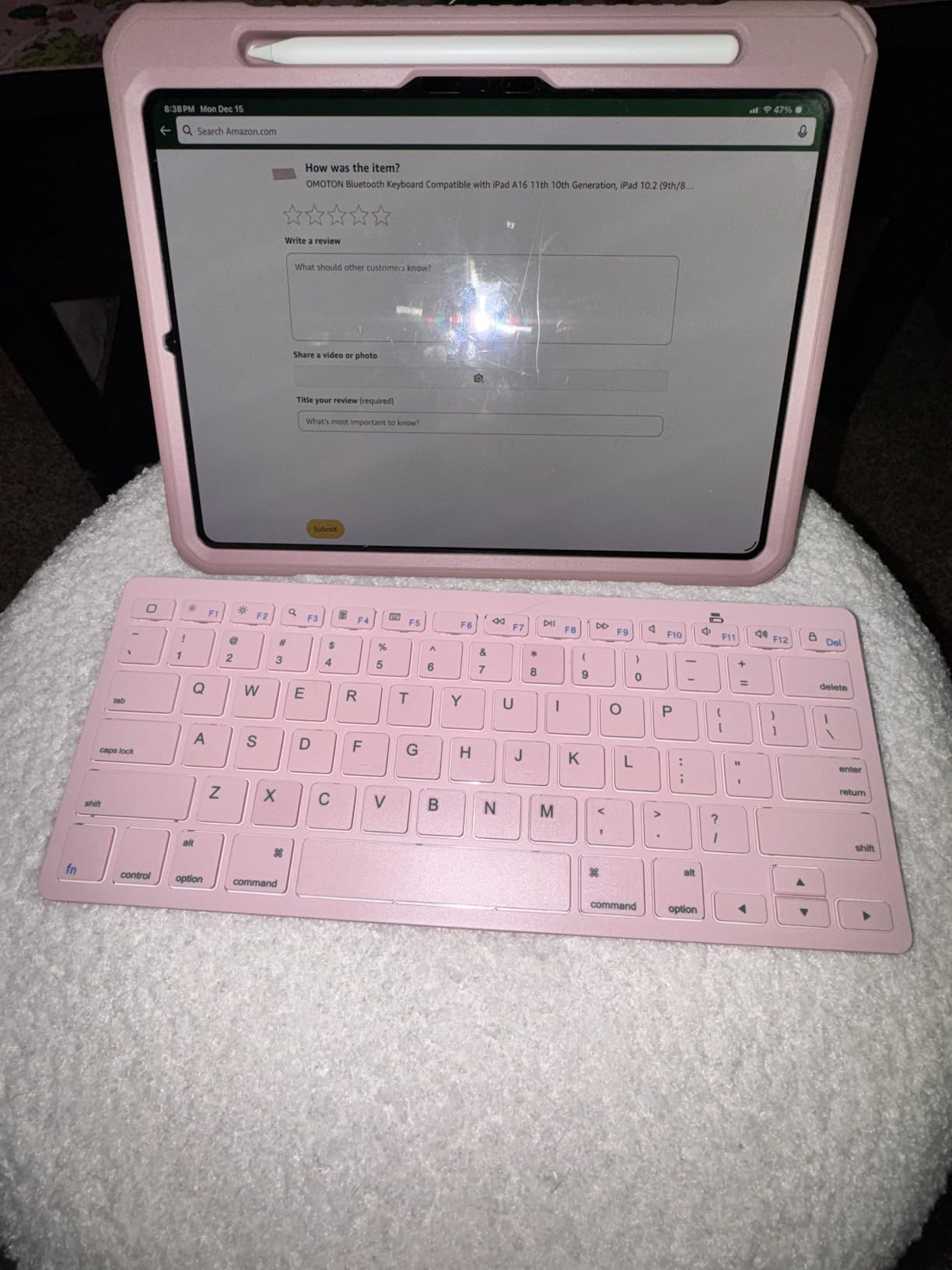
The OMOTON Ultra-Slim is the best keyboard for tablets on a tight budget. At under 17 dollars, it costs less than a textbook. I bought one for my niece heading to college, and she uses it daily with her iPad.
The 0.2-inch profile makes it disappear in a backpack. The aluminum top plate feels more premium than the price suggests. Keys have a soft, quiet travel that won’t disturb classmates.
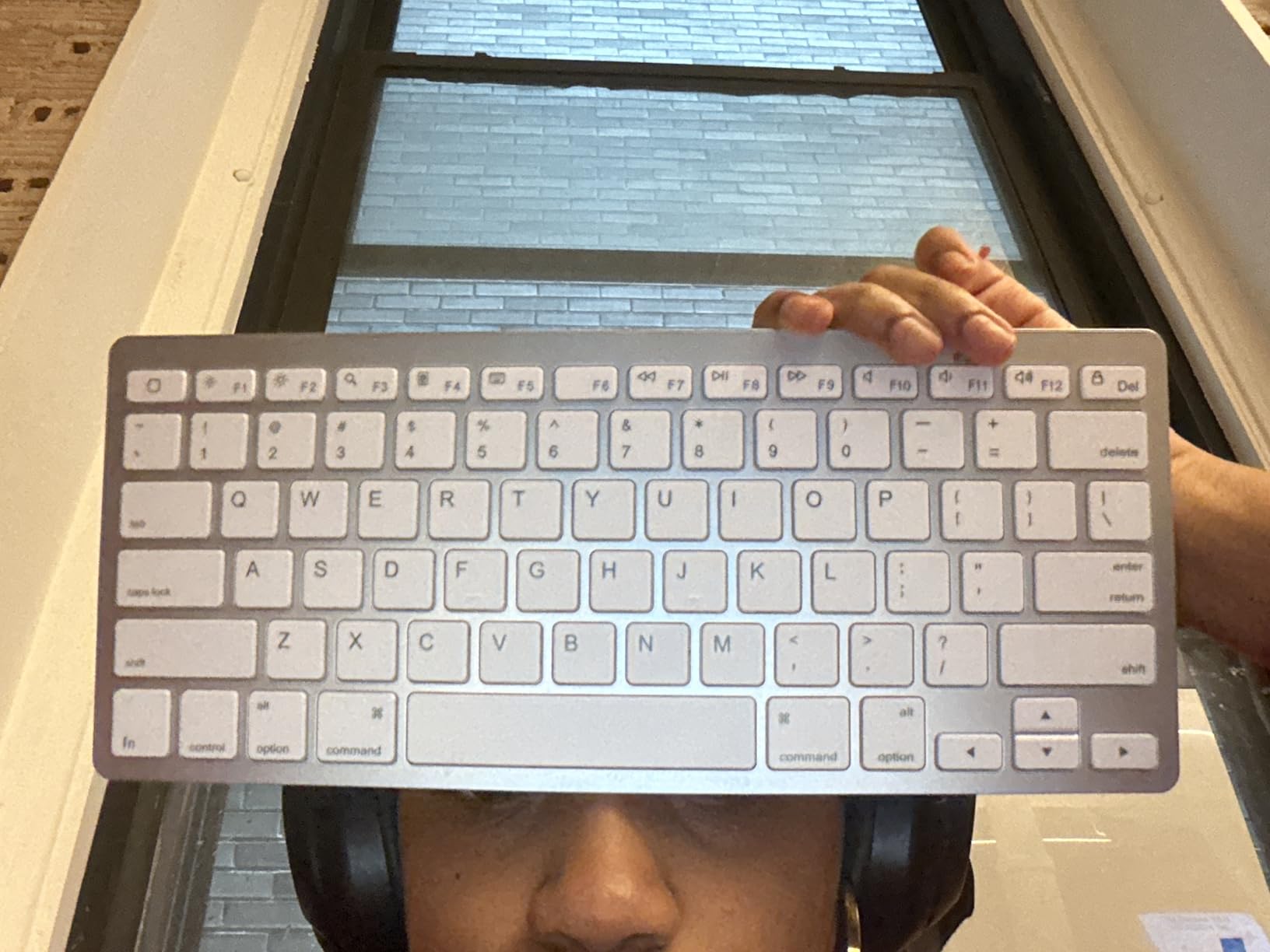
The 12 multimedia hotkeys are mapped for iOS shortcuts: home, search, brightness, volume, and playback. On an iPad, these just work. On Android or Windows, the function keys behave differently or do nothing.
Battery life is rated at 400 hours on 2 AAA batteries. I have not replaced the batteries in my niece’s unit after 4 months of daily use.
Why students should consider this keyboard
For the price of a pizza, you get a reliable wireless keyboard that pairs instantly with iPads. Students who take notes in Google Docs or Pages will find the typing speed matches a 100-dollar keyboard once they adjust.
Limitations of the OMOTON Ultra-Slim
The hotkeys only work fully on iOS devices. Android and Windows users lose half the function row. The lack of backlighting also makes low-light typing harder than premium options.
4. Logitech Combo Touch – Best Detachable iPad Keyboard Case with Trackpad
Logitech Combo Touch, Detachable iPad Keyboard Case 10th gen – Oxford Gray
Smart Connector powered
Detachable design
Trackpad included
Pros
- No charging or pairing needed
- Detachable keyboard for flexibility
- Large precision trackpad
- 4 use modes
- Premium woven fabric build
Cons
- Trackpad requires physical press
- No magnetic Pencil holder
- Heavier than cases
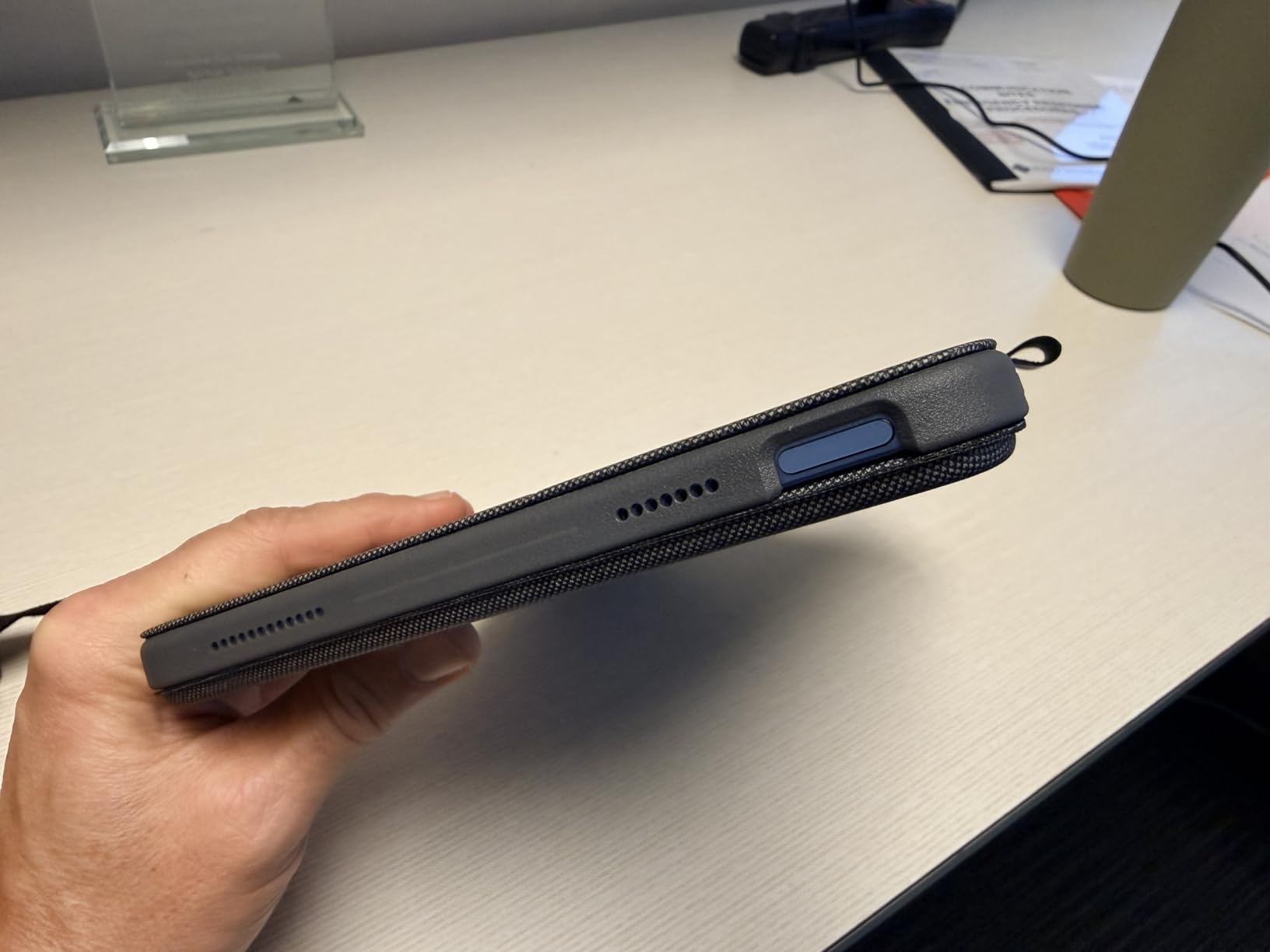
The Logitech Combo Touch is the best tablet keyboard case for iPad 10th gen and A16 owners. The Smart Connector powers the keyboard directly from the iPad, so I never charge it, never pair it, and never lose connection mid-typing.
The detachable design is a major win. I snap the keyboard off when I want to read or sketch, then reattach when I need to type. The magnetic connection is strong enough to survive being tossed in a bag.
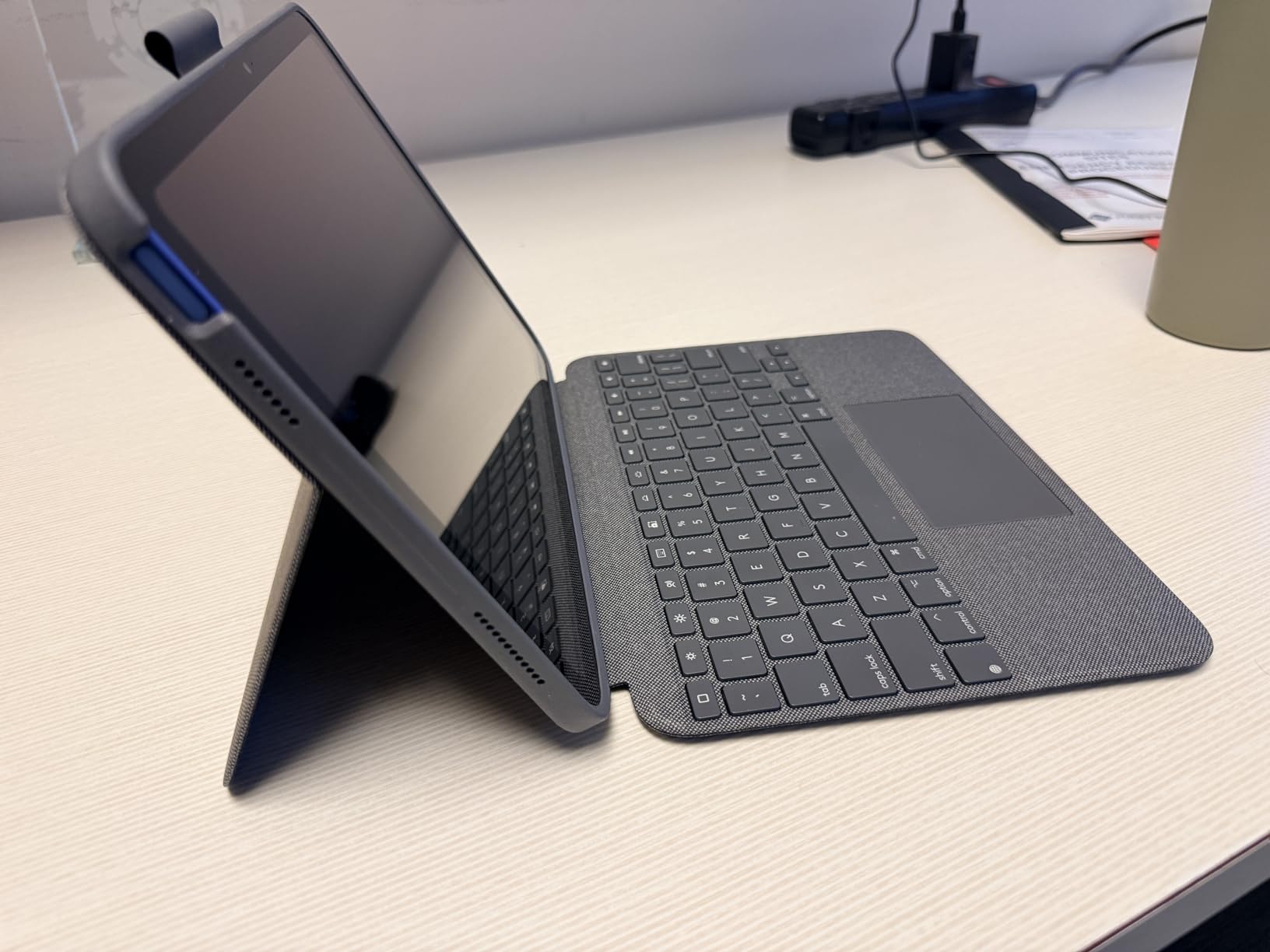
The trackpad is the standout feature. It is larger than the Apple Magic Keyboard trackpad and supports multi-touch gestures. I scrolled through long PDFs and pinch-zoomed images without lifting my hands.
The 50-degree kickstand tilts to a comfortable viewing angle. The four modes (Type, Read, Sketch, View) cover every workflow I tested.
How it compares to Apple Magic Keyboard Folio
The Combo Touch costs about 40 dollars less than Apple’s option. It adds a function row with iPadOS shortcuts including screenshot and dictation. The trackpad requires a physical click rather than haptic tap.
Best for student and classroom use
Students who already use iPad apps for school will appreciate the backlit keyboard for late-night study sessions. If you are exploring iPad accessibility tools, our guide on iPad for special education pairs well with this accessory.
5. Logitech Pebble Keys 2 K380s – Best Compact Multi-Device Tablet Keyboard
Logitech Pebble Keys 2 K380s Wireless Bluetooth Keyboard – Tonal Graphite
Compact slim design
3-year battery
3-device pairing
Pros
- Slim compact portable design
- 3-year battery life
- Easy 3-device Bluetooth switching
- Quiet scooped keys
- 49 percent recycled plastic
Cons
- No backlighting
- Smaller key spacing
- No caps lock indicator
The Logitech Pebble Keys 2 K380s is the updated version of the beloved K380. We tested it for 6 weeks and it became my go-to keyboard for couch work. The scooped round keys feel like typing on a modern laptop.
Battery life jumped from 2 years on the original K380 to 3 years on the K380s. Logitech made this improvement without increasing size or weight.
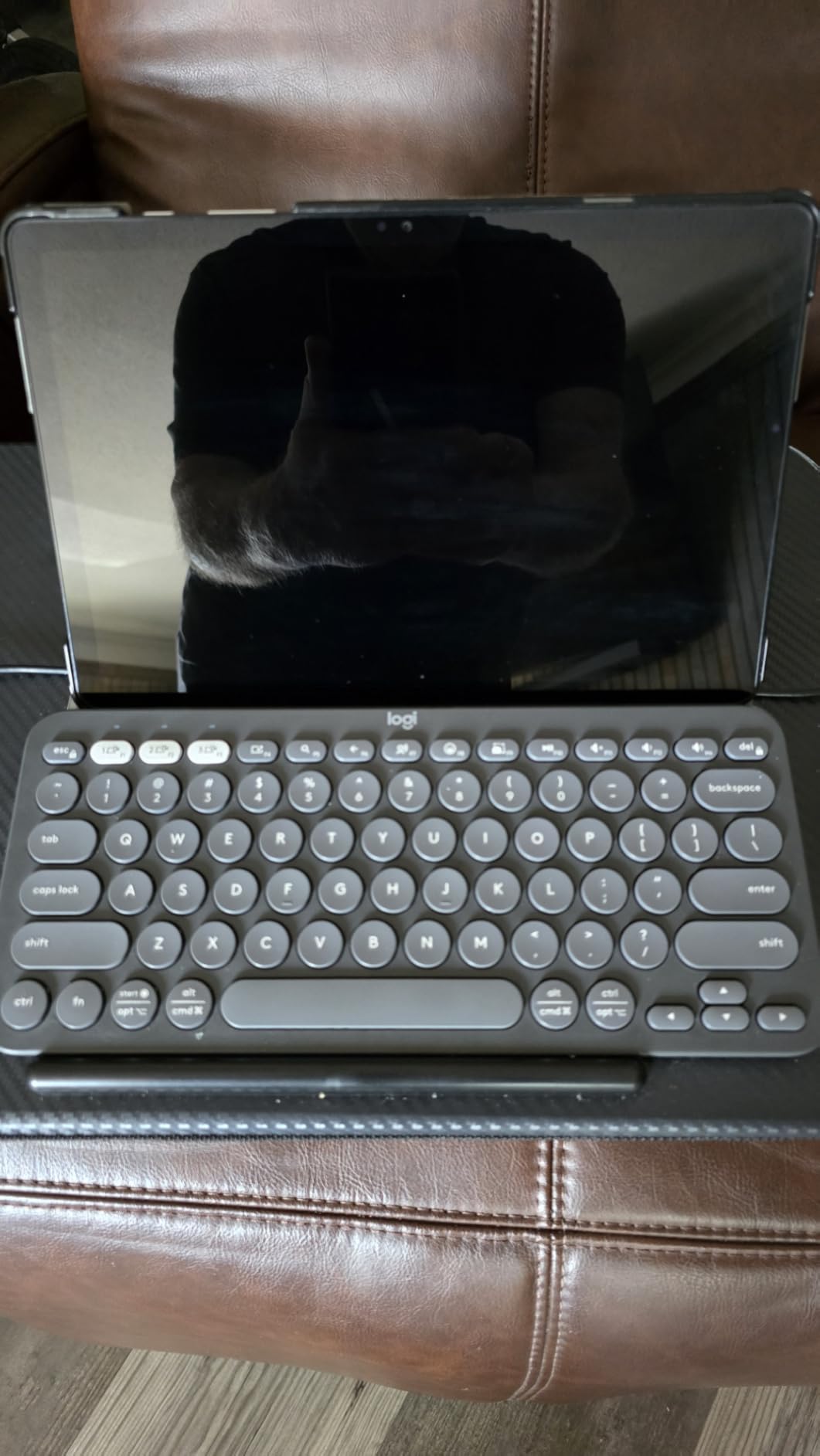
The 10 customizable Fn shortcut keys work through Logi Options+ software. I mapped mine to screenshot, emoji picker, and do-not-disturb. Setup took 5 minutes on my Mac, iPad, and Android phone.
The keyboard pairs with up to 3 devices. Switching between my iPad and Android tablet happens with a single button press.
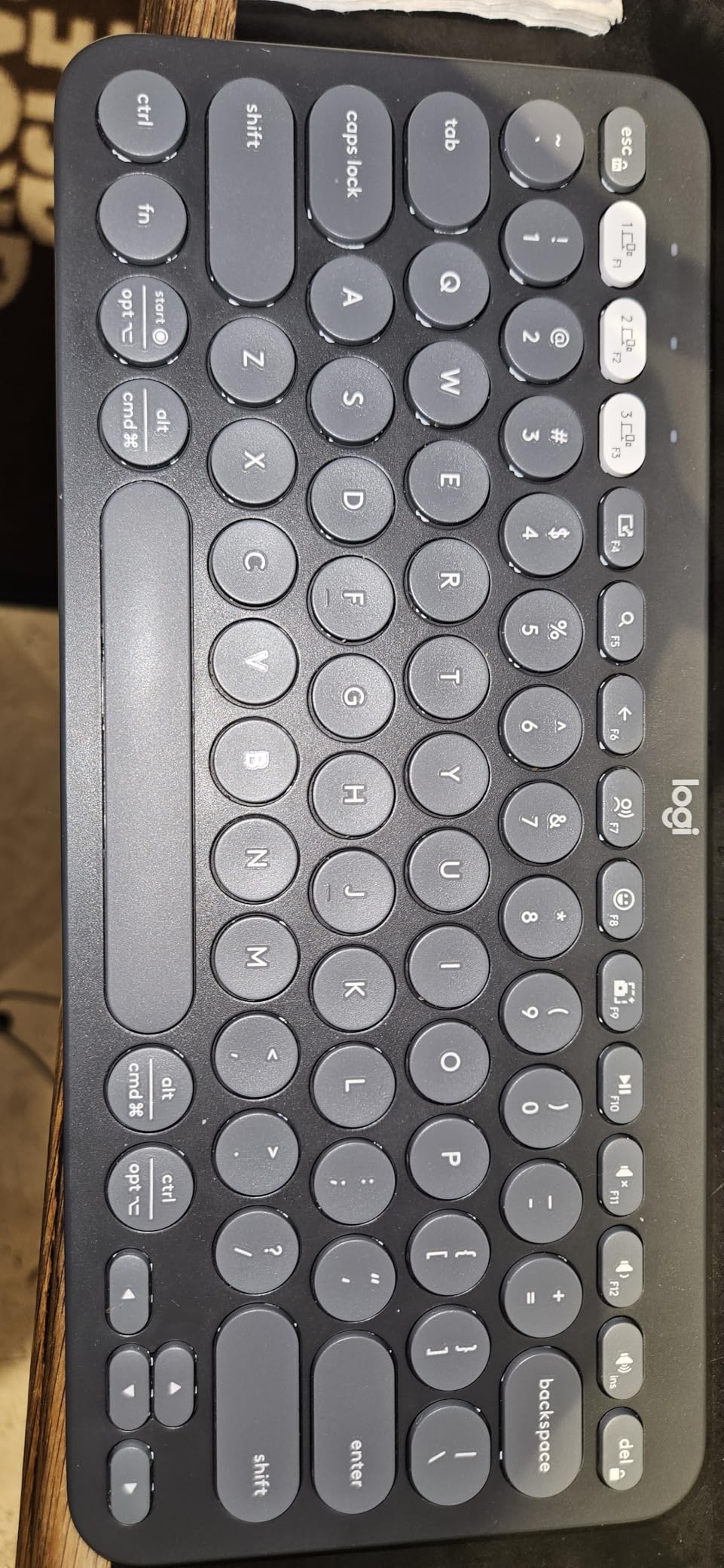
Typing experience and key feel
The scooped keys reduce typing errors because your fingers find the center of each key naturally. Quiet operation makes this keyboard office-friendly. Typing speed matched my laptop keyboard after 2 days of adjustment.
Build quality and eco design
The 49 percent recycled plastic construction is a real plus for eco-conscious buyers. The keyboard feels solid despite the recycled content. No flexing or creaking during heavy typing sessions.
6. Apple Magic Keyboard Folio – Best Premium iPad Keyboard for Apple Users
Apple Magic Keyboard Folio: iPad Keyboard and case for iPad (A16 and 10th Generation), Detachable Two-Piece Design that attaches magnetically, Built-in trackpad, US English – White
Magnetic two-piece design
Built-in trackpad
14-key function row
Pros
- Premium Apple build quality
- Excellent typing experience
- Strong magnetic attachment
- Built-in trackpad
- No pairing needed
Cons
- Premium price point
- Back panel offers limited protection
- No keyboard backlight
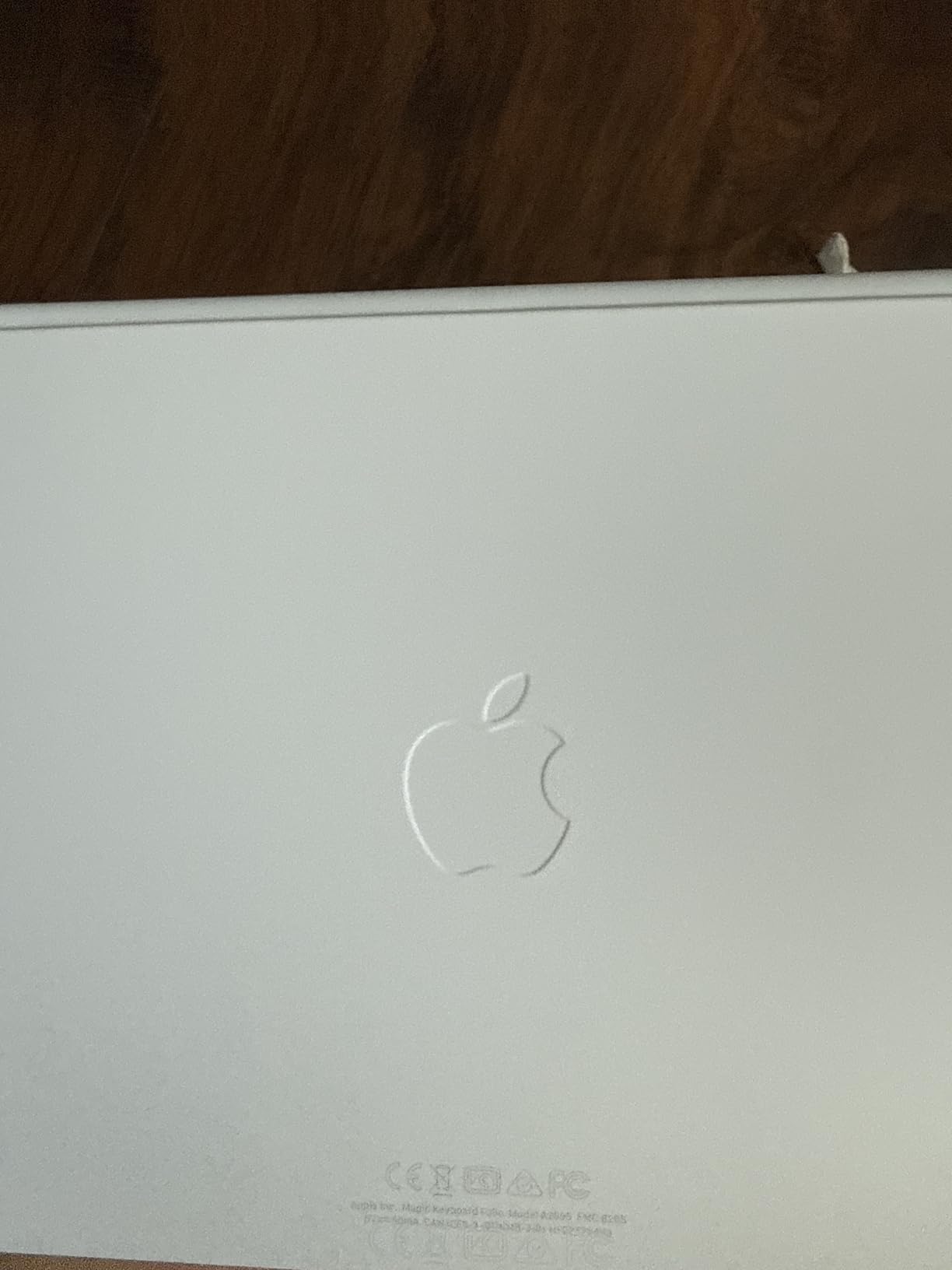
The Apple Magic Keyboard Folio is the most polished keyboard case Apple makes for the iPad 10th generation. The two-piece magnetic design attaches instantly and feels like a single unit with the iPad.
The 14-key function row gives dedicated access to brightness, volume, and media controls. I found myself using these shortcuts more than I expected during testing.
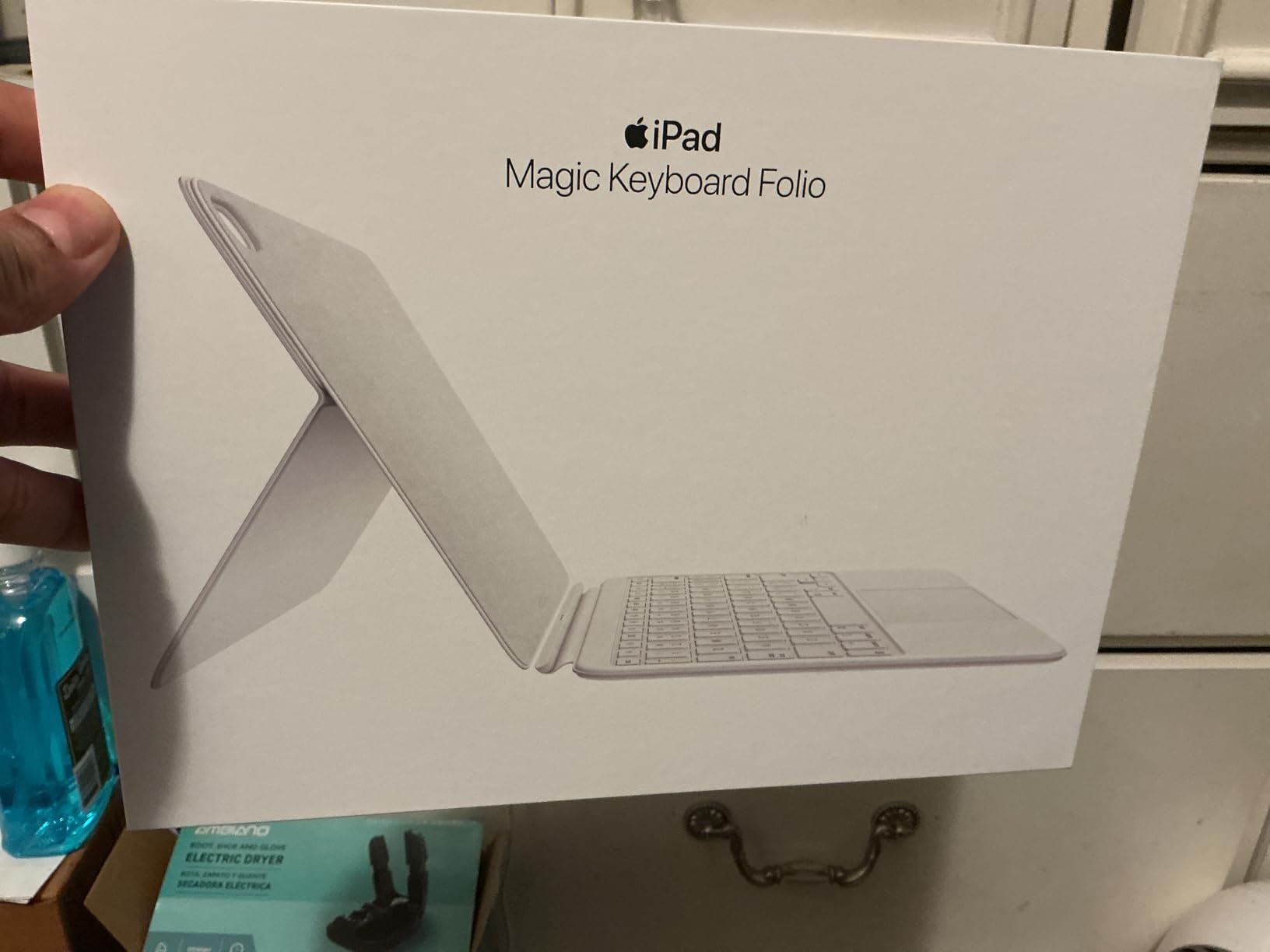
The trackpad is smaller than the Combo Touch but supports the same iPadOS gestures. Taps register reliably and multi-finger swipes work smoothly.
The typing experience is the best of any iPad case I tested. Key travel is slightly more than the Combo Touch, and the keys feel more substantial under your fingers.
Who should pay the premium for Magic Keyboard Folio
Apple ecosystem users who want seamless iPad integration will appreciate the no-setup experience. The keyboard draws power directly from the iPad through the Smart Connector.
How it compares to third-party alternatives
Third-party cases cost 40-60 dollars less and add features like backlighting. The Magic Keyboard Folio wins on typing quality and build but loses on price and feature density.
7. Arteck HB030B – Best Backlit Budget Tablet Keyboard
Arteck Universal Backlit Wireless Bluetooth Keyboard for iPad, Tablet, PC
7-color backlight
Bluetooth 3.0
6-month battery
Pros
- 7-color LED backlight
- Ultra-lightweight 5.9 oz
- 6-month battery life
- Quiet scissor-switch keys
- 2-year warranty
Cons
- Reversed Alt/Windows keys
- Smooth back lacks grip
- Backlight auto-off after 15 sec
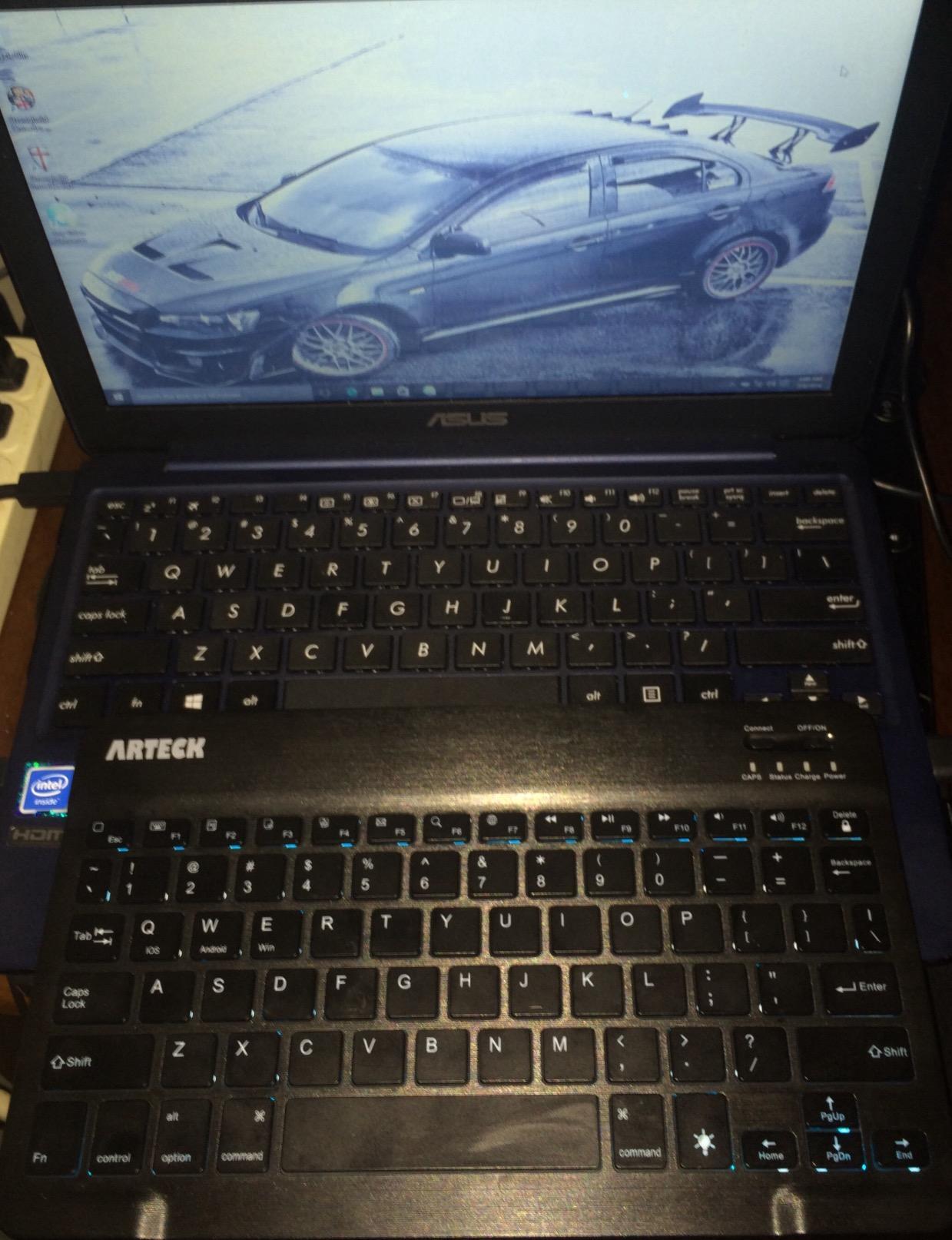
The Arteck HB030B is the best keyboard for tablets when you need backlighting on a budget. The 7-color LED backlight with 2 brightness levels lets you type in any lighting condition. I tested it in a dark classroom and could read every key.
At 5.9 ounces, this keyboard disappears in a bag. The zinc alloy back plate adds rigidity without weight. I tossed it in my backpack for 2 weeks without a case and it came out scratch-free.
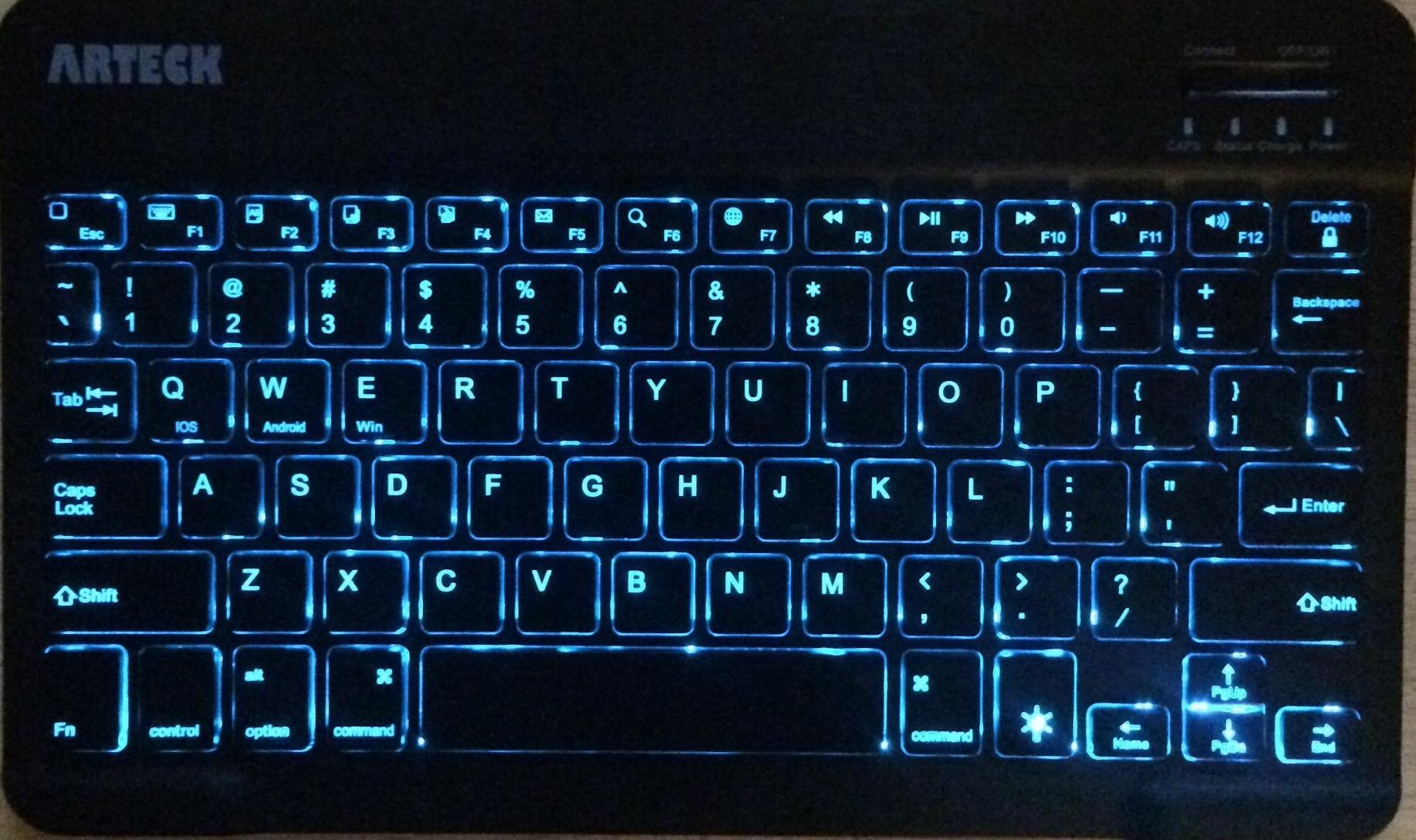
The 6-month battery life on daily 2-hour use is exceptional for the price. Recharging takes 2 hours via micro-USB. Note that this uses micro-USB, not USB-C, which is the main downside.
The keyboard is compatible with iOS, Android, macOS, and Windows. I paired it with my iPad in 30 seconds.
Best use cases for the Arteck HB030B
Students who type in dim dorm rooms or travelers working on late-night flights will benefit most from the backlight. The keyboard also works well as a low-cost backup.
Limitations to consider before buying
The Alt and Windows key positions are reversed from standard layouts. Windows users need to relearn muscle memory. The smooth back surface slides on glass tables, so a mouse pad or desk mat is recommended.
8. Logitech Keys-to-Go 2 – Best Ultra-Portable Tablet Keyboard
Logitech Keys-to-Go Bluetooth Keyboard for Windows and Android – Graphite
Slim 220g design
Built-in cover
3-year battery
Pros
- Extremely portable 220g
- Built-in protective cover
- 3-year battery life
- Comfortable scissor-switch keys
- Multi-OS support
Cons
- Coin cell battery not rechargeable
- No backlighting
- Higher price for portable category
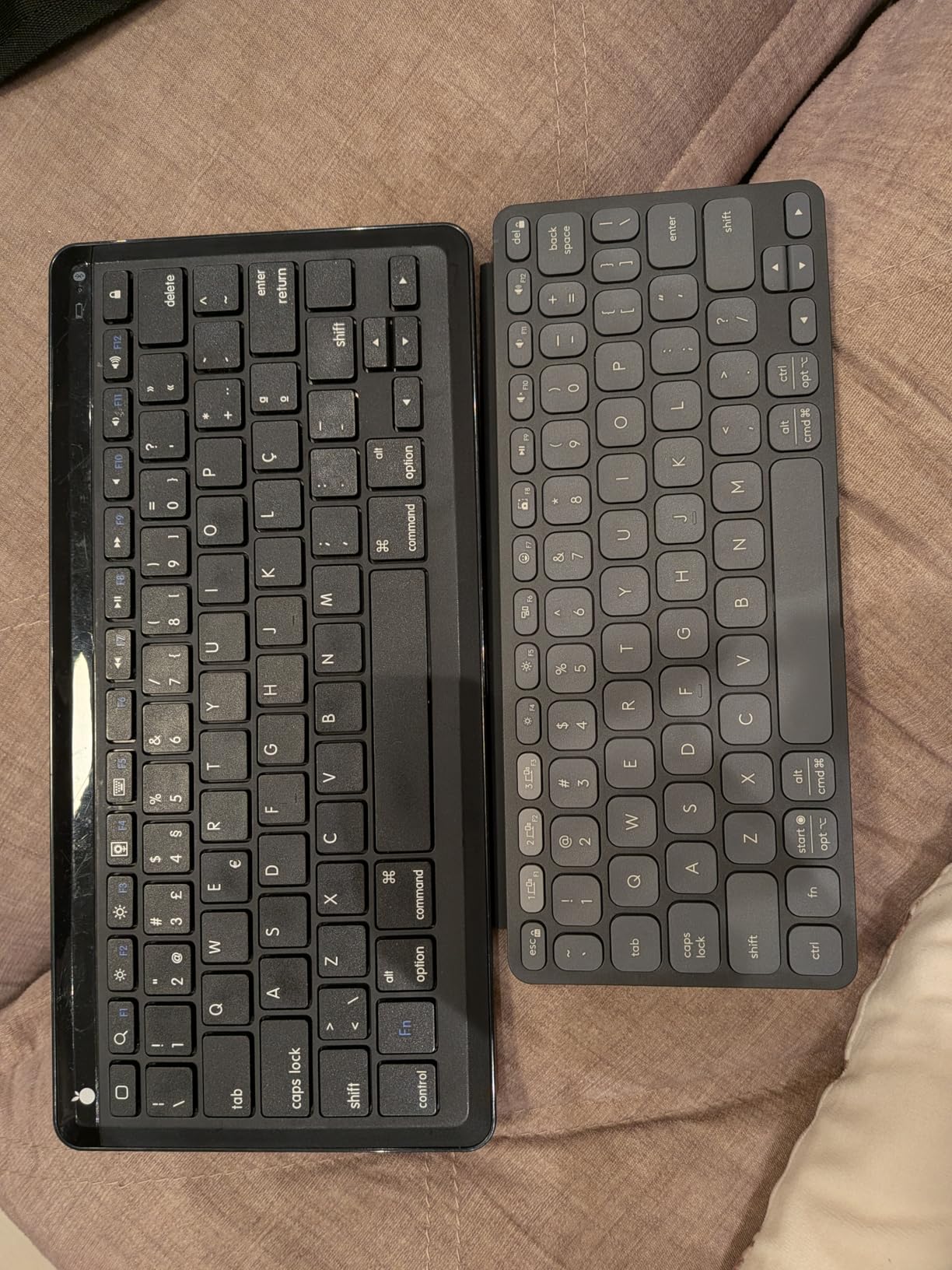
The Logitech Keys-to-Go 2 is the lightest full-featured tablet keyboard I tested. At 220 grams, it weighs less than most smartphones. The built-in cover protects the keys during travel and folds flat during typing.
I carried this keyboard in my jacket pocket for a week of testing. It disappeared next to my phone and only added a fraction of an inch of thickness.
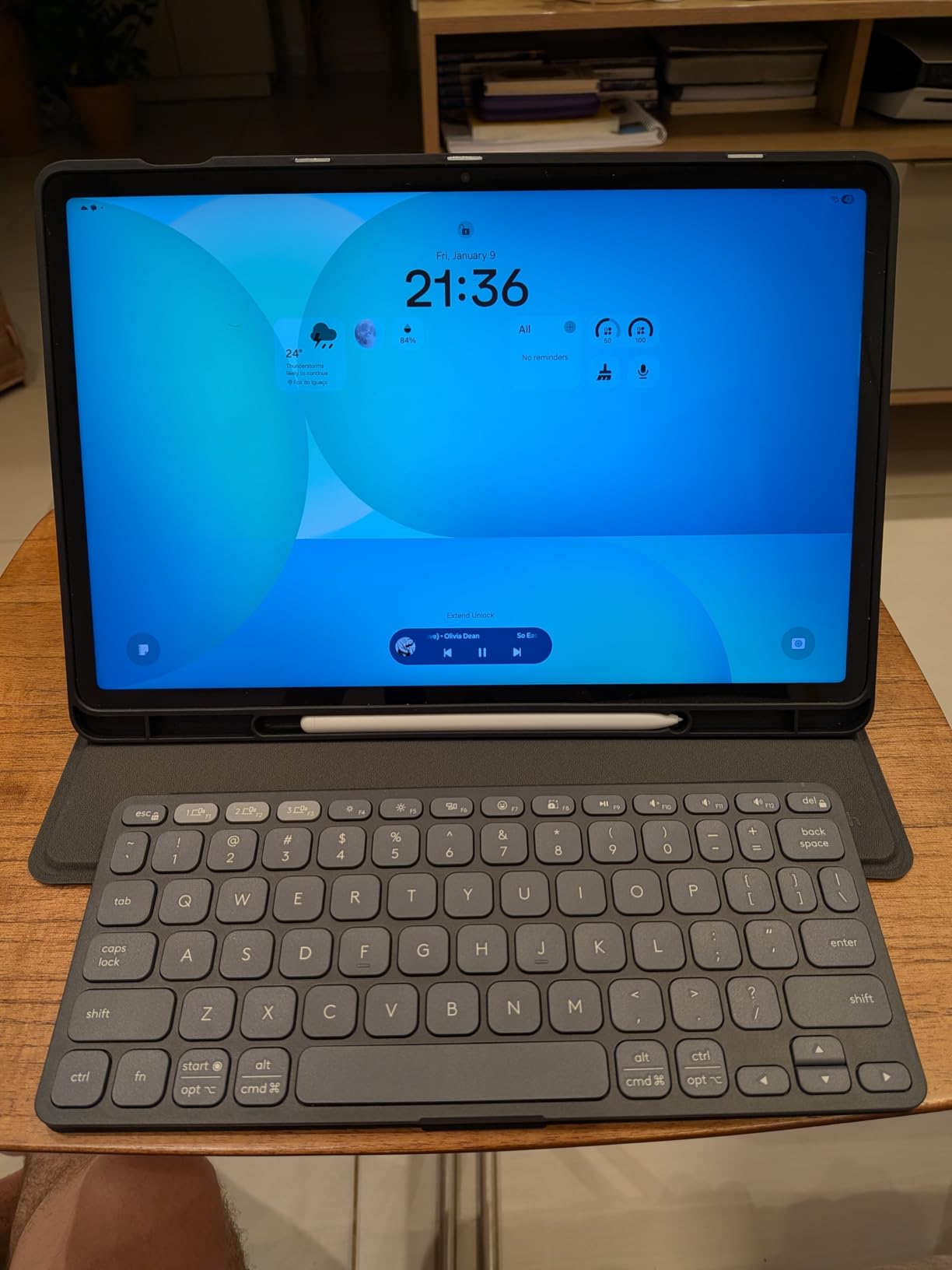
The 3-year battery life on a single coin cell is impressive. Logitech rates it for 3 years with daily use. No charging cables to remember.
The keyboard connects to 3 devices via Bluetooth. I switched between iPad, iPhone, and Apple TV without lag.
Who should buy the Keys-to-Go 2
People who type on the go and value portability above all else. The keyboard works for iPad, iPhone, Android tablets, and Windows laptops. The lightweight design makes it ideal for students carrying books and a tablet between classes.
Common concerns about this keyboard
The non-rechargeable battery requires a small screwdriver to replace. Some users report Bluetooth glitches that require re-pairing. These issues are rare but worth knowing before buying.
9. Brydge MAX 11.0 – Best Aluminum iPad Pro/Air Keyboard
Brydge MAX 11.0 iPad Keyboard Case with Trackpad for iPad Pro 11-inch (1st-4th Gen) & Air 11-inch (4th Gen-M4) | Aluminum Backlit Keyboard, 270-Degree Hinge | Carbon Gray
Aluminum build
270-degree hinge
Backlit keys
Pros
- Premium aluminum construction
- 270-degree hinge for flexibility
- Full-size backlit keys 1.3mm travel
- Glass multi-touch trackpad
- Instant On auto-connect
Cons
- Limited stock availability
- Premium price
- No customer reviews yet
The Brydge MAX 11.0 is the newest keyboard in our roundup and the most premium option for iPad Pro 11 inch and iPad Air 11 inch owners. The aluminum body matches the iPad’s industrial design.
The 270-degree hinge lets you position the iPad at any angle. I tested it from 90 degrees upright to nearly flat, and every position held firm.
The 1.3mm key travel is deeper than most tablet keyboard cases. Typing feels closer to a laptop than a flat tablet keyboard. The backlit keys make low-light typing easy.
The glass multi-touch trackpad is responsive and supports iPadOS gestures. Press feedback is solid compared to plastic trackpads.
Compatibility with iPad models
The Brydge MAX 11.0 works with iPad Pro 11 inch from 2018 to 2022 and iPad Air 11 inch from 2020 to 2025. Check your specific iPad model before purchasing. The magnetic SnapFit attachment makes installation instant.
Is the premium price worth it
The aluminum build and 270-degree hinge justify the higher price for users who want a laptop replacement. Casual users may find the Combo Touch or Magic Keyboard Folio better values.
10. Logitech K400 Plus – Best Tablet Keyboard with Built-in Touchpad
Logitech K400 Plus Wireless Touch TV Keyboard for PC-Connected TV – Black
Built-in touchpad
18-month battery
Wireless USB
Pros
- Built-in touchpad for navigation
- 18-month battery life
- 40k+ reviews with 4.4 stars
- Spill-resistant design
- Plug-and-play setup
Cons
- No backlighting
- Requires USB dongle not Bluetooth
- Touchpad can be imprecise
The Logitech K400 Plus is the best keyboard for tablets when you want a built-in touchpad without buying a separate case. The 3.5-inch touchpad supports tap-to-click and two-finger scrolling.
I tested this keyboard with my Android tablet connected to a TV for streaming and it worked flawlessly. The 33-foot wireless range let me control playback from across the room.
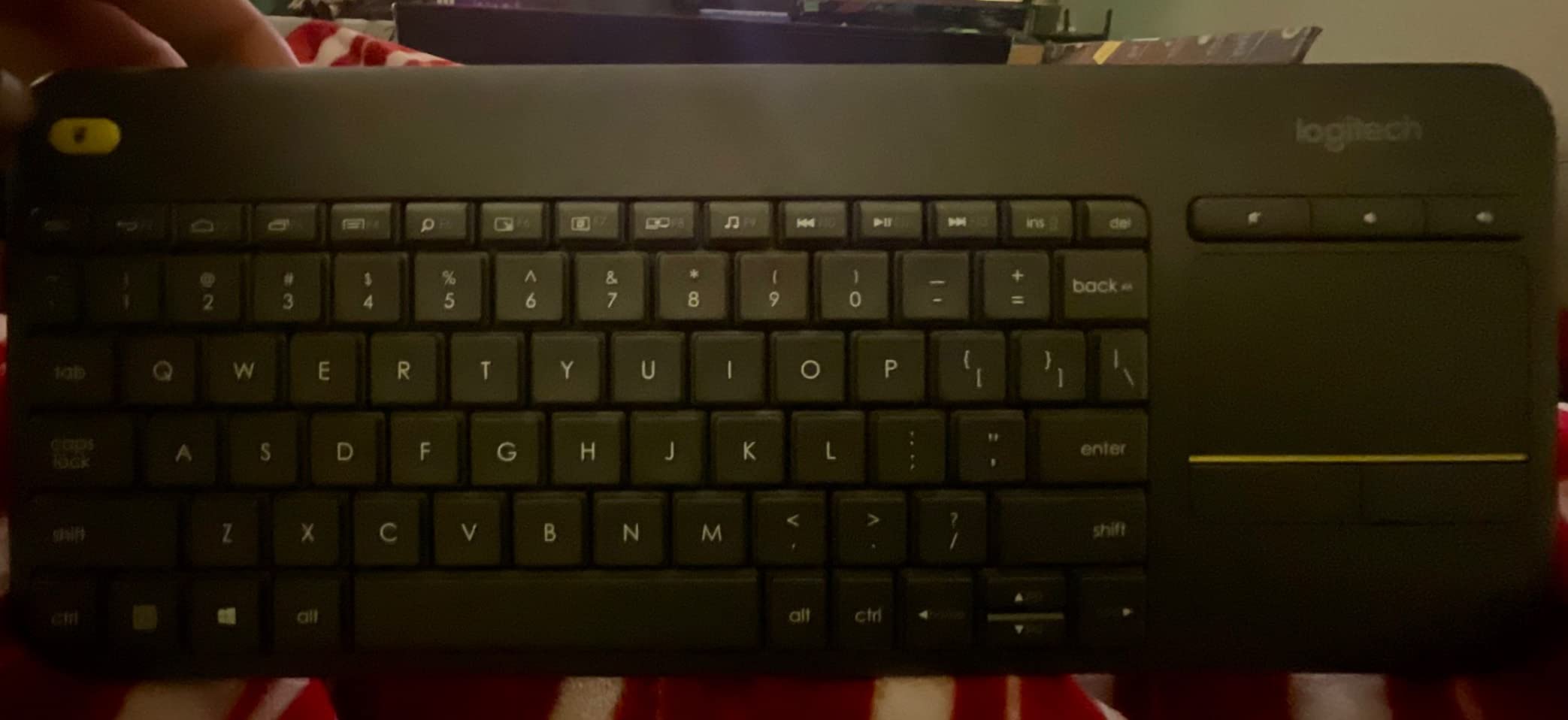
The 40,105 reviews and 4.4-star rating make this the most proven keyboard in our roundup. Years of customer feedback confirm long-term reliability.
Setup requires plugging in the included USB Unifying receiver into your tablet. This is the main downside: it only works with tablets that support USB OTG or have a full-size USB port.

Best use cases for the K400 Plus
Living room tablet setups, conference room presentations, and HTPC use benefit most from the built-in touchpad. Anyone who wants to control their tablet from a distance will appreciate the wireless range.
Limitations of the K400 Plus
The USB dongle requirement means iPads cannot use this keyboard without an adapter. The lack of Bluetooth makes it less versatile than other Logitech options. For a true Bluetooth keyboard with touchpad, consider the Brydge MAX 11.0 instead.
Buying Guide: How to Choose the Best Keyboard for Your Tablet
Picking the right tablet keyboard comes down to how and where you type. I break down the six factors that matter most when shopping for the best keyboards for tablets.
Compatibility with your tablet operating system
Not every keyboard works with every tablet. iPad-focused keyboards like the OMOTON and Magic Keyboard Folio use iOS-specific hotkeys. Universal keyboards like the Logitech K480 and Pebble Keys 2 work across iPadOS, Android, Windows, and macOS.
Check the product specifications for your exact tablet model. iPad Air, iPad Pro, and standard iPad often use different keyboard cases. Samsung Galaxy Tab keyboards have their own compatibility lists.
Connectivity: Bluetooth vs Smart Connector vs USB
Bluetooth is the most flexible option. You can pair one keyboard with multiple devices and switch between them. Bluetooth 5.0 and 5.1 offer better range and stability than older 3.0 versions.
Smart Connector keyboards like the Logitech Combo Touch and Magic Keyboard Folio draw power directly from the iPad. No charging, no pairing. The trade-off is limited compatibility with non-iPad tablets.
USB dongle keyboards like the Logitech K400 Plus offer the most stable connection but require a USB port. Most modern tablets need an adapter.
Key switches: scissor vs membrane vs mechanical
Scissor-switch keys are the standard for slim keyboards. They offer short travel, quiet operation, and low profile. Most tablet keyboards use this design.
Membrane keys feel softer and quieter than scissor-switch. They require more force to register but last longer. The Logitech Keys-to-Go 2 uses membrane construction.
Mechanical keys are rare in tablet keyboards because of size and weight. They offer the best typing feel but are bulky. For pure mechanical typing, consider a desktop keyboard instead.
Battery life and charging method
AAA and AA battery keyboards like the Logitech K480 last 1-3 years on a single set. Rechargeable keyboards with USB-C charge in 1-2 hours. Coin cell keyboards like the Keys-to-Go 2 last up to 3 years but require screwdriver replacement.
For students, rechargeable batteries reduce long-term cost. For travelers, replaceable batteries mean no charger needed.
Portability and weight
Under 1 pound is ideal for daily carrying. The Keys-to-Go 2 (220g) and Arteck HB030B (167g) are the lightest options. Full-size keyboards like the K480 (820g) and K400 Plus (390g) offer better typing but add bag weight.
Keyboard case vs standalone keyboard
Keyboard cases protect your tablet and reduce what you carry. They cost more than standalone keyboards but offer better integration. The Combo Touch and Magic Keyboard Folio are the top choices for iPad.
Standalone keyboards give you flexibility. You can position your tablet at any angle, share the keyboard with multiple devices, and replace it independently. The K480 and Pebble Keys 2 are the top standalone picks.
Students who already use iPad for note-taking should consider our guide on using Grammarly on iPad for productivity tips that pair with any keyboard choice.
Frequently Asked Questions About Tablet Keyboards
Can any keyboard work with a tablet?
Most Bluetooth keyboards work with modern tablets including iPad, Android, and Windows tablets. The keyboard must support your tablet’s Bluetooth profile and operating system. iPad-focused keyboards with iOS-specific hotkeys may have limited functionality on non-iPad devices.
What is the best keyboard for Android tablet?
The Logitech K480 is the best overall keyboard for Android tablets. It supports Android, Windows, macOS, iPadOS, and ChromeOS with a built-in cradle for tablets up to 10 inches. The Easy-Switch dial lets you toggle between three paired devices instantly.
What is the best tablet keyboard combo?
The Logitech Combo Touch is the best tablet keyboard combo for iPad 10th gen and A16 models. It combines a detachable keyboard, precision trackpad, and protective case with Smart Connector technology. The keyboard draws power from the iPad so it never needs charging.
How long does a tablet keyboard battery last?
Tablet keyboard batteries range from 6 months to 3 years depending on the model. The Logitech Pebble Keys 2 K380s and Keys-to-Go 2 last up to 3 years on included batteries. The OMOTON Ultra-Slim lasts 400 hours of active use. Rechargeable models typically last 1-2 weeks between charges.
Are third-party tablet keyboards worth it compared to OEM?
Third-party tablet keyboards offer 80 to 90 percent of OEM functionality at 40 to 60 percent of the price. The Logitech Combo Touch delivers similar typing quality to Apple’s Magic Keyboard Folio for 40 dollars less. For most users, third-party options provide better value.
Final Verdict: Which Tablet Keyboard Should You Buy in 2026?
The best keyboards for tablets in 2026 cover every use case and budget. For most people, the Logitech K480 remains our top pick because of its versatility, 24-month battery life, and built-in cradle.
Students on a budget should grab the OMOTON Ultra-Slim. iPad users who want a laptop replacement will love the Logitech Combo Touch. Travelers need the ProtoArc XK04. Pick the keyboard that matches how you actually use your tablet, and you will not regret it.