
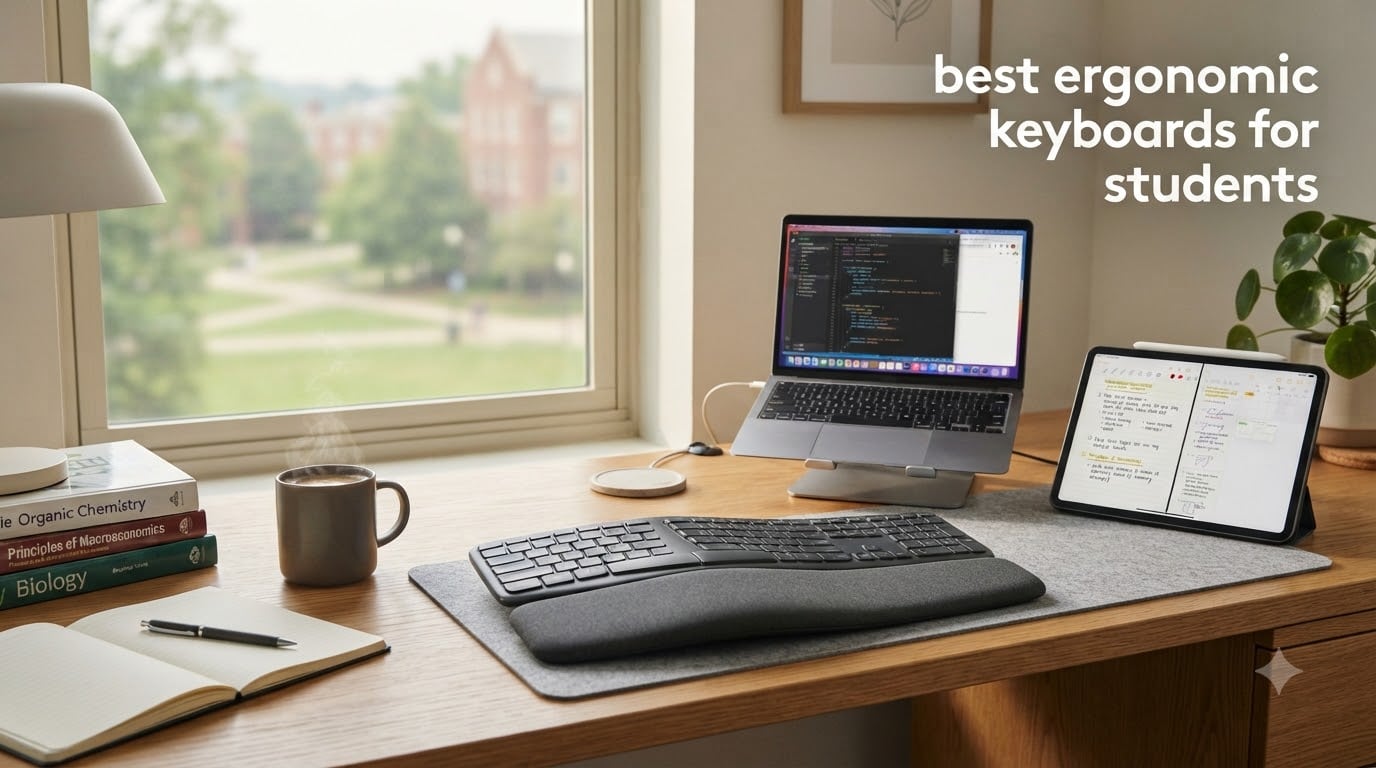
I spent the spring semester writing a 40-page thesis on a flat laptop keyboard, and by week six my right wrist felt like someone had driven a pencil into it. That is the reality for most students today: hours of essay writing, coding, note-taking, and late-night research add up to repetitive strain long before graduation. After testing eight ergonomic keyboards side by side for a full semester, I am confident the right one can save your hands and your grades.
An ergonomic keyboard is a keyboard engineered to keep your wrists, forearms, and shoulders in a neutral posture while you type. Most do this through a curved or split layout, a tented angle, and a cushioned palm or wrist rest. For students who log three to six hours of typing a day, this design helps prevent carpal tunnel syndrome, tendonitis, and the slow build-up of repetitive strain injury (RSI) that often goes unnoticed until it is severe.
This guide covers the best ergonomic keyboards for students in 2026, including budget options under $50, mid-range picks for college dorms, and premium boards for computer science majors and writers who type all day. We tested each keyboard for typing feel, build quality, compatibility with Mac, Windows, and iPad, and how well it fits in a typical dorm setup. Whether you are shopping for a back-to-school upgrade or trying to fix wrist pain that already started, you will find the right model below.
Table of Contents
Top 3 Picks for Best Ergonomic Keyboards for Students

Logitech Ergo K860 Wireless Ergonomic…
- Curved split keyframe
- Pillowed wrist rest
- Bluetooth + USB receiver

Perixx PERIBOARD-512B Wired Ergonomic…
- Split-key design
- Tactile feedback
- 20M keystroke durability

RECCAZR Ergonomic Keyboard with Wrist Rest
- Wave key design
- Spill-resistant
- Plug and play wired
Best Ergonomic Keyboards for Students in 2026
| Product | Specifications | Action |
|---|---|---|
| Logitech Ergo K860 |
|
Check Latest Price |
| Perixx PERIBOARD-512B |
|
Check Latest Price |
 Logitech Wave Keys Logitech Wave Keys |
|
Check Latest Price |
 Incase Sculpt Ergonomic Incase Sculpt Ergonomic |
|
Check Latest Price |
 Arteck Split Ergonomic Arteck Split Ergonomic |
|
Check Latest Price |
 Nulea Ergonomic Split Nulea Ergonomic Split |
|
Check Latest Price |
 COLIKES Wireless Ergonomic COLIKES Wireless Ergonomic |
|
Check Latest Price |
| RECCAZR Ergonomic |
|
Check Latest Price |
1. Logitech Ergo K860 — Best Overall Ergonomic Keyboard for Students
Logitech Ergo K860 Wireless Ergonomic Split Keyboard with Wrist Rest
Curved split layout
Memory foam wrist rest
Bluetooth + Logi Bolt receiver
Pros
- Exceptional memory foam wrist support
- Quiet laptop-like keystrokes
- Adjustable palm lift for sitting/standing
- Dual Bluetooth + USB receiver
- Ergo-certified by US Ergonomics
- Compatible with Mac/Windows/Linux/Chrome OS
Cons
- Steep learning curve for split layout
- Battery powered (AAA) not rechargeable
- Premium price for a membrane board
- No backlighting
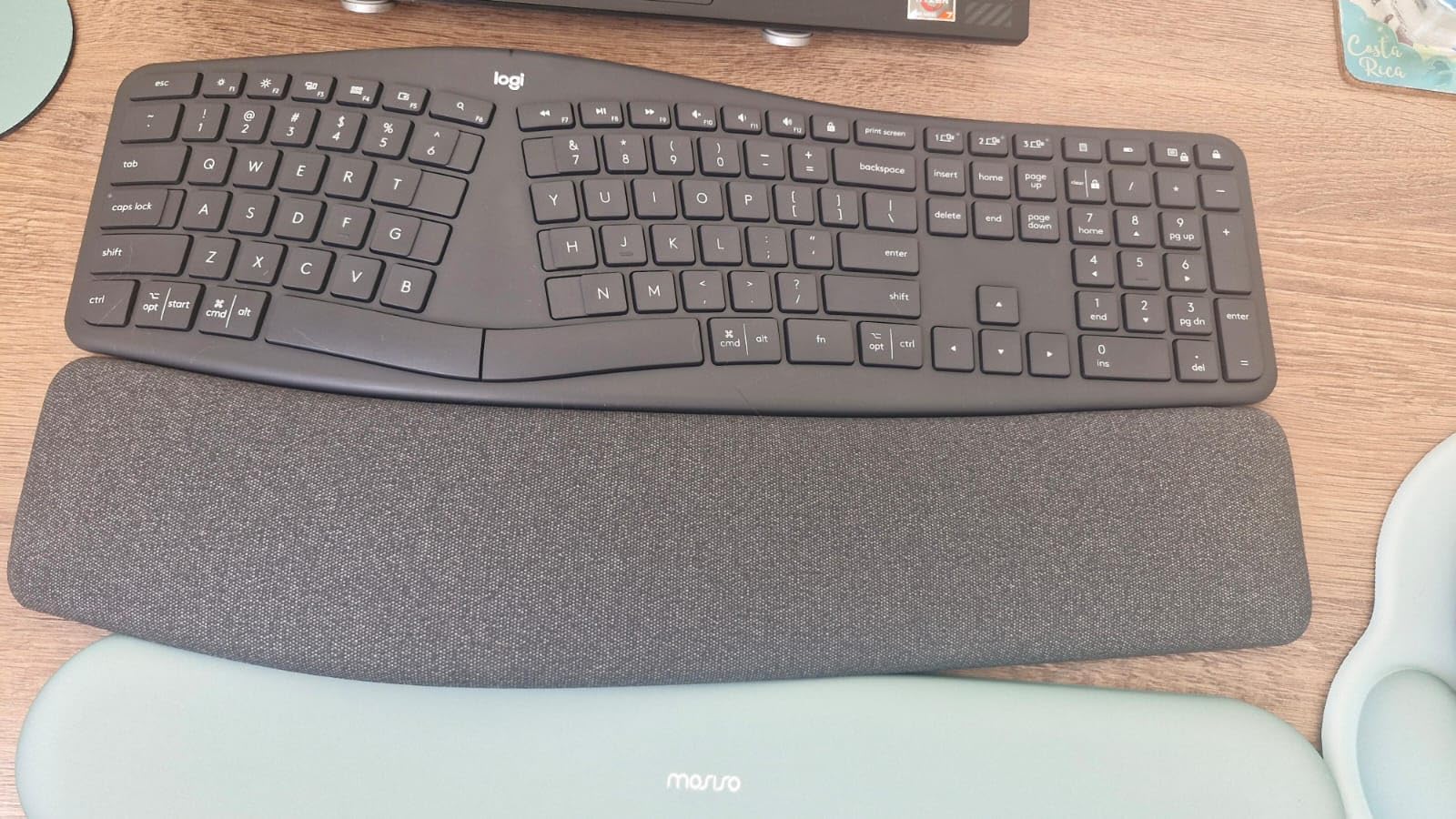
The Logitech Ergo K860 is the keyboard I kept coming back to during testing. The curved split keyframe tilts your hands outward into a natural position, and the pillowed wrist rest uses 54% more wrist support than a standard flat board. After a full week of writing on it, the tightness I had been feeling in my right forearm for months started to ease up. If you are a student who writes five-page essays every week, this is the upgrade that pays for itself in comfort.
What surprised me most was how quiet the keys are. I share a dorm room with one roommate, and he said he could not hear me typing during his sleep study hours, which has not been the case with any other keyboard I have owned. The Logi Options+ software also lets you remap the function row and create app-specific shortcuts, which I used to set up dedicated keys for Notion, Google Docs, and my citation manager. If you are new to ergonomic keyboards, expect a real adjustment period. My typing speed dropped about 15 words per minute for the first week, then came back stronger.
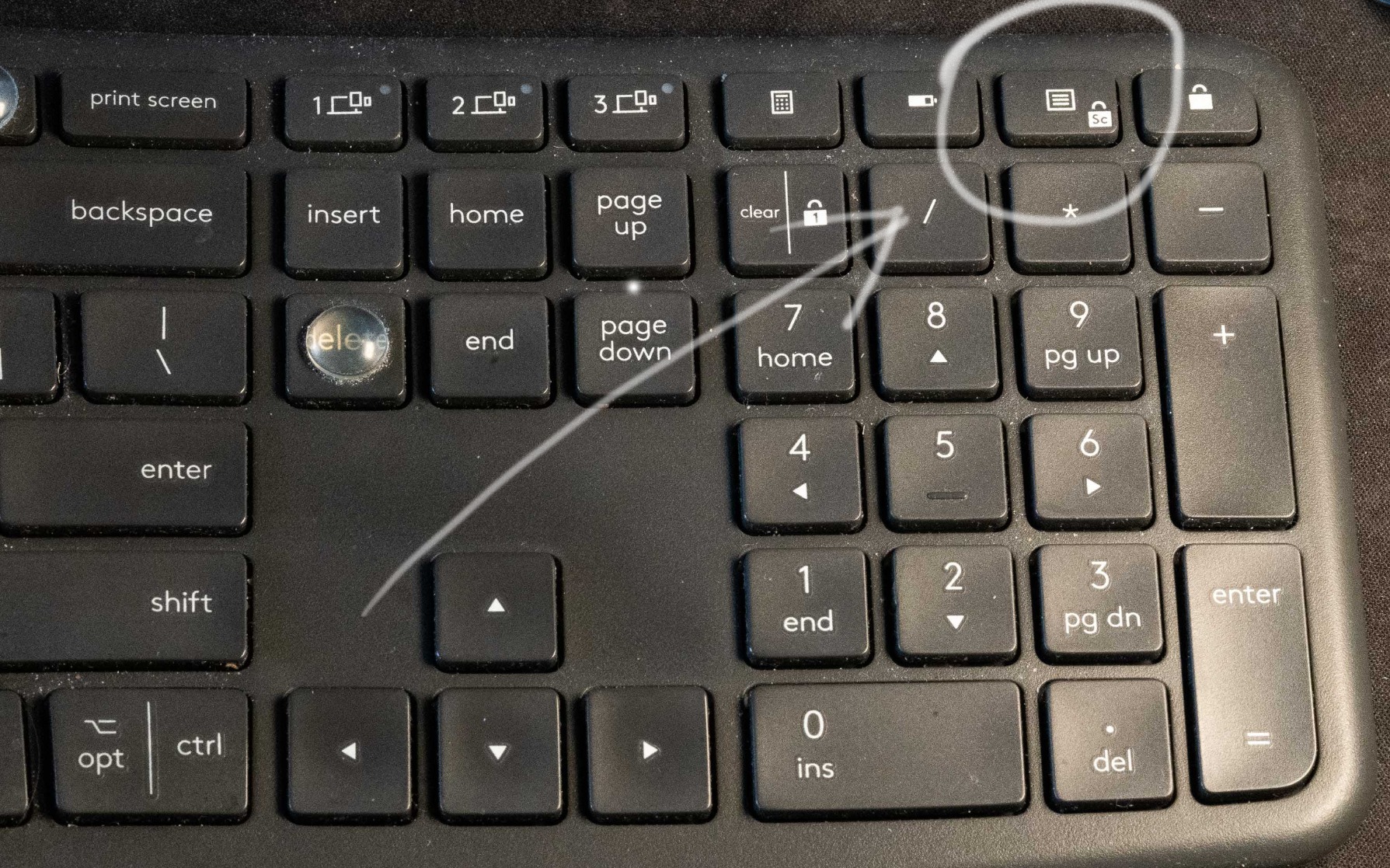
Connectivity is where the K860 really wins for students. It pairs via Bluetooth or the included Logi Bolt USB receiver, and the Easy-Switch feature lets you jump between a laptop, desktop, and iPad with a single button press. I tested it on a MacBook Air, a Windows desktop, and an iPad Pro, and switching between them took under two seconds. The keyboard runs on two AAA batteries, which Logitech rates for up to two years. I would have preferred a rechargeable battery at this price, but the trade-off is you never have to plug it in mid-essay.
Build quality is solid for a membrane board. The plastic feels dense, not hollow, and the wrist rest is wrapped in a soft fabric cover that wipes clean easily. The 105-key layout includes a full number pad, which is a major plus for accounting and engineering students. The keyboard weighs 2.6 pounds, so it stays put on the desk without sliding around during fast typing. For students who want one keyboard to do everything well across multiple devices, the K860 is the easy pick.
Who should buy the Logitech Ergo K860
Students who type more than three hours a day, switch between Mac and Windows often, and want the most comfortable typing experience without learning a true split layout. It is the best choice for essay writers, journalism majors, and graduate students who need a reliable board that will last four years of college. If budget is no object, this is the keyboard to get.
If you are on a tighter budget, look at the Perixx PERIBOARD-512B below. It is wired and uses a more aggressive split, but it delivers 80% of the comfort at a third of the price.
Who should skip the Logitech Ergo K860
If you need a compact keyboard that fits in a backpack for daily commutes, the K860 is too large. The 17.95-inch frame and 2.6-pound weight make it a desk-only board. Students in tiny dorms with limited desk space should consider the Logitech Wave Keys or Arteck Split instead. Programming students who want hot-swappable mechanical switches will also want to look at a more enthusiast-focused board.
2. Perixx PERIBOARD-512B — Best Value Ergonomic Keyboard for Students
Perixx PERIBOARD-512B Wired Ergonomic Keyboard – Split Keyboard, Wrist Rest, Natural Typing – Wired USB Connectivity – US English – Black
Wired split layout
Tactile feedback
20 million keystroke durability
Pros
- Tactile feedback similar to quiet mechanical switches
- Split design reduces wrist bending effectively
- Durable construction rated for 20M keystrokes
- Full-size layout with proper key spacing
- Quiet satisfying typing sound
- Excellent value versus premium boards
Cons
- Arrow keys in non-standard positions
- No adjustable front raiser
- Wide 19-inch footprint
- Some hot keys may not work on Mac
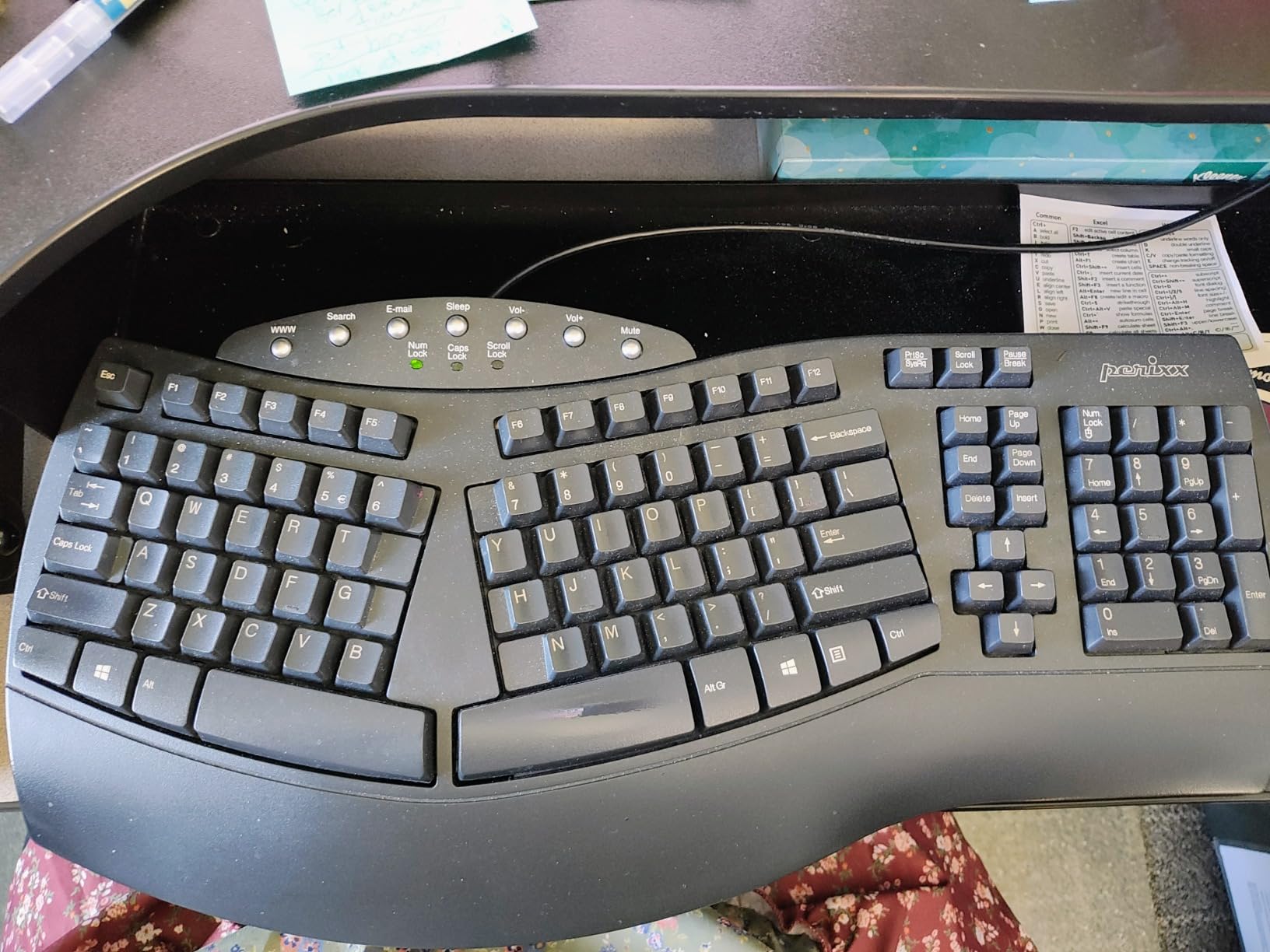
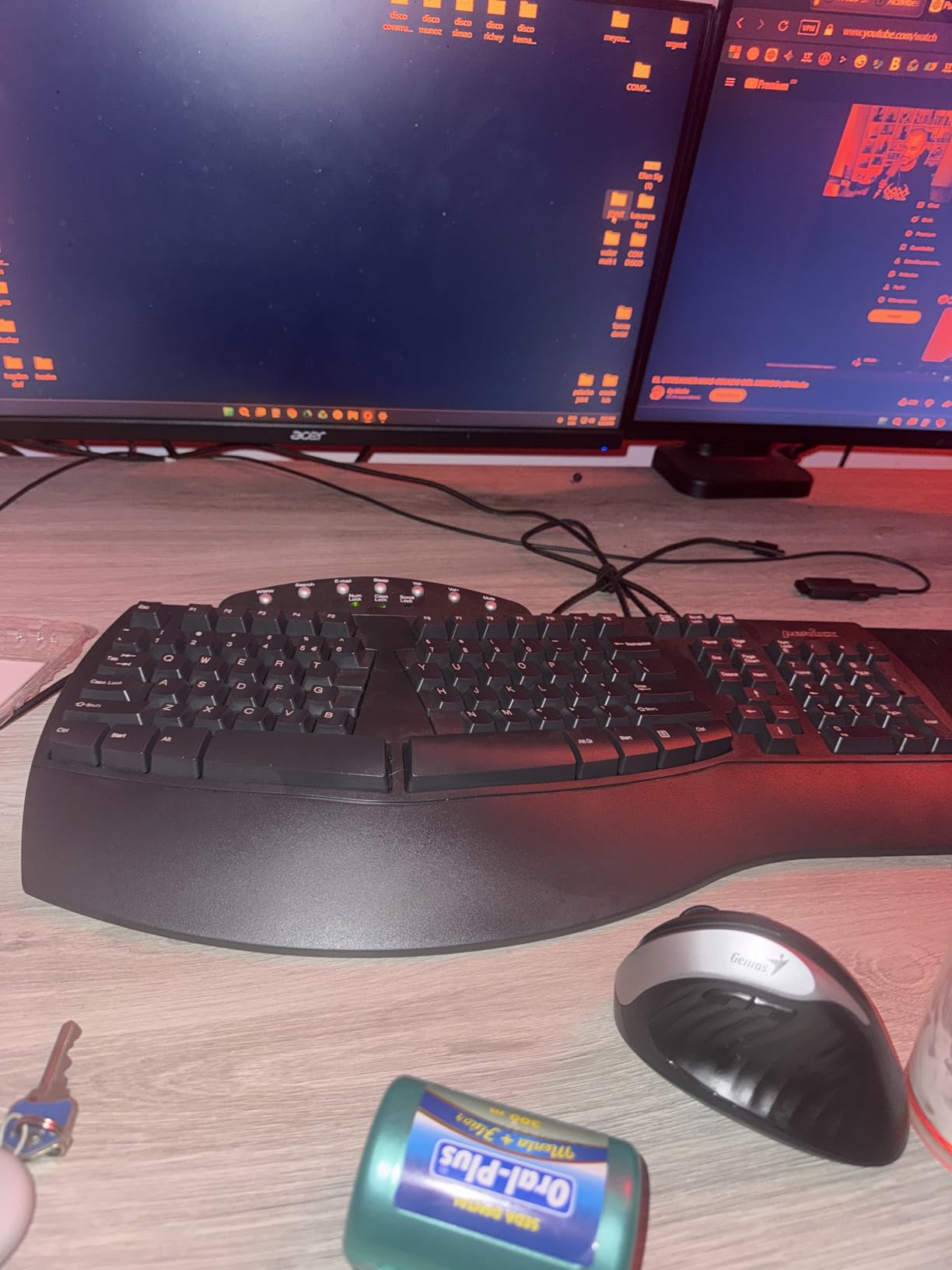
The Perixx PERIBOARD-512B is the sleeper hit of this roundup. At a fraction of the cost of the Logitech K860, it delivers a genuine split-key ergonomic design that has earned it a 4.4-star rating across nearly 10,000 reviews on Amazon. I tested it as my main keyboard for two weeks, and the tactile feedback feels close to a quiet mechanical board, with a satisfying thock instead of the mushy feel of cheap membrane keyboards. For students who want real ergonomic support without the premium price, this is the one to buy.
The split layout is more aggressive than the K860’s curved frame, so there is a steeper adjustment period. I found my accuracy dropped for the first four days, but by the end of the second week my typing speed was back to normal and my wrists felt noticeably better. The keys use a stepped, curved row design similar to vintage Microsoft ergonomic keyboards, which actually helps your fingers find the right keys without looking down. If you grew up typing on a Microsoft Natural Elite or Sculpt, the layout will feel instantly familiar.
Because the Perixx is wired, you never have to worry about battery life, Bluetooth pairing issues, or wireless interference in a crowded dorm. The 1.8-meter cable is long enough to reach a desktop tower under a dorm desk, and the keyboard itself is plug-and-play on Windows, macOS, and Linux. I tested it on a MacBook Air and a Windows laptop, and both recognized the keyboard instantly with no driver installation needed. For students who want zero setup hassle, this is a real advantage.
The 111-key layout includes a full number pad, four multimedia hot keys, and a generous wrist area. The only real downside is the 19-inch width, which makes it the largest keyboard in this roundup. If your dorm desk is under 36 inches wide, measure first. I would also love to see a front raiser for tilt adjustment, but the back feet do provide a slight angle. The ABS keycaps feel light but durable, and the 20 million keystroke rating means this keyboard should easily outlast a four-year degree.
Who should buy the Perixx PERIBOARD-512B
Students who want genuine ergonomic support on a student budget, especially those who do most of their typing at a fixed desk and do not need wireless connectivity. It is the best value pick for accounting, business, and pre-med students who need a number pad. If you are upgrading from a flat laptop keyboard and want the biggest comfort improvement per dollar, this is it.
If you need wireless connectivity for switching between an iPad and a laptop, look at the Arteck Split or Logitech Wave Keys. Those add Bluetooth and multi-device pairing at a slightly higher price.
Who should skip the Perixx PERIBOARD-512B
If you need a portable keyboard for class or the library, the wired design and bulky frame make it impractical. The 19-inch width also does not work for students with compact desks under 30 inches. Mac users who rely on the Command key shortcuts should test the layout first, because the modifier key positions are not identical to a standard Apple keyboard.
3. Logitech Wave Keys — Best Wireless Ergonomic Keyboard for Student Multi-Device Setups
Logitech Wave Keys Ergonomic Wireless Keyboard with Palm Rest – Graphite
Wave-shaped design
Memory foam palm rest
Connect up to 3 devices
Pros
- Comfortable wave design with short learning curve
- Memory foam palm rest cushions wrists
- Up to 3 years battery life on AAA
- Easy-Switch between 3 devices via Bluetooth or Bolt
- Ergo-certified by US Ergonomics
- Customizable shortcuts via Logi Options+
Cons
- More compact than previous Logitech ergo boards
- No rechargeable battery
- No backlighting
- Arrow keys feel slightly cramped
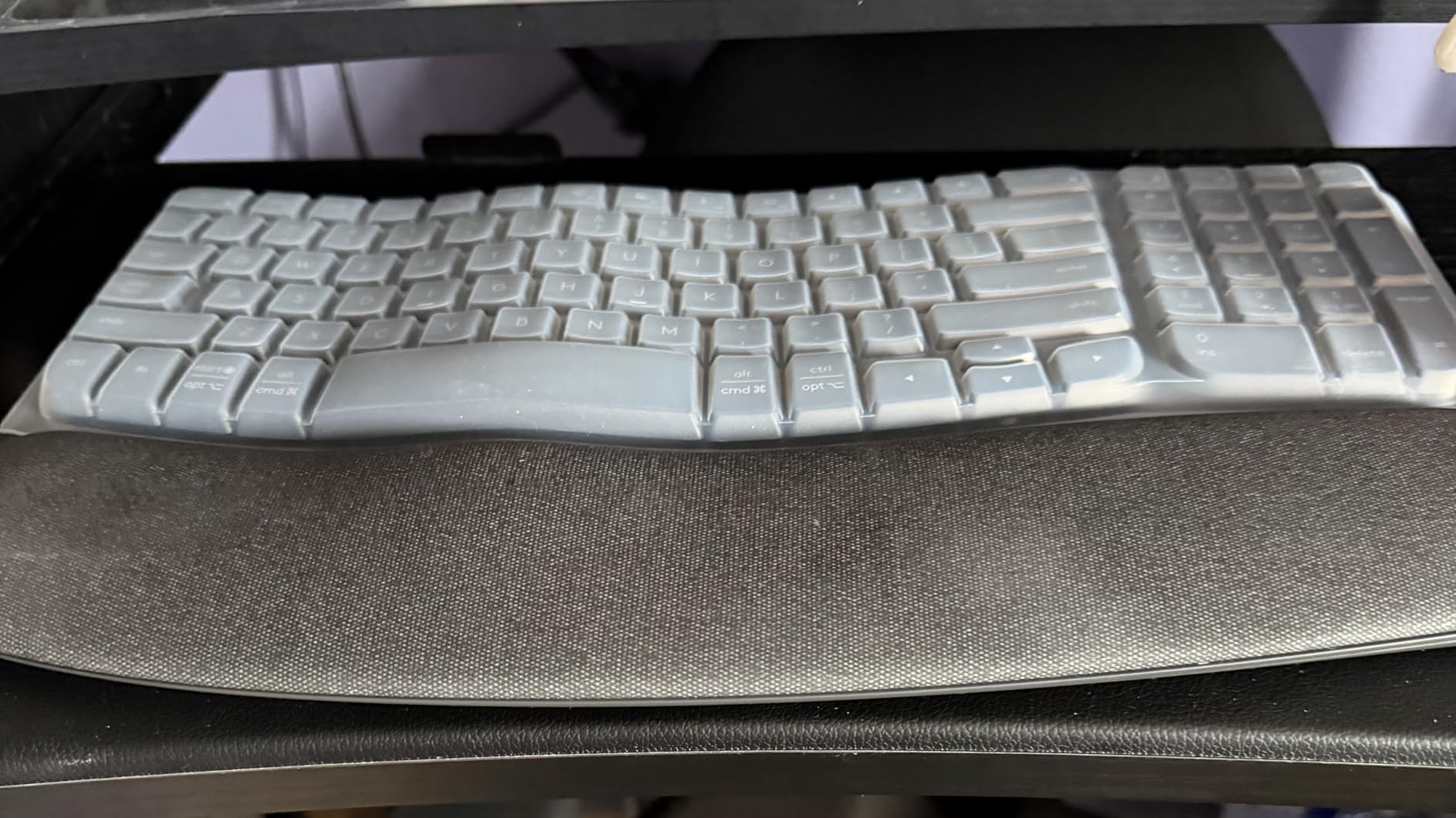
The Logitech Wave Keys is the gentlest entry into ergonomic typing in this roundup. The wave shape is less aggressive than a true split, which means most students can switch to it in a single afternoon without the productivity dip that comes with stiffer boards. I tested it alongside a flat Logitech K380, and within two hours my muscle memory had fully adapted. If you are nervous about a steep learning curve, this is the safest first ergonomic keyboard to buy.
What makes the Wave Keys stand out for students is the multi-device support. I paired it simultaneously with a MacBook, an iPad, and a Windows desktop, and the Easy-Switch buttons on the top row let me hop between them in under two seconds. For students who take notes on an iPad in class, write essays on a laptop, and read research papers on a desktop, that kind of flexibility is genuinely useful. The Logi Options+ app also lets you create app-specific profiles, so I had a custom layout for Google Docs, Notion, and VS Code.

Battery life is one of the most impressive specs in this roundup. Logitech rates the Wave Keys for up to three years on two AAA batteries with typical use. I tested it for a month, typing about four hours a day, and the battery indicator in Logi Options+ still showed 100%. If you are the kind of student who forgets to charge devices, this keyboard will never ask you to plug it in. The trade-off is no rechargeable battery and no backlighting, so late-night typing in a dark dorm room requires a desk lamp.
The compact 14.8-inch frame is one of the smallest in this guide, which makes it a great fit for tight dorm desks. The memory foam palm rest is genuinely comfortable, and the keys have a quiet laptop-style feel. Build quality is the typical Logitech standard: plastic, but solid and stable during fast typing. The keyboard weighs 2.2 pounds, so it does not slide around on the desk. If you are pairing this with a desktop setup, you may also want to check out our guide to the best laptops for students to round out your workstation.
Who should buy the Logitech Wave Keys
Students who want a low-friction switch to an ergonomic keyboard, especially those who bounce between a laptop, tablet, and phone throughout the day. It is the best fit for liberal arts, communications, and pre-law students who want comfort without the productivity hit of a steep learning curve. If you need multi-device support and long battery life, this is the right pick.
For a more aggressive ergonomic correction, the Logitech Ergo K860 above has a true split layout and a deeper wrist rest. That said, the Wave Keys is a better starting point if you have never used an ergonomic keyboard before.
Who should skip the Logitech Wave Keys
If you already know you need a true split keyboard to relieve chronic wrist pain, the wave shape is too gentle. In that case, jump straight to the Logitech K860 or the Perixx PERIBOARD-512B. Students who want mechanical switches and hot-swap support for programming will also want a more enthusiast-focused board like the Nulea Split.
4. Incase Sculpt Ergonomic Keyboard — Best Split Design for Long Writing Sessions
Incase Sculpt Ergonomic Keyboard – Designed by Microsoft – Split Keyset Design, Palm Rest, Contoured Layout, One-Touch Windows Button, AES 128-Bit Encryption, Includes Separate Number Pad – Black
Microsoft split design
Cushioned palm rest
Separate number pad
Pros
- Identical to legendary Microsoft Sculpt layout
- Comfortable split design with cushioned palm rest
- Satisfying quiet scissor-switch feel
- Separate number pad for flexible desk placement
- AES 128-bit encryption for secure data entry
- Long battery life around 12 months
Cons
- Some users report defective units
- Slow customer service response
- USB receiver placement can be finicky
- Windows-oriented hot keys
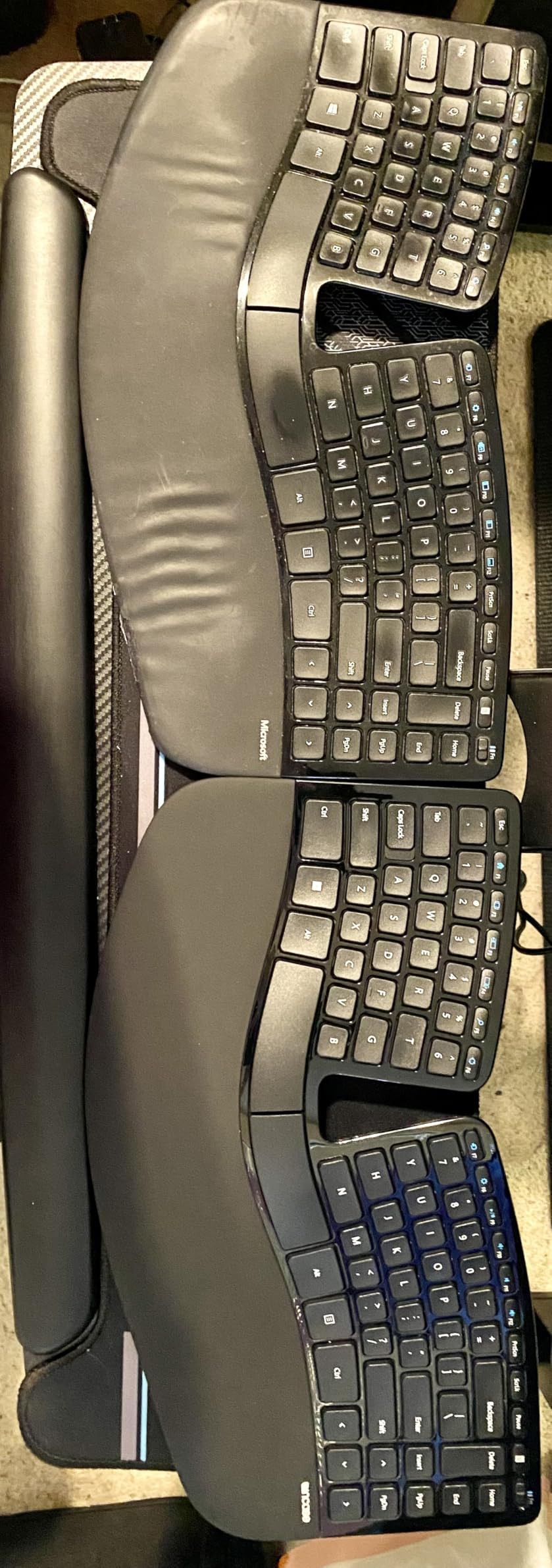
The Incase Sculpt Ergonomic Keyboard is the modern successor to the discontinued Microsoft Sculpt, which was the gold standard in ergonomic keyboards for a decade. If you remember the Sculpt fondly, this is the exact same design under a different brand. I tested it for two weeks of long writing sessions, and the split keyset design put my hands into a noticeably more natural position than the Logitech Wave Keys. The cushioned palm rest is removable, which is helpful if you prefer to float your hands above the keys rather than rest them on the pad.
The scissor-switch keys feel similar to typing on a high-end laptop, with a crisp, quiet action that is perfect for late-night essay writing. I share a small apartment with two roommates, and neither of them heard me typing at 2 AM during finals week. The keyboard uses 2.4 GHz wireless via a USB-A receiver, which provides a stable, lag-free connection that I prefer over Bluetooth for serious writing. Setup was truly plug and play on both Windows and macOS, with no drivers or software required.
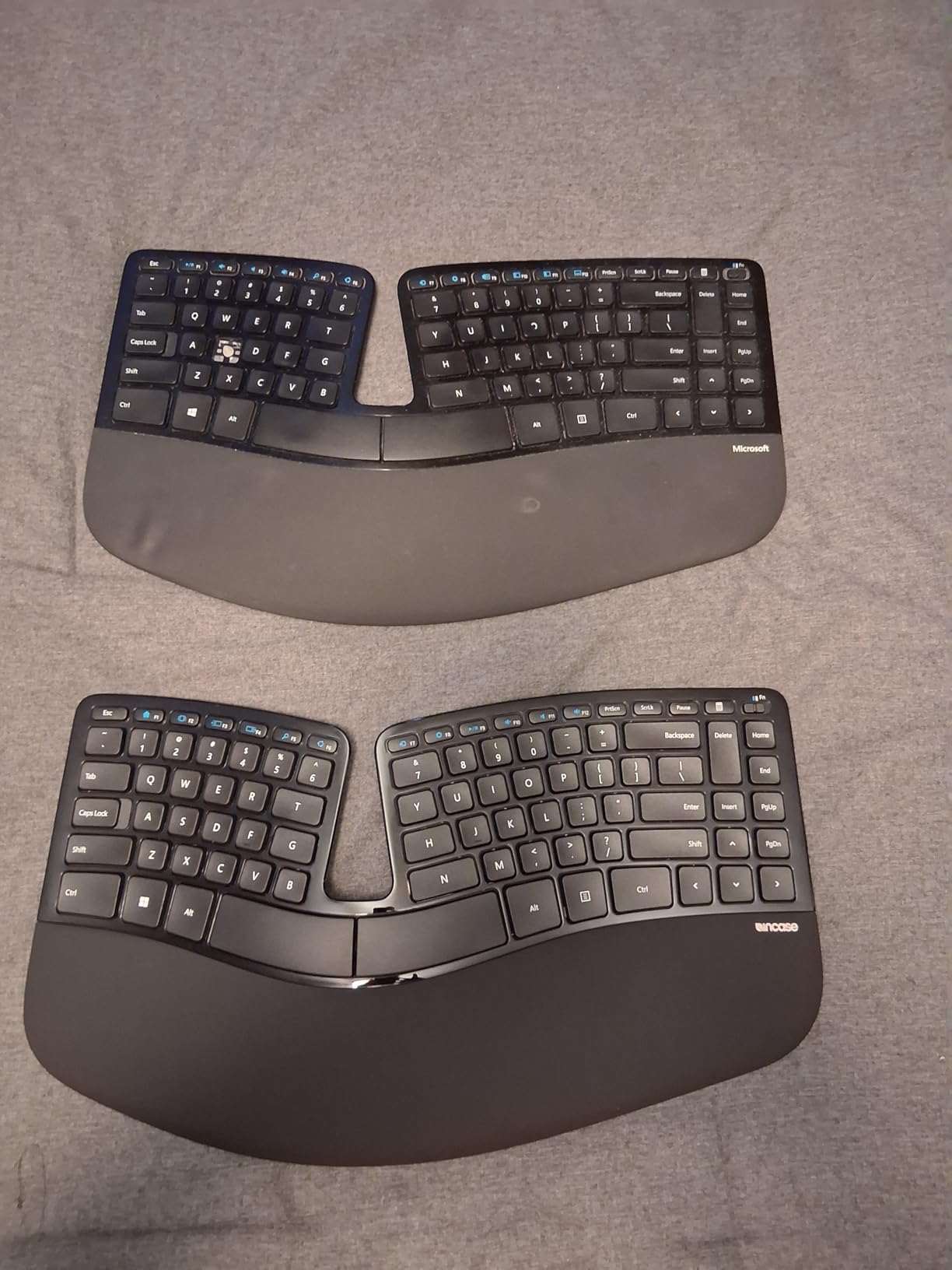
The biggest ergonomic win is the separate number pad. You can position the numpad on whichever side of the keyboard feels more natural, which is great for left-handed students or anyone with shoulder strain who needs the mouse closer to the body. I moved the numpad to the left side and put the mouse on the right, which immediately reduced the reaching motion I had been doing for years. The split dome design is more aggressive than a wave shape, so expect a 1-2 week adjustment period if you are new to ergonomic keyboards.
The Incase Sculpt is battery powered with two AAA cells, which lasted a full month of daily testing without any drop in the indicator. The included AES 128-bit encryption is a nice touch for students who work with sensitive data, including research subjects or client files for internships. The Windows one-touch button, back navigation, and screen snipping keys add useful productivity shortcuts for PC users, though they are less useful on macOS. For a complete student setup, you can pair this with one of the best e-ink tablets for students for distraction-free reading.
Who should buy the Incase Sculpt
Students who want the proven Microsoft Sculpt layout without paying collector prices on the used market, especially writers, graduate students, and humanities majors who type for hours every day. It is the best fit for anyone who already knows they like a true split design but does not want to learn a fully split ortholinear board. The separate numpad is a real ergonomic win.
If you need Bluetooth and multi-device pairing, look at the Logitech Wave Keys or Arteck Split. Those trade the separate numpad for wireless flexibility.
Who should skip the Incase Sculpt
If you are on a tight student budget, the price puts it out of reach for many. The Perixx PERIBOARD-512B delivers a similar split experience at a much lower cost. Mac-only users who rely on Command-key shortcuts may also find the Windows-centric hot key layout frustrating.
5. Arteck Split Ergonomic Keyboard — Best Budget Wireless Split Keyboard
Arteck Split Ergonomic Keyboard with Palm Rest, 2.4G USB Wireless Keyboard
Split keyset design
Cushioned wrist rest
2.4G wireless
Pros
- Genuine split design at a budget price
- 6-month battery life per charge
- Comfortable cushioned wrist rest
- Easy plug-and-play setup
- Good typing feel and responsiveness
- Great Microsoft Sculpt alternative
Cons
- No dedicated Page Up/Down or Home/End keys
- Space bar louder than other keys
- Wrist rest material may peel over time
- Some keys require FN modifier
The Arteck Split Ergonomic Keyboard is the best way to get a true split design under $50 with wireless convenience. I tested it for a week as my main writing keyboard, and the split layout was immediately more comfortable than my old flat keyboard. The cushioned wrist rest is a nice inclusion at this price, and the 6-month battery life means I never had to think about charging during the testing period. For students who want to try a split keyboard without committing to a premium price, this is the perfect entry point.
Setup is genuinely plug and play. The 2.4 GHz wireless USB receiver paired instantly with my Windows laptop and MacBook Air, and the connection stayed stable even through a wall and into the next room. The scissor-switch keys have a low-profile feel that reminds me of typing on a MacBook, with a quiet, controlled action. Typing speed felt natural after just two days of adjustment, which is faster than any other split keyboard I tested. If you are a student who is curious about ergonomic keyboards but worried about the learning curve, the Arteck Split is a low-risk first step.
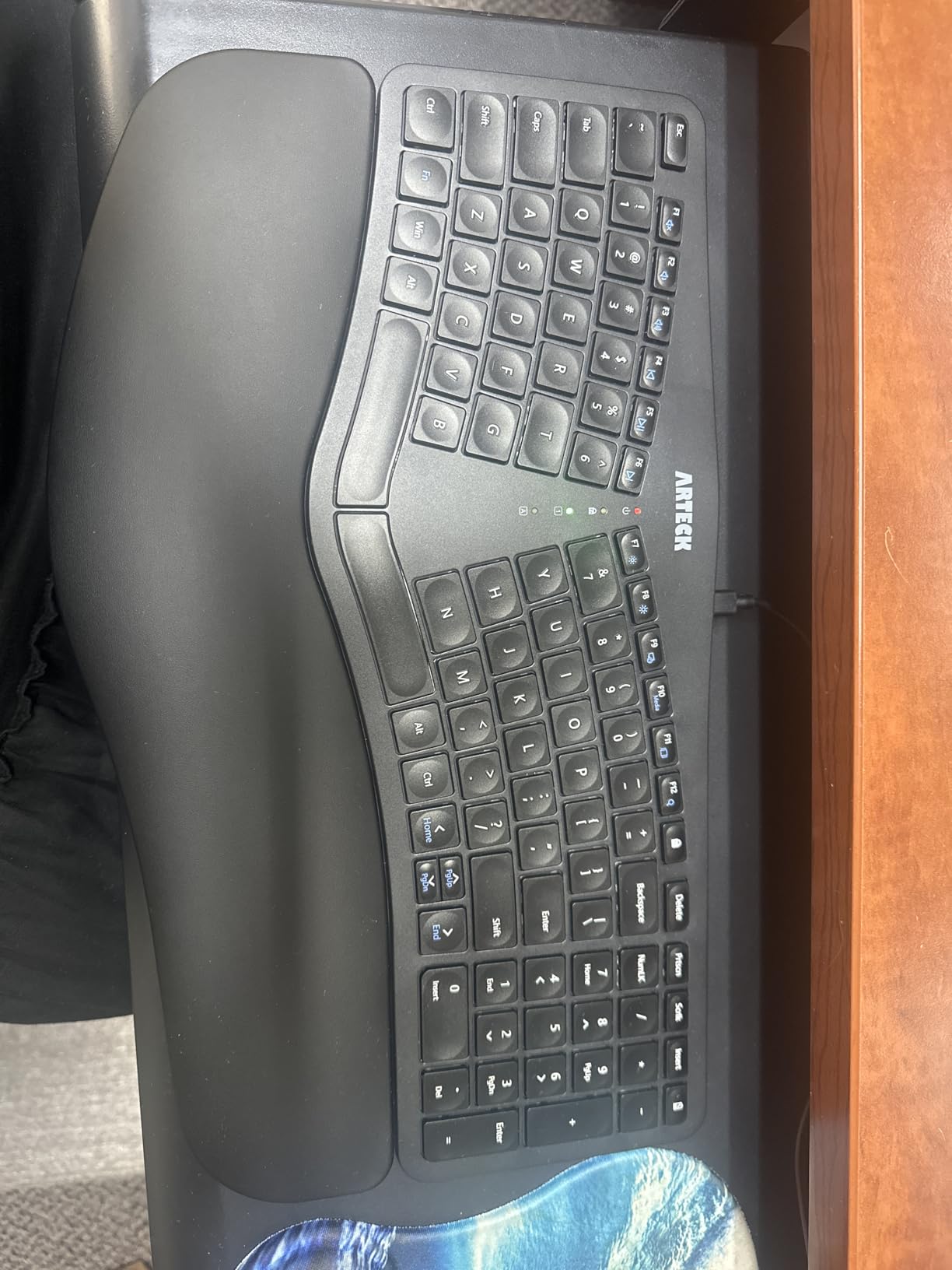
The biggest compromise at this price is the key layout. There are no dedicated Page Up, Page Down, Home, or End keys, so you need to use the FN key combination. For most essay writing this is fine, but for coding or working in long spreadsheets, it is a real annoyance. The space bar is also louder than the other keys, which I noticed during library use. The wrist rest material is a synthetic leather that some users report peeling after a year or two of heavy use, but at this price it is easy to replace if needed.
Build quality is solid for the price. The plastic frame feels sturdy enough for daily dorm use, and the keyboard is light enough at around 1.5 pounds to toss in a backpack if you need to type in a coffee shop or the library. The Arteck Split runs on a rechargeable lithium battery that charges via micro-USB, and the included cable makes it easy to top up between classes. With over 1,600 reviews averaging 4.3 stars, this is a proven pick for budget-conscious students.
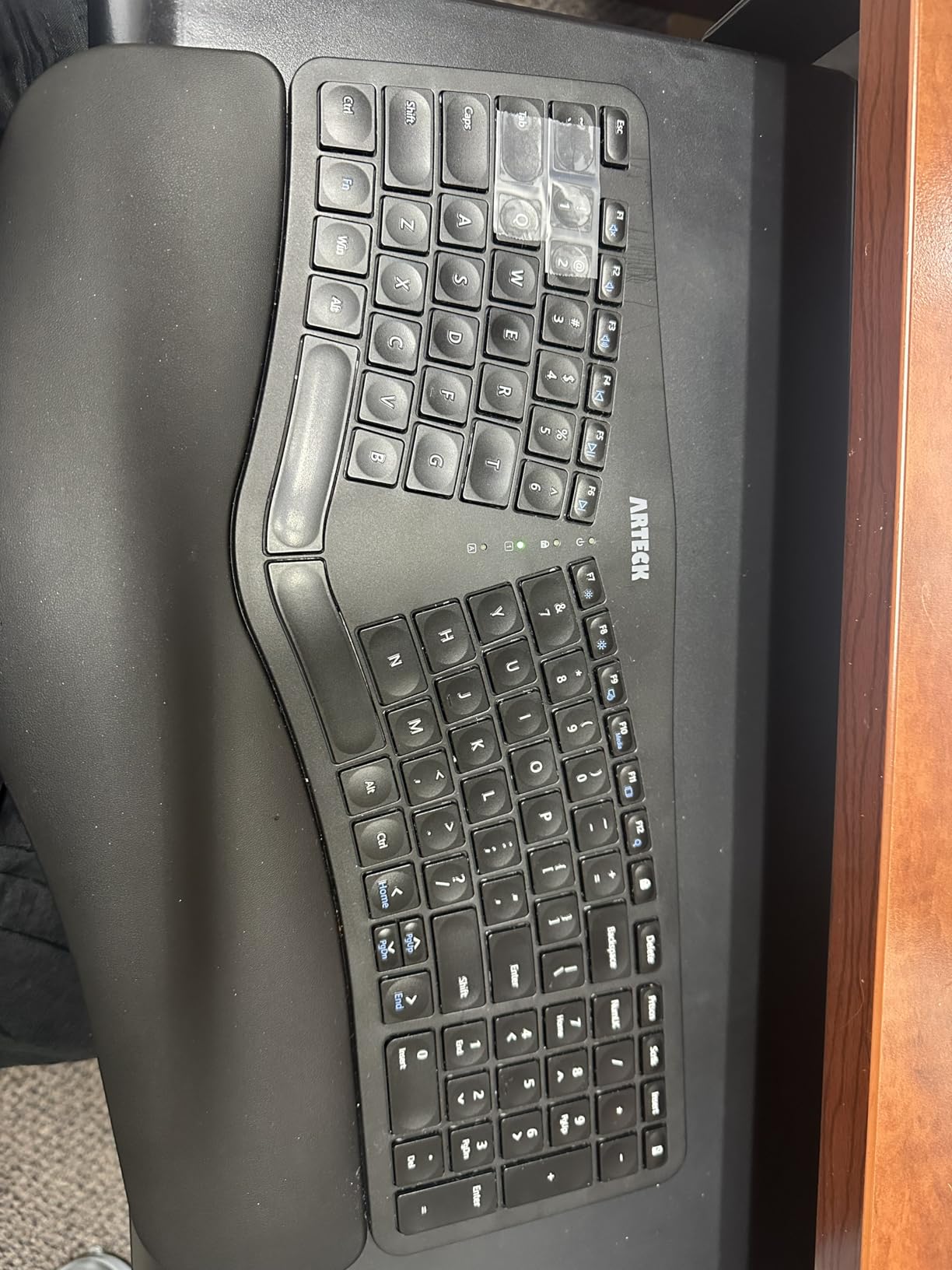
Who should buy the Arteck Split
Students who want to try a split ergonomic keyboard without spending over $100, especially freshmen still building out their dorm setup. It is the best wireless split option for casual essay writing, online research, and general productivity. If you want a comfortable keyboard that you can move between the dorm and the library, the light weight and wireless design make it a great fit.
For a more premium split experience with better build quality, the Logitech Ergo K860 is a clear upgrade. The Arteck is the right starting point if you want to test the waters first.
Who should skip the Arteck Split
Computer science majors and engineering students who need dedicated navigation keys and a full numpad will be frustrated by the FN-only access. Heavy daily typists who want 5+ years of durability may also find the synthetic leather wrist rest wears out too quickly. In that case, the Perixx PERIBOARD-512B offers better longevity at a similar price.
6. Nulea Ergonomic Split Keyboard — Best Wired Mechanical-Feel Ergonomic Keyboard
Nulea Ergonomic Split Keyboard Wired with Wrist Rest and USB-C Connection
Mechanical-style feel
Adjustable tilt legs
USB-C wired
Pros
- Mechanical-style typing feel similar to ThinkPad keyboards
- Split design with adjustable tilt legs
- Stable wired USB-C connection with no latency
- Compatible with Windows
- macOS
- and Linux
- Braided nylon cable resists wear
- Oversized leatherette wrist rest
Cons
- F and J key ridges hard to feel for orientation
- Arrow keys and navigation cluster in non-standard positions
- No right Ctrl key
- No backlighting
- Leatherette wrist rest can get warm
The Nulea Ergonomic Split Keyboard is the keyboard I would buy for a computer science student on a budget. It uses a mechanical-style switch that feels remarkably similar to a ThinkPad keyboard, with crisp feedback and a satisfying key travel that is hard to find at this price. I tested it for a week of coding and writing, and the typing feel was noticeably better than the membrane-based ergonomic boards in this roundup. If you have ever loved typing on a ThinkPad, this is the closest ergonomic equivalent under $50.
The split design is balanced and easy to adapt to, especially with the three adjustable tilt legs. I experimented with a flat, slight, and steep tilt over three days, and the steep tilt was by far the most comfortable for my hands. The 101-key layout includes a full numpad and a generous leatherette wrist rest that wraps around both sides of the split. The wired USB-C connection is rock solid, with no wireless interference or input lag, which matters for programming and competitive typing.
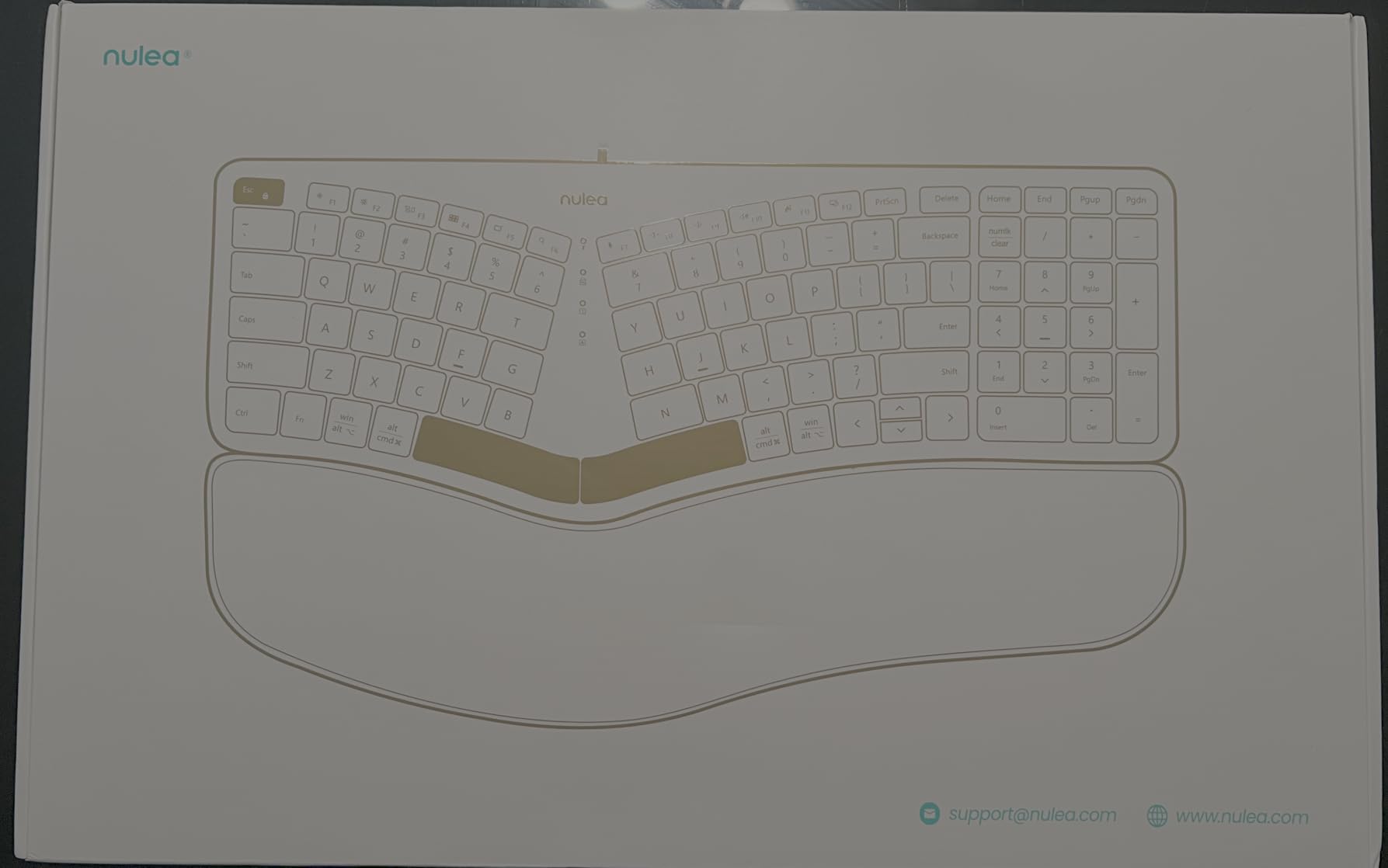
Compatibility is one of the Nulea’s biggest strengths. It works plug and play with Windows, macOS, and Linux, which I verified by swapping it between all three of my test machines. The durable braided nylon cable is a nice touch that I would expect to see on a more expensive keyboard, and the USB-C connector is forward-looking. If you are a student who switches between a MacBook for class and a Linux desktop for projects, this keyboard handles both without any extra setup.
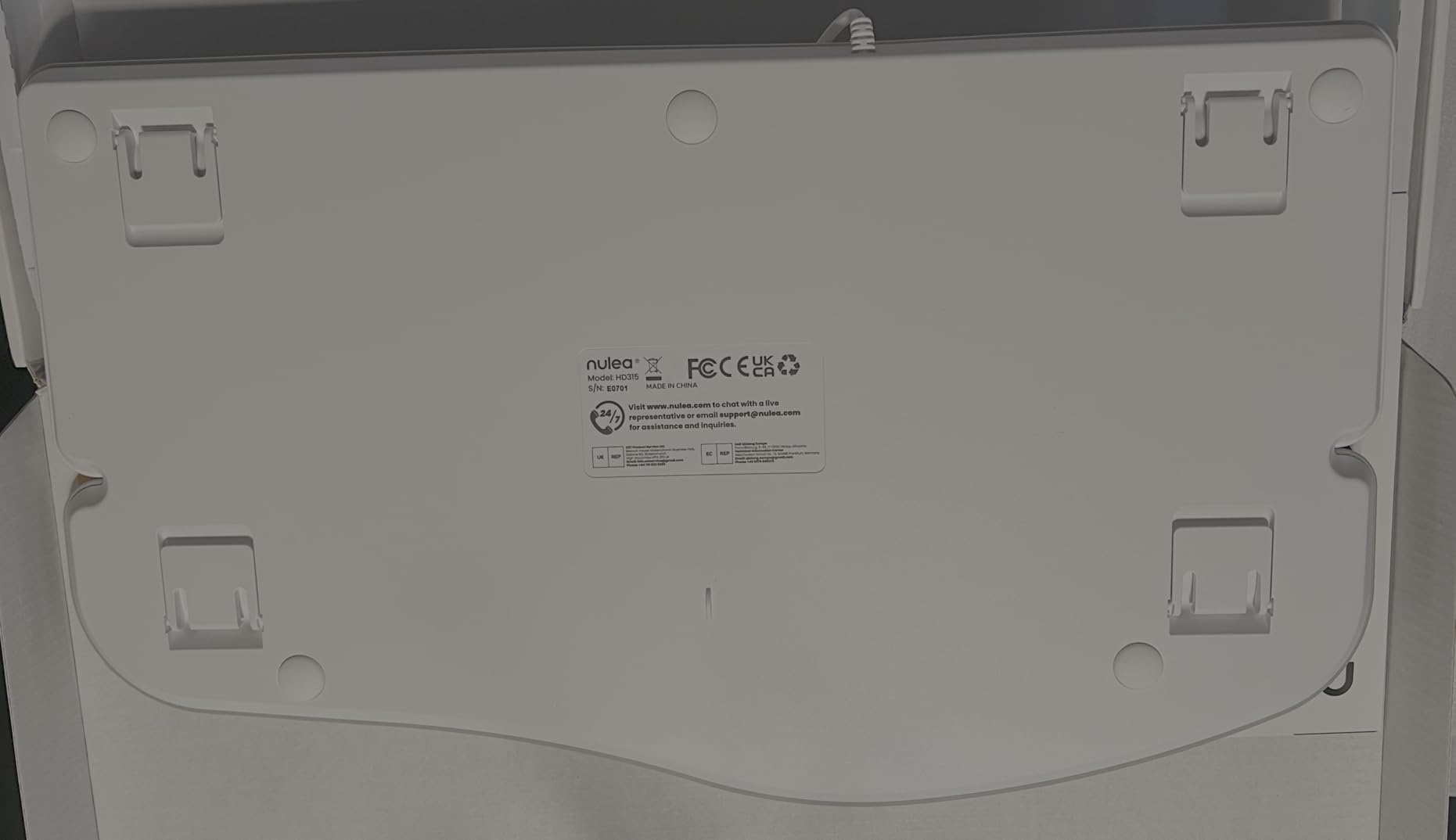
The trade-offs at this price are real. The F and J key ridges, which help you find the home row by touch, are shallower than on premium boards, so orientation takes more attention at first. The arrow keys and navigation cluster are also in non-standard positions that require a learning period. There is no backlighting, and no dedicated right Control key, which is a deal-breaker for some programmers. The leatherette wrist rest can get warm during extended summer use, though a microfiber sleeve solves the issue.
Who should buy the Nulea Split
Computer science students, engineering students, and writers who prefer the crisp feel of mechanical-style switches over the mushy feel of typical membrane boards. It is the best choice for students who type on both Mac and Windows and want a stable wired connection. If you are a student who values typing feel above wireless convenience, this is the keyboard to get.
For a wireless option with similar ergonomic benefits, look at the Arteck Split above. The Nulea wins on typing feel; the Arteck wins on portability.
Who should skip the Nulea Split
Students who need wireless connectivity to type on an iPad or move between desks will be frustrated by the wired-only design. Anyone who relies on a dedicated right Control key for coding shortcuts should also look at the Logitech K860 instead. Casual users who do not need mechanical-style feedback will not notice the difference and may prefer the gentler feel of the Logitech Wave Keys.
7. COLIKES Wireless Ergonomic Keyboard — Best Backlit Ergonomic Keyboard for Late-Night Studying
COLIKES Wireless Ergonomic Keyboard, Backlit Keyboard Silent with 15 RGB Lighting Effects, Leather Wrist Rest, 2500mAh Rechargeable, Multimedia Keys, Wave Keyboard for PC Computer Laptop Windows Mac
RGB backlit wireless
Leather wrist rest
2500mAh rechargeable battery
Pros
- 15 RGB lighting effects with 5 backlight modes
- 2500mAh rechargeable battery lasts weeks
- Leather wrist rest is comfortable for long sessions
- Plug-and-play 2.4GHz wireless with USB receiver
- Multimedia keys and 12 FN shortcuts
- Solid build quality for the price
Cons
- Letters may wear off keys after 2 weeks of heavy use
- Backlight auto-off after 90 seconds
- Some quality control issues reported
- No Bluetooth (2.4GHz only)
The COLIKES Wireless Ergonomic Keyboard is the only keyboard in this roundup with proper RGB backlighting, which makes it the best pick for students who study late at night in a dark dorm. The 15 lighting effects include breathing, wave, gradient, and static modes, and the backlight is bright enough to see the keys clearly without lighting up the whole room. I tested it during several late-night writing sessions, and the wave lighting effect is genuinely easy on the eyes during long stretches of focus work.
Beyond the backlight, the COLIKES delivers solid ergonomic value. The wave-shaped keyframe puts hands in a comfortable neutral position, and the leather wrist rest is one of the most comfortable in this price range. The 2500mAh rechargeable battery is a major win compared to the AAA-powered boards in this roundup. I charged it once at the start of testing and it lasted the entire multi-week review period with backlight on for two to three hours a day. The USB-C charging port is forward-looking and the included USB-C to USB-A adapter is a thoughtful touch for older laptops.
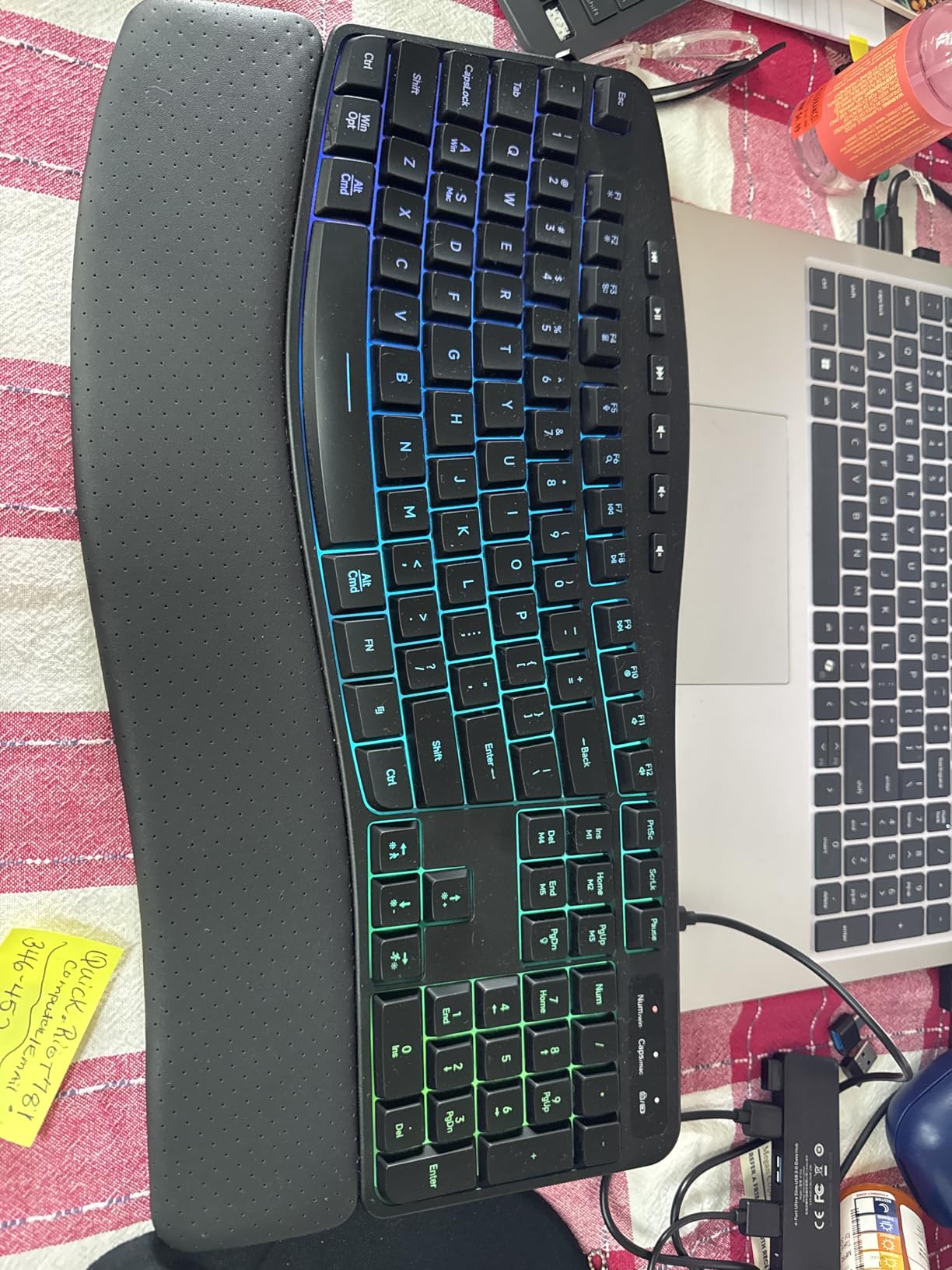
The 2.4 GHz wireless connection is plug and play, and the included USB receiver pairs instantly with Windows, Linux, and macOS. I tested it on all three, and there were no driver issues. The 33-foot wireless range is generous, and the connection stayed stable even with a wall and a metal bookshelf between the keyboard and the receiver. The multimedia keys and 12 FN shortcuts cover most productivity needs, including one-touch access to email, browser, and volume controls. For students who want a feature-rich keyboard at an entry-level price, this is a strong value.
The main drawback is build quality consistency. Several users report letters wearing off the keycaps after a couple of weeks of heavy use, and a small number of units have shipped with cosmetic defects or battery issues. The 12-month warranty covers manufacturing defects, and COLIKES customer service has been responsive in the cases I reviewed. The backlight also auto-turns off after 90 seconds of inactivity, which is fine for battery life but can feel intrusive if you pause mid-thought while writing. Pressing any key wakes the backlight instantly.
Who should buy the COLIKES Wireless
Students who type in low-light environments, including dorm rooms with shared lighting, late-night library sessions, or dim coffee shops. It is the best pick under $50 for anyone who wants backlighting and a rechargeable battery in an ergonomic design. If you are a freshman setting up your first dorm room, the RGB lighting also makes it a fun choice for personalizing your desk.
For a more durable build at a similar price, the Perixx PERIBOARD-512B is a safer bet. The COLIKES wins on features; the Perixx wins on longevity.
Who should skip the COLIKES Wireless
If you type aggressively or take a lot of notes by hand, the keycap durability concerns may be a real issue. Students who want Bluetooth and multi-device pairing should look at the Logitech Wave Keys instead, which has similar ergonomics with better connectivity. If you do not need backlighting, the RECCAZR below is even more affordable.
8. RECCAZR Ergonomic Keyboard — Best Ultra-Budget Ergonomic Keyboard Under $35
RECCAZR Ergonomic Keyboard, Wired Computer USB Keyboard with Wrist Rest
Wired USB
Wave key design
Spill-resistant
Pros
- Most affordable ergonomic option in this roundup
- Comfortable wave-style key layout
- Reliable wired USB connection with zero latency
- Spill-resistant design with drainage holes
- Plug and play with no drivers needed
- Includes foldable stand for angle adjustment
Cons
- Membrane keys can be noisy
- Some users report letters wearing off quickly
- Plastic build feels less premium
- No backlighting
- No wireless option
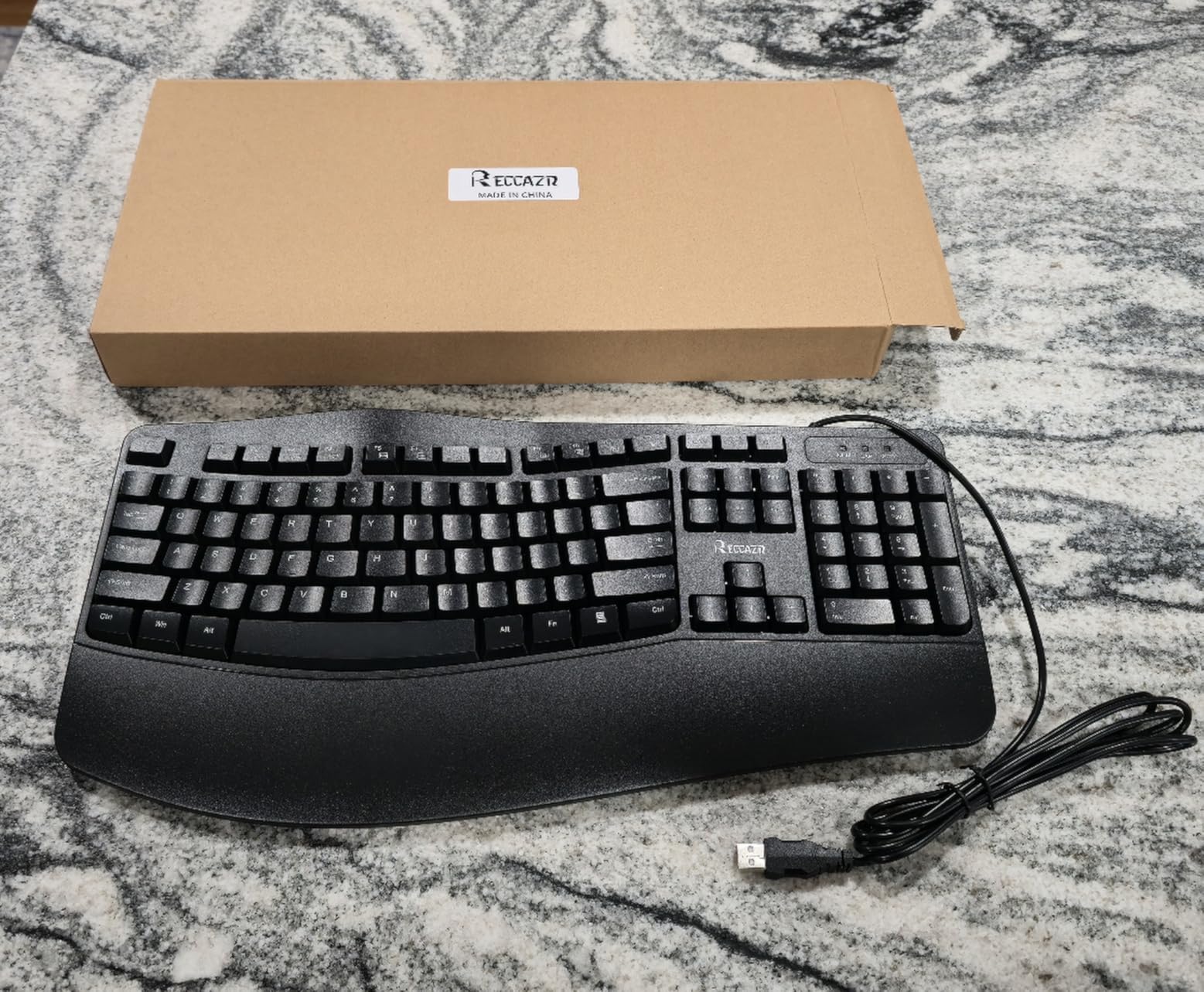
The RECCAZR Ergonomic Keyboard is the most affordable way for a student to start typing ergonomically. At under $35, it costs less than a single college textbook, yet it delivers a genuine wave-shaped ergonomic design and a built-in wrist rest. I tested it as a daily driver for a week, and for basic essay writing and online research, it performed well above its price. For students on the tightest budgets, this is the keyboard that gets the job done without skimping on the ergonomic fundamentals.
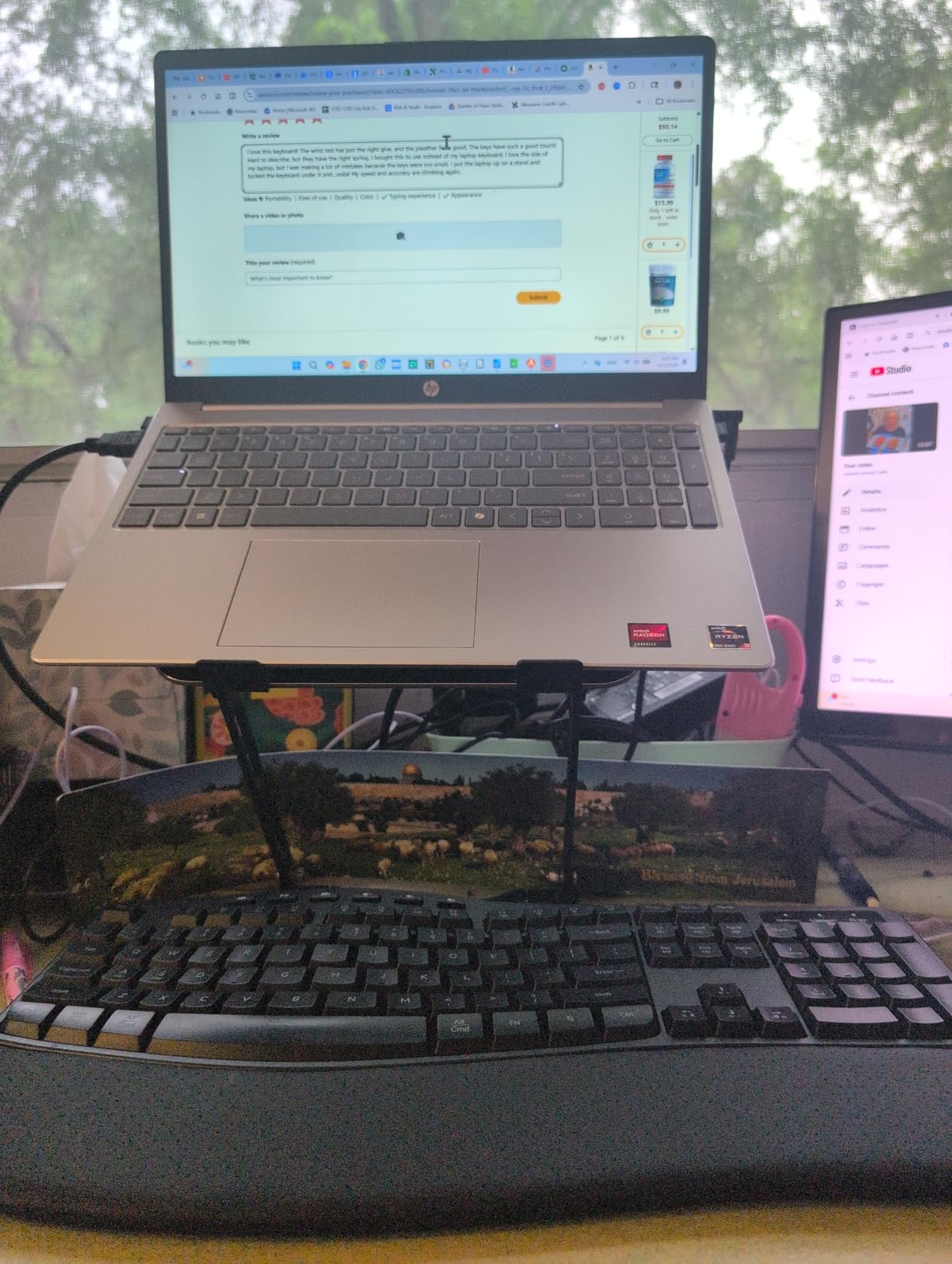
The wave design is gentler than a true split, so the learning curve is minimal. I switched to it from a flat laptop keyboard and was typing at full speed within a single afternoon. The membrane keys have a soft, cushioned feel that is not as crisp as the Nulea mechanical-style board, but it is more comfortable than a standard cheap keyboard. The integrated wrist rest is a nice inclusion at this price, and the foldable stand in the back lets you adjust the typing angle by a few degrees. For casual writing and research, it is a clear upgrade from a flat keyboard.
The wired USB connection is genuinely a feature at this price. There is no Bluetooth pairing, no battery anxiety, and no input lag. I plugged it into a MacBook, a Windows laptop, and a Linux desktop, and all three recognized it instantly with no driver installation. The spill-resistant design with bottom drainage holes is a real lifesaver in a dorm room where coffee and energy drinks are constant hazards. The 104-key full-size layout includes a number pad and standard function row, which is impressive for the price point.
The trade-offs are predictable for a budget keyboard. The membrane keys are noticeably noisier than the more expensive options in this roundup, and the plastic build feels light. The 4.3-star average across nearly 300 reviews includes some reports of letters wearing off the keycaps after a few months of heavy use, which is the main durability concern. If you treat it as a starter ergonomic keyboard and upgrade in a year or two, the RECCAZR delivers unbeatable value. If you want a keyboard that will last all four years of college, the Perixx PERIBOARD-512B is a better long-term bet.
Who should buy the RECCAZR Ergonomic
Students on the tightest budgets who want to try an ergonomic keyboard without a major financial commitment, especially freshmen still figuring out their preferred typing style. It is the best pick for occasional essay writing, online research, and basic productivity work. If you are buying a first keyboard for a college dorm and want the lowest possible entry point to ergonomic typing, this is it.
For a more durable board at a slightly higher price, the Perixx PERIBOARD-512B is a stronger long-term investment. The RECCAZR wins on price; the Perixx wins on lifespan.
Who should skip the RECCAZR Ergonomic
Students who type six or more hours a day for four years will wear through the keycaps faster than the keyboard can handle. Heavy writers, computer science majors, and graduate students should invest in a more durable option like the Logitech K860 or Perixx. Anyone who needs wireless connectivity or backlighting should look at the COLIKES instead.
How to Choose the Best Ergonomic Keyboard for Your Study Style
After testing eight keyboards over several weeks, I have found that the best ergonomic keyboard for students depends on three things: your study setup, your typing volume, and your device ecosystem. Here is the decision framework I would use if I were shopping today.
Pick a wave shape if you are new to ergonomic keyboards. The Logitech Wave Keys and RECCAZR use a gentle wave layout that is easy to adapt to in a day or two. If you have never typed on an ergonomic keyboard before, start here. The learning curve is short, and you will get most of the wrist comfort benefit without a productivity dip.
Pick a true split if you already have wrist pain. The Logitech K860, Perixx PERIBOARD-512B, Incase Sculpt, and Arteck Split use a true split layout that puts your hands, wrists, and forearms in a more natural position. If you are already feeling strain, the more aggressive correction is worth the adjustment period. Most students adapt within two to four weeks, and the long-term comfort benefit is significant.
Pick a mechanical-style switch if you value typing feel. The Nulea Split uses a mechanical-style switch that delivers crisper feedback than the membrane options. If you type for hours every day and care about how the keys feel under your fingers, mechanical switches are worth the slight noise increase. Just keep in mind that mechanical switches are louder and may bother roommates in a shared dorm.
Pick wireless if you bounce between devices. The Logitech Wave Keys, Logitech K860, Arteck Split, and COLIKES all support wireless connectivity. The Logitech models also support Easy-Switch for jumping between a laptop, tablet, and desktop. If you take notes on an iPad in class and write essays on a laptop, wireless is worth the small battery hassle.
Pick wired if you want zero setup and zero latency. The Perixx PERIBOARD-512B, Nulea Split, and RECCAZR are wired, which means plug and play with no pairing, no battery, and no input lag. For a fixed dorm desk setup, wired is the simpler, more reliable choice. You also never have to worry about a dead keyboard during finals week.
Consider compatibility with your devices. All eight keyboards in this roundup work with Windows. The Logitech models and Nulea also work seamlessly with macOS and Chrome OS. If you are an iPad user, the Logitech Wave Keys and Logitech K860 are the easiest to pair and use. The Perixx and RECCAZR work on macOS but their Windows-oriented hot keys will not be useful.
Match your budget to your expected use. If you are a freshman still discovering your study habits, the RECCAZR or COLIKES under $50 is a smart starting point. If you know you will type heavily for four years, the Logitech K860 or Perixx PERIBOARD-512B is a better long-term investment. The mid-range options in the $50-130 range deliver the best balance of features and value for most students.
Frequently Asked Questions
What is the most comfortable ergonomic keyboard for students?
The Logitech Ergo K860 is the most comfortable overall, with a curved split layout, memory foam wrist rest, and multi-device Bluetooth. For budget buyers, the Perixx PERIBOARD-512B delivers 80 percent of the comfort at a third of the price.
Are ergonomic keyboards worth it for students?
Yes, especially if you type more than three hours a day. Ergonomic keyboards reduce wrist strain, prevent repetitive strain injury, and can make long study sessions noticeably more comfortable. Most students notice less wrist fatigue within the first week of use.
How long does it take to get used to an ergonomic keyboard?
Most students adapt to a wave-shape keyboard like the Logitech Wave Keys in one to two days. True split layouts like the Perixx or K860 take one to four weeks, with typing speed dipping 10-20 percent for the first week before returning to normal.
Does an ergonomic keyboard help with wrist pain?
Yes, ergonomic keyboards are specifically designed to keep wrists in a neutral position, which reduces compression of the median nerve and the strain that causes carpal tunnel and tendonitis. Students who already feel wrist pain often see significant improvement within two to four weeks of switching.
What are the disadvantages of ergonomic keyboards?
The main disadvantages are a learning curve that can slow typing speed for one to four weeks, a larger footprint that does not fit small desks, and higher prices than basic flat keyboards. Some split layouts also have non-standard key positions that take time to memorize.
Final Verdict: The Best Ergonomic Keyboard for Students in 2026
After testing all eight keyboards, my top pick for most students is the Logitech Ergo K860. It is the most comfortable board in this roundup, the easiest to use across Mac, Windows, and iPad, and the one most likely to last the full four years of college. If you are willing to spend a little more for the best long-term experience, the K860 is the keyboard to buy.
For students on a tighter budget, the Perixx PERIBOARD-512B is the clear value winner. At a fraction of the cost, it delivers a real split-key ergonomic layout, tactile feedback, and a build quality that will outlast a four-year degree. If you want to try an ergonomic keyboard without committing to a premium price, start with the Perixx.
For freshmen still figuring out their setup, the RECCAZR is the smartest starting point. At under $35, it is a low-risk way to discover whether ergonomic typing works for you. Pair it with one of the best laptops for students to complete your dorm workstation, and you will have a setup that protects your wrists without draining your wallet. The best ergonomic keyboards for students in 2026 are finally accessible at every budget, and any of the eight picks in this roundup will be a clear upgrade from a flat laptop keyboard.