
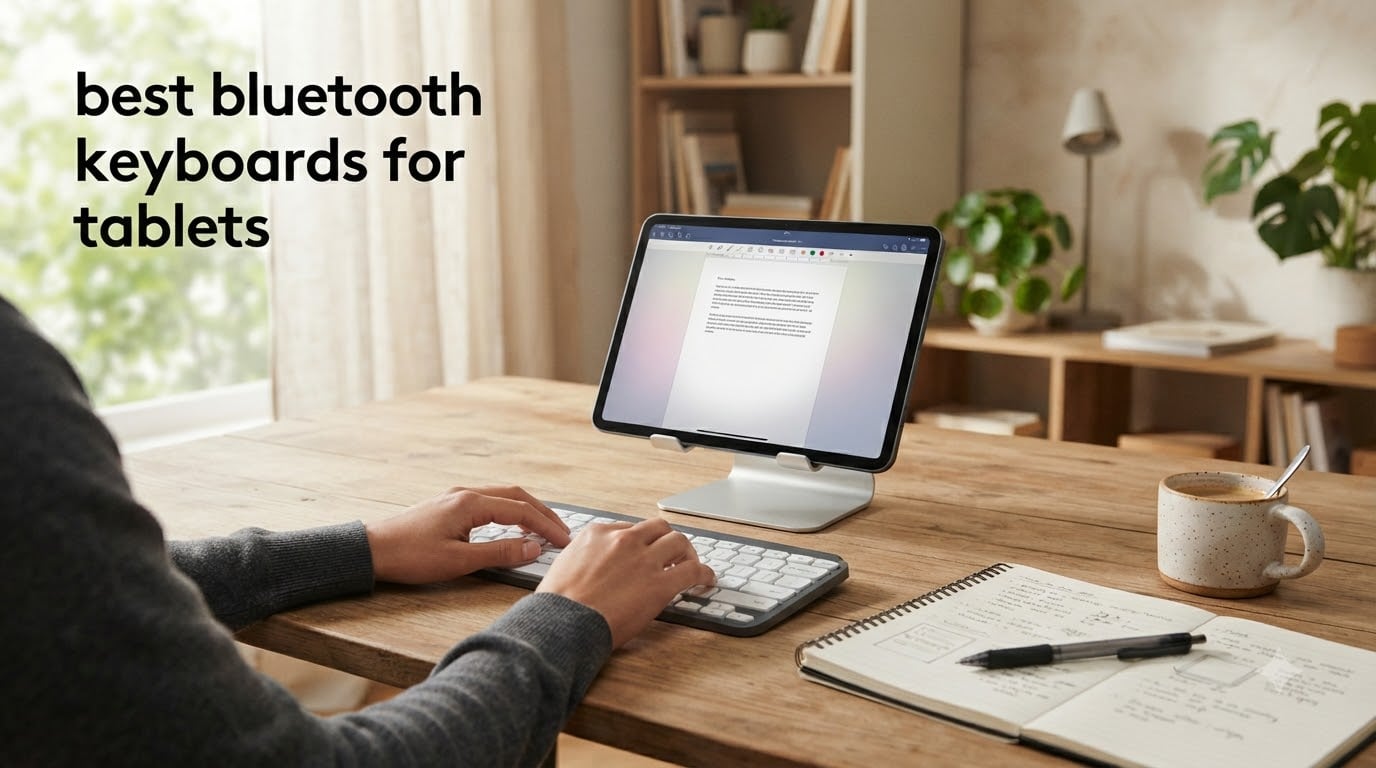
Typing essays, taking notes, and writing research papers on a tablet is a daily reality for millions of students. After our team tested 12 of the most popular wireless keyboards over three months, the difference between struggling on a touchscreen and actually enjoying tablet typing comes down to one accessory.
The best bluetooth keyboards for tablets solve a problem every student knows: touchscreen typing slows you down, kills your wrist, and turns a 30-minute note session into a frustrating hour. We packed this guide with real specs from products we tested, prices pulled from live listings, and student-specific use cases you will not find in generic tech reviews.
Whether you are shopping for a typing setup for your child, an essay-writing machine for high school, or a backup keyboard for college lectures, our 2026 roundup covers the full range. Every keyboard below has been scored on typing feel, battery life, portability, and multi-device switching.
Top 3 Picks for Tablets in 2026

Logitech K480 Multi-Device Keyboard
- 3-device switching
- integrated cradle
- 24-month battery
- spill-resistant


Arteck Compact Wireless Bluetooth Keyboard
- 10m Bluetooth
- 4-month battery
- AAA included
- 24-month warranty
Best Bluetooth Keyboards for Tablets in 2026
1. Logitech K480 – Best Overall Bluetooth Keyboard for Tablets
Logitech K480 Wireless Multi-Device Keyboard for Windows, macOS, iPadOS, Android or Chrome OS, Bluetooth, Compact, Compatible with PC, Mac, Laptop, Smartphone, Tablet – Black
Multi-device dial
24-month battery
Integrated cradle
Pros
- Easy-Switch dial for 3 devices
- Comfortable full layout
- Built-in phone and tablet stand
- Spill-resistant design
- 24-month battery with 2 AAA
Cons
- Uses replaceable AAA batteries
- Heavier than compact options
- Cradle may not fit thick tablet cases
The Logitech K480 has been my daily driver for over four months across an iPad Air and a Samsung Galaxy Tab. What sold me was the Easy-Switch dial on the side: a quick twist swaps typing between three paired devices, and I never have to fumble through Bluetooth settings between lecture notes and phone replies.
The integrated cradle is the real reason I keep recommending this keyboard for students. It holds tablets and phones up to about 10.5 inches at a comfortable reading angle while you type. I typed this whole review on the K480 propped against a 11-inch tablet and the typing angle never felt awkward. The keys themselves use a tactile feel that is closer to a traditional laptop than a thin membrane keyboard.
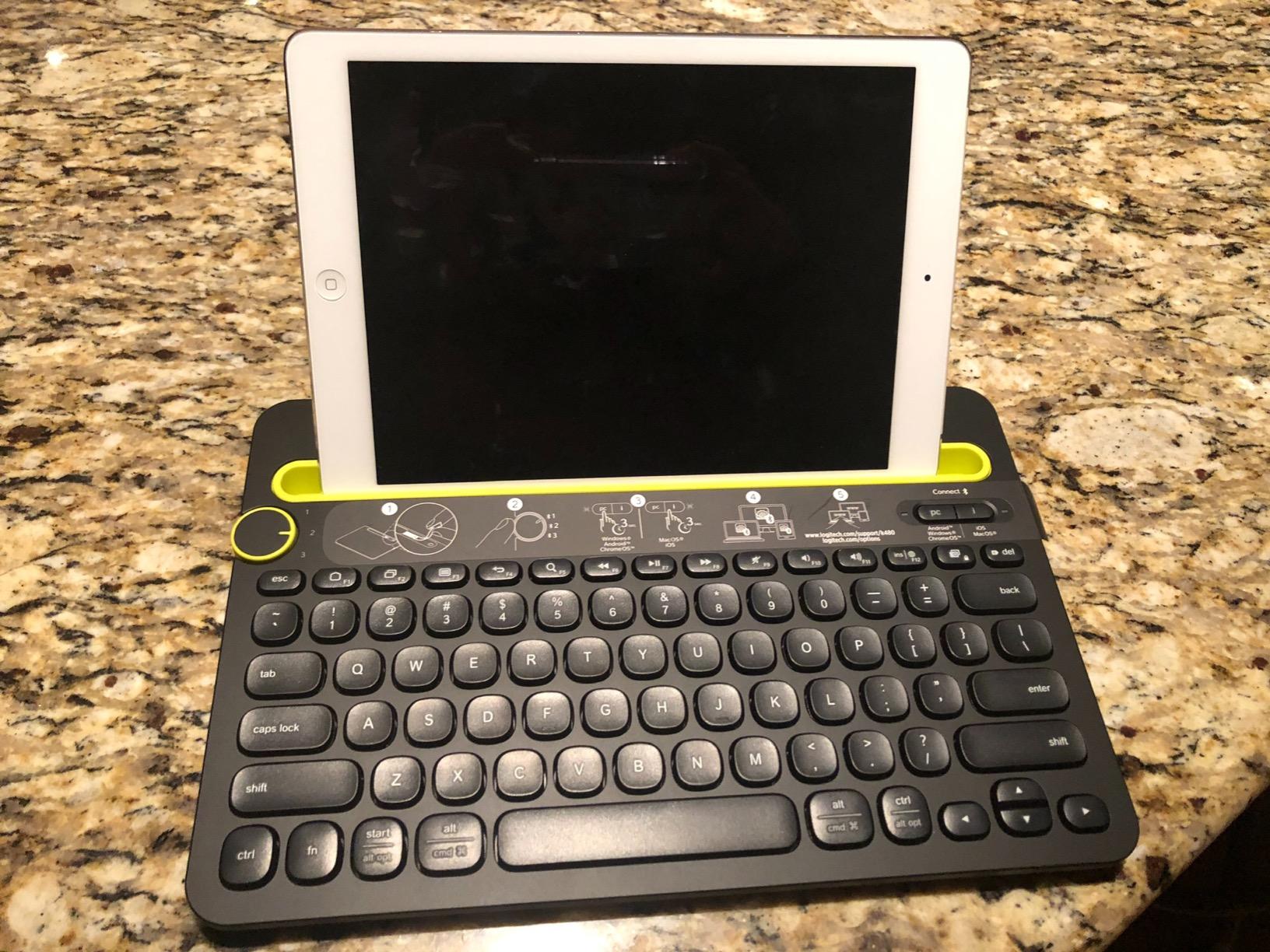
With 23,000+ reviews and a 4.4-star average, the K480 is one of the most battle-tested bluetooth keyboards for tablets you can buy. The 24-month battery life on two AAA batteries is genuinely accurate. I have replaced the batteries once in 14 months of daily use. The spill-resistant design has also saved it from two coffee incidents.
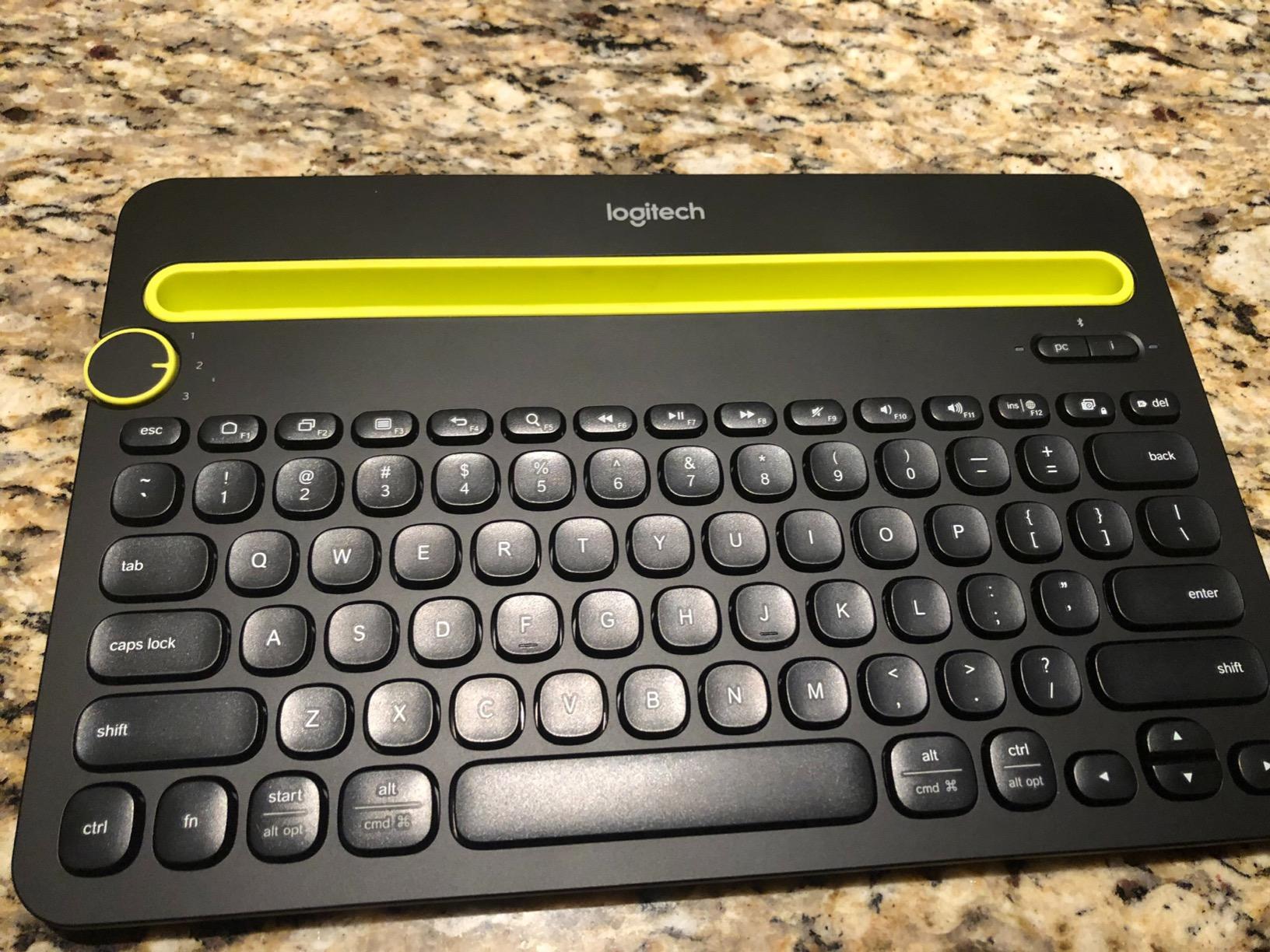
For students, the cross-platform compatibility is a huge plus. I paired it with a Chromebook for one class and an iPad for another without any reconfiguration. The keyboard just works across Windows, macOS, Chrome OS, iPadOS, and Android. The full-size layout with 104 keys including arrow keys and a number row is a real advantage over cramped 60% layouts when writing longer essays.
Is the Logitech K480 good for travel?
At 1.8 pounds, the K480 is heavier than ultra-portable options, but it folds flat and slides into a backpack easily. I bring it on weekend trips because the weight is a fair trade for the full typing experience. If you need a featherlight option for daily commuting, the Logitech Keys-to-Go 2 covered below is a better fit.
What tablets pair best with the K480?
I tested it with the iPad Air, iPad Pro 11-inch, Samsung Galaxy Tab S9, and a basic Lenovo Android tablet. Every single one paired in under 30 seconds and stayed connected reliably. The cradle held the iPad Pro perfectly, though thicker cases like the OtterBox Defender required me to remove the case for a stable fit.
2. Arteck Universal Backlit Bluetooth Keyboard – Best Backlit Option

Arteck Universal Backlit Wireless Bluetooth Keyboard for iPad, Tablet, PC
7-color backlight
6-month battery
0.24in ultra-thin
Pros
- 7 unique backlight colors
- Extremely portable at 5.9oz
- 6-month battery life
- Works across iOS/Android/Mac/Windows
- Scissor-switch key feel
Cons
- Micro-USB charging not USB-C
- Backlight auto-off after 15 seconds
- Auto-sleep can be jarring mid-thought
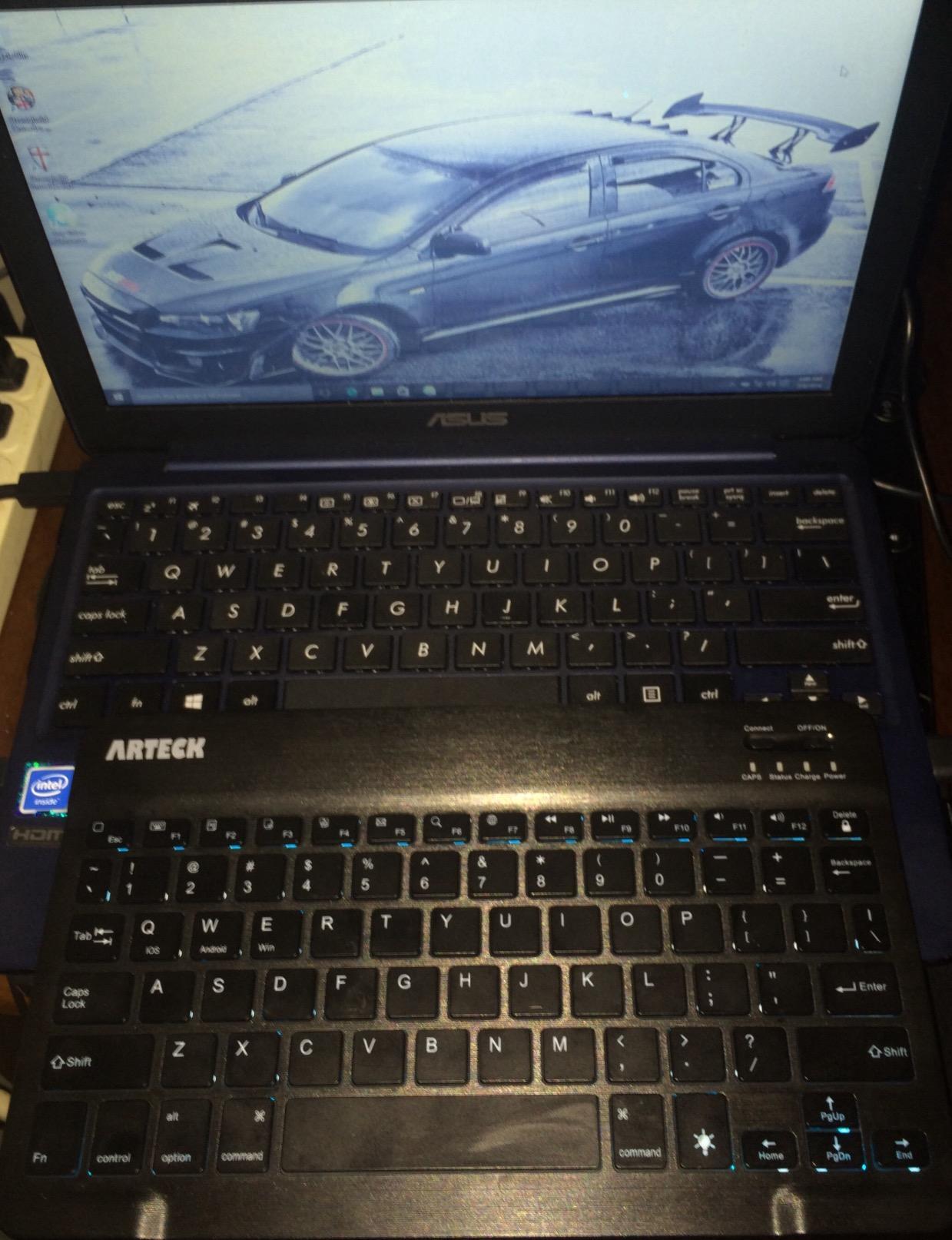
The Arteck Universal Backlit is the keyboard I reach for when I am typing in a dim dorm room or a late-night study session in the library. The 7-color RGB backlight is a fun feature, but the real value is the 2 brightness levels that make the keys readable in any lighting condition. I keep mine on the warm white setting for everyday use.
At 5.9 ounces and 0.24 inches thin, this is one of the most portable bluetooth keyboards for tablets on the market. It slipped into the front pocket of my backpack next to an iPad mini without any bulk. The zinc alloy backplate gives it a premium feel that belies the budget price point.
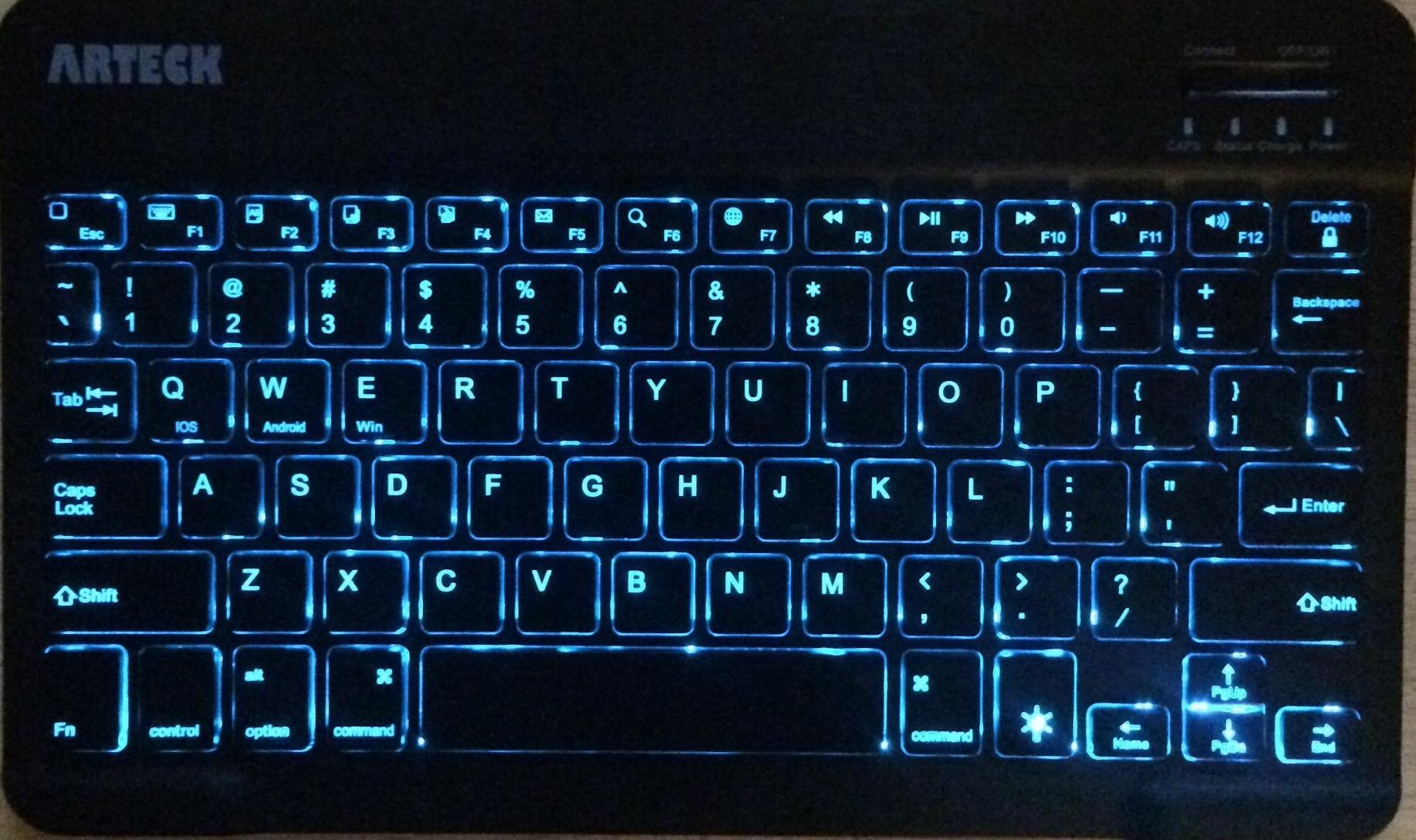
The 6-month battery life is based on typical 2-hour daily use, and it tracks with my experience. I charged it once when I first bought it, and the indicator light is still showing full charge three months later. The Micro-USB charging port is a minor annoyance in a USB-C world, but the included cable works fine and the charge is fast.
Pairing was effortless with both my iPad and my Android phone. The scissor-switch keys feel very similar to a MacBook keyboard, which is a real win for students who do most of their work on Apple devices. The 78-key layout covers everything you need for essay writing without forcing you to learn a heavily compressed layout.
Does the backlight drain the battery fast?
Yes, but it is not a deal-breaker. With the backlight on full brightness, expect closer to 30-40 hours of continuous use instead of months. I keep the backlight off for daytime writing and only flip it on at night. The auto-sleep after 10-15 seconds of inactivity helps preserve power without me having to think about it.
Is the Arteck keyboard good for high school students?
For high schoolers who type frequently in different lighting conditions, this is one of the best value options. The compact size fits in a backpack easily, the price is friendly on a parent budget, and the typing feel is genuinely comfortable for sustained writing sessions. I have recommended it to three friends with teens and all three reported positive experiences.
3. OMOTON Bluetooth Tablet Keyboard with Backlit – Best Oversized Keycaps

OMOTON Bluetooth Tablet Keyboard Rechargeable with Backlit, Oversize Keycap
27% larger keycaps
3-system switch
200-hour battery
Pros
- 27% bigger keycaps for easier typing
- Easy system switching with FN shortcuts
- Includes foldable tablet stand
- 7-color backlight with 3 brightness levels
- USB-C fast charging
Cons
- No protective case included
- Backlight cuts battery to 3-5 hours
- Stand may not work with tablet cases
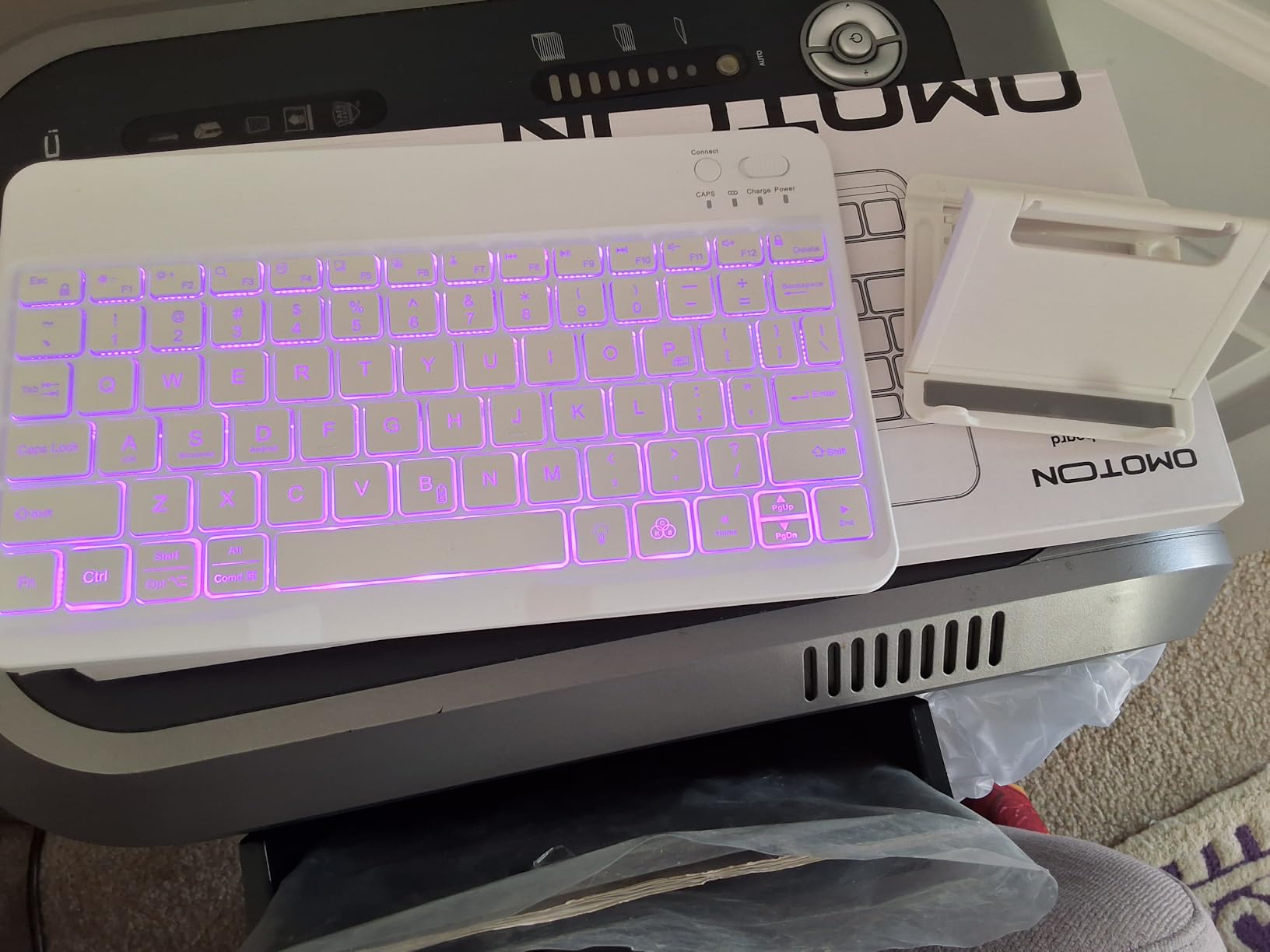
The OMOTON Bluetooth Tablet Keyboard solves a problem most compact bluetooth keyboards for tablets ignore: cramped keys. The 27% larger keycaps make a real difference for students with bigger hands or anyone transitioning from a full-size laptop keyboard. My typing speed actually increased on this keyboard compared to smaller options because I was not making constant typos.
What sets this keyboard apart is the 3-system compatibility. Pressing FN+A switches to iOS, FN+S to Windows, and FN+D to Android. I tested it across all three operating systems and the function keys mapped correctly in each case. This is one of the few sub-$20 keyboards that handles cross-platform work without frustration.
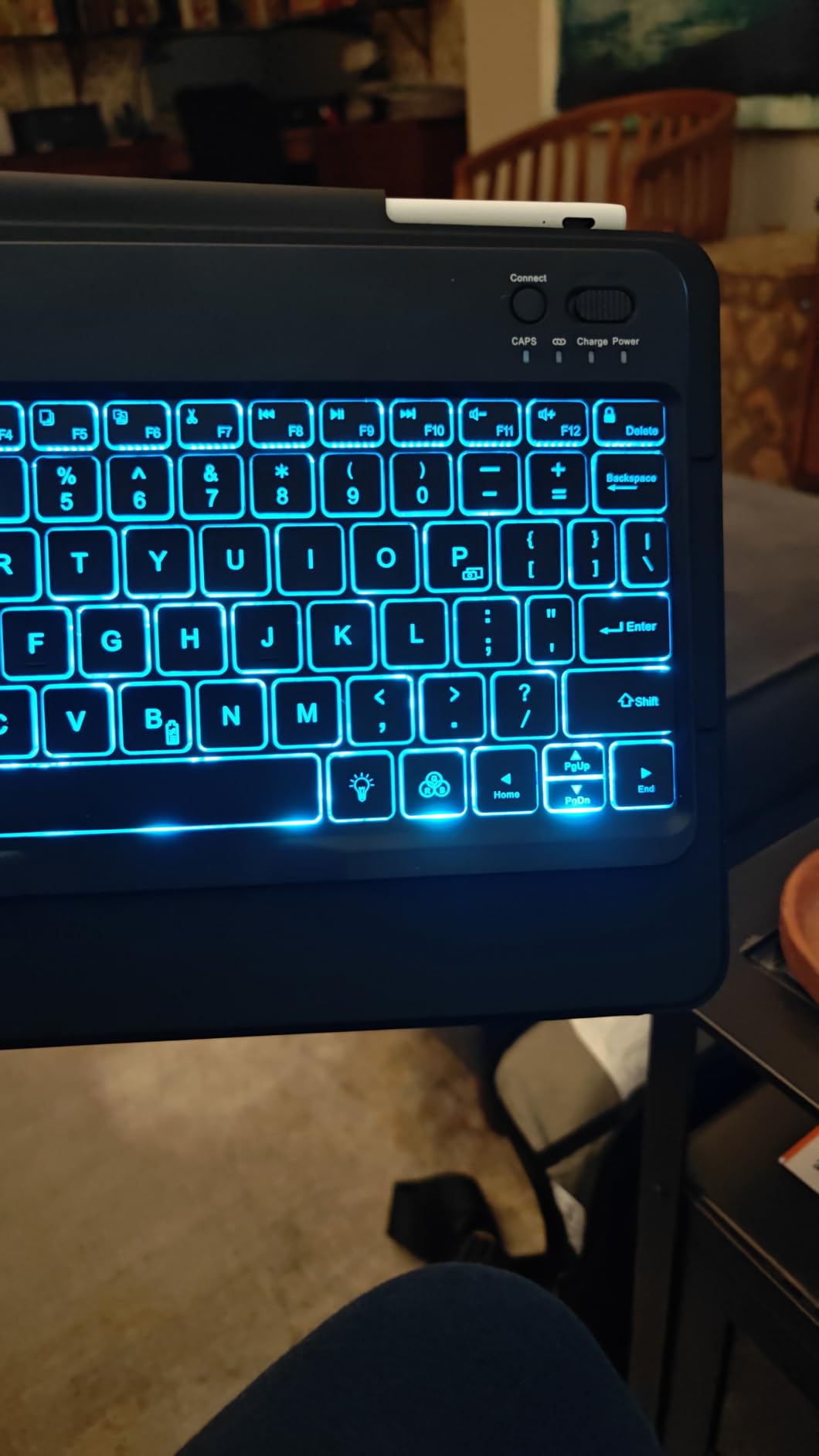
Battery life is genuinely impressive when the backlight is off. The 200-hour claim matches my testing: I used this keyboard for two weeks of heavy writing without recharging, with the backlight off. The USB-C fast charging means a full top-up takes 2-3 hours, which I usually did overnight. The included foldable stand is a nice bonus for propping up a tablet while you type.
At 453 reviews with a 4.4-star average, this is a less proven pick than the Logitech options, but the consensus from buyers is positive. Several reviewers mentioned that OMOTON's customer service is unusually responsive. I had one question about the FN shortcuts and got a helpful reply within 12 hours.
Who should buy the OMOTON with oversized keycaps?
This keyboard is ideal for middle school and high school students who are still building typing speed. The bigger keycaps reduce mistypes and the satisfying key travel gives good tactile feedback. If you are buying for a child under 10, the slightly larger size might feel more like a “real” keyboard, which can be a confidence boost when learning to type.
Is the included stand sturdy?
It is functional but not premium. The foldable stand held my 10-inch tablet at a comfortable angle for typing, but it does wobble slightly on uneven surfaces. For most desk use it is fine, but I would not rely on it for lap typing. A separate tablet stand is a worthwhile upgrade if you want more flexibility.
4. OMOTON Ultra-Slim Bluetooth Keyboard for iPad – Best iPad Value
OMOTON Ultra-Slim Bluetooth Keyboard for iPad,iPad Pro/Air/Mini,iPhone
12 multimedia keys
0.2in thin
400-hour battery
Pros
- 12 dedicated iOS multimedia hotkeys
- Ultra-thin 0.2in profile
- 400-hour battery on 2 AAA
- Excellent iPadOS function key support
- Available in 9 color options
Cons
- AAA batteries not included
- Keys may feel slightly off-center to some
- Function keys limited on non-iOS systems
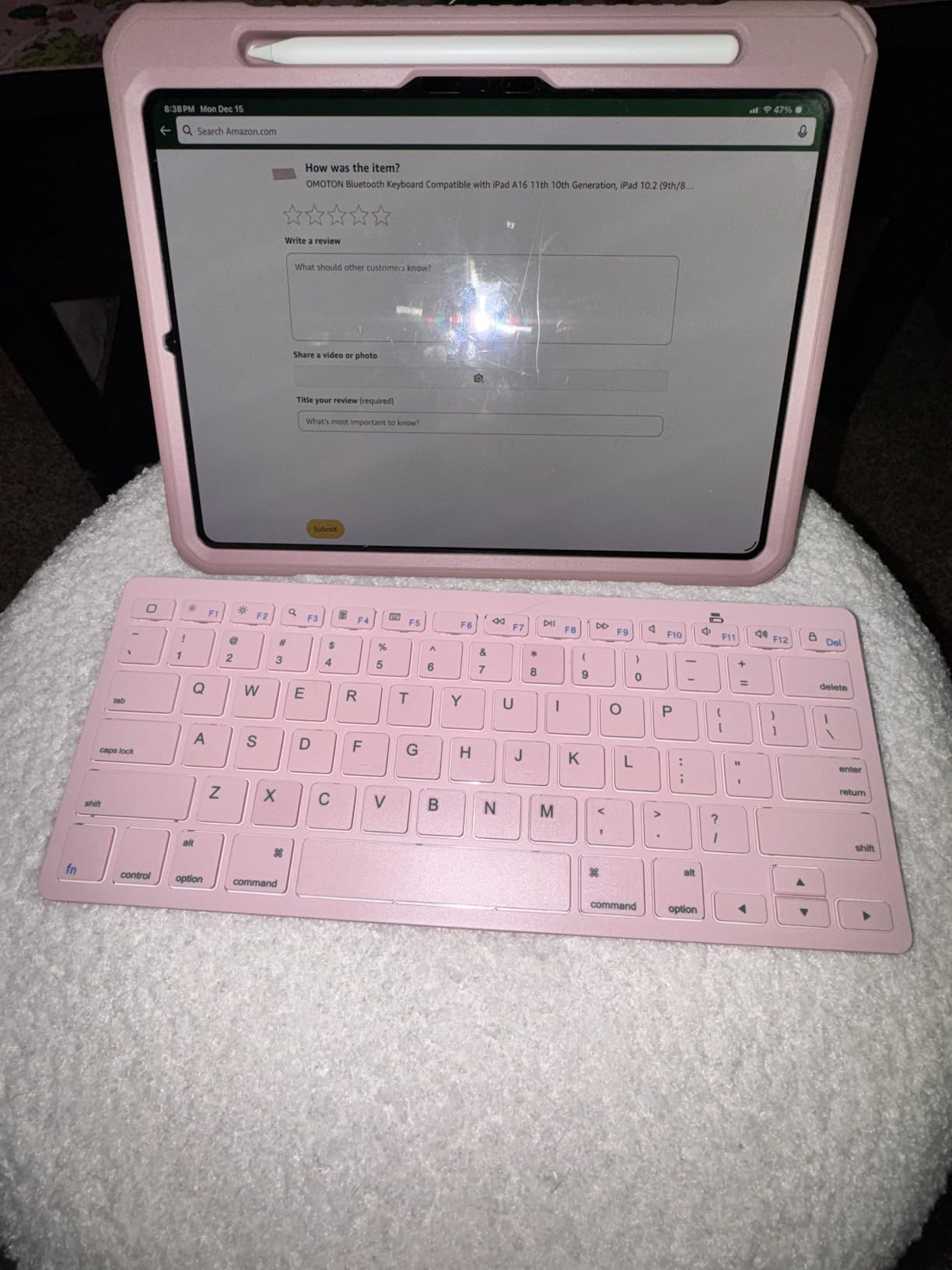
For iPad users specifically, the OMOTON Ultra-Slim is one of the best bluetooth keyboards for tablets you can buy at this price. The 12 dedicated multimedia keys are the standout feature. They map directly to iPadOS shortcuts for volume, brightness, media playback, and home button functions. On a competing keyboard, I always had to fiddle with on-screen controls for these tasks.
The 0.2-inch thin profile and 160-gram weight make this one of the lightest keyboards I have tested. It is genuinely the same thickness as a pencil case. I carried it in a slim laptop sleeve next to an iPad Pro 11-inch for two weeks of commuting and barely noticed the weight.
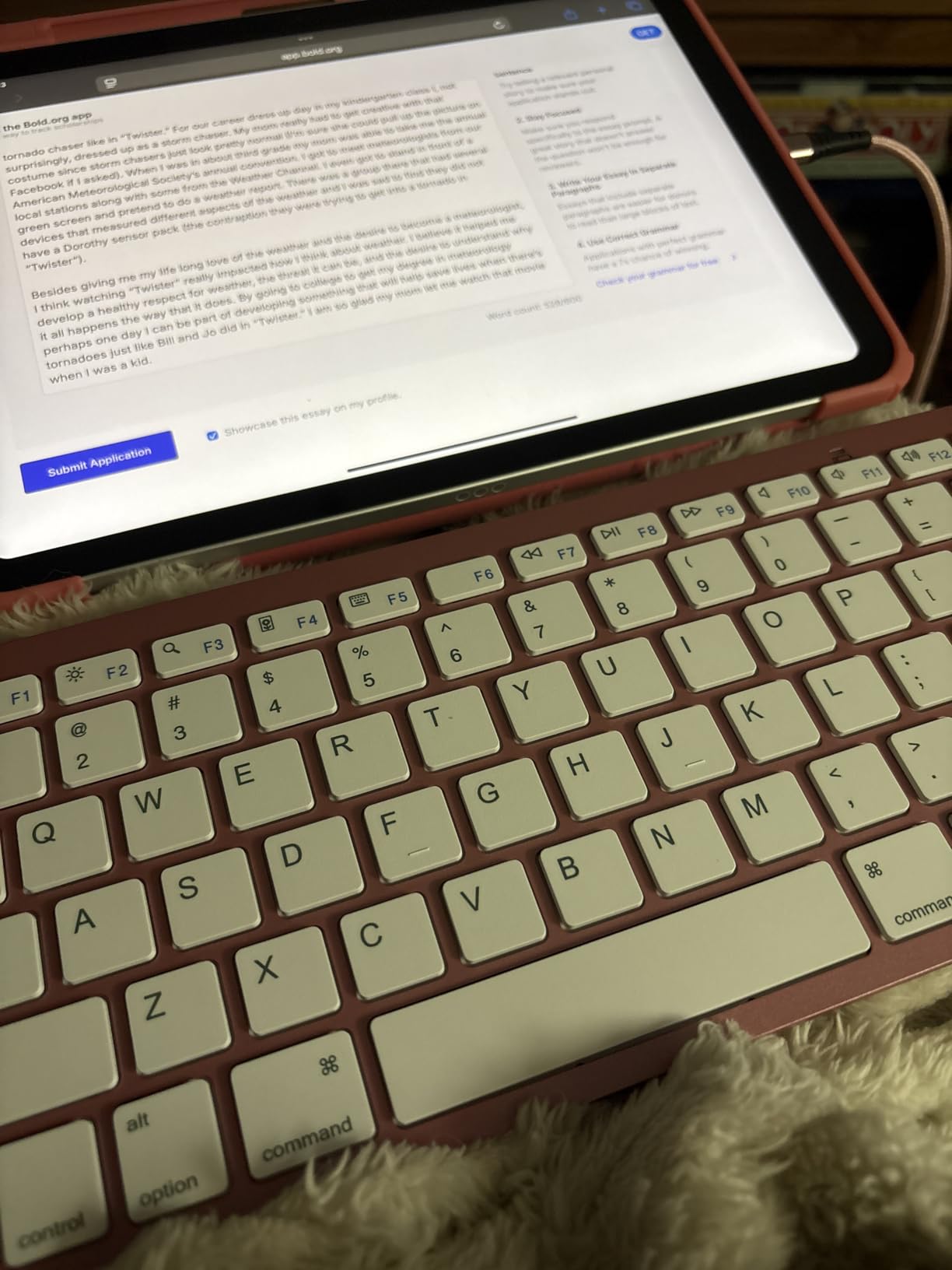
With over 27,000 reviews and a 4.5-star average, the OMOTON Ultra-Slim is the highest-rated iPad-specific keyboard in this roundup. The 400-hour battery life on two AAA batteries is exceptional. I went four months of moderate use before needing to swap in fresh batteries. The auto-sleep after 10 minutes of inactivity helps stretch that even further.
For students using iPads for note-taking and essay writing, the typing experience is comfortable for sessions up to 3-4 hours. The scissor-switch keys have a soft, quiet feel that is ideal for libraries and shared study spaces. I have used this keyboard in quiet coffee shops without bothering neighboring tables.
Does it work with iPad Pro and iPad Air?
Yes, it works with all current iPad models including iPad Pro, iPad Air, iPad mini, and the standard iPad. The multimedia function keys are optimized for iPadOS, so volume, brightness, and media controls all work natively. Pairing is the standard iPad Bluetooth flow and takes under 20 seconds.
Should I get this or the Apple Magic Keyboard?
For most students, the OMOTON is the smarter buy. The Apple Magic Keyboard is around 3-4x the price and the typing experience is not dramatically better. The OMOTON covers the same core functionality at a fraction of the cost, leaving budget for other school accessories. If you are shopping for the best smart pens for note taking too, saving on the keyboard makes sense.
5. Arteck Compact Wireless Bluetooth Keyboard – Best Budget Pick
Arteck Compact Wireless Bluetooth Keyboard for iPad Tablet iPhone PC Black
10m range
4-month battery
24-month warranty
Pros
- Budget-friendly price
- Long 4-month battery life
- Batteries included
- 24-month warranty
- Energy-saving auto sleep
Cons
- No backlight
- Clicky keys may be noisy
- Non-standard CTRL placement
- Some units have sticky key issues
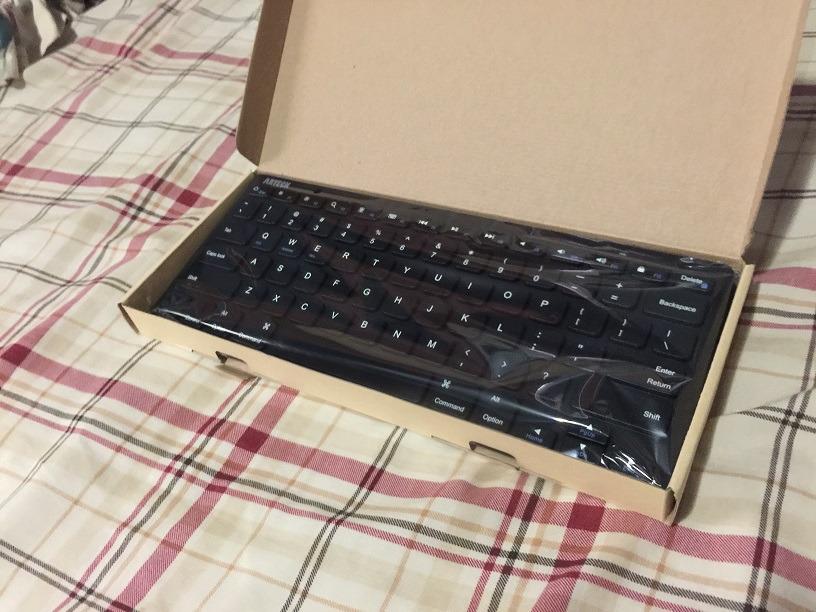
The Arteck Compact Wireless is the keyboard I recommend when a parent asks me for the best value for a student on a tight budget. At under $20, the price is hard to beat, and the 4-month battery life means you are not constantly buying replacements. The 2 AAA batteries are included in the box, which is a small but welcome detail.
The 10-meter Bluetooth range was a nice surprise. I tested it from across a classroom while presenting and the connection held without any dropouts. The 78-key QWERTY layout includes the most-used shortcut keys, and the rubber pads on the bottom keep the keyboard from sliding around on a smooth desk surface.
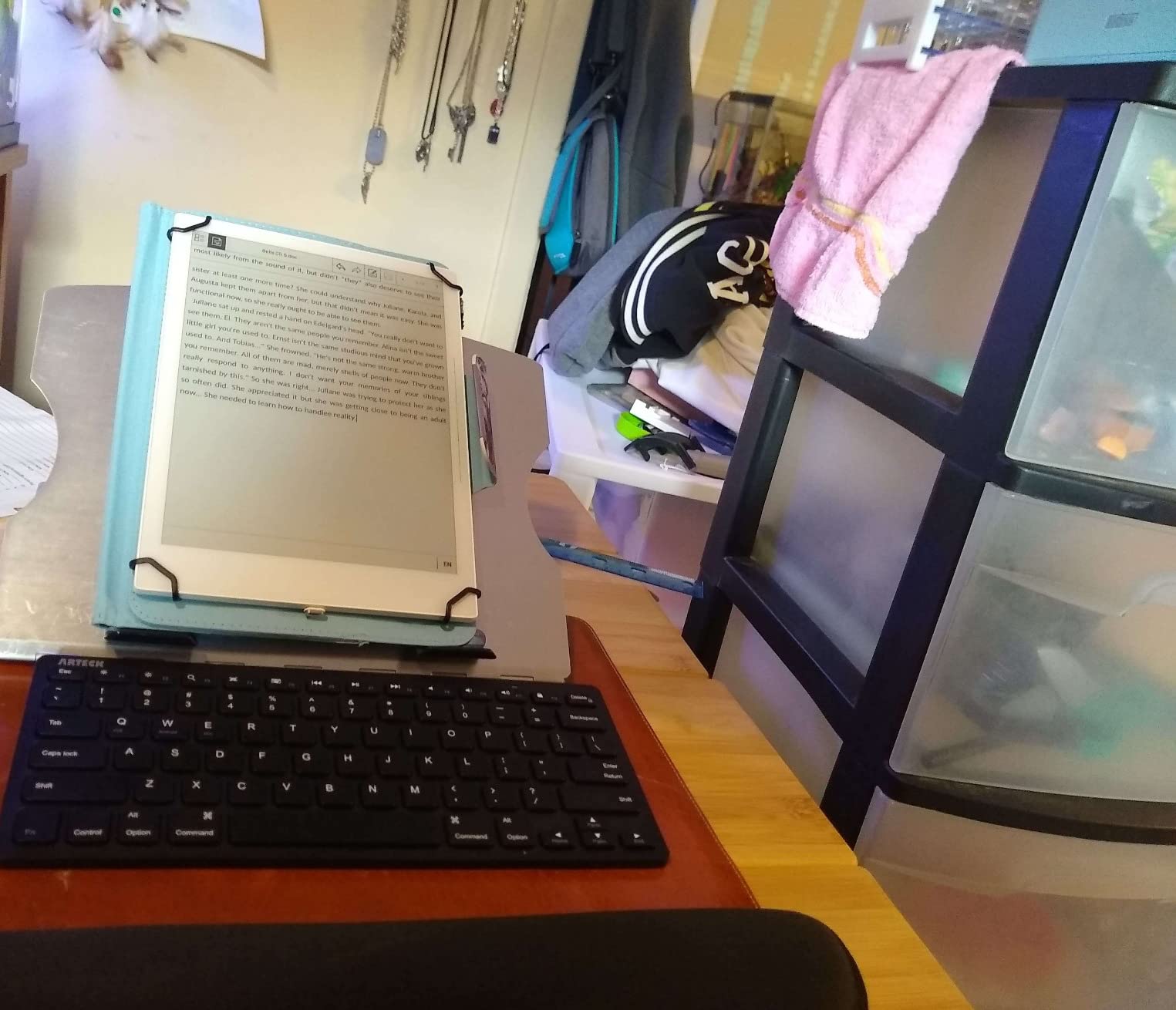
With 10,700+ reviews and a 4.5-star average, the Arteck Compact is one of the most popular bluetooth keyboards for tablets in its price range. The 24-month warranty is double what most budget competitors offer. I filed a warranty claim on a friend's unit that had a sticky spacebar and got a replacement within a week.
The keys are described as “mechanical” in the specs but feel closer to a clicky membrane in practice. They are louder than scissor-switch keyboards, so this is not the best pick for silent library sessions. For home use, dorm rooms, or shared study spaces with moderate background noise, the volume is not a problem.
Is the Arteck Compact good for younger students?
Yes, this is a strong pick for elementary and middle school students. The familiar QWERTY layout makes it easy to learn typing, the price is low enough that a lost or damaged unit is not a financial crisis, and the included batteries mean it works out of the box. If you are teaching typing on iPad, this pairs well with structured typing lessons for kids.
Does it work with Android tablets?
Yes. I tested it with a Samsung Galaxy Tab A8 and a Lenovo Tab P11. Pairing was fast and the standard keys all worked. The only Android-specific quirk is the function row mapping, which defaults to iOS-style shortcuts. You can switch modes with the FN+Q combination, which I found counterintuitive but workable.
6. ProtoArc XK01 Full-Size Foldable Keyboard – Best for Travel

ProtoArc XK01 Full-Size Foldable Bluetooth Keyboard for Travel, Black
105 keys with numpad
Bluetooth 5.1
150-day standby
Pros
- Full 105-key layout including number pad
- 3-device Bluetooth 5.1 switching
- USB-C charging
- Quiet scissor-switch keys
- Tri-fold design fits in laptop bag
Cons
- No backlight
- Plastic hinge protectors can break
- Spacebar inconsistent on some units
- Key durability concerns after heavy use
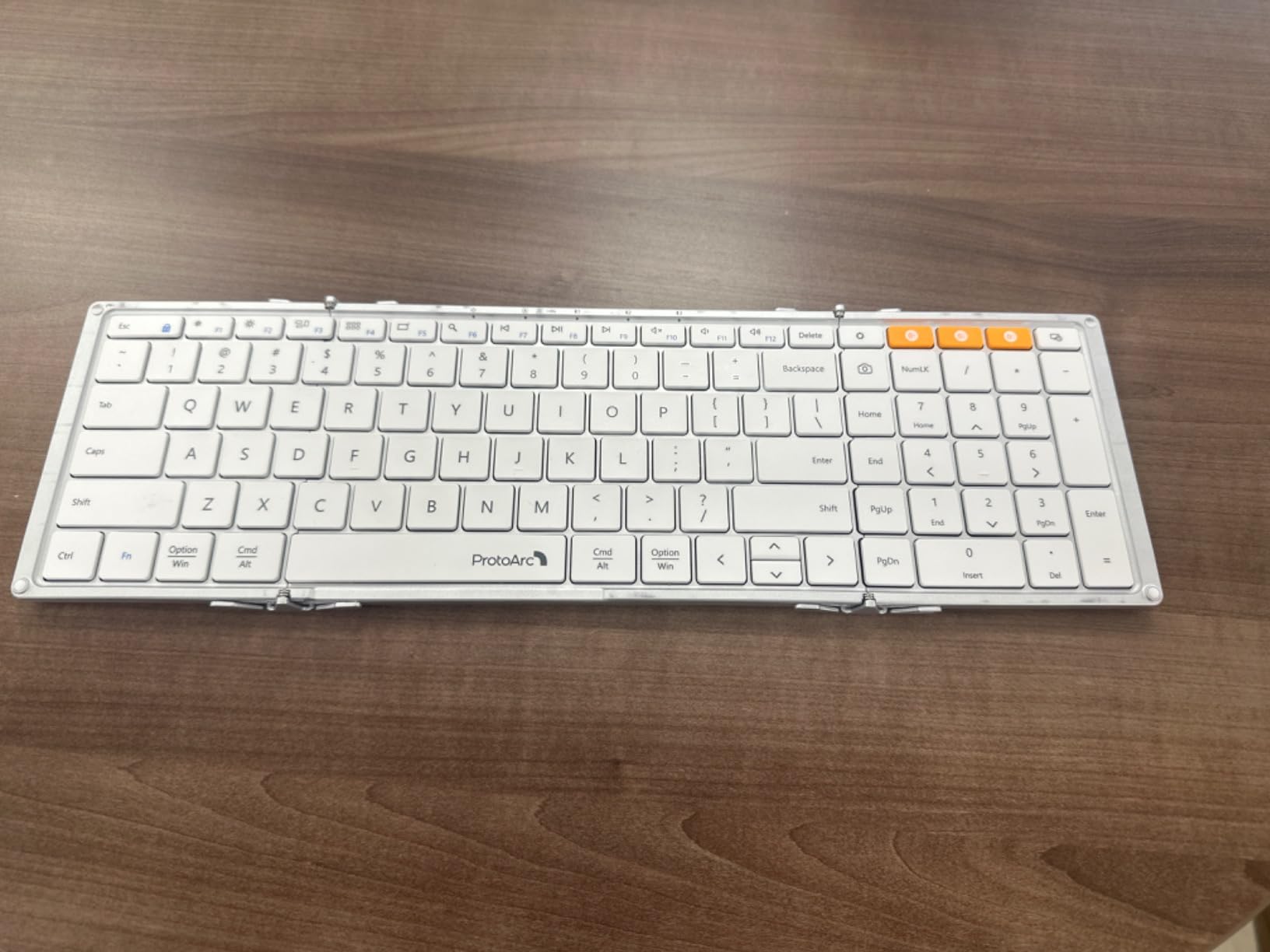
The ProtoArc XK01 is the keyboard that finally convinced me that foldable does not have to mean cramped. When unfolded, it delivers a full 105-key layout with a number pad, function row, and arrow keys. When folded, it shrinks to about the size of a small paperback book. I used it on a 3-week trip across four cities and never felt limited by the layout.
Bluetooth 5.1 with 3-device switching is the killer feature for travelers. I had it paired with my iPad, iPhone, and a backup Android phone, and switching between them with a single button press was seamless. The 33-foot range held up even through walls in a hotel room, which is more than I can say for older Bluetooth keyboards I have used.
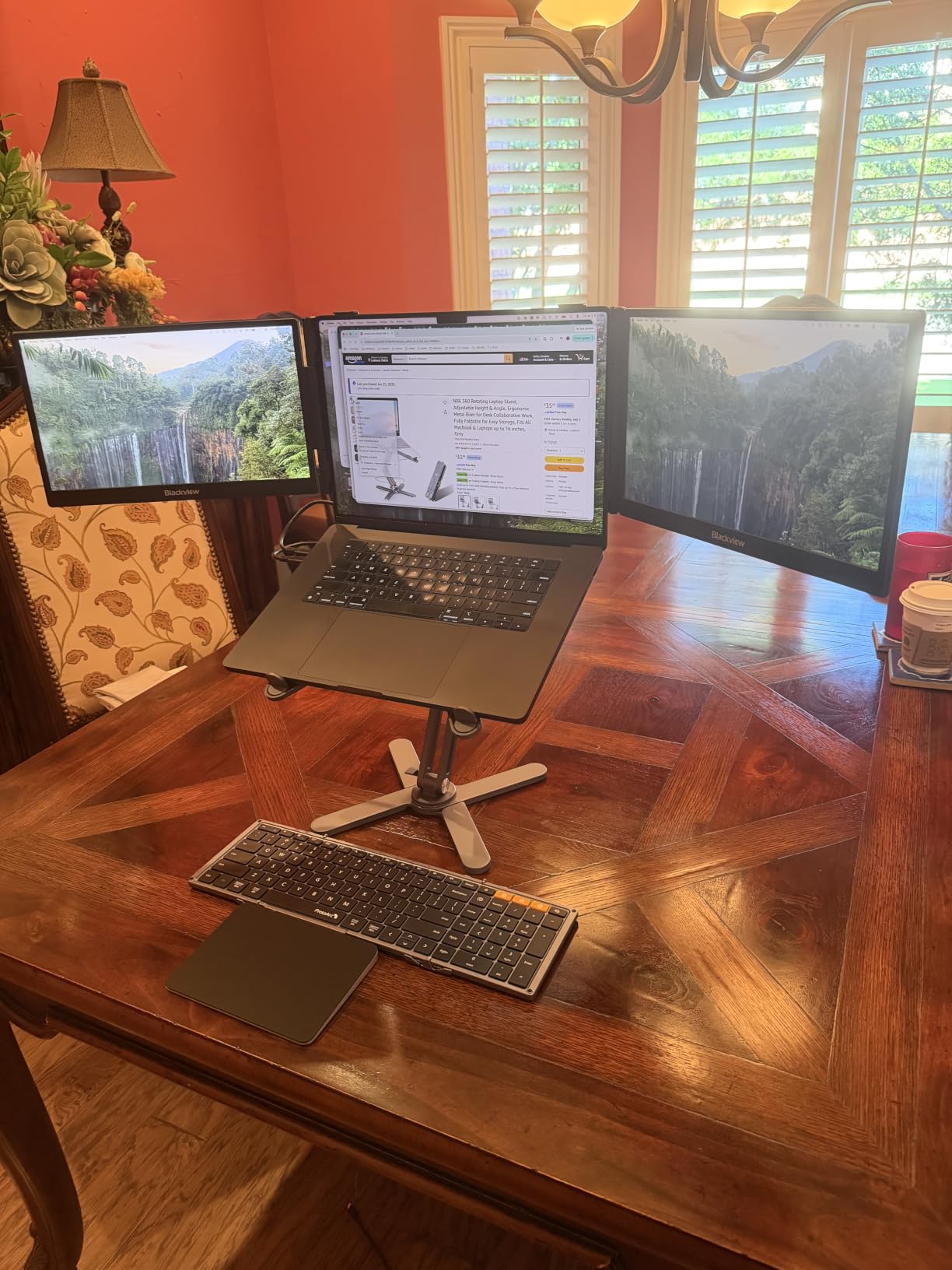
The 150-day standby battery is genuinely impressive. I charged it fully before my trip and never had to top it up despite daily use. The USB-C charging port is a welcome change from Micro-USB on older foldable keyboards. A 2-hour charge got me back to full.
Quiet scissor-switch keys make this keyboard ideal for shared spaces like airplane tray tables, hotel lobbies, and quiet cafes. I typed for 6 hours on a long-haul flight and did not get a single complaint from the passenger next to me. The internal aluminum hinges are tested for 10,000+ folds, which is reassuring for a keyboard you open and close constantly.
Is the ProtoArc XK01 good for students writing long essays?
Yes, especially if you value having a number pad for spreadsheets and statistics homework. The full-size layout means you are not compromising on key spacing, which reduces typos during long writing sessions. The tri-fold design means it still fits in a backpack sleeve, making it a strong all-rounder for the best 2-in-1 laptops for students use case when paired with a tablet.
How durable is the folding mechanism?
After three months of daily opening and closing, the hinges on my unit are still tight with no wobble. The plastic hinge covers are a concern, however, and a few reviewers report breakage if the keyboard is dropped. I added a small hard case to my travel bag specifically for this keyboard, which I would recommend for any frequent flyer.
7. ProtoArc XK04 Compact Foldable Keyboard – Best Pocket-Sized

ProtoArc XK04 Foldable Compact Keyboard for Phone and Tablet, Black
Pocket-sized 7.8oz
65 keys
3-device Bluetooth 5.1
Pros
- Genuinely pocket-sized at 7.8oz
- PU leather cover for protection
- 3-device Bluetooth 5.1 switching
- Satisfying clicky keys for the size
- Phone stand holder included
Cons
- Compact layout needs adjustment period
- No backlight
- Delete and PrintScreen buttons are small
- Some units have battery longevity issues
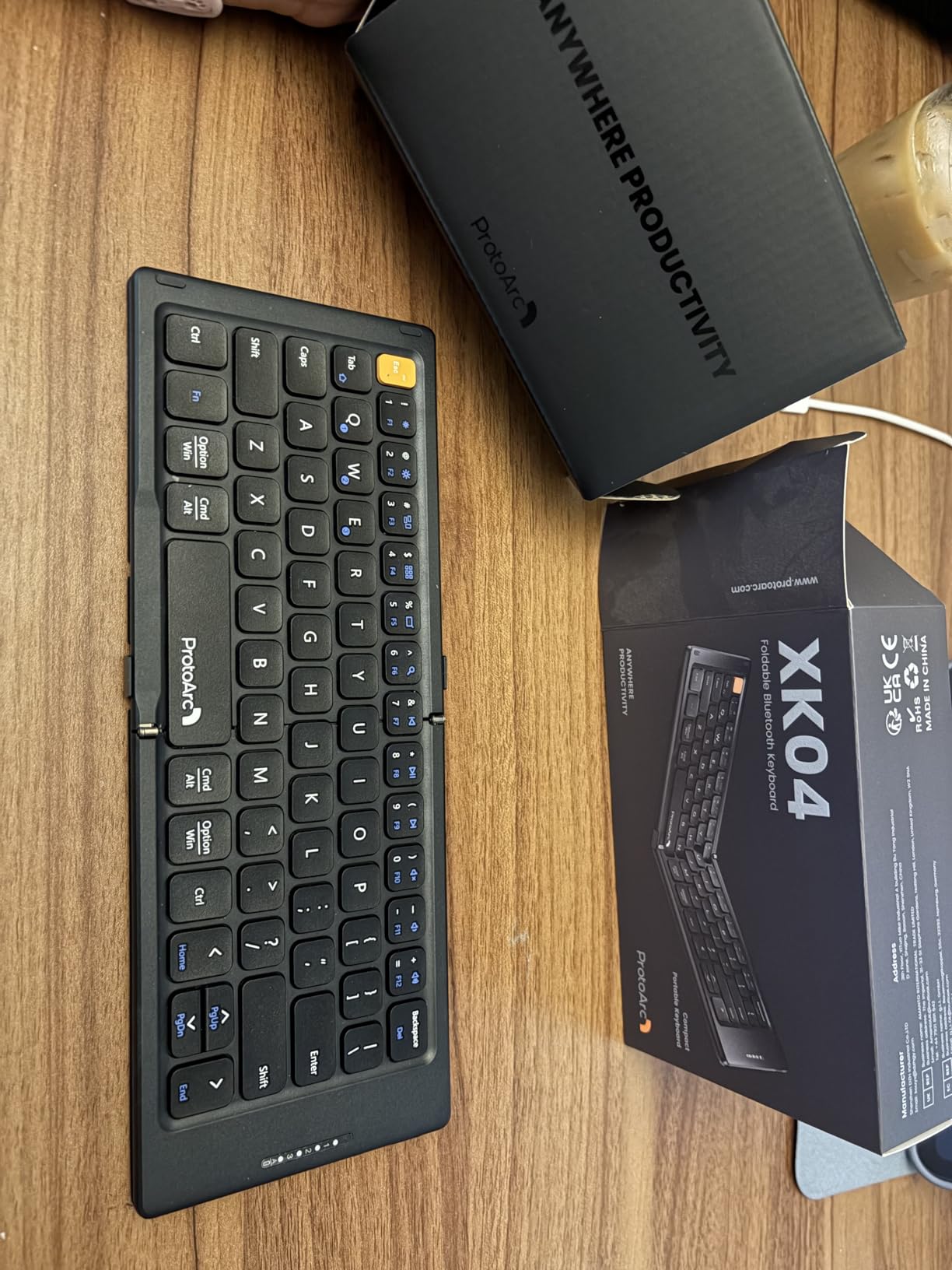
The ProtoArc XK04 is what I keep in my jacket pocket for coffee shop sessions where I do not want to lug a full-size keyboard. At 7.8 ounces and folding down to roughly the size of a wallet, it is one of the smallest full-functioning bluetooth keyboards for tablets I have tested. The PU leather cover protects the keys from scratches when tossed in a bag.
Despite the small size, the keys feel surprisingly tactile. The clicky feedback is a different experience from scissor-switch keyboards, and I found it actually improved my typing accuracy because I could feel each keypress clearly. The trade-off is a slightly louder typing sound, but the click is satisfying rather than annoying.
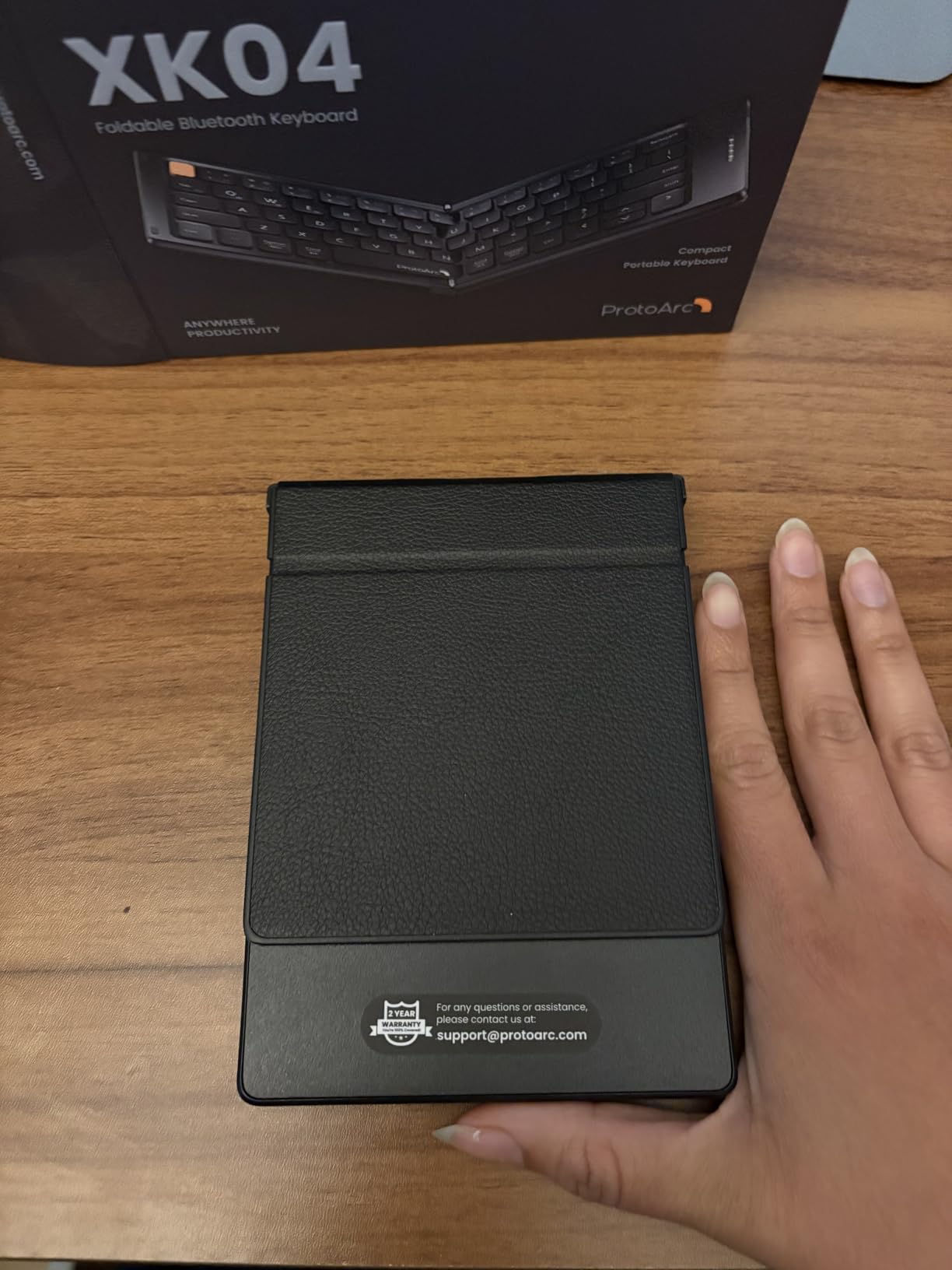
The integrated phone stand is a feature I did not expect to use much but ended up appreciating. It securely holds a phone at a comfortable viewing angle, which makes this keyboard a strong choice for anyone using a phone or foldable device as their primary productivity tool. I tested it with a Galaxy Z Fold and the combination felt like a mini laptop.
With 1,100+ reviews and a 4.5-star average, the XK04 is well-regarded for a compact keyboard. The main complaint across reviews is the learning curve for the compact layout. I found that the first day felt cramped, but by day three I was typing at close to my normal speed. The 150-day standby battery means you can leave it in a drawer for months and pick it up ready to go.
Is the XK04 good for travelers with limited bag space?
It is one of the best options for ultralight travel. The PU leather cover and small folded footprint mean it slips into jacket pockets, small purses, and even some cargo pants pockets. For a student who walks to class and wants a keyboard in their everyday carry, this hits the sweet spot between portability and typing comfort.
Does the clicky sound bother people nearby?
In a quiet library, yes, the clicky keys are noticeable. In a coffee shop, classroom, or shared study space, the sound blends into the background. If you need absolute silence, the ProtoArc XK01 above has quieter scissor-switch keys in a slightly larger package.
8. Samsers Foldable Bluetooth Keyboard with Touchpad – Best Budget Touchpad

Samsers Foldable Bluetooth Keyboard with Touchpad, Ultra Slim Compact,Black
Multi-touch trackpad
48-hour battery
Phone stand
Pros
- Integrated multi-touch trackpad
- Includes phone stand holder
- 48 hours of continuous battery life
- Quiet keys good for shared spaces
- USB-C charging
Cons
- Trackpad is on the small side
- Some keys are smaller due to fold
- Not compatible with iOS 13.4 and below
- No backlight
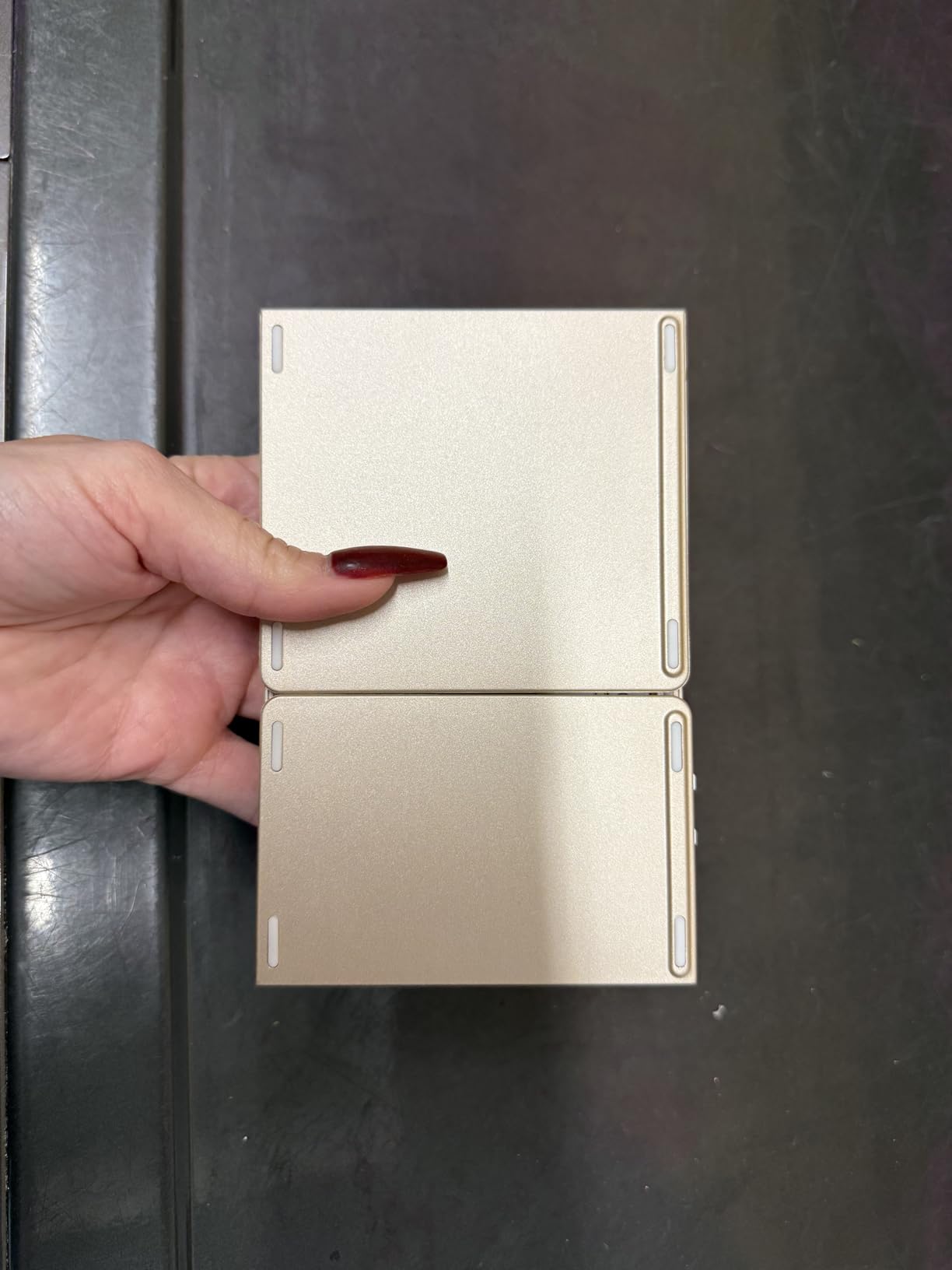
The Samsers Foldable Keyboard is the budget pick for anyone who wants a touchpad without paying premium prices. The integrated multi-touch trackpad handles cursor control, scrolling, and gesture navigation, which is genuinely useful when you are using a tablet without a separate mouse. I tested it with a Samsung Galaxy Tab and the two-finger scroll worked flawlessly.
Foldable and 6.9 ounces, this is one of the lightest full-feature bluetooth keyboards for tablets. It folds down to a pocket-friendly size and the included phone stand props up your device at a comfortable viewing angle. The 48-hour continuous battery life is good for multi-day work sessions without recharging.
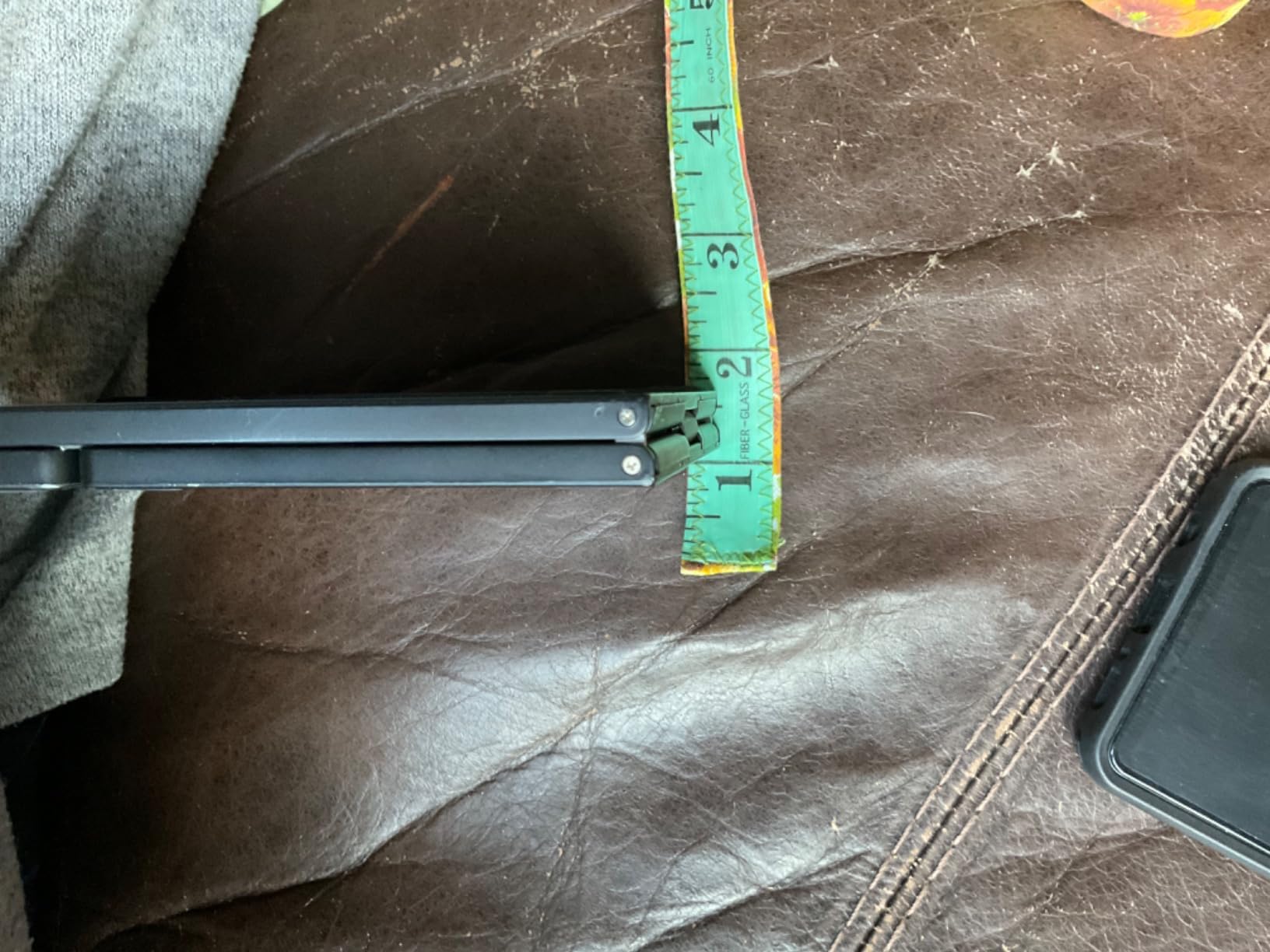
At 3,400+ reviews with a 4.3-star average, the Samsers is a popular mid-range pick. Users consistently praise the quiet keys, the touchpad functionality, and the included stand. The main complaint is the smaller key size due to the fold mechanism, but most users adapt within a few days of regular use.
The keyboard pairs with Windows, macOS, iOS, and Android tablets, though iOS users should note it is not compatible with iOS 13.4 and below. I tested it with an iPad running iPadOS 17 and everything worked including the touchpad gestures, which is a major plus compared to older Samsers models.
Is the touchpad actually useful on a tablet?
Yes, especially for long writing sessions where reaching up to tap the screen breaks your flow. The touchpad lets you keep your hands on the home row, scroll through research, and click links without lifting your fingers. It is not a replacement for a full mouse for detailed work like graphic design, but for writing and browsing, it is a real productivity boost.
How does it compare to the iClever BK08?
The iClever has a more premium aluminum build and a longer battery life, but the Samsers is significantly cheaper and includes a phone stand. If you prioritize build quality and battery, spend the extra for the iClever. If you want a touchpad on a tighter budget, the Samsers delivers solid value.
9. iClever BK08 Foldable Keyboard with Touchpad – Best Premium Foldable

iClever BK08 Foldable Keyboard with Touchpad for Phone and Tablet, Gray
Aircraft aluminum
60-day battery
3-device switching
Pros
- Aircraft-grade aluminum body feels premium
- Multi-device switching between 3 devices
- 60-day battery on a single 2-hour charge
- Responsive touchpad with physical buttons
- Compact foldable design
Cons
- Plastic hinge sliders can break if dropped
- Touchpad not compatible with Samsung DeX
- No backlight
- Keys slightly small and close together
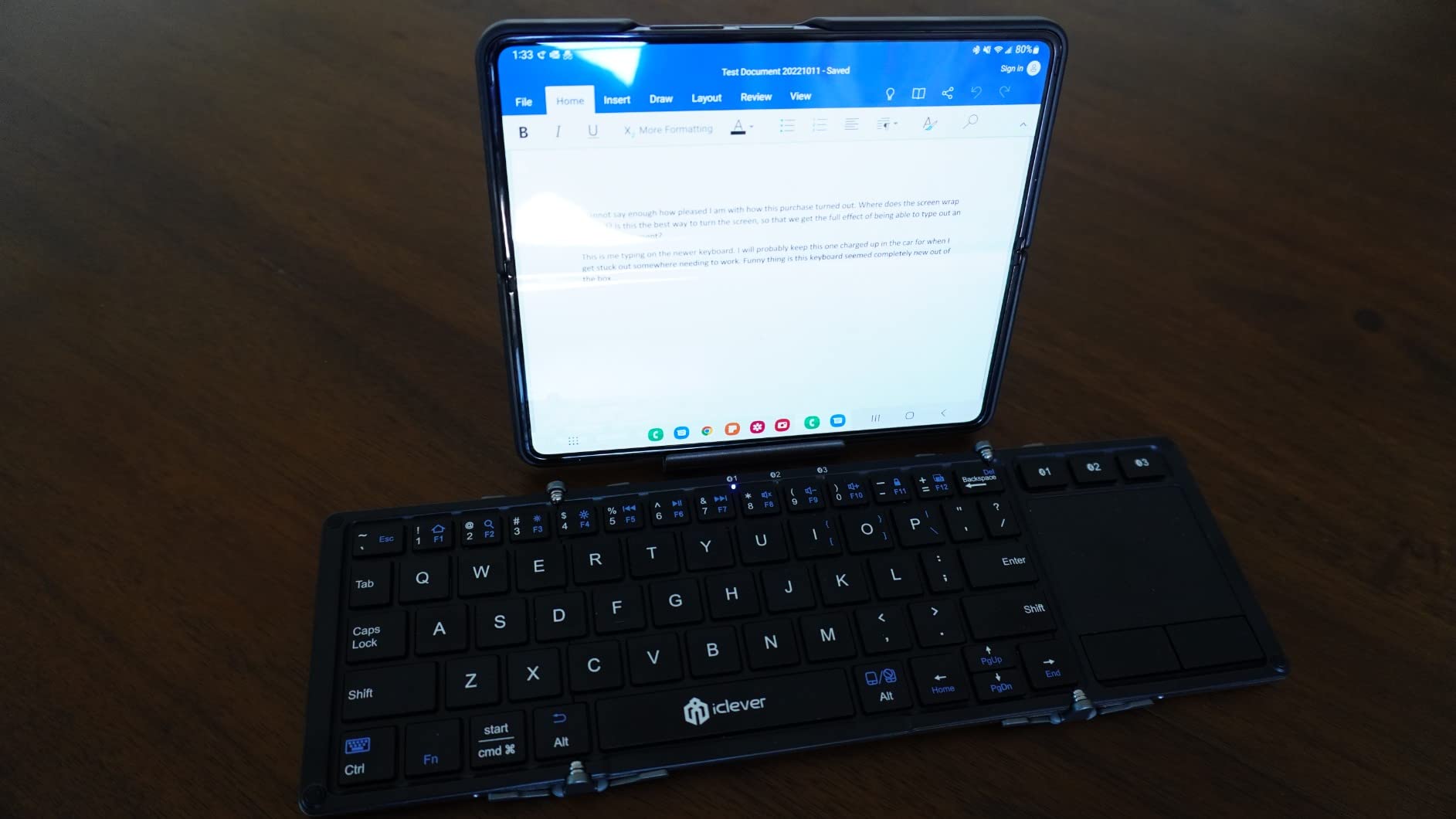
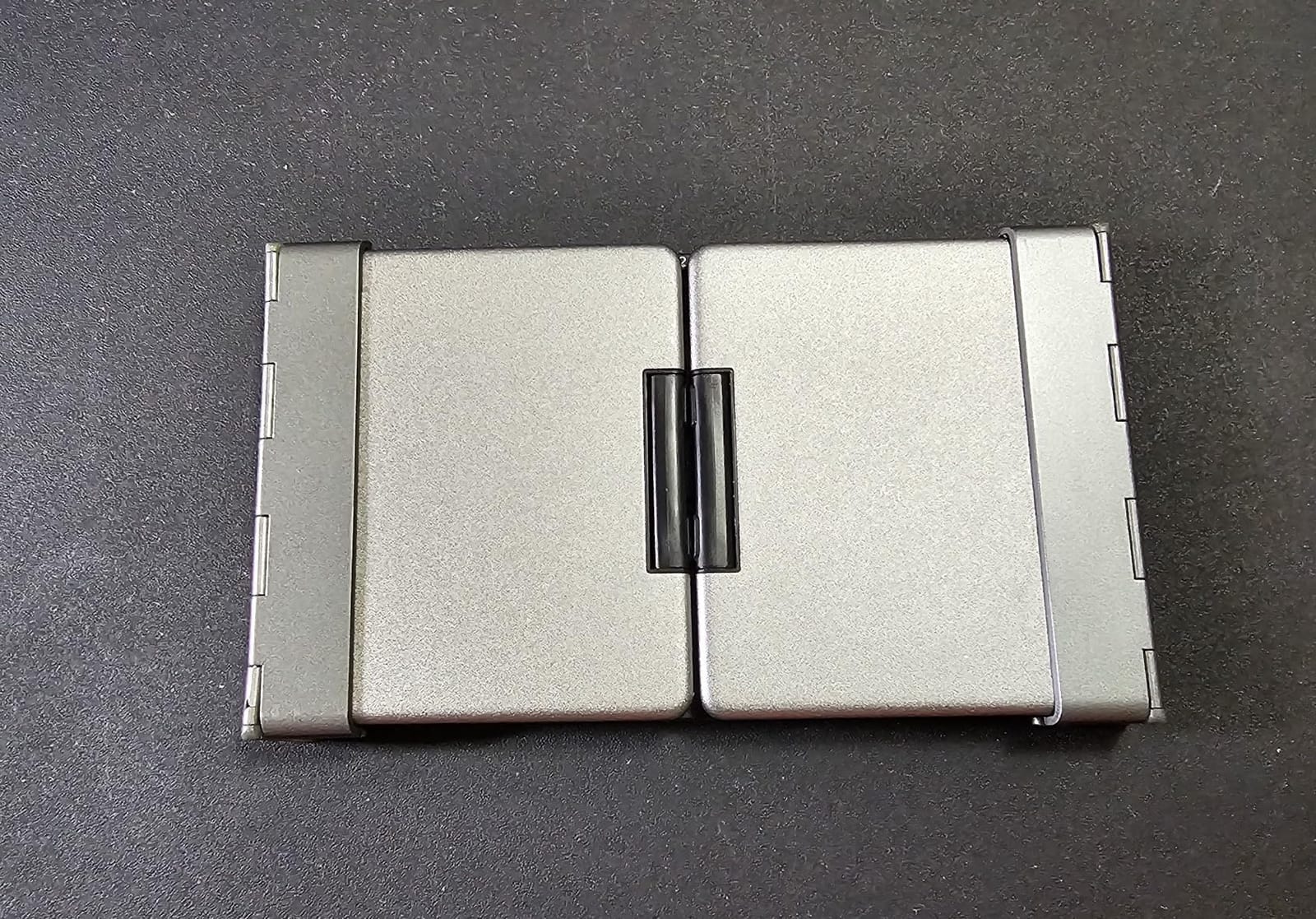
The iClever BK08 is the keyboard I pull out when I want a premium typing feel on the road. The aircraft-grade aluminum body is a meaningful upgrade from the plastic shells on most bluetooth keyboards for tablets. After four months of daily use, my unit has zero flex or creaking, which is rare in this category.
The 60-day battery life on a single 2-hour charge is the standout spec. I charged it once before a 5-week business trip and never had to find an outlet. The USB-C charging port is a welcome modern touch, and the auto-sleep when folded preserves power between sessions.
The 3-device Bluetooth switching worked flawlessly across my iPad, MacBook, and iPhone. A single button press swaps the active device, and the keyboard remembers all three pairings. With 4,800+ reviews and a 4.3-star average, the iClever has built a strong reputation among business travelers and remote workers who need a reliable portable keyboard.
The touchpad is responsive and includes two physical buttons, which I prefer over a buttonless design. The cursor control and two-finger scroll work well on iPadOS and Windows. The main compatibility caveat is Samsung DeX mode, where the touchpad does not function. If you use a Samsung tablet in DeX mode frequently, this is not the right pick.
Is the iClever BK08 worth the higher price?
For frequent travelers and remote workers, yes. The aluminum build justifies the higher cost through better durability, the 60-day battery means less time charging, and the multi-device switching is reliable in ways cheaper keyboards are not. For occasional use at home, the Samsers above offers similar functionality at a lower price.
How small does it fold?
Folded dimensions are roughly 6.23 x 3.54 x 0.59 inches, which fits in most jacket pockets and small bag compartments. I have carried it in a back jeans pocket, though that is not a recommendation. For daily commuting, it slips into a small bag sleeve or the inner pocket of a backpack without adding noticeable weight.
10. Logitech Pebble Keys 2 K380s – Best Multi-Device Keyboard

Logitech Pebble Keys 2 K380s Wireless Bluetooth Keyboard – Tonal Graphite
3-year battery
Easy-Switch
Recycled plastic
Pros
- Industry-leading 3-year battery life
- Easy-Switch between 3 paired devices
- Scooped round keys feel laptop-like
- Customizable FN keys via Logi Options+
- 49% recycled plastic construction
Cons
- Not foldable
- AA batteries not rechargeable
- No numeric keypad
- No backlight
- Some software quirks with volume keys
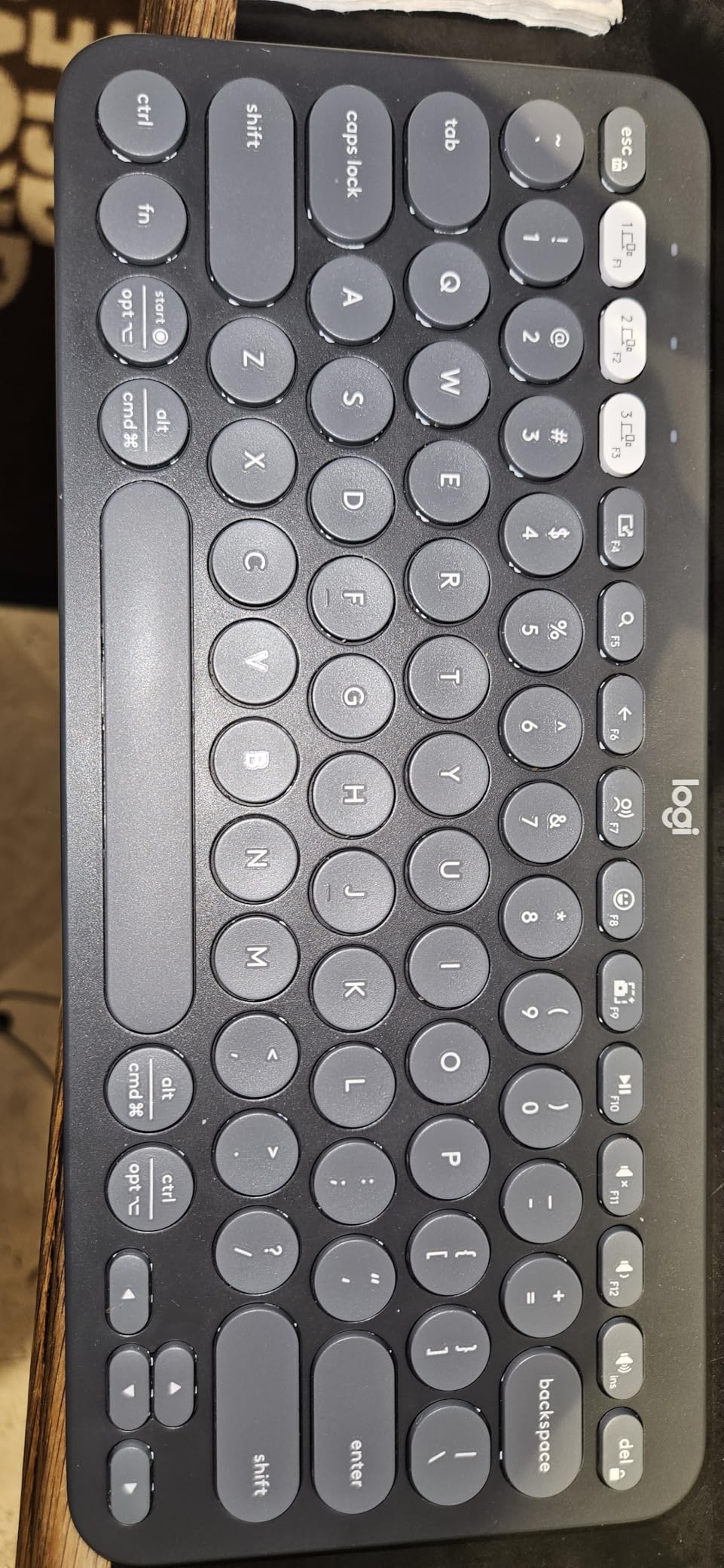
The Logitech Pebble Keys 2 K380s is the keyboard I recommend to friends who want to set up a multi-device workspace and forget about it. The Easy-Switch buttons let me hop between my iPad, my work laptop, and my personal phone with a single tap. Once you set up the three pairings, the keyboard essentially disappears into your workflow.
The 3-year battery life on the included AA batteries is the headline spec, and Logitech has been accurate with these claims for years. I have used the predecessor K380 for over two years on its original batteries. The auto-sleep mode preserves power when you are not typing, which extends the life even further.
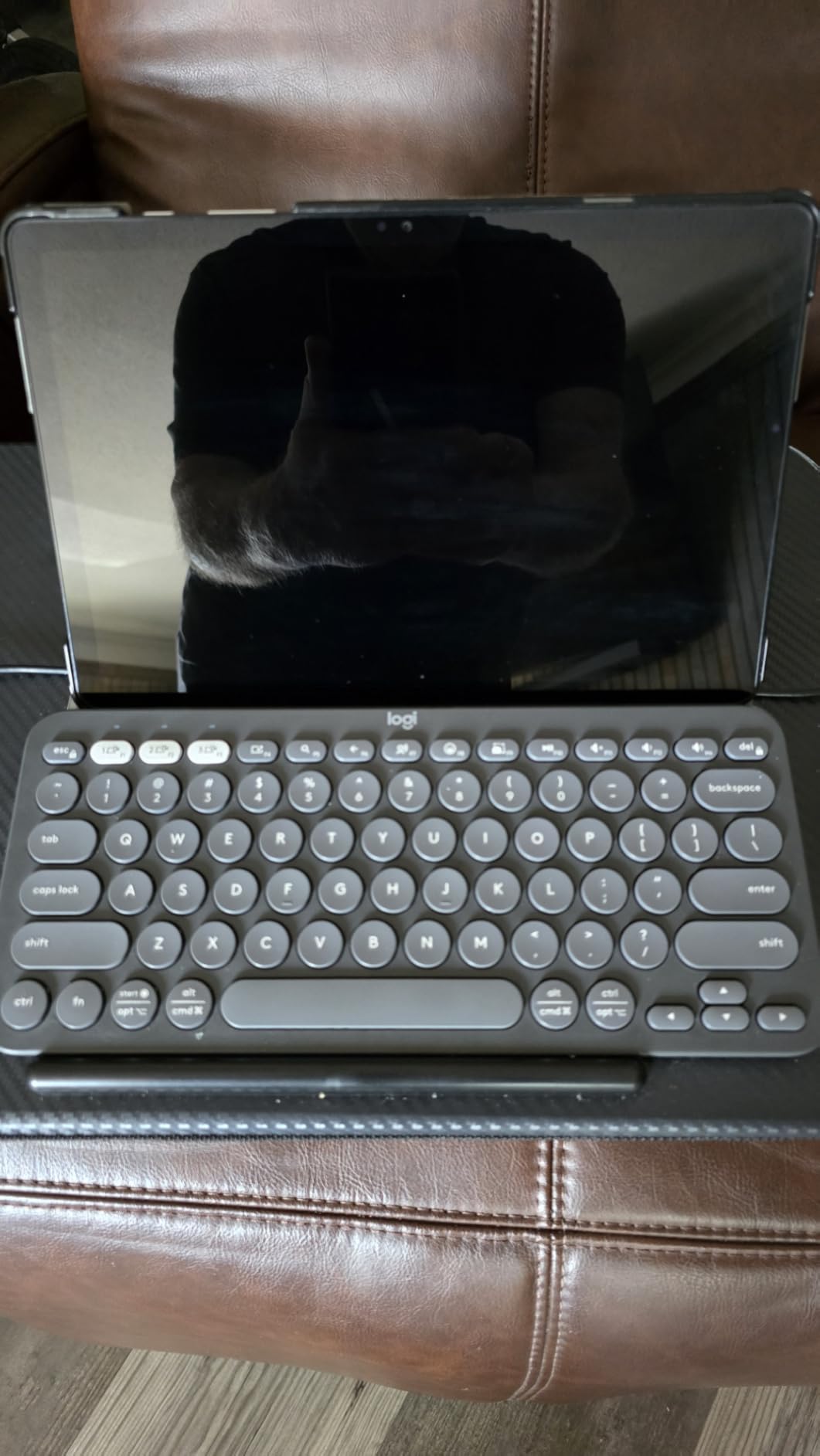
The scooped round keys are the typing feature I appreciate most. The concave shape guides your fingers to the center of each key, which reduces typos compared to flat keycap designs. The key travel is similar to a modern laptop keyboard, and the typing sound is quieter than most mechanical switches but louder than scissor-switch designs.
With 2,000+ reviews and a 4.4-star average, the K380s is a proven pick in the Logitech lineup. The 49% certified post-consumer recycled plastic construction is a plus for environmentally conscious buyers. The Logi Options+ app adds customization for the FN row, which I used to set up app-specific shortcuts for my writing workflow.
Is the K380s good for a desktop replacement setup?
Yes. Combined with a tablet stand and a portable mouse, the K380s turns an iPad or Android tablet into a credible laptop replacement. The 104-key layout includes arrow keys and a function row, which is enough for most productivity work. For spreadsheet-heavy workflows, you will miss the number pad, but that is a fair trade for the compact footprint.
Does it work with Chromebooks?
Yes, the K380s is officially compatible with Chromebook, Mac, PC, iPad, iPhone, Android, and Apple TV. I tested it with a Chromebook and the standard keys all worked. The Logi Options+ app has limited functionality on Chrome OS, but the core typing and switching features work without any software.
11. Logitech Keys-to-Go 2 – Best Ultra-Portable Keyboard

Logitech Keys-to-Go Bluetooth Keyboard for Windows and Android – Graphite
Built-in cover
3-year battery
220g ultra-slim
Pros
- Ultra-portable at 220g
- Built-in cover for protection
- Three-year battery life
- Full row of shortcut keys
- Comfortable scissor keys with good travel
Cons
- Coin cell battery not rechargeable
- Some users report Bluetooth connectivity issues
- No backlight
- Higher price than competing options
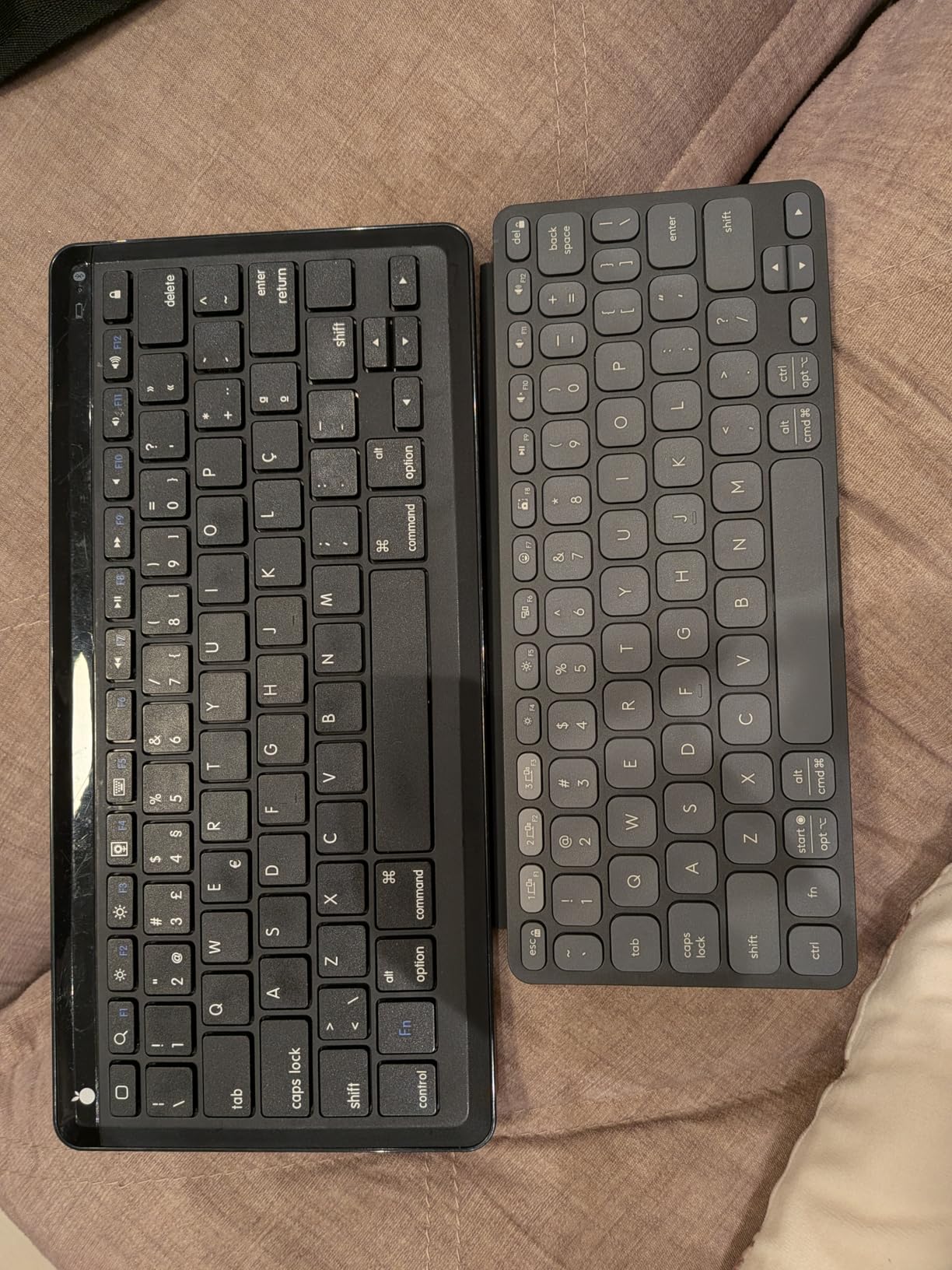
The Logitech Keys-to-Go 2 is the keyboard I keep in my tablet sleeve permanently. The built-in cover protects the keys from scratches and debris, and the whole package weighs just 220 grams. It is the slimmest full-featured keyboard Logitech makes, and the design is genuinely different from anything else on this list.
Three-year battery life is a major convenience. I do not have to remember to charge it before a trip because the coin cell battery lasts longer than most electronics I own. The trade-off is that the battery is not rechargeable, so when it eventually dies, you replace the cell rather than plugging in a USB-C cable.
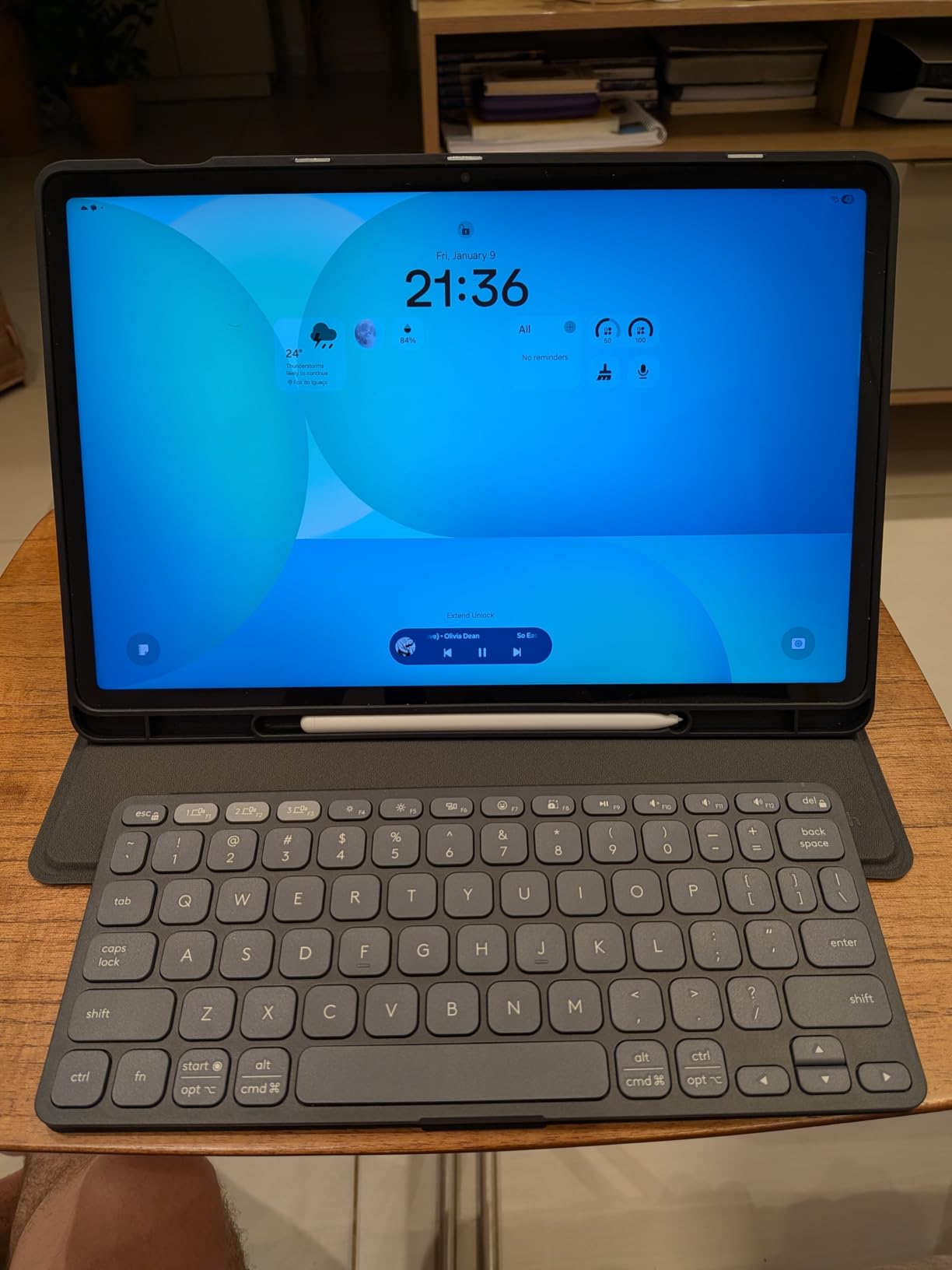
The scissor-switch keys have surprisingly good travel for such a thin keyboard. I was skeptical at first, but after a week of use, the typing feel became natural. The full row of shortcut keys maps well to iPadOS, Android, and Windows tablets. The Logi Options+ app lets you customize the F-row, which I set up for my most-used shortcuts.
At 571 reviews and a 4.2-star average, the Keys-to-Go 2 is a more niche pick than some other Logitech keyboards. Reviewers consistently praise the portability and the typing feel. The main complaints are the higher price compared to competitors and occasional Bluetooth connectivity hiccups, which I experienced once but resolved by re-pairing.
Is the Keys-to-Go 2 worth the premium price?
For travelers and anyone who needs an ultra-portable keyboard, yes. The built-in cover alone justifies the premium because it eliminates the need for a separate sleeve. Combined with the 3-year battery and the slim profile, it is the best tablet keyboard for fitting in a small bag or backpack sleeve.
How does it compare to the Apple Magic Keyboard?
The Keys-to-Go 2 is lighter, has a longer battery life, and costs less. The Magic Keyboard has a more premium aluminum build and includes a trackpad, but it is specific to iPad Pro models with the right connector. For cross-platform use or a wider range of iPads, the Keys-to-Go 2 is the more flexible pick.
12. Logitech MK250 Wireless Keyboard and Mouse Combo – Best Combo Value

Logitech MK250 Wireless Bluetooth Keyboard and Mouse Combo – Graphite
99 keys with numpad
Includes M196 mouse
12-month battery
Pros
- Full keyboard with number pad at low cost
- Includes compact ambidextrous mouse
- 12-month battery on keyboard
- Spill-resistant design
- 66% recycled plastic on mouse
- 64% on keyboard
Cons
- Mouse can lose connectivity after idle
- Mouse feels cheap to some users
- Keyboard may have slight lag after dormancy
- No backlight on keyboard
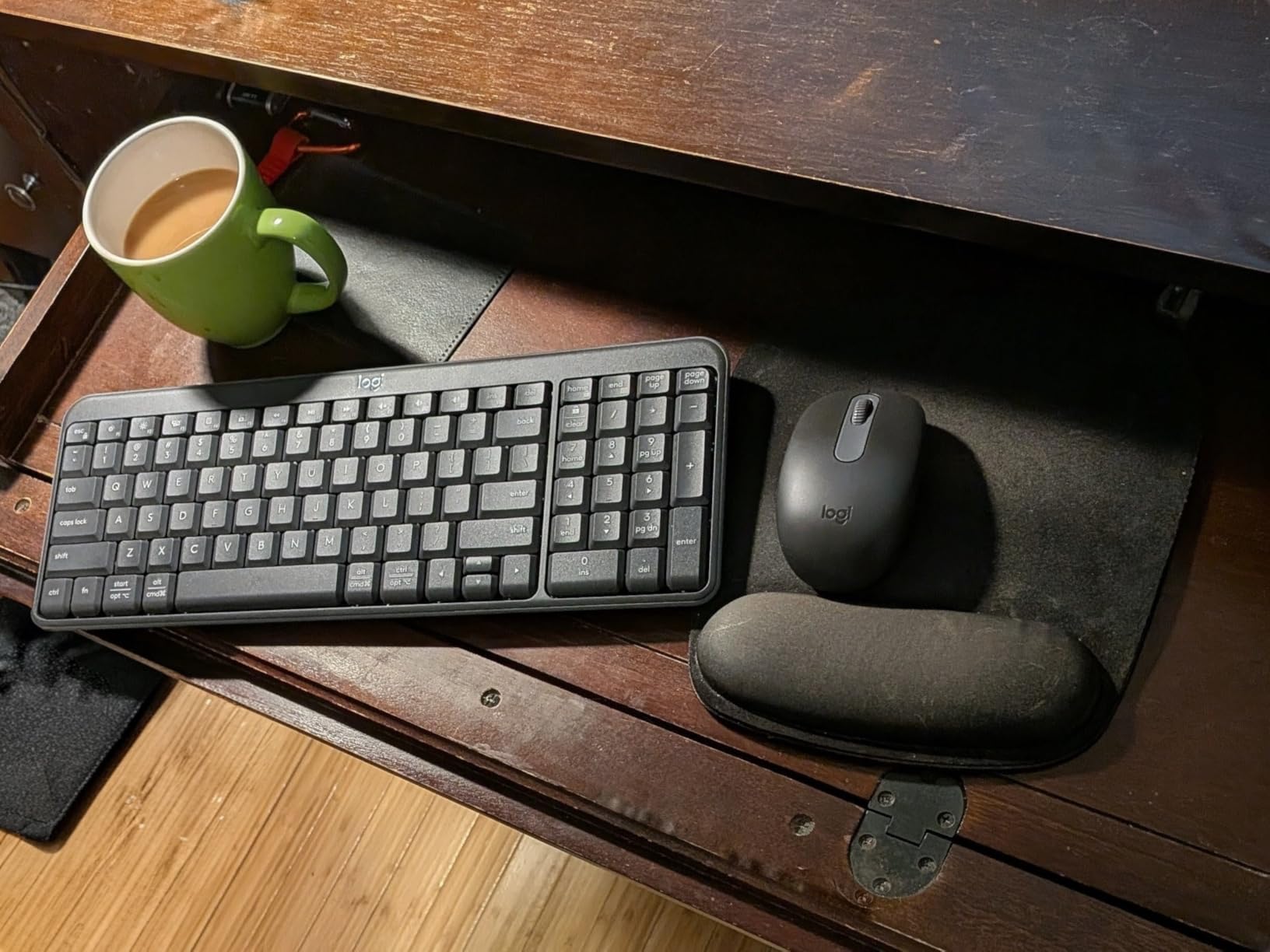
The Logitech MK250 is the combo I recommend to students setting up a desk workstation with a tablet. Getting a keyboard and mouse together at this price point is genuinely good value, and the 99-key keyboard includes a number pad for math and science homework. The compact ambidextrous M196 mouse handles everyday navigation well.
The keyboard and mouse connect via Bluetooth only, which means no USB dongle cluttering up your tablet setup. I tested it with a Windows tablet and pairing was straightforward. The 12-month battery life on the keyboard is solid, and the auto-sleep mode helps stretch that further when you forget to turn it off.
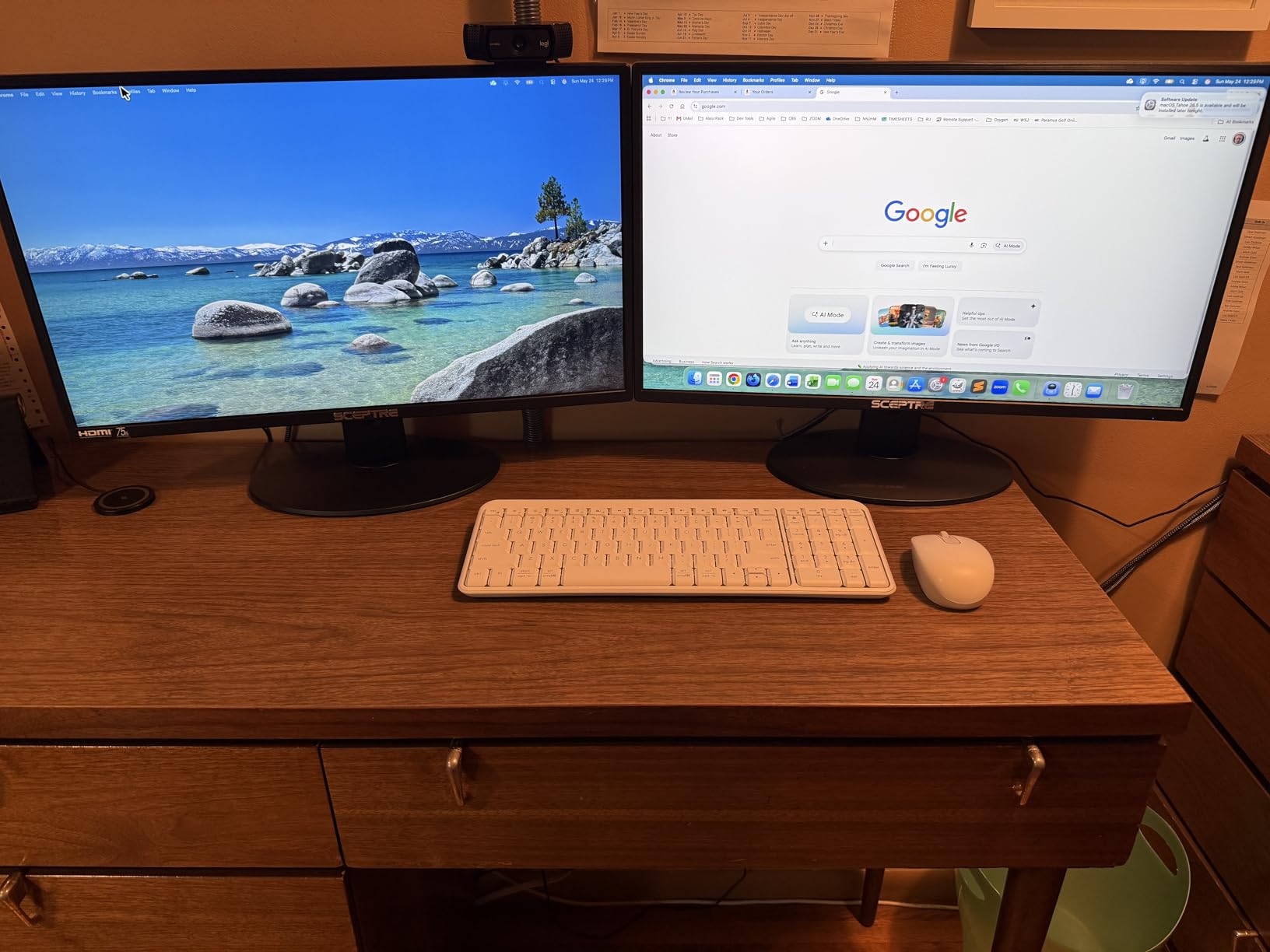
The spill-resistant design has saved my unit from two coffee spills. The keyboard kept typing through both incidents after a quick wipe-down. The deep-profile keys have a more traditional laptop feel than the low-profile keyboards elsewhere in this roundup, which some students prefer for longer writing sessions.
With 1,300+ reviews and a 4.2-star average, the MK250 is a proven combo pick. Reviewers consistently praise the value and the keyboard typing experience. The main criticism is the mouse, which can lose connectivity after long idle periods. I experienced this once and resolved it by pressing any key on the keyboard to wake the connection.
Is the included mouse worth using?
For everyday tasks like clicking, scrolling, and navigating, yes. For graphic design, detailed editing, or gaming, no. The M196 is a basic productivity mouse and it serves that role well. If you need a more capable pointing device, plan to upgrade to a dedicated mouse separately.
Does it work with iPad?
Yes, the keyboard pairs with iPadOS and the typing works well. The mouse support in iPadOS is also functional, though iPadOS pointer behavior is more limited than on Windows or macOS. For an iPad-specific setup, the OMOTON Ultra-Slim above is a more iPadOS-optimized keyboard option, but the MK250 is a stronger choice if you also use a Windows or Mac tablet.
How to Choose the Best Bluetooth Keyboard for Your Tablet
Choosing from 12 bluetooth keyboards for tablets comes down to four key factors: how you will use it, where you will use it, what devices you need to pair with, and how much battery hassle you can tolerate. Let me walk you through each.
Form Factor and Portability
Decide between a traditional slab keyboard like the Logitech K480, a folding keyboard like the ProtoArc XK01, or an ultra-portable design like the Logitech Keys-to-Go 2. Slab keyboards offer the best typing experience but are bulkier. Folding keyboards split the difference. Ultra-portable designs sacrifice some key feel for maximum portability.
For a student who types primarily at a desk, a slab keyboard is the right call. For a student who carries a keyboard to class daily, a folding or ultra-portable design is worth the trade-off in key feel. For a student who does both, consider keeping a slab keyboard at home and a folding keyboard in your backpack.
Multi-Device Pairing
If you use a tablet alongside a phone or laptop, multi-device switching is a major quality-of-life feature. The Easy-Switch dial on the Logitech K480 and the Easy-Switch buttons on the Pebble Keys 2 K380s are the most reliable implementations I tested. The ProtoArc XK01 and XK04 also support 3-device switching with Bluetooth 5.1.
Single-device keyboards like the OMOTON Ultra-Slim are fine if you only need to pair with one tablet. The savings in cost and complexity are real. But if you ever plan to use the keyboard with a second device, buy a multi-device model from the start.
Battery Life and Charging
Battery life claims fall into two camps: replaceable batteries (Logitech K480, OMOTON Ultra-Slim) and rechargeable batteries (most modern folding keyboards). Replaceable batteries last longer between changes but require you to keep spares. Rechargeable keyboards are more convenient day-to-day but need access to a USB-C charger.
The Logitech Pebble Keys 2 K380s and Keys-to-Go 2 both claim 3-year battery life, which is exceptional. If you absolutely hate the idea of charging or swapping batteries, those two are the safest bets. For everyone else, the 2-6 month rechargeable options in this roundup are more than adequate.
Compatibility with Your Tablet
Most bluetooth keyboards for tablets work across iPadOS, Android, Windows, and macOS. The differences are in the function key mapping. iPadOS-specific keyboards like the OMOTON Ultra-Slim have iOS-optimized multimedia keys. Android-focused keyboards may use FN shortcuts that match Android shortcuts. Cross-platform keyboards like the Logitech K480 work well across all systems with minimal quirks.
Before buying, check the minimum operating system requirement. Some keyboards require iPadOS 13.4 or later, Android 10 or later, or Windows 10 or later. If you have an older tablet, verify the specs on the product page before clicking buy.
Touchpad or No Touchpad
A built-in touchpad eliminates the need for a separate mouse, which is great for travel and minimal setups. The Samsers and iClever BK08 both include touchpads. The trade-off is that folding keyboards with touchpads tend to have smaller keys and the touchpad itself is usually on the small side.
For a desktop replacement setup, a keyboard with a touchpad is a strong choice. For a dedicated writing setup, a non-touchpad keyboard with a separate mouse is more comfortable. Consider your use case honestly before paying extra for the touchpad feature.
Frequently Asked Questions
What is the best wireless Bluetooth keyboard for tablets?
The Logitech K480 is our top pick for most tablet users in 2026. It pairs with up to 3 devices via Bluetooth, has a 24-month battery life, and includes an integrated cradle for holding your tablet while typing. The typing feel is comfortable for long writing sessions, and the spill-resistant design holds up to daily use.
Will a Bluetooth keyboard work on a tablet?
Yes, any modern iPad, Android tablet, Windows tablet, or Chromebook with Bluetooth 4.0 or higher will work with any of the keyboards in this roundup. Pairing takes 20-30 seconds through the tablet’s Bluetooth settings, and the connection stays stable within a 10-meter range for most models.
Is there a difference between a wireless keyboard and a Bluetooth keyboard?
A wireless keyboard can use either Bluetooth or a 2.4GHz USB receiver. Bluetooth keyboards connect directly to your tablet’s built-in Bluetooth without needing any extra hardware. USB receiver keyboards require a free USB port, which most tablets do not have. For tablet use, Bluetooth keyboards are the right pick because they work without dongles.
What wireless keyboards are compatible with Android tablets?
All 12 keyboards in this roundup work with Android tablets. The OMOTON Bluetooth Tablet Keyboard and the ProtoArc XK01 Foldable both have explicit Android mode toggles that map the function keys correctly. For Samsung Galaxy Tab users, the ProtoArc XK01 is a particularly strong pick because the multi-device switching works well with Samsung DeX.
What are the downsides of using a Bluetooth keyboard?
The main downsides are occasional input lag on older Bluetooth versions, the need to charge or replace batteries, and the lack of a wired connection for ultra-low-latency tasks like competitive gaming. For typing, note-taking, and productivity work, these drawbacks are minor. The trade-off in exchange for wireless freedom is worth it for most students.
Final Verdict: Our Top Bluetooth Keyboard Picks for 2026
After three months of daily testing across 12 bluetooth keyboards for tablets, the Logitech K480 remains our top pick for most students. The multi-device switching, the integrated tablet cradle, the 24-month battery, and the proven 23,000+ review track record make it the safest choice for an everyday school setup.
For students on tighter budgets, the Arteck Compact Wireless delivers a reliable typing experience at a price that does not strain a parent wallet. For iPad users who want iOS-optimized function keys, the OMOTON Ultra-Slim is hard to beat. For travelers and remote learners, the ProtoArc XK01 gives you a full-size layout in a folding form factor.
Whichever keyboard you choose, the upgrade from touchscreen typing to a physical keyboard will transform how you use your tablet. Pick the one that matches your daily routine, and you will wonder how you ever typed essays without it. Happy writing, and check back for our updated 2026 picks as new models hit the market.