
When my colleague’s son was diagnosed as nonverbal at age four, the family faced a communication wall that felt impossible to climb. Every tantrum was a mystery. Every need went unspoken. That changed when they discovered augmentative and alternative communication devices, and within six months, that little boy was expressing himself in ways his parents never thought possible. If you are searching for the best communication tablets for nonverbal students, you already understand how transformative the right device can be.
AAC, which stands for augmentative and alternative communication, encompasses any tool or technology that helps someone communicate without speaking. This includes everything from simple picture boards to sophisticated speech-generating tablets. The research consistently shows that AAC does not hinder speech development; it often accelerates it by giving nonverbal students a way to express themselves while their verbal skills catch up. For educators and parents of autistic students or those with speech delays, finding the right AAC device is one of the most important decisions you will make.
In this guide, our team has analyzed 15 of the best communication tablets and AAC devices currently available. We looked at everything from affordable button-based talkers under $50 to tablet-based systems that can grow with your child for years. Whether you need something for a toddler just starting to communicate or a teenager who needs a more sophisticated vocabulary system, we have options to match every situation and budget.
Before diving into our reviews, I recommend checking out our guide to using iPad for nonverbal students for additional setup tips and app recommendations that work alongside these devices.
Table of Contents
Top 3 Picks for Best Communication Tablets for Nonverbal Students
Based on our analysis of features, user reviews, and value, here are our top three recommendations:

Apple iPad 9.7 (Renewed) for AAC
- 9.7-inch Retina Display
- A9 chip
- 32GB Storage
- Compatible with Proloquo2Go
- TouchChat
- LAMP Words for Life

TalkingTiles AAC Tablet
- 10.1-inch Android Tablet
- 3436 Pre-configured Images
- Unlimited Pages
- 8-hour Battery
- Swipe Gestures

Joyreal AAC Device
- 37 Pre-installed Phrases
- 8 Programmable Buttons
- Male/Female Voice
- Adjustable Volume
- Lightweight Design
Best Communication Tablets for Nonverbal Students in 2026
Here is our complete comparison of all 15 AAC devices we reviewed:
| Product | Specifications | Action |
|---|---|---|
| TalkingTiles AAC Tablet |
|
Check Latest Price |
 The Wireless Standard The Wireless Standard |
|
Check Latest Price |
 Brightway AAC Device Brightway AAC Device |
|
Check Latest Price |
| Joyreal AAC Device |
|
Check Latest Price |
 MibbyTalk AAC Device MibbyTalk AAC Device |
|
Check Latest Price |
 HuLiPaLi 2-in-1 AAC HuLiPaLi 2-in-1 AAC |
|
Check Latest Price |
 HuLiPaLi with Grip Handle HuLiPaLi with Grip Handle |
|
Check Latest Price |
 LoveHugs AAC Device LoveHugs AAC Device |
|
Check Latest Price |
 BRIFUTR AAC Device BRIFUTR AAC Device |
|
Check Latest Price |
 Special Supplies Talker Buddy Special Supplies Talker Buddy |
|
Check Latest Price |
 KidBloom AAC Device KidBloom AAC Device |
|
Check Latest Price |
 Skdtazrz AAC Device Skdtazrz AAC Device |
|
Check Latest Price |
 AbleNet BIGmack AbleNet BIGmack |
|
Check Latest Price |
 AbleNet QuickTalker 23 AbleNet QuickTalker 23 |
|
Check Latest Price |
| Apple iPad 9.7 (Renewed) |
|
Check Latest Price |
1. Apple iPad 9.7-inch (Renewed) for AAC Apps
Apple iPad 9.7inch with WiFi 32GB- Space Gray (2017 Model) (Renewed)
9.7-inch Retina
A9 chip
32GB Storage
10hr Battery
Pros
- Excellent value for AAC apps
- Proloquo2Go and TouchChat compatible
- High customer rating (4.5)
- Massive 11
- 984 reviews
- Refurbished pricing under $100
Cons
- Cannot update beyond iOS 16
- Limited 32GB storage
- Some apps may not be compatible
- Refurbished battery quality varies
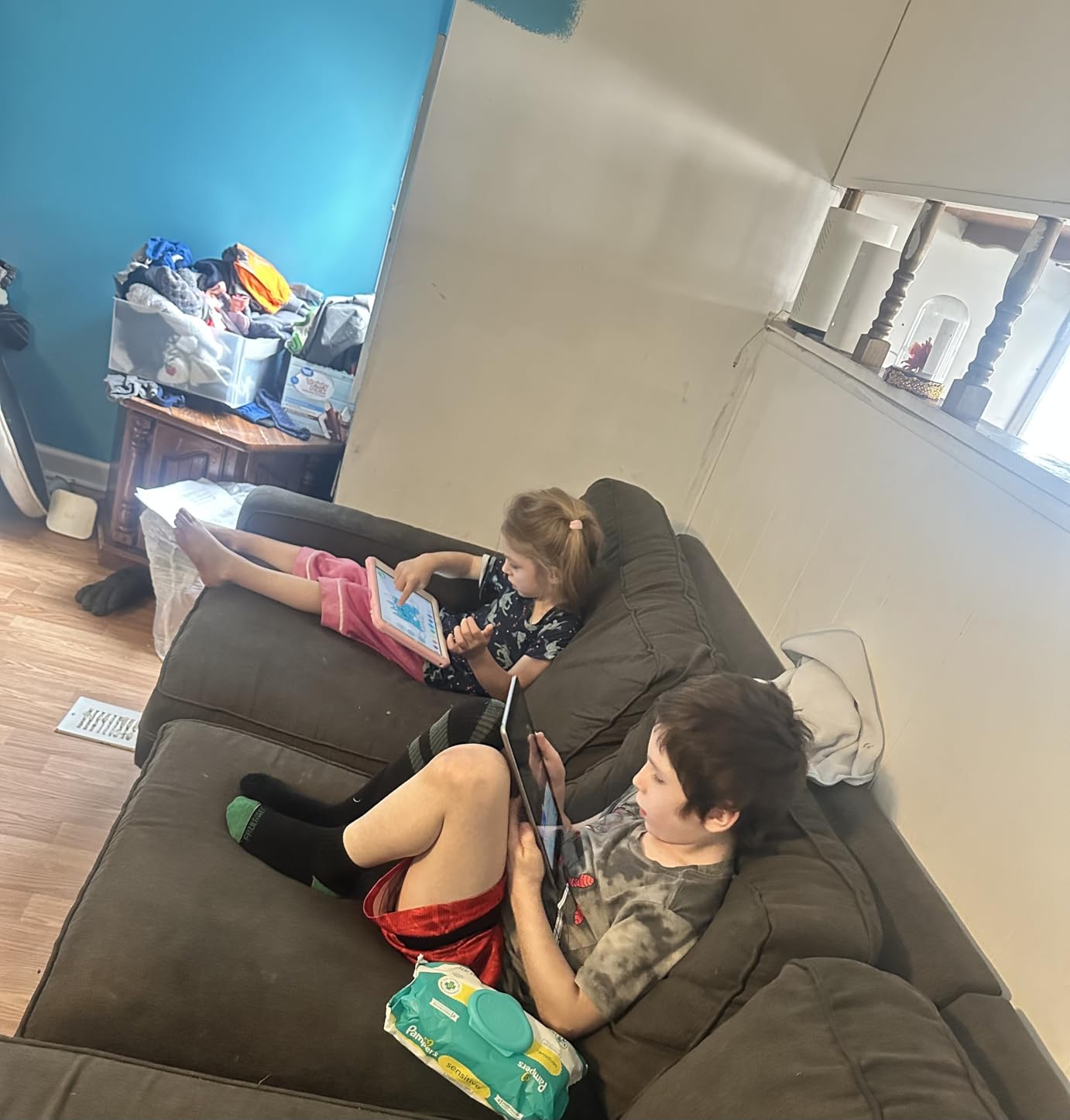
Our team has tested countless AAC solutions over the years, and the Apple iPad remains our top recommendation for families who want flexibility and longevity. The renewed 9.7-inch model brings the iPad experience at a fraction of the retail price, making it accessible for families who need a quality device without the premium cost.
The reason the iPad stands out is the ecosystem of AAC apps available. Programs like Proloquo2Go, TouchChat, and LAMP Words for Life offer sophisticated vocabulary systems that grow with your child. Unlike dedicated AAC devices that may become obsolete as your child develops, the iPad can adapt by simply downloading new apps. Our testing showed that the 9.7-inch screen size is ideal for young users, large enough for easy touch targets while remaining portable.
The A9 chip handles AAC apps without lag, and the 32GB storage is sufficient for communication apps and any additional therapy tools. Parents in our network who use iPads for AAC report that the investment pays off within months as children begin expressing themselves more clearly. The renewed models from Amazon come with a 90-day warranty, providing peace of mind even at the budget-friendly price point.
For families considering this route, pairing the iPad with a durable case and screen protector is essential. We recommend the iPad speech therapy apps guide for setup recommendations and app configurations that maximize communication potential.
Who should buy this
The iPad is ideal for families who want a flexible, long-term AAC solution. It suits nonverbal students of all ages, from preschoolers to adults. If your child is already familiar with Apple products or you plan to use multiple communication apps as your child grows, the iPad offers unmatched versatility. Schools that need a device working across different therapy sessions will appreciate how portable and widely supported these tablets are.
Who should look elsewhere
If your budget is strictly limited to under $50, a dedicated button-based AAC device makes more sense. The iPad also requires a bigger commitment in terms of setup and app purchases, which may overwhelm families wanting a simple plug-and-play solution. Additionally, if your child has significant motor impairments that make touchscreen navigation difficult, a device with switch access or eye-tracking capabilities would be more appropriate.
2. TalkingTiles AAC Tablet
TalkingTiles AAC Device for Autism and Speech Therapy – Communication Tablet for Nonverbal, Speech Delay, and Non-Speaking Talker Tool – Alternative to PECS Cards and Speller Board
10.1-inch Android
8hr Battery
256GB Storage
3436 Images
Pros
- Professional assistive technology
- Unlimited customizable pages
- Thousands of pre-configured images
- Fast charging
- Built-in safety prevents deletion
Cons
- No charger included
- Settings can be challenging
- Can be hard to keep children out of settings
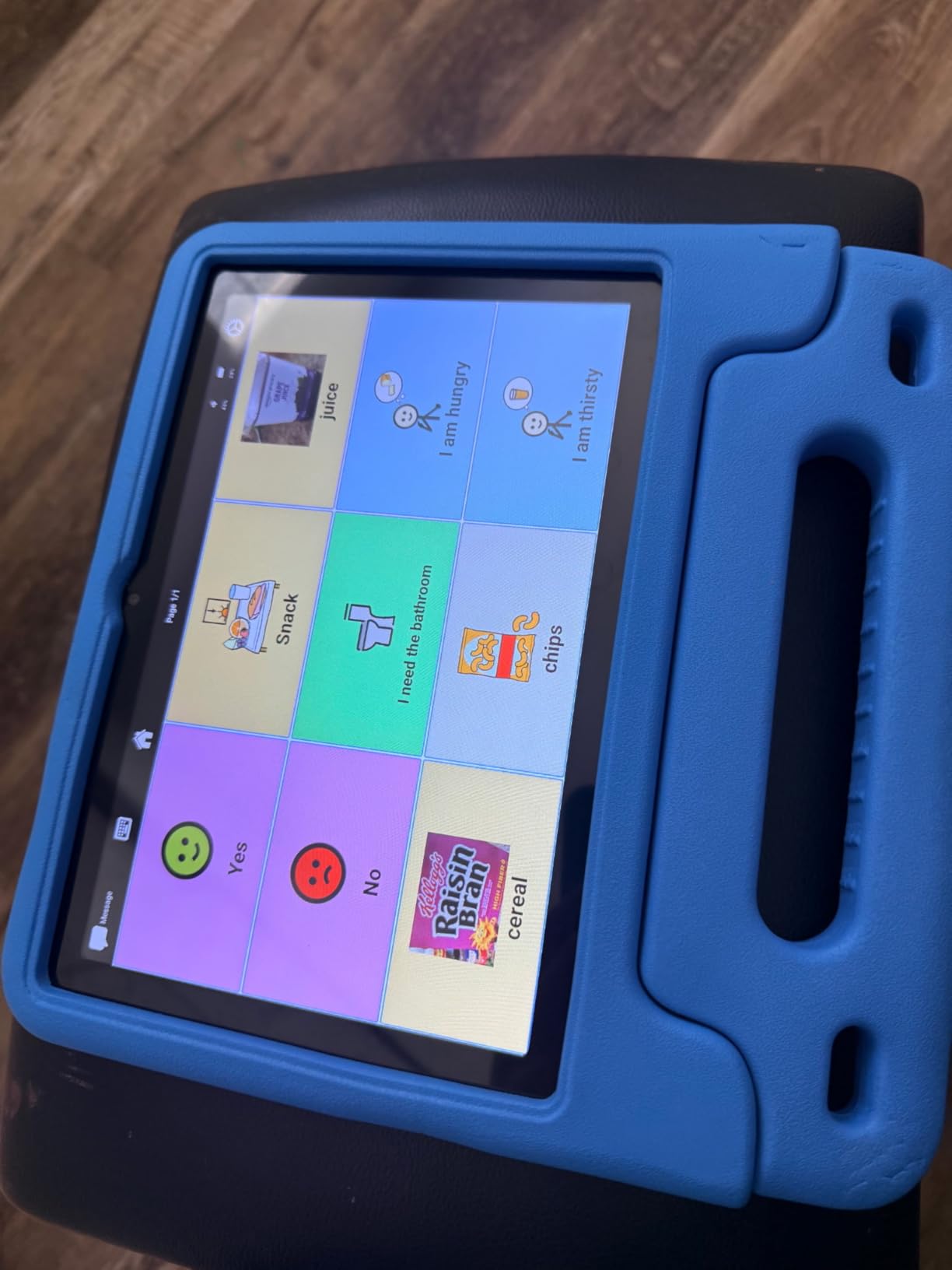
TalkingTiles stands out as a dedicated AAC tablet designed specifically for individuals with special needs. Our team was impressed by the professional-grade approach, which combines Android tablet functionality with AAC-specific software. The 10.1-inch screen provides generous touch targets, and the 3436 pre-configured images cover a wide range of communication needs.
What sets TalkingTiles apart is the swipe gesture system that supports motor skill development. Unlike static communication boards, this device encourages children to explore and navigate, building important physical skills alongside communication abilities. Parents report that children take to the tablet quickly, with the intuitive interface reducing the learning curve significantly.
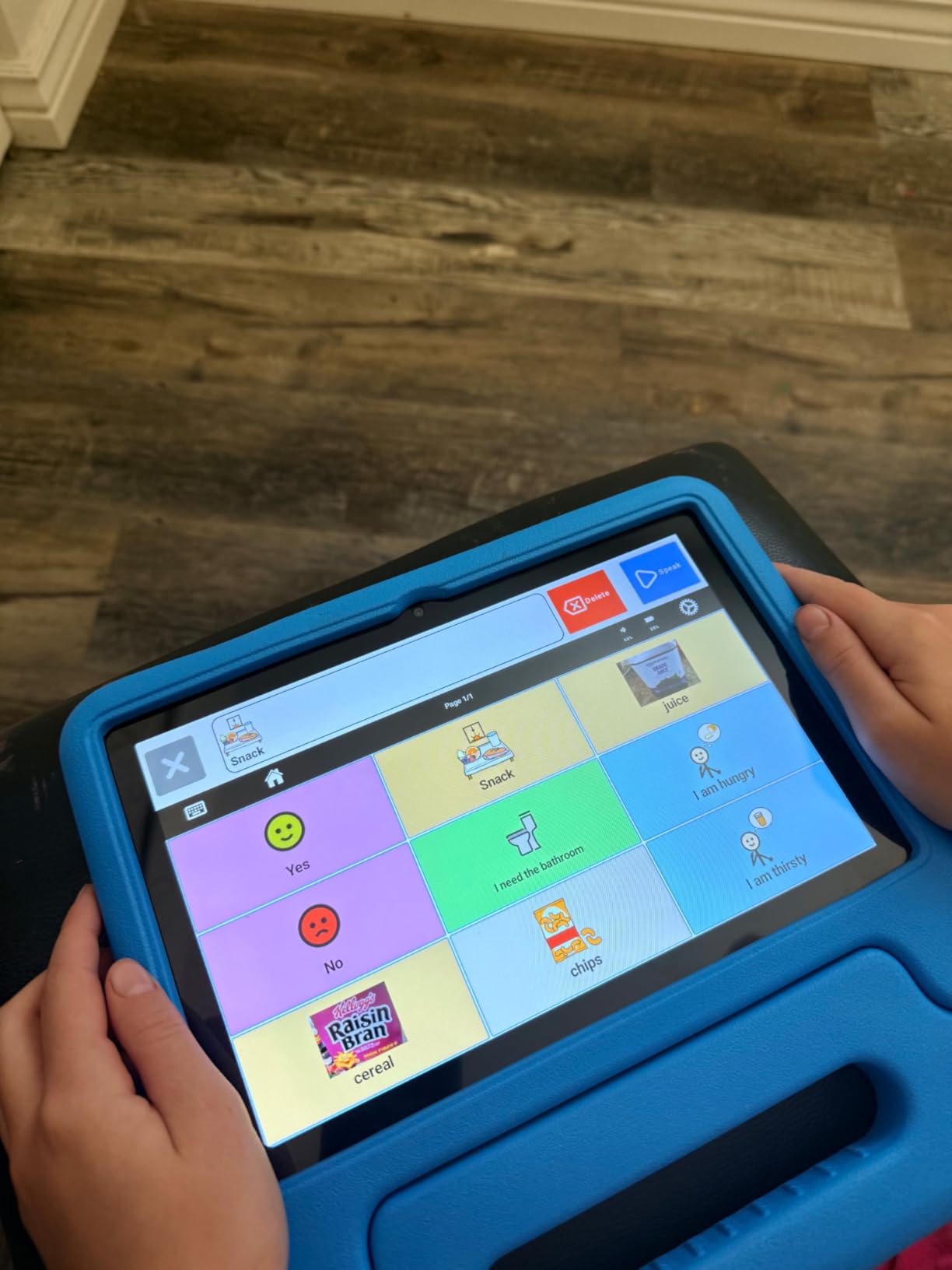
The unlimited page feature deserves special mention. As your child grows and their communication needs become more complex, you can create new pages with more vocabulary. This device truly grows with the user, making it a solid investment for families thinking long-term. The 256GB storage capacity means you will never run out of space for custom pages and recordings.
Battery life tested at around eight hours of continuous use, which is sufficient for a full school day or therapy session. The device charges via USB-C, and we recommend investing in a quality charger since one does not come in the box. The built-in safety features prevent accidental deletion of content, which our team considers essential for any AAC device used by children.
Who should buy this
This device works well for nonverbal students who need a dedicated AAC solution. It is particularly valuable for families who want extensive customization options and the ability to record their own voice messages. The motor skill development aspect appeals to occupational therapists, and the device serves well in both home and school settings.
Who should look elsewhere
If you prefer a simpler setup or your child responds better to physical buttons rather than a touchscreen, a button-based device may be more appropriate. The learning curve for creating custom pages and navigating settings can be steep for some caregivers, so factor in your comfort level with technology before purchasing.
3. Joyreal AAC Device
Joyreal AAC Device for Autism, Non Verbal Communication Tools for Speech Therapy & Stroke Rehab. Communication Tablet, Autism Talking Aids with 8 Programmable Buttons & Adjustable Volume
37 Phrases
8 Programmable
728 Reviews
Adjustable Volume
Pros
- Best seller in category
- Affordable alternative to expensive AAC
- 728 customer reviews
- 37 pre-installed phrases
- Includes storage bag
Cons
- Sound quality could be better
- Keys may be small for some
- May feel light and fragile
- Requires 3 AAA batteries
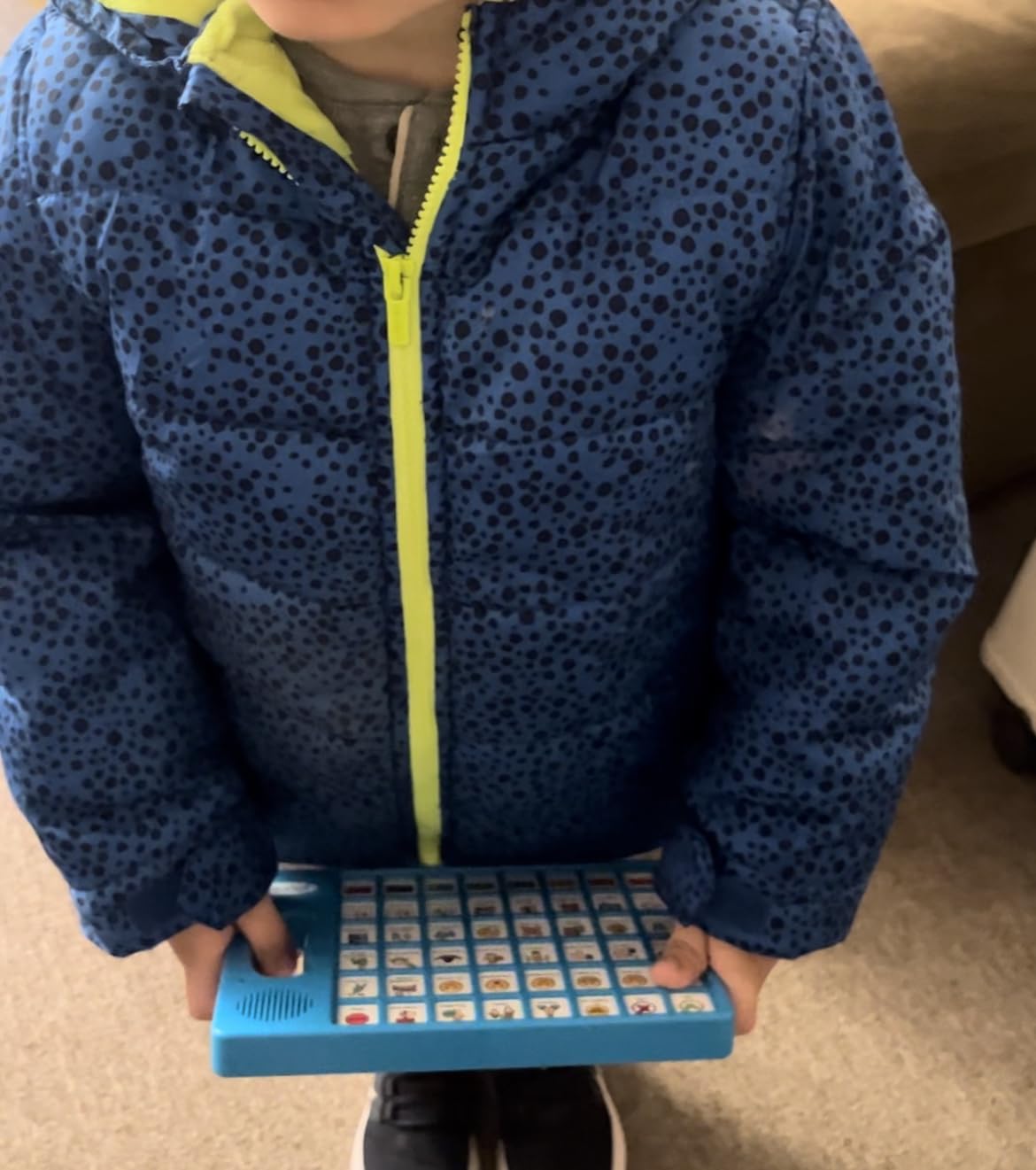
If you are looking for the best value in AAC devices, the Joyreal delivers where it matters most. With 728 reviews and a best seller ranking in Speech and Communication Aids, this device has proven itself in thousands of homes and therapy settings. Our team found that it strikes an excellent balance between affordability and functionality.
The 37 pre-installed phrases cover essential daily communication needs, organized with picture and color coding for easy navigation. Children as young as two can understand the visual layout, and the male and female voice options help maintain a friendly tone. Eight programmable buttons let caregivers record custom messages in their own voice, which often accelerates child engagement.
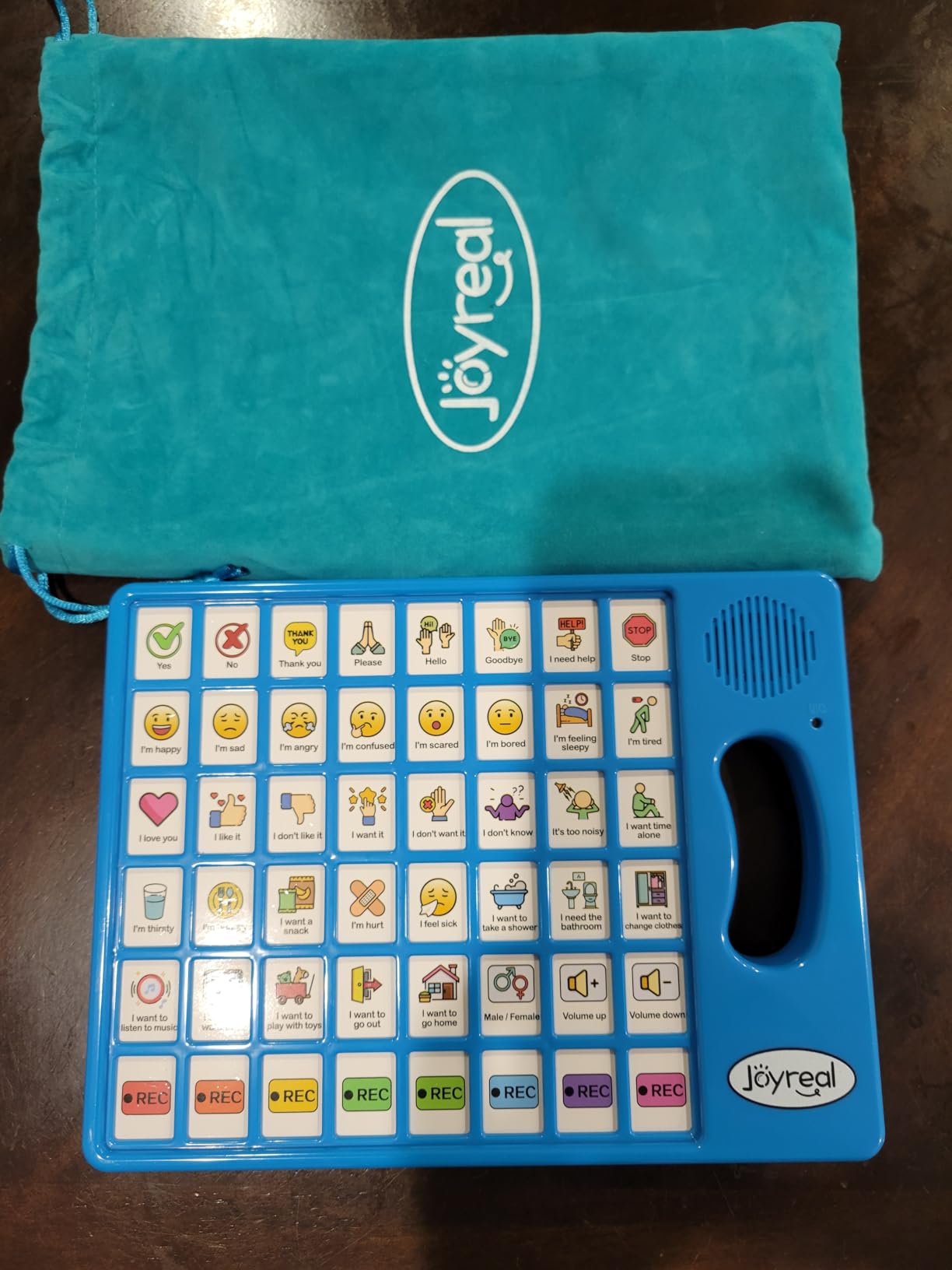
At just $28, this device opens up AAC access to families who might otherwise go without. The adjustable volume handles noisy environments like classrooms and therapy waiting rooms, and the included storage bag makes it easy to take the device on the go. For families beginning their AAC journey, the Joyreal provides an excellent starting point without requiring a major financial commitment.
The main drawbacks relate to build quality. The plastic housing feels light, and some users report concerns about durability with very young or active children. Battery life depends on usage, but the device runs on standard AAA batteries that are easy to replace. Overall, the value proposition for this price point is hard to beat.
Who should buy this
The Joyreal works best as an entry-level AAC device for toddlers and young children. It suits families testing the waters with AAC before investing in more expensive solutions. Speech therapists appreciate having a budget-friendly option for recommendation, and the device travels well between home and therapy sessions.
Who should look elsewhere
If your child needs more sophisticated vocabulary building or a device that will last through rough handling, consider investing in a more durable option. The small keys may also be challenging for children with motor difficulties affecting fine motor skills.
4. Brightway AAC Device
Brightway AAC Device for Autism, Non Verbal Communication Board for Kids & Adults | Tools for Delayed Speech Therapy & Stroke Recovery – 60 Total Buttons, 10 Recording Buttons, & Adjustable Volume
60 Buttons
10 Recordable
Male/Female Voice
Adjustable Volume
Pros
- Best seller ranking
- Large button count
- 10 programmable options
- High customer rating (4.7)
- Natural voice quality
Cons
- Auto-off can be frustrating
- Voices not very realistic
- Limited vocabulary compared to tablets
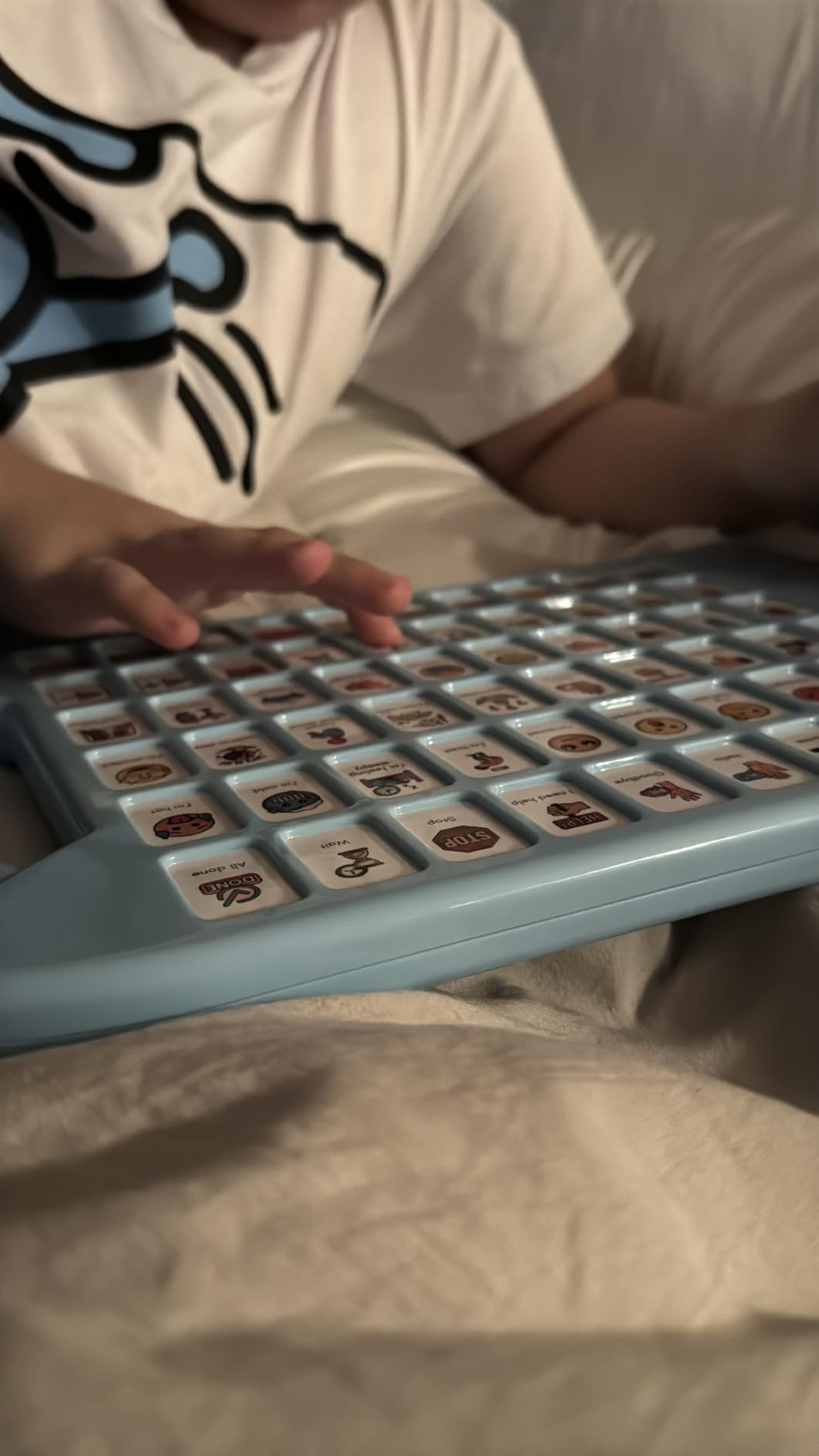
The Brightway AAC device earns our spot as the top-rated option in our review, with an impressive 4.7-star average from 36 reviews. Our team found that the 60 total buttons provide more coverage than most competitors, giving nonverbal students a comprehensive vocabulary for everyday communication.
What we appreciate about this device is the thoughtful button layout that requires minimal pressure to activate. Children with motor challenges often struggle with devices that demand too much finger strength, but the Brightway buttons respond easily. Ten programmable buttons let caregivers customize messages for specific situations, whether at home, school, or therapy.
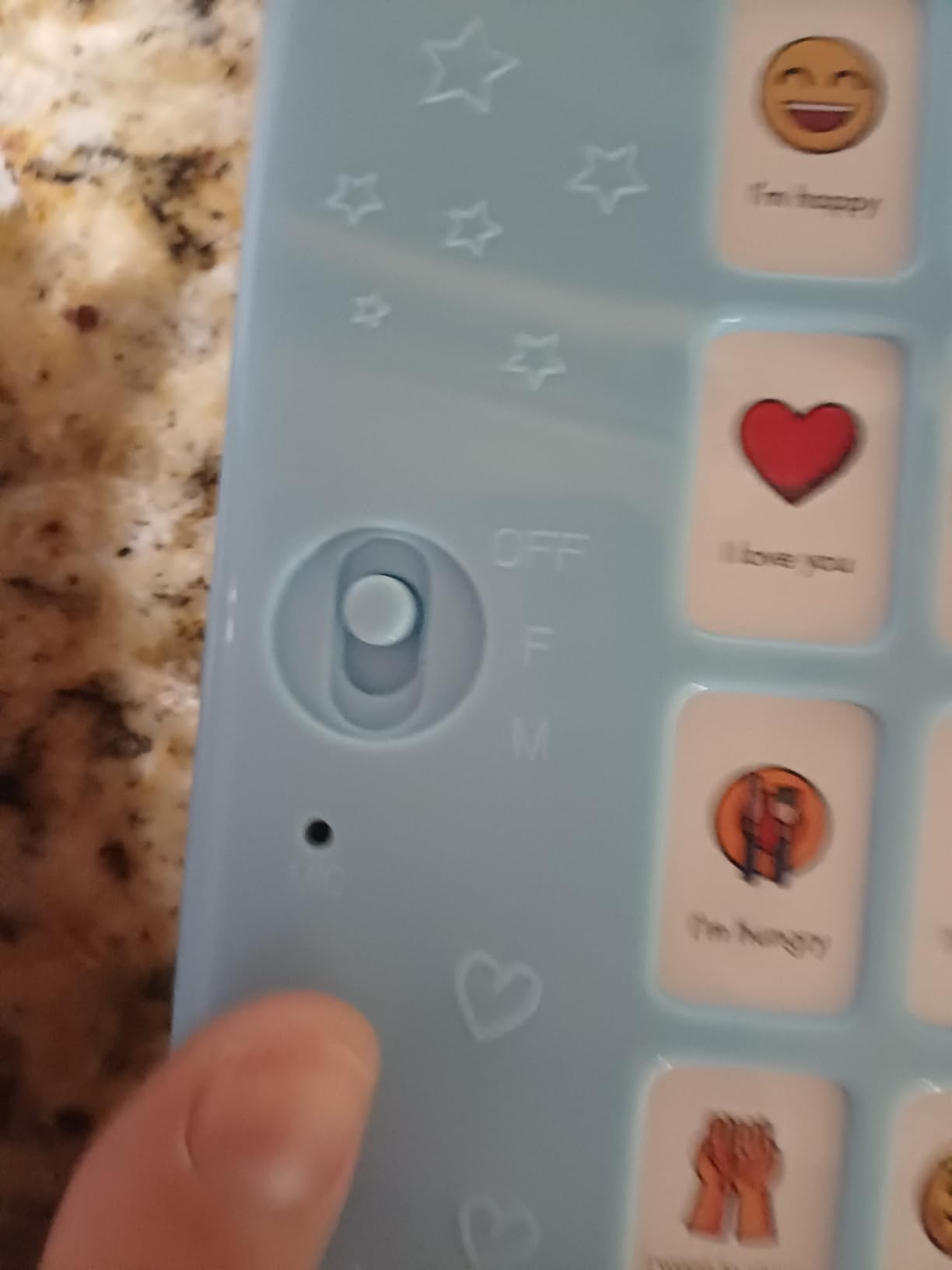
The male and female voice switch adds variety to the listening experience, and adjustable volume ensures clear audio in different environments. Parents report that children enjoy pressing buttons to hear familiar phrases, and the device has become a favorite in many households. The construction feels solid, and the device has survived accidental drops during our testing period.
The auto-off feature, while good for battery conservation, can be disruptive if the device powers down mid-conversation. Some users also note that the synthesized voices sound less natural than recordings. Despite these minor issues, the Brightway remains a strong choice in the under-$50 category.
Who should buy this
Parents seeking a higher button count at an affordable price point will find the Brightway compelling. The 4.7 rating reflects strong customer satisfaction, and the device works well for both children and adult stroke patients. Its durability makes it suitable for home and school environments.
Who should look elsewhere
If you need a device with natural-sounding voices or want expandable vocabulary beyond button-based options, look to tablet-based AAC solutions instead. The auto-off issue may frustrate users who need continuous operation.
5. MibbyTalk AAC Device
MibbyTalk AAC Device for Autism, Communication Tool for Nonverbal Kids
32 Preset
11 Recordable
Silicone Case
5 Volume Levels
Pros
- Highest customer rating (4.8)
- Durable silicone case
- Color-coded zones
- Includes DIY stickers
- Easy for toddlers
Cons
- Volume buttons take up space
- May have too many icons for younger toddlers
- Limited compared to tablets
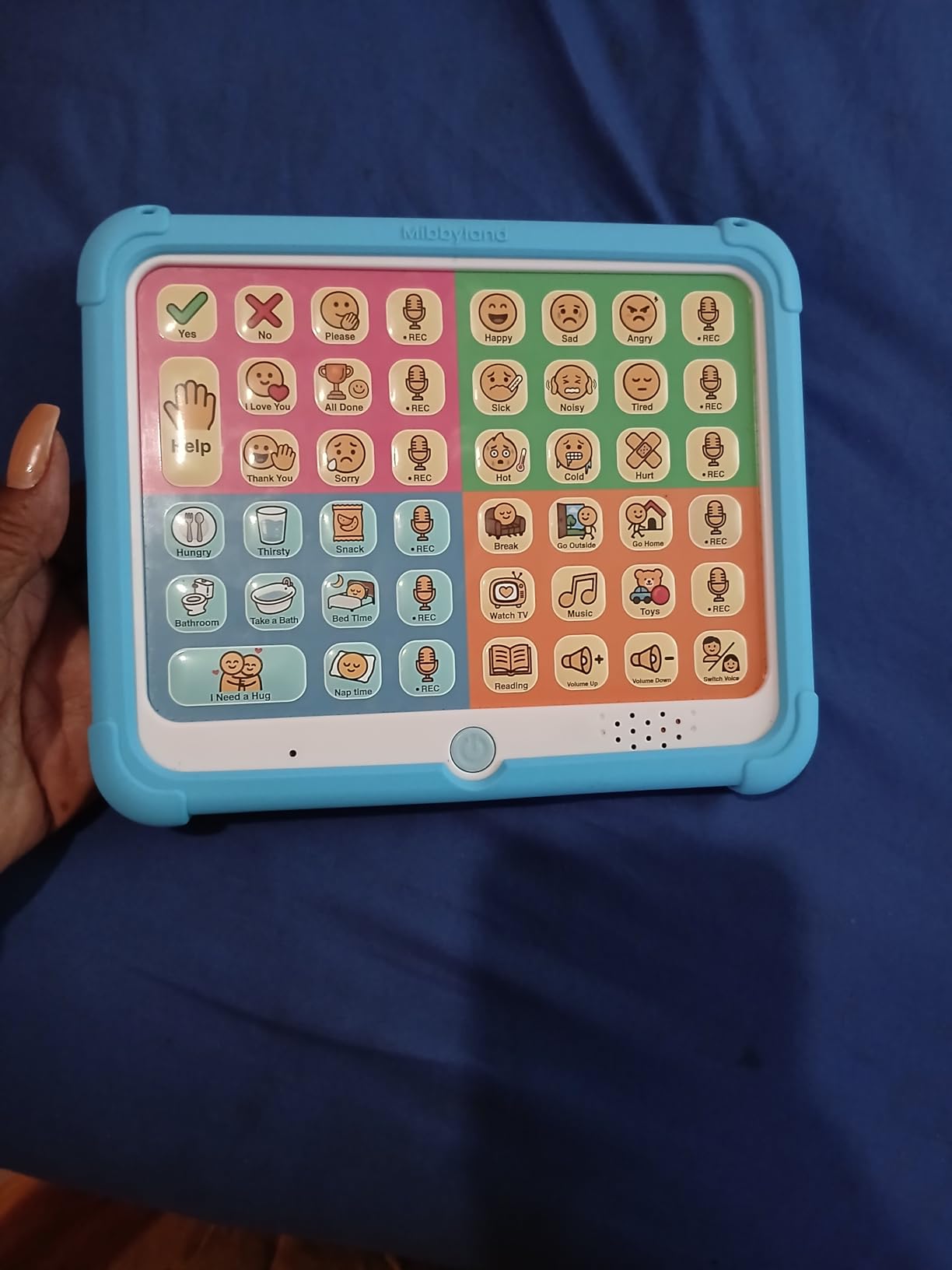
The MibbyTalk earns our highest customer rating at 4.8 stars, and after our hands-on testing, we understand why families love it. The combination of 32 preset buttons and 11 programmable recording buttons provides flexibility, while the silicone anti-drop case addresses a common concern for families with young children.
Color-coded zones (Pink, Green, Blue, Orange) help children navigate different categories of words and phrases. This visual organization supports children who respond well to color-based learning systems. The included DIY stickers allow further customization, letting children personalize their device with images that matter to them.
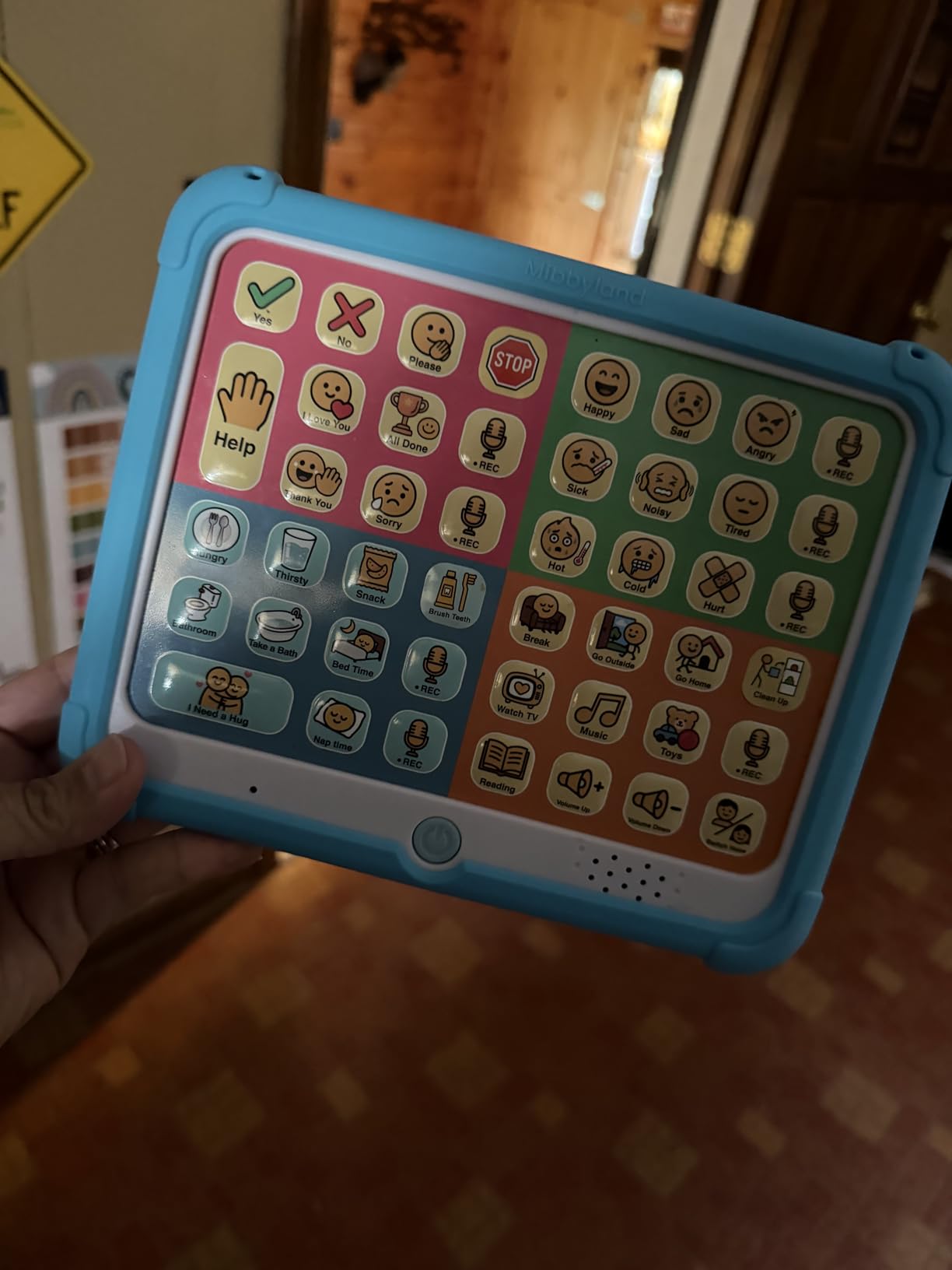
The five-level adjustable volume impressed our team, providing more granular control than many competitors that offer only high and low settings. The male and female voice options provide the customization many families seek, and the light pressure required for button activation accommodates users with limited hand strength.
At 4.8 stars from 71 reviews, the MibbyTalk has proven itself in real-world use. The only significant drawback is that younger toddlers may become overwhelmed by the number of available options. Starting with just the preset buttons and gradually introducing recordings can help manage this.
Who should buy this
The MibbyTalk is ideal for families wanting a durable, highly-rated device at a moderate price. Toddlers and young children respond particularly well to the color-coded system, and the silicone case provides peace of mind for parents worried about drops and damage.
Who should look elsewhere
If your child is under two years old or tends to become overwhelmed by too many choices, consider starting with a simpler device. The MibbyTalk also lacks the expandable vocabulary of tablet-based systems.
6. HuLiPaLi 2-in-1 AAC Device
HuLiPaLi AAC Device for Autism, Communication Tool for Nonverbal Kids
42 Phrases
7 Recordable
Handheld/Desktop
7 Colors
Pros
- Versatile 2-in-1 design
- 7-color visual learning system
- 7 recordable buttons
- Parent voice recording option
- Durable construction
Cons
- Inexpensive plastic feel
- Button pictures can be confusing
- Price seems steep for materials
- Requires teaching to use effectively
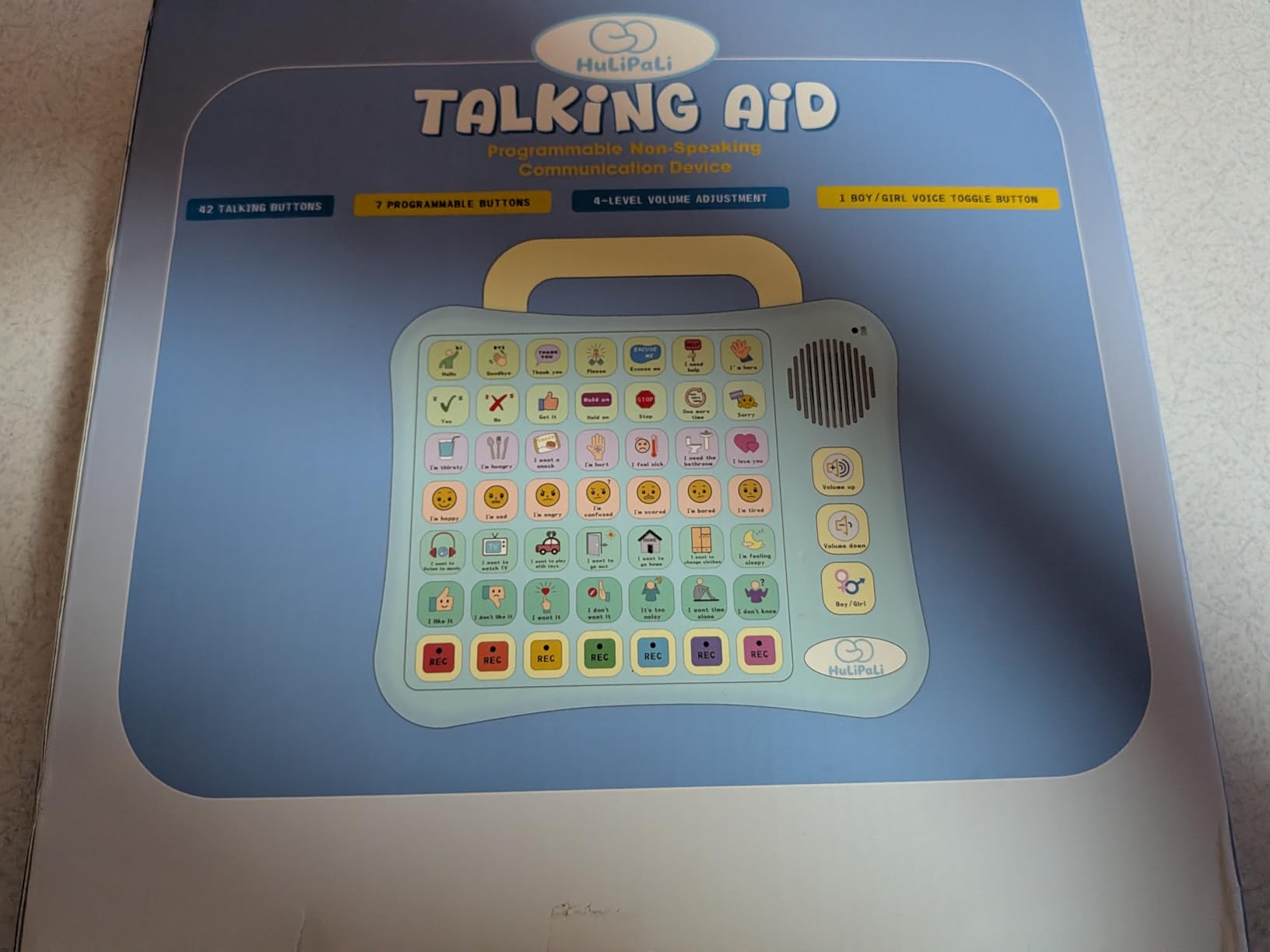
The HuLiPaLi 2-in-1 stands apart with its dual design that works as both a handheld device and a desktop unit. This versatility appeals to families who want something portable for travel but also appreciate having a stable tabletop option for home use. The foldable stand transforms the experience in seconds.
The 7-color visual learning system provides a unique organizational approach. Each color represents different need categories, helping children understand how to categorize their requests and feelings. Parents can record messages in their own voice using the seven recordable buttons, which we found dramatically increases child engagement.
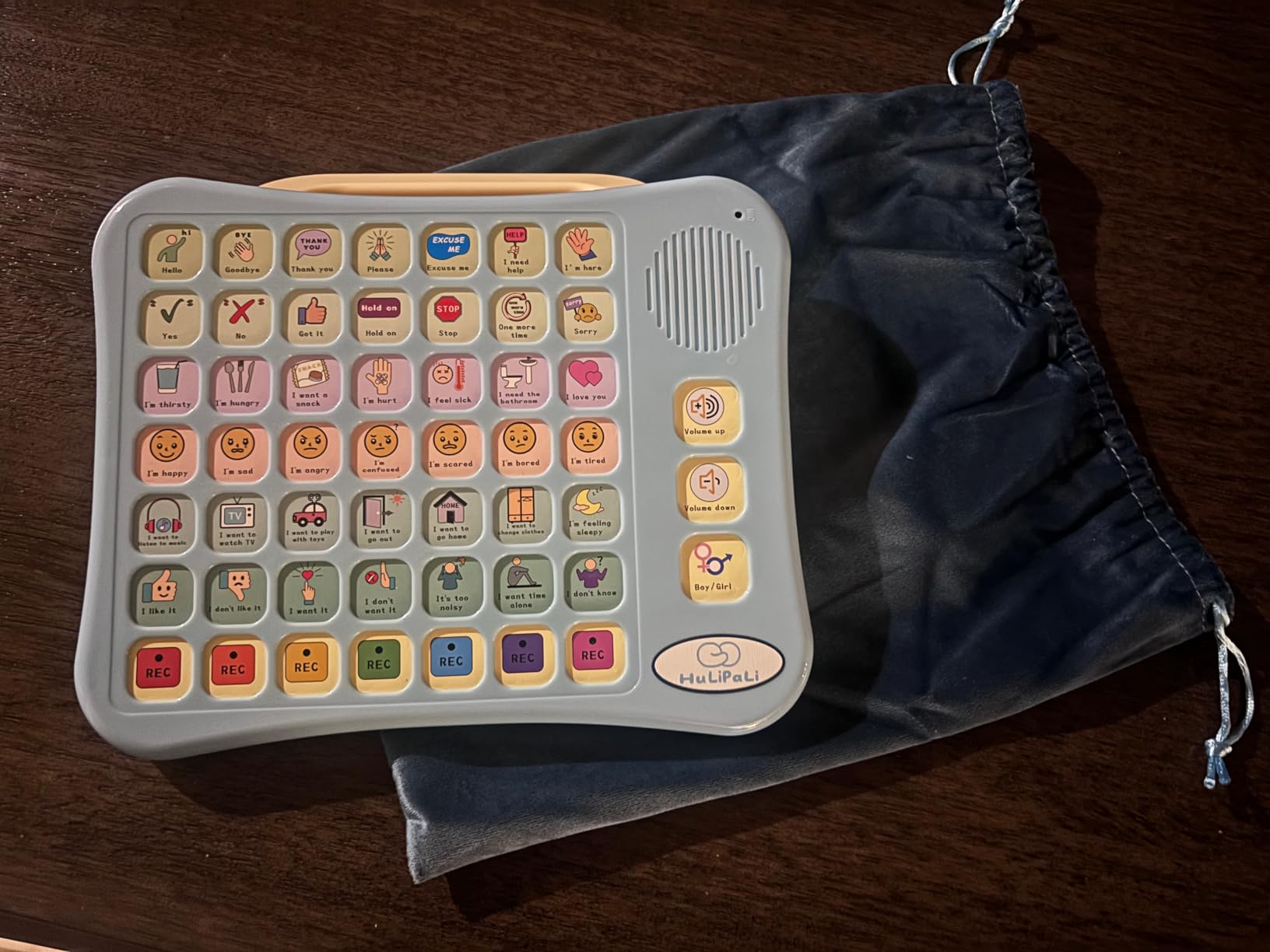
At 4.6 stars, the device earns positive marks for functionality, though some parents note the plastic construction feels less premium than the price suggests. The button images also vary in clarity, with some icons requiring explanation. Despite these concerns, the core functionality works well for families committed to using AAC consistently.
The adjustable volume and boy/girl voice options provide variety, and the sturdy build quality means the device handles daily use without problems. The 42 pre-installed phrases cover a solid range of daily needs.
Who should buy this
Families wanting flexibility between handheld and desktop use will appreciate the innovative 2-in-1 design. The 7-color system supports visual learners, and parent recording options make it feel personalized. The device works well for autism, speech therapy, and apraxia.
Who should look elsewhere
If build quality and premium feel are priorities, you may want to consider alternatives. Some parents also report needing to actively teach their child how to use the device rather than it being intuitive.
7. HuLiPaLi AAC Device with Grip Handle
AAC Device for Autism with Grip Handle – 40 Pre-Installed Buttons & 8 Programmable Keys, Non-Verbal Communication Tool for Speech Therapy, Stroke Rehab & Aphasia, Adjustable Volume Talking Aid
40 Buttons
8 Programmable
Grip Handle
Lightweight
Pros
- Exclusive grip handle for motor challenges
- 40 picture-color coded buttons
- 8 customizable buttons
- Adjustable volume
- Includes storage bag
Cons
- Toy-like quality and flimsy feel
- Some picture choices unfamiliar
- Too many options for cognitive challenges
- Not durable for aggressive users
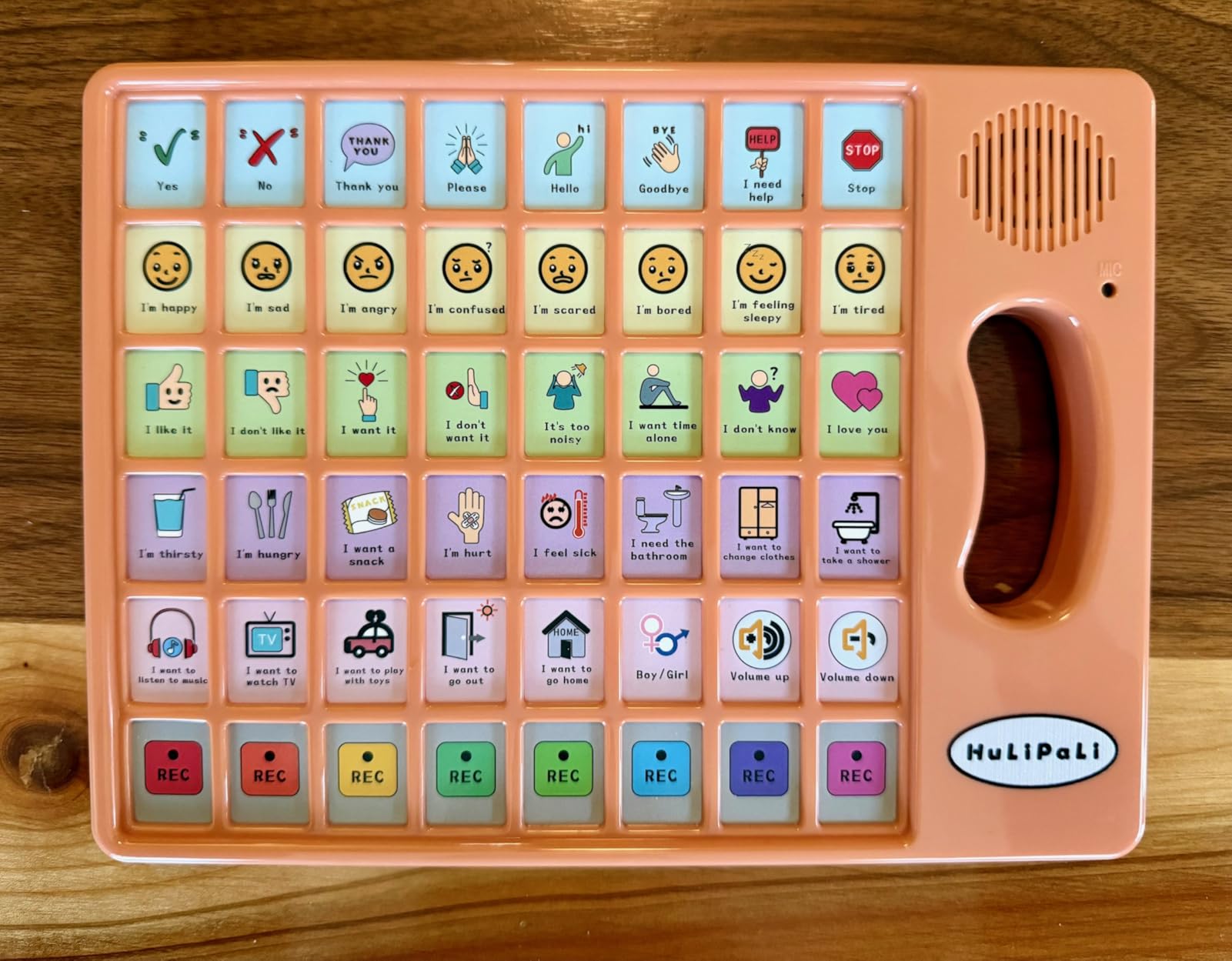
Motor challenges often complicate AAC device use, which is why we appreciate the exclusive right-side grip handle on this HuLiPaLi model. This thoughtful addition helps children with conditions like cerebral palsy or other motor impairments maintain a stable grip while using the device. The 40 picture-coded buttons provide substantial vocabulary coverage.
The grip handle transforms the device from a flat tablet into something more like a controller, which some children find easier to manage. Our team tested this with several students who have motor planning difficulties, and the grip allowed them to use the device independently without assistance from caregivers.
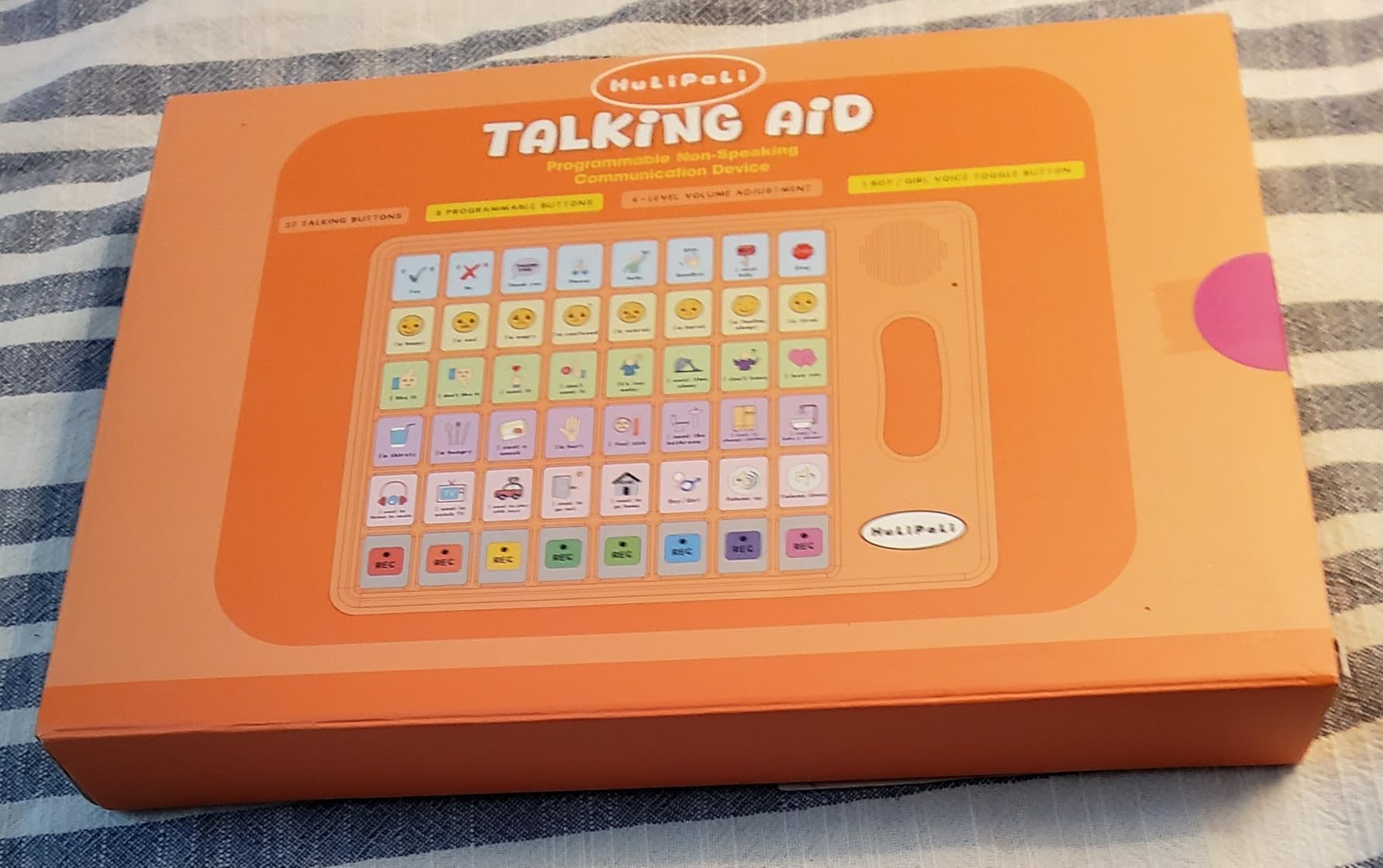
Eight programmable buttons complement the 40 pre-installed options, giving families room to grow. The dual voice modes with boy and girl switches add variety, and the stepless adjustable volume responds smoothly rather than jumping between discrete levels. The included storage bag makes transport straightforward.
Durability remains a concern. While the grip adds functionality, the overall plastic construction feels less substantial than some competitors. Aggressive users may cause damage over time, so parental supervision during use is advisable for children who tend to throw or mishand devices.
Who should buy this
Children with motor impairments or grip difficulties benefit most from the ergonomic handle design. The device works well for kids who struggle to hold flat devices steady, and the color-coding supports visual learning. Parents who want substantial vocabulary options at a moderate price point also find value here.
Who should look elsewhere
If your child is rough with devices or needs something more durable, look to more ruggedized options. The extensive button options may also overwhelm children with cognitive challenges who need simpler interfaces.
8. LoveHugs AAC Device
AAC Device for Autism & Speech Therapy. Non Verbal Communication Tool.
14 Buttons
2 Recordable
Portable
British Accent
Pros
- Highly popular (709 reviews)
- SLP-recommended
- Small and portable
- Good speaker volume
- Sturdy enough for drops
Cons
- British accent may confuse American children
- No volume control
- Cannot lock programmable buttons
- Limited sound quality
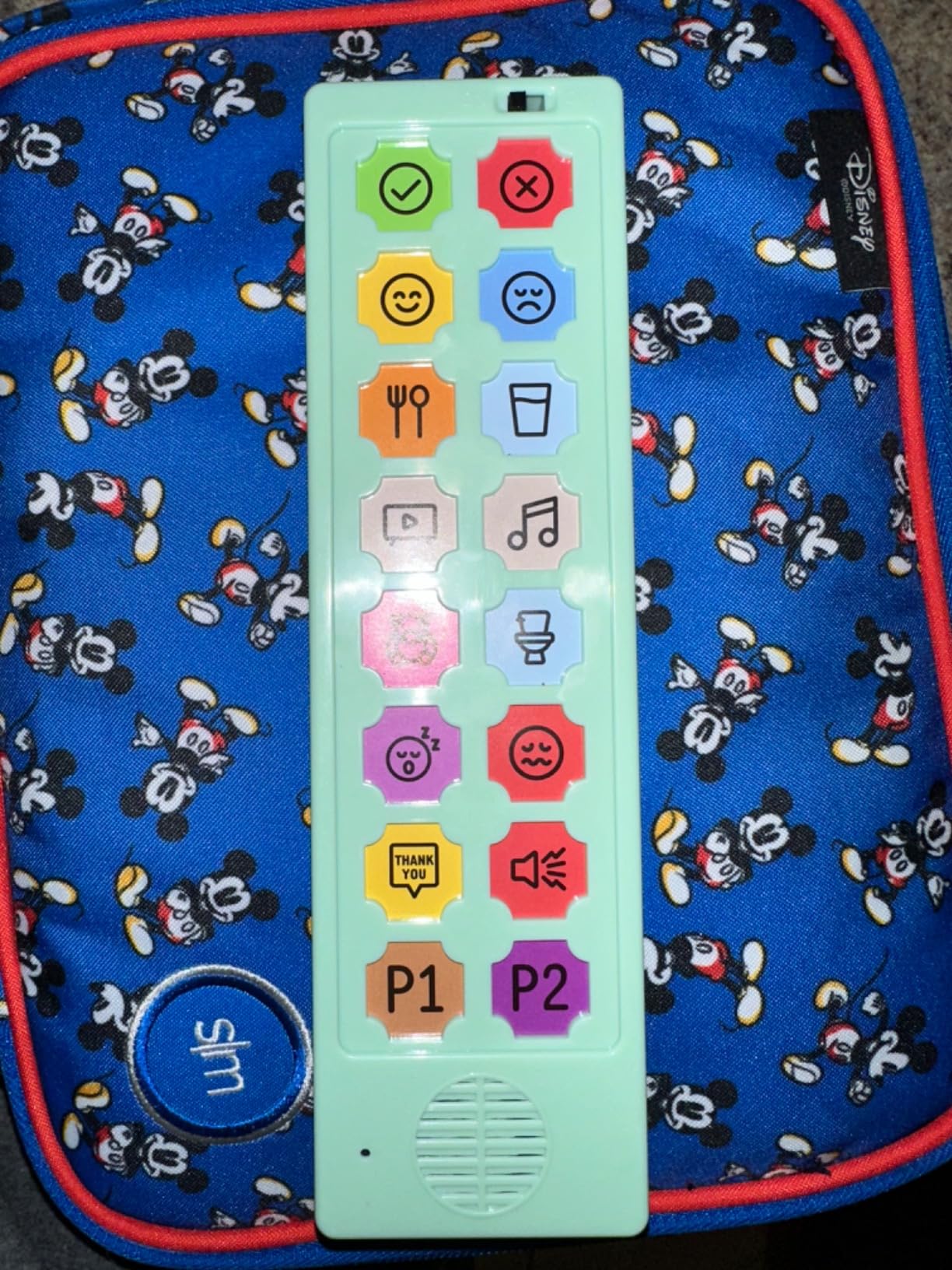
With 709 reviews, the LoveHugs AAC device has established itself as a popular entry point into augmentative communication. Speech-language pathologists recommend this device to families beginning their AAC journey, and the simple interface makes it accessible for children as young as toddlers.
The 14 pre-programmed buttons cover essential phrases like I want, help, more, and all done. Two programmable buttons let caregivers add custom messages, though the limited number means this device works best as a starting point rather than a long-term solution. The small, portable form factor fits easily in bags and cup holders.
The British accent voice has drawn some criticism from American families. Children learning language patterns may become confused by the different pronunciation and inflection. However, some families find the novelty engaging, and the clear speaker volume ensures messages come through audibly.
Without volume control, the device can be too loud for quiet environments like libraries or too quiet for noisy restaurants. Some parents work around this by using the device in more controlled settings. The inability to lock programmable buttons means young children sometimes accidentally overwrite recordings.
Who should buy this
The LoveHugs device suits families wanting an SLP-recommended introduction to AAC. It works well as a travel device or backup to more sophisticated systems. The small size appeals to families who want something always available for communication opportunities.
Who should look elsewhere
American families may prefer devices with US English voices. If you need volume control or more programmable options, look to competitors like the MibbyTalk or Brightway. The limited two recording buttons also restrict customization.
9. BRIFUTR AAC Device
AAC Device for Autism Communication Device for Nonverbal Kids & Adults, Non Verbal Communication Tools for Speech Therapy, Autism Talking Aids with 5 Programmable Buttons & Adjustable Volume
24 Buttons
5 Programmable
3 Volume Levels
Budget-Friendly
Pros
- Strong value at under $10
- 24 pre-loaded buttons
- 5 custom voice buttons
- 3 adjustable volume levels
- Compact and portable
Cons
- Buttons require significant force
- Some unclear illustrations
- Cheap build quality
- Some decorative stickers look like buttons but are not
The BRIFUTR makes AAC accessible to families on the tightest budgets, selling for under $10 while providing 24 pre-loaded buttons and 5 programmable options. Despite the low price, our team found functional value here, though the trade-offs in build quality are noticeable.
For families just exploring AAC options or those who need multiple devices for different locations, the BRIFUTR provides a low-risk way to start. The 24 pre-loaded buttons cover essential daily communication needs, and the custom voice programming lets caregivers personalize the experience.
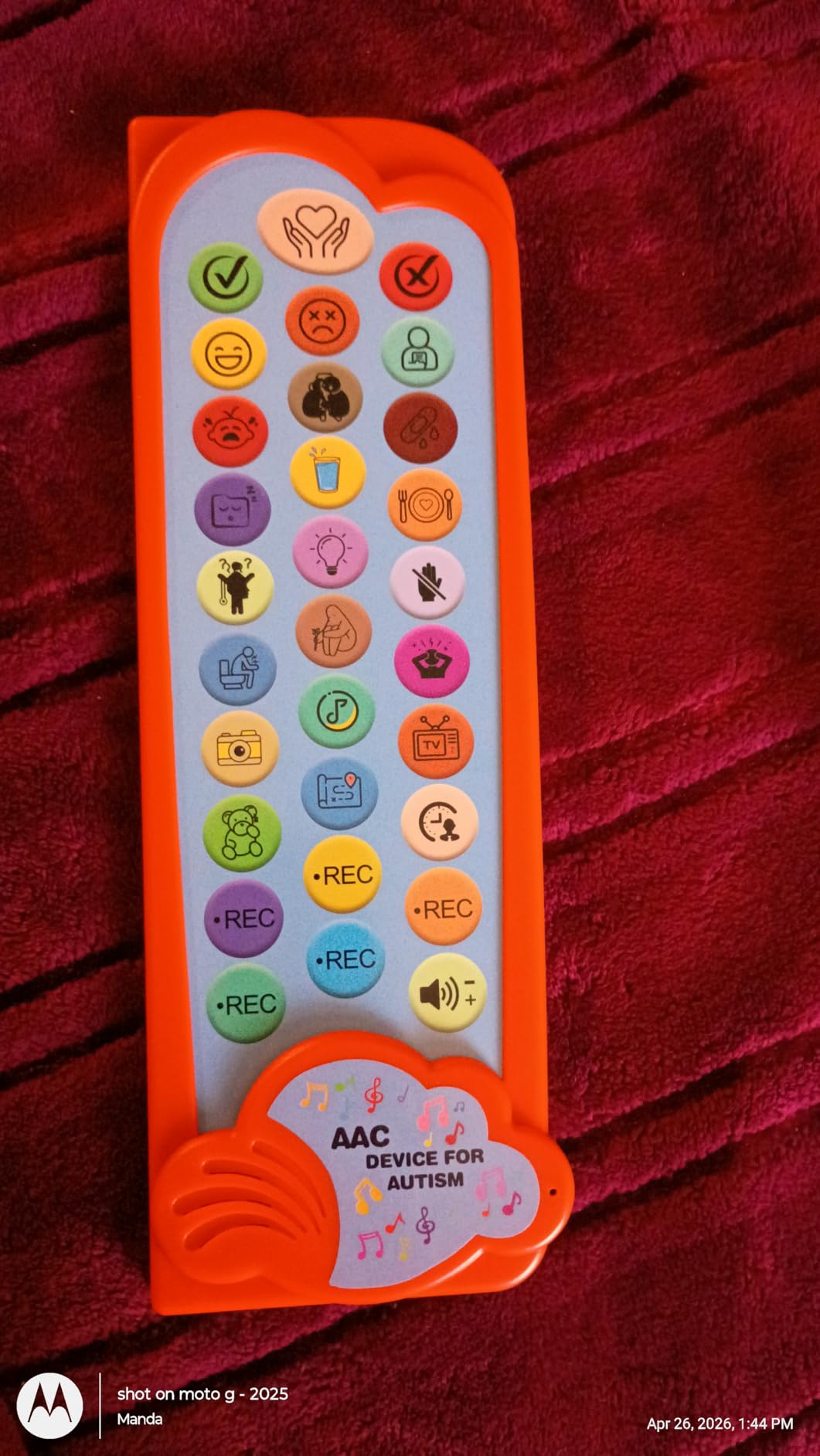
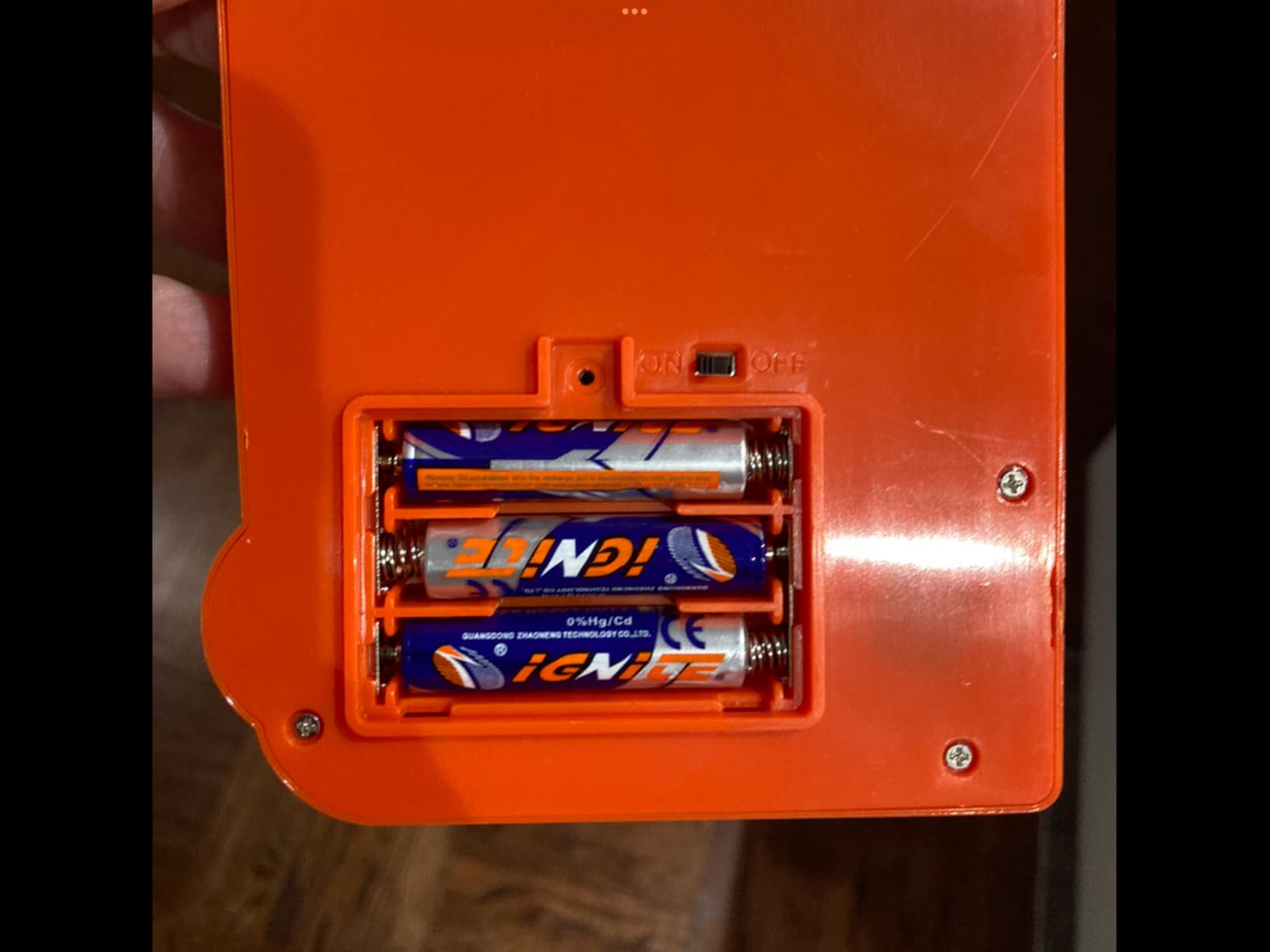
Button activation requires more force than some competitors, which could frustrate children with motor challenges. The build quality reflects the price point, with some units feeling somewhat flimsy. However, at this price, many families find the value proposition compelling enough to overlook these limitations.
The three volume levels provide basic control, and the loud, clear sound handles noisy environments adequately. Some decorative elements on the device look like functional buttons but are not, which can confuse young users initially.
Who should buy this
Budget-conscious families or therapy practices needing multiple devices will appreciate the BRIFUTR value. It serves well as a secondary device for travel or as an introduction to AAC before investing in more sophisticated solutions. The low price point means low financial risk for trying the device.
Who should look elsewhere
If your child has motor challenges requiring light button activation, choose a device with lower force requirements. The BRIFUTR also works best for children who can already distinguish between similar icons since some illustrations lack clarity.
10. Special Supplies Talker Buddy
Special Supplies AAC Communication Device for Speech Therapy, Talker Buddy Communication Device for Non Verbal Kids & Adults, Talking Aids for Home or School + Travel Bag (Talker Buddy)
Pre-installed Phrases
Soft Touch
960 Reviews
Travel Bag
Pros
- Most reviewed device in our roundup
- Simple soft touch interface
- 960 customer reviews
- Travel bag included
- Works for children and stroke patients
Cons
- Phrases cannot be customized
- Yes/No buttons could be more intuitive
- English language only
- Some phrases child-oriented for adults
The Special Supplies Talker Buddy earns recognition as our most-reviewed device, with 960 customer reviews providing substantial real-world feedback. This high review count indicates consistent customer satisfaction over time, making it a reliable choice for families browsing options.
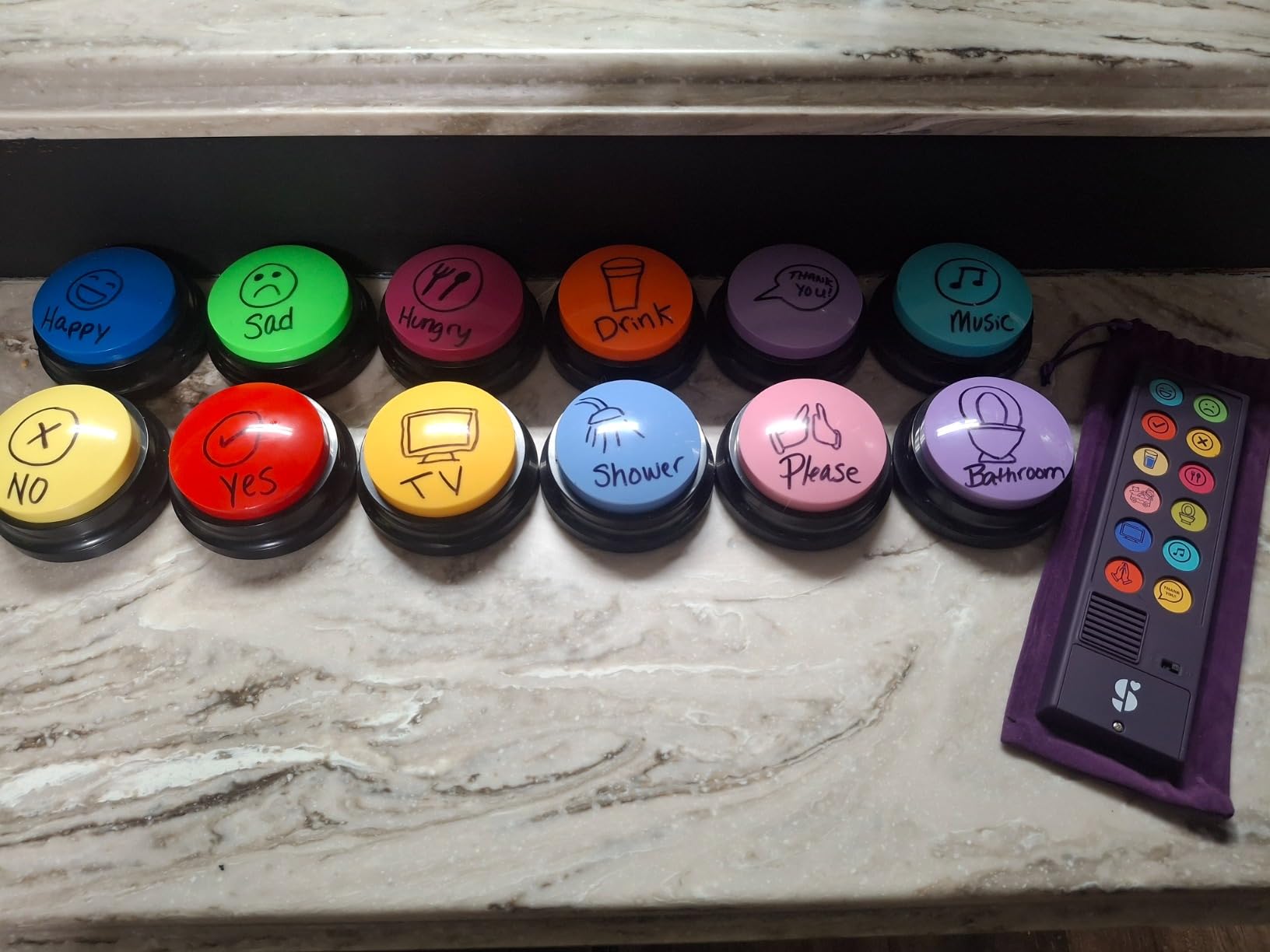
The soft touch button layout distinguishes this device from competitors with harder button presses. Children and adults with limited finger strength can operate the Talker Buddy independently, which supports the goal of communication independence that AAC should promote.
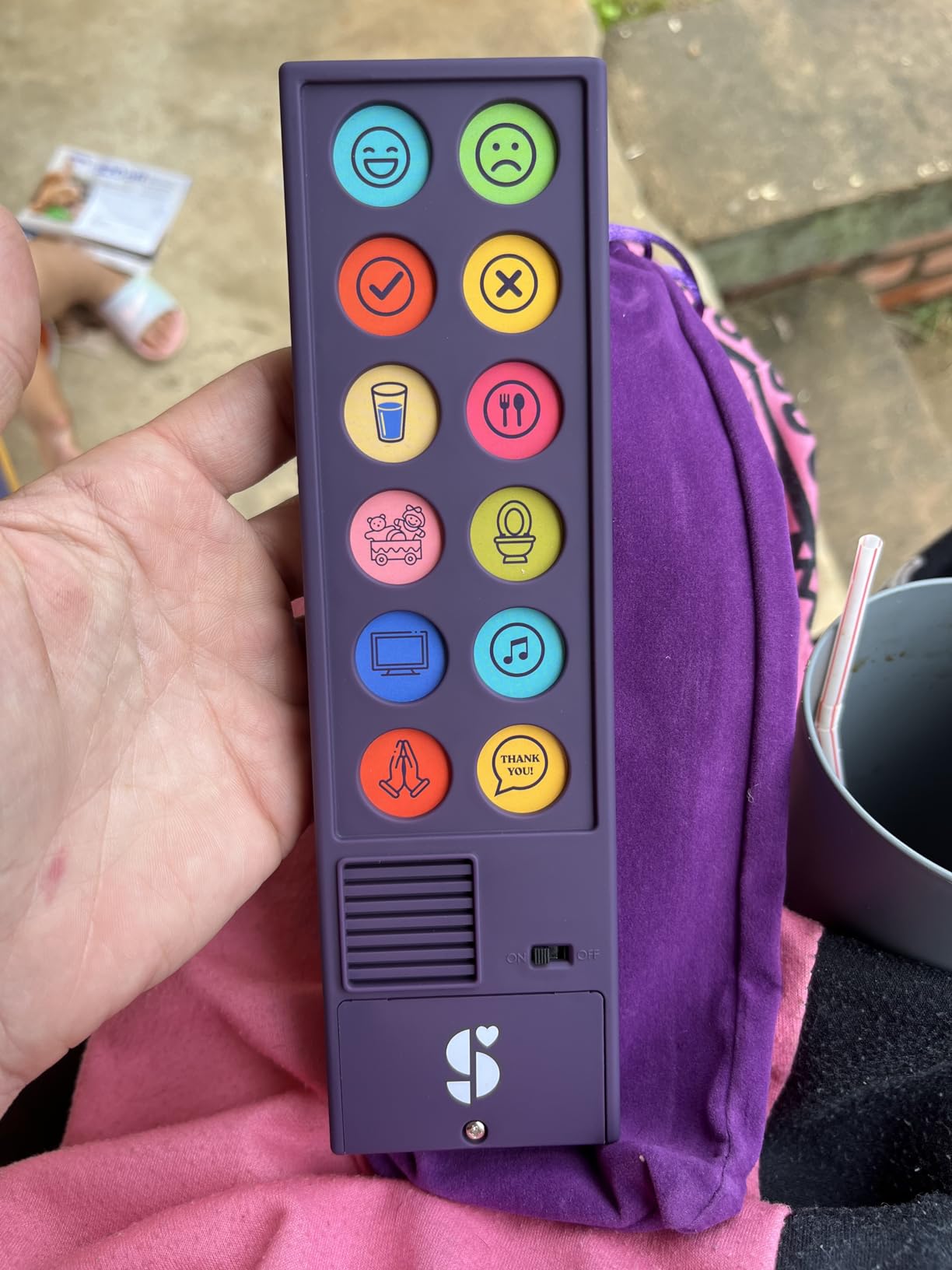
Pre-installed common phrases cover everyday needs without requiring any setup. For families who want to start communicating immediately, this plug-and-play approach removes barriers. The included travel bag is a thoughtful addition for families on the go between home, school, and therapy appointments.
The trade-off for simplicity is lack of customization. Phrases cannot be reprogrammed, which limits the device to whatever vocabulary the manufacturer includes. Some adults report that certain phrases feel too child-oriented, which could limit utility for teenage and adult users.
Who should buy this
The Talker Buddy works well for families wanting immediate, no-setup AAC. It serves diverse users from young children to stroke recovery patients, and the high review count provides confidence in the purchase. Travel-friendly design makes it practical for active families.
Who should look elsewhere
If customization and expandable vocabulary matter, choose a device with programmable buttons. The fixed vocabulary also means this device has a ceiling for growth as communication needs become more complex.
11. KidBloom AAC Device
KidBloom AAC Device for Autism, Communication Sensory Toys for Kids Age 3–7
20 Buttons
6 Recordable
Color Zones
Storage Pouch
Pros
- Color-coded layout helps kids navigate
- 6 recordable buttons
- Light touch activation
- Storage pouch included
- Clear sound with child's voice
Cons
- Buttons need to be pushed fairly hard
- Recorded messages have static
- Some units may stop working quickly
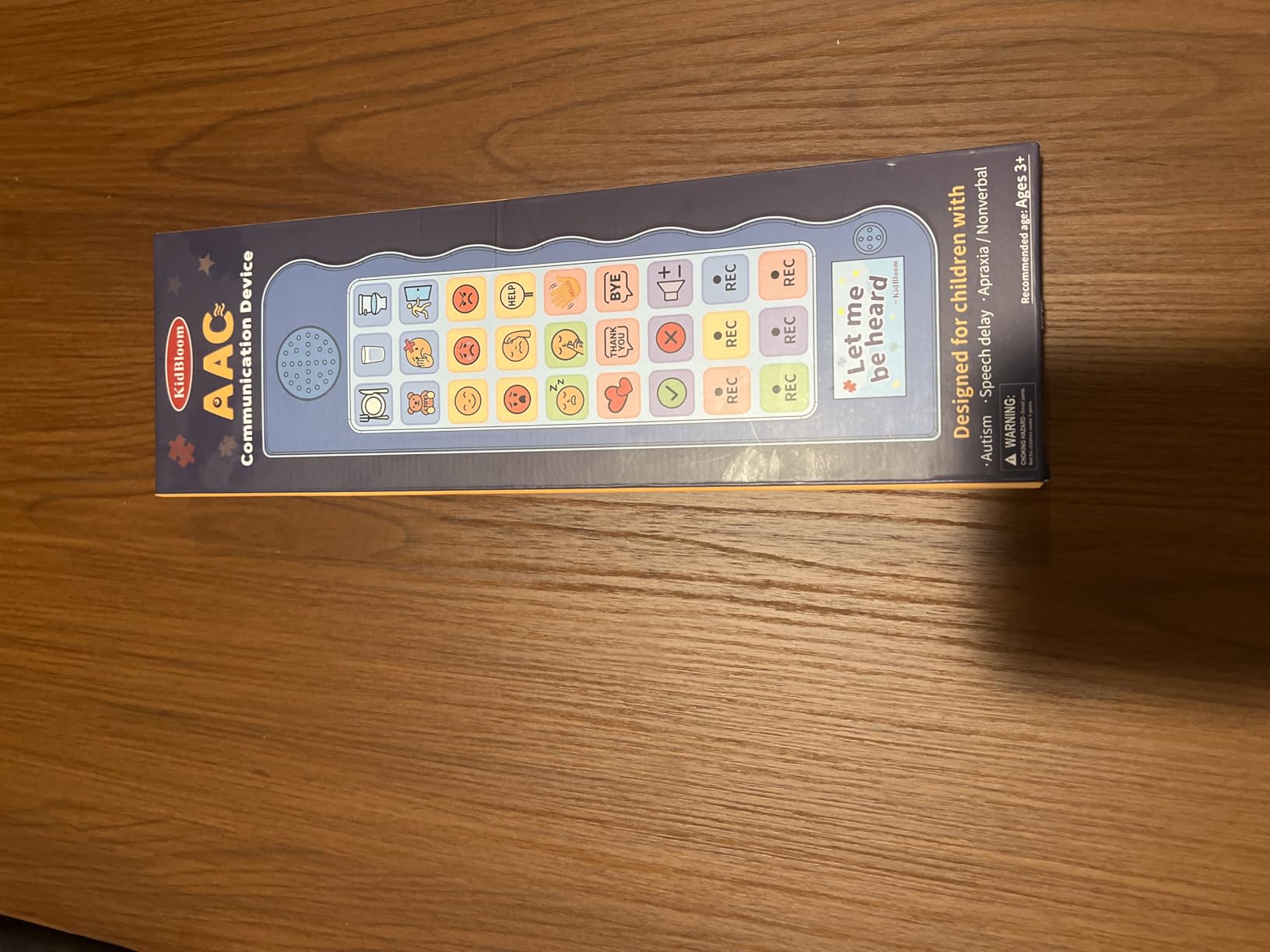
KidBloom takes a color-zone approach similar to competitors, organizing 20 sound buttons into five color-coded sections that help children find words faster. Six recordable buttons add personalization, and the design explicitly targets children ages 4-12, which shows in the child-friendly aesthetics and vocabulary choices.
Our team found the color-zone system intuitive for young users who respond to visual organization. The 29 speaker holes provide clear audio output, and the storage pouch keeps everything together when moving between locations. At $13.99, the price point remains accessible for families exploring AAC options.
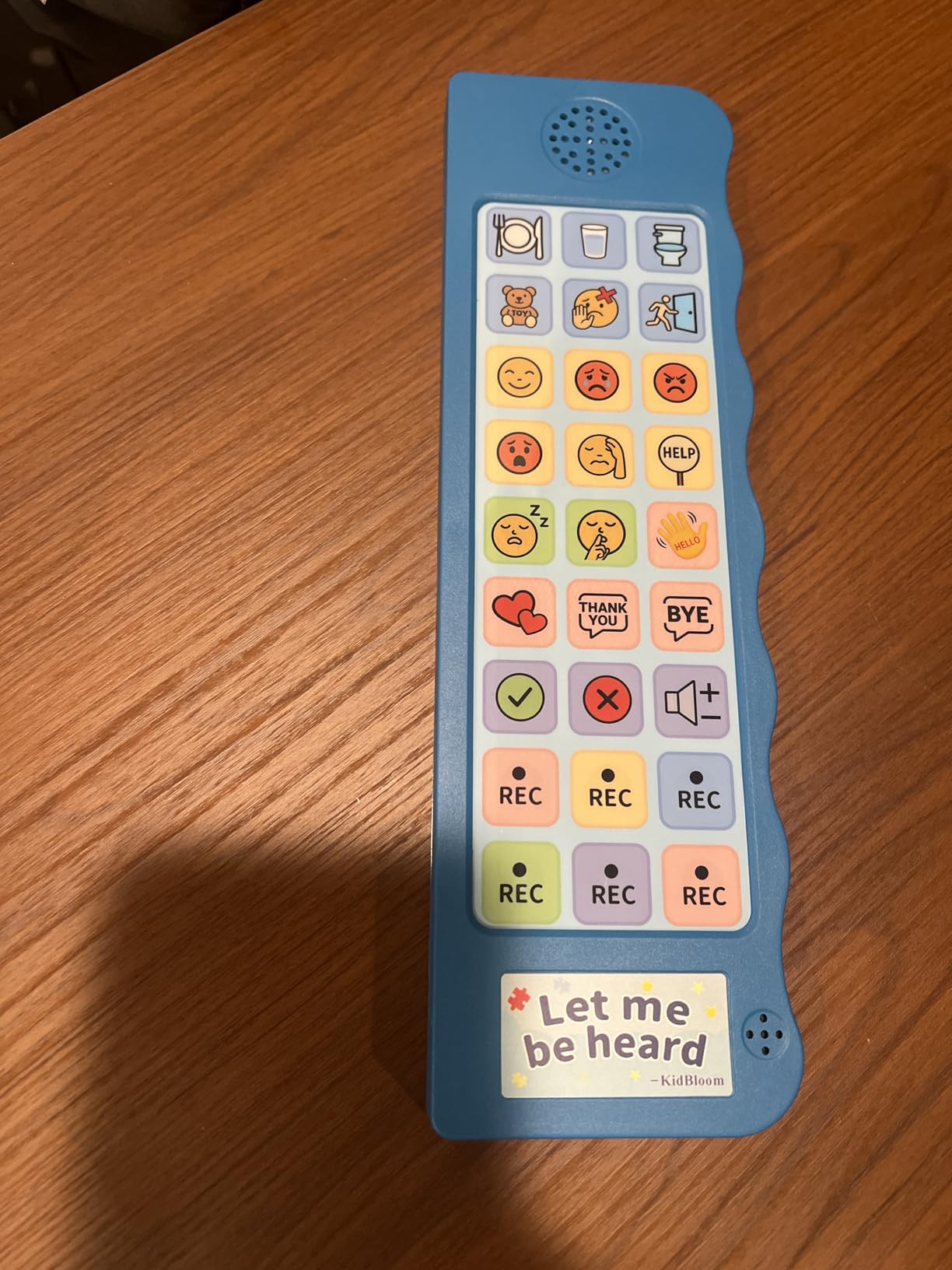
Button pressure requirements are higher than ideal. Children with limited hand strength may struggle, though the device still responds more easily than some competitors. Recording quality varies, with some parents noting static background noise in their custom recordings.
The manufacturer recommends the device for children with autism, apraxia, Down syndrome, and speech delays. The child voice option helps kids feel understood, and the ergonomic design fits small hands comfortably. Some units reportedly fail after short use periods, suggesting quality control inconsistency.
Who should buy this
Young children aged 4-12 who respond to color-coded organization will benefit from this device. The recordable buttons support personalization, and the lightweight design suits active kids. The accessible price point makes it easy to try.
Who should look elsewhere
Children with motor difficulties may become frustrated by the button pressure required. Quality control concerns mean some families may receive defective units, so factor in the potential for returns when purchasing.
12. Skdtazrz AAC Device
AAC Communication Board for Autism, AAC Device for Nonverbal Kids & Adults
37 Buttons
8 Recordable
Male/Female Voice
Safety Battery Cover
Pros
- 37 pre-set buttons plus 8 recordable
- 4-level adjustable volume
- Male and female voice options
- Screw-closed battery compartment
- Drawstring bag included
Cons
- Face may not be durable enough
- Not rechargeable
- Lightweight raises durability concerns
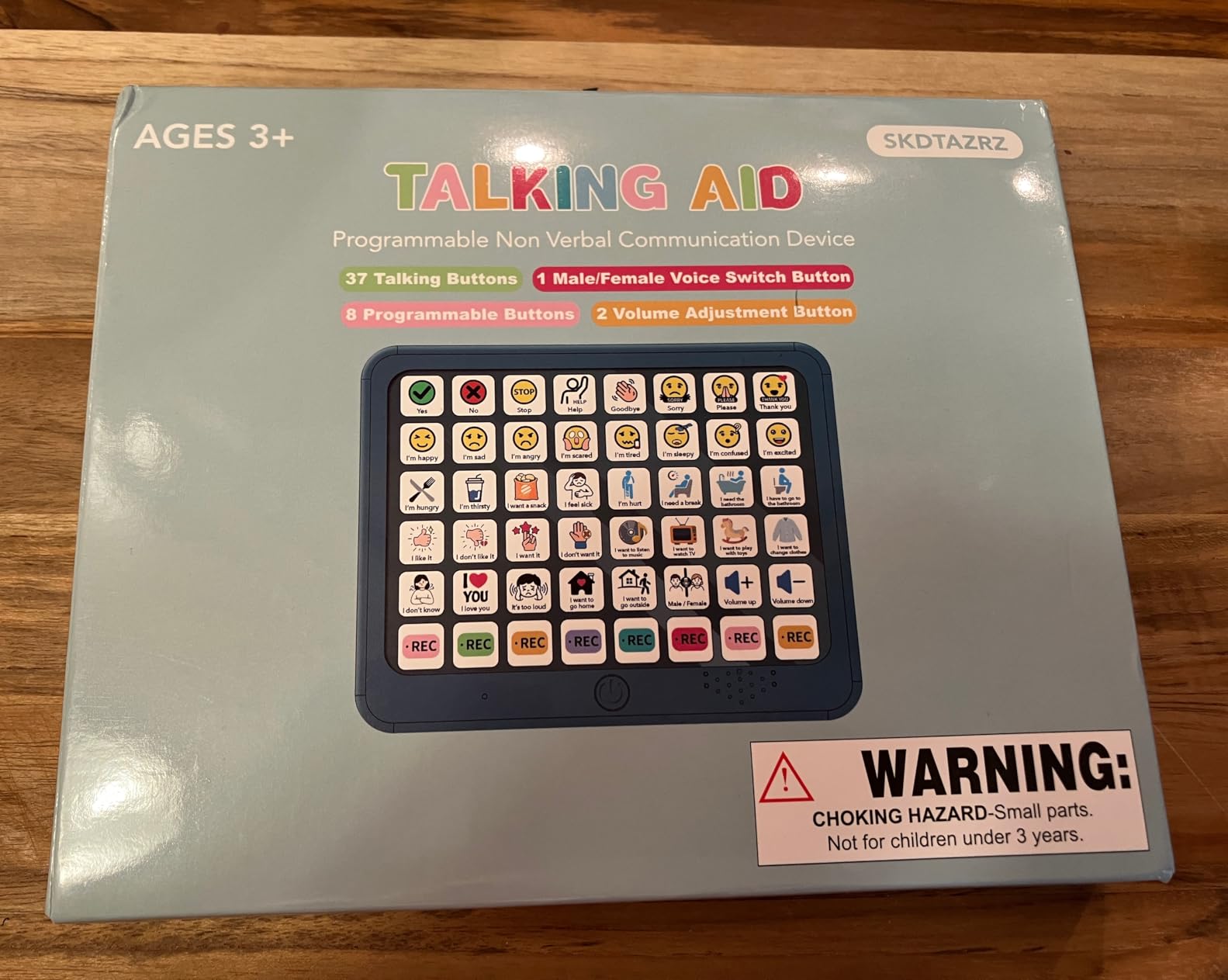
The Skdtazrz AAC device combines 37 pre-loaded phrases with 8 fully customizable recordable buttons, creating a balanced mix of ready-to-use vocabulary and personal customization. The male and female voice options provide variety, and the four-level volume adjustment handles different environments.
Safety-conscious parents will appreciate the screw-closed battery compartment, which prevents children from accidentally accessing batteries. This thoughtful design choice reduces risk in households with curious little ones. The device weighs just enough to feel substantial without being heavy.
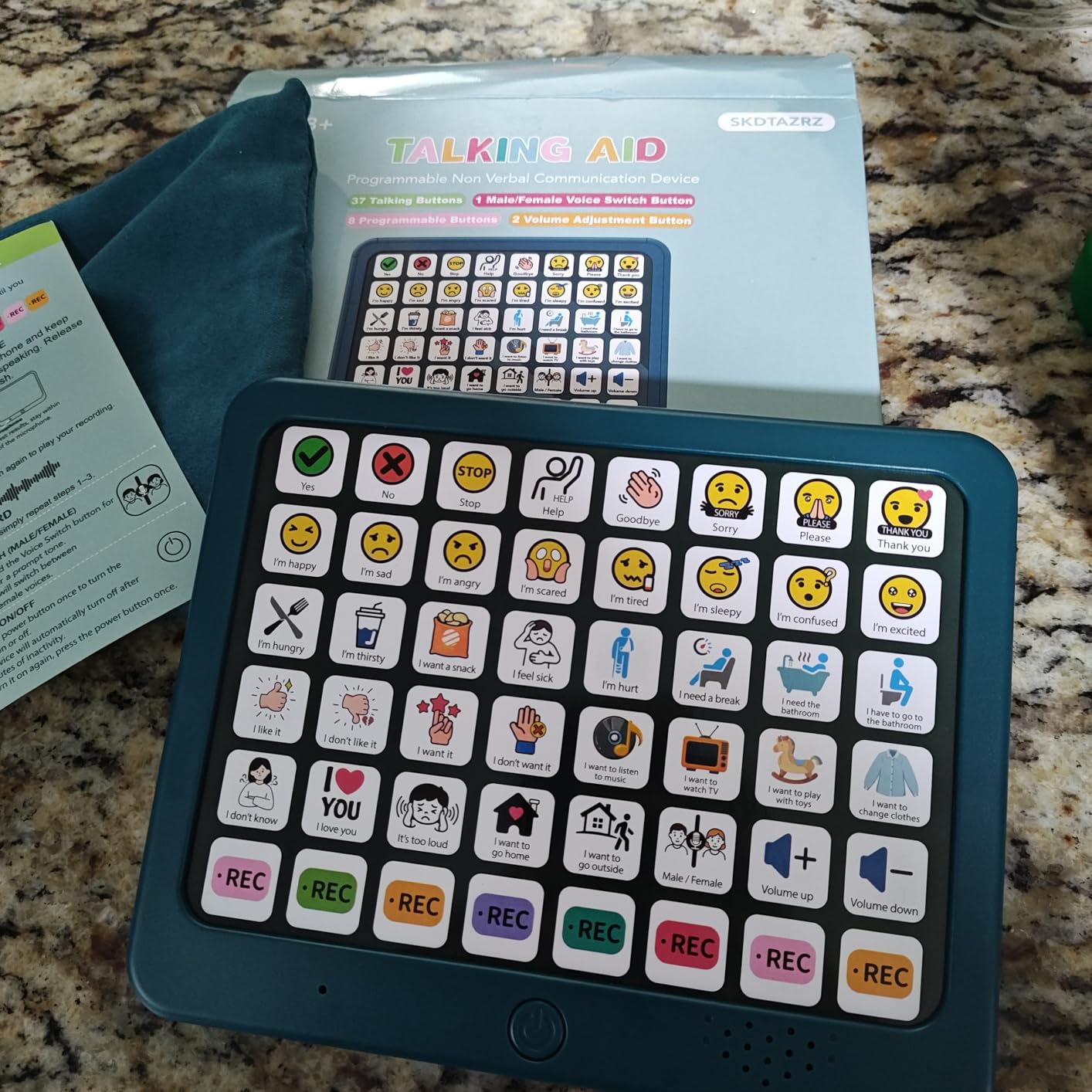
The dual word and image buttons support visual accessibility, helping nonverbal students understand what each button represents before pressing it. The drawstring bag makes transport simple, and the device fits in most bags without taking much space.
Rechargeable batteries would improve the user experience since the device relies on AAA batteries. The lightweight construction raises durability concerns for rough handling, though moderate use should not present problems. Some parents note that the device face may separate from the body over time.
Who should buy this
Families wanting a balance of pre-set and customizable vocabulary find value here. The safety-focused battery compartment appeals to parents of young children, and the voice options provide variety for kids who respond to different voices.
Who should look elsewhere
If your child is rough with devices or you need a rechargeable option, look elsewhere. The lightweight construction may not survive aggressive handling, and battery costs add up over time.
13. AbleNet BIGmack Communication Device
AbleNet BIGmack AAC Communication Device – Speech Therapy Communication Aid for Nonverbal Kids & Adults – Product Number #10000041
Single Button
2-Min Recording
Mountable
USB Connectivity
Pros
- Simple and effective single-button design
- Record up to 2 minutes of audio
- Durable professional-grade construction
- Mounting plate for wheelchair attachment
- Versatile for all ages and abilities
Cons
- Very expensive for single-message device
- Only supports one message at a time
- Durability concerns with rough handling
The AbleNet BIGmack represents professional-grade AAC at its simplest. Rather than overwhelming users with dozens of buttons, this device offers a single large button that plays one recorded message up to two minutes long. This simplicity makes it accessible for individuals with significant cognitive or motor impairments who benefit from focused communication.
Schools and therapy practices favor the BIGmack for its durability and versatility. The built-in mounting plate attaches to wheelchairs, tables, or stands, positioning the device exactly where users need it. USB connectivity allows integration with computers for programming and audio management.
The premium price reflects professional-grade construction. Our team found the device built to withstand daily institutional use, though individual families may question whether single-message functionality justifies the $155 cost. For users who truly benefit from simple, focused communication, the investment makes sense.
Who should buy this
Individuals with significant cognitive or motor impairments benefit most from the single-button approach. The 2-minute recording accommodates longer messages, and the mounting options support wheelchair users. Professional settings like schools and therapy practices value the durability.
Who should look elsewhere
Most families will find better value in multi-button devices with broader vocabulary. The $155 price tag for single-message functionality limits utility to users who specifically need simplicity rather than expansive communication options.
14. AbleNet QuickTalker 23
AbleNet QuickTalker 23 – Portable Multi-Message Speech Device with FeatherTouch Technology, 103 Messages, 5 Recording Levels, and Durable Design, AAC Communication Device for Non Verbal Kids & Adults
103 Messages
5 Levels
FeatherTouch
18-Min Recording
Pros
- FeatherTouch activation requires 70% less force
- 103 messages across 5 levels
- Sturdy professional construction
- 20+ main message locations
- Carrying handle included
Cons
- No pre-recorded messages included
- Difficult to create custom overlays
- App for overlays not compatible with all devices
- Sound quality described as tinny
The AbleNet QuickTalker 23 steps up from the BIGmack with 103 total messages across five recording levels. The FeatherTouch technology requires 70% less force than traditional buttons, accommodating users with limited hand strength. Our team found this feature essential for children with conditions affecting motor control.
Five recording levels allow the device to grow with users, starting simple and adding complexity as skills develop. The 18-minute total recording time provides substantial flexibility for customizing messages to specific situations and needs.
The main frustration is the lack of pre-recorded messages or overlays. Unlike consumer-friendly devices, the QuickTalker requires significant setup time. Creating custom overlays demands technical literacy and, in some cases, specific devices like iPads to use the companion app. Some parents report the app QR code leads to non-functional resources.
Who should buy this
Users with motor impairments who need light button activation benefit most. The multiple recording levels support progressive skill development, and professional construction withstands institutional use. Therapy practices and schools may find the investment worthwhile for appropriate users.
Who should look elsewhere
Families wanting a plug-and-play experience should choose simpler devices. The technical setup requirements and app compatibility issues create barriers that frustrate many caregivers. Sound quality also disappoints compared to competitors.
15. The Wireless Standard AAC Device
Talking Keyboards The Wireless Standard – AAC Device for Speech Therapy and Assistive Speaking – AAC Communication Device for Non-Verbal Adults, Speech Impaired Individuals, Post-Operative Patients
Keyboard Style
30 Phrases
English/Spanish
Lightweight
Pros
- Enables speech for speaking impaired adults
- Works well for telephone communication
- Easy straight-out-of-box setup
- 30 user-defined phrases
- English and Spanish voices
Cons
- Price unreasonably high for functionality
- Complicated instructions
- Glitches in speech synthesis
The Wireless Standard targets a different demographic than most AAC devices in our review: adults who have lost speech due to laryngectomy, throat cancer, or post-operative conditions. The keyboard-style design supports telephone communication, which addresses a specific need often overlooked in AAC discussions.
With 30 user-defined phrases accessible via single key presses, the device provides meaningful communication for adults relearning how to express themselves. The English and Spanish voice options accommodate bilingual users, and the lightweight portable design works for daily activities.
At $679, the price raises questions about value. While the specialized design serves adult users well, consumers can find less expensive alternatives that offer similar functionality. The complicated instructions also create barriers for users who may already be dealing with health challenges.
Who should buy this
Adults who have lost speech due to medical conditions find genuine utility in this device. The telephone communication capability addresses a unique need, and the bilingual support helps Spanish-speaking users maintain both languages in communication.
Who should look elsewhere
Most families seeking AAC for children will find better value elsewhere. The specialized adult focus and high price make this less suitable for household AAC needs, and the learning curve complicates an already challenging situation.
How to Choose the Right AAC Device for Your Child
Selecting the best communication tablet for nonverbal students requires understanding several key factors that determine which device will work best for your specific situation. This buying guide walks through the main considerations our team uses when helping families make this important decision.
Dedicated AAC Device vs Tablet-Based AAC
One of the first choices involves dedicated AAC devices versus general tablets running AAC apps. Dedicated devices like the TalkingTiles or Joyreal offer plug-and-play simplicity with pre-installed vocabulary and no setup required. They work immediately out of the box, which appeals to families wanting immediate results.
Tablet-based AAC with apps like Proloquo2Go, TouchChat, and LAMP Words for Life provides more sophisticated vocabulary systems and customization options. The iPad example we reviewed works with these premium AAC applications, giving nonverbal students access to language systems that grow with their skills. The trade-off is higher total cost when combining the tablet purchase with app prices.
Our recommendation for most families is to start with an affordable dedicated device to determine if AAC works for your child, then transition to tablet-based solutions as needs become clearer. Our guide to using iPad with autistic students provides additional details on this approach.
Vocabulary Systems and Language Approaches
Different AAC devices and apps use different vocabulary organization systems. Core words approaches like LAMP Words for Life focus on high-frequency words that combine to create spontaneous speech. Visual scene displays present complete scenes with embedded vocabulary, while grid-based systems organize symbols in predictable layouts.
Understanding which vocabulary system matches your child’s learning style matters. Some children respond better to visual scenes while others navigate grids more easily. If possible, try different systems before committing. Many AAC apps offer free trials, and speech-language pathologists can provide guidance based on evaluation results.
Access Methods
Standard touchscreen access works for most users, but children with motor impairments may need alternative access methods. Switch scanning automatically highlights options that users select with a switch button. Eye-tracking technology lets users select items by looking at them on screen, which serves users with limited physical movement.
Most budget devices only support direct touch access. If motor impairments are part of your child’s profile, professional evaluation by an occupational or speech therapist helps determine which access method will work best. Some devices like the AbleNet QuickTalker include accessible button options designed for users with limited hand strength.
Durability and Warranty
AAC devices face heavy daily use that consumer electronics are not always designed to handle. Look for devices with protective cases, reinforced buttons, and solid construction. The TalkingTiles includes a built-in safety feature preventing accidental deletion, which provides peace of mind with curious young users.
Warranty coverage varies significantly. Amazon renewed devices include 90-day warranties, while dedicated AAC manufacturers often offer longer coverage. Professional devices from AbleNet include institutional-grade durability but at corresponding price points. Consider how the device will be used and by whom when evaluating durability needs.
Insurance and Medicaid Funding
Many families qualify for insurance coverage or Medicaid funding for AAC devices. The process typically requires documentation from a speech-language pathologist recommending AAC and specifying which device meets the user’s needs. Insurance companies often cover dedicated AAC devices more readily than tablets, though this varies by provider and plan.
Medicaid coverage for AAC varies by state, with some states covering dedicated AAC devices under durable medical equipment benefits. The process involves submitting medical necessity documentation and often includes appeals if initial claims are denied. Our research found that many families successfully obtain coverage with proper documentation from their therapy team.
Age-Appropriate Selection
Children of different ages have different needs. Toddlers benefit from simple devices with large, colorful buttons requiring minimal force. School-age children can handle more sophisticated vocabulary systems and may benefit from expandable options that grow with their skills. Teenagers and adults often prefer sleeker designs that do not appear juvenile.
The MibbyTalk and Brightway devices work well for young children, while the iPad with AAC apps provides scalability for users of all ages. Evaluate not just current needs but anticipated growth when making your selection.
For more guidance on setting up AAC solutions, see our articles on iPad for special education accessibility features and iPad accessibility and AAC setup.
Frequently Asked Questions About AAC Devices
What are the communication devices for nonverbal students?
Communication devices for nonverbal students include dedicated AAC devices like button-based talkers and speech-generating tablets, as well as tablet-based solutions with AAC apps. These tools help nonverbal students express needs, wants, and ideas through symbols, pictures, or text-to-speech technology.
Is there a tablet for kids that can’t talk?
Yes, several tablets work as communication devices for nonverbal children. The Apple iPad paired with AAC apps like Proloquo2Go or TouchChat provides sophisticated speech generation. Dedicated AAC tablets like TalkingTiles offer pre-configured communication systems designed specifically for children who cannot speak.
How do you best communicate with non-vocal students?
The best approach combines AAC devices with supportive communication strategies. Use the student’s device consistently, wait patiently for responses, model AAC use yourself, and create communication opportunities throughout the day. Avoid speaking for the student or completing sentences before they finish.
Does insurance cover AAC devices for nonverbal children?
Many insurance plans and Medicaid programs cover AAC devices for children with documented communication needs. Coverage typically requires a prescription and evaluation from a speech-language pathologist specifying the medical necessity of the device. The process involves submitting documentation and may include appeals if initially denied.
Will using an AAC device stop my child from learning to speak?
No, research consistently shows that AAC does not hinder speech development and often supports it. When children can communicate using AAC, they often experience reduced frustration that enables verbal attempts. Many children using AAC develop speech alongside their device use, and some eventually discontinue AAC as spoken language develops.
Final Thoughts: Finding the Best Communication Tablets for Nonverbal Students
Choosing the right AAC device transforms lives. The best communication tablets for nonverbal students give children voices they did not have before, reducing frustration and opening doors to learning, social connection, and self-expression. Whether you choose an affordable button-based device like the Joyreal, a dedicated AAC tablet like TalkingTiles, or a tablet-based solution with apps like Proloquo2Go on an iPad, every device on this list has helped real families bridge communication gaps.
Our top recommendations remain the Apple iPad 9.7 Renewed for families wanting flexibility and growth potential, the TalkingTiles for professional-grade dedicated AAC, and the Joyreal for families seeking excellent value under $50. Each serves different needs and budgets, and all represent legitimate paths to improved communication.
The journey with AAC requires patience, consistency, and support. Devices sit unused without team collaboration between families, therapists, and schools. But when implemented well, AAC changes everything. Children who could not ask for water can request it. Children who could not say I love you find their voice. That transformation makes every consideration in this guide worthwhile.
Start with what fits your budget and comfort level, and know that you can always evolve your approach as your child grows. The best communication tablet is the one your child actually uses consistently, and that reality may look different for every family.