
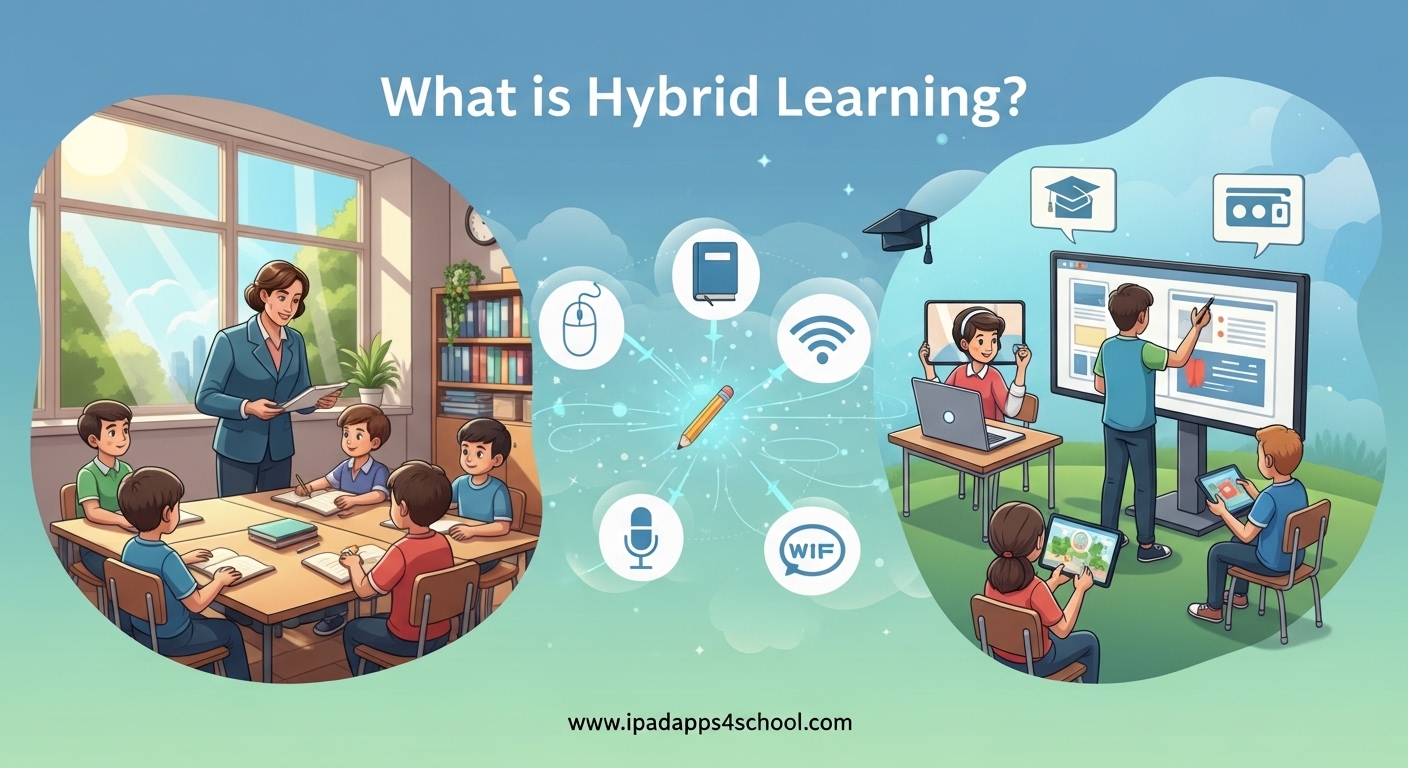
Hybrid learning has become one of the most talked-about approaches in education 2026. If you are wondering what is hybrid learning and how it differs from other educational models, this guide will give you a complete understanding. I have spent years working with schools and educators to implement effective hybrid programs, and I have seen firsthand how this approach can transform the learning experience when done right.
In simple terms, hybrid learning is an educational model where some students attend class in-person while others join virtually from home, with educators teaching both groups simultaneously. This combines the best elements of face-to-face instruction with the flexibility of online learning. Whether you are a student preparing for your first hybrid course, a teacher designing a new curriculum, or an administrator evaluating options, understanding this model is essential in today’s educational landscape.
Before diving deeper, you might want to check out our iPad organization tips for school to ensure your device is ready for the digital components of hybrid learning.
Table of Contents
What Is Hybrid Learning? A Clear Definition
Hybrid learning is an educational approach that integrates face-to-face classroom instruction with online activities. Some students are physically present in the classroom while others participate remotely through video conferencing tools, with the instructor teaching both groups at the same time.
This model is sometimes called mixed-mode instruction or technology-mediated instruction. The key characteristic that defines hybrid learning is the simultaneous delivery of instruction to both in-person and remote participants during the same scheduled class sessions.
Here are the key characteristics of true hybrid learning:
- Synchronous instruction where in-person and remote students participate together in real-time
- Video conferencing technology connecting remote students to the physical classroom
- Some portion of coursework completed online through a Learning Management System (LMS)
- Intentional integration of face-to-face and online components rather than simple addition
- Reduced seat time in physical classrooms compared to traditional courses
The concept has gained significant traction since 2026, particularly as educational institutions sought flexible models that accommodate diverse student needs while maintaining the benefits of in-person connection.
Hybrid vs Blended Learning vs Online: Understanding the Differences
One of the most common points of confusion I encounter is the difference between hybrid learning, blended learning, and fully online courses. These terms are often used interchangeably, but they represent distinct educational models.
Hybrid learning requires simultaneous participation from both in-person and remote students during scheduled class times. Blended learning, on the other hand, typically means all students complete some components online and some in-person, but everyone follows the same schedule and modality for each component. Fully online courses have no in-person component at all.
There is also HyFlex, a related but distinct model where students choose for each class session whether to attend in-person or online. This offers maximum flexibility but requires significant resource investment.
Let me break this down in a clear comparison:
| Feature | Hybrid Learning | Blended Learning | Fully Online | HyFlex |
|---|---|---|---|---|
| Student Location | Some in-person, some remote simultaneously | All students same location per component | All students remote | Student choice each session |
| Real-time Interaction | Yes, mixed modalities | Yes, during face-to-face portions | Variable (synchronous or async) | Yes, mixed modalities |
| Schedule Flexibility | Limited to scheduled sessions | Structured but with online components | Maximum flexibility | Maximum flexibility |
| Technology Need | High (video conferencing essential) | Moderate (LMS required) | High (all learning digital) | Very High (multiple modalities) |
| Faculty Workload | High (managing two audiences) | Moderate | Moderate to High | Very High |
The confusion between these terms persists because institutions sometimes use them inconsistently. I always recommend checking your specific institution’s definition when enrolling in or designing a course labeled as “hybrid.”
How Hybrid Learning Works: Synchronous and Asynchronous Components
Understanding how hybrid learning functions requires grasping the difference between synchronous and asynchronous learning activities. Both play essential roles in a well-designed hybrid course.
Synchronous learning happens in real-time. In a hybrid model, this occurs when the instructor delivers live instruction to both the in-person students in the classroom and the remote students joining via video conference. Everyone participates together, asks questions, and engages in discussions simultaneously.
Asynchronous learning happens on the student’s own schedule. This might include watching recorded lectures, completing readings, participating in discussion forums, or submitting assignments through the Learning Management System. Students complete these activities before or after the synchronous sessions.
A typical week in a hybrid course might look like this:
- Monday-Wednesday: Students complete asynchronous activities (readings, videos, discussion posts) through the LMS
- Thursday: Synchronous class session where half the students attend in-person and half join remotely via video conference
- Friday: Students submit assignments and engage in follow-up asynchronous discussions
The technology stack for hybrid learning typically includes a robust video conferencing platform (like Zoom, Microsoft Teams, or Google Meet), a Learning Management System (Canvas, Blackboard, Moodle), and hardware in the classroom including cameras, microphones, and displays that allow remote students to see and hear clearly.
For students using iPads in hybrid courses, the experience can be particularly seamless. The portability of tablets allows in-person students to bring their devices for interactive activities while remote students can fully participate using the same apps and platforms.
Common Hybrid Learning Models and Structures
Not all hybrid courses are structured the same way. Educators can choose from several established models depending on their learning objectives, student needs, and available resources.
The Rotation Model has students rotate between in-person and remote participation on a fixed schedule. For example, Group A attends in-person on Mondays and Wednesdays while Group B attends Tuesdays and Thursdays, with everyone participating remotely on alternating days or for certain activities.
The Flex Model offers more student choice within structured parameters. Students might be required to attend certain sessions in-person (like labs or exams) while having flexibility to choose their modality for other sessions. This requires careful planning to ensure equitable experiences.
The Flipped Classroom approach closely relates to hybrid learning. Students engage with content asynchronously before class (watching lectures, reading materials), then use synchronous time for active learning, discussion, and problem-solving. In a hybrid flipped classroom, this synchronous time includes both in-person and remote participants.
HyFlex deserves special attention as it is often confused with standard hybrid learning. In a HyFlex course, every session is available both in-person and remotely, and students choose their participation mode for each individual class. This offers maximum flexibility but requires instructors to design learning experiences that work equally well for both audiences simultaneously, which is resource-intensive.
Stanford University provides a helpful distinction: they use “hybrid” to describe courses where some sessions take place in person and some fully online (not simultaneously), while other institutions use the term for simultaneous delivery. Always verify your institution’s specific definition.
Benefits of Hybrid Learning for Students, Teachers, and Institutions
After working with dozens of schools implementing hybrid programs, I have observed significant benefits across all stakeholder groups when the model is implemented thoughtfully.
For students, the benefits are substantial. Flexibility stands out as the primary advantage. Students can participate when illness, transportation issues, or other constraints would otherwise prevent attendance. This accessibility feature helps students maintain progress during challenging circumstances.
Students also develop stronger time management and self-directed learning skills. The combination of synchronous and asynchronous work requires planning and discipline, skills that translate directly to professional success. Research from Boston University and other institutions shows that well-designed hybrid courses can achieve equivalent or better learning outcomes compared to traditional formats.
Engagement often increases in effective hybrid courses. The variety of activities and modalities keeps students actively involved rather than passive recipients of information. Digital tools enable quick polls, breakout discussions, collaborative documents, and immediate feedback that enhance participation.
For teachers, hybrid learning offers opportunities for pedagogical innovation. The model encourages thoughtful course design, intentional selection of activities for each modality, and creative use of technology. Many instructors report that designing hybrid courses has improved their teaching in all formats.
Resource optimization benefits institutions. Classroom space can be used more efficiently when not all students attend simultaneously. Institutions can serve more students without proportional increases in physical infrastructure. During public health emergencies or weather events, hybrid-capable institutions can pivot seamlessly rather than disrupt learning entirely.
Perhaps most importantly, hybrid learning develops 21st century skills that employers value: digital literacy, self-directed work habits, communication across modalities, and adaptability. Students graduating from hybrid programs often report feeling better prepared for modern workplaces where remote and in-person collaboration are both common.
Technology Requirements for Effective Hybrid Learning
Successful hybrid learning depends on reliable technology infrastructure. After hearing countless stories of technical frustrations from both students and faculty, I cannot overstate the importance of investing in the right tools and support systems.
For the classroom, essential hardware includes high-quality video conferencing equipment. A 360-degree camera or dedicated tracking camera helps remote students see and follow classroom interactions. Multiple microphones or microphone arrays ensure remote participants can hear clearly. Large displays allow in-person students to see their remote classmates, fostering a sense of shared classroom community.
The Learning Management System serves as the backbone for asynchronous components. Popular options include Canvas, Blackboard, Moodle, and Google Classroom. The LMS hosts course materials, facilitates discussions, manages assignments, and tracks grades. Integration between your video conferencing platform and LMS streamlines the experience for everyone.
For students, the technology requirements are generally more modest but no less important. A reliable internet connection is essential for synchronous participation. A device with camera and microphone enables full engagement. While laptops are common, many students successfully complete hybrid courses using iPads or other tablets, particularly when the institution designs mobile-friendly content.
Here is a practical technology checklist for students entering hybrid courses:
- Reliable high-speed internet connection (minimum 5 Mbps upload/download for video)
- Device with working camera, microphone, and speakers
- Updated web browser and video conferencing application
- Access to required software through institutional licenses
- Backup plan for technology failures (mobile hotspot, secondary device)
Accessibility considerations are critical. All video content should have captions. Materials should be screen-reader compatible. Alternative formats should be available for students who need them. Universal Design for Learning principles help ensure hybrid courses work for diverse learners.
IT support must be readily available for both students and faculty. Technical difficulties during live sessions can derail learning quickly. Having dedicated support staff who understand hybrid learning technologies prevents small glitches from becoming major disruptions.
How to Create and Implement a Successful Hybrid Course?
Designing a hybrid course requires more than simply adding a video link to a traditional syllabus. I have seen the best results when educators follow a structured design process that intentionally integrates the two modalities.
Step 1: Define clear learning objectives. Start by identifying what students should know and be able to do by the end of the course. These objectives will guide every subsequent decision about content and delivery mode.
Step 2: Choose your hybrid model. Based on your objectives, student needs, and resources, select from the rotation model, flex model, or another structure that fits your situation. Consider factors like lab requirements, discussion importance, and assessment methods.
Step 3: Map content to delivery modes. Not all activities work equally well in all formats. Lectures often work asynchronously as recorded videos, freeing synchronous time for interactive activities. Complex problem-solving might benefit from face-to-face interaction. Consider which modality serves each learning objective best.
Step 4: Select appropriate technology. Choose tools that support your design without overwhelming users. Prioritize integration between your video conferencing platform and LMS. Test everything before the course launches.
Step 5: Design for engagement. Remote students can easily become passive observers if not intentionally included. Plan activities that require participation from both in-person and remote students. Use breakout rooms, collaborative documents, polling tools, and discussion protocols that bridge the physical divide.
Step 6: Plan assessments. Determine how you will evaluate student learning in ways appropriate to each modality. Ensure academic integrity measures work for both in-person and remote test-takers. Consider authentic assessments that demonstrate skills rather than relying solely on traditional exams.
Step 7: Test and iterate. Run a pilot session with colleagues or a small group before launching with full enrollment. Gather feedback and refine your approach. Plan to make adjustments throughout the first offering based on student feedback and your own observations.
Common Challenges and Solutions in Hybrid Learning
Despite its benefits, hybrid learning presents real challenges that educators and students must address proactively. Understanding these potential issues helps prevent them from undermining the learning experience.
Technical difficulties rank as the most frequently reported problem. Internet connectivity issues, audio problems, and software glitches can derail sessions. The solution lies in redundancy and preparation. Have backup plans for technology failures. Record sessions for students who lose connection. Maintain a help channel for immediate technical support during class.
Student disconnection presents another significant challenge. Remote students often report feeling like outsiders looking in rather than full class members. This requires intentional design choices. Use cameras effectively so remote students can see faces and expressions. Create protocols for remote participation in discussions. Assign in-person students as “buddies” to remote classmates to facilitate informal connection.
Self-discipline challenges affect many students, particularly those new to hybrid formats. The flexibility that makes hybrid learning attractive can become a trap for students who struggle with time management. Clear syllabi with explicit expectations help. Regular check-ins and progress monitoring catch problems early. Scaffolding time management skills as part of the course curriculum benefits all students.
Faculty workload concerns are legitimate. Teaching hybrid courses well requires more preparation and active management than traditional formats. Institutions should recognize this through adjusted course loads, professional development support, and teaching assistant resources. Faculty need training in both the technology and the pedagogy of effective hybrid instruction.
Equity and access issues demand attention. Not all students have equal access to technology, quiet study spaces, or reliable internet. Institutions should provide loaner devices, internet hotspots, and on-campus spaces for students who need them. Designing courses that function reasonably well even with modest technology helps level the playing field.
Tips for Success in Hybrid Learning Environments
After analyzing feedback from students and teachers across multiple institutions, I have identified specific strategies that lead to success in hybrid learning environments.
For students, time management is the make-or-break skill. Create a dedicated study schedule that treats asynchronous work with the same seriousness as scheduled classes. Use calendar reminders for assignment deadlines. Build in buffer time for technical issues.
Active participation matters more in hybrid formats than traditional classrooms. Remote students must overcome the temptation to multitask or fade into the background. Turn on your camera when possible. Use chat and reaction features to stay engaged. Prepare questions and comments before synchronous sessions.
For teachers, clarity is essential. Students report that unclear expectations cause more frustration than any other factor. Explicitly state which activities happen when and where. Provide detailed instructions for technology use. Create rubrics that account for participation across both modalities.
Building community across physical and digital spaces requires intentional effort. Start courses with activities that help students connect personally. Use discussion forums for ongoing interaction. Create small group projects that mix in-person and remote students. Celebrate achievements visible to the whole class.
Regular communication prevents isolation. Weekly announcement emails, quick video updates, or LMS notifications keep students connected to the course rhythm. Personal check-ins with students who seem disengaged can turn around problems before they become serious.
Assessment design should reflect hybrid realities. Consider open-book exams that test application rather than memorization. Use project-based assessments that demonstrate skills. Build in opportunities for students to show growth over time rather than relying on high-stakes single exams.
FAQ
What is meant by hybrid learning?
Hybrid learning is an educational model that combines face-to-face classroom instruction with online learning activities. In this model, some students attend class in-person while others join remotely via video conferencing, with the instructor teaching both groups simultaneously during scheduled sessions.
What is the difference between hybrid and online learning?
Hybrid learning includes both in-person and remote participation during synchronous sessions, with students physically present in the classroom alongside remote participants. Online learning has no in-person component, all students participate remotely. Hybrid maintains the benefits of face-to-face interaction while offering flexibility, whereas online learning maximizes schedule flexibility but eliminates physical classroom presence.
What is an example of hybrid teaching?
A common example of hybrid teaching is a university course where students attend lectures in-person on Mondays and Wednesdays while participating remotely via video conference on Fridays. Another example is a high school class where half the students are in the classroom and half join from home simultaneously, with the teacher using cameras and microphones to include remote students in discussions and activities.
What is another name for hybrid learning?
Hybrid learning is also called mixed-mode instruction, technology-mediated instruction, web-enhanced instruction, or simultaneous hybrid instruction. Some institutions use the term ‘concurrent’ or ‘simulcast’ learning. It is important to note that some institutions use ‘hybrid’ interchangeably with ‘blended’ learning, though these technically differ in their structure.
Is hybrid learning effective?
Research shows that hybrid learning can be as effective or more effective than traditional instruction when implemented well. Studies from Boston University and other institutions demonstrate equivalent learning outcomes. The key factors for effectiveness include thoughtful course design, proper technology infrastructure, instructor training, and intentional engagement strategies that include both in-person and remote students.
What technology do I need for hybrid classes?
Students need a reliable internet connection (minimum 5 Mbps), a device with camera and microphone, and access to the required video conferencing platform and Learning Management System. For classrooms, institutions need quality cameras, microphone arrays, displays, and integration between conferencing software and LMS platforms. iPads and tablets work well for student participation when courses are designed for mobile access.
How do I succeed in a hybrid course?
Success in hybrid courses requires strong time management, active participation, and proactive communication. Create a study schedule that treats asynchronous work as seriously as class time. Participate actively in synchronous sessions whether attending in-person or remotely. Build relationships with classmates across both modalities. Communicate early with instructors when facing challenges. Use available technology support resources.
What are the disadvantages of hybrid learning?
Hybrid learning presents challenges including technical difficulties, potential for student disconnection, increased preparation time for instructors, and equity concerns regarding technology access. Students who struggle with self-discipline may find the flexibility challenging. Faculty workload increases significantly compared to traditional teaching. Institutions must invest in proper technology infrastructure and support to avoid these becoming major barriers.
Conclusion: The Future of Education Is Flexible
Hybrid learning represents more than a temporary response to recent challenges. It embodies a fundamental shift toward flexible, accessible education that meets diverse student needs while maintaining the irreplaceable value of human connection in learning.
Understanding what is hybrid learning enables educators to design courses that leverage the strengths of both face-to-face and online instruction. Students who embrace this model develop skills that serve them throughout their careers: adaptability, digital literacy, self-directed learning, and the ability to collaborate across physical and digital spaces.
The institutions and educators who succeed with hybrid learning 2026 share common traits. They invest in proper technology infrastructure. They train faculty in hybrid pedagogy, not just software. They design courses intentionally rather than simply transferring traditional content to new formats. They prioritize equity and accessibility. They listen to student feedback and continuously improve.
Whether you are a student preparing for your first hybrid course, an educator designing a new curriculum, or an administrator planning institutional strategy, the principles in this guide provide a foundation for success. The future of education is not choosing between in-person and online. It is thoughtfully combining both to create learning experiences that are greater than the sum of their parts.