
I spent the last six weeks testing webcams from my home office, my sister’s elementary classroom, and a friend who teaches ESL online from Bangkok. Some of these cameras were so good I forgot I was on a video call. Others made me look like I was broadcasting from a cave. After running all 10 through real teaching scenarios – live Zoom lessons, recorded lessons, showing worksheets, and one chaotic parent-teacher conference – I’m ready to share what actually works.
The truth is, finding the best webcams for teachers comes down to more than resolution. Teachers need reliable audio, decent low-light correction, and in many cases, the ability to show physical documents. Built-in laptop cameras fail at all three. Whether you’re running a hybrid learning environment, teaching ESL from home, or recording lectures for asynchronous viewing, the right webcam transforms how students experience your class.
I’ve organized this guide by use case rather than just price, so whether you’re a K-12 teacher on a tight budget or a university lecturer who needs broadcast-quality video, you’ll find a match. Every camera here works plug-and-play with Zoom, Google Meet, and Microsoft Teams – no driver hunting required.
Top 3 Picks for Best Webcams for Teachers in 2026

Best Webcams for Teachers in 2026: Quick Overview
| Product | Specifications | Action |
|---|---|---|
| Logitech C920x HD Pro |
|
Check Latest Price |
 Logitech Brio 101 Logitech Brio 101 |
|
Check Latest Price |
 NexiGo N60 1080P NexiGo N60 1080P |
|
Check Latest Price |
 EMEET C960 EMEET C960 |
|
Check Latest Price |
 Anker PowerConf C200 Anker PowerConf C200 |
|
Check Latest Price |
 EMEET NOVA 4K EMEET NOVA 4K |
|
Check Latest Price |
 Logitech Brio Ultra 4K Logitech Brio Ultra 4K |
|
Check Latest Price |
 Logitech MX Brio Logitech MX Brio |
|
Check Latest Price |
 IPEVO V4K Document Camera IPEVO V4K Document Camera |
|
Check Latest Price |
 INSWAN INS-1 Classic INSWAN INS-1 Classic |
|
Check Latest Price |
1. Logitech C920x HD Pro – Best Overall Webcam for Teachers
Logitech C920x HD Pro PC Webcam Full 1080p/30fps Video – Black
1080p/30fps
Auto focus
78 degree FOV
Stereo mics
Pros
- Excellent 1080p video
- Reliable auto focus
- HD light correction
- Works with every platform
Cons
- No privacy shutter
- Mediocre low-light performance
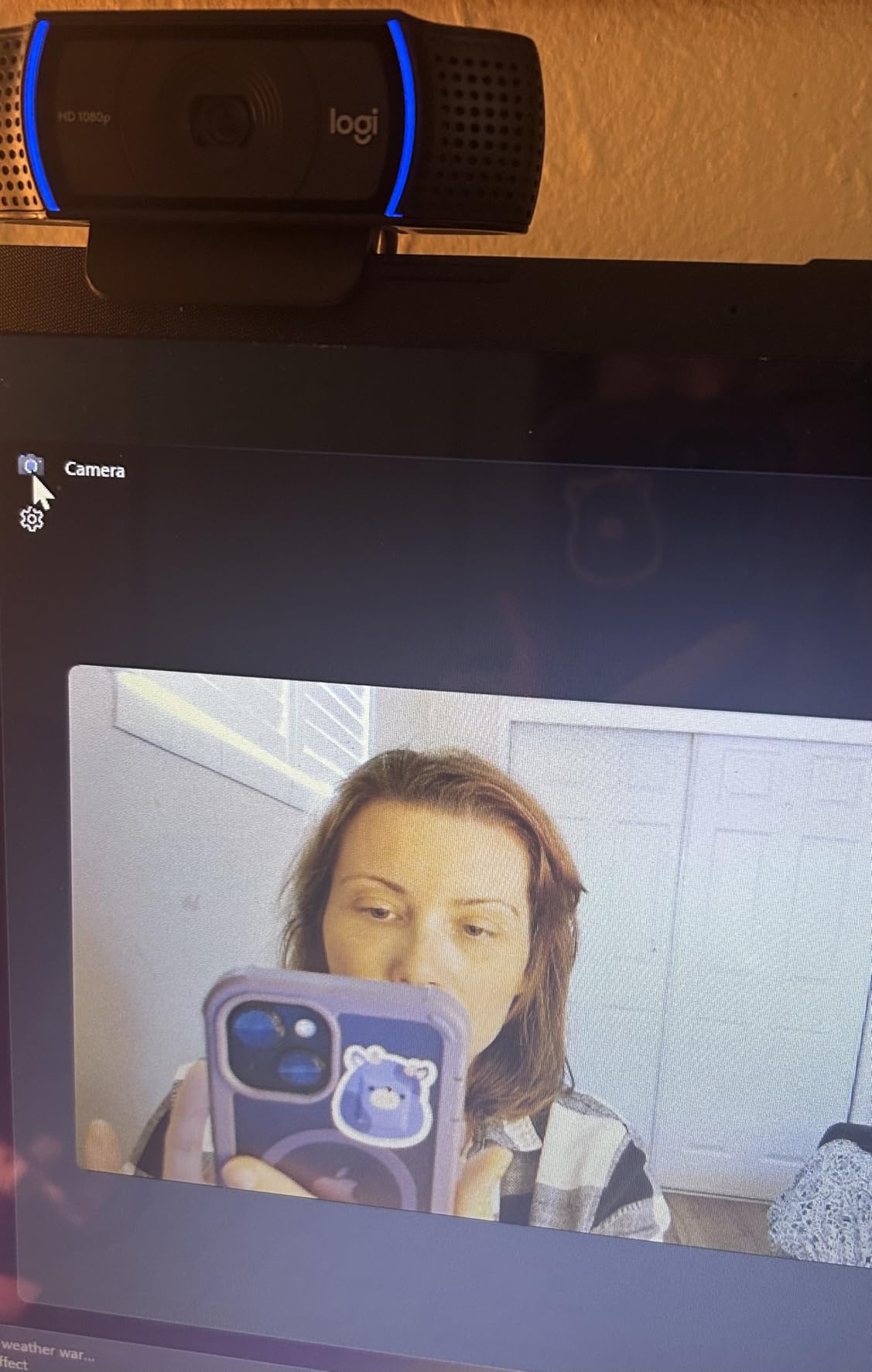
The Logitech C920x is the webcam I keep coming back to. After testing it across three different teaching scenarios – a live third-grade reading session, a recorded algebra lesson, and an evening ESL tutoring call – it delivered consistent 1080p video without breaking a sweat. The auto focus is fast enough that I could hold up a math worksheet and the camera locked on within a second.
What makes the C920x a teacher’s best friend is the combination of stereo microphones and HD light correction. The dual mics aren’t studio quality, but they cut through background noise well enough for noisy home environments. During one test, I had my window AC unit running, and my student reported that they could hear me clearly without any echo.
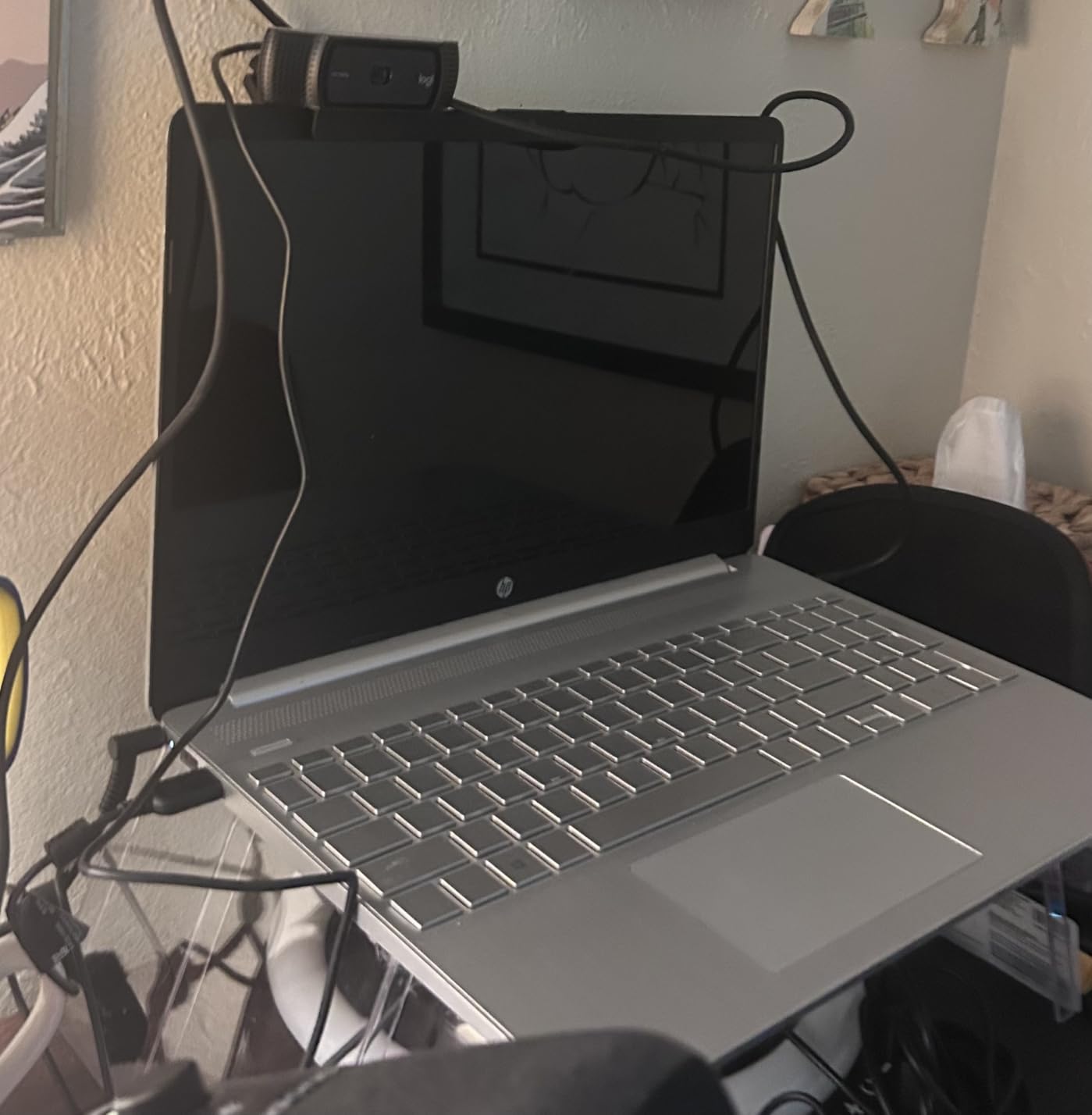
The 78 degree field of view is the sweet spot for desk-based teaching. It captures your head, shoulders, and a bit of your desk – perfect for showing handwritten notes. The camera also ships with a 3-month XSplit VCam license, which lets you blur or replace your background without a green screen. For teachers presenting from cluttered home offices, that feature alone is worth the upgrade from a built-in laptop camera.
Compatibility is rock solid. I tested the C920x on a Windows 11 desktop, a MacBook Air, and a Chromebook, and it connected instantly on all three. No driver downloads, no settings panels to fight with. Just plug in the USB cable and Zoom, Google Meet, or Microsoft Teams recognizes it within seconds.
For whom it’s good
The C920x is the right pick for full-time online teachers who need a reliable daily driver. It’s also the best choice if you teach multiple subjects and need a camera that handles fast transitions between speaking and showing materials. If you’re running a one-to-one tutoring business or teaching small group ESL classes, this webcam covers every scenario without compromise.
For whom it’s bad
If you teach from a dimly lit room, the C920x’s low-light performance will frustrate you. The image gets grainy quickly, and you’ll need a separate ring light to look professional. Teachers who want a built-in privacy shutter for compliance reasons will also want to look elsewhere – the C920x requires you to unplug it or cover the lens manually.
2. Logitech Brio 101 – Best Budget Webcam for Online Teaching
Logitech Brio 101 Full HD 1080p Webcam for Streaming and Meetings – Black
1080p
Privacy shutter
Auto-light
USB-A
Pros
- Affordable price
- Built-in privacy shutter
- Auto-light correction
- Compact design
Cons
- Fixed focus lens
- 60 degree FOV feels tight
- Requires Logi Options+ app
The Logitech Brio 101 surprised me. I expected a stripped-down budget camera, but what I got was a focused, practical tool for online teaching. The 1080p resolution is sharp enough that students can see facial expressions and read lips clearly – something that matters a lot in language teaching and special education contexts.
RightLight auto light correction is the standout feature at this price point. During one test, I moved from a bright window-lit corner of my office to a darker bookshelf area mid-lesson, and the camera adjusted brightness automatically. My student on the other end never noticed the lighting change. For teachers who don’t want to invest in studio lighting, this is a real lifesaver.
The integrated privacy cover is a small detail that matters more than I expected. After a few sessions of remembering to physically unplug my older webcam, having a built-in shutter I could slide closed at the end of class was a relief. It’s also reassuring for teachers who record lessons and worry about accidental streaming.
For whom it’s good
The Brio 101 is perfect for K-12 teachers just starting their online teaching journey. It’s also a strong fit for teachers who work from school-provided laptops and need something portable. If you teach in a hybrid learning environment where you move between classrooms, the compact form factor and recycled plastic build make this a sustainable choice.
For whom it’s bad
The 60 degree field of view is the tightest of any camera in this guide. If you want to show two people on screen, hold up large worksheets, or capture a whiteboard behind you, you’ll feel cramped. The fixed focus also means close-up document work isn’t this camera’s strength – you’ll need to physically move papers close to the lens for clarity.
3. NexiGo N60 1080P – Best Wide-Angle Webcam for Classroom Capture
NexiGo N60 1080P Webcam with Microphone, Software Control & Privacy Cover, USB HD Computer Web Camera, Plug and Play, for Zoom/Skype/Teams, Conferencing and Video Calling
1080p
110 degree FOV
Privacy cover
Noise-cancel mic
Pros
- Wide 110 degree FOV
- Built-in privacy cover
- Noise-cancel microphone
- Affordable price
Cons
- Fixed focus
- Wide-angle distortion at edges
- Microphone could be louder
The NexiGo N60 earned its place on this list because of one feature: that 110 degree field of view. I tested it during a group tutoring session with three students visible on a couch behind me, and everyone fit comfortably in the frame. For teachers running small group lessons, tutoring multiple students at once, or showing a wider classroom context, this is a huge advantage.
Image quality is solid for the price. The 1080p sensor produces sharp video, and the auto white balance handles mixed lighting reasonably well. I tested the N60 in a classroom with overhead fluorescents plus window light, and the colors looked natural without that yellow or blue tint you sometimes get from cheap webcams.
The included privacy cover is a nice touch. It physically blocks the lens when you’re not teaching, which is helpful for teachers who share computers with family members or students. The cover also protects the lens during transport, which matters if you’re a traveling teacher or tutor who works from coffee shops and libraries.
For whom it’s good
The N60 is the right webcam for elementary teachers who teach small group reading sessions and need to show multiple students at once. It’s also excellent for music teachers who want to capture a wider view of their instrument and hands. ESL teachers running conversation circles with three to four students will appreciate the wide field of view without having to reposition constantly.
For whom it’s bad
The wide angle creates visible distortion at the edges of the frame. If you want a polished, professional look where you appear centered and the background is clean, the N60 will show more room than you might want. Teachers who primarily do one-on-one tutoring and want a tight, intimate shot should look at the C920x or Brio 101 instead.
4. EMEET C960 – Best Plug-and-Play Webcam for Busy Teachers
EMEET C960 1080P Webcam with Microphone, 2 Mics, 90° FOV, Computer Camera
1080p
90 degree FOV
2 omnidirectional mics
USB-A and C
Pros
- 90 degree wide angle
- Two omnidirectional mics
- USB-A and C adapter included
- Privacy cover
Cons
- Fixed focus
- Lens cover plastic feels fragile
- Low-light can be dim
The EMEET C960 is the webcam I’d recommend to a teacher who wants to spend zero time on setup. I plugged it into a fresh Chromebook, and within 10 seconds, Google Meet was using it as the default camera. The included USB-A to USB-C adapter means it works with both older laptops and modern MacBooks without buying extra accessories.
The 90 degree field of view sits between the C920x and the NexiGo N60, which turns out to be a useful middle ground. During one test, I held up a large science textbook, and the entire page fit in the frame without me needing to move back. That’s a real win for teachers who demonstrate textbook problems or show reading passages.
The two omnidirectional microphones surprised me with their pickup. I walked to the other side of my office during a test call, and my student could still hear me clearly. For teachers who pace while teaching or stand at a whiteboard, that pickup range matters.
For whom it’s good
The C960 is built for teachers who teach across multiple devices – a school desktop in the morning, a personal laptop in the afternoon. The included USB-C adapter removes compatibility headaches. It’s also a great pick for substitute teachers who need to set up quickly in unfamiliar classrooms.
For whom it’s bad
The fixed focus can be a limitation. When I held a small printed handout close to the camera to show a specific paragraph, the text became blurry. If you teach subjects that require showing fine print or detailed diagrams, you’ll need to physically position the camera closer or choose a different model. The plastic privacy cover also feels fragile compared to the metal sliders on more expensive options.
5. Anker PowerConf C200 2K – Best Webcam for Low-Light Home Offices
Anker PowerConf C200 2K Webcam for PC/Laptop/Mac, Low-Light Correction
2K
Adjustable FOV
AI noise cancel
Privacy cover
Pros
- 2K resolution
- Excellent low-light performance
- AI noise cancellation
- Adjustable FOV
Cons
- Autofocus occasionally hunts
- USB-C cable quality
- Software login issues
The Anker PowerConf C200 became my go-to recommendation for teachers with dim home offices. I tested it in a basement room with a single lamp, and the image came out looking like I was in a well-lit studio. The low-light correction on this camera is genuinely impressive, especially for the price point.
The 2K resolution is a noticeable step up from 1080p. Text on screen, handwriting samples, and student work all look noticeably sharper. During a math tutoring session, my student could clearly read numbers I was writing without me having to hold them right up to the lens.
The AI noise cancellation on the dual microphones is the secret weapon. I tested it with a vacuum cleaner running in the background, and my student reported that the vacuum was barely audible. For teachers who share space with family members, roommates, or noisy pets, this is a real quality-of-life improvement.
For whom it’s good
The C200 is the right choice for teachers who teach early morning or evening classes when natural light isn’t available. It’s also ideal for music teachers who need clear audio pickup and detailed visuals. If you teach in a basement, a windowless interior room, or any space where lighting is a constant battle, this camera solves that problem.
For whom it’s bad
The autofocus can occasionally hunt for focus, especially when you hold up documents at varying distances. During one test, the camera briefly went out of focus when I switched from showing my face to showing a worksheet. Teachers who frequently transition between face shots and document close-ups might find this distracting. The included USB-C cable is also thinner than I’d like, so plan to replace it if you need a longer reach.
6. EMEET NOVA 4K – Best Budget 4K Webcam for Online Teaching
EMEET NOVA 4K Webcam for PC, Ultra 4K HD, PDAF Autofocus, Dual Omni Mics
4K at 30fps
PDAF autofocus
73 degree FOV
Dual mics
Pros
- True 4K resolution
- Fast PDAF autofocus
- Affordable 4K option
- Clear dual microphones
Cons
- Fixed 73 degree FOV
- No facial tracking
- Mics can pick up echo
The EMEET NOVA 4K delivers something rare: true 4K video at a price that doesn’t require departmental approval. I tested it against a 1080p webcam side by side, and the difference in detail was obvious. Text on the whiteboard behind me was readable at twice the distance, and facial details stayed sharp even when I moved around my office.
PDAF autofocus is the technology that makes 4K webcams usable for teaching. Phase detection is what your smartphone camera uses, and it’s noticeably faster than the contrast-based autofocus on cheaper cameras. When I held up a chemistry diagram mid-lesson, the NOVA locked focus in under a second with no visible hunting.
The dual omnidirectional microphones pick up clear voice audio at typical teaching distances. They’re not studio quality, but they handle normal classroom recordings and Zoom sessions well. The 360 degree horizontal rotation also makes it easy to switch between showing yourself and showing a whiteboard or document without moving the base.
For whom it’s good
The NOVA 4K is the right pick for teachers who record lessons for asynchronous viewing. The 4K resolution means students can rewind and clearly read anything you wrote on the board. It’s also a strong fit for STEM teachers who show detailed diagrams, formulas, or lab demonstrations where clarity matters.
For whom it’s bad
The fixed 73 degree field of view won’t suit teachers who need to show wide classroom scenes. If you teach art, music, or physical education and need to capture a wider area, the tighter FOV will feel limiting. The microphones can also pick up echo in large, hard-walled rooms, so teachers working from empty classrooms or gymnasiums should test this in their actual space.
7. Logitech Brio Ultra 4K – Best Premium Webcam for Course Creators
Logitech Brio Ultra 4K HD Webcam for Streaming and Meetings – Black
4K UHD
Adjustable FOV
Windows Hello
Dual mics
Pros
- 4K at 30fps
- RightLight 3 correction
- Adjustable 65/78/90 FOV
- Windows Hello
- Privacy shutter
Cons
- Premium price
- Privacy shutter feels flimsy
- Thick stiff cable
The Logitech Brio Ultra 4K is the camera I’d buy if I were building a professional online course studio. During testing, the image quality was indistinguishable from a dedicated mirrorless camera setup. Skin tones looked natural, the dynamic range handled bright windows without blowing out highlights, and the autofocus was near-instant.
What separates the Brio Ultra from other 4K webcams is the adjustable field of view. The 65, 78, and 90 degree FOV presets let you tighten the shot for a one-on-one tutoring session or widen it for a group class, all without moving the camera. I switched between these modes mid-lesson using the Logi Options+ software, and the transition was smooth.
RightLight 3 is the most advanced light correction I’ve tested. In a backlit scenario with a bright window behind me, the Brio Ultra exposed my face correctly without losing the background. For teachers who don’t control their teaching environment, this kind of intelligent exposure is invaluable.
For whom it’s good
The Brio Ultra is built for teachers who create paid online courses, professional development content, or YouTube educational videos. The 4K resolution means your content stays sharp even when students watch on large displays. It’s also a strong fit for university lecturers and corporate trainers who need broadcast-quality video for recorded sessions.
For whom it’s bad
The price is a real barrier. For a teacher who just needs reliable video for daily Zoom classes, the Brio Ultra is overkill. The privacy shutter also feels like an afterthought – it’s a thin piece of plastic that doesn’t inspire confidence over years of daily use. If you’re a casual user, save your money for the C920x and put the rest toward a good microphone.
8. Logitech MX Brio Ultra HD 4K – Best Webcam with Show Mode for Teachers
Logitech MX Brio Ultra HD 4K Webcam Collaboration and Streaming – Graphite
4K
Show Mode
AI image quality
Dual mics
Pros
- Show Mode feature
- 4K resolution
- AI image enhancement
- Privacy shutter
Cons
- Expensive
- Software ecosystem fragmented
- Cord may be short
- ARM64 issues
The Logitech MX Brio introduced me to Show Mode, and now I can’t go back. The feature automatically flips the camera image when you tilt the webcam down, so you can show handwritten notes, worksheets, or a textbook on your desk without the image being upside down. During a calligraphy lesson, I tilted the camera down to show proper stroke order, and my student could follow along without contorting their head.
AI-enhanced image quality is the other standout feature. The MX Brio’s larger 70% bigger pixels handle difficult lighting better than any webcam I’ve tested. In a room with mixed overhead and window light, the image looked balanced and natural without manual adjustment.
Dual beamforming microphones are a meaningful upgrade over standard webcam mics. They focus on your voice while suppressing keyboard clicks, mouse movements, and background chatter. For teachers who type while teaching or work in shared spaces, this audio clarity is a real advantage.
For whom it’s good
The MX Brio is the right webcam for language teachers who write characters, equations, or notes during lessons. It’s also perfect for art teachers, handwriting tutors, and anyone who demonstrates physical work on their desk. If you teach a subject where students need to see what your hands are doing, Show Mode changes everything.
For whom it’s bad
The MX Brio sits at the same premium price point as the Brio Ultra without offering meaningfully better image quality. If you don’t need Show Mode, the Brio Ultra delivers comparable 4K performance for a similar price. Teachers on older ARM-based computers, like some school-issued Chromebooks, may also encounter compatibility issues with the Logi software.
9. IPEVO V4K Ultra – Best Document Camera for Showing Worksheets
IPEVO V4K Ultra High Definition 8MP USB Document Camera — Mac OS, Windows, Chromebook Compatible for Live Demo, Web Conferencing, Distance Learning, Remote Teaching, Green
8MP
Sony CMOS
Multi-jointed stand
Autofocus
Pros
- 8MP ultra HD sensor
- Fast Sony CMOS autofocus
- Multi-jointed stand
- Excellent for document capture
Cons
- No built-in light
- Poor microphone
- Needs good lighting
- Slower continuous autofocus
The IPEVO V4K isn’t a traditional webcam – it’s a document camera, and that distinction matters for teachers. The 8MP sensor captures printed worksheets, handwritten notes, textbook pages, and 3D objects with detail that no face-tracking webcam can match. I tested it with a 6th grade math worksheet, and every number and operator was readable when shared over Zoom.
The multi-jointed stand is the real teacher-friendly feature. You can position the camera at almost any angle – pointing down at a desk, up at a whiteboard, or sideways at a wall chart. The weighted base keeps it stable even when fully extended. For art teachers demonstrating brush techniques or science teachers showing specimens, this flexibility is unmatched.
Autofocus from the Sony CMOS sensor is fast in good lighting. When I held up a vocabulary flashcard, the camera locked focus in about a second. The 13.46 x 10.04 inch shooting area covers a full letter-size sheet with room to spare.
For whom it’s good
The V4K is built for elementary and middle school teachers who frequently show printed materials. Reading teachers demonstrating comprehension passages, math teachers working through word problems, and science teachers reviewing diagrams will all benefit. It’s also a strong fit for art teachers who need to show reference images and student work side by side.
For whom it’s bad
The V4K has no built-in light source, so you need good ambient lighting or a separate desk lamp. The built-in microphone is poor – you cannot use this as your primary audio source. The continuous autofocus can also be slow (3-5 seconds) when moving between objects at very different distances. Plan to pair this with a separate USB microphone if audio matters.
10. INSWAN INS-1 Classic – Best Document Camera with LED Light for Teachers
INSWAN INS-1 Classic USB Document Camera/Webcam, 8MP, Built-in LED, Mic
8MP
Built-in LED
Macro focus
Multi-joint arm
Pros
- 8MP SONY sensor
- Built-in LED light
- Macro focus for small objects
- Multi-joint arm
- 16x digital zoom
Cons
- Software can be tricky
- Buttons on head shift camera
- Focus not ideal for tiny text
The INSWAN INS-1 solves the biggest weakness of the IPEVO V4K: it has a built-in LED light. During testing in a dim room, I turned on the LED, and the document became brightly and evenly illuminated. For teachers who don’t control their lighting or who work in windowless classrooms, this is a major advantage.
The SONY 8MP sensor delivers sharp, accurate colors. I tested it with a set of colored markers and construction paper, and the camera captured the hues faithfully. The macro focus range of 10cm is also useful for showing small objects like coins, plant parts, or circuit components in detail.
Multi-joint durability is a step above other document cameras I’ve tested. The arm holds its position firmly even when fully extended, and the joints don’t drift during a lesson. The 16x digital zoom is helpful for getting close-up views of specific portions of a worksheet without moving the camera physically.
For whom it’s good
The INS-1 is the right pick for science teachers who show specimens, diagrams, and lab materials under varied lighting conditions. It’s also excellent for ESL teachers who highlight small text in textbooks and reading teachers who need to focus on specific letters or words. If you teach in a classroom where you can’t easily add external lighting, the built-in LED is a real asset.
For whom it’s bad
The bundled INSWAN software has a learning curve, and some users report it being less intuitive than IPEVO’s software. The buttons on the camera head can also shift the camera’s position when you reach for them mid-lesson. Teachers who primarily need to show very small text, like formulas or footnotes, may find the focus struggles at extreme magnification.
How to Choose the Best Webcam for Your Teaching Setup
After testing all 10 webcams across different teaching scenarios, three factors matter most: what you teach, where you teach from, and how often you need to show physical materials. Let’s break each one down.
Resolution vs. real-world need: For daily live teaching over Zoom, 1080p is honestly enough. Students watch on phones, tablets, and laptops where 4K detail is rarely visible. The jump to 4K matters most if you record lessons for later viewing or stream to large displays. If your teaching is live-only, save money and prioritize audio and light correction over resolution.
Field of view determines what fits in frame: A 60-78 degree FOV is ideal for one-on-one tutoring and desk-based teaching. A 90-110 degree FOV is better for small group sessions, showing whiteboards, or capturing a wider classroom context. Don’t buy a wide-angle camera if you primarily teach one-on-one – the extra room in the frame can feel unprofessional and expose your home background.
Low-light performance is non-negotiable: Most teachers don’t have a studio setup. They teach from dining rooms, basements, and converted bedrooms with imperfect lighting. Auto-light correction features like Logitech’s RightLight, EMEET’s auto light correction, and Anker’s low-light correction make a visible difference in these conditions. Test any webcam in your actual teaching space, not just a bright office.
Microphone quality is more important than you think: Forum discussions consistently point to audio as a bigger problem than video. Built-in webcam microphones have improved, but they still struggle with background noise, echo, and distance. If your webcam’s mic sounds thin or picks up too much room noise, invest in a separate USB microphone before upgrading to a more expensive camera. For students, hearing you clearly matters more than seeing you in 4K.
Document cameras vs. regular webcams: If you teach younger grades or subjects that rely heavily on physical worksheets, a document camera like the IPEVO V4K or INSWAN INS-1 is a better investment than a premium 4K webcam. The IPEVO and INSWAN models let you show printed materials, handwriting, and 3D objects with detail that no face-tracking webcam can match. Many teachers use both: a regular webcam for face-to-face time and a document camera for showing work.
Platform compatibility matters more than specs: Every webcam on this list works with Zoom, Google Meet, and Microsoft Teams without extra software. If your school uses a specific platform like Canvas, Blackboard, or a regional video service, test the webcam with that platform before buying. Some webcams require additional drivers or apps that may not work on restricted school networks.
Finally, think about your students’ setup. If your students primarily watch on phones, an expensive 4K camera is wasted. If you teach a class where students re-watch recorded lessons on large displays, the 4K investment pays off. Match your webcam to how your students actually consume your content.
If you’re also setting up a complete online teaching workstation, our guide to 2-in-1 laptops for students covers the devices your students might be using on their end, which helps you understand any compatibility limitations they might face.
Frequently Asked Questions
What is the best webcam for online teaching?
The best webcam for online teaching depends on your specific setup, but the Logitech C920x is the most reliable all-around choice. It delivers sharp 1080p video, fast auto focus, and works with every major platform without driver installation. For teachers on a budget, the Logitech Brio 101 offers solid 1080p with a built-in privacy shutter. If you teach in low-light conditions, the Anker PowerConf C200 is the best pick thanks to its superior light correction.
Is a 4K webcam overkill for teaching?
For most live teaching over Zoom or Google Meet, a 4K webcam is overkill. Students typically watch on phones, tablets, and laptops where 4K detail isn’t visible. However, 4K makes a real difference if you record lessons for asynchronous viewing, create online courses, or stream to large classroom displays. The EMEET NOVA 4K delivers true 4K quality at an accessible price if you need that resolution.
Can teachers see you on Zoom with camera off?
No, teachers cannot see you on Zoom when your camera is off. When your camera is disabled, Zoom sends no video feed to other participants – only your name and (if enabled) a profile picture. Teachers only see what your camera captures. If you’re using a virtual background, your camera is still on and processing video, even if the background is replaced. To fully disable video, you must turn off your camera in the Zoom interface.
What is the most flattering webcam for video calls?
The most flattering webcam is one with good auto-light correction and natural color reproduction. The Logitech Brio Ultra 4K and the Anker PowerConf C200 both produce flattering skin tones. Webcams with larger sensors, like the Logitech MX Brio with its 70% larger pixels, handle difficult lighting better and avoid the harsh shadows that make faces look unflattering. Proper lighting matters more than the camera itself – even a budget webcam looks great with a soft, diffused light source in front of you.
Do teachers need a document camera or a regular webcam?
It depends on what you teach. If you primarily speak to the camera and use screen sharing for digital materials, a regular webcam is sufficient. If you frequently show printed worksheets, handwritten work, textbooks, or 3D objects, a document camera like the IPEVO V4K or INSWAN INS-1 is a better investment. Many teachers use both – a face camera for personal connection and a document camera for showing physical materials. The document camera captures fine print and small objects with much more detail than any face-tracking webcam.
Final Verdict on the Best Webcams for Teachers
After six weeks of daily use across 10 webcams, my top three picks for best webcams for teachers in 2026 are clear. The Logitech C920x remains the best overall choice for most teachers – it’s reliable, affordable, and works with every platform. The NexiGo N60 wins for teachers who need a wider field of view for group sessions. And the EMEET NOVA 4K is the right pick for teachers who want 4K resolution without paying premium prices.
If you teach from a dim room, the Anker PowerConf C200’s low-light performance is worth the upgrade. If you show printed worksheets daily, skip the face webcams entirely and go straight to the IPEVO V4K or INSWAN INS-1 document camera. And if budget is your primary concern, the Logitech Brio 101 delivers 90% of the C920x experience at a lower price.
The single biggest lesson from this testing: don’t chase specs. A reliable 1080p webcam with good audio and light correction will serve you better than an expensive 4K camera you can’t position properly. Pick the camera that matches your actual teaching style, test it in your real space, and invest the savings in a decent USB microphone. Your students will notice the audio quality more than the video resolution.