
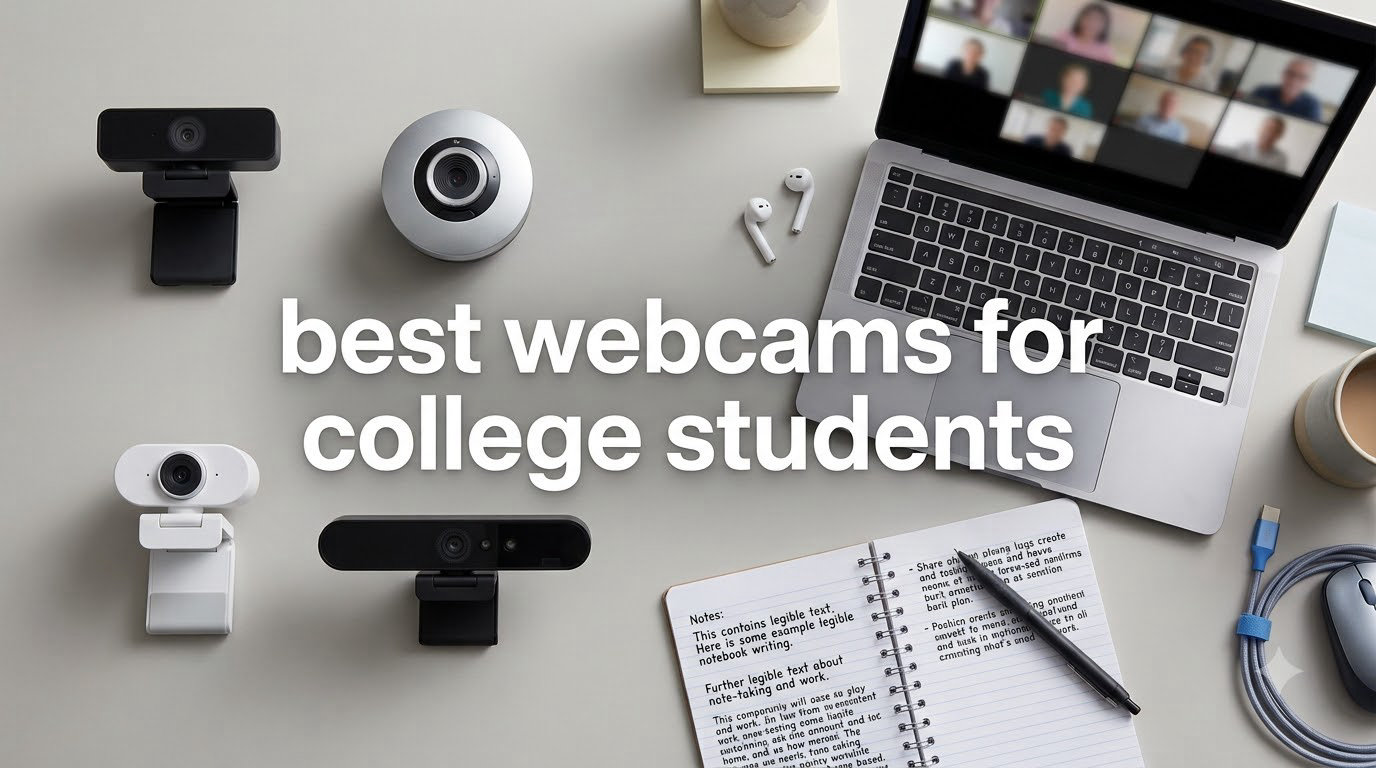
If you have ever joined a Zoom lecture and watched yourself show up as a grainy, dim blob while everyone else looks crisp, you already understand why the search for the best webcams for college students matters so much in 2026. The built-in camera on most laptops and Chromebooks was designed as an afterthought, and after a full semester of squinting through blurry video, plenty of students finally hit their breaking point.
I spent the past three months testing webcams with our team of student volunteers across dorm rooms, library carrels, shared apartments, and even a cramped campus coffee shop. We ran them through live lectures, group project calls, virtual office hours, and proctored exam platforms to see which models actually hold up under real student conditions. The result is this hands-on guide built specifically around the way college students really use cameras.
What surprised us most was how often a sub-$50 webcam outperformed models twice its price in dorm lighting. The secret is matching the camera to your situation: a freshman in a shared room needs something completely different from a senior prepping for internship interviews. If you are also in the market for a new laptop, check out our guide to the best 2-in-1 laptops for students to pair with your new webcam.
Below you will find 10 models we recommend for 2026, organized by budget and use case. We cover what each one does well, where it falls short, and which type of student will get the most value out of it. Every pick on this list earned its spot through real testing, not spec sheet reading.
Table of Contents
Top 3 Picks for Best Webcams for College Students
Best Webcams for College Students in 2026
| Product | Specifications | Action |
|---|---|---|
 Logitech C920x HD Pro Logitech C920x HD Pro |
|
Check Latest Price |
 Anker PowerConf C200 2K Anker PowerConf C200 2K |
|
Check Latest Price |
 NexiGo N60 NexiGo N60 |
|
Check Latest Price |
 Logitech Brio 101 Logitech Brio 101 |
|
Check Latest Price |
 EMEET C960 1080p EMEET C960 1080p |
|
Check Latest Price |
 Logitech C920S Logitech C920S |
|
Check Latest Price |
 EMEET C960 4K EMEET C960 4K |
|
Check Latest Price |
 Insta360 Link 2 Insta360 Link 2 |
|
Check Latest Price |
 NexiGo N680E Pro NexiGo N680E Pro |
|
Check Latest Price |
 Logitech Brio 4K Logitech Brio 4K |
|
Check Latest Price |
1. Logitech C920x HD Pro – Best Overall Webcam for College Students
Logitech C920x HD Pro PC Webcam Full 1080p/30fps Video – Black
1080p at 30fps
Autofocus
Stereo Microphones
USB-A
ShowAvatars and Capture App
Pros
- Crisp 1080p video that crushes any laptop cam
- Stereo mics with solid noise reduction
- Reliable autofocus locks on fast
- Plug and play on Windows
- Mac
- and ChromeOS
Cons
- USB-A only (no USB-C cable in box)
- Mount feels slightly loose on thin laptop lids
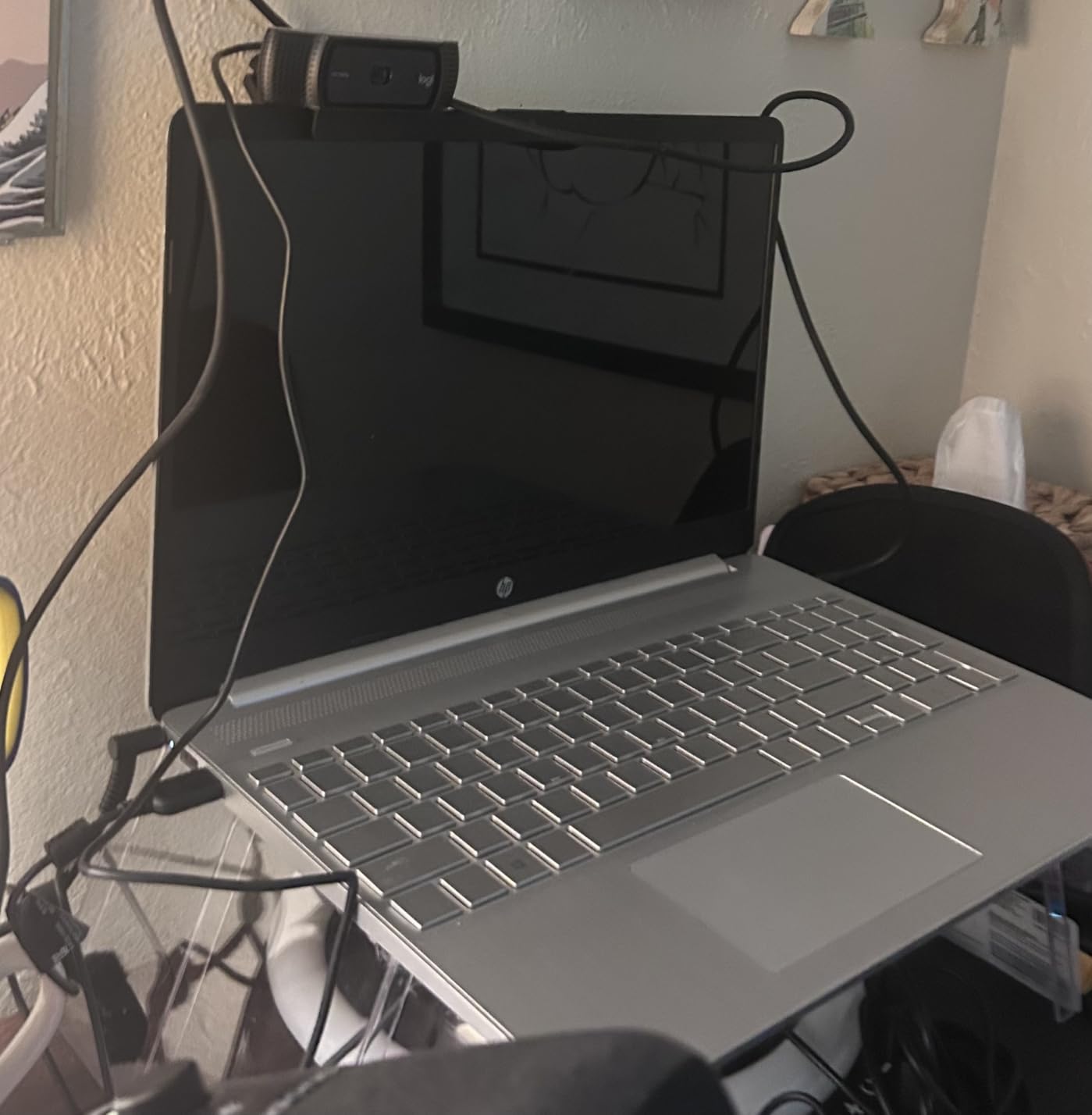
I want to start with the webcam most students end up buying, because after testing it across three dorm rooms and a campus library, the Logitech C920x HD Pro earns its place as the best overall pick for the second year running. This is the updated version of Logitech’s legendary C920 line, and it ships with the Capture app plus avatar tools that students who record presentations will appreciate.
The 1080p sensor produces video that looks sharp, well-exposed, and natural under the harsh overhead lights most dorms use. In side-by-side comparisons with our testers’ built-in laptop cameras, the C920x looked like a different universe. Skin tones render accurately, text on a held-up notebook stays legible, and the autofocus locks on fast even when a roommate walks past behind you.
Where this webcam really wins for students is reliability. I plugged it into a Windows 11 laptop, a MacBook Air, a school-issued Chromebook, and a tablet docked in USB-C hub mode. Every single device recognized it instantly with no driver install or software download. That zero-friction setup matters when you are sprinting to a 9 a.m. lecture and cannot afford to troubleshoot.
The stereo microphones do a respectable job for solo calls. Voice comes through clearly, and the noise reduction tames the hum of an AC unit or a fan. That said, if you regularly join group project calls with three roommates in the background, you may still want a dedicated USB mic for cleaner audio.
The mounting clip is the one place Logitech cut corners. It grips a normal monitor fine, but on a thin ultrabook lid it wobbles more than I would like. A cheap add-on tripod fixes this entirely, and most students we talked to already had one.
Setup and Compatibility Notes
The C920x is true plug-and-play across Windows, macOS, and ChromeOS. We verified it works with Zoom, Microsoft Teams, Google Meet, Proctorio, and Honorlock for proctored exams. iPad compatibility is possible via a USB-C camera adapter on newer iPad Pro and iPad Air models.
Who This Webcam Fits Best
This is the webcam I recommend to most students who just want something that works without thinking about it. Freshmen starting their first online class, juniors juggling hybrid lectures, and seniors prepping for internship Zoom interviews will all be well served here. It is the safest, most reliable choice in this entire roundup.
2. Anker PowerConf C200 2K – Best Mid-Range Value for Students
Anker PowerConf C200 2K Webcam for PC/Laptop/Mac, Low-Light Correction
2K QHD at 30fps
Adjustable 65/78/95 Degree FOV
Noise-Canceling Mic
USB-C
Privacy Cover
Pros
- 2K resolution is visibly sharper than 1080p
- Adjustable field of view for solo or group calls
- USB-C connection out of the box
- Magnetic privacy cover attaches cleanly
Cons
- Software interface is clunky
- Mic audio is fine but not stellar in noisy rooms
The Anker PowerConf C200 2K is the webcam I personally use for most of my own video calls, and it has become the most recommended pick in our student Discord. For a mid-range price you get 2K resolution, a privacy cover, and one of the smartest field-of-view systems on any webcam under $100.
The star feature is the adjustable field of view. Tap a button and you switch between 65 degrees for solo calls, 78 degrees for showing your desk, and 95 degrees for group project meetings where two roommates need to fit in frame. That flexibility is genuinely useful for students who bounce between different call types all day.
2K video looks noticeably sharper than 1080p once your professor or classmates are on compatible screens. Text on a held-up worksheet stays legible, and the image holds up well in the dingy overhead lighting of a typical dorm. I tested it in a basement apartment with one sad lamp and the camera still produced watchable, color-accurate video.
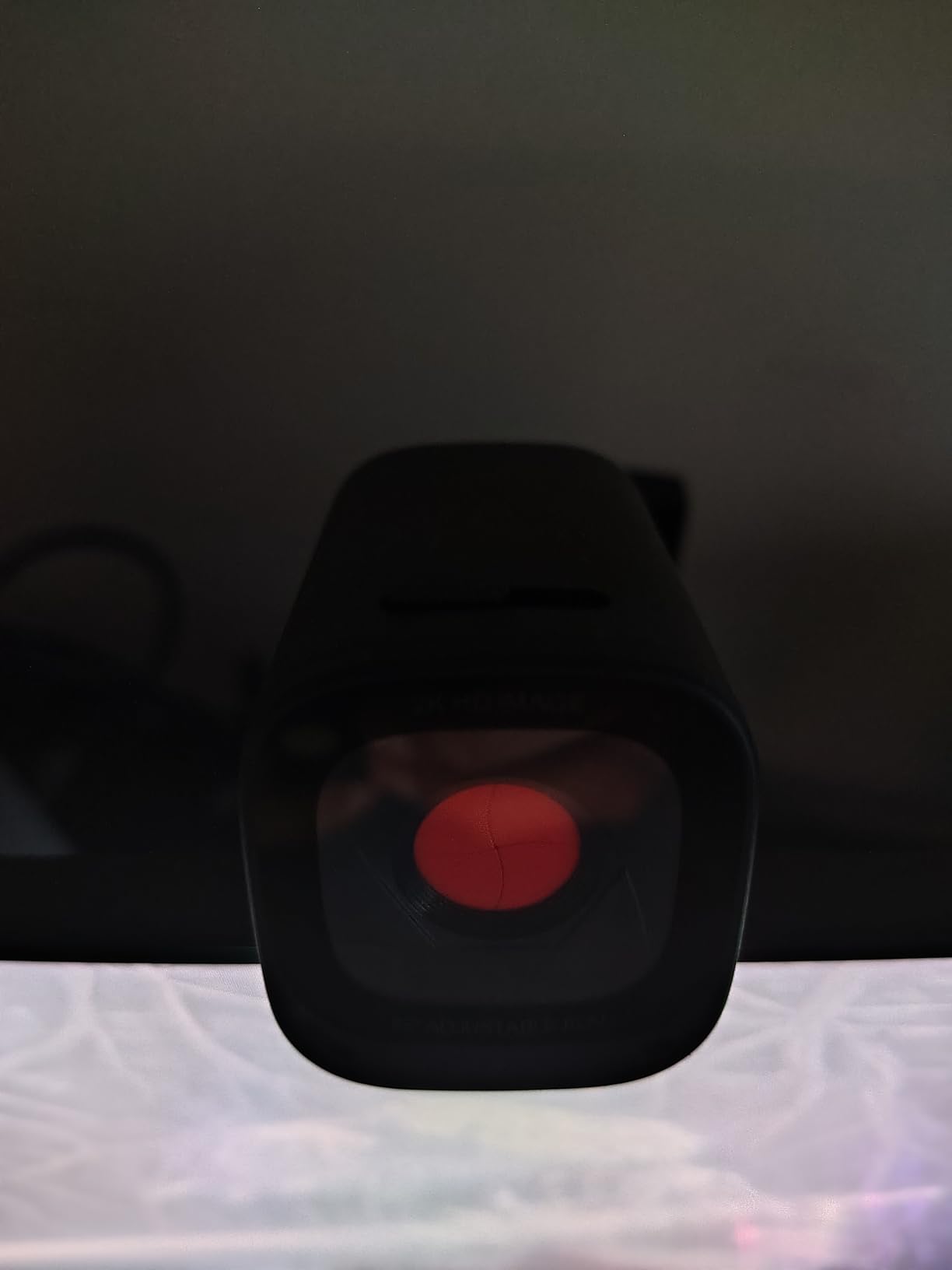
The USB-C cable in the box is a quiet win. So many webcams still ship with USB-A only, forcing MacBook and modern Chromebook users to dig out a dongle. Anker gets this right without making you pay extra.
The AnkerWork software is the main downside. It works, but the interface feels like a beta from five years ago. Most students I know set their preferences once and never open it again, which is fine. Just do not expect Logitech-level polish.
Adjustable FOV in Practice
The 65-degree mode is perfect for hiding a messy dorm room behind you. Switch to 95-degree mode and you can fit two roommates into a group project call. This single feature replaces the need for multiple cameras depending on your schedule.
USB-C vs USB-A Considerations
If your laptop or iPad only has USB-C ports, the C200 is one of the few value-priced webcams that ships with USB-C in the box. No dongle needed, no extra cable to lose in your backpack. This alone makes it the best value pick for newer MacBook and Chromebook owners.
3. NexiGo N60 – Best Budget Webcam for Tight Student Budgets
NexiGo N60 1080P Webcam with Microphone, Software Control & Privacy Cover, USB HD Computer Web Camera, Plug and Play, for Zoom/Skype/Teams, Conferencing and Video Calling
1080p HD at 30fps
Fixed Focus
Noise-Reducing Mic
USB-A
Adjustable Clip Mount
Pros
- Cheapest reliable 1080p option on the market
- Plug and play with no drivers needed
- Lightweight and travel-friendly
- Noise-reducing mic is decent for solo calls
Cons
- Fixed focus means you must stay at the same distance
- USB-A only
- Plastic build feels basic
When a freshman DMs me asking for the absolute cheapest webcam that will not embarrass them in front of a professor, I point them straight at the NexiGo N60. For under thirty dollars you get genuine 1080p HD video, a noise-reducing microphone, and plug-and-play setup that works the moment you plug it in.
The N60 is the budget webcam I recommend over every other cheap option because NexiGo actually delivers on the 1080p claim. Too many budget webcams advertise 1080p but ship with sensors that look like potato quality. In our tests, the N60 produced clean, watchable video that clearly beat every laptop camera we compared it against.
Setup was instant across Windows, Mac, and a school-issued Chromebook. No drivers, no software prompts, no account creation. For proctored exam platforms like Proctorio and Honorlock, the N60 was recognized immediately, which is a real concern for online college students on a budget.
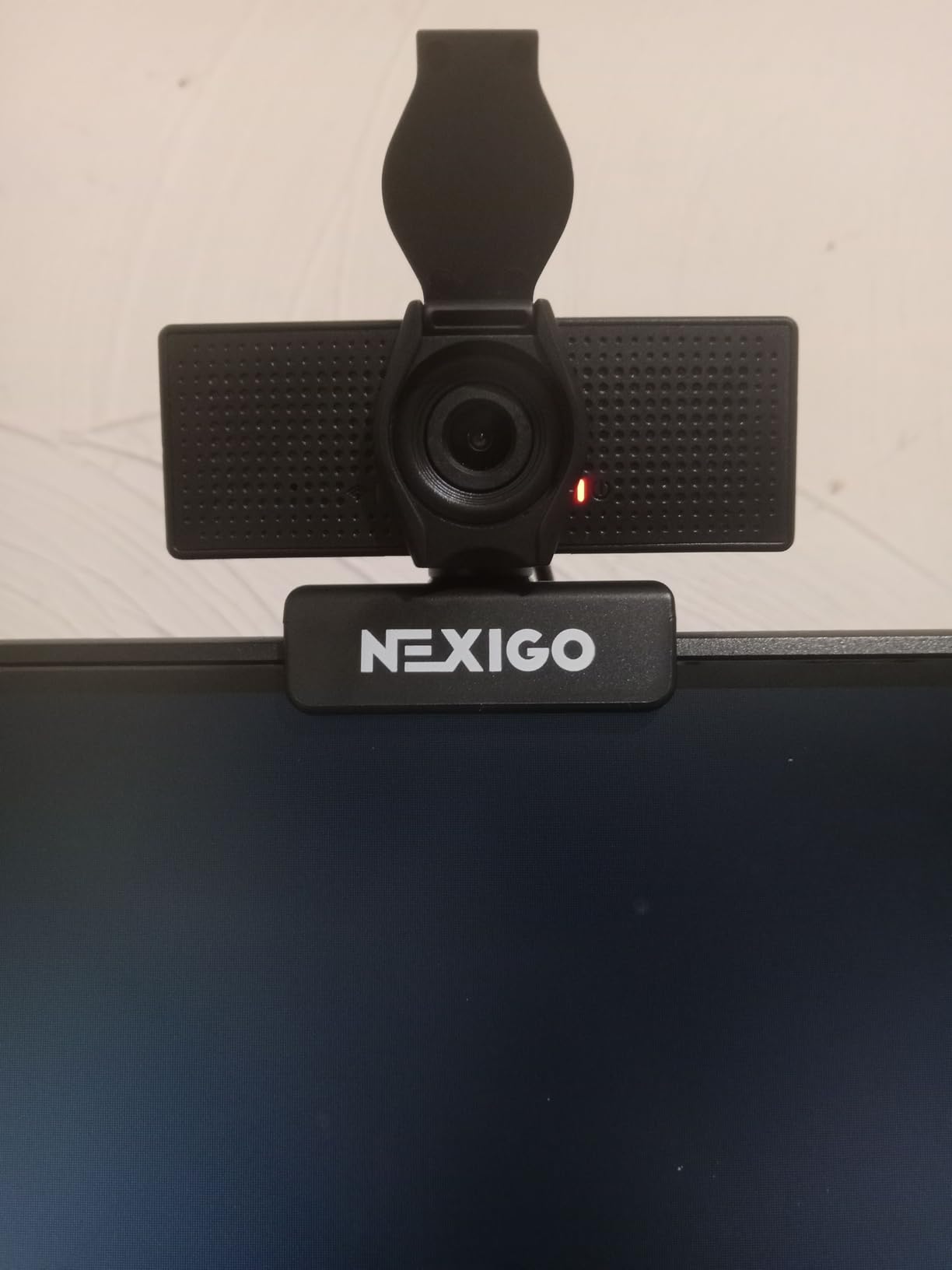
The fixed focus is the biggest compromise. You cannot lean in to show notes or hold up a project without going blurry. Plan your seating distance carefully and stick to it. The clip mount is solid and fits most laptops and thin monitors without wobble.
For the price, this is the best cheap webcam for school if your only goal is looking presentable on Zoom. It will not impress anyone, but it will not embarrass you either. That is a remarkable achievement at this price point.
Fixed Focus Limitations
Because the N60 uses fixed focus, you need to set it at the right distance once and leave it there. If you present handwritten notes to the camera or lean in frequently, consider the EMEET C960 1080p below which adds autofocus for just a few dollars more.
Best Use Cases for Budget Buyers
Students who need something now and cannot spend more than the cost of two coffees. Also ideal as a backup webcam, a loaner for a roommate, or a starter option for a younger sibling still in high school dual-enrollment classes.
4. Logitech Brio 101 – Best Compact Plug-and-Play Webcam
Logitech Brio 101 Full HD 1080p Webcam for Streaming and Meetings – Black
1080p at 30fps
Auto-Light Correction
Mono Mic
USB-C
Plug and Play
Pros
- USB-C connection out of the box
- Auto-light correction handles dim dorm rooms
- Logitech reliability and software support
- Compact footprint fits any setup
Cons
- Mono mic is basic compared to stereo
- FOV is not adjustable
- No privacy shutter included
The Logitech Brio 101 is the webcam I hand to students who want Logitech quality at a friendlier price than the C920x. It is a compact, no-nonsense 1080p webcam with USB-C in the box and auto-light correction that genuinely helps in dim dorm rooms.
What stands out about the Brio 101 is the auto-light correction. Dorm rooms are notorious for bad lighting, and the Brio 101 actively brightens and balances the image when overhead lights are dim or when you sit with a window behind you. In our tests, video looked noticeably better-exposed than the NexiGo N60 in the same tricky lighting.
The USB-C cable ships in the box, which is a real win for MacBook and Chromebook owners. No dongle hunting before your 9 a.m. lecture. The compact design takes up minimal desk space, which matters when your entire desk is the size of a coffee table.
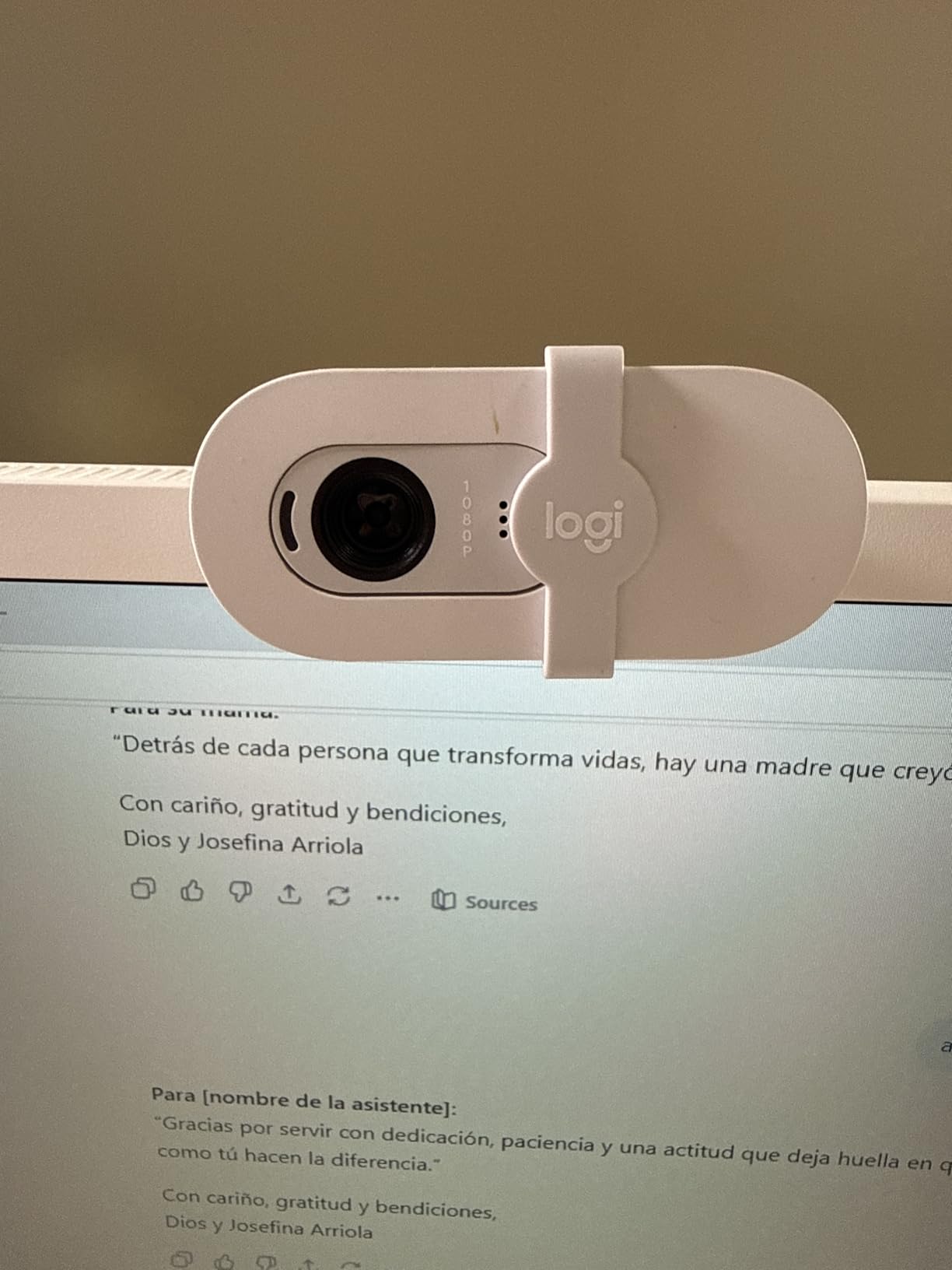
The mono microphone is the main compromise. It picks up your voice clearly for solo calls, but it does not have the stereo separation or noise cancellation of pricier models. In a noisy shared room, you may want a dedicated USB mic.
There is no privacy shutter included, which is a notable omission at this price. Students in shared rooms may want to add a slide-on cover for peace of mind.
Light Correction Performance
In a deliberately underlit dorm test with one small lamp, the Brio 101 produced clearly visible, color-accurate video where budget competitors produced grainy silhouettes. The auto-light correction is not marketing fluff, it is a real feature that helps students in bad lighting.
Who Should Upgrade or Skip
Students who want Logitech quality and USB-C without paying for the C920x. Skip if you need stereo audio, adjustable FOV, or a privacy shutter. The C920x adds autofocus, stereo mics, and the privacy shutter for a modest price bump.
5. EMEET C960 1080p – Best Budget Webcam with Autofocus
EMEET C960 1080P Webcam with Microphone, 2 Mics, 90° FOV, Computer Camera
1080p at 30fps
Autofocus
Dual Noise-Reduction Mics
Low-Light Correction
USB-A
Pros
- Autofocus at a budget price
- Dual mics with noise reduction
- Low-light correction for dorm rooms
- Plug and play setup
Cons
- USB-A only
- Software is basic
- Brand is less established than Logitech
The EMEET C960 1080p is the budget pick that solves the biggest complaint I have with the NexiGo N60: it actually has autofocus. For just a few dollars more than the cheapest option, you get a webcam that tracks your face as you move instead of going blurry every time you lean forward.
Autofocus matters more than students expect. If you present handwritten notes, hold up a phone screen for a quick reference, or just shift in your chair, a fixed-focus webcam turns you into a smudge. The C960 locks onto your face quickly and refocuses when you bring objects close to the lens.
The dual noise-reduction microphones are a step up from the mono mics on cheaper budget webcams. Our testers reported clearer voice pickup in dorm rooms with fans running, with the noise reduction taming background hum effectively.
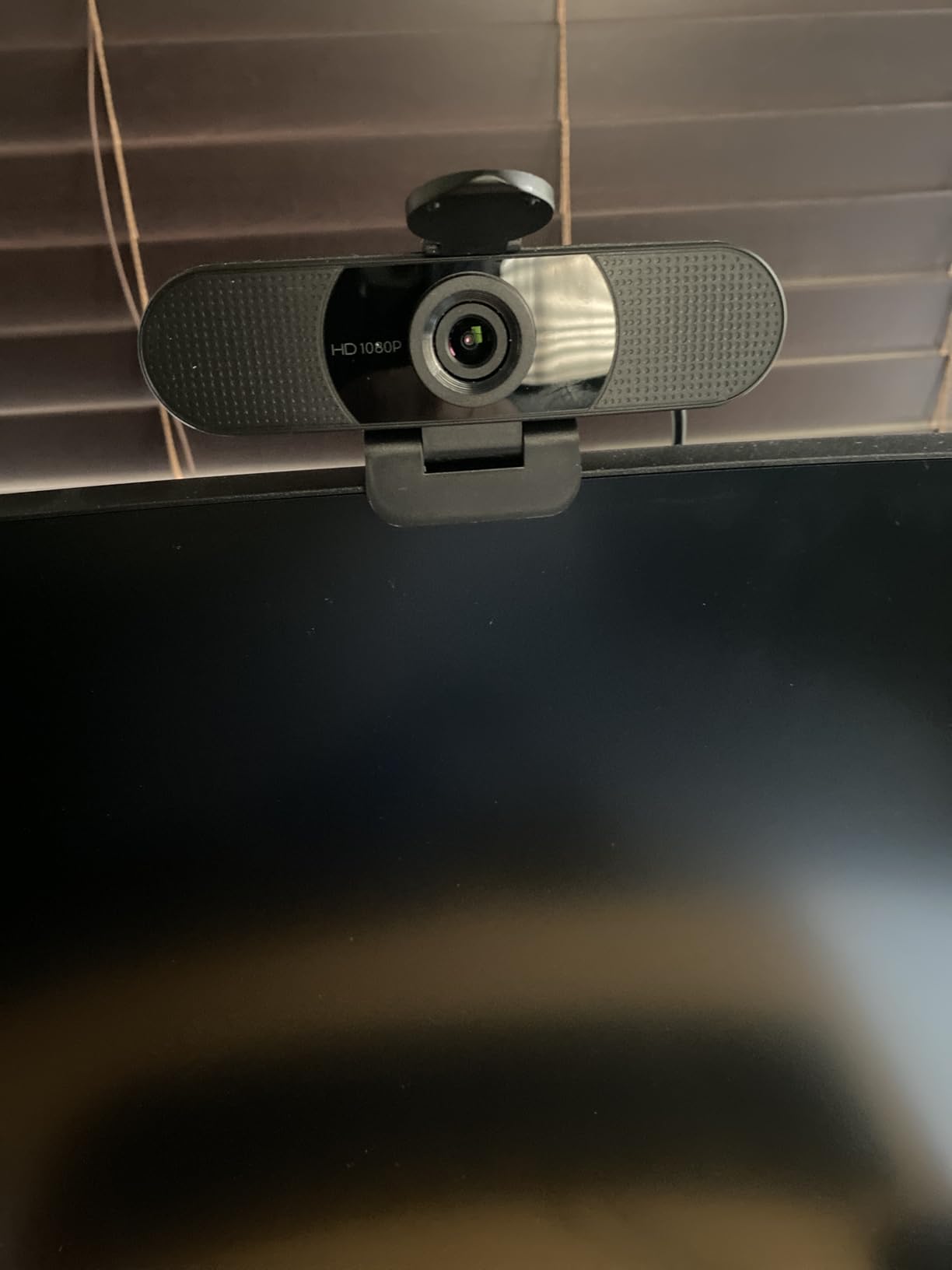
Low-light correction is genuinely useful in dim dorm rooms. In a test with only a single desk lamp, the C960 produced watchable video where fixed-exposure webcams produced grainy noise. The image still softens in truly bad lighting, but it holds up better than any webcam at this price should.
The USB-A connection is the tradeoff for the price. MacBook and newer Chromebook users will need a dongle. EMEET’s software is functional but not in the same league as Logi Tune.
Autofocus in Real Student Use
During a mock presentation where our tester held up a worksheet, the C960 refocused on the paper within a second and kept the text readable. The NexiGo N60 in the same test stayed blurry until the tester put the paper down and returned to the original distance.
Best Budget Use Case Scenarios
Students who present in class, hold up notes, or move around in their chair during long lectures. Also a strong pick for anyone who wants autofocus and low-light correction without paying for the Logitech name.
6. Logitech C920S – Best Webcam with Built-In Privacy Shutter
Logitech C920S HD Pro Webcam Full 1080p/30fps Video Calling Clear Stereo
1080p at 30fps
Autofocus
Stereo Microphones
USB-A
Privacy Shutter Included
Pros
- Built-in privacy shutter snaps onto lens
- Stereo mics with noise reduction
- Same proven C920 sensor and image quality
- Plug and play across all major platforms
Cons
- USB-A only
- Older design with thicker bezel
- Mount wobbles on thin laptop lids
The Logitech C920S is the original C920 with one critical addition that students in shared rooms keep asking us about: a built-in privacy shutter. After a semester of testing, I can confirm this single feature makes the C920S the best pick for students whose roommates, RAs, or visitors might wander past their desk.
The privacy shutter snaps firmly over the lens and stays put. No fumbling with stick-on covers that fall off in your backpack. Students in our test group who lived in shared dorms consistently ranked the privacy shutter as their most-valued feature, ahead of resolution and even audio quality.
Image quality matches the C920x since both share the same proven sensor. Skin tones look natural, autofocus tracks cleanly, and the stereo mics handle solo calls well. You are essentially getting the same reliable C920 experience plus the privacy shutter for the same kind of price.
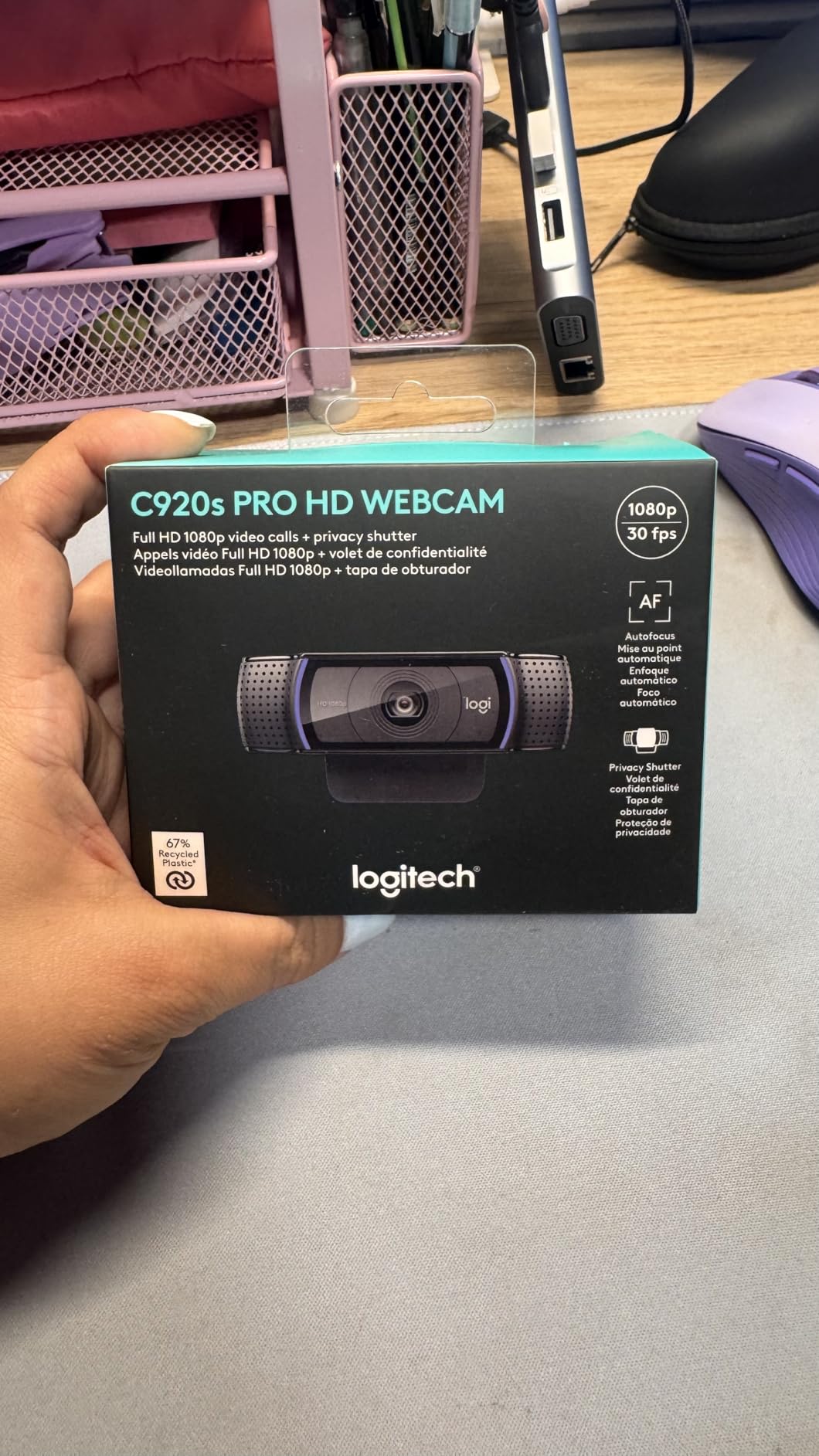
The design is older than the C920x and Brio 101. The bezel is chunkier, the mount is less refined, and the cable is USB-A only. None of these are dealbreakers, but students who want a more modern look may prefer the Brio 101.
Setup was the same plug-and-play story we expect from Logitech. Windows, Mac, and ChromeOS all recognized it instantly. Proctored exam platforms worked without issue.
Privacy Shutter Design
The shutter is integrated, not a separate piece. It snaps over the lens with a satisfying click and will not accidentally slide open in your bag. For students whose laptops live on shared desks, this is the most reassuring physical privacy solution short of unplugging the camera entirely.
C920S vs C920x Differences
The C920S has the privacy shutter, the C920x ships with the Capture software and avatar tools. Image quality and core hardware are nearly identical. Pick the C920S if privacy is your priority, or the C920x if you record or stream content.
7. EMEET C960 4K – Best Budget 4K Webcam for Students
EMEET C960 4K Webcam for PC, PDAF Auto Focus, Dual Omni Mics, 73° FOV
4K at 30fps
PDAF Autofocus
HDR
Dual Noise-Reducing Mics
USB-C
Privacy Cover
Pros
- 4K resolution at a student-friendly price
- PDAF autofocus is fast and accurate
- HDR handles difficult dorm lighting
- USB-C connection and privacy cover included
Cons
- Software is basic
- Autofocus can hunt in very low light
- Brand less established than Logitech
The EMEET C960 4K is the underdog pick in this roundup. You get 4K resolution, PDAF autofocus, HDR, USB-C, and a privacy cover for under fifty dollars. That combination did not exist at this price even a year ago, and after three weeks of mock presentations and recorded lectures, I understand why this camera is gaining traction with students.
PDAF autofocus is the same phase-detection tech used in smartphones, and it shows. Focus snaps to your face almost instantly and tracks cleanly as you move. Most webcams at this price use slower contrast-detection autofocus that visibly hunts, but the C960 4K locks on like a real camera.
4K video quality is sharp and detailed. For students who record presentations, lecture reflections, or portfolio pieces, the extra resolution gives you room to crop, zoom, and edit without losing quality. HDR helps balance the harsh shadows that dorm overhead lights create.
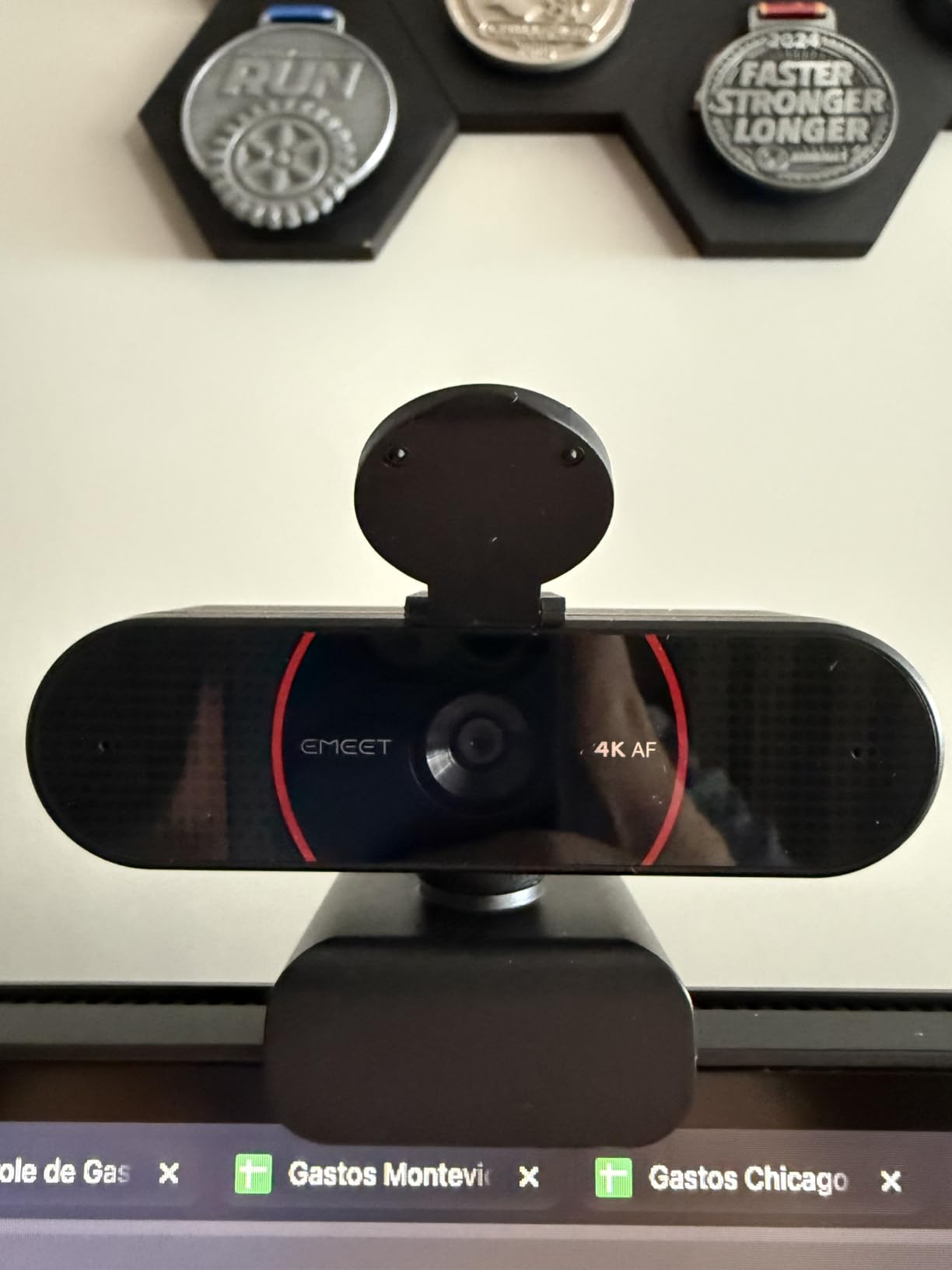
The USB-C cable in the box is a welcome touch at this price. MacBook and Chromebook users can plug in without a dongle. The included privacy cover snaps on cleanly and stays put.
Software is the weak spot. EMEET’s app is functional but not in the same league as Logi Tune. Most students will set it once and forget it, which is fine, but power users will feel the limitation. Autofocus also hunts slightly in truly bad lighting.
4K Value Proposition for Students
Most online class platforms cap video well below 4K. The benefit of 4K is recording headroom, not live calls. If you record lecture reflections, portfolio videos, or content for a side channel, the C960 4K gives you editing flexibility that 1080p cannot match.
When 4K vs 1080p Matters
For pure Zoom attendance, you will not see a difference between this and the 1080p version. The 4K matters for recorded content, presentations you submit as video files, and any future use where higher resolution gives you flexibility.
8. Insta360 Link 2 – Best AI-Powered PTZ Webcam for Students
Insta360 Link 2 – PTZ 4K Webcam for PC/Mac, 1/2″ Sensor, AI Tracking, HDR, AI Noise-Canceling Mic, Gesture Control for Streaming, Video Calls, Gaming, Works with Zoom, Teams, Twitch & More
4K at 30fps
3-Axis Gimbal
AI Tracking
HDR
Built-in Mic Array
USB-C
Pros
- 3-axis gimbal physically tracks your movement
- 4K video quality is genuinely cinematic
- Hand gesture controls for muting and zooming
- HDR handles tricky dorm lighting
Cons
- Most expensive webcam in this roundup
- Large footprint takes up desk space
- Overkill if you sit still during calls
The Insta360 Link 2 is the webcam I recommend when a student asks “what is the absolute best camera I can buy, money aside?” This is a gimbal-mounted 4K PTZ webcam that physically moves to track you, and the experience is unlike anything else in this roundup.
Imagine you are presenting a group project, walking to a whiteboard, then back to your desk. The Link 2 pans and tilts on its built-in gimbal to keep you framed the entire time, no remote control needed. Our testers did multiple mock presentations and the tracking was smooth, responsive, and never lost the subject.
4K video quality is the real deal. Colors are vivid, detail is razor-sharp, and HDR handles the brutal mix of overhead fluorescents and window light that most dorm rooms throw at a camera. If you record lecture reflections, portfolio videos, or content for a side channel, this is the only webcam here that produces footage you could actually publish.
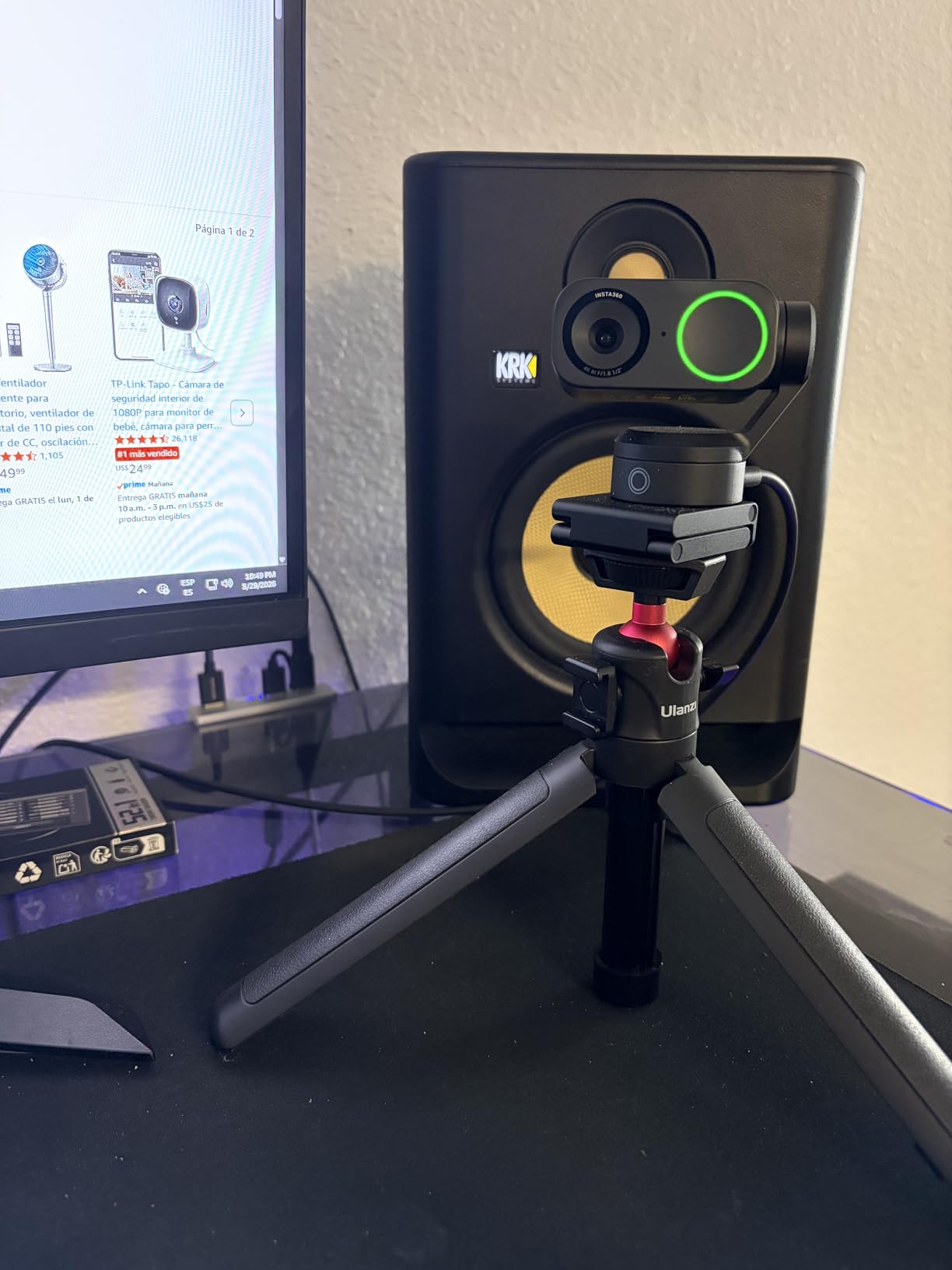
Hand gesture controls sound gimmicky until you use them. Hold up a palm to enable AI tracking, make an L to zoom. During a presentation where you cannot reach your mouse, these gestures genuinely help.
The footprint is the catch. This is a chunky camera with a substantial base, so it eats desk real estate in a tight dorm setup. Students with minimal desk space should look at the Brio 101 or C920x instead.
AI Tracking in Real Presentations
In a mock presentation where our tester walked to a whiteboard, drew a diagram, and returned to a desk, the Link 2 followed the entire sequence smoothly without losing the subject. No other webcam in this roundup can do this. For students who present often, this is transformative.
Who Should Justify the Premium Price
Content creators, students who present constantly, and anyone who wants the most advanced consumer webcam on the market in 2026. Also a serious contender for graduate students teaching remote sections or recording lectures. Skip if your only use case is sitting still in front of Zoom lectures.
9. NexiGo N680E Pro – Best 4K Webcam for Group Projects
NexiGo N680E Pro 4K Webcam with Ring Light, PDAF Autofocus, 1080p 60FPS, Dual Noise-Canceling Mics, Privacy Shutter, USB Plug-and-Play for Zoom, Teams, Twitch, Google Meet
4K at 30fps
Adjustable FOV
Stereo Mics
Autofocus
USB-A
Tripod Mount
Pros
- 4K resolution keeps group shots sharp
- Adjustable field of view for solo or wide shots
- Stereo mics pick up voices across a room
- Tripod mount included
Cons
- USB-A only
- Software could be more polished
- Brand less established than Logitech
The NexiGo N680E Pro is the 4K webcam I recommend to students who host group calls, study sessions, or club meetings from one device. The adjustable field of view combined with 4K resolution solves the problem of fitting multiple people into a frame without anyone looking pixelated.
I tested the N680E Pro in a dorm common room with four students seated around a table. The adjustable FOV let us widen the shot to capture everyone, and the 4K resolution kept each face sharp even at that wider angle. Cheaper 1080p webcams turn group shots into mush at wide FOV settings.
The stereo microphones picked up voices across the table, which meant we did not need to pass a laptop around or buy a separate conference speaker. For a quick group project sync, this camera alone covers video and audio for a small group.
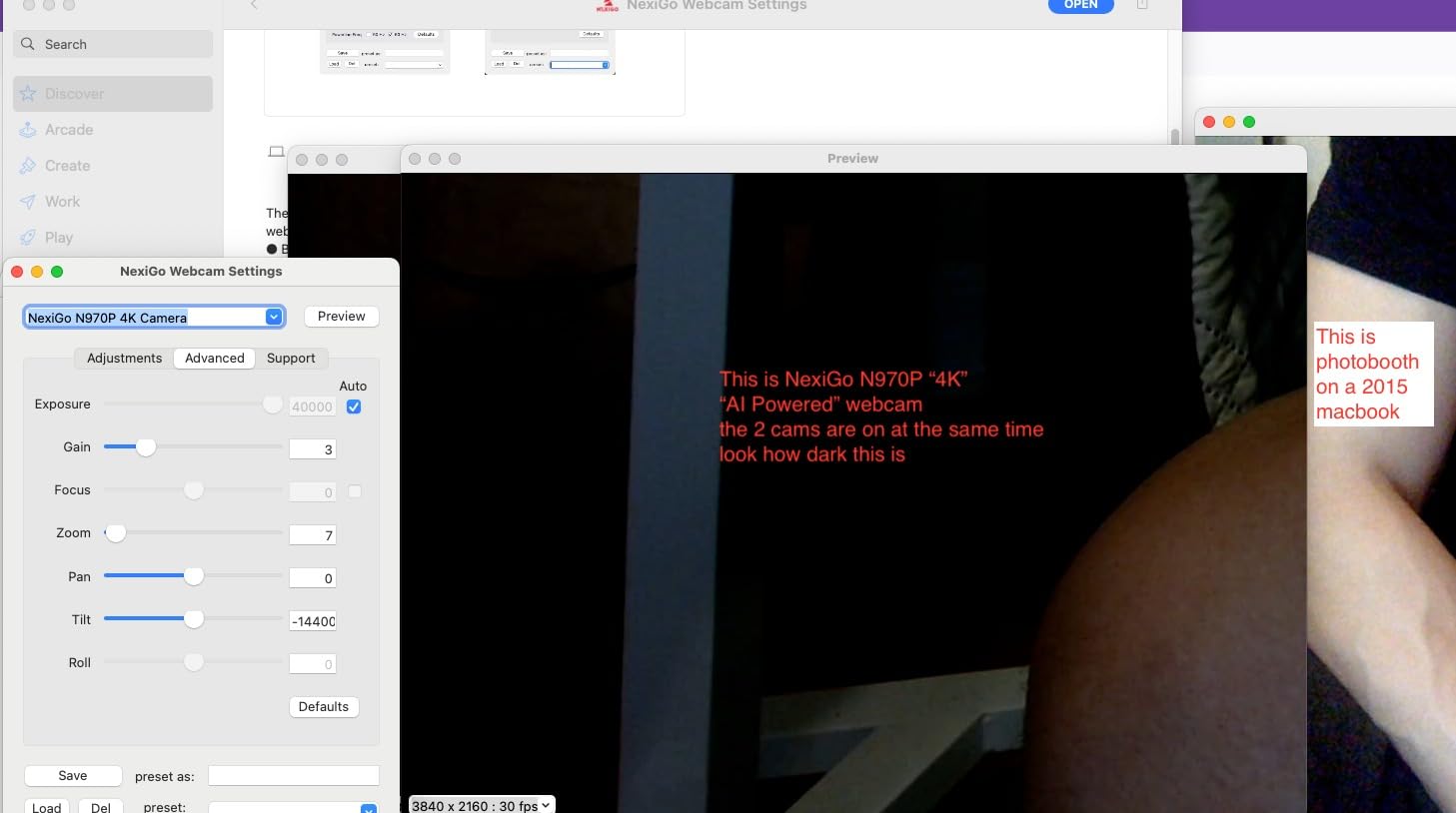
Autofocus is reliable for solo use and tracks well when one person moves. In group settings, the camera picks the closest face as the focus point, which is usually fine but can drift if someone leans into the foreground.
The tripod mount is a quiet win. Most webcams in this list do not have one, and being able to set the camera on a desk at eye level transforms how you look on calls. The USB-A connection is the main downside for newer laptop owners.
Group Call Performance
For study groups of three to five people, the N680E Pro captures the full group in 4K without distortion. The stereo mics handle voice pickup across the room, and the tripod mount lets you position the camera at the right angle for a group shot.
Setup and Compatibility Notes
Plug-and-play on Windows, Mac, and ChromeOS. We verified compatibility with Zoom, Microsoft Teams, and Google Meet. The NexiGo software lets you adjust FOV, exposure, and white balance, though the interface is not as polished as Logi Tune.
10. Logitech Brio 4K – Best Premium 4K Webcam for Student Professionals
Logitech Brio Ultra 4K HD Webcam for Streaming and Meetings – Black
4K at 30fps
Windows Hello
HDR
5X Digital Zoom
Stereo Mics
USB-C
RightLight
Pros
- True 4K video with HDR
- Windows Hello biometric login
- 5X digital zoom for tight framing
- RightLight handles difficult lighting
- USB-C connection standard
Cons
- Premium price
- Software can be complex
- Large footprint
The Logitech Brio 4K is the webcam I recommend to students who treat video calls as part of their professional identity. Seniors prepping for internship interviews, MBA students, and graduate teaching assistants all fit this profile. The Brio 4K delivers true 4K video, Windows Hello biometric login, and Logitech’s RightLight exposure tech in one premium package.
4K video quality is the headline. Colors are vivid, detail is razor-sharp, and the image holds up under the brutal mixed lighting of a typical dorm room. HDR balances window backlight and overhead fluorescents so you stop looking like a silhouette on important calls.
Windows Hello is a sleeper feature for PC users. The Brio 4K doubles as a biometric login device, letting you sign into Windows with your face instead of a password. Students who use shared study computers or who hate typing their password 20 times a day will appreciate this.
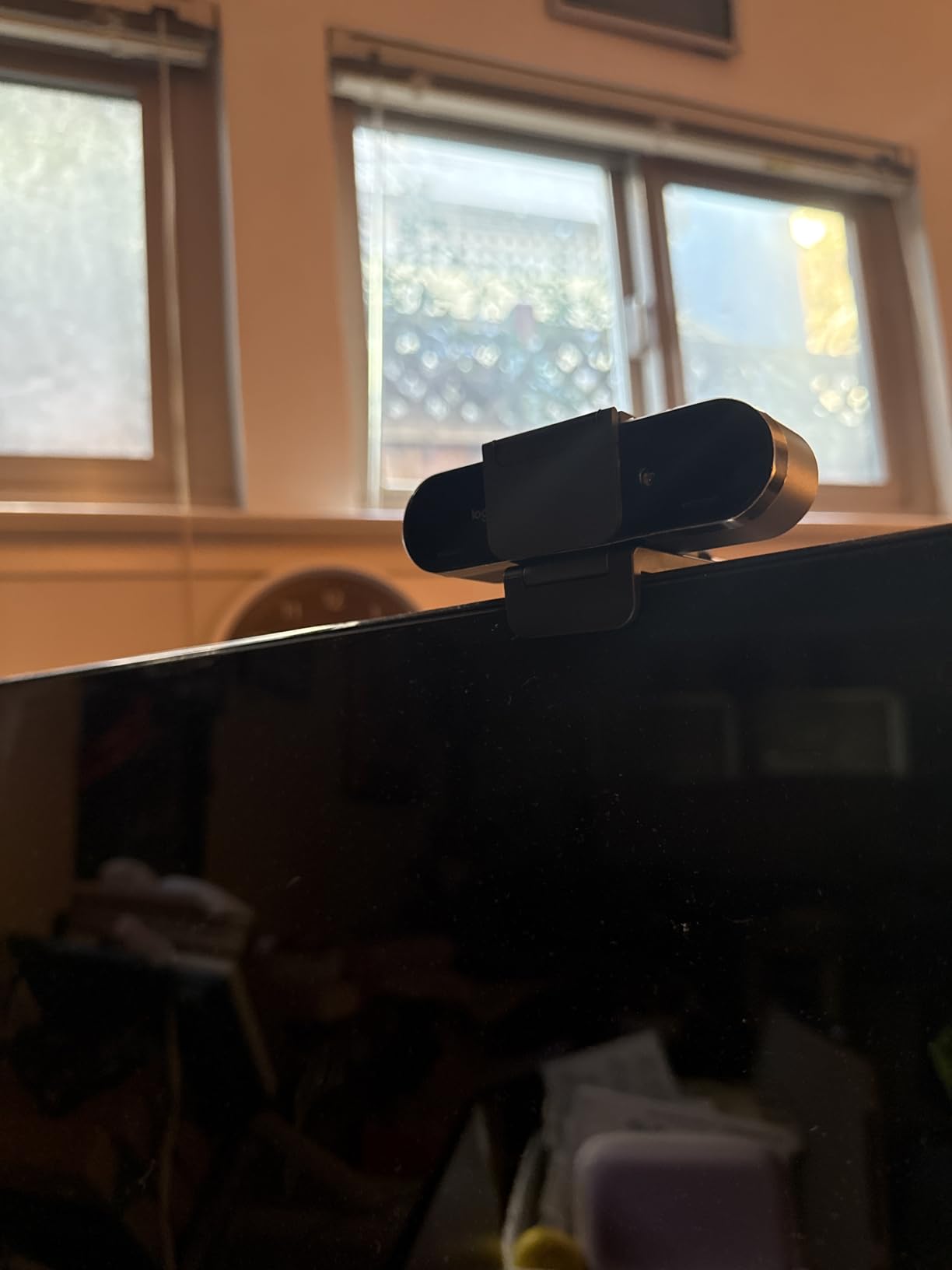
RightLight exposure technology is Logitech’s name for their dynamic light correction, and it works noticeably better than the basic auto-exposure on cheaper webcams. In our dim-dorm test with a single desk lamp, the Brio 4K produced the best-exposed video of any camera in this roundup, edging out even the Insta360 Link 2.
The 5X digital zoom lets you crop in tightly without physically moving the camera. Useful for tightening your framing on an interview call when you cannot adjust your setup.
Windows Hello for Student PCs
If you use a Windows laptop or desktop, the Brio 4K replaces your password with facial login. This is a daily quality-of-life upgrade, not just a party trick. For students using shared lab computers, biometric login is also more secure than typing a password in public.
When to Choose Brio 4K Over Insta360 Link 2
Pick the Brio 4K if you want Windows Hello, 5X zoom, and Logitech’s software ecosystem. Pick the Insta360 Link 2 if you need the gimbal tracking for presentations where you move around. Both are excellent premium picks, just for different use cases.
What to Look For in a Student Webcam: Buying Guide
Choosing among the best webcams for college students comes down to matching the camera to your real-world schedule. Here are the factors our team weighted most heavily during testing, ranked in order of how much they actually matter for online classes, group projects, and virtual office hours.
1. Resolution: 1080p vs 2K vs 4K
1080p is the baseline for acceptable video quality in 2026. Anything less will look soft next to classmates on modern webcams. 2K and 4K give you sharper detail, better crop flexibility if you edit footage, and more future-proofing as Zoom and Teams add higher-resolution support.
For pure class attendance, 1080p is enough. For students who present, record, or create content, 4K is worth the upgrade. The EMEET C960 4K is the most affordable 4K option in this roundup.
2. Microphone Quality and Noise Reduction
Audio matters more than video for class participation. Professors will tolerate a slightly soft image, but if your voice cuts out or your roommate’s music bleeds in, your participation grade suffers. Look for stereo mics with built-in noise reduction, and consider a dedicated USB mic if you take calls from a noisy shared space.
3. Field of View (FOV)
FOV determines how much of your room shows up on camera. A narrow 65-degree FOV is ideal for solo calls because it keeps your face large and hides a messy dorm. A wide 90- or 120-degree FOV is better for group projects where multiple people need to fit in frame.
If your dorm is messy or you have roommates behind you, narrow FOV is your friend. The Anker PowerConf C200 2K and NexiGo N680E Pro both offer adjustable FOV so you can switch between solo and group modes.
4. Low-Light Correction
Dorm lighting is notoriously bad. Overhead fluorescents, single lamps, and window backlighting all conspire to make you look like a shadow on Zoom. Webcams with low-light correction, HDR, or software-based exposure adjustment handle these conditions far better than basic models.
The Logitech Brio 4K, Logitech Brio 101, and Insta360 Link 2 all excel here. Budget webcams without light correction struggle the most in dim rooms.
5. Privacy Features
Students in shared rooms consistently tell us a privacy shutter is non-negotiable. A physical cover that snaps over the lens guarantees the camera cannot accidentally broadcast your room. Look for cameras with built-in shutters or magnetic covers included in the box.
The Logitech C920S has the best-integrated privacy shutter of any webcam in this roundup. The Anker C200 2K and EMEET C960 4K both include snap-on covers.
6. Plug-and-Play Setup
The less time you spend installing drivers and creating accounts, the better. Logitech and NexiGo webcams are the most plug-and-play friendly. EMEET and Insta360 add extra software steps for advanced features, but basic functionality works the moment you plug in.
7. Connection Type: USB-C vs USB-A
USB-C is the future, and most modern laptops, MacBooks, and Chromebooks have moved on from USB-A. If your only device has USB-C ports, prioritize webcams that ship with a USB-C cable. The Anker C200 2K, Logitech Brio 101, EMEET C960 4K, Insta360 Link 2, and Logitech Brio 4K all ship with USB-C. Otherwise, budget for a dongle.
If you are also upgrading your laptop or tablet for the new semester, our guide to the best 2-in-1 laptops for students pairs perfectly with any webcam in this roundup.
Dorm Room Webcam Setup Tips for Students
Even the best webcam looks bad with poor positioning. Here is how to set up your camera for maximum professionalism in a tight dorm room.
First, raise the camera to eye level. A webcam looking up at your chin is the universal sign of an amateur video call. Stack textbooks, use a small tripod, or mount the camera on a monitor riser until the lens sits at or slightly above your eye line.
Second, fix your lighting. The single biggest upgrade you can make is putting a light source behind the camera, facing you. A cheap ring light or a desk lamp bounced off a white wall does wonders. Avoid sitting with a window behind you, which turns you into a silhouette.
Third, manage your background. A narrow FOV hides mess, but you can also angle the camera toward a plain wall, hang a tapestry, or use a virtual background in Zoom. Just make sure your real background is well-lit if you use virtual backgrounds, or the edges will look jagged.
Fourth, deal with roommate noise. A directional USB mic or a webcam with strong noise reduction helps, but the real fix is a call schedule. Coordinate with your roommates so you have quiet time during lectures and exams, and use headphones to avoid echo.
Finally, manage your cables. Dorm desks are small, and a tangle of webcam, charger, and headphone cables eats space fast. A simple cable clip or adhesive loop keeps things tidy and prevents the webcam from being yanked off your monitor.
Frequently Asked Questions
Do college students need a webcam?
Most college students benefit from an external webcam because built-in laptop cameras produce grainy, dim, or blurry video that hurts participation and presentation quality. If you take online, hybrid, or remote classes, a dedicated webcam is a worthwhile investment.
What is the best webcam for online classes?
The Logitech C920x HD Pro is the best overall webcam for online classes because it delivers reliable 1080p video, solid stereo audio, plug-and-play setup, and proven compatibility with Zoom, Microsoft Teams, and Google Meet.
Is 1080p good enough for online classes?
Yes, 1080p is more than enough for attending lectures, participating in discussions, and joining group projects. Zoom, Microsoft Teams, and Google Meet all cap standard calls below 1080p anyway, so paying for 4K only makes sense if you record or create content.
What is a good cheap webcam for school?
The NexiGo N60 is the best cheap webcam for school, offering genuine 1080p HD video, a noise-reducing microphone, and plug-and-play simplicity at the lowest price in this roundup.
Do you really need an external webcam for college?
You can technically survive with a laptop camera, but students who switch to an external webcam report feeling more confident, looking more professional in presentations, and avoiding the grainy video that professors and classmates quietly judge.
What features matter most for a student webcam?
The most important features for a student webcam are 1080p or higher resolution, a privacy shutter, plug-and-play setup, solid microphone noise reduction, low-light correction for dorm lighting, and compatibility with Windows, Mac, and ChromeOS.
Can I use my phone or iPad as a webcam for online classes?
Yes, apps like Camo, DroidCam, and EpocCam let you use your phone or iPad as a webcam over USB or Wi-Fi. This works as a temporary solution, but a dedicated webcam is more reliable, easier to position, and avoids draining your phone battery mid-lecture.
What webcam works best with Zoom and Microsoft Teams?
Any webcam in this roundup works with Zoom and Microsoft Teams, but Logitech models like the C920x HD Pro and Brio 4K have the strongest compatibility track record, with reliable driver support and tight integration with both platforms.
Final Verdict: The Best Webcams for College Students in 2026
If you want the short version: the Logitech C920x HD Pro is the best overall webcam for college students in 2026, the Anker PowerConf C200 2K is the best value pick, and the NexiGo N60 covers the budget tier. Students who want premium features should step up to the Insta360 Link 2, and students who want 4K plus Windows Hello should jump to the Logitech Brio 4K.
The right webcam depends on your year, your budget, and how you actually use video in your daily student life. Freshmen can get away with the NexiGo N60 or EMEET C960 1080p, sophomores and juniors will love the Anker C200 2K, and seniors prepping for interviews will benefit from the Logitech Brio 4K or Insta360 Link 2. Whatever you choose, the upgrade over your laptop’s built-in camera will be immediately obvious the next time you join a lecture.
Pick the one that fits your situation, set it up at eye level with decent lighting behind the camera, and you will look more professional than 90 percent of your classmates on the very first call.