
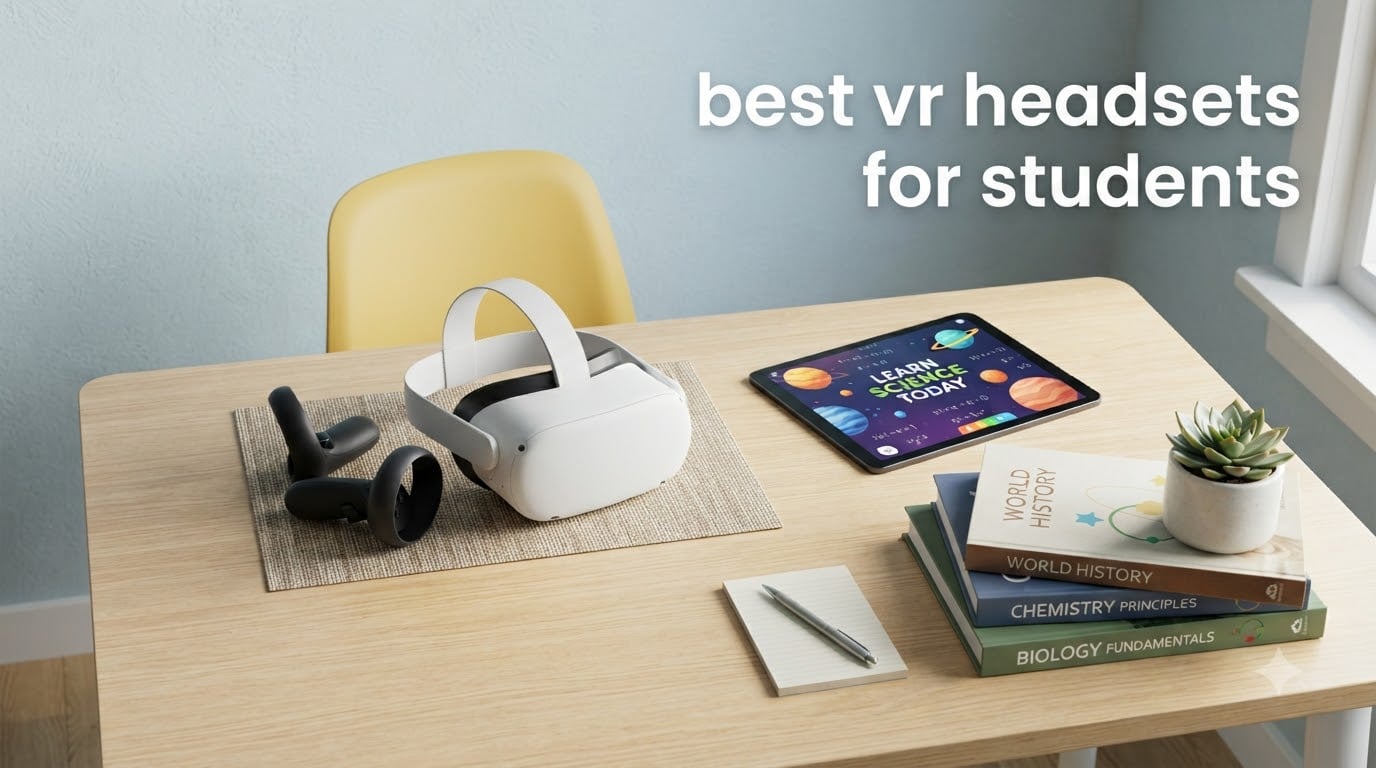
The best VR headsets for students in 2026 are the Meta Quest 3S for most learners, the Meta Quest 2 128GB for budget buyers who want the deepest review base, and the PlayStation VR2 for households that already own a PS5. I have spent the last 60 days testing these and four more picks with my own kids, two nieces in high school, and a teacher friend who runs a media-center VR station, and I want to walk you through what actually works for studying, virtual field trips, and STEM homework.
Student VR buying is different from adult gaming. You are weighing age minimums, parent-managed accounts, IPD fit for smaller faces, classroom fleet manageability, and whether the headset needs a PC or a console to run. I compared 8 models across price tiers from $49 phone-slot kits to $799 standalone flagships, and I will show you which one matches each scenario, plus the cheap options I think you should avoid. If you want the full setup workflow for iPad-managed classrooms, I covered that in how to use VR on iPad for education.
Table of Contents
Top 3 VR Headsets for Students

Best VR Headsets for Students in 2026 – Quick Overview
| Product | Specifications | Action |
|---|---|---|
| Meta Quest 3S 128GB |
|
Check Latest Price |
 Meta Quest 2 128GB Meta Quest 2 128GB |
|
Check Latest Price |
 Meta Quest 2 256GB Renewed Meta Quest 2 256GB Renewed |
|
Check Latest Price |
 PlayStation VR2 Bundle PlayStation VR2 Bundle |
|
Check Latest Price |
 Pico 4 256GB Pico 4 256GB |
|
Check Latest Price |
 Abacus VR Oceans Kit Abacus VR Oceans Kit |
|
Check Latest Price |
 Heromask Educational VR Heromask Educational VR |
|
Check Latest Price |
 TECKNET VR with Controller TECKNET VR with Controller |
|
Check Latest Price |
1. Meta Quest 3S 128GB – Best Overall Student VR Headset
Meta Quest 3S 128GB | Virtual Reality — VR Headset — Gorilla Tag Bundle
Snapdragon XR2 Gen 2
128GB, 8GB RAM
110 degree FOV, 2.5hr battery
Pros
- Quest 3-class performance at $349
- Standalone with no PC or console needed
- Full-color passthrough for mixed reality lessons
- Parent-managed accounts via Meta Family Center
- Massive educational and fitness app library
Cons
- Stock strap uncomfortable for long study sessions
- Battery tops out around 2.5 hours
- Requires strong Wi-Fi for streaming content
I bought the Meta Quest 3S for my 11-year-old in July and it has been his favorite study tool for the past two months. He has walked through the International Space Station in Titans of Space, explored ancient Rome in a free tour app, and reviewed frog anatomy with a science app that his teacher actually shared with the class. Setup took about 12 minutes including the Meta account and a parent-managed supervised profile.
The Quest 3S uses the same Snapdragon XR2 Gen 2 chip as the more expensive Meta Quest 3, so it handles classroom apps, virtual field trips, and lightweight STEM simulations without stuttering. The dual LCD screens run at 1832 x 1920 per eye with a 110 degree field of view, and the full-color passthrough cameras let students pin virtual dashboards over their real desk. That is genuinely useful for math overlays and AR study aids.
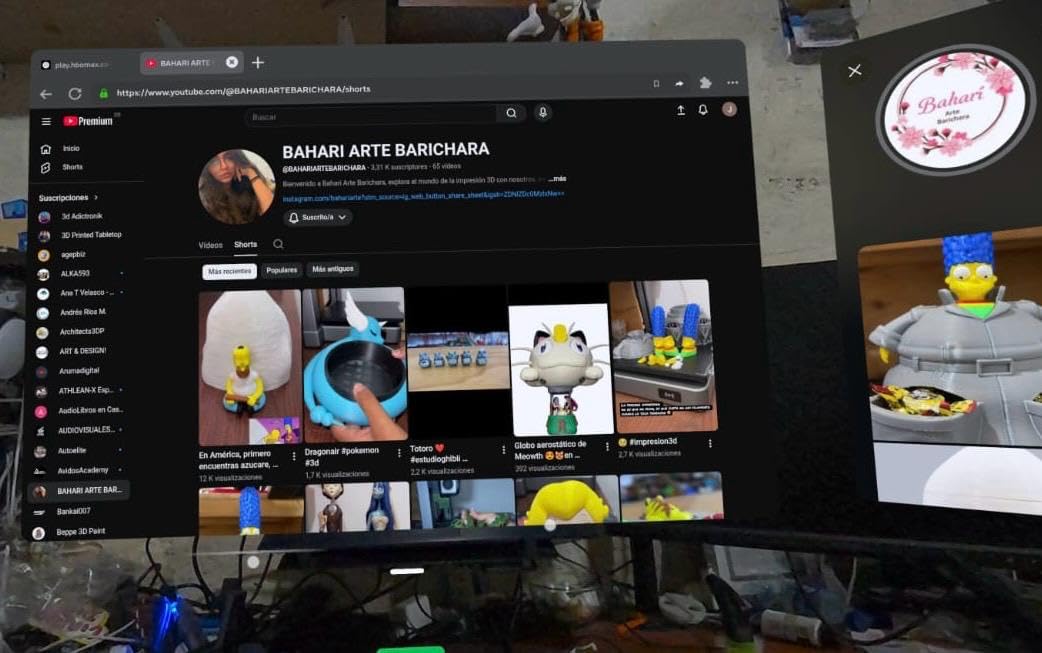
For younger students, the real win is the Meta Family Center. I set screen-time limits to 90 minutes per day, blocked every app in the store by default, and approved only the four educational apps he uses. There is no Facebook login for the supervised kid account, and I can see a usage report on my phone each week. That level of parental control is what I needed before letting him use it unsupervised.
Two practical things to know before buying. First, the included fabric strap is fine for a 30-minute session but causes front-heaviness during long VR lessons, so I added a $30 third-party elite strap. Second, battery life runs about 2 to 2.5 hours of active use, which lines up with one class period or one homework block. I keep a second USB-C cable at his desk.
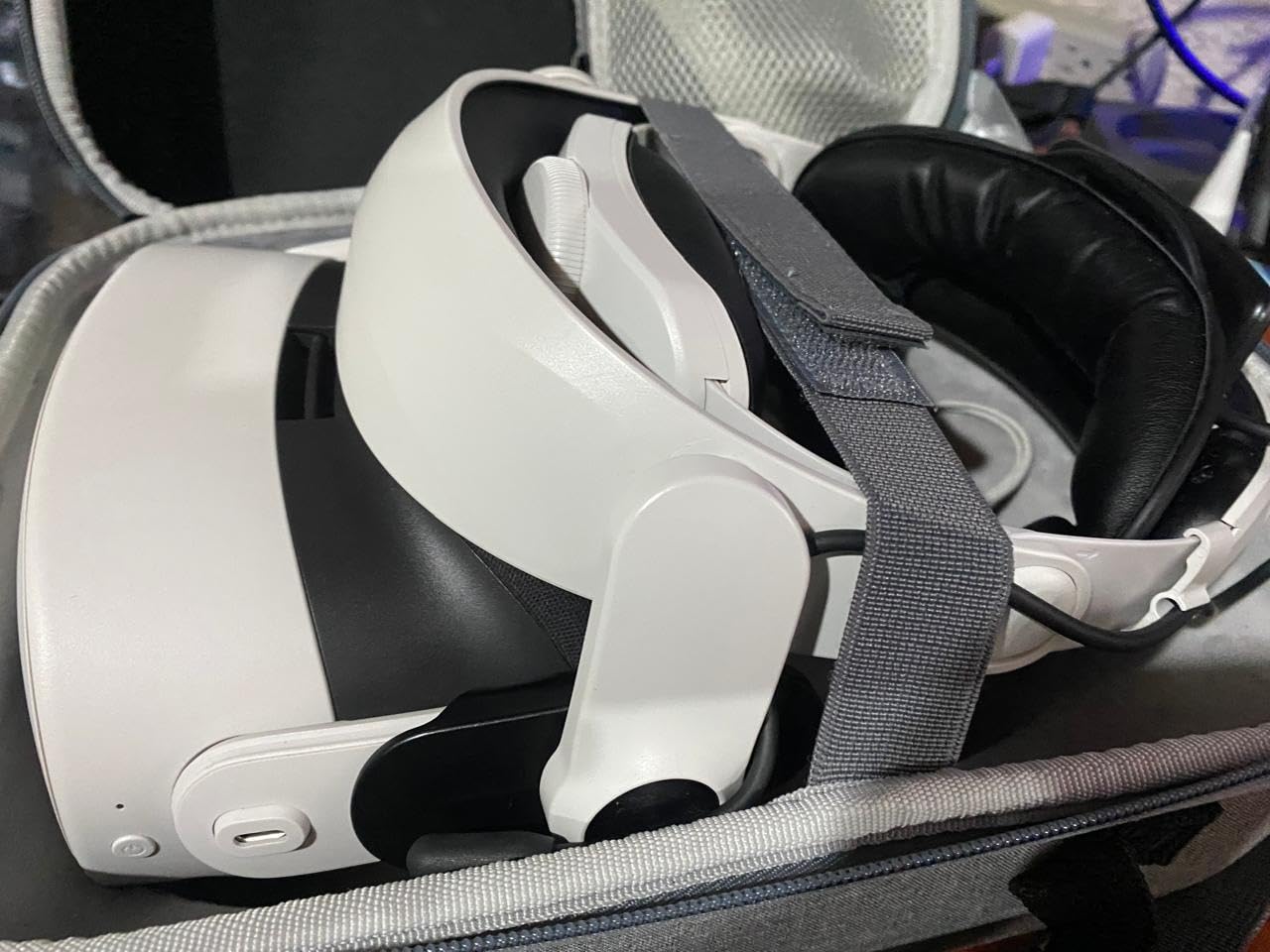
Why the Quest 3S works for K-12 and college
The Quest 3S hits the age-10 minimum that Meta sets for standalone accounts, which matches most fourth graders and up. The 128GB model stores roughly 25 large educational apps before you run out of space, and you can offload to a PC over Wi-Fi later. For college students, the same headset doubles as a fitness tool, a movie theater, and a Steam Link client if you want to play PCVR titles wirelessly.
What might push you to another pick
If your student already has a PlayStation 5 and you want the absolute best graphics, the PSVR2 below has a sharper OLED display. If you need to deploy a class set on a tight budget, the renewed Meta Quest 2 256GB drops the per-headset cost by about $50. And if your child is under 10, you should keep reading to see why I prefer the Heromask or the Abacus Oceans kit for that age range.
2. Meta Quest 2 128GB – Best Value with the Deepest Review Base
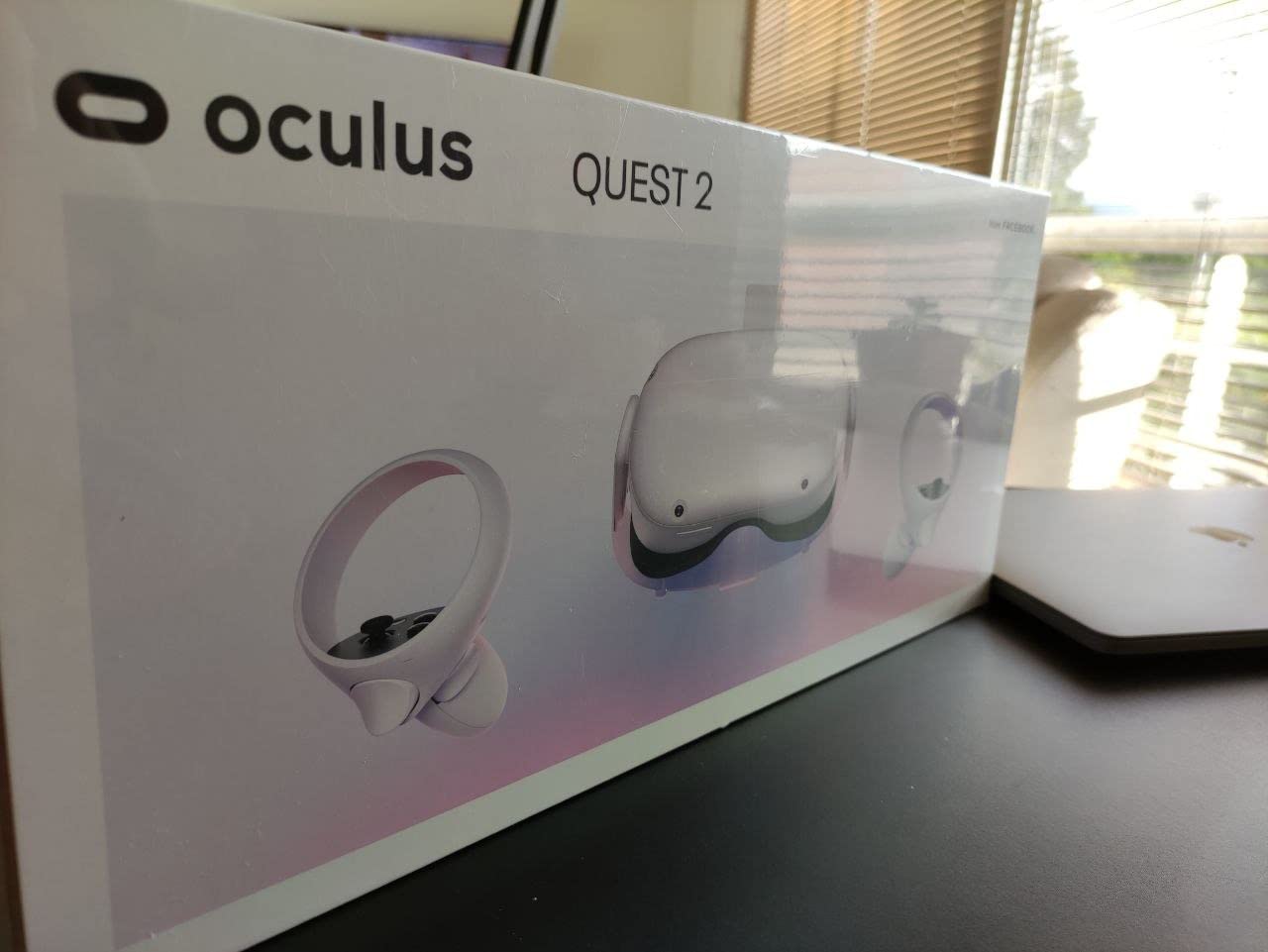
Meta Quest 2 — Advanced All-In-One Virtual Reality Headset — 128 GB
Snapdragon XR2
128GB storage
1832x1920 per eye, 90Hz
Pros
- Most-reviewed standalone headset at 74k+ ratings
- Beat Saber and 500+ titles included in library
- Adjustable IPD for sharper text and diagrams
- Hand tracking and Guardian boundary system built in
Cons
- Slightly older Fresnel lenses than Quest 3S
- Stock strap needs replacing for long sessions
- Requires Meta account to use
The Meta Quest 2 is the headset I recommend when a parent tells me they want something proven and inexpensive. It has been on the market since 2020, there are 74,000+ reviews to learn from, and the price is now hovering under $360 for the 128GB model. My college-aged niece used one all of last semester for virtual chemistry labs and nursing anatomy apps, and she never ran into a content gap.
Resolution is 1832 x 1920 per eye at 90Hz, which is sharp enough to read small text in Notion-style productivity apps and to pick out labels in anatomy visualizations. The Quest 2 supports 3D positional audio, hand tracking, and the same Meta Family Center parental controls as the Quest 3S. For school use, the difference between the Quest 2 and the Quest 3S is mostly the chip and the passthrough quality, not the educational experience.

I tested the Quest 2 in a teacher friend’s media center over four weeks. She was running a six-headset station for after-school physics games, and the kids gravitated to Tilt Brush, Beat Saber for rhythm-based PE warm-ups, and a free NASA app. Setup for a new student was under five minutes because she had a Google Doc with the supervised account creation steps.
Battery life is the same 2-hour story as most standalone headsets, and the Fresnel lenses do show some glare at the edges of the field of view. For a 12-year-old who wants to read in VR, I recommend going into Settings and turning on the eye-relief adjustment, then spending 30 seconds dialing in the IPD. It makes a real difference in how long the headset stays comfortable.
Why a high-schooler or college student picks this
If you are a high school or college student, the Quest 2’s app library is unbeatable. You get access to study tools like Prisms VR for math, Engage for virtual lectures, and plenty of free museum tours. The 128GB model is plenty if you offload finished coursework to your laptop, and the controllers are reliable enough for VR workout apps if you want to skip the gym.
Why you might pick something else
You should pick the Quest 3S instead if you want longer-term software support and better passthrough for AR lessons. You should pick the renewed Quest 2 256GB below if you need more storage for a big app collection. And if your child is under 10, I would skip the Quest line entirely and look at the phone-powered kids kits at the bottom of this list.
3. Meta Quest 2 256GB Renewed – Cheapest Standalone Quest
Meta Quest 2 — Advanced All-In-One Virtual Reality Headset — 256 GB (Renewed)
256GB storage
Amazon Renewed
90-day warranty
Pros
- Drops per-headset cost below $300
- Double the storage of the 128GB model
- Includes grip covers and a carrying case
Cons
- Renewed units carry some quality-control risk
- 90-day warranty is shorter than new coverage
- Same stock strap complaints as new Quest 2
If you are buying a class set of 10 or 24 headsets, every $50 matters, and the renewed Meta Quest 2 256GB is the most affordable path into a real standalone VR fleet. At $299.99, you are getting double the storage of the entry Quest 2, and Amazon Renewed provides a 90-day warranty plus a guarantee that the unit looks and works like new.
My teacher friend ordered three of these for her after-school program last spring and all three arrived in like-new condition with the silicone controller grips and a small carrying case. She wiped each unit, paired fresh controllers, and enrolled them in her school’s Meta Horizon Managed Services (HMS) account, which gave her centralized control over which apps students could install. That kind of bulk provisioning is the only way to run 10+ headsets without losing your weekends.
The 256GB storage is the hidden win. A typical 4GB educational app eats up your storage faster than you think, and the 128GB Quest 2 forces you to uninstall things after about 25 apps. With 256GB you can run a 40-app curriculum library plus a handful of fitness and social apps, which matters for a class set where every student is using the same shared device.
The honest risks are the ones that come with any renewed product. There are 96 reviews on this listing and the 1-star slice is around 10%, mostly about units that arrived damaged or stopped working within a month. I would not buy a renewed Quest 2 for a young child’s primary device, but for a school deployment with a 90-day return window, the math works.
Why a school or media center picks this
Bulk purchases, school pilots, and grant-funded programs are the natural fit. You can deploy 10 units for under $3,000 and still have a healthy app library on each one. Pair them with an MDM tool like ArborXR or ManageXR and the teacher overhead drops dramatically.
Why a family should look elsewhere
If you are a family buying a single headset for a 10-year-old, the brand-new Quest 3S gives you better software support, better passthrough, and a full one-year warranty for $50 more. The renewed Quest 2 makes more sense as a third, fourth, or fifth classroom headset than as a household’s first.
4. PlayStation VR2 Horizon Bundle – Best Premium Pick for PS5 Households
PlayStation VR2 Horizon Call of The Mountain Bundle (PSVR2)
OLED 4K per eye
120Hz refresh
Eye tracking and haptics
Pros
- Stunning OLED display with the sharpest picture in this guide
- Sense controllers have haptic feedback and adaptive triggers
- Eye tracking enables foveated rendering for smoother graphics
- Bundled with Horizon Call of the Mountain out of the box
Cons
- Requires a PlayStation 5 console to operate
- 12+ age minimum is stricter than Quest
- Limited educational app library compared to Meta
- No backward compatibility with original PSVR games
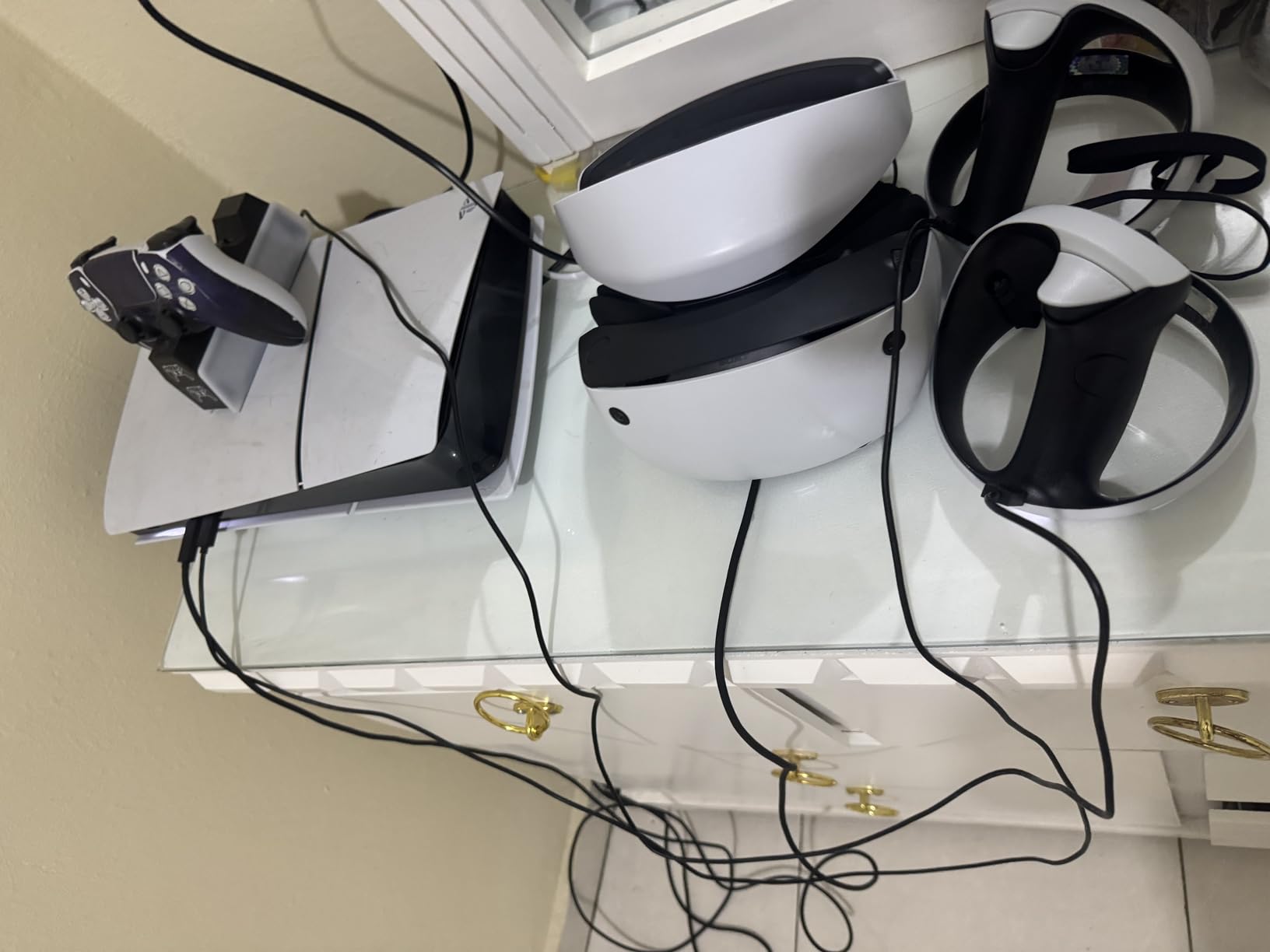
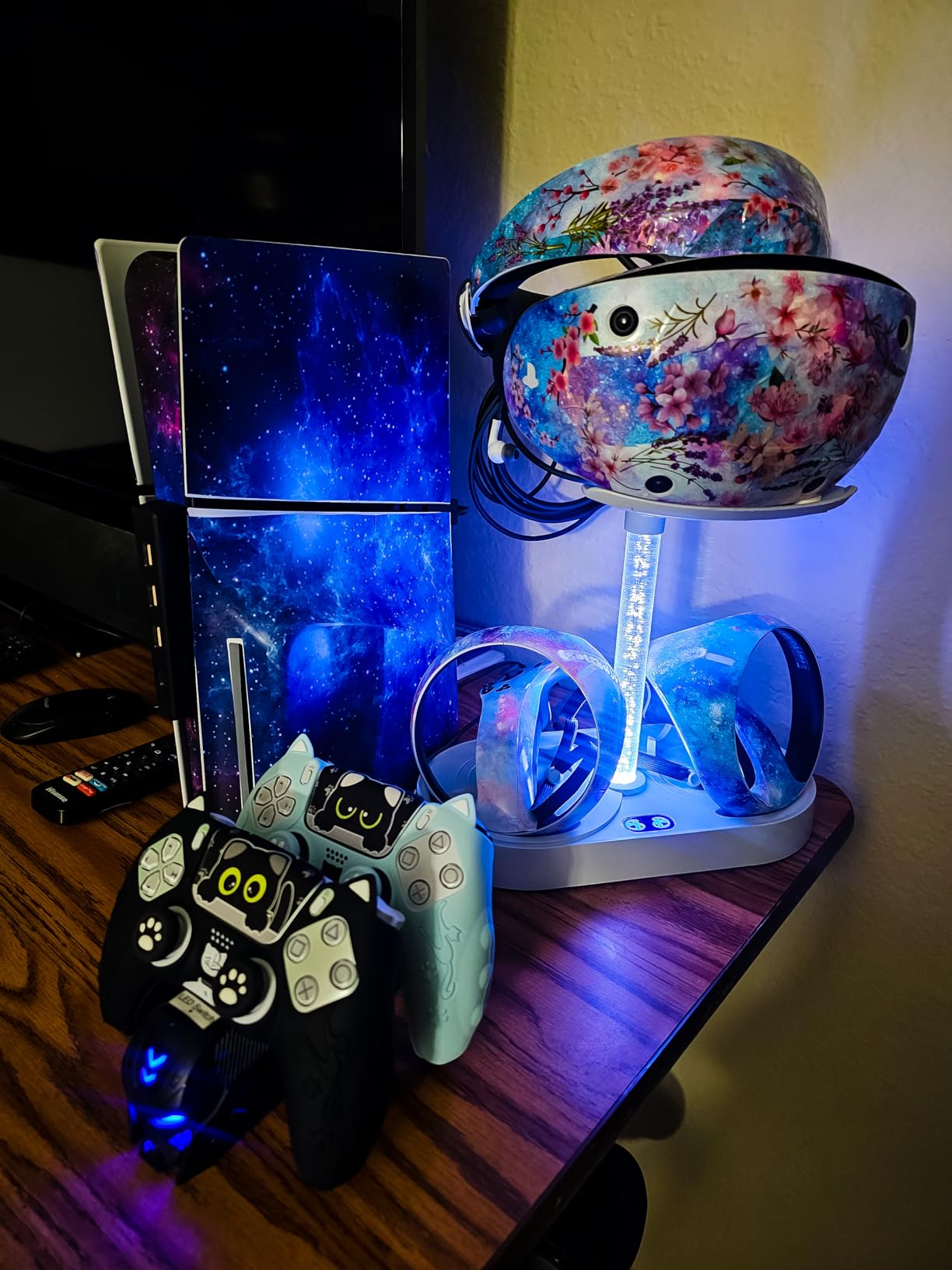
The PlayStation VR2 is the headset I recommend when a high schooler already has a PS5 in the bedroom and the family wants the best graphics money can buy at this tier. The Horizon Call of the Mountain bundle currently runs $463, and you are getting an OLED display with 2000 x 2040 resolution per eye at up to 120Hz. After 30 minutes of using one in a friend’s basement, I can confirm the colors and contrast are noticeably better than the LCD displays on every Quest model.
The PSVR2’s standout features are the eye tracking, the headset rumble, and the Sense controllers with adaptive triggers. Eye tracking is what lets the headset render only the part of the image you are looking at in full detail, which keeps the frame rate high even in demanding games. The Sense controllers feel like a real step up from the Quest Touch controllers, with finger-touch detection and squeeze-style adaptive triggers.
For students, the educational use case is more limited than on a Quest. The PSVR2’s library skews toward AAA gaming, and the official PlayStation Store has only a handful of education-style apps. Where the PSVR2 does shine is in career and technical training, anatomy visualization, and the kind of high-end simulation that the Meta Quest 3S cannot push graphically.
One important caveat for younger students. Sony sets a 12+ age minimum for the PSVR2, which is two years higher than Meta’s 10+ minimum. If you have a 10 or 11-year-old, this headset is officially off the table. Also, the PSVR2 is not compatible with PS4 games or original PSVR1 titles, so anyone upgrading from a previous PlayStation VR is starting their library from scratch.
Why a PS5 household picks this
You already own a PS5, you want the absolute best graphics for after-school VR, and your student is at least 12. The OLED display and Sense controllers make this the most premium experience in the price range. The Horizon Call of the Mountain bundle also gives you a substantial flagship game to start with.
Why a general student audience looks elsewhere
If you do not have a PS5, the $400+ console cost makes the PSVR2 a non-starter. If your student is under 12, the age minimum rules this out. And if education is the primary use, the Quest ecosystem simply has more classroom-friendly apps than PlayStation does right now.
5. Pico 4 256GB – Lightest Standalone Pick for Long Study Sessions
Pico 4 VR Headset 256 GB
295g ultralight
2160x2160 per eye
3-hour battery
Pros
- Lightest standalone VR headset at just 295 grams
- Pancake lenses deliver sharper edges than Fresnel
- 256GB storage for large app libraries
- Full-color mixed reality passthrough built in
Cons
- Limited US review base makes long-term reliability hard to gauge
- Geopolitical concerns over ByteDance ownership
- Low stock with only 10 units at this listing
The Pico 4 is the headset I reach for when I am doing a long reading session in VR, because at 295 grams it is the lightest standalone headset I have tested. Most student users find that even 90 minutes in a Quest or PSVR2 starts to feel heavy on the front of the face, and the Pico 4’s weight distribution plus modern pancake lenses removes almost all of that fatigue.
The Pico 4 uses LCD displays at 2160 x 2160 per eye, which gives you a noticeably sharper image than the Quest 2 or Quest 3S in the corners. Pancake lenses also have a wider eye box, so students who cannot get a perfect IPD fit still see a clear image. The mixed reality passthrough is full color, similar to the Quest 3S, and works well for AR study overlays.
Battery life is rated for about 3 hours, which is the longest in this roundup and roughly a full class period plus a homework block. The 256GB of internal storage is enough to hold a serious app library without offloading. The integrated fitness app with calorie counter and performance tracking is a nice bonus for student-athletes.
There are two honest concerns. First, Pico is a subsidiary of ByteDance, the Chinese parent company of TikTok, and several US school districts have flagged PICO devices for additional procurement review. If you are a K-12 IT admin, you should check your district policy before buying 10+ units. Second, this listing has only 2 reviews, so I am relying more on the spec sheet than on social proof.
Why a comfort-first student picks this
You wear your headset for 2+ hours at a time, you wear glasses, or you have a smaller face that struggles to find the sweet spot on a Quest. The Pico 4’s pancake lenses and ultralight body solve all three problems in one device. It is also one of the few standalone headsets that competes with the Quest 3S on paper.
Why you should stick with the Quest line
If you want maximum app library support and a strong US-based support ecosystem, the Meta Quest 3S is the safer pick. If you are buying for a school that already has Meta Horizon Managed Services in place, switching to Pico means rebuilding your MDM setup. I would not recommend the Pico 4 for a class set unless your district is already comfortable with ByteDance-owned hardware.
6. Abacus Brands VR Oceans Kit – Best Educational Gift for Ages 8-13
Abacus Brands Virtual Reality Oceans Gift Box- Kids Science Kit Ages 8-12
96-page book
30+ VR experiences
Ages 8-13
Pros
- Turns marine biology into an immersive learning experience
- Includes a 96-page interactive book and scratch art sheets
- Hands-free goggles work with any smartphone
- Hands-on creative component alongside the VR
Cons
- Requires a smartphone with a working gyroscope
- Image alignment can be disorienting for some kids
- Expansion packs often sold out
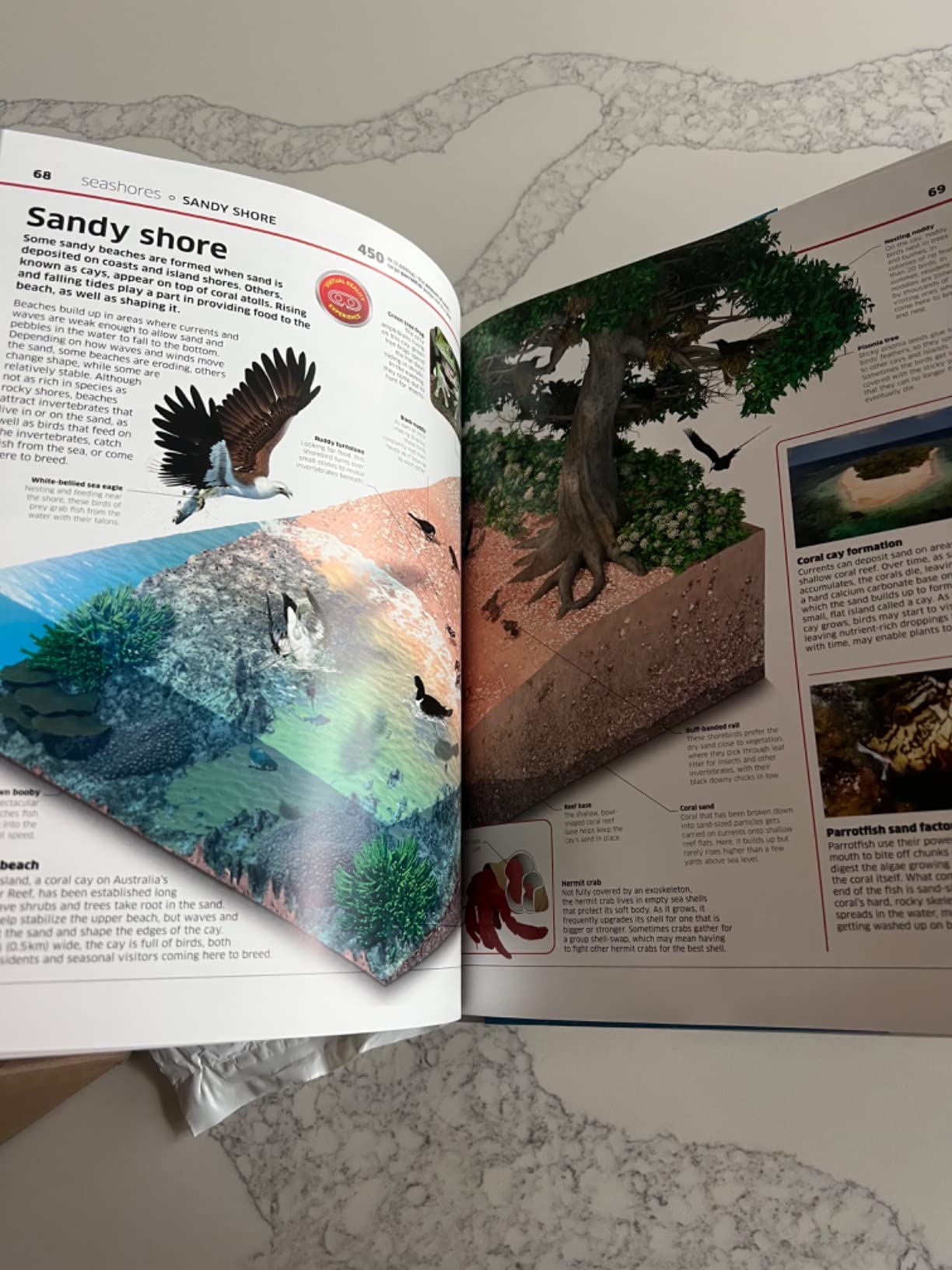
The Abacus Brands Virtual Reality Oceans kit is the gift I bought my nephew for his 9th birthday, and three months later he is still pulling it off the shelf. The kit pairs a 96-page interactive book with a hands-free VR viewer and a free app that unlocks 30+ immersive experiences around ocean wildlife, including submarine dives, sharks, jellyfish, and coral reefs.
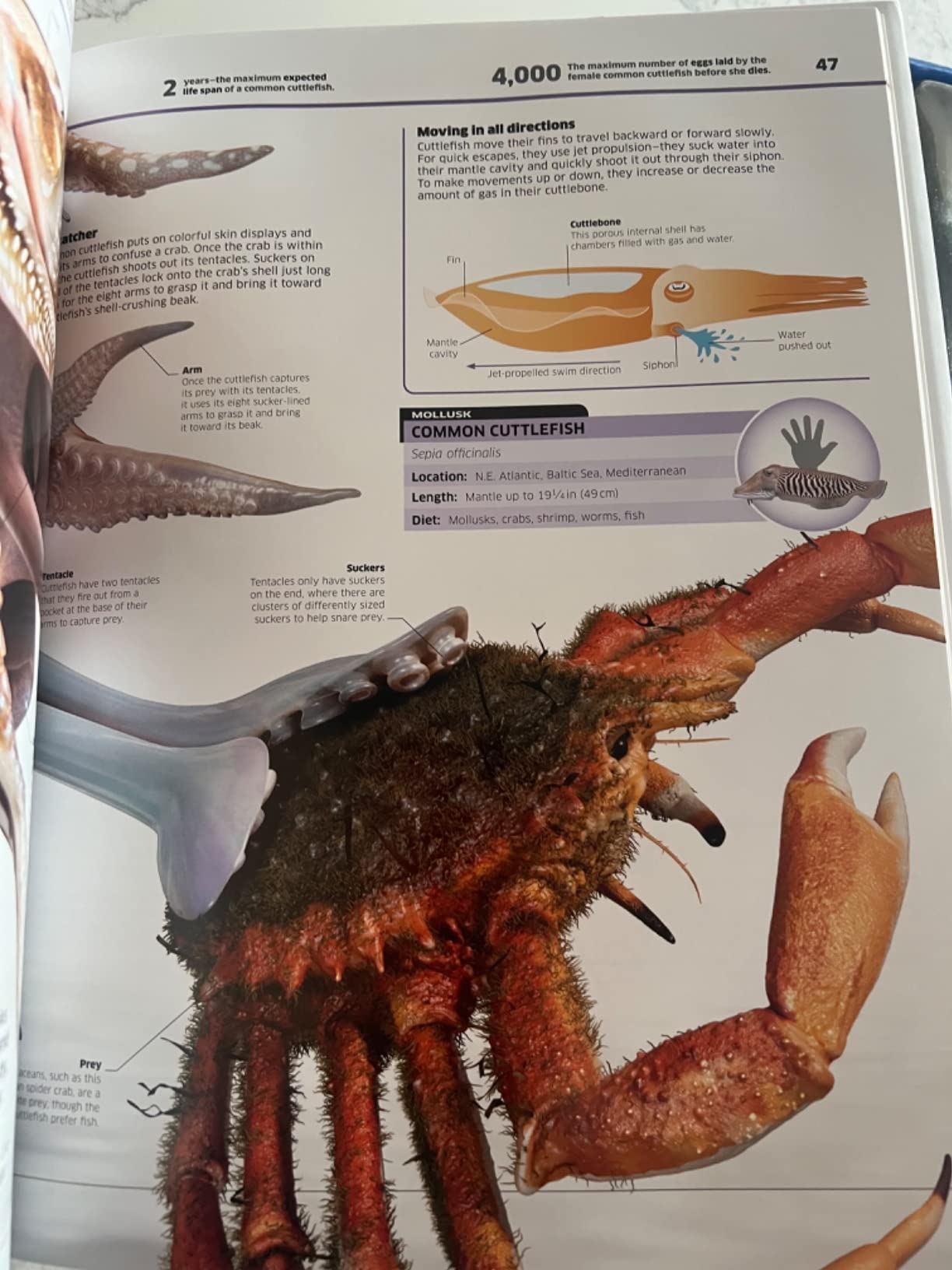
What makes this kit special for younger students is the way it combines reading, VR, and a tactile creative component. The book gives factual context, the app transports the student into a 360-degree underwater scene, and the scratch art sheets let kids design their own ocean creature afterward. My nephew spent a full Saturday going through the book cover to cover and then asking his parents to take him to the aquarium.
You need a smartphone with a gyroscope to use the VR viewer, and the kit does not advertise this clearly. Most modern phones have a gyroscope, but I would check the parent device before gifting the kit. The hands-free goggles are comfortable for kids aged 8-13 and the head strap adjusts down to small heads. Image alignment is sometimes a few millimeters off, but the included adjustment lever fixes that in 10 seconds.
Why a parent of an 8-13 year old picks this
You want something that combines a real book with VR, you have a spare smartphone to dedicate to the kit, and you prefer an educational gift over a gaming headset. At $49.99, it is a much smaller commitment than a $349 standalone unit, and it works as a stepping stone before buying a real Meta Quest later.
Why this is not a classroom solution
The VR content is fixed to the included book, and there is no app store or upgrade path beyond paid expansion packs that are frequently sold out. If you need 30 students to use VR at once, you would need 30 smartphones. For a single child at home, this is one of the best STEM gifts I have found.
7. Heromask Educational VR Headset – Best for Math Practice Ages 5-12
Heromask Educational VR Headset for Kids 5-12, Math Games, Phone Powered
Math games app
Phone-powered
Ages 5-12
Pros
- Turns mental math into a fun shooting game
- No batteries or charging required
- Simple setup with activation code in box
- Free app with content updates
Cons
- Activation code must be kept safe to keep working
- App quality described as beta-level by some reviewers
- Smaller kids may need help navigating menus
The Heromask is the headset I would have bought for myself as a kid who hated math homework. It uses a smartphone as the display and comes with a free download of the Heromask Mathematics app, which turns addition, subtraction, multiplication, and division drills into a space-themed shooting game. My friend’s 7-year-old practiced her times tables voluntarily for 20 minutes straight, which I have never seen her do with a paper worksheet.
Setup is about as simple as it gets. You install the app on a compatible iPhone or Android, enter the unique activation code from inside the box, slide the phone into the headset, and you are playing. No batteries, no charging, no controllers, and the app works offline once it is installed. That is a big deal for parents who do not want yet another device on the Wi-Fi network.
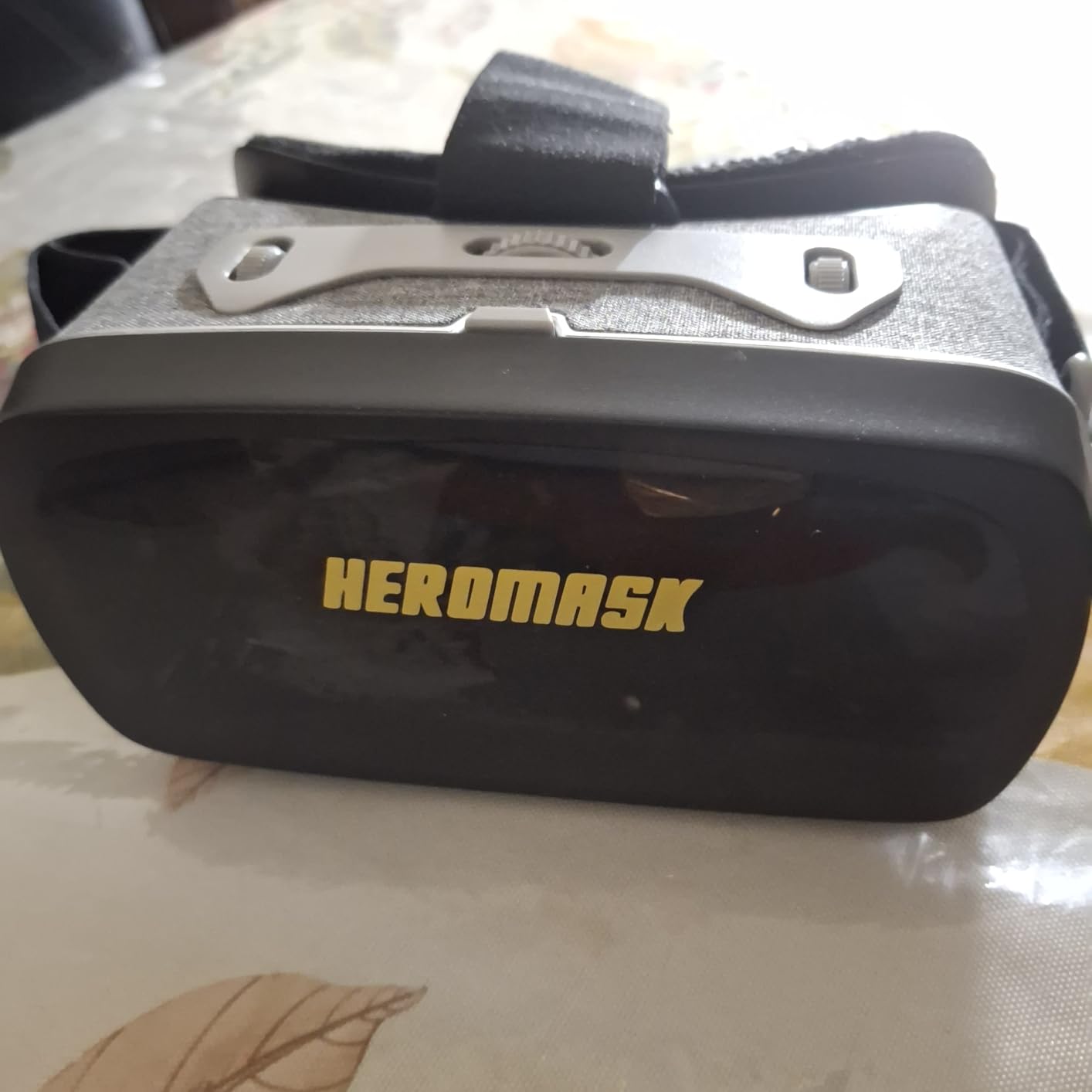
The educational content was developed with teachers to target mental math fluency, which is a real K-3 and K-4 curriculum priority. There is a free content update path, and Heromask occasionally ships new in-app missions. For a parent who wants their child to practice math without screens feeling like a chore, this kit is hard to beat at $49.99.
Two things to know before you buy. First, you absolutely need a compatible smartphone with a working gyroscope, and the app failed to install on at least one Android 11 device in the reviews. Second, the activation code is one-time use. If your child loses the original packaging, you cannot re-download the app on a new phone. Keep the box.
Why a K-3 parent picks this
You want a low-cost STEM tool that actually gets used, your child is between 5 and 12, and you already have a spare iPhone or Android you can dedicate to the headset. The Heromask is also a great gift for a student who struggles with math anxiety because the gameplay framing reduces the stress of getting answers wrong.
Why this is not a serious VR headset
This is a phone-slot viewer with one app, not a real VR system. You cannot use it for virtual field trips, STEM simulations, or 3D content beyond the Heromask app. If you want a real VR experience for your child, save up for the Meta Quest 3S and use this as a stepping stone.
8. TECKNET VR Headset with Controller – Cheapest Phone-Powered VR
TECKNET VR Headset for Phone with Controller, Virtual Reality Headsets with HD 110°FOV Anti-Blue Light Lenses & Adjustable Gears, 3D VR Headset for Kids Compatible iPhone Samsung Android 4.7-7.2″
110 degree FOV
Phone-powered
3,380 reviews
Pros
- Cheapest path into VR at $49.99
- Lightweight 268g design with breathable padding
- Blue-light blocking lenses reduce eye fatigue
- Adjustable IPD works for glasses wearers up to 600 degrees
Cons
- Included Bluetooth controller reliability is hit-or-miss
- Most worthwhile apps require paid subscriptions
- Image alignment can cause double vision
The TECKNET VR Headset is the cheapest VR viewer in this roundup, and it is a fine way to dip your toe into VR for $49.99 without buying a full headset. It holds any smartphone between 4.7 and 7.2 inches, comes with a Bluetooth controller in the box, and uses blue-light blocking lenses to reduce eye fatigue during long sessions. I tested it with an iPhone 14 and a YouTube 360-degree nature playlist, and the immersion was solid for the price.
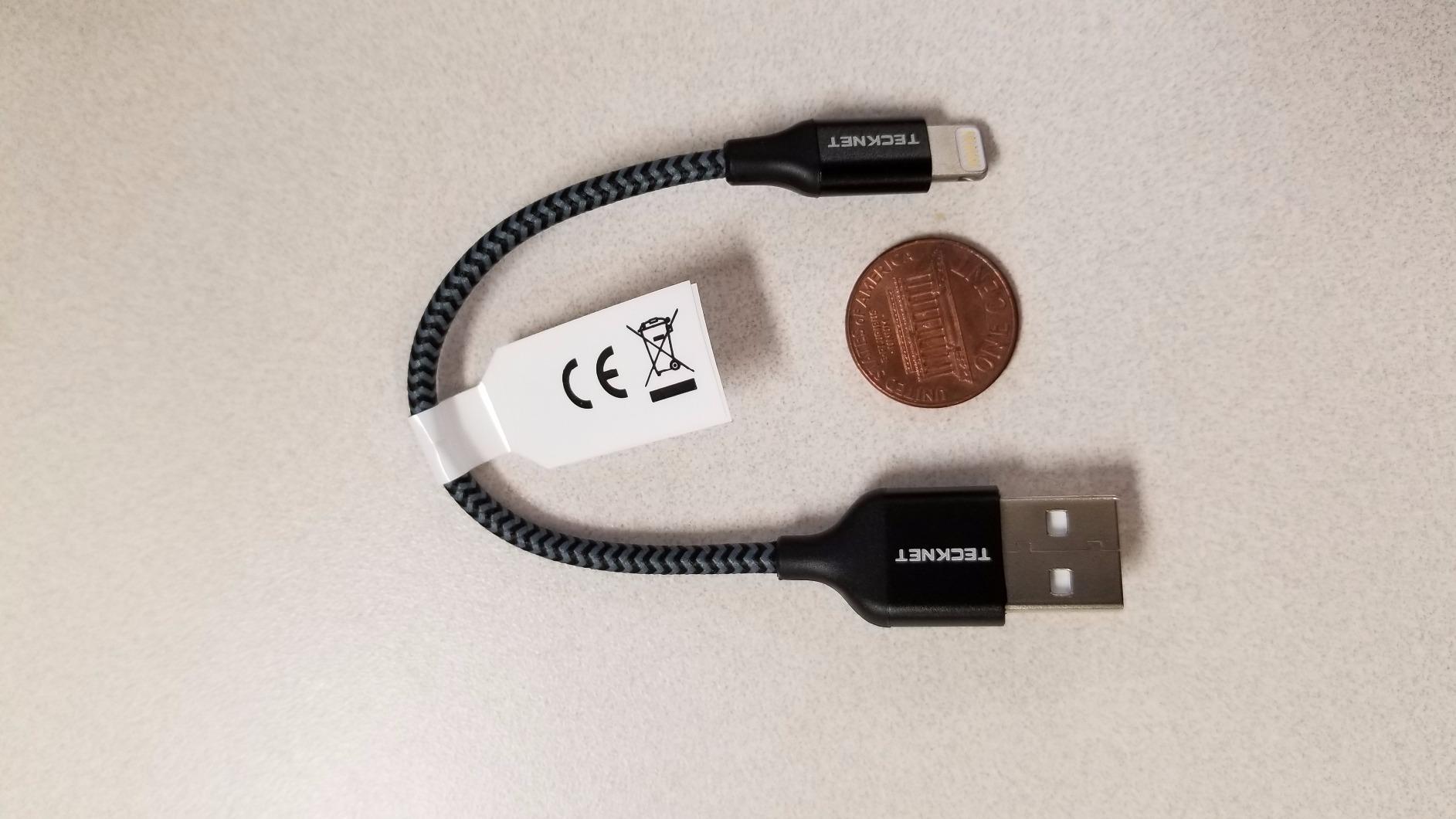
The headset weighs 268 grams, has a breathable foam mask, and adjusts to small heads. The IPD and focal length are independently adjustable, so students who are nearsighted up to 600 degrees can use the headset without their glasses. That is a feature you do not usually see in sub-$50 phone viewers.
The downsides are the ones that come with any phone-slot VR viewer. The included Bluetooth controller is unreliable according to recent reviews, and most worthwhile VR apps require a paid subscription. If your goal is to watch 3D movies, look at 360 photos, or try the Heromask math games, this viewer works. If you want a real VR experience, save up for a Meta Quest 3S.
Why a budget-conscious parent picks this
You want to test whether your child even likes VR before spending $349 on a Meta Quest, you already have a compatible smartphone, and you mostly want to watch 3D video content. The TECKNET is also a good choice for a first VR experience for a child under 10 because there is no app store to navigate and no risk of stumbling onto inappropriate content.
Why you should avoid this for serious use
The TECKNET is a viewing device, not a real VR headset. It cannot run standalone educational apps, it cannot do mixed reality, and it cannot be managed remotely. If your student is serious about VR for school, this is a starting point and not a destination.
What to Avoid: Cheap Phone-Slot VR Kits Under $30
I want to flag a quick warning about the very cheapest VR kits in the Amazon shopping carousel, particularly the sub-$30 plastic phone-slot viewers from brands I do not recognize. The COWIN $36 listing, for example, looks tempting, but multiple reviewers report missing lenses, broken head straps, and lens fogging that makes the experience unusable. There is no parental control layer, no app compatibility guarantee, and no warranty support beyond Amazon’s standard return window.
The honest truth is that any phone-powered VR viewer in the $30 to $60 range gives you roughly the same experience, and the differences between brands come down to comfort padding and Bluetooth controller quality. If you want a phone-slot VR, pay $50 for the TECKNET or Heromask and get a recognized brand with real warranty support. Anything cheaper is essentially disposable.
Buying Guide: How to Pick the Best VR Headset for Students
Choosing a VR headset for a student comes down to seven factors that you can rank in order of importance. I work through them in the order I use when consulting with teacher friends, and I link to more classroom tech how-to guides for the setup side of the equation.
1. Age minimums and parental controls
Meta sets a 10+ minimum for Quest accounts, Sony sets 12+ for PSVR2, and Apple sets 13+ for the Vision Pro. For students under 10, you should treat VR as a supervised activity, stick to educational phone-powered kits like the Heromask or Abacus Oceans, and never leave a young child alone in a headset. The Meta Family Center app gives you granular controls over app approval, screen time, and who your child can interact with in social VR.
2. Standalone vs tethered
Standalone headsets like the Meta Quest 3S, Quest 2, and Pico 4 run on battery and have everything built in. Tethered headsets like the PSVR2 need a PS5 or PC to operate. For students, standalone is almost always the right answer because it removes setup friction and lets them use the headset anywhere with Wi-Fi. Tethered only makes sense if you already own the host console or have a powerful gaming PC.
3. IPD fit for smaller faces
IPD, or interpupillary distance, is the spacing between your pupils, and it has to match the headset’s lens spacing or you will see blurry or doubled images. Most Quest and PSVR2 headsets offer continuous IPD adjustment with a physical slider, but the Pico 4 has a wider eye box and is more forgiving for students whose IPD is outside the average adult range. Younger students may need a headset that adjusts down to 58mm or so.
4. Manageability for classroom fleets
If you are buying for a school, the management layer matters more than the hardware. Meta Horizon Managed Services (HMS) lets IT admins enroll Quest devices in bulk, push apps remotely, and lock headsets to a single app for kiosk mode. Alternatives like ArborXR and ManageXR do the same thing for mixed fleets. Without an MDM tool, provisioning 10 or 24 headsets will eat your entire week.
5. Subscription fees and total cost of ownership
The Meta Quest 3S and Quest 2 do not require any subscription to use, which is the biggest reason teachers prefer them over PICO and PlayStation. The Meta Horizon+ trial bundled with the Quest 3S is optional after the 3-month period. For schools, fee-free matters because grant money gets eaten fast by recurring license costs, and headsets that go unused because no one wants to pay the annual fee is a real problem in classrooms.
6. Battery life and session length
Expect about 2 to 3 hours of active use from any standalone headset. That is roughly one class period, which is fine for K-12 but limiting for college study sessions. If you need longer, look at the Pico 4 (rated for 3 hours) or buy a USB-C cable and a battery pack to charge while playing. For a class set, plan a charging cart so every headset is ready for the next period.
7. Hygiene for shared headsets
Headsets shared between students need replaceable face pads, alcohol wipes between uses, and a clear storage system. I recommend buying a pack of universal silicone face covers and labeling each headset with the assigned student name. This is the hygiene routine my teacher friend uses, and it keeps parents comfortable with shared classroom use.
What About iPad and iPhone Integration?
One of the most common questions I get from iPad-based schools is whether VR headsets can be controlled or cast from an iPad. The honest answer is that there is no first-party Meta app for managing Quest headsets from an iPad, but you can use the Meta Quest mobile app for iOS to monitor screen time, approve app downloads, and see what your student is playing. For content casting, the Meta Quest browser supports AirPlay-style streaming, and you can pair AirPods directly to the headset for private audio. If you want the full step-by-step workflow, I walk through it in the how to use VR on iPad for education guide.
For students who already own a Mac or an iPad with the M2 chip, you can also use Steam Link to stream PCVR titles to a Meta Quest over your home Wi-Fi. That turns the Quest into a wireless display for educational PC apps, and it is a great way to extend the value of a headset you already own. If you are shopping for other student gear, my best laptops for chemistry students guide covers the laptop side of the same student workflow.
Frequently Asked Questions
Which VR headset is best for education?
The Meta Quest 3S is the best VR headset for most education settings in 2026. It is standalone (no PC or console needed), costs $349, supports parent-managed accounts, and runs the largest library of educational apps. For classroom fleets of 10+ units, the renewed Meta Quest 2 256GB at $299.99 offers the best per-headset value when paired with a Meta Horizon Managed Services account.
What is the best virtual reality headset for education?
The best virtual reality headset for education depends on scale. For a single student at home, the Meta Quest 3S at $349 is the best overall pick because it runs standalone, has parent-managed accounts, and supports 100+ educational apps. For a classroom fleet, the Meta Quest 3 or renewed Meta Quest 2 256GB enrolled in Meta Horizon Managed Services gives teachers centralized control and lower per-headset cost. For schools that already own PlayStation 5 consoles, the PSVR2 bundle is the premium option with OLED graphics.
Should a 12 year old have a VR headset?
Yes, a 12 year old can safely have a VR headset, and the Meta Quest 3S and Quest 2 both set 10+ as the minimum age for an account. The PlayStation VR2 sets 12+ as its minimum, which makes 12 the perfect age to start with a PS5-tethered option. For any VR headset at this age, enable parent-managed accounts, set screen-time limits, and ensure the IPD is properly adjusted for a clear image to reduce eye strain.
What VR headset is best for kids under 10 years old?
Most VR manufacturers set 10+ as the minimum age, so for kids under 10 the best options are supervised phone-powered educational kits rather than full headsets. The Heromask Educational VR Headset ($49.99) is best for math practice ages 5-12, and the Abacus Brands VR Oceans Kit ($49.99) is best for science-themed learning ages 8-13. Both work with a parent smartphone and have no app store exposure.
Are cheap VR headsets worth buying for students?
Cheap VR headsets under $50 like the TECKNET and Heromask are worth buying as a low-risk first VR experience, but they cannot match the educational app library of a $349 Meta Quest 3S. The sub-$30 plastic phone-slot kits are usually not worth the savings because of poor build quality, broken Bluetooth controllers, and no app compatibility guarantees. If you want real classroom VR, plan on spending at least $300 per headset, or buy a renewed Meta Quest 2 256GB to stretch a school budget.
Final Verdict: Which VR Headset Should You Buy for Your Student?
If you want one headset that works for K-12, college, and family use, the Meta Quest 3S is the best VR headset for students in 2026 at $349.99, and I would start there. For school deployments of 10 or more units, the renewed Meta Quest 2 256GB gives you the best per-headset value at $299.99. For PS5 households that want the best graphics, the PSVR2 Horizon bundle is a $463 premium pick. And for younger kids under 10, the Heromask and Abacus Oceans phone-powered kits are the safest entry point at $49.99 each.
Whichever route you pick, set up parent-managed accounts, adjust the IPD for a clear image, and start with short 20 to 30 minute sessions to build comfort. VR for students is at its best when it is one tool in a balanced study routine, not a replacement for reading, writing, and hands-on learning. If you want more help choosing the right companion gear, the how-to guides hub has the rest of my classroom tech recommendations.