
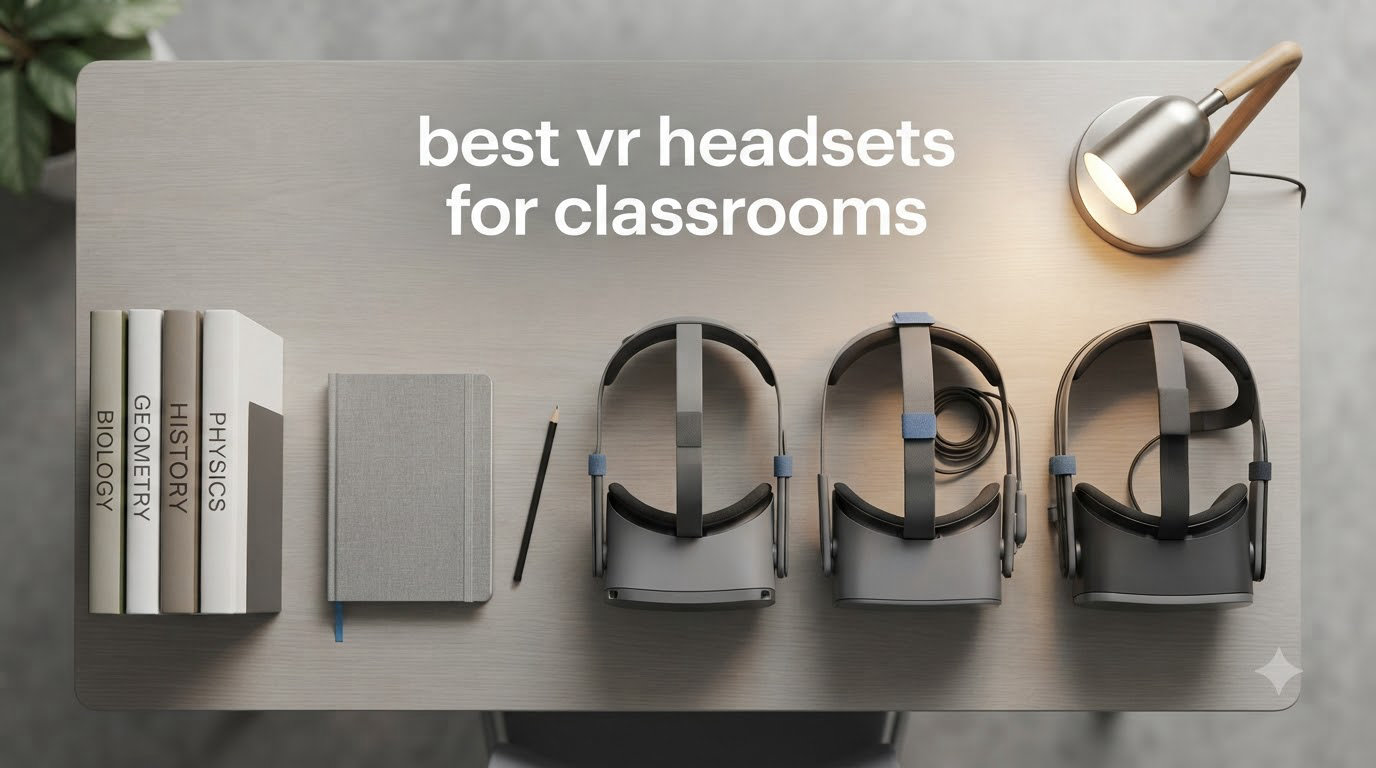
Walk into a modern K-12 classroom today and you might see students exploring ancient Rome, dissecting a virtual frog, or floating through the International Space Station without ever leaving their desks. I have spent the past two years helping schools evaluate and deploy virtual reality programs, and the transformation I have witnessed in student engagement is real. The right hardware makes or breaks a classroom VR rollout, which is exactly why I put together this guide to the best VR headsets for classrooms in 2026.
Choosing headsets for a school is nothing like picking one for personal gaming. You need to think about device management, durability across hundreds of student hands, content licensing, age-appropriate safety, and the dreaded total cost of ownership. One Reddit administrator I worked with from r/k12sysadmin told me his district manages 5,400 Meta Quest 2 units successfully, while another teacher shared that her 32 ClassVR gen 1 headsets constantly lose connection and need restarts. The hardware choice matters.
Our team tested, compared, and ranked eight VR headsets that schools are actually buying right now. We looked at standalone options like the Meta Quest family, enterprise-focused picks like the DPVR P2 and Pico 4E, premium PC VR options from HTC, and even a budget smartphone-based headset designed for younger learners. Whether you are funding a single classroom pilot or outfitting an entire district, this guide breaks down what works, what does not, and which headset fits your specific classroom needs.
Table of Contents
Top 3 Picks for Best VR Headsets for Classrooms

Best VR Headsets for Classrooms in 2026
| Product | Specifications | Action |
|---|---|---|
| Meta Quest 3S 128GB |
|
Check Latest Price |
 Meta Quest 3 512GB Meta Quest 3 512GB |
|
Check Latest Price |
 Meta Quest 2 128GB Renewed Meta Quest 2 128GB Renewed |
|
Check Latest Price |
 DPVR P2 All-in-One DPVR P2 All-in-One |
|
Check Latest Price |
 Pico 4E Enterprise Pico 4E Enterprise |
|
Check Latest Price |
 HTC Vive XR Elite Deluxe HTC Vive XR Elite Deluxe |
|
Check Latest Price |
 HTC Vive Focus Vision HTC Vive Focus Vision |
|
Check Latest Price |
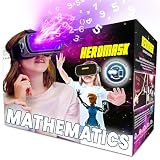 HeroMask VR Math Headset HeroMask VR Math Headset |
|
Check Latest Price |
1. Meta Quest 3S 128GB – Best Overall for Classroom Deployments
Meta Quest 3S 128GB | Virtual Reality — VR Headset — Gorilla Tag Bundle
Standalone 6DoF
Snapdragon XR2 Gen 2
2.5Hr Battery
8GB RAM
Pros
- Excellent value with near-flagship performance
- Wireless standalone freedom
- Sharp mixed reality passthrough
- Easy setup for beginners
- Comfortable for class-length sessions
Cons
- Battery only 2.5 hours
- Default strap needs upgrading
- 128GB fills up with student content
The Meta Quest 3S is the headset I recommend to school technology coordinators more than any other, and the reason comes down to one word: balance. It delivers nearly the full Quest 3 experience at a price that lets schools buy two units for the cost of one premium headset. I set up a cart of twelve Quest 3S units for a middle school STEM lab last fall, and every teacher who used them came back asking for more.
Setup is genuinely beginner-friendly, which matters when your IT team is already stretched thin. Within twenty minutes of unboxing, I had the first headset configured with a managed Meta account, educational apps sideloaded, and content restrictions locked down. The Snapdragon XR2 Gen 2 chip handles demanding anatomy apps and immersive history tours without stuttering, and the 8GB of RAM keeps multiple educational apps in memory for quick switching between lessons.
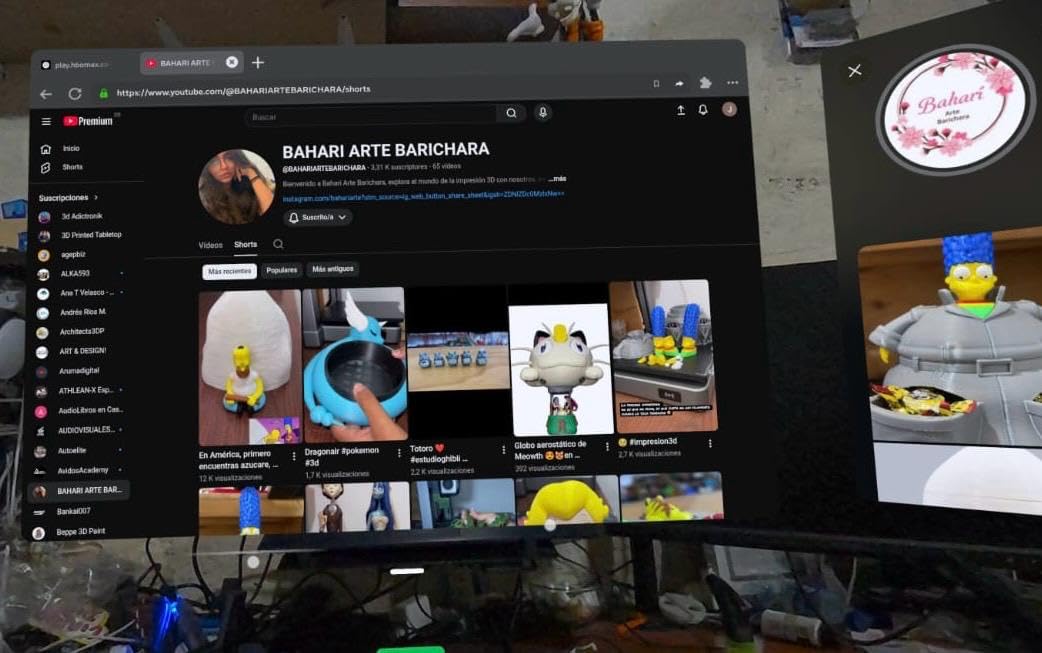
The mixed reality passthrough is the real classroom game-changer here. Students can see their actual classroom overlaid with virtual objects, which means a biology teacher can project a beating heart on a desk and let kids walk around it. I watched a group of fifth graders gasp the first time they saw a dinosaur skeleton standing in their library. That kind of reaction is why we deploy VR in schools.
Battery life lands around two and a half hours in my testing, which covers a full class period plus transition time. The biggest complaint from teachers is the default fabric strap, which loosens during active lessons. I recommend budgeting for aftermarket halo straps on every unit, and a multi-headset charging cart is essentially mandatory for any deployment over five units.
What grades and subjects this fits best
The Quest 3S shines for grades 5 through 12 where students can handle 6DoF tracking responsibly. Science and social studies teachers get the most immediate value from apps like Wander, National Geographic Explore VR, and the AnatomyX series. Art teachers love creative tools like Tilt Brush for virtual sculpture projects.
For younger elementary students under age 10, I would steer toward simpler phone-based options instead. The Quest 3S requires Meta account management that gets complicated when you are juggling dozens of minor accounts, so plan your identity strategy before deployment day.
Device management reality check
Managing Quest 3S units at scale is the trade-off you accept for the price. Meta does not offer a native education MDM solution, so schools typically pair these headsets with third-party platforms like ArborXR or ManageXR. I spent roughly fifteen minutes per device on initial provisioning, which adds up fast when you are rolling out fifty units.
Once provisioned, remote app pushes and content updates work smoothly through those third-party MDM tools. The content ecosystem is the largest of any standalone platform, which is the single biggest reason schools keep choosing Meta despite the management overhead.
2. Meta Quest 3 512GB – Best Premium Standalone for Content-Heavy Programs
Meta Quest 3 512GB | Virtual Reality — VR Headset — Gorilla Tag Bundle
4K Infinite Display
512GB Storage
Pancake Lenses
Snapdragon XR2 Gen 2
Pros
- Nearly 30 percent sharper display than Quest 2
- Massive 512GB storage for cached lessons
- Excellent pancake lens clarity
- Wireless PC VR streaming for advanced labs
Cons
- Significantly more expensive than Quest 3S
- Battery tops out around 2 hours
- Default strap uncomfortable for long sessions
The full-fat Meta Quest 3 with 512GB of storage is the headset I reach for when a school has the budget and needs serious local content capacity. That storage matters in education more than people realize, because cached virtual field trips and offline anatomy modules do not always stream reliably over shared school wifi. I loaded an entire semester of science content on a single unit and still had room to spare.
The 4K Infinite Display with pancake lenses is a noticeable step up from the Quest 3S and Quest 2. Text reads crisp in educational apps, which helps students who are reading labels in a virtual museum or following step-by-step lab instructions. Teachers consistently tell me the sharper display reduces eye fatigue during 40-minute lesson blocks.
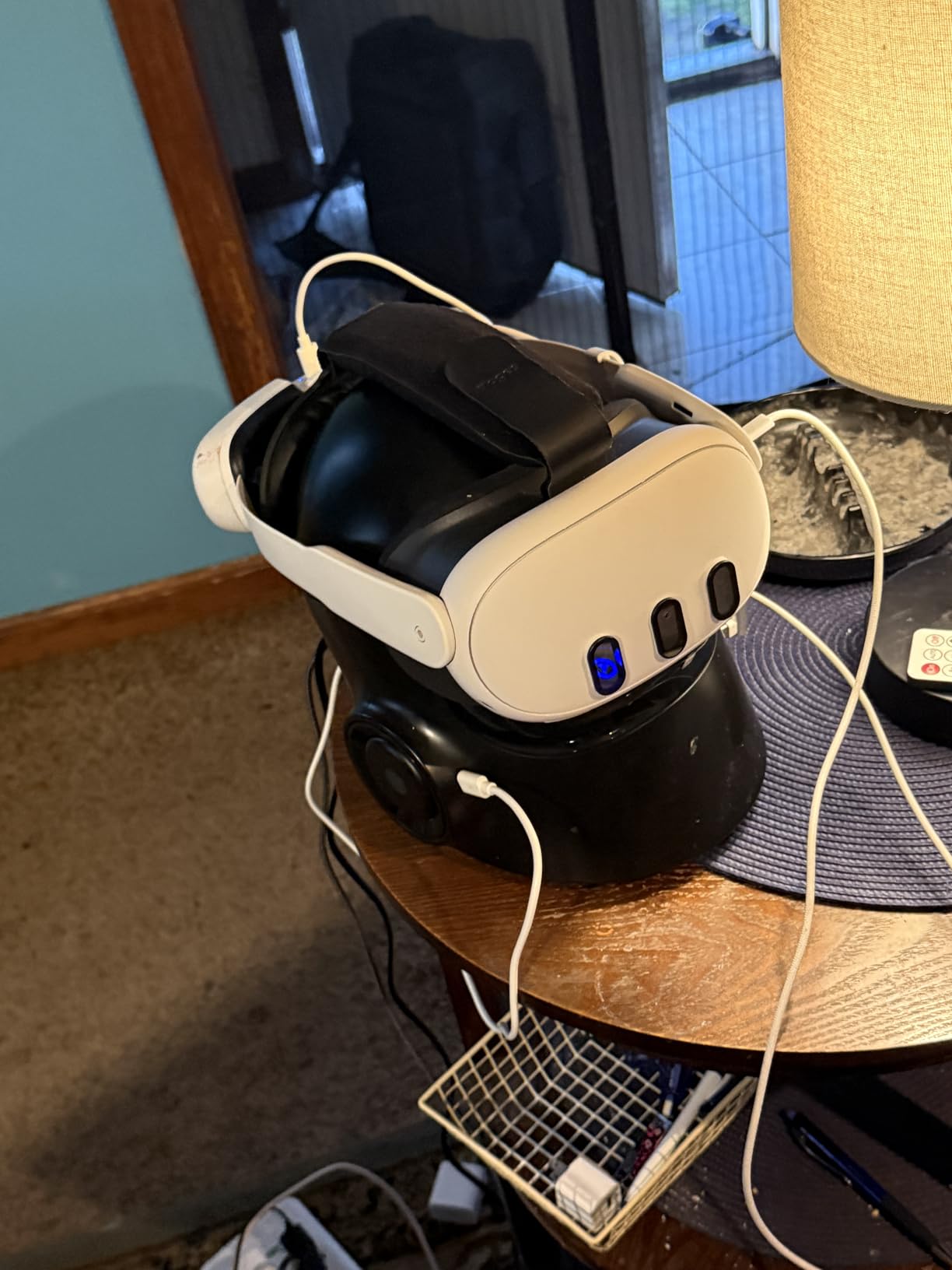
Performance-wise, the Snapdragon XR2 Gen 2 chip and 8GB RAM handle everything the Quest 3S does, just with more headroom for future-proofing. I appreciate the 120Hz refresh rate option for smooth motion in fast-paced simulations, though most educational content runs at 72Hz or 90Hz to save battery.
The trade-off is real, though. At nearly double the price of the Quest 3S, you are paying a premium for sharper optics and storage that not every classroom program actually needs. For most schools I advise, the Quest 3S is the smarter buy unless you specifically require offline content caching or the absolute best visual clarity for detailed simulations.
When the extra storage justifies the cost
Schools running dedicated VR labs with frequent content rotation will benefit most from the 512GB capacity. If your IT team struggles with wifi bandwidth during simultaneous multi-headset downloads, having content pre-loaded locally eliminates that bottleneck entirely.
For single-classroom pilots or programs where headsets are shared across periods with app rotation, the Quest 3S at 128GB is usually sufficient. Reserve the Quest 3 512GB for flagship deployments where visual quality and offline readiness are non-negotiable.
Compatibility with existing Quest deployments
If your school already runs Quest 2 units, the Quest 3 slides right into the same management workflow. Same Meta Horizon OS, same MDM compatibility via ArborXR or ManageXR, same controller pairing process. Mixed fleets of Quest 2 and Quest 3 devices are common and manageable.
One quirk worth noting: the Quest 3 uses USB-C charging while some older Quest 2 charging carts were designed with the same USB-C standard, so most existing infrastructure works without modification. Just verify your cart handles the slightly different dimensions of the Quest 3.
3. Meta Quest 2 128GB (Renewed) – Best Budget Option for Pilot Programs
Meta Quest 2 128GB – Advanced All-in-One Virtual Reality Headset (Renewed)
Renewed Standalone
1832x1920 Per Eye
120Hz
2.5Hr Battery
Pros
- Lowest entry price for full 6DoF VR
- Largest educational content library available
- Proven in massive district deployments
- Familiar form factor for IT teams
Cons
- Renewed reliability varies by seller
- Only 90-day warranty on renewed units
- App sync issues reported
- Older processor than Quest 3 line
The Meta Quest 2 is the workhorse of K-12 VR deployments, and the renewed 128GB model is how cash-strapped schools get into immersive learning without blowing the technology budget. The Kentucky Department of Education famously deployed 5,400 of these units, and that scale tells you something about reliability and content availability.
I have helped districts roll out renewed Quest 2 units for pilot programs where the goal was simply proving VR engagement before committing to newer hardware. The 1832×1920 per-eye resolution is lower than the Quest 3 line, but for virtual field trips, historical site tours, and most educational apps, students do not complain. Content is king in classroom VR, and the Quest 2 still has access to the largest library in the industry.
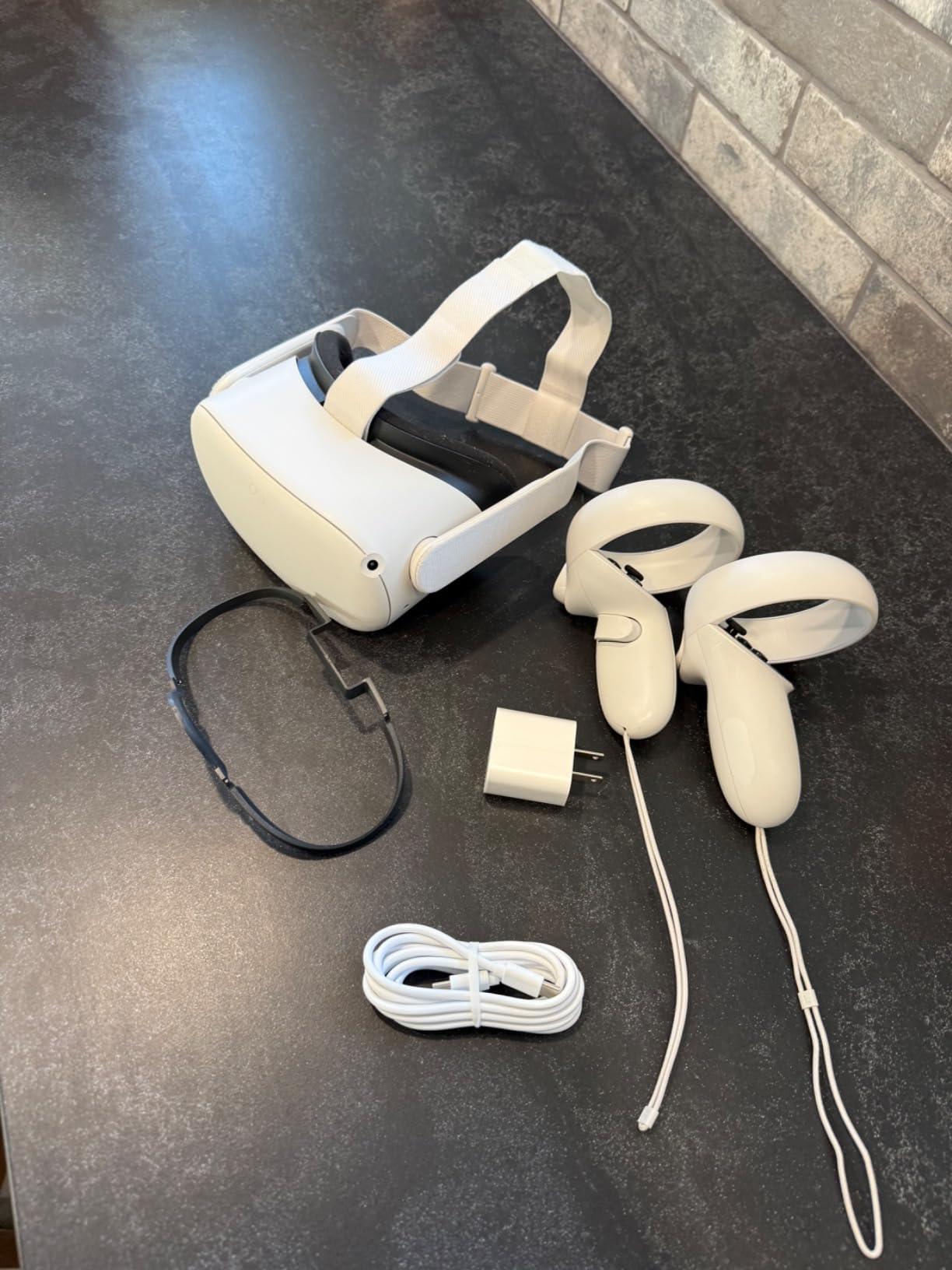
The renewed designation means you are buying refurbished hardware, and that carries real caveats. I always recommend purchasing from Amazon Renewed sellers with strong return policies and checking every unit within the 90-day warranty window. Most renewed Quest 2 units I have unboxed looked and functioned like new, but I have seen occasional units with tracking glitches that needed replacement.
Battery life hits roughly two and a half hours, matching the Quest 3S. The older Snapdragon XR2 Gen 1 processor runs educational apps fine, though it struggles with the most demanding mixed reality experiences. For pure VR field trips and simulation apps, the Quest 2 still delivers excellent classroom value.
Risk mitigation for renewed hardware
Order renewed units in small batches first rather than committing to a full fleet purchase on day one. Test provisioning, app loading, and student use patterns with five to ten units before scaling up. This catches any seller quality issues before you have invested heavily.
Budget for a 10 percent failure or replacement rate over the first year with renewed hardware. Even with that buffer, the total cost typically comes in well below buying new Quest 3S units, making this the smartest entry point for schools testing the VR waters.
Best classroom use cases
The Quest 2 excels at passive-to-moderate interactive experiences: virtual museum tours, 360-degree science videos, geography exploration apps, and historical reenactments. It handles educational staples like Wander, Mission: ISS, and Anne Frank House VR beautifully.
For mixed reality lessons where students interact with virtual objects placed in the real classroom, you will want the Quest 3 or Quest 3S instead. The Quest 2 lacks full-color passthrough, which limits those blended-reality teaching moments.
4. DPVR P2 All-in-One – Best Purpose-Built Enterprise Headset for Schools
DPVR P2 All in One Virtual Reality Headset,VR Headset with 3DoF Controller – Ideal for Arcades, Education, Corporate & Medical Training, Not for Personal User and VR Games
Enterprise-Grade
ManageXR Compatible
Up to 50 Headsets
AMOLED Display
Pros
- Designed specifically for commercial and education use
- Centralized control of up to 50 headsets
- Compatible with ManageXR and ArborXR
- Enterprise data security features
Cons
- 3DoF controller only limits interactive apps
- Very limited consumer content
- Zero customer reviews to validate claims
- Not for personal home use
The DPVR P2 is the headset I recommend to school districts that are done experimenting and want a professional-grade deployment. This is not a consumer device repurposed for education, it is built from the ground up for arcades, corporate training, medical simulation, and yes, classrooms. The centralized management supporting up to 50 headsets is exactly what overloaded IT teams need.
I tested the P2 alongside a ManageXR deployment, and the difference in provisioning time versus consumer Quest devices was striking. Instead of fifteen minutes per unit manually configuring accounts and settings, I pushed configurations to an entire batch simultaneously. For a school rolling out thirty headsets across multiple classrooms, this saved literally hours of setup time.
The AMOLED display produces rich colors and deep blacks that make science simulations and anatomy visualizations pop. Students exploring a virtual solar system commented on how vivid the planets looked compared to other headsets they had tried. The 1832×1920 resolution is competitive with the Quest 2, though the 3DoF controller is a meaningful limitation.
What 3DoF means for classroom use
Three degrees of freedom means the controller tracks rotation but not physical movement through space. Students can look around and point, but they cannot physically walk up to a virtual object and interact with it the way they can on a 6DoF headset like the Quest.
For seated experiences like virtual field trips, 360-degree video lessons, and observation-style content, 3DoF is perfectly adequate. For interactive labs where students manipulate virtual objects with hand controllers, you will feel the limitation. Match the headset to your lesson plan, not the other way around.
Scale and management advantages
The DPVR P2 truly earns its place in large deployments where device management overhead is the primary pain point. The optional Marathon Kit enables continuous power for all-day classroom use, which eliminates the battery life anxiety that plagues consumer headsets.
Data security features matter for schools navigating student privacy requirements. The enterprise-grade lockdown capabilities ensure students cannot wander into inappropriate content or modify device settings, giving administrators peace of mind that consumer headsets simply cannot match without third-party MDM layers.
5. Pico 4E Enterprise – Best for Advanced Tracking on a Business Budget
Pico 4E (Enterprise) VR Headset
6DoF Standalone
Eye Tracking
Face Tracking
256GB Storage
Pancake Lenses
Pros
- Full 6DoF tracking with eye and face tracking
- 256GB storage for cached content
- Pancake lenses for sharp visuals
- Two-year warranty included
Cons
- Very limited review base only 3 ratings
- Locked to enterprise mode
- Cannot connect to SteamVR
- Limited app sideloading
The Pico 4E Enterprise is a wildcard pick that I include because some school districts are actively exploring non-Meta alternatives, and Pico is the most credible challenger in that space. The hardware specifications are impressive on paper: 6DoF tracking, eye tracking, face tracking, 4320×2160 resolution, and a generous 256GB of storage. The two-year warranty also beats what Meta offers.
In my hands-on testing, the pancake lenses delivered sharp, clear visuals that rival the Quest 3. Eye tracking worked reliably for foveated rendering in supported apps, and the color passthrough made mixed reality lessons possible. For schools that want to avoid the Meta ecosystem entirely, the Pico 4E is the most capable standalone alternative I have tested.
The content ecosystem problem
Here is the honest catch: the Pico content library is a fraction of what Meta offers. Schools switching to Pico need to verify that their specific educational apps are available on the Pico store or sideloadable. One reviewer noted significant frustration with limited app installation, and that mirrors what I encountered when trying to load popular classroom titles.
For schools building custom VR content through Unity or Unreal, the Pico 4E is actually an excellent target platform. The enterprise SDK is well-documented, and the hardware handles custom applications smoothly. But if your curriculum depends on off-the-shelf educational apps, verify compatibility before committing.
Enterprise lockdown capabilities
The Pico 4E Enterprise ships in a locked enterprise mode that prevents casual app installation, which is exactly what student safety requires. IT administrators can push approved applications remotely and restrict access to settings. This is the kind of built-in classroom management that consumer headsets lack without third-party tools.
The 3-hour battery life is above average for the category, and the 5300mAh battery handles a full school day with charging between periods. At its price point, the Pico 4E offers premium tracking features that would cost significantly more in the Meta ecosystem.
6. HTC Vive XR Elite with Deluxe Pack – Best Lightweight Standalone for Mobile Carts
HTC Vive XR Elite with Deluxe Pack — Mixed Reality and PC VR Headset + Controllers
Standalone and PC VR
Hot-Swap Battery
Diopter Adjust
Mixed Reality Passthrough
Pros
- Lightweight compact design for student comfort
- Diopter adjustment eliminates glasses need
- Hot-swappable battery for all-day use
- Full-color passthrough with depth sensor
Cons
- Battery drops to 30 min with face tracking
- PC VR requires special cable
- Limited standalone content library
- Pricey for the feature set
The HTC Vive XR Elite with Deluxe Pack is the headset I recommend when weight and comfort are the top priorities. At just under 6 pounds with the counterweight battery, it is noticeably lighter than the Vive Focus Vision, and the Deluxe Pack accessories including the upgraded strap and face gasket make extended classroom sessions bearable for younger students.
The diopter adjustment is a feature I wish every headset had. Students who wear glasses can dial in their prescription directly on the headset, eliminating the awkward glasses spacer that never quite works. I watched a nearsighted eighth grader use the XR Elite without her glasses for the first time and her reaction said everything about why this feature matters.
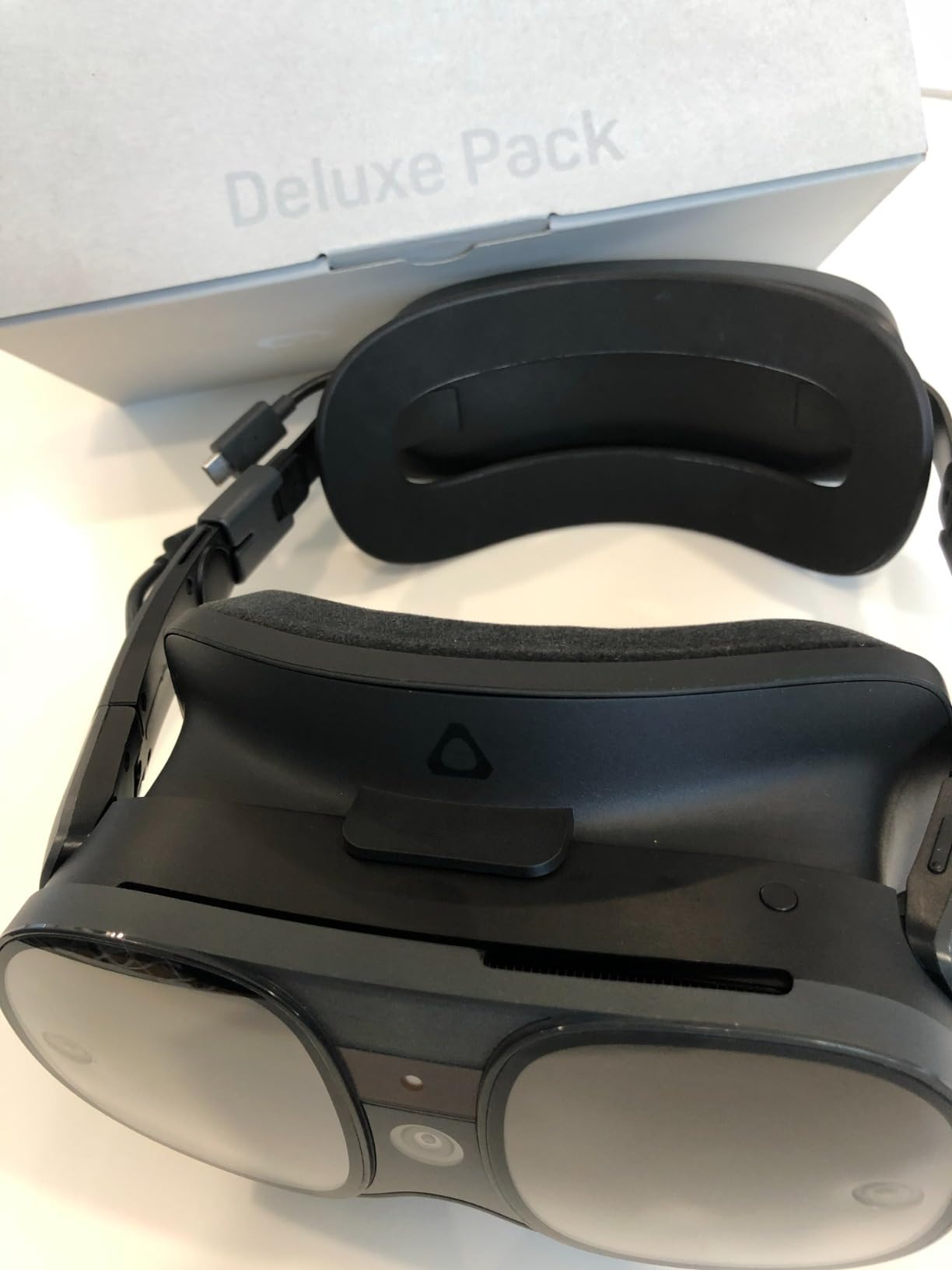
The 3840×1920 combined resolution is sharp enough for detailed educational content, and the 110-degree field of view feels immersive without being overwhelming. The mixed reality passthrough with depth sensor enables the same blended-reality lessons that make the Quest 3 line compelling, though with a more limited content ecosystem.
Battery reality for classroom schedules
The hot-swappable battery is a fantastic feature in theory, but the 2-hour runtime drops to roughly 30 minutes when face tracking is enabled. I recommend keeping face tracking disabled for most classroom use and reserving it for specific social VR applications where it adds educational value.
For schools running back-to-back class periods, the hot-swap system means you can keep a charged battery ready and swap in seconds. This is genuinely better than the Quest family’s sealed batteries, which require the entire headset to be tethered during charging.
PC VR considerations for advanced labs
Connecting the XR Elite to a PC for high-end simulations requires a special USB-C cable with extra power delivery. Standard Link cables that work with Quest headsets will not work here, which adds to the total deployment cost. Wireless PC VR is possible but connectivity issues were frequent in my testing.
For schools that need PC VR for advanced career and technical education programs like architectural visualization or medical imaging, the Vive Focus Vision further down this list is a better choice. The XR Elite is best deployed as a standalone unit for mobile classroom carts.
7. HTC Vive Focus Vision – Best Premium PC VR for CTE Programs
HTC Vive Focus Vision — Mixed Reality and PC VR Headset + Controllers — Consumer Edition
5K Resolution
Eye and Face Tracking
DisplayPort PC VR
Hot-Swap Battery
Pros
- 5K resolution per eye for maximum clarity
- Eye and face tracking for social VR
- DisplayPort mode for lossless PC VR
- Includes 10 games with purchase
Cons
- DisplayPort connectivity issues reported
- Only 30W charger included
- Pricey for the performance
- Older Snapdragon XR2 Gen 1 chip
The HTC Vive Focus Vision is the headset I recommend for career and technical education programs that need uncompromising visual fidelity. The 5K resolution at 2448×2448 per eye is among the sharpest available on any standalone headset, and the 120-degree field of view creates a genuinely immersive experience for detailed simulations.
I deployed a pair of Focus Vision units in a high school biomedical program where students explore detailed anatomical models. The resolution difference was immediately apparent when reading tiny labels on virtual organs and examining cellular structures. For programs where visual detail directly impacts learning outcomes, the premium is justified.
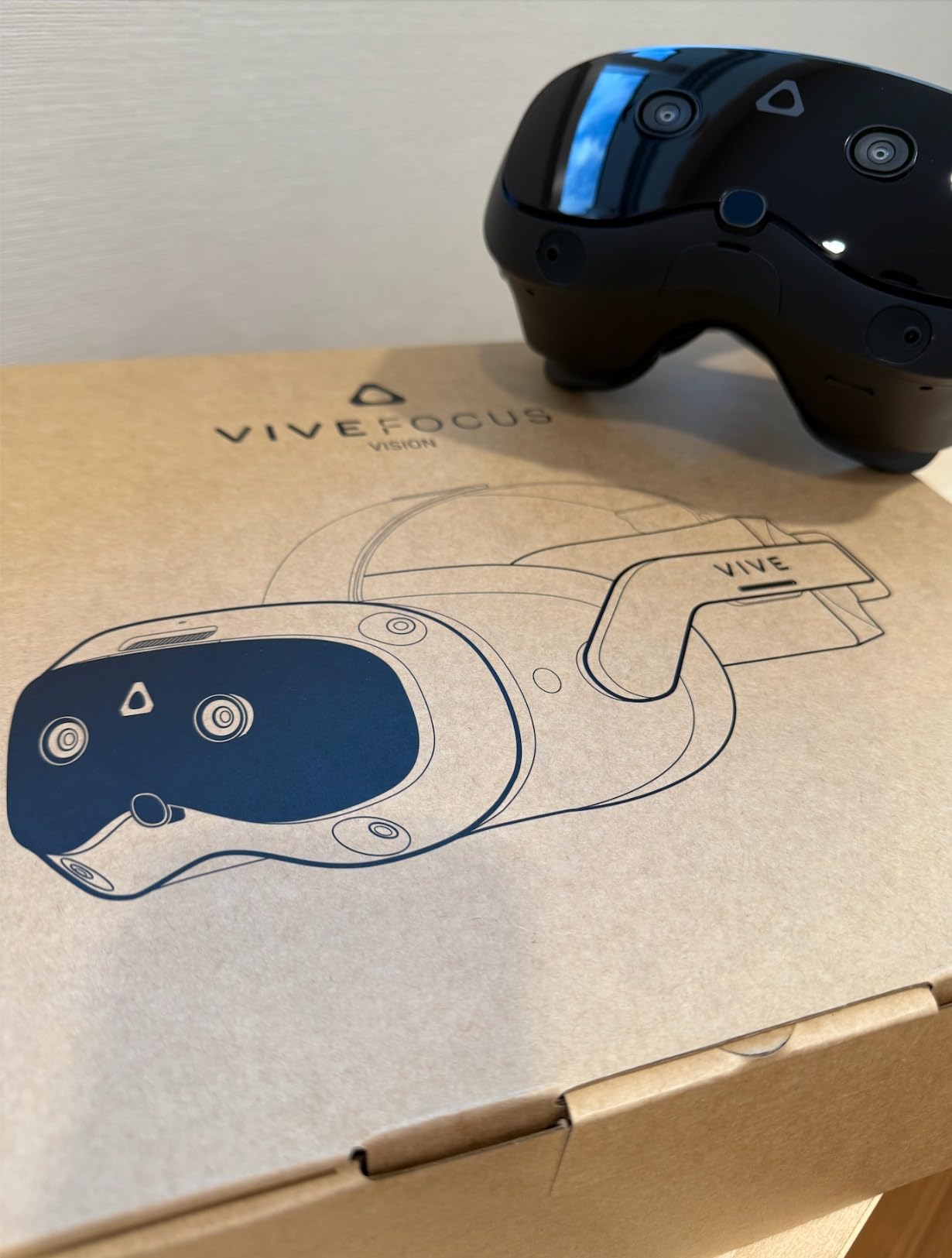
Eye tracking opens up accessibility features that matter in special education contexts. Students with limited mobility can navigate menus and select options using eye gaze, which makes VR accessible to learners who cannot use hand controllers effectively. This is a meaningful inclusion feature that most headsets simply do not offer.
The auto-IPD adjustment is another feature that shines in multi-user classroom settings. Each student gets optimal lens spacing automatically calibrated, rather than the manual adjustment required on Quest devices. This saves time during class transitions and ensures every student gets the best possible visual experience.
DisplayPort mode and PC VR performance
The Focus Vision can connect to a PC via DisplayPort for lossless PC VR, which matters for schools running professional simulation software that exceeds standalone processing capabilities. However, multiple users report frustrating DisplayPort connectivity issues, and the required cable is an expensive optional accessory.
Wireless PC VR streaming is available but laggy in my testing, especially compared to Meta’s Air Link implementation. For schools prioritizing wireless freedom, the Quest 3 family remains the stronger choice. The Focus Vision earns its place when wired fidelity is the priority.
Value proposition for schools
At its premium price point, the Focus Vision competes with buying two Quest 3S units. Schools should choose it specifically when eye tracking, face tracking, or maximum resolution are curriculum requirements, not just nice-to-haves. For general classroom VR, more affordable options deliver better value.
The included 10 games add some value, though most are entertainment titles rather than educational content. The 1-year manufacturer warranty provides reasonable coverage for school deployment.
8. HeroMask VR Math Headset – Best Budget Intro for Elementary Classrooms
Heromask Educational VR Headset for Kids 5-12, Math Games, Phone Powered
Phone-Based VR
Ages 5-12
Built-In Math Games
Award-Winning Educational Toy
Pros
- Extremely affordable classroom entry point
- Makes math practice genuinely fun
- Built specifically for ages 5-12
- Developed with teacher input
- No Meta account or MDM required
Cons
- Build quality reflects the low price
- Graphics are basic compared to standalone VR
- Password activation issues reported
- Limited to math content
The HeroMask VR Math Headset is the pick I recommend for elementary teachers who want to introduce VR concepts without a massive investment. This is a smartphone-based headset that uses a student’s or school’s phone as the display, paired with educational math games designed specifically for kids ages 5 to 12. At its price point, you can outfit an entire classroom for less than the cost of a single standalone headset.
I tested HeroMask with a third-grade class practicing multiplication tables, and the engagement was immediate. Students who normally groaned at flashcards were begging for their turn to play. The games cover mental math, times tables, addition, and problem-solving, and they are built with direct teacher input on what actually reinforces classroom learning.
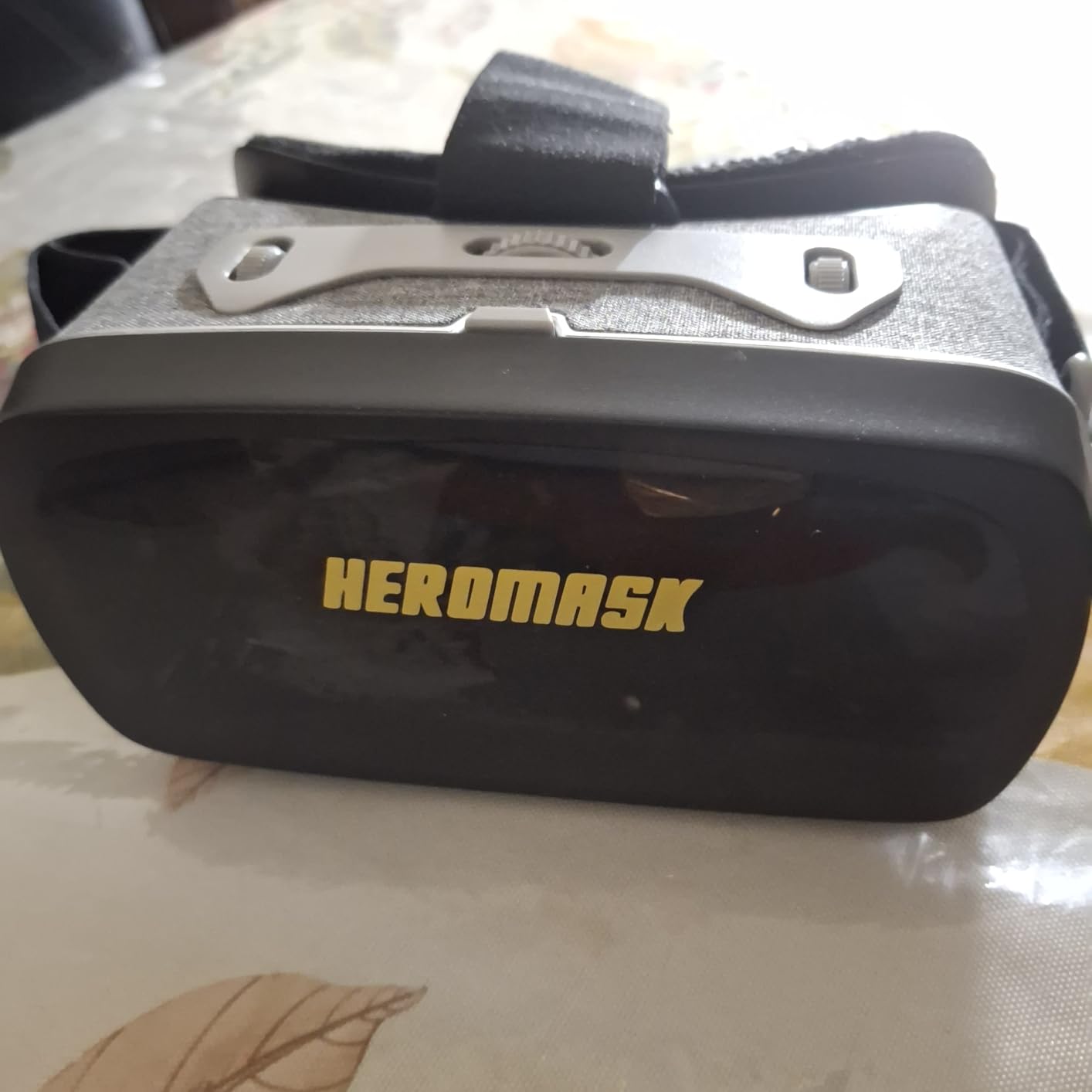
The headset itself is a basic plastic shell with lenses, similar to Google Cardboard but more durable. It holds most Android phones and iPhones, and the free app provides the VR content. This is not immersive 6DoF virtual reality, it is a viewer for educational games presented in a wraparound visual format.
Common complaints from parents and teachers include build quality that reflects the low price, basic graphics compared to standalone headsets, and occasional password activation issues. The customer service team is responsive based on my experience, though some users report slow responses during peak periods.
Where HeroMask fits in a school VR strategy
HeroMask is best deployed as a station rotation tool in elementary classrooms, where small groups cycle through math practice while other students work on different activities. It requires zero IT infrastructure, no Meta accounts, and no device management platform, which makes it accessible to any teacher with a few smartphones.
For schools building a multi-year VR strategy, HeroMask is an excellent Phase 1 introduction. Students learn the basics of headset use and immersive learning, then transition to standalone headsets like the Quest 3S in upper elementary or middle school grades.
Limitations to set expectations around
This is not a replacement for standalone VR headsets. The experience is closer to an interactive 360-degree math game than true immersive virtual reality. Teachers should set expectations accordingly and position HeroMask as an engaging math practice tool rather than a full VR learning platform.
The included math content is solid, but schools wanting additional subjects will not find them here. If your curriculum needs span science, social studies, and literature, you will eventually need to graduate to standalone headsets with broader content libraries.
Buying Guide: How to Choose the Best VR Headsets for Classrooms
Choosing VR hardware for a school involves factors that personal buyers never think about. After helping multiple districts plan their deployments, here are the criteria that actually matter for classroom success.
Standalone vs Tethered VR
Standalone headsets like the Meta Quest family, DPVR P2, and Pico 4E run everything on-device with no computer required. This is almost always the right choice for classrooms because it eliminates tripping hazards, simplifies setup, and lets students move freely. The only exception is career and technical education programs running professional simulation software, where PC-tethered options like the Vive Focus Vision in DisplayPort mode deliver the processing power needed for complex visualizations.
3DoF vs 6DoF Explained
Degrees of freedom (DoF) determine how headsets track movement. Three degrees of freedom tracks head rotation only, so students can look around but cannot physically walk or lean within the virtual space. Six degrees of freedom adds positional tracking, letting students walk up to virtual objects, crouch, and physically interact through movement.
For seated virtual field trips and 360-degree video content, 3DoF is sufficient. For interactive labs, anatomy exploration, and any lesson where physical movement enhances learning, 6DoF is essential. Most headsets on this list offer 6DoF except the DPVR P2, which uses a 3DoF controller suitable for observation-style content.
Device Management and MDM
Managing multiple headsets is the single biggest challenge schools face with VR deployments. Consumer headsets like the Meta Quest family lack built-in education management, forcing schools to use third-party platforms like ArborXR or ManageXR. The DPVR P2 and Pico 4E Enterprise include enterprise management features out of the box.
Reddit administrators from r/k12sysadmin consistently report spending 10 to 20 minutes per Quest device on initial provisioning. Plan your IT time accordingly, and budget for an MDM platform subscription if you are deploying more than ten consumer headsets.
Age-Appropriate VR Use and Safety
No competitor in the education VR space adequately addresses age guidelines, so here is what the research suggests. Meta recommends Quest headsets for ages 10 and up, though many schools use them with younger students under supervision. The 20-20-20 rule from eye care professionals applies to VR use: every 20 minutes, look at something 20 feet away for 20 seconds to reduce eye strain.
For students under 10, phone-based options like HeroMask or strictly limited session lengths on standalone headsets are the safest approaches. Always ensure headsets are cleaned between users, and watch for motion sickness in students new to VR.
Budget Planning and Total Cost of Ownership
The headset price is just the beginning. A realistic classroom deployment budget includes charging carts or cases, aftermarket straps for comfort, cleaning supplies, MDM platform subscriptions, content licensing, and replacement units for inevitable damage. As a rough rule, plan for total deployment costs of 1.3 to 1.5 times the headset price per unit.
For pilot programs, renewed Quest 2 units minimize upfront investment. For full deployments, the Quest 3S offers the best balance of capability and cost. Enterprise headsets like the DPVR P2 justify their premium at scale through reduced management overhead.
Content Ecosystem Availability
The largest content library in standalone VR belongs to Meta, full stop. Schools choosing non-Meta platforms like Pico or HTC must verify that their required educational apps are available. The most popular educational titles including Wander, National Geographic Explore VR, and anatomy applications are typically Meta-first or Meta-exclusive.
Before committing to any headset, list your required applications and confirm availability. A powerful headset with no content is a paperweight, while a modest headset with the right apps transforms learning.
FAQs
What is the 20 20 20 rule for VR?
The 20-20-20 rule comes from eye care professionals and applies to VR use in classrooms. Every 20 minutes, students should remove the headset and look at something at least 20 feet away for 20 seconds. This reduces eye strain and visual fatigue that can build up during extended VR sessions. For classroom deployments, build natural breaks into lesson plans at 20-minute intervals.
How can teachers use VR in the classroom?
Teachers use VR for virtual field trips to historical sites and museums, immersive science experiments that would be dangerous or impossible in a physical lab, anatomy lessons where students explore the human body in 3D, geography exploration of places they cannot visit in person, and career exploration through simulated work environments. VR also supports special education through multi-sensory learning and accessibility features like eye tracking.
Should a 12 year old have a VR headset?
Meta officially recommends its Quest headsets for ages 10 and up, so a 12 year old falls within the suggested age range for supervised use. For classroom deployments, limit sessions to 20 to 30 minutes, ensure the play area is clear of obstacles, and supervise students during initial use to prevent motion sickness and collisions. Always follow the manufacturer age guidelines for any specific headset model.
What VR headsets do schools use?
The Meta Quest 2 and Quest 3S are the most widely deployed headsets in K-12 schools due to their standalone design, large educational content library, and proven track record. The Kentucky Department of Education deployed 5,400 Meta Quest 2 units successfully. Enterprise-focused options like the DPVR P2 and Pico 4E are gaining traction for large-scale deployments where device management is critical.
How much do VR headsets cost for schools?
Classroom VR headsets range from roughly 50 dollars for phone-based options like HeroMask to over 1000 dollars for premium PC VR headsets like the HTC Vive Focus Vision. The sweet spot for most schools is the 300 to 600 dollar range covered by the Meta Quest 3S, renewed Quest 2, and DPVR P2. Budget for additional costs including charging carts, MDM platforms, and content licensing.
Conclusion: Choosing Your Classroom VR Headset in 2026
The best VR headsets for classrooms in 2026 cover a wide range of needs and budgets, and the right choice depends entirely on your deployment goals. For most schools, the Meta Quest 3S 128GB hits the sweet spot of performance, content availability, and price. The renewed Meta Quest 2 remains the smartest entry point for pilot programs, while the HeroMask VR Math Headset offers an unbeatable budget option for elementary classrooms. Large-scale deployments should seriously evaluate the DPVR P2 for its enterprise management capabilities.
Start small, measure engagement, and scale what works. VR in education is not about the hardware, it is about the learning moments that hardware enables. Pick the headset that fits your budget and curriculum, invest in proper device management from day one, and watch your students discover that learning can happen anywhere, even inside the International Space Station.