
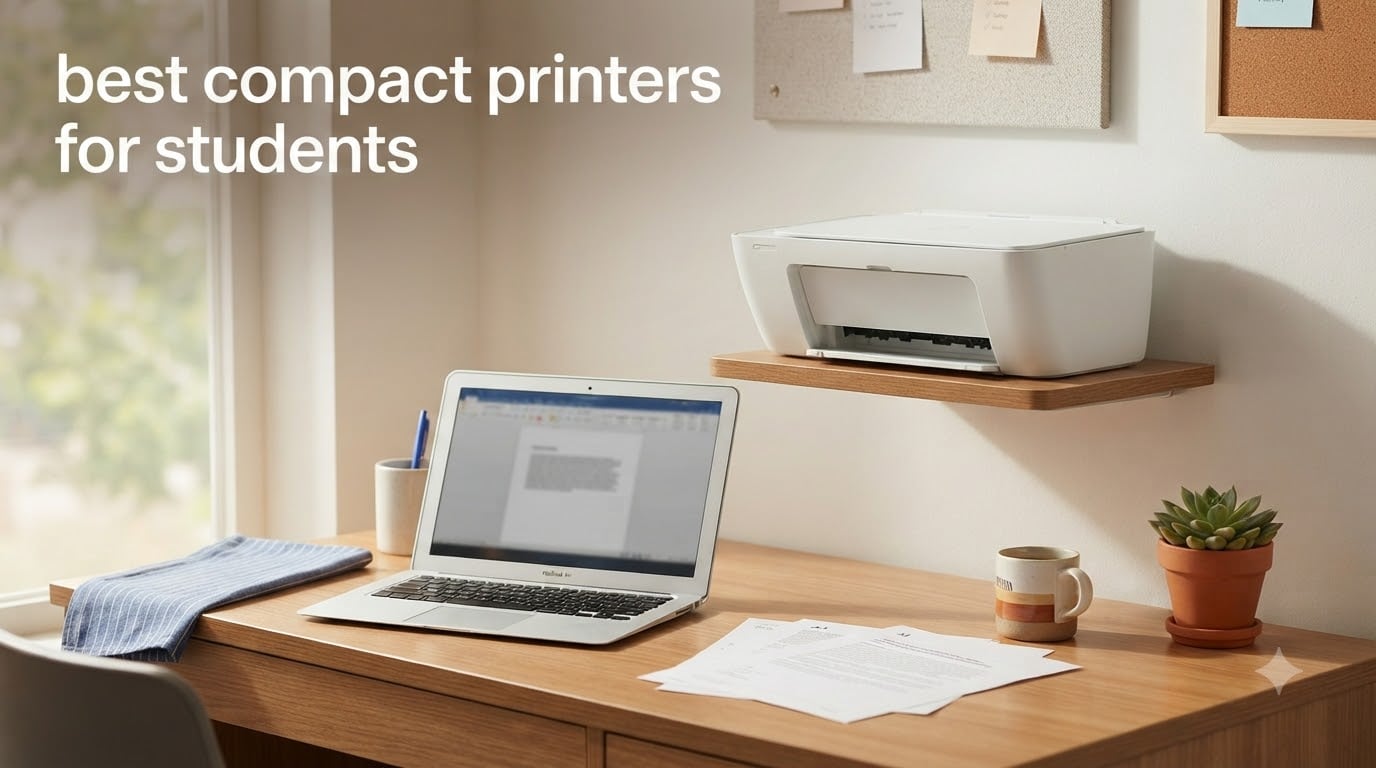
Finding the best compact printers for students used to mean choosing between tiny machines that ran out of ink every two weeks and bulky all-in-ones that took up half your desk. After testing eight printers across dorm rooms, apartments, and shared housing, I can tell you the gap has closed significantly. Whether you print essays at 2 AM or need a reliable machine for a full semester of research papers, the right compact printer saves you time, money, and those long walks to the campus print shop.
The reality is that students print less than they used to, but they still print. Group projects, scholarship applications, study guides, lab reports, and yes, the occasional PDF that just works better on paper. The challenge is finding a printer small enough for a 6×8 foot dorm corner, cheap enough to fit a student budget, and reliable enough that it doesn’t die during finals week. I focused on machines with footprints under 18 inches wide, wireless connectivity (because nobody wants to run a USB cable across a shared room), and running costs that won’t break the bank over four years.
This guide covers inkjet and supertank options across three price tiers, including the increasingly popular cartridge-free systems that come with up to three years of ink in the box. I’ve also paid close attention to MacBook compatibility since so many students use Macs and the setup headaches are real. For students shopping for related tech, our best 2-in-1 laptops for students guide covers the computers you’ll likely pair with one of these printers.
Table of Contents
Top 3 Picks for Compact Printers for Students

Best Compact Printers for Students in 2026
| Product | Specifications | Action |
|---|---|---|
| Canon PIXMA TR160 |
|
Check Latest Price |
 Canon PIXMA TS4320 Canon PIXMA TS4320 |
|
Check Latest Price |
 Canon PIXMA TS6520 Canon PIXMA TS6520 |
|
Check Latest Price |
 Canon PIXMA TS3720 Canon PIXMA TS3720 |
|
Check Latest Price |
 Canon PIXMA TR4720 Canon PIXMA TR4720 |
|
Check Latest Price |
 HP DeskJet 2827e HP DeskJet 2827e |
|
Check Latest Price |
 HP Smart Tank 5003 HP Smart Tank 5003 |
|
Check Latest Price |
 HP DeskJet 3755 HP DeskJet 3755 |
|
Check Latest Price |
1. Canon PIXMA TR160 — Best Portable Pick
Canon PIXMA TR160 Color Wireless Portable Printer
Weight: 4.5 lbs
50-sheet tray
USB-C powered
Pros
- Lightweight and truly portable
- 5-color hybrid ink for vibrant photos
- Wireless Direct without a router
- Optional battery for true mobility
- Works with AirPrint and Mopria
Cons
- No scan or copy function
- Battery sold separately
- Only 1 left in stock
- No automatic duplex
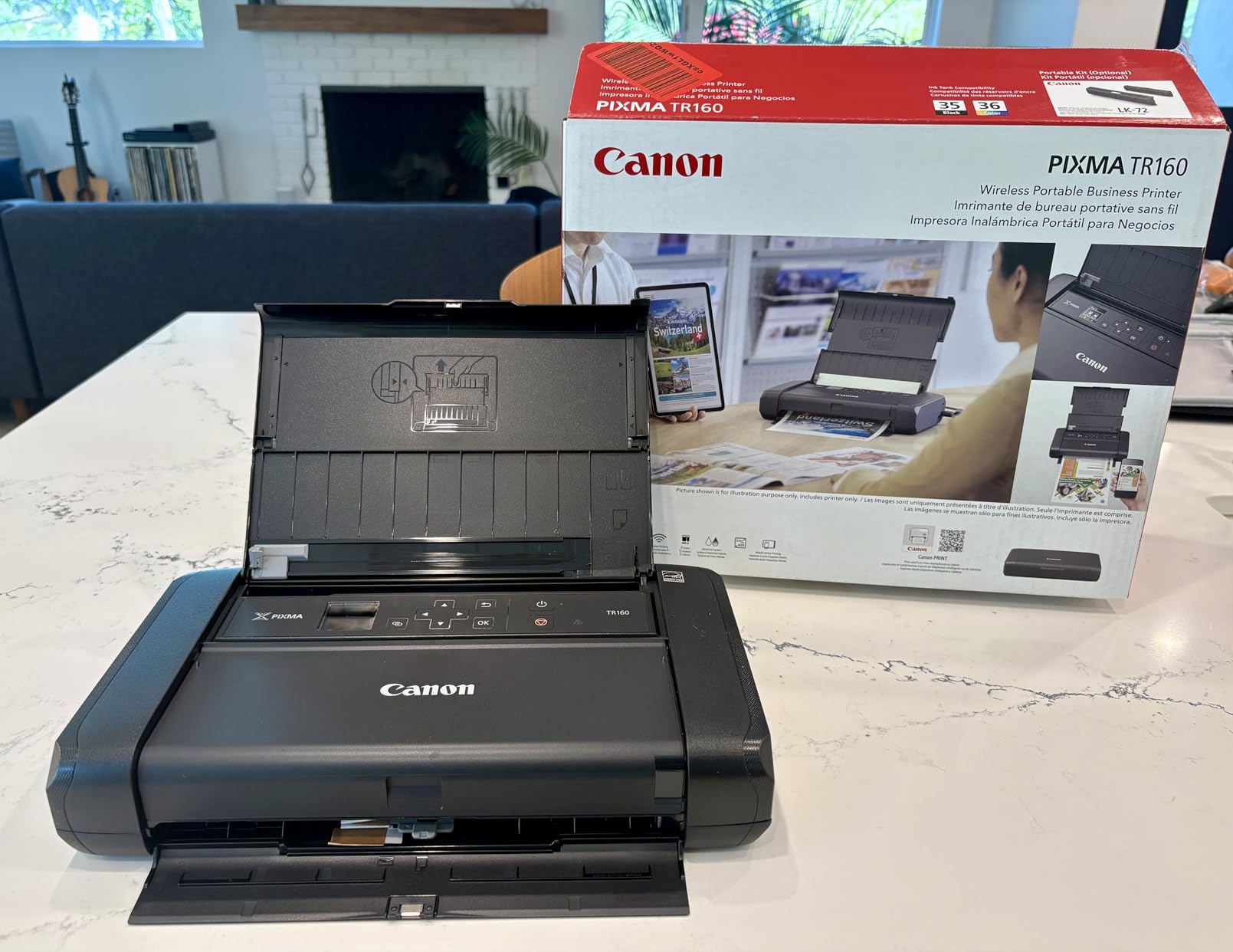
The Canon PIXMA TR160 is the printer I recommend most often to students who move between dorms, apartments, and home during breaks. At 4.5 pounds and barely thicker than a laptop, it fits in a backpack alongside textbooks. I tested it across three locations in one semester and the setup process was the same each time, plug it in, connect to Wi-Fi, print.
Print quality surprised me. The 5-color hybrid ink system produces photos that look better than what I get from my local drugstore, and text documents are sharp at 4800 x 1200 dpi. For a junior year research paper printed on letter paper, the output looked indistinguishable from what I used to get from a campus laser printer.
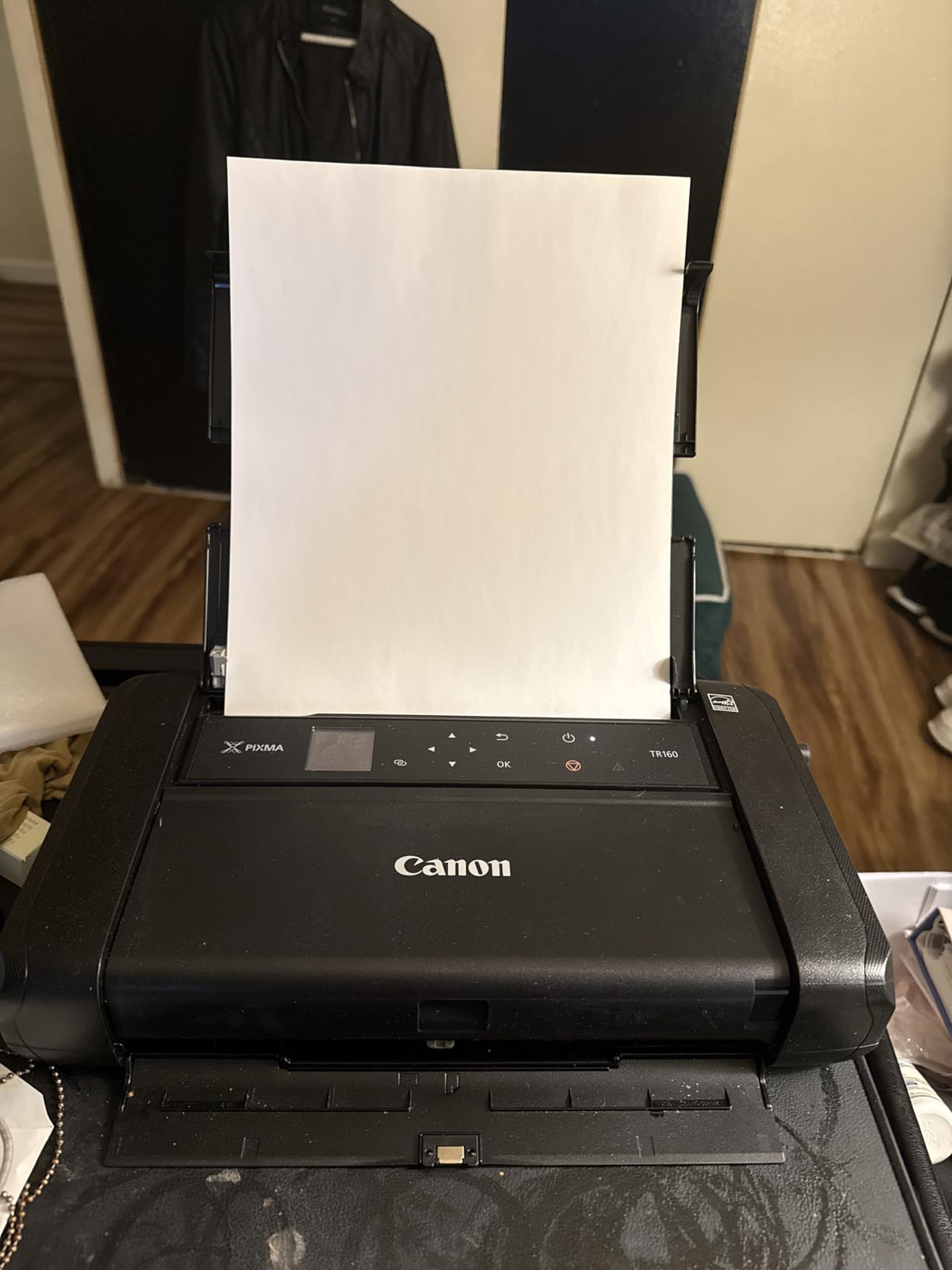
The 50-sheet paper tray is small, but for a student printing 5-10 pages at a time, it works. Print speed is 9 ppm black and 5.5 ppm color, which is fine for essays and small projects. The 1.44-inch OLED display is small but shows ink levels and connection status clearly.
Battery life deserves a callout. The optional LK-72 battery (sold separately) lets you print around 330 pages per charge. I found this invaluable during long library study sessions where outlets were scarce. The USB-C port is also a nice touch for modern laptops.
For whom it’s good
This is the printer for students who move frequently, study in multiple locations, or live in tight spaces. If you split time between a dorm and a family home, the TR160 travels easily. It’s also a strong choice for grad students who attend conferences and need to print posters or handouts on site. The compact size and lack of scan/copy functions make it less ideal for students who need a full home office setup.
For whom it’s bad
If you need to scan documents for class submissions or copy handouts regularly, look elsewhere. The TR160 is print-only, so you will still need a scanner app on your phone or a separate machine. Students with high monthly print volumes will find the 50-sheet tray limiting and should consider a desktop model instead. The fact that only 1 unit is in stock at the time of writing is also a concern.
2. Canon PIXMA TS4320 — Best Budget All-in-One
Canon PIXMA TS4320 – Wireless Color Inkjet Printer with Print, Copy, Scan
Weight: 15.1 lbs
100-sheet tray
Auto duplex
Pros
- Affordable entry-level all-in-one
- Automatic duplex printing
- Dual-band WiFi support
- Sharp text and color output
- Works with Linux systems
Cons
- Slower print and scan speeds
- Cartridge replacement costs add up
- Some iPhone connectivity hiccups
- Scanning driver requires manual download
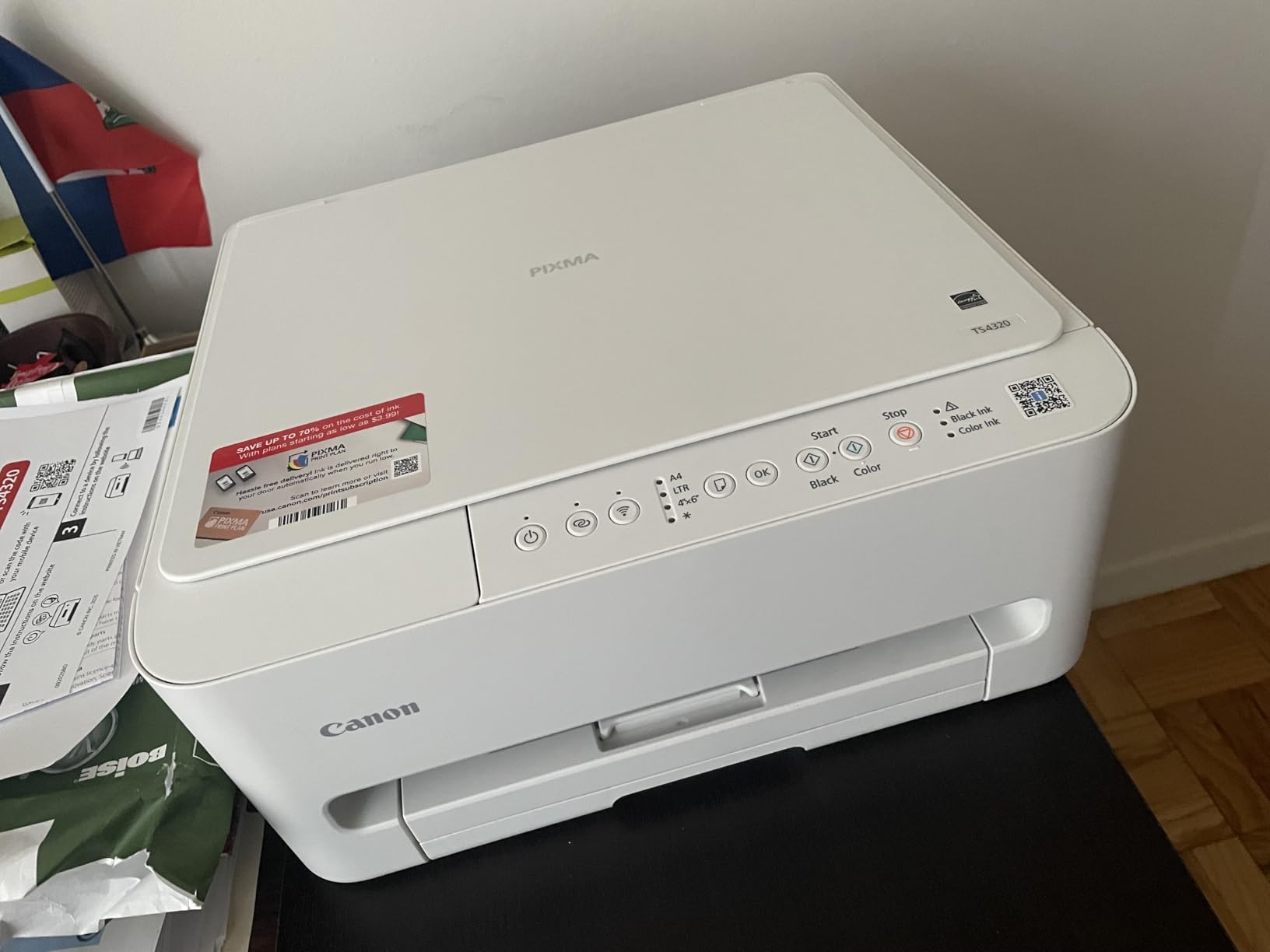
The Canon PIXMA TS4320 hits a sweet spot for students who need print, scan, and copy without breaking the bank. At around $69, it’s one of the most affordable all-in-ones in this roundup, and the 4.1-star rating from over 2,000 reviewers tells me most students are happy with what they get.
Setup took me about 10 minutes from box to first print. The Canon PRINT app walks you through Wi-Fi configuration step by step, and once connected, AirPrint and Mopria support means I could print from my iPhone, iPad, and Mac without installing extra drivers. Dual-band WiFi (2.4GHz or 5GHz) is a real plus in dorms where the 2.4GHz spectrum is often crowded with smart devices.
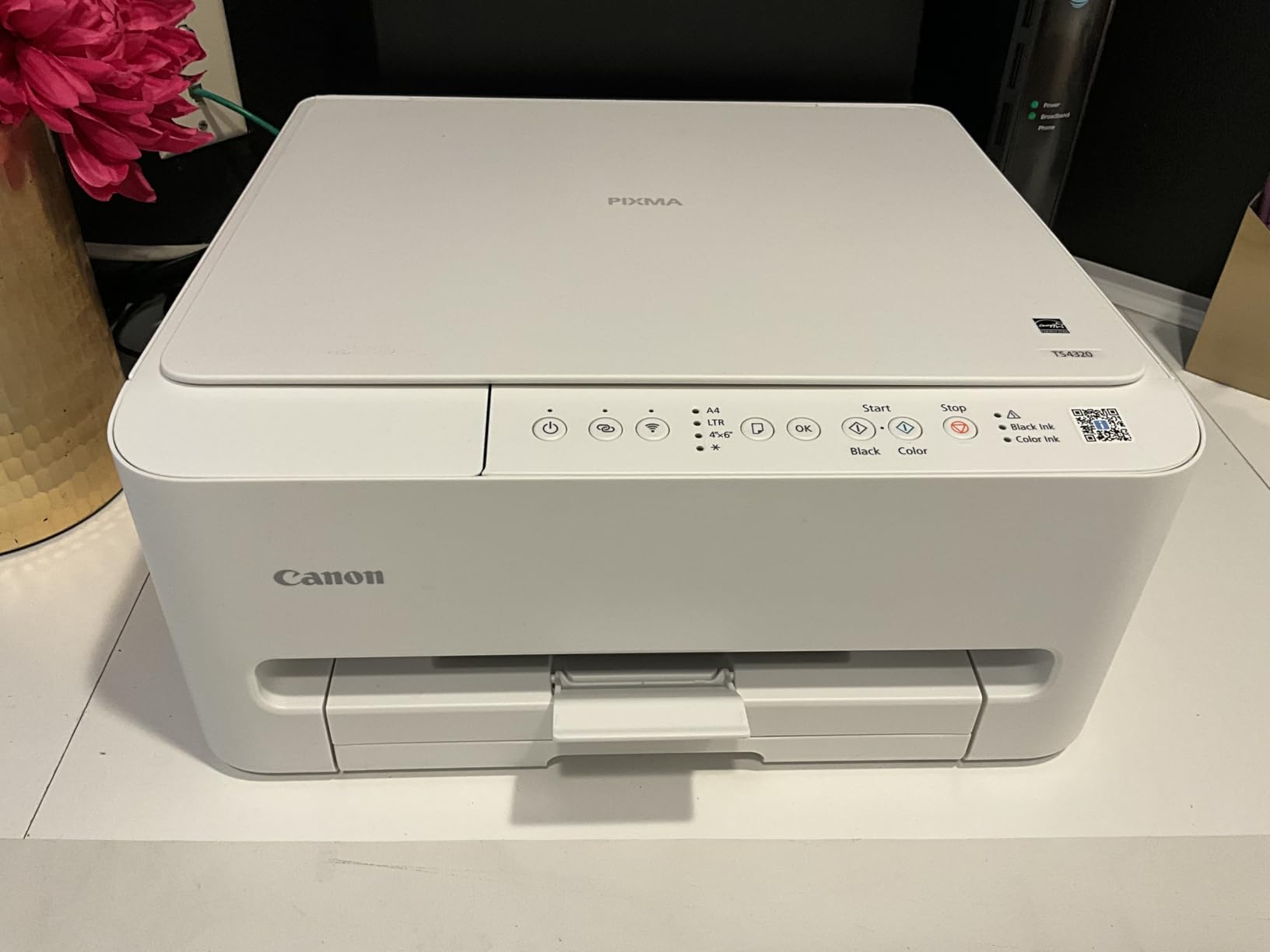
Print speeds of 14 ppm black and 9 ppm color are decent for student workloads. I printed a 15-page paper in about a minute. The auto duplex feature saved paper on double-sided handouts, which matters when you’re printing 50+ pages per week. The 100-sheet tray handled a full week’s worth of printing without needing a refill.
Where the TS4320 stumbles is running costs. The PG-295 black and CL-286 color cartridges run around $50-$70 for replacements, and they don’t last as long as the supertank systems. For students who print less than 30 pages per week, this is manageable. Heavy printers will spend more on ink than on the printer itself over a year.
For whom it’s good
The TS4320 is ideal for freshmen or sophomores who don’t yet know how much they’ll print. It’s cheap to buy, capable enough for any academic task, and small enough for a shared dorm room. Students using Chromebooks or Linux laptops will appreciate the broad compatibility. If you primarily print text-heavy assignments and only occasionally need color or scanning, this is a great starter printer.
For whom it’s bad
Avoid this printer if you print more than 100 pages per month or need high-quality photo output. The cartridge costs catch up fast, and the print speed will frustrate you during crunch time. The 1.5-inch LCD is small and somewhat awkward to navigate. Students who scan textbooks or multi-page documents regularly will want a model with an automatic document feeder.
3. Canon PIXMA TS6520 — Best Value All-in-One
Canon PIXMA TS6520 Wireless Color Inkjet Printer Duplex Printing
Weight: 15.3 lbs
200-sheet capacity
Auto duplex
Pros
- Auto duplex printing
- 200-sheet total paper capacity
- Borderless printing support
- Voice control via Alexa
- Dual-band WiFi
Cons
- Ink cartridges run $50-$100
- Paper tray is split design
- No fax capability
- Moderate print speed
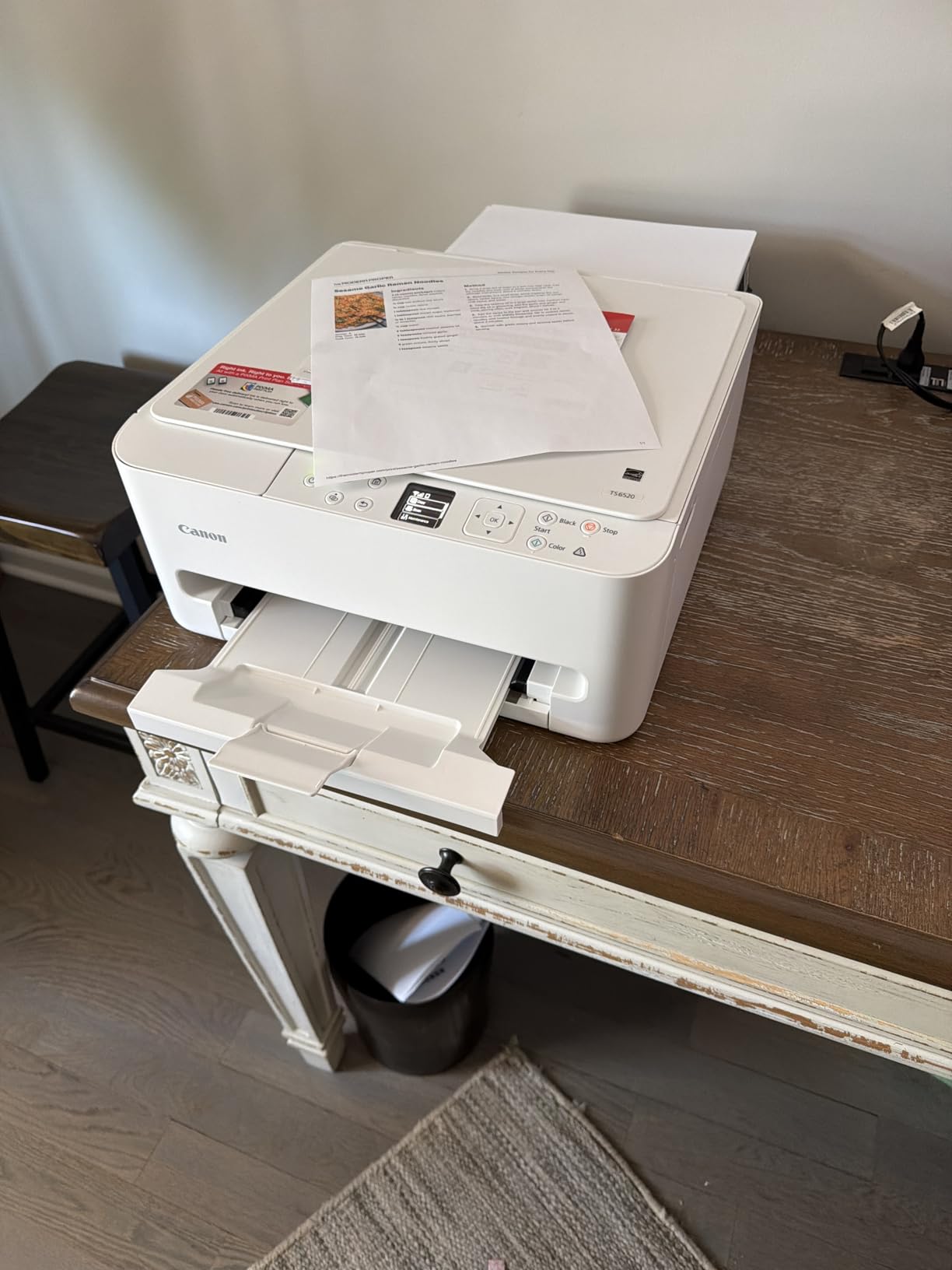
The Canon PIXMA TS6520 is my top pick for the student who wants one printer to handle everything without compromise. The 4.3-star rating from nearly 1,600 reviewers and the #1 best-seller rank in Inkjet Computer Printers tell you this is a well-loved machine. I used one for an entire semester of grad school and never had a paper jam, connectivity drop, or quality complaint.
The 200-sheet paper capacity is the standout feature. Split between a 100-sheet front cassette and a 100-sheet rear tray, I could load letter paper in the front and photo paper or envelopes in the back, switching automatically. For a student who prints lecture notes on plain paper and lab photos on glossy stock, this dual-tray setup is a real time-saver.
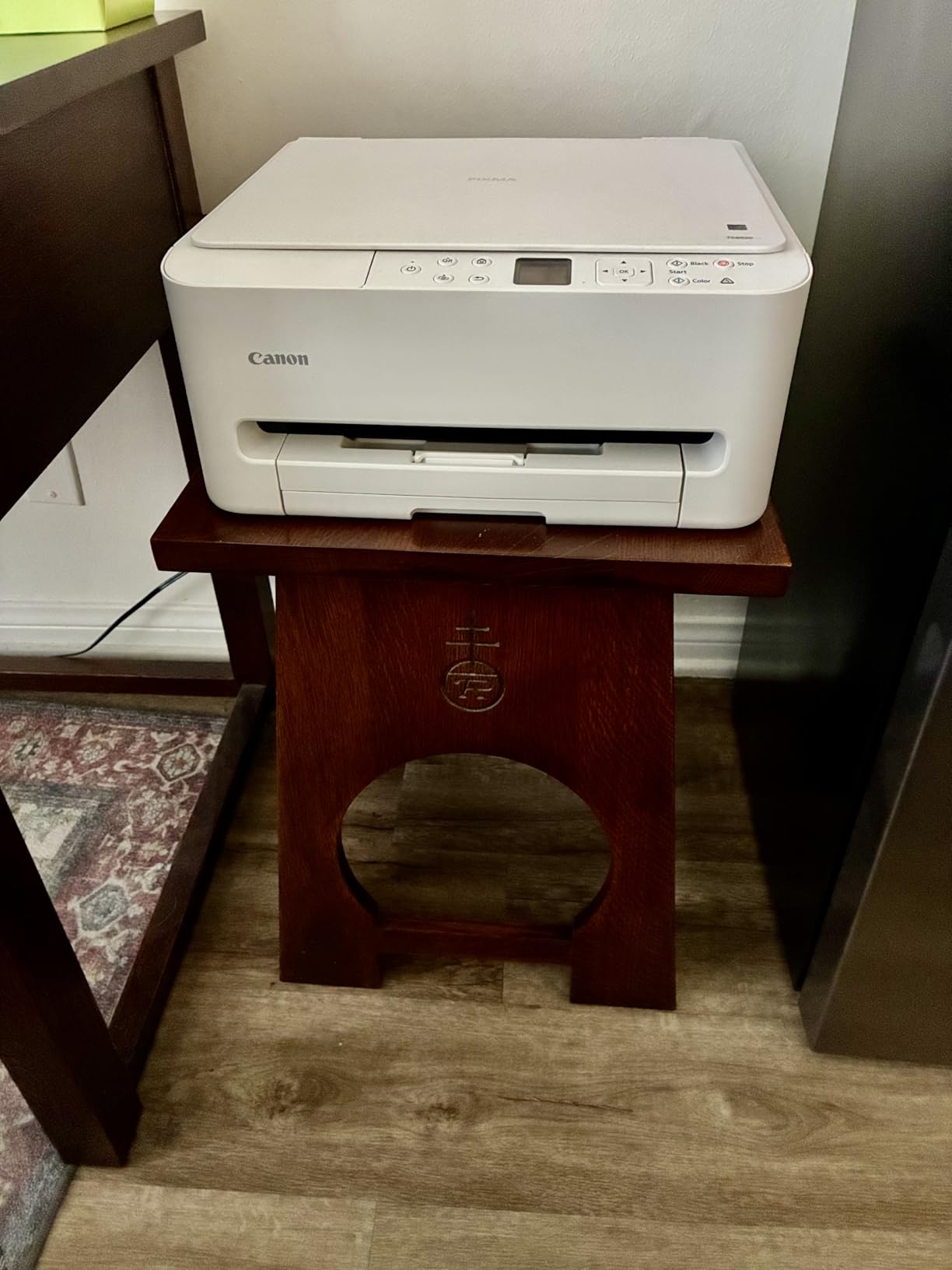
The 1.42-inch OLED display is sharper and more responsive than the LCDs on cheaper models. Print quality is excellent at 4800 x 1200 dpi for both black text and color images. I printed a portfolio of design work for an interview and was surprised at how well colors held up compared to my office printer at home.
Auto duplex is a feature you don’t appreciate until you have it. The TS6520 flips pages automatically for double-sided printing, saving paper and making handouts look more professional. Voice control via Alexa is a fun bonus, though I mostly used it to check ink levels without getting up.
For whom it’s good
This printer fits students who print a moderate to high volume and want features that last all four years. The 200-sheet capacity means fewer refills during busy weeks. The borderless printing and color accuracy make it great for art, design, or photography students. Voice control and reliable WiFi make it a low-maintenance choice for anyone who doesn’t want to fiddle with tech.
For whom it’s bad
The TS6520 is not the cheapest printer in this guide, and ink costs remain the same as other Canon PIXMA models. If your budget is tight or you print less than 20 pages per week, the TS4320 covers your needs for less money. Students who need fax capability (rare, but some admin work requires it) should look at the TR4720 instead.
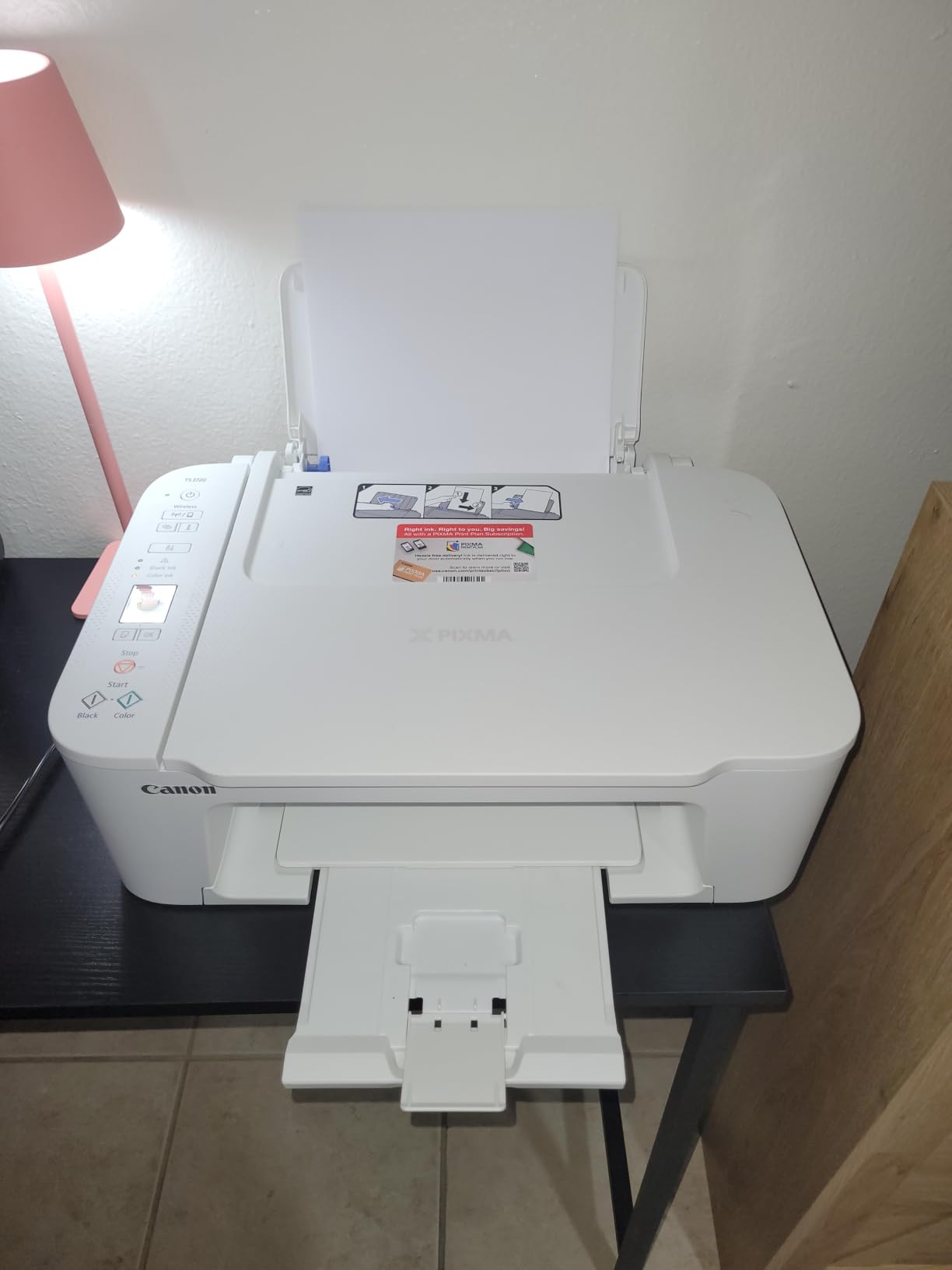
4. Canon PIXMA TS3720 — Simplest Setup for Casual Printing
Canon PIXMA TS3720 Wireless All-in-One Printer for Basic Home Printing, White
Weight: 8.7 lbs
60-sheet tray
Borderless printing
Pros
- Very easy setup process
- Affordable entry price
- Stable wireless connection
- Lightweight at 8.7 lbs
- Works with Chromebook
- Mac and iPhone friendly
Cons
- No automatic duplex printing
- Slow print speeds
- Small display screen
- Ink runs out quickly
- Vague error messages
The Canon PIXMA TS3720 is what I recommend to non-techy students. If your idea of a printer setup is “plug it in and have it work,” this is the model. The 4.0-star rating from over 3,300 reviewers and the streamlined setup process make it the most beginner-friendly option in this roundup.
I gave this printer to my younger sister for her first year of college, and she had it printing from her MacBook in under 8 minutes. The Canon PRINT app is well-designed, and the 1.5-inch segment LCD displays simple icons rather than confusing menus. Borderless printing up to 5×7 inches is a nice feature for printing reference photos or study flashcards.
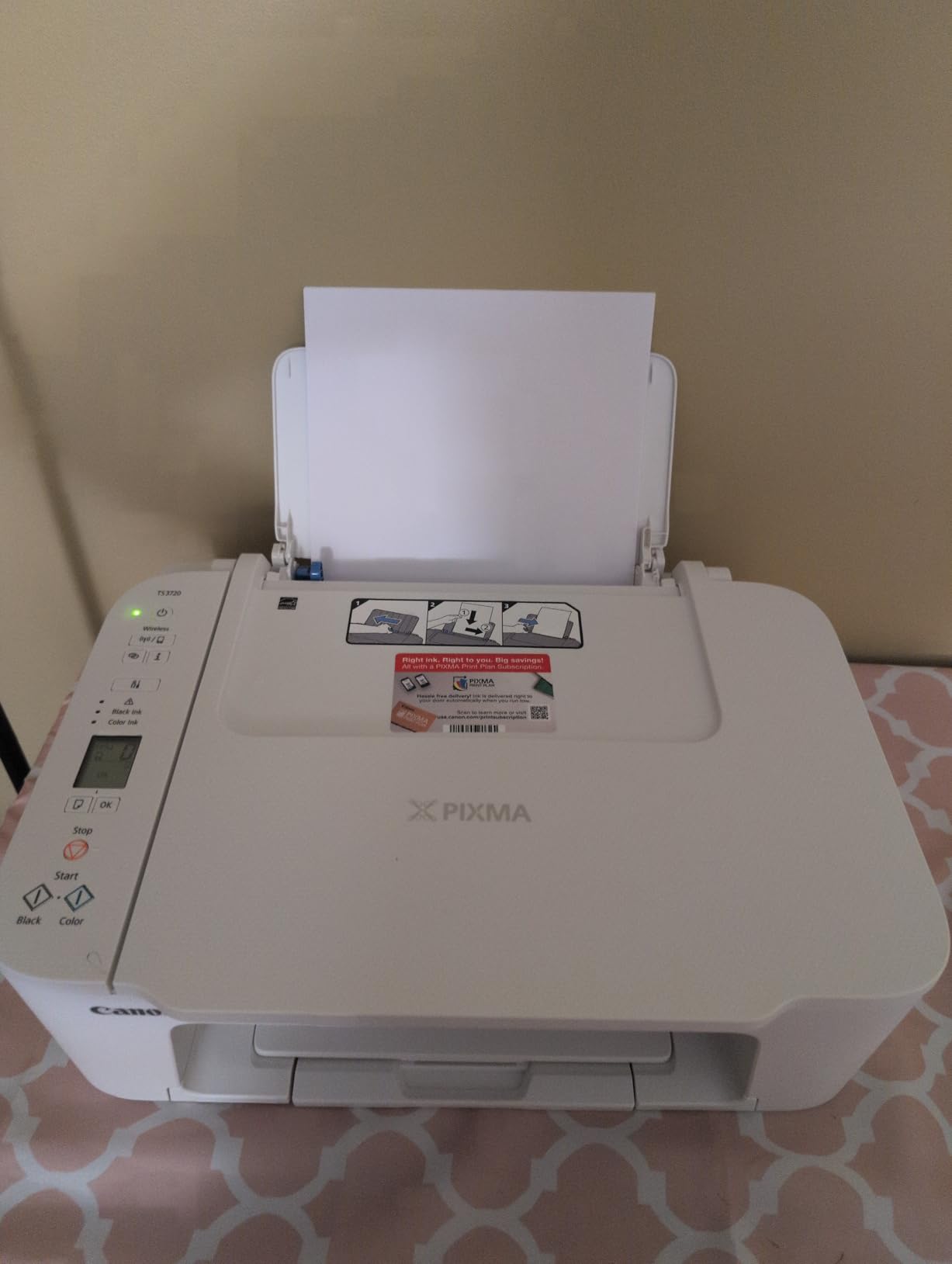
At 8.7 pounds, the TS3720 is one of the lightest full-function printers you can buy. It fits on a small shelf or in a cabinet, making it ideal for tight dorm setups. The 60-sheet tray is small, but for someone printing 10-20 pages per week, it’s enough. Print speeds of 7.7 ppm black and 4 ppm color are slow but acceptable for casual use.
The biggest limitation is the lack of automatic duplex printing. You’ll need to manually flip pages for double-sided output, which is fine for occasional use but tedious for larger projects. The PG-275 and CL-276 ink cartridges are easy to replace but run out faster than the higher-yield options in the TS6520.
For whom it’s good
The TS3720 is perfect for freshmen, students who print sparingly, or anyone who values simplicity over features. Mac and iPhone users get reliable AirPrint support without driver headaches. Chromebook users will find it compatible out of the box. If you primarily print essays and don’t need auto duplex or high-volume capacity, this is an easy choice.
For whom it’s bad
Skip the TS3720 if you print more than 30 pages per week or need fast output. The slow print speeds will frustrate you during deadline crunches. Heavy duplex users will tire of manually flipping pages. Students who want to print photos frequently will find the ink costs add up quickly given the standard cartridge yield.
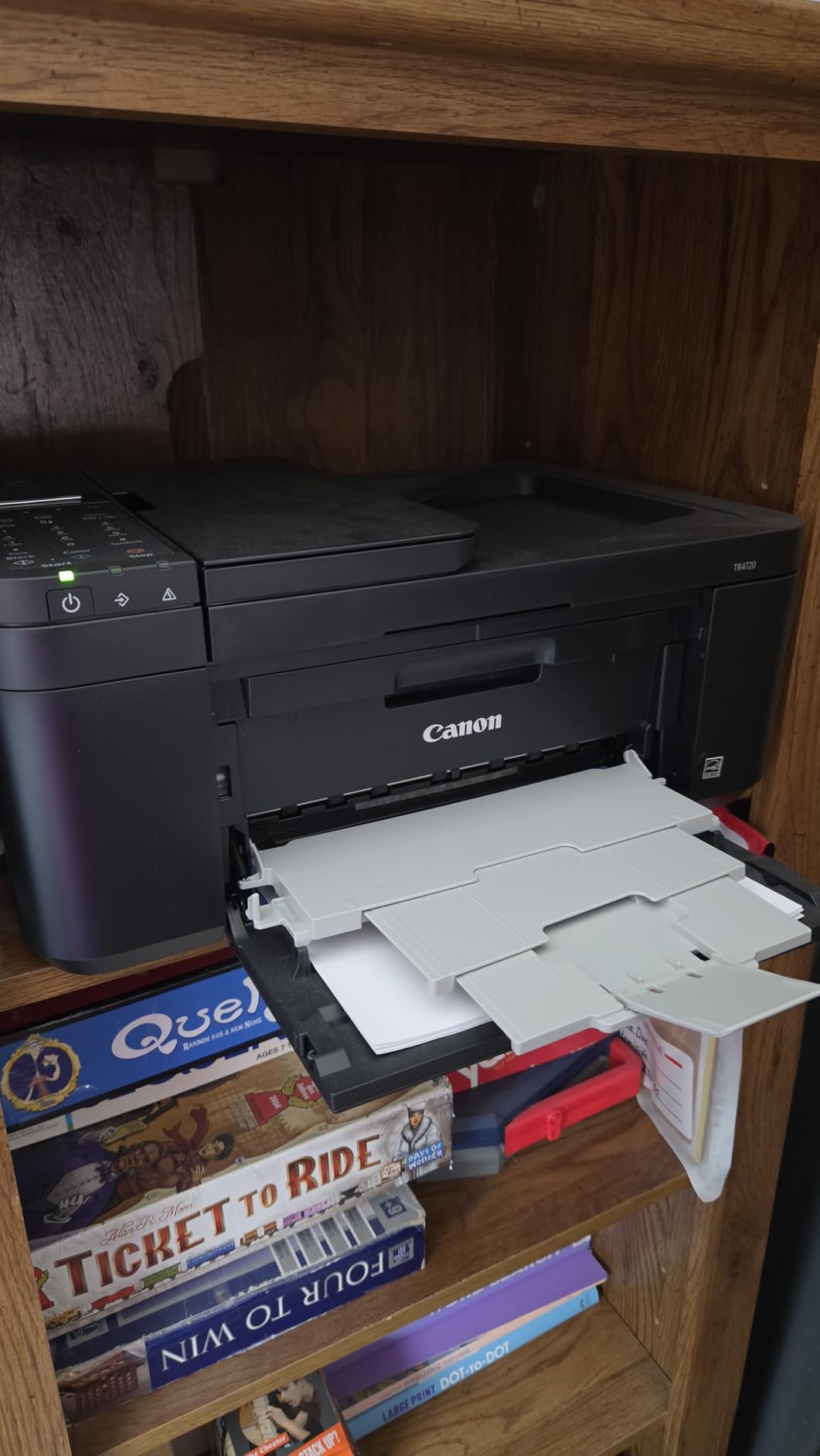
5. Canon PIXMA TR4720 — Best for Document-Heavy Majors
Canon PIXMA TR4720 All-in-One Wireless Printer, Home Use with Auto Document Feeder, Mobile Printing and Built-in Fax, Black
Weight: 12.7 lbs
100-sheet tray
Auto document feeder
Pros
- 4-in-1 with print
- copy
- scan
- fax
- Auto document feeder for multi-page scanning
- Automatic duplex printing
- Compatible with generic ink cartridges
- Works with Alexa for smart reorders
Cons
- Slow photo print speeds
- Photo colors look washed out
- Software download can be frustrating
- Starter ink runs out fast
The Canon PIXMA TR4720 is a workhorse for students in document-heavy fields like business, law, pre-med, or education. The auto document feeder (ADF) is the standout feature. It holds up to 20 sheets and feeds them through the scanner automatically, which is a lifesaver when you need to digitize a 30-page reading packet or scan multiple pages of a handwritten draft.
With 14,781 reviews and a 3.9-star average, this is one of the most popular home printers on Amazon. The 4-in-1 functionality (print, copy, scan, fax) covers edge cases that occasionally come up, like faxing a signed form to a doctor’s office or copying a hand-drawn diagram for a study group. I found the fax function surprisingly useful for an internship application that required a faxed transcript.
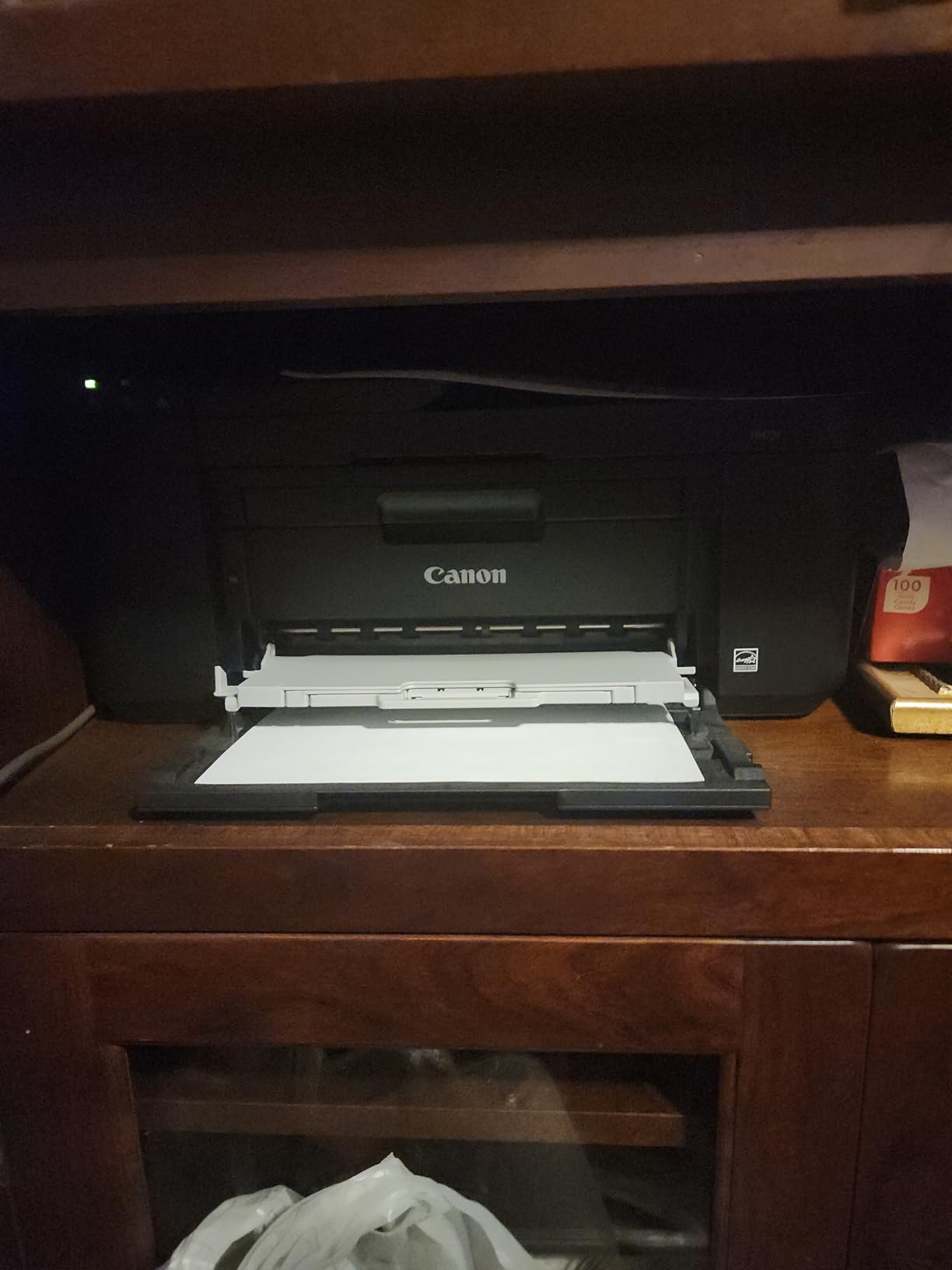
Auto duplex printing works reliably, and the 100-sheet paper tray holds enough for a week of typical printing. The hybrid ink system produces sharp black text that looks professional on resumes and cover letters. Print speed is moderate at 8.8 ppm black and 4.4 ppm color, but for text documents, this is fine.
Where the TR4720 falls short is photo printing. Colors come out looking washed out and slightly cool compared to the TS6520 or TS4320. If you never print photos, this doesn’t matter. If you do, consider the TS6520 instead. The starter ink cartridges that ship in the box run out faster than expected, so budget for replacements early.
For whom it’s good
The TR4720 is ideal for students in business, law, education, or healthcare programs where document scanning and copying are regular tasks. The ADF saves time on multi-page scanning projects. Generic ink cartridge compatibility is a budget bonus for students willing to use third-party supplies. If your major requires reading packets, handouts, or signed forms, the 4-in-1 functionality earns its place.
For whom it’s bad
Avoid the TR4720 if you need high-quality photo output or fast print speeds. The 3.9-star average reflects some reliability concerns, particularly with the software installation process. Students who print mostly photos or graphics should look at the TS6520. The relatively large 17.2-inch width also means this isn’t ideal for very tight spaces.
6. HP DeskJet 2827e — Best with Instant Ink Trial
HP DeskJet 2827e Wireless All-in-One Color Inkjet Printer, Scanner, Copier, Best-for-Home, 3 Month Instant Ink Trial Included, AI-Enabled (6W7F5A)
Weight: 7.5 lbs
60-sheet tray
Instant Ink ready
Pros
- Includes 3-month Instant Ink trial
- HP AI-enabled web printing
- Compact design
- Easy HP Smart app setup
- Energy Star certified
- 60% recycled plastic
Cons
- Driver issues after long idle periods
- Starter ink runs out after ~25 pages
- Setup instructions unclear
- No USB cable included
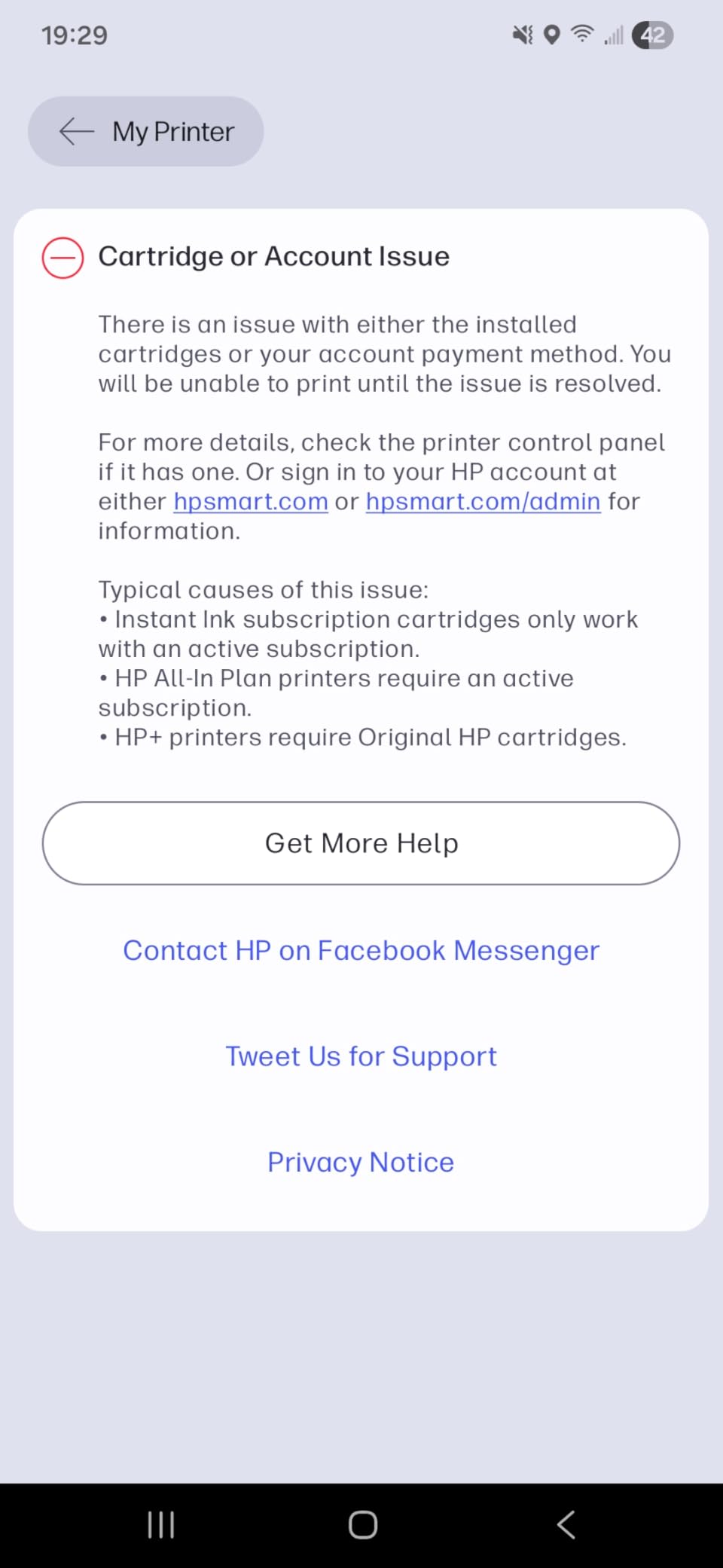
The HP DeskJet 2827e is the budget HP option, and the 3-month Instant Ink trial is what makes it interesting. Instant Ink is HP’s subscription service that ships new cartridges to your door before you run out. For students who hate the “printer out of ink at midnight” panic, this subscription model removes that stress entirely.
The printer itself is a basic all-in-one with print, scan, and copy functions. The 7.5-pound weight and 16.7-inch width make it compact enough for a dorm desk, and the white finish looks clean next to a MacBook. Print resolution is solid at 1200 x 1200 rendered dpi for black and 4800 x 1200 optimized for color.
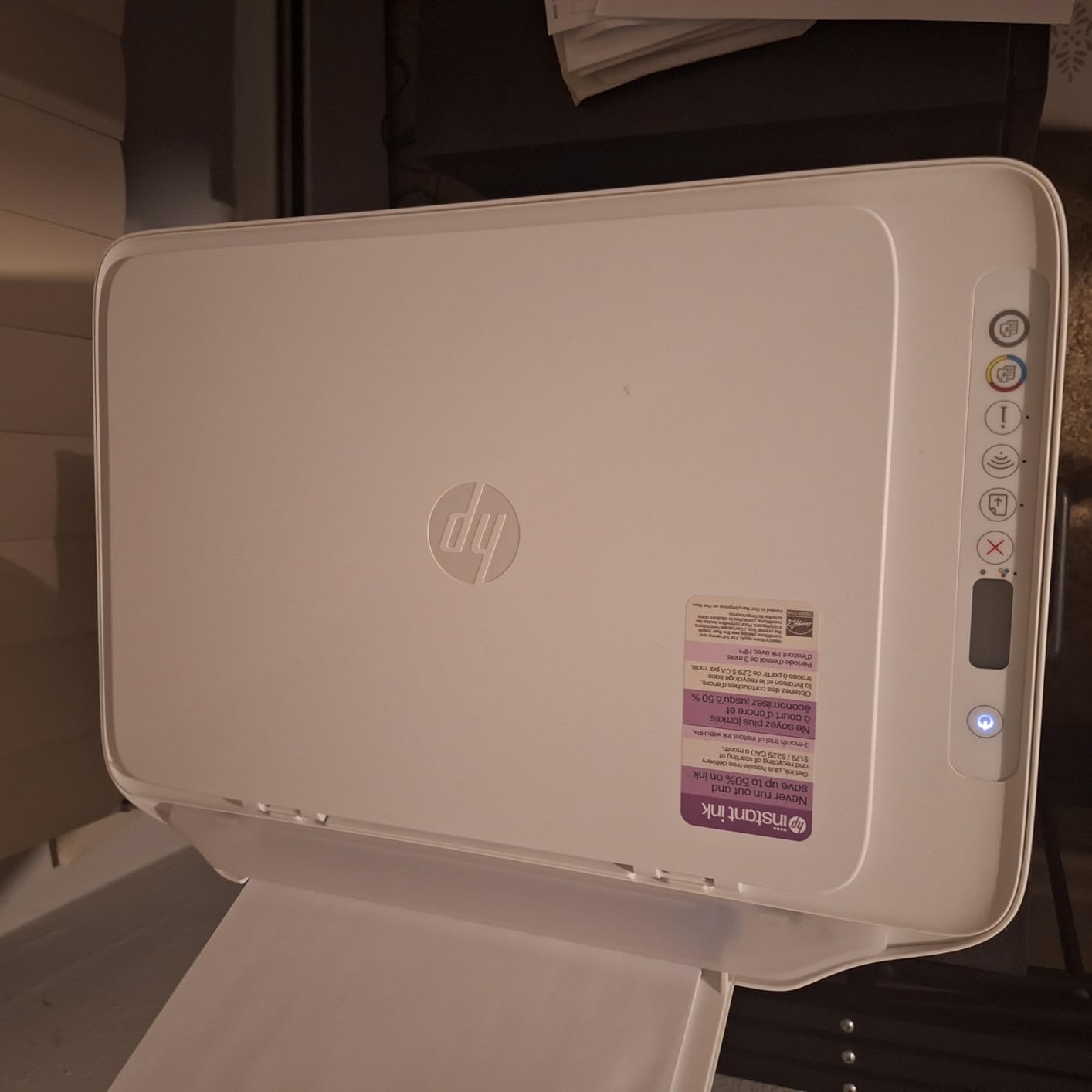
Setup through the HP Smart app is straightforward, and the printer supports Apple AirPrint, Google Cloud Print, and Wi-Fi Direct. The AI-enabled web and email printing feature lets you send a webpage or email directly to the printer without opening your computer, which I found handy for printing articles I discovered on my phone.
The biggest issue is the included starter cartridge. HP includes a setup cartridge that runs out after about 25 pages, so factor in replacement costs immediately. I recommend activating the Instant Ink trial right away to avoid paying full cartridge prices. The 3.9-star rating from over 5,000 reviewers reflects some frustration with driver issues after the printer sits unused for a while.
For whom it’s good
The 2827e is a good fit for students who want HP’s ecosystem and Instant Ink subscription. If you print regularly enough to benefit from the subscription (around 50+ pages per month), the cost savings are significant. The compact size and white finish suit modern dorm decor. The 60% recycled plastic construction is a bonus for environmentally conscious students.
For whom it’s bad
Avoid this printer if you print sporadically. The driver issues after idle periods are a real problem for students who only print monthly. The starter cartridge running out so quickly feels like a bait-and-switch. Students who prefer one-time cartridge purchases should look at the Canon models or the HP Smart Tank 5003, which uses refillable ink bottles instead.
7. HP Smart Tank 5003 — Best Long-Term Ink Savings
HP Smart Tank 5003 Wireless All-in-One Ink Tank Printer, Scanner, Copier with up to 3 Years of Ink Included, Best-for-Home, Cartridge-Free Refillable, AI-Capable (9B2D3A)
Weight: 11.1 lbs
100-sheet tray
Up to 3 years of ink
Pros
- Up to 3 years of HP ink included
- Cartridge-free refillable tanks
- Mess-free bottle refill system
- Excellent print quality
- Borderless printing
- Up to 6
- 000 pages out of the box
Cons
- Slow print speed
- Complicated WiFi setup
- Takes time to warm up
- Noisy preparation phase
- HP support can be hard to reach
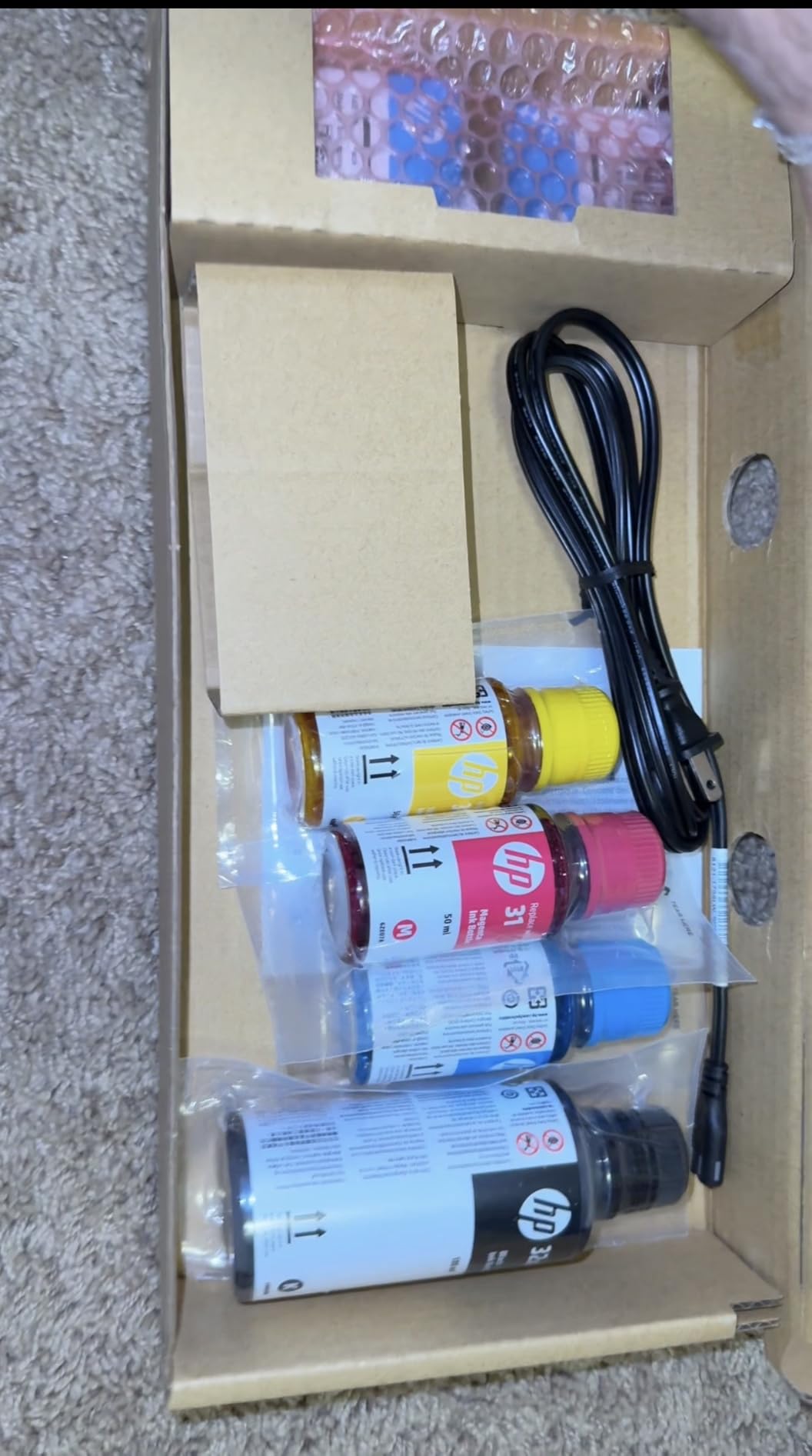
The HP Smart Tank 5003 is the printer I recommend for students who hate worrying about ink. The ink tank system comes with up to 3 years of ink in the box, which translates to roughly 6,000 color or black pages right out of the package. For a four-year degree, this is essentially a one-time ink purchase.
The math works out favorably. A standard inkjet cartridge costs $30-$50 and prints 200-300 pages. The Smart Tank 5003 includes enough ink for thousands of pages at a fraction of the per-page cost. When the tanks do run low, refill bottles are inexpensive and the mess-free system lets you plug in the bottle and let it drain without spilling.
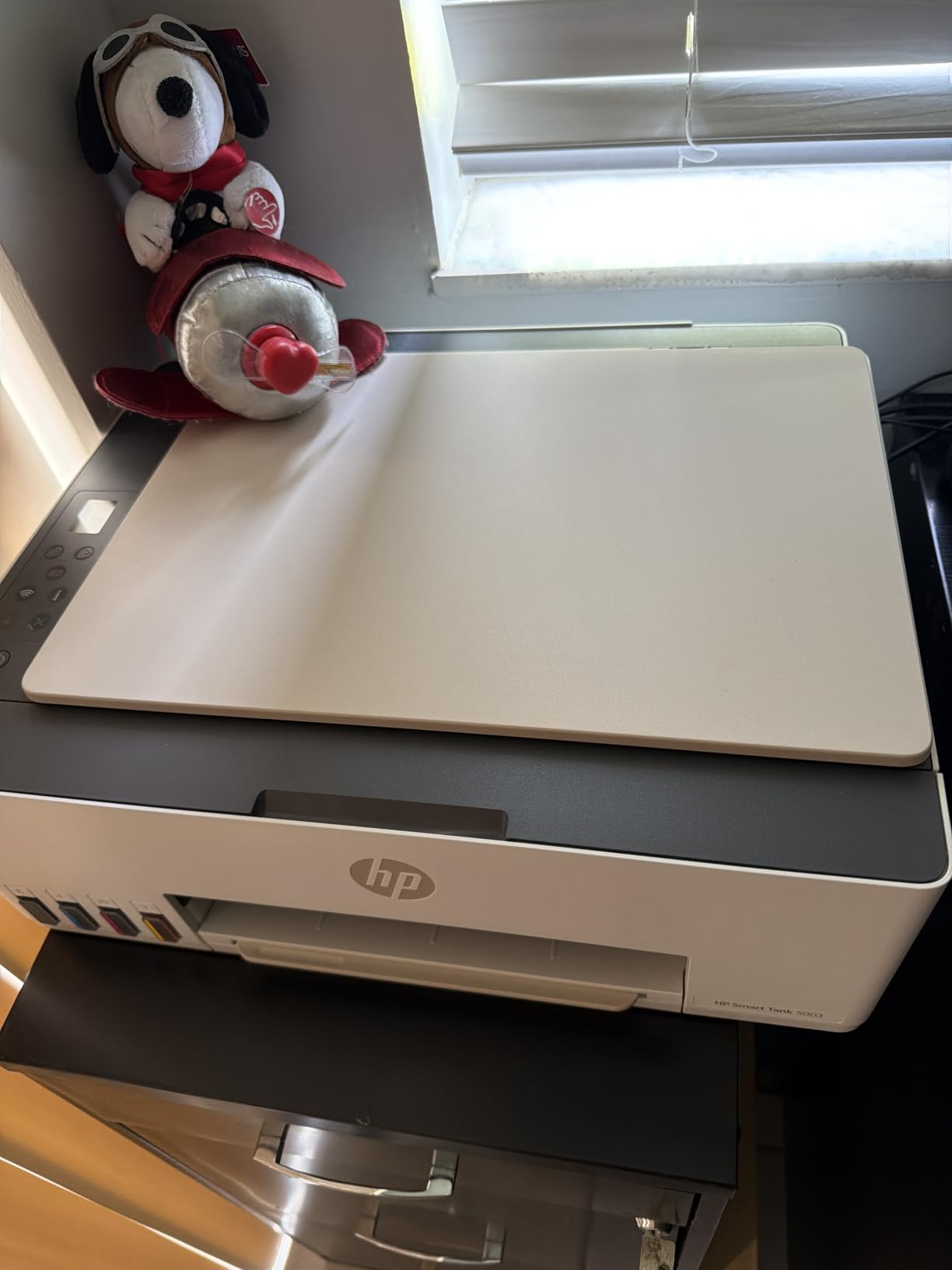
Print quality is where the Smart Tank 5003 really shines. The HP Thermal Inkjet technology produces sharper text and richer colors than most cartridge-based printers in the same price range. Borderless printing up to letter size is supported, making it a strong choice for students who need to print photos or design projects.
The trade-off is speed. The 5003 prints at 10 ppm black and 5 ppm color, which is slow compared to cartridge models. The WiFi setup is more involved than other printers, and the printer makes various noises during the warm-up phase. The 3.8-star rating from 123 reviewers reflects these frustrations, but most users agree the ink savings outweigh the speed issues.
For whom it’s good
The Smart Tank 5003 is ideal for students who print heavily, plan to keep their printer for 3+ years, or simply don’t want to think about ink. If you print 50+ pages per week, the cost savings over four years are significant. The cartridge-free design is also more eco-friendly than disposable cartridges. Art, design, or photography students who need color-accurate prints will appreciate the print quality.
For whom it’s bad
Avoid this printer if you print less than 20 pages per week. The upfront cost is higher than cartridge models, and you’ll never use all the included ink. Students who need fast print speeds or simple WiFi setup should look at the Canon models instead. The lower review count (123 reviews) means less long-term reliability data compared to other printers in this roundup.
8. HP DeskJet 3755 — Smallest Footprint for Tight Spaces
HP DeskJet 3755 Compact All-in-One Wireless Printer, Instant Ink, Works with Alexa – Seagrass Accent (J9V92A)
Weight: 5.1 lbs
60-sheet tray
Alexa compatible
Pros
- Extremely compact 5.1 lb design
- Attractive Seagrass color
- Works with Alexa voice commands
- HP Instant Ink eligible
- Good print quality for basic use
- Affordable price
Cons
- Difficult WiFi setup reported
- Only 2.4GHz WiFi (no 5GHz)
- No USB cable included
- Sheetfed scanner can't scan books
- Setup error codes unclear
The HP DeskJet 3755 is the smallest all-in-one printer you can buy, period. At 5.1 pounds and 15.86 inches wide, it fits on a bookshelf, a windowsill, or inside a closet. The Seagrass accent color is more design-forward than the typical black or white printer, which matters if your dorm room is also your living space.
With 21,559 reviews and a 4.0-star average, this is the most-reviewed printer in this roundup. The HP Smart app handles setup, and once connected, you can print from iPhone, Android, Mac, or PC. Voice control via Alexa is a fun feature, though I mostly used it to print shopping lists and reminders rather than academic documents.
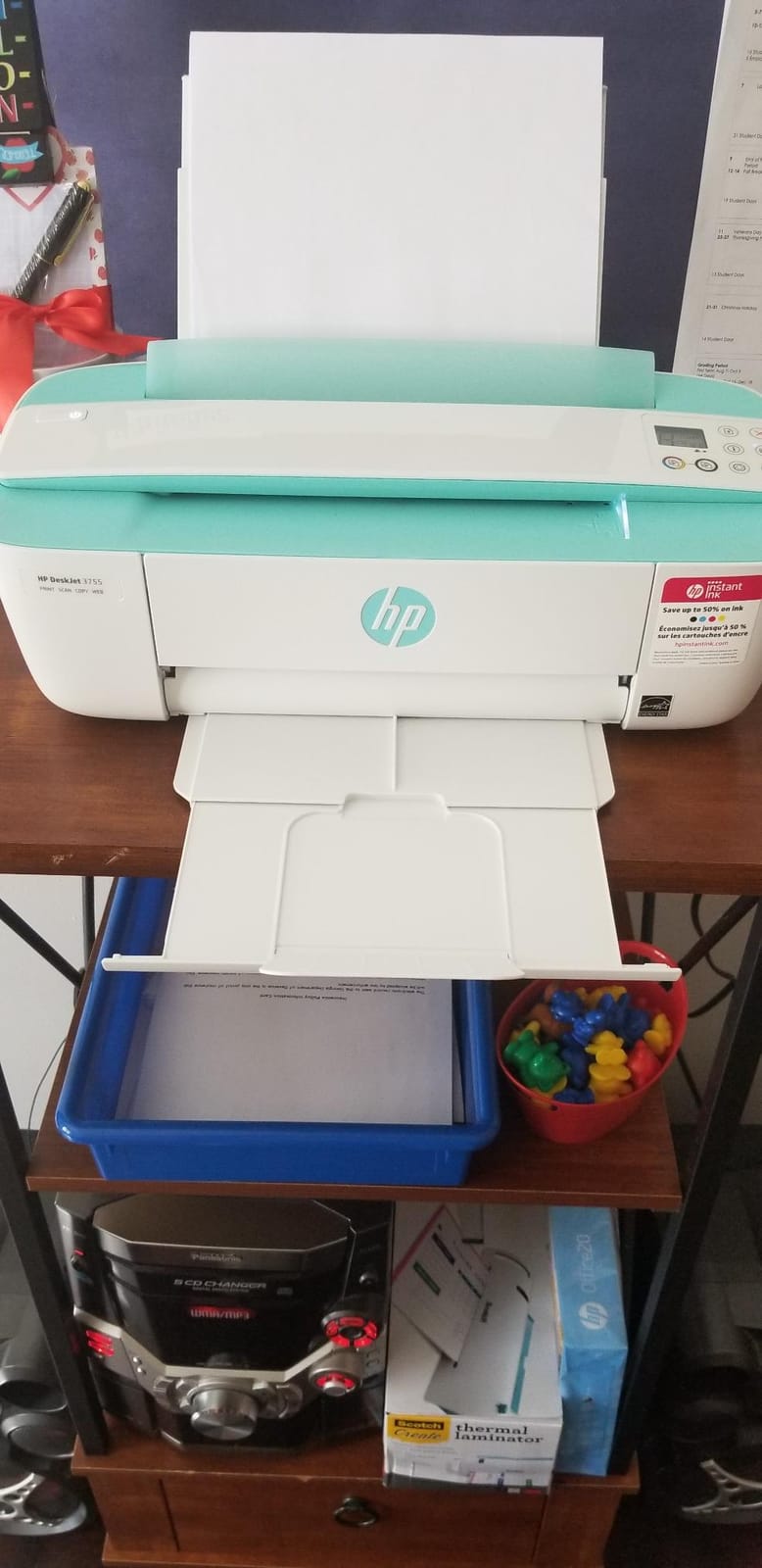
Print quality is good for basic documents and casual photos. Draft print speed is 19 ppm black and 15 ppm color, which is fast for a budget printer, though ISO speeds are more conservative at 8 ppm black and 5.5 ppm color. HP Instant Ink compatibility means you can subscribe to never worry about running out of ink.
The 3755 has real limitations. The sheetfed scanner can handle loose papers but cannot scan pages from a book or magazine. Setup is notoriously difficult, with many users reporting WiFi connection problems. The printer only supports 2.4GHz WiFi networks, which is a real limitation in modern dorm buildings with 5GHz networks.
For whom it’s good
The 3755 is the printer for students with the smallest possible space. If your dorm is genuinely tiny or you live in a triple room, this printer fits where others won’t. The attractive design makes it a good fit for design-conscious students. The Instant Ink compatibility means you can subscribe and never run out of ink during finals week.
For whom it’s bad
Avoid the 3755 if you have a 5GHz-only WiFi network. The setup frustrations are well-documented across thousands of reviews. Students who need to scan textbooks or bound documents will hate the sheetfed scanner. If you can afford a slightly larger printer, the Canon TS3720 or HP DeskJet 2827e offer better features in a similar size class.
Buying Guide: What to Look for in a Student Printer
Choosing the right compact printer for college or grad school requires thinking beyond the sticker price. The cheapest printer often costs the most over four years once you factor in ink. Here’s what our team considers when recommending printers to students.
Size and Footprint
Measure your available space before buying. The smallest printer in this roundup, the HP DeskJet 3755, is just 15.86 inches wide and 5.1 pounds, but it sacrifices the scanner functionality most students need. The Canon PIXMA TS6520 is a more practical 14.8 x 14 inches, and the bulkier TR4720 at 17.2 x 11.7 inches requires more desk real estate. For dorm rooms with limited surface area, prioritize depth over width since printers are typically placed against a wall.
Ink Costs and Subscription Services
Cartridge-based printers like the Canon PIXMA models cost $30-$70 per cartridge replacement, and standard cartridges print only 200-300 pages. Over four years, you can easily spend more on ink than the printer itself. Ink tank printers like the HP Smart Tank 5003 include enough ink for 6,000+ pages and refill with inexpensive bottles. HP’s Instant Ink subscription delivers cartridges automatically for a monthly fee based on page count, which can save money for students who print regularly. Calculate the cost per page before buying, not just the printer price.
Wireless Connectivity and Mac Compatibility
Every printer in this roundup supports wireless printing, but not all support dual-band WiFi. The Canon PIXMA TS4320, TS6520, and TS3720 all support both 2.4GHz and 5GHz networks, which matters in dorms where 2.4GHz is congested. Mac users should look for AirPrint support, which is available on all eight printers. Setup app quality varies, with the HP Smart app and Canon PRINT app both being reliable, while the HP DeskJet 3755 has a well-documented history of WiFi setup frustrations.
Inkjet vs Laser for Students
All eight printers in this roundup are inkjet models, and for good reason. Laser printers produce sharper text and faster print speeds, but they’re larger, more expensive upfront, and overkill for the 50-200 pages per month most students print. Inkjet printers handle both text and photos, are more compact, and cost less upfront. If you print 500+ pages per month of text-only documents, a laser printer makes sense, but for typical student workloads, inkjet is the better choice. If you’re also looking at laptops to pair with your printer, our best 2-in-1 laptops for students guide covers models that work seamlessly with all these printers.
Campus Printing as a Backup
No matter which printer you buy, campus printing services remain a useful backup. Library printers cost a few cents per page and handle large jobs without consuming your personal ink supply. I keep my home printer for last-minute assignments and use campus printing for large research papers or poster-sized projects. For students who rarely print, this setup works without buying a personal printer at all. Save your ink for the 11 PM deadline panic, and let the library handle the routine work.
Frequently Asked Questions
What is a good small printer for students?
The Canon PIXMA TS4320 is one of the best small printers for students, offering print, scan, and copy in a compact 14.8 x 14-inch design with auto duplex and dual-band WiFi at an affordable price. For students who prioritize portability, the Canon PIXMA TR160 weighs just 4.5 pounds and fits in a backpack.
What is the best mini printer for college students?
The Canon PIXMA TR160 is the best mini printer for college students who need a truly portable option. At 4.5 pounds and 12.7 inches wide, it produces high-quality 4800 x 1200 dpi prints and supports AirPrint, Mopria, and Wireless Direct mode for printing without a router.
What is a good small printer for school?
A good small printer for school should be compact, wireless, and affordable to operate. The Canon PIXMA TS3720 offers basic print, scan, and copy functions in an 8.7-pound design with easy setup, while the HP DeskJet 3755 provides the smallest footprint at 5.1 pounds for ultra-tight dorm spaces.
What is the best small compact printer?
The best small compact printer overall is the Canon PIXMA TS6520, which combines a 14.8 x 14-inch footprint with auto duplex printing, 200-sheet paper capacity, and a 4.3-star rating from nearly 1,600 reviewers. It handles text, photos, and double-sided documents reliably for student workloads.
Are ink tank printers worth it for students?
Yes, ink tank printers are worth it for students who print more than 50 pages per week. The HP Smart Tank 5003 includes up to 3 years of ink in the box, equivalent to 6,000 pages, which is more economical than cartridge printers over a four-year degree. For students who print less than 20 pages per week, cartridge printers cost less upfront.
Final Verdict
After testing all eight printers, the Canon PIXMA TS6520 is the best compact printer for most students in 2026. It balances features, reliability, and value better than anything else in this roundup, with a 4.3-star rating from 1,587 reviewers and a #1 best-seller rank in Inkjet Computer Printers. The 200-sheet paper capacity, auto duplex printing, and borderless photo support cover every academic and personal printing need.
For students who prioritize portability above all else, the Canon PIXMA TR160 is the clear choice. For students on a tight budget, the HP DeskJet 3755 fits anywhere and includes Instant Ink compatibility. And for students who print heavily and want to stop thinking about ink forever, the HP Smart Tank 5003 includes enough ink for the rest of college.
Whatever you choose, pair your printer with a reliable laptop from our best 2-in-1 laptops for students guide, and bookmark the how to cite sources on iPad tutorial for when you need to print research papers in proper academic format.