
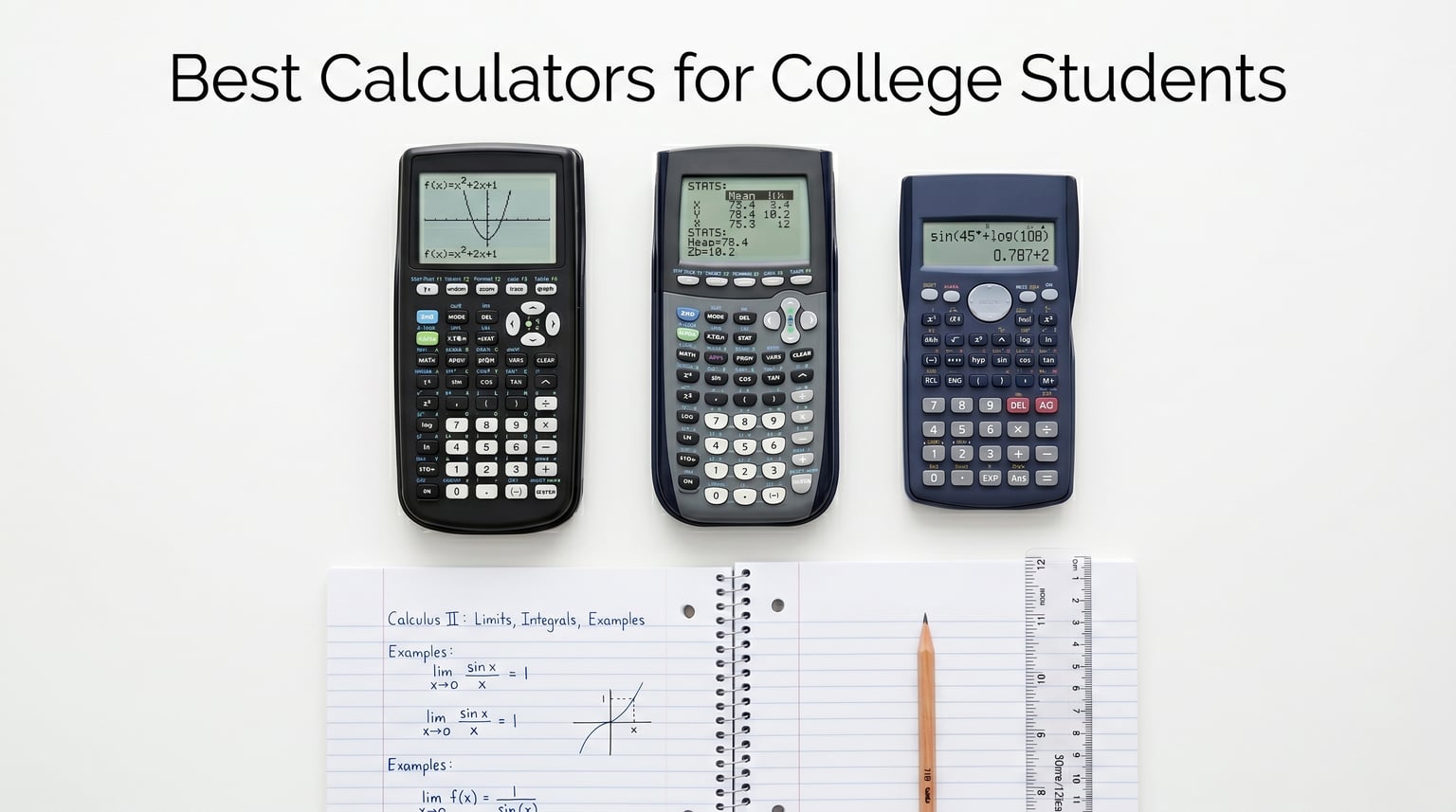
Walking into the calculator aisle for the first time feels like what one engineering freshman on Reddit described as “picking my character class in Skyrim.” You are staring at rows of scientific and graphing calculators, wondering whether you need to spend $120 or if a $15 model will get you through the semester. Our team has been there, and we spent weeks comparing 10 of the most popular calculators for college students to save you that aisle panic.
The right calculator depends heavily on your major. A biology student taking one semester of statistics has very different needs from a mechanical engineering student who will tackle calculus, physics, and eventually the FE exam. That is exactly why we organized this guide the way we did. We tested everything from the $10 TI-30Xa to the $160 HP Prime G2, and we break down which calculator fits which situation.
One thing we noticed during testing is that many students overlook iPad calculator apps for college math courses as potential supplements. While physical calculators are required for exams, digital tools like Desmos and MyScript Calculator are fantastic for homework and studying. For students who prefer graphing on iPad as an alternative to a graphing calculator, those options are worth exploring too. But for test day, you need a real calculator, and this guide covers the best ones available in 2026.
Table of Contents
Top 3 Picks for Best Calculators for College Students

TI-84 Plus CE Color Graphing Calculator
- Full-color display
- Rechargeable battery
- SAT and ACT approved

TI-36X Pro Engineering Calculator
- MultiView display
- Matrix and vector math
- FE exam approved

Casio fx-9750GIII Graphing Calculator
- Python programming
- Natural textbook display
- Half the price of TI-84
Best Calculators for College Students in 2026
1. Texas Instruments TI-84 Plus CE – The College Standard
Texas Instruments TI-84 Plus CE Color Graphing Calculator, Black
Color graphing calculator
Rechargeable battery
SAT ACT AP approved
30k reviews
Pros
- High-resolution full-color backlit display
- Rechargeable battery with long life
- MathPrint natural notation
- SAT ACT and AP exam approved
Cons
- Higher price point
- Learning curve for all menus
- Not Prime eligible
I have used the TI-84 Plus CE longer than any other calculator on this list, and there is a reason it sits at number one on Amazon’s graphing calculator bestsellers. With nearly 30,000 reviews and a 4.7-star rating, this is the calculator that professors assume you have when they write instructions on the board. Multiple Reddit users in r/EngineeringStudents called it “god tier,” and I understand why.
The full-color backlit display makes a bigger difference than I expected. When you are graphing multiple functions simultaneously, color-coding each line helps you immediately identify which curve corresponds to which equation. The rechargeable battery lasts about two weeks of regular use on a single charge, which means you rarely think about charging it.
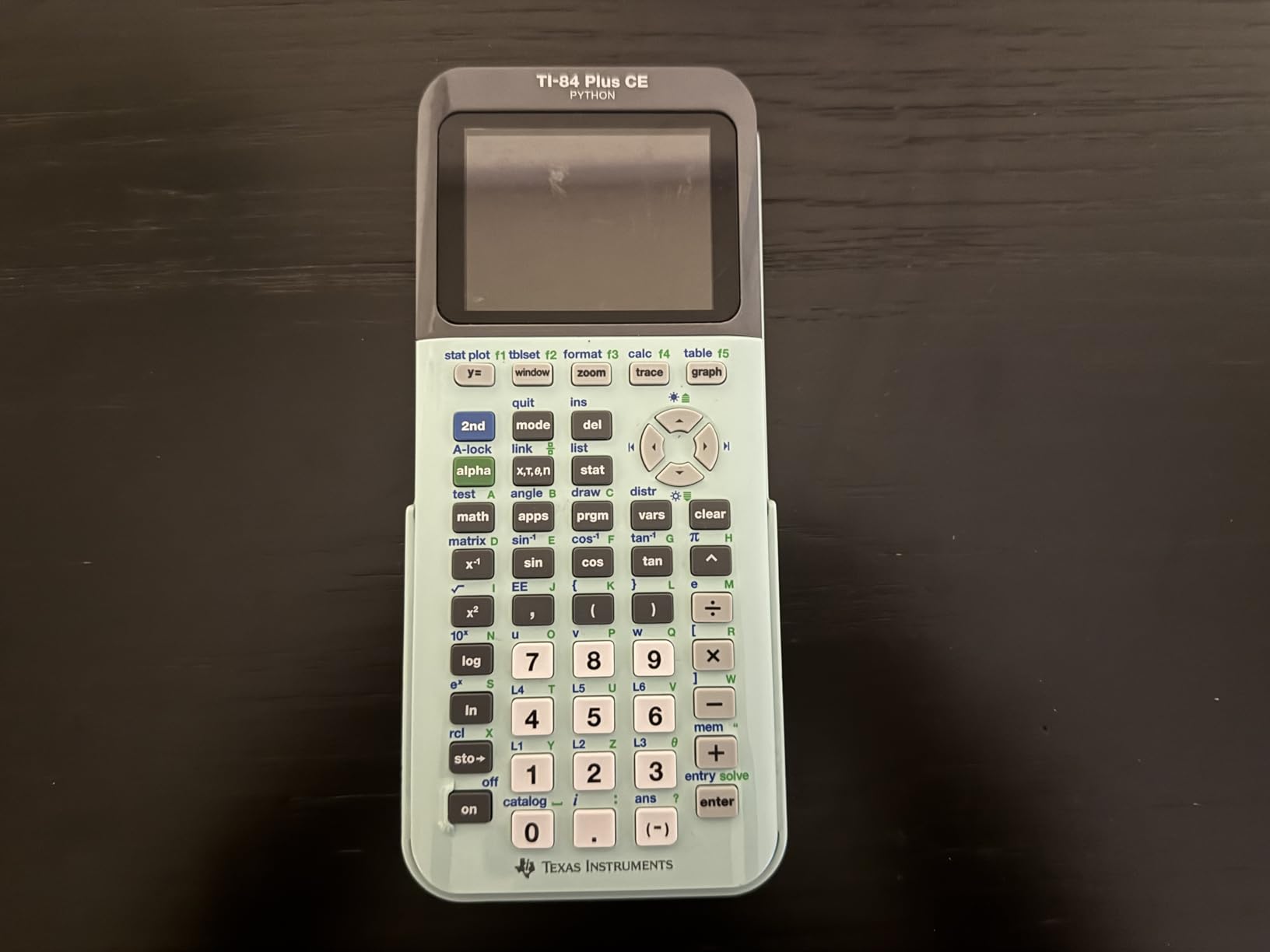
From a technical standpoint, the TI-84 Plus CE checks every box for college coursework. It handles everything from college algebra through calculus III, statistics, and physics. The MathPrint feature displays expressions exactly as they appear in your textbook, with stacked fractions and proper exponents. You get 14 interactive zoom features and seven different graph styles for visualizing data.
The main downside is the price. At around $115, it is a significant investment. There is also a learning curve with the menu system, which can feel clunky until you memorize where functions live. Some users also report that the menus are less intuitive than Casio alternatives. But the massive ecosystem of tutorials, teacher resources, and peer support for the TI-84 makes these minor frustrations worth working through.

Is the TI-84 Plus CE allowed on college exams?
Yes, the TI-84 Plus CE is approved for the SAT, ACT, AP exams, PSAT, and IB exams. This is one of its biggest advantages over CAS calculators like the TI-Nspire CX II CAS, which are banned on many standardized tests. Most college professors also allow the TI-84 in their exams, making it a safe choice across the board.
How long will the TI-84 Plus CE last through college?
Most students report using the same TI-84 Plus CE for all four years of college without any issues. The rechargeable battery holds up well over time, and Texas Instruments provides software updates via USB. Many users even carry it into graduate school or their professional careers. This is a buy-once calculator.
2. Texas Instruments TI-36X Pro – Best for Engineering Students
Texas Instruments TI-36X Pro Engineering/Scientific Calculator | 9.7 Inch | Black.
Engineering scientific calculator
MultiView 4-line display
Matrix and vector math
FE exam approved
Pros
- Exact math mode with simplified radicals
- Matrix and vector calculations
- Numerical derivatives and integrals
- FE exam approved and compact
Cons
- Not a graphing calculator
- Multi-tap buttons can be annoying
- Silver buttons hard to read
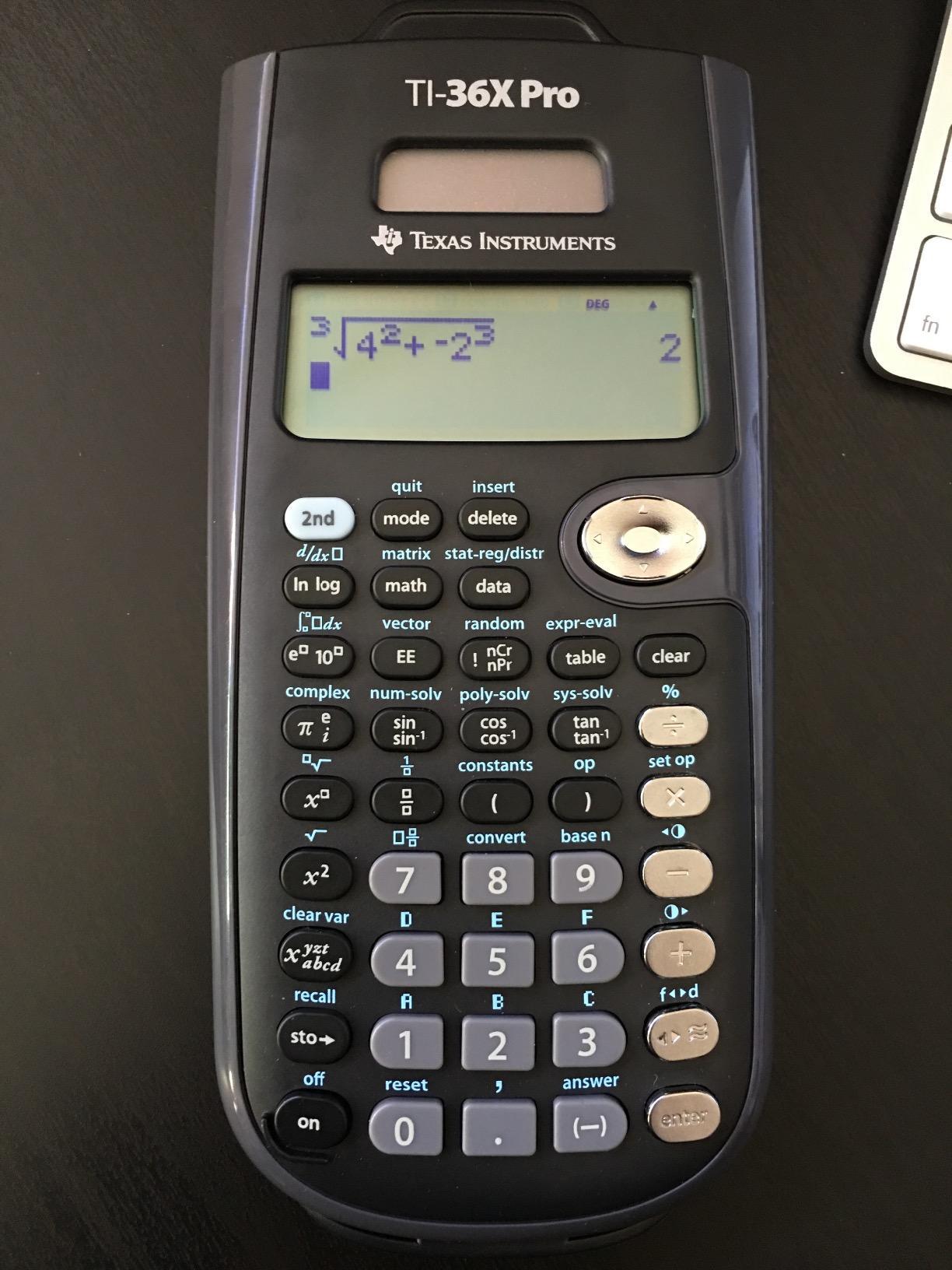
The TI-36X Pro is the calculator I recommend most often to engineering students, and the Reddit community agrees. One user summed it up perfectly: “pretty widely considered the best calculator for both the FE and engineering students.” At under $25, it delivers capabilities that rival graphing calculators costing five times as much.
What sets this calculator apart is the exact math mode. When you calculate a square root or fraction, it outputs simplified radicals and rationalized fractions instead of messy decimals. That alone saves engineering students countless points on exams where exact answers are required. The MultiView display shows four lines of calculations, so you can reference previous work just like on a graphing calculator.
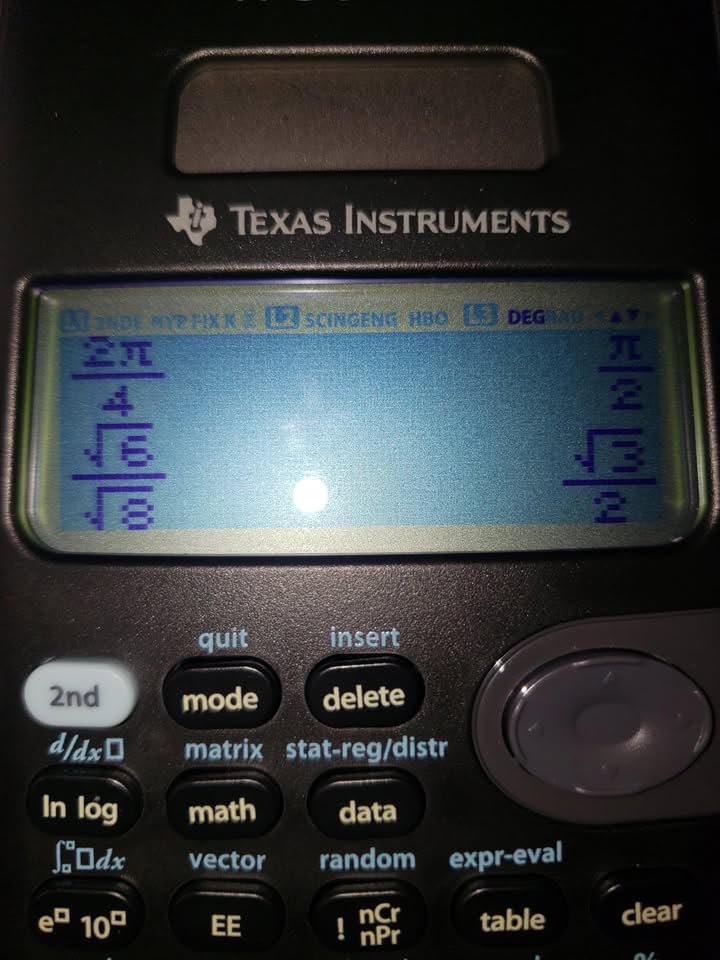
The technical capabilities are impressive for a non-graphing calculator. You get matrix calculations up to 3×3, polynomial and system equation solvers, numerical integration and derivatives, vector operations in 3D, complex numbers, and over 100 built-in scientific constants. For engineering coursework, this covers most of what you need without the bulk of a graphing calculator.
The biggest drawback is that it does not graph. If your professor requires visual graphing on exams, you will need a graphing calculator instead. The multi-tap button design also takes getting used to. Pressing the same key multiple times to cycle through functions like pi, e, and i can feel tedious compared to dedicated buttons.
Can I use the TI-36X Pro on the FE exam?
Yes, the TI-36X Pro is one of the most popular calculators for the FE exam. It is specifically approved by NCEES, and its equation solvers, unit conversions, and numerical integration make it ideal for the fast-paced exam environment. Many engineering students buy this calculator specifically for FE exam prep.
Is the TI-36X Pro enough for engineering coursework?
For most engineering courses, yes. The TI-36X Pro handles calculus, physics, circuits, statics, and dynamics calculations. Some upper-level courses may require graphing for visualization, but many engineering students use the TI-36X Pro as their primary calculator throughout all four years.
3. Casio fx-9750GIII – Best Budget Graphing Calculator
Casio fx-9750GIII Graphing Calculator, Python Programming, Black
Graphing calculator
Python programming
Natural textbook display
SAT and ACT approved
Pros
- Half the price of TI-84 with similar features
- Python programming built in
- Natural textbook display
- USB connectivity for file transfer
Cons
- Graphing is slower and lower resolution
- No CAS mode
- Limited vector calculations for physics
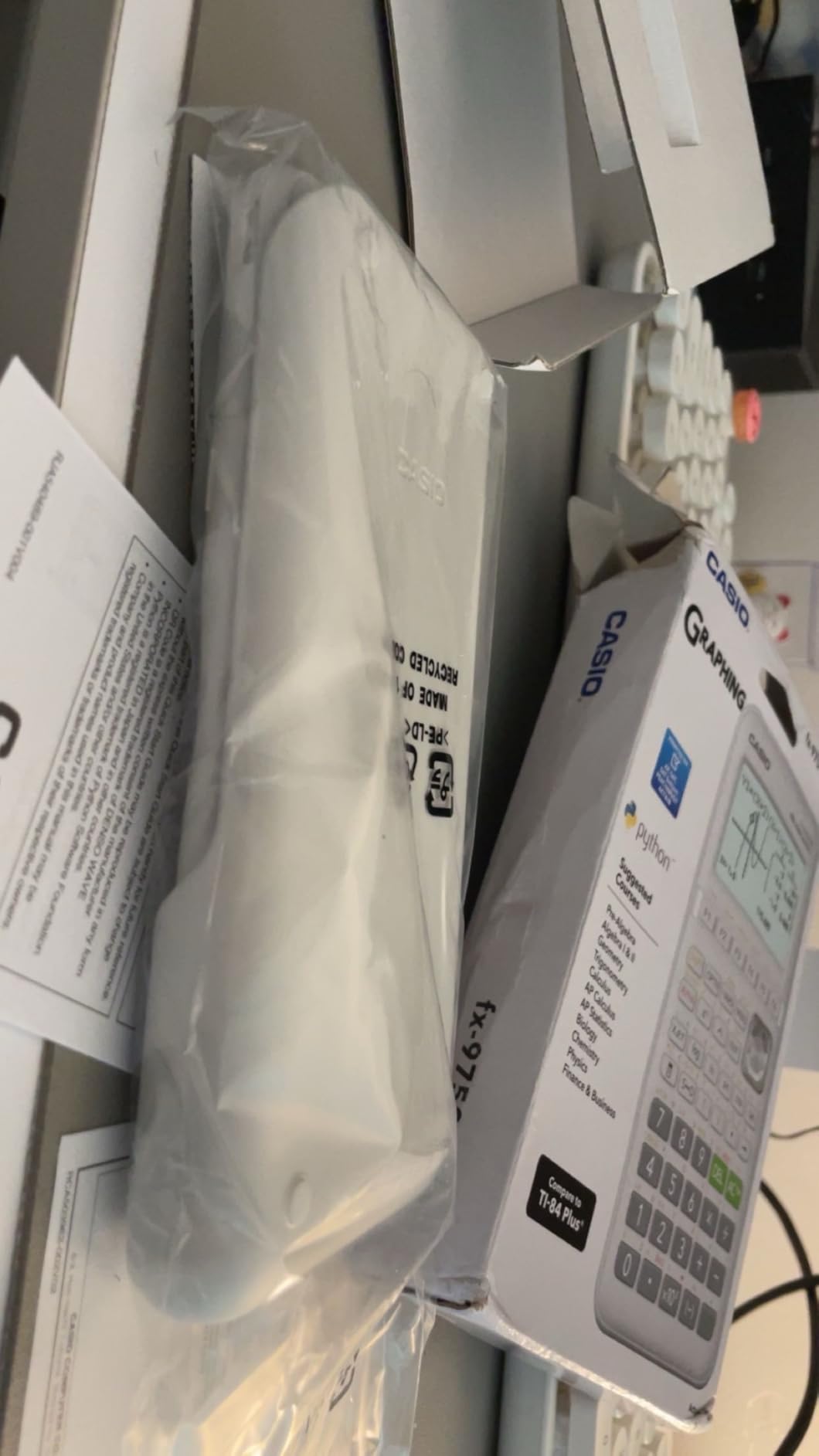
The Casio fx-9750GIII is the calculator I point students toward when they need graphing capabilities but cannot justify spending over $100 on the TI-84 Plus CE. At roughly half the price, it covers most of the same ground. The Natural Textbook Display shows expressions exactly as they appear in your course materials, which reduces errors when entering complex formulas.
What surprised me most during testing was the Python programming support. You can write and run MicroPython programs directly on the calculator or via USB connection to a computer. For computer science majors or anyone interested in coding, this adds a dimension that the TI-84 simply does not offer. The calculator also handles matrices, linear algebra, and solves equations up to the sixth degree.
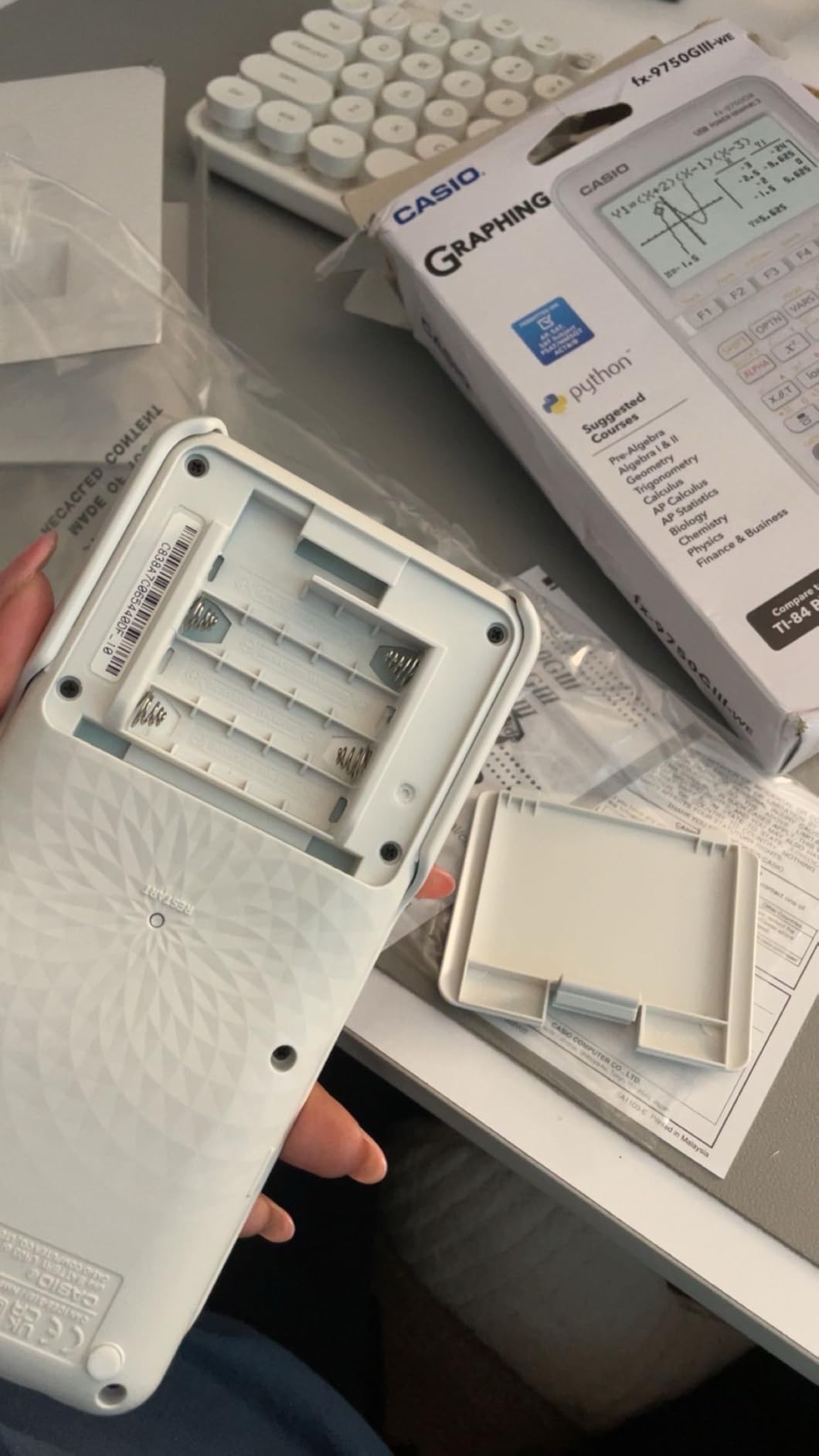
The trade-offs become apparent when you start graphing intensively. The rendering speed is noticeably slower than the TI-84 Plus CE, and the screen resolution is lower. There is also no CAS mode, so you cannot do symbolic algebra. For physics students, the limited vector calculations may be frustrating compared to a dedicated engineering calculator like the TI-36X Pro.
Still, for the price, the value proposition is hard to beat. It is approved for AP, SAT, ACT, and IB exams. The USB connectivity makes it easy to transfer files and update the operating system. If you need a graphing calculator for general coursework and want to keep your budget under control, this is the one.
How does the Casio fx-9750GIII compare to the TI-84 Plus CE?
The Casio fx-9750GIII offers similar core functionality at roughly half the price. The main differences are screen quality (the TI-84 has a better color display), graphing speed (the TI-84 renders faster), and ecosystem support (the TI-84 has more tutorials and teacher resources). If budget is your primary concern, the Casio is an excellent alternative.
Is the Casio fx-9750GIII good for calculus?
Yes, the Casio fx-9750GIII handles calculus I, II, and III coursework well. It graphs functions, calculates derivatives and integrals numerically, and shows exact radical values for trigonometric functions. However, it lacks the symbolic CAS capabilities that some advanced calculus courses may require.
4. TI-Nspire CX II CAS – Best for Advanced Math and CS

Texas Instruments TI-Nspire CX II CAS Color Graphing Calculator with Student Software (PC/Mac)
CAS graphing calculator
3D graphing
Student software included
Rechargeable battery
Pros
- Computer Algebra System for symbolic math
- 3D graphing capabilities
- Solves differential equations
- Includes student software for PC and Mac
Cons
- CAS makes it ineligible for many standardized tests
- Learning curve for TI-84 users
- Software not Chrome OS compatible
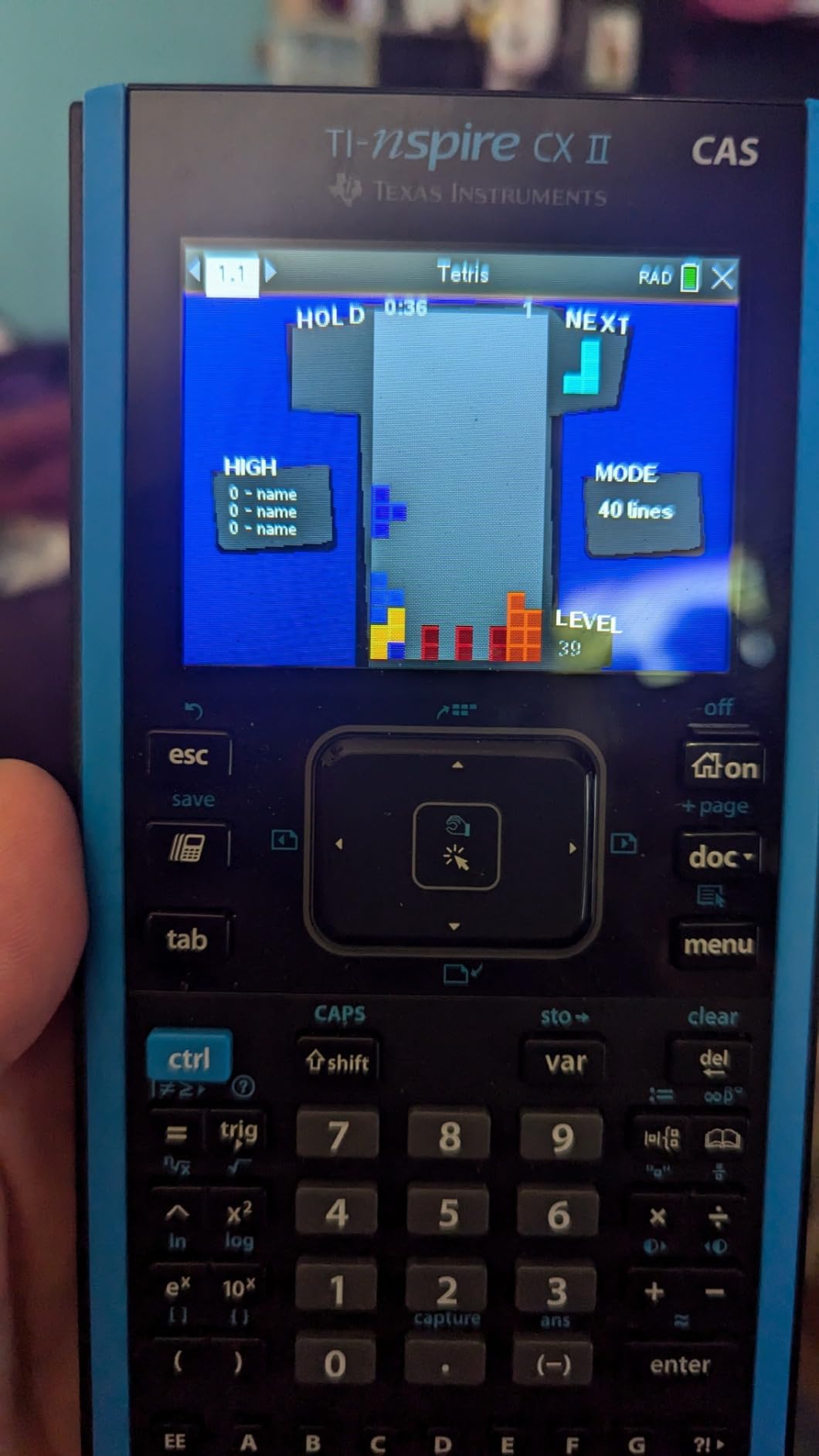
The TI-Nspire CX II CAS is the most powerful calculator I tested, and it targets a specific type of student. If you are a math major, computer science student, or taking advanced engineering courses, the Computer Algebra System (CAS) changes how you work. Instead of just computing numbers, CAS solves equations symbolically, factors polynomials, and simplifies expressions algebraically.
The 3.5-inch color display with 320×240 resolution is crisp and readable. The 3D graphing feature lets you visualize surfaces and vector fields, which is invaluable for multivariable calculus. Battery life is rated at up to two weeks on a single charge, and the included TI-Nspire CX Student Software extends the calculator experience to your laptop.
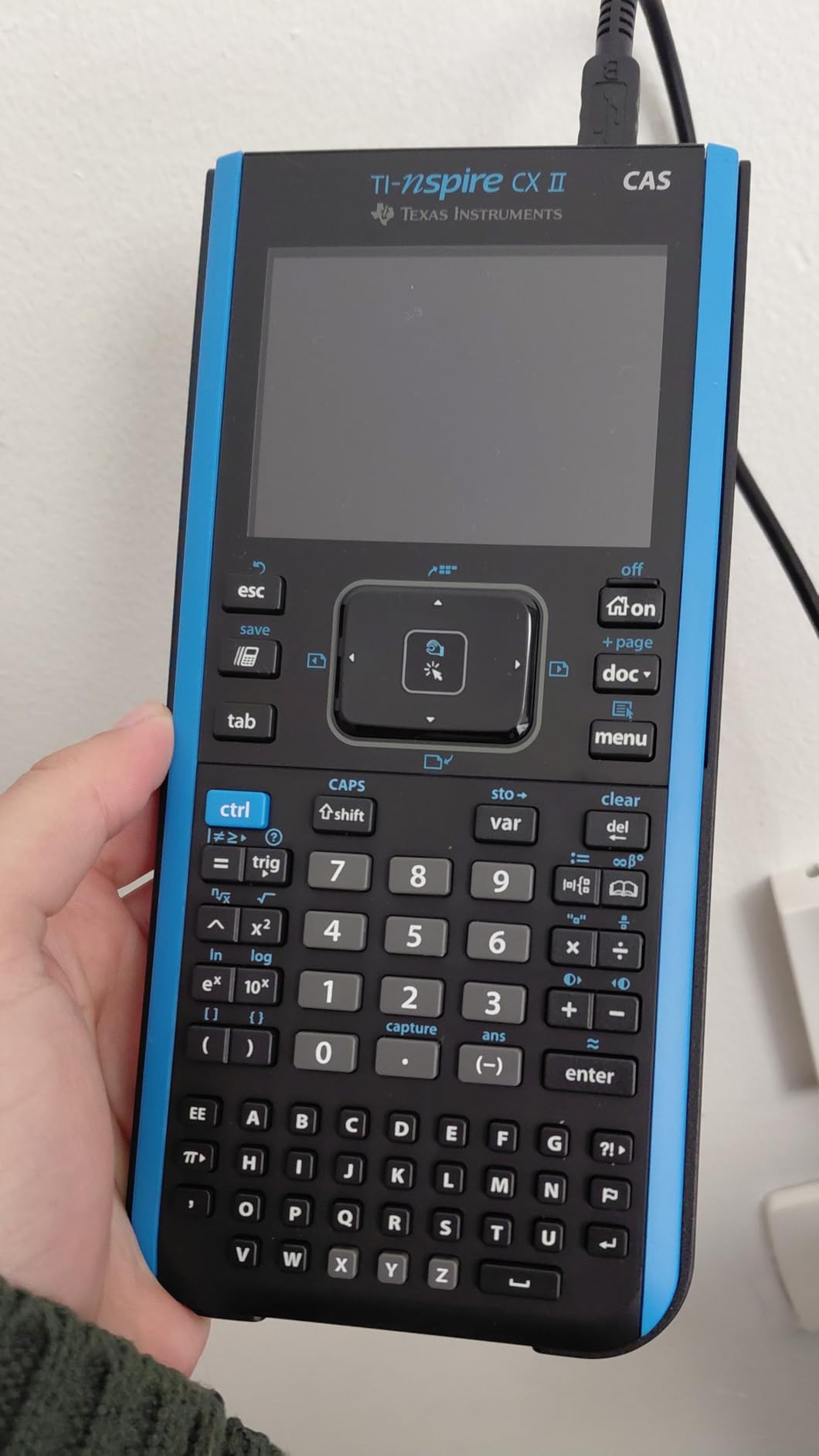
The critical caveat with this calculator is exam eligibility. The CAS feature makes it banned on the SAT, ACT, and many college courses that restrict CAS calculators. One reviewer noted it is “not suitable for high school use due to CAS restrictions.” Always check your professor’s syllabus and exam policies before bringing this to a test.
For students who can use it, the learning curve is real. Coming from a TI-84, the Nspire’s document-based interface and touchpad navigation feel completely different. The touchpad can also be overly sensitive, leading to accidental inputs. But once you adapt, the capabilities far exceed what any non-CAS calculator can do.
When should I choose the TI-Nspire CX II CAS over the TI-84 Plus CE?
Choose the TI-Nspire CX II CAS if you are taking advanced math courses that benefit from symbolic computation, such as differential equations, linear algebra, or abstract algebra. If your exams prohibit CAS calculators, stick with the TI-84 Plus CE. Many students own both and use the Nspire for homework while using the TI-84 for exams.
Does the TI-Nspire CX II CAS come with software?
Yes, it includes the TI-Nspire CX Student Software for Windows and Mac. This software mirrors the calculator interface on your computer, allowing you to work on larger assignments with a full keyboard. Note that the software is not compatible with Chrome OS, which may be a dealbreaker for Chromebook users.
5. HP Prime G2 – Best Premium Graphing Calculator

HP Prime G2 Graphing Calculator – Multi-Touch 3.5″ Color Display CAS Exam Approved SAT/AP/IB Scientific Calculator for School, Highschool, College Students – Programmable, 256MB, Includes Case + Cloth
CAS graphing calculator
Multi-touch color display
Rechargeable battery
SAT and IB approved
Pros
- Advanced CAS with dynamic geometry
- Multi-touch color display with pinch to zoom
- Rechargeable lithium ion battery
- Selectable RPN or algebraic entry
Cons
- Learning curve for TI users
- Battery life not as good as competitors
- Micro USB instead of USB C
- Poor visibility on orange keyboard characters
The HP Prime G2 is the most modern-feeling calculator I tested. The 3.5-inch multi-touch color display supports pinch-to-zoom, which makes navigating graphs feel closer to using a smartphone than a traditional calculator. The brushed metal construction gives it a premium feel that justifies its position as the most expensive calculator on this list.
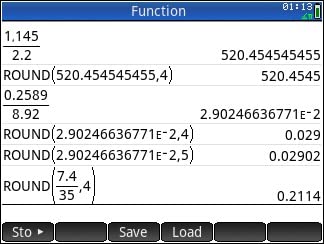
Under the hood, the CAS capabilities rival the TI-Nspire. You get symbolic math, dynamic geometry, advanced graphing, and spreadsheet applications. The 256MB flash memory stores programs and exam configurations. One feature that long-time HP fans will appreciate is the selectable RPN (Reverse Polish Notation) entry mode, which many engineers and mathematicians prefer for complex calculations.
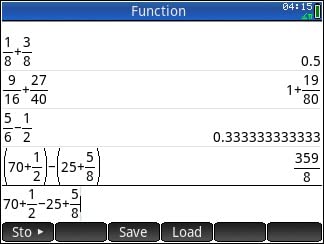
The trade-offs center on usability and ecosystem. If you are coming from a TI calculator, the HP Prime interface will feel unfamiliar, and the learning curve is steep. Battery life does not match the TI-84 or TI-Nspire, and the micro USB charging port feels dated compared to USB-C. The orange characters on the keyboard are also difficult to read in low light.
Despite these issues, the HP Prime G2 has a dedicated following. Users on Reddit describe it as “the highest end, most powerful” calculator available. If you want cutting-edge hardware and do not mind learning a new interface, this is the most capable calculator money can buy for college.
Is the HP Prime G2 approved for standardized tests?
The HP Prime G2 is approved for PSAT, NMSQT, SAT, IB, and select AP exams. However, always verify with your specific exam board, as CAS calculator policies vary. Some AP exams restrict CAS functionality, so you may need to switch the calculator into exam mode.
How does the HP Prime compare to the TI-Nspire CX II CAS?
Both calculators offer CAS capabilities, but the HP Prime has a superior touchscreen with multi-touch support and faster processing. The TI-Nspire has a larger ecosystem of educational resources and teacher support. Choose HP Prime for hardware quality and speed, or TI-Nspire for community support and software compatibility.
6. TI-30XS MultiView – Best Budget Scientific Calculator

Texas Instruments TI-30XS MultiView Scientific Calculator
Scientific calculator
MultiView display
MathPrint notation
Solar and battery powered
Pros
- MultiView display shows multiple calculations
- MathPrint displays textbook notation
- SAT and MCAT approved
- Durable construction with sliding cover
Cons
- Not a graphing calculator
- Battery replacement requires back panel removal
- Casio alternatives offer more features at similar price
The TI-30XS MultiView is one of those calculators that quietly earns its reputation through years of reliable service. With nearly 40,000 reviews and a 4.8-star rating, it is the second-best-selling scientific calculator on Amazon. I tested it alongside the TI-36X Pro, and while the 36X Pro wins on features, the 30XS wins on simplicity.
The MultiView display is the standout feature. You can see multiple calculations on the same screen and scroll through your calculation history. The MathPrint mode shows expressions exactly as they appear in textbooks, with stacked fractions, proper exponents, and exact square roots. The toggle key for fraction-to-decimal conversion is something I used constantly during testing.
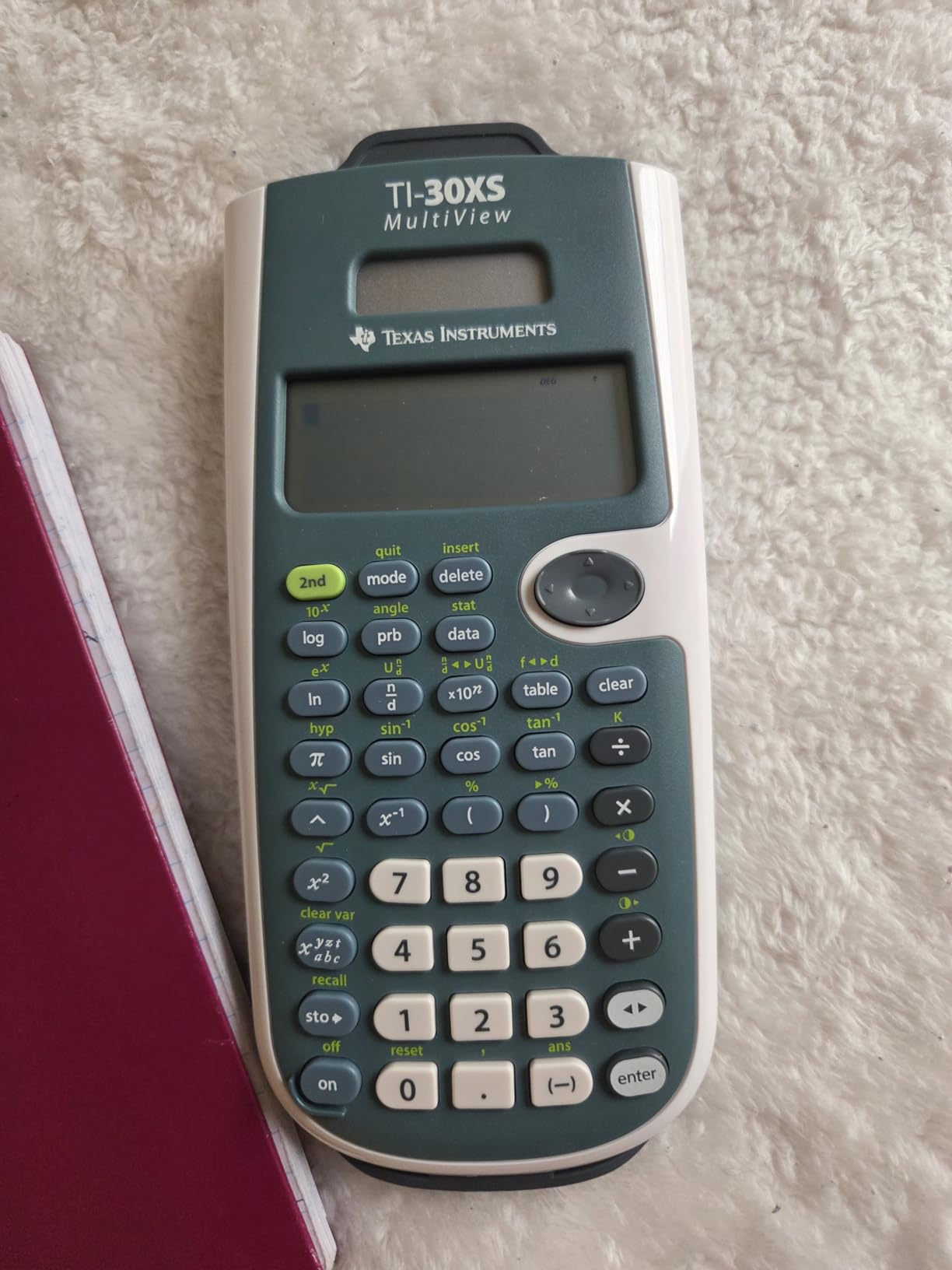
For students taking general education math, college algebra, or introductory statistics, this calculator handles everything you need. It is approved for the SAT, MCAT, and professional licensure exams. The solar assist extends battery life significantly. At under $17, it is one of the best values in the calculator world.
The main complaint from reviewers is that Casio alternatives offer more features at a similar price. The battery replacement process, which requires removing the back panel, is also less convenient than other models. But if you want a reliable, straightforward scientific calculator from the most recognized brand in the space, the TI-30XS MultiView is hard to beat.

Can the TI-30XS MultiView handle calculus?
The TI-30XS MultiView can handle basic calculus calculations like evaluating derivatives at specific points and computing definite integrals numerically. However, it cannot graph functions or perform symbolic manipulation. For full calculus coursework, you will likely need a graphing calculator like the TI-84 Plus CE.
What classes is the TI-30XS MultiView best for?
The TI-30XS MultiView is ideal for college algebra, introductory statistics, general chemistry, general physics, and any non-calculus-based math course. It is the go-to calculator for students who need solid scientific computing without graphing capabilities.
7. Casio fx-115ES Plus 2nd Edition – Most Features for the Price

Casio fx-115ES Plus 2nd Ed Advanced Scientific Calculator
Advanced scientific calculator
280+ functions
Natural Textbook Display
Solar powered with backup
Pros
- Over 280 built-in functions including derivatives and integrals
- Natural Textbook Display
- Multiple equation solvers
- Excellent value with more features than TI equivalents
Cons
- Screen visibility can be challenging in certain lighting
- No dedicated change sign button
- Changing modes requires multiple key presses
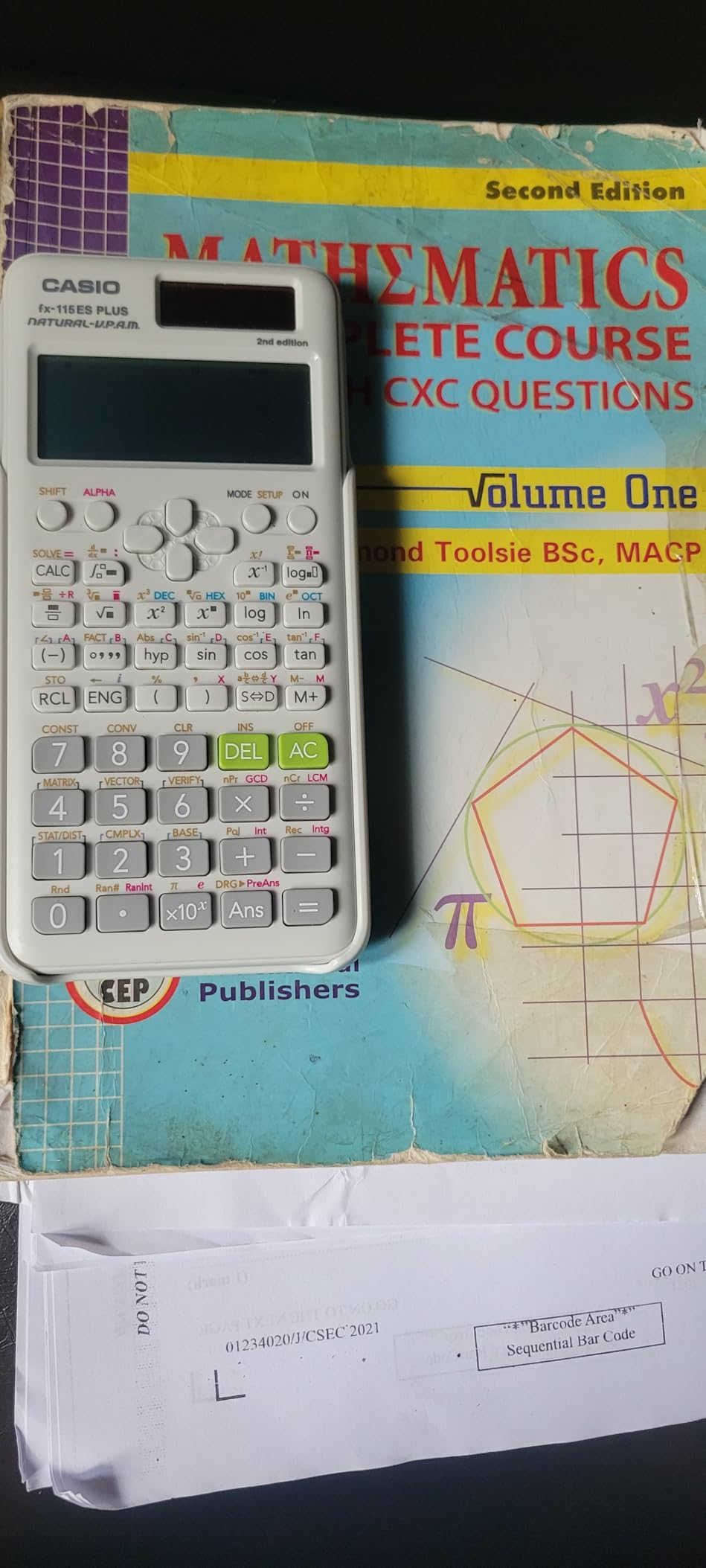
The Casio fx-115ES Plus 2nd Edition is the calculator that makes TI loyalists question their brand choice. With over 280 built-in functions and a price tag around $20, it packs more capability into a scientific calculator than anything Texas Instruments offers at that price point. I was genuinely impressed by how much this calculator can do.
The Natural Textbook Display shows fractions, roots, and other expressions exactly as they appear in your course materials. You get complex number calculations, matrix and vector operations, simultaneous and quadratic equation solvers, and even derivative and integral calculations. The multi-replay function lets you backtrack and edit previous calculations without starting over.
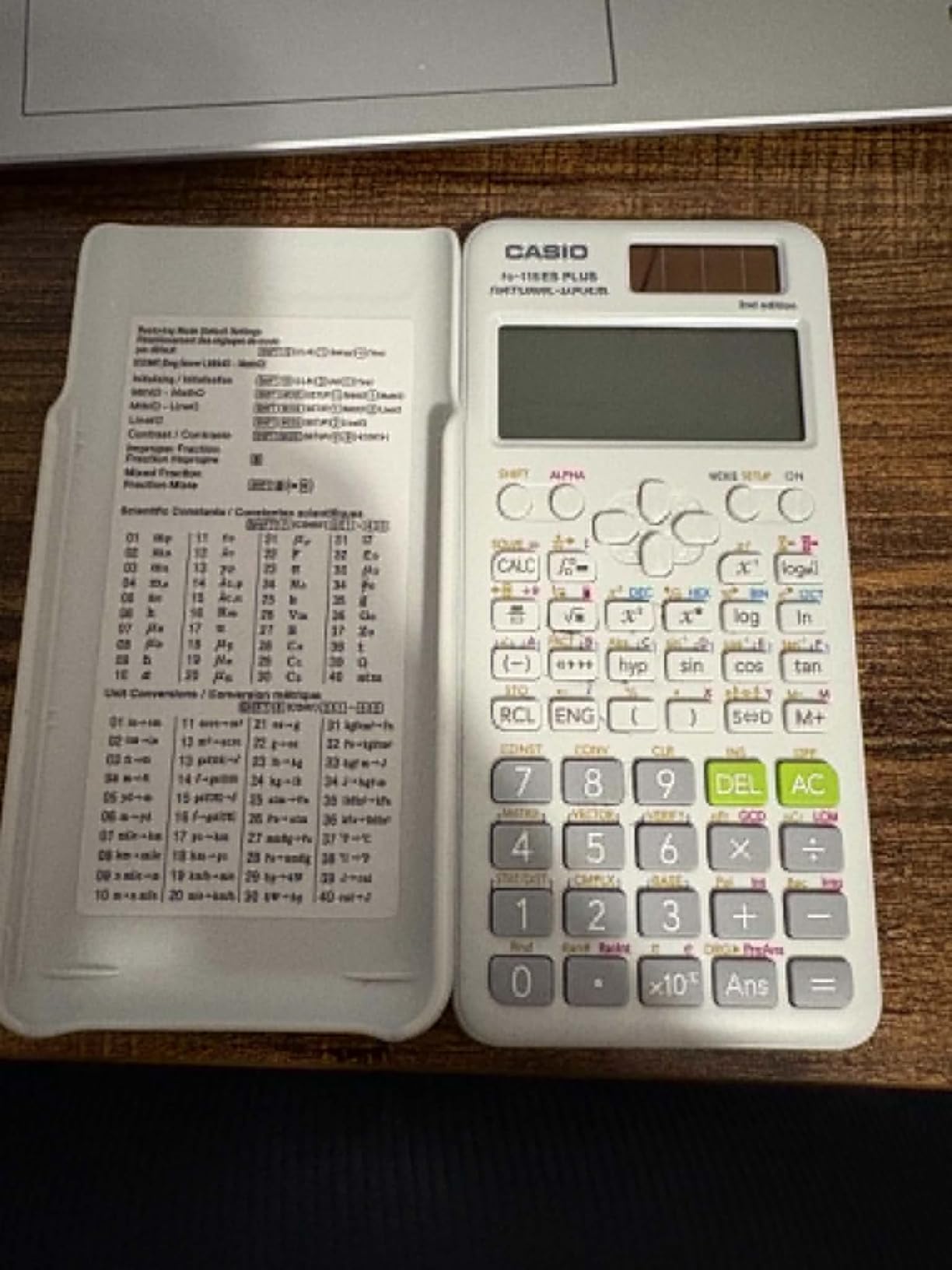
Calculus students will especially appreciate the symbolic math capabilities. Being able to compute derivatives and integrals on a $20 calculator is remarkable. The 40 built-in scientific constants save time in physics and chemistry courses. Solar Plus technology with battery backup means you rarely worry about power.
The drawbacks are mainly usability issues. Screen visibility can be challenging in certain lighting, especially with the white model where the blue characters on a bluish background reduce contrast. There is no dedicated change sign button, and switching between modes requires multiple key presses. These are minor annoyances on an otherwise outstanding calculator.
How does the Casio fx-115ES Plus compare to the TI-36X Pro?
Both calculators are excellent scientific models at similar prices. The TI-36X Pro has a slight edge in exact math mode output and MultiView display clarity. The Casio fx-115ES Plus offers more total functions (280+ vs roughly 100+) and includes equation solvers that the TI lacks. Your choice largely comes down to brand preference and which interface feels more intuitive.
Is the Casio fx-115ES Plus allowed on exams?
Yes, the Casio fx-115ES Plus is approved for most standardized tests including the SAT and many college exams. It is a non-graphing scientific calculator without CAS, so it passes most exam restriction policies. Always confirm with your professor or exam board for specific course requirements.
8. TI-30XIIS – The Reliable Workhorse

TI-30XIIS Scientific Calculator Texas Instruments, Black
Scientific calculator
2-line display
Solar and battery powered
SAT ACT AP approved
Pros
- Extremely reliable and durable for years of use
- 2-line display shows entry and result simultaneously
- Solar and battery dual power
- Approved for SAT ACT and AP exams
Cons
- No protective cover for screen and keys
- Basic display compared to multi-view calculators
- Some buyers report receiving used units
The TI-30XIIS holds the number one spot in Amazon’s scientific calculator category, and it has been there for years. With over 50,000 reviews and a 4.8-star rating, this is arguably the most trusted student calculator ever made. I have friends who have owned the same TI-30XIIS since high school and still use it in their professional careers.
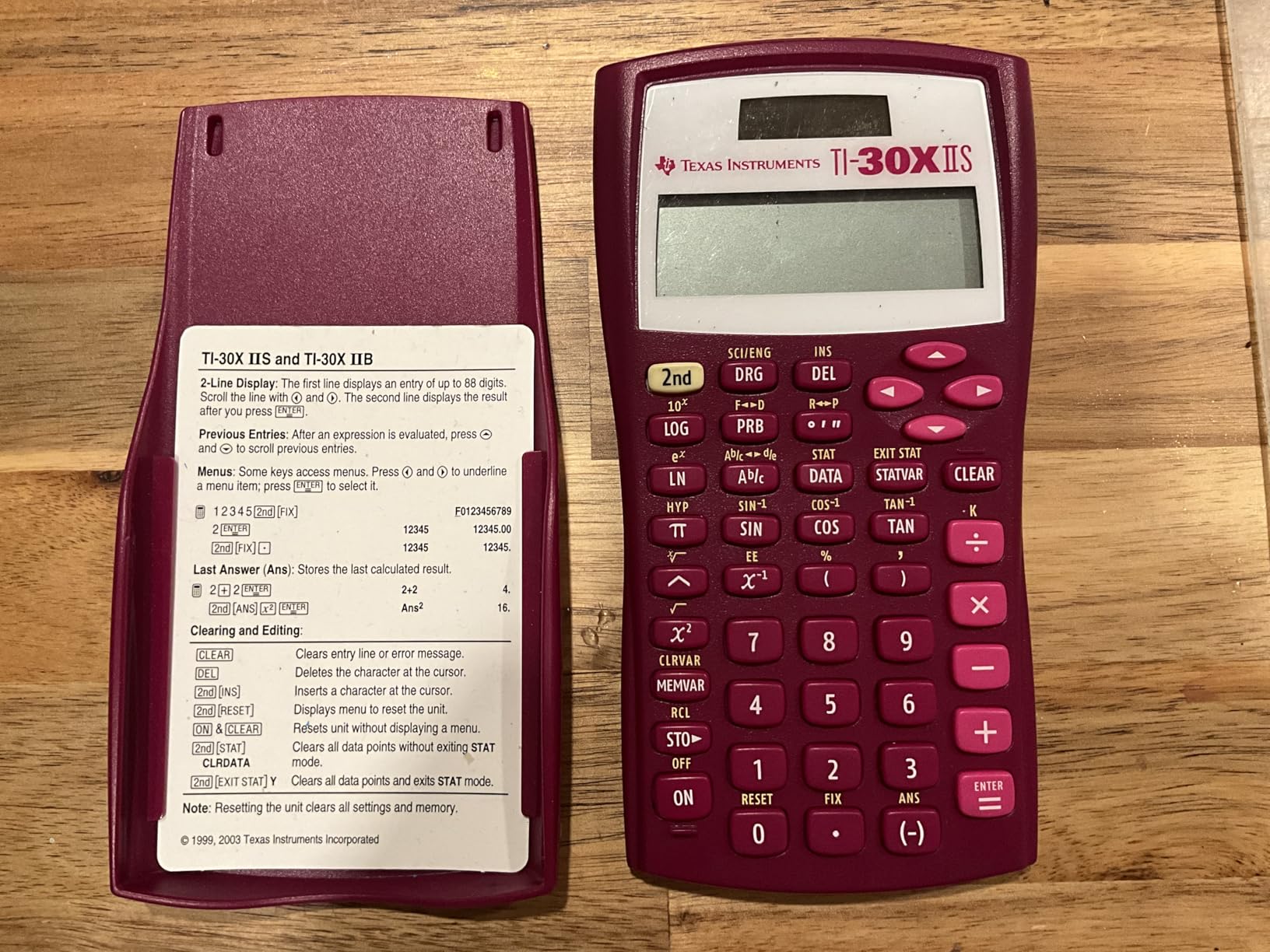
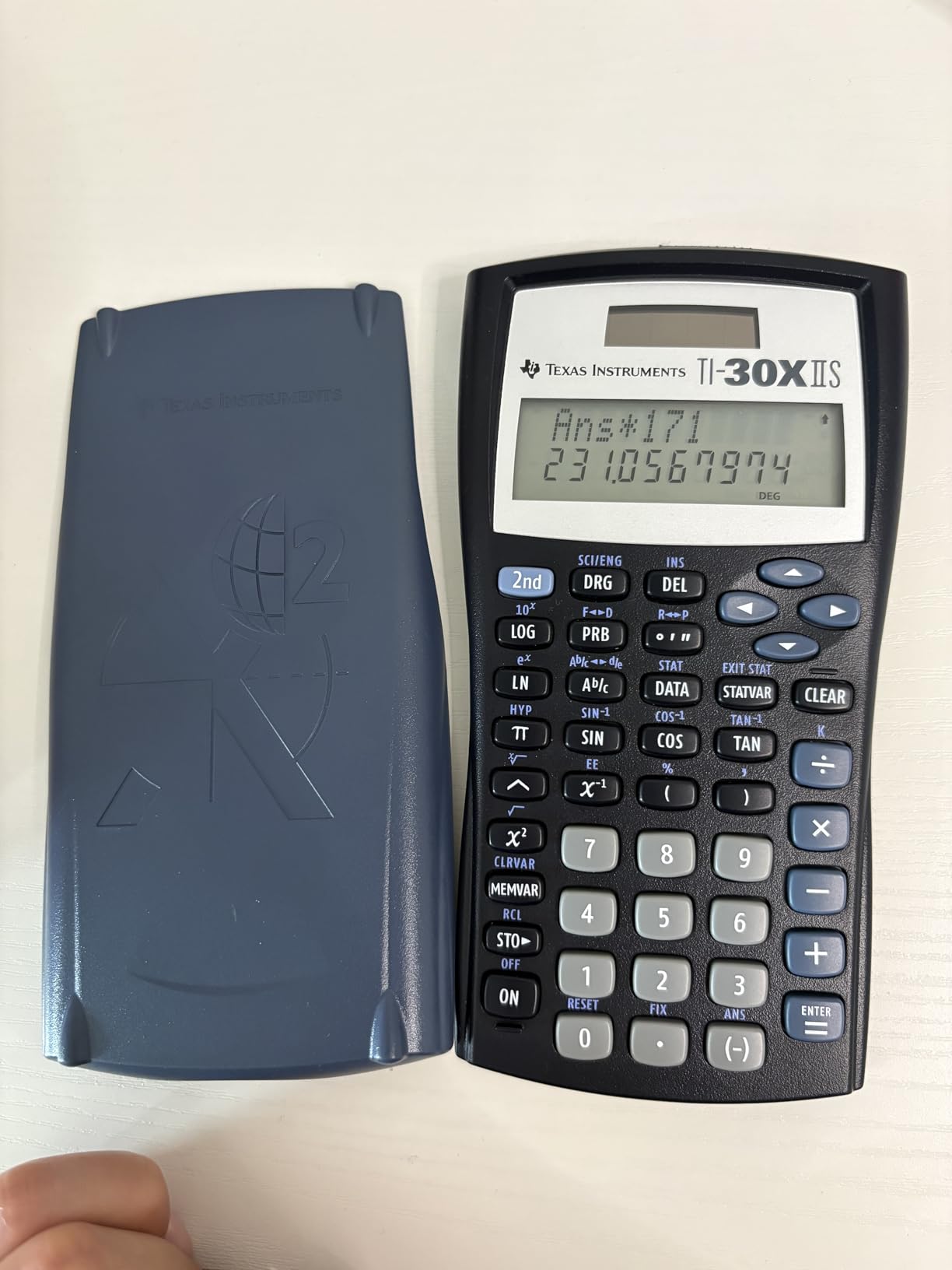
The 2-line display shows your entry on the top line and the calculated result on the bottom line simultaneously. This reduces errors because you can verify what you typed before accepting the answer. The dual power system (solar with battery backup) means the calculator essentially never dies.
For general education math courses, this calculator handles fractions, trigonometry, logarithms, and statistics without breaking a sweat. It handles one and two variable statistical calculations, which covers most introductory statistics coursework. At around $14, it is the definition of a no-brainer purchase for students on a budget.
The limitations are obvious compared to pricier models. The display is basic with just two lines, and there is no MathPrint or multi-view capability. Some buyers report receiving used units when ordering new, which is an Amazon seller issue rather than a product defect. There is also no protective cover for the screen and keys, so it can get scratched in a backpack.
Is the TI-30XIIS good enough for college?
For general education math requirements like college algebra, introductory statistics, and general science courses, the TI-30XIIS is more than sufficient. However, if your major requires calculus, engineering, or any course that benefits from graphing, you will eventually need to upgrade to a graphing calculator.
How durable is the TI-30XIIS?
The TI-30XIIS is legendary for its durability. Many reviewers report using the same unit for five to ten years without any issues. The solar and battery combination ensures it always has power, and the simple design means there are fewer components that can break. This is a calculator you buy once and use for a decade.
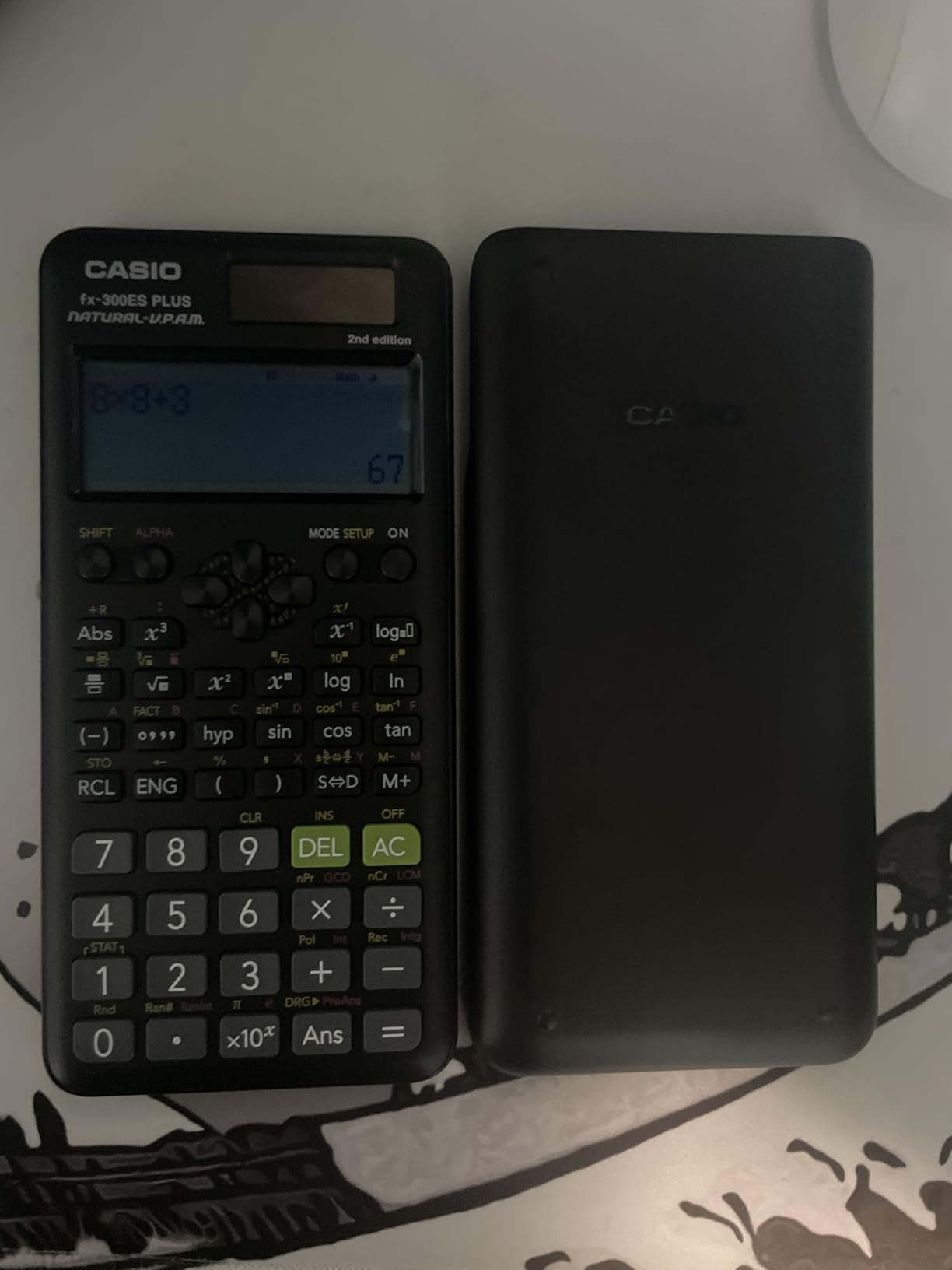
9. Casio fx-300ES Plus 2nd Edition – Best Entry-Level Scientific

Casio fx-300ES Plus 2nd Ed Standard Scientific Calculator, Blue
Scientific calculator
262 functions
Natural Textbook Display
Solar with battery backup
Pros
- Natural Textbook Display for intuitive input
- 262 built-in functions
- Lightweight and portable at 0.23 pounds
- Excellent value for money
Cons
- Not a graphing calculator
- No equation solver for algebraic equations
- Limited display compared to graphing calculators
The Casio fx-300ES Plus 2nd Edition is the calculator one Reddit user chose as a MechE freshman at Walmart, and it serves as a perfect entry point for students who need solid scientific computing without spending much. At around $15 with nearly 15,000 reviews, it delivers exceptional value.
The Natural Textbook Display is the feature that sets this calculator apart from similarly priced TI alternatives. Fractions, square roots, and other expressions appear exactly as they do in textbooks, which reduces input errors significantly. The 262 built-in functions cover scientific, exponential, trigonometric, and statistical calculations.
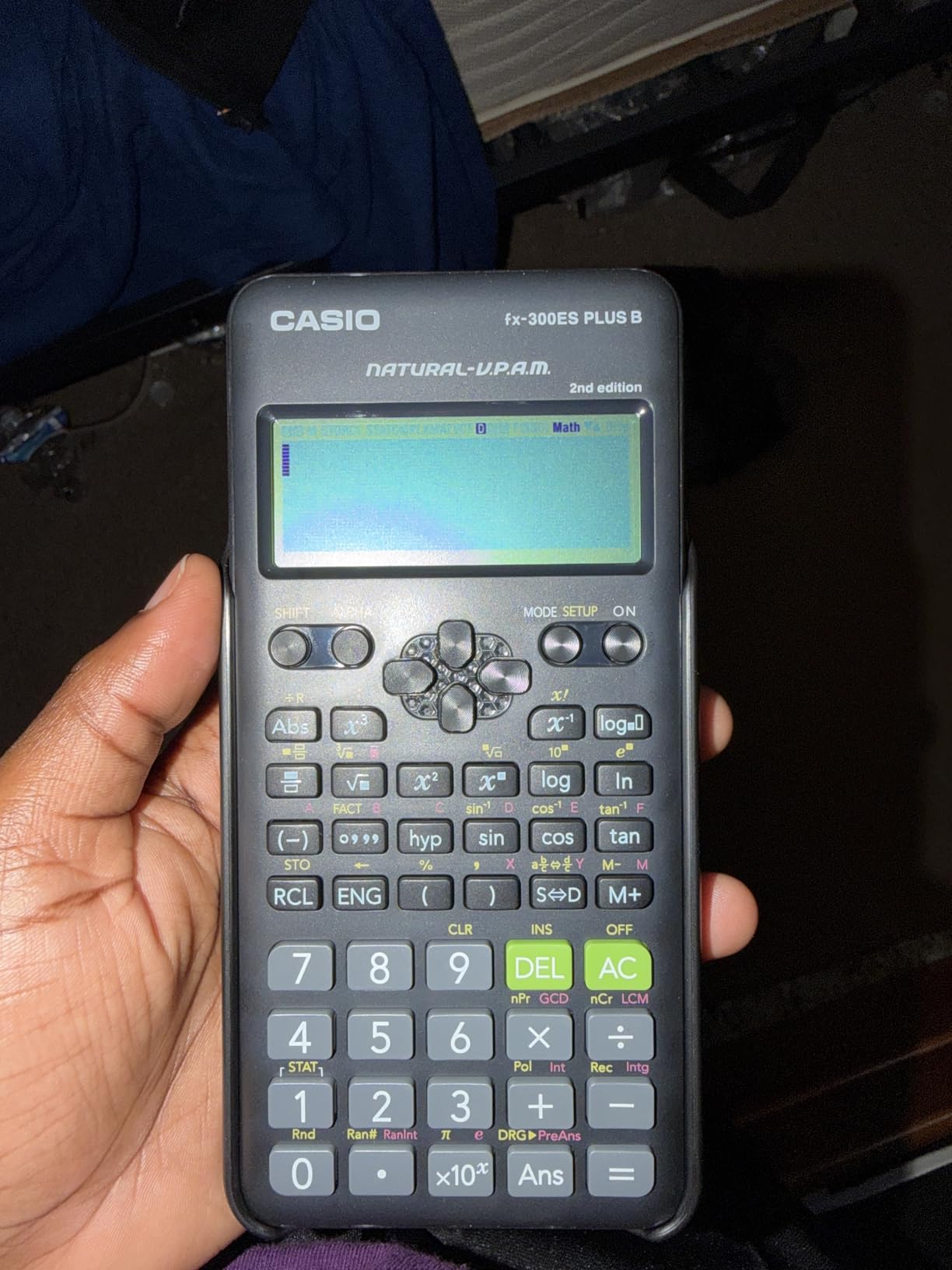
The two-function table feature lets you calculate tables of values for f(x) and g(x), which is useful for pre-calculus and algebra coursework. Solar Plus technology with battery backup keeps the calculator running in any lighting condition. At just 0.23 pounds, it is one of the lightest calculators on this list.
The main limitation is the lack of an equation solver for algebraic equations, which the more expensive Casio fx-115ES Plus does include. If your coursework requires solving simultaneous or polynomial equations, you will need to upgrade. The display is also limited compared to graphing calculators, so this is not suitable for courses that require visual graphing.
What is the difference between the Casio fx-300ES Plus and fx-115ES Plus?
The fx-115ES Plus offers significantly more functions (280+ vs 262), including derivative and integral calculations, complex number operations, matrix and vector math, and simultaneous equation solvers. The fx-300ES Plus is a simpler model best for algebra and trigonometry, while the fx-115ES Plus is better for calculus and engineering courses.
Is the Casio fx-300ES Plus good for high school and college?
The Casio fx-300ES Plus works well for middle school through early college math, including pre-algebra, algebra, geometry, trigonometry, and general science. For calculus, engineering, or physics courses that require advanced functions, you will likely need something more capable like the fx-115ES Plus or a graphing calculator.
10. TI-30Xa – The Cheapest Calculator Worth Buying

Texas Instruments TI-30Xa Scientific Calculator
Scientific calculator
10-digit display
Fraction operations
Battery powered with slide case
Pros
- Outstanding value at under $10
- Simple and intuitive to use
- Excellent fraction handling
- Battery lasts for years
Cons
- No graphing capabilities
- Older outdated design
- Smaller display harder to read
- No advanced features of newer models
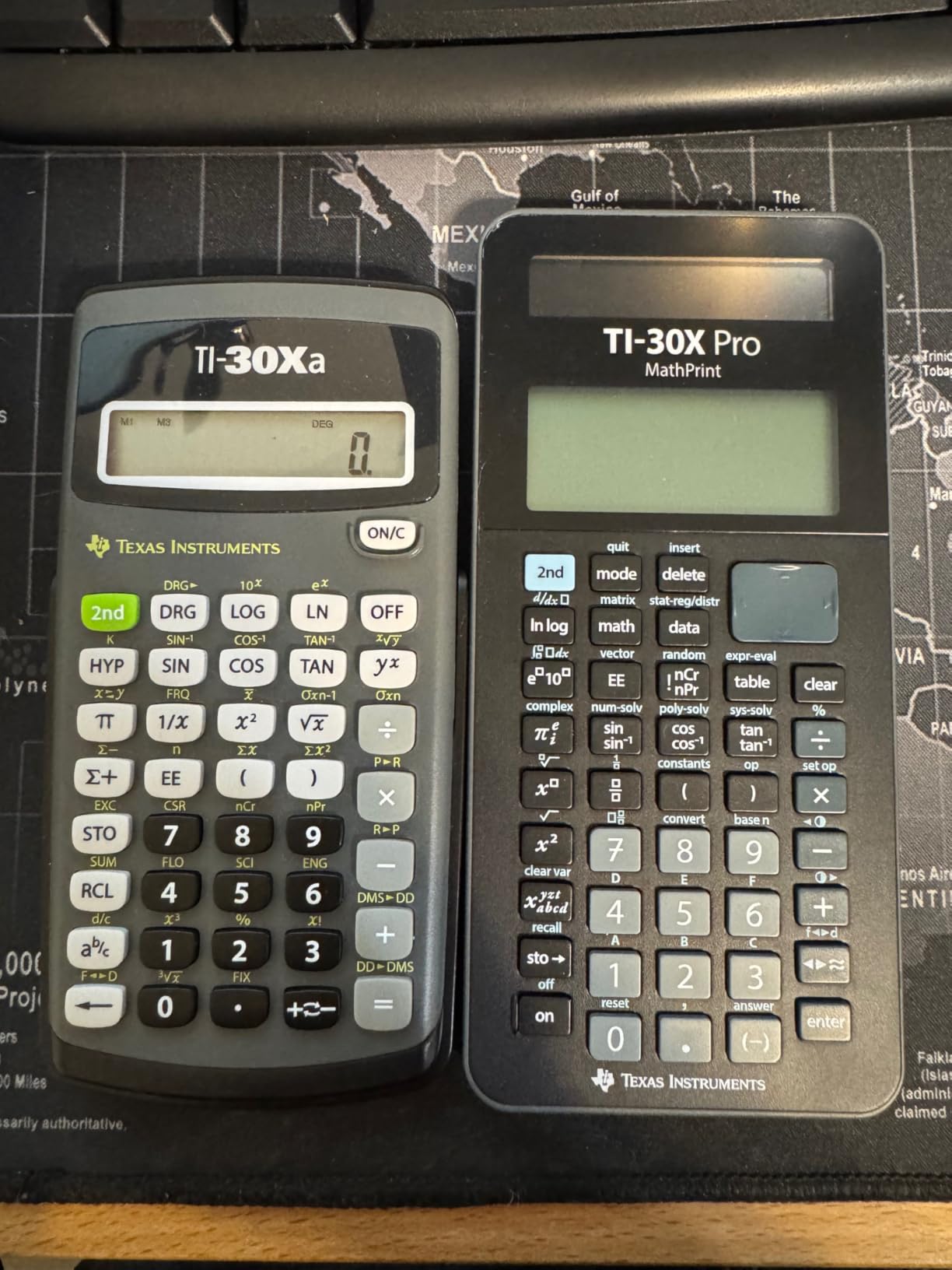
The TI-30Xa is the cheapest calculator on this list, and honestly, it might be the only calculator some students need. At under $10 with over 18,000 reviews and a 4.7-star rating, it has earned its place as a timeless classic. I keep one in my desk drawer as a backup because it never fails.
This calculator does not try to be fancy. It has a 10-digit display, handles trigonometric functions, logarithms, roots, powers, reciprocals, and factorials. The fraction operations work in traditional numerator and denominator format, which is intuitive for students transitioning from basic math to algebra.
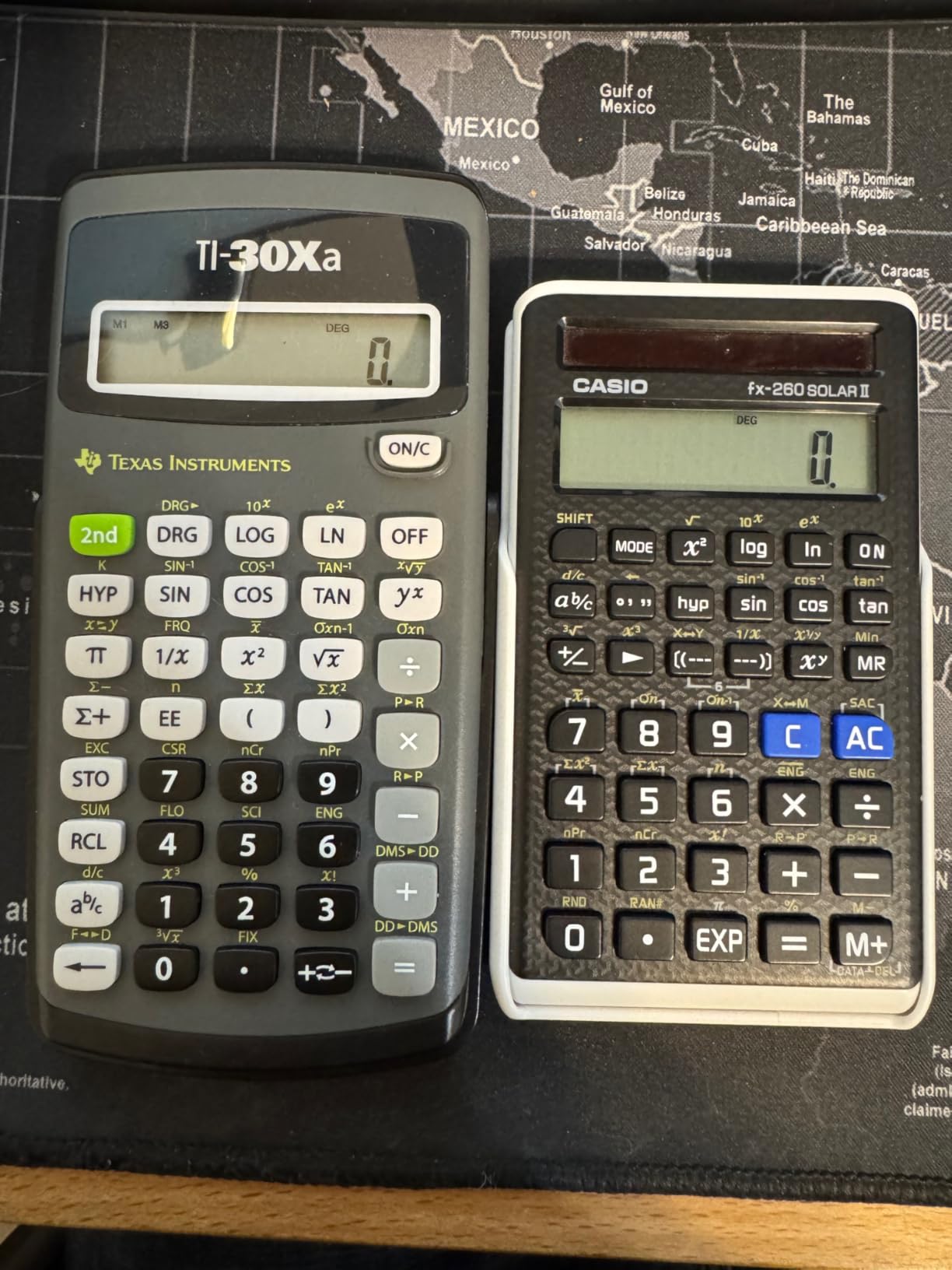
Many reviewers report owning the same TI-30Xa for decades. The simplicity of the design means there is very little that can break. The battery lasts an extraordinarily long time, and the included slide case protects the calculator in a backpack. For general math, pre-algebra, algebra I and II, and general science, this is all the calculator you need.
The obvious limitations are the lack of advanced features. There is no multi-line display, no MathPrint, no graphing, and no equation solvers. The design has not changed in years, which some students see as charming and others see as outdated. If you only need basic scientific functions and want to spend as little as possible, the TI-30Xa is unbeatable.
Is the TI-30Xa still relevant for college students?
The TI-30Xa remains relevant for students taking general education math, introductory science courses, or any class that only requires basic scientific calculations. However, for calculus, engineering, statistics, or any course requiring multi-line displays or advanced functions, you should consider a more capable model.
Can the TI-30Xa handle fractions?
Yes, the TI-30Xa has excellent fraction handling capabilities. It performs addition, subtraction, multiplication, and division in traditional numerator and denominator format. You can also convert between fractions and decimals easily. This makes it a solid choice for algebra courses where fraction operations are common.
How to Choose the Best Calculator for College
Choosing the best calculators for college students comes down to understanding three key factors: calculator type, your major requirements, and exam compatibility. Let me break down each one based on what I learned from testing all 10 calculators and reading through hundreds of student reviews.
Scientific vs Graphing vs CAS: What Is the Difference?
A scientific calculator handles advanced mathematical operations like trigonometry, logarithms, and statistics, but it cannot graph functions. Scientific calculators are affordable (typically $10-$25) and approved for virtually all exams. The TI-30XS MultiView and TI-36X Pro are excellent scientific calculators.
A graphing calculator adds the ability to plot functions, visualize data, and solve equations graphically. These cost $60-$160 and are required for many calculus and engineering courses. The TI-84 Plus CE and Casio fx-9750GIII are the top graphing picks for most students.
A CAS (Computer Algebra System) calculator can solve equations symbolically, factor polynomials, and perform algebraic manipulation. These are the most powerful and expensive calculators, but they are banned on many standardized tests. The TI-Nspire CX II CAS and HP Prime G2 are the leading CAS models.
Matching Your Calculator to Your Major
For general education and non-STEM majors, a scientific calculator like the TI-30XS MultiView or Casio fx-115ES Plus is usually sufficient. You will use it for a semester or two of math and science requirements, then rarely touch it again.
For engineering, physics, and computer science majors, I recommend either the TI-36X Pro for coursework and FE exam prep, or the TI-84 Plus CE if you need graphing. Engineering students on Reddit overwhelmingly recommend the TI-36X Pro as their primary calculator.
For math majors and students taking advanced calculus, the TI-Nspire CX II CAS or HP Prime G2 provide symbolic math capabilities that make complex coursework more manageable. Just verify CAS calculators are allowed on your exams before purchasing.
For students who prefer digital alternatives, tablet alternatives to traditional calculators can serve as excellent study companions, though physical calculators are still needed for exams. You can also explore math calculator apps for iPad like Desmos for homework. For distraction-free studying, e-ink tablets with calculator features for focused studying are worth considering as a supplementary tool.
Exam Approval: What Calculators Are Allowed?
This is the factor that trips up the most students. The SAT, ACT, and AP exams have specific calculator policies that exclude certain models. Here is a quick guide based on the current College Board policies.
The TI-84 Plus CE is approved for SAT, ACT, AP, PSAT, and IB exams. It is the safest choice for students who need one calculator for both high school standardized tests and college courses. The TI-30XS MultiView, TI-30XIIS, and TI-30Xa are also approved for SAT and ACT as scientific calculators.
CAS calculators like the TI-Nspire CX II CAS and HP Prime G2 are banned on the SAT and ACT. They are allowed on some AP exams (Calculus, Statistics) but prohibited on others. The HP Prime is approved for SAT and IB, but only in non-CAS exam mode.
For the FE exam, only specific scientific calculators are permitted. The TI-36X Pro is one of the most popular FE exam calculators because of its equation solvers and unit conversion capabilities.
Key Features to Look For
Natural textbook display is one of the most valuable features I tested. It shows math expressions exactly as they appear in textbooks, which dramatically reduces input errors. Both TI (MathPrint) and Casio (Natural Display) offer this feature on their mid-range and premium scientific calculators.
Rechargeable batteries are worth the investment for graphing calculators. The TI-84 Plus CE and TI-Nspire CX II CAS both feature rechargeable batteries that last one to two weeks per charge. Scientific calculators typically use solar power with battery backup, which is equally reliable.
Color screens are a nice-to-have feature that improves graph readability but are not essential. The TI-84 Plus CE, TI-Nspire CX II CAS, and HP Prime G2 all feature color displays. The Casio fx-9750GIII uses a monochrome screen but costs half as much.
Durability matters more than you might think. Many students report using the same calculator for all four years of college. Look for models with slide-on hard cases and proven longevity. The TI-30XIIS and TI-30Xa have legendary durability records based on thousands of user reviews.
Frequently Asked Questions About College Calculators
Which calculator is best for college students?
The best calculator for college students depends on your major. For general math and science, the TI-84 Plus CE is the gold standard with its color display, rechargeable battery, and universal exam approval. For engineering students, the TI-36X Pro offers the best value with FE exam approval and advanced features. For budget-conscious students, the Casio fx-115ES Plus delivers over 280 functions for around $20.
Is a TI-84 good for college?
Yes, the TI-84 Plus CE is excellent for college. It is the most widely used graphing calculator in college courses, approved for SAT ACT and AP exams, and handles everything from college algebra through calculus III and statistics. Professors write instructions assuming you have a TI-84, making it the default choice for most students.
Is the TI-84 or TI-89 better?
For most college students, the TI-84 Plus CE is the better choice. The TI-89 Titanium features a CAS system that makes it more powerful for advanced math, but CAS calculators are banned on many standardized tests and some college exams. The TI-84 is the safer, more universally accepted option that covers nearly all undergraduate coursework.
Is a TI-84 allowed on the SAT?
Yes, the TI-84 Plus CE is fully approved for the SAT, ACT, PSAT, and AP exams. However, calculators with CAS functionality like the TI-Nspire CX II CAS and TI-89 are NOT allowed on the SAT or ACT. Always check the College Board calculator policy before test day to confirm your specific model is permitted.
Do I need a graphing calculator for college calculus?
Most college calculus courses recommend or require a graphing calculator, though some professors allow only scientific calculators on exams. The TI-84 Plus CE is the standard choice for calculus. If your professor restricts graphing calculators on exams, a scientific calculator like the TI-36X Pro can handle most calculus computations including derivatives and integrals.
Final Thoughts on the Best Calculators for College Students in 2026
After testing all 10 calculators, my top recommendation for most college students remains the TI-84 Plus CE. It is the calculator that professors expect you to have, it is approved for every major exam, and it will last all four years and beyond. For engineering students specifically, the TI-36X Pro is the smartest purchase you can make. And for budget-conscious students, the Casio fx-9750GIII delivers graphing capabilities at half the TI-84 price.
The most important advice I can give is to buy once and buy right. Reddit users consistently recommend investing in a quality calculator that will serve you through your entire college career rather than buying a cheap model and upgrading later. Check your professor’s syllabus before purchasing, verify exam policies, and pick the calculator that matches your major and coursework.
Whether you choose a TI, Casio, or HP model, any calculator on this list will serve you well. The best calculators for college students in 2026 are the ones that match your specific needs, budget, and academic requirements. Pick yours and get back to studying.
1 thought on “10 Best Calculators for College Students (September 2026) Top Tested”