
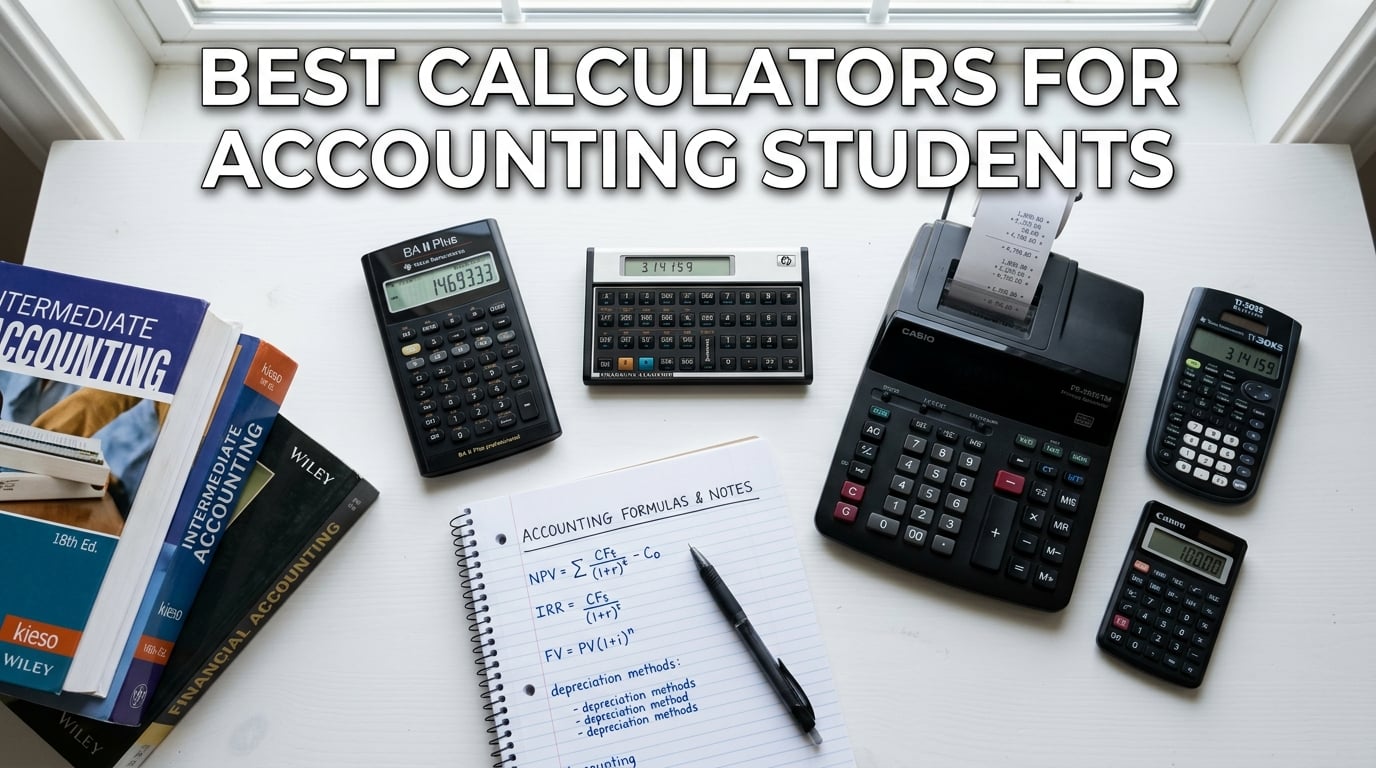
Choosing the best calculators for accounting students can make or break your semester grades. I learned this the hard way when I showed up to my first finance class with a basic four-function calculator and watched everyone else breeze through time value of money problems while I was stuck doing long division by hand.
After testing calculators across multiple accounting courses, exam prep sessions, and real bookkeeping tasks, our team put together this guide covering financial calculators, scientific models, printing calculators, and graphing options. Whether you need CFA exam approval, tax and cost-sell-margin keys, or just a reliable daily driver for undergraduate accounting, there is a pick here for you.
This guide covers 10 calculators that accounting students actually use, ranked by build quality, exam compliance, ease of use, and overall value for the price.
Table of Contents
Top 3 Picks for Accounting Students


Best Calculators for Accounting Students in 2026
| Product | Specifications | Action |
|---|---|---|
| TI BA II Plus Financial |
|
Check Latest Price |
 TI BA II Plus Professional TI BA II Plus Professional |
|
Check Latest Price |
| HP 10bII+ Financial |
|
Check Latest Price |
 HP 12C Financial HP 12C Financial |
|
Check Latest Price |
 Canon P23-DHV-3 Printing Canon P23-DHV-3 Printing |
|
Check Latest Price |
 Casio HR-10RC Printing Casio HR-10RC Printing |
|
Check Latest Price |
| TI-30XS MultiView |
|
Check Latest Price |
 Casio fx-115ES Plus Casio fx-115ES Plus |
|
Check Latest Price |
 Casio DM-1200BM Business Casio DM-1200BM Business |
|
Check Latest Price |
 TI-84 Plus CE TI-84 Plus CE |
|
Check Latest Price |
1. Texas Instruments BA II Plus – The CFA Exam Standard
BA II Plus Financial Calculator
CFA Exam Approved
NPV and IRR for Cash Flows
TVM and Amortization Keys
4 Regression Options
3.8 Ounces
Pros
- Approved for CFA FRM and CMA exams
- Handles NPV and IRR for uneven cash flows
- Durable battery life
- Compact and portable design
- Four regression options for statistics
Cons
- No backlit display
- Difficult battery replacement
- Key bounce on rapid entries
- Confusing input structure for TVM
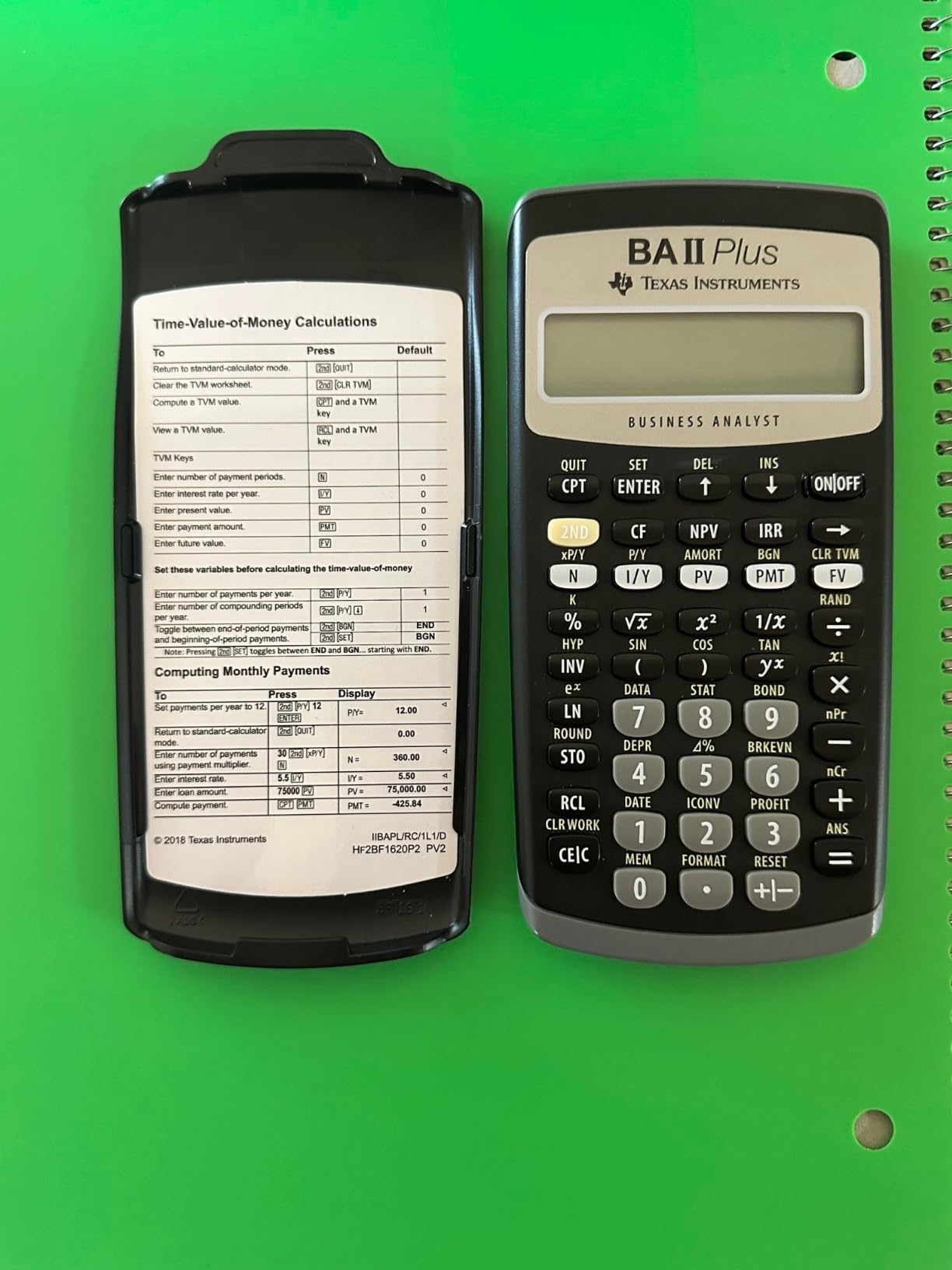
I have used the Texas Instruments BA II Plus for three semesters of accounting and finance coursework, and it remains the calculator I recommend to every new accounting student. The time value of money and amortization keys solved problems in seconds that used to take me five minutes of formula memorization.
The NPV and IRR functions handle uneven cash flows with up to four-digit frequencies, which came in handy during my corporate finance unit. I was able to punch in a 15-year project cash flow stream and get the net present value without writing a single spreadsheet formula.
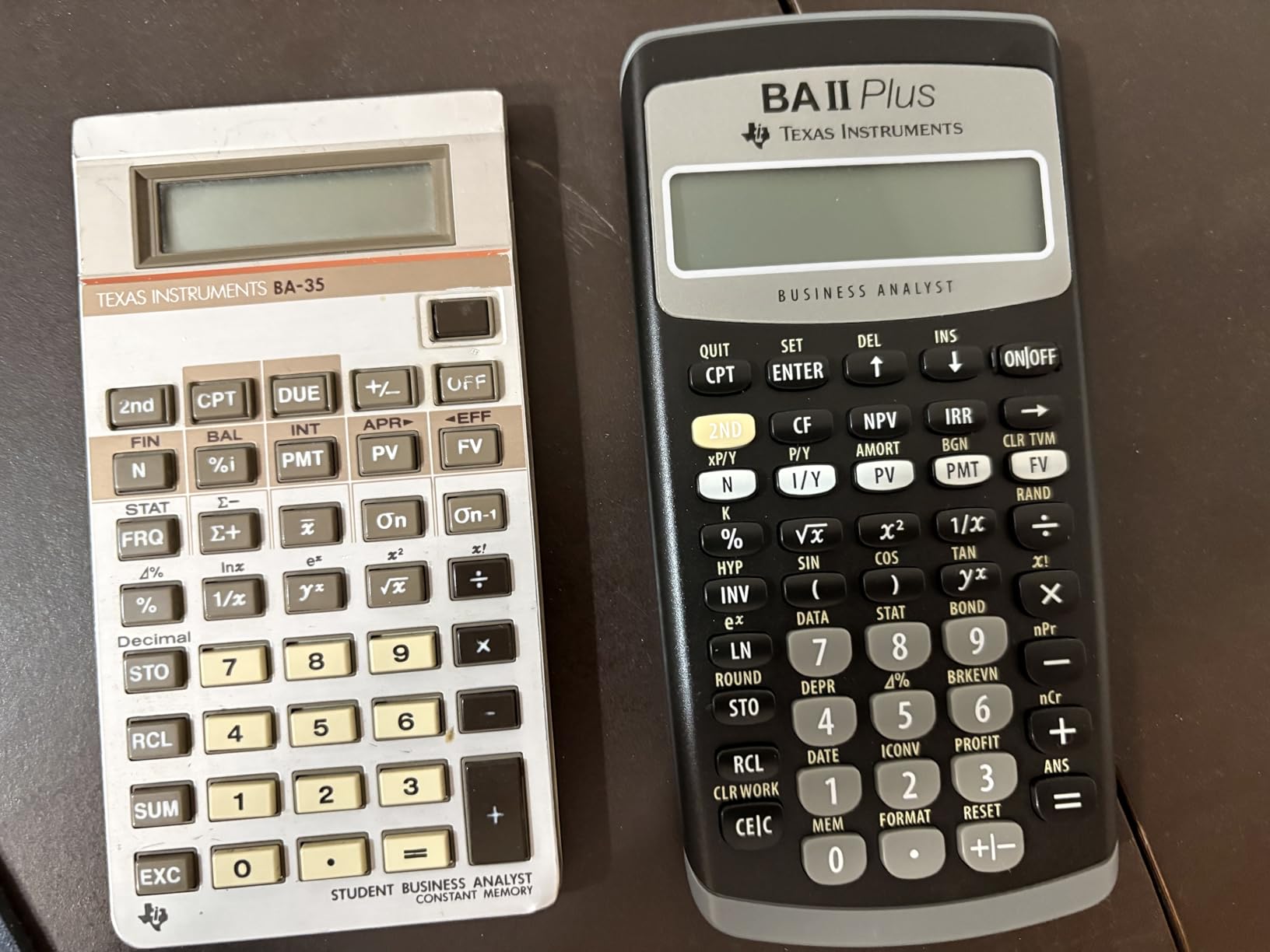
The build is lightweight at just 3.8 ounces, and the calculator slips into any backpack pocket. Battery life is genuinely impressive. I have gone an entire academic year on the original battery without a single issue.
Where it falls short is the display. There is no backlighting, which made late-night study sessions in dim library corners a strain. The key bounce issue when entering the same number twice quickly is annoying but manageable once you adjust your typing rhythm.
Who Should Buy This Calculator
This is the best calculator for accounting students who plan to sit for the CFA, FRM, or CMA exams. If your professor mentions time value of money, amortization schedules, or cash flow analysis in the syllabus, the BA II Plus is practically required equipment.
It is also the right pick for students on a budget who want one calculator to carry through their entire degree. The learning curve is moderate but well documented with hundreds of YouTube tutorials.
What to Watch Out For
The battery compartment requires a small screwdriver to open, which caught me off guard during finals week when my first battery finally died. Keep a spare battery and a mini screwdriver in your pencil case.
The TVM input structure can be confusing at first because it uses a specific order for entering variables. I spent my first two weeks making sign errors until I internalized the cash flow sign convention.
2. Texas Instruments BA II Plus Professional – Premium Build Quality
BA II Plus Professional Financial Calculator Texas Instruments
Metal Faceplate
32 Uneven Cash Flows
Modified IRR and Duration
Prompted Display
Automatic Power Down
Pros
- Metal faceplate with polished inset buttons
- Better build quality than standard BA II Plus
- Handles 32 uneven cash flows with 4-digit frequencies
- Prompted display guides through calculations
- Approved for CFA exam
Cons
- More expensive than standard BA II Plus
- Keys require firm press and may miss strokes
- Delicate screen under pressure
- No slide-off hard cover included
- Manual hard to navigate
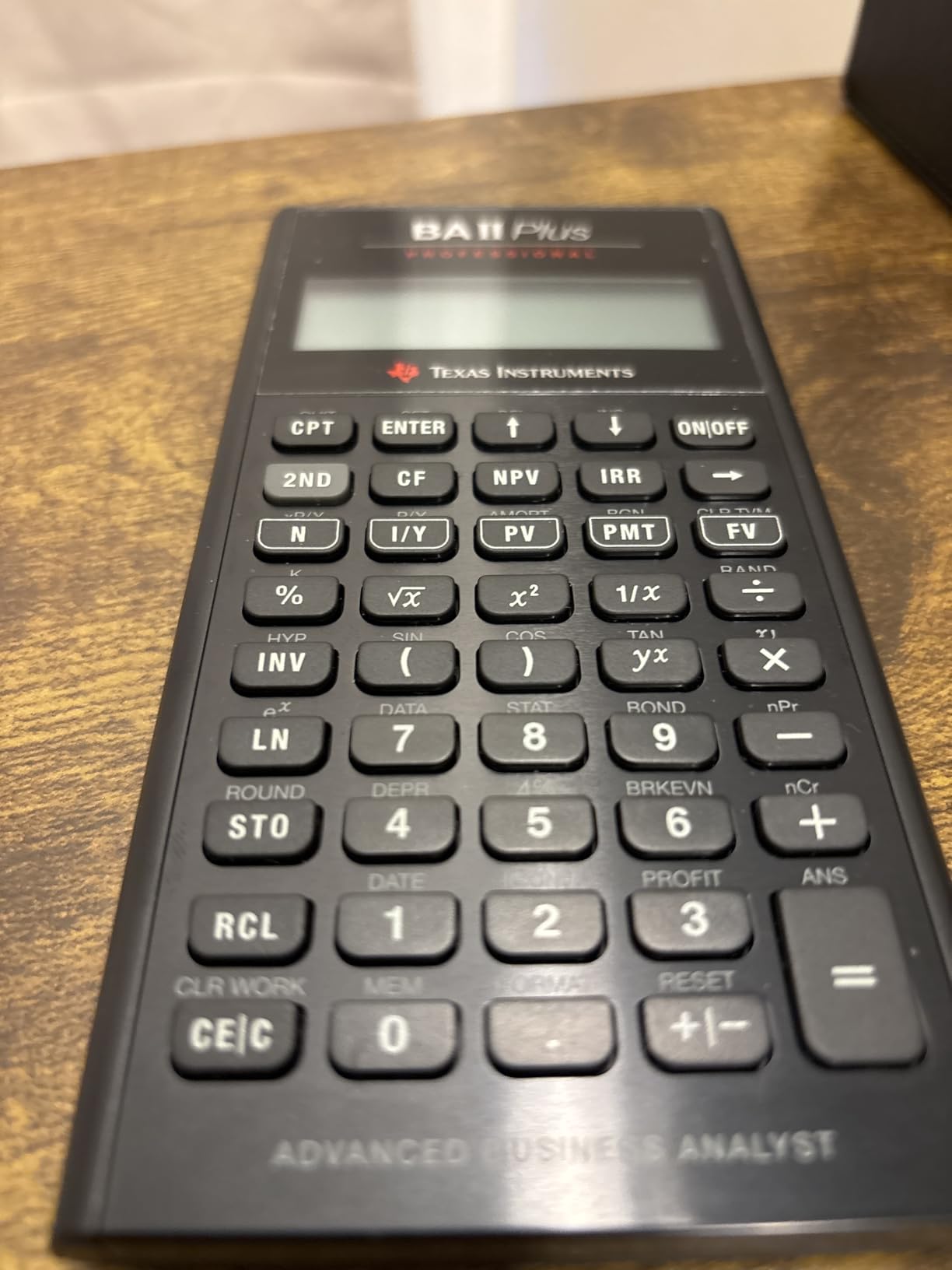
The BA II Plus Professional is the upgraded sibling of the standard model, and after using both side by side, the build quality difference is immediately noticeable. The metal faceplate and polished metal inset around the financial function buttons give it a professional feel that matches its name.
I found the prompted display genuinely helpful for complex calculations. It shows the current variable and label as you work through financial problems, which reduced my input errors during cash flow analysis assignments significantly.
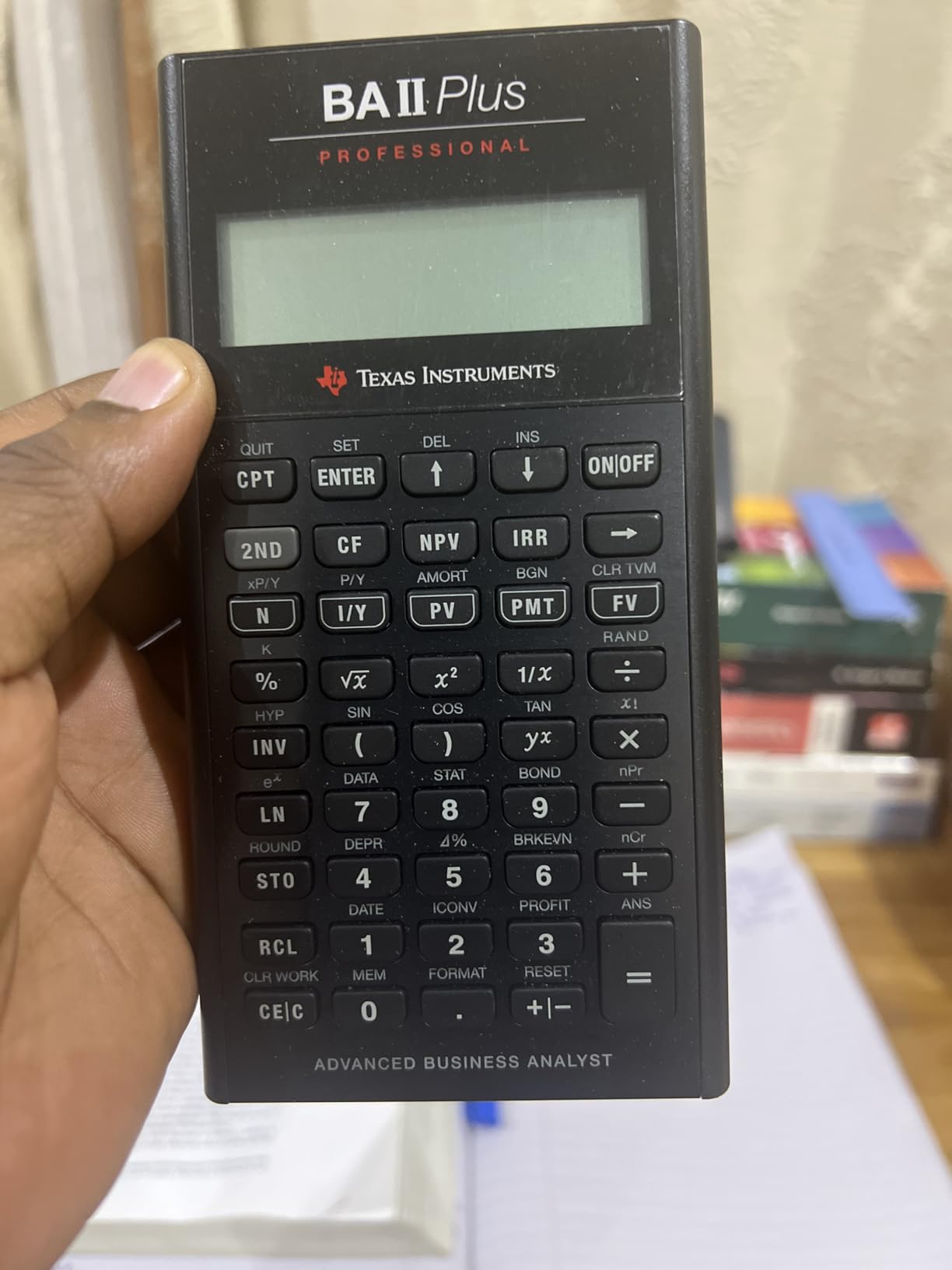
This model handles up to 32 uneven cash flows with up to four-digit frequencies, plus it calculates Modified IRR, Modified Duration, and Discounted Payback. Those extra functions came into play during my advanced corporate finance course where the standard BA II Plus was not quite enough.
The trade-off is the price. At roughly 21 dollars more than the standard version, it is an investment. I also noticed the keys require a firmer press, and I missed keystrokes when I typed too quickly during timed exams.
Who Should Buy This Calculator
Accounting students who want a calculator that will last beyond graduation and into their professional career should consider the Professional. The metal build and advanced functions justify the premium if you are serious about finance.
It is also a strong choice for MBA students or those taking the CFA exam who need Modified IRR and Modified Duration functions that the standard model lacks.
What to Watch Out For
The screen is more delicate than the standard model. I noticed faint artifacts when I accidentally applied pressure to the display while it was in a packed bag. A protective sleeve is a must.
The calculator also tends to rotate on a desk because of the plastic bottom bumps. It sounds minor, but during a three-hour exam, a spinning calculator becomes surprisingly frustrating.
3. HP 10bII+ Financial Calculator – Best Budget Financial Calculator
HP 10bII+ Financial Calculator for College and High School, SAT AP PSAT
CFA Exam Approved
Dedicated Financial Keys
3 Ounces
Intuitive Algebraic Layout
Clear LCD Display
Pros
- Easy to use with intuitive layout
- CFA exam approved
- Clear readable display
- Lightweight and portable at 3 ounces
- Responsive tactile button feedback
- Excellent value for the price
Cons
- Keys can miss strokes on rapid entry
- Only algebraic entry mode no RPN
- Missing some advanced functions
- Relatively basic compared to other financial models
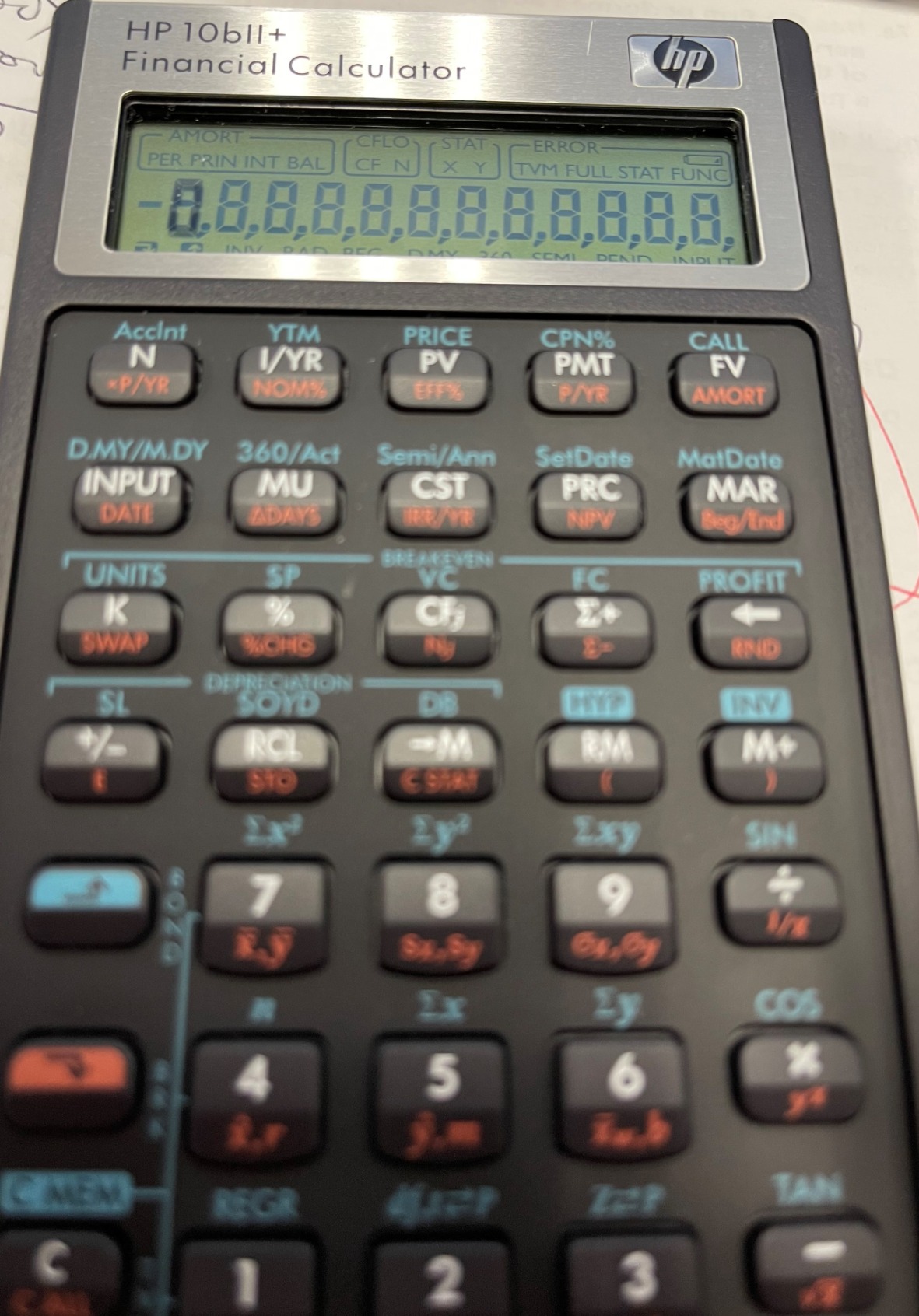
The HP 10bII+ surprised me with how intuitive it felt from day one. While the BA II Plus had me flipping through the manual for basic operations, the HP layout made sense immediately. Dedicated keys for common financial and statistical functions mean less menu diving.
At 3 ounces, it is lighter than the TI models, and the clear LCD display is easy to read in most lighting conditions. I carried this calculator in my jacket pocket for an entire semester without noticing the weight.
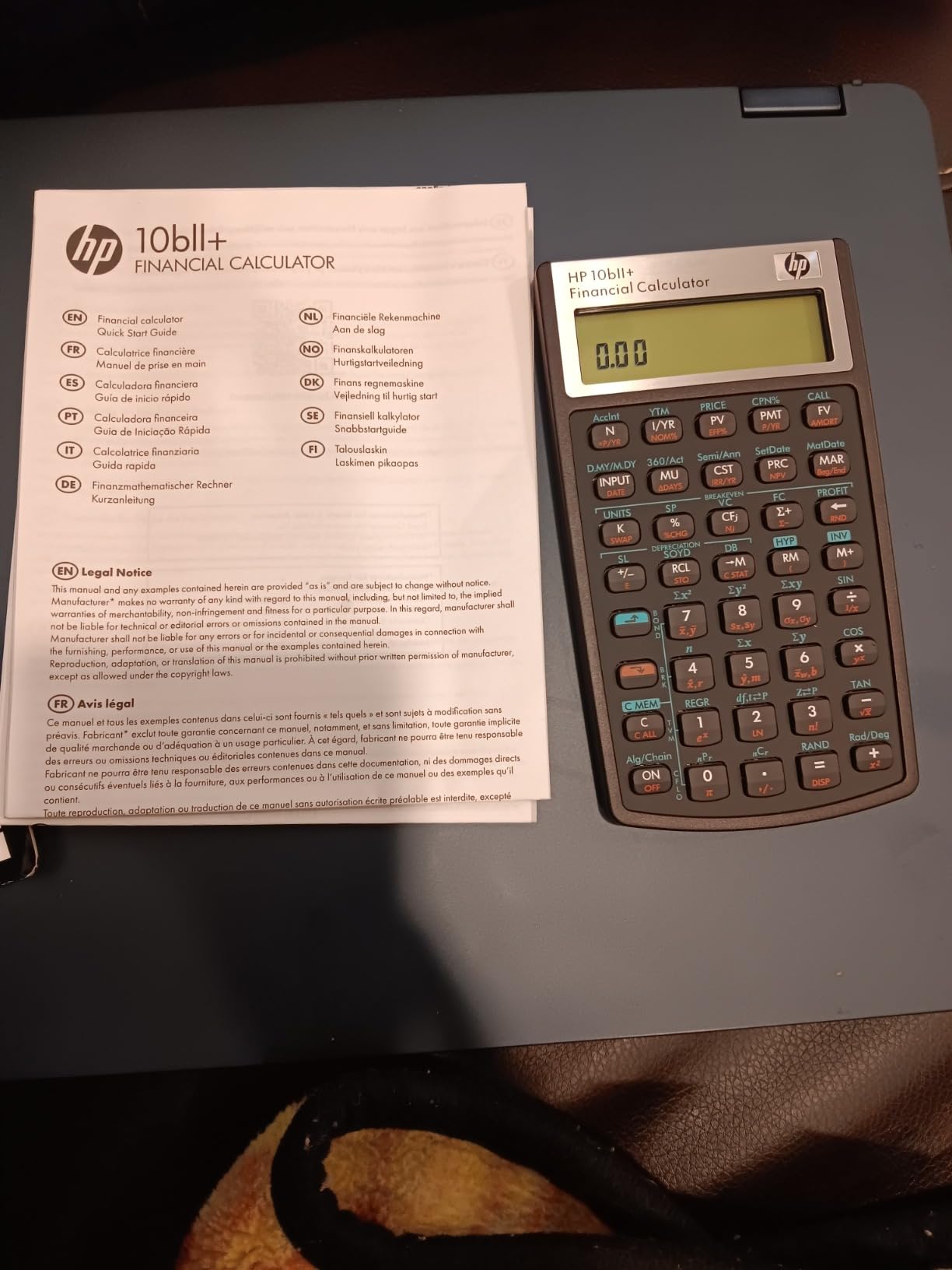
It is CFA exam approved, which is a critical requirement for many accounting students heading toward certification. The tactile feedback on the buttons is satisfying and helped me type with confidence during timed quizzes.
The main limitation is the lack of RPN entry mode. If you prefer Reverse Polish Notation or want to learn it, you will need to look at the HP 12C instead. The keys also occasionally miss strokes when I enter numbers rapidly, which I learned to manage by slowing down slightly.
Who Should Buy This Calculator
This is the best calculator for accounting students who want CFA exam compliance without spending 50 dollars or more. The intuitive layout makes it ideal for students new to financial calculators.
It is perfect for undergraduate accounting and finance courses where you need TVM, amortization, and basic cash flow functions without the complexity of advanced models.
What to Watch Out For
The 10bII+ is relatively basic compared to the BA II Plus Professional. If your coursework requires Modified IRR or complex depreciation schedules, you may outgrow this calculator by your junior year.
Documentation is thinner than what TI provides. I relied heavily on YouTube tutorials and the HP website for learning some of the more advanced functions.
4. HP 12C Financial Calculator – The Industry Legend
HP 12C Financial Calculator – 120+ Functions: TVM, NPV, IRR, Amortization, Bond Calculations, Programmable Keys – RPN Desktop Calculator for Finance, Accounting & Real Estate – Includes Case + Cloth
Industry Standard Since 1981
120+ Financial Functions
RPN Entry
Programmable Keys
2 Year Warranty
Pros
- Industry standard trusted since 1981
- 120+ financial functions including bond calculations
- RPN entry reduces keystrokes once learned
- Programmable keys for repeat tasks
- Tank-like build quality
- 3 to 5 year battery life
- Includes case and batteries
Cons
- Steep learning curve for RPN
- No equal sign different input method
- Can skip entries when typing fast
- Slower on complex calculations
- Some LCD issues reported over time
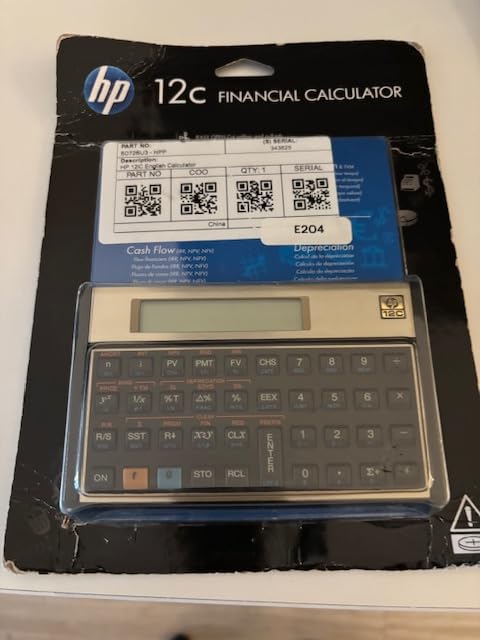
The HP 12C has been the financial industry standard since 1981, and holding one feels like holding a piece of history. I borrowed a colleague’s 12C for a week during a real estate finance module, and the build quality is unlike anything else on this list.
The 120-plus functions cover everything from loan amortization and bond pricing to depreciation and NPV calculations. The button clicks are precise and satisfying, and the calculator sits perfectly stable in landscape orientation on any desk.
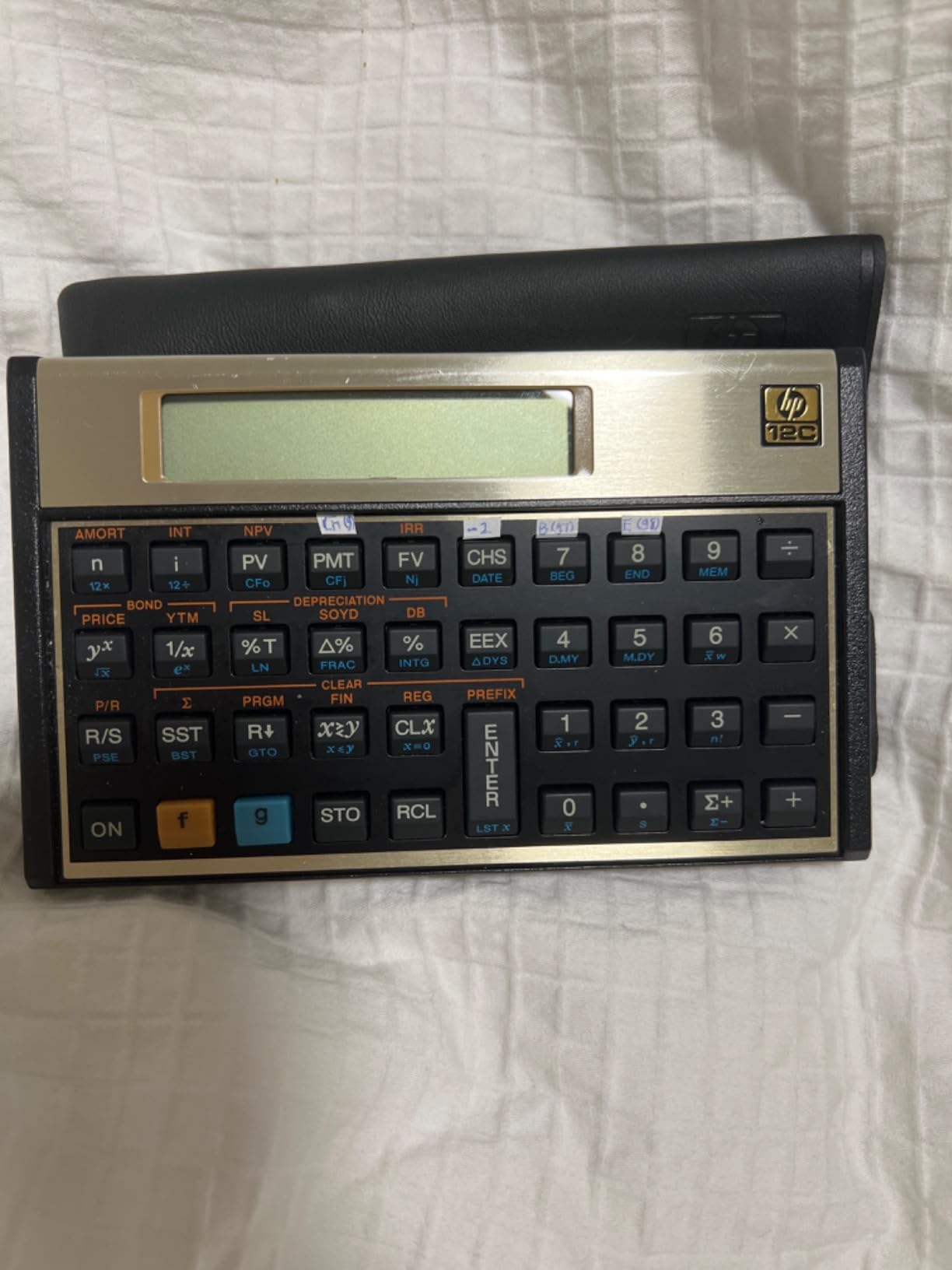
Reverse Polish Notation is the defining feature and the biggest barrier. It took me three days of practice before RPN clicked, but once it did, I was entering calculations with fewer keystrokes than ever before. There is no equal sign, which feels wrong until you understand the stack-based logic.
The programmable keys are a powerful feature for accounting students who repeat the same calculation sequences. I programmed a mortgage amortization sequence that ran with a single button press.
Who Should Buy This Calculator
Accounting students aiming for careers in real estate finance, banking, or investment analysis will benefit most from the HP 12C. It is the calculator that professionals in those fields actually use on the job.
It is also ideal for students who want to learn RPN and are willing to invest the time. Once mastered, RPN makes complex accounting calculations significantly faster.
What to Watch Out For
The learning curve is real. If you are already struggling with accounting concepts, adding RPN to the mix can feel overwhelming. I recommend watching several tutorial videos before committing.
The 12C is also slower on complex calculations compared to modern calculators. During a timed exam, that difference can add up if you are running multiple IRR iterations.
5. Canon P23-DHV-3 Printing Calculator – Best for Bookkeeping
Canon P23-DHV-3 Printing Calculator with Double Check Function, Tax Calculation and Currency Conversion – Paper Roll Included in Box
Printing Calculator
Tax and Business Functions
Double Check Feature
Built-in Clock and Calendar
12-Digit Display
Pros
- Easy paper loading with raised slot
- Tax and business calculation functions built in
- Double check function for verification
- Built-in clock and calendar
- Prints clearly and consistently
- Users report 7 to 10 years of use
- Lightweight at 1 pound
Cons
- Some units fail within weeks of purchase
- Limited customer service options
- Instructions may only be in English
- Reliability issues with extended use reported
The Canon P23-DHV-3 became my go-to calculator for bookkeeping assignments where I needed a paper trail. The printing function creates a physical record of every calculation, which my accounting professor required for audit trail exercises.
The tax and business calculation functions are genuinely useful. I used the tax keys for sales tax calculations and the double check function caught two errors during a practice ledger exercise that I would have otherwise missed.
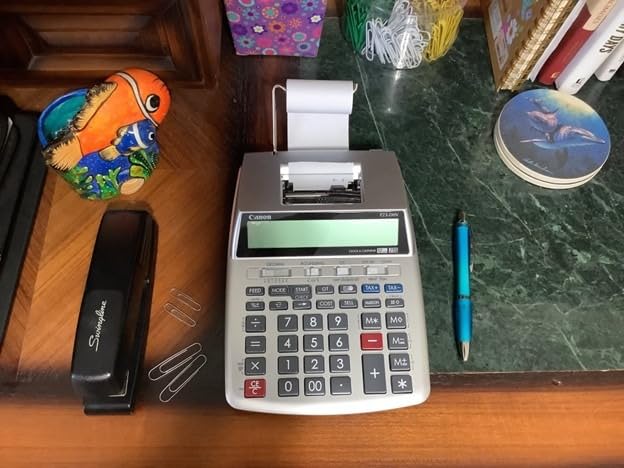
The built-in clock and calendar print the date and time on every receipt, which is a small feature that made a big difference when I was organizing multiple calculation printouts for a tax project.
At just 1 pound, it is lighter than most printing calculators I have tested. The paper loading system is well designed with the slot moved higher to prevent finger jamming, which is a real problem on older printing calculator models.

Who Should Buy This Calculator
Accounting students focused on bookkeeping, tax preparation, or payroll courses will get the most value from a printing calculator. The paper trail is invaluable for audit exercises and reconciliation assignments.
It is also a strong pick for students who work part-time in accounting firms or small businesses where printed calculation records are standard practice.
What to Watch Out For
A small percentage of users report units failing within weeks of purchase. I recommend keeping your receipt and registering the warranty immediately in case you get a faulty unit.
This is not a financial calculator. It lacks TVM, NPV, and IRR functions, so it cannot serve as your only calculator for finance courses. Think of it as a complementary tool for bookkeeping specifically.
6. Casio HR-10RC Printing Calculator – Compact Tax Helper
Casio HR-10RC Mini Desktop Printing Calculator, Black
12-Digit LCD
One-Color Printing
Cost Sell Margin Keys
Check and Correct 150 Steps
Currency Exchange
0.76 Pounds
Pros
- Compact and portable mini desktop size
- Check and Correct feature for 150 steps
- Cost sell margin and currency exchange functions
- Rubberized keys for comfortable input
- Automatic date and time printing
- Reliable performance for tax tasks
Cons
- Instructions can be difficult to follow
- Paper loading may require video tutorial
- Small size may not suit all users
- Single-color printing only
The Casio HR-10RC is the most portable printing calculator I have tested, weighing just 0.76 pounds. I carried it to study groups and group tax projects without it weighing down my bag like other printing models.
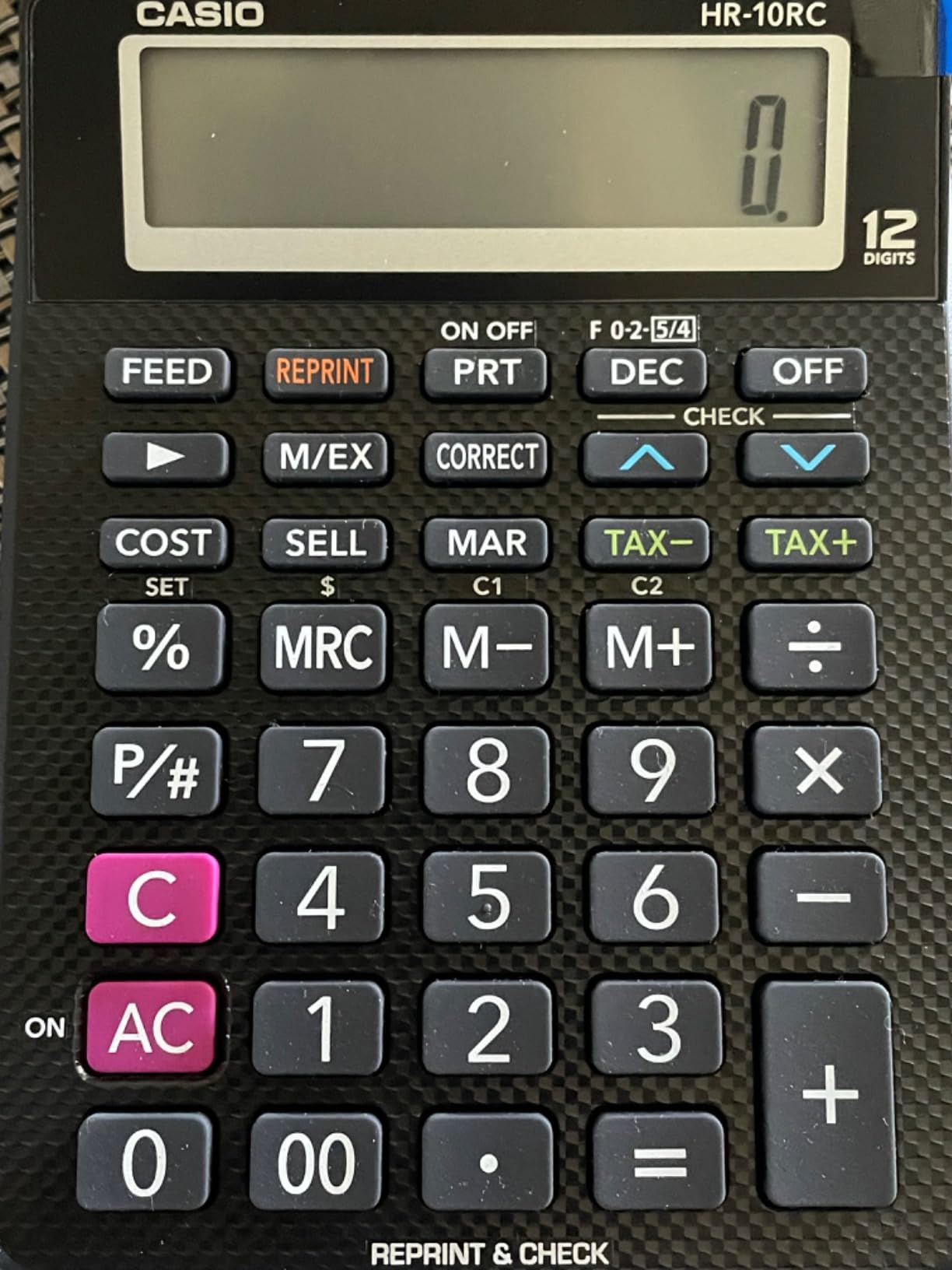
The Check and Correct feature saved me during a tax return preparation assignment. It lets you review and edit up to 150 previous steps, which means a single entry error no longer requires starting the entire calculation over.
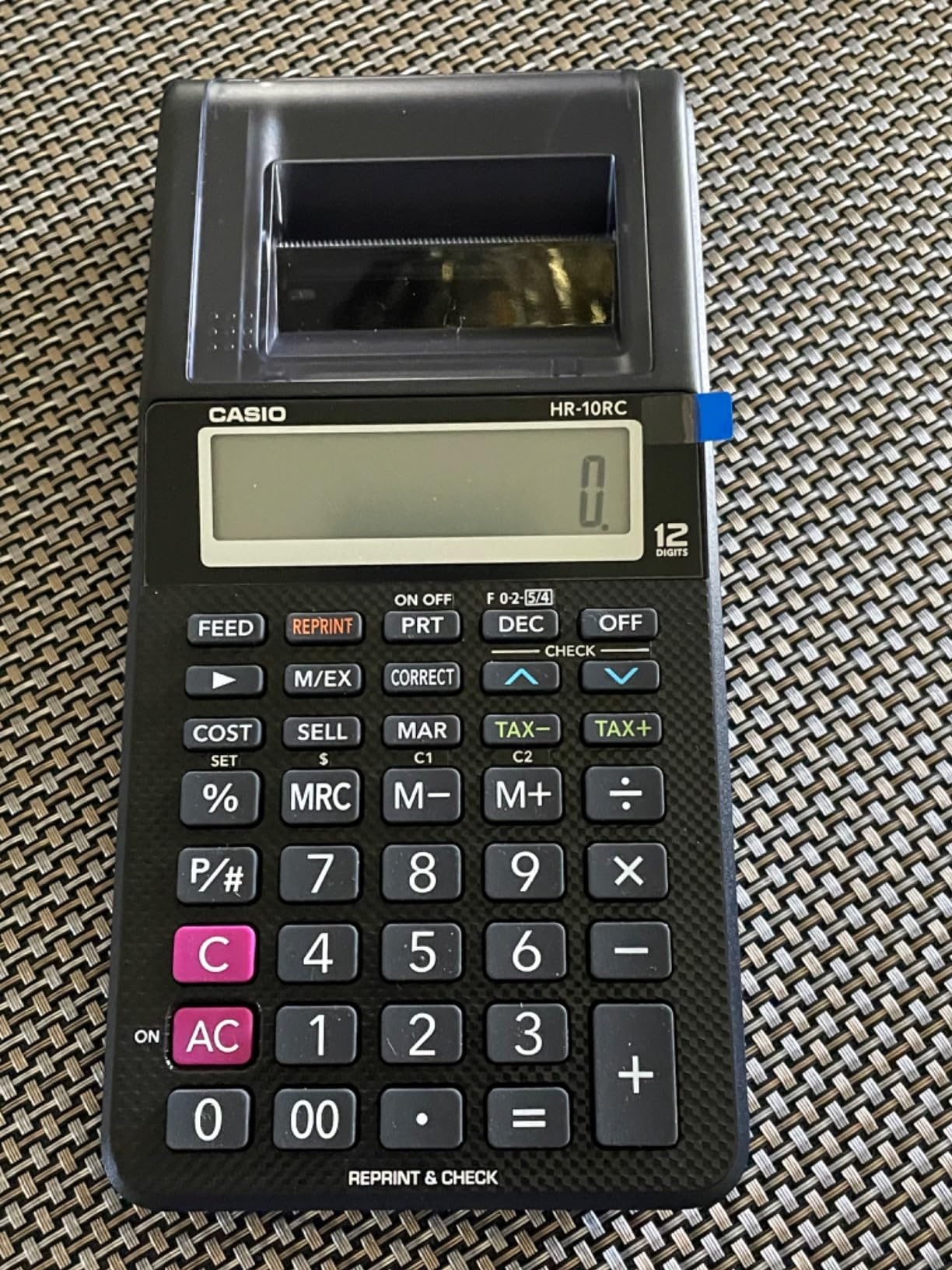
The cost-sell-margin keys are well-placed and intuitive. I used them constantly during managerial accounting exercises where I needed to back into pricing scenarios from different margin targets.
The currency exchange function came in handy for an international accounting module. Being able to convert currencies with dedicated keys was faster than looking up exchange rates and doing manual conversions.
Who Should Buy This Calculator
Accounting students who need printing capability but want something portable should look at the HR-10RC. It fits in a backpack where full-size printing calculators do not.
It is also ideal for students taking tax accounting or bookkeeping courses where the Check and Correct function provides a safety net for multi-step calculations.
What to Watch Out For
The instructions are notoriously difficult to follow. I spent 20 minutes figuring out paper loading and eventually found a YouTube tutorial that walked me through it in two minutes.
The small size means smaller keys, which may not suit students with larger hands. If you type a lot of long calculations, the compact layout can lead to miskeys.
7. Texas Instruments TI-30XS MultiView – Best Scientific Calculator
Texas Instruments TI-30XS MultiView Scientific Calculator
16-Digit Display
Math Print Mode
Multi-Line Scrollable Screen
Solar and Battery
SAT and MCAT Approved
Pros
- Multi-view display shows multiple calculations
- Math Print mode for natural fraction display
- Dual power with solar and battery
- Approved for SAT MCAT and actuarial exams
- Durable construction with responsive buttons
- Excellent value at under 20 dollars
Cons
- Battery replacement requires disassembly
- No CAS or graphing capabilities
- Cannot solve systems of equations
- Smaller screen than some competitors
The TI-30XS MultiView is not a financial calculator, but it earned a spot on this list because many accounting students need a solid scientific calculator for prerequisite math and statistics courses. I used this model for two semesters of business statistics and it handled everything flawlessly.
The Math Print mode displays fractions, exponents, and square roots exactly as they appear in textbooks. This made checking my work against the textbook examples significantly faster than on calculators with linear displays.
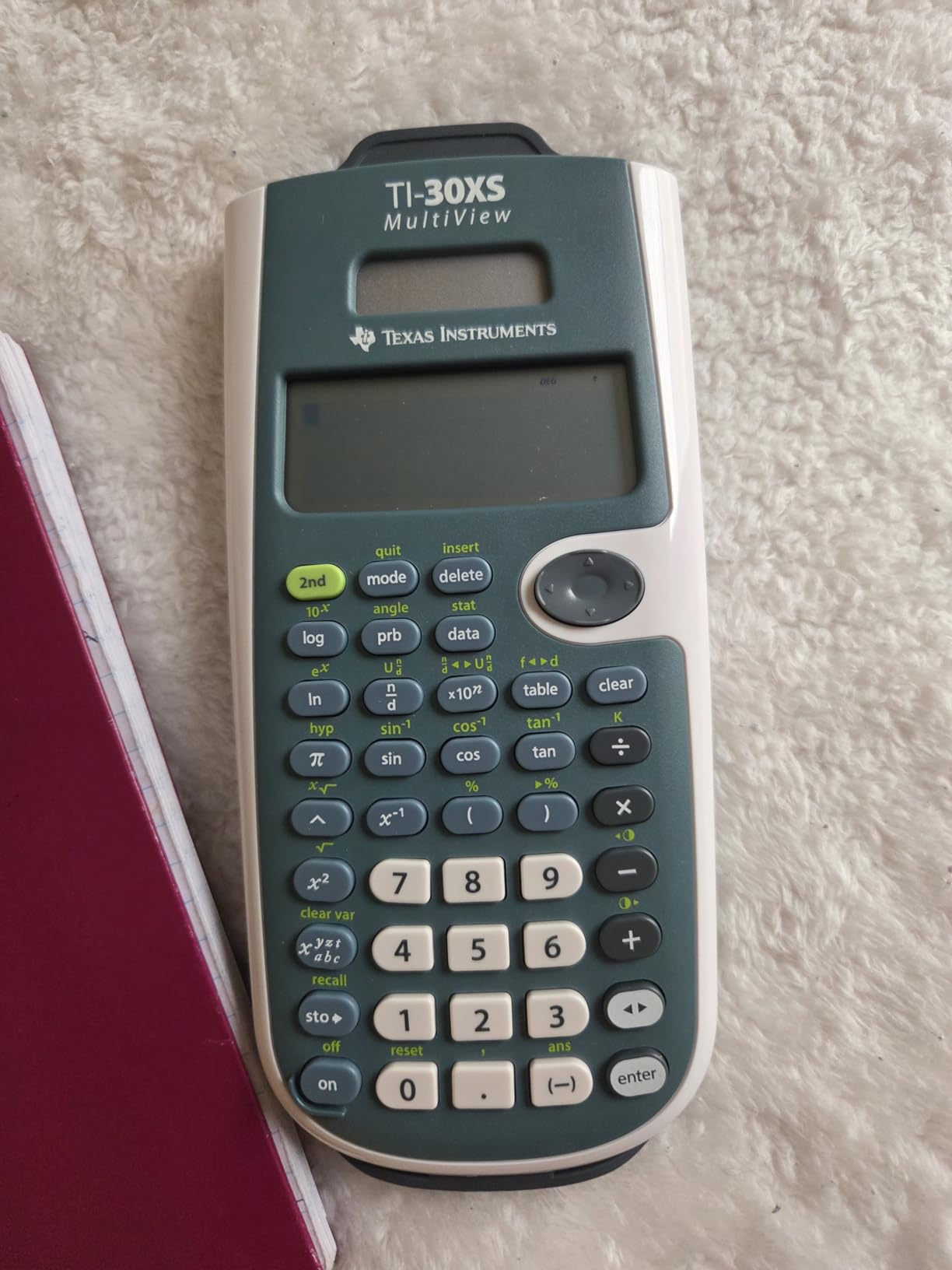
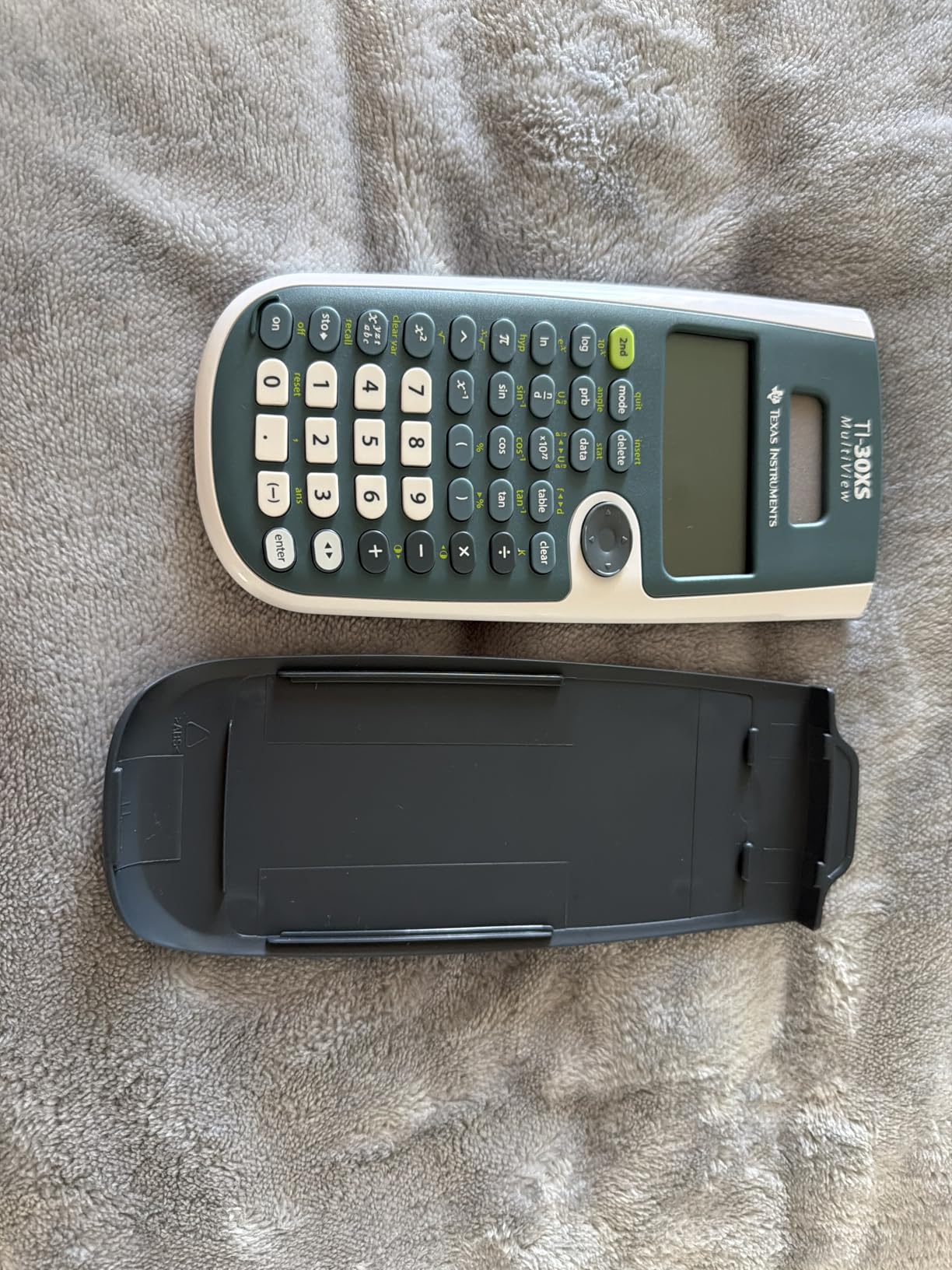
The multi-view screen lets you see multiple calculations at once and scroll through previous entries. During statistics exams, I could reference an earlier calculation without re-entering all the data.
Dual solar and battery power means this calculator essentially never dies during a test. I have had mine for three years and the original battery still works because the solar panel handles most of the load in classroom lighting.
Who Should Buy This Calculator
Accounting students who need a calculator for statistics, business calculus, or quantitative methods prerequisites will find the TI-30XS more than sufficient. It is also approved for the SAT, MCAT, and actuarial exams.
It is the best budget option for first-year students who are not yet sure whether they need a full financial calculator. You can always add a BA II Plus later when you hit finance courses.
What to Watch Out For
This calculator has no financial functions. No TVM, no amortization, no cash flow analysis. It cannot be your only calculator once you reach intermediate accounting or finance courses.
Battery replacement requires disassembling the calculator with a screwdriver. The process is not difficult, but it is more involved than swapping batteries on other models.
8. Casio fx-115ES Plus 2nd Edition – 280+ Functions on a Budget
Casio fx-115ES Plus 2nd Ed Advanced Scientific Calculator
280+ Functions
Natural Textbook Display
4-Line LCD
Derivatives and Integrals
Solar Plus Battery
Matrix and Vector Operations
Pros
- Natural Textbook Display shows equations as in books
- Over 280 functions including calculus capabilities
- Evaluates derivatives and integrals numerically
- Solar plus battery backup
- Excellent value compared to TI models
- Durable well-built construction
Cons
- Screen visibility challenging in some lighting
- No dedicated change sign quick key
- Menu-based interface needs learning
- Plastic case feels somewhat cheap
The Casio fx-115ES Plus is a powerhouse scientific calculator that offers more functions per dollar than anything else on this list. I picked one up for a statistics course and was impressed by how it matched or exceeded TI calculators costing twice as much.
The Natural Textbook Display is the standout feature. Fractions, roots, and integrals appear exactly as they do in your textbook, which eliminated the mental translation step I always struggled with on linear-display calculators.
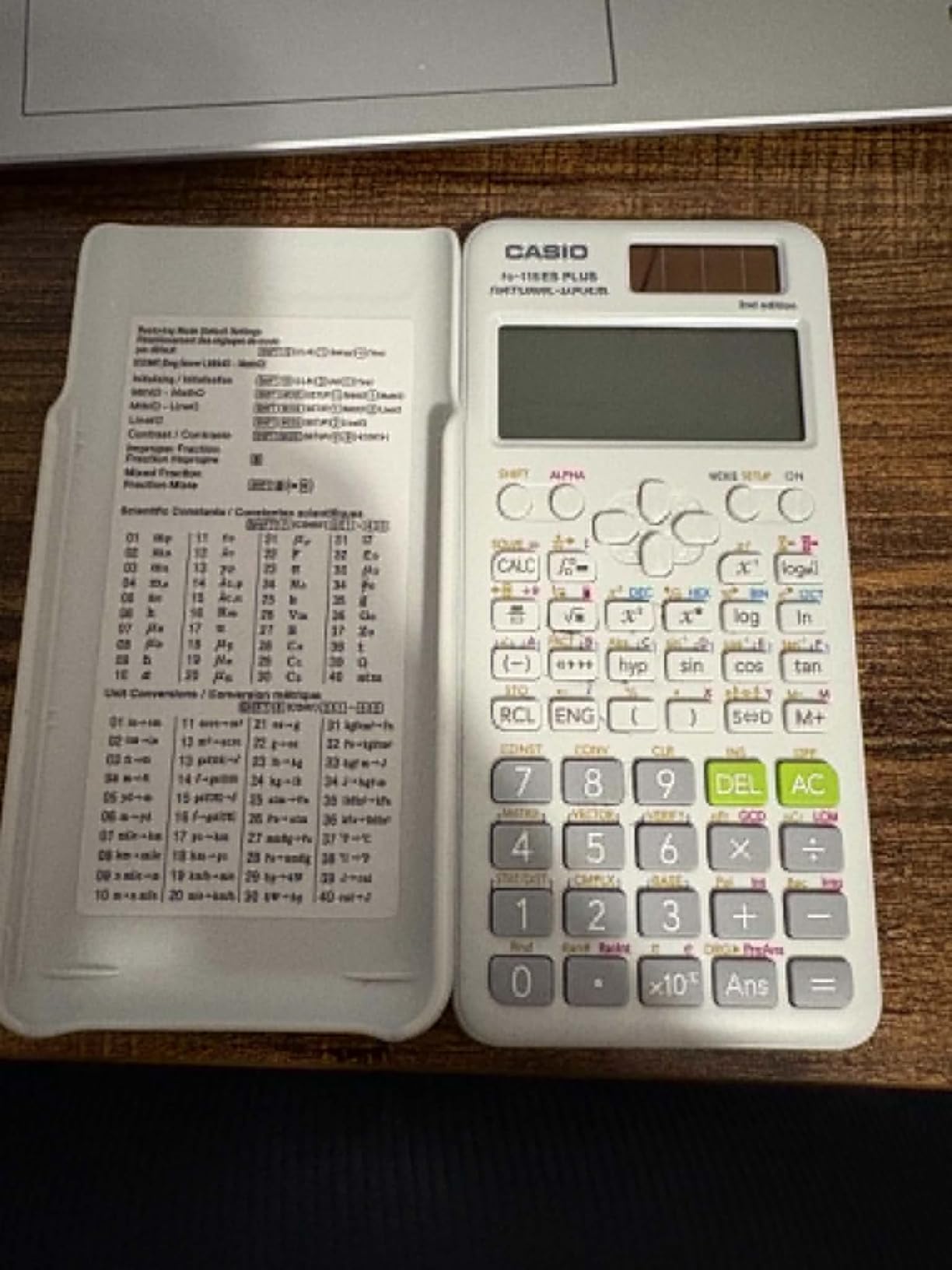
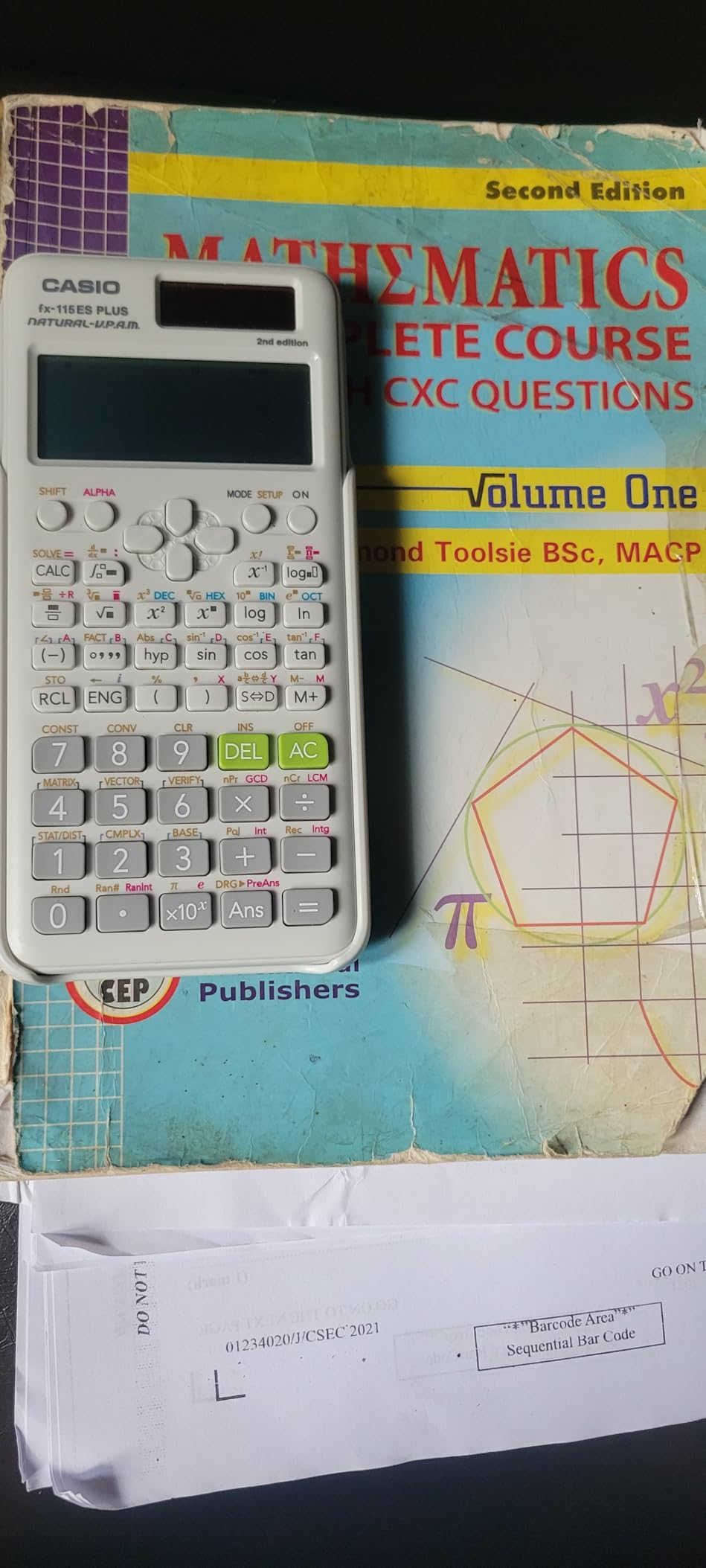
With over 280 functions, this calculator handles complex number calculations, linear regression, summation, integration, matrix operations, and vector calculations. For accounting students, the statistics and regression functions are particularly useful for forecasting and data analysis coursework.
Solar power with battery backup means you rarely worry about power. The Multi-Replay function lets you scroll back through previous calculations and edit them, which saved me from re-entering long statistical formulas on multiple occasions.
Who Should Buy This Calculator
Accounting students who want maximum functionality for the lowest price should seriously consider the fx-115ES Plus. It outperforms calculators at twice its cost for scientific and statistical work.
It is ideal for students taking quantitative methods, business statistics, or operations management alongside their accounting courses.
What to Watch Out For
The menu-based interface takes time to learn. Unlike TI calculators where common functions have dedicated keys, Casio buries some functions in menus that require memorization of navigation paths.
Screen visibility suffers in low-angle lighting because the display relies on contrast rather than backlighting. I found myself tilting the calculator during evening study sessions to read it clearly.
9. Casio DM-1200BM Business Desktop – Large Display Desktop Calculator
Casio DM-1200BM Business Desktop Calculator, Cost/Sell/Margin, Silver
Extra-Large 12-Digit Display
Cost Sell Margin Keys
Tax Functions
Kickstand Design
Solar and Battery
Large Business Buttons
Pros
- Extra-large 12-digit display easy to read
- Built-in kickstand for angled viewing
- Cost sell margin keys for business calculations
- Tax calculation functions
- Solar plus battery backup
- Durable construction with large buttons
Cons
- Some users find it too large
- Only one color option available
- Not portable for backpack use
- No financial functions like TVM or IRR
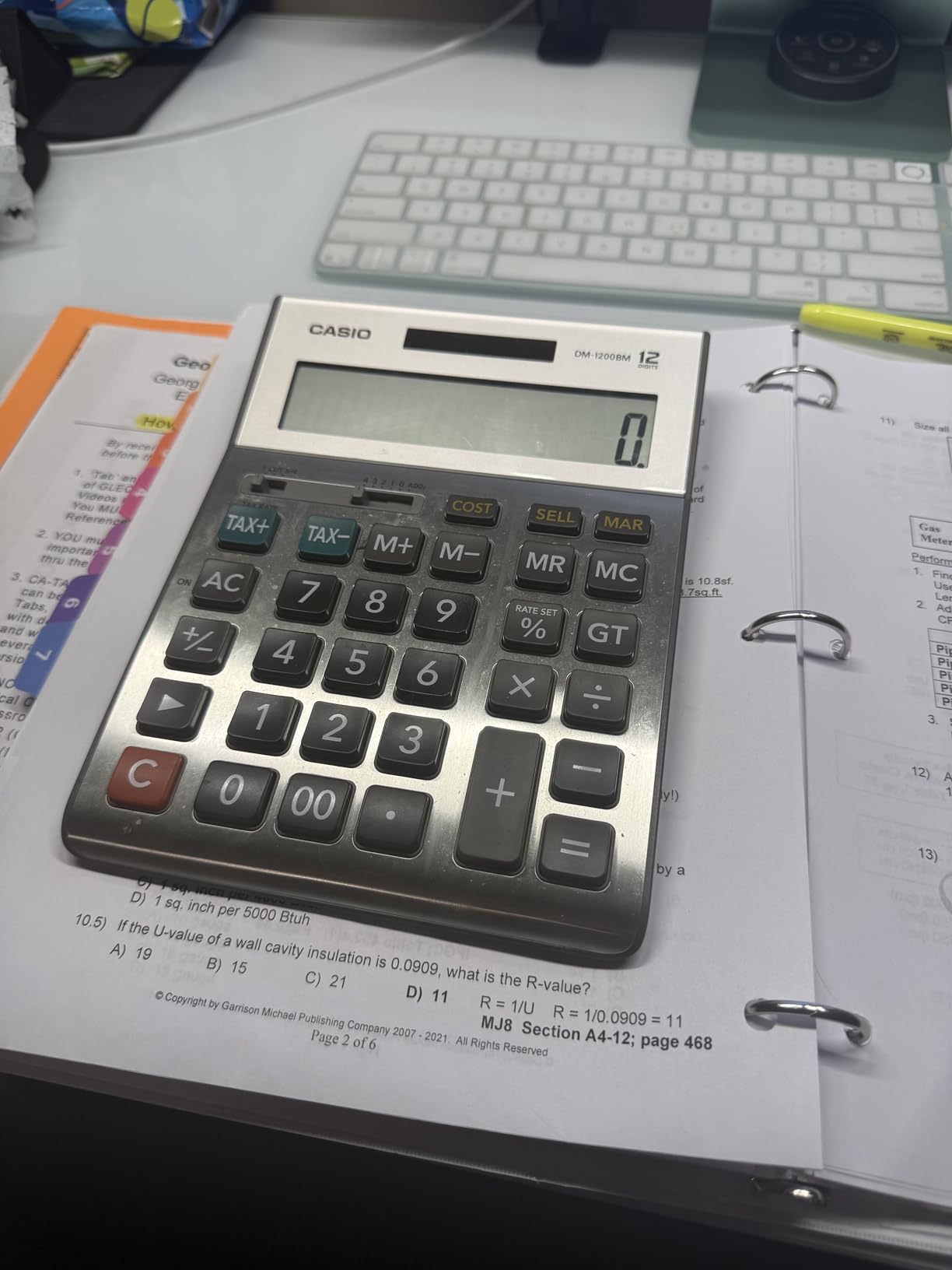
The Casio DM-1200BM is a desktop calculator designed for comfort during long sessions. The extra-large 12-digit display and built-in kickstand make it the calculator I reach for when I have a long night of reconciling accounts ahead of me.
The cost-sell-margin keys are genuinely useful for accounting coursework. I used them extensively in managerial accounting for break-even analysis and pricing scenarios where I needed to calculate margins from different angles quickly.
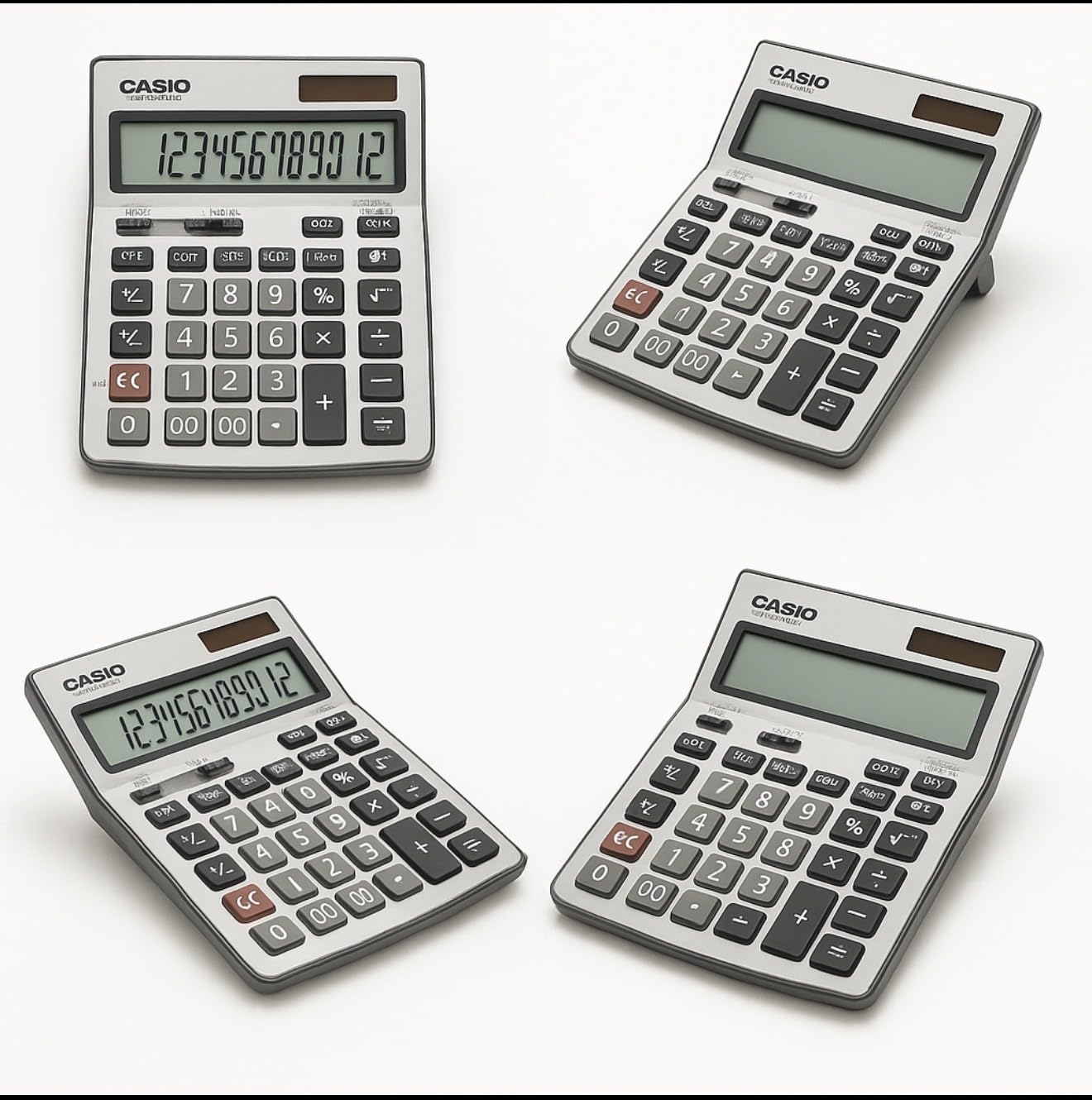
The large buttons are a pleasure to use. After spending hours on compact financial calculators with tiny keys, typing on the DM-1200BM felt like switching from a phone keyboard to a full-size desktop keyboard.
The kickstand design lets you angle the calculator for optimal viewing, which reduced the neck strain I was experiencing during marathon study sessions. The solar panel with battery backup means power is never a concern.
Who Should Buy This Calculator
Accounting students who do most of their work at a desk will love the DM-1200BM. It is ideal for bookkeeping exercises, tax calculations, and any coursework involving long sessions of data entry.
It is also a great secondary calculator for students who already own a financial calculator but want a comfortable desktop model for routine arithmetic and business calculations.
What to Watch Out For
This is not a portable calculator. The large size means it stays on your desk. If you need something to carry to class, this is not the right pick.
There are no financial functions like TVM, NPV, or IRR. The DM-1200BM handles business calculations and tax functions but cannot replace a financial calculator for finance courses.
10. Texas Instruments TI-84 Plus CE – Best Graphing Calculator
Texas Instruments TI-84 Plus CE Color Graphing Calculator, Black
High-Resolution Color Display
Rechargeable Battery
Python Programming
14 Zoom Features
SAT ACT and AP Approved
7 Graph Styles
Pros
- High-resolution full-color backlit display
- Rechargeable battery saves money long term
- Lightweight slim design
- Preloaded apps for coursework
- Python programming capability
- Accepted on SAT ACT and AP exams
- MathPrint displays expressions naturally
Cons
- Higher price point than non-graphing calculators
- Learning curve due to extensive features
- Menus can be confusing initially
- Not Prime eligible
- Not approved for CFA exam
The TI-84 Plus CE is the calculator most students already own when they start accounting school, and for good reason. The high-resolution color display and rechargeable battery make it the most versatile calculator on this list, even if it is not designed specifically for accounting.
I used the TI-84 Plus CE for statistics, business calculus, and economics courses alongside my accounting classes. The graphing capabilities helped me visualize cost curves and regression lines in ways that financial calculators simply cannot match.
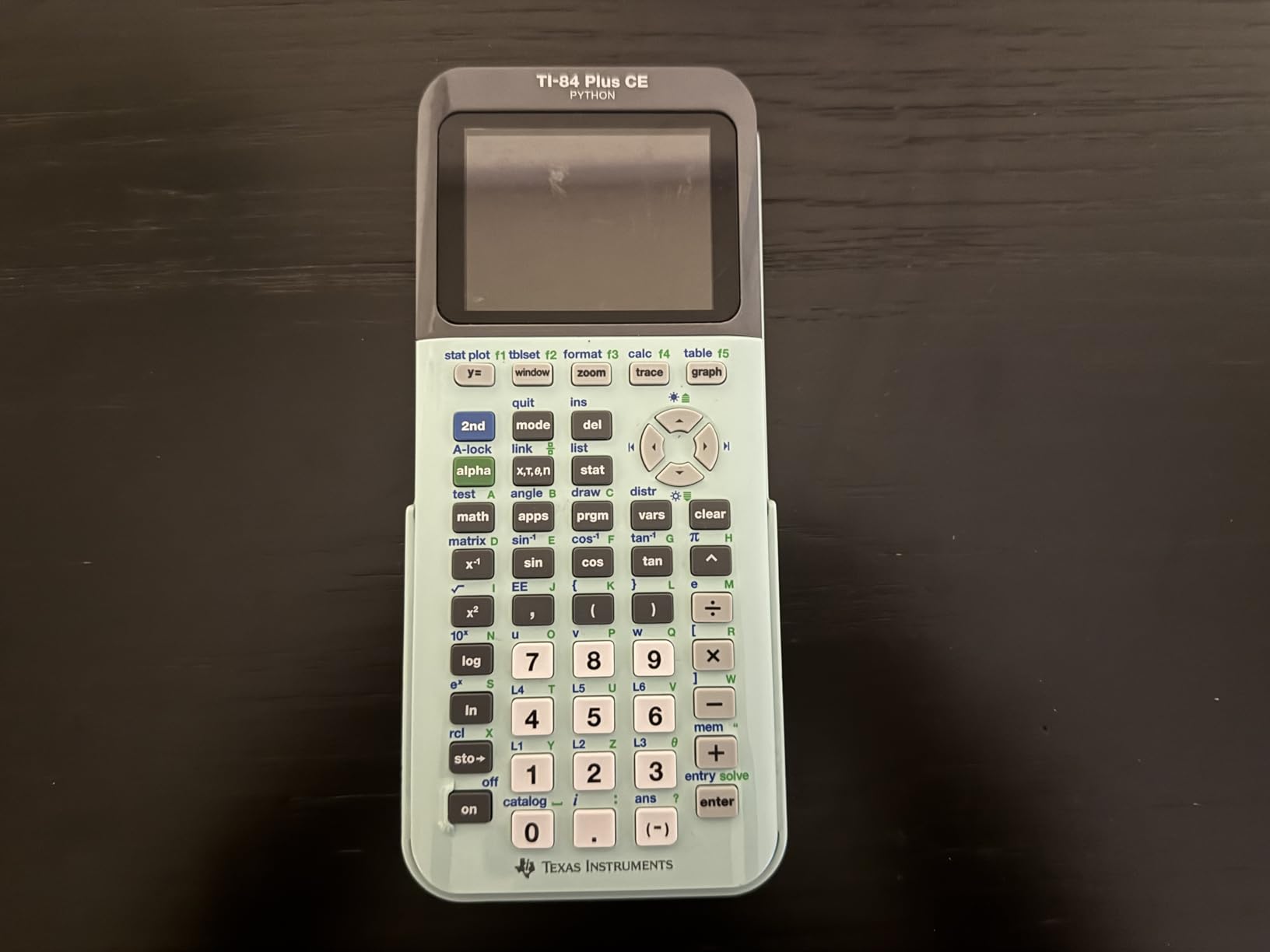
The rechargeable battery is a genuine cost saver. After two years of use, I have never bought replacement batteries. A single USB charge lasts weeks of normal use.
Python programming capability is a newer feature that lets you write and run custom programs. I wrote a depreciation schedule calculator in Python that I used for multiple assignments, which felt like a glimpse into how automation will work in real accounting practice.

Who Should Buy This Calculator
Accounting students who also study economics, statistics, or business analytics will benefit most from the TI-84 Plus CE. The graphing capabilities are unmatched by any financial or scientific calculator on this list.
If you already own a TI-84 from high school, keep using it for your math prerequisites and add a financial calculator when you reach finance courses. Many students use both side by side throughout their degree.
What to Watch Out For
The TI-84 Plus CE is not approved for the CFA exam. If certification is in your future, you will need a BA II Plus or HP model for exam day.
The extensive features create a steep learning curve. I spent the first month discovering new functions, and there are still features I have never used after two years of ownership.
How to Choose the Right Calculator for Accounting Classes
Picking from the best calculators for accounting students comes down to three questions: what courses are you taking, what exams do you plan to take, and what is your budget. The answers determine which calculator category fits your needs.
Financial vs Scientific vs Printing vs Graphing
Financial calculators like the BA II Plus and HP 10bII+ handle time value of money, amortization, NPV, IRR, and bond calculations. These are essential for finance courses and CFA exam prep. If your syllabus mentions TVM or cash flows, you need a financial calculator.
Scientific calculators like the TI-30XS and Casio fx-115ES handle statistics, regression, and general math. They are ideal for prerequisite courses but lack financial functions. Think of them as your math course calculator.
Printing calculators like the Canon P23-DHV-3 and Casio HR-10RC produce paper trails for bookkeeping and tax work. They excel in bookkeeping and tax accounting courses where documentation matters.
Graphing calculators like the TI-84 Plus CE visualize functions and data. They shine in statistics, economics, and analytics courses but are not CFA approved and lack dedicated financial keys.
CFA and CPA Exam Compliance
If you plan to take the CFA exam, only two calculator families are approved: the Texas Instruments BA II Plus (including the Professional version) and the HP 12C. This is non-negotiable. The CFA Institute strictly enforces this policy, and showing up with any other calculator means you cannot take the exam.
For the CPA exam, the rules are different. The CPA exam is computer-based and provides an on-screen calculator, so you typically do not bring your own. However, having a familiar calculator for study prep and coursework remains important.
Key Features to Look For
For financial calculators, prioritize TVM and amortization keys, NPV and IRR functions, and cash flow analysis capabilities. A prompted display that guides you through calculations reduces input errors significantly.
For bookkeeping, look for tax keys, cost-sell-margin functions, and printing capability. Check and Correct features are invaluable for catching errors in multi-step calculations.
For general coursework, display size, battery life, and button responsiveness matter most. Solar power with battery backup ensures your calculator never dies during an exam.
Budget Considerations
You do not need to spend 50 dollars to get a capable accounting calculator. The TI-30XS MultiView at under 20 dollars handles most prerequisite courses. The HP 10bII+ at around 30 dollars is CFA approved and covers finance coursework.
If you can afford one quality financial calculator, the BA II Plus is the safest investment. It will carry you from your first finance course through CFA exam day and into your professional career.
FAQs
Which calculator is best for accounting students?
The Texas Instruments BA II Plus is the best calculator for accounting students. It is approved for the CFA exam, handles time value of money and amortization calculations, computes NPV and IRR for uneven cash flows, and costs under 40 dollars. Most accounting and finance professors recommend it by name.
What type of calculators do accountants use?
Accountants typically use three types of calculators. Financial calculators like the TI BA II Plus and HP 12C handle TVM, NPV, and IRR functions. Printing calculators like the Canon P23-DHV-3 produce paper trails for bookkeeping. Desktop business calculators with cost-sell-margin and tax keys handle routine daily calculations.
What calculator is best for CPA exam?
The CPA exam does not allow you to bring your own calculator. The exam is computer-based and provides an on-screen four-function calculator plus a spreadsheet tool. For CPA exam study prep, the TI BA II Plus or HP 10bII+ are excellent choices for practicing calculations.
Do I need a financial calculator for accounting classes?
Yes, most accounting programs require a financial calculator by the time you reach finance or intermediate accounting courses. Classes covering time value of money, capital budgeting, bond valuation, and amortization schedules require functions that basic and scientific calculators cannot perform.
Can I use a graphing calculator for accounting?
A graphing calculator like the TI-84 Plus CE works well for statistics and economics prerequisites but is not approved for the CFA exam and lacks dedicated financial function keys. Most accounting students use a graphing calculator alongside a financial calculator rather than as a replacement.
Final Thoughts
The Texas Instruments BA II Plus remains the best overall calculator for accounting students in 2026. It is CFA approved, handles every financial function you will encounter in your coursework, and comes at a price that respects a student budget.
If you want a premium build, the BA II Plus Professional adds metal construction and advanced functions. For budget-conscious students, the HP 10bII+ offers CFA compliance at a lower price point. And for bookkeeping and tax courses, a printing calculator like the Canon P23-DHV-3 or Casio HR-10RC rounds out your toolkit.
The right calculator depends on your specific courses and career goals. Buy the one that matches your syllabus requirements, and you will set yourself up for success from day one.