
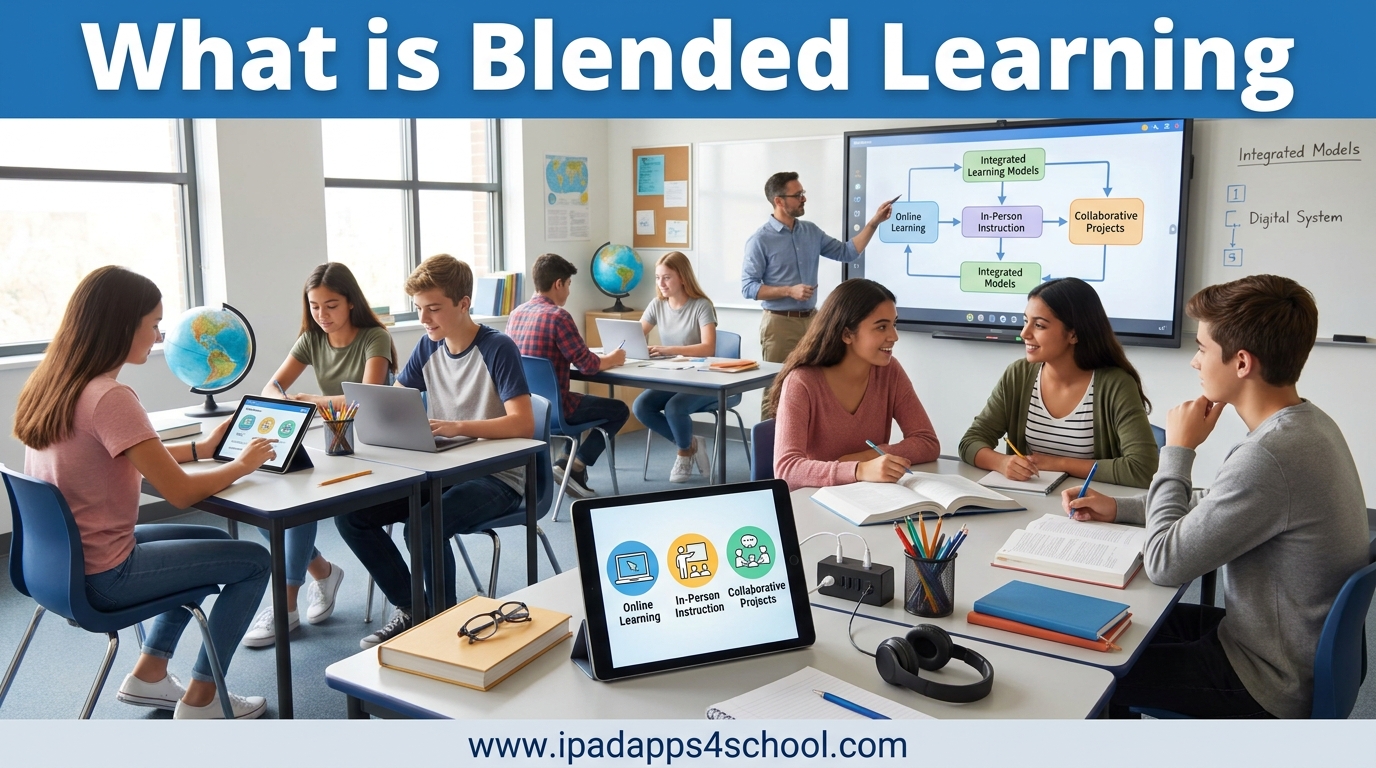
Blended learning is an instructional approach that combines face-to-face classroom instruction with online learning experiences in a purposeful, integrated way. It gives students more control over when, where, and how they learn while maintaining the social connection and guidance of traditional teaching. In this guide, I will explain exactly what blended learning means, the different models educators use, and how you can implement it effectively in your classroom.
Understanding blended learning has become essential for educators in 2026. Whether you are a K-12 teacher, college instructor, or corporate trainer, this approach can transform how you engage with learners. I will walk you through the benefits, real-world examples, and practical implementation steps based on what I have seen work in actual classrooms.
Table of Contents
What is Blended Learning?
Blended learning is a learner-centered approach that intentionally integrates complementary face-to-face (synchronous) and online learning (asynchronous) experiences to achieve specific learning objectives. Unlike simply adding technology to a traditional classroom, blended learning redesigns the learning experience so that each component supports and enhances the other.
The key distinction is intentionality. In a true blended learning environment, online activities are not just homework or supplemental materials. They are core components of instruction that would not work as well without the in-person element, and vice versa. Students might watch lecture videos at home and then use class time for hands-on projects, discussions, and personalized help from the teacher.
Blended Learning vs Traditional Learning
Traditional learning relies primarily on face-to-face instruction in a physical classroom setting. The teacher delivers content through lectures, and students complete practice activities and homework outside of class. This model has served education well for centuries, but it has limitations. All students move at the same pace regardless of their individual needs, and class time is often consumed by content delivery rather than application.
Blended learning flips this dynamic. Online components handle content delivery, allowing face-to-face time to focus on application, collaboration, and individualized support. This shift gives teachers more opportunities to work directly with students who need help while letting advanced learners move ahead.
Blended Learning vs Fully Online Learning
Distance learning and fully online courses have no in-person component. Students complete all work remotely through digital platforms. While this offers maximum flexibility, it can lack the social interaction and immediate feedback that many learners need.
Blended learning maintains that crucial human connection. Students still meet with teachers and peers regularly, building relationships and developing social skills. Research consistently shows that the combination of online flexibility with face-to-face support produces better outcomes than either approach alone.
Benefits of Blended Learning
The benefits of blended learning extend to teachers, students, and educational institutions. I have seen these advantages play out in classrooms across different grade levels and subject areas.
Benefits for Teachers
- Data-driven instruction: Online platforms generate detailed analytics about student progress, showing exactly where each learner struggles or excels.
- Personalized teaching: With content delivery handled online, teachers can focus on small group instruction and one-on-one support.
- Time efficiency: Automated grading and progress tracking free up hours previously spent on administrative tasks.
- Professional growth: Teachers develop new technology and instructional design skills that transfer across their careers.
Benefits for Students
- Flexibility: Students control when and where they complete online components, accommodating different schedules and learning preferences.
- Self-paced learning: Learners can review materials as many times as needed or move ahead when they demonstrate mastery.
- Increased engagement: Interactive digital content often captures attention better than traditional lectures.
- Development of digital literacy: Students build essential technology skills while learning subject content.
- Personalized pathways: Adaptive software adjusts difficulty and content based on individual performance.
Benefits for Institutions
- Scalability: Quality instruction can reach more students without requiring proportional increases in physical space.
- Cost efficiency: Reduced facility usage and textbook costs can offset technology investments.
- Competitive advantage: Schools offering flexible learning options attract students who need alternatives to traditional schedules.
Types of Blended Learning Models
Not all blended learning looks the same. Educators have developed several distinct models, each suited to different contexts and goals. Understanding these models will help you choose the right approach for your situation.
The Rotation Model
In the rotation model, students move between different learning stations on a fixed schedule or at the teacher’s discretion. At least one station involves online learning. Common rotation setups include:
- Station rotation: Students rotate through stations within the classroom, including a technology station.
- Lab rotation: Students rotate to a dedicated computer lab for part of their learning.
- Flipped classroom: Students learn content online at home and do application work in class.
- Individual rotation: Each student follows a personalized schedule based on their needs.
The rotation model works well in elementary and middle school settings where teachers manage multiple small groups. It requires clear procedures and student self-regulation, but it allows teachers to provide targeted instruction to small groups while others work independently.
The Flex Model
The flex model delivers most instruction online, with teachers providing face-to-face support as needed. Students move through content at their own pace, and teachers act as facilitators rather than lecturers. This model requires significant student self-motivation and works best for high school and adult learners.
In a flex model classroom, you might see students working on different subjects simultaneously. One student watches a math video while another reads online science materials. The teacher circulates, answering questions, providing mini-lessons to small groups, and checking progress on the learning management system.
The A La Carte Model
In the a la carte model, students take some courses entirely online while continuing to attend traditional classes for other subjects. A high school student might take an online advanced chemistry course while attending in-person English and history classes. This model expands course offerings without requiring additional teaching staff at the physical school.
The challenge with a la carte is helping students manage the different demands of online and in-person courses simultaneously. Schools implementing this model typically provide a dedicated online learning coordinator or mentor.
The Enriched Virtual Model
The enriched virtual model requires students to complete most coursework remotely but attend mandatory face-to-face sessions for specific activities. Unlike the flex model, which offers support on demand, enriched virtual has scheduled in-person components for labs, discussions, assessments, or collaborative projects.
This model has gained popularity in higher education and some innovative K-12 programs. It maximizes flexibility while preserving the community and hands-on experiences that benefit learning.
Comparing Blended Learning Models
| Model | Online Component | Face-to-Face Component | Best For |
|---|---|---|---|
| Rotation | Partial, at scheduled times | Regular, teacher-led instruction | Elementary and middle school |
| Flex | Primary delivery method | On-demand support | High school and adult learners |
| A La Carte | Complete courses | Other subjects only | Expanding course offerings |
| Enriched Virtual | Most coursework | Required scheduled sessions | Flexible higher education |
How to Implement Blended Learning?
Starting with blended learning can feel overwhelming. I have helped teachers transition to this approach, and I have learned that a systematic approach reduces stress and increases success rates.
Step 1: Assess Your Needs and Goals
Before choosing technology or redesigning lessons, clarify what you want to achieve. Are you trying to reach struggling students who need more time with concepts? Do you want to free up class time for project-based learning? Are you addressing space constraints or scheduling challenges? Your goals will determine which model and tools make sense.
Survey your students about their technology access at home. The digital divide remains a real barrier. Schools must have plans for students who lack reliable internet or devices outside of school.
Step 2: Choose the Right Model
Match your model to your context. Elementary teachers often start with station rotation because it maintains structure while introducing flexibility. High school teachers might try the flipped classroom approach to maximize in-person interaction time. Consider your students’ maturity levels, your technology infrastructure, and your comfort with different teaching styles.
Step 3: Select Appropriate Technology
Choose tools that support your learning goals, not just flashy technology for its own sake. A good learning management system (LMS) forms the foundation, providing a central hub for assignments, communication, and progress tracking. From there, add specific tools for content creation, assessment, and collaboration as needed.
Prioritize tools that integrate well with each other and with your school’s existing systems. Teachers burn out quickly when they must juggle dozens of different platforms and passwords.
Step 4: Train Teachers and Prepare Students
Teachers need training not just on software, but on new instructional strategies. Managing a blended classroom requires different skills than traditional lecturing. Build in time for professional development and ongoing collaboration.
Students also need preparation. Teach them how to use the technology, but also how to manage their time, seek help when needed, and stay motivated without constant direct supervision.
Step 5: Monitor and Adjust
Blended learning implementation is iterative. Collect data on student outcomes, engagement, and satisfaction. Survey teachers about their workload and stress levels. Adjust your approach based on what you learn. Successful programs evolve over time as educators gain experience and technology improves.
Best iPad Apps for Blended Learning
Since this site focuses on iPad apps for education, I want to highlight specific tools that support blended learning on iPads. These apps can transform how you deliver content and engage students in a blended environment.
Learning Management Systems
Canvas Student and Canvas Teacher provide a complete LMS experience on iPad. Teachers can create modules, assign work, provide feedback, and track analytics. Students access content, submit assignments, and communicate with teachers. The iPad apps work seamlessly with the web version.
Google Classroom integrates with Google Workspace for Education, making it ideal for schools already using Google tools. The iPad app allows teachers to create classes, distribute assignments, and grade work while mobile.
Collaboration and Engagement Tools
Nearpod transforms presentations into interactive lessons. Teachers can add quizzes, polls, and collaborative activities to their slides. Students join on their iPads and participate in real time. Nearpod works well for both synchronous online sessions and in-person blended rotations.
Seesaw creates digital portfolios where students document their learning through photos, videos, drawings, and text. Teachers can provide feedback, and parents can view their child’s progress. Seesaw works especially well in elementary blended classrooms.
Content Creation Apps
iMovie lets students create video content demonstrating their learning. In a blended environment, students might research and script at home, then film and edit during in-person time. Video projects work well for the rotation and flipped models.
Explain Everything Whiteboard turns iPads into interactive whiteboards for creating video explanations. Teachers can record lessons for students to watch online, or students can create tutorials demonstrating their understanding of concepts.
Assessment and Practice Tools
Kahoot! gamifies assessment with competitive quizzes. Use it for quick checks of understanding during in-person time or as a formative assessment in online components.
Quizlet offers flashcards, games, and study tools students can use independently. Teachers can create class sets or let students build their own study materials. The adaptive features help students focus on concepts they have not yet mastered.
Real-World Examples of Blended Learning
Theory makes more sense with concrete examples. Here are how three different educational contexts implement blended learning.
K-12 Classroom Example
Mrs. Johnson teaches fifth grade using the station rotation model. Her classroom has four stations: a teacher-led small group for targeted instruction, a collaborative station where students work together on projects, an independent reading station with paper books and e-readers, and a technology station with iPads. Students rotate every 20 minutes. At the technology station, they might watch a math concept video, complete practice problems on an adaptive platform, or create a digital presentation about their reading.
This setup lets Mrs. Johnson work closely with eight students at a time while the other 16 engage with meaningful independent work. She uses data from the online platform to form her small groups based on who needs help with which skills.
Higher Education Example
Professor Martinez teaches a college biology course using the enriched virtual model. Students watch lecture videos, complete readings, and take quizzes online before coming to weekly lab sessions. Class time focuses entirely on hands-on experiments and group problem-solving. Professor Martinez uses the analytics from her LMS to identify common misconceptions and address them during lab time.
Students appreciate the flexibility to review lecture content at their own pace, especially for complex topics like cellular respiration. The in-person labs provide the hands-on experience that would be difficult to replicate online.
Corporate Training Example
A regional healthcare system uses the flex model for training new medical assistants. New hires complete most of their training modules online, watching procedure videos and passing competency quizzes. They then come to training centers for supervised practice with mannequins and equipment. Trainers are available for questions and additional support as needed, but each learner progresses at their own pace.
This approach reduced training time from six weeks to four weeks while improving competency scores. The system now trains 40% more staff without increasing training center capacity.
Challenges and Solutions
Based on forum discussions with teachers implementing blended learning, I have identified common challenges and practical solutions.
Challenge: The Digital Divide
Not all students have reliable internet or devices at home. This creates equity concerns when online components are required outside of school hours.
Solution: Schools can provide WiFi hotspots and device lending programs. Some teachers design blended models where all online work can be completed during school hours. Others create offline alternatives for students who need them.
Challenge: Teacher Workload and Burnout
Many teachers report that blended learning initially increases their workload. Creating online content, managing multiple platforms, and monitoring student progress on top of traditional teaching duties can lead to exhaustion.
Solution: Start small with one unit or subject. Use existing resources rather than creating everything from scratch. Schools should provide planning time and professional development during contract hours. Administrators must recognize that effective blended learning requires different preparation than traditional instruction.
Challenge: Student Self-Regulation
Some students struggle with the independence blended learning requires. They fall behind on online work or fail to seek help when confused.
Solution: Build scaffolds gradually. Start with highly structured blended models and release responsibility as students develop skills. Use data dashboards to identify struggling students quickly. Provide explicit instruction in time management and self-advocacy.
Frequently Asked Questions
What is the meaning of blended learning?
Blended learning is an instructional approach that combines face-to-face classroom instruction with online learning experiences. The key is intentional integration – online and in-person components work together to achieve learning objectives that neither could accomplish as well alone.
What is an example of blended learning?
A common example is the flipped classroom. Students watch video lectures at home and complete online quizzes to check understanding. Then during class time, they work on projects, have discussions, and get personalized help from the teacher. Another example is station rotation, where students rotate between teacher-led groups, collaborative activities, and independent online work.
What are the three types of blended learning?
The three most common types are: 1) Rotation Model – students rotate between learning stations including an online component, 2) Flex Model – online learning is the primary delivery method with teachers providing support as needed, and 3) A La Carte Model – students take some courses entirely online while attending traditional classes for other subjects.
What is a blended teaching style?
A blended teaching style intentionally combines traditional in-person instruction with technology-mediated learning experiences. Teachers act as facilitators and coaches rather than lecturers, using data to personalize instruction while giving students more control over the pace and path of their learning.
Is blended learning the same as hybrid learning?
The terms are often used interchangeably, though some educators make distinctions. Generally, both refer to combining online and face-to-face instruction. Blended learning typically implies a more intentional, structured integration of the two components. Hybrid learning sometimes refers to students choosing between online or in-person attendance for the same course.
How do teachers avoid burnout with blended learning?
Teachers can avoid burnout by starting small with one subject or unit, using existing resources rather than creating everything from scratch, choosing a limited set of tools that integrate well, and advocating for adequate planning time and professional development support from administrators.
Conclusion
What is blended learning? It is a powerful instructional approach that combines the best of face-to-face teaching with the flexibility and personalization of online learning. By understanding the different models, benefits, and implementation strategies, you can transform your classroom into a more engaging and effective learning environment.
As we move further into 2026, blended learning is not just a temporary trend but an evolution in how we think about education. It acknowledges that students have different needs, paces, and preferences while maintaining the essential human connection that happens when teachers and learners gather together.
If you are just starting with blended learning, choose one model and try it with a single unit. Build your confidence and your students’ skills gradually. The transition may feel challenging at first, but the results for both you and your students will be worth the effort.