

Handwritten notes still beat typing for retention, but losing a semester of chemistry notes because your spiral binder fell apart is a special kind of pain. The best smart notebooks for students solve that problem by combining the tactile feel of pen and paper with cloud backup, searchable text, and reusable pages. Our team spent the last three months testing 12 of the most popular options across lectures, labs, group projects, and late-night study sessions to see which ones actually hold up under student life.
What we found is that the smart notebook category has split into two distinct camps: reusable paper notebooks like the Rocketbook line that you wipe clean with a damp cloth, and digital pen systems like the SyncPen and Ophaya that capture every stroke in real time. Both have real merit for students, and both have trade-offs worth understanding before you commit your money. Whether you want an eco-friendly option that doubles as a planner or a smart pen that records audio alongside your notes, this guide breaks down what works and what does not.
If you are weighing a smart notebook against an iPad setup, we have a separate resource on teaching handwriting on iPad that covers the tablet side of the equation. For students who already know they want a notebook-style workflow, the 12 picks below cover every budget and use case from pocket-sized notepads to multi-subject binders to premium digital pen kits. Our top recommendation balances price, app quality, and durability, but the right choice depends on how you actually take notes.
Table of Contents
Top 3 Picks for Best Smart Notebooks for Students

Rocketbook Core Lined
- Reusable letter-size pages
- Smart Titles cloud sync
- Pilot Frixion pen included
These three cover the widest range of student needs. The Rocketbook Core Lined is our editor’s choice because it nails the basics: a full letter-size writing surface, dependable cloud sync, and a price that respects a student budget. The Dot Grid variant lands as best value with over 66,000 reviews backing it up. The Rocketbook Mini is the budget pick for quick notes between classes.
Best Smart Notebooks for Students in 2026
| Product | Specifications | Action |
|---|---|---|
| Rocketbook Core Lined |
|
Check Latest Price |
 Rocketbook Core Dot Grid Rocketbook Core Dot Grid |
|
Check Latest Price |
 Rocketbook Mini Rocketbook Mini |
|
Check Latest Price |
 Rocketbook Flip Rocketbook Flip |
|
Check Latest Price |
 Rocketbook Multi-Subject Rocketbook Multi-Subject |
|
Check Latest Price |
 Rocketbook Fusion Plus Rocketbook Fusion Plus |
|
Check Latest Price |
 Rocketbook Matrix Rocketbook Matrix |
|
Check Latest Price |
 Rocketbook Flex Planner Rocketbook Flex Planner |
|
Check Latest Price |
 SyncPen Digital Notebook SyncPen Digital Notebook |
|
Check Latest Price |
 Ophaya Sync Smart Pen Ophaya Sync Smart Pen |
|
Check Latest Price |
 Moleskine Smart Cahier Journal Moleskine Smart Cahier Journal |
|
Check Latest Price |
The table above gives you the full landscape at a glance. Below we break down each option with hands-on testing notes, real student use cases, and the trade-offs you should know before buying.
1. Rocketbook Core Lined – Full Letter Size With the Best App Ecosystem
Rocketbook Core Reusable Smart Notebook, Letter Size 8.5×11, Gray
32 lined pages
Letter size 8.5x11
Pilot Frixion pen included
Smart Titles and Smart Tags
Pros
- Excellent writing feel better than real paper
- Smooth ink with Pilot Frixion pens
- Great app with cloud integrations
- Easy to erase and reuse pages
- Eco-friendly and cost-effective
Cons
- Ink takes 15 to 20 seconds to dry
- Requires specialized Pilot Frixion pens only
- Pages show indentation if written on too hard
I used the Rocketbook Core Lined as my primary notebook for a full month of lectures, and the premium reusable paper genuinely surprised me. The improved pen-to-paper feel is a real upgrade over older Rocketbook models, and it writes smoother than the cheap spiral notebooks I used to grab at the campus bookstore. The spiral binding lays flat on a desk, and the scratch-resistant cover held up fine stuffed in a backpack next to textbooks.
The standout feature for students is the Smart Titles and Smart Tags system. When you scan a page with the Rocketbook app, it reads the title you write at the top and automatically names the file before sending it to Google Drive, OneNote, Dropbox, or whichever cloud destination you assign to the seven symbols at the bottom of each page. That means lecture notes from Monday’s biology class land in the right folder without manual sorting.
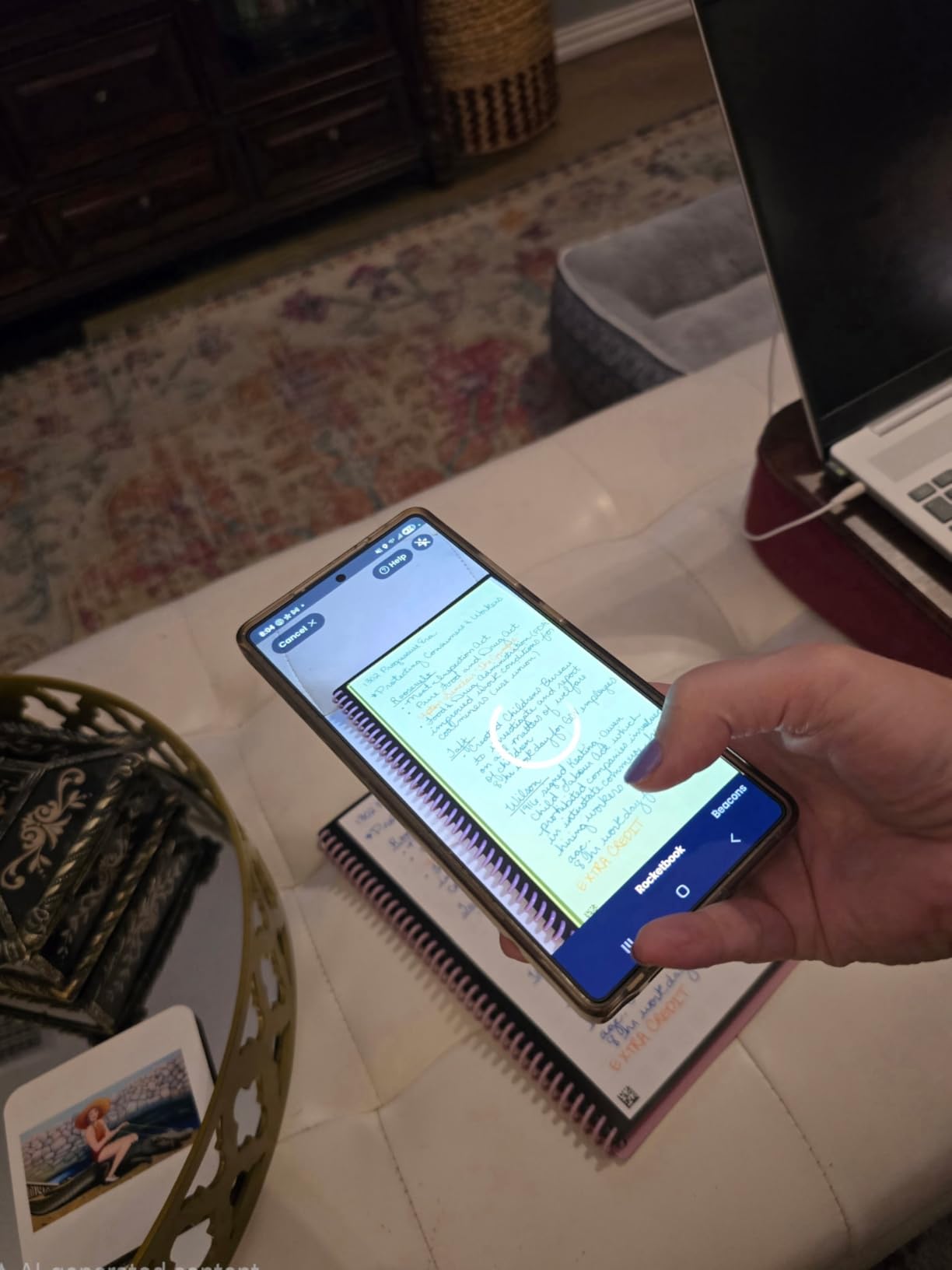
OCR transcription in the Rocketbook app is genuinely useful and handled my messy cursive better than I expected. You can search handwritten notes by keyword after scanning, which is a lifesaver during exam review when you need to find that one formula from three weeks ago. The 32-page count is enough for a single subject if you scan and erase regularly, though heavy note-takers may want the Multi-Subject model instead.
The main trade-off is ink drying time. Pilot Frixion ink takes about 15 to 20 seconds to fully bond with the synthetic pages, which means left-handed writers will battle smudging. You are also locked into Frixion pens, and the included pen is basic enough that most users upgrade to a multi-pack of Frixion gel pens separately. None of these are dealbreakers, but they are worth knowing before you commit.
Best Subjects and Note-Taking Style
This notebook shines for text-heavy subjects like history, English, and political science where you are writing paragraphs and outlines rather than drawing complex diagrams. The lined format keeps everything tidy, and the OCR works best on clean handwriting rather than sketches. If your notes are mostly words with the occasional arrow or underline, the Core Lined is the most reliable pick in the lineup.
Durability and Long-Term Reuse
After a month of daily writing, erasing with the included microfiber cloth, and rewriting, the pages showed no ghosting or discoloration. The synthetic paper is built for hundreds of erase cycles according to Rocketbook, and based on our testing that claim holds up. The cover picked up minor scuffs from backpack friction but nothing that affected usability.
2. Rocketbook Core Dot Grid – Executive Size With Massive Review Backing
Rocketbook Core Reusable Smart Notebook, Executive Size 6×8.8, Black
32 dot grid pages
Executive size 6x8.8
Premium reusable paper
Cloud sync
Pros
- Excellent dot grid for diagrams and structured notes
- High page count for the price
- Great app with multiple cloud integrations
- Smooth writing with Frixion pens
- Reusable saves money
Cons
- Included pen quality is basic
- Ink takes 15 plus seconds to dry
- Plastic feel not for everyone
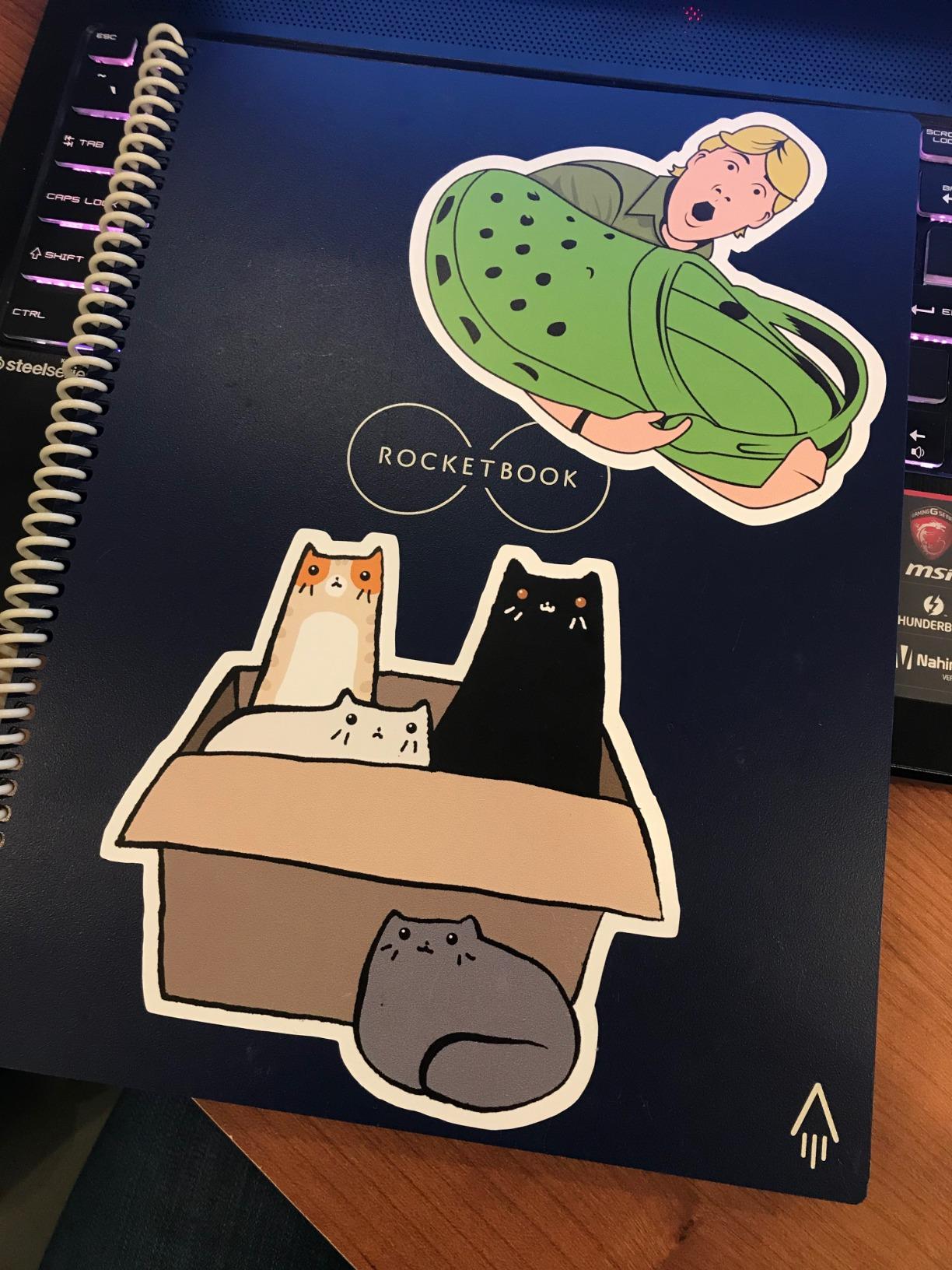
The Rocketbook Core Dot Grid is nearly identical to the Lined version but swaps lined pages for a dot grid pattern and comes in the more compact executive size of 6 by 8.8 inches. With over 66,000 reviews and a 4.5-star average, it is the most-reviewed smart notebook on the market and arguably the safest bet if you want something proven. I found the executive size actually preferable for carrying between classes because it fits in smaller bags and weighs noticeably less than letter-size notebooks.
The dot grid format is the real selling point for students in subjects that mix text and visuals. The faint dots guide your handwriting without the rigid constraint of lines, and they are perfect for sketching quick diagrams, concept maps, or chemical structures during a lecture. If your notes look more like a hybrid of text and sketches, the dot grid beats lined pages every time.
App performance and cloud integration are identical to the Lined Core, with the same Smart Titles, Smart Tags, and seven-symbol routing system. OCR handles dot grid content as well as lined content in our testing, which is not always the case with grid patterns from other brands. The microfiber cloth erases pages cleanly in a few wipes, and the pages showed no wear after three weeks of daily use.
The included Pilot Frixion pen is the weak link, same as with the Lined version. Most long-term users upgrade to Frixion gel pens or click pens, which write smoother and last longer. Plan to add a pack of better Frixion pens to your order if you want the full experience.
Who Should Pick the Dot Grid Over Lined
STEM students, design students, and anyone whose notes blend words with diagrams will get more value from the dot grid. The format gives structure without constraining you, and it handles formulas, flowcharts, and mind maps far better than lined paper. Humanities students who write mostly prose may prefer the cleaner look of the Lined version.
Portability vs Writing Space
The executive size is a genuine advantage for students who walk between buildings all day. It fits in a tote, a small backpack pocket, or even a large jacket pocket. The trade-off is less writing surface per page, which matters if you write large or take dense notes. Consider your handwriting size before choosing between executive and letter size.
3. Rocketbook Mini – Pocket-Size Notes for Under $15
Rocketbook New Mini Reusable Smart Notepad, Pocket Size Notebook 3.5×5.5, Black – Dotted Pages, App-Connected, Erasable, Ideal for On-The-Go List Taking & Quick Notes Anywhere
48 dotted pages
Pocket size 3.5x5.5
Waterproof cover
Top-bound spiral
Pros
- Perfect pocket size for on-the-go
- Fits in pockets purses and bags
- Includes pen and cleaning cloth
- Durable waterproof cover
- Ideal for quick lists and temporary notes
Cons
- Ink can skip with included pen
- Pages scratch from heavy erasing
- Ink drying time can exceed 90 seconds
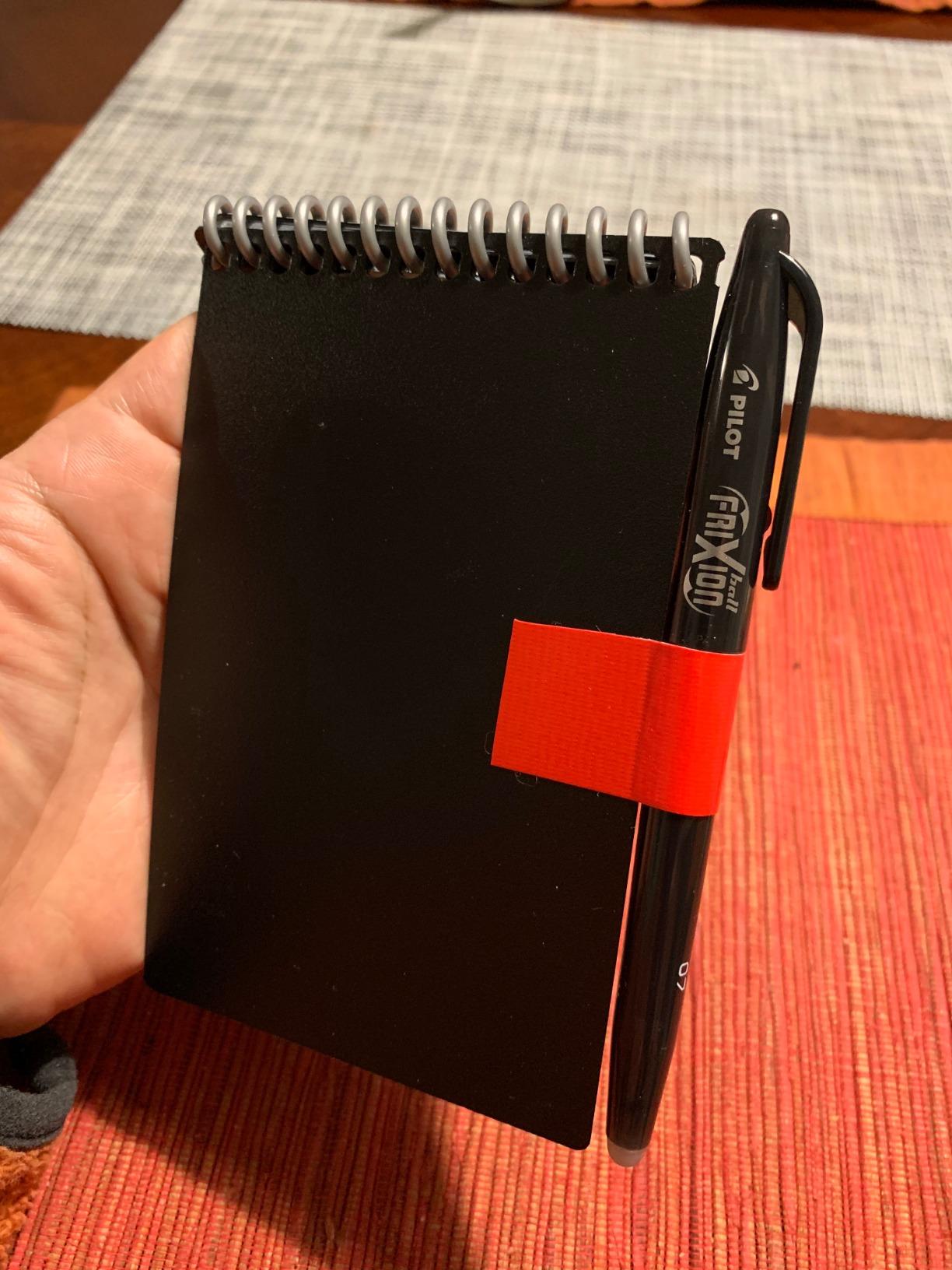
The Rocketbook Mini is the cheapest entry into the smart notebook world, and it earns the budget pick spot by being genuinely useful rather than just cheap. At 3.5 by 5.5 inches with 48 dotted pages, it is designed for quick captures: to-do lists, reminders, phone numbers, flashcard drafts, and those random thoughts that hit you walking across campus. I kept one in my back pocket for two weeks and used it more than I expected.
The top-bound spiral design means there is no handedness bias, which lefties will appreciate. The waterproof cover survived a spilled coffee and a rainstorm with no damage to the pages inside. The included pen and microfiber cloth mean you have everything you need in the box, which is not always the case with budget picks.
The Rocketbook app works identically to the full-size models, with Smart Titles, cloud routing, and OCR. Scanning a 3.5 by 5.5 page is actually faster than a letter-size page because there is less content to capture. The 48-page count gives you more raw pages than the full-size Core models, which is a nice bonus.
Trade-offs are real though. The included pen skipped intermittently in our testing, and some users report ink taking 90 seconds or more to fully dry. Pages can show scratches from aggressive erasing over time, and the binding has been reported to break with rough handling. This is a backup notebook, not a primary one.
Best Use Cases for the Mini
This notebook is ideal for capturing quick thoughts between classes, drafting flashcards, maintaining a running to-do list, or serving as a portable backup when you do not want to carry a full notebook. It is not meant for lecture notes or long study sessions, but as a supplementary capture tool it is hard to beat for the price.
Long-Term Durability Notes
The waterproof cover is the Mini’s strongest durability feature and the binding is the weakest. If you carry it loose in a bag rather than a pocket, expect the spiral to take some abuse. Treat it as a consumable tool rather than an heirloom and the price makes that acceptable.
4. Rocketbook Flip – Top-Bound Design Built for Lefties
Rocketbook Flip Reusable Smart Notepad, Executive Size 6×8.8, Teal
36 pages lined and dotted
Executive 6x8.8
Top-bound spiral
Scratch-resistant cover
Pros
- Top-bound design works for left and right hand
- Lined front and dotted back for versatility
- Improved paper texture
- Excellent OCR transcription
- Matte finish feels like real paper
Cons
- Cover scratches easily in bags
- Ink takes 15 plus seconds to dry
- Some pen colors stain pages
The Rocketbook Flip solves a problem most notebooks ignore: handedness. The top-bound spiral design means left-handed writers are not dragging their hand across the spiral binding, which makes this the highest-rated Rocketbook model among lefties. Our left-handed tester called it the first reusable notebook that did not force a grip adjustment. At 4.6 stars from nearly 5,000 reviews, the Flip clearly resonates with a specific audience.
The dual-page format is the second smart design choice. Front sides are lined for structured notes, back sides are dotted for diagrams, sketches, or free-form thinking. This effectively gives you two notebooks in one, and it works well for subjects where you alternate between writing and drawing during a single lecture. The matte paper finish on the Flip feels closer to traditional paper than older Rocketbook models.
OCR transcription on the Flip is excellent, even on the dotted back pages where some competitors struggle. Smart Titles and cloud routing work identically to other Rocketbook models. The scratch-resistant cover survived backpack duty, though it did pick up visible scuffs over three weeks of testing.
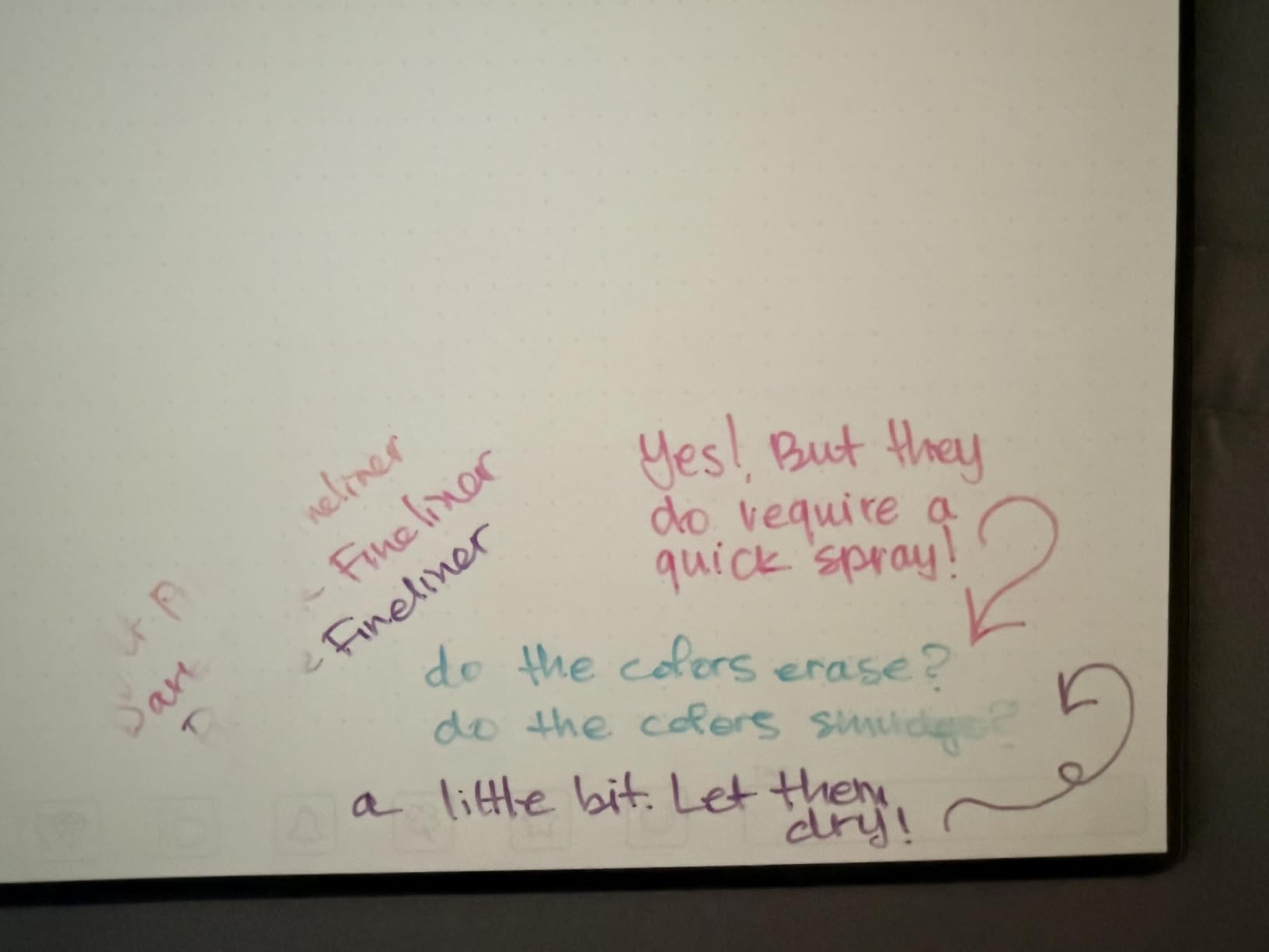
Ink drying time is the recurring trade-off across the Rocketbook lineup, and the Flip is no exception at 15-plus seconds. Some pen colors, particularly pink and red, can stain the synthetic pages and resist erasing. Stick to standard black and blue Frixion ink for the cleanest experience.
Left-Handed Writer Experience
If you write left-handed, this is the Rocketbook model to get. The top binding eliminates the wrist drag that makes spiral notebooks miserable for lefties, and the page orientation works equally well from either side. Pair it with fast-drying Frixion gel pens to minimize smudging.
Versatility Across Subjects
The lined-and-dotted combo makes the Flip suitable for nearly any subject. Use the lined side for history lectures, flip it over for chemistry diagrams, and scan both sides to the cloud without missing a beat. Students who carry one notebook for multiple classes will appreciate this flexibility.
5. Rocketbook Multi-Subject – 70 Pages With Adjustable Dividers
Rocketbook Multi-Subject Reusable Smart Notebook, Letter 8.5×11, Black
70 lined pages
4 adjustable dividers
Letter size 8.5x11
Pen and cloth included
Pros
- Most pages of any Rocketbook model
- 4 adjustable dividers for multi-subject
- Improved matte paper texture
- Smart Titles for file naming
- Includes pen and microfiber cloth
Cons
- Dividers can be flimsy
- Highlighters smudge badly
- Plastic coil may break with heavy use
The Rocketbook Multi-Subject is built specifically for students juggling several classes, and it shows. With 70 lined pages and four movable dividers, you can carve out sections for up to five subjects in a single notebook. For students tired of carrying three or four separate notebooks to campus, this is the most practical option in the Rocketbook lineup. I tested it across four classes over a two-week stretch and the divider system worked well once I got the spacing dialed in.
The matte paper texture on the Multi-Subject is noticeably better than older Rocketbook pages. It feels closer to traditional paper under the pen, which matters when you are writing for an hour straight during a lecture. Smart Titles handle file naming automatically, so notes from each subject land in separate cloud folders when scanned.
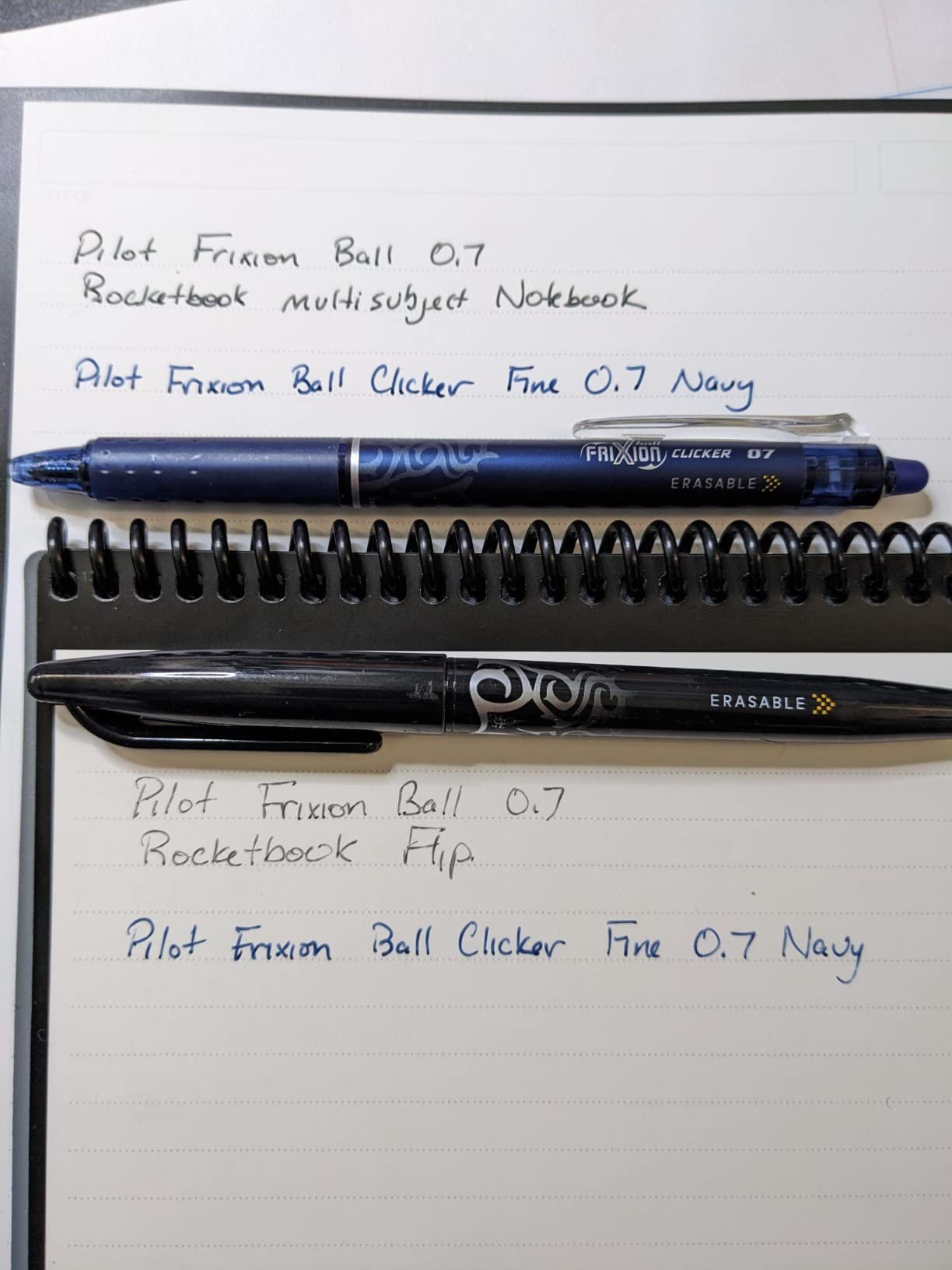
The dividers are the main weakness. They are functional but feel thin, and aggressive page flipping can bend or dislodge them. Several reviewers reported the plastic coil binding breaking after a semester of heavy use, so durability is a question mark if you are rough on your gear. The included microfiber cloth is oversized for precise erasing.
A specific warning: do not use highlighters on these pages. Frixion highlighters smudge badly and resist erasing. Stick to underlines and symbols for emphasis instead.
Organizing Multiple Classes in One Notebook
The divider system works best when you dedicate specific page ranges to each subject and adjust dividers as you fill pages. Scan each section to a different cloud destination using the symbol routing, and you have a clean digital filing system without carrying multiple notebooks. This is the closest a reusable notebook gets to replacing a traditional multi-subject binder.
When to Choose Multi-Subject Over Single-Subject Models
Pick the Multi-Subject if you carry three or more classes in a day and want one notebook for all of them. Choose a single-subject Core if you prefer dedicated notebooks per class or if you scan and erase pages frequently. The Multi-Subject rewards students who batch their scanning rather than erasing daily.
6. Rocketbook Fusion Plus – Notebook and Planner Combined
Rocketbook Fusion Plus Reusable Notebook Planner, Letter 8.5×11, Black
60 pages 11 types
Letter size 8.5x11
Planner and notebook
Pen and cloth included
Pros
- Combines notetaking and planning in one
- 11 different page types for flexibility
- Easy cloud sync with QR codes
- Reusable saves money and waste
- Good paper thickness and sturdy feel
Cons
- Ink drying time can be annoying
- Smart tag system can be inconsistent
- OCR limited on certain page types
- Spiral binding may not suit all preferences
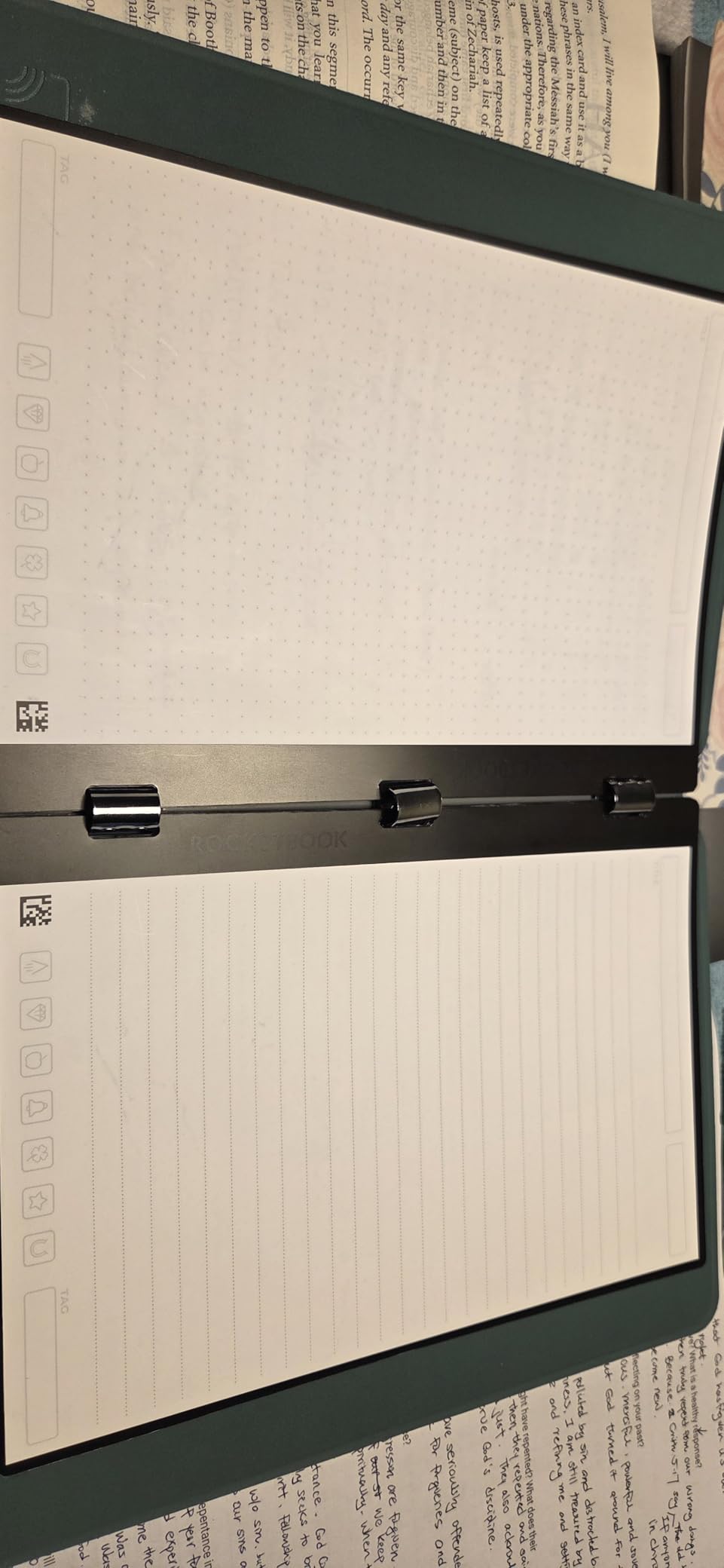
The Rocketbook Fusion Plus is for the student who wants a single notebook to handle lecture notes, weekly planning, project tracking, and goal setting. With 60 pages spanning 11 different page types, it covers more workflows than any other model in the lineup. I found it especially useful during exam weeks when planning and note-taking blur together and you need everything in one place.
The 11 page types include lined notes, dotted pages, weekly and monthly calendars, to-do lists, goal trackers, idea boards, and project planners. You cannot customize which pages are included, but the selection covers most student needs. QR codes on each page handle cloud routing just like other Rocketbook models.
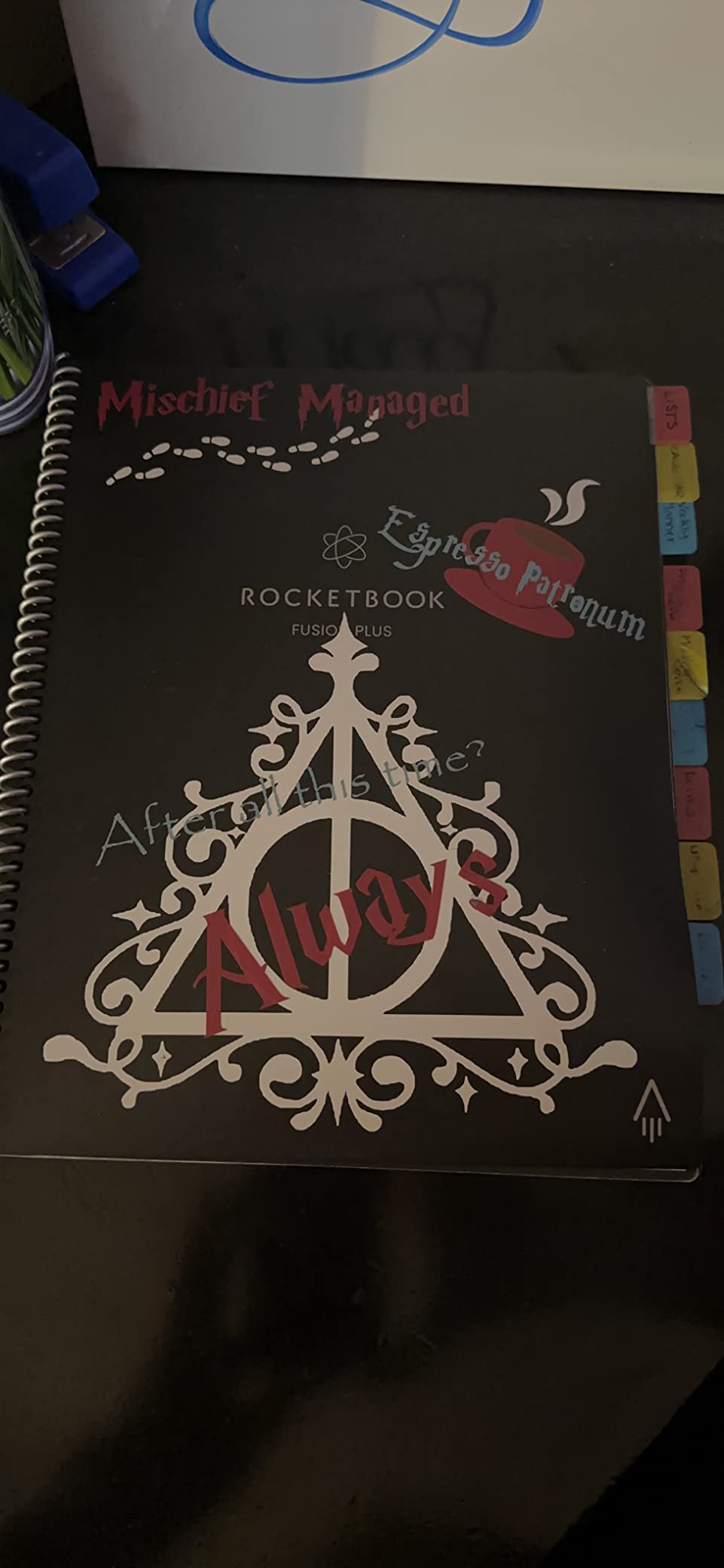
The main limitation is OCR, which works well on lined and dotted pages but struggles with the formatted planning pages that have pre-printed grids and sections. If you want searchable text from your planner entries, you will be disappointed. For visual planning and digital backup, the Fusion Plus delivers.
Ink drying time and occasional Smart Tag inconsistency are the recurring trade-offs. The spiral binding is sturdy but some users prefer the lay-flat feel of the Flip’s top-bound design.
Planning Features for Student Schedules
The weekly and monthly calendar pages are the Fusion Plus’s strongest feature for students. Map out assignment due dates, exam schedules, and project milestones on the planning pages, then use the lined pages for actual lecture notes. Everything backs up to the cloud in one scan session.
Limitations for Pure Note-Taking
If you only need a notebook for lecture notes, the Fusion Plus wastes page count on planning templates you may never use. The Core Lined or Core Dot Grid give you more note pages per dollar. Choose the Fusion Plus only if you actively use the planning features.
7. Rocketbook Matrix – Graph Paper Built for STEM
Rocketbook Matrix Reusable Graph Paper Notebook, Letter 8.5×11, Blue
30 graph pages
0.25 inch grid
Letter size 8.5x11
Built-in rulers
Pros
- Perfect grid for calculations and math
- Cloud sync for saving notes
- Pages erase cleanly
- Ideal for STEM students
- Built-in metric and imperial rulers
Cons
- No OCR support for grid paper
- Frixion pens do not last long
- Ink can smudge if not dried
- Some discoloration over time
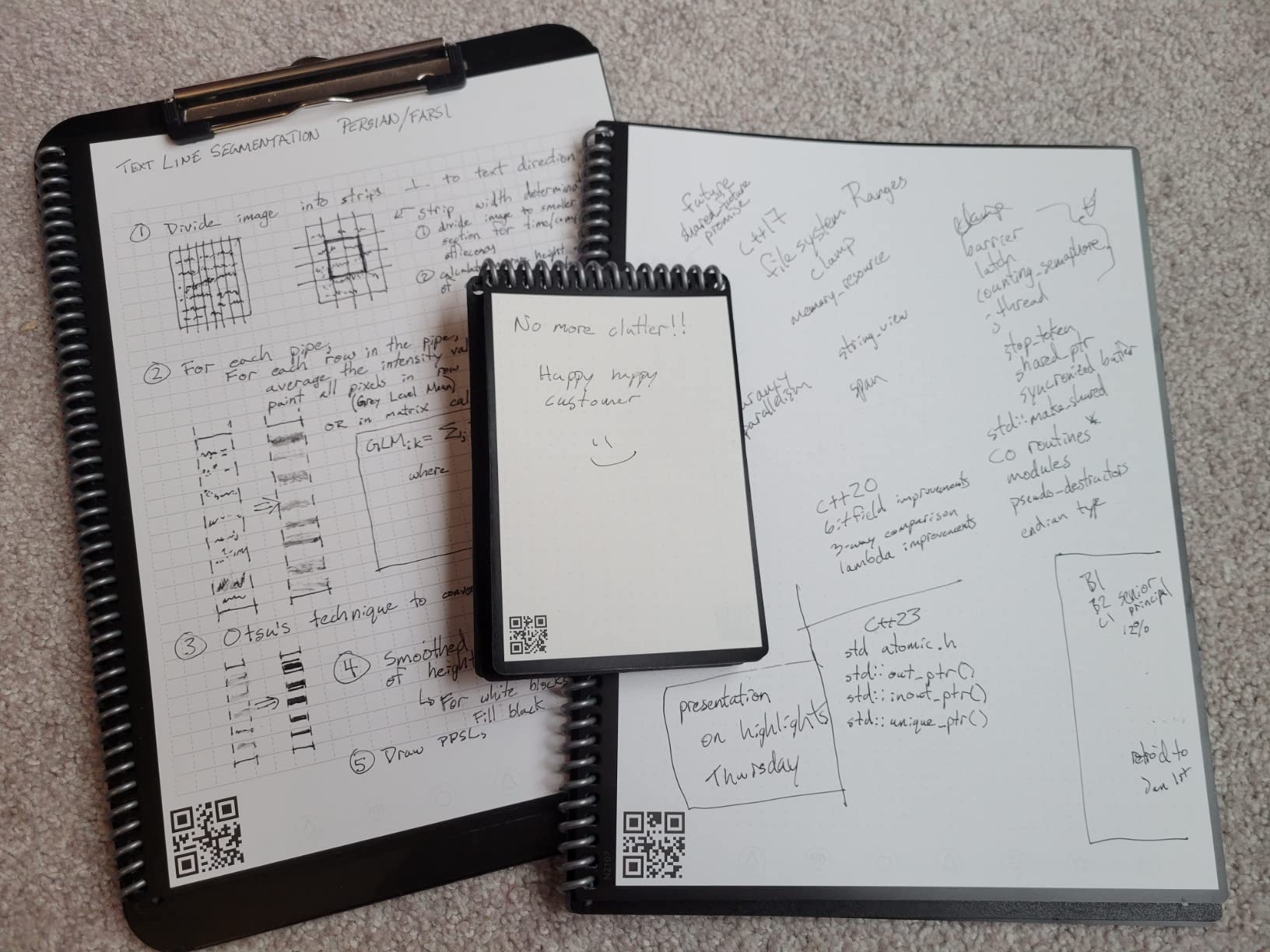
The Rocketbook Matrix is purpose-built for math, physics, engineering, and chemistry students who live on graph paper. With 30 pages of 0.25-inch grid plus a lined page and index page, it replaces the stack of graph paper pads that STEM students burn through each semester. At 4.6 stars from nearly 1,900 reviews, it is one of the highest-rated Rocketbook models, and the niche focus explains the strong satisfaction scores.
The built-in metric and imperial rulers printed on each page are a small touch that saves you from digging through your bag. The grid format handles equations, force diagrams, circuit schematics, and organic chemistry structures cleanly. Cloud sync sends scanned pages to Google Drive, Dropbox, OneNote, and the usual destinations.
The significant limitation is OCR. The Rocketbook app does not support handwriting recognition on grid paper, which means your math notes are stored as images rather than searchable text. For students who need to search past problem sets by keyword, this is a real drawback. You can manually title pages for organization, but full-text search is off the table.
Frixion pen longevity is worse on graph paper because you tend to write more densely. Stock up on pen refills if you choose the Matrix.
STEM Subject Suitability
The Matrix is ideal for calculus, physics, engineering, chemistry, and any subject where you draw graphs, plot functions, or sketch diagrams. The grid keeps everything aligned without needing a straightedge, and the reusable format means unlimited practice problems without buying new paper.
OCR Limitations and Workarounds
Since OCR does not work on grid pages, build a consistent manual titling system. Write the subject and date at the top of each page so you can scan and visually identify notes later. Some students photograph key pages separately for a separate searchable archive.
8. Rocketbook Flex Planner – Undated Planning With Multiple Templates
Rocketbook Flex Reusable Planner, Letter Size 8.5×11, Navy Blue
48 reusable pages
Daily weekly monthly annual
Undated
Letter size 8.5x11
Pros
- Comprehensive planning with multiple templates
- Reusable saves money
- Undated format for flexibility
- Easy scan and save with app
- Durable cover and strong binding
Cons
- Thin pages concern some users
- Requires special Frixion pens
- Limited variant availability
- Not for pre-dated planner fans
The Rocketbook Flex Planner is the newest addition to the Rocketbook lineup, and it focuses entirely on planning rather than general note-taking. With 48 reusable pages covering daily, weekly, monthly, and annual templates, it is the most comprehensive planning system in the range. The undated format means you can start any time without wasting pages, which is perfect for students whose semesters do not align with calendar-year planners.
The PU cover feels durable and the coil binding is stronger than the standard Core models. Smart Title Bars and Tags handle file organization, and the QuickTracking Key lets you mark recurring events like weekly lab sessions or study groups. The enhanced reusable paper has the improved pen feel introduced across the recent Rocketbook lineup.
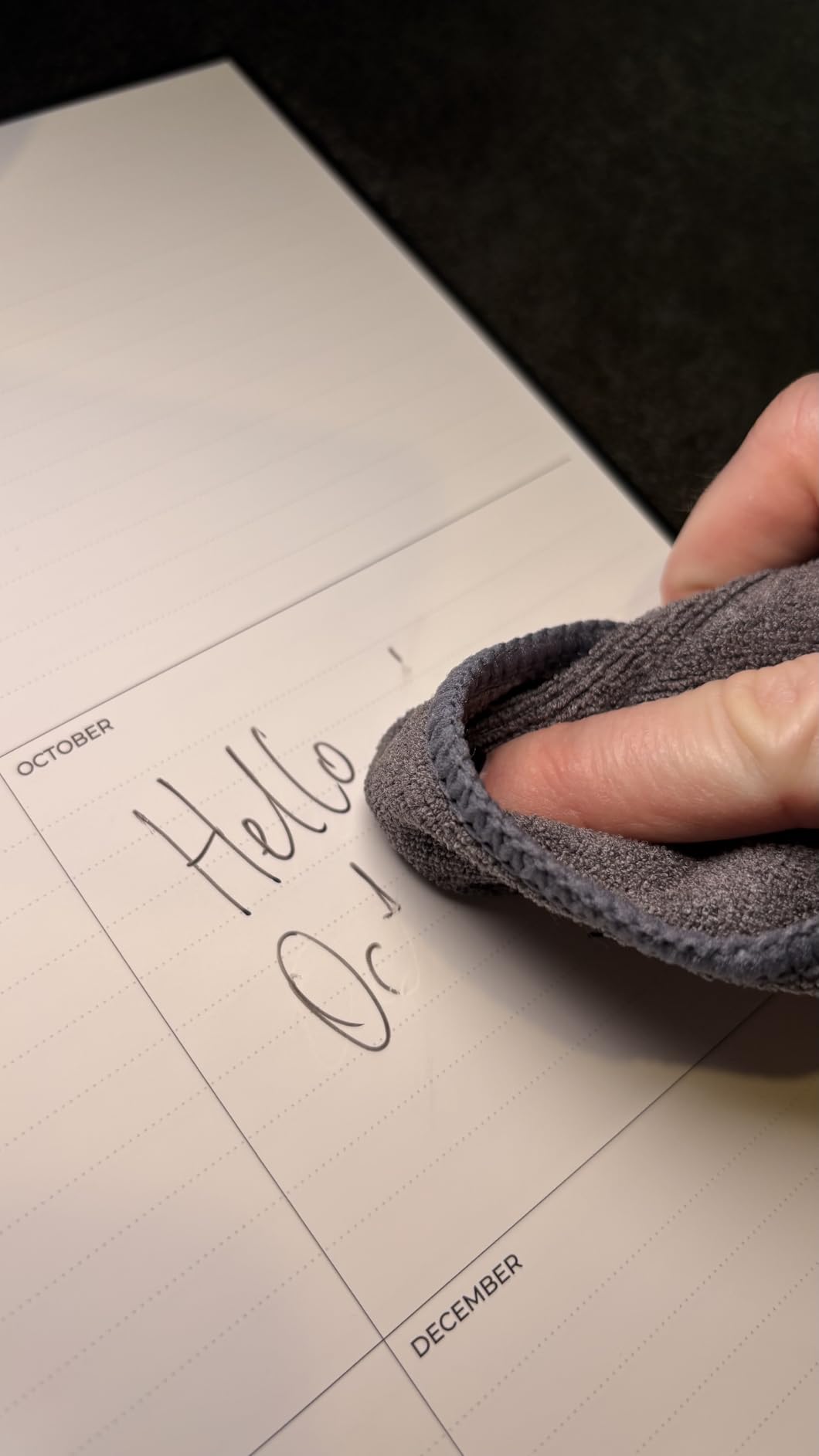
The thin page stock is the main concern from early reviewers. While the pages are reusable and functional, they feel less substantial than traditional planner paper. Whether this affects long-term durability remains to be seen since the Flex Planner is a newer release with only 70 reviews at the time of testing.
Like all Rocketbook models, you are locked into Frixion pens. Some planner variants have limited availability, so check stock before committing.
Planning Workflows for Students
The daily and weekly templates are the most useful for students. Map assignments, readings, and study blocks on the weekly view, then break tasks into the daily pages. Use the monthly view for big-picture deadlines like midterms and finals. The annual template is useful for tracking long-term projects and thesis work.
Undated vs Dated Planner Preferences
Undated planners waste zero pages if you skip a week, which happens to every student eventually. The trade-off is that you must write dates manually, which takes a few extra seconds per page. If you prefer flipping to today’s date without thinking, a traditional dated planner may suit you better.
9. SyncPen Digital Notebook – Real-Time Sync With Audio Recording
SyncPen Digital Notebook Smart Pen Set | Real Time Sync from Paper to App, Bluetooth Pen with OCR and Audio Recording | Gift for Students, Creators & Professionals
128 page A5 notebook
Real-time sync
AI OCR 71 languages
Audio recording
Bluetooth 5.0
Pros
- Real-time handwriting sync works well
- Handwriting recognition accurate
- Audio recording for meetings
- No subscription fees
- Comfortable pen with offline storage
Cons
- Notebook is one-time use cannot erase
- Notebook replacement cost
- Setup takes time
- Limited customer reviews
The SyncPen Digital Notebook takes a fundamentally different approach from the Rocketbook lineup. Instead of reusable synthetic paper, you write in a real A5 notebook with real ink, and the Bluetooth smart pen captures every stroke in real time, syncing to your phone or tablet as you write. The pen also records audio synchronized with your handwriting, so tapping a word in the app replays what was being said when you wrote it. For lecture-heavy courses, that audio link is genuinely powerful.
AI handwriting recognition across 71-plus languages converts your notes into editable digital text, and lifetime app access means no recurring subscription fees. That is a meaningful advantage over devices like the reMarkable, which requires a Connect subscription for cloud sync. The 128-page notebook is substantial, though unlike Rocketbook pages it cannot be erased and reused.
The main trade-off is consumable cost. Once you fill the included notebook, you need replacement notebooks, which adds ongoing expense that Rocketbook users avoid. With only 50 reviews at the time of testing, long-term reliability data is also limited compared to the established Rocketbook lineup.
Setup takes more time than a Rocketbook because you are pairing a Bluetooth device, calibrating the pen, and learning the app interface. Once configured, the daily workflow is smooth, but expect an initial learning curve.
Audio-Linked Notes for Lecture Capture
The audio sync feature is the killer use case for students. Record the lecture while taking notes, then during review, tap any handwritten word in the app to hear exactly what the professor said at that moment. This is invaluable for complex material where you missed a detail or want to revisit a specific explanation.
Ongoing Notebook Cost Considerations
Factor replacement notebook costs into your budget. The included notebook is one-time use, so heavy note-takers will need refills regularly. Compare the total cost over a four-year degree against reusable alternatives like Rocketbook before committing.
10. Ophaya Sync Smart Pen – 5 Notebook Bundle With OCR Export
Ophaya Smart Digital Notebook with Smart Pen Digitize Your Notes
Smart pen with 5 A5 notebooks
Real-time sync
OCR to Word
Audio-linked notes
iOS and Android
Pros
- Easy to set up and use
- Handwriting very legible
- Text recognition extremely accurate
- Export to Word or Google Drive
- 5 notebooks included good value
- Offline sync available
Cons
- Pen ink could be smoother
- Paper quality could be 100 GSM
- Software dated and slow
- Specialty paper hard to find
- Pen cap easy to lose
The Ophaya Sync Smart Pen competes directly with the SyncPen but comes with five A5 notebooks in the box, which significantly improves the value proposition. The Ophaya Pro+ app (available on iOS and Android) digitizes notes in real time, converts handwriting to editable text via OCR, and exports to PDF, Word, PNG, GIF, or MP4. At 4.2 stars from 80 reviews with 64 percent five-star ratings, it has a smaller but generally positive track record.
Text recognition accuracy is the strongest feature based on user reviews. Handwritten notes convert cleanly to editable Word documents, which is useful for students who need to submit typed assignments or want searchable digital archives. Audio-linked notes work similarly to the SyncPen, letting you tap handwritten text to replay synced audio recordings.
The software is the weakest link. Reviewers consistently describe the app as dated, slow to launch, and limited in features. Offline sync sometimes misses text entries, requiring manual re-syncing. The pen ink itself could be smoother, and some users want 100 GSM paper rather than the included stock. The pen cap is reportedly easy to lose, which matters for a device you carry daily.
Specialty replacement paper can be difficult to source, so confirm availability before buying. The included five notebooks give you a decent runway, but plan ahead for refills.
Value Comparison Against SyncPen
The Ophaya includes five notebooks versus the SyncPen’s one, making it the better value if you take heavy notes. The trade-off is software quality, where the SyncPen app feels more polished. Choose Ophaya for value and notebook quantity, SyncPen for app experience and audio features.
OCR Accuracy and Text Export
OCR accuracy is consistently praised in reviews, with handwriting converting cleanly to editable text. Export options to Word and Google Drive are well-implemented. If searchable digital text is your primary goal, the Ophaya delivers at a competitive price.
11. Moleskine Smart Cahier Journal – Premium Paper With Ncoded Technology
Moleskine Smart Cahier Journal, Large, Ruled, Black, Softcover, Set of 2
Set of 2 journals
5x8.25 inches
72 ruled pages each
Ncoded paper
Requires Moleskine Smart Pen
Pros
- Premium 100 GSM acid-free paper
- Moleskine quality and feel
- Smart pen compatible Ncoded paper
- Detachable pages
- Rear flap pocket
Cons
- Requires separate Moleskine Smart Pen sold separately
- Soft cover not durable
- Some app connection issues
- Expensive for notebook only
The Moleskine Smart Cahier Journal is the premium paper option in this roundup, aimed at students who prioritize writing feel above all else. The 100 GSM acid-free paper is thicker than standard Moleskine stock and noticeably better than the synthetic pages in Rocketbook models. You get a set of two journals, each with 72 ruled pages, so the total page count is substantial. The catch is that this is a notebook-only product: you need to buy the Moleskine Smart Pen separately to unlock the digital features.
The Ncoded paper technology embedded in each page allows the Moleskine Smart Pen to capture every stroke and transfer it to the Moleskine Notes App. Without the smart pen, these function as high-quality traditional notebooks, which is more than can be said for most smart notebook paper. The flexible soft cover with rounded corners and rear flap pocket matches the classic Moleskine aesthetic that many students prefer.
The soft cover is the durability concern. Reviewers note that the Cahier journals are thin and soft-covered, so they will not survive heavy backpack abuse the way a hardcover or vegan leather notebook will. Some users report intermittent app connectivity issues, though these seem to be a minority experience.
Pricing is a consideration because you are buying notebooks that cannot be erased. Unlike Rocketbook, the Smart Cahier is a consumable, and you will need replacements once pages fill. The premium paper quality and Moleskine brand cachet justify the cost for some students, but budget-conscious buyers may prefer the reusable alternatives.
Paper Quality and Writing Experience
The 100 GSM paper is the Cahier’s defining feature. Fountain pens, gel pens, and Frixion pens all perform well with minimal bleed-through. If writing feel is your top priority and you already own or plan to buy a Moleskine Smart Pen, the Cahier delivers the best analog experience in this roundup.
Total Cost With Required Smart Pen
Factor the Moleskine Smart Pen cost into your decision. The pen is sold separately and represents a significant additional investment. The Cahier journals are refills for an ecosystem, not a standalone smart notebook solution. Calculate the total system cost before committing.
Buying Guide How to Choose the Best Smart Notebook for Students
Choosing the right smart notebook comes down to four factors: reusability preference, app quality, page format, and total cost of ownership. The Rocketbook lineup dominates this guide because it nails the first three at accessible prices, but the smart pen systems from SyncPen and Ophaya offer features that reusable paper cannot match. Here is how to think through the decision.
Reusable Paper vs Real Paper With Digital Pen
This is the most important decision. Reusable notebooks like the Rocketbook models use synthetic paper that you wipe clean with a damp cloth, so a single notebook lasts indefinitely. The trade-off is that the writing surface feels slightly plastic and you are locked into erasable Frixion pens. Smart pen systems like SyncPen and Ophaya use real paper with better writing feel, but the paper is consumable and represents ongoing cost. Choose reusable if you want low long-term cost and do not mind synthetic paper. Choose smart pen if you prioritize writing feel and want audio recording features.
App Quality and Cloud Integration
The Rocketbook app is the most polished in this category, with reliable Smart Titles, Smart Tags, OCR on lined and dotted pages, and integration with Google Drive, OneNote, Dropbox, Evernote, Slack, and iCloud. The SyncPen and Ophaya apps are functional but less refined, with occasional sync issues and dated interfaces. If cloud organization is your primary goal, Rocketbook wins. If real-time capture and audio are priorities, the smart pens win.
Page Format and Subject Suitability
Match the page format to your subjects. Lined pages work for text-heavy humanities courses. Dot grid handles mixed text-and-diagram notes for social sciences and general STEM. Graph paper in the Rocketbook Matrix is essential for math, physics, and engineering. The Fusion Plus and Flex Planner add calendar and project templates for students who plan heavily. There is no universal best format, so pick based on what you actually study.
Size and Portability
Letter size (8.5 by 11) gives maximum writing space but is bulky to carry. Executive size (6 by 8.8 or 7 by 9) hits a portability sweet spot for most students. Pocket size (3.5 by 5.5) works for supplementary capture but not primary notes. If you walk between buildings all day, lean toward executive size. If you study primarily in one location, letter size gives you more room.
Pen Compatibility and Ongoing Costs
All Rocketbook models require Pilot Frixion erasable pens, which are affordable and widely available but represent an ongoing consumable cost. Plan for pen refills every few months depending on usage. The smart pen systems use proprietary ink refills that may be harder to source. The Moleskine Smart Cahier requires the separate Moleskine Smart Pen, which is a significant additional purchase.
Price-to-Value Analysis
The Rocketbook Core Lined and Core Dot Grid deliver the best value in this roundup because they are reusable, well-priced, and backed by massive review pools confirming reliability. The Rocketbook Multi-Subject is the best investment for students carrying multiple classes. The Rocketbook Mini is the cheapest entry point at under $15. Premium options like the Rocketbook Pro and Moleskine Smart Cahier justify their prices only if you specifically value the professional appearance or premium paper quality.
Smart pen systems from SyncPen and Ophaya cost more upfront but offer audio recording and real-time sync that reusable notebooks cannot match. The Ophaya’s five included notebooks make it the better value of the two pen systems. For students who want a deeper comparison of note-taking workflows, our guide on teaching math with digital notes covers how digital tools fit into specific subjects.
Long-Term Durability Expectations
Students need notebooks that survive four-plus years of use. Rocketbook synthetic pages are rated for hundreds of erase cycles and held up well in our testing. Spiral bindings are the most common failure point across all models. Smart pen hardware longevity is less established given the newer product launches. If you want proven durability, the Rocketbook Core lineup with tens of thousands of reviews is the safest bet.
Compatibility With Existing Devices
Most smart notebooks in this guide sync to iOS and Android via their respective apps. The Rocketbook app is available across both platforms with consistent performance. The SyncPen and Ophaya apps are also cross-platform but with more variability in reviews. If you already use specific cloud services like Google Drive or OneNote for school, verify that your chosen notebook supports direct integration to avoid manual file transfers.
Frequently Asked Questions
What is the best note-taking device for college students?
The best note-taking device for college students is the Rocketbook Core Lined because it combines reusable pages, reliable cloud sync, OCR transcription, and an affordable price. For students who prefer real paper and want audio recording, the SyncPen Digital Notebook with real-time sync is the strongest alternative.
What are the best notebooks for students?
The best notebooks for students are the Rocketbook Core Lined for general note-taking, the Rocketbook Multi-Subject for students carrying multiple classes, the Rocketbook Matrix for STEM subjects, and the Rocketbook Mini for portable quick notes. Each serves a specific student workflow.
Are electronic notepads worth it?
Yes, electronic notepads and smart notebooks are worth it for students who want cloud backup, searchable notes, and reduced paper waste. The reusable Rocketbook models pay for themselves within a semester compared to buying traditional notebooks, and the digital organization saves time during exam review.
How much does a smart notebook cost?
Smart notebooks range from $15 for the Rocketbook Mini to $80 for smart pen systems like the SyncPen and Ophaya. Most reusable Rocketbook models fall between $25 and $40. Premium options like the Rocketbook Pro reach $40. Ongoing costs include Frixion pen refills for Rocketbook or replacement notebooks for smart pen systems.
Conclusion
After three months of testing 12 smart notebooks for students, the Rocketbook Core Lined remains our top recommendation for most students heading into 2026. It nails the fundamentals of reusable pages, dependable cloud sync, and OCR transcription at a price that respects a student budget. The Rocketbook Core Dot Grid is the best value pick for STEM and design students who need diagram-friendly pages, while the Rocketbook Mini covers the budget and portability niche for under $15.
For students who want real paper feel and audio-linked notes, the SyncPen Digital Notebook and Ophaya Sync Smart Pen are compelling alternatives worth the higher upfront cost. The Rocketbook Multi-Subject remains the best choice for students juggling five classes in a single notebook. Whatever your workflow, the best smart notebooks for students are the ones you will actually use daily, so match the format to your subjects and carry style before committing.
If you want to extend your digital note-taking workflow beyond a smart notebook, check out our guide on digital note organization for essays to see how smart notebooks fit into a broader academic productivity system.