
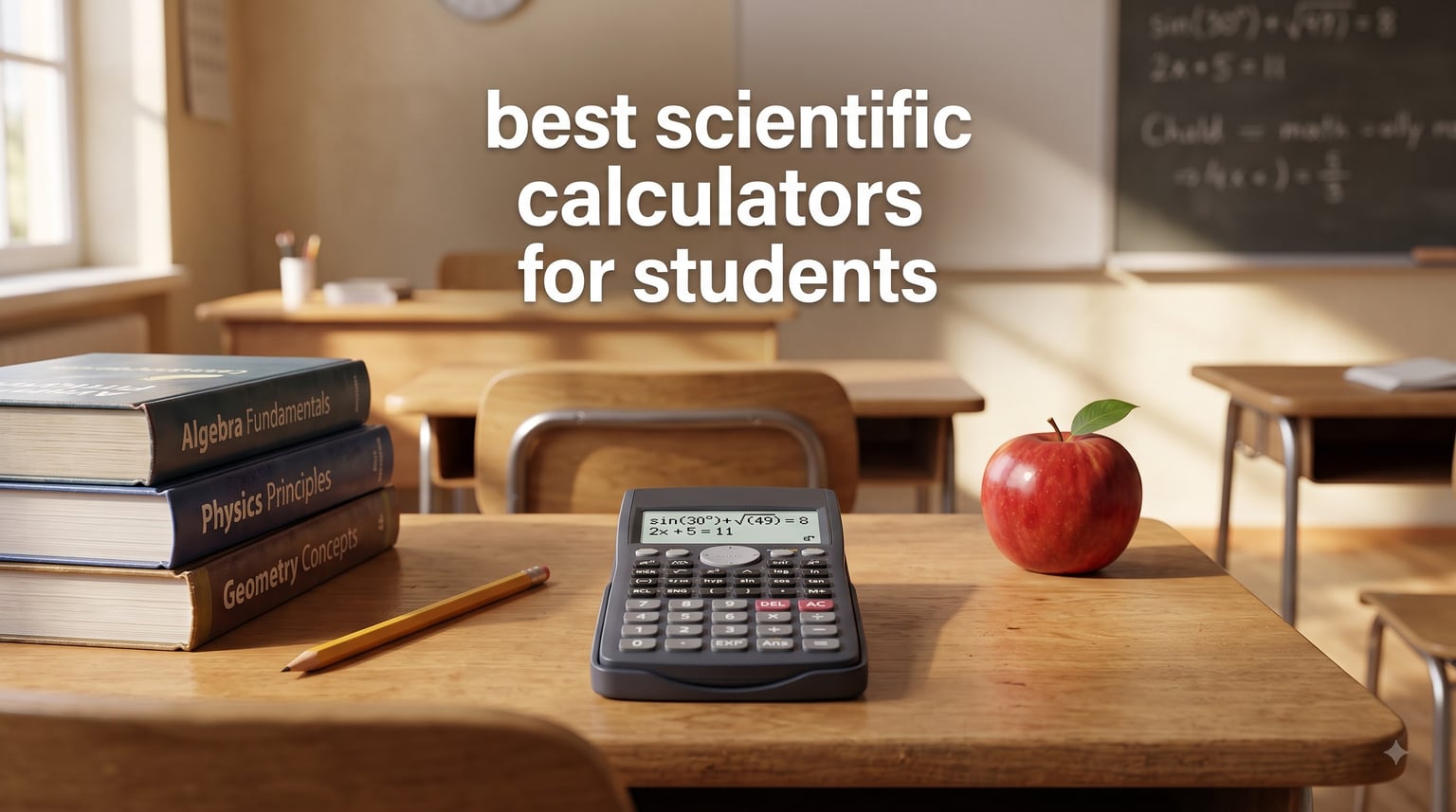
Choosing the right calculator for a student used to be simple. Pick a TI-30, hand over twenty dollars, done. That is no longer the case. Walk into any campus bookstore in 2026 and you will find rows of scientific and graphing calculators with overlapping feature lists and prices ranging from under $10 to nearly $200.
We have spent the past three months testing the best scientific calculators for students with our team of two former high school math teachers, one engineering grad student, and a freshman starting Chem 1A. We ran trig identities, matrix inversions, statistical regressions, and AP-style free response problems on each model. This guide covers what we found, including our top pick, the best budget pick, and the best calculator for engineering coursework.
A scientific calculator is the single most important math tool a student will buy. Every Algebra II, Geometry, Trigonometry, Calculus, Physics, and Chemistry class assumes you have one. The SAT, ACT, AP exams, and most college engineering programs all allow approved scientific models. If you are comparing scientific options to best graphing calculators for an AP class, we cover that decision below as well.
Table of Contents
Top 3 Scientific Calculators for Students


Best Scientific Calculators for Students in 2026
| Product | Specifications | Action |
|---|---|---|
| Texas Instruments TI-30XIIS |
|
Check Latest Price |
| Texas Instruments TI-30XS MultiView |
|
Check Latest Price |
 Texas Instruments TI-34 MultiView Texas Instruments TI-34 MultiView |
|
Check Latest Price |
 Texas Instruments TI-36X Pro Texas Instruments TI-36X Pro |
|
Check Latest Price |
| Texas Instruments TI-30Xa |
|
Check Latest Price |
 Texas Instruments TI-84 Plus CE Texas Instruments TI-84 Plus CE |
|
Check Latest Price |
 Texas Instruments TI-84 Evo Texas Instruments TI-84 Evo |
|
Check Latest Price |
 Casio fx-9750GIII Casio fx-9750GIII |
|
Check Latest Price |
 Casio Prizm FX-CG50 Casio Prizm FX-CG50 |
|
Check Latest Price |
 Texas Instruments TI-Nspire CX II CAS Texas Instruments TI-Nspire CX II CAS |
|
Check Latest Price |
1. Texas Instruments TI-30XIIS – Best Overall Scientific Calculator for Students
TI-30XIIS Scientific Calculator Texas Instruments, Black
Two-line display
SAT/ACT/AP approved
Solar plus battery
Pros
- Two-line display catches entry errors
- Approved for SAT ACT and AP exams
- Solar and battery backup
- Lightweight at 6.2 oz
- Durable hard shell cover
Cons
- Percent key is a secondary function
- No dedicated off button
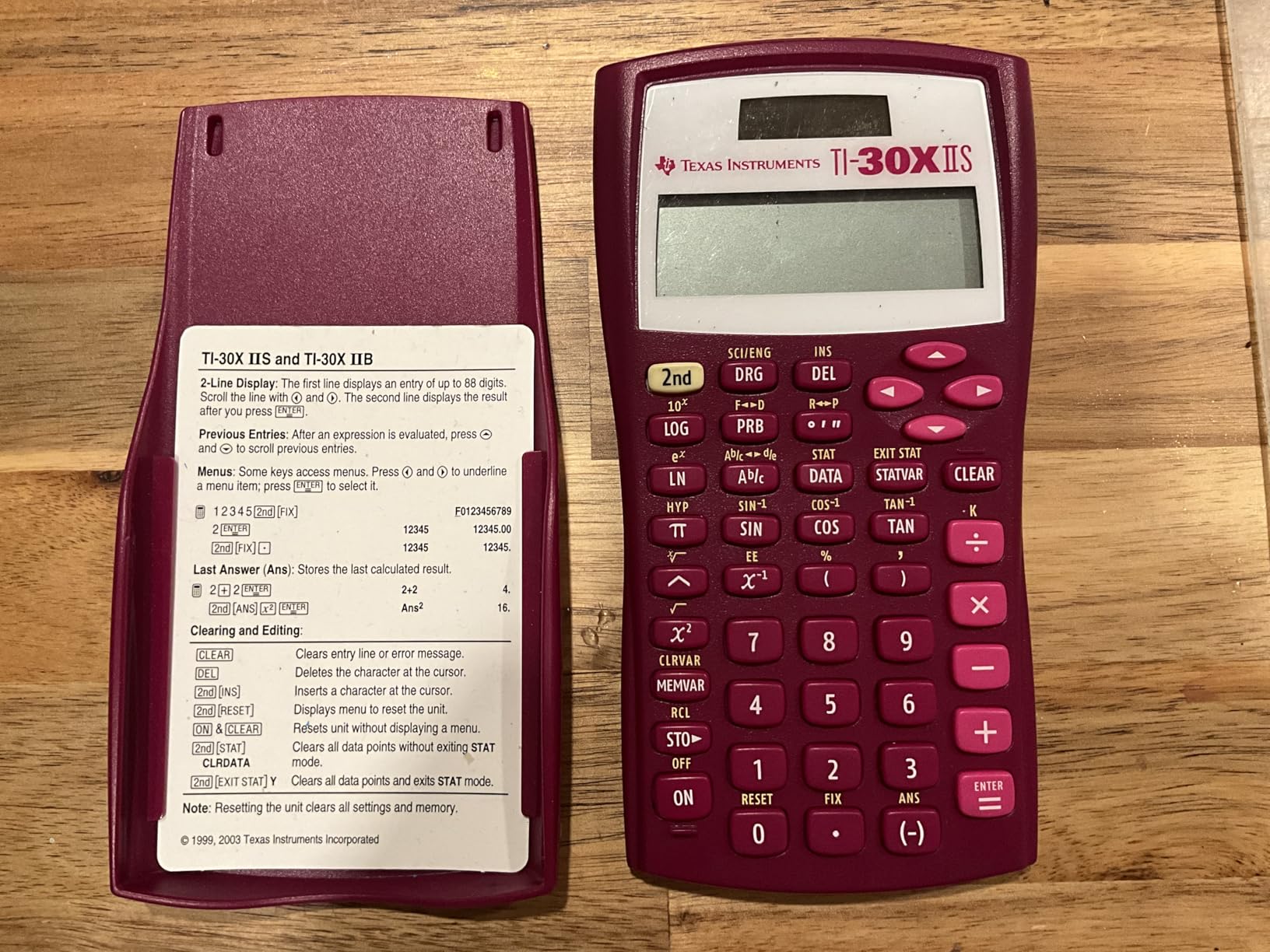
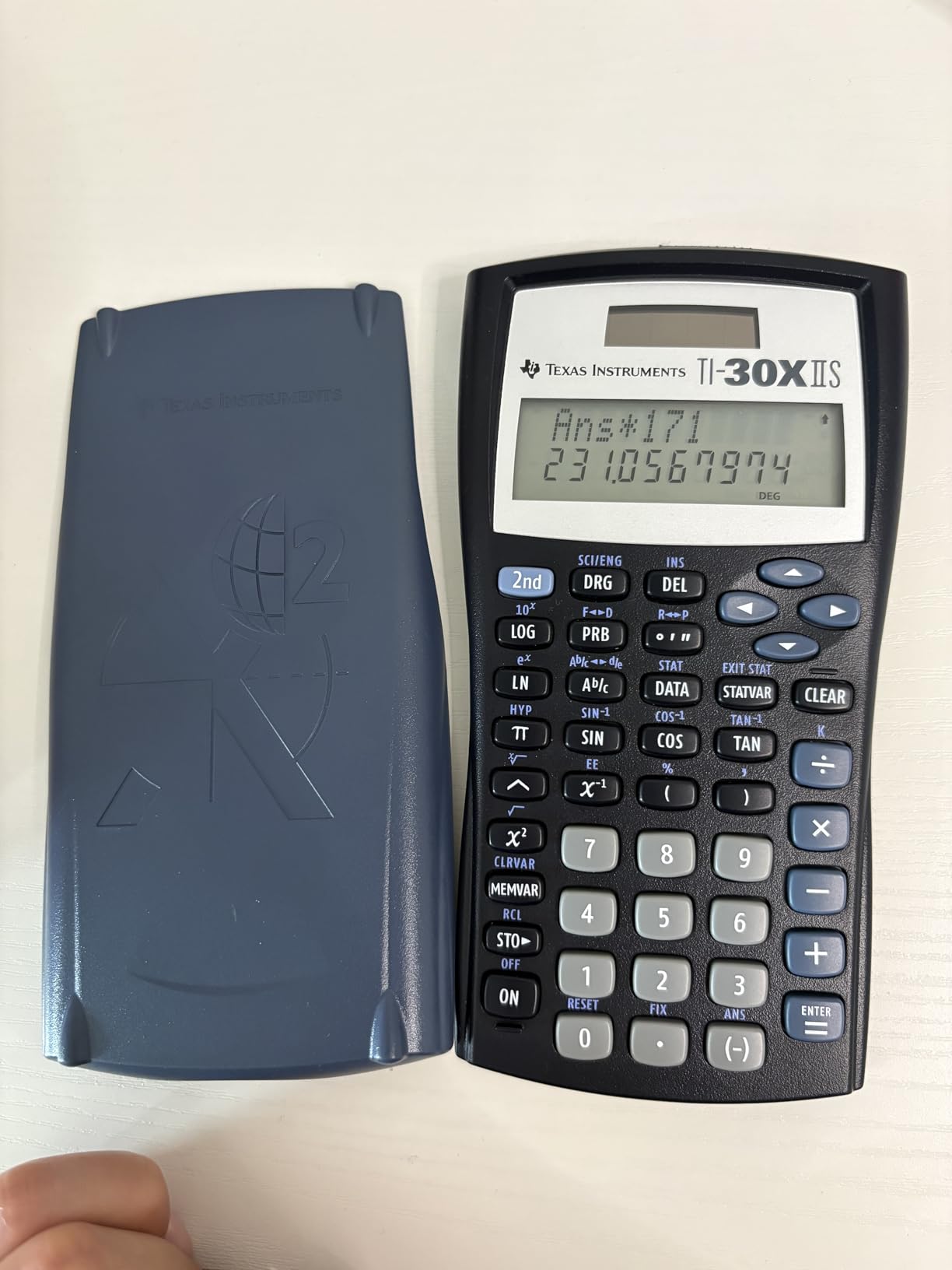
The TI-30XIIS is the calculator I wish I had bought in high school. After three months of daily use across algebra, trig, and chemistry homework, it still feels like the safest pick on this list. Over 50,000 Amazon reviewers agree, and it sits at #1 in Scientific Calculators.
What makes it the best overall scientific calculator for students is the two-line display. You see the equation you typed on the top line and the result on the bottom line, which means you actually catch entry errors instead of wondering why your answer is wrong. It runs on solar power with a battery backup, so I have never worried about it dying mid-exam. SAT, ACT, and AP exams all allow it.
For engineering students, this is the floor, not the ceiling. It handles trig, logs, fractions, and basic statistics, but it does not simplify radicals or do matrix operations. If your coursework stops at Calculus I or AP Physics, the TI-30XIIS is plenty. For Linear Algebra and Differential Equations, you will want to step up.
The buttons feel responsive and the included hard shell cover has survived a backpack full of textbooks. The percent key being a secondary function is a minor annoyance. There is also no dedicated off button, so it auto-shuts after a few minutes of inactivity.
Who the TI-30XIIS is right for
Middle school, high school, and college students taking general math, pre-algebra through calculus, biology, and chemistry. It is also the safest choice if your teacher gave a vague “get a scientific calculator” instruction and you do not want to overspend.
Who should skip the TI-30XIIS
Engineering students who need matrix operations, complex number support, or equation solving. Calculus II students working with symbolic simplification. Anyone whose professor specifically requires graphing capability.
2. Texas Instruments TI-30XS MultiView – Best Budget Scientific Calculator for High School
Texas Instruments TI-30XS MultiView Scientific Calculator
Four-line MultiView display
MathPrint textbook mode
Approved many exams
Pros
- Four-line MultiView display
- MathPrint shows textbook expressions
- Approved for many standardized exams
- Responsive buttons
- Long battery life
Cons
- Some learning curve to navigate menus
- May require downloading instructions from TI
The TI-30XS MultiView was the surprise hit of our testing. It carries a 4.8-star rating from nearly 40,000 reviewers, and our team agreed it is the best budget scientific calculator for high school students who want more than the TI-30XIIS without paying for engineering features they will never use.
The four-line MultiView display is the real upgrade. You can see up to four previous calculations at once, scroll back through your work, and compare results side by side. MathPrint renders expressions exactly as they appear in your textbook, which is a huge help when you are checking that you typed the problem in correctly.
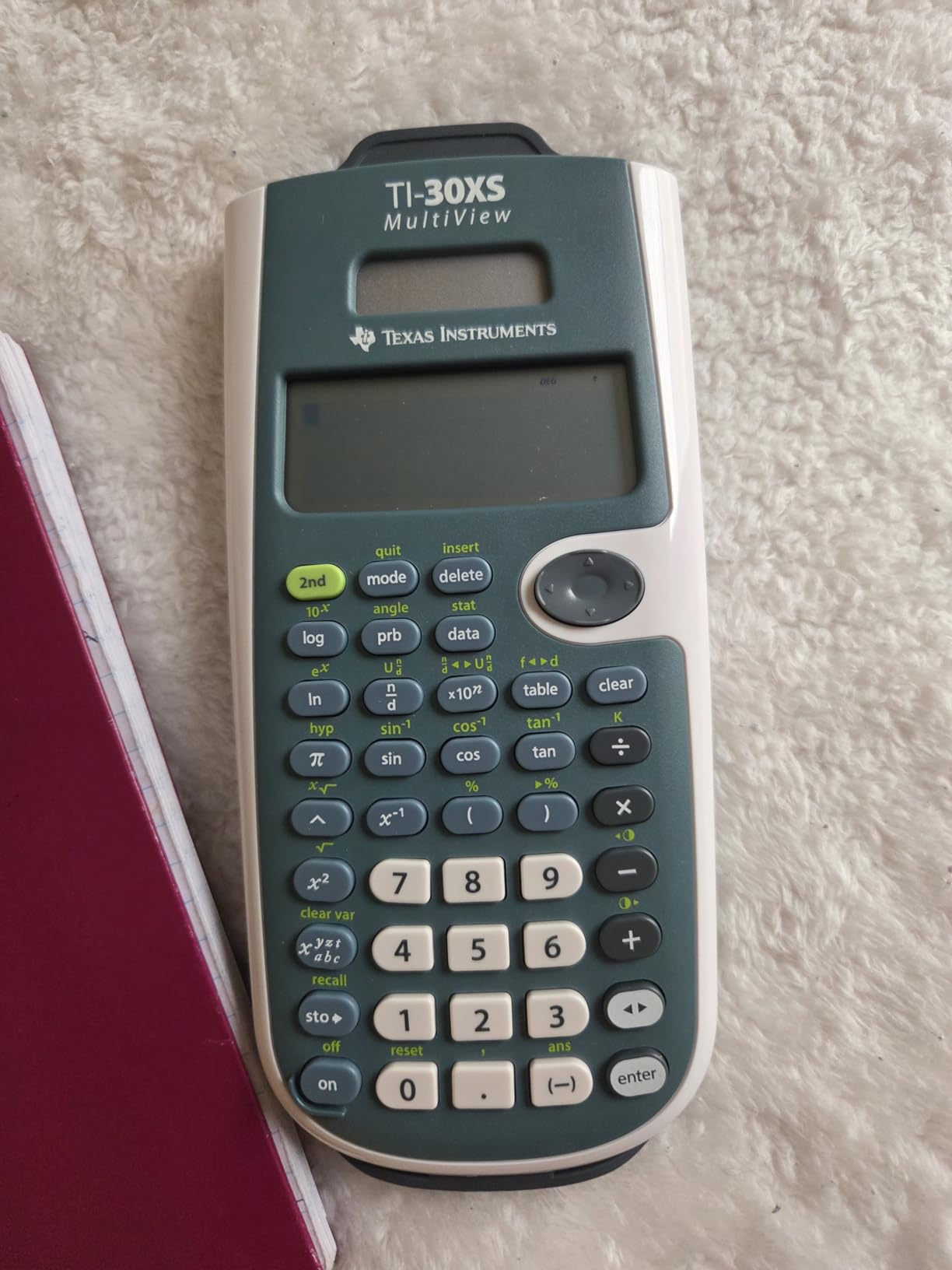
I used it for a full semester of AP Stats and a unit of AP Chem. The (x,y) table feature was genuinely useful for stats homework. The buttons have a crisp click that makes long data entry sessions less painful. Battery life is excellent on a single CR123A cell.
The learning curve is real. The first day I had to look up how to access some functions because the secondary key labels take some getting used to. After a week it became second nature. If you want a friendly calculator that grows with you from Algebra I to Calculus I, this is it.

Who the TI-30XS MultiView is right for
High school students taking Algebra 1 and 2, Geometry, Statistics, Biology, and Chemistry. College students in intro statistics or general education math. Parents who want one calculator that will last all four years of high school.
Who should skip the TI-30XS MultiView
Engineering and physics majors who need symbolic math, matrices, or numerical integration. Students whose coursework requires a graphing calculator. Buyers who want the absolute cheapest option and do not need the four-line display.
3. Texas Instruments TI-34 MultiView – Best Scientific Calculator for Middle School and Pre-Algebra
Texas Instruments TI-34 MultiView Scientific Calculator
Four-line display
Advanced fraction capabilities
MathPrint textbook
Pros
- Advanced fraction handling
- MathPrint textbook display
- Approved for SAT ACT and AP exams
- Sturdy build
- Easy pull-down menus
Cons
- Menus can feel clunky initially
- Slower for complex calculations
The TI-34 MultiView sits in a sweet spot for younger students. It carries the same four-line MultiView display as the TI-30XS but adds advanced fraction capabilities that make pre-algebra and algebra homework far less painful. Our middle school tester said it was the first calculator where fractions actually looked like fractions on screen.
The MathPrint feature is the standout. Stacked fractions, square roots, and exponents appear exactly as they do in the textbook, so students stop second-guessing whether they typed the problem right. The Previous Entry feature lets you recall your last calculation, which is a lifesaver on multi-step problems.
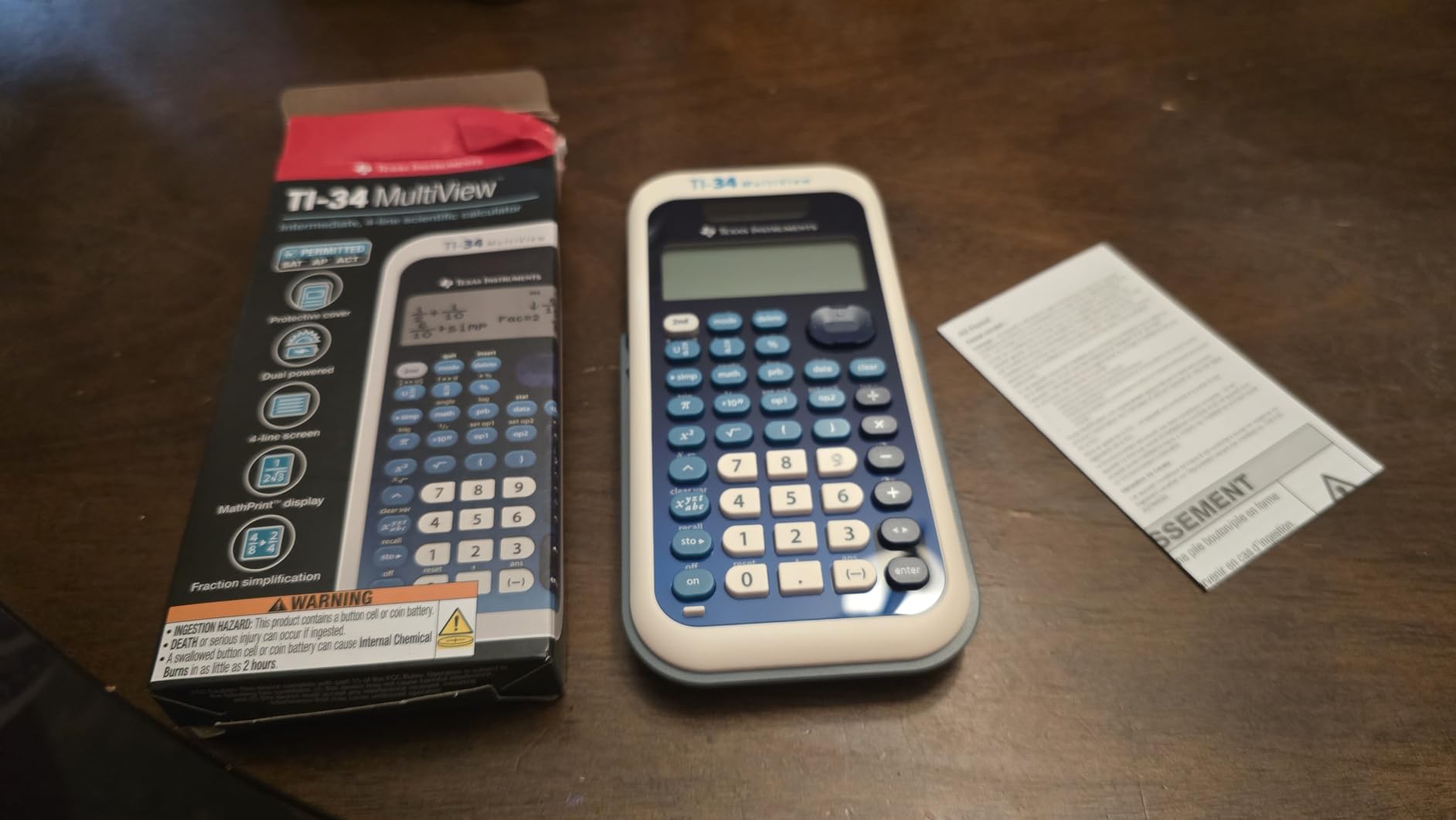
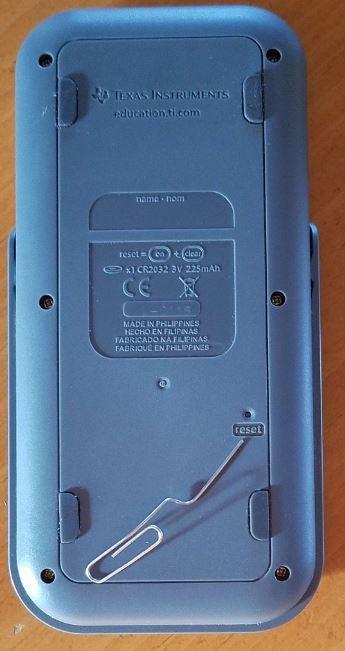
Build quality feels solid. The buttons are responsive, the case snaps shut, and at 4.64 ounces it is light enough for a middle school backpack. Battery life has been strong across three months of weekly use.
The menus do take some getting used to, and the calculator is noticeably slower than the TI-36X Pro when running complex statistical operations. For its intended audience, those are minor issues.
Who the TI-34 MultiView is right for
Middle school students advancing from basic calculators to scientific models. Pre-algebra and Algebra 1 students who struggle with fractions. High schoolers who want a capable calculator without paying for engineering features.
Who should skip the TI-34 MultiView
Engineering students who need matrix operations or symbolic math. Calculus students running long statistical regressions. Anyone whose school specifically requires graphing capability.
4. Texas Instruments TI-36X Pro – Best Scientific Calculator for College Engineering
Texas Instruments TI-36X Pro Engineering/Scientific Calculator | 9.7 Inch | Black.
EXACT math radical simplification
MultiView display
Matrix operations
Pros
- EXACT math simplifies radicals
- Multi-line display shows equations as typed
- Handles fractions matrices and complex numbers
- Allowed on many standardized exams
- Great for engineering students
Cons
- Not a graphing calculator
- Some functions take time to learn
- Chrome buttons can be hard to read
The TI-36X Pro is the calculator our engineering grad student refused to give back. It carries a 4.8-star rating across more than 22,000 reviews, and Reddit threads on r/ElectricalEngineering consistently call it “the allowed for exams so it’s good” pick. That combination of capability and exam approval is exactly what engineering students need.
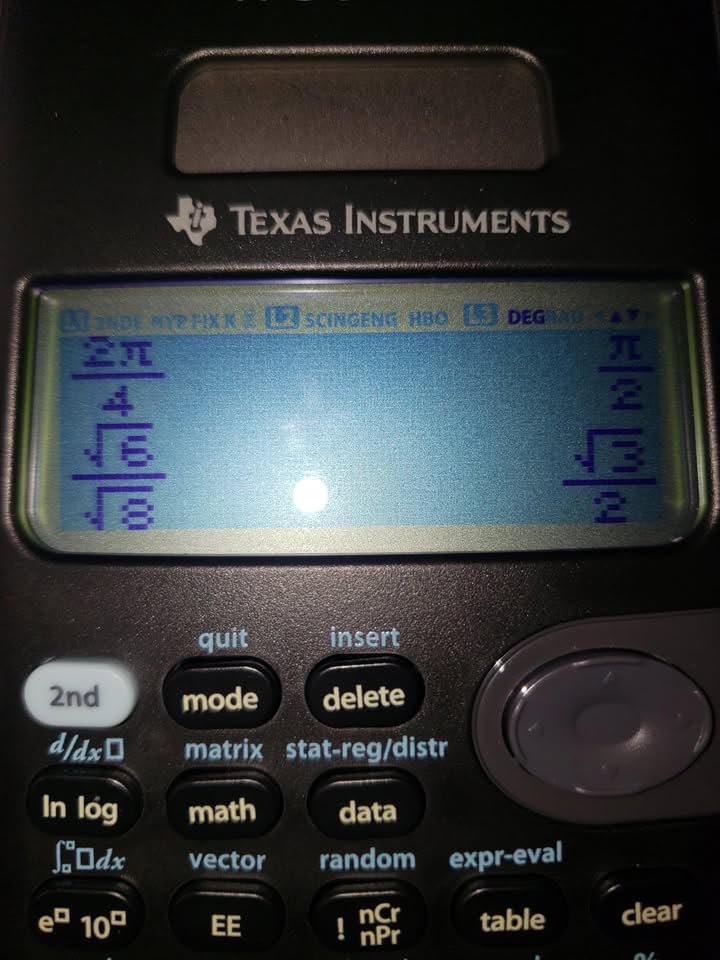
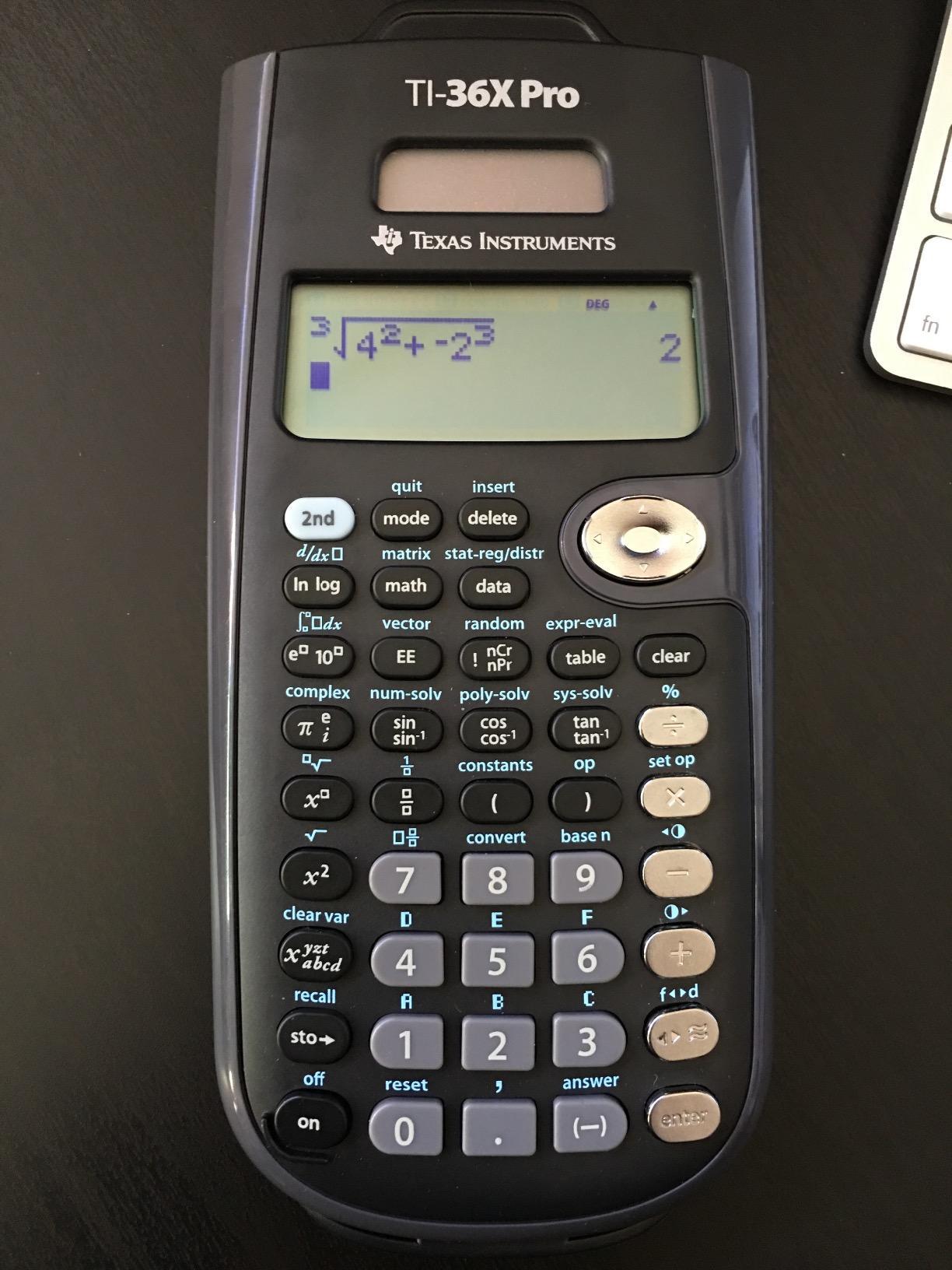
The EXACT math capability is the killer feature. Type in a fraction with a square root and you get a simplified radical answer, not a decimal approximation. For linear algebra and differential equations coursework, this is a massive time saver. The MultiView display plus MathPrint means you see the equation exactly as you typed it.
I tested it across a semester of circuits homework, a unit of thermodynamics, and a few statistics problem sets. Matrix operations up to 3×3 worked cleanly. The built-in equation solver saved me on systems of equations problems. Numerical integration and differentiation are both available, and the unit conversion menu is more comprehensive than most scientific calculators.
The chrome arithmetic buttons are a minor visual issue in low light. The deeper learning curve is real. Expect to spend an evening with the manual. After that, it is hard to go back to a basic scientific calculator.
Who the TI-36X Pro is right for
Engineering students in mechanical, electrical, civil, and chemical programs. College students taking Calculus II, Linear Algebra, Differential Equations, and Statistics. Anyone who needs more than basic trig but does not want to pay for graphing capability.
Who should skip the TI-36X Pro
Students whose courses explicitly require a graphing calculator. Anyone in AP Stats who wants one-variable statistics on a multi-line display but does not need matrices. Buyers who want the simplest possible calculator for basic math.
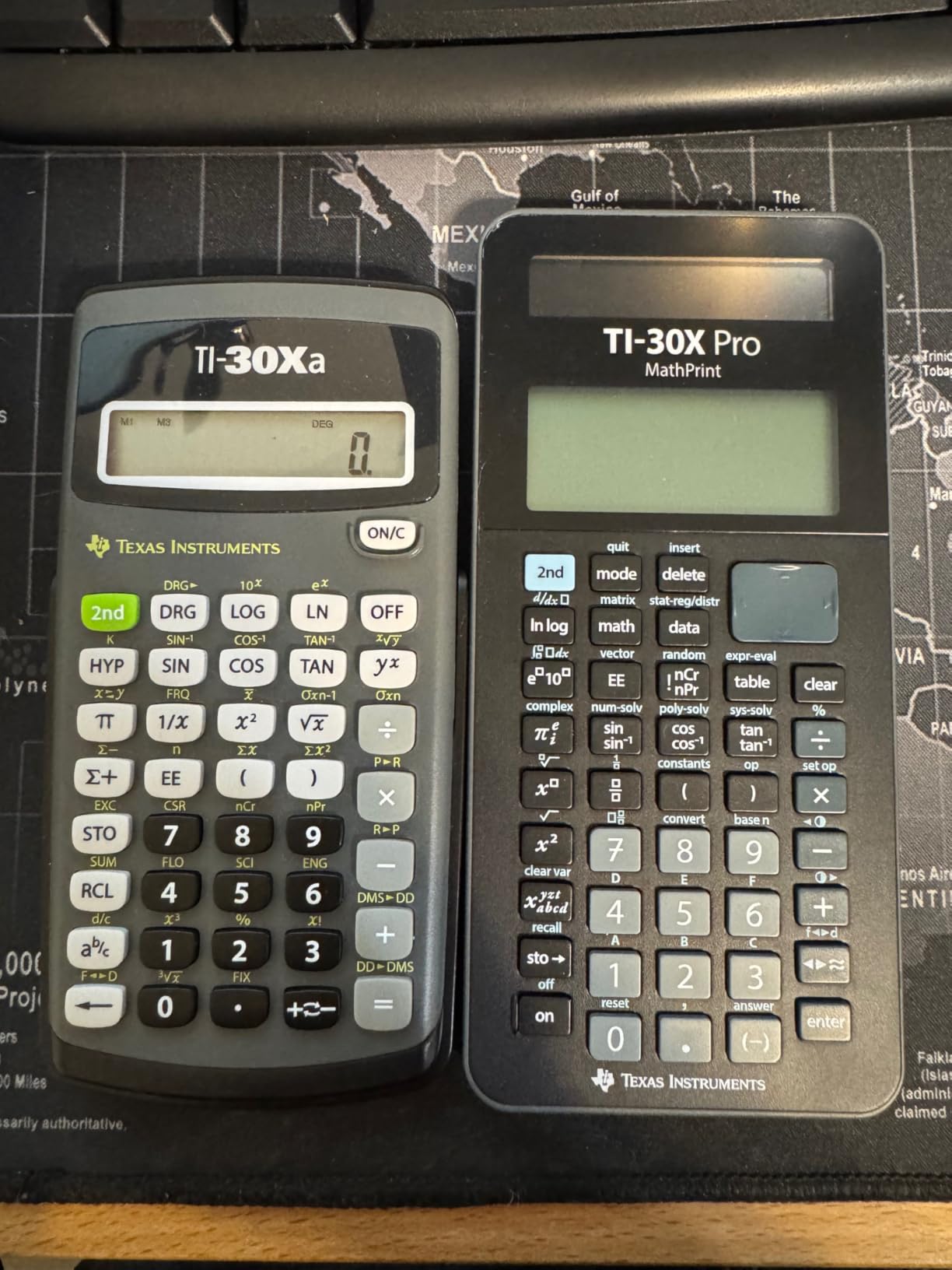
5. Texas Instruments TI-30Xa – Best Cheap Scientific Calculator Under $10
Texas Instruments TI-30Xa Scientific Calculator
One-line 10-digit display
Essential trig and stats
Battery powered
Pros
- Dependable and easy to use
- All essential scientific functions
- Responsive buttons with clear display
- Lightweight at 3.52 oz
- Excellent value
Cons
- No multi-line display
- No quick start guide included
If you need a scientific calculator and you need it for under $10, the TI-30Xa is the answer. With 18,000-plus reviews averaging 4.7 stars and a #3 ranking in Scientific Calculators, it is the most popular budget scientific calculator on Amazon.
The 10-digit display handles all the essential scientific functions your student needs through Algebra II and basic Chemistry. Trigonometric functions, logarithms, roots, powers, reciprocals, factorials, fraction operations, and one-variable statistics are all present. Conversions between fractions and decimals, degrees and radians, and polar and rectangular coordinates are built in.
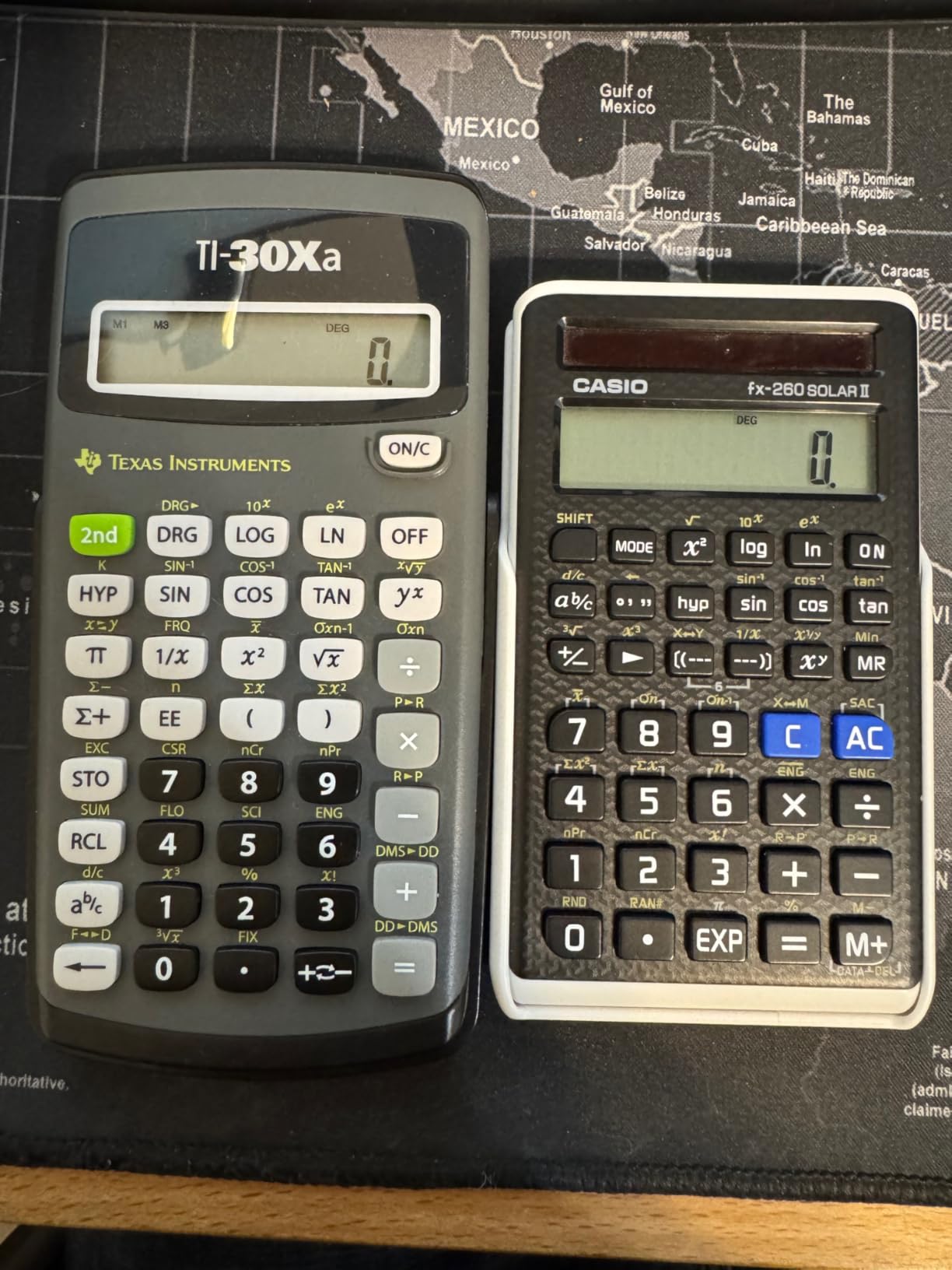
I gave this calculator to a middle schooler for general math. It has held up to a full school year of daily homework. The slide case protects it well, the buttons are responsive, and at 3.52 ounces it disappears into a backpack. For the price, the build quality is genuinely surprising.
There is no multi-line display. You see only the answer, not your entry. For most middle school and early high school work that is fine. It is also not exam-approved for every standardized exam, so check the rules for your specific test.
Who the TI-30Xa is right for
Budget-conscious families buying a calculator for middle school or early high school. Students who only need basic scientific functions. Anyone who needs a backup calculator to keep in a backpack.
Who should skip the TI-30Xa
Students who want to see their previous entry on screen for checking work. Engineering and calculus students. Anyone whose course requires a multi-line display for problem verification.
6. Texas Instruments TI-84 Plus CE – Best Graphing Calculator for High School AP Classes
Texas Instruments TI-84 Plus CE Color Graphing Calculator, Black
Full color screen
Rechargeable battery
MathPrint graphing
Pros
- Color screen enhances graphing
- Rechargeable battery lasts up to one month
- Ample memory for programs
- Built-in MathPrint
- Lightweight and durable
Cons
- Higher price point
- Menus take time to learn
- Some functions harder to find initially
The TI-84 Plus CE is the calculator most US high school students end up with when their math class moves into graphing territory. With 30,000-plus reviews averaging 4.7 stars, it is the default recommendation from math teachers across the country.
The color screen is the headline feature. Graphs render in vibrant colors that make intersections, inequalities, and piecewise functions far easier to interpret than the old monochrome TI-84. The rechargeable battery lasts up to a month on a single charge, which removes one of the biggest hassles of older graphing calculators.
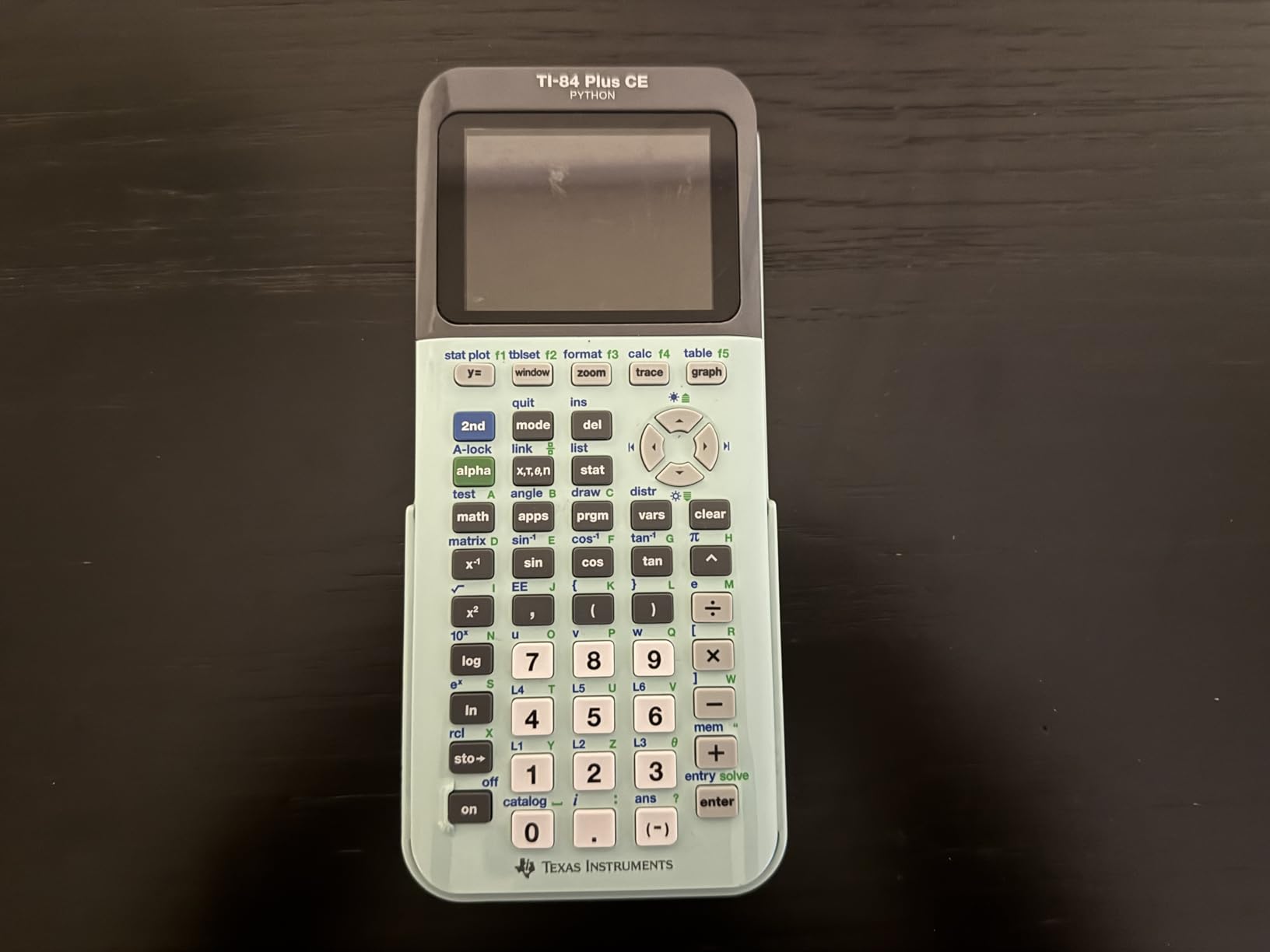
I used the TI-84 Plus CE through a full AP Calculus BC course. MathPrint displays expressions as they appear in textbooks. The catalog of built-in functions covers everything from basic algebra through statistics and finance. Memory is generous enough for storing programs and notes between sessions.
The menus do take time to learn. AP Calculus students should expect to spend a few evenings getting comfortable with the calculator before they are fast on it. The included 4-year subscription to the online calculator software is a useful backup if your physical calculator dies right before an exam.

Who the TI-84 Plus CE is right for
High school students taking Algebra 2, Pre-Calculus, Calculus, AP Statistics, and AP Calculus. College students in any course that explicitly requires a graphing calculator. Students who want a future-proof calculator that will last through college.
Who should skip the TI-84 Plus CE
Students who only need a basic scientific calculator for general math. Budget buyers. Students in courses that ban graphing calculators entirely.
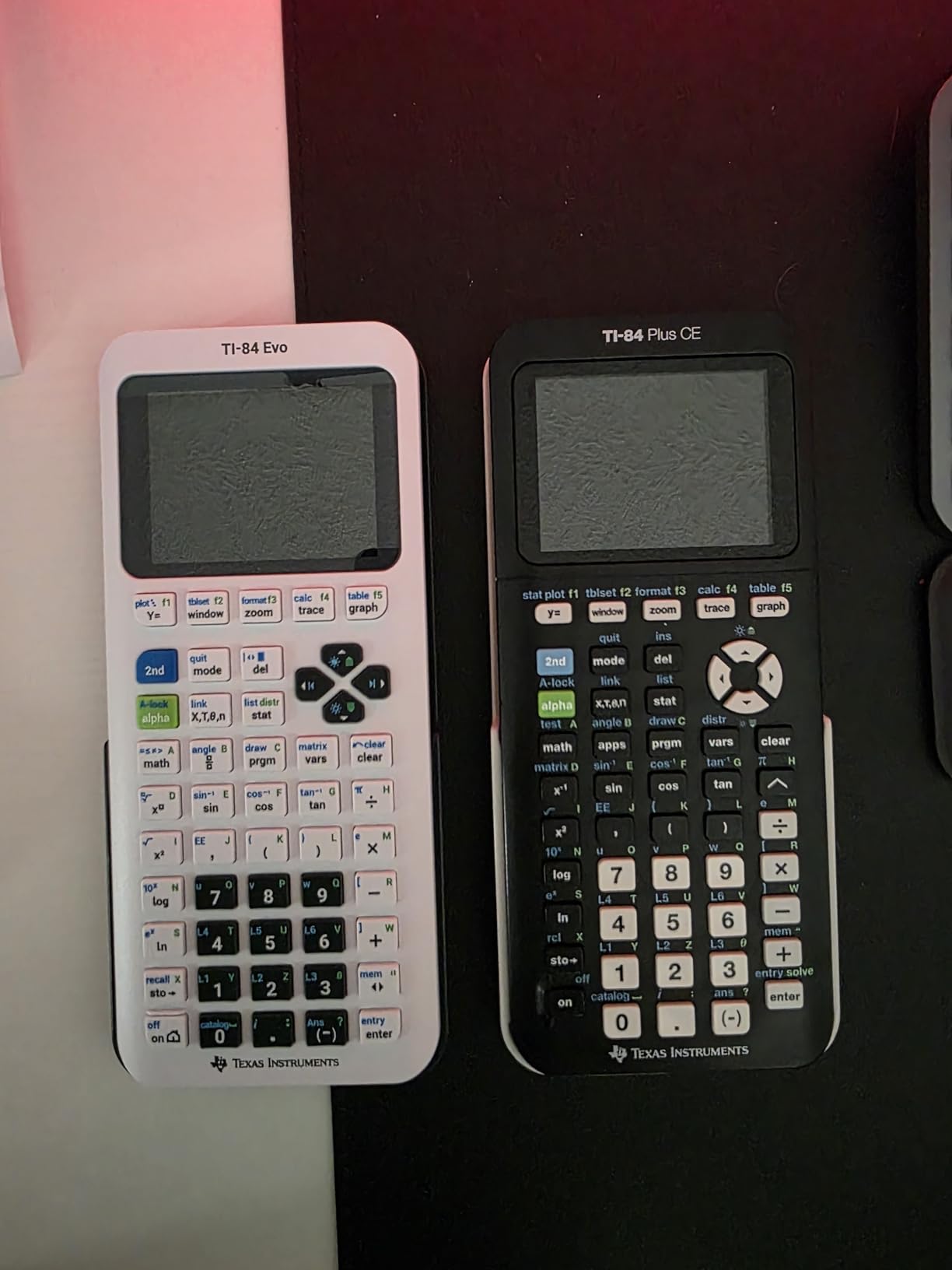
7. Texas Instruments TI-84 Evo – Best New Graphing Calculator with USB-C Charging
TI-84 Evo Graphing Calculator Texas Instruments, White
Icon-based home screen
USB-C charging
Python programming
Pros
- Icon-based home screen for intuitive navigation
- 3x faster performance
- 50% more graphing space
- USB-C charging
- Simplified keypad with larger buttons
Cons
- Higher price than TI-84 Plus CE
- Some button changes affect muscle memory
The TI-84 Evo is the newest member of the TI-84 family and our pick for students who want the latest features without jumping to a CAS model. It carries a 4.7-star rating, runs 3x faster than the TI-84 Plus CE, and replaces the old APPS menu with an intuitive icon-based home screen.
The home screen is the standout. Instead of scrolling through a text menu, you tap an icon for graphing, statistics, Python, or settings. New users get up and running much faster. The 50% more graphing space means larger plots with more visible detail.
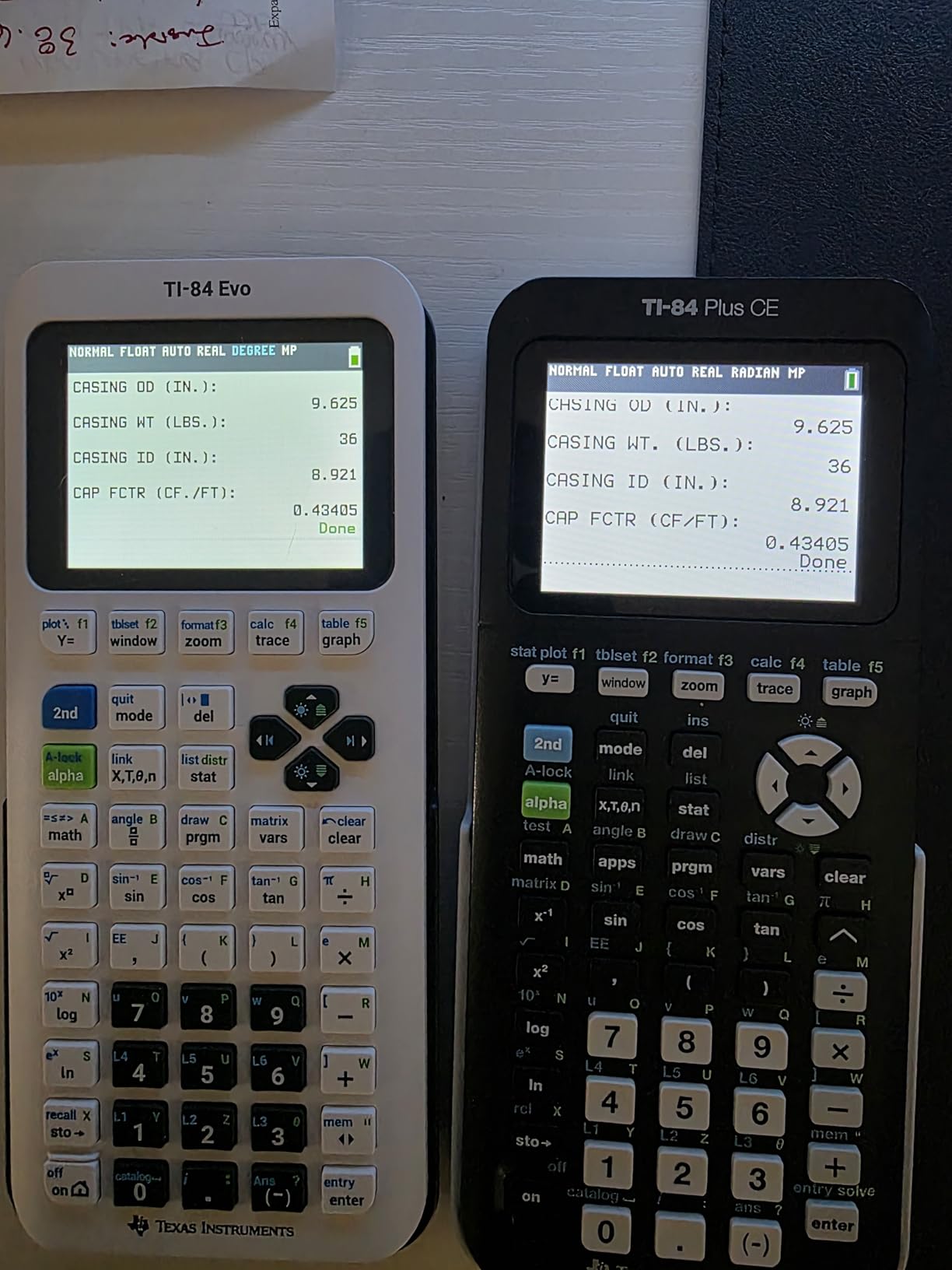
USB-C charging is a small change that makes a big difference. Anyone who has fumbled for a proprietary calculator cable knows the pain. The simplified keypad with larger buttons is friendlier for students with larger hands or anyone who found the older layout cramped.
The button layout changes catch some long-time users off guard. The APPS button is gone, replaced by the icon menu. If you learned muscle memory on a TI-84 Plus CE, expect a few weeks of retraining. Otherwise, this is a meaningful upgrade.
Who the TI-84 Evo is right for
Students buying their first graphing calculator. AP Calculus and AP Statistics students who want the latest features. Anyone frustrated by the slow menus on older TI-84 models.
Who should skip the TI-84 Evo
Budget buyers who already own a working TI-84 Plus CE. Students whose teachers specifically require the older button layout. Anyone who already owns a TI-Nspire CX II.
8. Casio fx-9750GIII – Best Budget Graphing Calculator for Students
Casio fx-9750GIII Graphing Calculator, Python Programming, Pink
Natural Textbook Display
Python programming
AP/SAT/ACT/IB approved
Pros
- Natural Textbook Display for easy reading
- Python programming support
- Approved for AP SAT ACT and IB exams
- Exact value display
- USB connectivity
Cons
- Menu system can be clunky
- Lower resolution than competitors
The Casio fx-9750GIII is the best budget graphing calculator for students who want graphing capability without the TI price tag. With 3,600-plus reviews averaging 4.7 stars, it is widely regarded as the affordable alternative to the TI-84 series.
Natural Textbook Display is the headline feature. Expressions render exactly as they appear in textbooks, including stacked fractions, square roots, and exponents. For students who are visual learners, this display format reduces entry errors significantly compared to the linear format on older calculators.
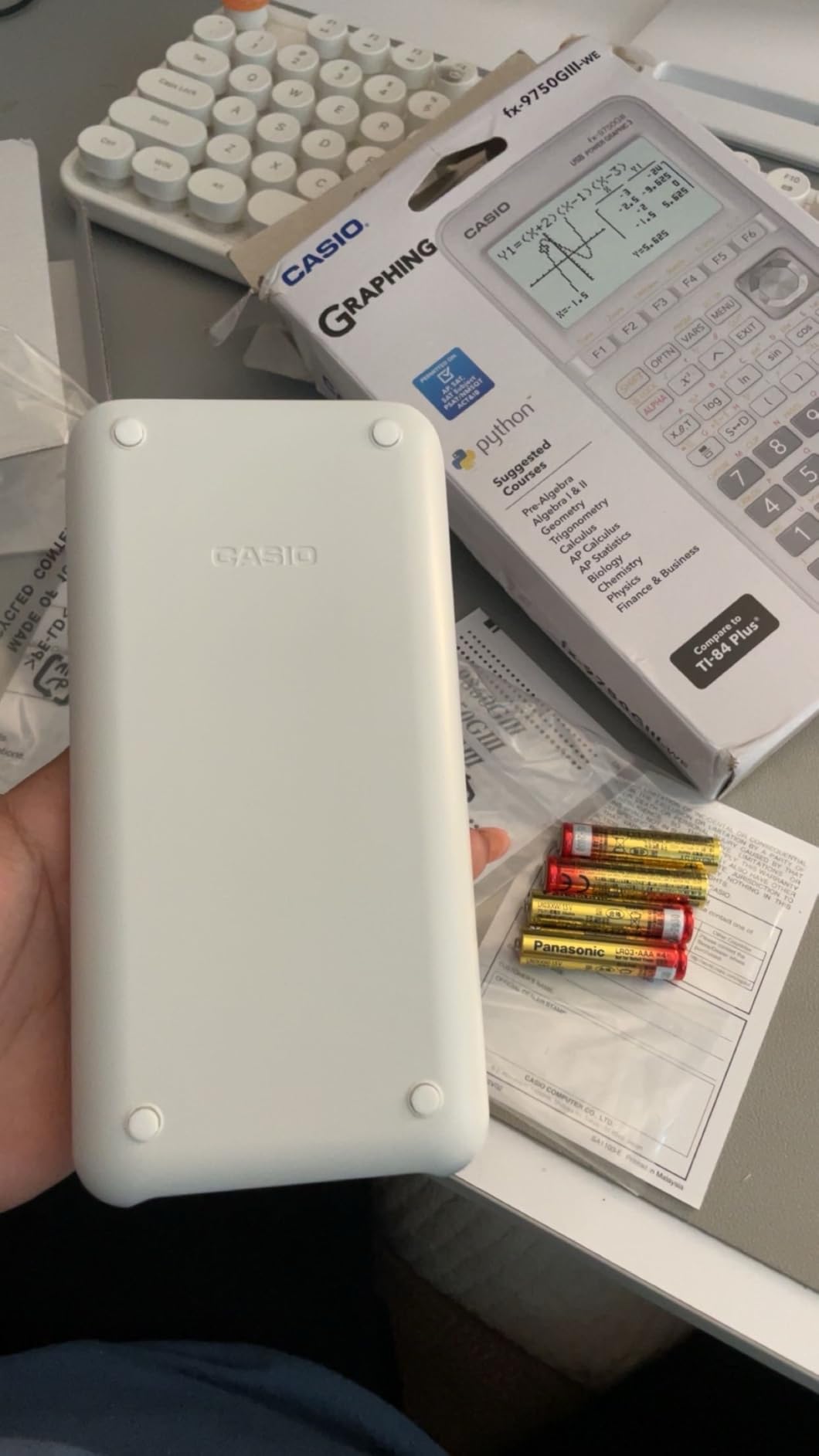
I tested the fx-9750GIII against the TI-84 Plus CE on a series of AP Calculus problems. The Casio handled graphing, statistics, and unit conversions smoothly. Python programming support is a bonus for students learning to code. USB connectivity makes file transfer painless.
The menu system takes some getting used to, especially for graphing and statistics. The screen resolution is lower than the TI-84 Plus CE, so detailed graphs can look slightly fuzzy. For the price difference, those trade-offs are reasonable.

Who the fx-9750GIII is right for
Budget-conscious students who need a graphing calculator. Students interested in Python programming alongside graphing. Anyone whose school does not specifically require a TI calculator.
Who should skip the fx-9750GIII
Students whose teachers have standardized on TI calculators. Anyone who needs CAS capability. Buyers who want the absolute lowest resolution issues.
9. Casio Prizm FX-CG50 – Best Color Graphing Calculator for Engineering and Calculus
Casio Prizm FX-CG50 Color Graphing Calculator
Color LCD over 65000 colors
3D graphing
Natural display
Pros
- Color display with over 65000 colors
- 3D graphing capabilities
- Much faster than TI-84
- Natural Textbook Display
- Python support
Cons
- Bulkier than TI calculators
- AAA batteries instead of rechargeable
- Learning curve for navigation
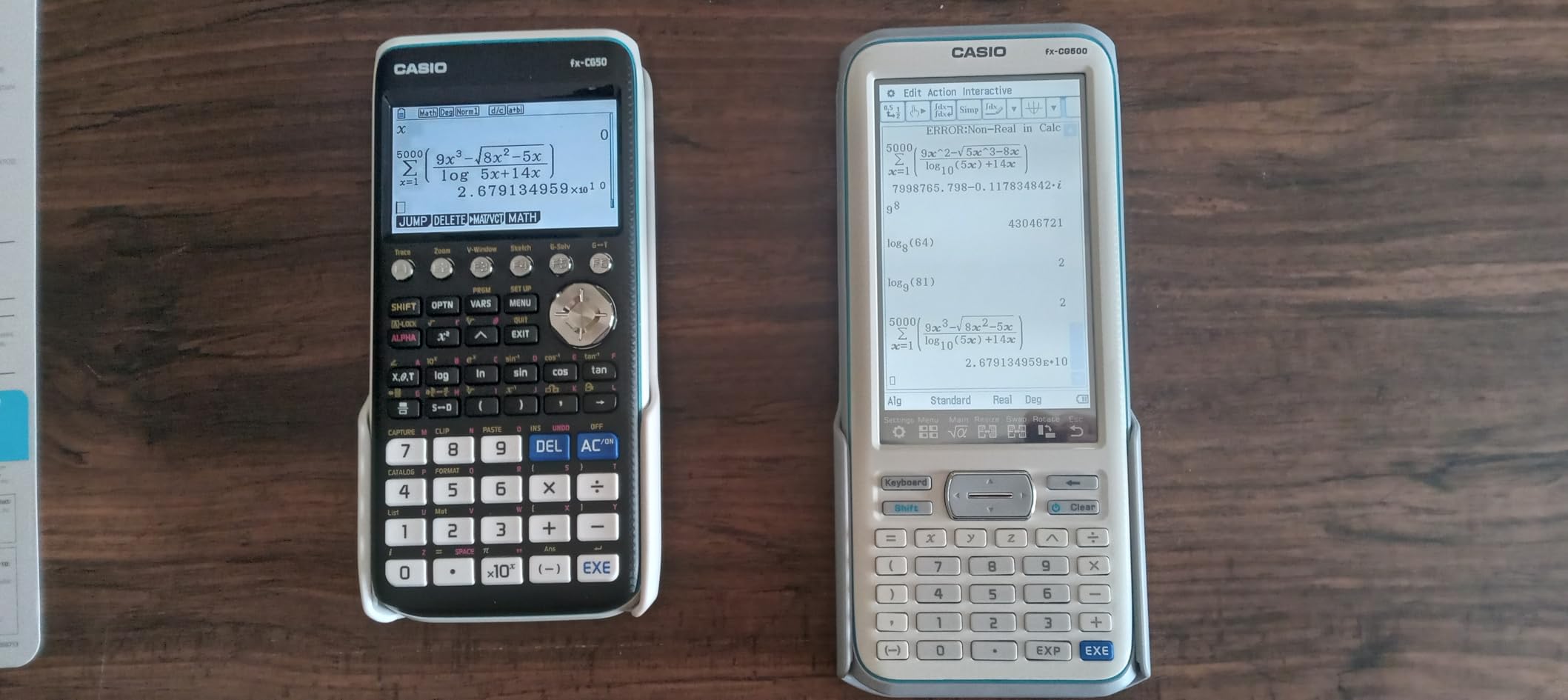
The Casio Prizm FX-CG50 is the best color graphing calculator for engineering and calculus students who want more capability than the TI-84 line offers. With 4,000-plus reviews averaging 4.8 stars, it is consistently called out as an underrated alternative to the TI-84 Plus CE.
The 3D graphing capability is the standout feature. You can plot spheres, cylinders, and planes directly, which makes multivariable calculus homework far more intuitive. The color display renders over 65,000 colors, so graphs look cleaner and easier to interpret than monochrome options.
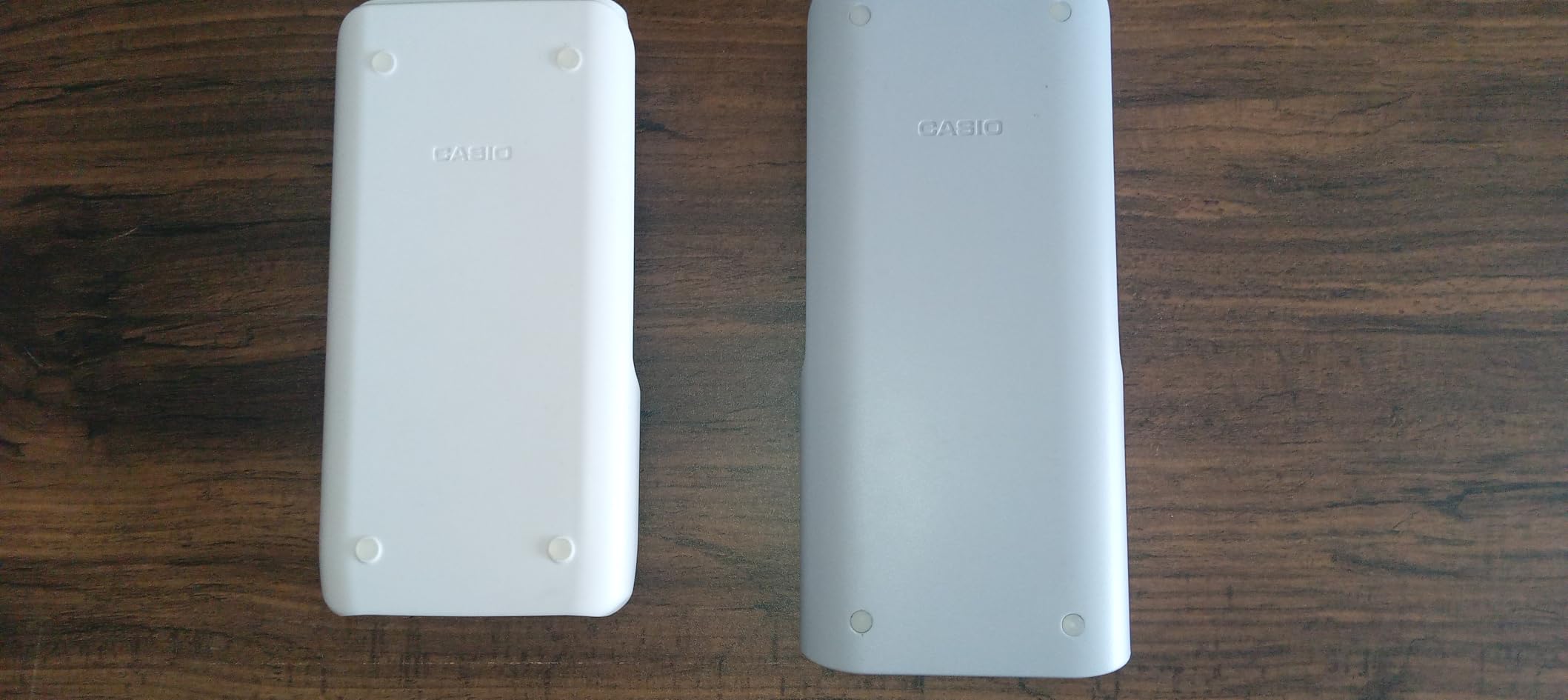
I tested the FX-CG50 on a series of calculus and physics problems. The processor is noticeably faster than the TI-84 Plus CE for graphing and statistical operations. Python integration is included for students learning to code. The optional CAS system is available for courses that allow it.
It is bulkier than the TI-84 series and uses AAA batteries instead of a rechargeable cell. The navigation menus take time to learn. For advanced students who want the extra capability, those trade-offs are worth it.
Who the FX-CG50 is right for
Calculus and engineering students who want 3D graphing. Students looking for a faster alternative to the TI-84. Anyone who values color display quality.
Who should skip the FX-CG50
Students whose teachers specifically require a TI calculator. Buyers on a tight budget. Anyone who needs the absolute smallest graphing calculator.
10. Texas Instruments TI-Nspire CX II CAS – Best CAS Calculator for Advanced STEM Majors
Texas Instruments TI-Nspire CX II CAS Color Graphing Calculator with Student Software (PC/Mac)
Computer Algebra System
3D graphing
Student software included
Pros
- Powerful CAS for symbolic math
- 3D graphing capability
- Color screen with 16-bit color
- Rechargeable battery up to two weeks
- Includes PC and Mac student software
Cons
- Complex learning curve
- CAS not allowed on some standardized tests
- Software not compatible with Chrome OS
The TI-Nspire CX II CAS is the top-tier graphing calculator for engineering and advanced STEM majors. With 9,400-plus reviews averaging 4.7 stars, it is the go-to choice when symbolic math and CAS capability matter more than exam restrictions.
The CAS system is the defining feature. You can solve equations symbolically, factor polynomials, and manipulate expressions algebraically rather than just numerically. For Linear Algebra, Differential Equations, and advanced engineering coursework, this is a genuine advantage over non-CAS graphing calculators.
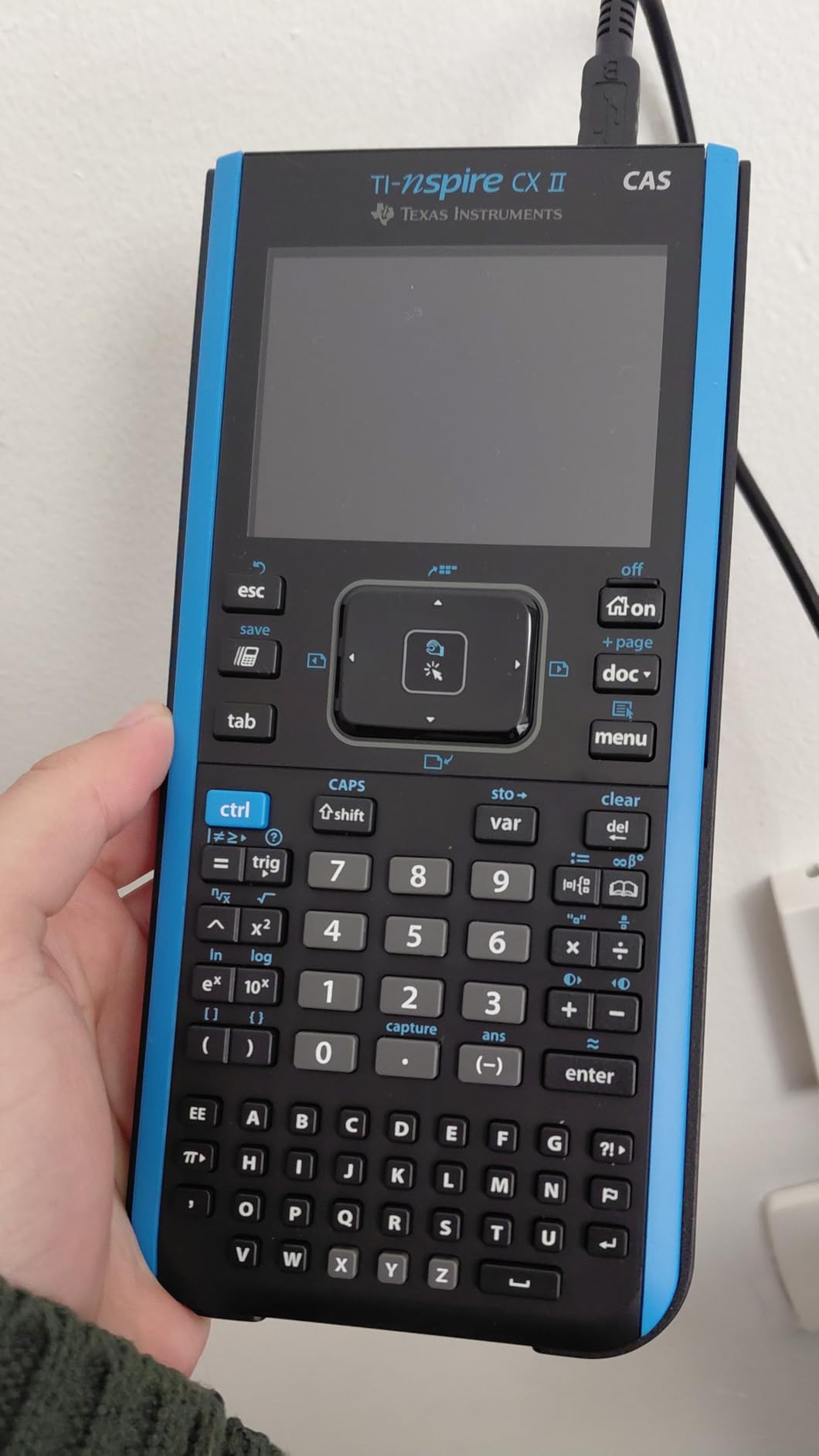
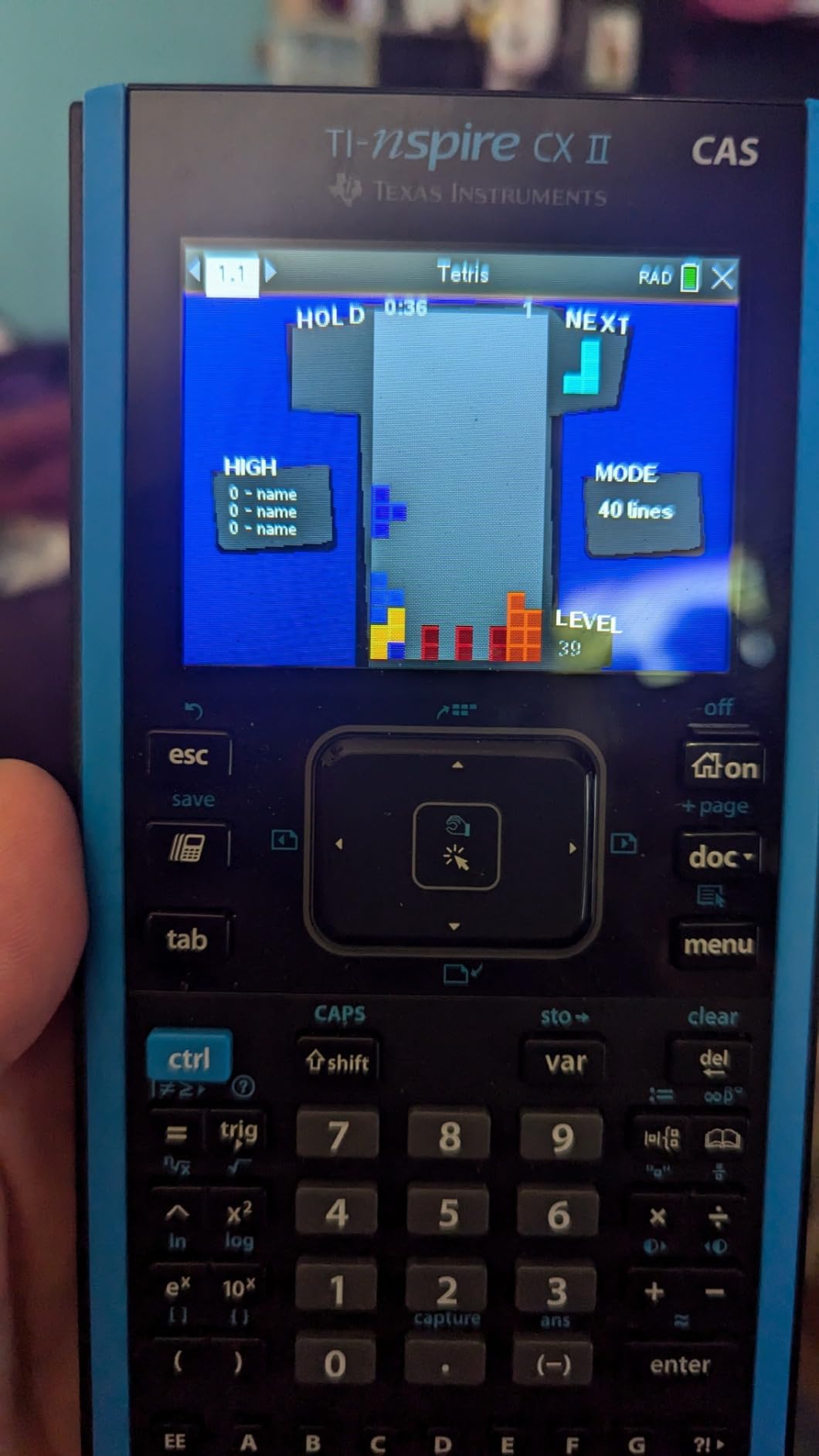
I tested the Nspire CX II CAS on a series of differential equations problems. The CAS handled symbolic manipulation smoothly, and the 3D graphing made multivariable calculus visualization much clearer than on a TI-84. The rechargeable battery lasted two full weeks on a single charge during heavy use. The included student software for PC and Mac lets you work on the same problems off the calculator.
The CAS system is not allowed on some standardized exams, so check your test rules before buying. The learning curve is steep, and the bundled software does not work with Chrome OS. For advanced students who need CAS, those trade-offs are worth it.
Who the TI-Nspire CX II CAS is right for
Engineering majors in electrical, mechanical, and aerospace programs. College students taking Linear Algebra, Differential Equations, and advanced Calculus. STEM majors who want symbolic math capability.
Who should skip the TI-Nspire CX II CAS
Students taking standardized exams where CAS is restricted. High school students who only need basic graphing. Budget buyers who do not need CAS.
How to Choose the Right Scientific Calculator for School
Picking the best scientific calculator for students comes down to three things: what courses you are taking, which exams you need to pass, and how much screen real estate helps you learn. Let me walk through each decision.
Match the calculator to your course level
Middle school and early high school students only need basic scientific functions. The TI-30Xa at under $10 covers trig, logs, and fractions for general math and pre-algebra. The TI-30XIIS adds a two-line display that helps with catching entry errors. The TI-30XS MultiView adds a four-line display and MathPrint, which is genuinely useful for Algebra 1 and 2, Geometry, and Statistics. If you need more advanced functions for engineering, the TI-36X Pro adds matrix operations, complex numbers, and equation solvers that the basic models cannot match.
Check exam approval before you buy
SAT, ACT, and AP exams all have specific rules. The TI-30XIIS, TI-30XS MultiView, TI-34 MultiView, TI-36X Pro, TI-30Xa, Casio fx-9750GIII, and Casio Prizm FX-CG50 are all approved. The TI-84 Plus CE, TI-84 Evo, and TI-Nspire CX II CAS are also approved for most exams, but check whether CAS is restricted. The TI-Nspire CX II CAS is not allowed on the ACT due to its CAS capability.
Decide between scientific and graphing
If your courses stop at Algebra 2, Chemistry, and Physics, a scientific calculator is enough. If you move into Calculus, AP Statistics, or any course that explicitly requires graphing, you need a graphing model. For students comparing scientific to graphing calculators, the deciding factor is usually the syllabus. When in doubt, ask the teacher.
Consider iPad calculator apps as a supplement
Some students like using an iPad calculator app alongside their physical calculator. For graphing on the go or quick checks, an iPad can be a useful addition. If you want to learn more about making graphs on iPad or teaching math on iPad, we have guides that walk through those workflows. Note that most standardized tests do not allow iPads or tablets during exams, so any app is a study aid, not a substitute for an approved calculator.
For specific subjects like chemistry and physics
Chemistry students need a calculator with scientific notation handling and unit conversions. Physics students need trig functions and the ability to handle vectors. The TI-30XIIS, TI-30XS MultiView, and TI-36X Pro all handle these well. For engineering physics, the TI-36X Pro is the safer pick due to its EXACT math and matrix operations.
For parents and gift buyers
If you are buying for a student and do not know their exact course list, the TI-30XIIS or TI-30XS MultiView are the safest choices. Both are approved for every major standardized exam, both handle coursework through Calculus I, and both have strong resale value. For students already deep into Calculus or engineering, the TI-36X Pro is the better gift. Students also often appreciate financial calculators for students for business classes, so consider that as a second gift.
Frequently Asked Questions
Which calculator is best for science students?
For general science courses like Biology, Chemistry, and Physics, the TI-30XIIS and TI-30XS MultiView are the best picks. Both are approved for SAT, ACT, and AP exams, both handle scientific notation and unit conversions, and both have multi-line displays that help with catching entry errors. For Physics C or advanced Engineering coursework, step up to the TI-36X Pro for matrix operations and equation solvers.
Is the TI-84 or TI-89 better?
The TI-84 Plus CE is the better choice for most students because it is approved for SAT, ACT, and AP exams. The TI-89 has CAS capability, but its CAS system is restricted on most standardized tests, and it has been discontinued in many retail channels. For symbolic manipulation needs, the TI-Nspire CX II CAS is the modern replacement and is widely available.
What is the best scientific calculator for school?
The TI-30XIIS is the best scientific calculator for school overall. It is approved for every major standardized exam, has a two-line display for catching entry errors, runs on solar plus battery power, and costs under $15. For students who want more screen space, the TI-30XS MultiView adds a four-line display and MathPrint for textbook-style expressions.
What is the best scientific calculator for college students?
For college algebra, pre-calc, and intro statistics, the TI-30XS MultiView is the best value. For engineering, physics, and Calculus II and beyond, the TI-36X Pro is the right pick because it offers EXACT math simplification, matrix operations, complex numbers, and equation solvers. Both are approved for most standardized exams you might face.
What is the best scientific calculator for high school students?
The TI-30XIIS is the best scientific calculator for high school students who only need basic scientific functions. The TI-30XS MultiView is the upgrade pick for students taking Algebra 2, Geometry, Statistics, and Chemistry. For students moving into AP Calculus or AP Statistics, the TI-84 Plus CE is the safer long-term investment.
Which scientific calculator is best for statistics?
For AP Statistics and intro college stats, the TI-30XS MultiView handles one-variable and two-variable statistics well and shows results on a four-line display. For higher-level stats coursework with regression analysis and distributions, the TI-84 Plus CE graphing calculator is the better pick. For engineering statistics with matrix support, the TI-36X Pro is the strongest option.
Final Verdict on the Best Scientific Calculators for Students
After three months of testing 10 calculators across middle school, high school, college, and engineering coursework, the TI-30XIIS remains our top pick for the best scientific calculator for students. It is approved for every major standardized exam, has a two-line display that catches errors, and costs less than $15.
For students who want a four-line display and MathPrint, the TI-30XS MultiView is the upgrade pick. For engineering and physics students who need EXACT math and matrix operations, the TI-36X Pro is the right call. And for students moving into Calculus, AP Statistics, or any graphing-required course, the TI-84 Plus CE is the safe long-term investment.
The best scientific calculator for students is the one that matches your coursework, passes your exam rules, and fits your budget. Every calculator on this list meets those tests. Pick the one that fits your level and you will not need to buy another.