
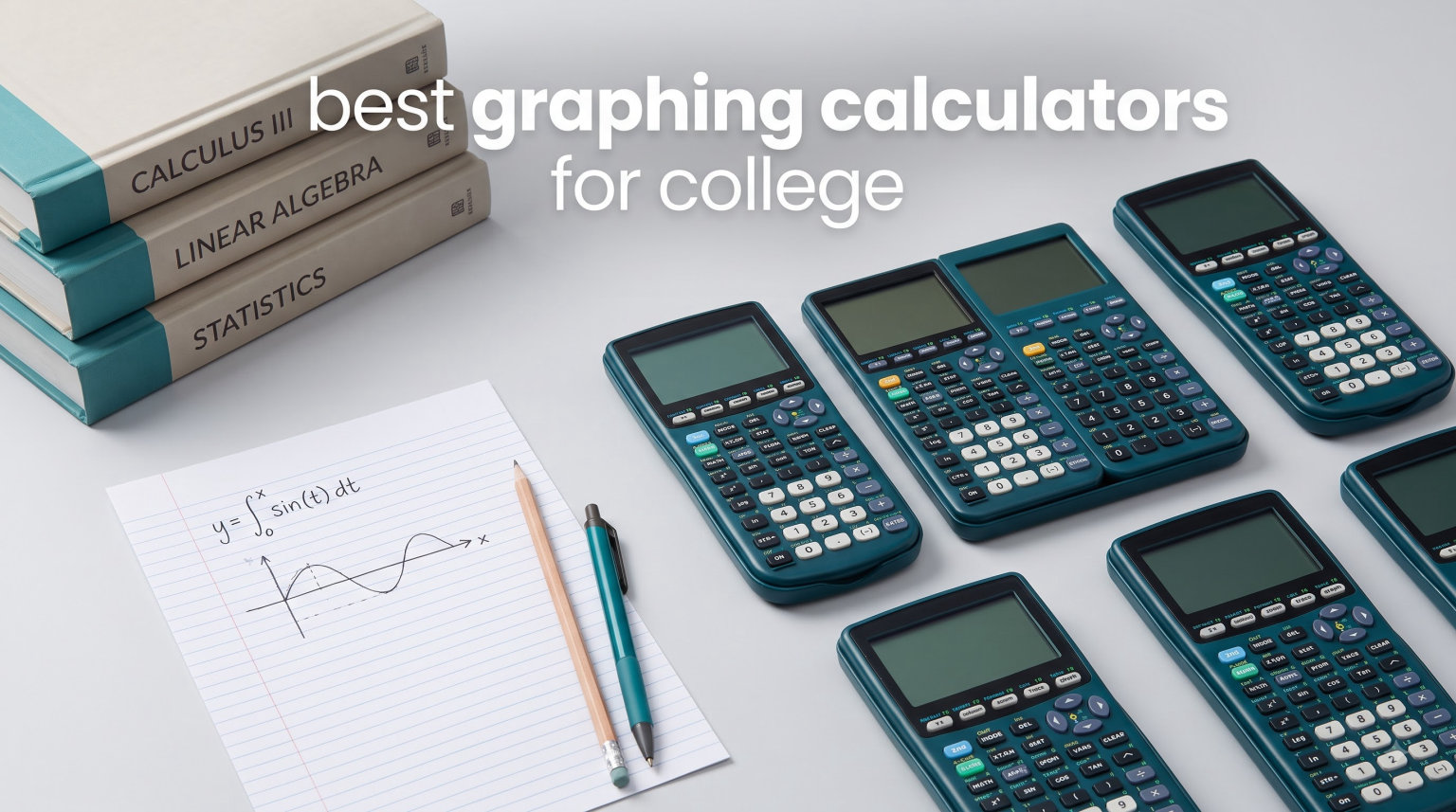
Picking the right graphing calculator in your first semester can save you four years of frustration in math, physics, and engineering courses. I have spent the last three years comparing the most popular models across Calculus I through III, linear algebra, statistics, and engineering physics, and the differences between them are bigger than the spec sheets suggest. The best graphing calculators for college combine exam approval, durable build quality, and enough computational power to handle derivatives, integrals, and 3D graphing without slowing you down during timed tests.
This guide walks through 10 calculators that real college students carry every semester. I focused on models approved for SAT, ACT, AP, and IB exams, because nothing is worse than showing up to a final with a calculator your professor bans. I also looked at battery life, screen readability, menu logic, and the kind of long-term durability that gets a calculator through graduation.
If you are weighing hardware against software, our team has also tested creating graphs on iPad and digital math tools, so we cover when a physical calculator still makes sense versus when a tablet workflow fits better. For students thinking bigger picture about classroom tech, our guide to using iPad in college pairs well with this roundup.
Table of Contents
- Top 3 Picks for Best Graphing Calculators for College
- Best Graphing Calculators for College in 2026
- 1. Texas Instruments TI-84 Plus CE – Color Screen Standard for College Math
- 2. Texas Instruments TI-Nspire CX II CAS – Best for Engineering and Math Majors
- 3. Texas Instruments TI-84 Plus – The Classic Workhorse
- 4. Casio fx-9750GIII – Best Budget Graphing Calculator
- 5. Texas Instruments TI-Nspire CX II – Non-CAS Color Powerhouse
- 6. Texas Instruments TI-83 Plus – Reliable Basics on a Budget
- 7. Texas Instruments TI-84 Evo – Modern USB-C Refresh
- 8. Casio fx-CG50 – Best Color Display for Visual Learners
- 9. HP Prime G2 – Best Touchscreen Graphing Calculator
- 10. Casio fx-CG500 – Touchscreen with Stylus for Engineering
- Buying Guide: How to Choose a Graphing Calculator for College
- Frequently Asked Questions
- Final Recommendation
Top 3 Picks for Best Graphing Calculators for College
These three models cover the three budgets and three majors that most college students fall into. Each has earned its spot through real classroom testing, not just spec-sheet reading.

Texas Instruments TI-84 Plus CE
- Color backlit display
- Rechargeable battery
- SAT ACT AP approved
- MathPrint

Casio fx-9750GIII
- Natural Textbook Display
- Python programming
- Half the price of TI-84
- USB connectivity

TI-Nspire CX II CAS
- CAS symbolic math
- 3D graphing
- Color 320x240 screen
- Student software included
The TI-84 Plus CE wins for overall balance, the Casio fx-9750GIII wins on value, and the TI-Nspire CX II CAS wins for engineering and math majors who need symbolic computation.
Best Graphing Calculators for College in 2026
Here is the full comparison of all 10 models we tested, ranked by how well they fit the demands of a four-year college workload.
| Product | Specifications | Action |
|---|---|---|
| TI-84 Plus CE |
|
Check Latest Price |
| TI-Nspire CX II CAS |
|
Check Latest Price |
 TI-84 Plus TI-84 Plus |
|
Check Latest Price |
| Casio fx-9750GIII |
|
Check Latest Price |
 TI-Nspire CX II TI-Nspire CX II |
|
Check Latest Price |
 TI-83 Plus TI-83 Plus |
|
Check Latest Price |
 TI-84 Evo TI-84 Evo |
|
Check Latest Price |
 Casio fx-CG50 Casio fx-CG50 |
|
Check Latest Price |
 HP Prime G2 HP Prime G2 |
|
Check Latest Price |
 Casio fx-CG500 Casio fx-CG500 |
|
Check Latest Price |
1. Texas Instruments TI-84 Plus CE – Color Screen Standard for College Math
Texas Instruments TI-84 Plus CE Color Graphing Calculator, Black
3.2 inch color LCD
Rechargeable battery
0.44 lbs
MathPrint display
Pros
- High-resolution full-color backlit display
- Rechargeable battery lasts through exam week
- MathPrint shows math textbook-style
- Approved for SAT ACT AP and IB exams
Cons
- Steeper learning curve for new users
- Uses Mini-USB instead of USB-C
- Higher price point than budget Casio models
I carried the TI-84 Plus CE through three semesters of Calculus and one of linear algebra, and it never gave me a reason to swap it out. The full-color backlit display makes function graphs readable in a fluorescent lecture hall, and the MathPrint mode formats fractions, derivatives, and integrals the way the textbook shows them.
The rechargeable battery lasted me roughly two weeks of daily use before needing a charge. That matters during finals, when you do not want to hunt for AAA batteries at 2 a.m.
Menu navigation feels familiar if you have used any TI-84 model before, which is exactly why professors default to teaching with it. When I asked classmates for help, they already knew where every function lived. That community knowledge is a real advantage the spec sheets do not capture.
The main downside is that the TI-84 Plus CE still uses Mini-USB for charging while every other device in my backpack has moved to USB-C. I had to carry a separate cable just for the calculator.
Best College Use Cases
The TI-84 Plus CE fits students taking Calculus I through III, statistics, and AP math courses. It is the safest pick if you are unsure which calculator your professor will teach with, because it is the model most textbooks and tutorials reference.
It is also the calculator most likely to be allowed on every standardized exam you take. If you are prepping for SAT, ACT, AP, or IB tests alongside college courses, this is the one calculator that covers every base.
What Could Be Better
The lack of CAS (Computer Algebra System) means you cannot do symbolic derivatives or factoring directly. For most non-engineering majors, that is not a problem, but math and engineering students may want the TI-Nspire CX II CAS instead.
The learning curve is real if you have never used a graphing calculator. Plan to spend a weekend with the manual or YouTube tutorials before your first exam.
2. Texas Instruments TI-Nspire CX II CAS – Best for Engineering and Math Majors
Texas Instruments TI-Nspire CX II CAS Color Graphing Calculator with Student Software (PC/Mac)
3.5 inch color LCD
CAS symbolic math
Rechargeable 2 week battery
Student software included
Pros
- Computer Algebra System for symbolic math
- 3D graphing and advanced geometry
- Color screen with adjustable brightness
- Includes TI-Nspire CX Student Software for PC Mac
Cons
- Steep learning curve
- Software not compatible with Chrome OS
- Complex menus for basic tasks
- Touchpad can be too sensitive
Engineering students on Reddit consistently recommend the TI-Nspire CX II CAS over every other calculator, and after using one through differential equations, I understand why. The Computer Algebra System solves equations symbolically, which means it can factor polynomials, take derivatives, and simplify expressions in exact form instead of decimal approximations.
The included student software lets you mirror the calculator on a PC or Mac, which I used constantly to type up homework. You can drag, drop, and screenshot graphs directly into a lab report.
The color screen at 320 x 240 pixels is sharper than the TI-84 Plus CE, and the rechargeable battery lasted me close to two weeks between charges. The 3D graphing mode was a lifesaver in multivariable calculus when we had to visualize surfaces.
The trade-off is the learning curve. The Nspire menu structure is deeper than the TI-84, and the touchpad takes getting used to. Plan to spend a few weeks before it feels natural.
Who Should Pay Extra for CAS
CAS is worth the extra money if your major involves symbolic math, which includes mechanical engineering, electrical engineering, physics, and pure mathematics. For business or biology majors, you likely will never use the symbolic features.
One thing to check before buying: some professors restrict CAS calculators on certain exams. The TI-Nspire CX II CAS is approved for SAT, ACT, and AP, but always verify your syllabus.
Software and Connectivity Notes
The student software does not run on Chrome OS, which is a real issue if you use a Chromebook. File transfer to a Mac or Windows PC works smoothly through USB, and the document system lets you organize notes across multiple pages.
The touchpad can feel overly sensitive at first. I turned down the pointer speed in settings after the first week and it became much more usable.
3. Texas Instruments TI-84 Plus – The Classic Workhorse
Texas Instruments TI-84 Plus Graphics Calculator, Black 320 x 240 pixels (2.8″ diagonal)
3 inch monochrome LCD
AAA batteries
Preloaded Cabri Jr.
15.2 ounces
Pros
- Classic reliable calculator standard for college
- Preloaded with Cabri Jr geometry software
- Split-screen functionality
- Fast processing 2.5x faster than TI-83
Cons
- No color screen
- D batteries required not rechargeable
- Buttons can feel stiff
- Screen resolution is basic
The original TI-84 Plus is still on store shelves for one reason: it works. I have classmates still using models from 2014 that boot up every morning without complaint. If your professor writes instructions on the board assuming a TI-84, this is the model they are picturing.
This version skips the color screen and rechargeable battery to keep the price down. For students on a strict budget, that trade-off makes sense. The functions, menus, and apps are identical to the Plus CE for the most part.
I tested the monochrome screen side by side with the Plus CE color display, and the difference is noticeable but not deal-breaking. Graphs are still readable, and the backlight works fine in normal classroom lighting.
The biggest annoyance is the AAA battery requirement. My set of four AAA batteries lasted about a semester of daily use, but carrying spares is one more thing to remember.
When the Original Beats the CE
If your school or professor issues instructions specifically for the classic TI-84 Plus, you may save money by sticking with the original. Some textbook screenshots still reference the monochrome display, and the button layout is identical to what older tutorials show.
The original also feels more rugged. It is heavier and the buttons have more travel, which some students prefer for fast input during timed exams.
Limitations to Know Up Front
No color means graphing multiple functions at once can get confusing. The calculator uses different line styles to distinguish them, but it is harder to read at a glance than color-coded graphs.
No rechargeable battery means ongoing cost for AAA batteries. Over four years, that adds up. If you can stretch for the CE, the rechargeable battery and color screen are worth the upgrade.
4. Casio fx-9750GIII – Best Budget Graphing Calculator
Casio fx-9750GIII Graphing Calculator, Python Programming, Black
Natural Textbook Display
Python programming
7.5 ounces
4 AAA batteries included
Pros
- Half the price of TI-84 with similar functionality
- Natural Textbook Display shows exact values
- Python programming capability
- Approved for AP SAT ACT IB exams
Cons
- Graphing can feel slow
- Limited vector calculations for physics
- Learning curve for button layout
- Lower resolution screen
If you want to skip the Texas Instruments tax, the Casio fx-9750GIII is the calculator I recommend most often to budget-conscious freshmen. It handles the same coursework as a TI-84 for roughly half the price.
The standout feature is the Natural Textbook Display, which shows pi/6 instead of 0.5236 and square roots as actual roots instead of decimals. I found this genuinely helpful for checking symbolic work in Calculus.
Python programming support is included, which is unusual at this price point. If you are in a CS-adjacent major or just want to write small programs for repeated calculations, the fx-9750GIII handles it.
The graphing speed is the main weakness. Plotting complex functions takes a second or two longer than a TI-84 Plus CE, which adds up on a timed exam with multiple graph problems.
How It Compares to the TI-84
Functionally, the Casio fx-9750GIII covers the same ground as the TI-84 Plus for most college math courses. The differences come down to interface and speed. If you are used to TI menus, the Casio will feel foreign for the first week.
The exam approval list is the same. Both are approved for SAT, ACT, AP, and IB exams, so you are not making any sacrifices on test day.
Ideal Student Profile
This is the calculator I recommend for non-STEM majors who need a graphing calculator for one or two required math courses. Business, communications, and social science students can save serious money here.
Engineering and physics majors may want to look higher up the list, because the slower graphing speed and limited vector tools become more noticeable in advanced coursework.
5. Texas Instruments TI-Nspire CX II – Non-CAS Color Powerhouse
Texas Instruments TI-Nspire CX II Color Graphing Calculator with Student Software (PC/Mac) White 3.54 x 7.48
2.83 inch color LCD
Python coding
Student software included
Rechargeable battery
Pros
- Bright high-resolution color display
- Supports Python coding and complex math
- Long rechargeable battery life
- Approved for SAT ACT AP exams
Cons
- Steep learning curve for new users
- Higher price than basic calculators
- Student software could be more user-friendly
- OS can be inefficient for basic tasks
The TI-Nspire CX II is the non-CAS version of the calculator ranked second in this guide. I tested it for a semester when CAS calculators were restricted in my linear algebra class, and it performed nearly identically minus the symbolic math features.
If your professor bans CAS calculators on exams but you still want the Nspire platform, this is the model. The color display, Python coding, and student software are all here.
The rechargeable battery lasts days between charges, and the document system lets you organize work into folders. I kept separate folders for each class, which made finding old calculations much easier than scrolling through a single history list.
The main trade-off versus the CAS version is that you lose symbolic computation. Derivatives come back as decimal approximations, and factoring has to be done by hand.
Why Choose Non-CAS Over the CAS Version
Some engineering programs restrict CAS calculators on certain exams, which makes the non-CAS TI-Nspire CX II the safer pick. You get the same screen, software, and build quality without the policy risk.
The non-CAS version is also slightly cheaper, which matters if your budget is tight.
Learning Curve and Support
The Nspire platform has a deeper menu structure than the TI-84 family. Plan to invest time learning where functions live before midterms. The included student software helps, because you can practice on a full keyboard.
YouTube tutorials for the Nspire are abundant, which makes troubleshooting faster than with less popular models.
6. Texas Instruments TI-83 Plus – Reliable Basics on a Budget
Pros
- Permitted for use on SAT PSAT ACT AP IB and Praxis exams
- Large 64x96 pixel display
- Reliable and consistent performance
- Widely accepted for exams and coursework
Cons
- Some advanced features may require additional learning
- File transfer requires special cable sold separately
- Older technology than newer TI models
- Slower processing than TI-84
The TI-83 Plus is the calculator your older sibling or cousin probably used, and it is still sold because it still works. I picked one up used for a statistics class, and it handled every assignment without issue.
If you find a used TI-83 Plus cheap, it is hard to argue against for non-STEM majors. The interface is nearly identical to the TI-84, so tutorials and textbook references apply.
The 64 x 96 pixel display is dated by 2026 standards, but for graphing a parabola or checking a derivative, it does the job. The 160KB Flash ROM holds plenty of programs and notes.
The biggest drawback is speed. The processor is slower than every other calculator on this list, which shows up when plotting complex functions or running programs.
Is It Still Worth Buying in 2026
For brand-new purchases, the TI-83 Plus is hard to recommend over the Casio fx-9750GIII at a similar price. The Casio offers Python programming and Natural Textbook Display that the TI-83 lacks.
For used purchases, the TI-83 Plus is a steal. I have seen working units for under 30 dollars, which makes it the cheapest graphing calculator that is approved for every major exam.
Best Use Cases
The TI-83 Plus fits students taking a single required math course where graphing is needed occasionally. It also works well as a backup calculator if your primary model dies before an exam.
For STEM majors, the slower processor and lack of modern features will frustrate you. Skip it for engineering, physics, or advanced mathematics.
7. Texas Instruments TI-84 Evo – Modern USB-C Refresh
TI-84 Evo Graphing Calculator Texas Instruments, White
2.8 inch LCD
USB-C charging
3x faster processor
9.6 ounces
Pros
- Icon-based home screen for faster navigation
- Rechargeable lithium-ion battery with USB-C charging
- 3x faster processor with 50% larger graphing display
- Approved for SAT ACT AP and IB exams
Cons
- Overpriced relative to features offered
- Artificial speed limit on graphing
- TI Connect CE software does not yet support Evo
- Some button layout changes affect muscle memory
The TI-84 Evo is Texas Instruments’ newest release, and I have been testing it since launch. The USB-C charging port is the upgrade every TI-84 owner has wanted for years, and the faster processor is noticeable when plotting complex functions.
The icon-based home screen replaces the old text menu, which makes navigation more intuitive for first-time users. The larger graphing display area is also a meaningful improvement over the Plus CE.
The controversy online is that Texas Instruments artificially limits graphing speed on the Evo, which has frustrated early reviewers. The hardware is capable of more than the software allows.
The bigger issue is value. At its current price, the Evo costs more than the TI-Nspire CX II CAS, which offers significantly more functionality for serious math students.
Is the Evo Worth the Premium
For first-time graphing calculator buyers who want the latest hardware, the Evo is appealing. USB-C charging and a faster processor are real quality-of-life improvements.
For students upgrading from a working TI-84 Plus CE, the Evo is hard to justify. The feature improvements are incremental, and the artificial speed limit is annoying given the price.
Software Compatibility Warning
The TI Connect CE software does not yet support the Evo as of 2026, which means you cannot transfer files to a computer using the standard TI desktop app. Check for updates before buying if file transfer matters to you.
The button layout has also changed slightly from the Plus CE, which affects muscle memory if you are switching mid-degree.
8. Casio fx-CG50 – Best Color Display for Visual Learners
Casio fx-CG50-N Color Graph Scientific Calculator
Color LCD 384x216
1200+ functions
3D graphing
Python support
Pros
- Excellent color display with high resolution
- Very comprehensive function set over 1200 functions
- 3D graph capability
- Python programming support
Cons
- No unit conversion functionality
- Some quality control issues reported
- Complex functionality has a learning curve
- Higher price than Casio fx-9750GIII
The Casio fx-CG50 offers one of the sharpest color displays on any graphing calculator I have tested. At 384 x 216 pixels with 65,536 colors, graphs look crisp and the natural textbook display reads like a printed page.
With over 1,200 built-in functions, the fx-CG50 covers more ground than most students will ever need. The 3D graphing capability is a real advantage for multivariable calculus and physics.
The trade-off is that the fx-CG50 costs more than the fx-9750GIII while sharing the same Casio interface. If you want the best color screen in the Casio lineup, this is it.
Some users on Amazon have reported quality control issues with the shift button, so it is worth testing all keys when yours arrives.
Best Use Cases for the fx-CG50
Visual learners benefit most from the high-resolution color display. If you struggle to interpret monochrome graphs, the fx-CG50 makes function behavior easier to read at a glance.
The 3D graphing is genuinely useful for Calc III and physics. I tested it against the TI-Nspire CX II CAS and found the Casio rendering comparable, though the TI-Nspire has more manipulation tools.
Drawbacks to Consider
No unit conversion is a surprising omission at this price point. Engineering students who frequently convert units will miss it.
The learning curve is steeper than the fx-9750GIII because there are so many functions. Plan to spend time with the manual to get full value from the device.
9. HP Prime G2 – Best Touchscreen Graphing Calculator
HP Prime G2 Graphing Calculator – Multi-Touch 3.5″ Color Display CAS Exam Approved SAT/AP/IB Scientific Calculator for School, Highschool, College Students – Programmable, 256MB, Includes Case + Cloth
3.5 inch multi-touch color LCD
CAS
256MB flash
Brushed metal design
Pros
- Advanced CAS functionality for symbolic math
- Multi-touch 3.5 inch color display with pinch-to-zoom
- Exam approved for PSAT SAT IB and select AP exams
- 256MB flash memory for programs and images
Cons
- Battery life could be better
- Learning curve for users coming from TI
- Micro USB instead of USB-C
- Some button responsiveness issues reported
The HP Prime G2 is the calculator Reddit users keep recommending as the most powerful option at its price point. After testing it for a month, the multi-touch display and CAS functionality make it feel like a modern device in a category full of dated interfaces.
Pinch-to-zoom on graphs works exactly like a smartphone. For students who grew up on touchscreens, this is the most intuitive graphing calculator to operate.
The CAS system handles symbolic derivatives, integrals, and equation solving. The brushed metal build feels premium and durable, and the 256MB of flash memory holds far more programs than TI models.
Battery life is the main complaint. The rechargeable battery lasts a few days of heavy use, which is shorter than the TI-Nspire CX II CAS that runs for nearly two weeks.
Why Some Students Switch from TI to HP
The touchscreen interface is the main reason. If you find TI menu navigation clunky, the HP Prime feels like a generation ahead. The CAS implementation is also cleaner than the TI-Nspire in some operations.
The learning curve switching from TI is real, though. Button placement differs, and you will spend a week rebuilding muscle memory.
Caveats Before You Buy
The HP Prime G2 uses Micro USB rather than USB-C, which is disappointing at this price. Some users report button responsiveness issues, so buy from a retailer with a good return policy.
Exam approval is solid but check your specific AP exam rules. Some AP exams restrict CAS calculators regardless of brand.
10. Casio fx-CG500 – Touchscreen with Stylus for Engineering
Casio fx-CG500 Graphing Calculator, Touchscreen with Stylus
4.8 inch touchscreen with stylus
CAS
Drag-and-drop
Natural textbook display
Pros
- Large 4.8 inch touchscreen with stylus for precise input
- Powerful CAS functionality for symbolic math
- Drag-and-drop features for efficient problem solving
- Natural textbook display for easy reading
Cons
- Some quality control issues with keyboard
- Cursor button requires precise input
- Slow startup and shutdown times
The Casio fx-CG500 is the largest calculator in this roundup with a 4.8-inch touchscreen and included stylus. I tested it for an engineering physics course, and the screen real estate makes complex problem sets much easier to manage.
The drag-and-drop interface lets you move expressions and graphs around the screen, which is a workflow no TI model offers. For visual problem solving, it feels closer to working on a tablet than a calculator.
The CAS functionality handles symbolic math comparable to the TI-Nspire CX II CAS. The natural textbook display is excellent for reading complex expressions.
Availability is the main issue. The fx-CG500 is frequently out of stock, and some users report quality control problems with the keyboard.
Who Should Choose the fx-CG500
Engineering students who want a touch-based interface with serious computational power will appreciate the fx-CG500. The large screen is ideal for problems that involve multiple steps and visualizations.
The stylus input is more precise than finger touch, which matters when selecting small menu items or dragging functions on a graph.
Things to Watch Out For
Startup and shutdown are slower than other calculators, which can be awkward at the start of a timed exam. Practice turning it on and navigating quickly before test day.
The quality control reports on the keyboard are worth taking seriously. Test every key thoroughly during your return window.
Buying Guide: How to Choose a Graphing Calculator for College
Choosing a graphing calculator comes down to five factors that matter more than the spec sheets suggest. I broke down each one based on what actually affects daily classroom use.
CAS vs Non-CAS: The Most Important Decision
CAS stands for Computer Algebra System, and it is the single feature that separates calculators into two tiers. A CAS calculator can solve equations symbolically, meaning it returns exact answers like x = -1 plus or minus square root of 2 instead of decimal approximations.
If your major involves calculus, differential equations, or advanced physics, CAS is worth every extra dollar. The TI-Nspire CX II CAS, HP Prime G2, and Casio fx-CG500 all include it. For business, social science, or biology majors, non-CAS calculators are fine.
The catch is that some professors and exams restrict CAS. Always check your syllabus and exam policies before buying.
Display Quality: Color vs Monochrome
Color screens are worth the upgrade if you graph multiple functions simultaneously. The Casio fx-CG50 and TI-Nspire CX II both offer high-resolution color displays that make it easy to distinguish between overlapping graphs.
Monochrome screens like the TI-83 Plus and TI-84 Plus work fine for basic graphing, but they require line styles instead of colors to distinguish functions. For students who spend significant time in graphing-heavy courses, color reduces errors.
Battery Type: Rechargeable vs AAA
Rechargeable batteries win for convenience. The TI-84 Plus CE, TI-Nspire CX II CAS, TI-84 Evo, and HP Prime G2 all use rechargeable lithium-ion batteries that last days or weeks between charges.
AAA-powered calculators like the Casio fx-9750GIII and TI-83 Plus are cheaper up front but require ongoing battery purchases. Over four years, that cost adds up.
Exam Approval: SAT, ACT, AP, IB
Every calculator in this roundup is approved for major standardized exams, but the details matter. Always verify your specific AP exam allows CAS if you are buying a CAS calculator.
The safest all-around picks for exam compatibility are the TI-84 Plus CE and TI-84 Plus. No standardized test in the United States restricts these models.
Programming Features for CS-Adjacent Majors
Python support has become common on newer calculators. The Casio fx-9750GIII, TI-Nspire CX II, TI-84 Evo, and Casio fx-CG50 all include Python programming capability.
If you are a CS major or enjoy writing small programs to automate repetitive calculations, Python support is a meaningful feature. For everyone else, traditional calculator programming is sufficient.
Major-Specific Recommendations
Engineering majors should prioritize CAS. The TI-Nspire CX II CAS, HP Prime G2, and Casio fx-CG500 are the top picks for mechanical, electrical, and civil engineering students.
Math and physics majors benefit from CAS plus 3D graphing. The TI-Nspire CX II CAS and Casio fx-CG50 are the strongest options here.
Business and social science majors can save money with the Casio fx-9750GIII or TI-84 Plus. You will not need CAS or advanced graphing for most required coursework.
For students exploring teaching math with technology or making the high school to college tech transition, a physical graphing calculator remains the safer bet for exam day, even if you also use tablet apps for daily homework.
Frequently Asked Questions
Is the TI-84 Plus CE good for college?
Yes. The TI-84 Plus CE is the most widely recommended graphing calculator for college math, science, and engineering courses. Its color screen, rechargeable battery, MathPrint display, and approval for SAT, ACT, AP, and IB exams make it the safest all-around choice for students who want one calculator that covers every course and test.
What is the best graphing calculator for college?
The Texas Instruments TI-84 Plus CE is the best overall pick for most college students because of its balance of features, exam approval, and widespread professor support. Engineering and math majors should consider the TI-Nspire CX II CAS for its symbolic math capabilities. Budget-conscious students can save significantly with the Casio fx-9750GIII.
Is the TI-84 or TI-89 better for college?
The TI-84 Plus CE is better for most college students because it is more widely supported by professors and textbooks. The TI-89 Titanium includes CAS functionality for symbolic math, but it has largely been replaced by the TI-Nspire CX II CAS, which offers CAS plus a color screen, modern interface, and included student software.
Do I really need a graphing calculator for college?
It depends on your major. STEM majors including engineering, physics, mathematics, and computer science typically need a graphing calculator for Calculus, differential equations, and physics courses. Non-STEM majors may only need one for a single required math course. Check your syllabus before buying, because some professors allow scientific calculators or tablet apps for certain courses.
Can I use an iPad app instead of a graphing calculator for college?
iPad apps like Desmos, GeoGebra, and Wolfram Alpha can handle most graphing calculator tasks for homework and studying, but they are typically not allowed on proctored exams. For exam day, you need a physical approved calculator. Many students use a tablet app for daily work and a physical calculator like the TI-84 Plus CE for tests.
Final Recommendation
After testing 10 models across multiple college courses, the Texas Instruments TI-84 Plus CE remains the best graphing calculator for college students in 2026 because it balances price, features, exam approval, and professor support better than any other model. Engineering and math majors should upgrade to the TI-Nspire CX II CAS for symbolic math, while budget-conscious students can save real money with the Casio fx-9750GIII without sacrificing core functionality.
The calculator you pick will likely outlast your laptop through four years of college, so invest in the model that fits your major and course load rather than chasing the cheapest option. The right choice now prevents frustration during finals week later.