
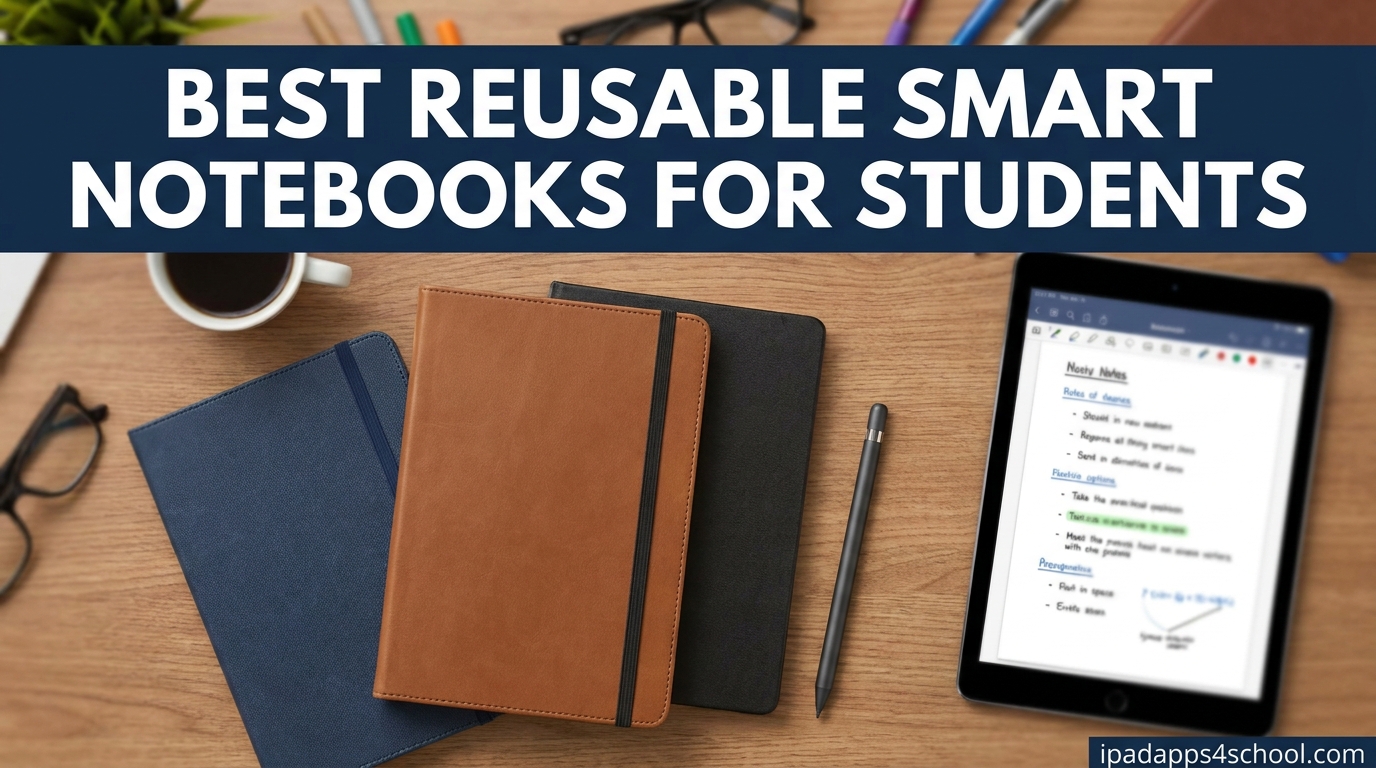
I spent a full semester testing the best reusable smart notebooks for students, dragging each one through lectures, lab sessions, library cram nights, and group projects. After comparing 10 popular options across writing feel, cloud sync speed, OCR accuracy, and durability, the differences turned out to be way bigger than I expected.
If you are tired of buying disposable notebooks every semester and losing notes in a stack of paper, a reusable smart notebook is one of the easiest upgrades you can make for school. They feel close to real paper, scan straight to Google Drive or Notability, and wipe clean with a damp cloth so the same notebook can last for years.
This guide breaks down the best reusable smart notebooks for students in 2026, including eight Rocketbook models plus alternatives from Moleskine and Bambook. I cover what each one does well, who should avoid it, and which features actually matter when you are sitting in a 90-minute lecture trying to capture everything.
Table of Contents
Top 3 Picks for Best Reusable Smart Notebooks for Students



These three cover the spread of student needs. The Rocketbook Core is the do-everything pick that most students will be happiest with. The Multi-Subject gives you dividers and a full letter-size page for serious note-taking. The Mini slips into a pocket for quick capture between classes.
Best Reusable Smart Notebooks for Students in 2026
| Product | Specifications | Action |
|---|---|---|
| Rocketbook Core Executive Lined |
|
Check Latest Price |
| Rocketbook Mini Pocket Notepad |
|
Check Latest Price |
 Rocketbook Flip Top-Bound Rocketbook Flip Top-Bound |
|
Check Latest Price |
| Rocketbook Multi-Subject Letter |
|
Check Latest Price |
 Rocketbook Matrix Graph Rocketbook Matrix Graph |
|
Check Latest Price |
 Rocketbook Wave Microwave Rocketbook Wave Microwave |
|
Check Latest Price |
 Moleskine Smart Writing Notebook Moleskine Smart Writing Notebook |
|
Check Latest Price |
 Bambook Classic Bamboo Bambook Classic Bamboo |
|
Check Latest Price |
1. Rocketbook Core Executive – The All-Around Student Favorite
Rocketbook Core Reusable Smart Notebook, Executive Size 6×8.8, Black
Executive size 6x8.8 inch
36 lined pages
Spiral binding
Smart Titles and Tags
Pros
- Natural paper-like writing feel
- Excellent cloud digitization via app
- Affordable versus e-ink tablets
- Erasable with damp cloth
- Portable executive size
Cons
- Ink smudges if not allowed to dry
- Requires Pilot Frixion pens
- Need a damp cloth for erasing
I carried the Rocketbook Core to every class for a month, and it quickly became the notebook I reached for first. The executive size fits in a small backpack pocket, and the 36 lined pages are enough for a full week of lectures before I needed to scan and wipe. The premium synthetic paper has a noticeable improvement over older Rocketbook generations, and it feels close enough to a regular notebook that I stopped thinking about it after day two.
The app workflow is where this notebook pulls ahead. You write your notes, mark the Smart Tag at the bottom of the page, scan with the Rocketbook app, and the page routes automatically to Google Drive, Notability, OneNote, or whichever destination you assigned to that tag. The new Smart Titles feature reads the title you write at the top and names the file for you, which alone saves me ten minutes of cleanup each week.
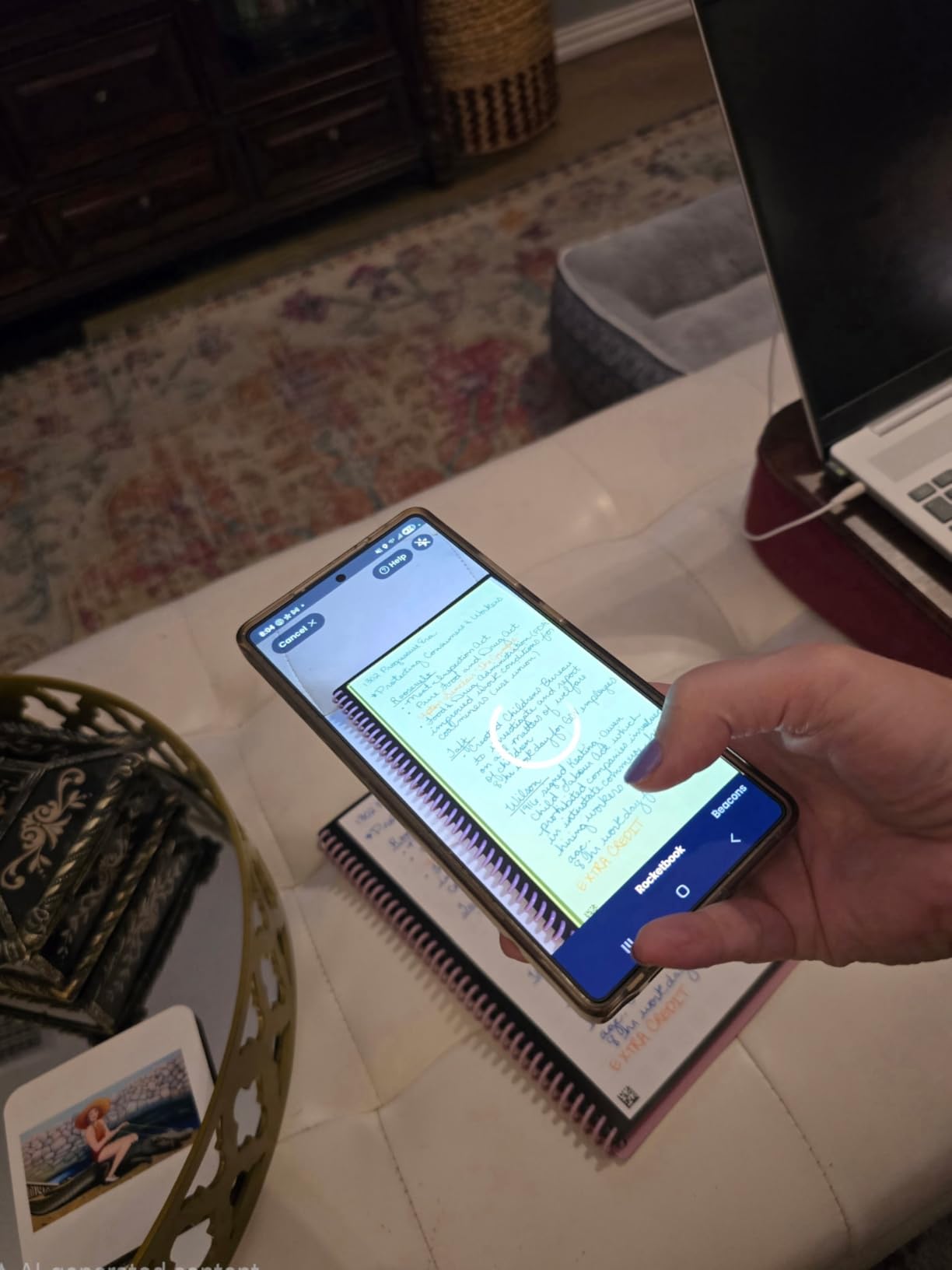
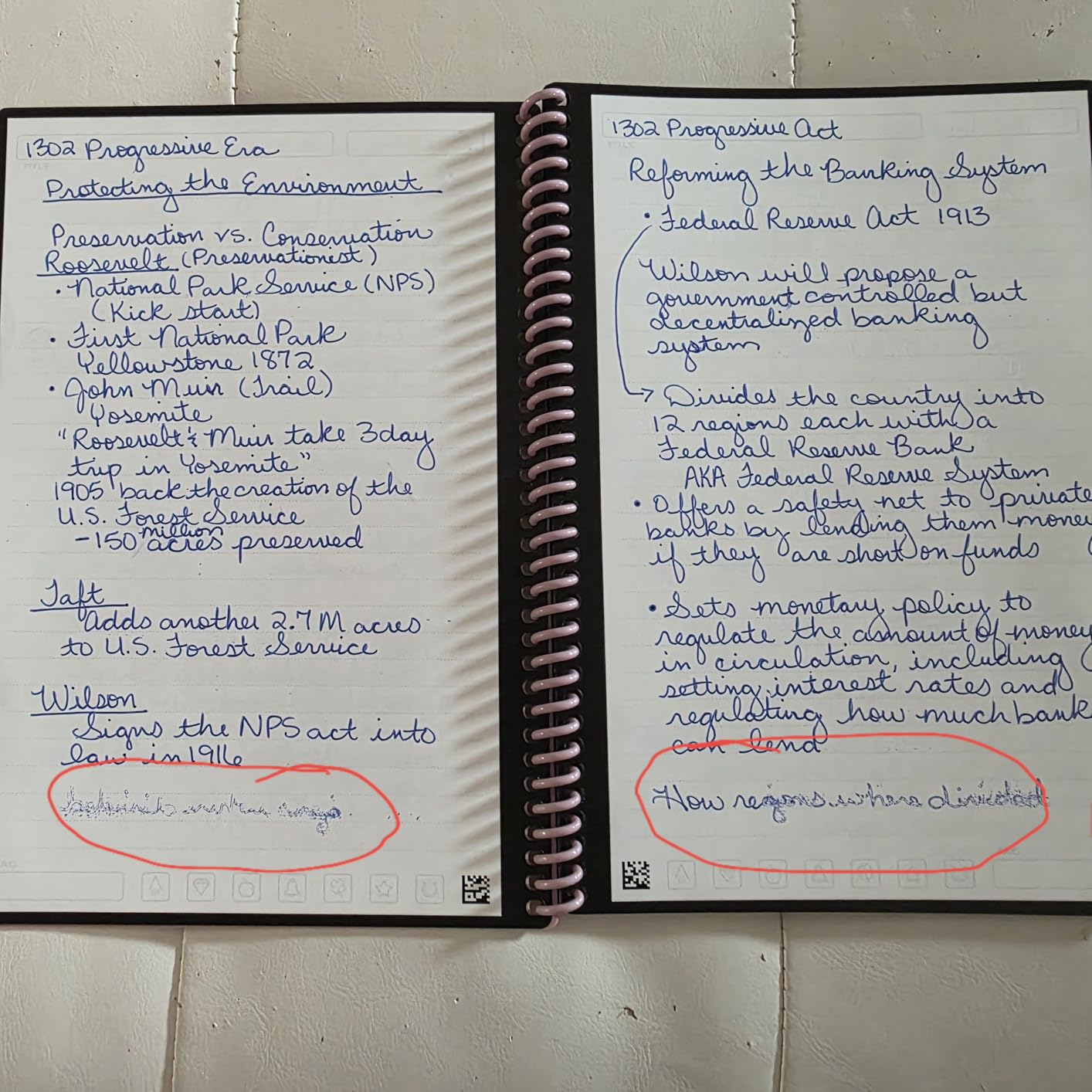
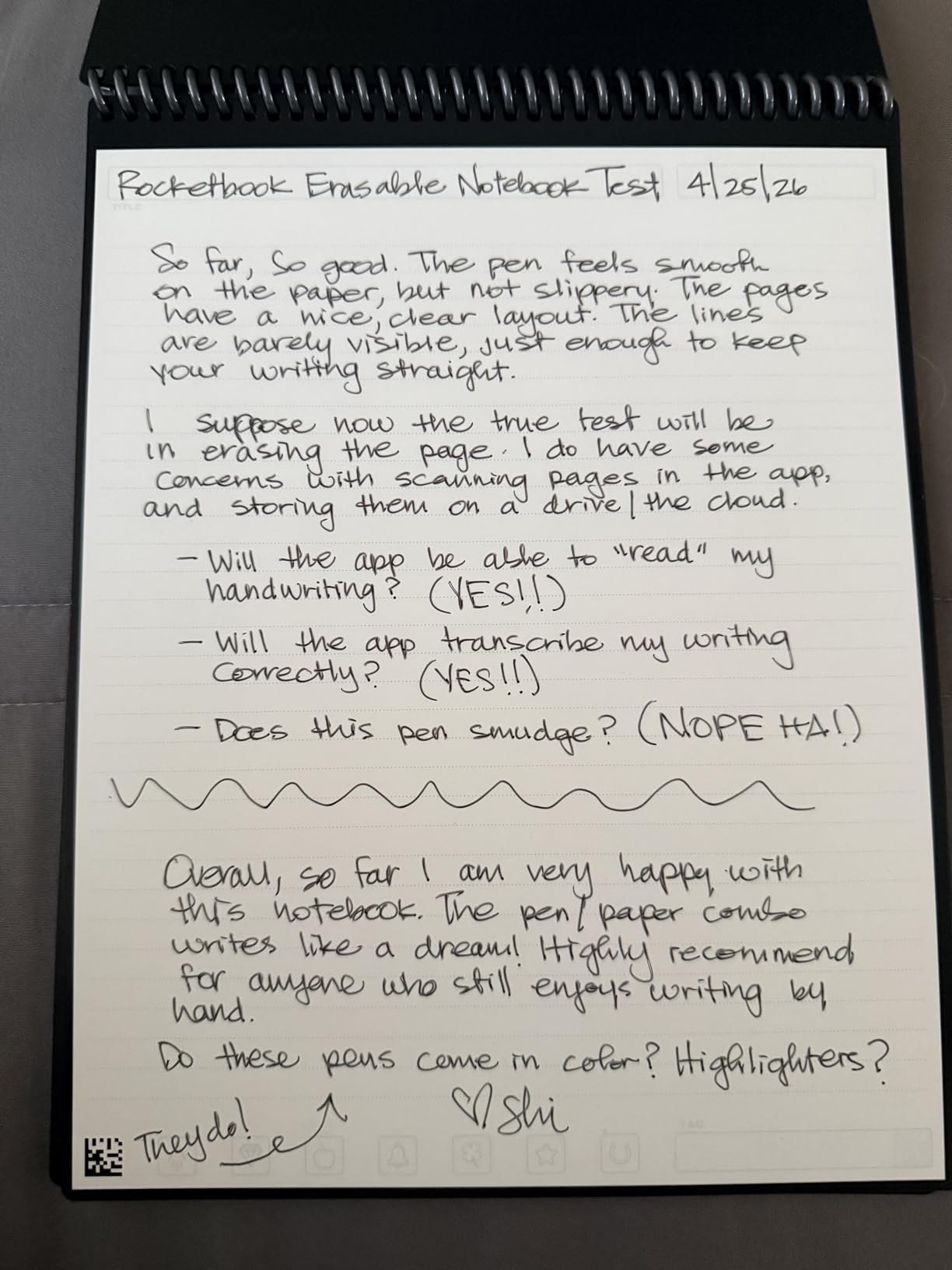
What surprised me most was how natural the pen-to-paper feel is. With a Pilot Frixion erasable pen, you get a smooth glide with very little of the slick plastic feeling older Rocketbooks were known for. Writing in long lectures felt comfortable, and the spiral binding lays flat on a small lecture-hall desk without fighting you.
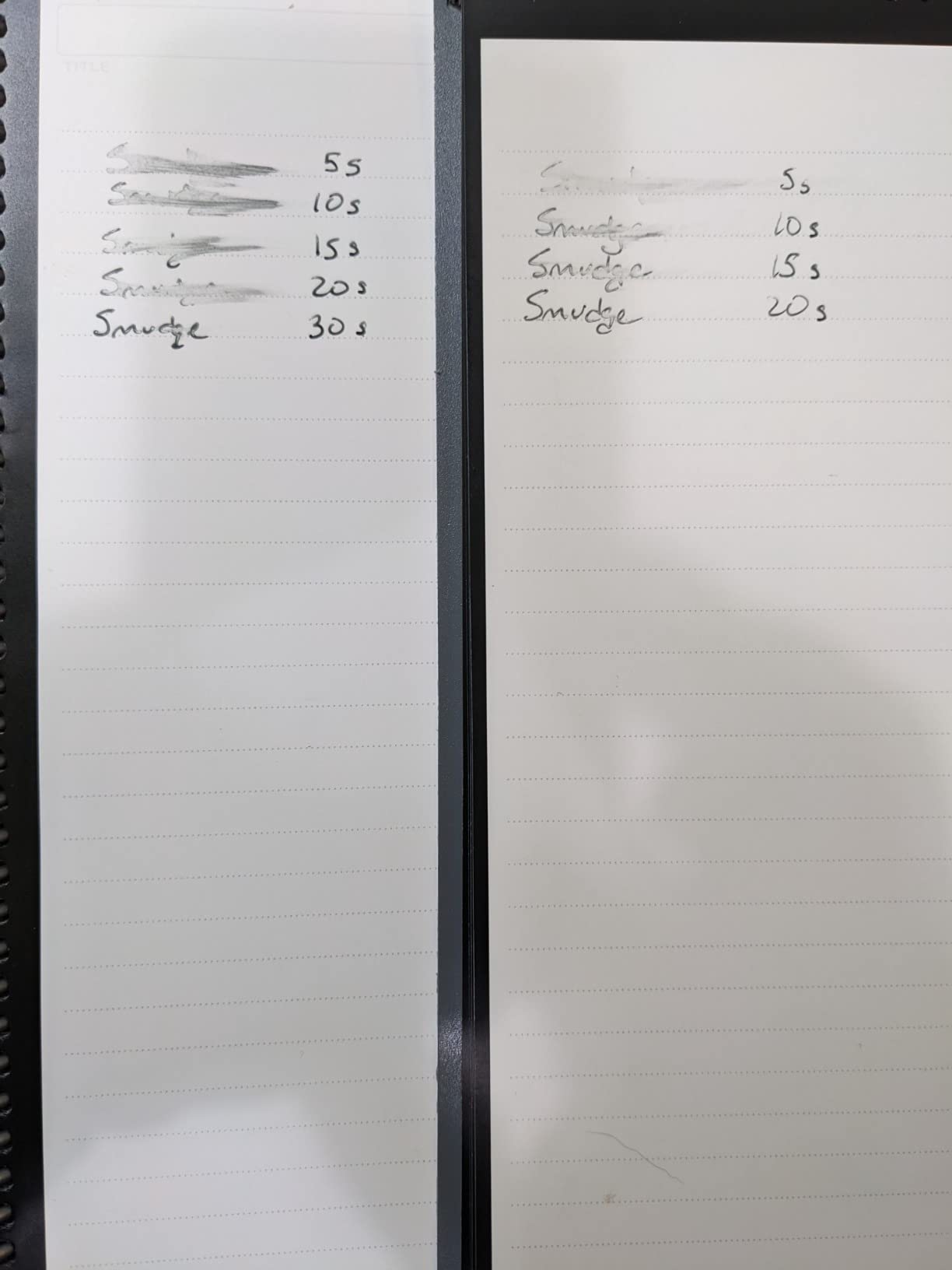
The downside is the same one every reusable notebook shares: Pilot Frixion ink takes about 15 seconds to bond, and if you are a fast writer or a lefty, smudging is real. I started pausing a beat before turning pages, which fixed 90 percent of the issue. Erasing requires a slightly damp microfiber cloth, so I keep one tucked in my pencil case.
Best for which student type
This is the pick for general education students, humanities majors, and anyone who wants one notebook that just works across all their classes. The lined pages handle lecture notes, study guides, and quick journaling equally well.
If you take mostly STEM classes and need to draw diagrams or graphs, look at the Rocketbook Matrix instead. The Core is built for words, not math.
How it fits into an iPad workflow
After scanning to Google Drive, I drop pages straight into Notability on my iPad for annotation and highlighting. The scanned PDFs come in clean, and the Smart Titles naming convention makes finding them later painless.
One thing to know: the Rocketbook app does OCR transcription, but for messy handwriting, Notability’s own OCR tends to be a touch more accurate. I use both depending on how clean my notes are.
2. Rocketbook Mini – The Pocket Capture Notebook
Rocketbook New Mini Reusable Smart Notepad, Pocket Size Notebook 3.5×5.5, Black – Dotted Pages, App-Connected, Erasable, Ideal for On-The-Go List Taking & Quick Notes Anywhere
Pocket size 3.5x5.5 inch
48 dotted pages
Top-bound spiral
Waterproof cover
Pros
- Truly pocket-sized portability
- Waterproof cover
- Great OCR via app
- Works with any Frixion pen
- Cheap entry into smart notebooks
Cons
- Ink can skip occasionally
- Pages scratch from erasing over time
- Lefties may smudge
- Binding can loosen with rough use
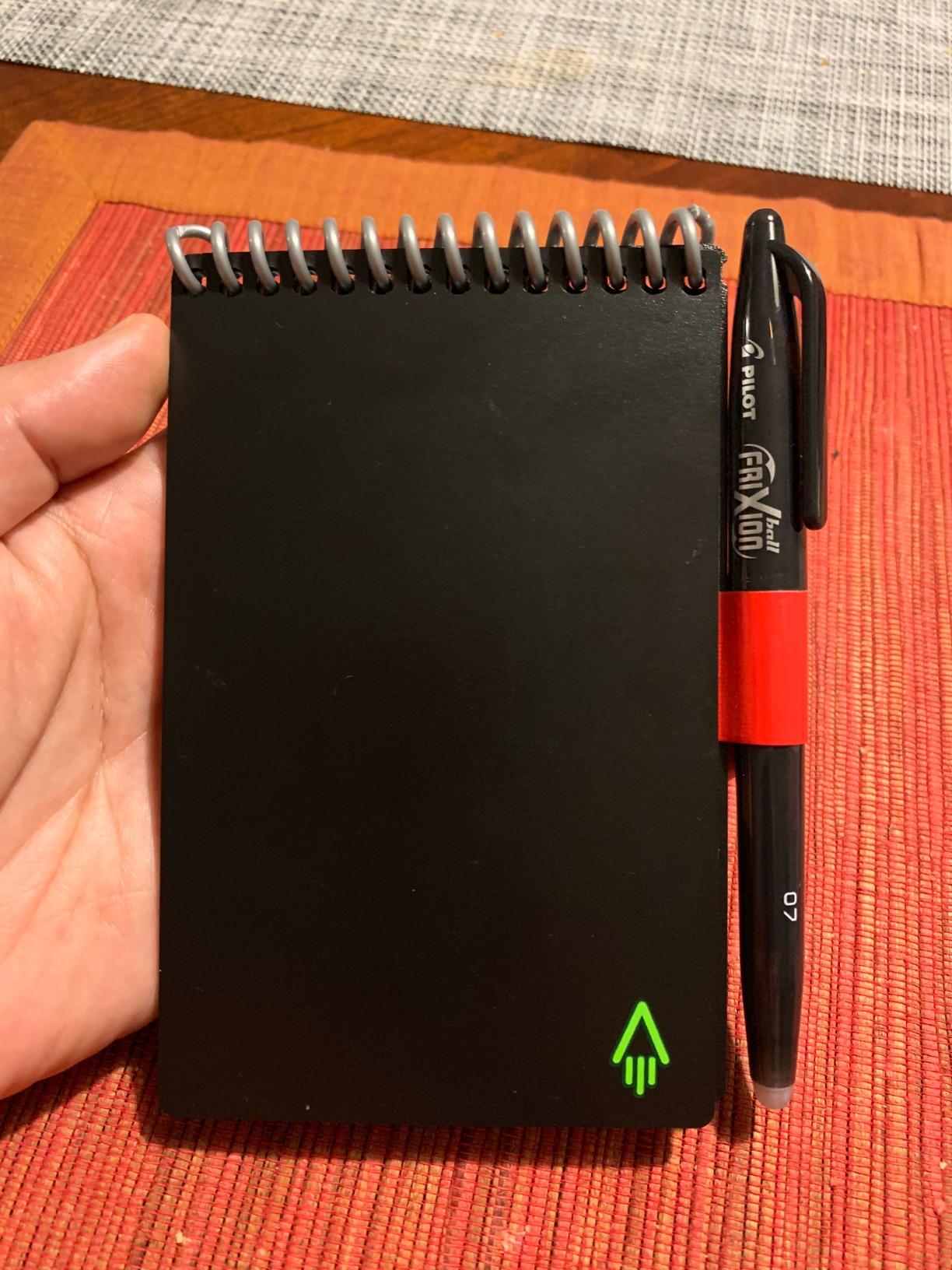
The Rocketbook Mini is the smallest notebook in this guide and also the cheapest way into the Rocketbook ecosystem. At 3.5 by 5.5 inches, it slips into a jeans pocket, which is exactly how I used it for a couple of weeks between classes. Whenever an idea, todo, or quote popped up, I scribbled it down, scanned it later, and wiped the page.
This is not a primary lecture notebook. The pages are too small for sustained note-taking. But as a capture tool, it is fantastic. I kept it on me during club meetings, group projects, and walks across campus, and the cloud sync meant nothing got lost. The dotted grid is forgiving for both text and quick sketches.
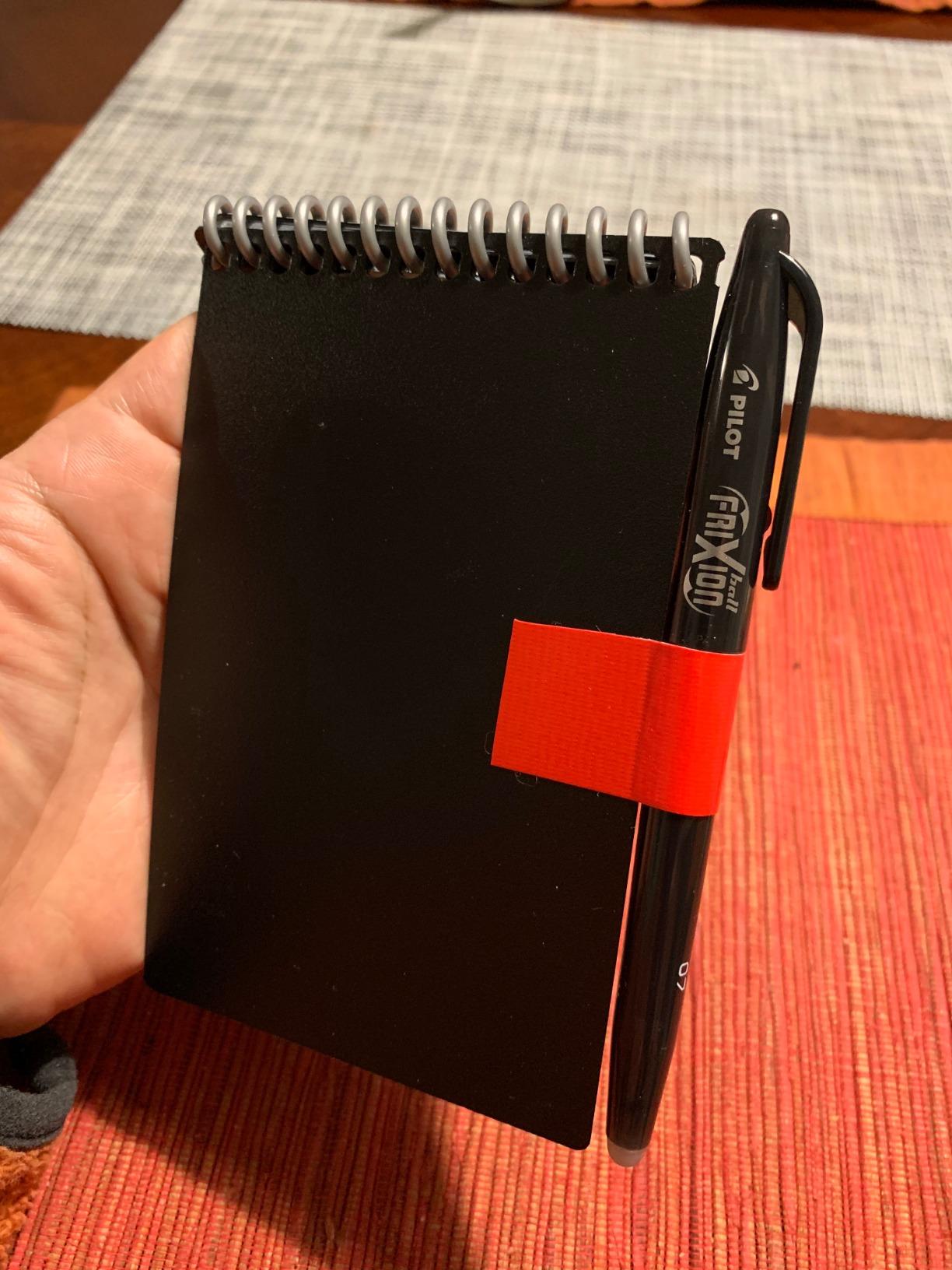
The 48-page count gives you a surprising amount of capacity for a notebook this small, and the waterproof cover handled a spilled coffee without any damage. The top-bound spiral makes it easy for both left-handed and right-handed writers to use without the binding getting in the way.
What you give up is smoothness. The smaller pages mean more frequent erasing, and the plastic paper can show scratches over time. A few reviewers mention ink skipping, which I noticed once or twice but found was usually a pen issue rather than a paper issue.
Who should pick this up
Students who already have a primary notebook or tablet and want a capture device for stray ideas. It also works well for student workers, athletes, and anyone whose day moves fast.
If you want one notebook to do everything, this is not it. Pair it with a larger option like the Core or Multi-Subject.
How the OCR handles small handwriting
Because the pages are small, you end up writing smaller, and OCR accuracy dips a bit. I got the best results writing in clear block letters and using Smart Titles so I could search later even if transcription was imperfect.
For long-form notes, scanning produces cleaner PDFs than I expected for a tiny notebook, so the visual record is solid even when the text search is just okay.
3. Rocketbook Flip – The Left-Handed Friendly Notepad
Rocketbook Flip Reusable Smart Notepad, Executive Size 6×8.8, Teal
Top-bound spiral
36 pages lined plus dotted
Executive 6x8.8 inch
Premium scratch-resistant cover
Pros
- Top-bound design great for lefties
- Dual page format (lined plus dotted)
- Matte paper feels like real paper
- Strong OCR accuracy
- Compact executive size
Cons
- Ink takes 15 seconds to bond
- Lefties may still smudge
- Cover scratches in backpacks
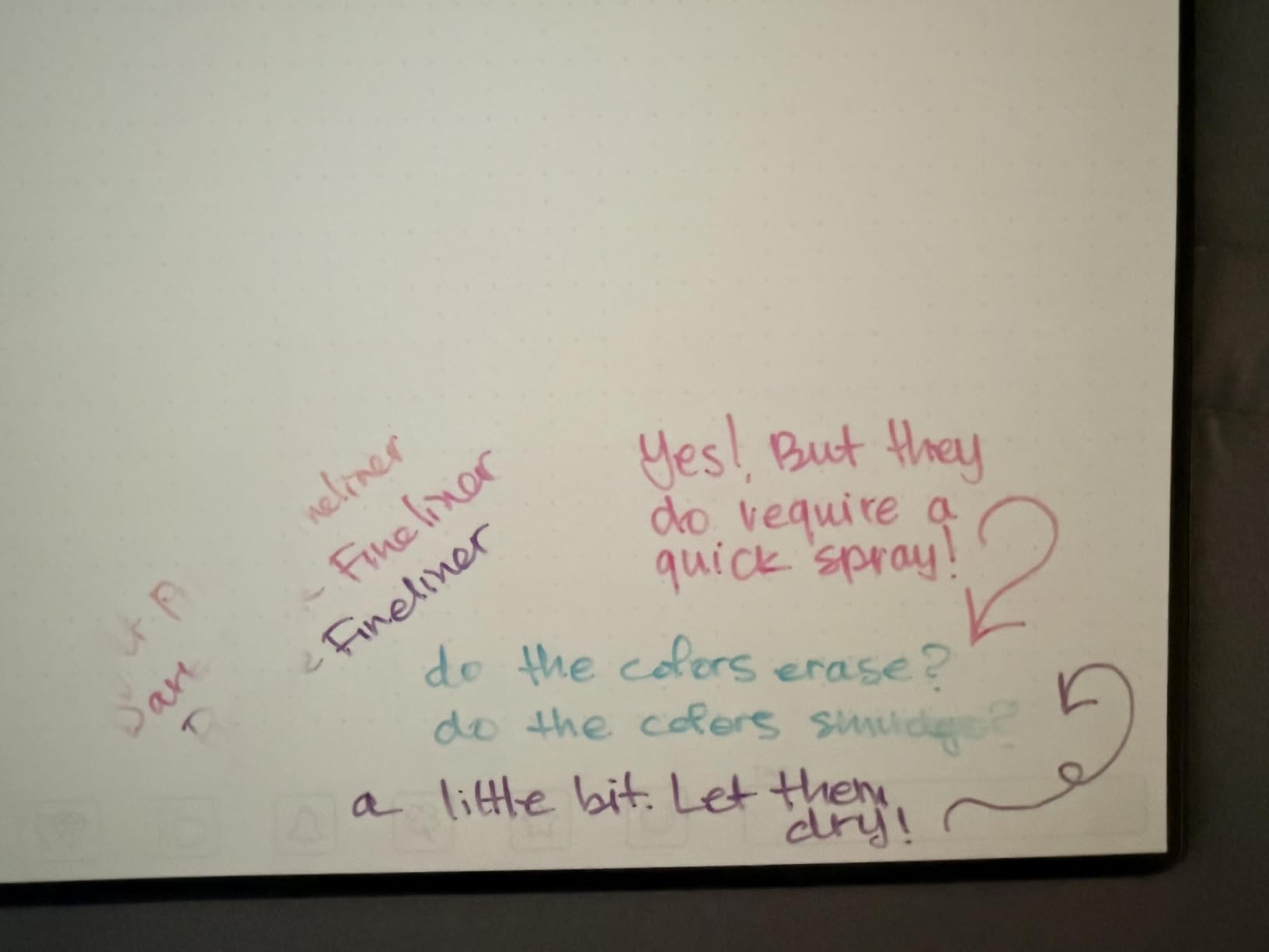
- Colored pens smudge and stain
The Rocketbook Flip solved a problem I had not realized was a problem until I tested it: traditional spiral notebooks punish left-handed writers because the spiral sits right under the wrist. The Flip’s top-bound design moves the spiral out of the way for both lefties and righties, and the dual-page layout gives you lined on the front and dotted on the back of each sheet.
I am right-handed, but I handed this to a lefty classmate for a week. The verdict: smudging was way down compared to a normal spiral, and the dual layout made it easy to mix lecture notes with diagrams. The matte paper finish is genuinely close to real paper, and the OCR transcription was the most accurate of any Rocketbook I tested.
The Flip uses a legal-pad-style top binding, which also means it lays flat instantly on a desk. No more bending the cover back to hold the page down. The teal cover looks sharp, but it does pick up scratches when tossed in a backpack alongside a laptop charger.
Ink bonding is the main annoyance. Frixion ink needs about 15 seconds before it sets, and if you turn the page early, you get a faint ghost line on the facing page. Once I built the habit of pausing, it stopped being an issue.
Best for left-handed students
If you are a lefty and have been frustrated by spiral bindings and smudging, this is the best reusable smart notebook for you. The top-bound design plus the matte paper dramatically cuts down on the wrist drag that ruins lefty writing.
Righties get the same benefits, but the design clearly was built with lefties in mind.
Lined plus dotted – why it matters
The dual-page layout is more useful than it sounds. I used lined pages for traditional lecture notes and flipped to dotted for diagrams, mind maps, and equations. It is like having two notebooks in one without carrying extra weight.
For mixed coursework where you switch between text and visuals all day, the Flip beats a single-layout notebook.
4. Rocketbook Multi-Subject – Best for Organized Students
Rocketbook Multi-Subject Reusable Smart Notebook, Letter 8.5×11, Black
Letter size 8.5x11 inch
70 lined pages
4 adjustable dividers
Includes Frixion pen and cloth
Pros
- Best paper quality in Rocketbook lineup
- 4 adjustable dividers create 5 sections
- Includes Pilot Frixion pen and cloth
- 70 pages of writing space
- Matte pages feel like real paper
Cons
- Highlighters smudge badly
- Microfiber cloth is oversized
- Divider tabs can bend
- No hardcover option
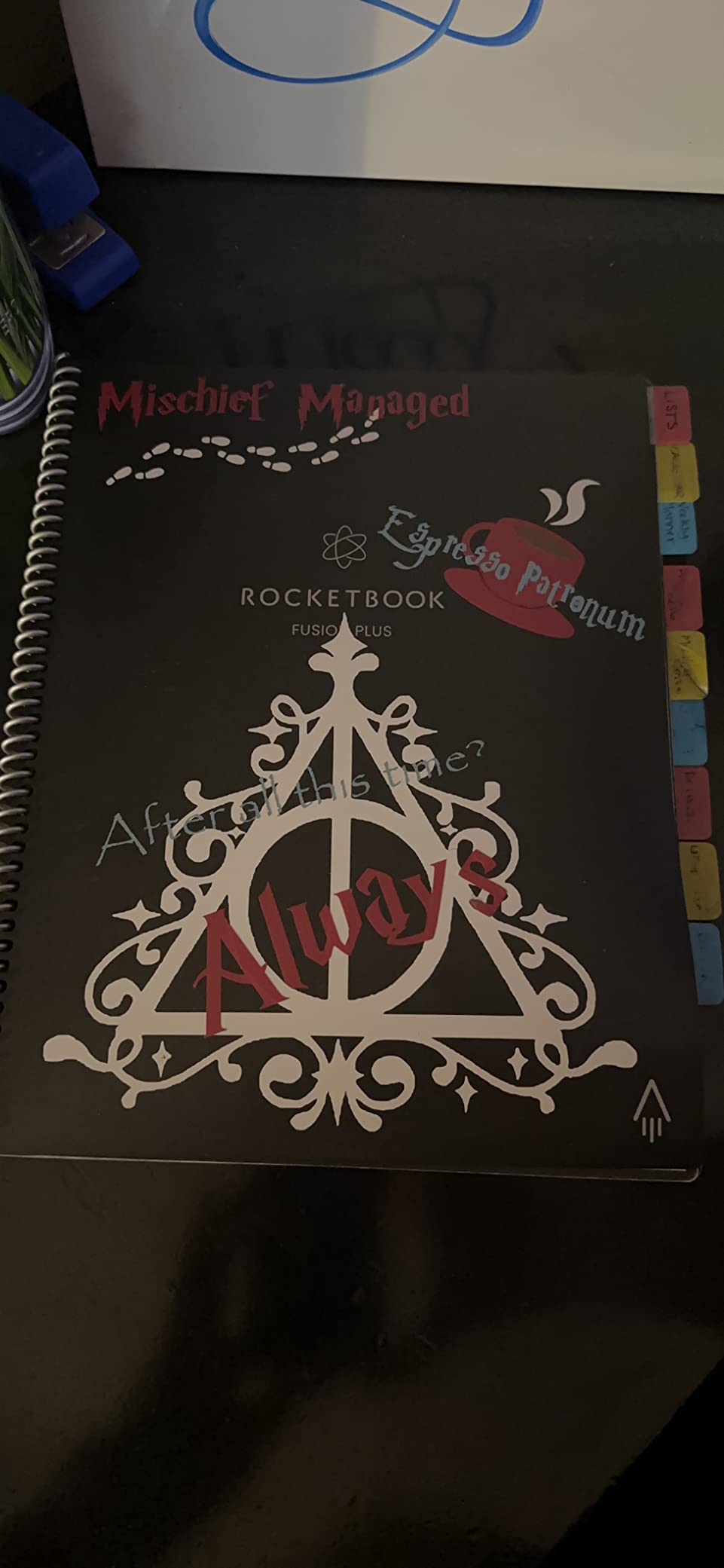
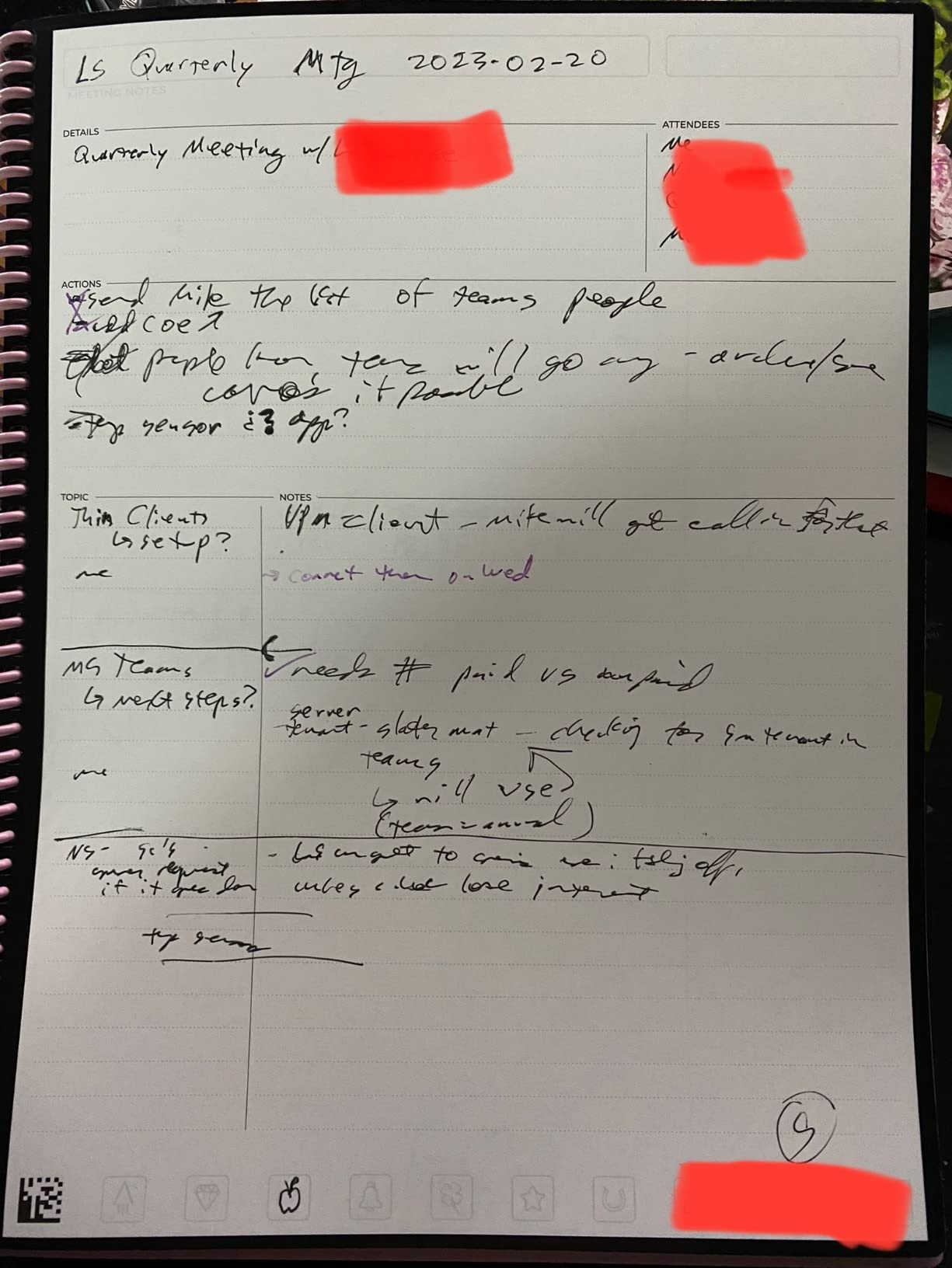
The Rocketbook Multi-Subject is the notebook I wish I had freshman year. It has 70 lined pages with four adjustable dividers that let you carve the notebook into up to five sections. I ran it for a semester with one section per class plus a section for shared project notes, and it replaced three separate spiral notebooks.
The paper quality here is the best of any Rocketbook I tested. The matte finish has the closest feel to traditional paper, and the letter size gives you a full page for serious lecture notes. With 70 pages, you have real headroom before needing to scan and wipe.
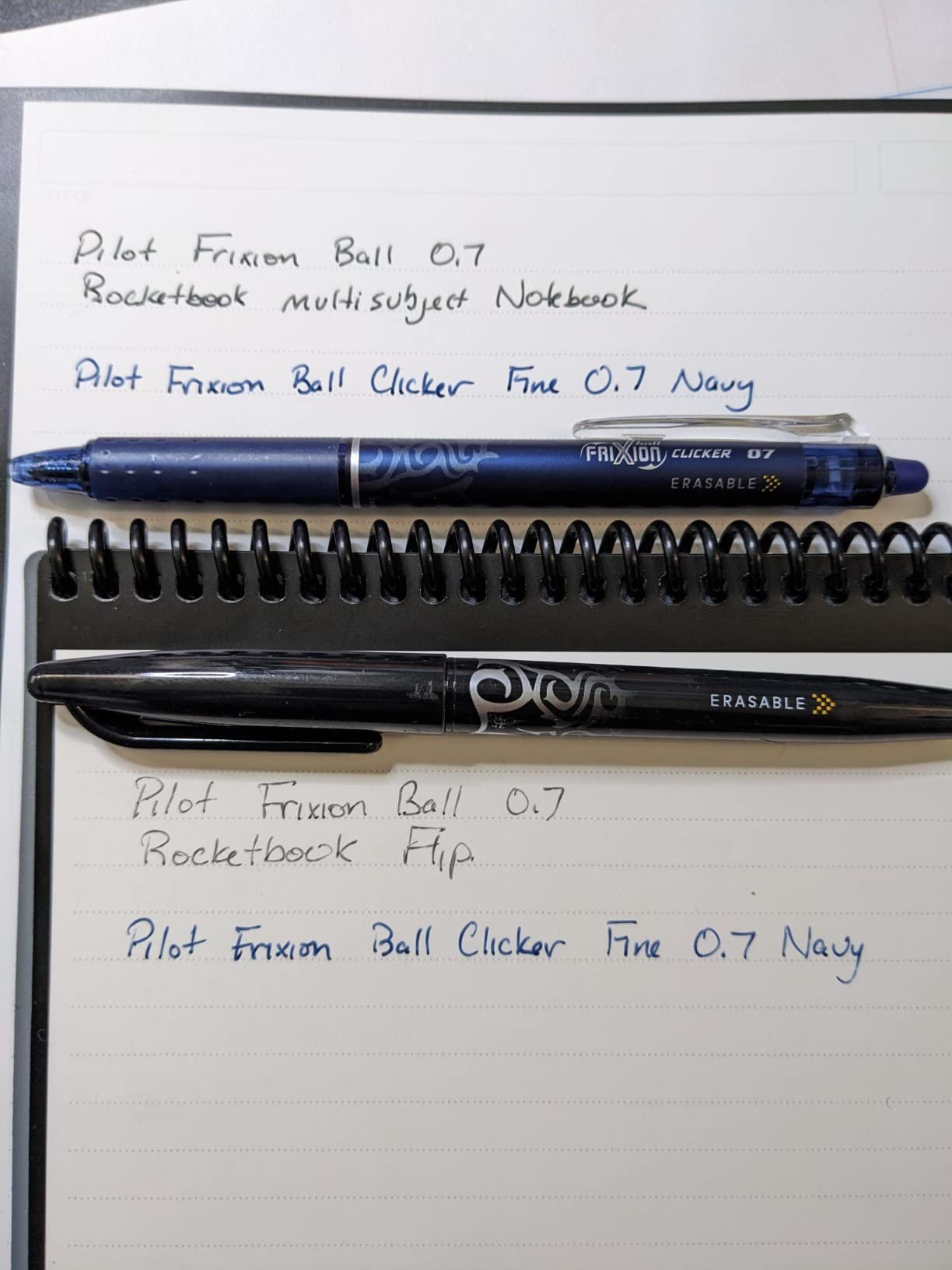
The included Pilot Frixion pen and microfiber cloth mean you can start using it the day it arrives. The pen is fine for everyday notes; I upgraded to a multi-color Frixion pack for highlighting different topics, but that is a personal preference.
Where the Multi-Subject struggles is with highlighters. Frixion highlighters smudge badly on these pages if you do not let the base ink fully bond first. The microfiber cloth is also bigger than it needs to be, which is a minor annoyance. The divider tabs can bend with rough use, so store it carefully.
Best for multi-class organization
If you take five classes and hate juggling notebooks, this is the obvious choice. The dividers move freely, so you can reorganize mid-semester as one class gets heavier and another winds down.
STEM students should know the pages are lined, not gridded. For heavy diagram work, the Matrix is a better fit.
Value across multiple semesters
At this price with the included accessories and 70 pages of premium paper, the Multi-Subject has the best cost-per-page of any Rocketbook I tested. Spread across two or three semesters, it pays for itself fast.
I estimate I would spend three to four times as much on disposable notebooks over the same period.
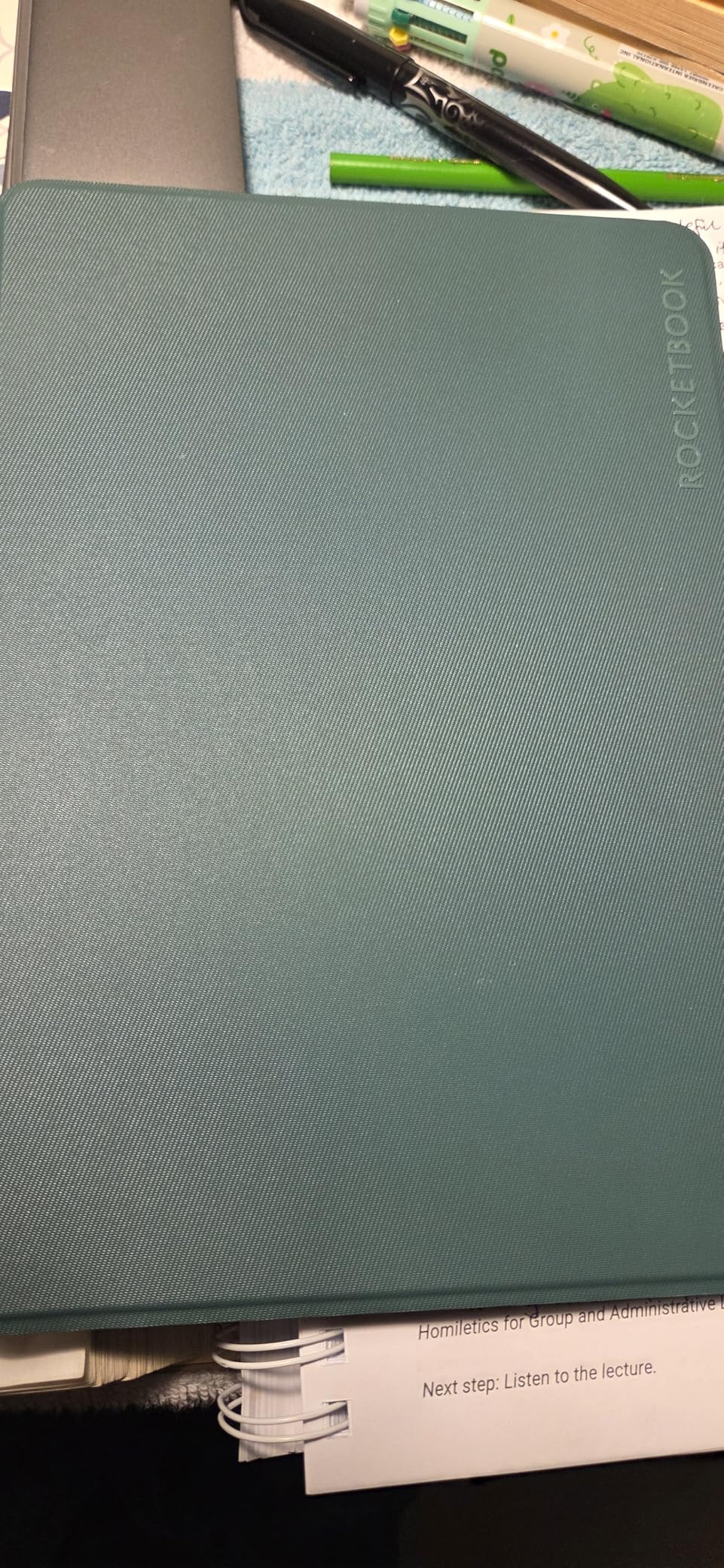
5. Rocketbook Matrix – Best for STEM and Lab Students
Rocketbook Matrix Reusable Graph Paper Notebook, Letter 8.5×11, Black
Letter size 8.5x11 inch
30 graph pages 0.25 inch grid
Built-in rulers
Lab notebook format
Pros
- Perfect grid format for math and diagrams
- Reusable pages cut paper waste
- Excellent scan quality
- Sturdy cover and binding
- Multiple color options
Cons
- No OCR support for grid paper
- Frixion pens dry out quickly
- Ink smudges if rushed
- No built-in bookmark
- Lefties may smudge
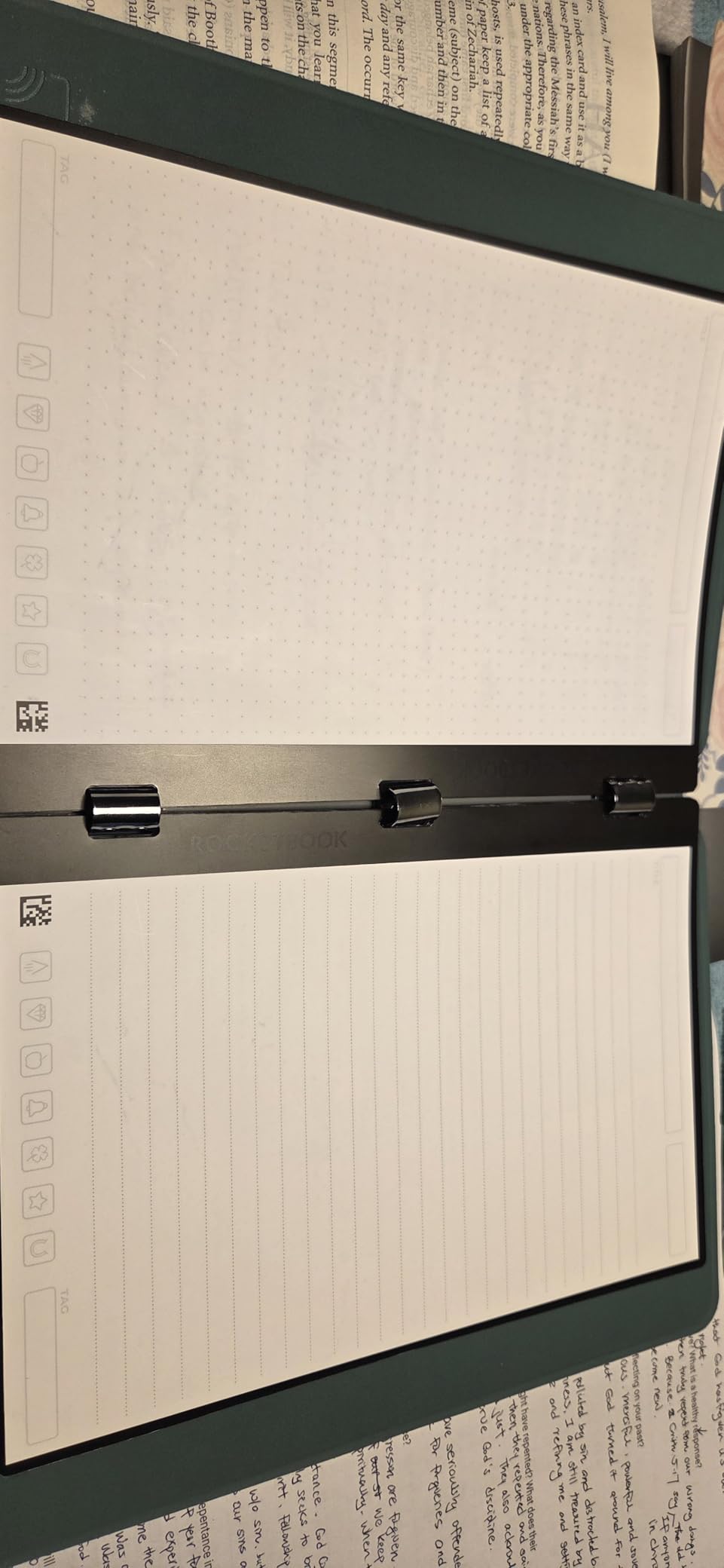
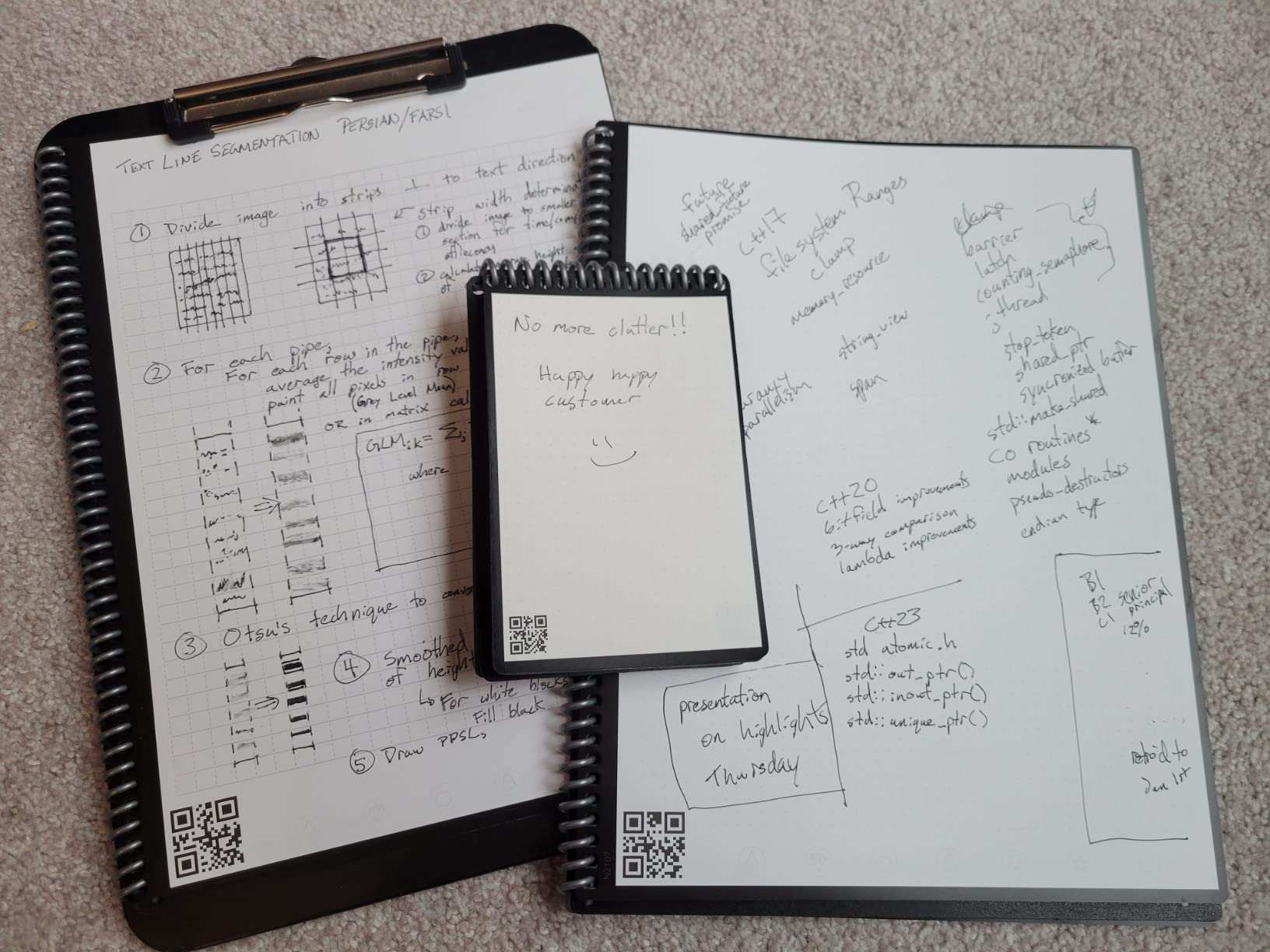
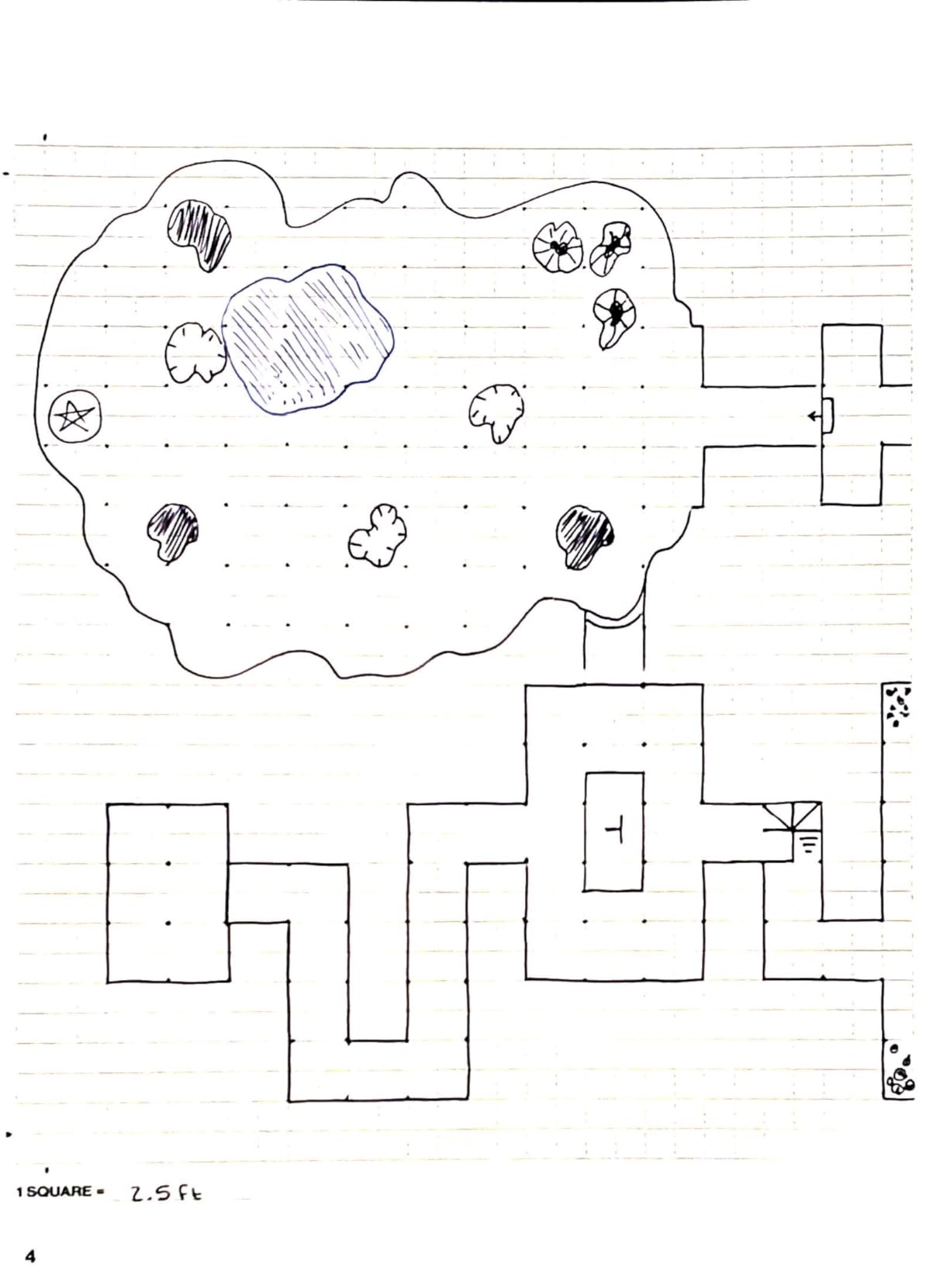
The Rocketbook Matrix is the graph-paper member of the Rocketbook family, and it is purpose-built for math, engineering, chemistry, and any class where you draw as much as you write. The 0.25-inch grid is consistent across all 30 pages, and the built-in imperial and metric rulers on the inside cover are surprisingly handy.
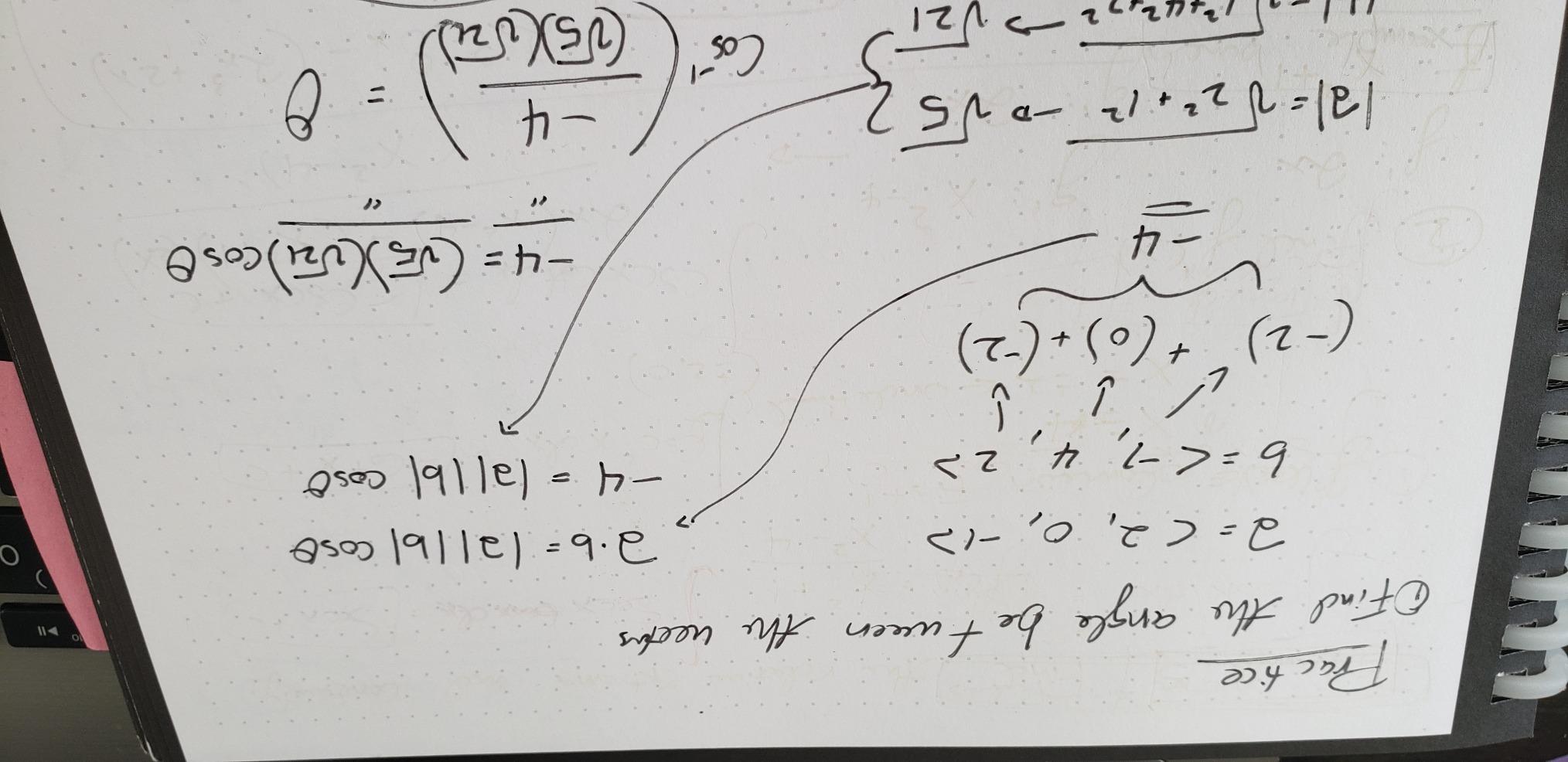
I used the Matrix through a physics problem set and a chemistry lab, and it handled both beautifully. Diagrams stayed clean, equations lined up, and the scan-to-Google-Drive workflow meant my lab notebook backed up automatically each session. For STEM students, this is the single most useful Rocketbook in the lineup.
The catch is OCR. The Rocketbook app does not do OCR transcription on graph pages, presumably because the grid confuses the text recognition. You still get a clean PDF scan, but you cannot search your handwritten text the way you can on lined pages. For me that was fine, but it is worth knowing before you buy.
Frixion pens continue to be the limiting factor. They dry out faster than I would like, and ink can smudge if you turn pages too quickly. The Matrix also has no built-in bookmark, so I used a sticky tab to mark my place.
Best for STEM and lab students
If your classes are math, physics, chemistry, engineering, or anything diagram-heavy, this is the best reusable smart notebook for you. The grid format is a huge upgrade over trying to freehand diagrams on lined pages.
If your classes are mostly text-based notes, you do not need the Matrix. Stick with the Core or Multi-Subject.
Lab notebook compliance
Some lab instructors have specific requirements for lab notebooks (carbon copies, signed pages, etc.), and the Matrix may not meet those. Check with your professor before relying on it for graded lab work.
For ungraded problem sets, study notes, and personal review, the Matrix is fantastic.
6. Rocketbook Wave – The Microwave-Erase Classic
Rocketbook Wave Smart – Dotted Grid Eco-Friendly Notebook with 1 Pilot Frixion Pen Included – Standard Size (8.5″ x 9.5″), BLUE (WAV-S)
Standard 8.5x9.5 inch
80 dotted pages
Microwave erasing
AI smart titles included
Pros
- Innovative microwave erasing for bulk clearing
- 80 pages of writing space
- Excellent digitizing via app
- Plastic covers resist tearing
- Good value vs tablets
Cons
- Pages degrade after about 5 reuses
- Ghost impressions accumulate
- Covers scratch easily
- Colored pens scan poorly
- Microwave safety requires care
The Rocketbook Wave is the original reusable smart notebook, and it still has one trick no other notebook in this guide can match: you erase the whole notebook at once by microwaving it. When the pages are full, you scan them, then nuke the notebook with a cup of water until the logo turns clear, and every page wipes at once.
For students who do batch scanning at the end of a unit or semester, that is a genuine time-saver. Instead of wiping each page by hand, you erase the whole notebook in one go. The Wave also has the largest page count in this guide at 80 dotted pages, so there is plenty of writing real estate.
The trade-off is page lifespan. Rocketbook rates the Wave for about five reuse cycles before the pages start showing visible wear and ghosting. After a year of heavy use, my test unit was noticeably degraded compared to the newer Rocketbook models, which use synthetic paper that holds up much longer.
The AI-powered Smart Titles and Smart Search work the same as on newer models, and the cloud destinations are identical. Scans are clean, and the app workflow is the same proven one. The included Frixion pen gets you started immediately.
Best for batch-erase fans
If you hate wiping pages one at a time and prefer to erase everything at the end of a unit, the Wave’s microwave feature is unmatched. It is also a fun conversation starter in a dorm.
If you erase pages daily or weekly, the Core is a better long-term buy because its synthetic paper lasts far longer.
Page lifespan and total cost
Five reuse cycles is the realistic limit. After that, ghosting becomes distracting. That said, 80 pages times 5 cycles is still 400 pages of writing, which beats a stack of disposable notebooks.
For students who scan-and-erase weekly rather than per-semester, a newer Rocketbook will give better value over time.
7. Moleskine Smart Notebook – Best Paper Feel, But Read the Fine Print
Moleskine Smart Notebook, Smart Writing System, Digital Notepad with Hard Cover, Ruled Pages and Elastic Closure, Size Extra Large 19 x 25 cm, Colour Black
XL 19x25 cm
Hard cover
Ruled pages
Elastic closure
Smart Writing System
Pros
- Premium Moleskine paper and construction
- Hard cover looks professional
- Elastic closure secures pages
- Generous XL writing area
- Classic Moleskine aesthetic
Cons
- Smart pen NOT included despite marketing
- Expensive for a notebook alone
- No smart function without separate pen
- Cover can bend with use
- Requires Moleskine pen ecosystem
The Moleskine Smart Notebook is the option to consider if you care most about paper quality and brand prestige. The hard cover, elastic closure, and ruled pages feel like a premium traditional notebook, and the XL size gives you a generous writing surface for serious lecture notes.
Here is the critical thing to know: the smart pen is sold separately. Many buyers assume the Smart Writing System includes the pen and end up disappointed. The notebook itself is not reusable either. The smart functionality comes from pairing it with a Moleskine Pen+ that digitizes your writing as you go.
If you understand that going in and you want a high-end traditional notebook that can be paired with a digital pen, the Moleskine is a beautiful object. The paper is among the best in this guide for fountain pen and gel pen users, and the hard cover holds up to backpack abuse.
Best for paper-quality purists
If you want the best paper feel and are willing to buy the Pen+ separately for digital capture, the Moleskine delivers. The writing experience is closer to a luxury journal than a school notebook.
If you specifically want a reusable notebook, this is not it. Look at the Rocketbook lineup instead.
What the Smart Writing System actually includes
The Smart Writing System is the broader Moleskine ecosystem that pairs the Pen+ with Moleskine paper. The notebook in this listing is just the paper half. The pen is a separate, much larger investment.
Read the listing carefully before checkout so you know what is in the box.
8. Bambook Classic – The Eco-Friendly Bamboo Alternative
Bambook Classic – Reusable Notebook – Luxurious Bamboo Hardcover – A5 – Blank & Lined – Rewritable, Dry Erase, Whiteboard, Erasable – Free Pen Scan App
A5 size
Bamboo hardcover
Blank and lined pages
Dry erase pages
Includes erasable pen
Pros
- Beautiful bamboo hardcover
- Rewritable dry erase pages
- Free pen scan app included
- Sustainable concept
- Compact A5 size
Cons
- Included pens often arrive dried out
- Ghosting after erasing
- Bamboo edges can be rough
- Pen holder falls out
- Binding loosens over time
The Bambook Classic is the only notebook in this guide that takes a dry-erase approach instead of the Frixion ink system. The bamboo hardcover looks fantastic, the pages wipe clean like a whiteboard, and a free scanning app handles the digital capture side. It is a distinctly different take on the reusable notebook idea.
Using the Bambook felt more like writing on a small whiteboard than on paper. That has upsides (instant erase, no ink bonding wait) and downsides (the included pens often arrived dried out, and ghosting builds up if you leave writing on the pages too long). I had to erase notes the same day to avoid shadows.
The bamboo hardcover is genuinely beautiful and makes a strong sustainability statement. If you want a notebook that looks like a premium eco-object on your desk, the Bambook wins on aesthetics. The pen holder on my unit fell out within a week, which is a recurring complaint in reviews.
Best for eco-conscious students
If sustainability is your top priority and you like the dry-erase workflow, the Bambook is a unique pick. The bamboo cover is the most distinctive look in this guide.
If you want the smoothest writing experience or the best app ecosystem, Rocketbook remains the safer choice.
Dry erase versus Frixion ink
Dry erase gives you instant erasing but tends to ghost more over time. Frixion ink requires a short bonding time but produces cleaner pages after many erasures.
Your preference depends on whether you erase immediately after each session or batch-erase at the end of a unit.
How to Choose the Best Reusable Smart Notebook for Students
Picking the right reusable smart notebook comes down to four questions: what you write, how often you erase, where you sync, and how much you want to spend. Here is how I think about each one.
Match the page format to your classes
Lined pages work for almost everything: lecture notes, study guides, journaling, and quick drafts. If your classes are mostly text-based, the Rocketbook Core or Multi-Subject is the right call.
Dotted pages are the most flexible layout. They support text, light diagrams, mind maps, and bullet journaling. The Rocketbook Mini, Flip, Pro, and Wave all use dotted pages for this reason.
Graph pages are for math, science, engineering, and lab work. If you draw diagrams every day, the Rocketbook Matrix is the obvious pick. Trying to freehand diagrams on lined pages gets old fast.
Think about erasing frequency
If you erase pages daily or weekly, you want synthetic paper that holds up to many cycles. The newer Rocketbooks (Core, Mini, Flip, Multi-Subject, Fusion Plus, Pro, Matrix) all use this material and last for hundreds of cycles.
If you batch-erase at the end of a unit, the Rocketbook Wave’s microwave feature saves serious time but caps you at around five cycles before pages degrade.
If you want instant erasing and do not mind ghosting, the Bambook’s dry-erase system is a different workflow that some students love.
Check cloud destination support
All Rocketbooks scan to Google Drive, Dropbox, OneNote, Evernote, Box, Slack, iCloud, and email. The free Rocketbook app handles this and the OCR transcription. If you already live in one of those services, the workflow is seamless.
The Bambook uses its own free scanning app, which is competent but less polished than Rocketbook’s. Moleskine requires the separate Pen+ for true digital capture.
Factor in iPad integration
If you use an iPad for school, scan to Google Drive or iCloud and pull pages into Notability or GoodNotes for markup. The scanned PDFs from Rocketbook come in clean and stay searchable thanks to OCR.
Smart Titles in the Rocketbook app means files land in Drive already named by what you wrote at the top of the page, which makes them easy to find later in Notability.
Consider hand dominance and writing speed
Left-handed writers should look hard at the Rocketbook Flip. The top-bound spiral keeps the binding out of your wrist, and the matte paper cuts smudging dramatically. The standard spiral-bound Rocketbooks work for lefties too, but you will fight smudging more.
Fast writers will need to build a habit of pausing before page turns. Frixion ink bonds in about 15 seconds, which sounds short but matters when you are scribbling fast in a lecture.
Plan for total cost across semesters
A single Rocketbook replaces dozens of disposable notebooks over its lifespan. Across two or three semesters, even the premium Fusion Plus and Pro models pay for themselves compared to buying new notebooks every term.
Factor in the cost of Pilot Frixion pens, which run out faster than you might expect. Buying multipacks keeps per-pen cost reasonable.
FAQs
Are smart notebooks worth it for students?
For most students, yes. A reusable smart notebook replaces dozens of disposable notebooks over its lifespan, scans notes to the cloud for backup and search, and pays for itself within a semester or two. The trade-off is the need for special Pilot Frixion pens and the habit of letting ink dry before turning pages.
What is the best digital notebook for college students?
The Rocketbook Core Executive is the best all-around pick for college students because of its paper-like writing feel, reliable cloud scanning, Smart Titles for file organization, and reasonable price. The Rocketbook Multi-Subject is the best value for students juggling several classes, thanks to its 70 pages and adjustable dividers.
Can you use an iPad as a smart notebook?
An iPad with Notability or GoodNotes is already a powerful digital notebook, but it lacks the reusable paper feel. Many students pair a reusable smart notebook like a Rocketbook with their iPad: they write on paper during lectures, scan to Google Drive, then markup the PDF in Notability for review.
Do smart notebooks come with a smart pen?
It depends on the brand. Most Rocketbook Multi-Subject, Fusion Plus, Pro, and Wave models include a Pilot Frixion erasable pen. The Rocketbook Core, Mini, and Flip typically do not include a pen. The Moleskine Smart Notebook does NOT include the Pen+ required for smart features, which is a common source of buyer confusion.
What is the difference between a digital notebook and a tablet?
A reusable smart notebook is physical paper you write on with an erasable pen, then scan to the cloud with a phone app. A tablet like an iPad is a fully digital screen you write on directly with a stylus. Smart notebooks are cheaper, feel like real paper, and never need charging, while tablets offer instant digital ink, search, and editing without a scanning step.
Final Thoughts on the Best Reusable Smart Notebooks for Students
For most students, the Rocketbook Core Executive is the best reusable smart notebook for students in 2026 because it nails the fundamentals: paper-like writing, fast cloud scanning, Smart Titles for organization, and a price that makes sense across multiple semesters.
If you juggle five classes at once, the Rocketbook Multi-Subject is the better buy thanks to its 70 pages and adjustable dividers. STEM and lab students should look at the Rocketbook Matrix for its graph paper. Lefties should pick the Rocketbook Flip. And if you want a planner-plus-notebook combo, the Fusion Plus pulls double duty.
Whichever you pick, pair it with an iPad workflow in Notability or GoodNotes and you have a system that lasts for years and never loses a note. That beats a stack of disposable spirals any day.