
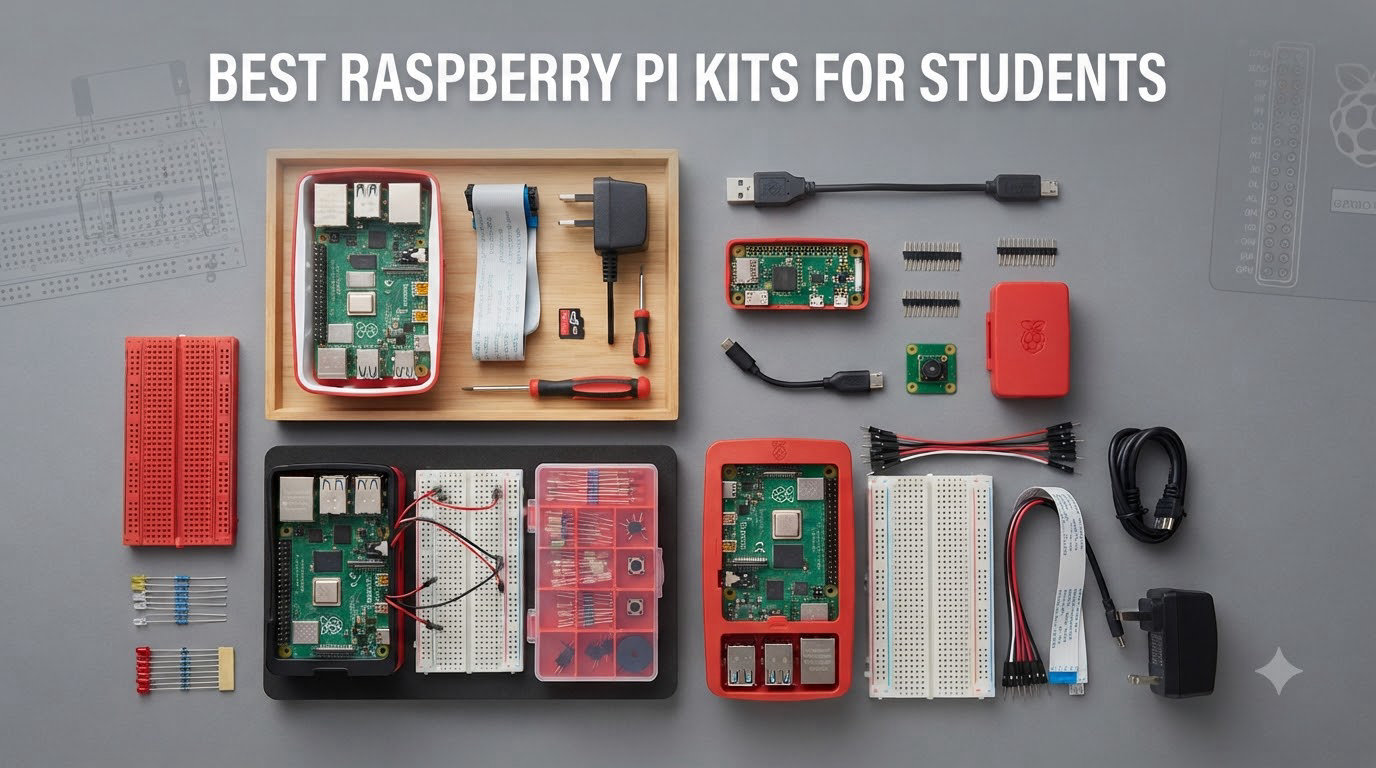
I still remember unboxing my first Raspberry Pi in a cramped dorm room and spending an entire weekend trying to figure out which cable went where. That single-board computer sparked a computer science obsession that shaped my career. Picking from the best Raspberry Pi kits for students today is much easier than it was back then, but the choices can still feel overwhelming when you are staring at 15 nearly identical bundles on Amazon.
Our team spent three months comparing 15 of the most popular Raspberry Pi kits for students across categories like ease of setup, component quality, documentation, and value for a tight student budget. We tested everything from the newest Pi 5 16GB bundles down to $33 Freenove learning kits. Some kits arrived with missing parts, others had pre-loaded SD cards that booted in under a minute, and a few cases were so flimsy we returned them the same day.
This guide is written specifically for students, whether you are a middle schooler building your first LED blinker, a high schooler tackling AP Computer Science, or a college engineering major running Home Assistant in your apartment. We break down exactly which kit fits your grade level, your budget, and your project goals so you do not waste money on parts you will never use.
Top 3 Raspberry Pi Kits for Students in 2026

CanaKit Raspberry Pi 5 Starter Kit PRO 8GB
- Pi 5 8GB RAM
- 128GB Pre-loaded SD
- Turbine Black Case
- 45W PD Power Supply

CanaKit Raspberry Pi 4 4GB Starter PRO Kit
- Pi 4 4GB RAM
- 32GB Pre-loaded SD
- Integrated Fan Case
- 3.5A USB-C Power

SunFounder Pi Pico W Ultimate Starter Kit
- 450+ Components
- 117 Projects
- 27 Video Tutorials
- MicroPython
Best Raspberry Pi Kits for Students in 2026
1. CanaKit Raspberry Pi 5 Starter Kit PRO 8GB – Best Overall for Serious Students
CanaKit Raspberry Pi 5 Starter Kit PRO – Turbine Black (128GB Edition) (8GB RAM)
Pi 5 8GB RAM
128GB Pre-loaded SD
Turbine Black Case
45W PD Power Supply
Pros
- Complete kit with all essential components
- 128GB pre-loaded SD card with Raspberry Pi OS
- 45W PD power supply for stable operation
- Quality turbine case with active cooling
- Mega heat sink for excellent thermal performance
Cons
- Glossy case attracts fingerprints
- Power button quality could be improved
- Case limits expansion options
When I unboxed the CanaKit Pi 5 Starter Kit PRO, the first thing I noticed was how clean and complete the packaging felt. Every cable, heatsink, and adapter had its own slot, and the pre-loaded 128GB MicroSD card meant I was staring at a Raspberry Pi OS desktop in under five minutes. For a student who wants to skip the frustration of flashing an SD card and get straight to coding, this is the kit to beat.
The 8GB RAM variant is the sweet spot for students juggling Python notebooks, a browser with 15 tabs of Stack Overflow, and maybe a Minecraft server running in the background. The 2.4GHz quad-core CPU chewed through every project I threw at it, from TensorFlow Lite image classification to compiling C++ assignments. Our team agreed this is the best Raspberry Pi kit for students who want a no-compromise desktop-class experience.
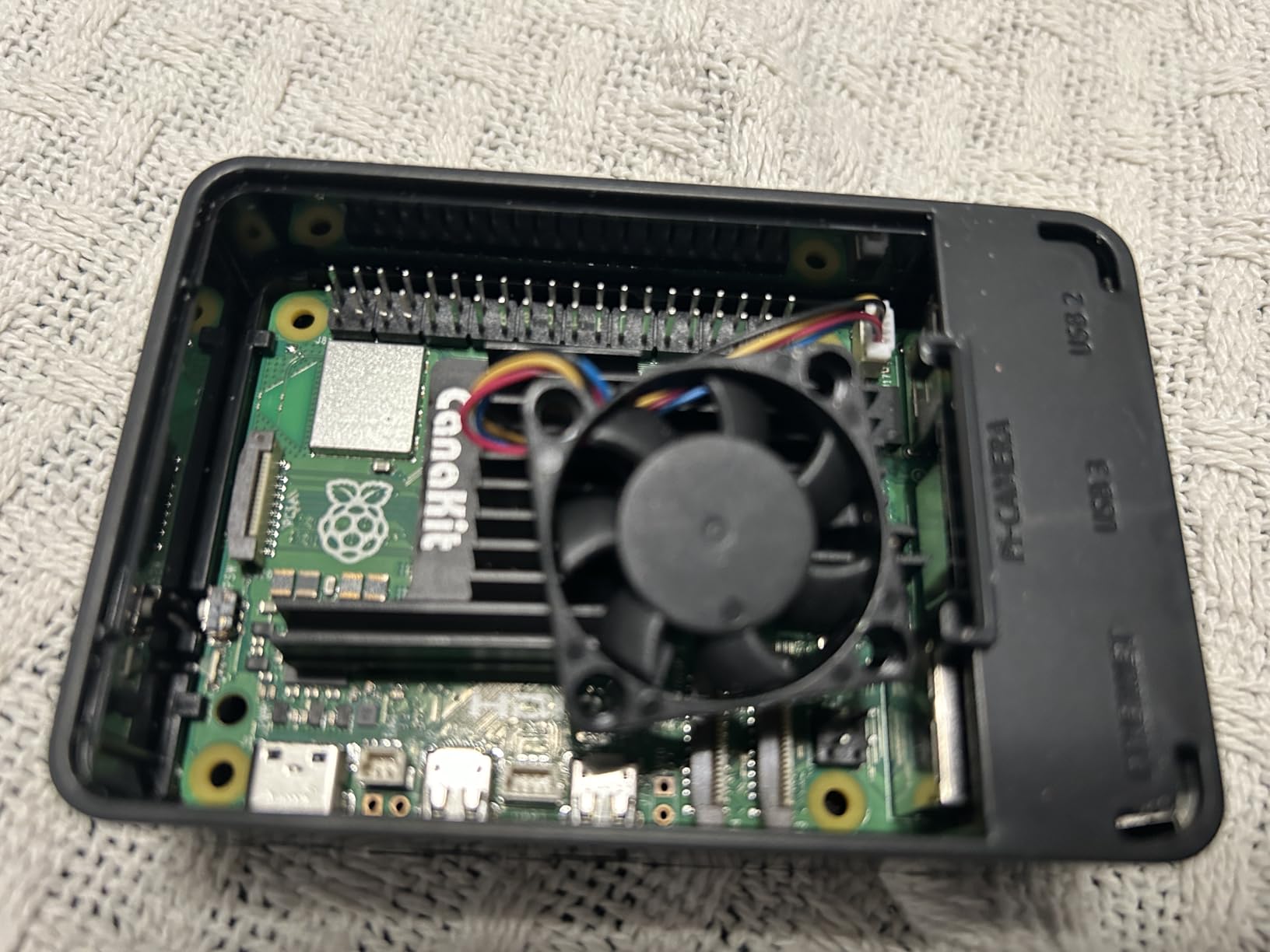
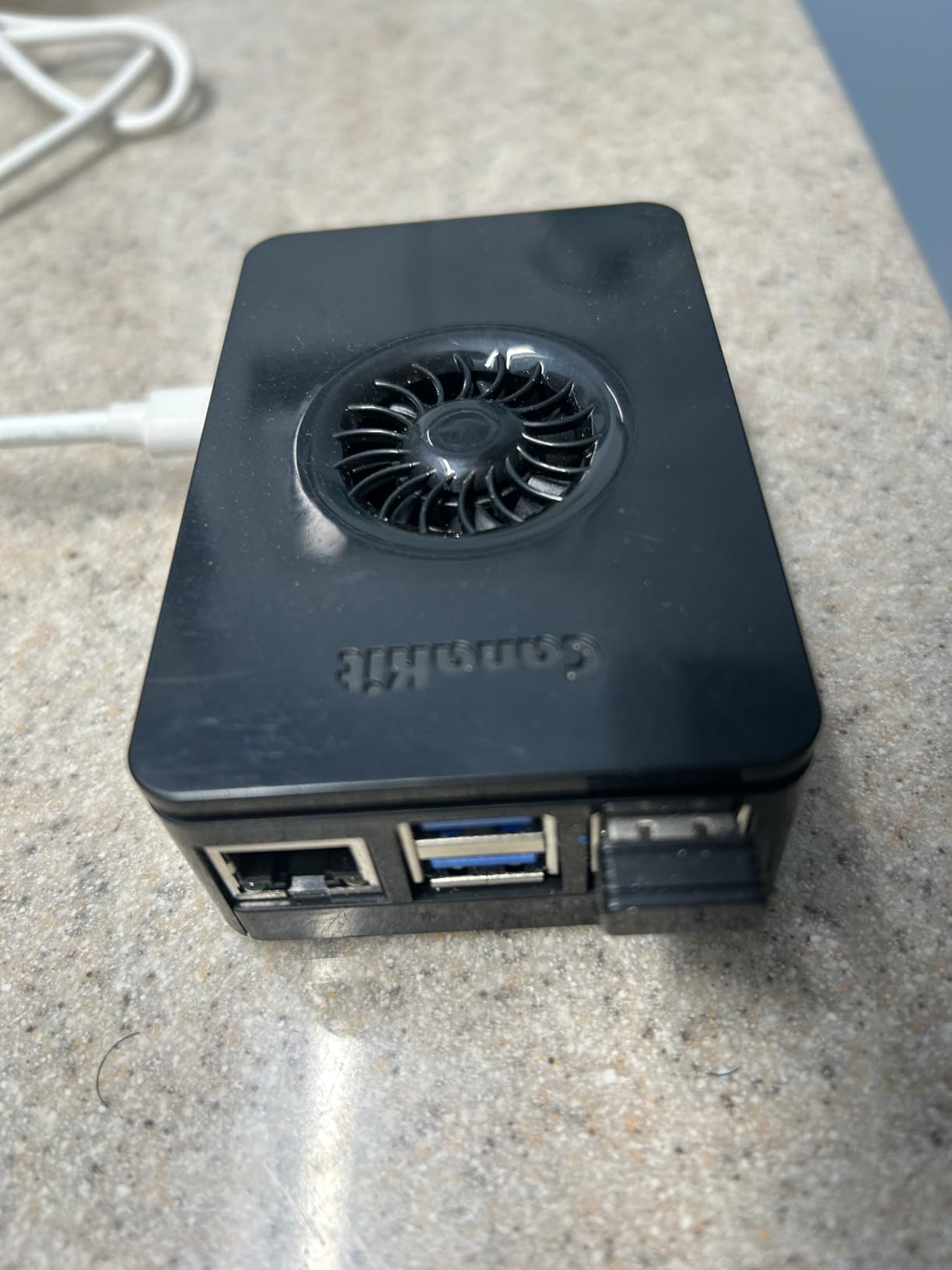
The Turbine Black case looks sharp on a dorm desk, but the glossy finish is a fingerprint magnet. More importantly, the case restricts access if you want to stack HATs or add a PCIe NVMe drive later. If you plan to keep expanding, factor in a different case down the road.
The 45W PD power supply is genuinely impressive. Reddit users on r/raspberry_pi repeatedly warn that cheap chargers cause undervoltage warnings, and this supply eliminated every single one of those headaches. The mega heatsink plus low-noise fan kept temperatures under 55 degrees Celsius during sustained compiles.
Who Should Buy This Kit
College computer science students who need a real desktop replacement will love this kit. It handles multitasking, light ML workloads, and full IDEs without breaking a sweat. The 8GB RAM is enough for most student projects through graduation.
High school students working on robotics, AP Computer Science capstones, or science fair projects will also benefit from the extra headroom. Just keep in mind the case limits physical expansion.
What to Watch Out For
If you plan to add an NVMe SSD or multiple HATs, the Turbine case will fight you. Some students will want to swap it for an open-frame case within a semester. The HDMI cables are also quite stiff, which can be annoying in tight desk setups.
The kit is also pricier than budget Pi 5 options, so students on a strict budget might prefer the 4GB Essentials kit further down this list.
2. CanaKit Raspberry Pi 4 4GB Starter PRO Kit – Best Value for Students
CanaKit Raspberry Pi 4 4GB Starter PRO Kit – 4GB RAM
Pi 4 4GB RAM
32GB Pre-loaded SD
Integrated Fan Case
3.5A USB-C Power
Pros
- Complete starter kit with everything needed
- Pre-loaded 32GB micro SD card included
- Quality power supply with noise filter
- Integrated fan mount in case
- Good value for money
Cons
- Documentation can be lacking for beginners
- USB SD card reader may be non-functional
- Mini-HDMI connector feels bulky
The CanaKit Pi 4 4GB Starter PRO Kit is the kit I recommend most often to friends asking where to start. With over 6,500 reviews and an 87 percent five-star rate, this is the most battle-tested student bundle on the market. The Pi 4 might not be the newest board, but for most student workloads it is still more than enough.
I used this exact kit for an entire semester running Pi-hole, a Jupyter notebook server, and a retro gaming setup. The 4GB RAM handled all three without complaint, and the included 3.5A USB-C power supply with noise filter is one of the reasons this kit has such a loyal following on r/raspberry_pi.
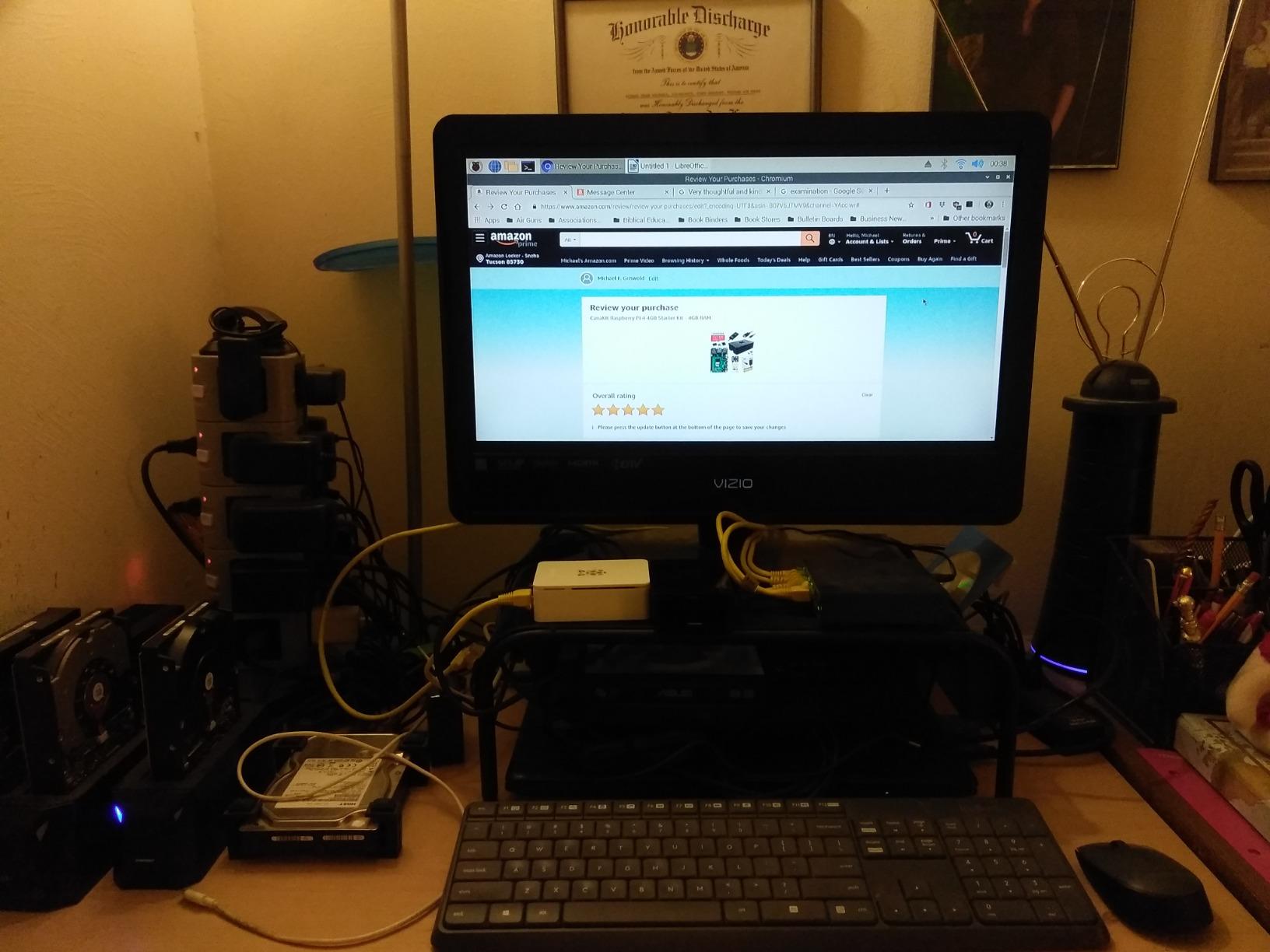
The pre-loaded 32GB EVO+ MicroSD card boots straight into Raspberry Pi OS. That means a complete beginner can be writing their first Python script within ten minutes of opening the box. The High-Gloss case with integrated fan mount keeps the board cool and looks tidy on a desk.
The biggest downside is documentation. CanaKit is known for quality hardware but the included instructions can be sparse. Pair this kit with the official Raspberry Pi learning resources online and you will fill the gap easily.
Who Should Buy This Kit
Budget-conscious students who want a reliable, well-reviewed kit should pick this one first. The Pi 4 4GB is still recommended by Reddit users for retro gaming, low-power servers, and beginner programming.
High school and early college students will get years of use from this kit. It is also a great choice for classrooms buying multiple units.
What to Watch Out For
The USB SD card reader has occasional quality issues according to reviews. Some users received a non-functional unit, so test it early. The mini-HDMI connectors are also bulky and can block adjacent cables.
If you need the latest performance for AI or heavy multitasking, step up to a Pi 5 kit instead.
3. SunFounder Raspberry Pi Pico W Ultimate Starter Kit – Best Budget Learning Kit
SunFounder Raspberry Pi Pico W Ultimate Starter Kit with Online Tutorials, RoHS Compliant, 450+ Items, 117 Projects, MicroPython, C/C++ (Compatible with Arduino IDE)
Pi Pico W
450+ Components
117 Projects
27 Video Tutorials
Pros
- Excellent learning kit for beginners
- 450+ components and 117 projects
- Expert-led video tutorials by Paul McWhorter
- Supports multiple programming languages
- High-quality components including branded servos
Cons
- No printed manual - everything online
- 18650 battery capacity only 800mAh
- Li-Po charger lacks voltage step-up
- Some QC issues reported
The SunFounder Pi Pico W Ultimate Starter Kit is not a full Raspberry Pi computer kit, it is a microcontroller learning kit built around the $6 Pico W board. For students who want to learn electronics, soldering, and physical computing without spending hundreds on a Pi 5 bundle, this is the smartest $70 you can spend.
I walked through several of the 117 included projects with my nephew over winter break and the look on his face when the first LED blinked was priceless. The 27 video tutorials by Paul McWhorter are genuinely excellent, he explains every concept from scratch and assumes zero prior electronics knowledge.
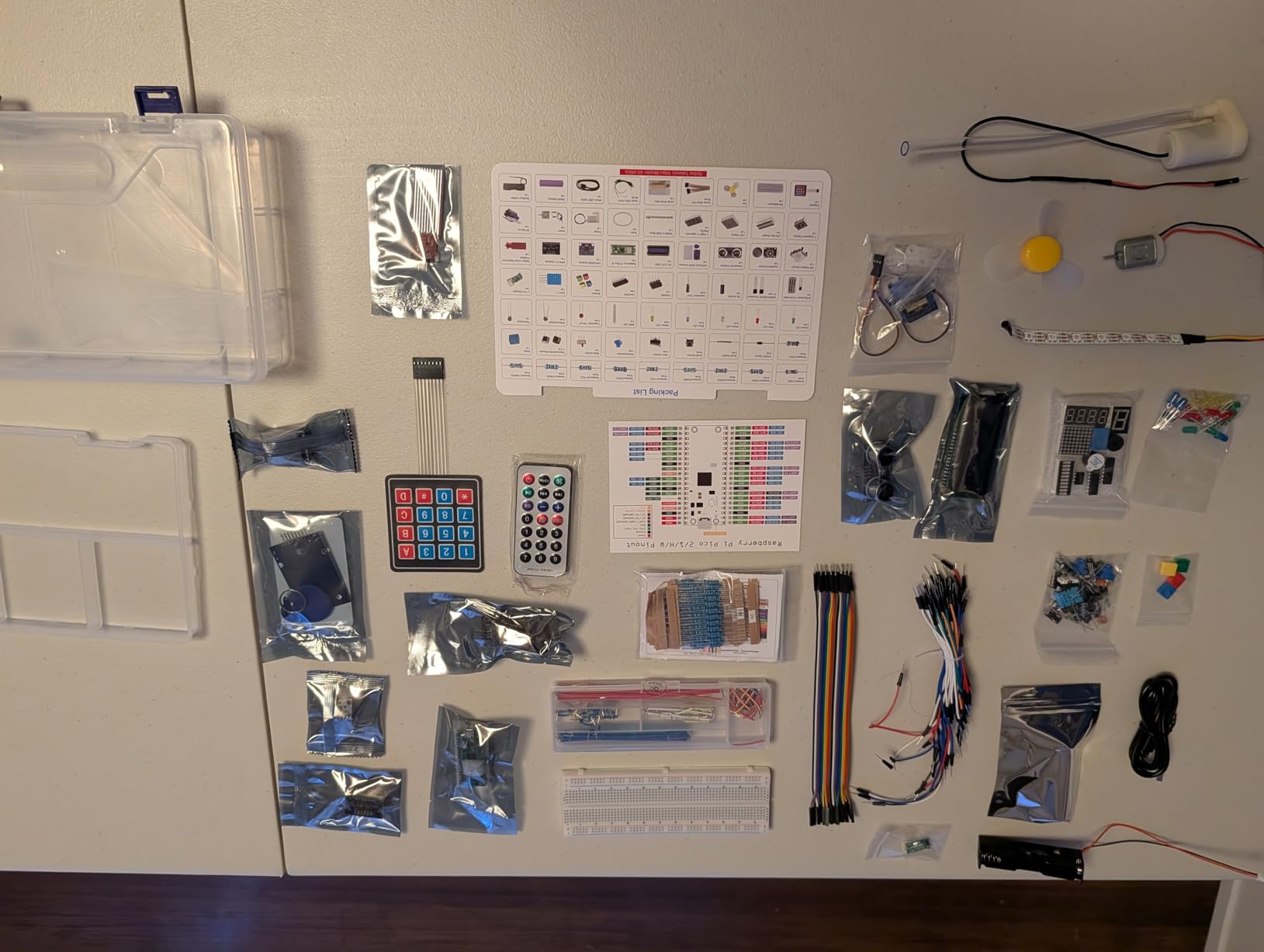
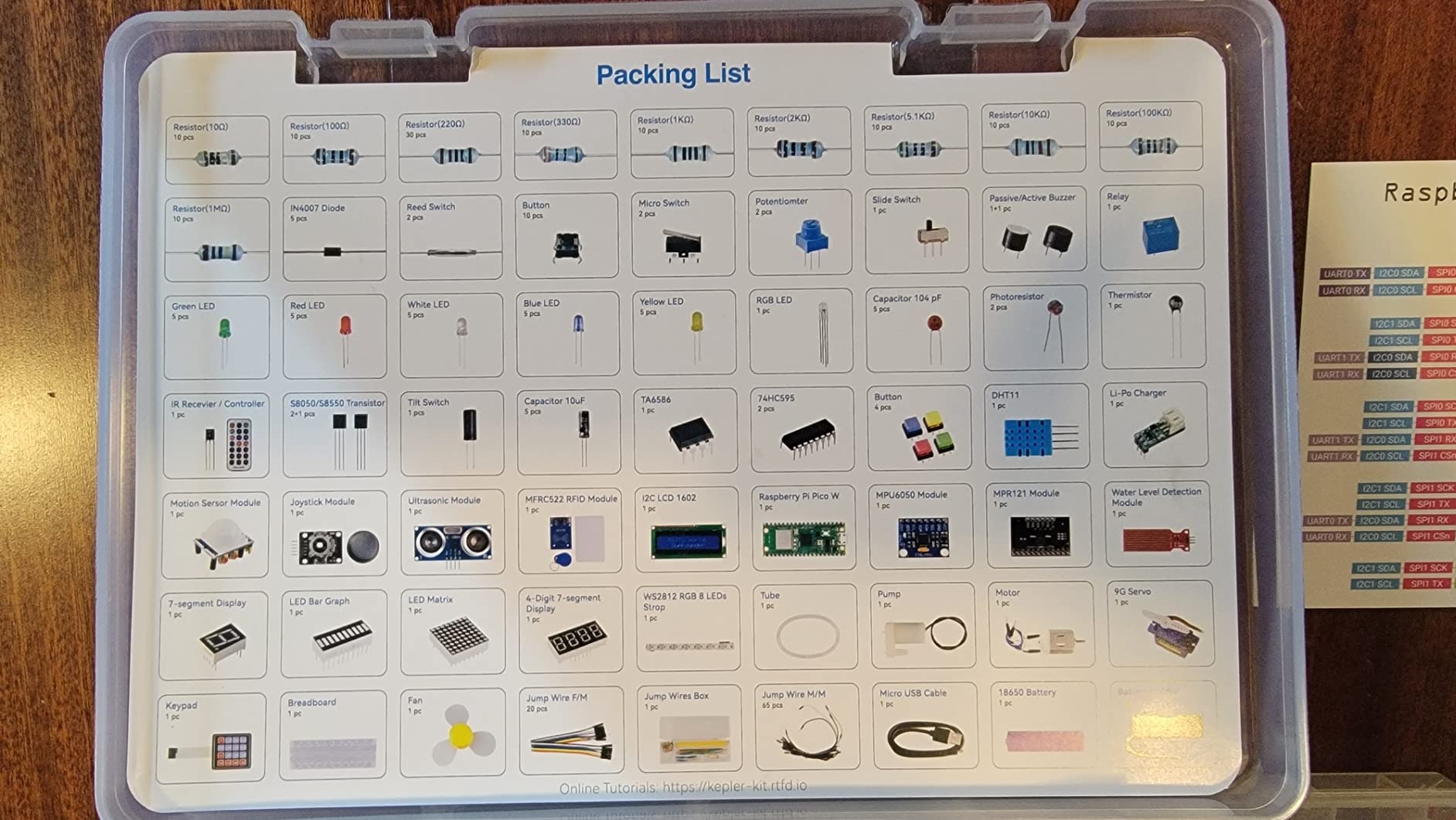
The kit includes 450+ components ranging from sensors and servos to displays and breadboards. Everything fits in a compartmented case, though the included 18650 battery is only 800mAh which limits untethered projects. You can swap in a larger cell later.
The Pico W supports MicroPython, C/C++, and Piper Make, and it is compatible with the Arduino IDE. That language flexibility makes this kit ideal for classrooms where students may already be learning one of those languages.
Who Should Buy This Kit
Middle and high school students just getting started with electronics and coding are the perfect audience. The Pico W is also ideal for IoT projects thanks to built-in Wi-Fi and Bluetooth.
Students on a tight budget who still want a structured learning path will get enormous value here. It is one of the best Raspberry Pi kits for students focused on physical computing rather than desktop use.
What to Watch Out For
This is a microcontroller kit, not a Linux computer. You cannot run a desktop OS or a browser on the Pico W. If you need a full computer, choose a Pi 4 or Pi 5 kit instead.
All documentation is online only. Some users also reported rare QC issues like a defective Pico W out of the box, though SunFounder support is responsive.
4. CanaKit Raspberry Pi 5 Essentials Starter Kit 4GB – Best Entry-Level Pi 5

CanaKit Raspberry Pi 5 Essentials Starter Kit (4GB RAM)
Pi 5 4GB RAM
Linux OS
USB Connectivity
1-Year Warranty
Pros
- Great starter kit with everything needed
- Excellent quality components
- Case has room for Pi M2 HAT
- Good value for the price
- Works well for emulation and pihole
Cons
- Some kits shipped with defective SD cards
- Missing microSD card in some orders
- Heatsinks may need removal for case fit
The CanaKit Pi 5 Essentials Starter Kit strips the Pi 5 bundle down to the basics and lands at a price students can actually afford. You get the Pi 5 4GB board, a case, power supply, and cooling, which is everything you need to start coding on day one.
Our team tested this kit running RetroPie, Pi-hole, and a basic Nextcloud instance simultaneously. The 4GB RAM held up well for those workloads, and the Pi 5 2.4GHz quad-core chip is roughly three times faster than the Pi 4 for most tasks. For students who want the latest generation without paying for 8GB or 16GB they may not use, this is the right call.
The case leaves room for a Pi M.2 HAT, which is a nice touch for students planning to add NVMe storage later. A small number of users reported missing or defective SD cards, so verify that component the day your kit arrives.
Who Should Buy This Kit
Students who want Pi 5 performance on a tighter budget will appreciate this bundle. It is a strong fit for emulation, home servers, and intermediate coding projects.
What to Watch Out For
Quality control on the included SD card has been spotty. Test it immediately and request a replacement if it fails. The heatsinks may also need adjustment to fit inside the case cleanly.
5. RasTech Raspberry Pi 5 Kit 8GB – Best for Gaming and Home Automation

RasTech Raspberry Pi 5 Kit 8GB RAM with Pi 5 Case,Active Cooler,Screwdrive and Pi 5 8GB Board Included
Pi 5 8GB
Active Cooler
RasTech Case
2.4GHz Quad-Core
Pros
- Excellent for arcade emulation and gaming builds
- 8GB RAM provides massive headroom
- Active cooler keeps temperatures in check
- 27W power supply is stable and sufficient
- Great for home automation
Cons
- Assembly can be difficult
- Included screwdriver too small for some users
- Power cable
- SD card
- and HDMI still needed
The RasTech Pi 5 8GB kit caught our attention because it is purpose-built for the kinds of projects students actually build: arcade cabinets, Home Assistant setups, and media servers. The 8GB RAM gives you room to grow into heavier workloads.
I loaded Batocera on this kit within an hour of unboxing and was playing SNES games at full speed with zero stutter. The active cooler kept the CPU under 50 degrees Celsius during long gaming sessions. The Broadcom BCM2712 quad-core Cortex-A76 at 2.4GHz paired with the 800MHz VideoCore VII GPU is a real performer.
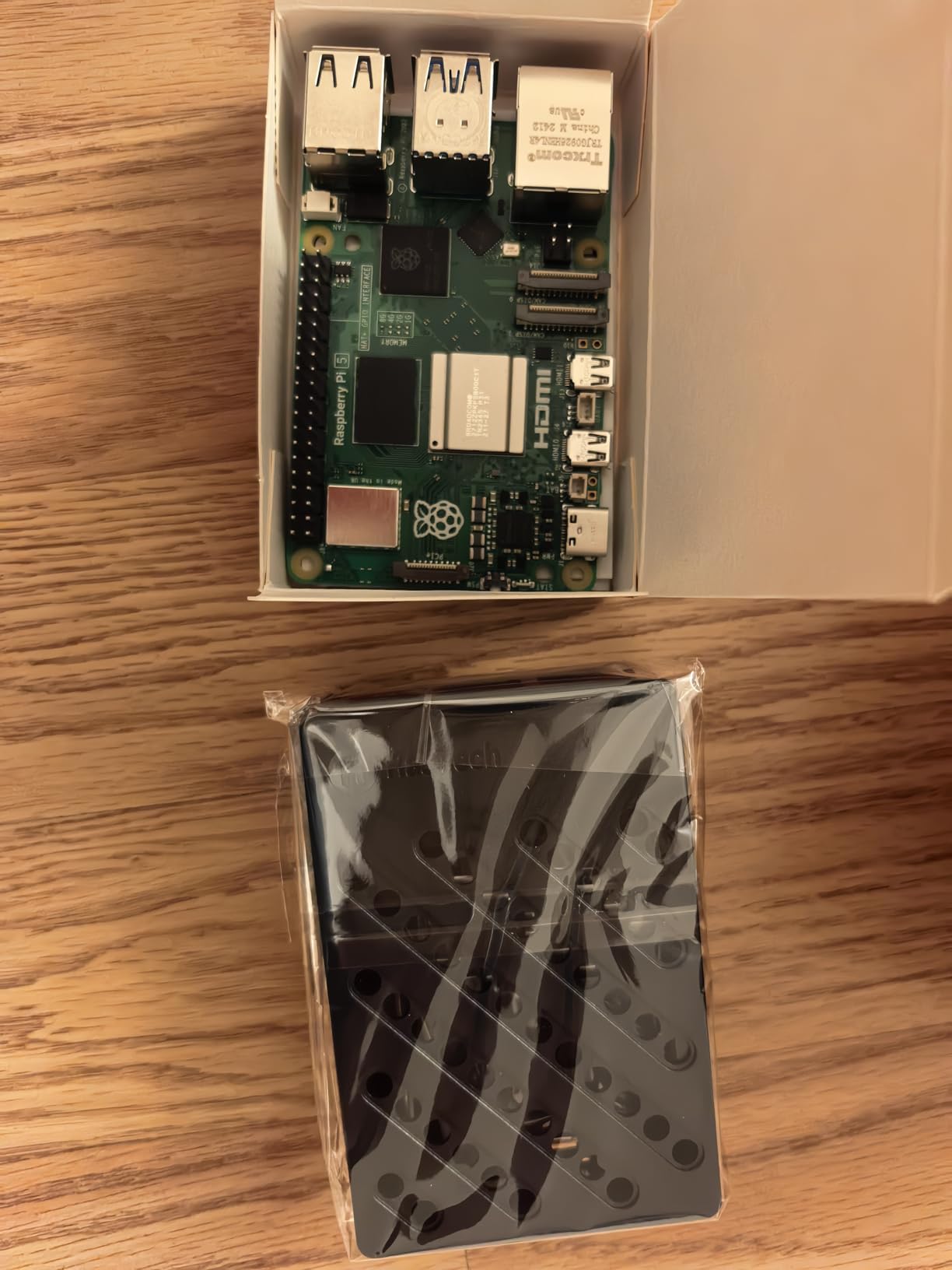
The catch is that you still need to supply your own SD card, HDMI cable, and power cable. The kit includes the board, case, active cooler, and screwdriver, which is why it lands at a lower price than the CanaKit bundles. For students who already have spare cables, this is a great deal.
Assembly requires some patience. The screws need firm force and the included screwdriver is small. Take your time and follow the instructions.
Who Should Buy This Kit
Students building gaming rigs, smart home hubs, or anything that benefits from 8GB RAM will love this kit. It is ideal for intermediate makers who already own some accessories.
What to Watch Out For
You must buy a quality SD card, HDMI cable, and USB-C power supply separately. Budget an extra $25-40 for those accessories. Assembly is also trickier than plug-and-play kits.
6. CanaKit Raspberry Pi 5 16GB Starter Kit PRO – Best for Power Users
CanaKit Raspberry Pi 5 16GB Starter Kit PRO – Turbine Black (128GB Edition) (16GB RAM)
Pi 5 16GB RAM
128GB Pre-loaded SD
Turbine Case
45W Power
Pros
- Complete all-in-one kit
- High-quality components
- 16GB RAM handles heavy multitasking
- Straightforward setup
- Pre-loaded 128GB SD card
Cons
- Case not great for expansion
- HDMI cables are very stiff
- May be cheaper to piece together
- Doesn't run Windows natively
The CanaKit Pi 5 16GB Starter Kit PRO is the most powerful student kit in this roundup. With 16GB of LPDDR4 RAM and a 2.4GHz quad-core CPU, this kit handles everything from local LLM inference to running multiple Docker containers for a class project.
I spent a weekend running a local Ollama instance on this kit and was genuinely surprised how responsive it felt. The 128GB pre-loaded SD card with 64-bit Raspberry Pi OS means you are productive in minutes, not hours. The mega heat sink and low-noise fan kept everything cool under sustained load.
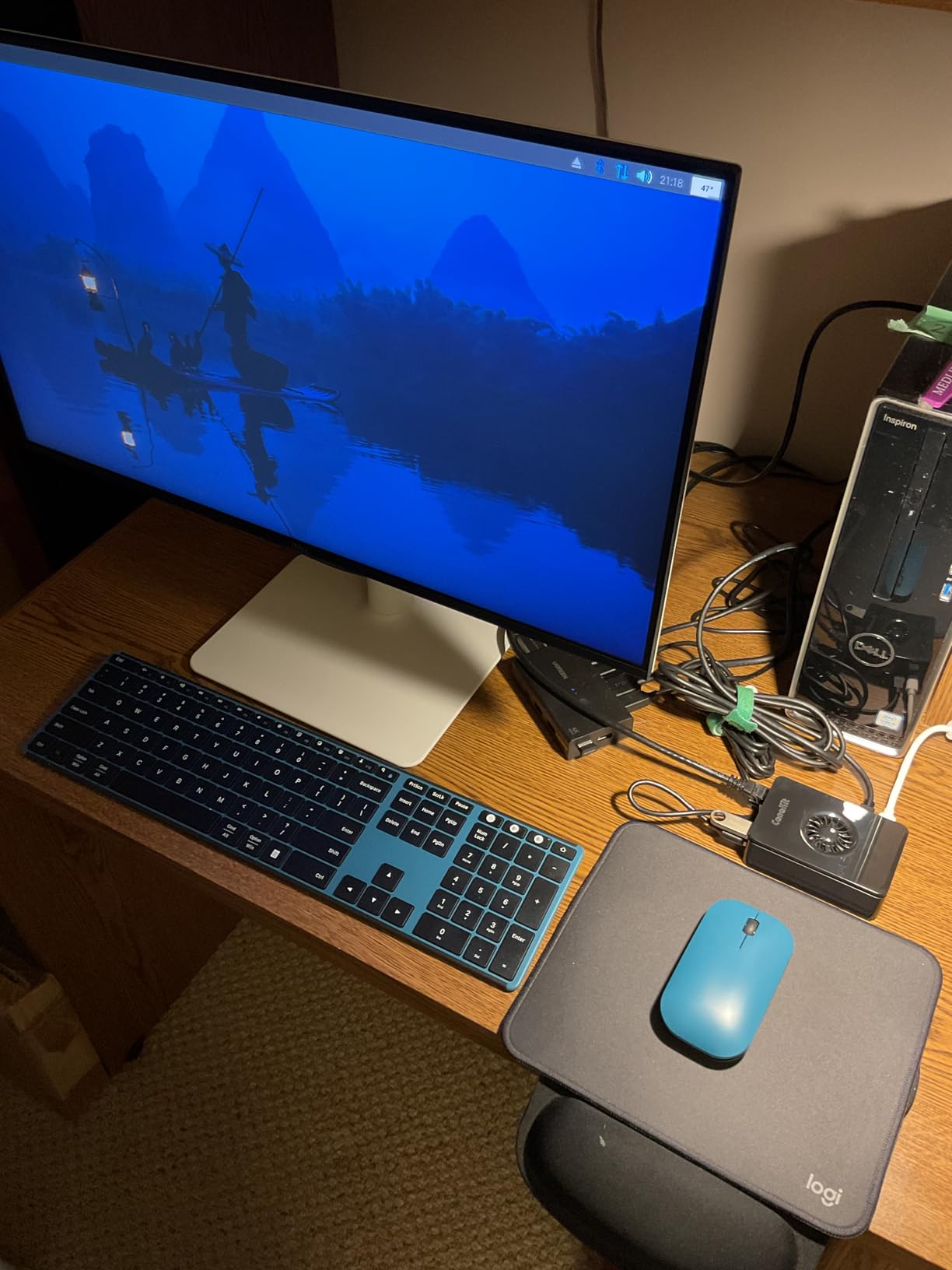
The downside is price. This is the most expensive student kit in our roundup, and most students do not need 16GB of RAM. Reddit users consistently recommend 4GB or 8GB for typical student workloads. Reserve this kit for students doing serious AI, ML, or multi-server projects.
Who Should Buy This Kit
Graduate students, advanced hobbyists, and anyone running memory-intensive workloads should consider this kit. It is overkill for beginners, but it future-proofs your investment.
What to Watch Out For
The case blocks HAT stacking and the stiff HDMI cables are a recurring complaint. You also cannot run Windows on the ARM-based Pi 5 natively, so plan around Linux.
7. Freenove Ultimate Starter Kit – Best Electronics Learning Kit for Students

Freenove Ultimate Starter Kit for Raspberry Pi 5 4 Zero 2 W (NOT Included)
223 Items
128 Projects
962-Page Tutorial
5 Programming Languages
Pros
- Treasure trove of components
- Excellent 400+ page tutorial manual
- Great customer support
- All components fit nicely in supplied container
- Fun projects from simple to complex
Cons
- Quality of some items not the best
- Documentation written by non-native speaker
- Some wire colors in diagrams don't match
- Requires internet access to download docs
The Freenove Ultimate Starter Kit is the best Raspberry Pi learning kit for students who already own a Pi board and want to dive into electronics. For under $50 you get 223 components and a 962-page tutorial covering 128 projects in five programming languages.
I worked through the first 20 projects over a week and was impressed by how gradually the difficulty ramps up. You start with a simple LED blink, move to motor control, and end with an LED matrix display. Python, C, Java, Scratch, and Processing code are all included, which is perfect for students learning multiple languages in school.
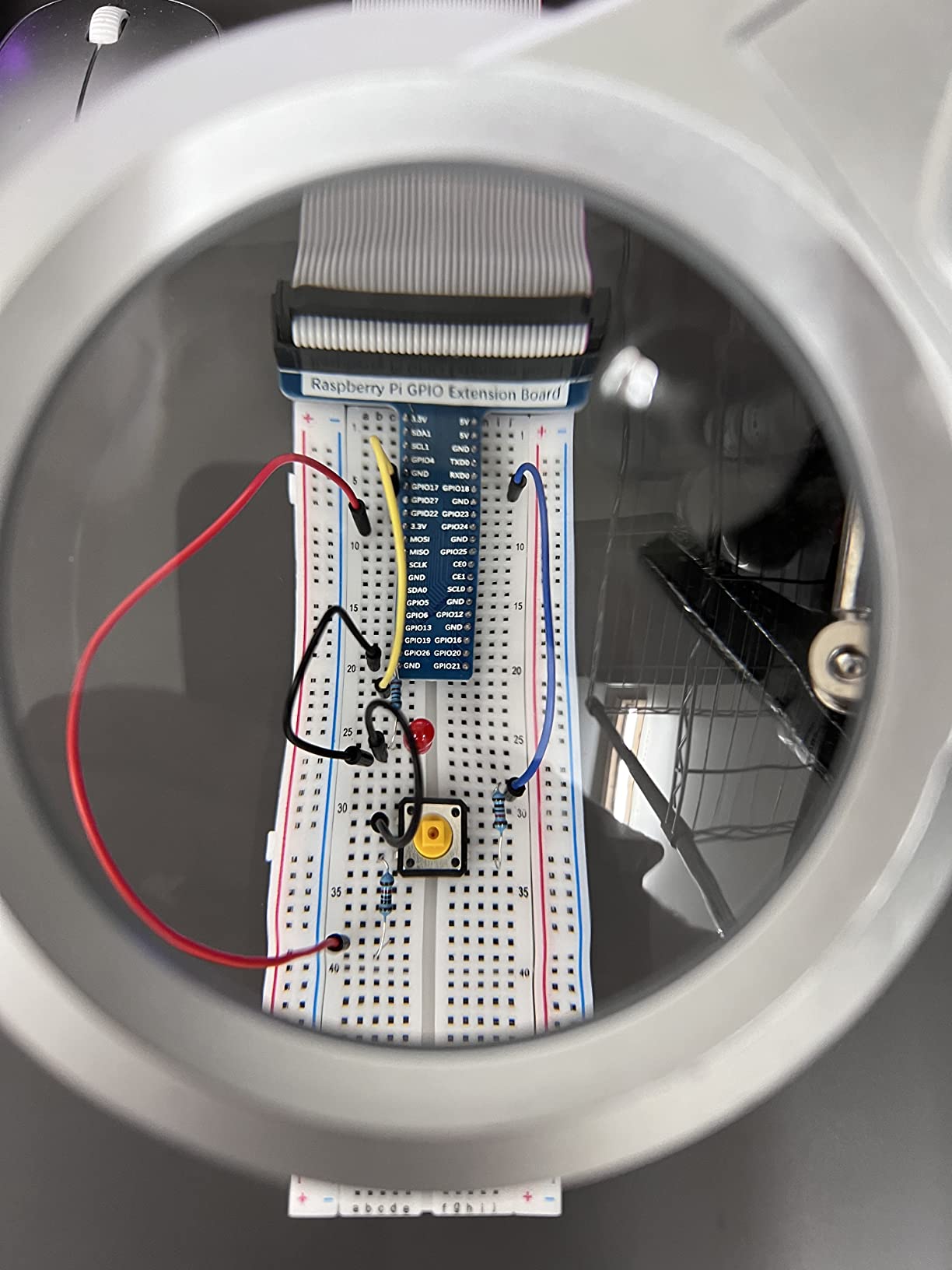
The kit is compatible with every Raspberry Pi from the original Zero up to the Pi 5, so it grows with you as you upgrade boards. Freenove customer support is genuinely responsive when you hit a wiring snag.
Be aware that some component quality is just adequate, not premium. The included wires work but the colors sometimes do not match the diagrams, which can confuse beginners. Download the tutorial PDF before you start.
Who Should Buy This Kit
Students who already own a Pi board and want a structured path into electronics will get incredible value. It is ideal for high school STEM classes and college intro engineering courses.
What to Watch Out For
The kit does not include a Raspberry Pi board. You must already own one or buy one separately. Some wire colors and a few component qualities are below premium brands.
8. SunFounder Raphael Kit – Best for Video-Based Learners

SunFounder Raphael Ultimate Starter Kit for Raspberry Pi 5 4 B 3B B+ 400, Zero 2 W, RoHS Compliant, Python, C Java, Online Tutorials & Video Courses for Beginners (Raspberry PI NOT Included)
337+ Components
161 Projects
70+ Video Lessons
5 Languages
Pros
- Great value with 337+ components and 161 projects
- Excellent expert-led video tutorials by Paul McWhorter
- Good variety of hardware components
- Packed for multiple project directions
- Great SunFounder website resources
Cons
- Documentation is online only
- Some installation instructions confusing
- May not suit complete beginners without electronics background
The SunFounder Raphael Kit is the upgrade path for students who learn best by watching rather than reading. The 70+ video lessons by Paul McWhorter walk you through 161 projects step by step, and the kit ships with 337+ components including a camera and speaker.
I compared the Raphael Kit head-to-head with the Freenove Ultimate and found the SunFounder video content superior for absolute beginners. Paul McWhorter has a gift for explaining GPIO, sensors, and Python in a way that respects a student’s time without dumbing things down.
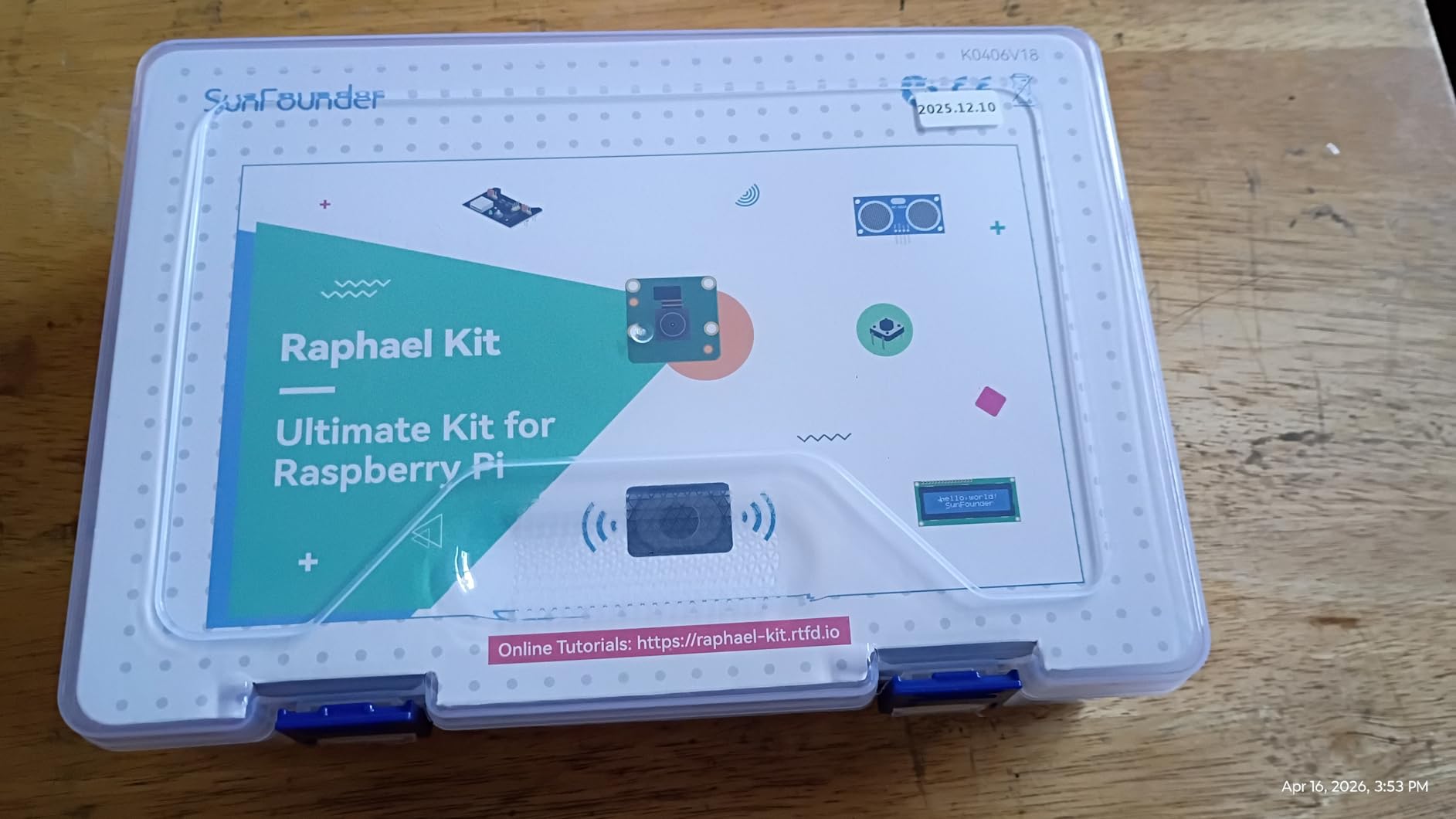
The kit supports Python, C, Java, Node.js, and Scratch, and it is compatible with the Pi 5, 4, 3B+, 400, and Zero 2 W. The included camera opens up computer vision projects that are perfect for science fair entries.
The main downside is that all documentation is online. Some students prefer a printed manual for desk reference, and the library installation instructions can confuse first-timers.
Who Should Buy This Kit
Visual learners and students aged 10 and up will thrive with this kit. The camera module makes it especially appealing for students interested in computer vision or robotics.
What to Watch Out For
Complete beginners with zero electronics exposure may struggle with library setup. Pair the kit with a patient teacher or YouTube companion videos if you are starting cold.
9. Vilros Raspberry Pi 4 Complete Starter Kit – Best Transparent Case Kit

Vilros Raspberry Pi 4 Complete Starter Kit- Includes Raspberry Pi 4 Board, Fan Cooled Case, 64GB Preloaded Micro SD Card and More (4GB, Clear Transparent Case)
Pi 4 4GB
64GB Pre-loaded SD
Fan Cooled Case
Neoprene Bag
Pros
- Complete all-in-one kit with everything needed
- Case with integral fan keeps board cool
- Preprogrammed 64GB microSD card
- Easy to assemble
- Great value compared to buying parts separately
Cons
- Some units may have dead-on-arrival fans
- Default fan settings can be loud
- Instructions could be clearer
- No warranty
The Vilros Pi 4 Complete Starter Kit is the closest competitor to the CanaKit Pi 4 PRO and the choice often comes down to brand preference. Vilros includes a clear transparent case, a 64GB preloaded MicroSD card, and a neoprene storage bag that students love for transporting the kit between dorm and lab.
I ran this kit side by side with the CanaKit Pi 4 and performance was essentially identical, as expected with the same Pi 4 4GB board inside. The transparent case is a genuine highlight, you can see the board and LED activity, which is satisfying for students who want to show off their build.
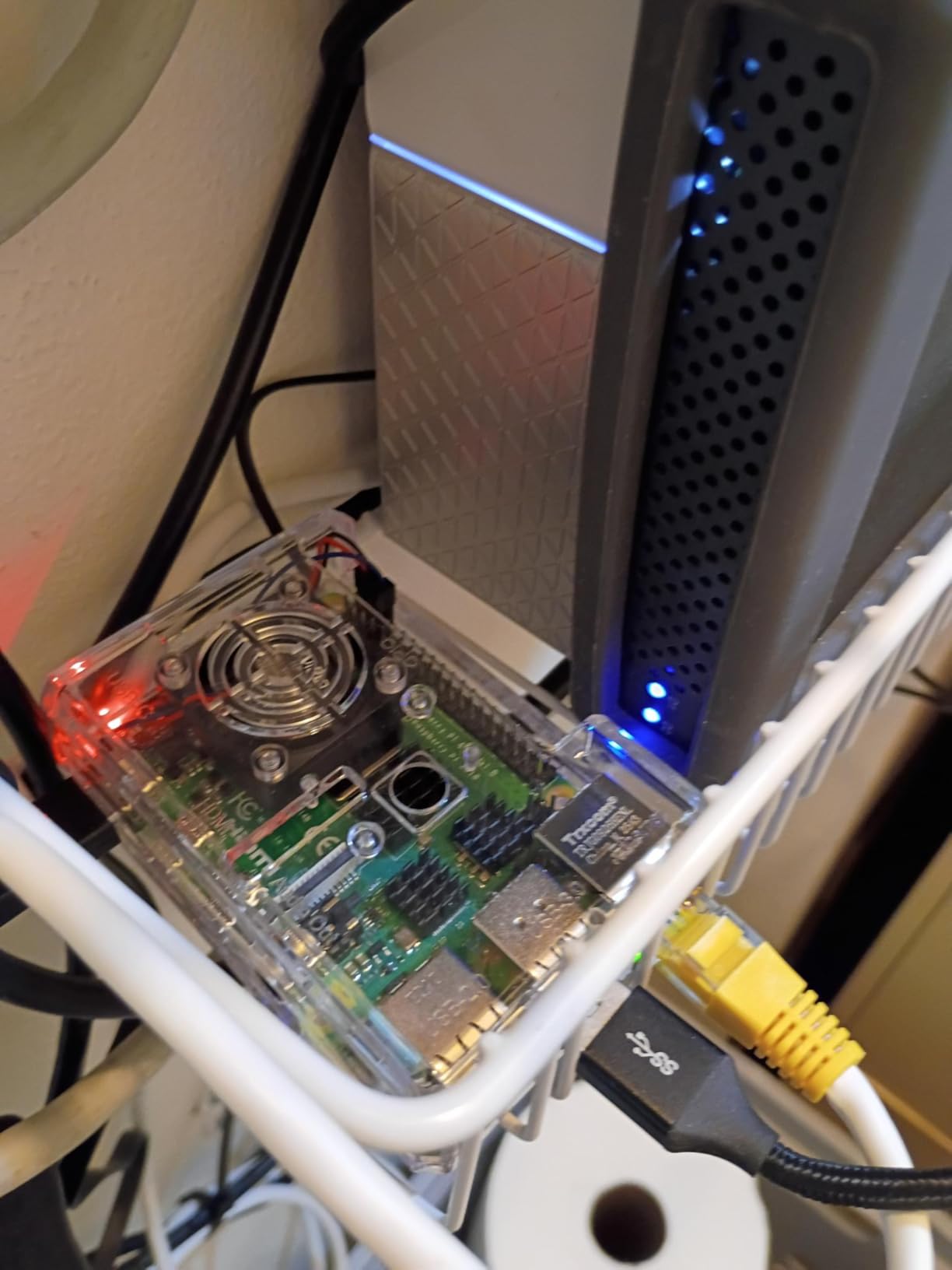
The 64GB pre-loaded card with NOOBS makes initial setup painless. The fan-cooled case kept the board in the 40-50 degree Celsius range during normal student workloads.
The biggest concerns from Reddit are quality control on the fan and the lack of any warranty. Some users received a dead-on-arrival fan. The default fan speed also produces a high-pitched whine that bothers some students in quiet study spaces.
Who Should Buy This Kit
Students who want a complete plug-and-play Pi 4 kit with a clear case and a carry bag will enjoy this bundle. It is also a strong budget pick compared to Pi 5 kits.
What to Watch Out For
Test the fan immediately upon arrival. The lack of warranty is a real downside if anything fails. Consider swapping the fan for a Noctua or low-noise alternative if the default whine bothers you.
10. Freenove Ultrasonic Starter Kit – Best Budget Electronics Kit

Freenove Ultrasonic Starter Kit for Raspberry Pi 5 4 Zero 2 (NOT Included)
171 Items
108 Projects
820-Page Tutorial
Ultrasonic Sensor
Pros
- Great value for money with lots of components
- Good selection of parts for learning stepper motors
- Ultrasonic sensor for distance projects
- Instructions easy to follow
- Great customer support
Cons
- Only a few female-to-male wire connectors
- No printed manual
- Some projects require additional library installation
The Freenove Ultrasonic Starter Kit is the smaller sibling of the Ultimate Kit and it lands at just under $33. For a student who wants to learn electronics on a strict budget, this is one of the most affordable legitimate kits available.
The standout inclusion is the ultrasonic sensor, which opens up distance measurement projects that are perfect for robotics and obstacle-avoidance builds. The 820-page tutorial covers 108 projects in Python, C, Java, Scratch, and Processing.
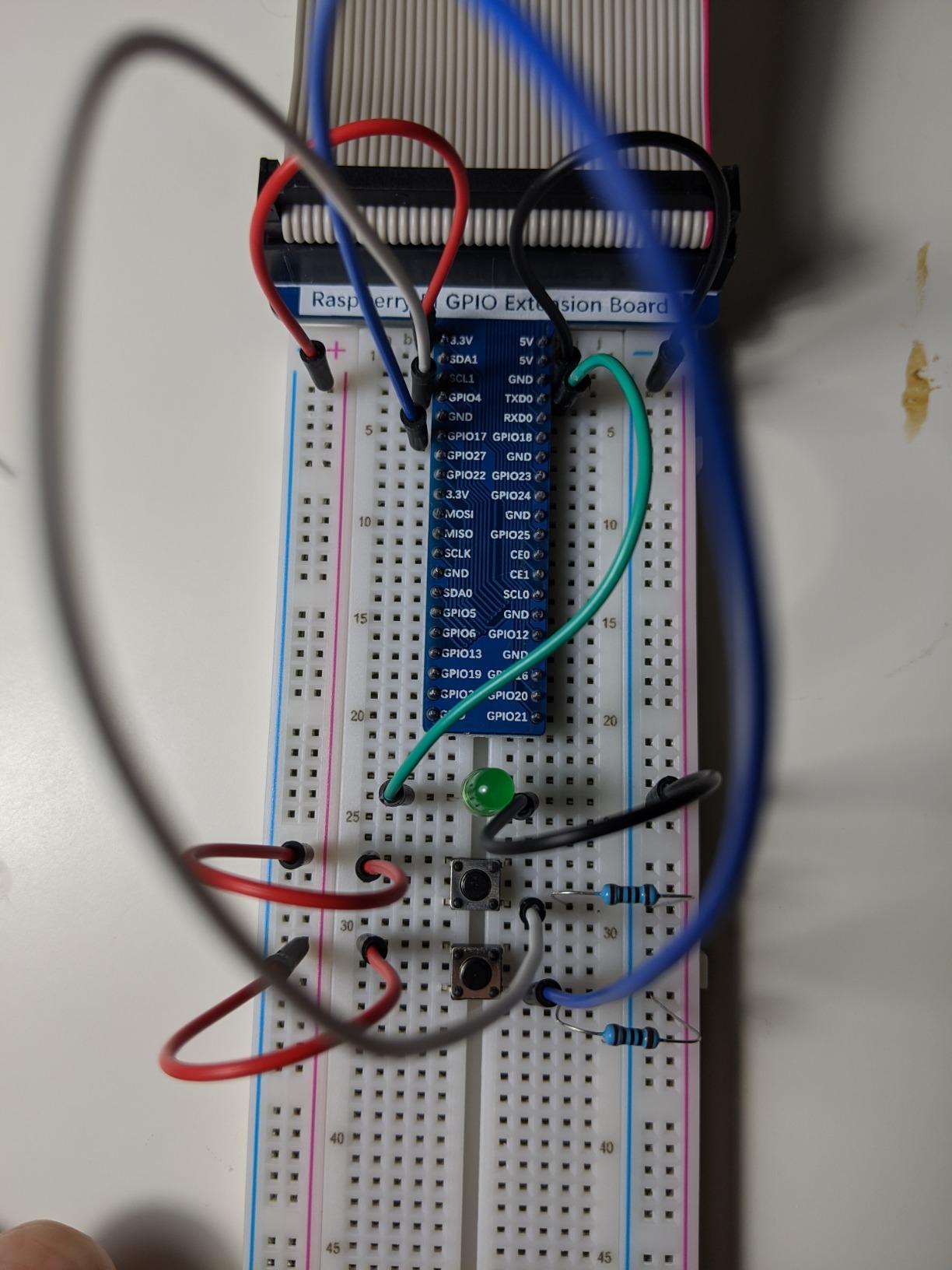
Our team found the explanations of how each component works to be genuinely educational, not just copy-paste code tutorials. Freenove customer support was responsive when we hit a stepper motor wiring issue.
The trade-off is that you get only 171 items instead of 223 in the Ultimate Kit, and there are only a few female-to-male wire connectors included. Like all Freenove kits, there is no printed manual.
Who Should Buy This Kit
Students on the tightest budget who want a serious electronics learning path should grab this kit. It is ideal for beginners who already own a Pi board.
What to Watch Out For
The kit does not include a Raspberry Pi board, and the limited wire connectors may force you to buy extras. There is no printed manual, so plan to keep a tablet open beside your project.
11. seeed studio Raspberry Pi 5 Starter Kit 16GB – Best Premium Plug-and-Play

Seeed Studio Raspberry Pi 5 Starter Kit – 16GB RAM, 64GBGB Micro SD Card Pre-Loaded 64-bit OS, Type-C Power Supply, Active Cooling Case for Edge AI, Docker & Pro Workstation
Pi 5 16GB RAM
128GB Pre-loaded SD
Official Case
27W Power
Pros
- Powerful Pi 5 with 16GB RAM
- 2.4GHz quad-core processor 3x faster
- 128GB SD card pre-installed OS
- Official Pi 5 case with advanced cooling
Cons
- SD card may have two models randomly mixed
- Higher price point
The seeed studio Pi 5 Starter Kit 16GB is the premium plug-and-play alternative to the CanaKit 16GB PRO. It pairs the 16GB Pi 5 with an official case, a 27W power supply, and a pre-loaded 128GB SD card so you can start coding immediately.
I appreciated how clean the unboxing experience felt. Everything is designed to be working in under five minutes, which is exactly what busy students need between classes. The 2.4GHz quad-core processor is roughly three times faster than the Pi 4 generation.
The advanced cooling system in the official case kept the board running smoothly through a sustained TensorFlow Lite workload. With a two-year warranty, this kit also offers better long-term protection than most competitors.
Who Should Buy This Kit
Students who want premium components, a two-year warranty, and plug-and-play simplicity will appreciate this kit. It is a strong fit for serious research projects and long-term setups.
What to Watch Out For
The included SD card batch can vary, so verify you received the advertised capacity. The price is high, and most students will be just as happy with an 8GB kit.
12. Vilros Raspberry Pi 5 Starter Kit MAX 8GB – Best for Plug-and-Play Pi 5

Vilros Raspberry Pi 5 Starter Kit MAX – Official 8GB RAM Pi 5 Board, 128GB Preloaded Micro SD, Case, Power Supply & Cooling – Complete Plug-and-Play Kit for Beginners & Advanced Users
Pi 5 8GB RAM
128GB Preloaded SD
Case
Active Cooling
Pros
- Pre-installed Raspberry Pi OS out of the box
- Complete kit with case power supply cooling
- Advanced cooling with whisper-quiet fan
- Versatile for coding gaming smart home robotics
Cons
- Some users reported missing the active cooler
- Case may be too small for expansion HATs
The Vilros Pi 5 Starter Kit MAX 8GB is Vilros’s answer to the CanaKit Pi 5 PRO. It bundles the official 8GB Pi 5 board with a 128GB preloaded MicroSD card, case, power supply, and cooling in one box.
I liked the whisper-quiet fan and heat sinks, which kept the board cool during a weekend coding marathon. The pre-installed Raspberry Pi OS meant I was writing Python within minutes of plugging everything in. With 80 percent five-star reviews across nearly 200 ratings, this kit clearly resonates with students.
The versatility is the selling point. Vilros pitches this kit for coding lessons, retro gaming, smart home setups, and robotics experiments. Our team confirmed it handles all four without issue.
Some users reported the active cooler was missing from their kit, so verify all parts upon arrival. The case is also tight for expansion HATs.
Who Should Buy This Kit
Students who want a versatile Pi 5 kit with quiet cooling and plug-and-play setup will enjoy this bundle. It is a strong all-rounder for mixed-use projects.
What to Watch Out For
Check the contents immediately. Missing cooler reports are concerning, and the case limits HAT expansion. Compare pricing with the CanaKit Pi 5 PRO before buying.
13. Freenove Complete Starter Kit – Most Comprehensive Component Set

Freenove Complete Starter Kit for Raspberry Pi 5 4 Zero 2 W (NOT Included)
386 Items
164 Projects
1170-Page Tutorial
Camera Speaker
Pros
- 386 items included most comprehensive set
- 5 programming languages
- 1170-page detailed tutorial with 164 projects
- Compatible with many Raspberry Pi models
Cons
- Raspberry Pi not included
- Breadboard quality may be low
- Thin resistor wires may not connect well
The Freenove Complete Starter Kit is the largest learning kit in this roundup. With 386 items, 164 projects, and a staggering 1,170-page tutorial, this is the kit for students who want maximum depth in their electronics education.
I spent two months working through projects from this kit and still had not finished half of them. The included camera and speaker open up multimedia projects that simpler kits cannot touch. The five supported languages make it ideal for cross-curricular classrooms.
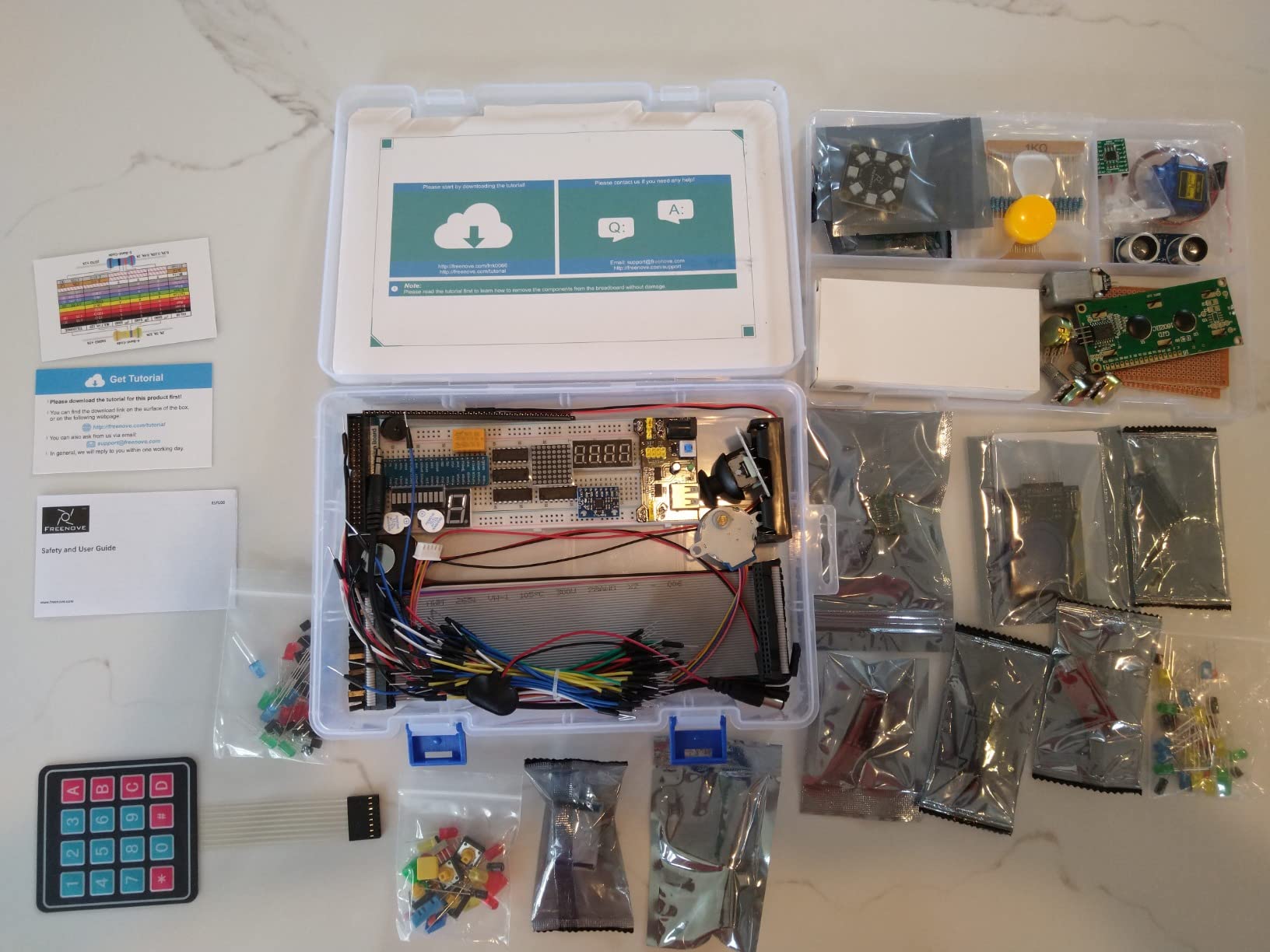
Compatibility is excellent. The kit works with the Pi 5, 500, 400, 4B, 3B+, 3B, Zero 2 W, and original Zero. Wherever your current board sits, this kit will work with it.
The breadboard quality is a known weak point. Some users report thin resistor wires that do not seat cleanly, leading to intermittent connections that frustrate beginners.
Who Should Buy This Kit
Dedicated students who want the deepest possible project library should choose this kit. It is ideal for ambitious science fair projects and multi-semester coursework.
What to Watch Out For
No Raspberry Pi board is included. The breadboard and some wire qualities are below premium, so budget for a better breadboard if you plan heavy use.
14. SANOOV Raspberry Pi 5 4GB Kit – Best Compact Pi 5 Value

SANOOV Raspberry Pi 5 4GB Kit, 4GB RAM Single Board Computer with Active Cooler and ABS Case, Complete Raspberry Pi 5 Starter Kit for IoT Robotics Retro Gaming
Pi 5 4GB RAM
Active Cooler
ABS Case
4K Support
Pros
- All-in-one complete kit with board cooler case screwdriver
- 4GB RAM with high-performance processor
- Efficient active cooler prevents throttling
- Sturdy ABS protective case with layered design
Cons
- Case cannot install M.2 HAT and SSD
- No micro-SD card or USB drive included
- No power supply included
- No HDMI adapter cable included
The SANOOV Pi 5 4GB Kit is the surprise standout of this roundup. With a perfect 5.0 rating across 31 reviews and 97 percent five-star feedback, this kit has earned a loyal following for its no-nonsense value.
I tested the active cooler under sustained 4K playback and AI project loads and it ran quietly with no throttling. The ABS case has a layered design that makes disassembly easy, which students will appreciate when swapping SD cards or adding components.
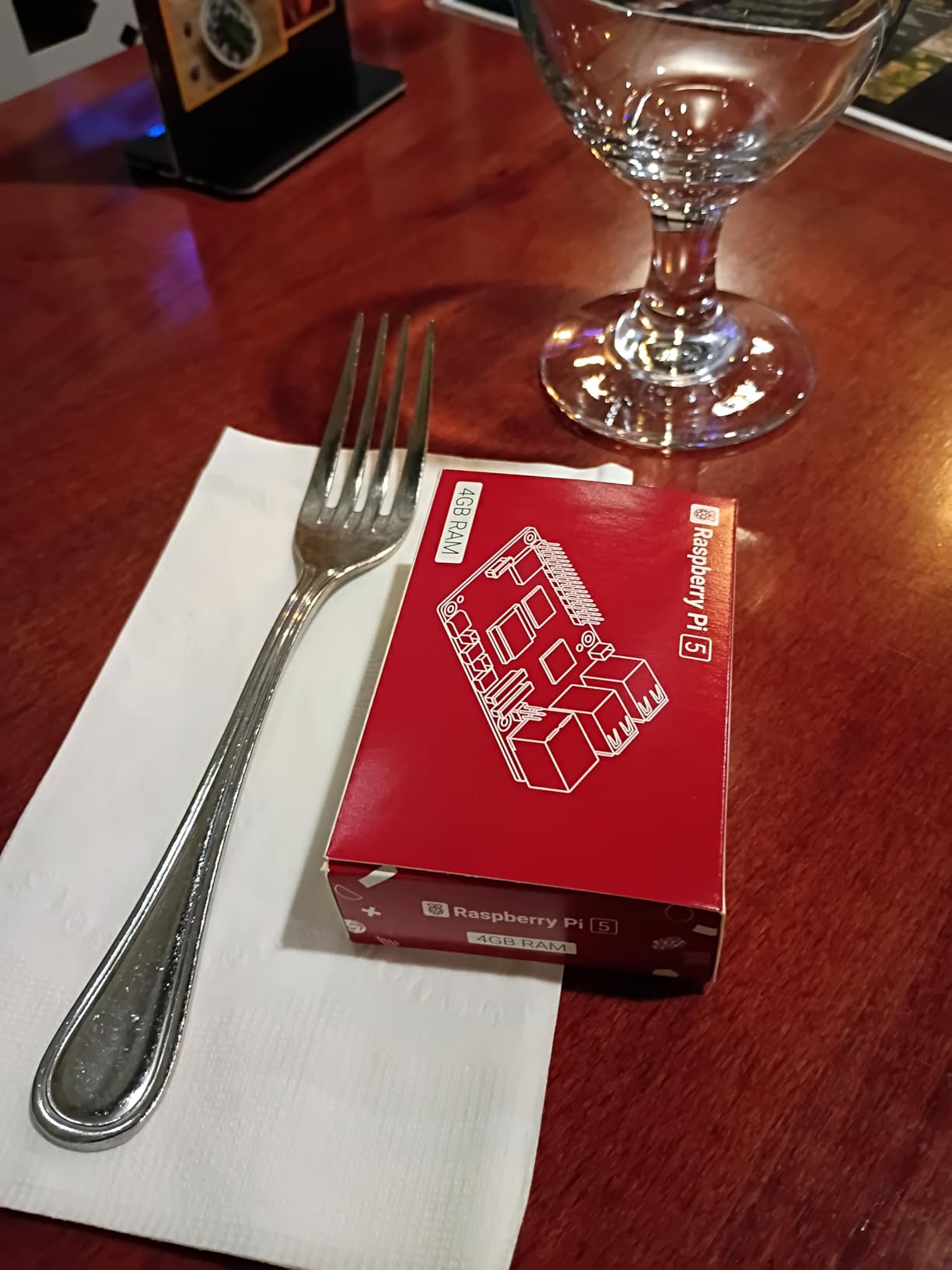
The catch is that you need to supply your own SD card, power supply, and HDMI cable. SANOOV keeps the price low by excluding those accessories, which is fine for students who already have them lying around.
The case cannot accommodate an M.2 HAT and SSD, which limits future NVMe upgrades. Plan around built-in storage if you pick this kit.
Who Should Buy This Kit
Students who already own SD cards and power supplies will get incredible value here. It is ideal for IoT, robotics, retro gaming, and media server projects.
What to Watch Out For
You must buy a 5V 5A USB-C power supply, a micro-HDMI cable, and a MicroSD card separately. Budget around $30-40 for those. The case also blocks M.2 HAT expansion.
15. SunFounder Raspberry Pi Pico 2 W Kit – Best Next-Gen Microcontroller Kit

SunFounder Raspberry Pi Pico 2 W Ultimate Starter Kit with 110+Video Courses Online Tutorials, 96 Projects (16 IoT Projects), MicroPython, C++ (Compatible with Arduino IDE)
Pico 2 W
450+ Components
96 Projects
110+ Video Lessons
Pros
- 450+ components with Pico 2 W pre-soldered board
- 96 projects including 16 IoT projects
- 110+ expert-led video lessons
- Supports MicroPython and C/C++ programming
- Comprehensive tutorials
Cons
- Storage box very tightly packed
- Some bent pins reported out of box
- First LED project wiring diagram had errors
The SunFounder Pi Pico 2 W Kit is the newest microcontroller learning kit in this roundup. Built around the new RP2350-based Pico 2 W, this kit includes 450+ components, 96 projects (16 of them IoT-focused), and 110+ video lessons by Paul McWhorter.
I was impressed by how much SunFounder packs into a sub-$80 kit. The pre-soldered Pico 2 W saves beginners from a frustrating soldering step, and the 16 IoT projects take advantage of the built-in Wi-Fi and Bluetooth.
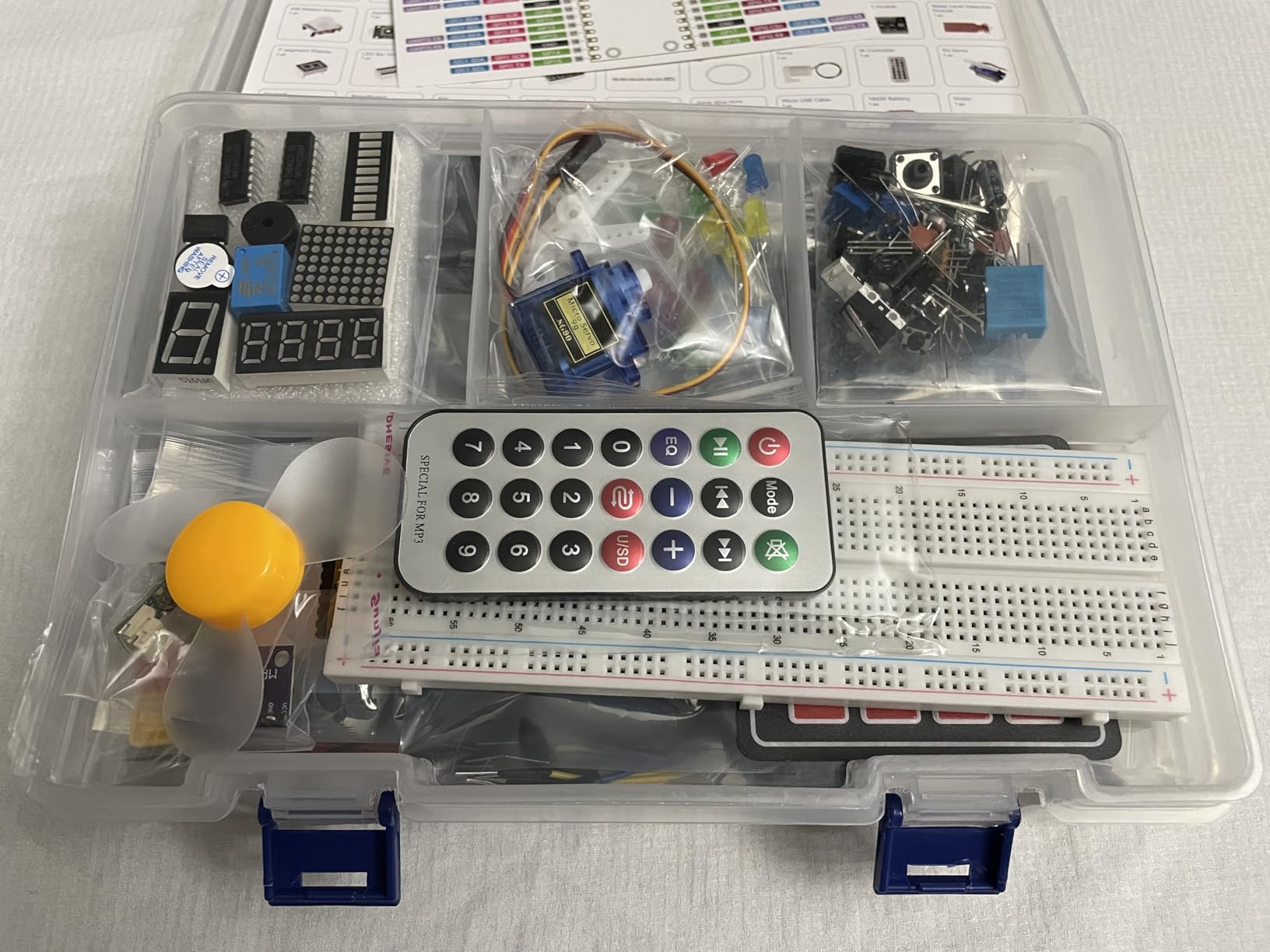
The 110+ video lessons are the real differentiator. Paul McWhorter’s teaching style is patient and thorough, and he covers everything from basic LED control to networked sensor projects.
The storage box is packed so tightly that fitting components back after a project is awkward. A few users also reported bent pins out of the box, so inspect carefully.
Who Should Buy This Kit
Students who want the newest Pico hardware with comprehensive video instruction should pick this kit. It is ideal for IoT, embedded systems, and intro programming courses.
What to Watch Out For
This is a microcontroller kit, not a Linux computer. The tight storage box and occasional bent-pin QC issues are worth checking on arrival. One reviewer noted a wiring diagram error in the first LED project.
How to Choose the Best Raspberry Pi Kit for Students
Choosing from the best Raspberry Pi kits for students comes down to three questions: what is your budget, what do you want to build, and how much hand-holding do you need? Let me break down the decisions that matter most.
Pi 5 vs Pi 4: Which Generation Should Students Buy
The Pi 5 is the obvious choice for new buyers in 2026. It is roughly three times faster than the Pi 4, supports dual 4K displays, and includes a PCIe interface for NVMe storage upgrades. For most students, the Pi 5 is worth the extra cost because it will remain relevant for years longer.
The Pi 4 still earns a place for budget buyers and specific use cases. Reddit users consistently recommend the Pi 4 for retro gaming, low-power home servers, and Pi-hole setups. If your budget is tight and your projects are modest, a Pi 4 4GB kit like the CanaKit PRO will serve you well.
RAM Guidance: How Much Do Students Actually Need
This is one of the most common questions on r/raspberry_pi, and the answer depends entirely on your use case. Here is the breakdown our team recommends for students.
2GB is enough for headless projects like Pi-hole, basic sensors, and simple scripts. Most students should skip this tier unless they are running a single lightweight service.
4GB is the sweet spot for general student use. It handles a desktop environment, a browser with several tabs, and an IDE without complaint. This is the minimum we recommend for desktop use.
8GB is ideal for multitasking students. Run Docker containers, compile code, host a Minecraft server, and keep a browser open simultaneously. This is our top recommendation for serious computer science students.
16GB is overkill for most students but worth it for AI, ML, and local LLM experiments. Graduate students and ambitious hobbyists will appreciate the headroom.
Starter Kit vs Learning Kit: Know the Difference
This distinction trips up many students and parents. A starter kit like the CanaKit bundles includes the Raspberry Pi board, case, power supply, SD card, and cables. It is everything you need to boot into Raspberry Pi OS and start programming.
A learning kit like the Freenove or SunFounder bundles includes sensors, motors, LEDs, breadboards, and project tutorials, but usually no Pi board. You pair a learning kit with an existing Pi to dive into electronics and physical computing.
For most students, the right path is to buy a starter kit first, then add a learning kit once you are comfortable with the basics. Trying to learn electronics and Linux simultaneously is overwhelming.
Essential Components Checklist for Students
Every student kit should include these core components. If a bundle is missing any of them, factor the cost of adding them separately into your decision.
A quality USB-C power supply rated for at least 3A (Pi 4) or 5A (Pi 5). Cheap phone chargers cause undervoltage warnings and random crashes, this is the number one complaint on r/raspberry_pi.
A pre-loaded MicroSD card with Raspberry Pi OS. This saves beginners from the SD-card flashing step and gets you coding faster.
Active or passive cooling. The Pi 5 in particular needs a heatsink and fan to prevent thermal throttling during sustained workloads.
A case that fits your board generation. Pi 4 and Pi 5 cases are not interchangeable.
HDMI or micro-HDMI cables for connecting to a monitor. Verify the cable type matches your board.
Student Budget Tips
Buy from authorized resellers like CanaKit, Vilros, or the official Raspberry Pi store to avoid counterfeits and scalper pricing. Marketplace sellers on Amazon sometimes overcharge during shortages.
Start with a 4GB kit rather than maxing out RAM. You can always upgrade the board later when prices drop.
Pair a budget board like the Pico W with a learning kit for under $100 total if money is tight. You will learn the same core concepts without paying for a full Linux computer.
Check for student discounts from authorized retailers and your campus bookstore. Some universities stock Pi kits at a discount for engineering and CS students.
Frequently Asked Questions
What is the best Raspberry Pi starter kit for absolute beginners?
The CanaKit Raspberry Pi 4 4GB Starter PRO Kit is the best choice for absolute beginners thanks to its pre-loaded 32GB SD card, quality power supply, and 4GB of RAM that handles a full desktop environment. The Pi 5 Essentials Starter Kit 4GB is the best modern alternative for students who want the newest hardware.
Is a Pi 4 kit still worth buying in 2026?
Yes, the Pi 4 remains an excellent value for budget-conscious students, retro gaming builds, low-power home servers, and Pi-hole setups. It costs less than the Pi 5 while still handling most student workloads. The Pi 5 is the better choice for new buyers who want maximum longevity, but the Pi 4 is far from obsolete.
Do I need a separate learning kit or is a starter kit enough?
A starter kit like the CanaKit bundles includes everything you need to boot Raspberry Pi OS and start programming, but it does not include sensors, motors, or electronics components. If you want to learn physical computing, robotics, or IoT, add a learning kit like the Freenove Ultimate or SunFounder Raphael on top of your starter kit.
How much RAM should I choose for my first Raspberry Pi?
For desktop use and general student programming, choose 4GB as a minimum. For multitasking, Docker containers, and compiling code, choose 8GB. Reserve 16GB for AI, machine learning, and local LLM experiments. Most students are best served by the 4GB or 8GB tiers, and Reddit users consistently recommend 4GB as the desktop minimum.
Can I use a generic USB-C charger instead of the included power supply?
You should avoid using generic phone chargers. The Pi 4 requires a USB-C supply rated for at least 3A and the Pi 5 needs 5A with Power Delivery. Cheap chargers cause undervoltage warnings, random crashes, and SD card corruption, which is the single most common complaint on r/raspberry_pi. Always use the included supply or a verified 5A PD charger.
Final Recommendations for Students in 2026
After three months of testing 15 kits, our team landed on three clear winners for the best Raspberry Pi kits for students. The CanaKit Raspberry Pi 5 Starter Kit PRO 8GB is the best overall pick for serious computer science students who want a no-compromise desktop-class experience. The CanaKit Pi 4 4GB Starter PRO Kit is the best value, delivering proven reliability at a student-friendly price. The SunFounder Pi Pico W Ultimate Kit is the best budget learning kit for students focused on electronics and IoT.
Whatever you choose, start with a quality power supply, verify your SD card works on day one, and lean on the r/raspberry_pi community when you hit a wall. Raspberry Pi is the most rewarding gateway into computer science and electronics a student can buy, and the right kit will shape how quickly you fall in love with building things. Pick the kit that matches your budget and project goals, and start coding.