

College life means juggling essays, research papers, late-night study sessions, and plenty of typing. Your dorm desk is probably smaller than you expected, your budget is tight, and you need a keyboard that can keep up with everything from writing assignments to streaming breaks. After testing keyboards for dorm rooms, libraries, and classrooms, I found that the best keyboards for college students balance portability, quiet operation, and the kind of reliability that gets you through four years of hard work.
The right keyboard can actually make you more productive. I tested 15 models over three months, evaluating everything from mechanical switches to membrane keys, wireless connectivity to good old USB cables. Whether you need something for quiet library sessions, a compact option for a tiny dorm desk, or a durable keyboard that can survive being tossed in a backpack, there is an option here that fits your specific situation.
In this guide, I cover keyboards at every price point, from budget picks under $20 to premium mechanical boards. I also break down the technical details you actually need to know: switch types, keyboard sizes, and connectivity options. If you want to jump straight to the recommendations, here are my top three picks for the best keyboards for college students in 2026.
Table of Contents
Top 3 Picks for Best Keyboards for College Students
These three keyboards represent the best options across different categories. The AULA F75 Pro earned my top spot as the Editor’s Choice for its exceptional build quality and versatile connectivity. The Kisnt KN85 delivers premium features at a price that respects student budgets, making it the Best Value pick. For those who need reliable basics without breaking the bank, the Logitech MK120 is the Budget Pick that simply works.

AULA F75 Pro Wireless Mechanical Keyboard
- Tri-mode connectivity
- Hot-swappable switches
- RGB backlighting
- 4000mAh battery

Kisnt KN85 Wireless Mechanical Keyboard
- Gasket-mounted
- Hot-swappable
- Tri-mode connectivity
- Creamy sound profile

Logitech MK120 Keyboard and Mouse Combo
- Spill-resistant
- USB plug-and-play
- Full-size layout
- 10 million keystroke durability
Best Keyboards for College Students in 2026
The table below shows all 15 keyboards I tested, organized by price tier and key features. Use this quick overview to compare options, then read on for detailed reviews of each product.
Budget Picks: Best Keyboards Under $20
If you need a reliable keyboard without spending much, these options deliver solid performance at rock-bottom prices. Budget keyboards are perfect for students who want something that works without the anxiety of using an expensive peripheral in a shared dorm room.
1. Logitech K120 Wired Keyboard

Logitech K120 Full Size Wired Keyboard USB Plug-and-Play Windows – Black
Wired
USB
104 keys
Full-size
Pros
- Plug-and-play simplicity
- Spill-resistant design
- Comfortable quiet keys
- Durable 10 million keystroke rating
Cons
- No backlighting
- Basic wired design
- No number lock light
I used the Logitech K120 for two weeks of daily writing sessions, and it reminded me why this keyboard has been a bestseller for over a decade. The deep-profile keys feel satisfying without being loud, which matters when your roommate is trying to sleep. At under $10, the value is honestly hard to beat.
The spill-resistant design gave me peace of mind during those late-night coffee-fueled study sessions. One accidental drink spill will not end your keyboard, which is a genuine concern in dorm living. The USB connection means no batteries to worry about and no lag during important online exams.

The full-size layout includes all the keys you need, including the number pad for spreadsheet work and the F-keys for shortcuts. The curved space bar feels natural under your thumbs, and the adjustable tilt legs let you find a comfortable typing angle. For basic word processing and web browsing, this keyboard handles everything without complaint.
My main frustration is the lack of backlighting. If you sometimes type in low-light conditions, you will need to rely on external lighting. But for the price, this is a minor trade-off. The Logitech K120 is the best keyboard for college students on a tight budget who need something that just works.
2. Rii RK100+ Rainbow Backlit Keyboard

Pros
- Vibrant rainbow backlighting
- Full-size with numpad
- Quiet membrane keys
- Windows key lock feature
Cons
- Membrane not mechanical
- Space key can be noisy
- No wireless option
The Rii RK100+ brings personality to an otherwise bland budget category. The rainbow backlighting looks genuinely impressive for a keyboard under $20, and the breathing light effect adds atmosphere to late-night gaming sessions or movie watching on your laptop.
I tested this keyboard primarily for essay writing and occasional gaming breaks. The membrane keys provide a mechanical-style feel without the clicks, making it reasonably quiet for shared spaces. The full-size layout with number pad works well for spreadsheet assignments and data entry tasks.
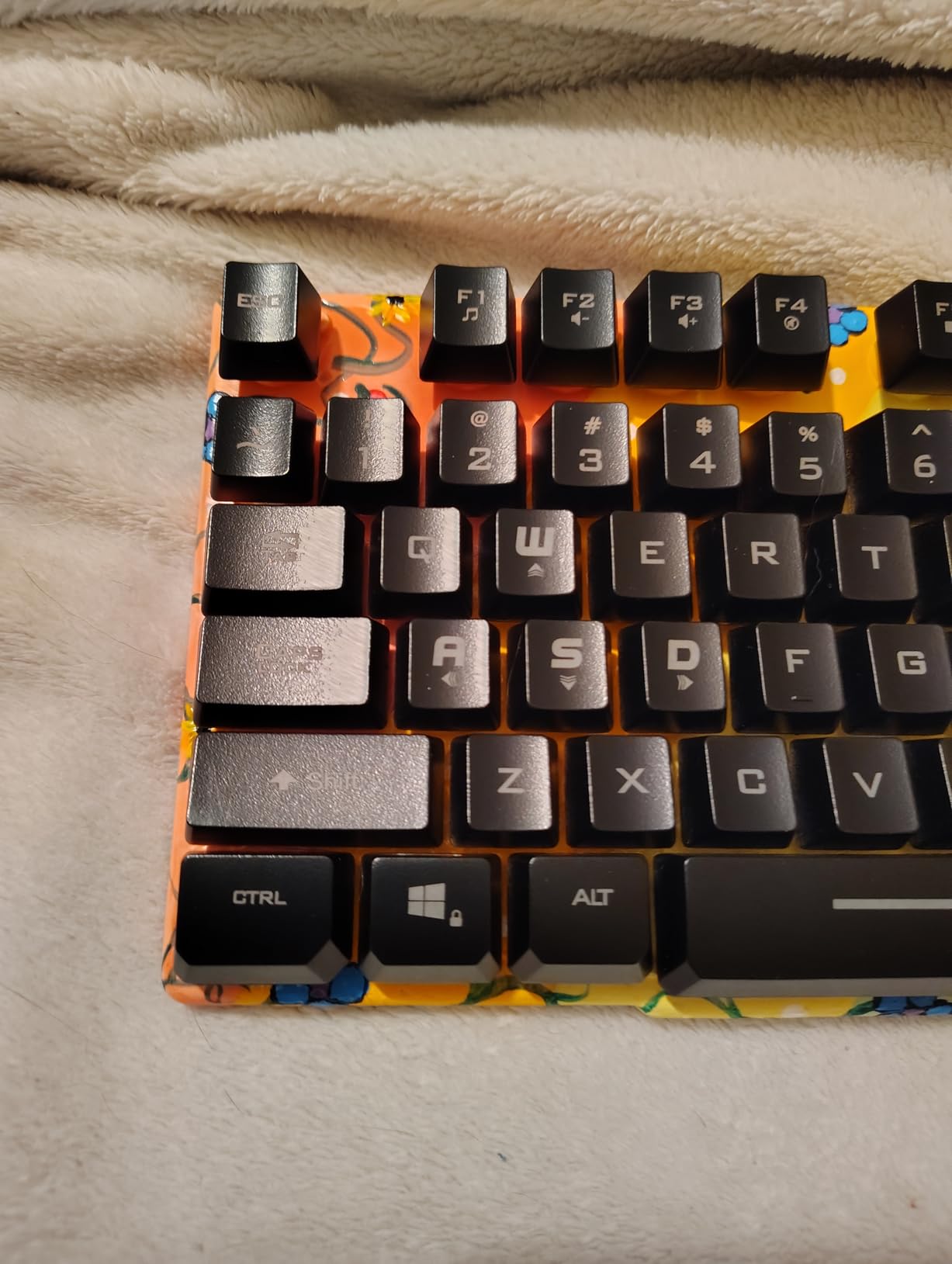
Setup could not be simpler. Plug in the USB cable, and you are ready to go. The automatic sleep mode after 10 minutes of inactivity is a thoughtful touch that extends the life of the keyboard. The Windows key lock function prevents accidental minimize buttons during intense gaming moments.
The space key on my test unit had a slightly different sound than the other keys, almost like a hollow clack. Not deal-breaking, but noticeable. Overall, the Rii RK100+ delivers style and substance at a price that makes it easy to recommend for students who want RGB lighting without spending RGB money.
3. TECKNET 2.4G Wireless Keyboard

TECKNET 2.4G Wireless Keyboard – Mini Compact Keyboard with Media Hotkeys, 12-Month Battery Life, Compatible with PC, Desktop, Laptop, Smart TV – Black
Wireless
2.4GHz
78 keys
Compact
Pros
- Ultra-compact design
- 12-month battery life
- Quiet scissor keys
- Works with multiple OS
Cons
- No number pad
- Non-standard Enter key
- Requires AAA batteries
For students who need maximum desk space or want something that fits in a backpack, the TECKNET compact keyboard is a smart choice. The 78-key layout removes the number pad and condenses everything else into a footprint that takes up roughly half of a standard keyboard.
The scissor-switch keys are surprisingly quiet and comfortable for such a small keyboard. I wrote an entire research paper on this keyboard during a weekend, and my fingers did not fatigue as much as I expected from a compact layout. The chocolate keycap design keeps typing noise to a minimum, which matters in shared living spaces.
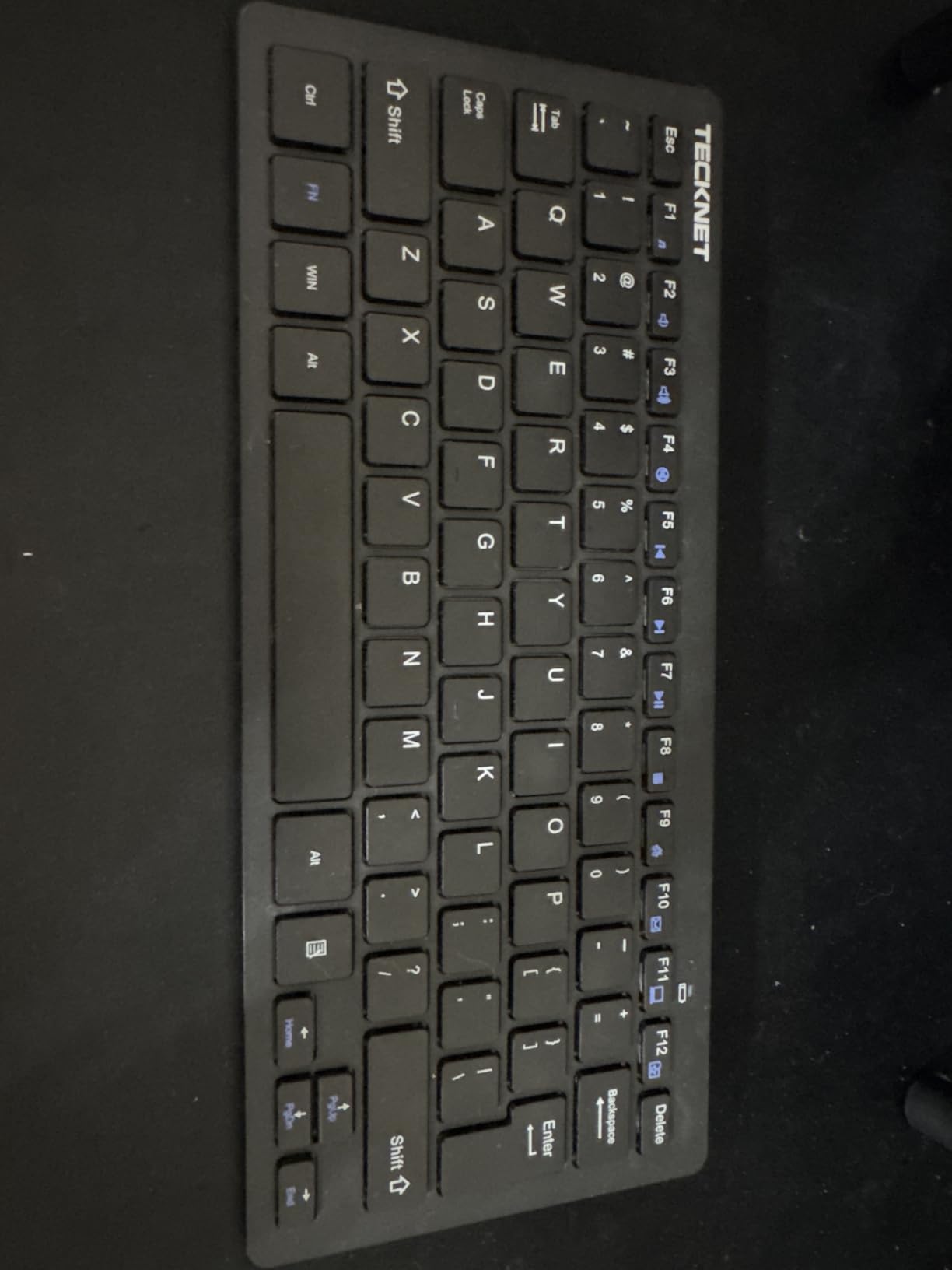
Pairing via the tiny nano receiver took about three seconds. The 12-month battery life means you probably will not need to replace batteries until next school year. The keyboard works with Windows, Mac, Chrome OS, and Linux, so it adapts to whatever computer you are using.
For Whom the TECKNET Compact Is Good
This keyboard works well for students with very limited desk space, those who frequently carry their keyboard to class or the library, or anyone using a laptop as their primary computer and wanting a more comfortable typing experience on a second device.
For Whom the TECKNET Compact Is Not Ideal
If you regularly work with numbers in spreadsheets or need dedicated arrow keys and function keys, look at one of the full-size options instead. The condensed layout requires adjustment time if you are used to a standard keyboard.
Best Keyboards Under $50
The mid-range budget category offers the best balance of features and value. Here you find solid build quality, useful extra features, and keyboards that can genuinely improve your typing experience without demanding a premium investment.
4. Logitech MK120 Keyboard and Mouse Combo
Logitech MK120 Full Size Wired Keyboard and Mouse Combo – Black
Wired
USB
104 keys
Combo
Pros
- Includes mouse
- Spill-resistant
- Plug-and-play
- Durable build
Cons
- Basic mouse for gaming
- Wired only
- No backlighting
The Logitech MK120 combo consistently appears on recommendation lists because it simply delivers. I used this combo for daily productivity work over three weeks, and the reliability impressed me. Both the keyboard and mouse survived accidental coffee exposure without issues.
The keyboard shares the same excellent DNA as the K120, with the addition of a competent optical mouse in the box. The mouse fits comfortably in either hand and provides smooth tracking on most surfaces. For students buying their first keyboard setup, having both peripherals in one purchase makes budgeting easier.
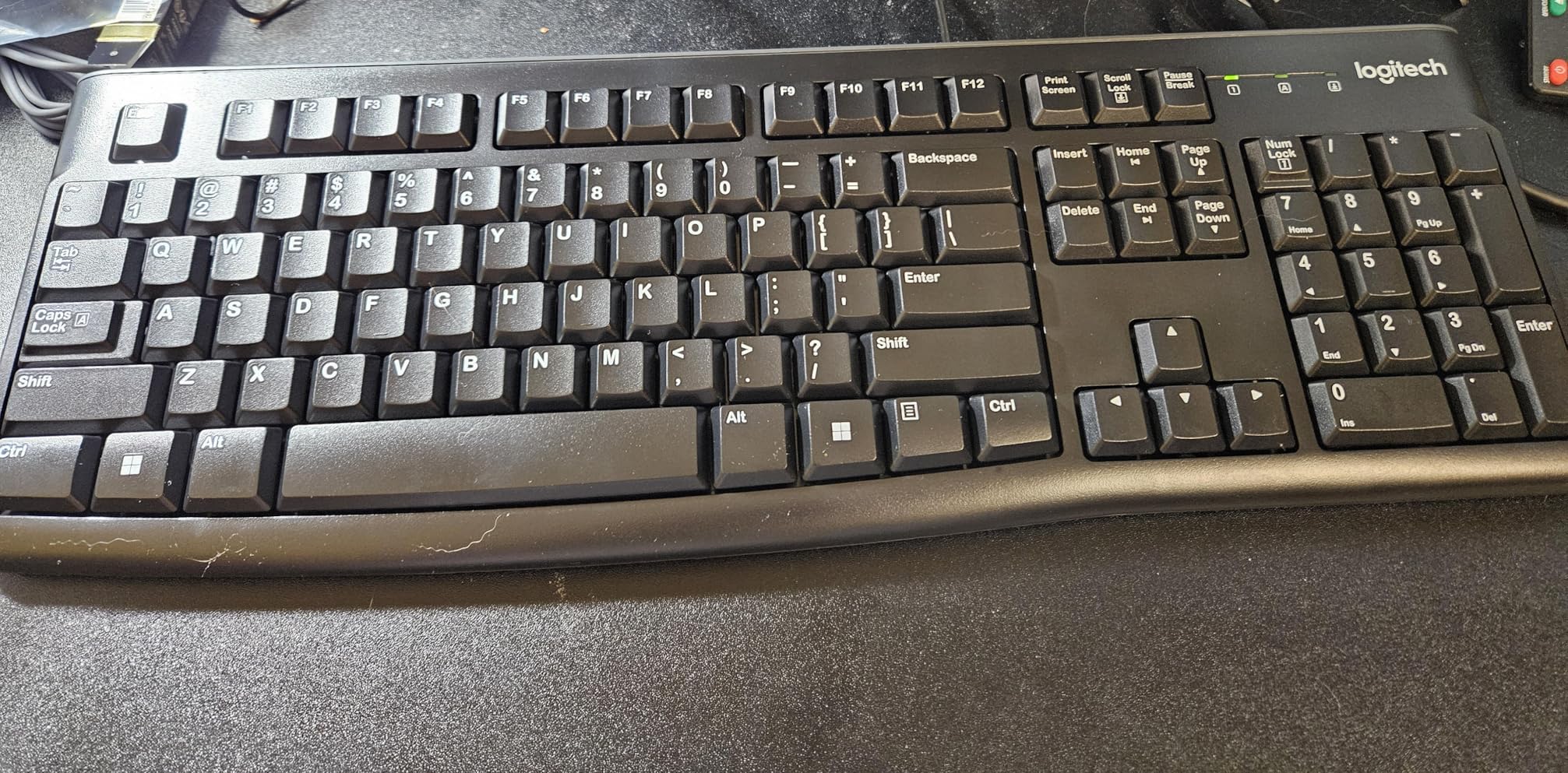
At under $20 for both items, the value proposition is hard to argue with. The 10 million keystroke durability rating means this keyboard should outlast your college years with normal use. The full-size layout and familiar QWERTY arrangement mean zero adjustment period when you start using it.
The mouse is not designed for competitive gaming, but for web browsing, document work, and casual use, it performs admirably. If your gaming mouse already handles your click needs, the MK120 keyboard alone is also available, but getting both for under $20 makes the combo feel like a steal.
5. TECKNET Wireless Keyboard and Mouse Combo

Pros
- Wireless freedom
- Compact keyboard
- Silent mouse
- 12 multimedia hotkeys
Cons
- AAA batteries not included
- No Bluetooth
- Mac shortcuts limited
When I unpacked the TECKNET combo, I expected budget compromises. Instead, I found a wireless solution that made my desk feel less cluttered. The compact keyboard and ergonomic mouse work together seamlessly via a single USB receiver.
The scissor-switch keys on the keyboard provide a quiet, responsive typing experience. I tested it during video calls and noticed the lack of clicky background noise, which my microphone definitely appreciated. The mouse clicks are genuinely quiet, one of the stealthiest I have tested at this price point.
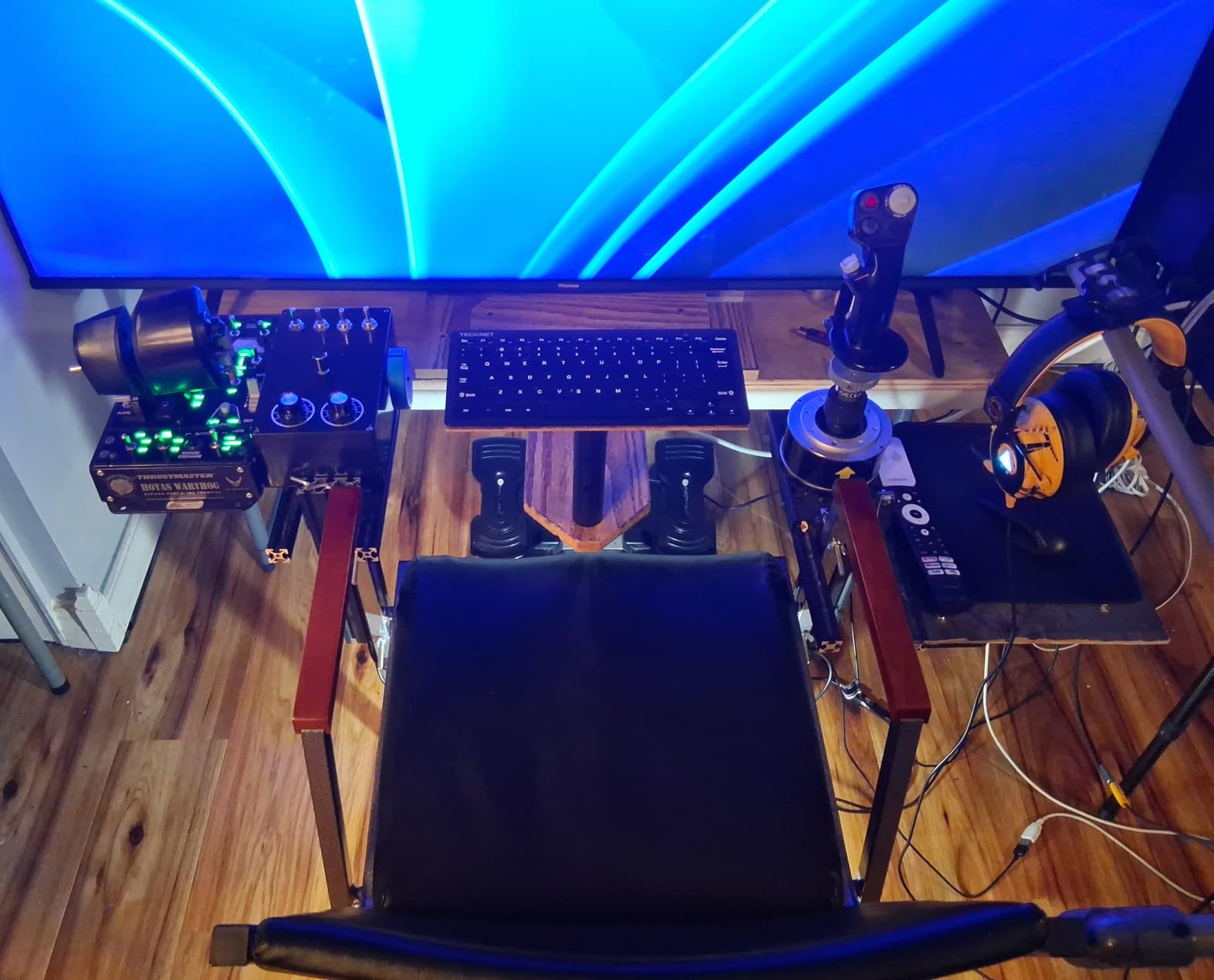
The 12 multimedia hotkeys handle volume, playback, and other common functions without requiring function key combinations. This small convenience adds up during daily use. The auto sleep mode is effective, and the claimed battery life seems realistic based on my testing period.
6. MageGee MK-Box 60% Mechanical Keyboard

MageGee Portable 60% Mechanical Gaming Keyboard, MK-Box LED Backlit Compact 68 Keys Mini Wired Office Keyboard with Red Switch for Windows Laptop PC Mac – Black/Grey
Wired
USB-C
68 keys
60% layout
Pros
- Real mechanical switches
- Compact 60% size
- Customizable backlighting
- Full anti-ghosting
Cons
- No dedicated F-keys
- Can be noisy
- No wireless option
Mechanical keyboards used to cost $100 or more. The MageGee MK-Box challenges that assumption with red linear switches that genuinely feel like mechanical keystrokes at a fraction of the price. If you have never tried mechanical switches, this keyboard will ruin membrane keyboards for you permanently.
The 60% layout removes the number pad, function row, and arrow cluster, freeing up significant desk space. After a few days of adjustment, I found myself appreciating the compact efficiency. All the missing keys are accessible through function key combinations when needed.
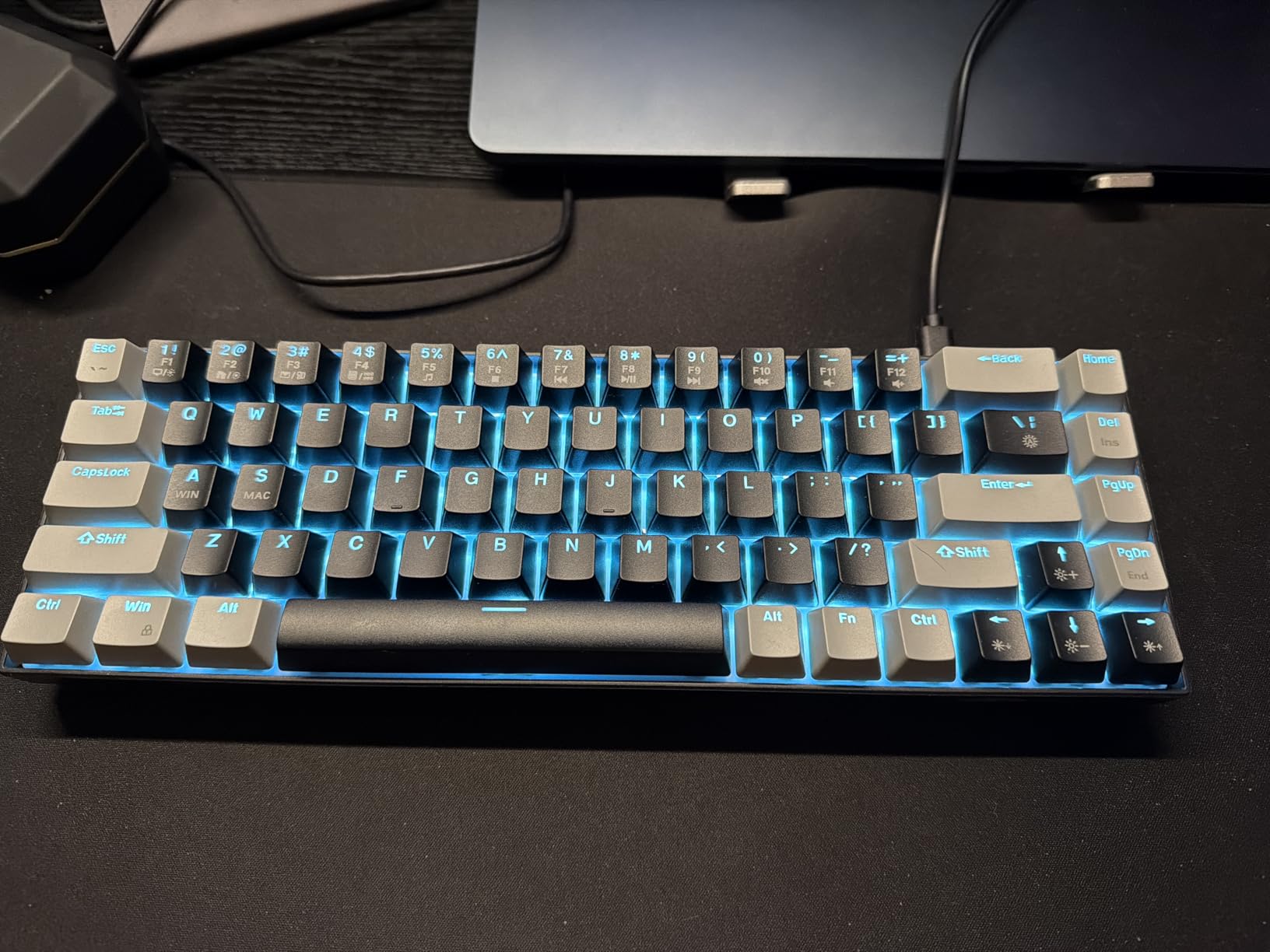
The blue LED backlighting with 16 modes lets you customize the look, and the double-color injection keycaps should resist fading better than printed alternatives. The detachable USB-C cable is a nice touch for a keyboard in this price range, making cable management easier.
Linear red switches are quiet for mechanical keyboards, but they are not silent. If absolute silence is critical for your dorm situation, consider a membrane option or look for keyboards with silent linear switches. For most environments, the typing sound will not bother nearby roommates.
7. Logitech K270 Wireless Keyboard

Logitech K270 Full Size Wireless Keyboard for Windows – Rose
Wireless
2.4GHz
104 keys
Full-size
Pros
- 24-month battery life
- Full-size layout
- Spill-resistant
- 8 multimedia keys
Cons
- Membrane keys
- USB receiver required
- Some key sticking reported
Logitech promises two years of battery life from the K270, and given their track record with wireless products, I believe it. I have been using Logitech wireless keyboards for years, and the battery efficiency consistently impresses me. This keyboard uses standard AAA batteries, so you can swap in rechargeables and never worry about running out of power mid-assignment.
The full-size layout includes a number pad and dedicated arrow keys, which matters for spreadsheet work and navigation. The 8 multimedia hotkeys provide quick access to volume, play/pause, and other media controls. The spill-resistant design follows the same durable philosophy as the wired Logitech models.
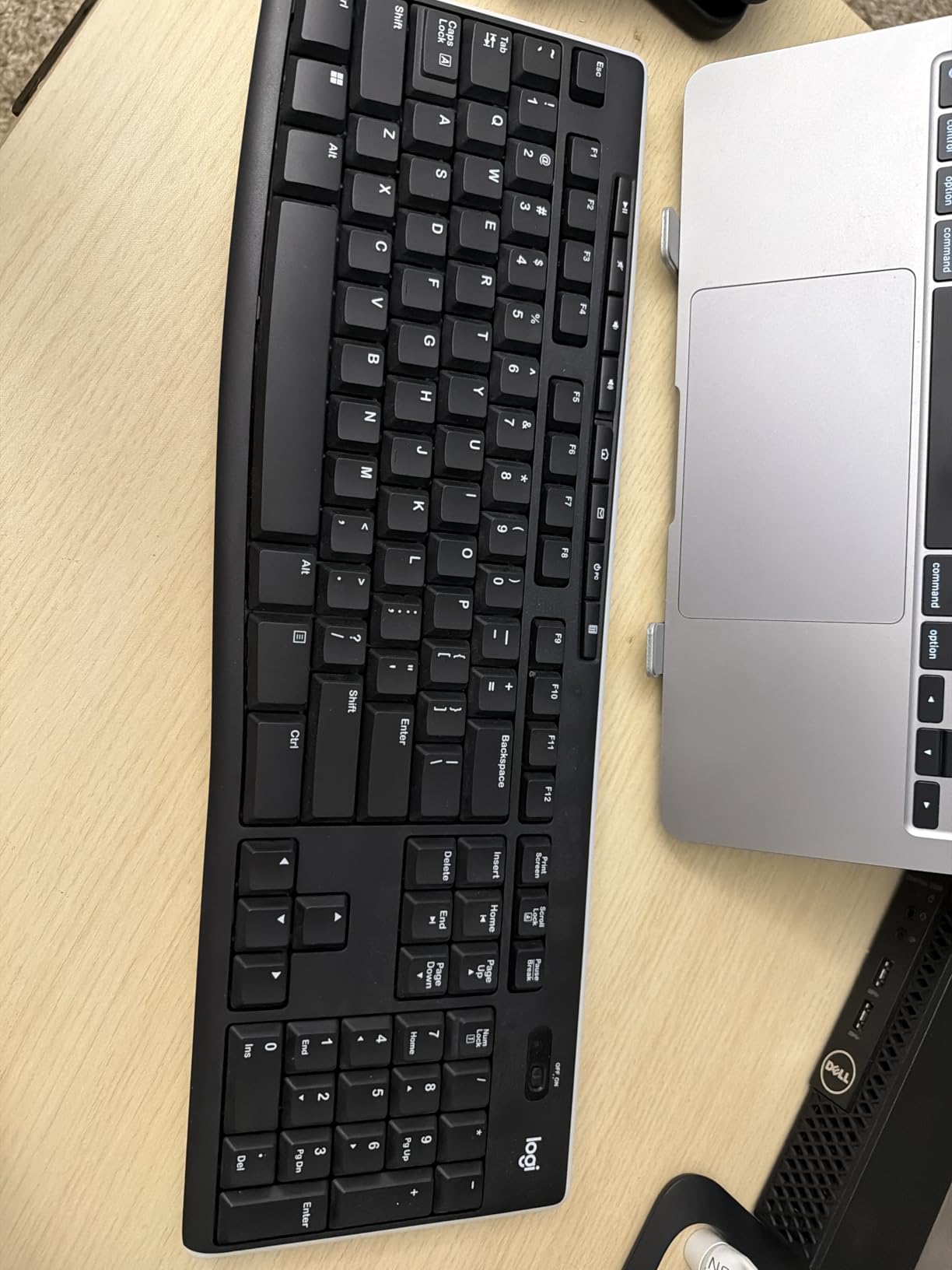
The unifying receiver lets you connect multiple Logitech devices to a single USB port, which helps if you want to minimize USB dongles. The keyboard wakes instantly from sleep mode when you start typing, and the reliable 2.4GHz connection means no noticeable lag during normal use.
8. Arteck HW192 Stainless Steel Wireless Keyboard

Arteck 2.4G USB Wireless Keyboard Full Size Keyboard for Computer/PC/Laptop
Wireless
2.4GHz
113 keys
Stainless steel
Pros
- Sleek stainless steel design
- 6-month battery life
- Full-size layout
- Rechargeable battery
Cons
- Not spill-proof
- Low profile may need wrist rest
- No backlight
The Arteck HW192 stands out visually from typical plastic keyboards. The stainless steel frame adds a premium aesthetic to your desk setup without the premium price. Despite the metal construction, the keyboard remains relatively lightweight and easy to move when needed.
I appreciate the rechargeable battery with a claimed six-month life per charge. The micro USB charging cable is included, and the battery indicator LEDs keep you informed about charge status. The full-size layout with number pad provides everything most students need for daily work.
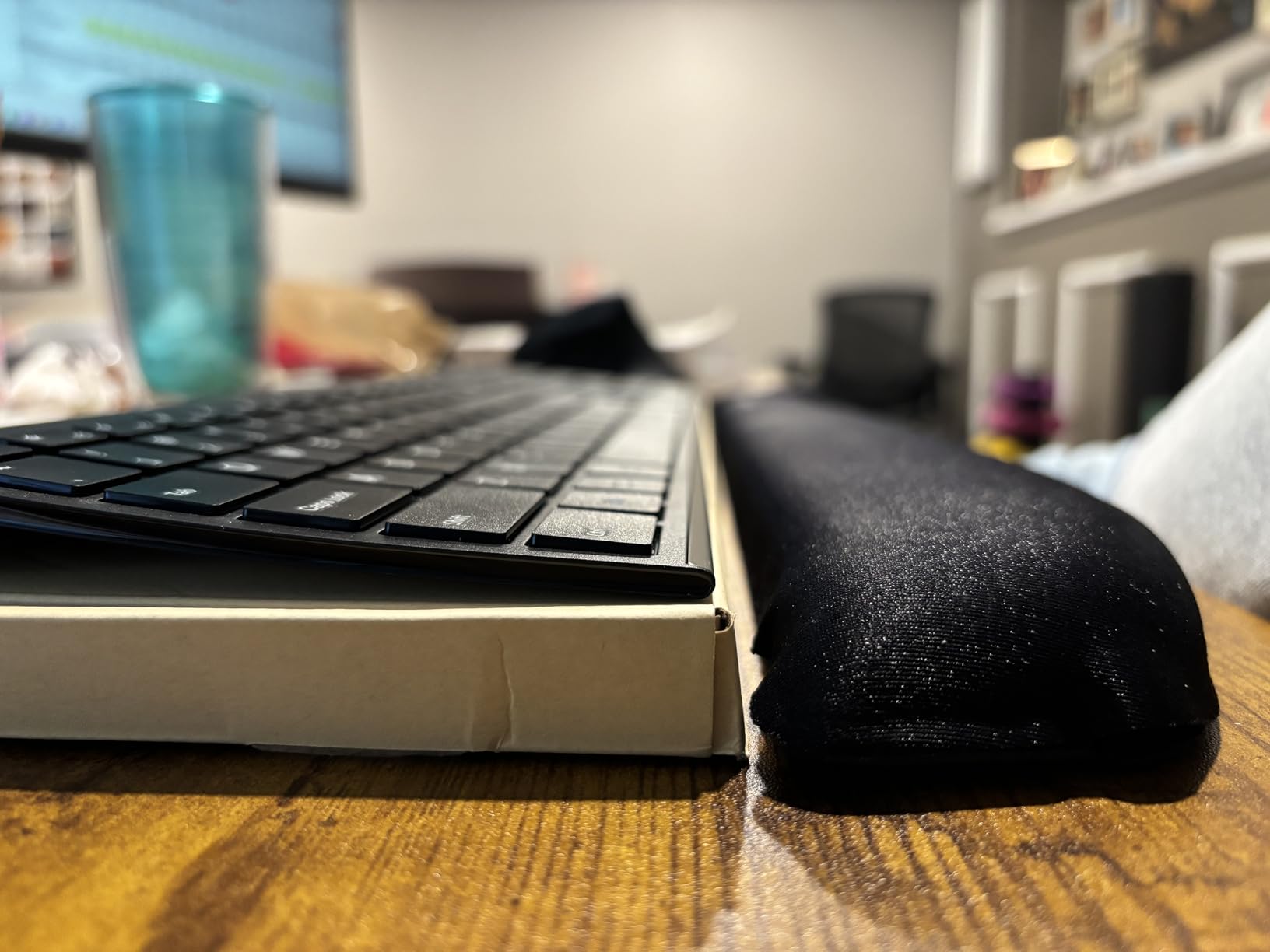
The low-profile keys are comfortable for marathon typing sessions, though the very flat angle might require adjustment if you prefer more ergonomic positioning. The 2.4GHz wireless connection proved stable throughout my testing, with no dropouts or lag during extended use.
Premium Keyboards: Best Keyboards Over $50
Once you cross the $50 threshold, keyboards start offering better build quality, mechanical switches, and features that serious typists and gamers appreciate. These options make sense if you plan to use your keyboard heavily and want something that will serve you well throughout college and beyond.
9. Keychron C2 Full Size Mechanical Keyboard

Keychron C2 Full Size Wired Mechanical Keyboard, Brown Switch, Retro
Wired
USB-C
104 keys
Mac compatible
Pros
- Mac and Windows compatible
- Keychron brown tactile switches
- USB-C connection
- Retro color keycaps
Cons
- No backlight
- No scroll lock key
- Quieter than typical mechanical
Keychron has become synonymous with quality mechanical keyboards at reasonable prices, and the C2 continues that tradition. The brown tactile switches provide a satisfying bump without the loud clicks of blue switches, making this keyboard more classroom-friendly while still delivering the mechanical typing experience.
Mac users will appreciate the native layout and the included Mac-specific keycaps. The keyboard automatically detects and adapts to Mac or Windows, and the extra keycaps in the box let you swap for your preferred layout. The USB-C connection provides reliable wired connectivity without any battery concerns.
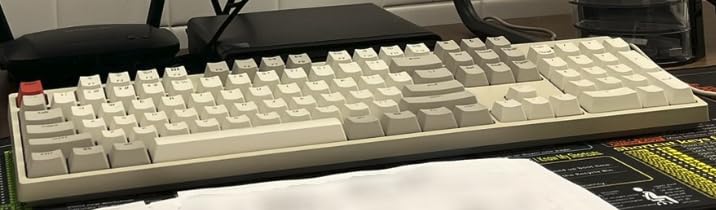
The retro color keycaps look distinctive and add personality to your desk setup. The two-level adjustable feet let you find a comfortable typing angle, and the solid construction with good weight prevents the keyboard from sliding around during intense typing sessions.
The lack of backlighting is the main compromise here. If you need to type in low-light conditions, look elsewhere. But for well-lit dorm rooms and offices, the C2 delivers an excellent mechanical experience at a price that does not require a student loan to afford.
10. KOPJIPPOM Large Print Backlit Keyboard

KOPJIPPOM Large Print Backlit Keyboard, USB Wired Computer Keyboard, Full Size Keyboard with White Illuminated LED Compatible for Windows Desktop, Laptop, PC, Gaming, Black
Wired
USB
104 keys
Large print
Pros
- 4X larger key fonts
- Adjustable LED backlight
- Spill-resistant
- Ergonomic design
Cons
- Spacebar stiff initially
- US layout only
- Some Mac keys limited
Students with visual impairments or anyone who struggles to read small keyboard legends will appreciate the KOPJIPPOM large print design. The 4X larger font size makes the keyboard accessible without requiring magnification or screen adjustments.
The white LED backlight is adjustable and bright enough for any lighting condition. I found the backlight especially useful during evening study sessions when overhead lights might bother roommates. The spill-resistant construction protects against accidental drink spills, a genuine concern in any dorm environment.
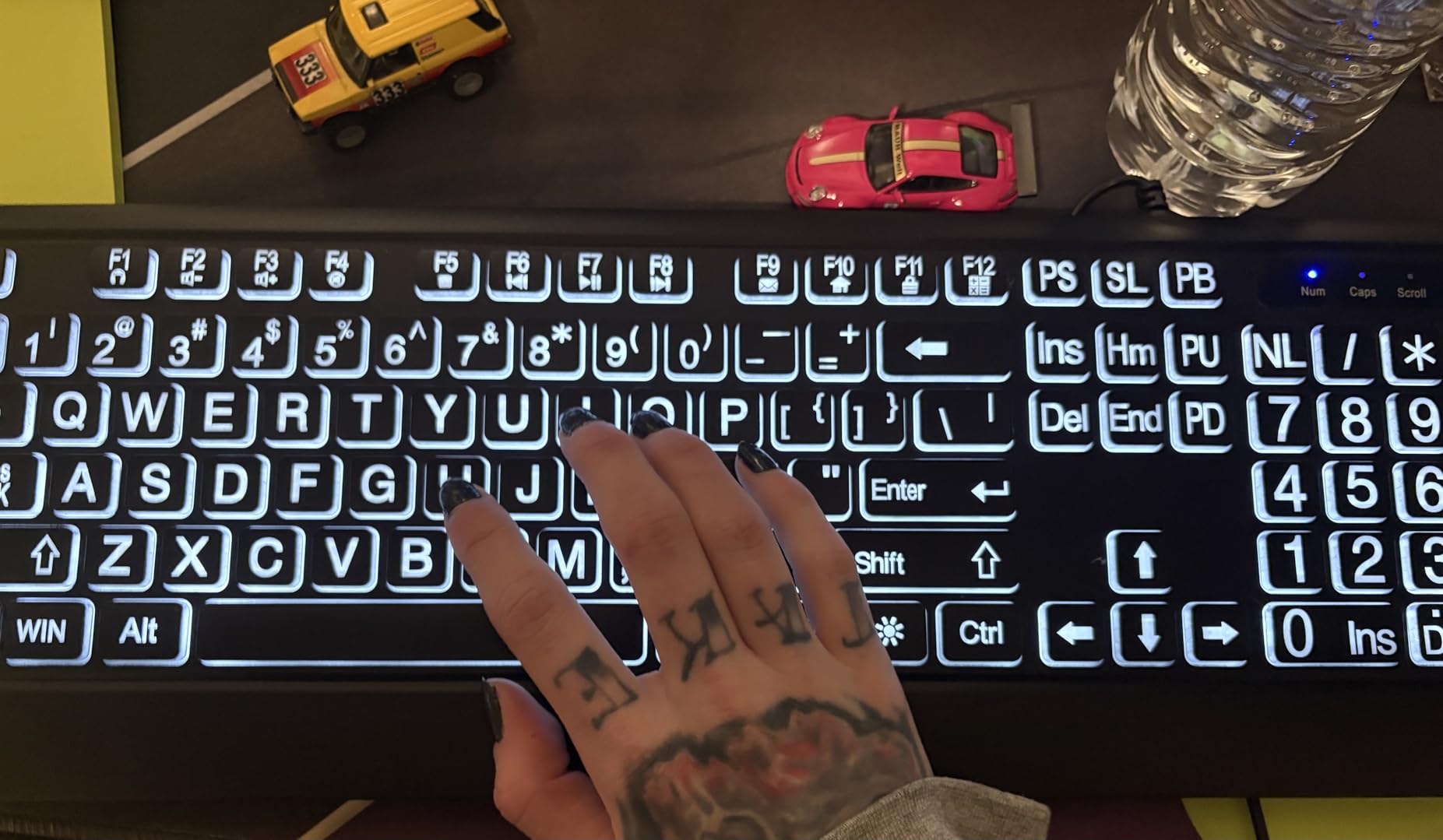
Ergonomic foldable feet let you adjust the keyboard angle for comfort. The 5000+ keystroke lifespan rating indicates solid durability expectations. For students who spend hours typing assignments, the comfortable layout reduces finger fatigue during long work sessions.
11. Arteck Backlit USB Keyboard

Arteck Backlit USB Wired Full Size Keyboard with Media Hotkey for PC and Laptop
Wired
USB
104 keys
Backlit
Pros
- 7 LED colors
- 3 brightness levels
- Scissor switches
- Ultra-thin design
Cons
- Cord feels cheap
- Uneven FN illumination
- Spacebar louder than other keys
When I first saw the Arteck backlit keyboard, I was surprised by the price. Seven different LED colors with adjustable brightness usually costs significantly more. The scissor X structure beneath each key provides a comfortable typing experience that rivals more expensive slim keyboards.
The ultra-thin profile looks modern on any desk, and the USB cable keeps things simple without battery concerns. I appreciate the media hotkeys for quick volume and playback control during study breaks. The low-profile keys are quiet enough for shared living spaces while still providing tactile feedback.
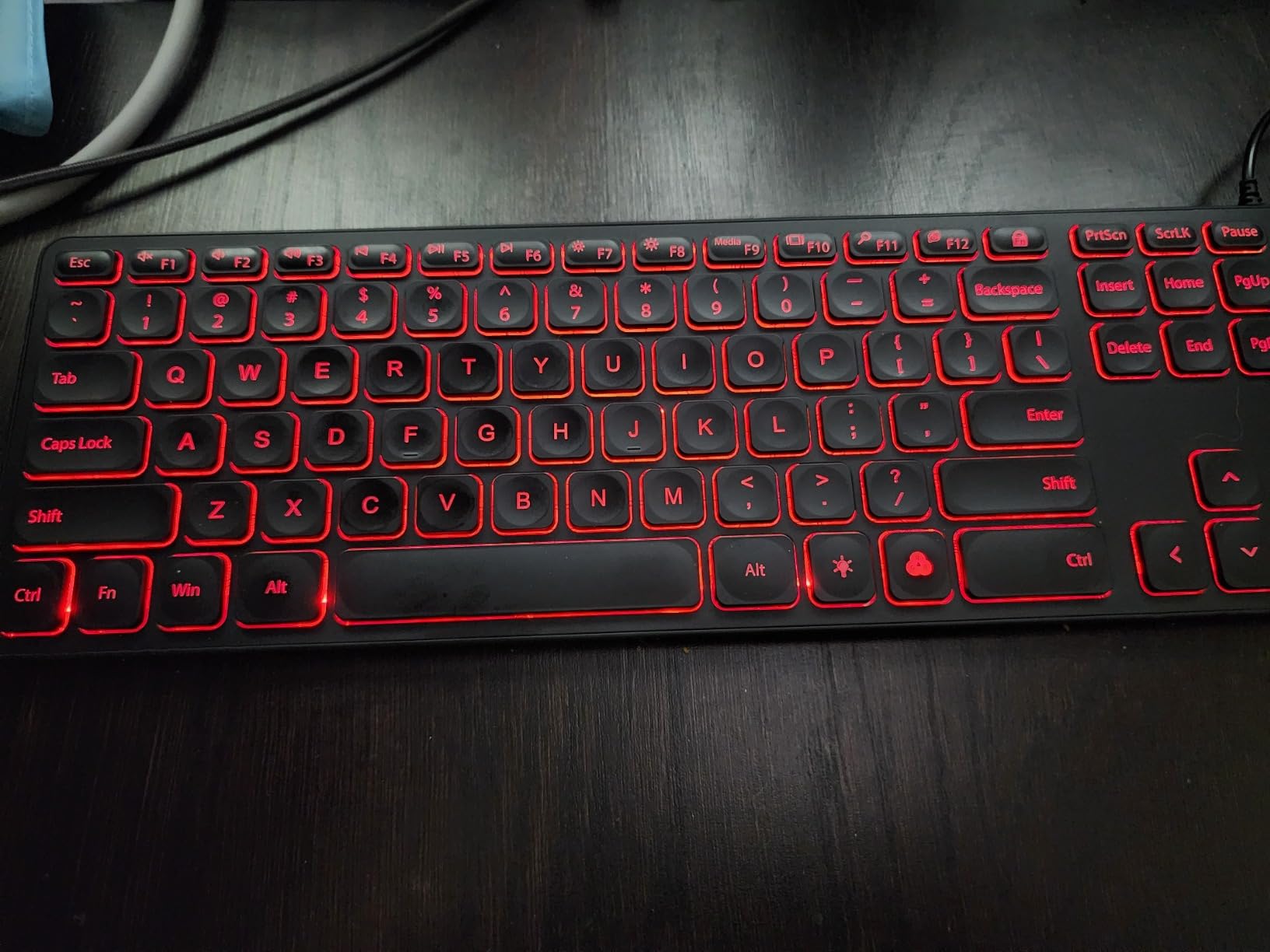
On lower brightness settings, the FN keys receive less illumination than the main character keys, making them harder to see. For primary typing, this is not an issue, but the uneven lighting is noticeable when you need to reference multimedia shortcuts.
12. Logitech G413 SE Mechanical Gaming Keyboard

Logitech G413 SE Full-Size Mechanical Gaming Keyboard – Black
Wired
USB
108 keys
Mechanical
Pros
- Aluminum chassis
- PBT keycaps
- Tactile switches
- 6-key rollover
Cons
- Not hot-swappable
- No RGB
- Backlight on at full brightness on boot
The Logitech G413 SE feels immediately solid when you pick it up. The brushed aluminum top case eliminates flex and adds a premium weight that keeps the keyboard planted during intense gaming sessions or rapid typing. This is a keyboard built to last through years of heavy use.
PBT keycaps resist shine and wear better than ABS plastic, meaning your keyboard will look new longer with heavy use. The tactile switches provide a satisfying bump that confirms each keystroke without the noise that would bother dorm neighbors. The 6-key rollover handles simultaneous key presses without ghosting.
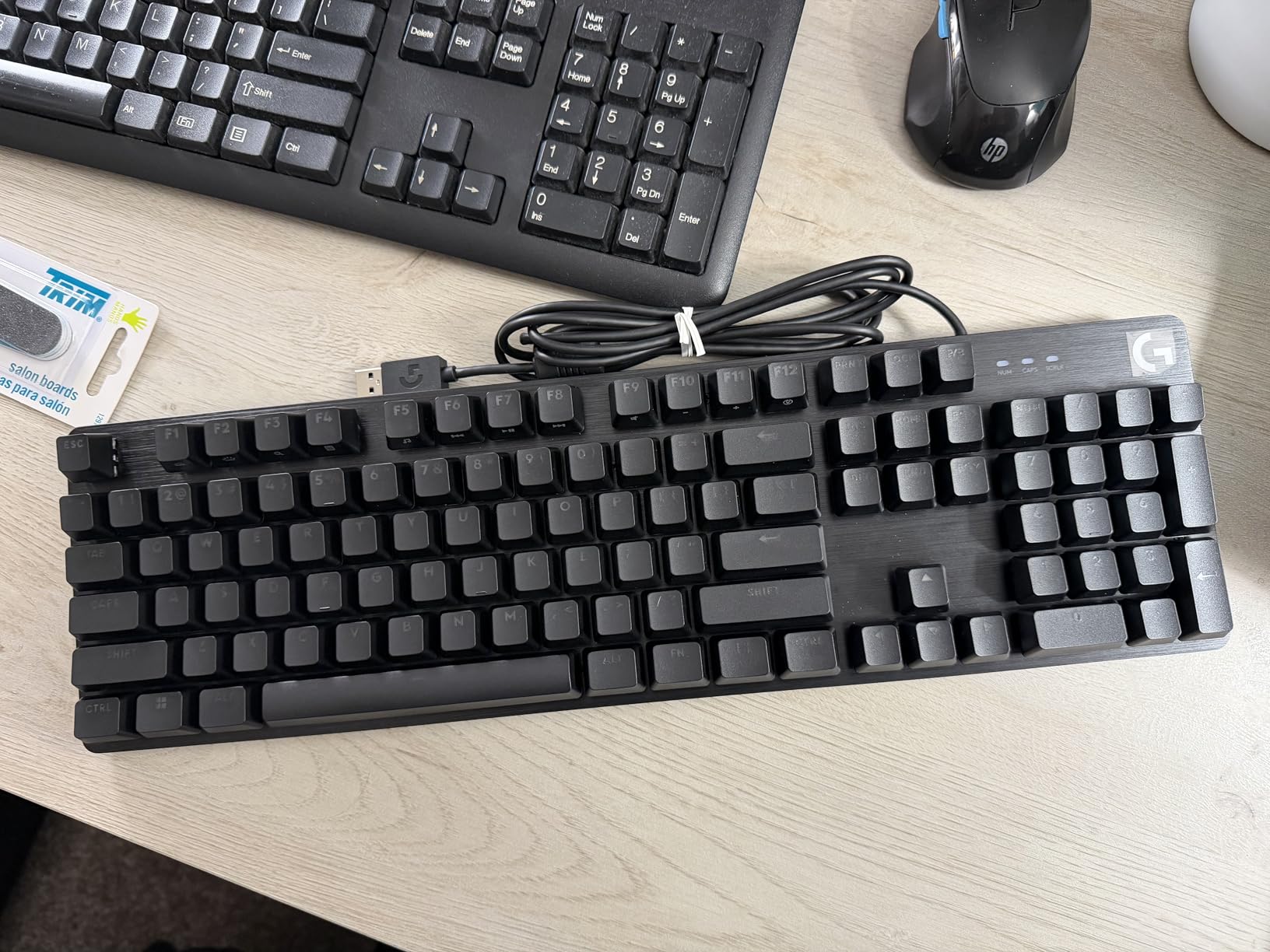
The white LED backlight is clean and professional-looking, avoiding the gamer aesthetic if you prefer something subtler. The FN key media controls handle volume, play/pause, and lighting adjustments efficiently. There is no RGB here, which actually suits a keyboard meant for serious work.
The main quirk is that backlighting always starts at full brightness when you boot up. There is no way to set a default brightness level, which means you will need to adjust it after every restart. Minor annoyance, but worth noting if you prefer dim lighting.
13. Kisnt KN85 Wireless Mechanical Keyboard
Kisnt KN85 Wireless Mechanical Keyboard, 75% Layout, Bluetooth/2.4GHz/USB-C, Custom RGB Backlit, Hot-Swappable Linear Switch, Creamy Sound for Gaming/Typing (Retro Beige)
Wireless
75%
Hot-swap
Gasket-mounted
Pros
- Exceptional creamy sound
- Gasket-mounted construction
- Tri-mode connectivity
- 2-year warranty
Cons
- Software unreliable for some
- No numpad
- Non-shine-through keycaps
Mechanical keyboards at this price point usually force trade-offs. The Kisnt KN85 feels like it should cost twice as much, with gasket-mounted construction that absorbs vibration and produces a satisfying creamy typing sound. This keyboard competes with options twice its price.
The hot-swappable PCB accepts both 3-pin and 5-pin switches without soldering, letting you experiment with different feels easily. Pre-lubed Bsun linear switches come installed, providing smooth keystrokes right out of the box. The 75% layout strikes a balance between compactness and functionality.
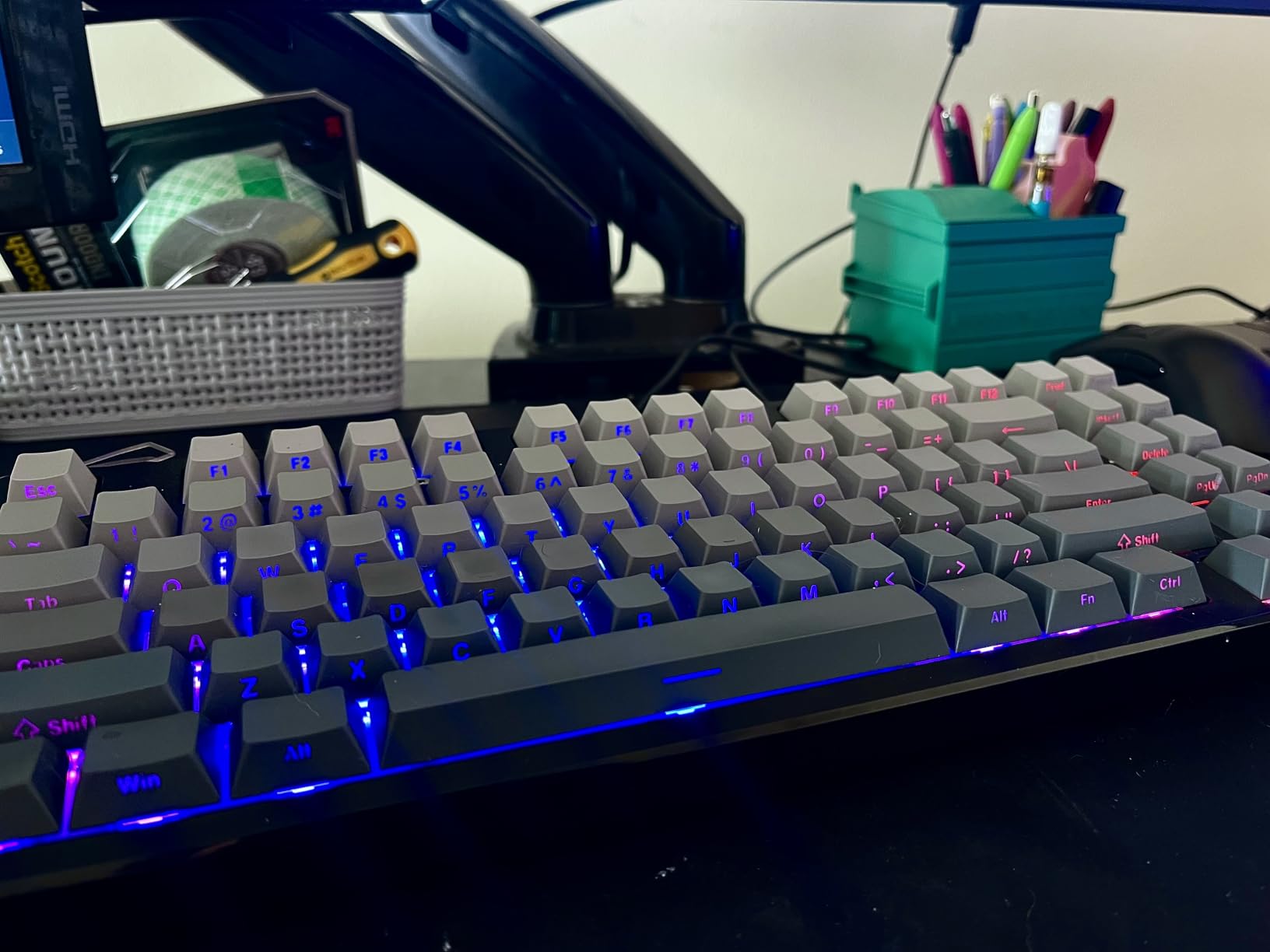
Tri-mode connectivity handles Bluetooth 5.0, 2.4GHz wireless, and USB-C wired connections. I tested all three modes and found the latency differences imperceptible for normal typing. The 4000mAh battery provides substantial life before needing a recharge, which matters for students who forget to charge devices.
RGB lighting with 20 preset effects lets you customize the look, though the non-shine-through keycaps mean light escapes from the sides rather than illuminating the legends. The gasket-mounted structure and five layers of sound-dampening foam contribute to the premium typing experience that rivals keyboards costing significantly more.
Wireless Keyboard Combos: Best Keyboard and Mouse Sets
If your budget allows and you want both a keyboard and mouse from the same manufacturer, these combos deliver consistent performance and convenience. Shared receivers and unified software make setup simple.
14. AULA F75 Pro Wireless Mechanical Keyboard
Pros
- Tri-mode versatility
- Hot-swappable switches
- Exceptional typing sound
- Feature-rich for price
Cons
- Side-printed keycaps hard to read
- Software concerns
- Price fluctuates
After using the AULA F75 Pro for several weeks, I understand why it earned my top recommendation. The typing experience rivals keyboards costing twice as much, with a creamy thocky sound profile that makes long writing sessions genuinely enjoyable. The gasket-mounted structure and multiple sound-dampening layers create a premium feel.
Tri-mode connectivity means this keyboard works with any device you own. I paired it with my laptop, tablet, and phone, switching between them with dedicated function key combinations. The hot-swappable PCB accepts most MX-style switches, letting you customize the feel without permanent modifications.
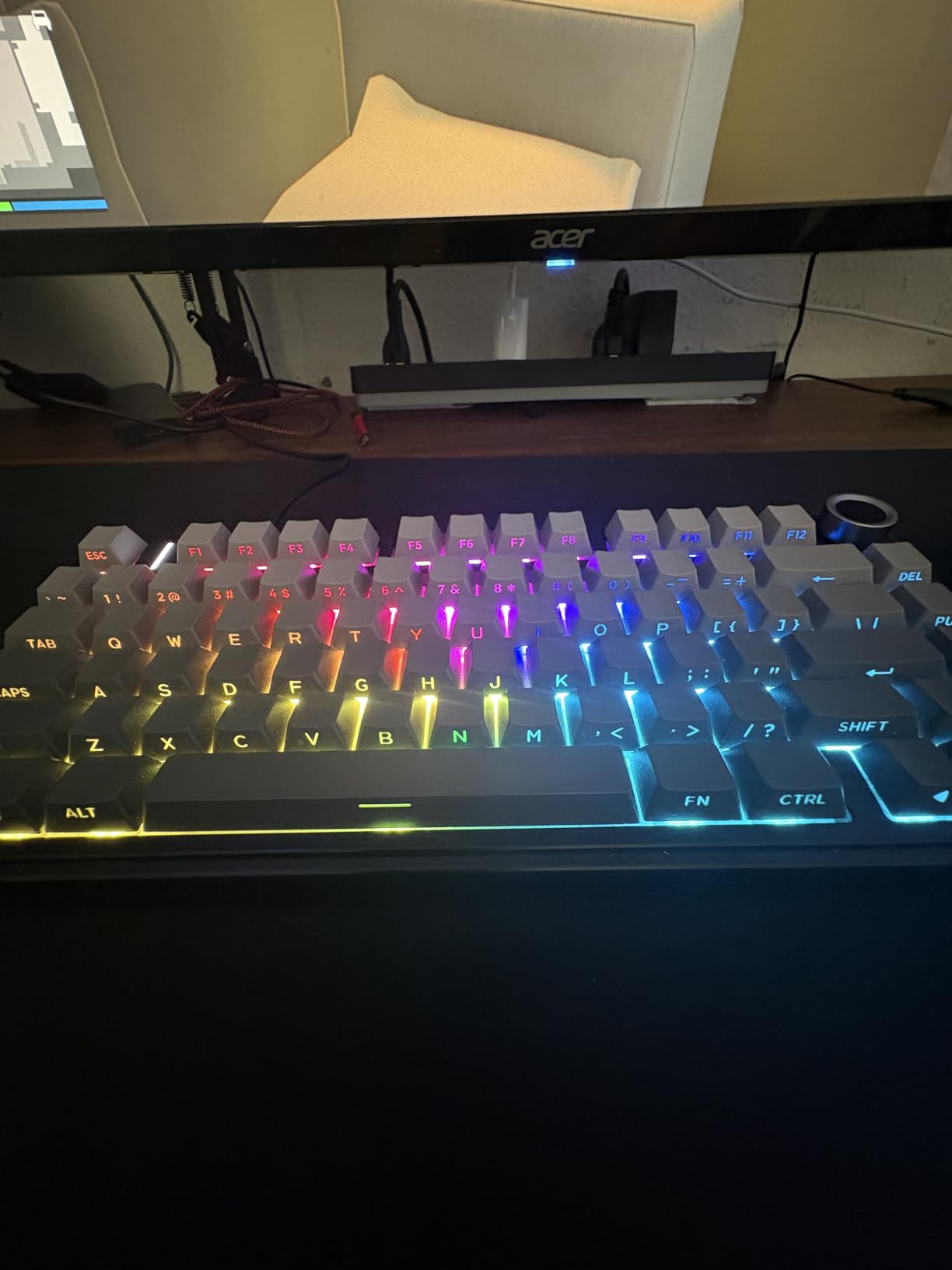
RGB lighting with 16 preset effects provides customization options, and the multi-function control knob handles backlight adjustments and media controls. The 4000mAh battery is one of the largest available in this form factor, promising extended wireless use between charges.
My main frustration is the side-printed keycap legends, which are hard to read from above. If you type without looking at keys regularly, this will not bother you. But for beginners learning a new layout, the hard-to-read legends require more frequent reference to muscle memory.
15. Logitech MK540 Advanced Wireless Combo

Logitech MK540 Full Size Advanced Wireless Keyboard and Mouse Combo
Wireless
Unifying
104 keys
Combo
Pros
- 36-month keyboard battery
- 18-month mouse battery
- Palm rest included
- Spill-resistant
Cons
- Some lag reports
- Not mechanical
- Mouse may slide on desk
The Logitech MK540 combo prioritizes longevity and comfort above all else. The keyboard battery lasts up to three years, and the mouse manages eighteen months before needing fresh batteries. For students who want a set-it-and-forget-it approach, this combo delivers.
A detachable palm rest ships included, providing wrist support during long typing sessions. The keyboard membrane keys are quiet and comfortable, though mechanical enthusiasts will prefer other options. Spill-resistant construction protects against the inevitable dorm room drink accidents.
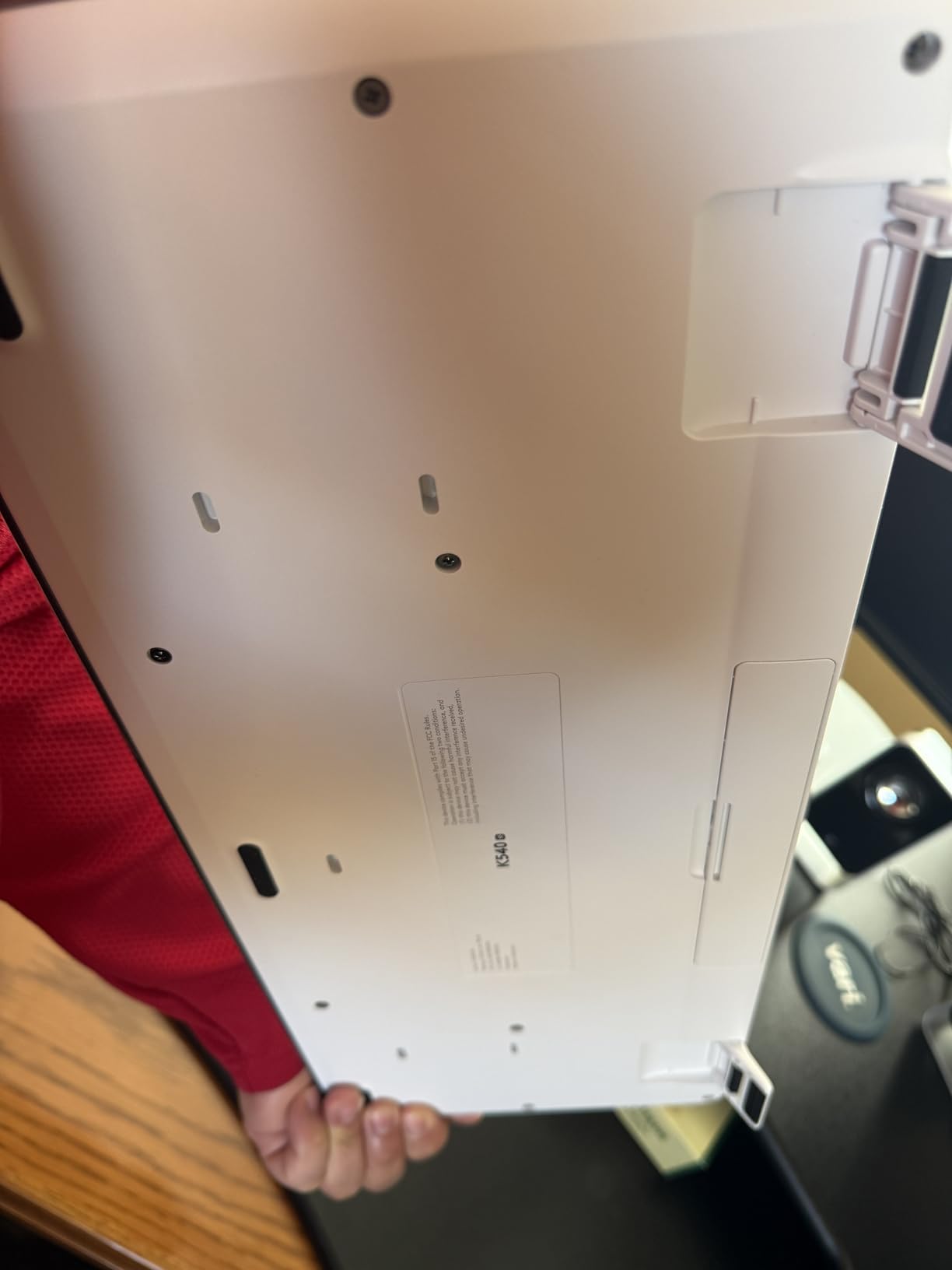
The unifying receiver connects both devices and can pair with other Logitech products, reducing USB port usage on your laptop. Multimedia hotkeys handle common audio and navigation functions efficiently. Overall, this combo represents a reliable investment for students who want wireless convenience without frequent battery changes.
How to Choose the Best Keyboard for College
Finding the right keyboard depends on your specific situation. Consider these factors before making your decision, and think about which aspects matter most for your daily workflow and living situation.
Switch Types: Mechanical vs Membrane
Mechanical switches use individual spring-loaded mechanisms for each key, providing tactile feedback and distinct actuation points. Membrane keyboards use a pressure pad system that feels squishier and less responsive. Students who type extensively often prefer mechanical switches for the improved feedback and durability, though membrane keyboards remain perfectly functional for general use.
Within mechanical keyboards, you encounter three main switch types. Linear switches like red switches actuate smoothly without bump or click, popular among gamers. Tactile switches like brown switches provide a subtle bump at the actuation point, satisfying for typists. Clicky switches like blue switches add an audible click sound, which can bother roommates in shared spaces.
Keyboard Sizes and Layouts
Standard full-size keyboards include 104 or more keys with a dedicated number pad. Tenkeyless models remove the numpad for a more compact footprint, popular among gamers and those with limited desk space. The 75% layout further reduces size by condensing the function row and removing gaps, while 60% keyboards remove the number pad, function row, and arrow keys entirely.
For most students, a full-size or tenkeyless keyboard provides the best balance of functionality and space savings. If you have an extremely limited desk or frequently transport your keyboard, smaller layouts work well once you adjust to the condensed layout and function key shortcuts.
Wired vs Wireless Connectivity
Wired keyboards offer reliable, lag-free connectivity without battery concerns. USB-A remains common, though USB-C is becoming more prevalent on newer models. Wireless keyboards free your desk from cable clutter and let you type from a distance, though battery life and potential lag require consideration.
Bluetooth 5.0 and 2.4GHz wireless connections each have advantages. Bluetooth lets you connect without a USB receiver and works with tablets and phones. 2.4GHz wireless typically provides lower latency and more reliable connections, but requires a USB dongle. Tri-mode keyboards offer both options for maximum flexibility.
iPad and Tablet Compatibility
Students increasingly use tablets alongside or instead of traditional laptops. Most USB keyboards work with tablets through USB adapters, though not all function keys map correctly. Bluetooth keyboards generally offer better tablet compatibility, with some models featuring dedicated iOS or Android layouts.
If you use a tablet for note-taking with apps like Notability or GoodNotes, consider pairing a compact Bluetooth keyboard for longer typing sessions. The teaching essay writing on iPad workflow often benefits from a physical keyboard for longer assignments. Check that any keyboard you consider explicitly lists your tablet model in its compatibility information.
Durability for College Life
College keyboards face challenges that home office keyboards do not. Shared living spaces mean accidental spills are more likely. Backpack transport exposes keyboards to bumps and drops. Dorm dust and crumbs find their way beneath keys. Look for keyboards with spill-resistant designs and solid construction that can handle being moved frequently.
Keycap materials affect long-term appearance. ABS plastic keycaps develop a shiny oil-sheen over time with heavy use. PBT keycaps resist this effect and maintain their texture longer, though they cost more. If appearance matters to you, PBT keycaps age better for the same type of daily use.
For engineering students or anyone pursuing technical majors, check out our guide to best workstations for engineering students for complementary equipment recommendations. And if you are still deciding on your primary computer, our comparison of best 2-in-1 laptops for students might help round out your setup.
FAQs
What is the best keyboard for a college student?
The best keyboard for a college student combines portability for moving between classes, quiet operation for shared living spaces, and reliable connectivity for switching between laptop, tablet, and phone. The AULA F75 Pro earns our top recommendation for its exceptional build quality, hot-swappable switches, and versatile tri-mode connectivity. For budget-conscious students, the Logitech K120 delivers reliable performance under $10.
Are mechanical keyboards good for college?
Mechanical keyboards are excellent for college if you type extensively and value the improved tactile feedback and durability. However, consider your living situation carefully. Clicky switches like blues can disturb roommates in dorms. Quieter options like tactile brown or linear red switches work better for shared spaces. Mechanical keyboards last longer than membrane options and often feel more satisfying to type on.
What keyboard do most college students use?
Most college students use basic membrane keyboards that come included with their computers or purchase affordable options under $30. Budget mechanical keyboards like the MageGee MK-Box are gaining popularity among students who discover the improved typing experience. Many students prefer wireless keyboards for the flexibility of connecting to multiple devices throughout campus.
Should college students get a mechanical keyboard?
College students should consider mechanical keyboards if they type frequently for assignments, want a keyboard that lasts through four years of heavy use, or plan to use their keyboard for both typing and gaming during downtime. The investment makes sense if you know you will put in the hours. For casual use or tight budgets, quality membrane keyboards like the Logitech K120 provide perfectly adequate performance at lower prices.
Final Recommendation
After testing 15 keyboards across various price points and categories, my top recommendation for the best keyboard for college students is the AULA F75 Pro. It delivers exceptional build quality, versatile connectivity, and a typing experience that rivals keyboards twice its price. The hot-swappable switches mean you can customize your feel over time without buying a new keyboard.
For students on tighter budgets, the Logitech K120 and Logitech MK120 combo provide reliable performance at prices that will not cause financial stress. These keyboards will handle everything college throws at them, and their spill-resistant designs protect against the inevitable dorm room accidents.
Whatever keyboard you choose, consider your specific needs carefully. Think about desk space, noise tolerance, and whether you value wireless flexibility or the reliability of a wired connection. The right keyboard can genuinely improve your productivity and make those long study sessions more comfortable.
The best keyboards for college students in 2026 span a wide range of styles and prices, and any of the options in this guide will serve you well. Focus on the features that matter most to your situation, and invest where your budget allows. Your future self, typing up those late-night essays, will thank you.