
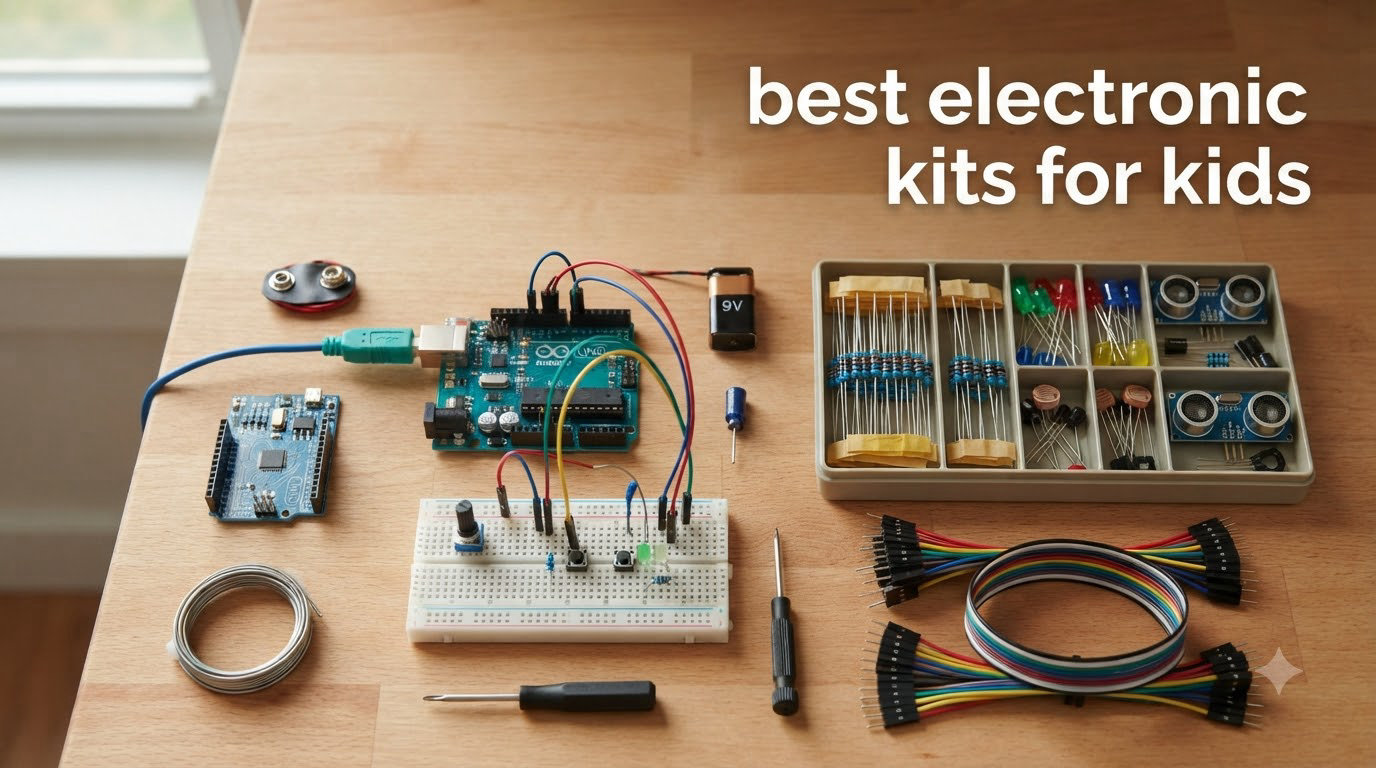
Finding the best electronic kits for kids used to feel like a guessing game for me. I have bought at least a dozen of these over the past few years for my own kids, gifts for friends, and a homeschool STEM co-op I help run. Some were instant hits that got played with for months. Others gathered dust after the first afternoon.
What I have learned is that the right kit depends heavily on the child’s age, attention span, and whether they want a screen-free build or something they can code. The best electronic kits for kids in 2026 split roughly into three camps: snap-together circuit kits for beginners, Arduino and robotics kits for older builders, and themed kits that lean into music, light, or games.
Below I walk through all 12 kits we tested and recommend, with honest notes on what worked, what frustrated my kids, and which one is worth your money depending on who you are shopping for. I also added a buying guide section near the end covering age ranges, batteries, and how to keep kids engaged past day one.
Table of Contents
Top 3 Picks for Best Electronic Kits for Kids
Best Electronic Kits for Kids in 2026
1. Snap Circuits Jr. SC-100 – Best Overall Starter Kit

SNAP CIRCUITS Jr. SC-100 STEM Electronics Kit, 100+ Projects, Ages 8+
100+ Projects
Ages 8+
28 Snap Parts
No Soldering Required
Pros
- Easy snap-together pieces
- Award-winning STEM toy
- Interchangeable with other Snap Circuits kits
- No tools required
Cons
- Some components feel fragile
- Extra projects are online only
If I had to recommend a single electronics kit to a parent who is unsure where to start, the Snap Circuits Jr. SC-100 is the one I would hand them. I bought this for my oldest when she was 7, and it is still in our house three years later, working as well as the day we unboxed it.
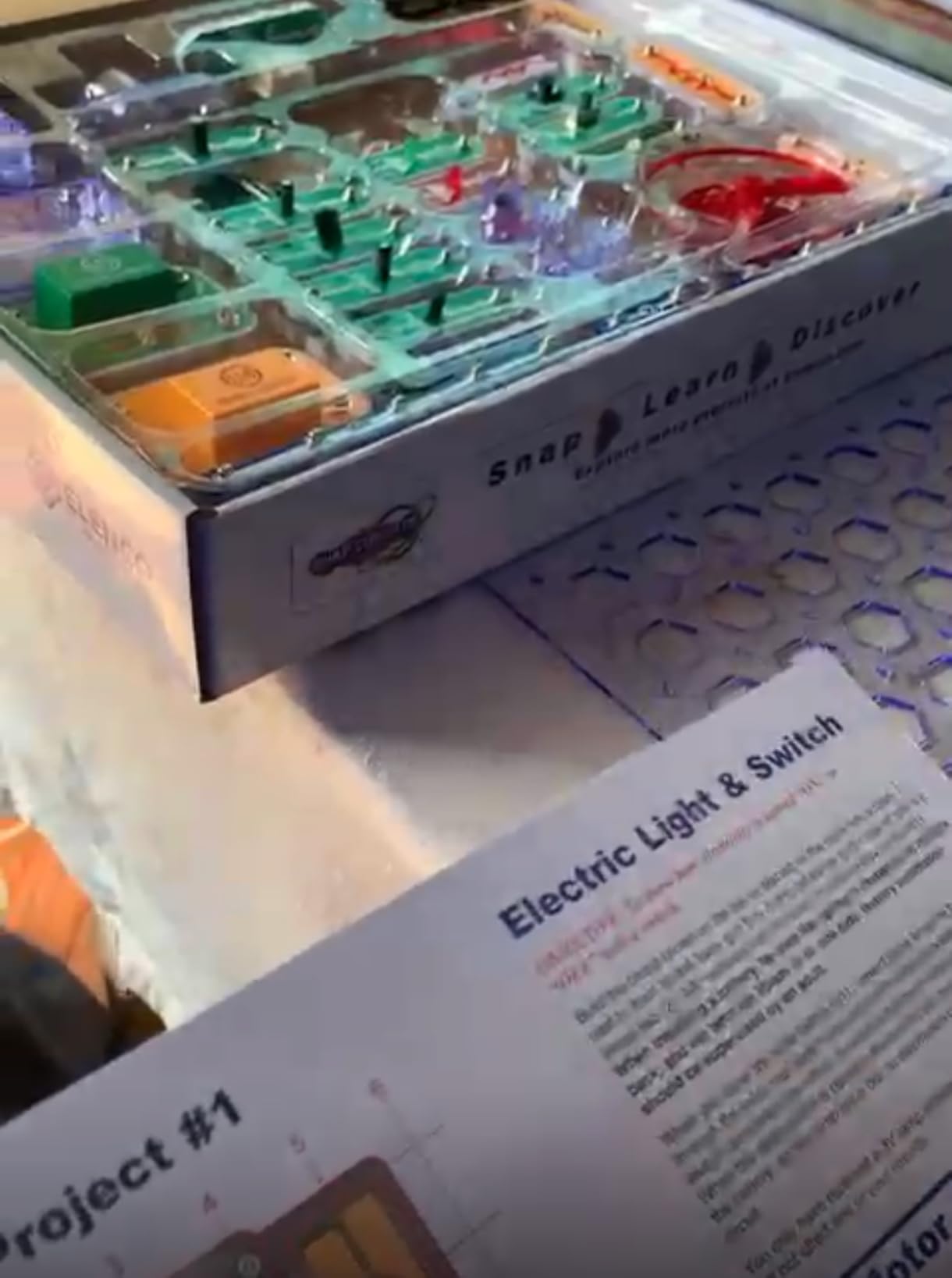
The genius of the Snap Circuits system is the snap-together plastic base board. There are no wires to strip and no solder. Kids just snap color-coded pieces onto the grid following a full color project manual. The manual walks through 100+ projects that build in difficulty from a simple lamp circuit up to a flying saucer that actually takes off.
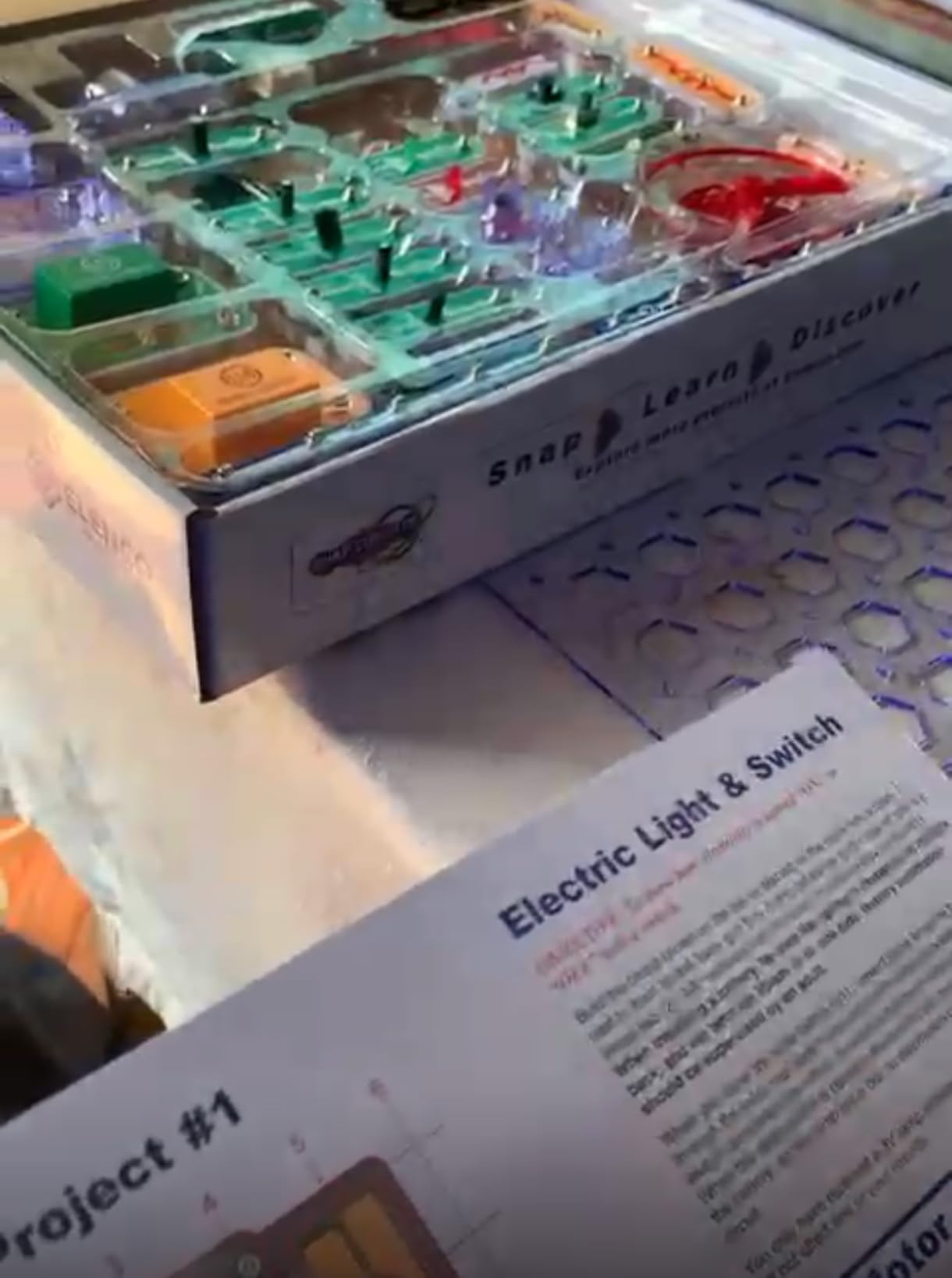
What surprised me most was how independently my daughter worked through the manual. Each project is a color diagram showing exactly where every piece goes. She rarely had to ask for help, which gave her a real sense of ownership over the builds.
From a technical standpoint, this kit teaches series and parallel circuits, switches, motors, and basic logic. With roughly 29,000 reviews and an 86 percent five-star rating, it is the most-reviewed and most-loved starter electronics kit on the market. Elenco’s customer service is also excellent if any piece breaks.
How Long Does It Hold a Child’s Interest
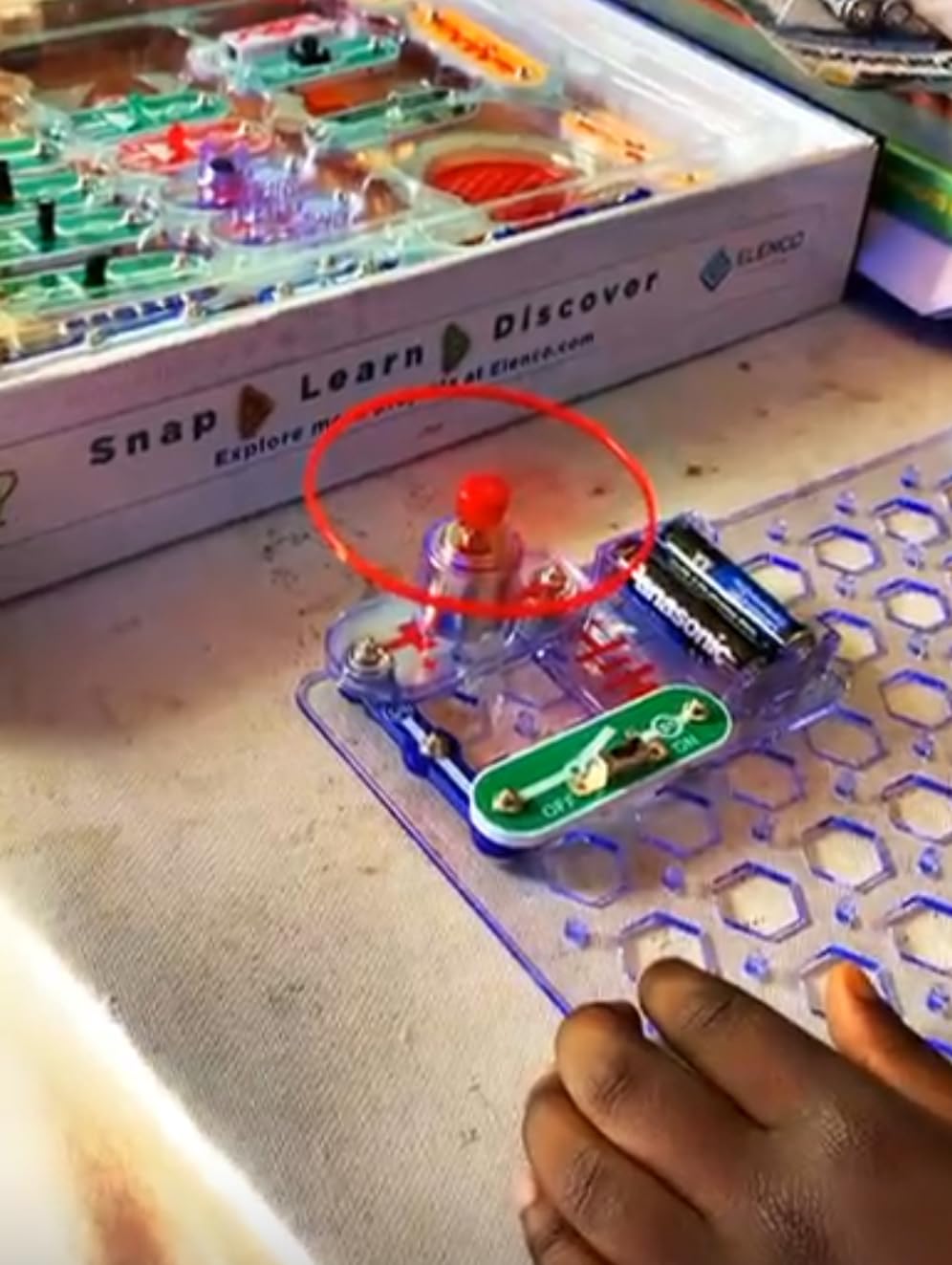
My kids came back to the SC-100 over several months because the project count gives them a constant sense of progress. They also enjoyed inventing their own combinations once they understood how the pieces worked. The reusable parts mean there is no consumable that runs out.
What Age Range Actually Works Best
Elenco rates it for 8 and up, but I have seen focused 6 and 7 year olds use it well with light help. By age 9 or 10, most kids can build every project independently. Once they finish the SC-100, you can move them up to the SC-300 or beyond.
2. Snap Circuits Classic SC-300 – Best Value Pick

SNAP CIRCUITS Classic SC-300 STEM Electronics Kit, 300+ Projects, Ages 8+
300+ Projects
60+ Pieces
Ages 8+
Plastic Snap Grid
Pros
- Triple the projects of SC-100
- Builds radios and alarms
- Same snap-together system
- Excellent customer service
Cons
- Pieces can feel fragile
- Some projects online only
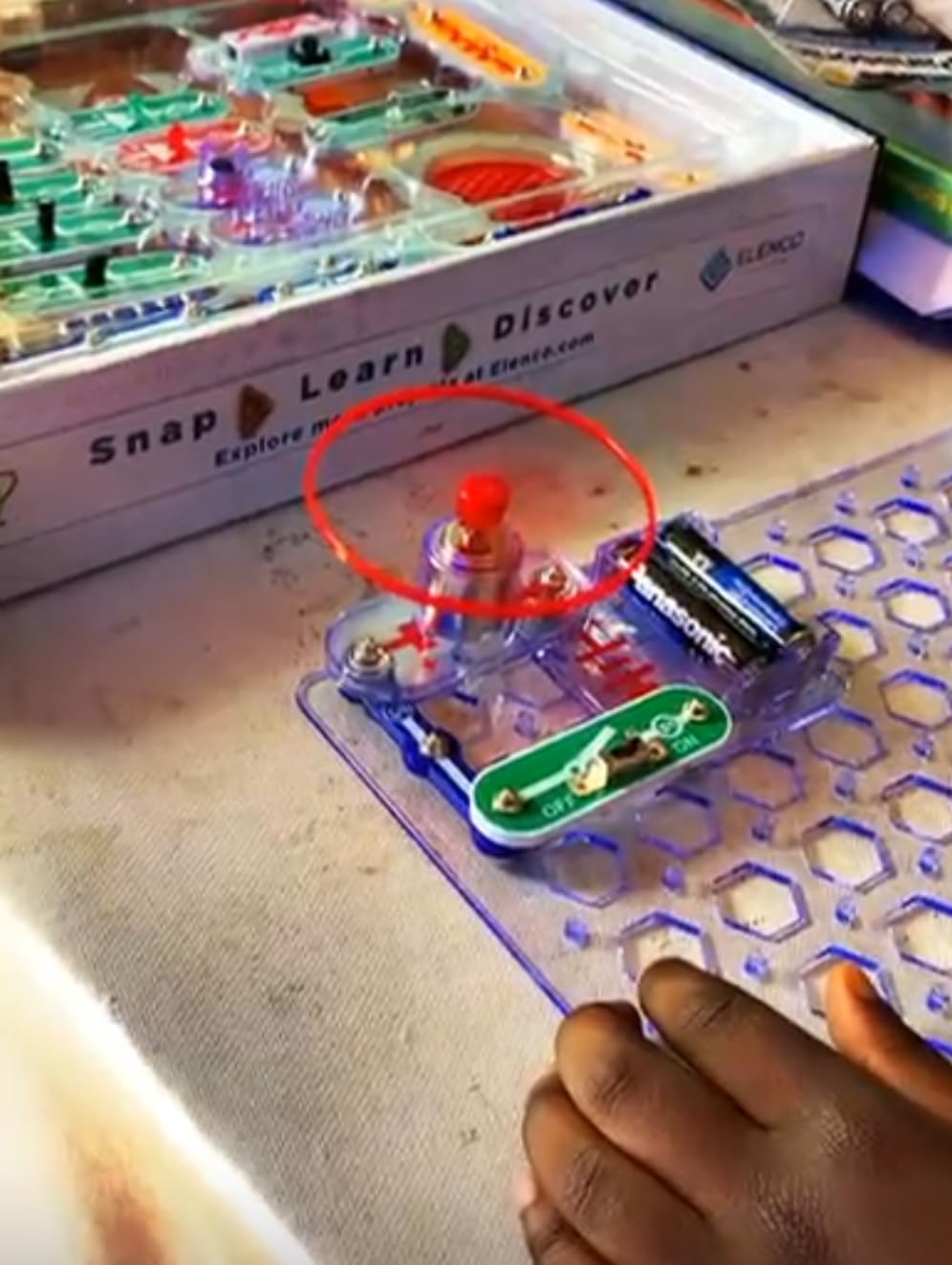
The Snap Circuits Classic SC-300 is the natural upgrade from the SC-100, and honestly, if you can stretch your budget a little, I would just start here. You get the same snap-together system but triple the project count and double the parts. That makes a real difference in how long the kit stays interesting.
Our co-op group has used the SC-300 with kids ranging from 7 to 11, and every one of them found something to love. The big step up here is the variety. The SC-300 lets kids build AM radios, burglar alarms, doorbells, and other projects that actually feel like real electronic devices.
The project manual is thicker and covers more advanced concepts including capacitors, transistors, and integrated circuits. For homeschool families, this is the kind of kit that can anchor a full semester of hands-on science without feeling like schoolwork.
One thing I appreciate about Elenco as a company is that the parts are interchangeable across all Snap Circuits kits. So if you later buy the Arcade or Light kit, your SC-300 pieces all work together. That kind of ecosystem thinking is rare in kids’ STEM toys and it stretches the long-term value a lot.
Is the Jump From SC-100 to SC-300 Worth It
In my experience, yes. The SC-100 is great for a quick start, but kids who are truly into electronics will burn through those 100 projects in a few weeks. The SC-300 keeps them busy for months and introduces more interesting builds like working radios.
What Kinds of Projects Stand Out
The fan favorites in our house were always the burglar alarm (we set it on my son’s bedroom door) and the AM radio. The radio in particular gives kids a real sense of accomplishment because it actually picks up stations.
3. Snap Circuits Beginner SCB-20 – Best for Ages 5-7

SNAP CIRCUITS Beginner SCB-20 STEM Electronics Toy for Kids Ages 5-9
21 Projects
Ages 5-9
Safety Features
Color-Changing Fan
Pros
- Designed specifically for ages 5-9
- Childproofing safety features
- Picture-based manual
- Award-winning STEM kit
Cons
- Battery pack can be fragile
- Limited project count
Most electronic kits for kids start at age 8, but my youngest was desperate to join her older siblings. The Snap Circuits Beginner SCB-20 was built specifically for the 5 to 9 crowd, and it shows in every detail.
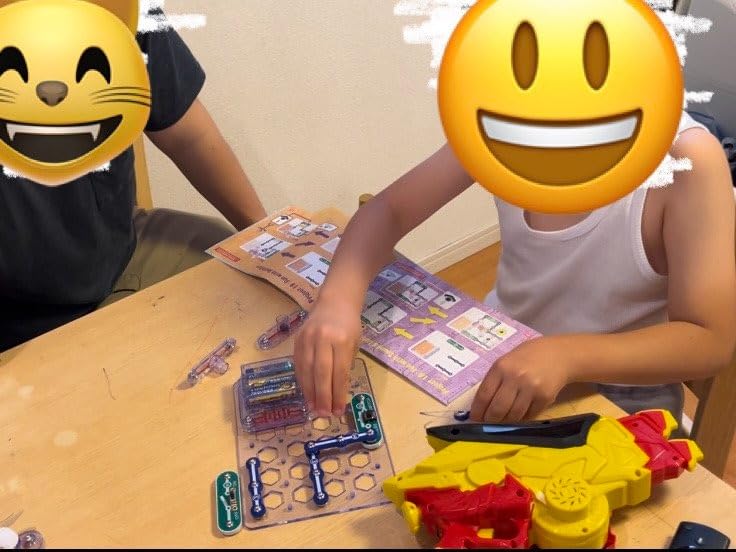
The biggest difference from the standard Snap Circuits kits is the safety layer. The Beginner kit has extra childproofing features so small fingers cannot easily mishandle the parts. The instructions are also more visual and rely less on reading, which is exactly what a 5 or 6 year old needs.
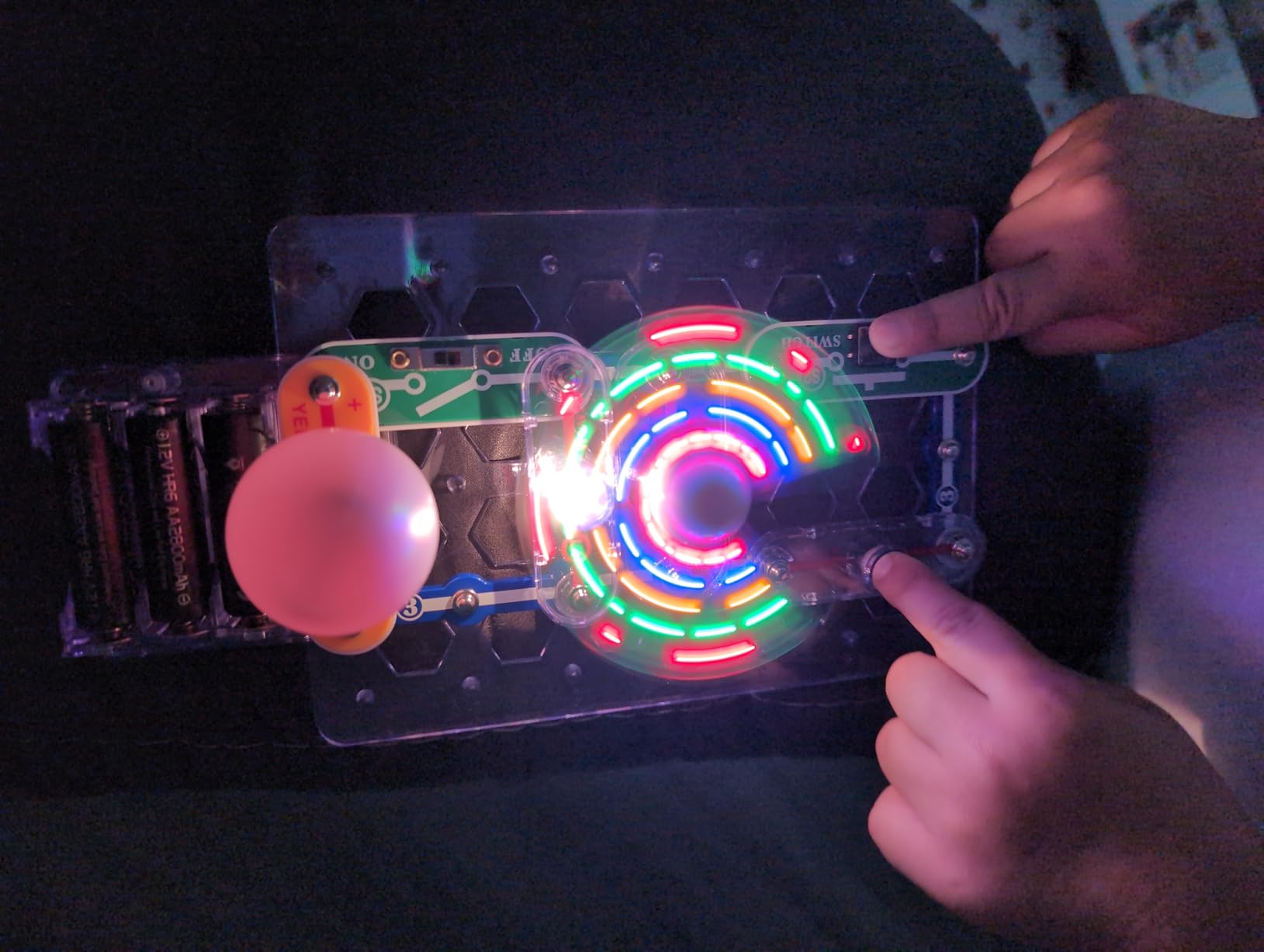
There are 21 projects in the box, which sounds modest compared to the SC-100’s 100, but for a kindergartener or first grader, that number is right sized. Each project builds a small skill, and the lighted color-changing fan is a clear favorite. My daughter showed it to everyone who visited for a month.
Parents on Reddit consistently recommend the Beginner kit as the gentlest on-ramp to electronics. The picture-based manual lets pre-readers follow along without an adult hovering, which builds confidence fast.
Will a 5 Year Old Actually Use It Independently
With a little orientation the first time, yes. The picture diagrams are clear enough that most 5 and 6 year olds can complete projects alone. Plan to help with the battery pack, which is the one weak point.
Does It Grow With the Child
The pieces are interchangeable with other Snap Circuits kits, so yes. Once your child outgrows the 21 projects, you can add a bigger Snap Circuits kit and the parts all combine on the same base board.
4. ELEGOO UNO R3 Smart Robot Car Kit V4 – Best for Robotics

ELEGOO UNO R3 Smart Robot Car Kit V4 with Camera, Compatible with Arduino
Arduino Based
Ages 8-16
24 Modules
Lithium-Ion Battery
Pros
- Complete robotics STEM kit
- Obstacle avoidance and line tracing
- FPV camera module
- Control via phone or tablet
Cons
- Assembly can be tricky
- IR remote has range limits
- Arduino IDE setup complexity
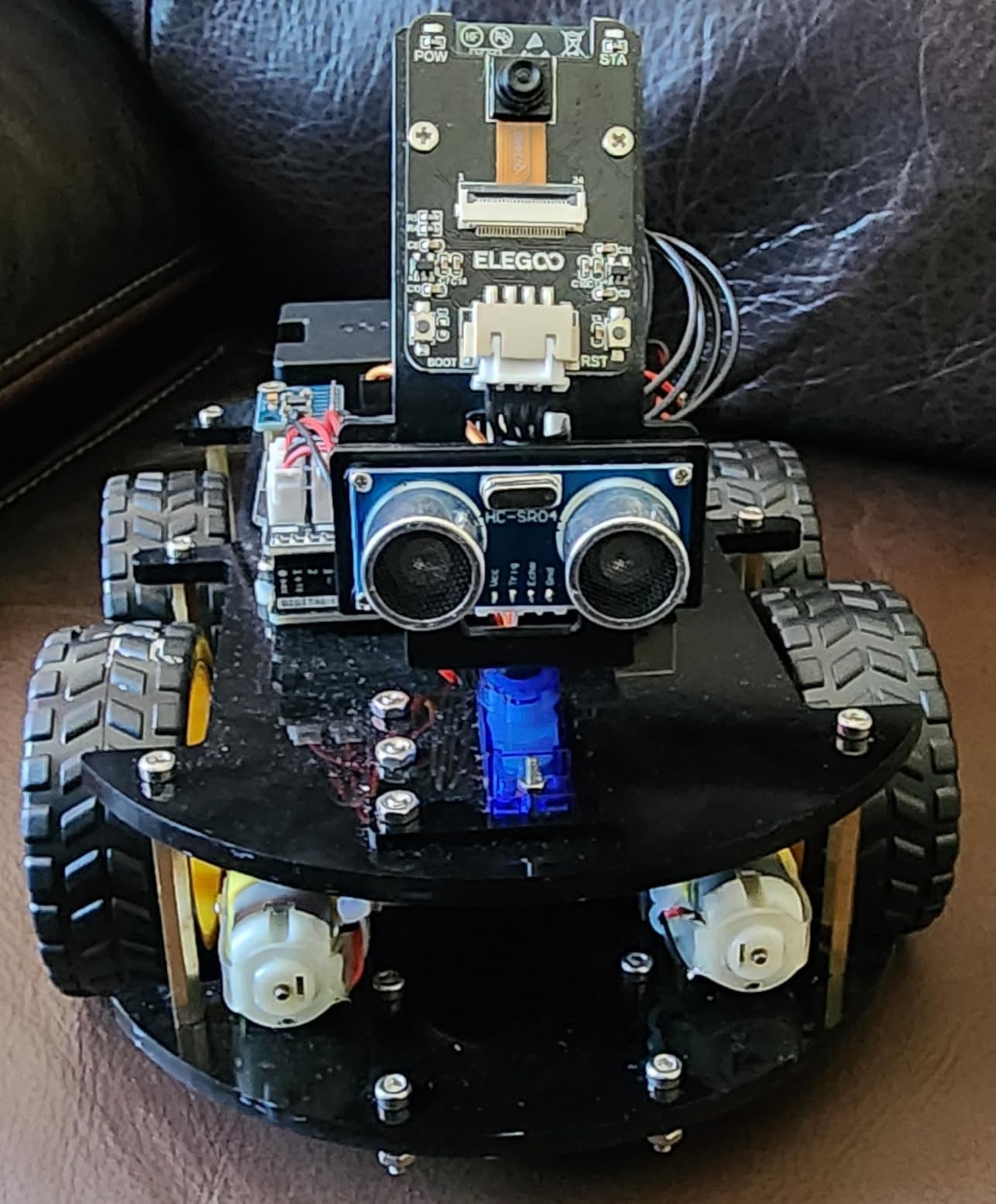
When my son turned 10 and outgrew snap circuits, the ELEGOO Smart Robot Car Kit V4 was the bridge into real robotics. This is a serious kit, not a toy, and that is exactly what makes it exciting for older kids.
The kit is built around an Arduino UNO R3 board and comes with 24 different module parts. Kids (with some help the first time) build an actual robot car that can avoid obstacles, follow lines, and stream first-person video through a mounted camera. It is the kind of project that feels genuinely advanced.
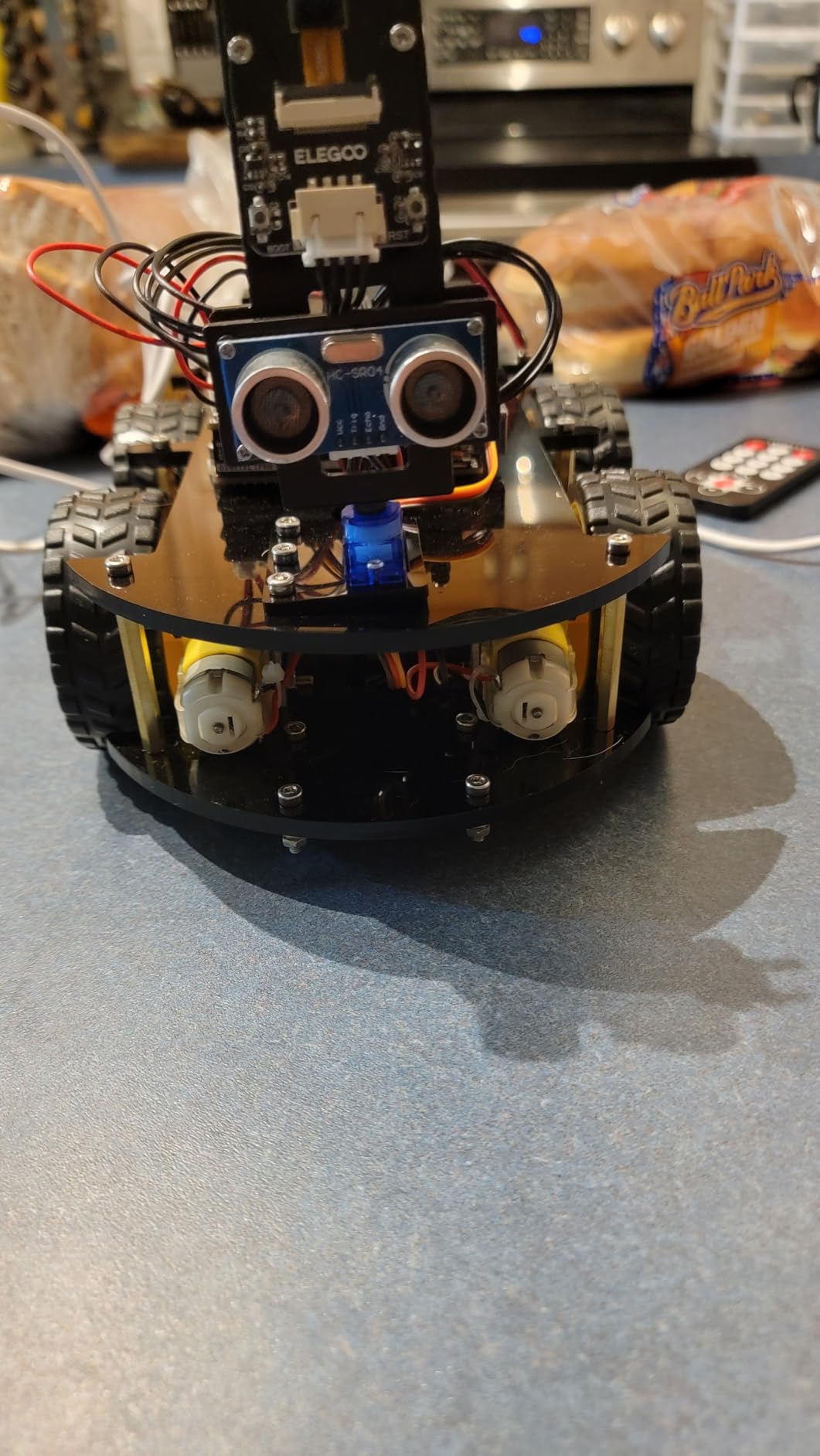
Assembly took my son and me about three hours the first time. The XH2.54 ports make wiring mistakes less likely, which is a smart design choice for beginners. Once it was built, the robot paired with my phone over Bluetooth and we could drive it around the house like a remote control car with a live camera feed.
The trade-off is the learning curve. The Arduino IDE setup can be frustrating for first-timers, and some of the assembly illustrations have confusing angles. Plan to spend a weekend on this one rather than an afternoon. Once it works, though, the wow factor is unmatched by any snap-together kit on this list.
How Much Coding Experience Does My Child Need
None to start, since the kit ships with pre-written code that gets it driving out of the box. But to truly unlock the kit, kids will want to learn some basic Arduino programming. The included HD rendering instructions and code samples make that on-ramp easier than you might expect.
Is It Better Suited for 8-12 or 12-16 Year Olds
I would lean toward 10 and up. Younger kids will need heavy adult help with assembly and the Arduino IDE. By 12 or 13, most kids can handle it solo with the documentation, especially if they have any prior coding exposure.
5. National Geographic Circuit Maker Kit – Best for Project Variety

National Geographic Circuit Kit for Kids with 120 Electrical Projects
120+ Projects
Ages 8+
QR Video Guides
No Tools Required
Pros
- 120+ fun electrical projects
- Create songs with keyboard mode
- Fly a copter and build sound systems
- QR code video instructions
Cons
- 120+ count may be exaggerated
- Some circuits inconsistent
The National Geographic Circuit Maker Kit is the closest competitor to Snap Circuits, and in some ways it edges them out on sheer variety. Wirecutter actually picked an earlier version of this kit as their top recommendation, and I can see why.
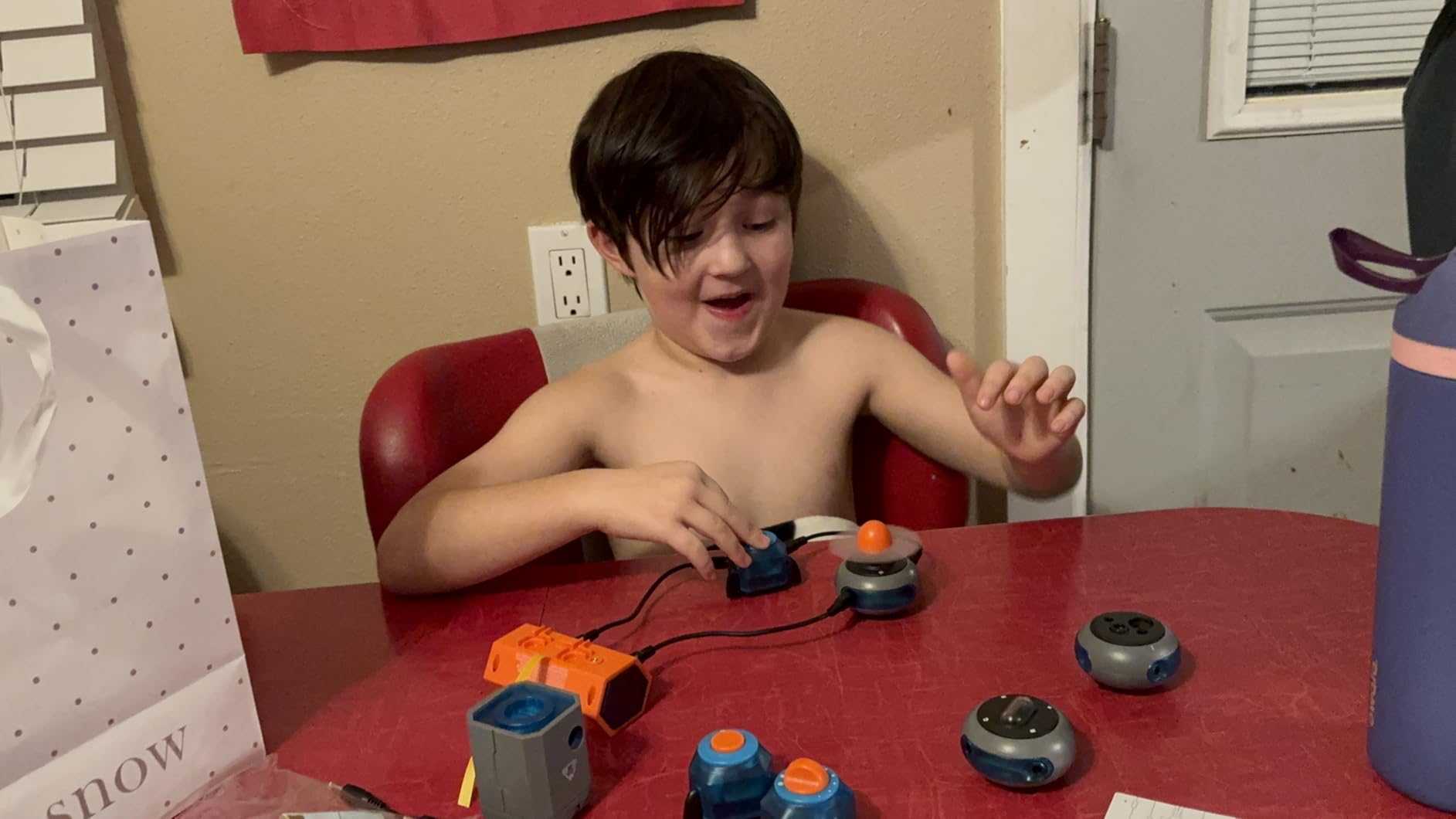
What makes this kit different is the project range. Kids can build a keyboard that plays songs, fly a small copter, create light shows, and even build a sound system that amplifies their voice. The project count is listed as 120+, and while some of those are variations on a theme, there is more genuine variety here than most kits offer.
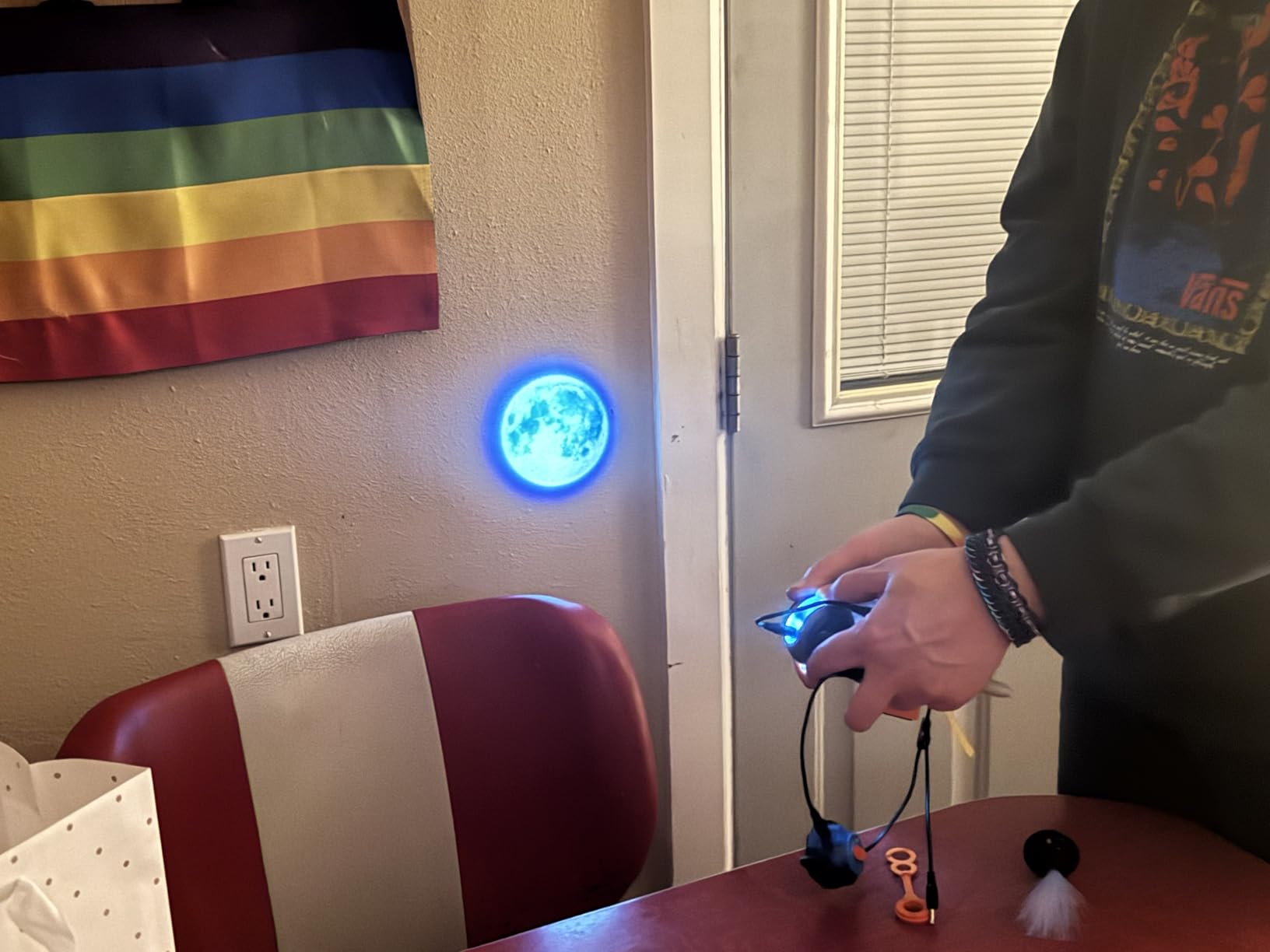
The standout feature for me is the QR code system. Each project links to a kid-friendly video instruction that walks through the build. For visual learners, this is far more effective than a paper manual alone.
Blue Marble, the company behind the kit, has won Toy of the Year multiple times, and their customer service matches Snap Circuits in quality. At 87 percent five-star reviews across roughly 900 ratings, this is one of the newer kits on the market making serious waves.
How Does It Compare to Snap Circuits
The two systems are not cross-compatible, which is the main downside. If you already own Snap Circuits, you cannot mix parts. But if you are starting fresh, the National Geographic kit offers more variety and the video guides are a real advantage for kids who struggle with paper instructions.
Are the 120 Projects Genuinely Different
Honestly, not all 120 are unique. Many are small variations on the same circuit. But there are easily 40 to 50 genuinely distinct projects, which is still more variety than most kits in this price range.
6. Makeblock mBot Robot Kit – Best for Learning to Code

Makeblock mBot STEM Coding Toys Robotics for Kids Ages 8-12
Scratch Coding
Ages 8-12
Metal Chassis
LEGO Compatible
Pros
- Build in 15 minutes
- Scratch and Arduino coding
- Metal chassis is durable
- Compatible with LEGO parts
Cons
- Batteries not included
- Software can be buggy
- App compatibility varies
If your goal is to teach coding alongside electronics, the Makeblock mBot is the kit I would pick. It is designed as an entry-level coding robot, and the on-ramp to programming is the smoothest I have seen in this price range.
The mBot goes together in about 15 minutes, which is a huge plus for younger kids with shorter attention spans. The chassis is metal, not plastic, so it survives the inevitable crashes into furniture. Once built, kids can drive it with a remote, then progress to block-based coding in Scratch, and eventually move to Arduino C.
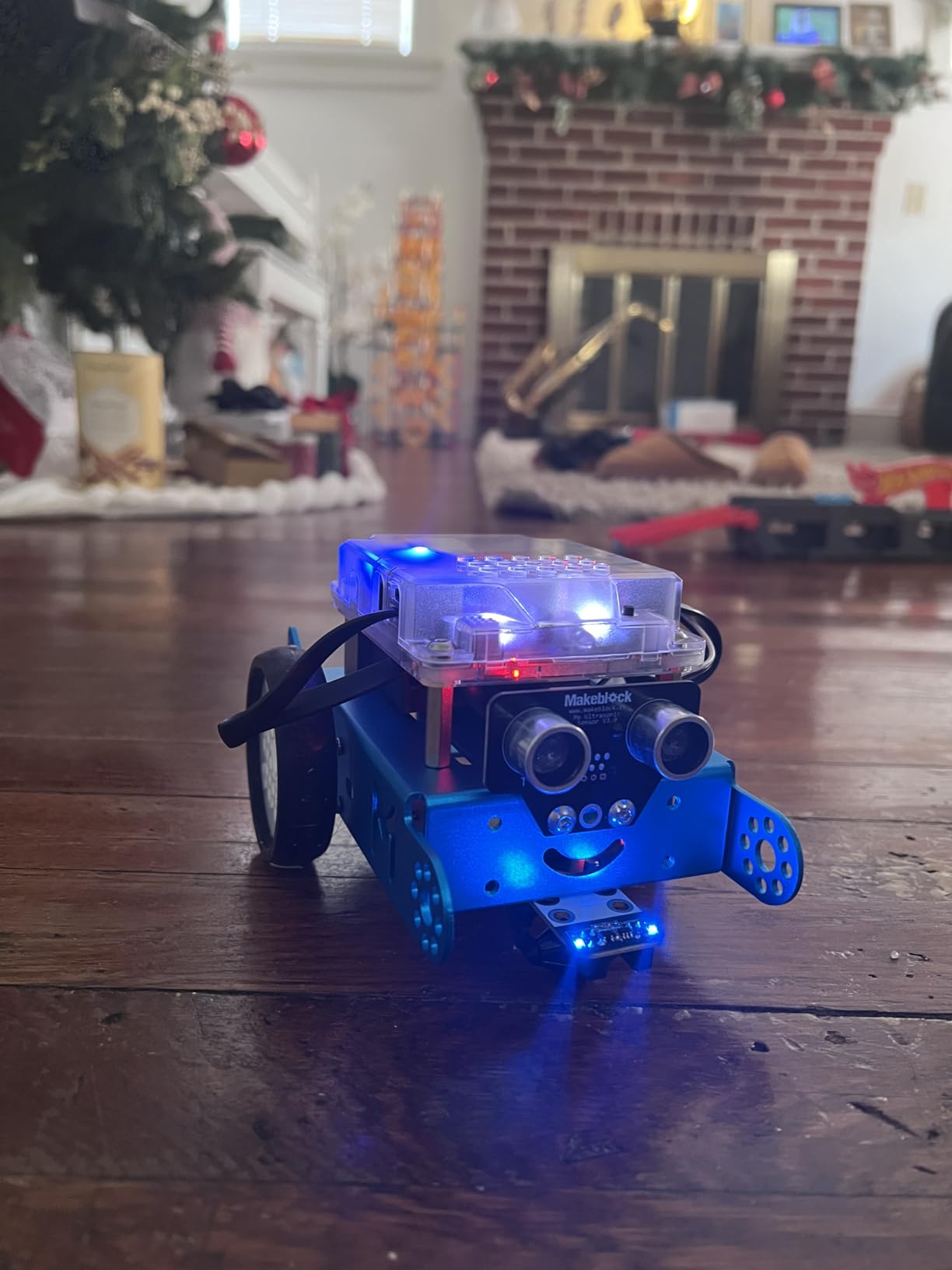
What makes mBot stand out is the software ecosystem. The Makeblock apps and mBlock software are well-designed and offer a clear progression path. Kids start with drag-and-drop block coding, then peek at the underlying code as they get more comfortable. That scaffolding is rare and valuable.
The big negative is batteries. The robot needs 4 AA batteries and the remote needs a CR2025, none of which are included. Stock up before gifting. Some users also report occasional app glitches on certain tablets.
How Does It Compare to ELEGOO Smart Robot Car
The mBot is friendlier for younger kids and absolute beginners because of the Scratch coding path. The ELEGOO kit is more advanced and better for kids who already have some coding exposure or want a deeper Arduino experience.
Can It Expand Beyond the Basic Robot
Yes. The mBot is compatible with over 100 Makeblock electronic modules and 500+ parts from the Makeblock platform, plus standard LEGO parts. This is a kit that genuinely grows with a curious kid for years.
7. Playz Electrical Circuit Board Engineering Kit – Best for Physics Concepts

Playz Circuit Board for Kids, Educational Science Kits for Kids Age 8-12
25+ Experiments
Ages 8+
64-Page Manual
Spring Post Connections
Pros
- Teaches voltage and resistance concepts
- Solidly constructed
- Self-protecting components
- Spring post connections easy for kids
Cons
- LED quality inconsistent
- Instructions could explain more
The Playz Electrical Circuit Board Engineering Kit takes a different approach than Snap Circuits. Instead of snap-together plastic, it uses a more traditional board with spring post connections, which feels closer to real electronics work.
This kit is geared more heavily toward teaching actual physics concepts like voltage, current, resistance, and magnetism. The 64-page illustrated manual walks through over 25 experiments, including building an AM/FM radio, a flying ball, and various light, sound, magnetic, and touch-controlled projects.
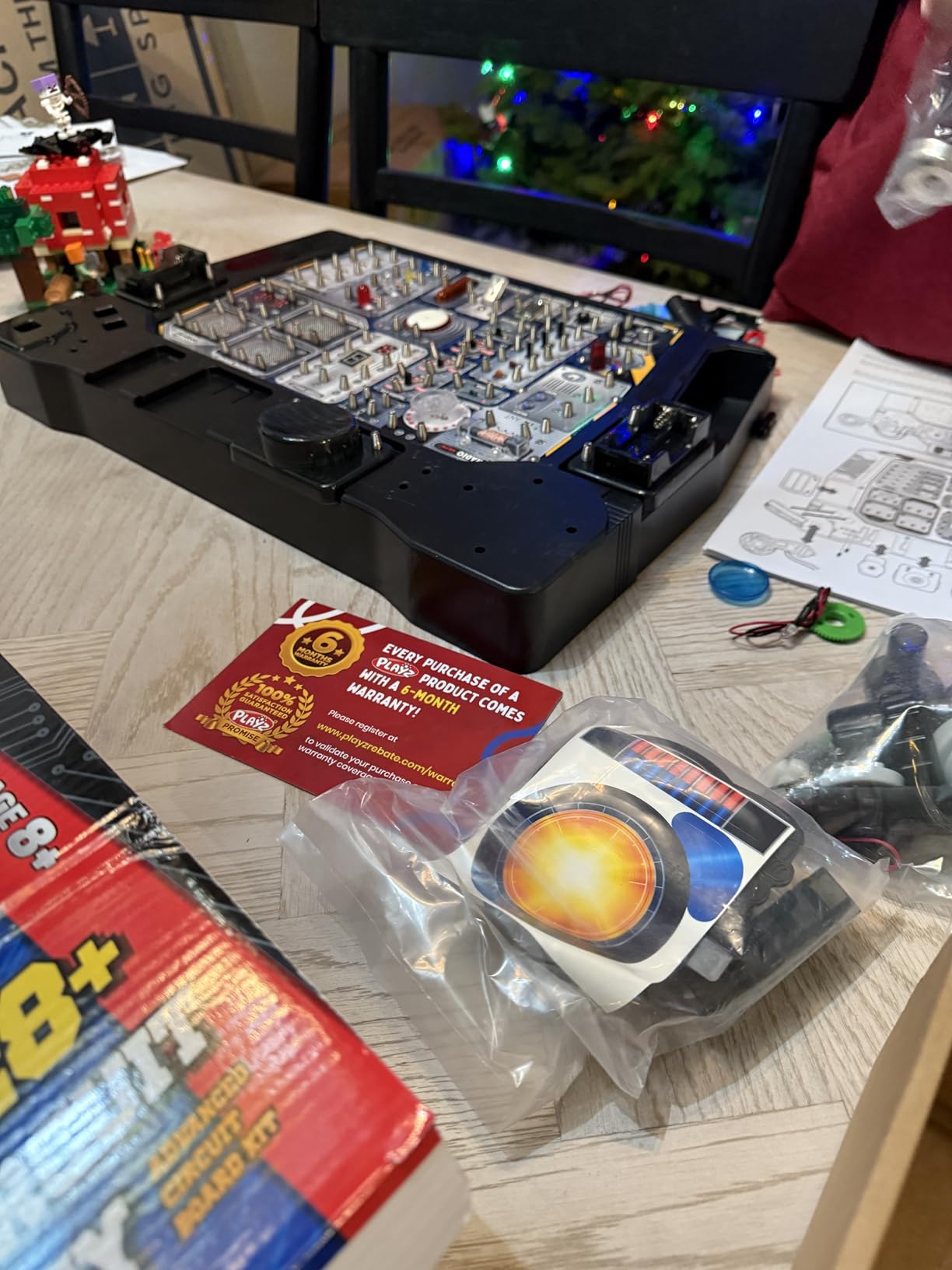
I found the progression of projects really well thought out. Kids start with basic circuits and work up to more complex systems that combine multiple controls. The spring post connections are easier for small hands than alligator clips would be, and the components have self-protecting features that prevent the most common beginner mistakes.
The main weakness is the instruction manual itself. While it shows how to build each project, it does not always explain the underlying physics thoroughly. Plan to fill in the educational gaps yourself or use it alongside a science curriculum.
What Concepts Does It Actually Teach
The kit covers voltage, current, resistance, magnetism, and basic circuit logic. For a kid who likes understanding why something works (not just building it), this kit offers a deeper physics layer than Snap Circuits.
Is It Better for Home or Classroom Use
It works well for both, but I think it shines in a homeschool setting where you can slow down and discuss the physics behind each build. In a classroom, the limited explanatory content in the manual would be a drawback.
8. Smartivity DIY Robotic Mechanical Hand – Best Screen-Free Build

Smartivity Robotic Mechanical Hand STEM Toy for Kids 8-14
Ages 8-14
Wooden Build
Parents Choice Award
Lifetime Parts
Pros
- Screen-free engagement
- High quality laser-cut wood
- Lifetime replacement parts
- Parents Choice Award winner
Cons
- Assembly is fiddly
- Tiny rubber bands tricky
- Younger kids need help
The Smartivity DIY Robotic Mechanical Hand is the kit I reach for when I want my kids off screens. There are no batteries, no apps, no tablets. It is pure mechanical engineering in laser-cut wood.
The build itself is the experience here. Kids assemble a working mechanical hand using wooden pieces, strings, and tiny rubber bands that act as tendons. When complete, the fingers actually move in response to your own hand movements. It is a beautiful demonstration of biomechanics.
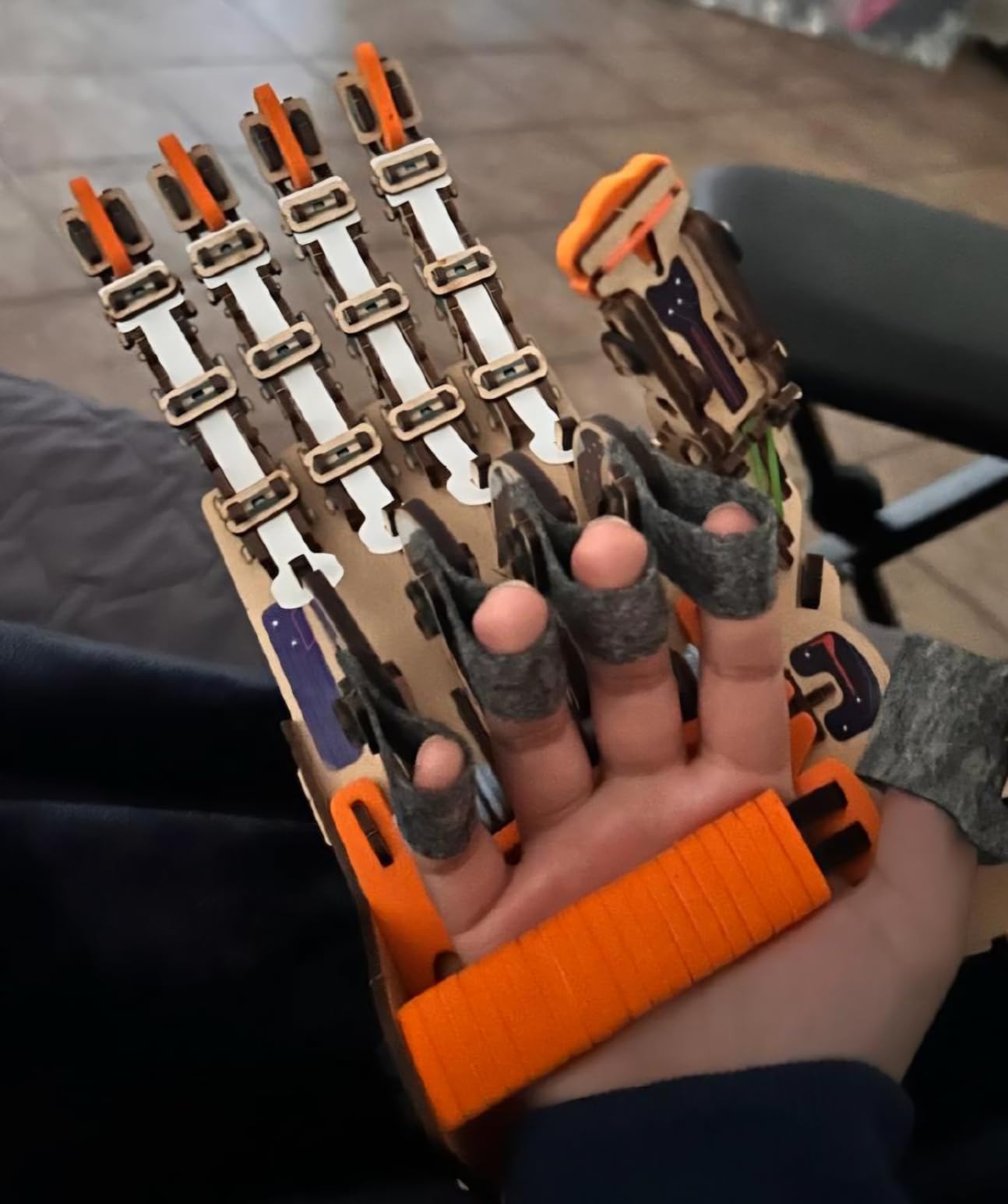
Assembly took my 9 year old about 90 minutes with some help from me. The instructions are clear, but popping the wooden pieces out of the sheets and threading the rubber bands is fiddly work. For younger kids, plan to be hands-on throughout.
Smartivity backs this kit with a lifetime replacement parts guarantee, which is genuinely rare in the STEM toy market. The Parent’s Choice Award and STEM.org approval give extra confidence that the educational value is real and not just marketing.
How Long Does the Build Take
About 60 to 90 minutes for an 8 to 10 year old with light adult help. Older kids can usually finish in under an hour. Once built, the hand becomes a desk toy and conversation piece that lasts indefinitely.
What Does It Actually Teach
The kit teaches mechanical engineering concepts like tension, leverage, and how tendons translate force in the human hand. It is a great gateway to conversations about anatomy, robotics, and prosthetics.
9. MicroKits Theremin Electronics Kit – Best for Music Lovers

MicroKits Theremin Electronics Kit: Make Your Own Electric Field Instrument
Theremin Build
Breadboard
Batteries Included
22-Page Manual
Pros
- Build a real working Theremin
- Incredibly clear instructions
- High quality components
- Batteries and extras included
Cons
- Pitch range is small
- Buttons temperamental
- Sound can be loud
The MicroKits Theremin Electronics Kit is one of the most unique STEM kits I have ever used. Instead of building another light or alarm, kids build a working Theremin, the electronic instrument famous for spooky sci-fi movie sounds.
This kit uses a breadboard instead of snap pieces, which is a nice step up for kids ready for more authentic electronics work. The 22-page instruction booklet is among the clearest I have seen. My 11 year old built hers in about 20 minutes with zero help.
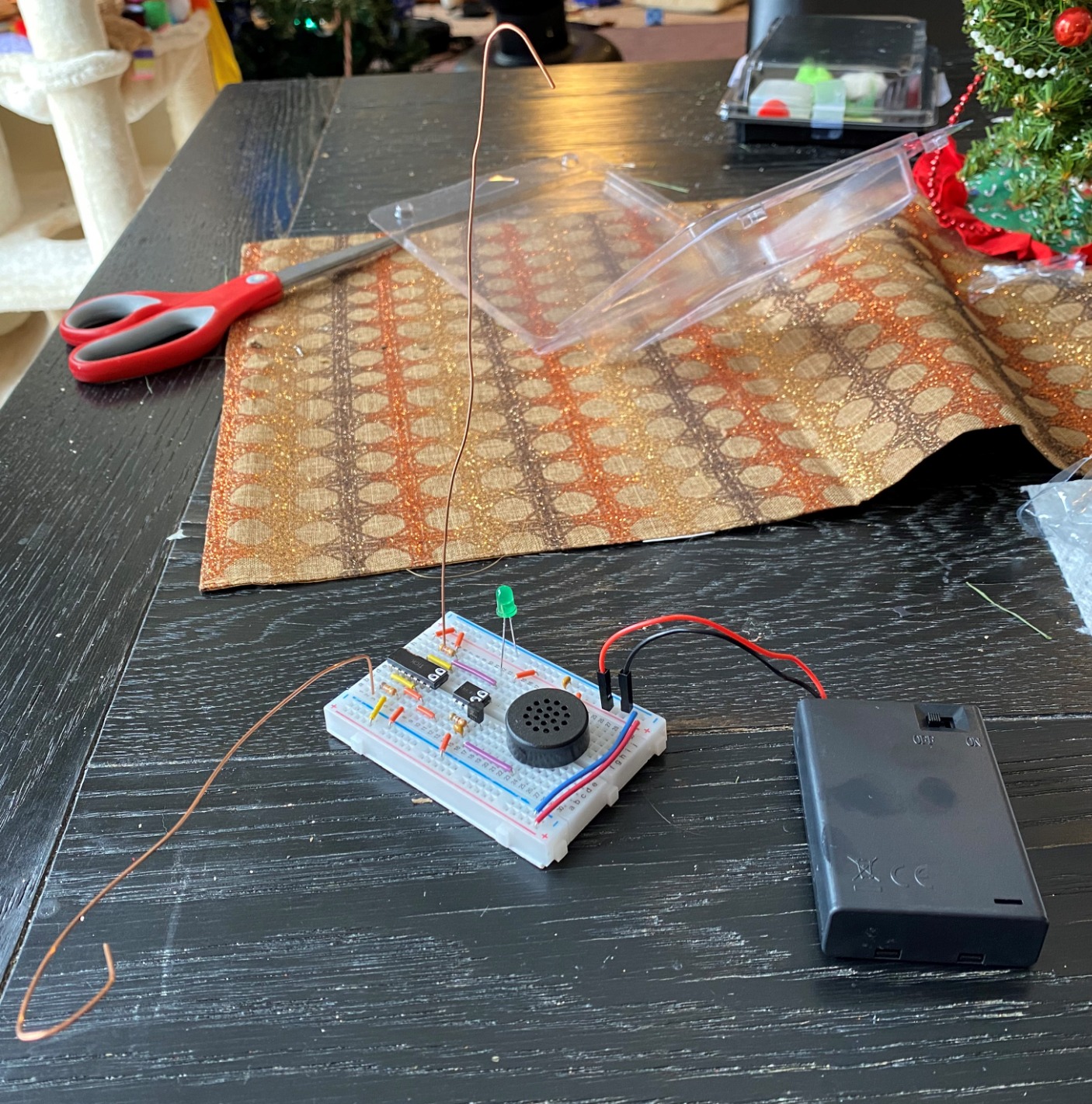
What makes MicroKits stand out is the thoughtful packaging. Batteries are included (a real rarity), extra parts are included in case anything breaks during assembly, and the components are clearly labeled. This is a small company that clearly cares about the customer experience.
The educational angle is the physics of electrical capacitance, which is how the Theremin senses your hand position without being touched. It is a great hook for kids who are curious about how invisible forces work.
What Age Range Works Best for the Theremin
The build is simple enough for ages 8 and up, but playing the Theremin well takes practice. The pitch range where notes change is small, so younger kids may get frustrated trying to play actual melodies. Treat it more as an exploration of sound than a real instrument.
Is It Worth the Price for a Single Project
If your child loves music or unusual builds, yes. The quality of the components and instructions justifies the cost. If your child wants many projects per kit, look at Snap Circuits or the National Geographic kit instead.
10. ELEGOO UNO Project Super Starter Kit – Best for Teens

ELEGOO UNO R3 Project Super Starter Kit with PDF Tutorial for Beginners
22+ Lessons
Ages 12+
Arduino UNO R3
Plastic Storage Case
Pros
- Excellent value for components
- Wide variety of sensors and modules
- Clear tutorial documentation
- Nice plastic storage case
Cons
- Documentation more overview than project-based
- CD may be outdated
- Mac OS IDE setup tricky
For teenagers ready to move past toys and into real microcontroller work, the ELEGOO UNO Project Super Starter Kit is the best value Arduino kit I have found. With over 16,000 reviews, it is one of the best-selling starter kits in the world for a reason.
The kit includes a genuine-compatible UNO R3 board, breadboard, LCD1602 module, servo and stepper motors, ultrasonic sensor, temperature and humidity sensor, LEDs, resistors, and roughly 22 lessons in a PDF tutorial. The variety of sensors alone is enough to keep a curious teen busy for months.
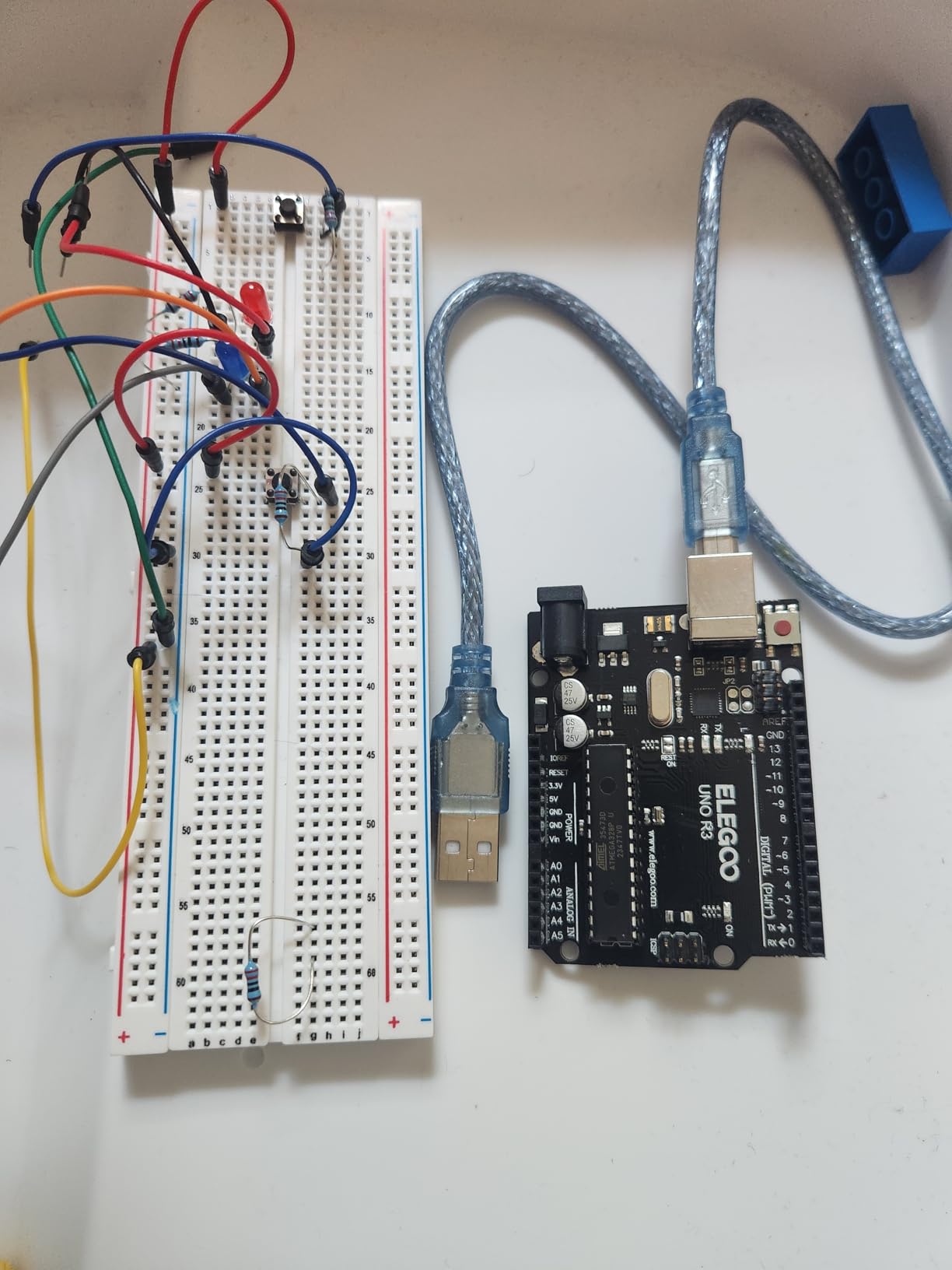
My 13 year old nephew used this kit to build a weather station that reads temperature, humidity, and displays it on an LCD screen. He learned more about electronics in two weeks with this kit than in a semester of his school STEM class.
The main weakness is the documentation. The PDF is more of an overview than a true project-based curriculum. Teens who want depth will end up supplementing with YouTube and the official Arduino website. The CD version can also be outdated, so download the latest tutorial from ELEGOO’s site.
Is It Appropriate for Younger Kids Too
Not really. The kit assumes some comfort with code and breadboarding. For kids under 11 or 12, start with Snap Circuits or the mBot. This kit is best for teens and adults who want to learn real Arduino skills.
How Does It Compare to the ELEGOO Smart Robot Car
The Robot Car is a single focused project with a clear end goal. The Super Starter Kit is an open-ended parts collection that lets you build dozens of projects. If your teen wants a finished product, get the Robot Car. If they want to tinker and learn, get the Starter Kit.
11. Snap Circuits Arcade SCA-200 – Best for Games and Interactivity

SNAP CIRCUITS Arcade SCA-200 STEM Electronics Kit for Kids Ages 8+
200+ Projects
Ages 8+
LED Display
20+ Games
Pros
- Build 20+ interactive games
- Programmable LED message display
- Lifetime warranty
- Spinning fan and arcade sounds
Cons
- Instructions can feel busy
- Batteries not included
- Some game configs tricky
The Snap Circuits Arcade SCA-200 is the most playful version of the Snap Circuits lineup. Instead of just building circuits, kids build actual arcade-style games with sounds, lights, and even a programmable LED message display.
This kit comes with 36 pieces that build over 200 projects, including 20+ games. The spinning fan, programmable LED display, and arcade sounds give the builds a much more kinetic, finished feel than the standard Snap Circuits kits.
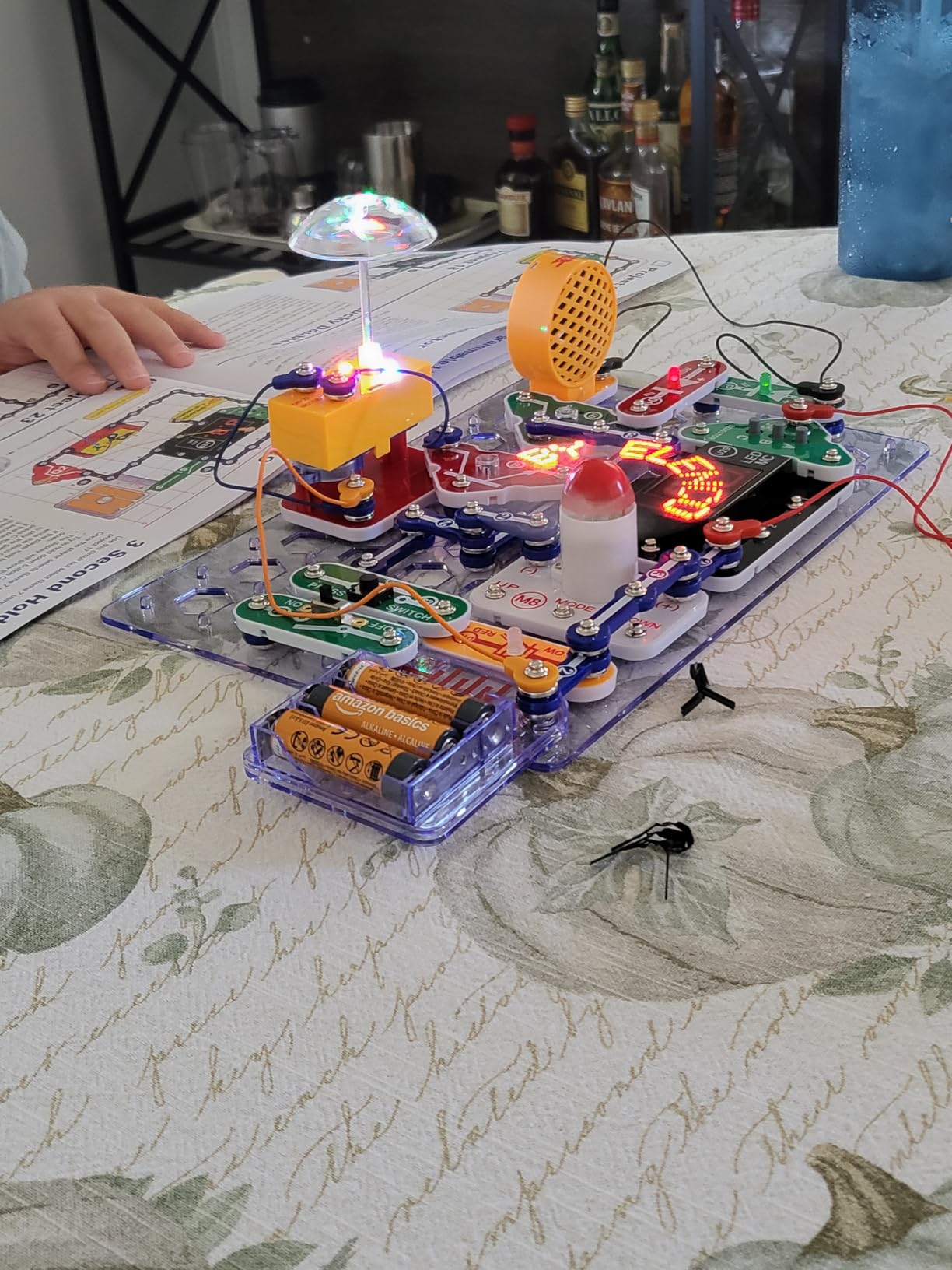
My kids particularly loved the LED display, which you can program to spell out messages. Watching their names scroll across a fan blade was the kind of moment that makes them want to keep building. The arcade sounds and game configurations add another layer of payoff that keeps the projects from feeling academic.
Like all Elenco Snap Circuits kits, the SCA-200 comes with a lifetime warranty against manufacturer defects and replacement parts are available at reasonable prices. The pieces are also fully interchangeable with other Snap Circuits kits you may already own.
How Does It Compare to SC-300
The SC-300 has more total projects but they lean toward classic electronics like radios and alarms. The Arcade focuses on interactive games and displays, which tends to keep kids more engaged for longer stretches if they like play-driven learning.
Are the Games Actually Fun
They are simple arcade-style games, not Nintendo, but for a kid who built them from scratch, the payoff is huge. The fun comes from the sense of accomplishment as much as from the gameplay itself.
12. Snap Circuits Light SCL-175 – Best for Light and Music Shows

SNAP CIRCUITS Light STEM Electronics Kit, 175+ Projects, Ages 8+
175+ Projects
Ages 8+
Fiber Optics
Color Organ
Pros
- Light shows sync to music
- Fiber optic communication demos
- Color organ controlled by voice or MP3
- 55+ snap parts
Cons
- Packaging issues reported
- Instructions English only
- Adult help for under 8s
The Snap Circuits Light SCL-175 is the most visually striking kit in the Snap Circuits family. With 175+ projects focused on light, color, and sound, it produces some of the most memorable builds of any kit on this list.
The standout feature is the color organ, which creates light shows that pulse and change in response to music, your voice, or even your finger tap. Connect an MP3 player or phone and the lights dance to whatever song you play. My kids spent an entire evening building different light configurations to match their favorite songs.
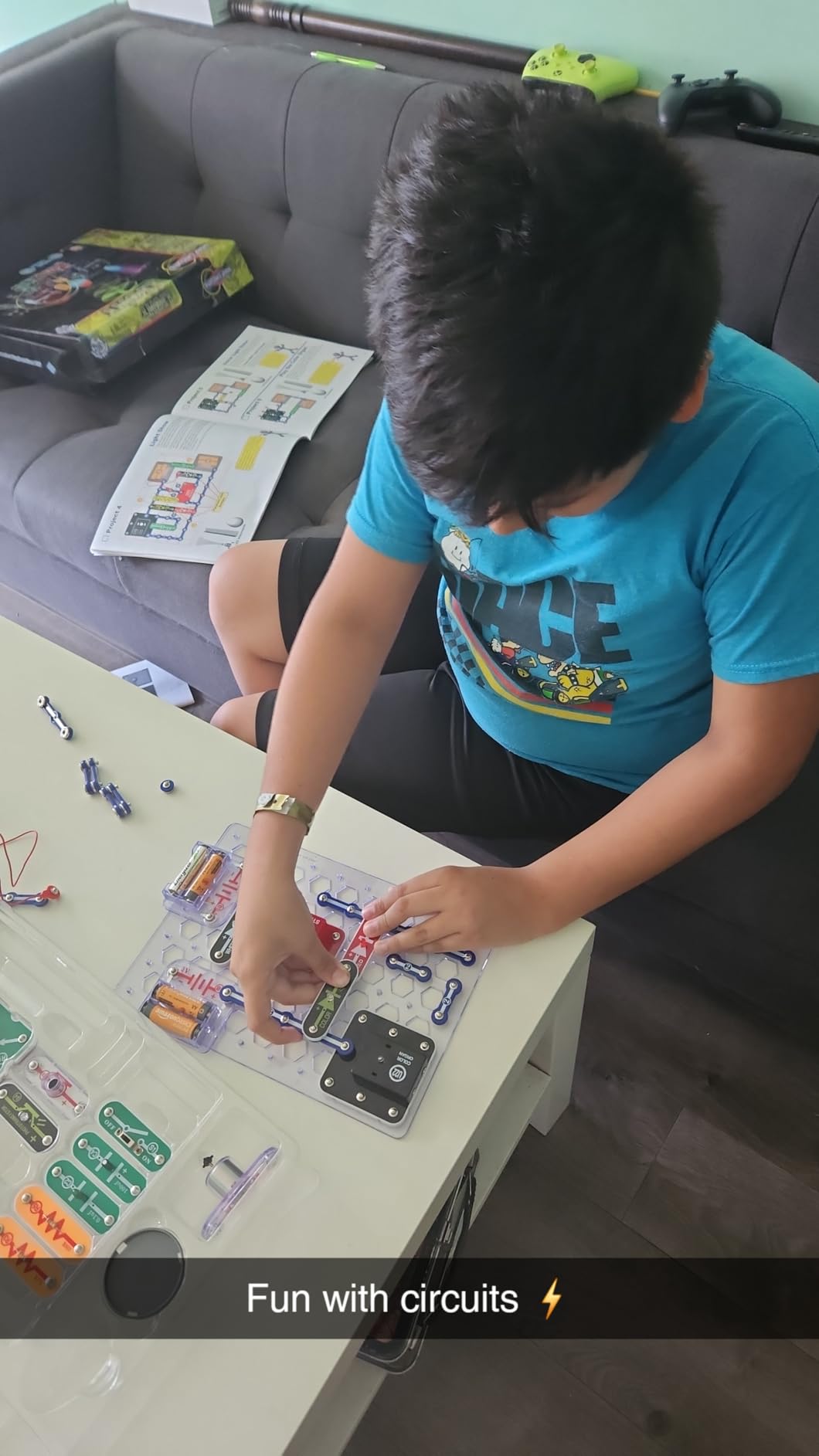
The kit also includes fiber optic communication demonstrations with diodes and a phototransistor, which is a genuinely advanced concept packaged in a kid-friendly format. Spinning LED patterns and strobe effects add even more visual punch.
Like other premium Snap Circuits kits, this one carries Specialty Toy of the Year and STEM.org approval. With over 4,000 reviews and an 85 percent five-star rating, it has earned its reputation. The main complaints involve occasional packaging issues with loose parts, but Elenco’s customer service handles replacements quickly.
Is It Worth the Premium Price
If your child is drawn to lights, music, and visual effects, absolutely. The light show builds have a wow factor that keeps kids coming back. For kids who are more interested in pure circuit logic, the SC-300 is the better value.
Can It Combine With Other Snap Circuits Kits
Yes, every piece in the SCL-175 is interchangeable with other Snap Circuits kits. If you already own the SC-100 or SC-300, the Light kit adds a whole new dimension of projects you can build using parts from both kits.
Buying Guide: How to Choose the Best Electronic Kit for Your Child
Choosing from the best electronic kits for kids comes down to three big questions: how old is the child, what do they already like building, and how much help will they get from an adult. I break down the key factors below based on what has worked (and not worked) for my family and our co-op group.
Match the Kit to the Age Range
For ages 5 to 7, the Snap Circuits Beginner SCB-20 is purpose-built with safety features and picture-based instructions. Standard Snap Circuits kits start at age 8 and work well through age 11 or so. By age 10 to 12, kids with prior exposure are ready for the ELEGOO Robot Car, Makeblock mBot, or the ELEGOO UNO Starter Kit.
The Reddit forums I read consistently recommend Snap Circuits for the under-10 crowd and Arduino-based kits for kids 10 and up who show mechanical aptitude. Buying above your child’s age range usually leads to frustration, even with help.
Consider Project Count and Variety
Project count is a useful signal, but read it carefully. A kit advertising 300 projects usually has 30 to 50 genuinely distinct builds with variations. Look at the actual project descriptions before buying to see if the variety matches your child’s interests.
For pure variety, the National Geographic Circuit Maker Kit and Snap Circuits SC-300 lead the field. For themed depth, the Light and Arcade kits offer more focused play that some kids actually prefer.
Instruction Quality Makes or Breaks the Experience
The number one complaint across forum reviews is poor instructions. Kits that frustrate parents and kids usually fail not because of the components but because the manual is unclear. Snap Circuits, National Geographic, and MicroKits have the strongest instructions in this roundup.
The QR-code video instructions on the National Geographic kit are a standout for visual learners. MicroKits’ 22-page booklet is the clearest single-project manual I have used.
Check What Is and Is Not Included
Batteries are the classic gotcha. The Makeblock mBot, Snap Circuits Arcade, and several others require batteries that are not in the box. The MicroKits Theremin is one of the few that includes batteries and spare parts, which is worth noting.
Also check whether the kit requires a computer, tablet, or smartphone. Coding kits like the mBot and ELEGOO kits need a device for programming. Pure electronics kits like Snap Circuits and Smartivity do not.
Think About Expandability and Long-Term Value
The Snap Circuits ecosystem is the gold standard for expandability. Every kit in the line uses the same base board and snap system, so parts combine across kits. The Makeblock platform offers similar expandability with 100+ compatible modules.
Kits that grow with your child over years offer much better long-term value than single-use kits. The Smartivity hand is a single-project kit, but the lifetime replacement parts guarantee means it can be rebuilt indefinitely and handed down.
Safety and Component Quality
All kits on this list use low-voltage battery power, so electrical risk is minimal. The Snap Circuits Beginner adds extra childproofing for the youngest builders. Watch for small parts if you have toddlers in the house, since most of these kits are rated for ages 5 and up for that reason.
Component quality varies more than you might expect. Snap Circuits, MicroKits, and Smartivity use noticeably higher quality materials than the cheapest kits on Amazon. Paying slightly more usually means parts that survive multiple kids and multiple years.
FAQs
What age is appropriate for electronics kits?
Most electronics kits are designed for ages 8 and up, but the Snap Circuits Beginner SCB-20 is built specifically for ages 5 to 9 with safety features and picture-based instructions. Standard Snap Circuits kits work well from age 8 through 11, while Arduino-based kits like the ELEGOO UNO Starter Kit and Smart Robot Car are best for kids 10 to 12 and older who are ready for coding and breadboarding.
Are electronics kits educational for kids?
Yes, electronics kits are highly educational. They teach STEM concepts including circuit logic, voltage, current, resistance, problem-solving, and following technical instructions. Coding-focused kits like the Makeblock mBot and ELEGOO kits add programming skills. Hands-on kits also develop fine motor skills, patience, and the confidence to troubleshoot when something does not work the first time.
What is the best electronics kit for a 12 year old?
For a 12 year old, the ELEGOO UNO Project Super Starter Kit and ELEGOO Smart Robot Car Kit V4 are the strongest picks because they introduce real Arduino programming and microcontroller work. The Makeblock mBot is also excellent if your 12 year old is newer to coding, since the Scratch-based interface is friendlier than starting with raw Arduino C code.
How do Snap Circuits compare to other kits?
Snap Circuits use a snap-together plastic base board that requires no tools, soldering, or wiring, which makes them the most beginner-friendly option on the market. Other kits like the National Geographic Circuit Maker use a similar wire-based approach, while Arduino kits like ELEGOO and Makeblock use breadboards and real components for deeper learning. Snap Circuits are best for ages 5 to 11, while Arduino kits suit kids 10 and up.
What skills do electronics kits teach children?
Electronics kits teach circuit logic, voltage and current concepts, following technical diagrams, troubleshooting, fine motor skills, patience, and basic programming (in coding-focused kits). Themed kits also teach physics concepts like capacitance (MicroKits Theremin), biomechanics (Smartivity hand), and optics (Snap Circuits Light). The hands-on nature helps kids retain these concepts better than textbook learning.
Conclusion: Our Top Picks for Best Electronic Kits for Kids in 2026
After testing all 12 of these kits with my own kids and our STEM co-op, my top recommendations for the best electronic kits for kids in 2026 come down to three picks. For most families starting out, the Snap Circuits Jr. SC-100 is the safest, most loved choice. For bigger variety and longer play value, step up to the Snap Circuits Classic SC-300. And for older kids ready to code, the Makeblock mBot and ELEGOO kits open up a whole new world of robotics and microcontroller projects.
If you only take one thing from this guide, match the kit to your child’s age and attention span above all else. A kit that is too simple bores them, and one that is too advanced frustrates everyone. Pick the right starting point and these kits can spark a lifelong interest in engineering, coding, and how things work.