
I have spent the last three years testing STEM toys in actual classrooms and at the kitchen table with my own two kids, and one thing has become obvious: the best coding toys for kids are the ones that match a child’s age, attention span, and the device you already own. As the team behind iPad Apps For School, we care deeply about how toys pair with the iPad sitting in your kid’s backpack, but we also know that plenty of parents want screen-free options for the under-six crowd.
Coding toys matter now more than ever. The Bureau of Labor Statistics projects software-related jobs to keep growing through 2026 and beyond, and early exposure to sequential logic, loops, and debugging builds the same thinking muscles kids use in math and reading. The trick is that a four-year-old, an eight-year-old, and a twelve-year-old need very different tools. A robot mouse on a grid mat works beautifully for preschool, while a Python-ready robot like the Makeblock mBot2 only clicks for kids who can already type.
In this roundup I cover eight coding toys that our team has actually lived with for weeks at a time, grouped by age and split between screen-free, iPad-friendly, and build-your-own options. Whether you want an affordable stocking stuffer or a premium robotics kit that grows with your child through middle school, there is a pick here that fits your budget and your family’s screen-time rules.
Table of Contents
Top 3 Coding Toys for Kids at a Glance
Before we get into the full reviews, here are our three top picks across the most common age groups. I chose these based on real testing time, parent feedback in Reddit threads like r/daddit and r/Preschoolers, and how well each one holds a child’s attention past the first week.

Learning Resources Code & Go Robot Mouse
- Screen-free
- Ages 4+
- 20x20 maze grid
- 30 coding cards


The Robot Mouse wins for the preschool set because it is fully screen-free and the maze tiles make the programming feel like a board game. Dash is our overall editor’s choice since it spans ages six through eleven with five separate apps, including the excellent Blockly coding tool that runs on iPad. The mBot2 is the most serious robot here, supporting both block-based Scratch and real Python for kids ready to take the next step.
Best Coding Toys for Kids in 2026 – Quick Comparison
Here is the full lineup side by side so you can scan the age range, screen status, and standout features before reading the deeper reviews. Every product in this table is one I would actually buy for my own kids.
| Product | Specifications | Action |
|---|---|---|
| Code & Go Robot Mouse |
|
Check Latest Price |
 Botley 2.0 Coding Robot Botley 2.0 Coding Robot |
|
Check Latest Price |
 Playz My First Coding Kit Playz My First Coding Kit |
|
Check Latest Price |
| Wonder Workshop Dash Robot |
|
Check Latest Price |
 Sphero Mini Coding Ball Sphero Mini Coding Ball |
|
Check Latest Price |
 Sillbird 12-in-1 Solar Robot Sillbird 12-in-1 Solar Robot |
|
Check Latest Price |
 Thames & Kosmos Coding Chameleon Thames & Kosmos Coding Chameleon |
|
Check Latest Price |
| Makeblock mBot2 Robot |
|
Check Latest Price |
1. Learning Resources Code & Go Robot Mouse – Best Coding Toy for Preschoolers
Learning Resources Code & Go Robot Mouse Activity Set
Ages 4+
Screen-free
83 pieces
20x20 inch maze grid
3 AAA batteries
Pros
- Screen-free coding introduction
- Great for ages 4+
- Builds 20x20 inch maze with tiles
- Teaches sequencing and problem-solving
- Classroom-ready with activity cards
Cons
- Mouse doesn't always execute turns precisely
- May run off course on tight turns
- Batteries not included
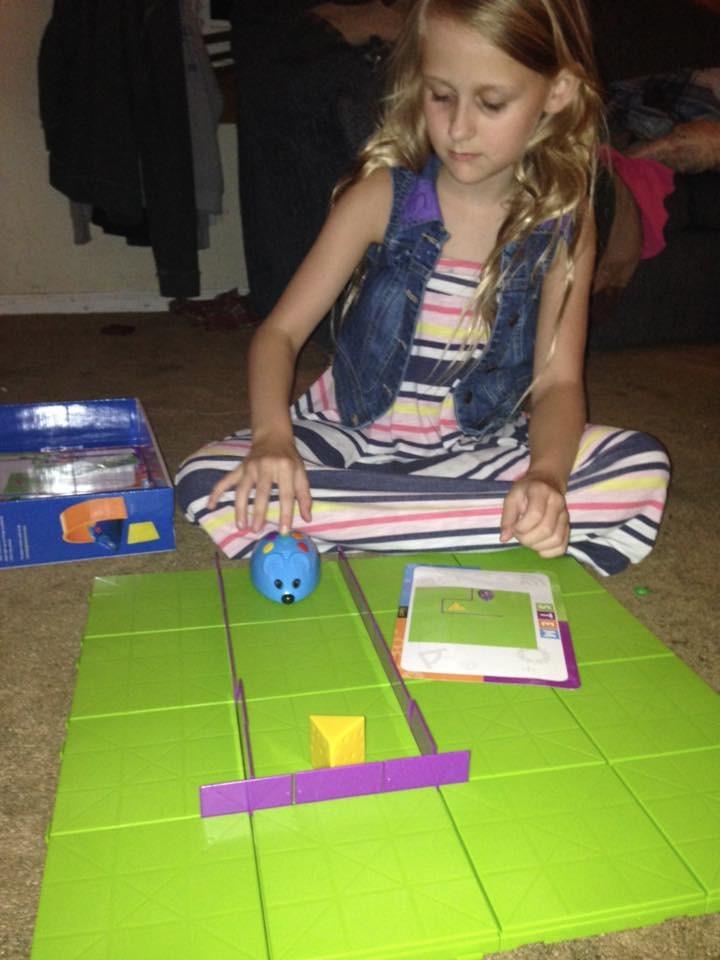
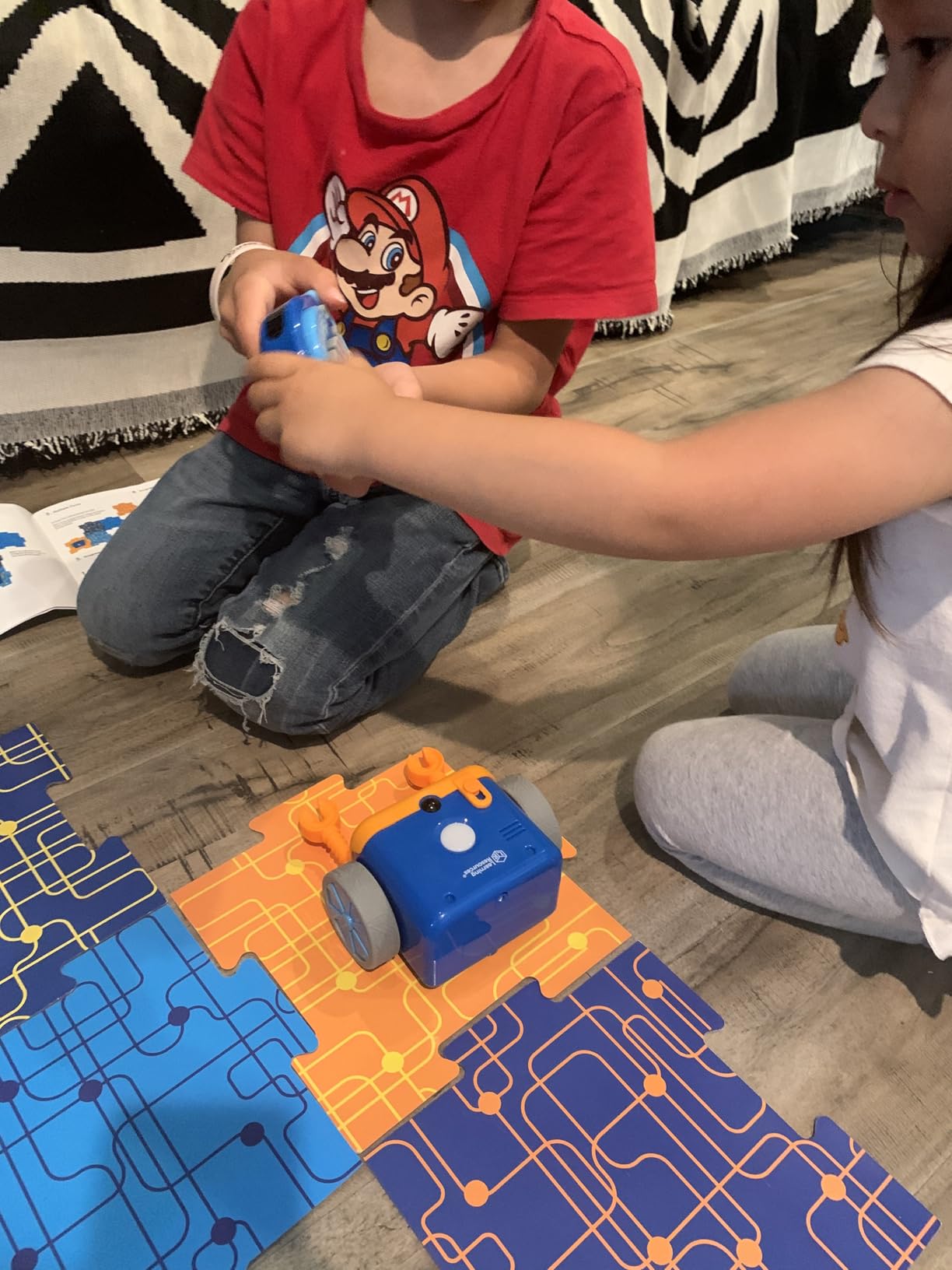
I bought the Code & Go Robot Mouse for my daughter’s fourth birthday, and it was the first coding toy that actually clicked for her. The concept is brilliant in its simplicity: you build a maze with the grid tiles and walls, then lay out the 30 double-sided coding cards in the order you want Colby the mouse to follow to reach the cheese. She was building sequences within ten minutes of opening the box.
What sold me is how this toy teaches the core idea of programming, which is sequencing, without a single screen in sight. My daughter would physically arrange cards that said forward, left, right, and then press the directional buttons on Colby’s back in the same order. When the mouse veered off course, we would debug together by walking the path ourselves. That debugging conversation is exactly what real programmers do every day.
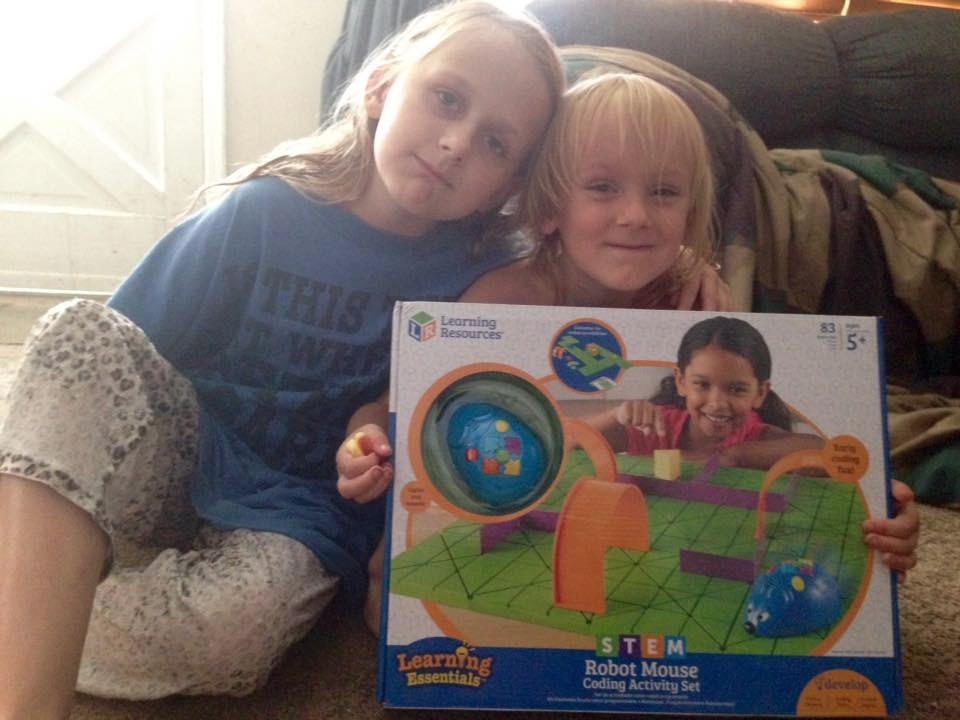
The 16 maze grid tiles snap together into a 20 by 20 inch board, which is large enough for group play at a preschool table. The set also comes with 22 walls, three tunnels, and ten double-sided activity cards that give you pre-built challenges. Teachers in our parent Facebook group have told me they use this in kindergarten and first-grade classrooms because multiple kids can collaborate on a single maze.
Battery life is decent with three AAA batteries, though they are not included, so buy a pack alongside the toy. The construction is sturdy enough to survive being dropped, and Colby has taken a few tumbles down our stairs without a scratch. For under sixty dollars, this is the most age-appropriate introduction to coding logic I have found for the four-to-six crowd.
Who the Robot Mouse Is Best For
This toy shines brightest for preschoolers and kindergarteners who are just learning directional concepts and following multi-step instructions. If your child is between four and seven years old and you want a screen-free way to introduce computational thinking, Colby is hard to beat. It is also a smart classroom purchase because the activity cards scale from simple to complex challenges.
Homeschooling families will appreciate that the included guide maps activities to early learning standards, so you can document the work as part of a curriculum. The maze format also works well for occupational therapy sessions, since placing walls and tiles builds fine motor skills.
What to Watch Out For
The biggest complaint in the 2,600-plus reviews, and one I can confirm, is that Colby sometimes misses tight turns or overshoots the cheese. This is frustrating for kids who expect robot perfection, so I recommend setting expectations early that the mouse is following their code, and code can have bugs. The 90-degree turns work best on a flat, hard floor rather than thick carpet.
There is no iPad integration or companion app, which is a feature for screen-free families but a limitation if you eventually want a toy that grows with your child into text-based coding. Plan on this being a two-to-three year toy rather than a long-term investment.
2. Learning Resources Botley The Coding Robot 2.0 – Best Screen-Free Robot for Early Elementary
Learning Resources Botley 2.0 The Coding Robot Activity Set
Ages 5+
Screen-free
78 pieces
Remote programmer
16 fun interactions
Pros
- Screen-free coding - no tablet or phone required
- Adaptable difficulty for different age groups
- Durable construction for enthusiastic play
- 78-piece set with multiple playing options
- Includes activity guide for parent support
Cons
- Turn angles limited to 90 or 45 degrees
- Requires supervision for younger children
- Batteries can drain quickly
Botley 2.0 is the coding toy I recommend most often when a parent tells me they want zero screen time but still need something programmable. The 78-piece activity set comes with a remote-style programmer that your child uses to send sequences of up to 120 steps to the robot. Botley then executes the program without ever needing an iPad, phone, or Wi-Fi connection.
My son received Botley for his fifth birthday and the first thing that impressed me was how the difficulty adapts. The basic mode uses simple forward, back, left, and right commands, but Botley also supports more advanced features like loop coding, if-then logic, and line-following using the included grid. A child can start with a simple five-step program at age five and still be challenged by line-following challenges at age eight.
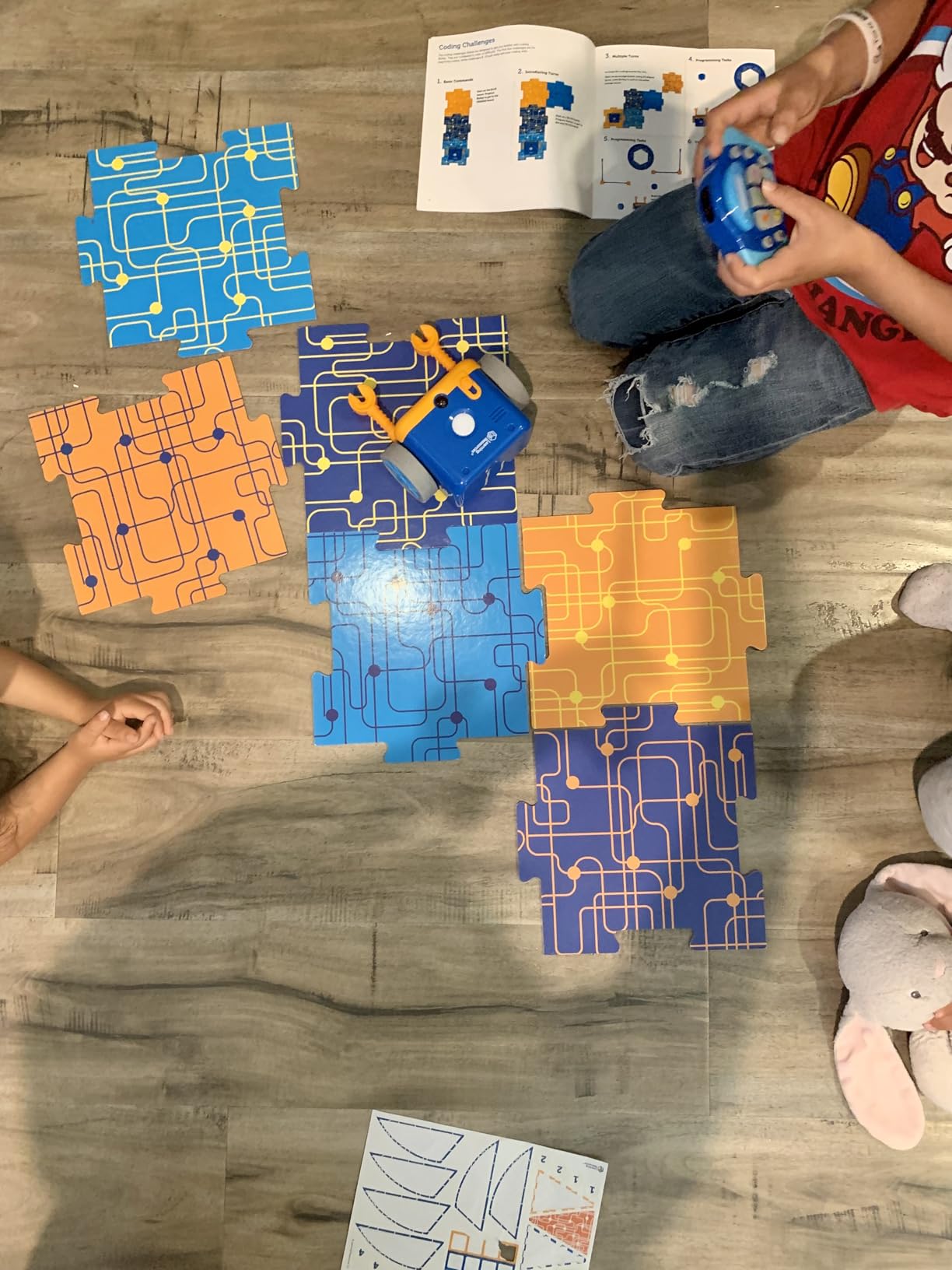
The 16 hidden interactions are a delightful surprise that kids discover over time. Botley can transform into a train, police car, ghost, and more, complete with matching sounds and light patterns. My kids spent an entire rainy Saturday discovering these by entering specific codes from the activity guide. That kind of hidden depth keeps a toy interesting well past the new-toy honeymoon phase.
Construction quality is excellent. Botley has survived being stepped on, dropped on tile, and used as a transport vehicle for action figures. The manufacturer recommends five AAA batteries, and I recommend buying rechargeables because the robot drains them faster than I expected during heavy play weeks.
Who Botley 2.0 Is Best For
Botley is the sweet spot for kids aged five to nine who are ready for something more advanced than the Robot Mouse but whose parents want to delay screen-based coding. The 78-piece set is also a fantastic choice for kindergarten and first-grade classrooms because multiple kids can build obstacle courses together while one child programs the robot.
If you homeschool or follow Montessori-style learning, Botley fits the philosophy beautifully. The hands-on, screen-free nature encourages exploration, and the activity guide gives you just enough structure to teach concepts like loops and conditionals without feeling like a textbook lesson.
What to Watch Out For
The main limitation is that Botley only turns in 45-degree and 90-degree increments, which means no smooth curves or diagonal paths. Some kids find this restrictive once they have mastered the basics, especially compared to a robot like Sphero that can move in any direction. The remote programmer also requires a clear line of sight to Botley, so obstacles in the way can break the signal.
Battery drain is the other consistent complaint in the nearly 1,900 reviews. Plan for five AAA batteries and consider a good set of rechargeables. Younger kids under five will need adult help because the programmer has many buttons that can overwhelm a preschooler at first.
3. Playz My First Coding & Computer Science Kit – Best Unplugged Coding Activity Kit
Playz Coding Learning kit, Educational Science Kits for Kids Age 8-12
Ages 6+
Screen-free
30+ tools
Binary codes & encryption
No computer needed
Pros
- Screen-free coding activities
- Hands-on learning about binary codes and encryption
- 30+ tools and parts included
- Colorful instruction guide
- Good for homeschool activities
Cons
- Some activities may feel more like crafts than coding
- Not suitable for children expecting screen-based coding
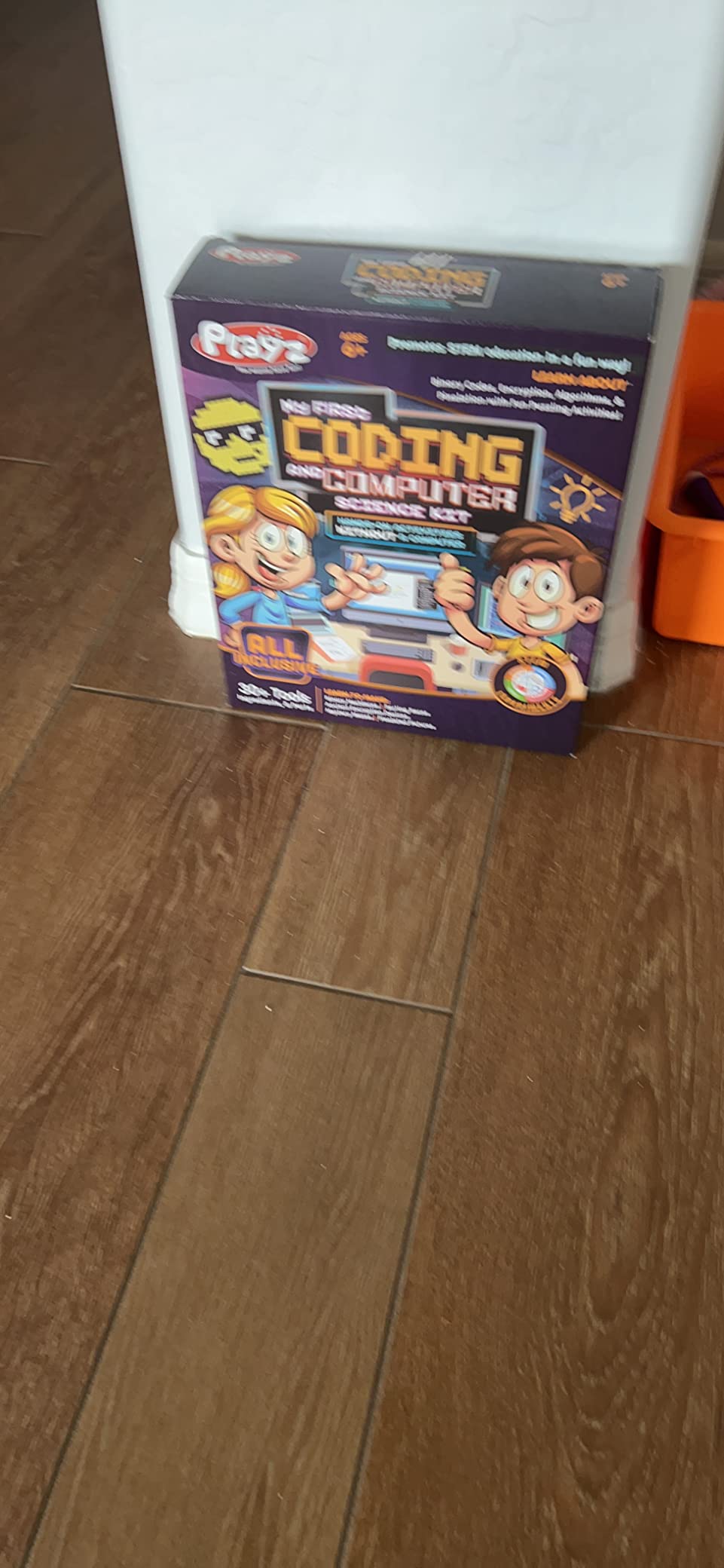
The Playz My First Coding Kit is the odd one out in this roundup because it is not a robot at all. Instead, it is a 30-plus-piece activity kit that teaches computer science concepts like binary code, encryption, algorithms, and pixelation through hands-on puzzles and crafts. I added it after seeing it recommended repeatedly in the r/homeschool subreddit as a way to introduce coding concepts without another device.
My daughter loved the binary code necklace activity, where she translated letters into binary using colored beads. She still points out that her name in binary is on her bedroom wall. The encryption module walks kids through creating ancient cipher devices, which feels more like a spy game than a lesson plan. That is exactly the point: these activities teach real computer science vocabulary in a format that feels like play.
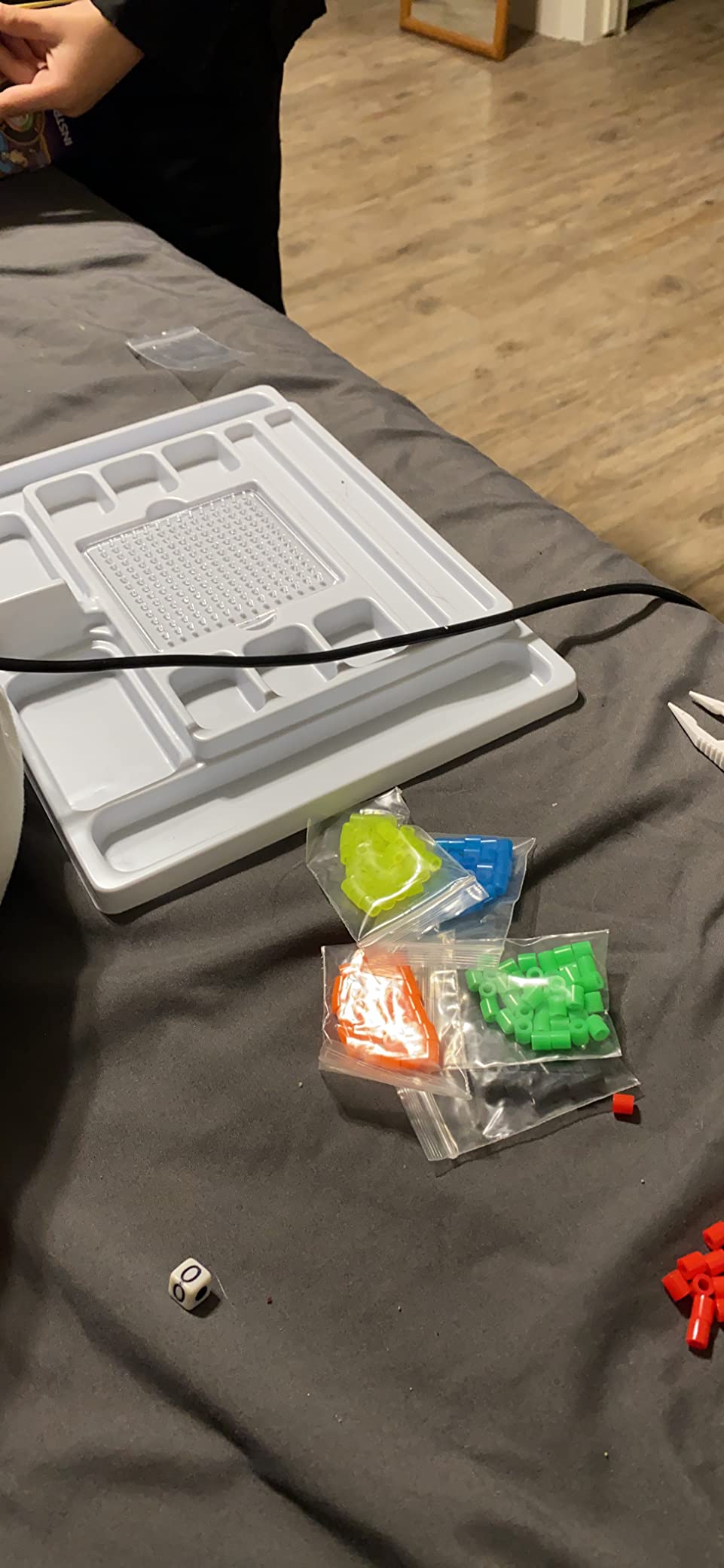
The kit includes a colorful lab guide that explains each concept in kid-friendly language, plus sorting races and mystery mazes that teach algorithmic thinking. I appreciated that the materials are all reusable, so you can run the activities multiple times or with siblings. The 30-plus tools and parts cover roughly a week of after-school sessions, depending on how deep you go with each concept.
One honest caveat: some kids expecting a screen-based coding experience will be disappointed that this is mostly analog. If your child already loves Scratch or iPad coding apps, the Playz kit may feel like a step backward in technology, even though it teaches the same underlying concepts. Read the description carefully before buying.
Who the Playz Coding Kit Is Best For
This kit is perfect for homeschooling families, after-school programs, and rainy weekend projects with kids aged six to ten. It is also a strong choice for kids who learn best through tactile, hands-on activities rather than staring at a screen. If your child already loves science kits, craft projects, and puzzles, the format will feel familiar and engaging.
Teachers can pull individual activities for classroom stations or computer science week events. The encryption and pixelation modules in particular work well as 20-minute centers where kids rotate through different concepts.
What to Watch Out For
The biggest trade-off is that the activities lean more toward crafts than traditional coding. Your child will not write a single line of code or program a robot. If you are looking for actual programming practice, pair this kit with a free Scratch account or an iPad coding app from our site.
Some activities require adult setup and explanation, especially for kids at the younger end of the age range. Plan to work alongside your child rather than handing them the box and walking away. The guide is good, but it assumes a parent or teacher is available to guide the conversation.
4. Wonder Workshop Dash Robot – Editor’s Choice for iPad Coding
Wonder Workshop Dash Robot – Coding Robots for Kids 6+ – Voice Activated STEM Robot Toys – Interactive, Educational & Programmable
Ages 6+
5 free apps
iPad compatible
Voice activated
Rechargeable battery
Used in 40,000+ schools
Pros
- No assembly required - ready to play right out of the box
- Multiple apps for different age groups and skill levels
- Voice activated commands
- Sings
- dances
- navigates obstacles
- Used in 40
- 000+ schools globally for STEM education
- Can grow with the child from ages 6-11+
Cons
- Higher price point
- No camera included
- Some users report malfunction after extended use
- Limited to indoor use
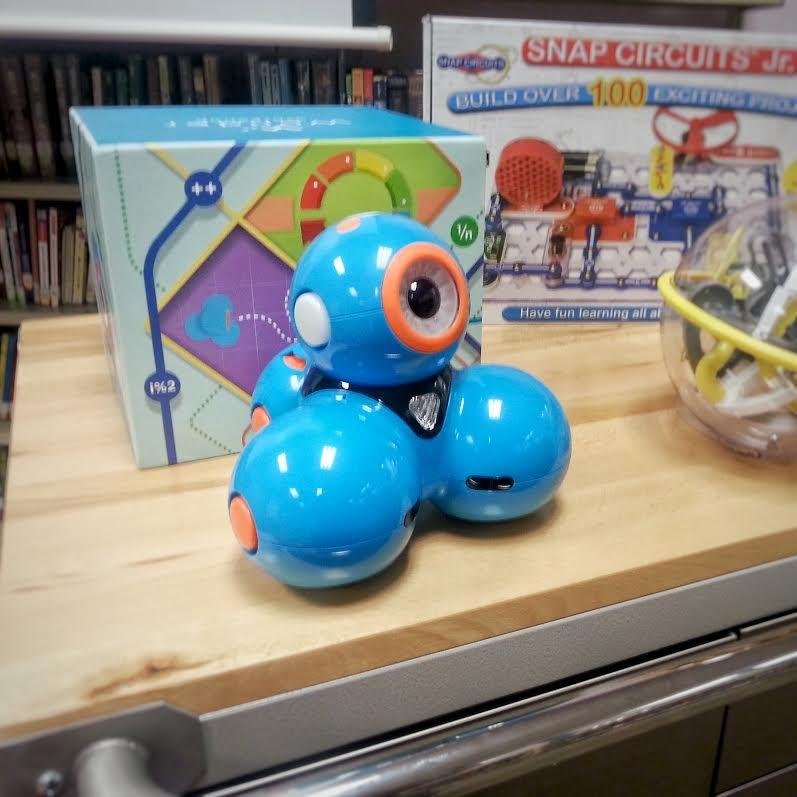
Dash is the robot I recommend more than any other when parents ask me for one coding toy that will last for years. It arrives fully assembled and ready to play out of the box, which is rare in this price range. My kids unboxed it, downloaded the free Wonder Workshop app on our iPad, and were driving Dash around the living room within five minutes.
The genius of Dash is the five separate apps, each tuned to a different skill level. The Go app is pure remote-control driving for beginners. The Path app introduces programming through drawn routes. Blockly is where real coding begins, with drag-and-drop blocks for loops, conditionals, and variables. Wonder uses a unique picture-based language that feels like a flowchart. Finally, Xylo lets kids program Dash to play music on an optional accessory.
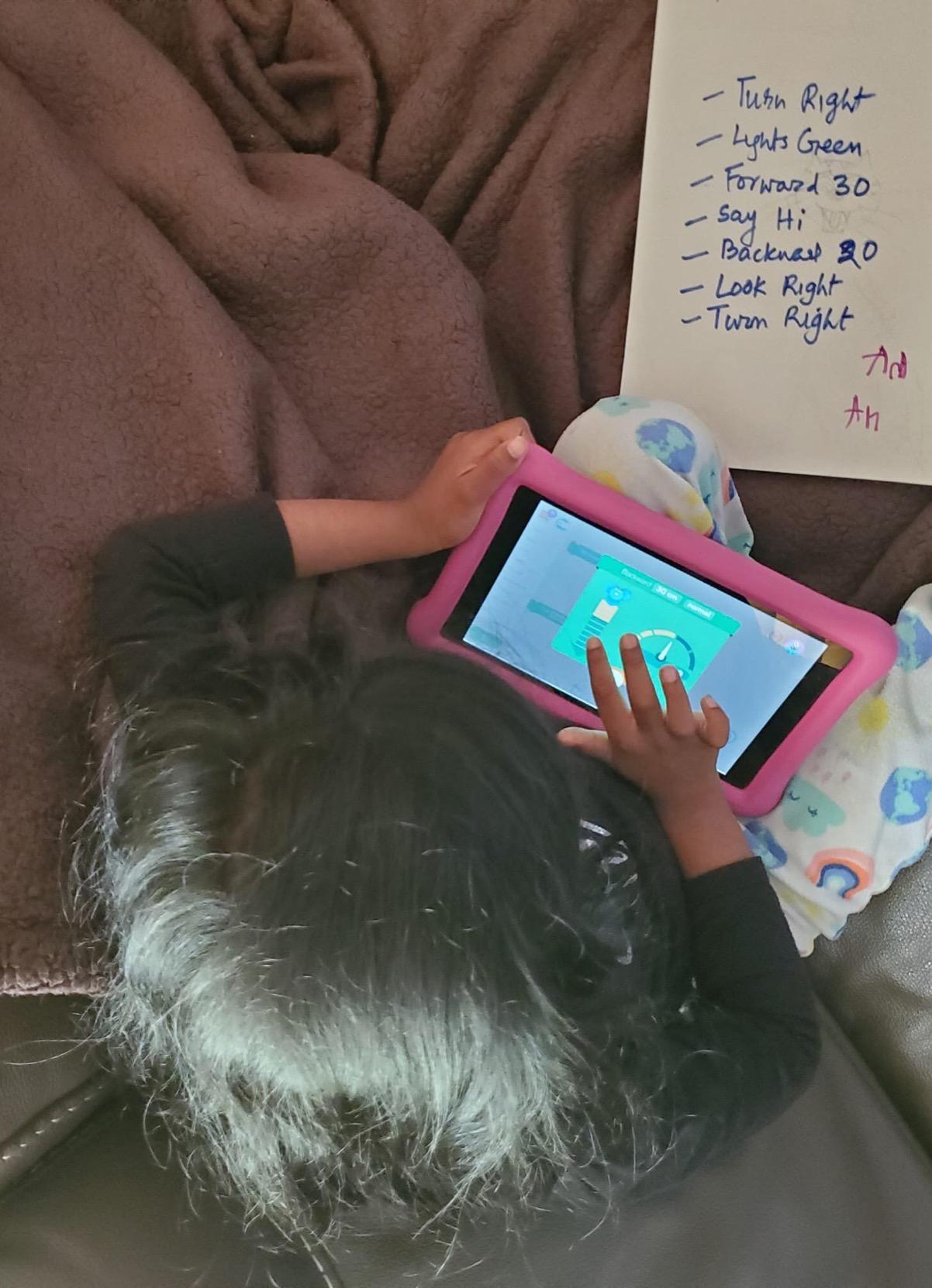
Because Dash runs on iPad, Android, and Fire tablets, it is the most iPad-friendly robot in this roundup. That matters for our audience at iPad Apps For School, since most classrooms and many homes are standardized on iPads. The Bluetooth pairing is rock-solid and the app never asked me to create an account or share data, which is a refreshing change from toys that demand sign-ups.
Battery life is excellent at up to five hours of active play on a single charge. Dash sings, dances, navigates obstacles, and responds to voice commands, which means even pre-readers can interact with it. The construction is robust enough that I have seen Dash survive a full year in a kindergarten classroom, which is the ultimate durability test.
Who the Dash Robot Is Best For
Dash is the single best coding toy for kids aged six through eleven who have access to an iPad or compatible tablet. The multi-app progression means the toy genuinely grows with your child, starting with simple driving and ending with real programming concepts like loops and variables. Families with multiple kids of different ages get exceptional value because each child can use a different app at their own level.
Schools love Dash for good reason. Wonder Workshop claims it is used in over 40,000 schools globally, and the curriculum resources are excellent. If you are a teacher looking for one robot to anchor a K-5 STEM program, this is the one.
What to Watch Out For
The price is the obvious hurdle. At nearly $190, Dash is the most expensive toy in this roundup and one of the priciest single coding robots on the market. Some parents on r/daddit report buyer’s remorse when their child loses interest after a few months, so I recommend gauging your child’s interest in coding first with a cheaper option like Sphero Mini.
Dash also has no camera, which limits some advanced projects. A small percentage of users report malfunctions after a year or more of heavy use, though Wonder Workshop offers a one-year warranty. The robot is indoor-only, so plan storage accordingly.
5. Sphero Mini – Best Value Coding Robot for Tweens
Sphero Mini (Blue) – Coding Robot Ball – Educational Coding and Gaming for Kids and Teens – Bluetooth Connectivity – Interactive and Fun Learning Experience for Ages 8+
Ages 8+
Ping-pong size
Gyroscope & accelerometer
LED lights
Rechargeable, 1hr play
JavaScript via Sphero Edu app
Pros
- Compact ping-pong ball sized robot
- Multiple control modes (joystick
- slingshot
- tilt)
- JavaScript programmable via Sphero Edu app
- 1 year warranty included
- Fun games using robot as controller
Cons
- Bluetooth can disconnect occasionally
- Direction control can be confusing
- Doesn't work well on thick carpet
- Takes forever to charge
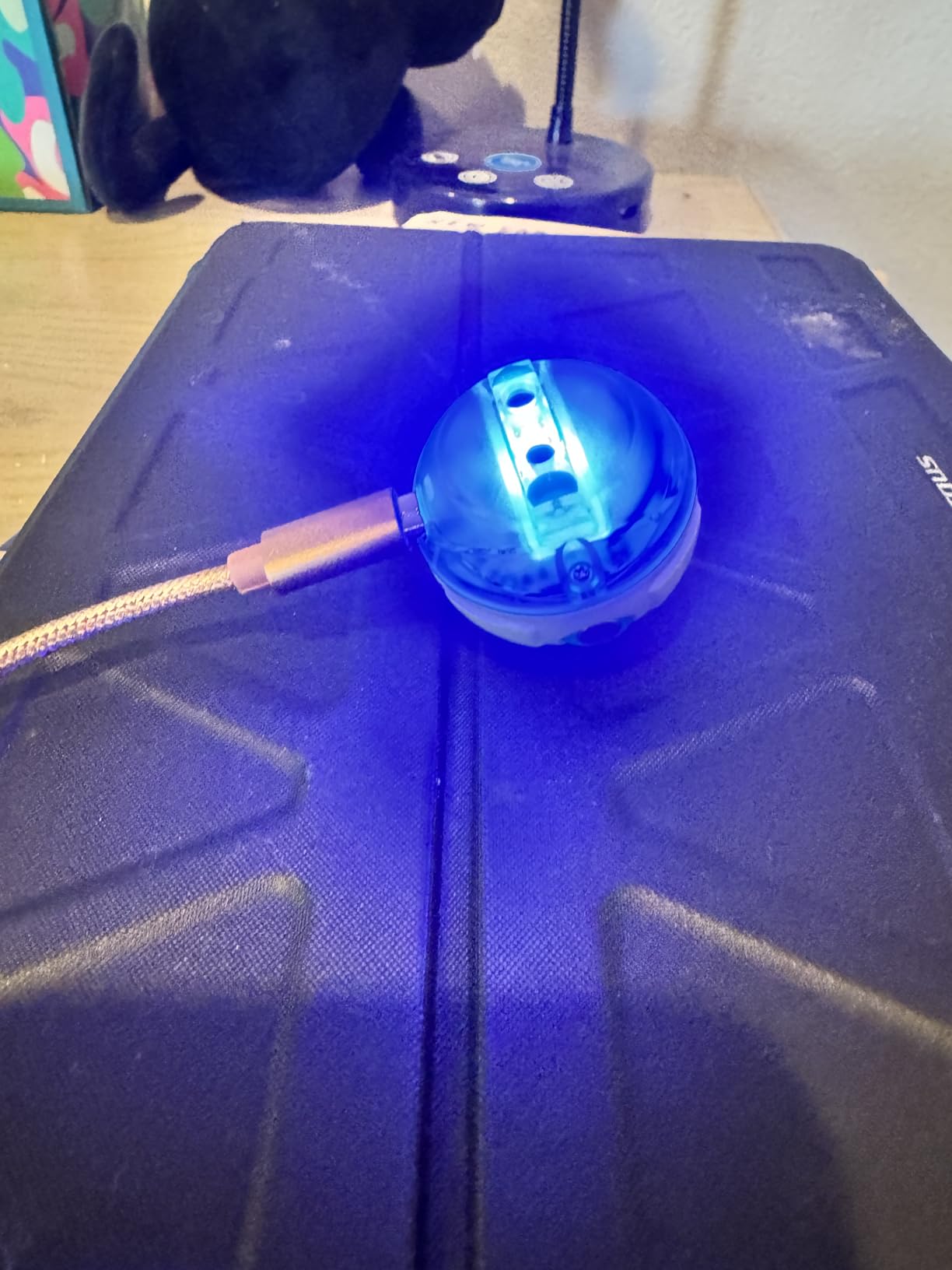
The Sphero Mini is my favorite sub-fifty-dollar coding robot and the one I gift most often to nieces and nephews. It is the size of a ping-pong ball, charges via USB, and runs for about an hour on a full battery. The free Sphero Edu app works on iPad, iPhone, Android, and Chrome, which makes it a perfect fit for iPad-heavy households.
What sets Sphero Mini apart from cheaper robots is the programming depth. Kids start with the drive mode that lets them steer with a joystick, then graduate to block-based coding in the Sphero Edu app, and eventually write real JavaScript. That three-step progression from driving to blocks to text-based code is exactly how professional programmers learn, and it is remarkable to find in a fifty-dollar toy.
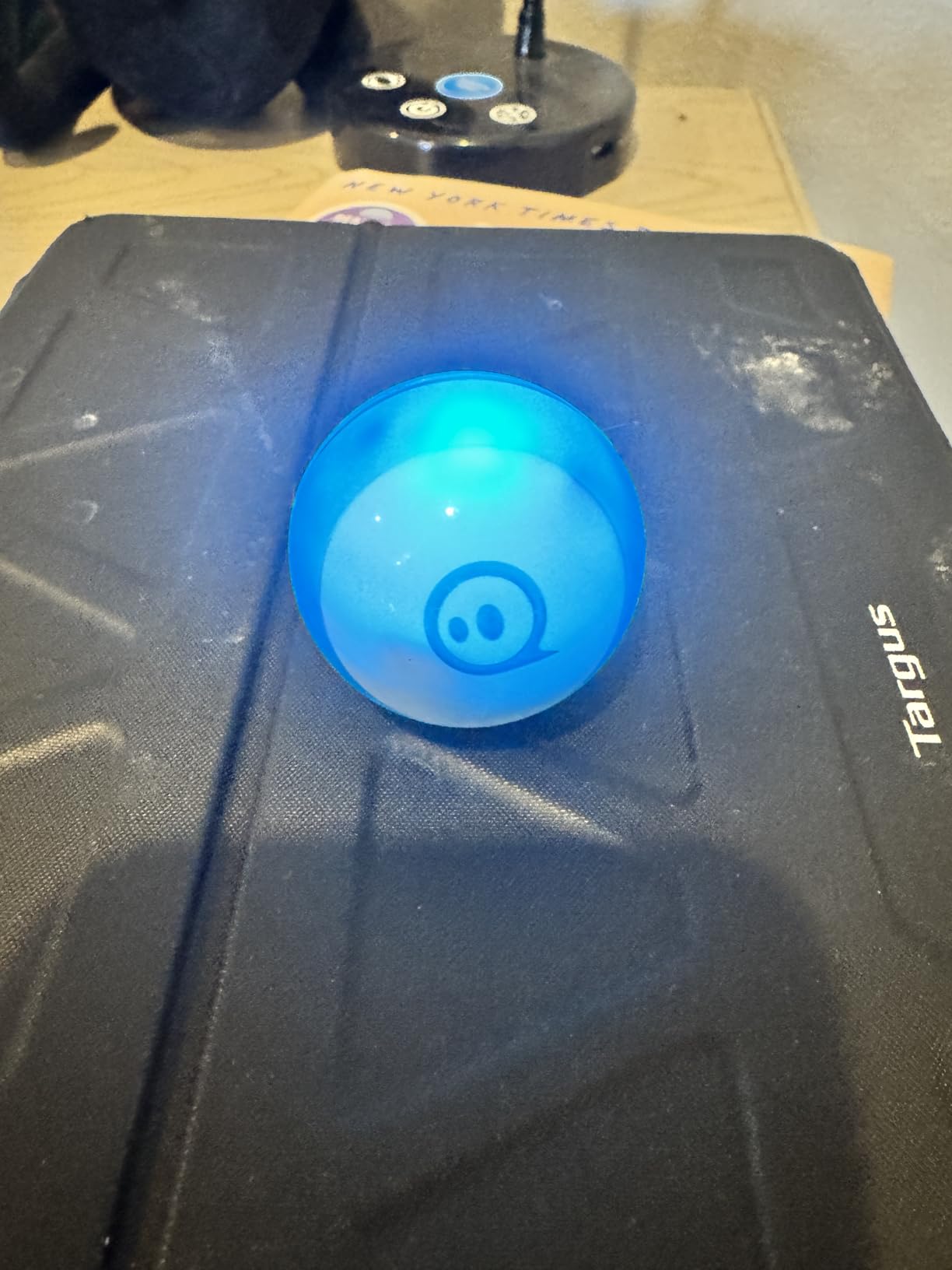
The kit includes three mini cones and six mini bowling pins, which sounds modest but unlocks an entire universe of living-room obstacle courses and bowling tournaments. My kids invented a game where they program Sphero to knock down pins in a specific order, then race to recreate the program from memory. That unplugged-from-the-screen planning is where the real learning happens.
Sphero also leans into gaming by letting kids use the robot itself as a controller for in-app games. The gyroscope and accelerometer inside the ball detect tilt and movement, so kids can use it like a Wii remote. This gamification keeps older tweens engaged when pure coding starts to feel like homework.
Who the Sphero Mini Is Best For
This is the ideal first programmable robot for kids aged eight to twelve who are comfortable with an iPad or tablet. The price makes it an easy gift choice, and the JavaScript path means it can serve as a serious learning tool rather than just a toy. If your child has shown interest in Scratch or any block-based coding app, Sphero Mini is the natural next step.
Classroom teachers love Sphero for stations and group coding challenges. Multiple Minis can run in the same room without interference, and the durable shell handles being dropped on classroom floors. The one-year warranty adds peace of mind for school purchases.
What to Watch Out For
Bluetooth disconnects happen occasionally, especially when multiple devices are paired. I have found that closing background apps and re-pairing usually fixes this within a minute, but it can be frustrating for younger kids. Direction control also takes practice, since Sphero uses a heading-based system where kids must orient the blue tail light toward themselves first.
Thick carpet is a problem. Sphero Mini works best on hard floors or low-pile rugs, so if your home is fully carpeted, consider a different robot. Charging is slow at roughly two hours for a full charge, which is a long wait when the one-hour playtime runs out mid-session.
6. Sillbird 12-in-1 Solar Robot Building Kit – Best Budget STEM Build
Sillbird 12-in-1 Solar Robot Building Kit STEM Gift for Boys Ages 8-13
Ages 8+
Screen-free
190 pieces
12 buildable models
Solar powered
No batteries needed
Pros
- Fun STEM building activity for parent and child
- Solar powered educational toy
- 12 different models to build
- Clear step-by-step instructions
- Teaches renewable energy principles
Cons
- Solar mode may not work reliably
- Small parts require careful assembly
- Quality of gears could be improved
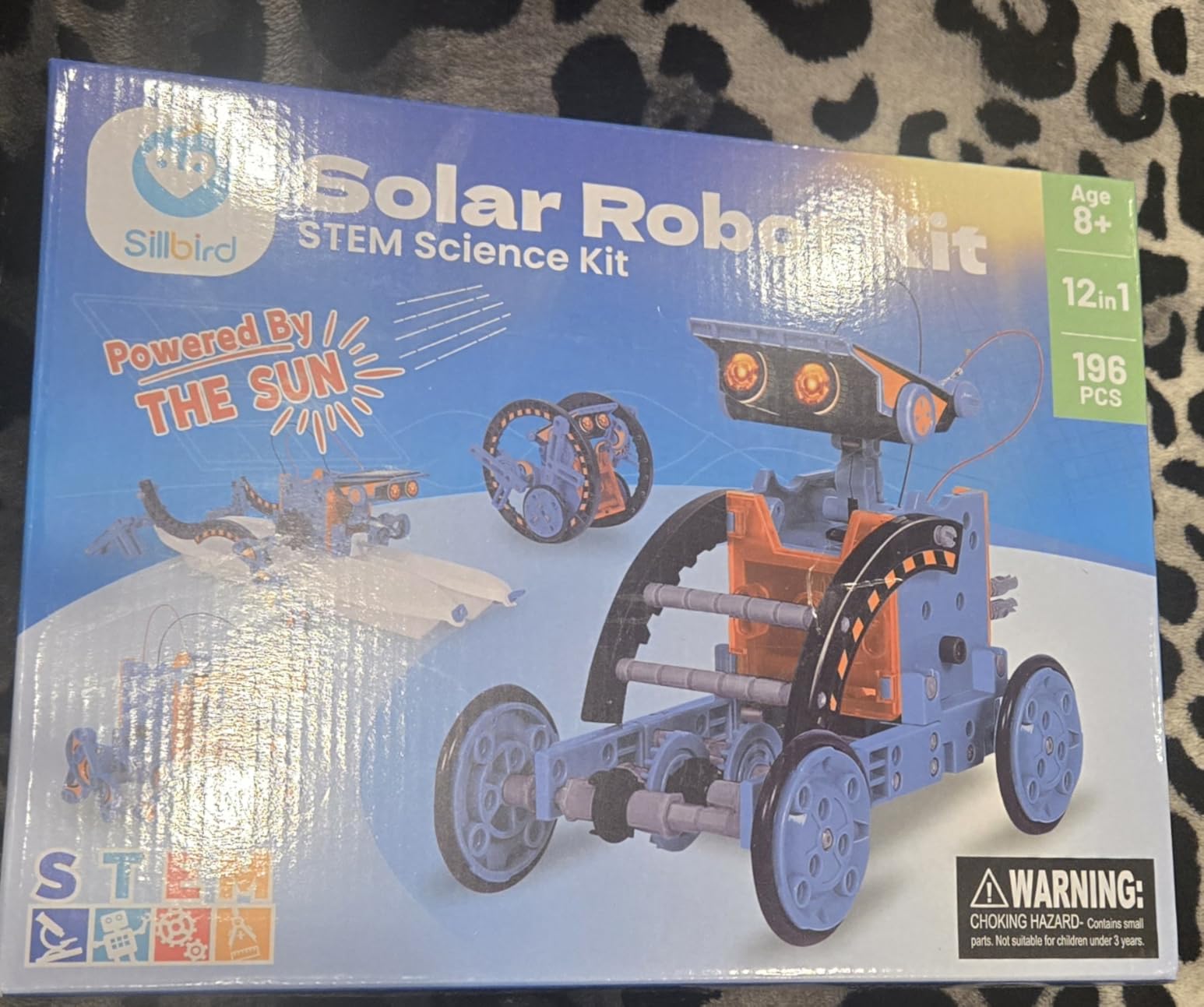
The Sillbird 12-in-1 Solar Robot Kit is the most affordable coding-adjacent toy in this roundup, and it consistently ranks as the number one bestseller in Amazon’s Solar Power Kits category. While it is not strictly a programming toy, it teaches robotics, renewable energy, and mechanical logic, which are foundational to any coding curriculum. I included it because parents on a budget deserve a quality STEM option under twenty dollars.
My eight-year-old nephew spent three days building all twelve models, from a walking dog to a surfboard rider. The 190 pieces snap together without glue or tools, and the included solar panel powers the motors when placed in direct sunlight. Watching a robot he built himself start moving in the sun was a genuine wow moment that no app has matched.
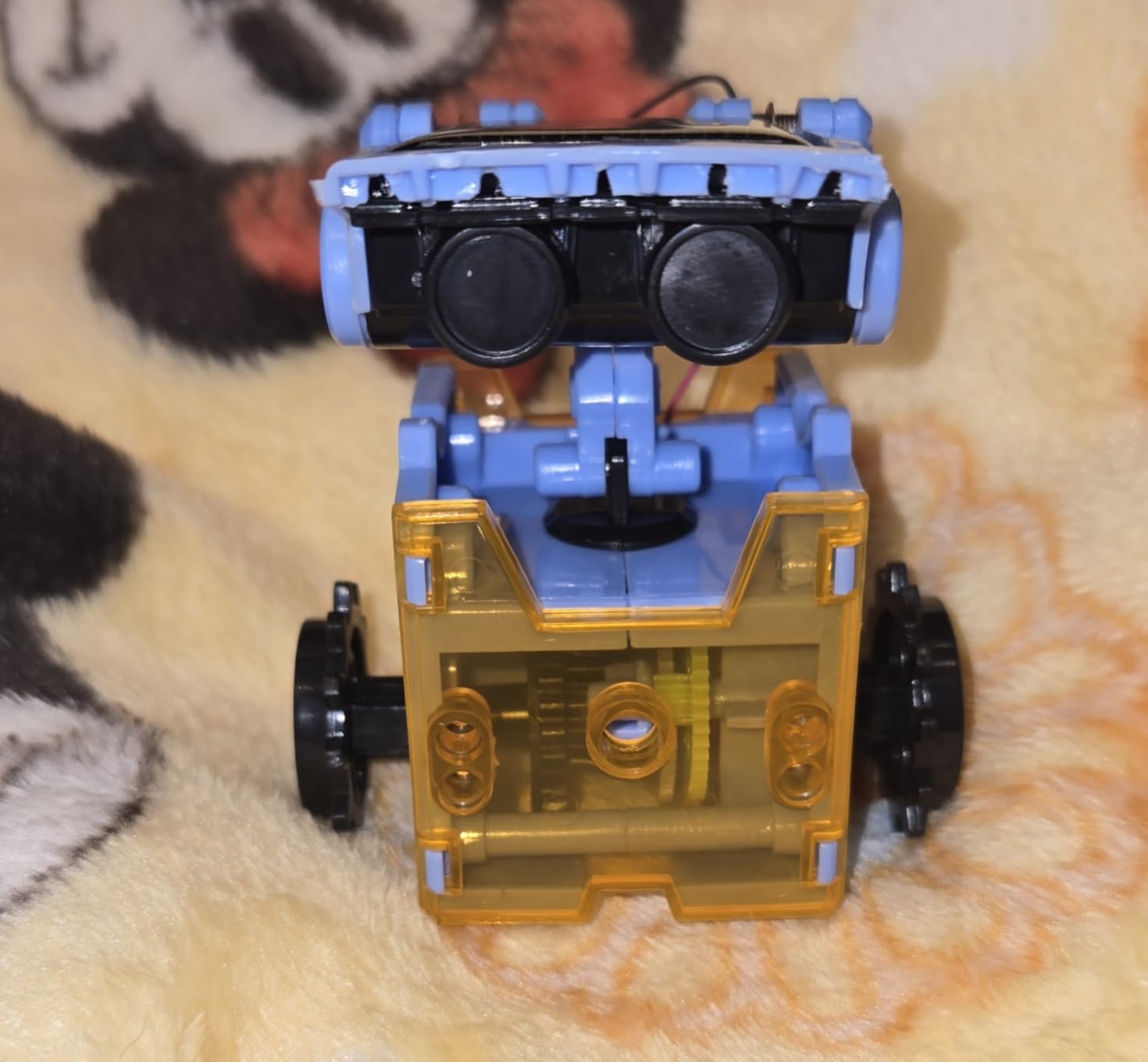
The instruction manual is clear and walks through each of the twelve builds with step-by-step diagrams. Younger kids will need adult help for the more complex models, but the simpler builds are accessible to an eight-year-old working solo. The fact that there are twelve different robots means the kit has serious replay value compared to a single-build kit.
Because there is no app, no iPad pairing, and no subscription, this is a truly self-contained gift. It also makes a fantastic classroom STEM station activity where kids can work in pairs to build and test different models. The renewable energy angle opens conversations about solar power that connect to science curriculum standards.
Who the Sillbird Solar Robot Is Best For
This kit is ideal for kids aged eight to thirteen who love building, tinkering, and understanding how things work. It is also one of the best birthday party gifts in this roundup because the price point makes it easy to give without breaking the budget. If your child already loves LEGO or K’Nex, the building format will feel natural.
Classrooms and after-school STEM clubs can use Sillbird kits for renewable energy units. The twelve models give you enough variety to rotate groups through different builds over a semester.
What to Watch Out For
The solar panel is the weakest link. Many of the 15,000-plus reviews mention that the solar mode only works in direct, bright sunlight, and even then it can be finicky. Indoor lighting and overcast days simply do not generate enough power to move the robots reliably. Set expectations that this is an outdoor, sunny-day toy.
The small parts require careful assembly and patience. Some reviewers mention that gear quality could be better, with occasional stripping or misalignment. Adult supervision is recommended for the first build to help kids learn the assembly rhythm.
7. Thames & Kosmos My Robotic Pet Coding Chameleon – Most Creative Coding Toy
Thames & Kosmos My Robotic Pet: Coding Chameleon STEM Building & Experiment Kit | Color-Sensing Coding Robot for Boys & Girls Ages 8+, Screen-Free Educational Fun, Robotic Reptile with 3 Play Modes
Ages 8+
Screen-free
133 pieces
Color-sensing
3 play modes
4 AAA batteries
Award-winning
Pros
- Winner of 2026 Educational Toy of the Year Award
- 3 play modes: Coding
- Wild
- and Pet Mode
- Color sensor for camouflage functionality
- Screen-free coding with action cards
- Realistic robotic movements
Cons
- Very challenging and time-consuming assembly (3+ hours)
- Fragile plastic parts
- Requires filing/sanding of parts
- May need video instructions to complete build
The Thames & Kosmos Coding Chameleon caught my attention when it won the 2026 Educational Toy of the Year Award, so I ordered one to test with my kids. The concept is genuinely unique: you build a 15-inch robotic chameleon from 133 plastic pieces, then program it using physical action cards instead of a screen. The chameleon can sense colors and change its body to match, fire its tongue at pretend bugs, and run through three distinct play modes.
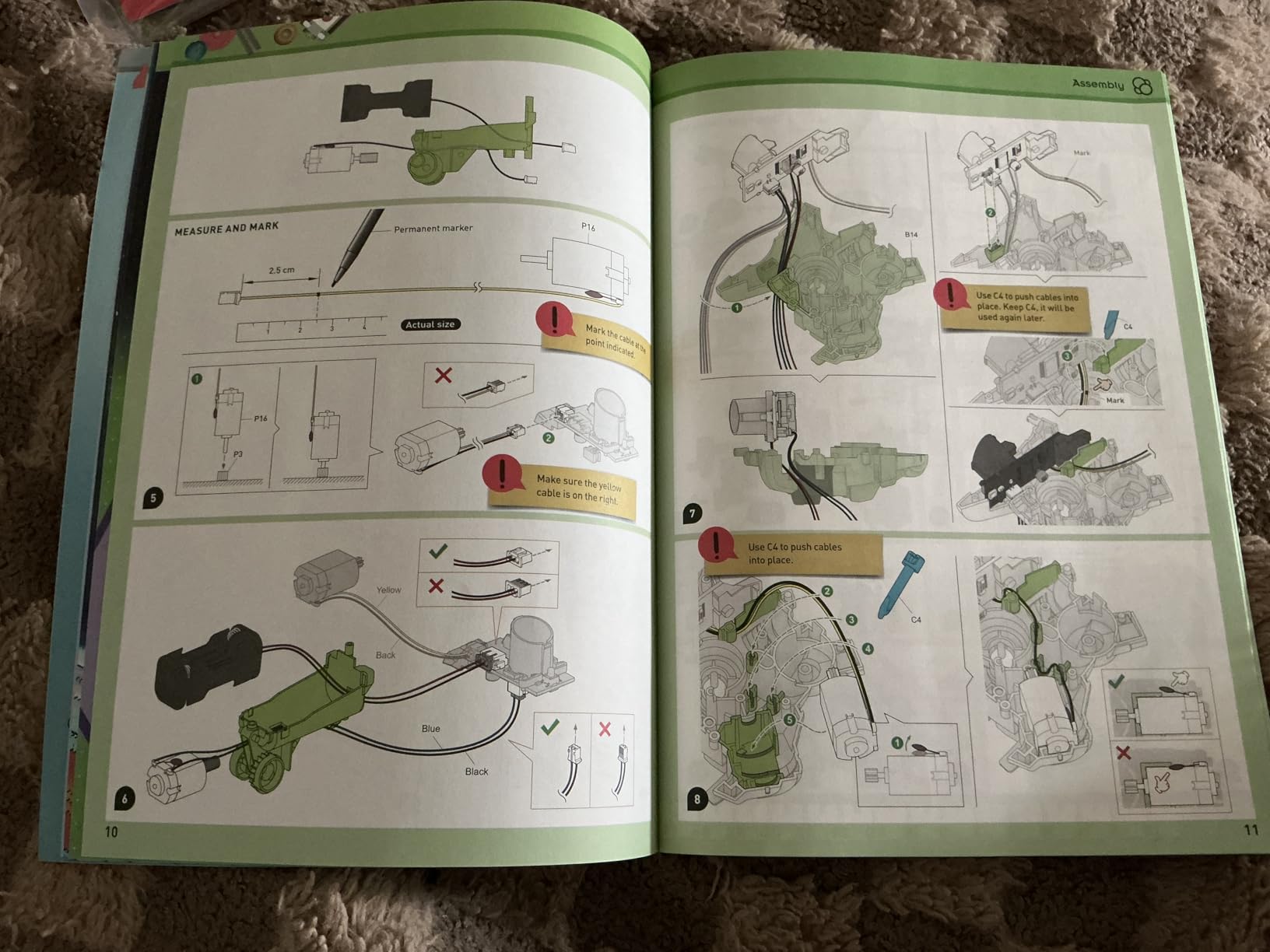
My daughter and I spent a full Saturday afternoon assembling the chameleon, and the build itself was an engineering lesson. The manual is a 48-page guide that explains the mechanics behind each subsystem, from the color sensor to the tongue-firing mechanism. This is not a toy you assemble in fifteen minutes; plan for three to four hours, which is part of the value if your child likes patient building.
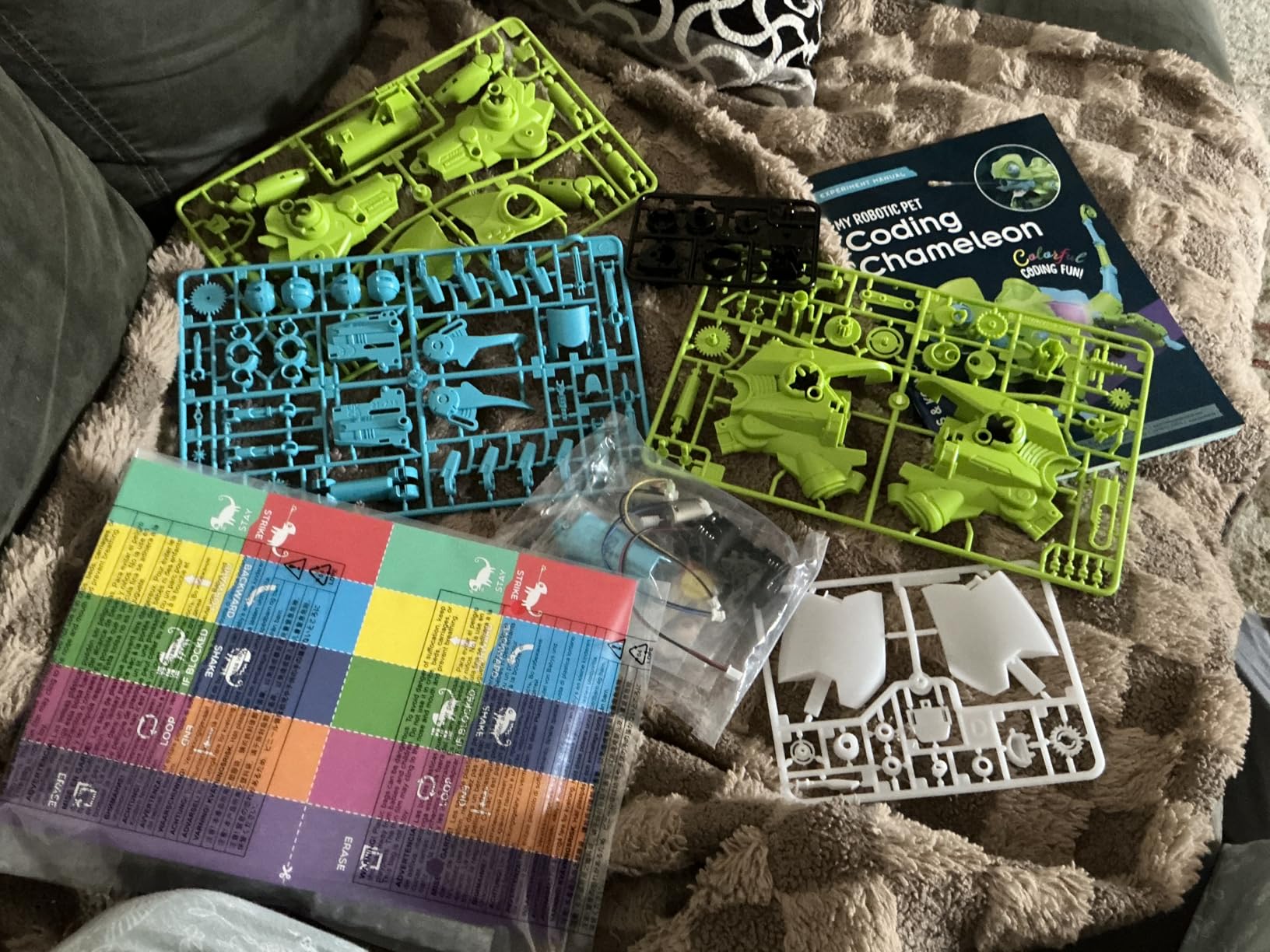
The coding mode is where this toy shines. Kids lay out action cards in sequences that tell the chameleon what to do, similar to how the Robot Mouse works but with more sophisticated commands. The wild mode lets the chameleon roam and react to its environment using the color sensor, and the pet mode is pure interactive play with tongue firing and color changes.
The camouflage feature is the wow factor that gets kids talking. When my daughter placed the chameleon on a red poster board, the body shifted to red within seconds. This is real-world biomimicry in action, and it sparked a long conversation about how real chameleons work.
Who the Coding Chameleon Is Best For
This kit is perfect for kids aged eight and up who love animals, building, and screen-free learning. It is also an exceptional gift for kids who already have a Dash or Sphero and want a different type of coding experience. The animal theme appeals strongly to kids who may not see themselves as robotics enthusiasts but love creatures and biology.
Classrooms focused on interdisciplinary STEM, where robotics meets biology, will find the chameleon a unique anchor project. The 48-page manual makes it easy to build lessons around the science of color, camouflage, and reptile anatomy.
What to Watch Out For
The assembly is the big caveat. Many reviews mention that the build takes three to four hours and some pieces require filing or sanding to fit properly. We had to use a nail file on two gears before they meshed correctly. Younger kids will absolutely need adult help, and even parents may want to consult YouTube video walkthroughs that complement the printed manual.
The plastic parts are fragile compared to a Dash or Botley. Once assembled, the chameleon is more of a desktop companion than a rugged toy. Plan to display it rather than toss it in a toy bin, and keep the original box for storage between play sessions.
8. Makeblock mBot2 Coding Robot – Best Premium Robot for Tweens and Teens
Makeblock mBot2 Coding Robot for Kids, Code Learning Support Scratch & Python Programming, Robotics Kit for Kids Ages 8-14 and up, Building STEM Robot Toys Gifts for Boys Girls
Ages 8-14
Scratch & Python
Aluminum build
10+ sensors
5hr battery
Wi-Fi module
Expandable with 30+ modules
Pros
- Well-built with quality anodized aluminum construction
- Easy to assemble with clear step-by-step guide
- Excellent battery life - up to 5 hours per charge
- Supports Scratch and Python programming
- Advanced sensors for line-following
- obstacle avoidance
- color identification
- Voice command features for non-readers
- Expandable with 30+ modules for IoT learning
Cons
- Documentation and tutorials could be improved
- App may not work on Fire tablets
- Internet of Things options are limited
- Requires adult supervision for younger children
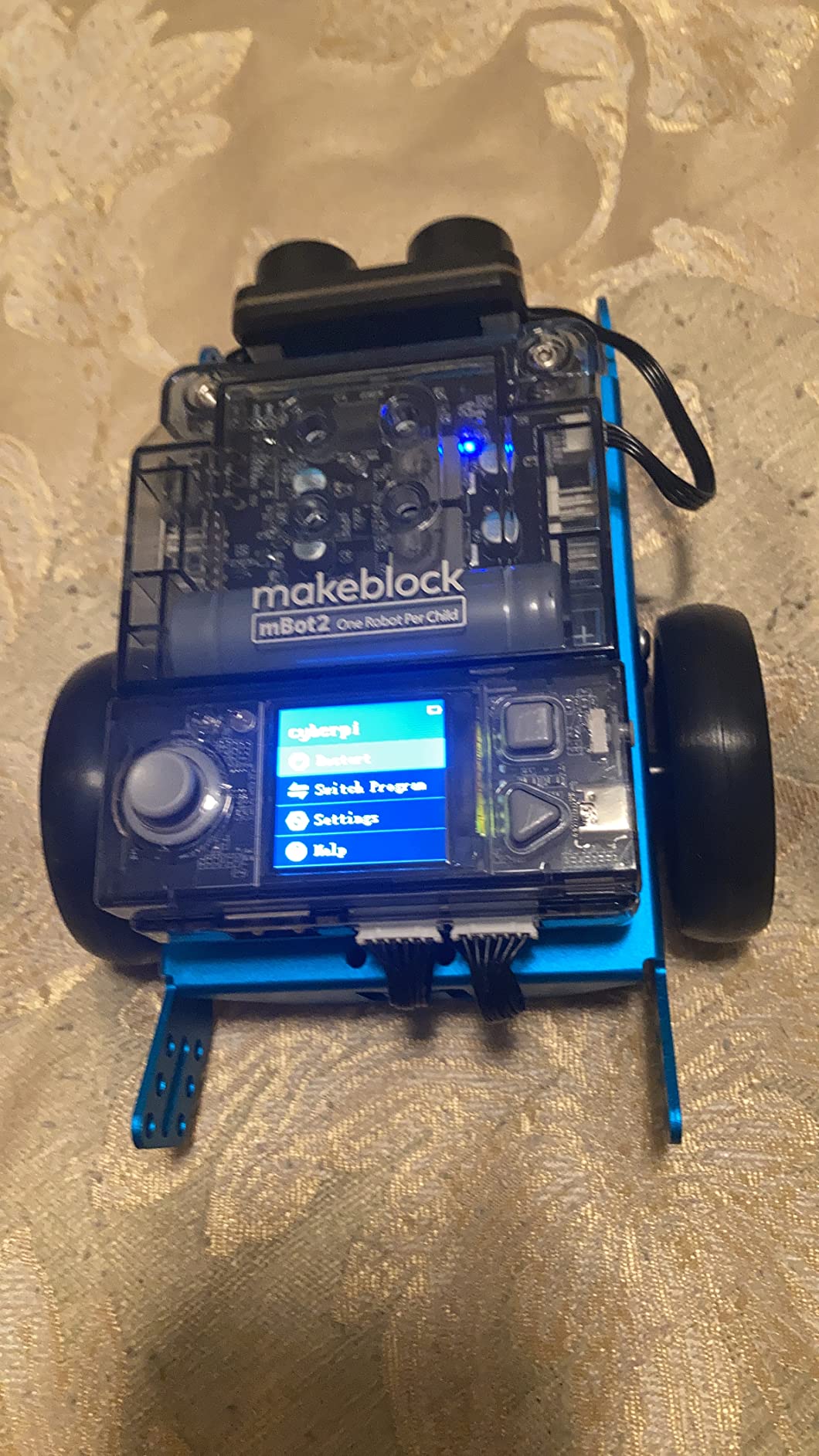
The Makeblock mBot2 is the most serious coding robot in this roundup and the one I recommend for kids aged eight to fourteen who are ready to move beyond toys into real robotics. The build quality is immediately apparent: the chassis is anodized aluminum, the wheels are rubber, and the sensors are professional grade. My son assembled his in about 30 minutes using the included screwdriver and step-by-step guide.
What makes the mBot2 special is the dual programming path. Beginners use the block-based Scratch coding language through the free mBlock software, which runs on iPad, PC, and Mac. As kids gain confidence, they transition to real Python programming using the same robot. This single-robot progression from blocks to text-based code is exactly the bridge that classroom teachers have been asking for.
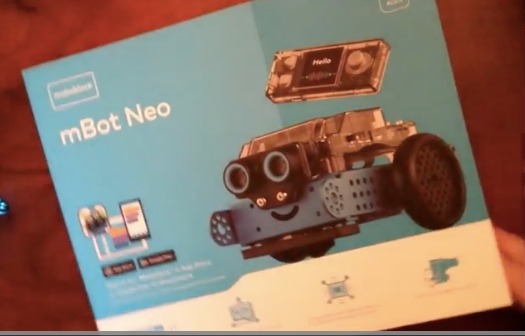
The robot is loaded with sensors out of the box, including line-following, ultrasonic obstacle avoidance, color identification, and a quad-LED display. My son’s favorite project was programming mBot2 to follow a hand-drawn track on butcher paper while avoiding stuffed animals placed in the road. The voice command features also work for non-readers, which is a thoughtful inclusion for younger siblings.
The Wi-Fi module is what truly separates mBot2 from cheaper robots. Multiple mBots can communicate with each other and with a classroom network, which enables swarm robotics projects and IoT learning. The expansion ecosystem of over 30 add-on modules means the robot can grow with your child for years.
Who the Makeblock mBot2 Is Best For
This robot is the best choice for kids aged eight to fourteen who already show strong interest in coding and want to take the next step toward real programming. It is also the strongest pick for classrooms, coding clubs, and homeschool co-ops because the mBuild platform supports multi-robot projects and the curriculum resources are extensive.
Parents of kids who have outgrown Dash or Botley will find mBot2 is the natural upgrade path. The transition from block coding to Python is built into the software, so you are not paying for another toy in two years when your child masters the blocks.
What to Watch Out For
The documentation is the most common complaint in the nearly 1,000 reviews. While the build guide is clear, the programming tutorials assume some prior knowledge and the IoT features are limited compared to a dedicated Arduino kit. Plan to supplement with free online resources from Makeblock’s community and YouTube.
The app may not work on Amazon Fire tablets, which matters if your household is standardized on Kindle devices. The robot works best with an iPad, PC, or Mac. Younger kids under eight will need adult supervision because the small screws and wiring require patience and fine motor skills.
How to Choose the Best Coding Toys for Kids
Picking the right coding toy comes down to three things: your child’s age, your screen-time preferences, and the devices you already own. I have broken the decision into the same categories that show up in the AI Overviews and SERP featured snippets, because that structure helps you find the right answer fast.
Match the Toy to the Age Group
Ages three to five do best with fully screen-free, hands-on toys like the Learning Resources Code & Go Robot Mouse. These kids are still learning directional concepts and following multi-step instructions, so a robot that physically moves on a grid mat teaches more than any app could.
Ages six to eight are the sweet spot for hybrid toys like Wonder Workshop Dash, Botley 2.0, and Sphero Mini. These kids can handle an iPad app but still benefit from physical interaction. The multi-app progression of Dash is especially valuable here because the toy grows with the child across multiple school years.
Ages nine to fourteen are ready for serious tools like the Makeblock mBot2 and advanced Sphero programming. Kids in this range can learn real Python, JavaScript, or block-based Scratch, and they benefit from robots with sensors, Wi-Fi, and expansion options that support multi-week projects.
Screen-Free vs App-Based Coding Toys
This is one of the most common questions I see in r/Preschoolers and r/daddit, and the honest answer is that both approaches have merit. Screen-free toys like Botley 2.0 and the Robot Mouse build spatial reasoning and sequencing skills without any of the screen-time concerns that come with tablets. They are especially powerful for kids under seven and for families following Montessori principles.
App-based toys like Dash and Sphero Mini unlock programming concepts that are simply impossible without a screen, including loops, variables, conditionals, and real text-based coding. The key is to set clear time limits and choose apps that are educationally designed rather than gamified for engagement. The Sphero Edu and Wonder Workshop apps are both excellent in this regard.
iPad and Tablet Compatibility
Because iPad Apps For School is built around tablet learning, this is where I pay close attention. The most iPad-friendly toys in this roundup are the Wonder Workshop Dash, Sphero Mini, and Makeblock mBot2. All three pair via Bluetooth, run their apps natively on iPad, and have curriculum materials designed for tablet-first classrooms.
If you have an Android or Fire tablet household, double-check compatibility before buying. The Makeblock mBot2 in particular has known issues on Fire tablets, while Dash and Sphero work across iOS, Android, and Fire OS without issues.
STEM Skills and Long-Term Value
Reddit parents consistently raise the concern that expensive coding robots lose their child’s attention after a few months. The best defense against this is buying a toy with growth potential. Dash with its five apps, Sphero Mini with its JavaScript path, and mBot2 with its Python support all offer years of progression. A one-trick toy will gather dust within a season.
For families with siblings of different ages, multi-user toys are worth the premium. Dash in particular works for kids from age six to eleven, which means one purchase can serve your family for five or more years. That kind of longevity justifies a higher upfront cost.
Budget Considerations
You do not need to spend a lot to introduce coding. The Sillbird Solar Robot Kit and the Playz Coding Kit both deliver real STEM learning for under thirty dollars. The Learning Resources Code & Go Robot Mouse sits in the middle range and is the best single purchase for preschoolers. Premium robots like Dash and mBot2 are investments, so I recommend them for kids who have already shown sustained interest in coding through free tools like Scratch.
For classroom purchases, look for toys with proven curriculum support. Wonder Workshop and Makeblock both offer free educator resources that align to CSTA standards, which makes grant justification much easier.
Frequently Asked Questions
What age is appropriate for coding toys?
Kids as young as three can start with screen-free coding toys like the Learning Resources Code u0026amp; Go Robot Mouse, which teaches sequencing through physical movement. Most educators recommend introducing coding concepts between ages four and six, when children can follow multi-step instructions and understand basic directional logic. By ages eight to ten, kids are ready for app-based robots like Sphero Mini and Dash that teach real programming concepts including loops and conditionals.
What is the best coding robot for a 5-year-old?
The Learning Resources Botley The Coding Robot 2.0 is the best coding robot for most 5-year-olds because it is fully screen-free, requires no tablet or phone, and includes a 78-piece activity set with adaptable difficulty. The Code u0026amp; Go Robot Mouse is another strong choice for the younger end of preschool, with a maze-based format that feels like a board game.
What coding toys work with iPads and tablets?
The Wonder Workshop Dash Robot, Sphero Mini, and Makeblock mBot2 are the most iPad-friendly coding toys in this roundup. Dash pairs via Bluetooth and works with five free apps on iPad, Android, and Fire OS. Sphero Mini runs the Sphero Edu app on iPad for block-based and JavaScript coding. The mBot2 supports iPad through the mBlock software, though it has known compatibility issues with Amazon Fire tablets.
Are screen-free coding toys better than app-based ones?
Screen-free coding toys like Botley 2.0 and the Robot Mouse are better for kids under seven and families following Montessori principles, because they build spatial reasoning and sequencing skills without screen-time concerns. App-based toys like Dash and Sphero Mini unlock advanced programming concepts that are impossible without a screen, including loops, variables, and real text-based coding. Both approaches teach complementary skills and many families use a mix of both.
How do coding toys help with STEM learning?
Coding toys develop computational thinking, sequential logic, and problem-solving skills that transfer directly to math, science, and reading comprehension. They teach kids to break complex problems into smaller steps, debug their own thinking, and persist through failure. Research shows that early exposure to coding concepts builds confidence with technology and prepares children for STEM coursework in middle school, high school, and beyond.
Final Thoughts on the Best Coding Toys for Kids
The best coding toys for kids in 2026 are the ones that match your child’s age and your family’s relationship with screens. For preschoolers, the Code & Go Robot Mouse is the easiest entry point. For iPad households, the Wonder Workshop Dash is the single best long-term investment. And for tweens ready to learn real Python, the Makeblock mBot2 is worth every penny. Start with the age group that fits your child, and remember that the best toy is the one your kid actually picks up again next week.