
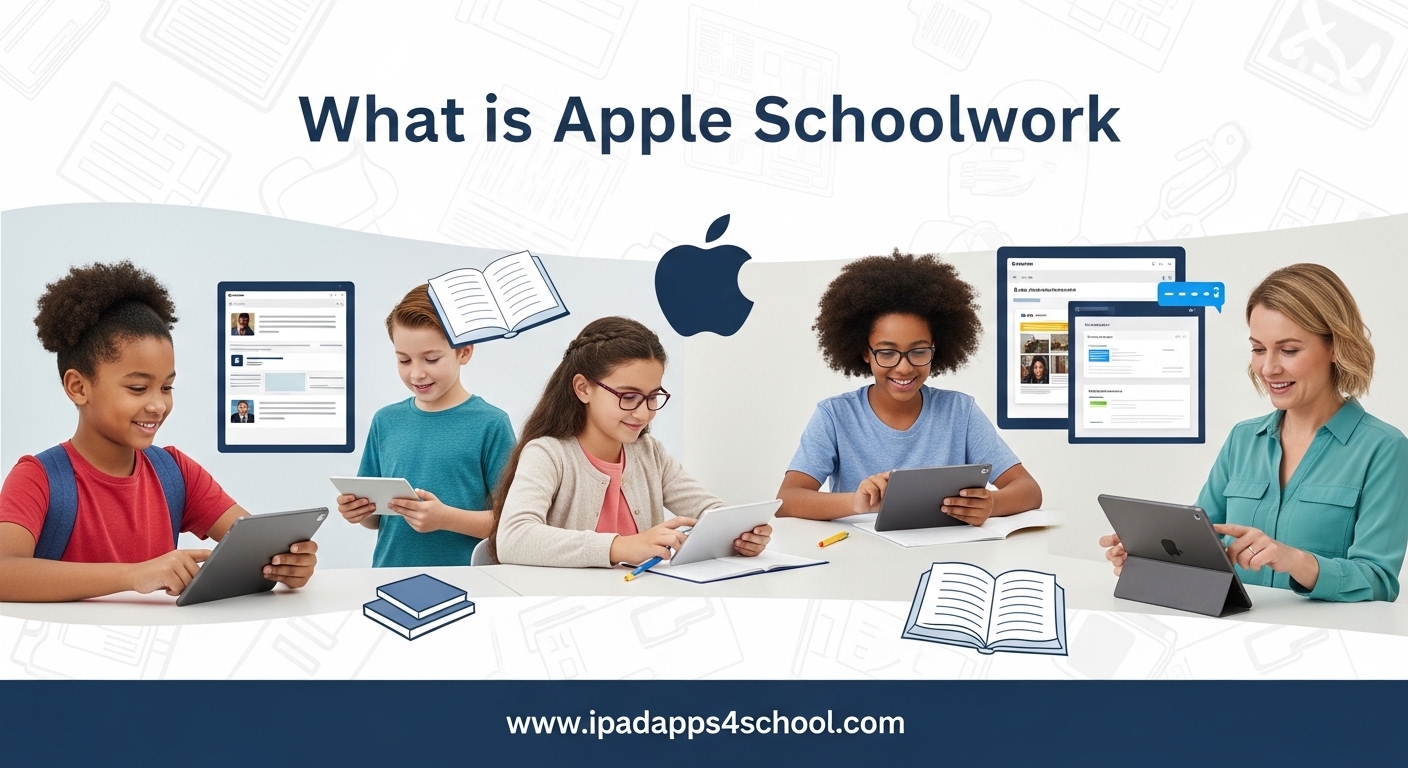
Apple Schoolwork is a free iPad app that helps teachers distribute assignments, track student progress, and maximize each student’s potential through seamless integration with Apple’s education ecosystem. Whether you’re new to iPads in the classroom or looking to streamline your digital workflow, understanding this tool can transform how you manage student learning.
In this guide, we’ll explore everything you need to know about Apple Schoolwork in 2026. Our team has spent time analyzing how this app fits into the modern K-12 classroom, speaking with teachers who use it daily, and comparing it against alternatives like Google Classroom. You’ll learn what Schoolwork does, how it differs from Apple Classroom, and whether it’s the right fit for your teaching environment.
Table of Contents
What is Apple Schoolwork?
Apple Schoolwork is an iPad assignment app designed specifically for K-12 education environments. Launched as part of Apple’s broader education initiative, the app serves as a central hub where teachers can create, distribute, and manage learning activities while students receive, complete, and submit their work all from their iPad.
Think of Schoolwork as your digital classroom assistant. Instead of handing out paper worksheets or managing multiple apps to track assignments, teachers can use Schoolwork to send activities directly to student devices. These activities can include everything from PDF documents and web links to interactive exercises in apps like Pages, Numbers, and Keynote.
The app leverages Apple’s ClassKit framework to integrate with educational apps from the App Store. This means when you assign an activity from a supported third-party app, Schoolwork can track student progress and report back to you automatically. Students see all their assignments in one organized list, complete with due dates and instructions, eliminating the confusion of juggling multiple platforms.
What makes Schoolwork particularly powerful is its tight integration with the Apple education ecosystem. When combined with Apple School Manager and Managed Apple Accounts, it provides a secure, controlled environment where teachers can focus on instruction rather than technical management. All student data stays within your school’s managed environment, addressing privacy concerns that many districts face with consumer-grade education tools.
Key Features for Teachers
Apple Schoolwork gives teachers a robust set of tools to manage classroom activities efficiently. The app is designed to save time while providing insights into student learning that would be difficult to gather through traditional methods.
Assignment Distribution Made Simple
Creating and sending assignments takes just minutes. Teachers can craft activities using built-in templates or customize their own with specific instructions, attachments, and due dates. You can send assignments to individual students, small groups, or your entire class with a few taps.
The app supports multiple content types including documents, web links, photos, videos, and app-specific activities. When you assign work from supported apps like GarageBand, Clips, or hundreds of ClassKit-enabled educational apps, Schoolwork automatically creates individual copies for each student. This eliminates the chaos of students accidentally editing each other’s work.
Real-Time Progress Tracking
One of Schoolwork’s standout features is its ability to show you exactly how students are progressing on their assignments in real time. As students work on activities within compatible apps, their progress syncs back to your teacher dashboard.
This visibility allows you to identify students who might be struggling before they fall behind. You can see who has started an assignment, who is making good progress, and who might need additional support. This early intervention capability is something teachers consistently praise in their feedback about the app.
Assessment and Exit Tickets
Schoolwork includes built-in assessment tools that let you gauge student understanding quickly. Exit tickets, those brief check-ins at the end of class, can be created and distributed in seconds. Students submit their responses directly through the app, giving you immediate feedback on lesson comprehension.
The app also supports various assessment types including multiple choice, open-ended responses, and multimedia submissions. You can review submitted work, add feedback, and return assignments for revisions all within the same interface.
Class Organization Tools
Managing multiple classes is straightforward with Schoolwork. The app displays your classes in a clean sidebar, letting you switch between different groups of students instantly. Each class view shows pending assignments, recently submitted work, and individual student progress summaries.
You can organize assignments by topic, unit, or date, making it easy to find previous activities for review or reuse. The search functionality helps locate specific assignments quickly, even across multiple classes.
How Students Use Apple Schoolwork?
For students, Apple Schoolwork provides a single, consistent location to find everything they need for class. Instead of checking multiple apps or digging through email, they open Schoolwork and see their complete assignment list organized by due date.
Finding and Starting Assignments
When a teacher sends an assignment, it appears immediately in the student’s Schoolwork app. Each assignment card shows the title, due date, and a brief description. Students tap any assignment to view full instructions and attached materials.
If an assignment requires a specific app, Schoolwork launches it automatically with the activity ready to go. This seamless handoff eliminates the friction of switching between apps manually and ensures students start in the right place.
Submitting Work
Students submit assignments with a simple tap. For app-based activities, Schoolwork handles the submission automatically once the work is marked complete. For file-based submissions, students can attach documents from iCloud Drive, Photos, or Files.
The submission process includes a confirmation step, so students know their work has been sent. They can also view their submission history and check if a teacher has reviewed their work or requested revisions.
Tracking Their Own Progress
Students can see their progress across all assignments, helping them stay organized and manage their time. Completed assignments are marked clearly, upcoming work is prioritized, and overdue items are flagged. This visibility teaches students responsibility and self-management skills.
The integration with Pages, Numbers, and Keynote means students can collaborate on group projects in real time while still submitting through Schoolwork. These collaborative files show all contributors, making group work transparent and accountable.
Apple Schoolwork vs Apple Classroom
One of the most common points of confusion is the difference between Apple Schoolwork and Apple Classroom. While both are part of Apple’s education suite, they serve distinct purposes and work best when used together.
Apple Schoolwork is your assignment and assessment management tool. It handles the distribution of learning materials, collection of completed work, and tracking of academic progress. Think of it as the educational equivalent of your physical assignment folder and gradebook combined.
Apple Classroom, on the other hand, is a classroom management tool focused on device control and monitoring during live instruction. With Classroom, teachers can view student screens, open specific apps or websites on all devices simultaneously, lock devices to keep students focused, and share documents directly to student screens in real time.
The distinction matters because you might use Classroom during active instruction to guide students through a lesson, then switch to Schoolwork to assign and collect independent practice work. Many teachers run both apps side by side, using Classroom for real-time management and Schoolwork for asynchronous assignment workflow.
Compared to Google Classroom, which combines both management and assignment features in one platform, Apple’s approach separates these functions. Google Classroom offers a more all-in-one experience but lacks the real-time device control that Classroom provides. Schoolwork’s deeper integration with iPad-specific apps and its robust progress tracking are advantages for schools heavily invested in the Apple ecosystem.
Requirements and Setup
Getting started with Apple Schoolwork requires some preparation at the institutional level. Unlike consumer apps that work immediately after download, Schoolwork needs proper configuration through Apple’s education infrastructure.
Managed Apple Account Requirement
The most important requirement is that all users must have Managed Apple Accounts created through Apple School Manager. These are special account types designed for educational institutions that provide additional privacy controls and management capabilities. Personal Apple IDs will not work with Schoolwork.
Managed Apple Accounts are free for K-12 institutions. They allow administrators to control which apps and services students can access while maintaining compliance with student privacy regulations like COPPA and FERPA.
Apple School Manager
Apple School Manager is the web-based portal where administrators configure classes, create accounts, and manage device assignments. Before teachers can use Schoolwork, an administrator must set up classes in Apple School Manager and assign students and teachers to those classes.
This setup process syncs class rosters directly into Schoolwork, so teachers see their correct student lists automatically. The system can integrate with existing Student Information Systems (SIS) to keep rosters updated throughout the school year.
Device and Software Requirements
Apple Schoolwork requires iPadOS 16.0 or later. While the app is free to download, schools typically need a Mobile Device Management (MDM) solution to configure devices properly at scale. Many districts use solutions like Jamf School or Mosyle, which are designed specifically for Apple education deployments.
Both teachers and students need compatible iPad models. Most iPads from the last five years support the required iPadOS version, though newer models provide better performance with multitasking and the demanding apps that Schoolwork often launches.
Teacher Setup Steps
Once your administrator has configured Apple School Manager, getting started as a teacher is straightforward. Download the Schoolwork app from the App Store, sign in with your Managed Apple Account, and your assigned classes should appear automatically.
We recommend spending your first session exploring the interface and creating a practice assignment. Send it to yourself or a colleague to understand the student experience. This preparation helps you anticipate questions and troubleshoot issues before introducing the app to your class.
Frequently Asked Questions
How does Apple Schoolwork work?
Apple Schoolwork works by connecting teachers and students through Managed Apple Accounts in a secure educational environment. Teachers create assignments that appear instantly on student iPads. Students complete the work in integrated apps like Pages, Numbers, or ClassKit-enabled educational apps, then submit their work back to teachers. Progress syncs in real time, allowing teachers to monitor completion and provide feedback throughout the assignment period.
Who qualifies for Apple education?
K-12 institutions, including public schools, private schools, and districts, qualify for Apple education programs. Higher education institutions also qualify with different programs. To use Apple Schoolwork specifically, your institution must enroll in Apple School Manager, which is free for eligible educational institutions. Individual teachers cannot set up Schoolwork independently; it requires institutional setup through an administrator.
What is the Apple program in school?
The Apple education program in schools encompasses several tools working together: Apple School Manager for administration, Managed Apple Accounts for secure user identities, Apple Schoolwork for assignment management, and Apple Classroom for real-time device control during instruction. These tools create a comprehensive ecosystem for iPad-based learning that prioritizes student privacy while giving teachers powerful instructional capabilities.
What’s the difference between Google Classroom and Apple Classroom?
Google Classroom is a web-based learning management system for assignment distribution and collection across any device with a browser. Apple Classroom is an iPad-specific app for real-time classroom management, allowing teachers to view student screens, control app access, and share content instantly. Apple Schoolwork is Apple’s equivalent to Google Classroom’s assignment features, while Apple Classroom serves a completely different purpose focused on live instruction management.
Is Apple Schoolwork free?
Yes, the Apple Schoolwork app is free to download from the App Store. However, using it requires institutional setup through Apple School Manager, which is also free for K-12 schools. The primary costs associated with Schoolwork are the iPad devices themselves and any optional Mobile Device Management (MDM) solution your school chooses to deploy for managing those devices at scale.
Conclusion
Apple Schoolwork represents a thoughtfully designed solution for iPad-centric classrooms that want to streamline assignment management without sacrificing privacy or security. Its real-time progress tracking and seamless integration with Apple’s productivity apps make it particularly powerful for schools already invested in the Apple ecosystem.
However, Schoolwork is not a full Learning Management System. Schools needing gradebook integration, discussion forums, or robust parent communication may find it limiting compared to platforms like Canvas or Schoology. The requirement for Managed Apple Accounts and institutional setup also means it works best in environments with dedicated IT support.
For teachers in the right environment, Apple Schoolwork eliminates much of the friction in digital assignment distribution and collection. The time saved on administrative tasks can be redirected toward actual instruction and student support. If your school uses iPads and values the security and integration benefits of Apple’s education ecosystem, Schoolwork deserves serious consideration as your primary assignment management tool in 2026 and beyond.