
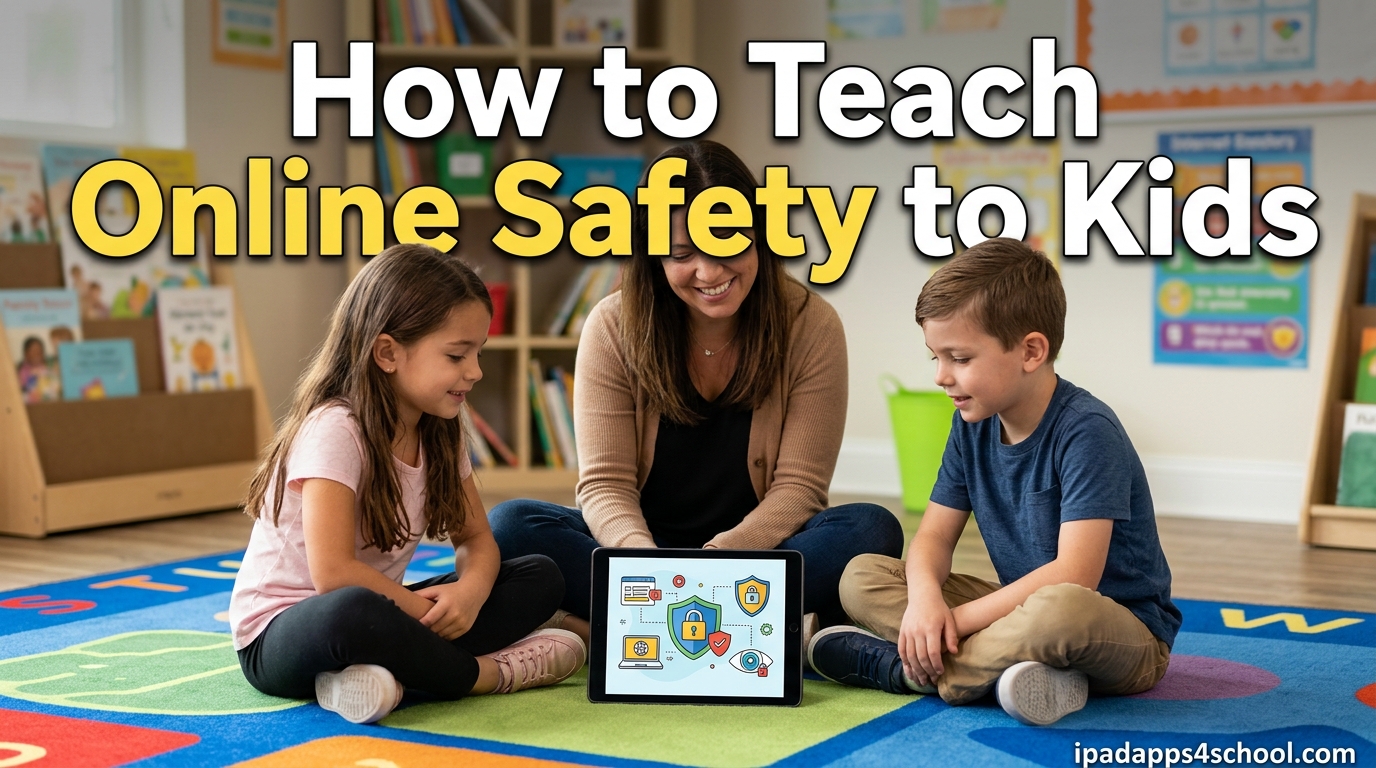
Kids today grow up with screens all around them. By age two, many children can swipe on an iPad. By kindergarten, they might be watching videos on YouTube or playing games with friends online. Teaching online safety to kids is not optional anymore. It is as essential as teaching them to look both ways before crossing the street.
I have worked with parents and educators for over a decade, helping families navigate the digital world safely. The good news is that kids are eager to learn when you make safety conversations engaging rather than scary. This guide will walk you through proven frameworks like the 4 C’s of Internet safety, age-appropriate conversation strategies, and specific iPad settings that give you control while teaching responsibility.
Whether your child is just starting to use an iPad for educational apps or is asking for their first social media account, you will find actionable strategies here. The goal is not to eliminate risk entirely, that is impossible. Instead, we want to equip children with the skills to recognize danger and respond appropriately when they encounter it online.
Table of Contents
How to Teach Online Safety to Kids: A Complete Framework
The most effective way to teach online safety to kids is using structured frameworks that break complex concepts into manageable pieces. Parents and teachers who use these frameworks report that children retain safety lessons better and feel more confident online. Two frameworks have emerged as the gold standard for digital safety education: the 4 C’s and the 4 R’s.
These frameworks work together to cover both the risks children face and the responses they should take. The 4 C’s help kids understand the different types of online dangers. The 4 R’s give them a simple action plan when something feels wrong. Together, they create a comprehensive safety mindset that grows with your child.
The 4 C’s of Internet Safety
The 4 C’s of Internet safety provide a simple way to categorize online risks. I use this framework with parents because it helps them explain dangers without overwhelming children. Each C represents a different type of risk that kids might encounter online.
Content refers to what children see and hear online. This includes inappropriate websites, violent videos, adult content, or misinformation. Teach kids that not everything online is appropriate for their age, and that some content can be upsetting or harmful. Show them how to use content filters and when to ask a grown-up about something confusing they see.
Contact covers who children interact with online. This includes strangers, online predators, and even friends who might behave differently behind a screen. Explain that people online are not always who they claim to be. A profile picture showing a kid their age could belong to an adult with bad intentions. Teach children to never share personal information with online contacts and to tell you immediately if someone asks to meet in person.
Conduct addresses how children behave online and how others behave toward them. Cyberbullying is the most common conduct risk, but it also includes cheating in games, hacking, or spreading rumors. Help kids understand that online actions have real-world consequences. Words hurt just as much on a screen as they do face to face. Establish family rules about treating others with kindness and respect, even when you disagree.
Commerce involves financial risks like in-app purchases, scams, and data privacy. Kids might accidentally spend money on games or fall for offers that seem too good to be true. Teach children to ask permission before buying anything online and to recognize that free offers often come with hidden costs like personal information collection.
The 4 R’s of Online Safety
While the 4 C’s help identify risks, the 4 R’s provide an action plan. I teach this to children as a simple checklist they can run through when something online feels uncomfortable. It gives them power and agency in uncertain situations.
Recognize means learning to spot when something is not right online. This could be a message from a stranger, a website asking for personal information, or content that feels scary or inappropriate. Encourage kids to trust their gut feelings. If something feels weird, it probably is.
Refuse teaches children to say no to requests that violate safety rules. No sharing addresses, no sending photos, no clicking suspicious links, no meeting online friends in person. Practice saying “no” together so kids feel confident using that word when pressured.
Report emphasizes telling a trusted adult immediately when something goes wrong. Make sure kids know you want to hear about their online experiences, even the scary ones. Promise them they will not get in trouble for coming to you, even if they broke a rule to get into the situation.
Review means thinking about what happened and learning from it. After an incident, discuss what went wrong and how to handle similar situations in the future. This builds resilience and helps children become more safety-conscious over time.
Core Online Safety Rules Every Child Should Know
Before diving into age-specific strategies, there are fundamental rules that apply to kids of all ages. These form the foundation of any online safety education program. Review them regularly with your children until they become automatic habits.
Rule 1: Keep Personal Information Private. Children should never share their full name, address, school name, phone number, or photos that reveal location. I tell kids to imagine their information as treasure that thieves want to steal. The more they share, the easier it is for bad people to find them. Even sharing “I am at the park” with a location tag can reveal patterns about where your family goes.
Rule 2: Think Before You Share. Once something is posted online, it can be hard or impossible to remove. Teach kids the “grandma test” would they be okay if their grandmother saw this post? If not, do not share it. This applies to text messages, photos, videos, and comments on games or apps.
Rule 3: Be Kind Online. Cyberbullying hurts deeply because it can follow kids home and spread quickly. Remind children that the person on the other side of the screen has feelings just like they do. If they would not say something to someone’s face, they should not type it either.
Rule 4: Know When to Tell a Grown-Up. This might be the most important rule. Children need to feel safe coming to adults when something online scares them, confuses them, or makes them uncomfortable. Reassure them that you would rather hear about a small problem before it becomes a big one.
Age-Based Online Safety Guidelines
Just as you would not teach a five-year-old the same safety lessons as a fifteen-year-old, online safety education must be age-appropriate. The 3-6-9-12 rule provides a helpful framework for understanding developmental readiness for different types of screen exposure.
Understanding the 3-6-9-12 Rule for Kids
The 3-6-9-12 rule was developed by pediatrician Dr. Serge Tisseron and has been adopted by safety organizations worldwide. It suggests age thresholds for different types of screen and internet use based on child development research. While not hard rules, these guidelines help parents make informed decisions about when kids are ready for new digital experiences.
Ages 0-3: No Solo Screen Time. Before age three, children learn best through real-world interaction. Screens should be limited to video calls with family members where an adult is present. This is the time to establish that devices are tools, not replacements for human connection.
Ages 3-6: Co-Viewing Only. Preschoolers can benefit from educational content, but always with an adult present. This is when you start teaching basic concepts like “only tap things a grown-up says are okay” and “the iPad needs to rest sometimes.” Use this time to model healthy device habits.
Ages 6-9: Supervised Exploration. Early elementary is when many children get their first devices. Safety lessons should focus on content boundaries and simple rules about personal information. Kids this age can understand that some things online are pretend and some are real. They are also ready to learn that clicking certain buttons costs real money.
Ages 9-12: Guided Independence. Pre-teens want more freedom online, but they still need guardrails. This is when you introduce more sophisticated safety concepts like recognizing manipulation tactics, understanding digital footprints, and navigating social pressures online. Many kids this age will encounter their first cyberbullying situations.
Ages 12+: Monitored Autonomy. Teenagers need to practice making their own safety decisions with your guidance available when needed. Conversations shift from rules to values and critical thinking. Help them understand that their online reputation affects real-world opportunities like college admissions and jobs.
Age-Appropriate Safety Topics by Stage
Ages 3-5: Foundational Concepts. At this age, keep it simple. Focus on three key messages: the internet is like a library with good books and bad books, always ask before clicking, and some people online pretend to be someone else. Use picture books and games that teach these basics.
Ages 6-9: Building Digital Literacy. Elementary-age children can understand passwords, privacy settings, and why personal information matters. This is the perfect age to create strong passwords together and practice saying no to requests for information. They are also ready to learn about advertising and how games try to get them to spend money.
Ages 10-12: Social Media Preparation. Even if your pre-teen does not have social media accounts yet, they are likely exposed through friends. Discuss cyberbullying, the permanence of online posts, and how photos can be edited to spread false information. This age group is especially vulnerable to social pressure and comparison.
Ages 13+: Digital Citizenship. Teenagers need to understand how their online behavior affects their future. Discuss online reputation, fact-checking information, respectful disagreement, and recognizing manipulation. They should also know how to report problems and support friends who are being bullied or harassed.
iPad-Specific Safety Settings for Parents
Since this article is for ipadapps4school.com readers, let me share the specific iPad settings that give parents control while teaching kids responsible digital habits. Apple has built excellent parental control tools into iOS, and knowing how to use them makes your job much easier.
Setting Up Screen Time Limits
Screen Time is Apple’s built-in tool for managing device usage. To set it up, go to Settings, then Screen Time, and tap Turn On Screen Time. You will create a passcode that prevents kids from changing these settings.
Downtime lets you schedule times when only approved apps are available. Many families set Downtime for bedtime hours or during homework time. During Downtime, kids can still make emergency calls and use apps you specifically allow.
App Limits let you set daily time restrictions for specific app categories. For example, you might allow 30 minutes of games but unlimited time for educational apps. The limit resets at midnight each day.
Always Allowed ensures essential apps like Phone, Messages, and educational tools remain accessible even during Downtime. Choose carefully which apps your child truly needs unrestricted access to.
Configuring Content and Privacy Restrictions
Content restrictions are where you control what your child can access on their iPad. In Screen Time settings, tap Content and Privacy Restrictions to enable these controls.
Content Restrictions let you set age-appropriate limits for music, movies, TV shows, books, and apps. You can block explicit content and set maximum ratings for media. The App Store can also be restricted so kids cannot download apps without permission.
Privacy Settings control which apps can access location, photos, camera, microphone, and contacts. I recommend restricting these permissions tightly for young children and gradually expanding them as kids demonstrate responsibility.
Web Content filtering lets you choose between unrestricted access, limiting adult websites, or allowing only specific websites you approve. For elementary-age children, the “Allowed Websites Only” option provides the safest browsing experience.
Family Sharing Setup for Monitoring
Family Sharing lets you create Apple IDs for children under 13 that you manage as the family organizer. This gives you visibility into their app downloads, Screen Time reports, and location.
With Family Sharing, you can approve app purchases and downloads remotely. When your child wants to install an app, you get a notification on your device to approve or decline. This creates natural conversation opportunities about which apps are appropriate.
Screen Time reports show you exactly how your child uses their iPad. You will see which apps they use most, how many notifications they receive, and how their usage changes over time. Use this data for conversations, not just enforcement.
Additional iPad Safety Tips
Disable In-App Purchases. Go to Screen Time, Content and Privacy Restrictions, iTunes and App Store Purchases, and set In-app Purchases to Don’t Allow. This prevents surprise credit card charges from free games.
Turn Off Location Sharing. In Privacy settings, review which apps can access location. Turn off location for apps that do not need it, especially social media and games. Consider disabling location services entirely for young children.
Set Up Guided Access. This feature locks the iPad into a single app, preventing children from accidentally exiting or accessing other apps. Perfect for toddlers or when you want focused educational time. Triple-click the home button or side button to activate.
Review Privacy Labels. Before downloading any app, check its privacy label in the App Store. This shows what data the app collects and shares. Choose apps that collect minimal data, especially for children.
How to Talk to Kids About Online Safety Without Fear
One of the biggest challenges parents face is discussing online dangers without creating anxiety. Children who are too frightened may avoid coming to adults when problems occur. The goal is awareness and confidence, not fear and avoidance.
Conversation Starters by Age Group
Ages 3-7: Use everyday moments to start conversations. “Who should you tell if someone online asks where you live?” “What do we do if we see something scary on the iPad?” Keep questions simple and praise honest answers.
Ages 8-12: Ask about their online experiences directly. “Have you ever seen someone being mean to another kid online?” “What would you do if a stranger sent you a friend request?” This age group responds well to hypothetical scenarios.
Ages 13+: Treat them as young adults with valuable opinions. “What do you think about the privacy settings on this app?” “Have you seen friends share things they later regretted?” Respect their experience while sharing your wisdom.
Role-Playing Safety Scenarios
Role-playing is one of the most effective ways to prepare kids for online dangers. Practice situations they might encounter so responses become automatic. Here are scenarios to try:
A stranger messages them on a game asking to be friends on another platform. What do they say? A classmate posts an embarrassing photo of them. How do they respond? They see something online that scares them. Who do they tell? Someone sends a link promising free game currency if they click. Do they click?
After role-playing, discuss what worked and what could be improved. Make it a game, not a test. Children who practice these situations feel more confident handling real ones.
Building Trust Through Ongoing Dialogue
The most important safety tool is your relationship with your child. Kids who trust their parents tell them about online problems before those problems escalate. Build that trust with these strategies:
Never punish a child for reporting something scary online, even if they broke a rule to get there. Thank them for telling you. Ask curious questions rather than accusatory ones. “Tell me more about this app” works better than “Why did you download this?”
Share your own online experiences, including mistakes. When kids see adults navigating digital challenges, they learn it is normal to need help sometimes. Make safety conversations regular, not just reactions to problems.
Finally, respect their privacy as they earn it. The goal is raising adults who can keep themselves safe, not just controlling children. Gradually increase freedom as kids demonstrate good judgment.
Warning Signs and What to Do When Something Goes Wrong
Even with the best education and precautions, problems can happen. Knowing the warning signs of online danger helps you intervene early. Having a response plan ensures you act quickly and effectively when needed.
Red Flags Parents Should Watch For
Behavioral Changes. Sudden secrecy about device use, anxiety when notifications arrive, or withdrawal from family activities can signal online problems. Trust your instincts if something feels off.
Sleep Disruption. Being online late at night, difficulty falling asleep, or nightmares about online experiences may indicate exposure to inappropriate content or cyberbullying.
Physical Signs. Unexplained gifts arriving by mail may indicate contact with online predators. Devices with cameras should be used in common areas, not bedrooms or bathrooms.
Social Changes. Losing friends suddenly, refusing to attend school, or mentioning online friends you have never heard of warrant investigation. Cyberbullying often manifests through social withdrawal.
What to Do When Something Goes Wrong
If your child encounters something dangerous online, stay calm. Your reaction teaches them whether it is safe to come to you in the future. Here is an incident response plan:
Step 1: Listen Without Judgment. Let your child tell the whole story before you respond. Take notes if needed. Thank them for trusting you enough to share.
Step 2: Document Everything. Screenshot messages, posts, or other evidence. Record dates, times, and details. This documentation is crucial if you need to report to platforms or authorities.
Step 3: Block and Report. Use platform reporting tools to report the problematic content or user. Block the individual from contacting your child again. Most apps and games have reporting features specifically for safety concerns.
Step 4: Contact Authorities if Needed. Report serious threats, grooming, or exploitation to the National Center for Missing and Exploited Children (CyberTipline.org) or local law enforcement. Do not hesitate if you suspect predatory behavior.
Step 5: Review and Adjust. After the immediate crisis passes, discuss what happened and how to prevent similar situations. Adjust safety rules and monitoring as appropriate. Use the experience to strengthen your child’s safety skills.
Remember that most online safety incidents are learning opportunities, not catastrophes. Children who work through challenges with adult support become more resilient digital citizens.
Frequently Asked Questions About Teaching Online Safety to Kids
What are the 4 C’s of Internet safety?
The 4 C’s of Internet safety are Content (what kids see), Contact (who they interact with), Conduct (how they and others behave), and Commerce (financial risks and scams). This framework helps children and parents understand different types of online risks. Content covers inappropriate or harmful material. Contact addresses stranger danger and online predators. Conduct includes cyberbullying and respectful behavior. Commerce involves in-app purchases, scams, and data privacy concerns.
What is the best way to teach kids about internet safety?
The best way to teach internet safety is through ongoing conversations, not one-time lectures. Use age-appropriate language and real examples. Practice scenarios through role-playing. Set clear rules and explain the reasons behind them. Model good digital habits yourself. Make safety a regular topic, not just something discussed after problems occur. Praise children when they make good choices online. Create an environment where kids feel safe telling you about uncomfortable online experiences.
What is the 3 6 9 12 rule for kids?
The 3-6-9-12 rule is a developmental guideline for children’s screen and internet use. Before age 3, no solo screen time. Ages 3-6 should only use screens with adult co-viewing. Ages 6-9 can have supervised exploration with clear boundaries. Ages 9-12 can have guided independence with ongoing monitoring. Ages 12+ should have monitored autonomy that increases as they demonstrate responsibility. These are guidelines, not strict rules, and should be adapted to individual child development.
What are the 4 R’s of online safety?
The 4 R’s of online safety provide an action plan for children when they encounter something uncomfortable online. Recognize means learning to spot when something is not right. Refuse teaches kids to say no to requests that violate safety rules. Report emphasizes telling a trusted adult immediately. Review means thinking about what happened afterward to learn from the experience. These four steps give children a simple framework for responding to online dangers.
At what age should I start teaching online safety?
You can start teaching online safety concepts as early as age 3 with simple rules like ask before clicking and some people online pretend to be someone else. Ages 5-7 are ready for basic privacy concepts and password safety. Ages 8-12 can understand cyberbullying, digital footprints, and more complex safety strategies. Teenagers need conversations about reputation, fact-checking, and digital citizenship. Start early with age-appropriate concepts and build over time.
How do I set parental controls on iPad?
To set parental controls on iPad, go to Settings, then Screen Time, and tap Turn On Screen Time. Create a passcode that your child cannot guess. Use Downtime to schedule offline hours, App Limits to restrict time on specific apps, and Content and Privacy Restrictions to block inappropriate content and limit purchases. Set up Family Sharing to approve app downloads and monitor usage. Configure web content filtering to block adult websites or allow only approved sites. Review Screen Time reports regularly to understand your child’s usage patterns.
How do I talk to my child about online predators?
Discuss online predators without using fear tactics. Explain that some adults pretend to be kids online to trick children. Teach your child that anyone asking to keep secrets from parents or wanting to meet offline is someone to avoid. Emphasize that they will never be in trouble for telling you about uncomfortable interactions. Use age-appropriate examples. For young children, compare it to stranger danger in the real world. For older kids, discuss grooming tactics and manipulation. Regularly check in about their online friendships and who they are talking to.
Conclusion: Building Digital Confidence for Life
Teaching online safety to kids is one of the most important responsibilities parents and educators face in the digital age. The frameworks, rules, and strategies outlined in this guide give you everything you need to raise confident, safety-conscious digital citizens.
Remember that how to teach online safety to kids is not about creating fear or eliminating all risk. It is about giving children the knowledge and skills to navigate the online world responsibly. Start with the 4 C’s and 4 R’s frameworks to build their understanding. Use age-appropriate conversations that grow with your child. Implement iPad safety settings that provide guardrails while teaching independence.
The conversations you have today about online safety will serve your children for their entire lives. Technology will change, but the core principles of protecting personal information, treating others with kindness, recognizing manipulation, and seeking help when needed will remain constant. Invest time now in these lessons, and you will raise adults who can thrive in whatever digital future awaits them.
Begin today with one conversation, one setting adjustment, or one family rule about online safety. Small steps build into strong habits. Your children are counting on you to guide them through this complex digital landscape. You have got this.