
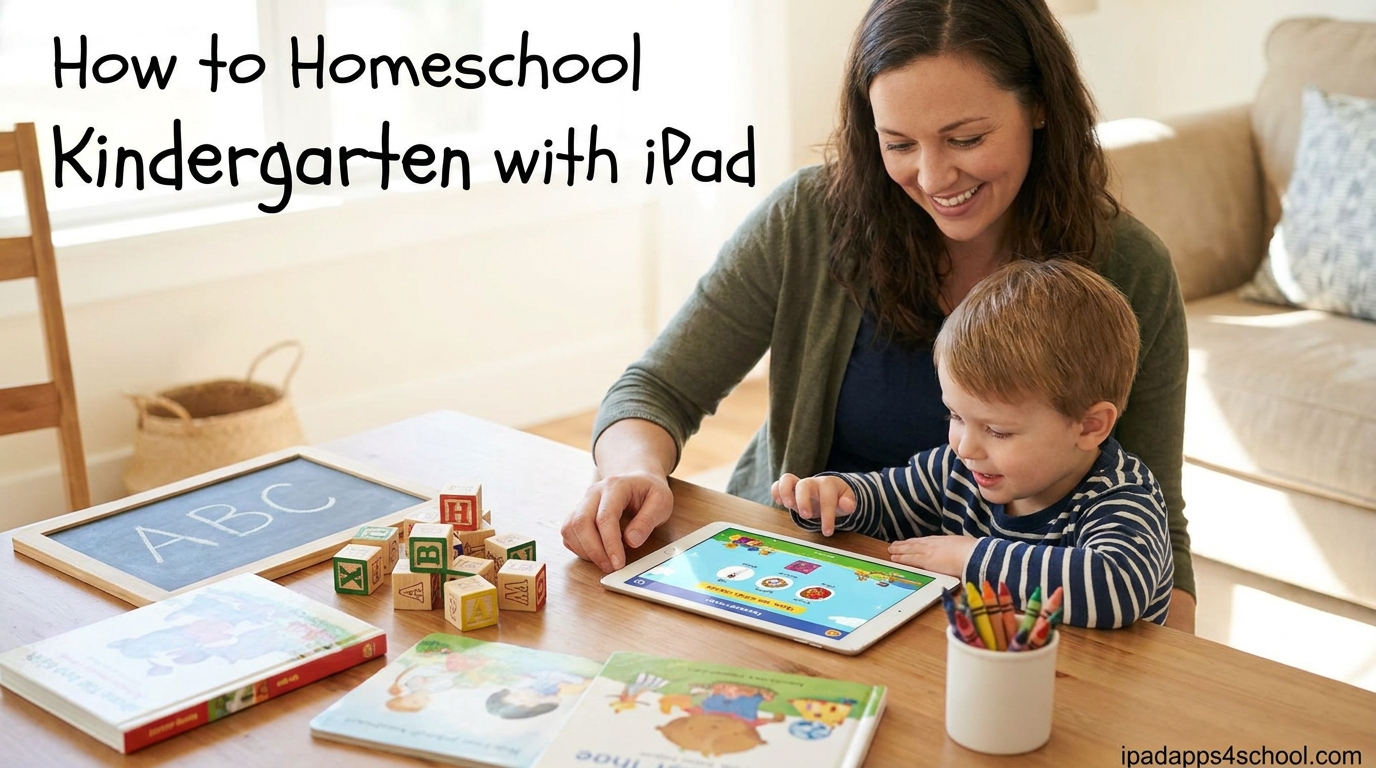
Homeschooling kindergarten with iPad is easy and effective when you follow a structured approach. As a parent who has helped dozens of families start their homeschool journey, I can tell you that an iPad combined with the right apps and setup creates an engaging learning environment for 5 and 6 year olds.
In this guide, I will walk you through everything you need to know to homeschool kindergarten with iPad in 2026. You will learn how to set up parental controls, which subjects to teach, the best free and paid apps, and how to create a daily schedule that works.
Table of Contents
Why Use iPad for Homeschool Kindergarten
The iPad offers several advantages for young learners that traditional textbooks cannot match. Touch-based interaction helps develop fine motor skills while keeping children engaged longer than paper worksheets.
Many educational apps adapt to your child’s learning pace, providing extra practice where needed and advancing quickly through mastered concepts. This personalized approach is difficult to achieve with one-size-fits-all curriculum materials.
I have found that children who use iPads for 20 to 30 minutes of focused learning time retain information better than with passive instruction alone. The immediate feedback and rewards built into quality educational apps reinforce learning in ways that feel like play.
Getting Started – What You Need
Before diving into apps and schedules, gather these essentials for your homeschool kindergarten iPad setup.
iPad Requirements
Any iPad from the last 5 years works well for kindergarten. An iPad Air, iPad Pro, or standard iPad with at least 64GB storage gives you room for apps, offline content, and saved work. The iPad Mini can work but the smaller screen makes some activities harder for small hands.
A protective case is essential. Look for one with a stand that props the iPad at an angle for comfortable viewing during lessons.
Additional Materials
You will need physical supplies alongside the iPad. Stock up on pencils, crayons, scissors, glue sticks, and paper for hands-on projects. A small whiteboard and dry-erase markers work great for practicing letters and numbers without always using the screen.
Create a dedicated learning space. Even a small corner with a child-sized table helps your kindergartener understand when it is school time versus play time.
How to Set Up iPad for Homeschool Kindergarten
Setting up your iPad correctly ensures your child stays focused on learning and cannot access inappropriate content or games during school time.
Step 1: Enable Screen Time
Open Settings, then tap Screen Time. Select “Turn On Screen Time” and choose “This is My Child’s iPad.” Set a Screen Time passcode that only you know.
This prevents your child from changing restrictions. Choose a code different from your device unlock code for security.
Step 2: Set App Limits
In Screen Time settings, tap App Limits. Create categories for educational apps with longer time allowances, and set shorter limits or block entertainment apps during school hours.
I recommend allowing 45 to 60 minutes total for educational apps daily, broken into two sessions for kindergarten age.
Step 3: Configure Content Restrictions
Go to Screen Time, then Content and Privacy Restrictions. Turn this on, then tap Content Restrictions. Set apps to age 4+ or 9+ depending on your comfort level.
Under Web Content, choose Limit Adult Websites to keep browsing safe. For stricter control, choose Allowed Websites Only and add specific educational sites.
Step 4: Set Up Guided Access for Focus
Guided Access locks your child into one app until you enter a passcode. Go to Settings, Accessibility, then Guided Access. Turn it on and set a passcode.
During lessons, triple-click the home button or top button to enable Guided Access. This prevents accidental app switching and keeps your child focused on the lesson at hand.
Step 5: Disable App Store Purchases
In Content and Privacy Restrictions, tap iTunes and App Store Purchases. Set Installing Apps and In-App Purchases to “Don’t Allow.” This prevents surprise charges and keeps your child from downloading games.
You can always temporarily enable this when you want to add new educational apps.
Core Subjects to Teach in Homeschool Kindergarten
When you homeschool kindergarten with iPad, you cover the same core subjects as traditional schools but with more flexibility in how and when you teach.
Reading and Phonics
Reading instruction forms the foundation of kindergarten. Focus on phonics, which teaches children to connect letters with their sounds. Your iPad apps can provide interactive phonics lessons that pronounce sounds clearly and give instant feedback on letter recognition.
Daily read-aloud time remains essential even with digital learning. Use iBooks or the Kindle app to access picture books, but also keep physical books in your home library. Aim for 20 minutes of read-aloud time daily.
By the end of kindergarten, most children should recognize all uppercase and lowercase letters, know their sounds, and read simple three-letter words.
Math Concepts
Kindergarten math focuses on number sense, counting, and basic operations. Your child should learn to count to 100, recognize numbers, understand one-to-one correspondence, and grasp simple addition and subtraction within 10.
Math apps make these concepts visual and interactive. Manipulating objects on screen helps children understand that numbers represent quantities.
Supplement screen-based math with physical manipulatives like counting bears, blocks, or even snacks. Counting real objects reinforces the connection between abstract numbers and the real world.
Writing and Fine Motor Skills
Handwriting instruction requires both digital and traditional practice. Apps with tracing activities help children learn letter formation, but they also need pencil-and-paper practice.
Start with uppercase letters, then progress to lowercase. Focus on proper pencil grip and letter formation rather than perfect handwriting at this age.
Fine motor activities like cutting, gluing, and lacing beads complement writing instruction and build the hand strength needed for handwriting.
Science and Social Studies
Kindergarten science explores the natural world through observation. Use your iPad for nature documentaries, virtual field trips to zoos and aquariums, and interactive science apps about animals, plants, and weather.
Social studies at this age focuses on community helpers, basic geography concepts like maps and globes, and understanding family structures. Picture books and discussions work better than apps for these topics, though some interactive map apps can introduce geography basics.
Best iPad Apps for Homeschool Kindergarten
Quality educational apps make homeschooling with iPad effective and engaging. Here are the apps I recommend after testing dozens with actual kindergarten learners.
Reading and Phonics Apps
Reading Eggs offers comprehensive reading instruction through games and activities. The program progresses from letter sounds to sight words to early readers. Parents can track progress through detailed reports.
Starfall provides free phonics lessons with a focus on songs and interactive stories. The free version covers ABCs and basic reading, while the paid membership adds math and more advanced content.
Epic gives access to thousands of children’s books with read-aloud features. The audio narration helps children follow along with text, building word recognition skills.
Math Apps
Khan Academy Kids remains completely free and covers math, reading, and social-emotional learning. The app adapts to your child’s level and provides a structured learning path.
Mathseeds from the makers of Reading Eggs teaches math concepts through colorful animations and games. The program covers numbers, shapes, measurement, and early addition and subtraction.
Moose Math offers free math games that focus on counting, addition, subtraction, and geometry. The app includes a parent report section showing progress.
Writing and Creativity Apps
LetterSchool teaches handwriting through animated tracing activities. Children learn proper letter formation for both print and cursive styles.
Draw and Tell encourages creativity with drawing tools and voice recording. Children can create stories by drawing pictures and narrating them.
OSMO Little Genius Starter Kit combines physical manipulatives with iPad games for hands-on learning. The kit includes pieces for ABCs, squiggle magic, and costume party activities.
Free vs Paid Apps – What Works Best
Many excellent free apps exist for kindergarten, particularly Khan Academy Kids and Starfall’s free tier. These provide substantial curriculum coverage without cost.
Paid subscriptions like Reading Eggs and Mathseeds offer more structured progression and comprehensive coverage. I recommend starting with free apps for the first month, then adding paid subscriptions if you see your child engaging well with digital learning.
Budget about $10 to $15 monthly for one or two quality paid subscriptions. This investment provides structured curriculum that adapts to your child and tracks progress automatically.
Balancing Screen Time with Hands-On Learning
The American Academy of Pediatrics recommends limiting screen time for children ages 5 and under to one hour daily of high-quality programming. For homeschool kindergarten, I find 45 to 60 minutes of educational app time works well when balanced with physical activities.
Screen Time Guidelines
Break screen time into two or three sessions rather than one long block. Young children focus best in 15 to 20 minute segments. Use a timer so your child knows when iPad time ends.
Position the iPad at eye level to promote good posture. Avoid using the iPad in bed or right before sleep as blue light affects melatonin production.
Hands-On Activity Ideas
For every 20 minutes of iPad learning, plan 30 minutes of physical activity. This might include outdoor play, building with blocks, arts and crafts, or cooking together.
Use manipulatives like counting bears, pattern blocks, and magnetic letters to reinforce concepts learned on the iPad. The combination of digital and physical learning creates stronger neural connections.
Field trips to libraries, parks, museums, and stores provide real-world learning that apps cannot replicate. Plan at least one outing weekly to complement your home-based instruction.
Sample Daily Homeschool Schedule
A consistent schedule helps your kindergartener understand expectations and transitions smoothly between activities. Here is a sample schedule that balances iPad learning with hands-on activities.
8:00 AM – Morning Time: Calendar, weather, songs, and read-aloud. Start the day together with connection and routine.
8:30 AM – Phonics on iPad: 15 to 20 minutes using a reading app like Reading Eggs or Starfall. Focus on letter sounds and early reading skills.
8:50 AM – Handwriting Practice: Paper and pencil work practicing letters learned during phonics time.
9:10 AM – Snack and Free Play: Unstructured time for your child to play while you prepare the next activity.
9:30 AM – Math on iPad: 15 to 20 minutes using Khan Academy Kids or Mathseeds. Focus on number recognition and counting.
9:50 AM – Math Manipulatives: Physical counting, sorting, and pattern activities that reinforce the digital lesson.
10:10 AM – Outdoor Play: Physical activity time at a park, backyard, or nature walk.
11:00 AM – Read Aloud and Quiet Time: Picture books and independent play or rest.
12:00 PM – Lunch: Include your child in simple food preparation for practical life skills.
12:30 PM – Science or Social Studies: Nature documentaries on iPad, virtual field trips, or hands-on experiments.
1:00 PM – Creative Time: Art, music, building, or dramatic play.
Total formal learning time runs about 2 to 3 hours daily, split between iPad instruction and hands-on activities. This matches the developmental needs of kindergarten-age children.
Socialization and Homeschool Co-ops
Many parents worry about socialization when they homeschool kindergarten. In reality, homeschool children often have more diverse social interactions than classroom peers because they interact with people of all ages throughout the day.
Building Social Skills
Library story times provide weekly interaction with other children and exposure to group dynamics. Many libraries offer homeschool-specific programs where you can meet other homeschooling families.
Parks and playgrounds during weekday mornings attract other homeschool families. These informal gatherings let children practice sharing, taking turns, and making friends.
Enroll your child in community classes like swimming, gymnastics, or music lessons. These provide structured group experiences with consistent peers.
Finding Homeschool Co-ops
Homeschool co-ops bring families together for group learning experiences. Search Facebook for “homeschool co-op” plus your city name to find local groups.
Co-ops typically meet weekly or monthly for field trips, classes taught by parent volunteers, or social activities. Some focus on academics while others emphasize social connection.
Even one co-op activity weekly provides sufficient social interaction for kindergarten age children. Remember that quality interactions matter more than quantity at this age.
Frequently Asked Questions About Homeschool Kindergarten iPad
What is the best app for kindergarten on iPad?
Khan Academy Kids stands out as the best free option, offering comprehensive coverage of reading, math, and social-emotional skills with adaptive learning paths. For paid options, Reading Eggs provides excellent structured phonics instruction that progresses naturally from letter sounds to early reading.
Is it easy to homeschool a kindergartener?
Yes, homeschooling kindergarten is manageable for most parents. Kindergarten requires only 2 to 3 hours of formal instruction daily, covering basic reading, math, and writing. The iPad makes it easier by providing engaging educational apps that track progress and adapt to your child’s level.
What should I be teaching my homeschooled kindergartener?
Focus on phonics and early reading, number sense and counting to 100, handwriting practice, and basic science concepts through observation. Social skills develop through play and community activities. Keep lessons short, playful, and hands-on for best results.
Does kindergarten use iPads?
Many kindergartens now incorporate iPads for specific learning activities, though usage varies by school and district. In homeschool settings, iPads work excellently as supplemental tools for 30 to 60 minutes daily, combined with traditional hands-on learning methods.
How do I set up parental controls on iPad for homeschooling?
Enable Screen Time in Settings, set a parent passcode, then configure App Limits for educational apps and Content Restrictions to block inappropriate material. Turn on Guided Access to lock your child into one app during lessons. Disable App Store purchases to prevent accidental downloads.
How long should kindergarten homeschool take daily?
Plan 2 to 3 hours of formal learning time daily for kindergarten, broken into short 15 to 20 minute segments. This includes both iPad instruction and hands-on activities. The rest of the day should include free play, outdoor time, and read-alouds.
Conclusion: Your Homeschool Kindergarten iPad Journey Starts Now
Homeschooling kindergarten with iPad gives you flexibility to customize your child’s education while providing engaging, interactive learning experiences. By following the setup guide, choosing quality apps, and balancing screen time with hands-on activities, you create a foundation for lifelong learning.
Remember that every child learns differently. What works for one family may need adjustment for yours. Start with the free apps, establish your routine, and add paid subscriptions if you see your child thriving with digital learning.
The investment you make in your child’s education now pays dividends for years to come. With your iPad set up correctly and this guide in hand, you are ready to begin your homeschool kindergarten iPad journey in 2026.