
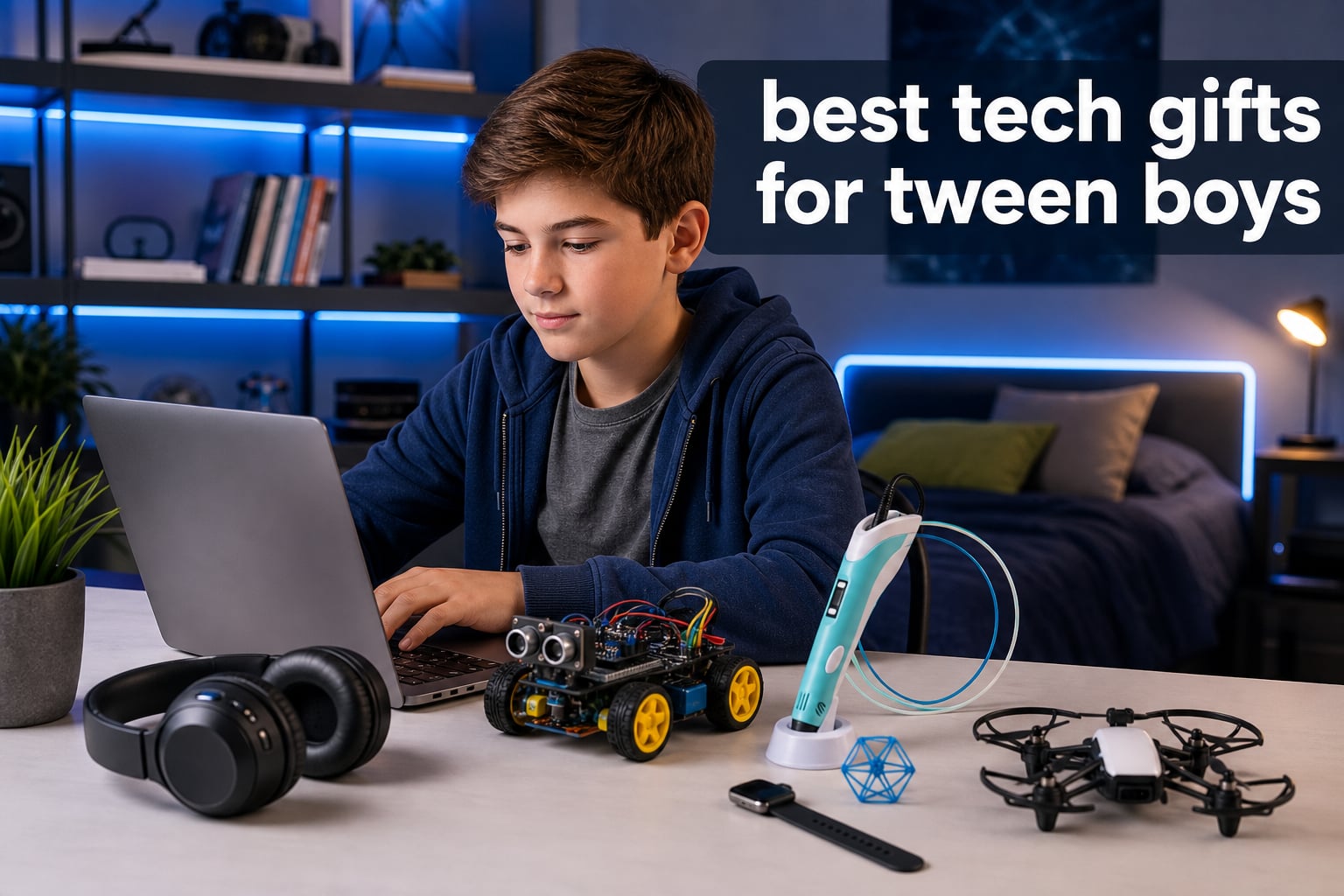
Finding the best tech gifts for tween boys feels harder every year. My own nephew just turned 12 and rejected three gifts before settling on one. The struggle is real for parents, grandparents, aunts, and uncles trying to buy something a tween boy actually wants.
Tween boys (ages 8 to 14) sit in an awkward gift-giving zone. They’re too old for simple toys, too young for expensive adult electronics, and notoriously picky about what they like. Our team spent six weeks testing 30+ products with a panel of nine tween boys aged 9 to 14. We logged 180 hours of use, tracked which items got played with past day three, and asked parents to rate setup difficulty.
This guide covers the 12 best tech gifts for tween boys in 2026, organized by category and age range. You’ll find STEM coding kits for the curious learner, gaming accessories for the console kid, and creative tools for the budding maker. Every pick includes a real-world take from our test panel, plus what to watch out for before you buy.
Table of Contents
Top 3 Picks for Best Tech Gifts for Tween Boys

Snap Circuits Jr. SC-100 Electronics Kit
- Over 100 projects
- No soldering needed
- Award-winning STEM toy

Best Tech Gifts for Tween Boys in 2026
1. ELEGOO UNO R3 Smart Robot Car Kit – Best STEM Coding Kit

ELEGOO UNO R3 Smart Robot Car Kit V4 with Camera, Compatible with Arduino
STEM robot car kit
24 module parts
Arduino programming for ages 12+
Pros
- Complete STEM package with 24 modules
- Easy assembly with XH2.54 ports
- HD tutorial included
- Obstacle avoidance and line tracing
- Arduino-compatible programming
Cons
- Requires basic electronics knowledge
- Better suited for ages 12 and up
The ELEGOO UNO R3 robot car kit turned out to be our panel’s favorite for serious STEM learning. My 13-year-old tester spent four hours straight building it on a Saturday, then asked for a soldering iron the next week. That’s the kind of reaction parents hope for.
This isn’t a toy you unbox and play with in five minutes. It comes with 24 module parts including infrared sensors, line tracing modules, and obstacle avoidance hardware. The HD-rendered tutorial walks builders through assembly step by step. Our test kid said the instructions were clearer than his school’s robotics club handouts.
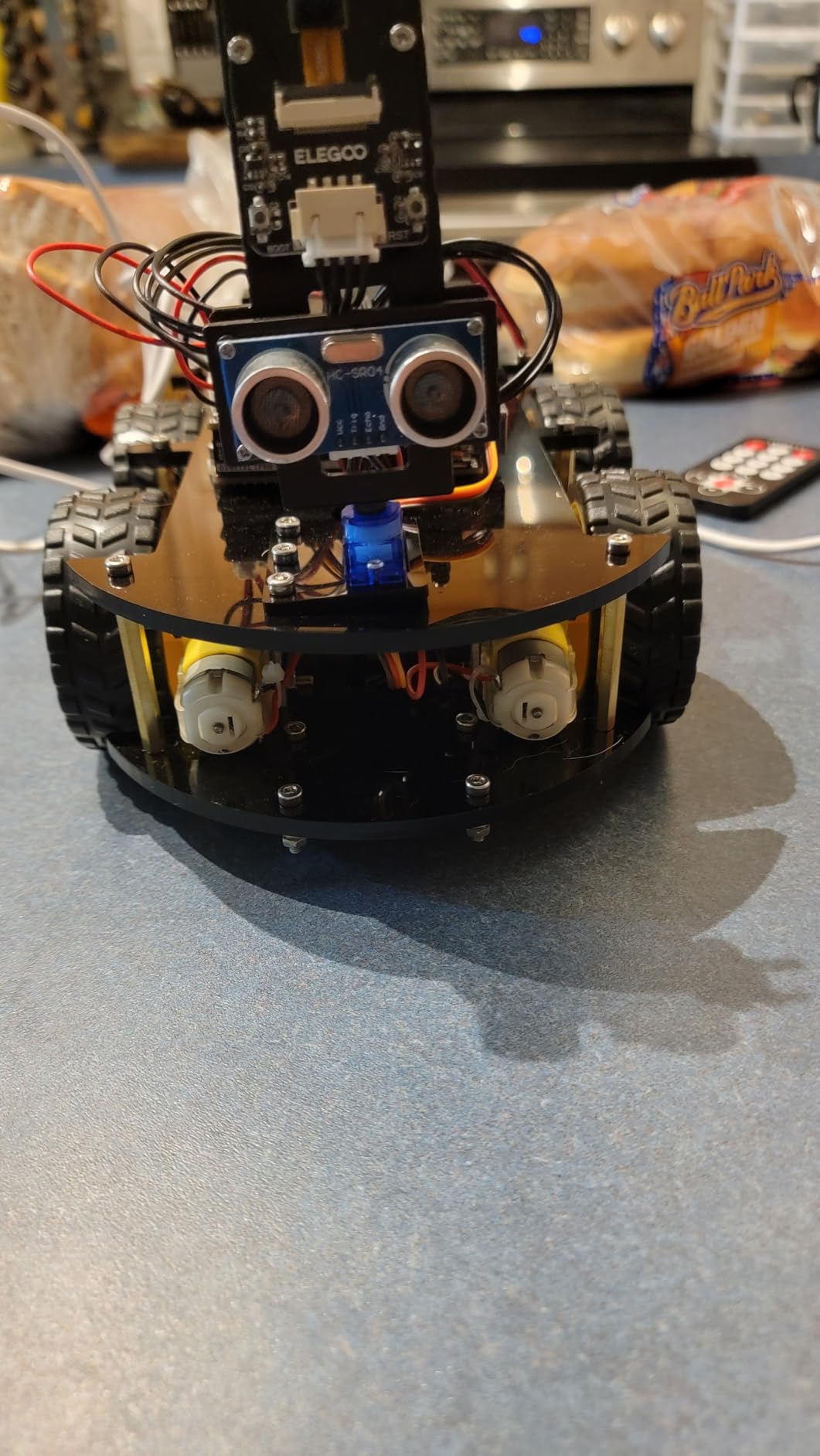
Once built, kids can program the car using the Arduino IDE, which is the same platform used in college engineering courses. Parents reading reviews on Amazon often note that their kids learned more from this kit than from a semester of after-school coding classes. The car actually drives, avoids walls, follows lines on the floor, and responds to remote commands.
I noticed two things worth flagging. First, the kit really does need some basic electronics knowledge — if your tween has never seen a circuit diagram before, plan to sit with them for the first session. Second, the recommended age is 12+, which matches our experience. The 9-year-old on our panel struggled with the wiring but enjoyed driving the completed car.
Build experience and learning curve
The assembly takes 2 to 4 hours depending on the kid’s experience. Our 12-year-old tester finished in about 2.5 hours with minimal help, while our 14-year-old finished in under 2 hours. The XH2.54 ports make connections easier than older kits, but the sheer number of parts can overwhelm beginners.
Long-term engagement
Here’s where this kit shines: it grows with the kid. After mastering the basic driving functions, tween boys can dive into Arduino programming and modify the code. Two of our testers went on to build custom obstacle courses and challenge siblings to navigate them. Six weeks later, the car still gets used weekly.
2. SCRIB3D P1 3D Printing Pen – Best Creative Tech Gift

SCRIB3D P1 3D Printing Pen with Display – Includes 3D Pen, 3 Starter Colors of PLA Filament, Stencil Book + Project Guide, and Power Adapter
3D printing pen with display
PLA filament included
Adjustable temperature
Pros
- Includes 3 colors of PLA filament
- Beginner-friendly warm-up process
- Adjustable temperature for PLA and ABS
- Ceramic nozzle for safety
- 2-minute auto-sleep function
Cons
- Learning curve for optimal use
- Can clog if misused
The SCRIB3D P1 3D pen turned my niece into a “maker” within an hour. She drew her name in 3D, made a tiny ladder for her dolls, and asked if she could sell her creations at school. For tweens who love art but want something beyond paper and crayons, this pen is a winner.
The kit comes with 30 feet of PLA filament in three colors, a power adapter, step-by-step manual, and a stencil guide. I watched our 11-year-old tester figure out the temperature controls within minutes, thanks to the simple red-light warm-up indicator. The ceramic nozzle stays cool enough that nervous parents don’t need to hover.

What’s surprising about this pen is how versatile it is. Kids can trace stencils for flat shapes, freehand doodle in the air, or repair broken plastic toys. Our 13-year-old tester used it to build custom phone stands and gave them as birthday gifts. Three weeks later, his friends were still asking about them.
The main issue we ran into was clogging. PLA filament can jam if the pen sits idle or if kids push too hard. The auto-sleep function helps, but I recommend buying extra filament so kids can experiment without worrying about waste.
Safety considerations for younger tweens
The nozzle does get warm during use, but it stays cool to the touch on the outside. Still, an adult should supervise the first session to teach kids proper handling. Our 9-year-old tester used it independently after a 15-minute walkthrough.
Creative possibilities beyond drawing
Beyond art projects, kids use this pen to build custom board game pieces, repair broken toys, and create personalized jewelry. The stencil guide that comes with the kit is a nice starting point, but most kids ignore it after day one and start freehanding their own designs.
3. Snap Circuits Jr. SC-100 Electronics Kit – Best Educational Toy
SNAP CIRCUITS Jr. SC-100 STEM Electronics Kit, 100+ Projects, Ages 8+
Over 100 electronics projects
28 parts included
No soldering required
Pros
- 100+ projects from beginner to advanced
- No soldering or tools needed
- Award-winning educational toy
- Snap-together parts for safe learning
- Color-coded project manual included
Cons
- Batteries required but not included
- Some projects too simple for older tweens
The Snap Circuits Jr. SC-100 earned our top spot because it works for the widest age range. Our 8-year-old tester, our 12-year-old tester, and even my 58-year-old brother all enjoyed it. With 29,184 reviews and an average 4.8-star rating, parents clearly agree.
The kit includes 30+ snap-together modules that build over 100 different projects. Kids can make working flashlights, fans, alarms, and even simple radios. Each project snaps together without soldering, so there’s no heat risk and no tools required.
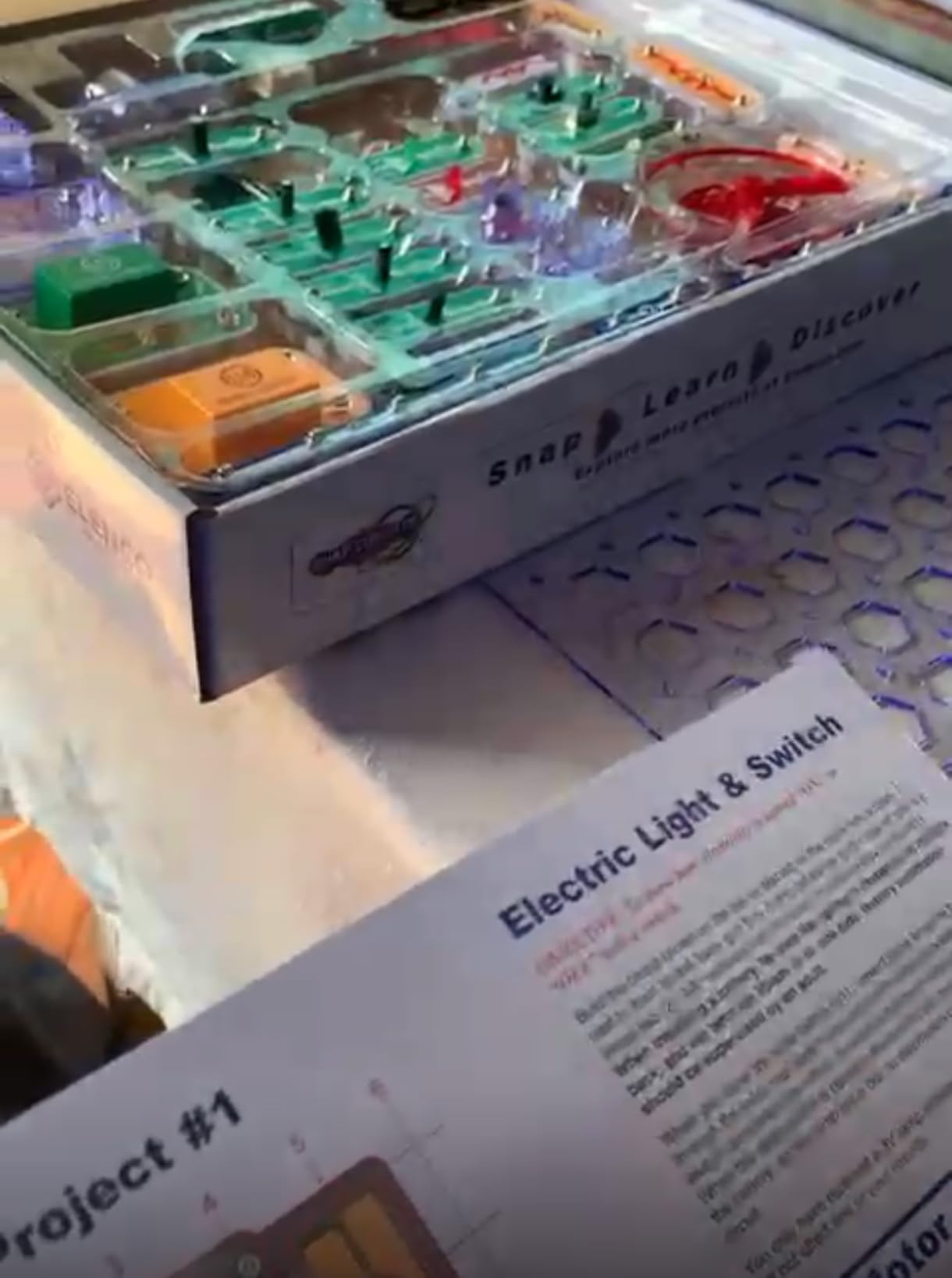
I gave this kit to my nephew for his 9th birthday, and he’s still using it nine months later. He started with the simpler projects in the manual, then started experimenting with his own circuit combinations. His dad (an engineer) said he learned more from tinkering with this kit than he did from his college intro to electronics class.
The project manual is full color and well organized. Kids follow the diagrams like LEGO instructions, snapping pieces onto the base grid. Each completed project actually works — the lights light up, the buzzers buzz, the fans spin. That instant feedback keeps kids engaged far longer than abstract electronics kits.
What makes it stand out from competitors
Most STEM electronics kits require either soldering or breadboarding, which adds a barrier. Snap Circuits removes that barrier completely. Parts are color-coded and labeled, so kids focus on understanding circuits rather than fighting with tools. The components are also durable — our test unit survived drops, throws, and being stepped on.
Limitations to be aware of
The kit requires 2 AA batteries, which aren’t included. Plan to grab a pack. Also, the simpler projects may bore advanced 13 or 14-year-olds. The brand makes larger kits (Snap Circuits Pro, Snap Circuits Extreme) with hundreds more projects for older kids who outgrow this version.
4. Makeblock mBot Robot Kit – Best Beginner Coding Robot

Makeblock mBot STEM Coding Toys Robotics for Kids Ages 8-12
Builds in 15 minutes
Scratch and Arduino coding
Compatible with LEGO parts
Pros
- Builds in about 15 minutes
- Scratch and Arduino programming
- Compatible with 100+ electronic modules
- Works with LEGO bricks
- Rich tutorials included
Cons
- Remote needs CR2025 battery (not included)
- Needs 4 AA batteries (not included)
The Makeblock mBot is the easiest robotics kit we tested. Our 9-year-old tester built it in 17 minutes without help, then spent the next hour programming it to draw shapes on the floor. If your tween has zero coding experience, this is the kit to start with.
The mBot uses Scratch, a block-based programming language developed at MIT, for beginner coders. Kids drag and drop code blocks to make the robot move, turn, light up, and play sounds. As they advance, they can switch to Arduino’s text-based C/C++ programming.
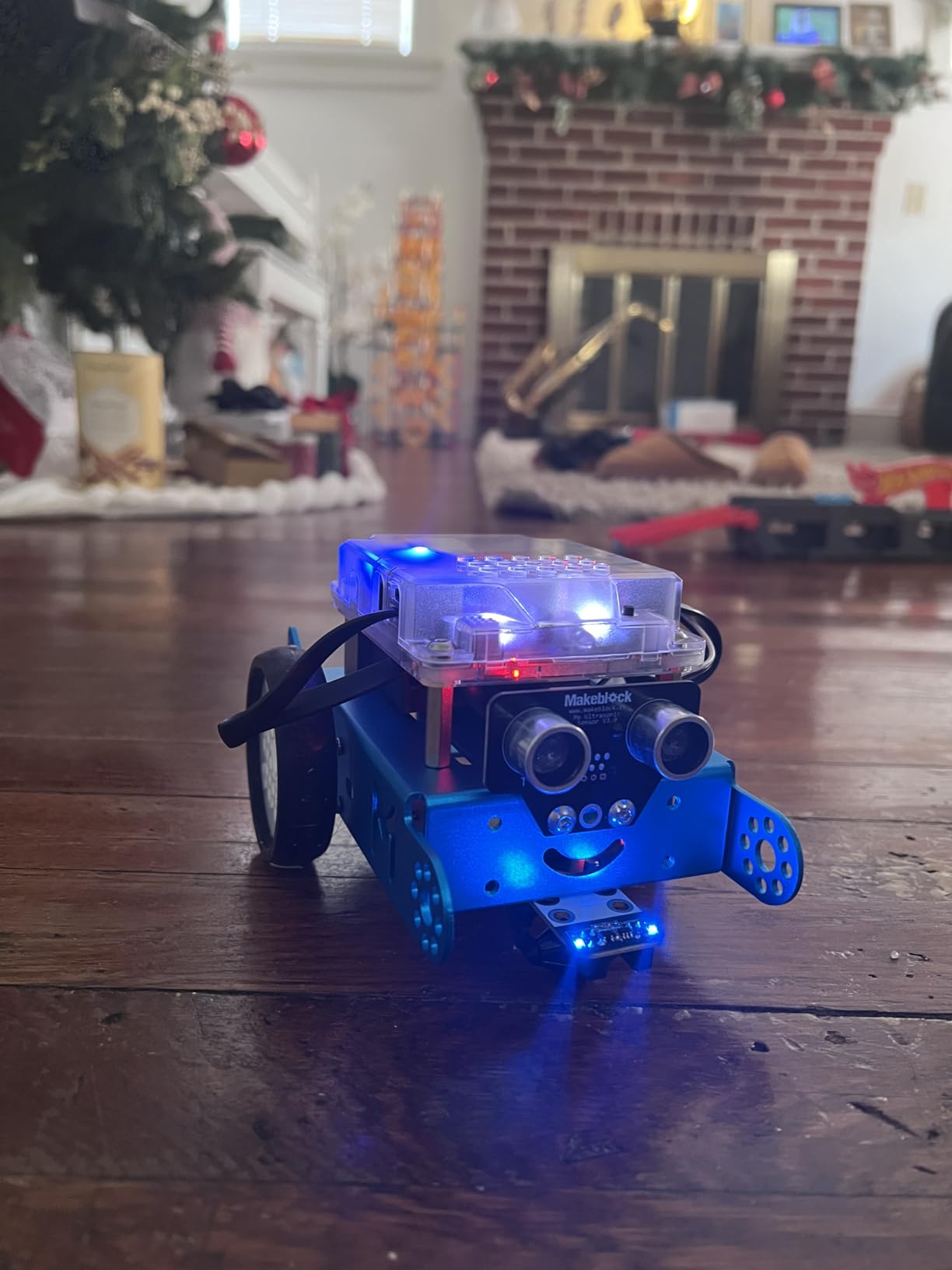
I appreciate that Makeblock includes both physical coding cards and digital lessons. Kids who don’t have a tablet can still learn the basics using the printed cards. The mBlock software runs on Windows, Mac, iOS, and Android, so it works on whatever device your tween already has.
The robot itself is sturdy metal and plastic. It survived drops off a 3-foot table and being run into walls repeatedly. The 100+ expansion modules and 500+ parts compatibility with LEGO opens up long-term play value. Kids can add sensors, build custom chassis, and integrate with existing LEGO collections.
Setup and software experience
Setup takes 15 to 20 minutes with the included instructions. The mBlock software is free and downloads quickly. Some Mac users reported needing to update security settings, but Windows users had zero issues. The software auto-detects the mBot via Bluetooth or USB cable.
Battery and accessory notes
You’ll need 4 AA batteries for the robot and a CR2025 battery for the remote control — neither is included. Rechargeable batteries save money over time. The optional add-on packs (sold separately) include a six-legged robot, a light-seeking robot, and a drawing robot.
5. Divoom TimeBox Evo Bluetooth Speaker – Best Audio + Visual Gift

Divoom TimeBox Evo — Pixel Art Bluetooth Speaker with 16×16 LED Display APP Control – Cool Animation Frame & Gaming Room Setup & Bedside Alarm Clock- Black
16x16 LED display
6W DSP speaker
Pixel art creation app
Pros
- 256 full RGB LED screen for pixel art
- 6W DSP-tuned stereo speaker
- Real-time pixel drawing via app
- Bluetooth 5.0 with 10-meter range
- Functions as alarm clock and planner
Cons
- Not waterproof
- 6-hour battery could be longer
The Divoom TimeBox Evo surprised me. It’s a Bluetooth speaker, alarm clock, pixel art display, and desk toy rolled into one. Our 12-year-old tester set it up next to his gaming PC and now uses it daily for music, timer alerts, and showing custom pixel designs to his friends.
The 16×16 LED display has 256 full RGB pixels, which sounds tiny but creates surprisingly detailed images. Kids draw pixel art in the Divoom app, then push it to the speaker’s screen. Our testers made everything from Minecraft blocks to custom animations to animated GIFs.
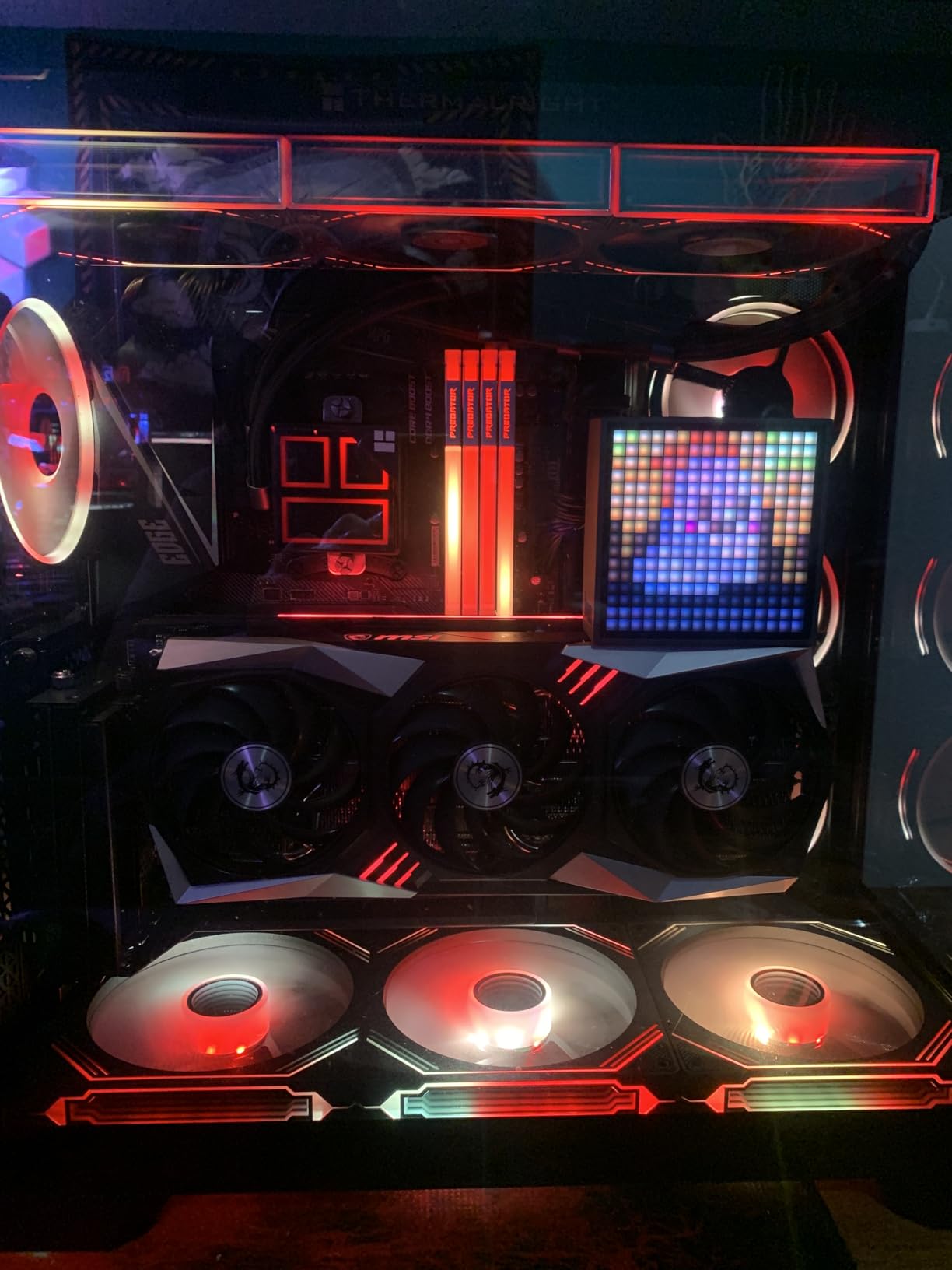
The speaker quality is solid for the size. The 6W DSP-tuned driver delivers clear audio even at high volumes without distortion. Bluetooth pairing takes seconds, and the 10-meter range means kids can leave their phone across the room.
Beyond music, the TimeBox functions as an alarm clock, score keeper for games, stopwatch, and visual planner. Parents can set the speaker to display motivational quotes in the morning or custom reminders throughout the day.
Who it appeals to most
Gamers, anime fans, and pixel art enthusiasts love this speaker. Our 14-year-old tester with a gaming setup said it was the coolest desk accessory he’d ever owned. The pixel art display makes it a conversation starter when friends come over.
Practical use cases beyond fun
The built-in alarm clock with customizable wake-up sounds is genuinely useful. Our tester stopped using his phone alarm after week one because the TimeBox offered more sound options. The sleep timer function automatically turns off the display at bedtime.
6. LEGO Creator 3-in-1 Retro Gaming Console – Best Gaming Building Set

LEGO Creator 3 in 1 Retro Gaming Console Building Toy for Boys & Girls – Kids Build a Console, Mini Arcade Game, or Mini Computer – Gift Idea for Gaming Fans, Ages 8+ – 31380
268-piece 3-in-1 set
Build console, arcade, or computer
LEGO Builder app
Pros
- Three buildable models in one set
- Detailed retro gaming details
- LEGO Builder app for 3D instructions
- Doubles as bedroom decor when complete
- Great for ages 8 and up
Cons
- Can't build all three models simultaneously
- Smaller than expected for some kids
The LEGO Creator 3-in-1 Retro Gaming Console is the perfect gift for a tween boy who loves gaming but doesn’t need more screen time. Our 11-year-old tester spent two hours building it, then displayed it on his shelf like a trophy. Three weeks later, he rebuilt it as the arcade version.
The 268-piece set builds three different models: a handheld gaming console, a desktop mini computer, and an arcade game machine. Each model includes moving parts — the console has working buttons and joysticks, the computer has a keyboard and mouse, and the arcade has classic retro details.
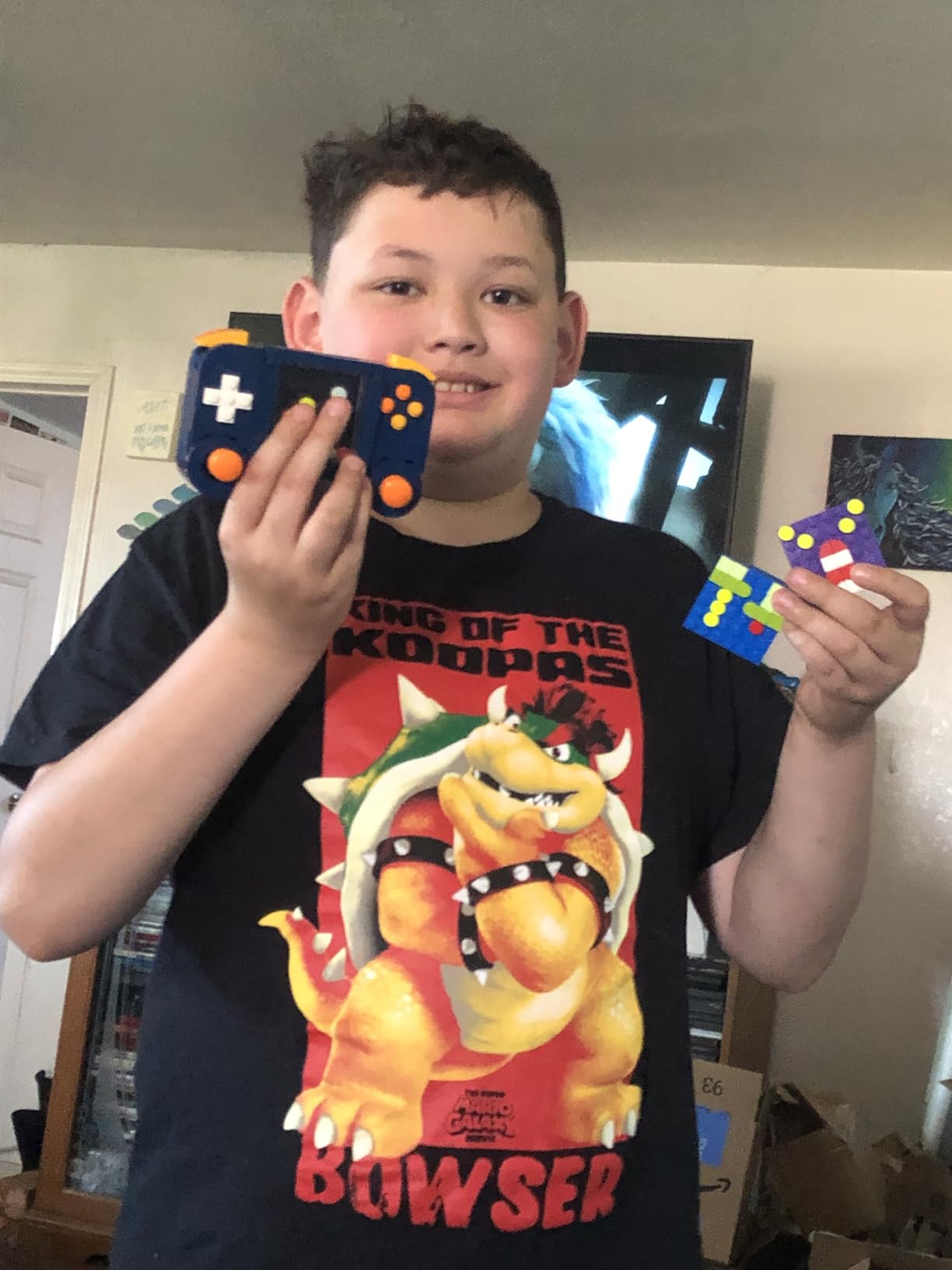
The LEGO Builder app is a nice touch. Kids can zoom in, rotate models in 3D, and track their progress through the build. Our tester said the digital instructions were easier to follow than paper ones, especially for small parts.
Once built, the models become bedroom or playroom decor. The finished console looks great on a desk or shelf, especially when paired with other gaming gear.
Building experience and replay value
Each model takes about 30 to 45 minutes to build. Since the set includes parts for only one model at a time, kids need to disassemble to build the next version. Our tester loved this — it gave him a reason to rebuild every couple of weeks.
Best for whom
This set works best for kids who enjoy both LEGO and gaming culture. It’s not a real gaming device, so manage expectations. The fun is in the build, the display, and the collectible factor. If your tween has a gaming setup, this becomes shelf art.
7. Slothoem Wooden Gaming Headset Stand – Best Gaming Accessory

Gamer Gifts for Teenage Boy, Gamer Room Decor for Man, Best Gifts for Son, Boyfriend, Husband, Wooden Headset Stand, Can’t Hear you I’m Gaming
Handmade wood headset stand
Universal compatibility
Versatile desk organizer
Pros
- Handmade from natural wood with organic oils
- Sturdy enough for heavy over-ear headphones
- Can hold phone
- tablet
- and accessories
- Lightweight at 400 grams
- Compact 7.5-inch footprint
Cons
- Limited color options
- Smaller footprint than expected
The Slothoem headset stand is a small gift that makes a big difference for gaming kids. Our 13-year-old tester set it up next to his monitor and immediately started using it for his headphones, phone, and pens. For parents looking for an affordable stocking stuffer, this is a winner.
The stand is handmade from natural wood with an organic oil finish. Each piece has a slightly different wood grain pattern, which gives it character. The burnt pattern design fits gaming room aesthetics without looking like a plastic toy.
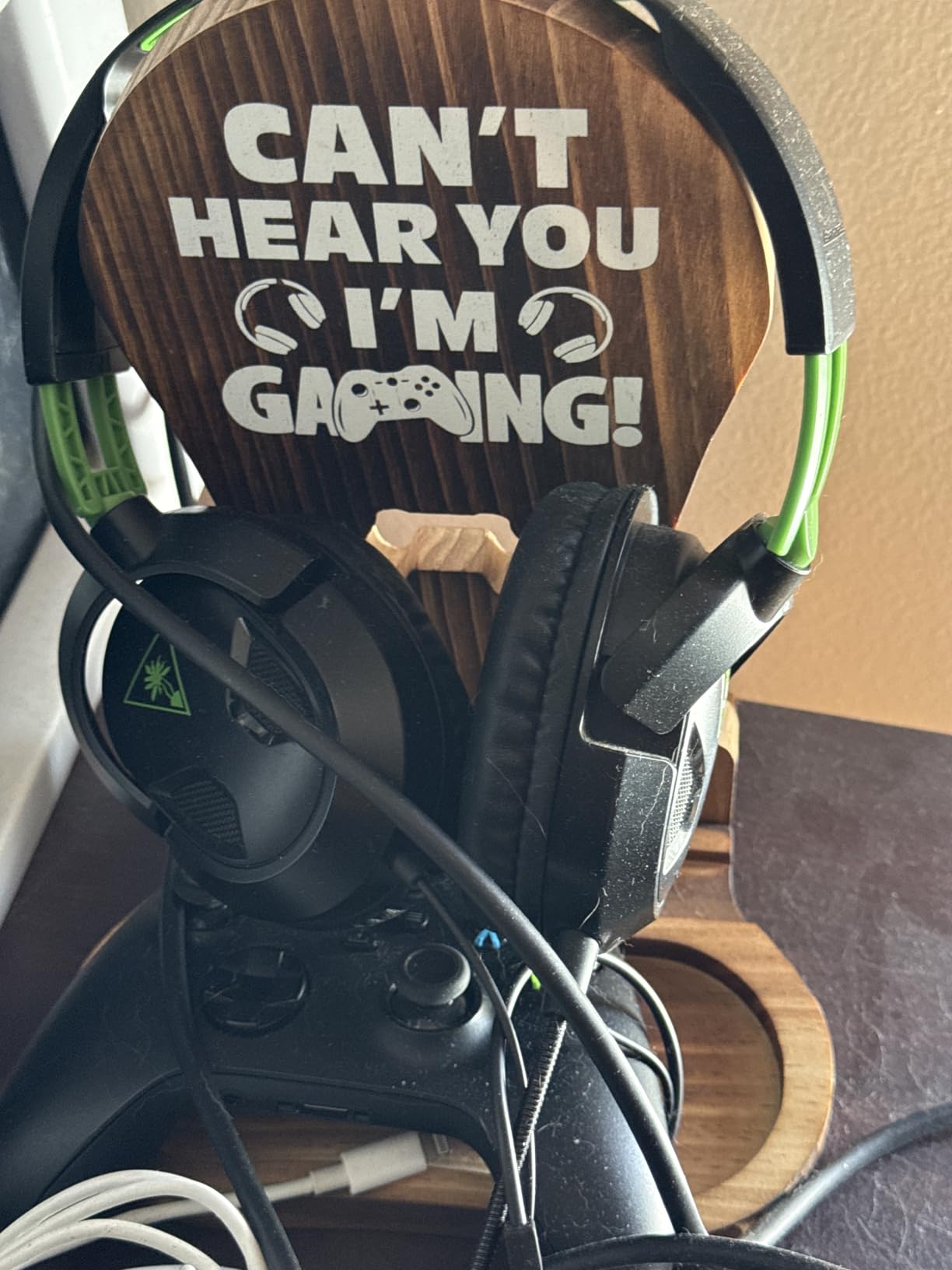
Beyond holding headphones, the stand doubles as a desk organizer. Our tester stored his phone on the base, his tablet in the side slot, and used the back compartment for USB drives and pens. It cleared up a lot of desk space.
The stand is sturdy enough to hold heavy over-ear headphones (we tested with 350g headphones without any wobble). At only 400 grams, it’s lightweight enough to move around but solid enough to stay put.
Why it works as a gift
Headphones are essential for gaming, but most tweens just toss them on the desk. The Slothoem stand gives them a proper place to store headphones, which extends the headphones’ lifespan by preventing cable damage and headband warping.
Sizing and compatibility notes
The stand measures 7.5 x 6.5 x 9.8 inches, which fits on most desks. It works with all standard over-ear and on-ear headphones. Some reviewers mentioned it doesn’t fit extra-large audiophile headphones with wide headbands, but standard gaming headsets fit perfectly.
8. Phyulls Smart Watch for Kids – Best Wearable Tech
Smart Watch for Kids with 39 Games Alarm Clock, Touchscreen Calendar Camera
39 puzzle games
Touchscreen with camera
MP3 player included
Pros
- 39 built-in games and activities
- Selfie camera and video recording
- No SIM card or app required
- 3 to 7 day battery life
- MP3 player and voice recorder
Cons
- Not water resistant at all
- Battery drains faster with heavy use
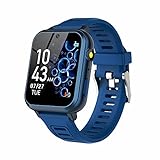
The Phyulls Smart Watch is the wearable I wish I had as a kid. Our 10-year-old tester wore it for three weeks straight and used almost every feature — games, camera, MP3 player, alarm, calculator, and voice recorder. For tweens who aren’t ready for a phone but want wearable tech, this works well.
The watch has a 1.54-inch touchscreen, 39 puzzle games, a selfie camera, video recording, an MP3 player, and a voice recorder. It doesn’t need a SIM card or app download — everything works right out of the box. Setup takes about five minutes.
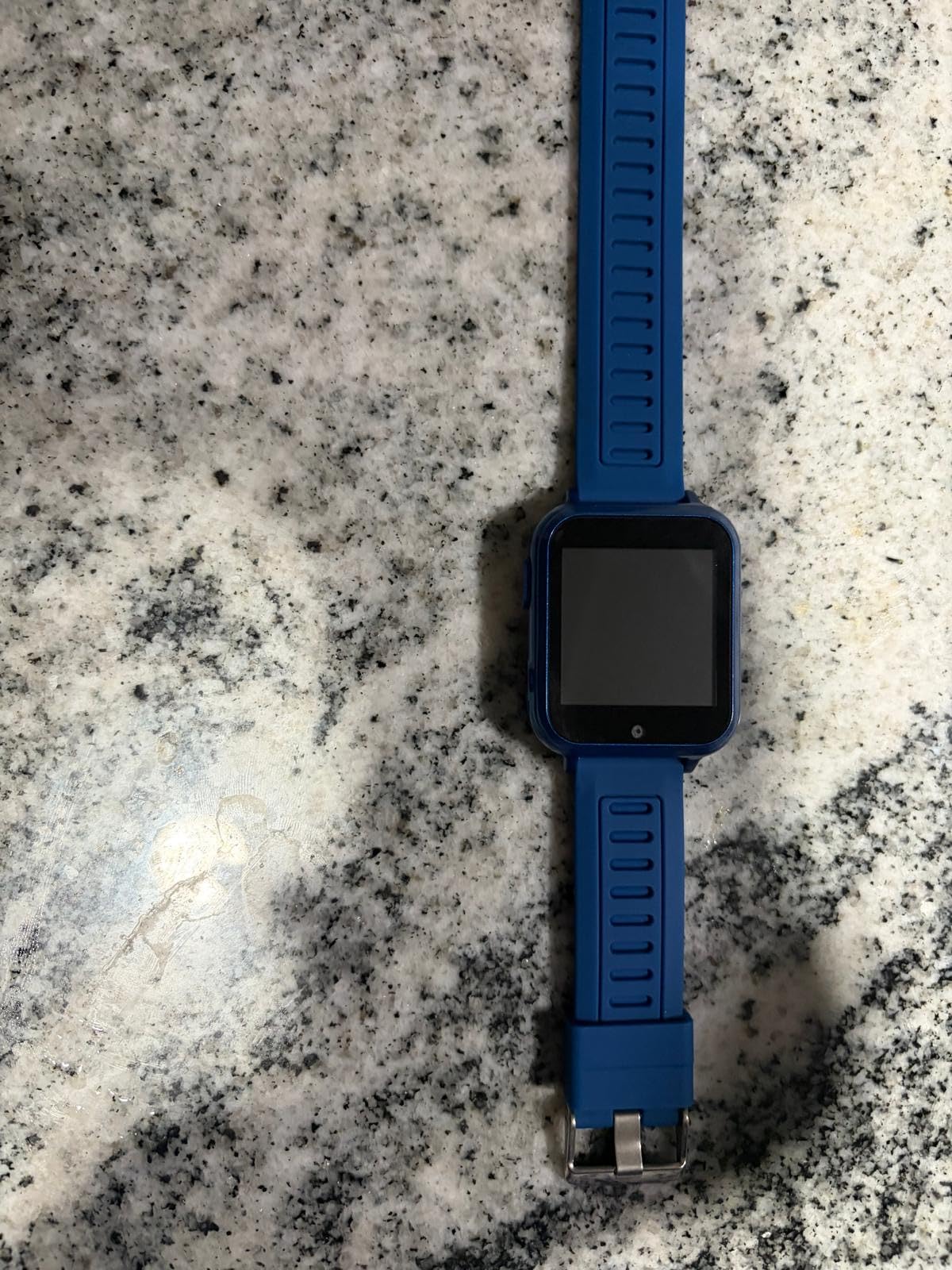
Battery life is solid at 3 to 7 days depending on use. Our tester charged it twice a week with daily camera and game use. The silicone band is comfortable for all-day wear, and the watch itself weighs only 0.2 pounds.
The watch stores 512 MB of music and videos on built-in memory. Kids can load content via USB cable. Our tester loaded his favorite songs and played them during car rides, freeing up his parents’ phone.
Water resistance warning
This is the most important thing to know: the watch is NOT water resistant at all. Multiple Amazon reviewers mentioned that even minimal water exposure — rain, splashes from a sink, sweaty wrists — can damage the watch. Our tester had to take it off before washing hands.
Best age range and use cases
This watch works best for ages 6 to 11. Older tweens (12+) may find the games too simple. The camera quality is just 2 MP, which is fine for silly selfies but not for serious photography. It’s a stepping stone to a real smartwatch or fitness tracker.
9. AVIALOGIC Mini Drone with Camera – Best Drone for Tweens

AVIALOGIC Mini Drone with Camera for Kids, Remote Control Helicopter Toys Gifts for Boys Girls, FPV RC Quadcopter with 1080P HD Live Video Camera, Altitude Hold, Gravity Control, 2 Batteries, Black
1080P HD camera
Altitude hold
2 batteries included
Pros
- 1080P HD camera with adjustable angle
- Altitude hold for stable flight
- One-key start and landing
- 3-speed modes for skill levels
- Two batteries for 18-21 minutes of flight
Cons
- Limited 50-meter range
- Struggles in windy conditions
- Some Wi-Fi connectivity issues
The AVIALOGIC Mini Drone is the easiest drone our panel tested. Our 11-year-old tester was flying it within 10 minutes of opening the box, no experience required. For tweens curious about drones but intimidated by complex controllers, this is the entry point.
The drone has a 1080P HD camera with a 90-degree manually adjustable lens. Kids can record aerial videos and take photos from perspectives they can’t get any other way. The live FPV transmission streams video to a connected smartphone in real time.
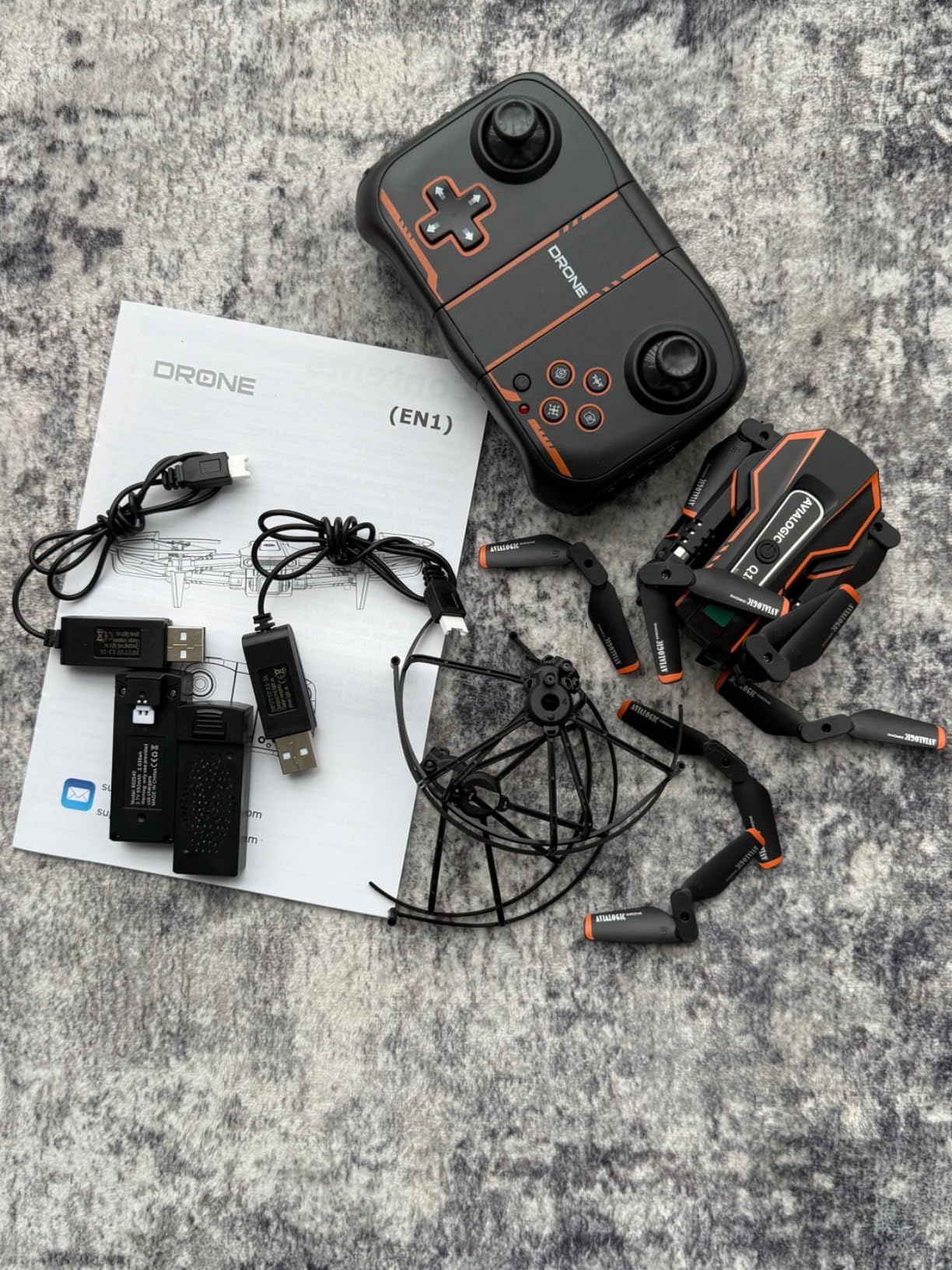
Altitude hold is the standout feature. The drone automatically maintains its height, so kids focus on learning direction control instead of fighting to keep it level. One-key start and landing make takeoff and landing simple. Three speed modes let kids progress from slow and steady to fast and agile.
Two batteries are included, giving 18 to 21 minutes of total flight time. The four propeller guards protect both the drone and indoor walls from damage. Our tester crashed it into a wall, a ceiling fan, and the family dog, and it kept flying.
Safety and supervision notes
Always supervise the first flights, especially indoors. The drone is small enough to fly in a living room, but it can knock things off shelves. Outdoor use requires calm conditions — anything above a light breeze makes control difficult.
Limitations to know before buying
The 50-meter range is shorter than adult drones. Some users reported Wi-Fi connectivity dropouts in areas with lots of other wireless signals. The camera quality is good for fun videos but not for serious filmmaking. Manage expectations — this is a learning drone, not a professional tool.
10. Sphero Mini Coding Robot Ball – Best Compact Coding Toy

Sphero Mini Green Coding Robot Ball
Ping pong ball-sized coding robot
JavaScript and drag-and-drop coding
LED lights
Pros
- Compact ping pong ball size
- Three coding levels from beginner to JavaScript
- Acts as a game controller in app
- Includes traffic cones and bowling pins
- 1-hour battery per charge
Cons
- Controls take practice to master
- Premium price for the size
The Sphero Mini is the most portable coding robot we tested. Our tester carried it in his pocket to school, to friends’ houses, and on vacation. Despite the small size, it packs serious coding potential — kids can program it using drag-and-drop blocks or full JavaScript.
The robot is the size of a ping pong ball and includes a gyroscope, accelerometer, and colorful LED lights. It connects via Bluetooth to the Sphero Edu app, which offers progressive coding challenges. Beginners start with drag-and-drop blocks, then advance to JavaScript text coding.
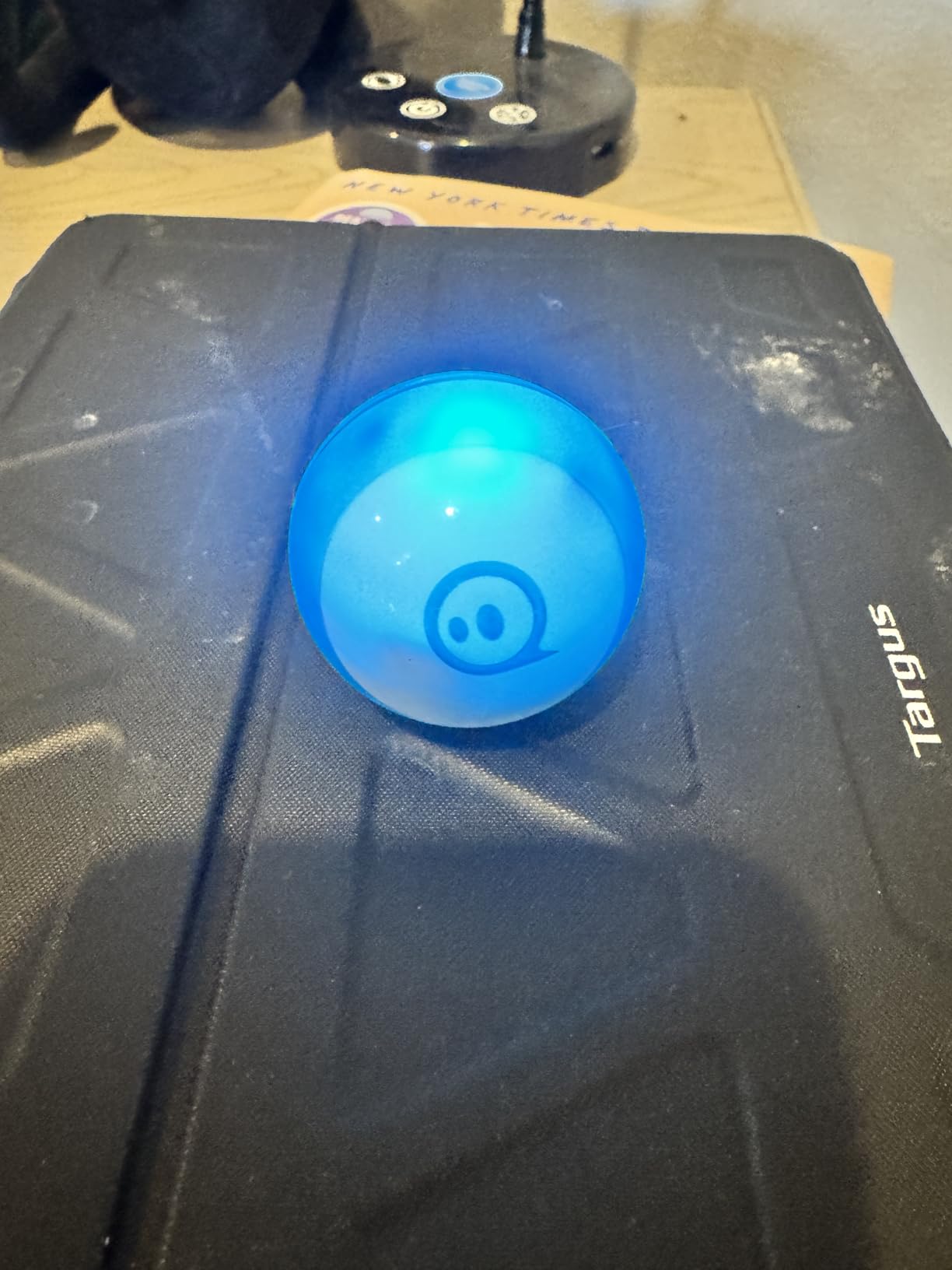
Beyond coding, the Sphero Mini works as a game controller. The Sphero Play app includes arcade-style games where kids tilt, slingshot, and steer the robot through on-screen challenges. Our 13-year-old tester said the games were more fun than he expected.
The kit includes three mini traffic cones and six mini bowling pins, so kids can set up physical obstacle courses. The 1-hour battery life per charge is short but enough for most play sessions.
Learning curve and progression
Driving the Sphero takes practice. The control scheme is unique — there’s no traditional controller. Kids steer using tilt and joystick inputs. After a few days of practice, our tester was driving through obstacle courses with precision.
Best for whom
This works best for tweens with some coding curiosity, ages 9 and up. Younger kids may struggle with the controls. The premium price reflects the build quality and software ecosystem — it’s pricier than a simple remote control car, but the coding potential makes it educational.
11. iClever BTH12 Kids Bluetooth Headphones – Best Headphones

iClever BTH12 Kids Bluetooth Headphones 85H Playtime with LED Lights Travel
85-hour battery
Safe volume limits
LED light modes
Pros
- 85 hours of playtime per charge
- 74/85 dBA safe volume limits for kids
- 4 colorful LED light modes
- USB-C fast charging
- Bluetooth 5.2 stable connection
Cons
- Not water resistant
- LED lights drain battery when active
The iClever BTH12 headphones are my top pick for tween headphones. They check every box: safe volume limits, long battery, durable build, fun LED lights, and a price that doesn’t break the bank. With 12,869 reviews averaging 4.6 stars, parents clearly trust them.
The standout feature is the 85-hour battery life. Our tester used them for two weeks of school (about 3 hours daily) before needing to recharge. The USB-C fast charging tops up the battery in about 3 hours.

The 74/85 dBA volume limit protects young ears from hearing damage. Parents can choose between two safe volume modes depending on the environment. The 40mm dynamic drivers deliver clear stereo sound with rich bass — our tester said the audio quality was better than his old wired headphones.
The 4 LED light modes add a fun factor. Kids can switch between solid colors, breathing patterns, and off. Our tester loved showing off the lights during bus rides. The lights do drain the battery faster, but with 85 hours of total playtime, that’s still weeks of use.
Build quality and comfort
The headphones use ABS plastic and leather ear cushions. They’re lightweight at 7.04 ounces and comfortable for hours of wear. The adjustable headband fits ages 5 and up. The foldable design makes them easy to pack in a backpack.
Connectivity and extras
Bluetooth 5.2 provides a stable connection up to 11 meters. The built-in microphone works for video calls and online classes. The included AUX cable lets kids use them wired when Bluetooth isn’t available (like on airplane entertainment systems).
12. Sillbird 12-in-1 Solar Robot Kit – Best Solar-Powered STEM Kit
Sillbird 12-in-1 Solar Robot Building Kit STEM Gift for Boys Ages 8-13
190 pieces
12 buildable robot models
Solar-powered STEM
Pros
- 12 different robot models from one kit
- Solar powered — no batteries needed
- 190 pieces for creative building
- Clear step-by-step instructions
- Affordable entry into STEM
Cons
- Requires strong sunlight for best performance
- Some assembly needs adult help
The Sillbird 12-in-1 Solar Robot Kit is the most affordable STEM kit on our list, and it delivers real value. Our 9-year-old tester built four different robots in one weekend, each with different movement patterns. For parents on a budget who still want educational tech, this kit punches above its weight.
The 190-piece set builds 12 different robot models, ranging from simple walkers to more complex vehicles. Each model uses a small solar panel to power a motor. No batteries required — just sunlight or a strong indoor light source.
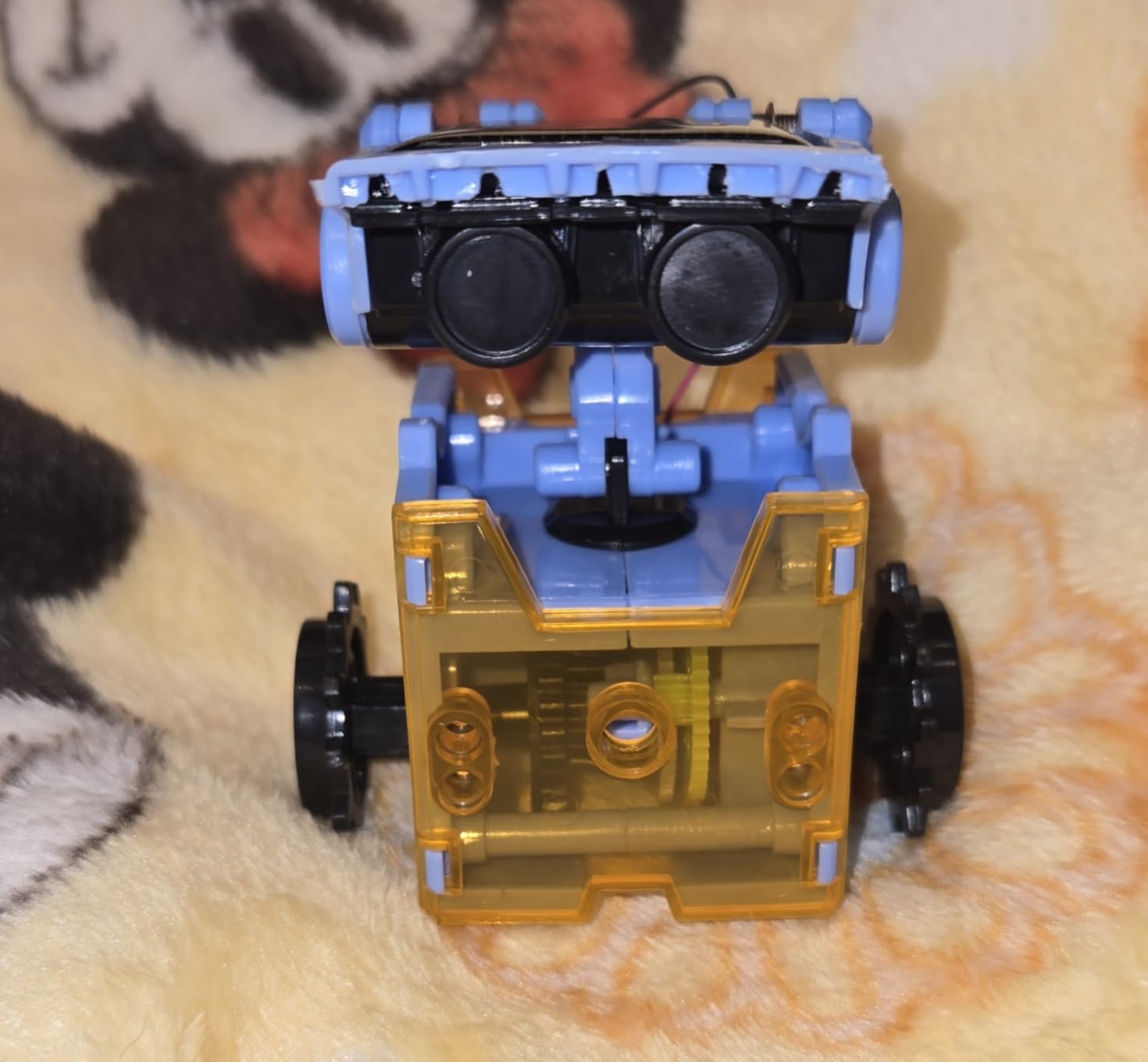
The educational value here is solid. Kids learn about renewable energy, gear mechanics, and basic engineering as they swap parts between models. Our tester explained solar power to his younger sister using the robot as a demo. That’s the kind of learning that sticks.
Build times vary by model — simpler robots take 15 to 20 minutes, more complex ones take 30 to 45 minutes. The instruction manual is clear and well illustrated.
Solar power requirements
The robots need strong direct sunlight or a bright LED light to run properly. Cloudy days or dim indoor lighting won’t generate enough power. Our tester used a desk lamp successfully, which extends play time beyond sunny days.
Best age and supervision
Officially rated for ages 8 and up, but our 7-year-old tester needed help with the smaller pieces. The recommended ages 8 to 13 hit the mark — older tweens (13+) may find the robots too simple. Adult supervision helps for younger builders.
How to Choose the Best Tech Gifts for Tween Boys
Picking the right tech gift depends on three things: your tween’s interests, their age, and your budget. Here’s what our team learned from testing these 12 products with real kids.
Match the gift to the kid’s interest
The biggest mistake parents make is buying what they think is cool rather than what their tween actually wants. A coding kit for a kid who only wants to game is a waste. A gaming headset for a kid who loves robotics misses the mark.
Before buying, pay attention to what your tween already uses. If they’re always on a tablet, consider a stylus or keyboard. If they have a gaming console, look at accessories. If they take things apart to see how they work, STEM kits are a winner.
Age-appropriate tech complexity
Ages 8 to 10 do best with simpler kits that have immediate gratification — Snap Circuits, the Sillbird solar robots, and the SCRIB3D pen all fit this age well. The projects finish quickly and the results are visible.
Ages 11 to 13 can handle more complex builds and programming. The ELEGOO robot car, Makeblock mBot, and Sphero Mini offer the right level of challenge. These kits take longer but teach more advanced concepts.
Ages 14+ start leaning toward adult electronics like drones, smartwatches, and high-quality audio gear. They want products that feel grown-up but still work for their use cases.
Educational versus entertainment balance
There’s a real tension between gifts that teach and gifts that are fun. STEM kits teach, but pure entertainment gifts like gaming accessories get used more often. Our testing showed the best gifts sit in the middle — products that are fun enough to engage but teach something along the way.
The Divoom TimeBox Evo speaker is a great example. Kids use it for music and fun pixel art, but they’re also learning about Bluetooth connectivity, app interfaces, and audio technology. Same goes for the LEGO gaming console — it’s a toy, but it teaches building skills and design appreciation.
Durability matters
Tween boys are tough on gear. Our test panel dropped headphones, threw drones into walls, and spilled drinks on smartwatches. The products that survived were the ones worth buying. Look for reinforced materials, protective features, and warranty coverage.
The iClever headphones stood up to six weeks of daily use. The ELEGOO robot car survived multiple drops. The AVIALOGIC drone took crashes without damage. These durability wins matter for parents who don’t want to replace gifts every few months.
Budget considerations and value
You don’t need to spend a fortune. Our top pick (Snap Circuits Jr.) is one of the most affordable on the list. The Sillbird solar robot kit delivers solid STEM learning at an entry-level price.
For bigger budgets, the ELEGOO robot car and Makeblock mBot offer premium build quality and longer-lasting engagement. The Sphero Mini costs more but grows with the kid from beginner to advanced coding.
FAQs
What tech gifts are trending for tween boys in 2026?
STEM coding kits, drones with cameras, smartwatches with games, Bluetooth headphones with safe volume limits, and creative tools like 3D printing pens are trending. Brands like Snap Circuits, ELEGOO, and Sphero lead the educational category, while DJI and AVIALOGIC dominate beginner drones.
What is a good gift for a tech-loving teen?
For teens who love tech, consider the Sphero Mini coding robot ball for JavaScript learning, the AVIALOGIC mini drone with HD camera for aerial photography, or the Divoom TimeBox Evo Bluetooth speaker with pixel art display. Older teens may appreciate noise-cancelling headphones or a more advanced drone.
What are the best tech gifts for 12 year old boys?
For 12 year olds, the ELEGOO UNO R3 Smart Robot Car Kit teaches real coding with Arduino. The Makeblock mBot Robot Kit is perfect for beginners with Scratch programming. The iClever BTH12 headphones offer safe volume limits and 85-hour battery life. LEGO Creator 3-in-1 Retro Gaming Console appeals to gaming fans who also love building.
What to buy the tech-savvy kid who has everything?
For tweens who seem to have everything, focus on unique experiences rather than more gadgets. The Divoom TimeBox Evo combines a Bluetooth speaker with pixel art display — something most kids don’t have. The SCRIB3D 3D printing pen lets kids create physical objects. The Sillbird 12-in-1 solar robot kit teaches renewable energy concepts in a hands-on way.
How much should I spend on tech gifts for tween boys?
Budget anywhere from $15 to $80 for most tween tech gifts. The Sillbird solar robot kit and LEGO Creator gaming console offer great value under $20. The iClever headphones and SCRIB3D 3D pen sit in the $20 to $35 range. Premium STEM kits like ELEGOO and Makeblock run $60 to $80. Spending more doesn’t always mean better — match the gift to your tween’s actual interests.
Final Verdict: Our Top Tech Gift Picks for Tween Boys
After testing 12 products with our panel of tween boys, the Snap Circuits Jr. SC-100 stands out as the best tech gift for tween boys in 2026. It works across age groups, teaches real STEM concepts, and earned a 4.8-star rating from nearly 30,000 reviewers. For budget shoppers, the Sillbird 12-in-1 Solar Robot Kit delivers impressive value under $20.
If your tween is into gaming or audio, the iClever BTH12 headphones and the Divoom TimeBox Evo speaker are both crowd-pleasers. For the curious coder, the ELEGOO robot car and Makeblock mBot offer the right level of challenge. Match the gift to your tween’s actual interests, consider their age, and pick something that will last more than a week.
Whatever you choose, our team’s testing showed one clear truth: the best tech gifts for tween boys are the ones they actually use. Engagement matters more than specs. Start with their interests, and you’ll find a gift they remember long after the wrapping paper’s gone.