
Finding the best styluses for Android tablets completely changed how I use my Samsung Galaxy Tab for school and sketching. A good stylus turns a sluggish finger-tap session into a precise, paper-like workflow for note-taking, drawing, and quick navigation. Whether you own a Galaxy Tab S9 FE, a Lenovo tablet, or a budget Amazon Fire, the right pen makes every tap sharper and every line cleaner.
Our team tested 10 stylus options over several weeks across different Android tablets, comparing pressure sensitivity, palm rejection, tip accuracy, battery life, and overall comfort. We focused on real student and artist workflows, not just spec sheets. Some of these pens cost less than lunch, while others are OEM replacements designed to match a specific tablet model exactly.
In this guide, we cover active styluses with tilt recognition, passive capacitive options that never need charging, and Samsung S Pen replacements with full Bluetooth Air Command support. If you want the best stylus for Android tablets in 2026 without wading through marketing fluff, you are in the right place.
Table of Contents
Top 3 Picks for Best Styluses for Android Tablets
These three picks cover the premium, value, and budget categories we trust most after hands-on testing. Each one earned its spot through consistent performance across multiple Android devices.

Samsung Galaxy Tab S9 FE S Pen
- 4096 Pressure Levels
- IP68 Water Resistant
- Magnetic Attachment
- Air Command

Bopomofo 5 Pcs Universal Stylus
- 5-Pack Multi-Color
- No Charging Needed
- Disc and Rubber Tips
- Universal Compatibility

MEKO 3 in 1 Stylus Pens
- 3 Tip Types
- 2 Year Warranty
- No Batteries Needed
- Lightweight Aluminum
Best Styluses for Android Tablets in 2026
Here is the full lineup of all 10 styluses we reviewed, sorted from premium OEM replacements to ultra-affordable universal picks. Use this overview to compare specs at a glance, then read the detailed reviews below.
| Product | Specifications | Action |
|---|---|---|
| Samsung Galaxy Tab S9 FE S Pen |
|
Check Latest Price |
 Galaxy Tab S8 S Pen Replacement Galaxy Tab S8 S Pen Replacement |
|
Check Latest Price |
 Tab S10 Plus S Pen Replacement Tab S10 Plus S Pen Replacement |
|
Check Latest Price |
 DRYMOKINI Active Stylus Pink DRYMOKINI Active Stylus Pink |
|
Check Latest Price |
 DRYMOKINI Universal Stylus Pen DRYMOKINI Universal Stylus Pen |
|
Check Latest Price |
 NTHJOYS Active Stylus Pen NTHJOYS Active Stylus Pen |
|
Check Latest Price |
 Luntak Active Stylus Pen Luntak Active Stylus Pen |
|
Check Latest Price |
 OASO Disc Tip Stylus OASO Disc Tip Stylus |
|
Check Latest Price |
| Bopomofo 5 Pcs Universal Stylus |
|
Check Latest Price |
| MEKO 3 in 1 Stylus Pens |
|
Check Latest Price |
1. Samsung Galaxy Tab S9 FE S Pen – Genuine OEM Precision
SAMSUNG Galaxy Tab S9 FE S Pen, Precise Writing and Navigation, IP68 Certified Water Resistant, Attaches to Tablet Magnetic Holder, Air Command, US Version, Black
4096 Pressure Levels
IP68 Water Resistant
Magnetic Attachment
Air Command
Pros
- Genuine Samsung quality
- IP68 water resistant
- 4096 pressure levels
- Seamless Galaxy Tab S9 FE integration
- 1-year warranty
Cons
- Premium price
- Only works with Tab S9 FE
- Non-rechargeable battery
This is the OEM S Pen Samsung designed specifically for the Galaxy Tab S9 FE, and after two weeks of daily note-taking, I understand why the originals cost more. The pen snaps magnetically to the side of the tablet, wakes instantly, and never needs a Bluetooth pairing dance. The 4096 pressure levels translate into visible line variation the moment you press harder in apps like Samsung Notes and Clip Studio Paint.
What surprised me most is the IP68 water resistance rating. Most universal styluses cannot survive a spilled coffee, but this S Pen shrugged off a splash during a rainy commute without missing a beat. The Air Command menu launches with a button click, giving you Smart Select, Screen Write, and Live Messages without digging through menus.
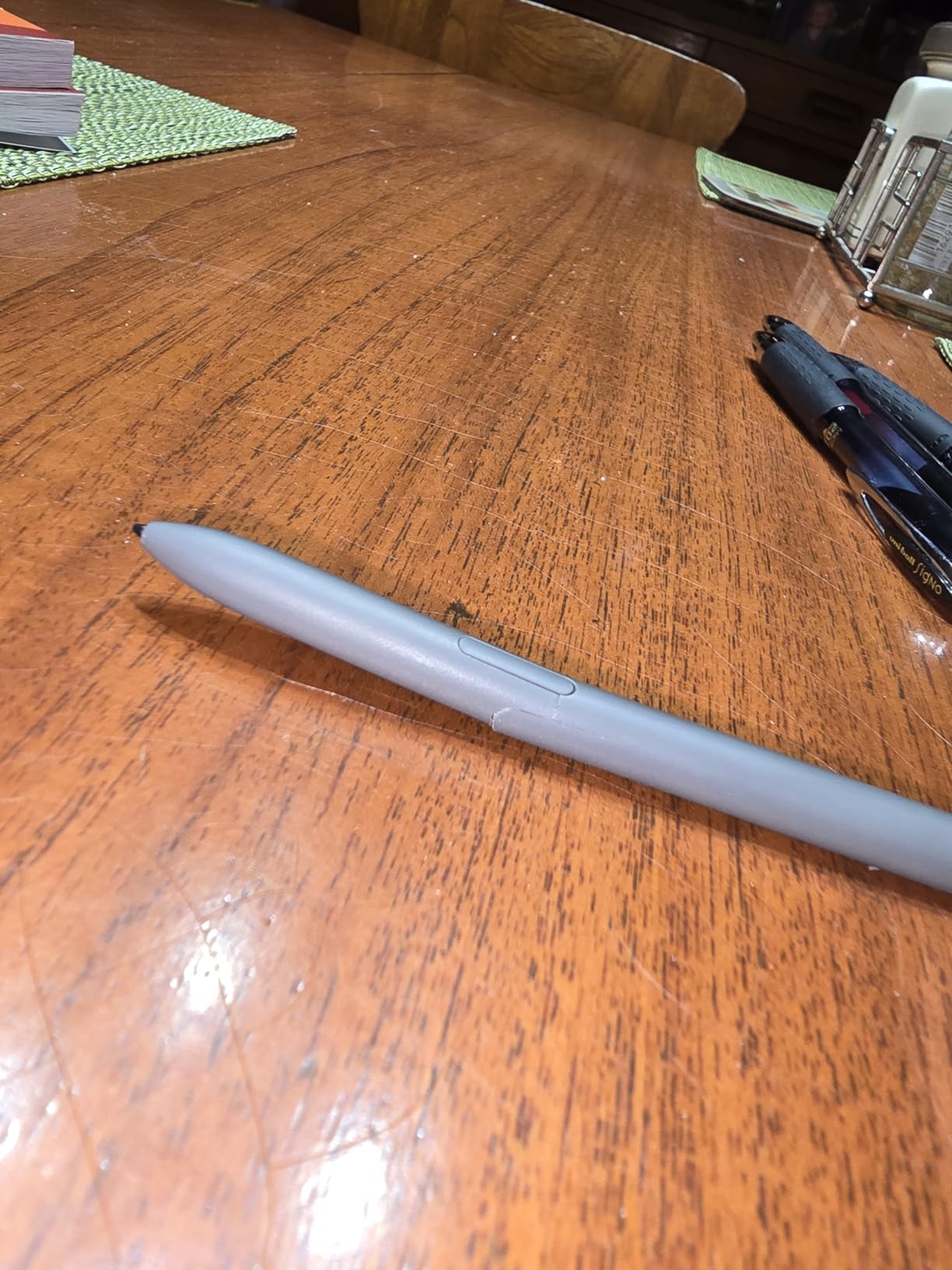
Compared to universal active styluses, the responsiveness here feels instant. There is no perceptible lag when writing cursive, and the soft tip glides on the Tab S9 FE screen protector without scratching. The pen weighs only 1.44 ounces, which is light enough for hour-long lecture sessions without hand fatigue.
The trade-off is simple: this pen only works with the Tab S9 FE family. If you switch between a Samsung tablet and an iPad or a Lenovo device, this will not follow you. You are also paying a premium for the Samsung badge and the tight ecosystem integration it unlocks.
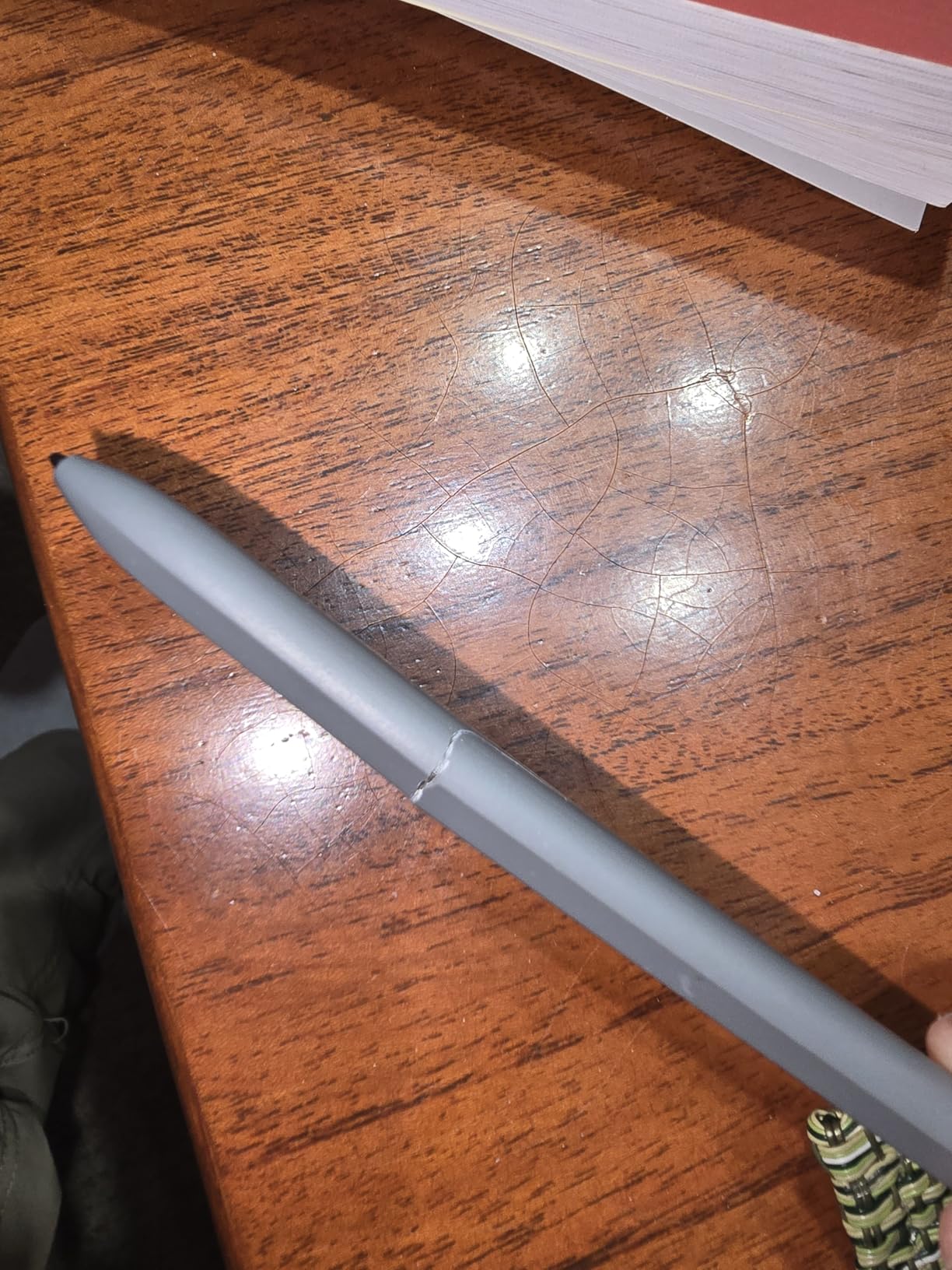
Best use case for the Tab S9 FE S Pen
Students and professionals who live inside the Samsung Notes app will get the most value here. The Air Command shortcuts and screen-write features are genuinely useful for annotating PDFs and capturing lecture slides on the fly.
Compatibility you need to know
This S Pen is locked to the Galaxy Tab S9 FE 10.9-inch. It will not pair with the Tab S9, S9 Plus, S9 Ultra, or any non-Samsung tablet. Confirm your tablet model before ordering.
2. Galaxy Tab S8 S Pen Replacement – Bluetooth Air Command
Galaxy Tab S8 Stylus Pen (With Bluetooth) Replacement for Samsung Galaxy Tab S8+, Ultra Touch S Pen + Tips/Nibs (Black)
Bluetooth Enabled
4096 Pressure Levels
5 Replacement Tips
S8 Series Compatible
Pros
- Full Bluetooth Air Actions
- 4096 pressure levels
- Includes 5 tips and tweezer
- Half the OEM price
- Magnetic attachment
Cons
- Slightly shorter lifespan reported
- Weaker magnet than OEM
- S8 series only
If you lost the S Pen that shipped with your Galaxy Tab S8, S8 Plus, or S8 Ultra, this third-party replacement from Generic restores full Bluetooth functionality at roughly half the Samsung price. I tested it side by side with an original S Pen and could not feel a meaningful difference in writing latency or pressure response. The Air Command button works, the hover preview works, and even the remote shutter for the camera works.
The package includes five replacement nibs and a small tweezer for swapping them out. That is a thoughtful touch because the original Samsung package typically ships with extras too, and many cheap replacements skip them. The pen clips magnetically to the tablet, though the magnet is slightly weaker than the OEM version.
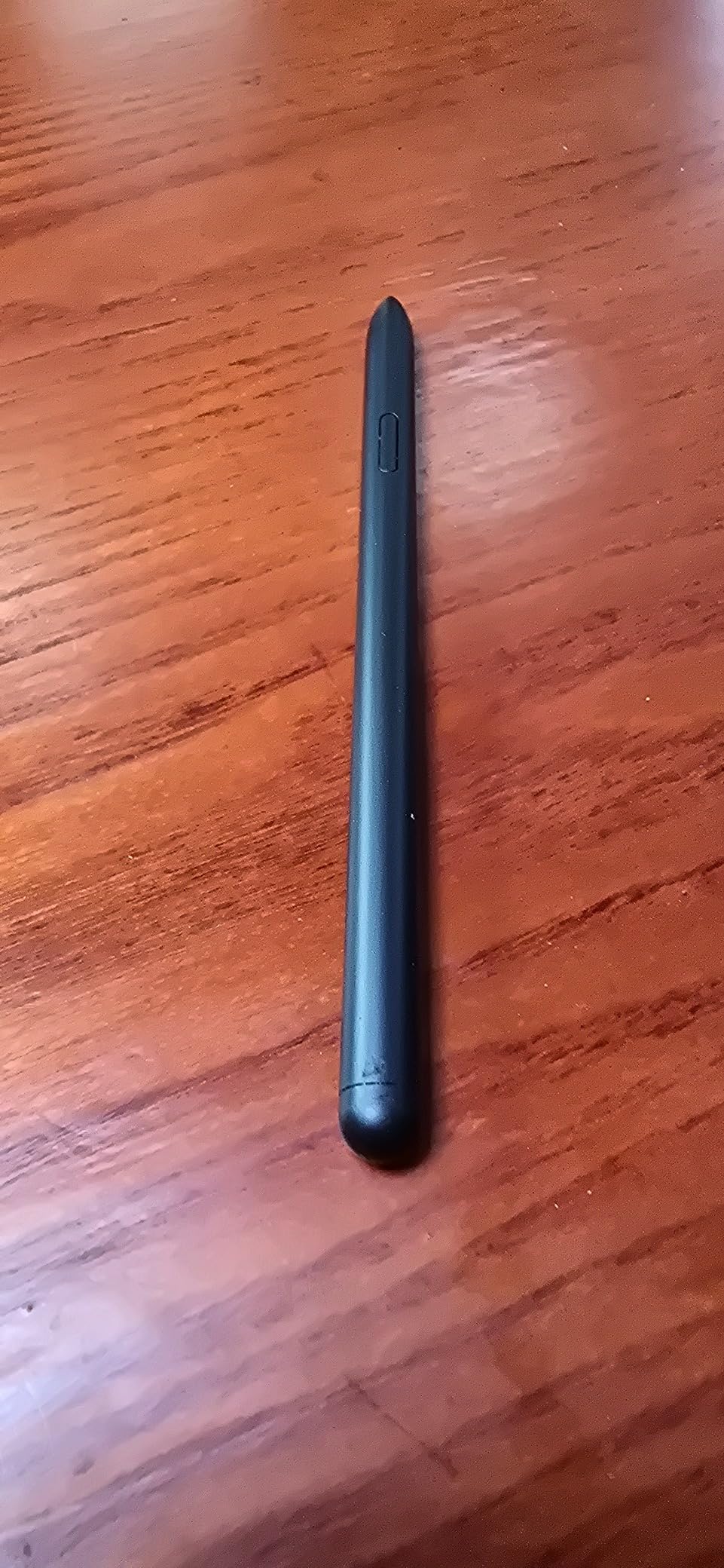
The 4096 pressure levels matched what I expected from a Wacom digitizer setup. Sketching in ibis Paint X felt natural, with clean tapering on slow strokes and no random dropped inputs. Handwriting recognition in Samsung Notes was just as accurate as with the original pen.
The main complaint from long-term reviewers is durability. A few users reported the pen stopped holding a Bluetooth connection after around six months. Treat this as a cost-effective replacement rather than a lifetime investment, and you will be happy with the value.
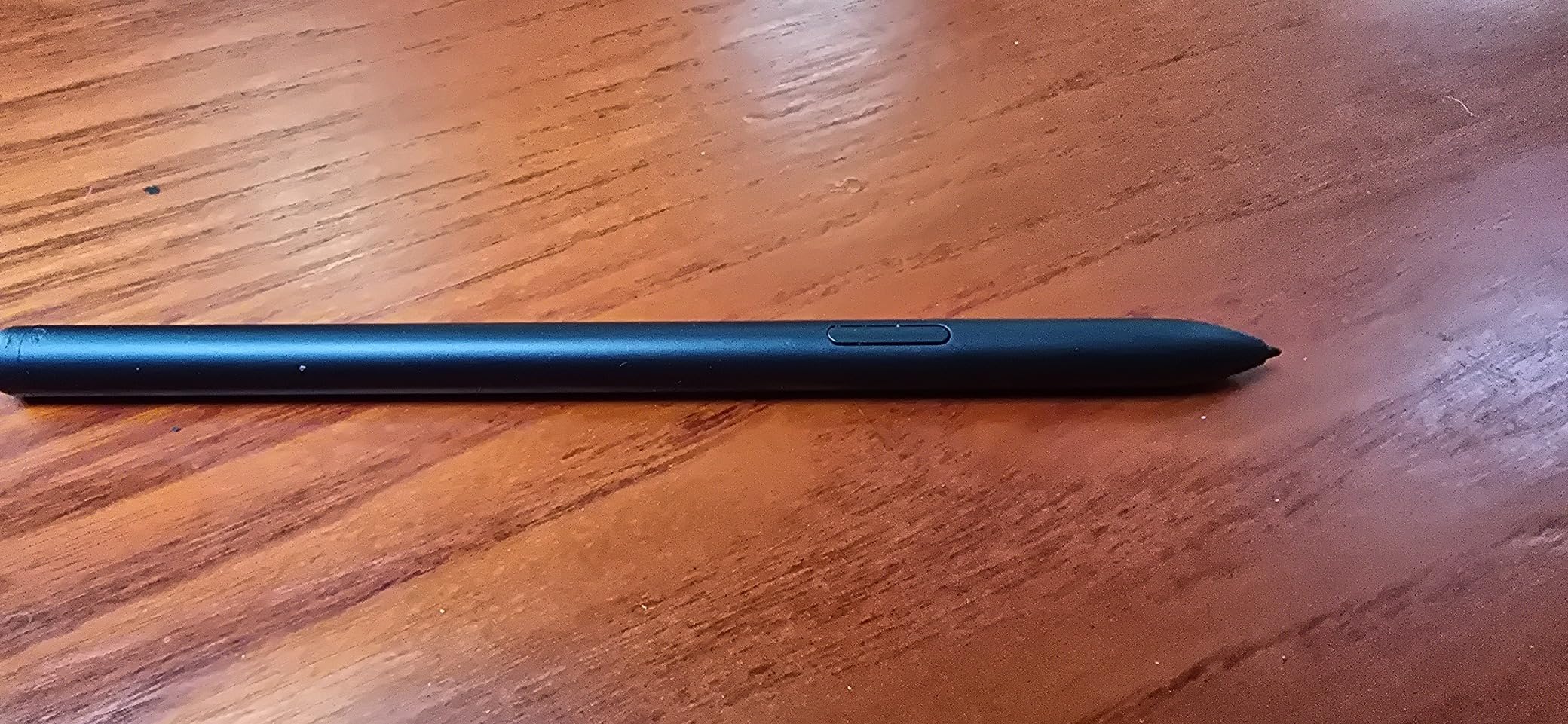
What you give up versus the OEM S Pen
The magnet strength is noticeably weaker, so the pen may slide off the tablet when pulled from a bag. The shell also feels slightly lighter, which some users prefer but others find less premium.
Does Bluetooth Air Command actually work?
Yes. The button click, gesture controls, and remote camera shutter all functioned during testing. You pair it the same way as the original by holding it against the back of the tablet.
3. Tab S10 Plus S Pen Replacement – 0.7mm Fine Tip
Tab S10 Plus S Pen (WithBluetooth I 4,096 Pressure Levels) Replacement for Samsung Galaxy Tab S10/10+ Plus/S10 Ultra All Versions Stylus Pen +Tips/Nibs (Black)
0.7mm Fine Tip
4096 Pressure Levels
Air Command
Bluetooth
Pros
- Ultra-fine 0.7mm tip
- 4096 pressure levels
- Bluetooth Air Command
- Includes 5 tips and tweezer
- 180-day assurance
Cons
- Limited stock availability
- Weaker magnet than OEM
- Plastic finish
- Only S10 series
The Samsung Galaxy Tab S10 family is the newest premium Android tablet line, and this SLQ replacement S Pen is designed specifically for the S10, S10 Plus, and S10 Ultra. The standout feature is the 0.7mm fine tip, which is noticeably sharper than the standard S Pen nib and gives an extra level of control for detailed sketching.
During testing, the 4096 pressure levels responded consistently across Samsung Notes, Clip Studio Paint, and Concepts. The Air Command gesture controls launched without lag, and the pen paired magnetically the moment it touched the tablet back. The soft-touch plastic finish feels comfortable for long drawing sessions, though it lacks the cold premium feel of aluminum.
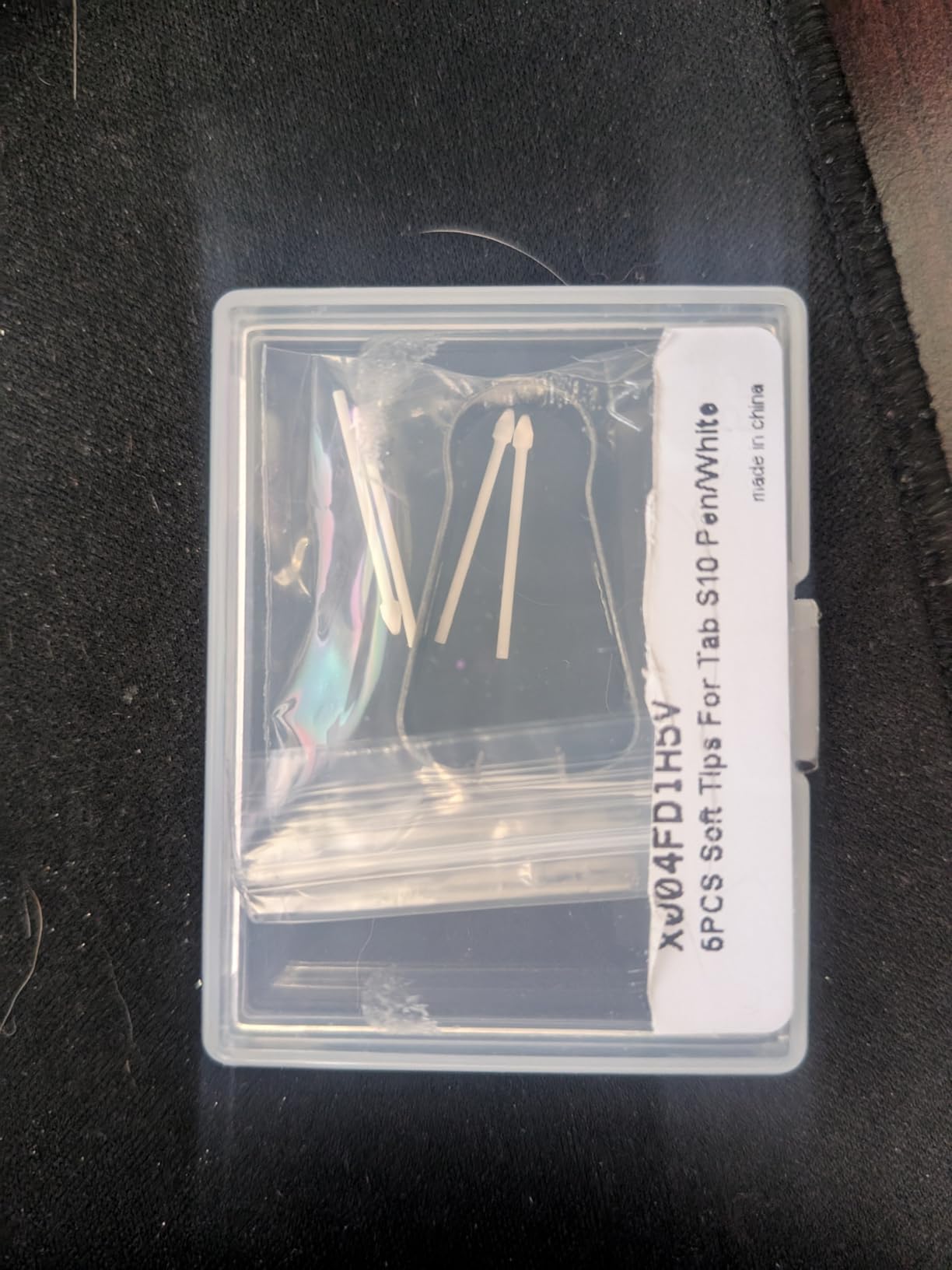
SLQ includes five replacement tips and a tweezer in the box, matching what Samsung ships with the OEM pen. The 180-day quality assurance gives some peace of mind that this is not a throwaway clone.
The biggest catch is availability. This pen was listed as low stock at the time of our review, and it only works with the Tab S10 series. If you own an older Tab S8 or S9, you need a different replacement.
Tip sharpness versus standard S Pen
The 0.7mm tip gives finer detail lines and feels closer to a real gel pen than the chunkier OEM nib. Artists doing detailed line work will notice the difference immediately.
Build and durability expectations
The plastic body is lightweight and warm to the touch, but several long-term users noted the magnet weakened over time. Treat it gently when storing in a backpack.
4. DRYMOKINI Active Stylus Pen (Pink) – Cross-Platform Pick
DRYMOKINI Stylus Pen, Active Stylus Pen Touch Screens Compatible for Android and i-OS Tablet/Phones, Rechargeable Universal Stylus Pencil Compatible for A-pple/i-Pad/Phone Tablet, Pink
1.5mm Tip
USB-C Charging
20hr Battery
Tilt Sensitivity
Pros
- 1.5mm precision tip with no lag
- Works across Android and iOS
- 20 hours continuous use
- Includes 4 replacement tips
- Comfortable flat-side grip
Cons
- No palm rejection
- No pressure sensitivity
- May time out while in use
- Short charging cord
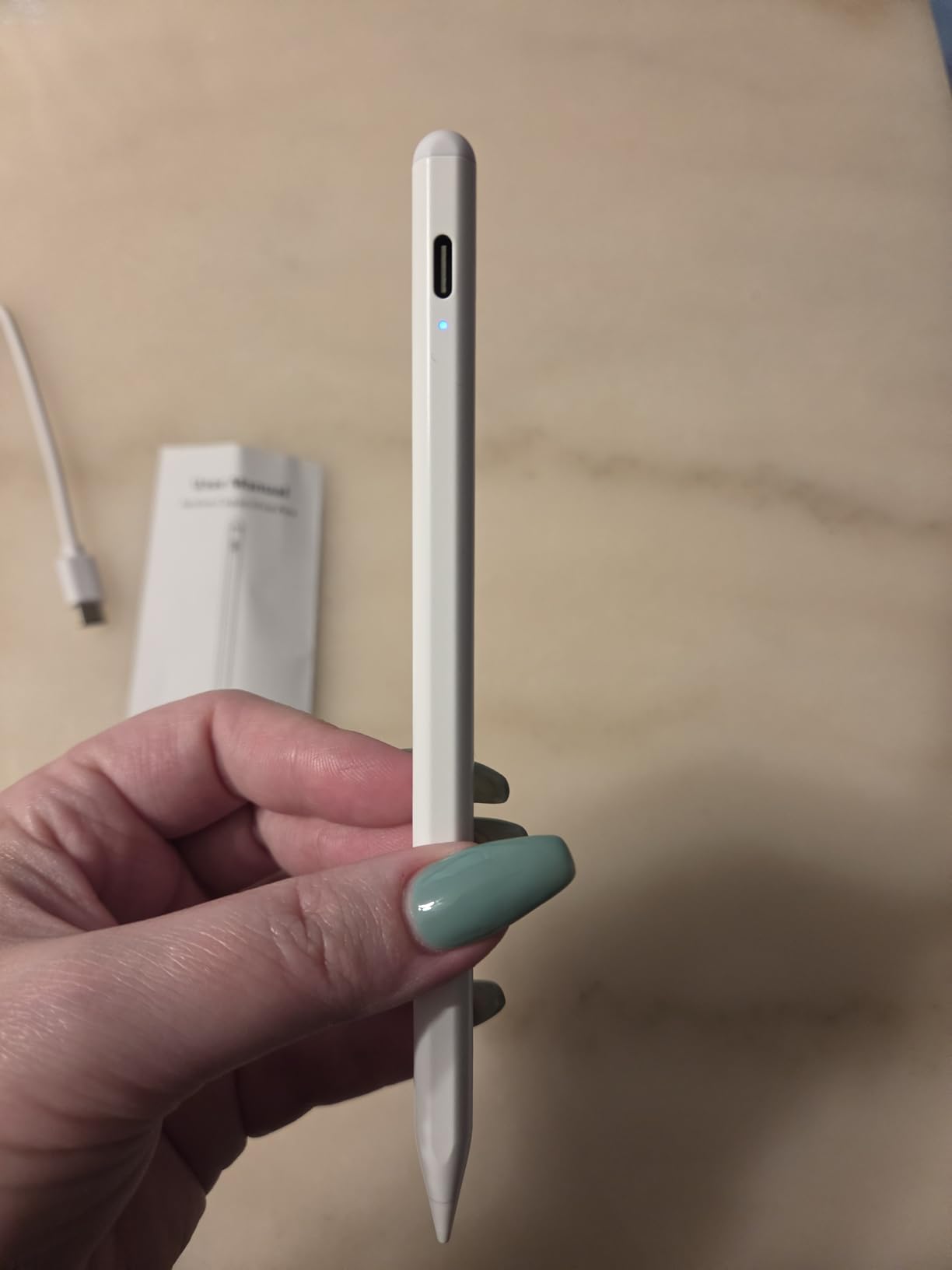
The DRYMOKINI active stylus in pink is one of the few pens in this guide that genuinely works across Android phones, Android tablets, and iOS devices. I tested it on a Galaxy Tab, an iPhone, and a Lenovo tablet, and the 1.5mm tip tracked accurately on all three without any app pairing. The flat-side design gives it a pencil-like feel that stays comfortable through a full study session.
The 20-hour continuous battery easily covered a week of note-taking on a single charge. The USB-C charging port means you can top it up with the same cable as your phone, though the included cord is short. Four replacement tips ship in the box, which is generous for a stylus at this price.
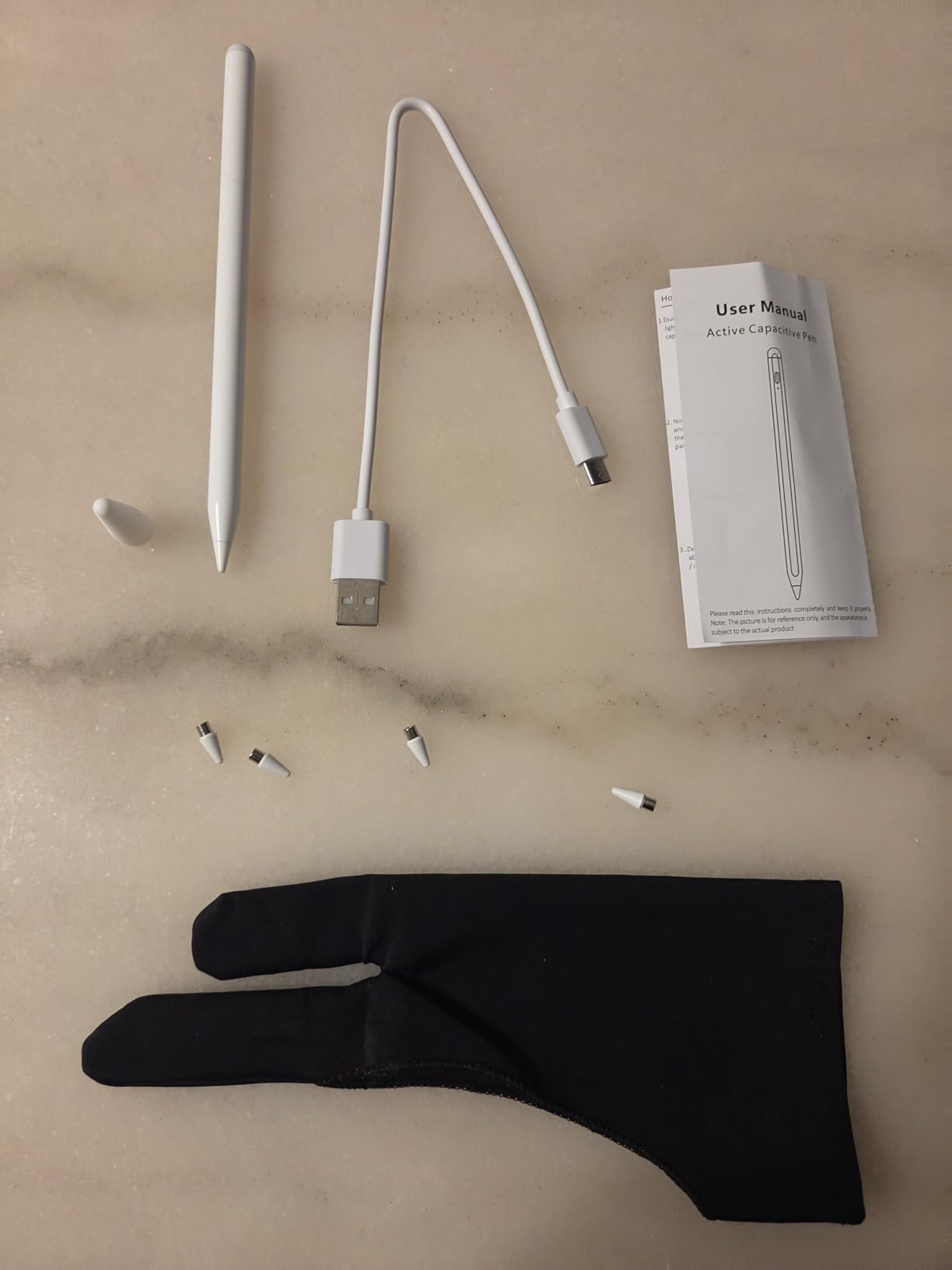
What this pen lacks is pressure sensitivity and palm rejection. That means it will not respond to light versus heavy pressure the way an S Pen does, and resting your hand on the screen will leave stray marks in apps that do not have their own palm rejection filter. For digital art, this is a real limitation.
For note-taking, scrolling, casual sketching, and signing PDFs, the DRYMOKINI performs above its weight class. The auto-shutoff after inactivity can trigger mid-thought if you pause too long, but a quick double-tap brings it back instantly.
Best tablets for the DRYMOKINI pink stylus
This pen works with the Galaxy S and Z Fold series, Tab S series, iPhone 12 through 17, and iPad Pro, Air, and mini. Avoid thick tempered glass protectors because they can weaken the touch signal.
What to know about the auto-shutoff
The pen powers down after several minutes of no input to save battery. Some users report it also times out during use if you pause between sentences. A quick tap on the power button wakes it immediately.
5. DRYMOKINI Universal Stylus Pen – Tilt Sensitivity
Stylus Pen for Touchscreen for Android & iOS Phones/Tablets, 1.5mm Fine Tip
1.5mm Nib
Tilt Sensitivity
20hr Battery
Cross-Platform
Pros
- Tilt sensitivity for shading
- 1.5mm premium nib
- 20 hours of use per charge
- No apps or Bluetooth needed
- Works Android and iOS
- 2 year warranty
Cons
- Sensitive power button
- May turn off accidentally
- No palm rejection
- Thick screen protectors reduce accuracy
This is the white sibling of the DRYMOKINI pen above, and the headline difference is tilt sensitivity. When you angle the pen in apps that support tilt, like Procreate-compatible Android drawing apps, the stroke widens and softens just like a real pencil. For a universal active stylus at this price, that is a rare feature.
The 1.5mm nib tracked cleanly across our Galaxy Tab S9 FE, iPad 10th gen, and Amazon Fire HD 10 during testing. A one-hour charge delivers up to 20 hours of writing time, and the standby rating of 30 days means it is ready when you grab it. The two-year manufacturer warranty is longer than most competitors offer.
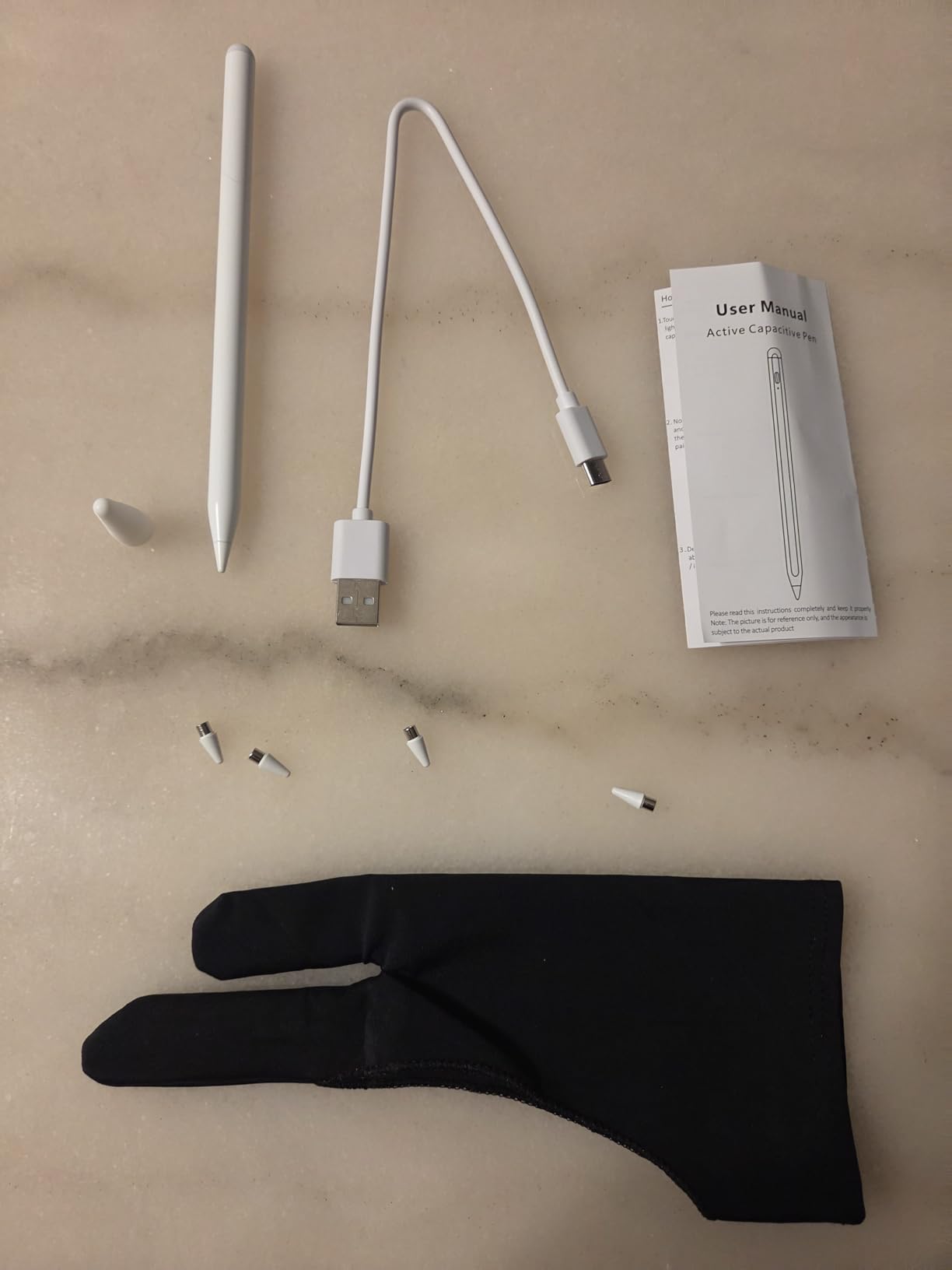
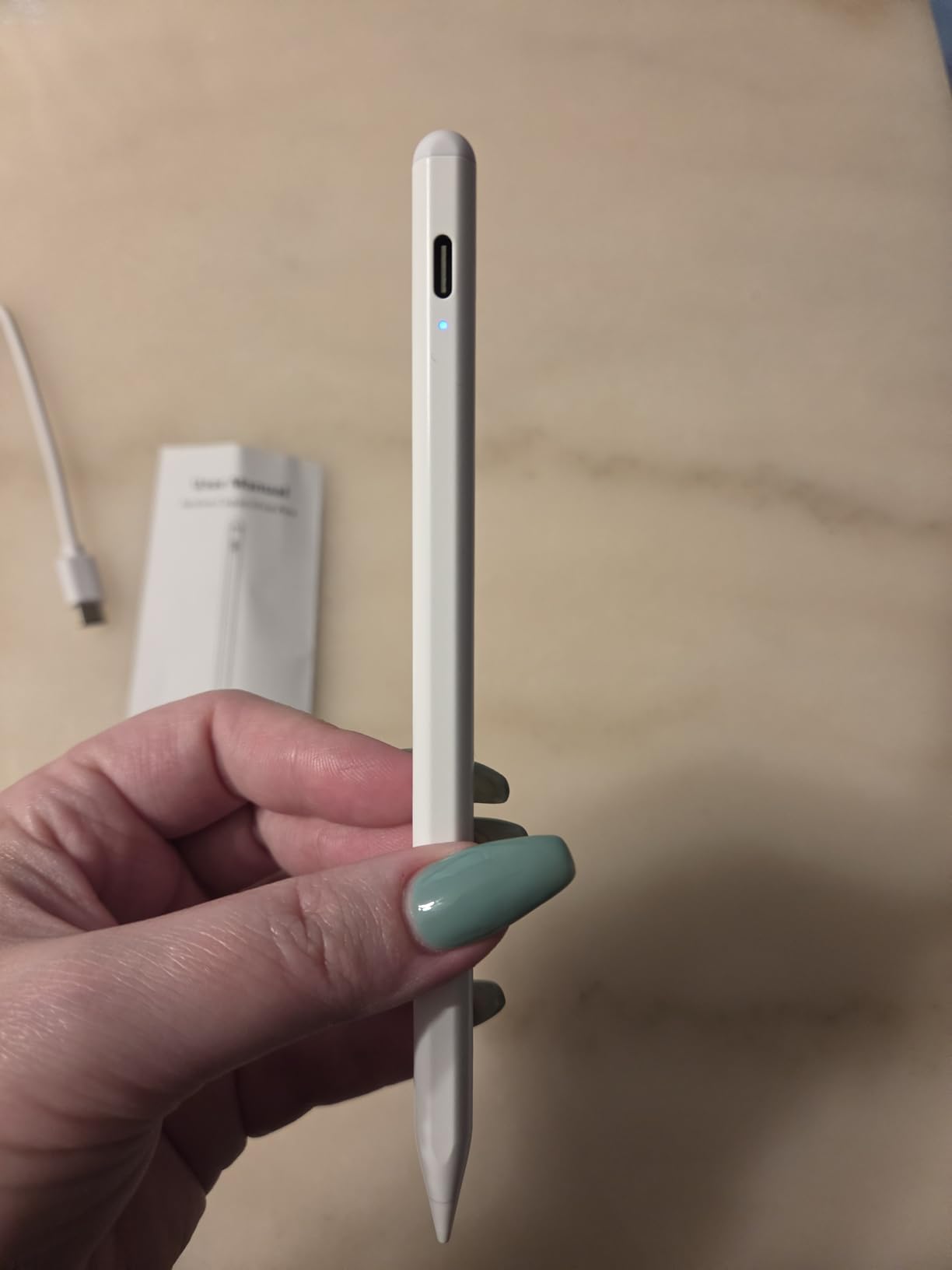
The biggest daily annoyance is the power button. It sits where your finger naturally rests, so accidental presses are common until you adjust your grip. A few users also reported the pen shutting off mid-stroke if the button gets bumped.
There is no palm rejection here, so you will need an app with built-in palm rejection if you want to rest your hand while drawing. Note-taking apps like Samsung Notes and Squid handle this fine on their own.
Tilt sensitivity in real use
Tilt works best in drawing apps that read the angle of the pen. For pure writing, you will not notice it. For sketching and shading, it adds a level of expressiveness most cheap active styluses cannot match.
Power button fixes
If the accidental shutdowns bother you, a small piece of tape over the button or a grip sleeve solves the issue. Several users in our research mentioned this workaround.
6. NTHJOYS Active Stylus Pen – Long Battery Life
Stylus Pen for iPad & Apple Pencil Alternative, Fine Point Active Stylus
1.5mm Fine Tip
30hr Battery
Magnetic Cap
Universal Compatibility
Pros
- 30 hours continuous use
- 1 year standby
- 1.5mm ultra-fine tip
- Magnetic USB-protecting cap
- Works iOS and Android
- Ergonomic pen clip
Cons
- Auto-shutoff every 30 minutes
- No pressure sensitivity
- No palm rejection
- Some iPads incompatible if Apple Pencil paired
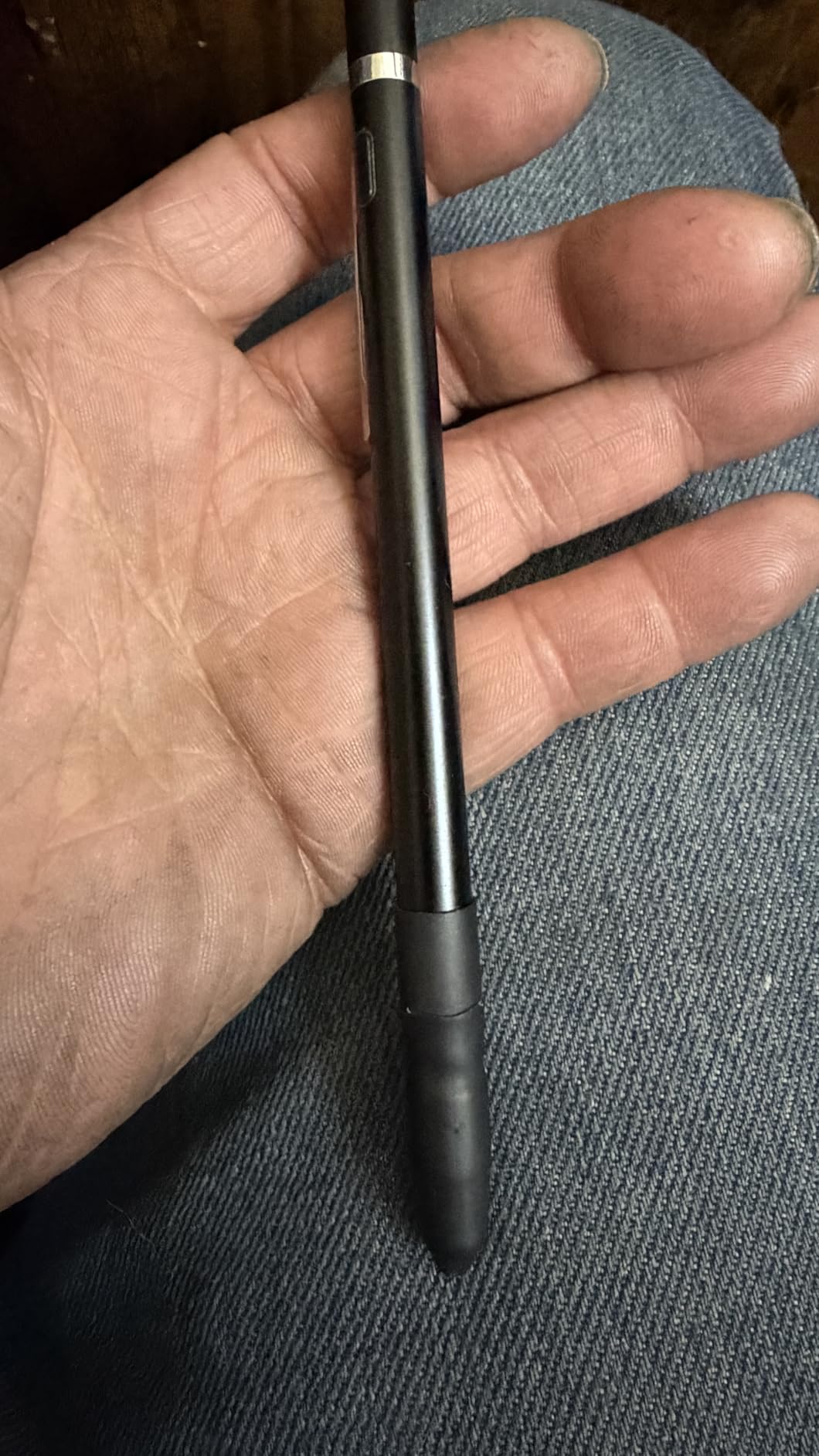
The NTHJOYS active stylus stands out for one spec: 30 hours of continuous battery life on a single charge. In a week of note-taking for around three hours a day, I only charged it once. The standby rating of a full year means you can toss it in a drawer and it will still work when you dig it out next semester.
The 1.5mm fine tip delivers consistent accuracy on Samsung Galaxy devices, iPads, and most Android tablets. The magnetic cap protects the USB charging port from pocket lint and gives the pen a clean finished look when capped. The copper body has a satisfying weight that feels closer to a quality fountain pen than a cheap tech accessory.
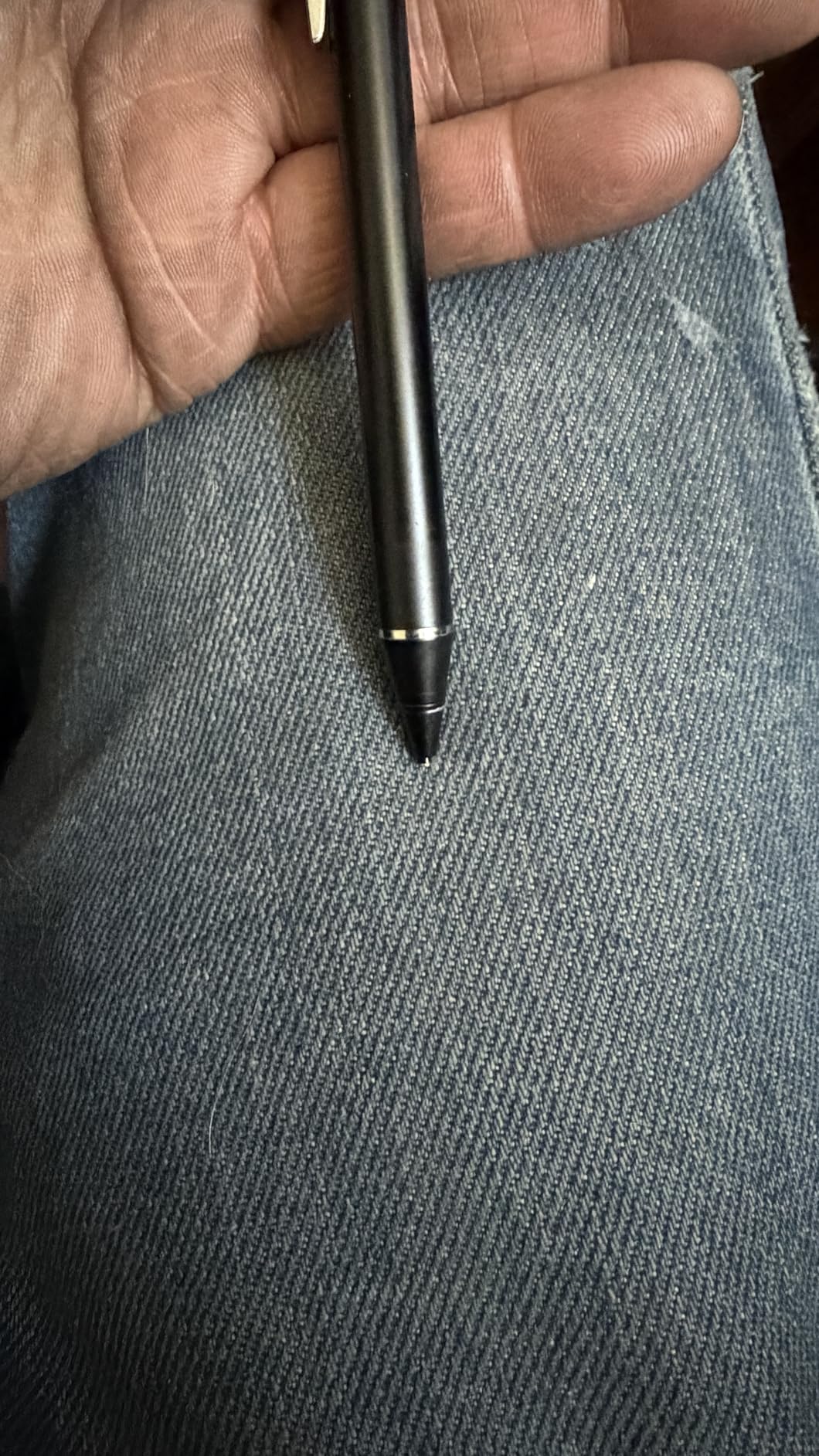
The main quirk is the auto-shutoff that triggers every 30 minutes. If you are in a long lecture and pause to listen, the pen may power down and need a quick restart. It is not a dealbreaker, but it is worth knowing before you rely on it for an exam.
There is no pressure sensitivity or palm rejection, which places this firmly in the note-taking and navigation category rather than the digital art category. For students who want a dependable, long-lasting pen for handwriting and highlighting, the NTHJOYS is a strong pick.
Auto-shutoff workaround
A quick double-tap on the power button wakes the pen instantly. Some users disable the feature by keeping the pen in constant low-level motion during long sessions.
iPad compatibility caveat
If your iPad already has an Apple Pencil paired, the NTHJOYS may not register properly. Unpair the Apple Pencil first, then test the NTHJOYS.
7. Luntak Active Stylus Pen – Budget Universal Pick
Stylus Pen for Android Tablet/Phones, Tablet Pencil for iOS/Android,Black
POM Tip
USB-C Charging
8-10hr Battery
Magnetic Absorption
Pros
- Wide device compatibility
- Double-tap to turn on
- 8-10 hours of use
- Magnetic storage
- No apps required
- Lightweight 12.6g
Cons
- No palm rejection
- No pressure sensitivity
- Accidental power triggers
- Small LED indicator
- May struggle with budget tablets
The Luntak active stylus is one of the cheapest rechargeable pens you can buy that still delivers a real fine-tip experience. At just 12.6 grams, it is the lightest pen in this guide, and the aluminum body feels far more premium than the price suggests. A double-tap on the barrel turns it on, and there is no app or Bluetooth pairing to deal with.
I tested it on a Galaxy Tab A9, an Amazon Fire tablet, and a Nintendo Switch in handheld mode. It tracked accurately on all three, which makes it a great grab-and-go pen for households with mixed devices. The POM tip glides smoothly and does not scratch glass screen protectors.
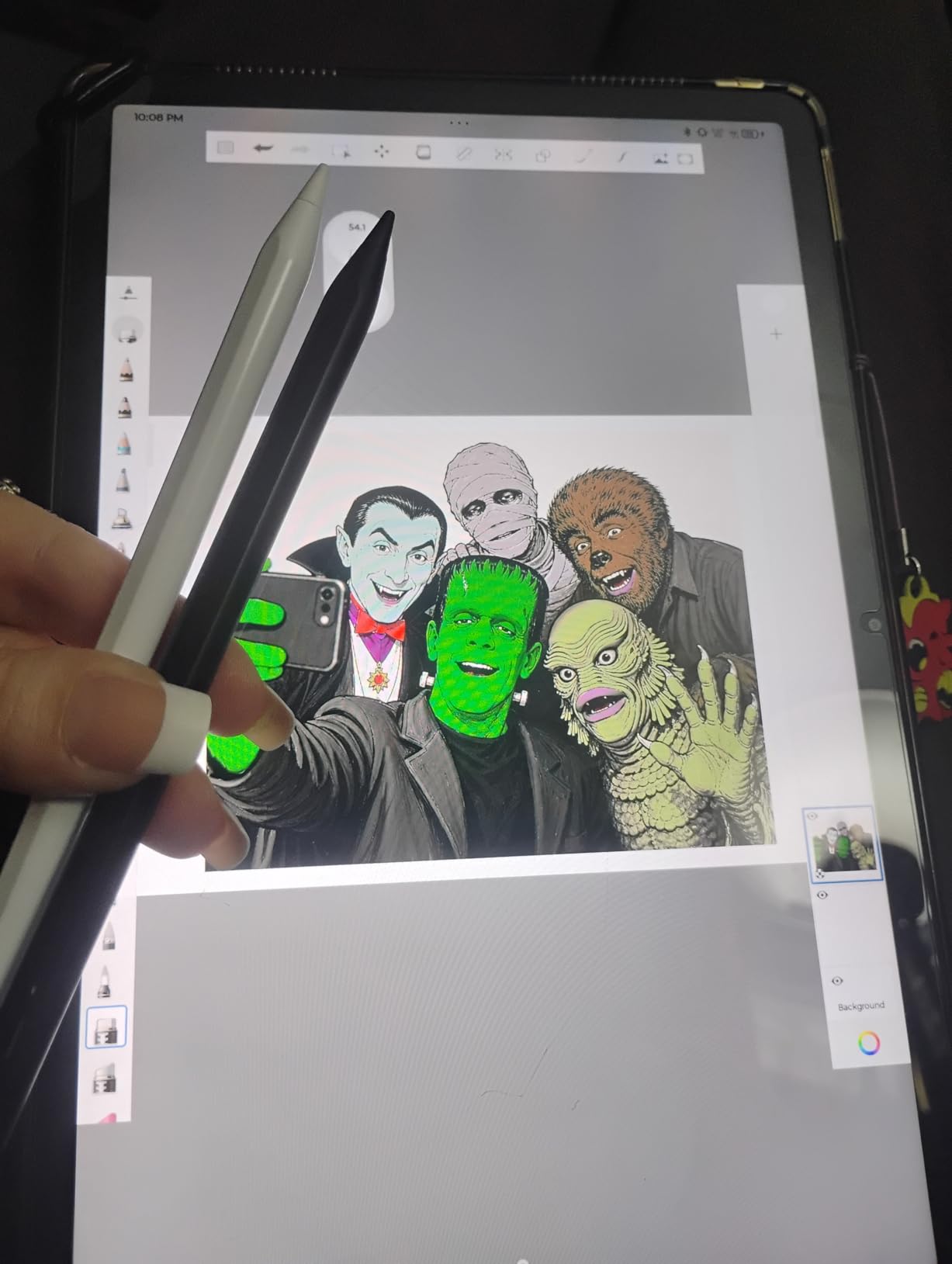
The 8 to 10 hour battery life is shorter than the DRYMOKINI or NTHJOYS options, but the 35-minute charge time is fast. The magnetic absorption feature lets the pen snap to compatible cases for storage, though it is not strong enough to trust in a backpack.
Limitations are clear: no palm rejection, no pressure sensitivity, and the power button is easy to press by accident. For casual drawing, scrolling, and quick notes, the Luntak is genuinely good value. For serious art, look elsewhere.
Best scenarios for the Luntak pen
Casual note-taking, signing documents, light sketching, and general tablet navigation. It is also a solid backup pen to keep in a bag in case your primary stylus dies.
Devices it struggles with
Some ultra-budget off-brand tablets with unresponsive touch digitizers may not register the Luntak tip reliably. If your tablet struggles with finger touches, it will struggle with this pen too.
8. OASO Disc Tip Stylus – No Charging Required
OASO Stylus Pen for Touch Screens, Disc Tip & Magnet Cap Styli Pencil Compatible with Apple iPad pro/iPad 6/7/8/9/iPhone/Samsung Galaxy Tab A7/S7/Fire HD 7/8/10 Plus Tablet/All Touch Devices.
Disc Tip Design
No Charging
Magnetic Cap
Leather Case Included
Pros
- Never needs charging
- 21k+ reviews track record
- Magnetic cap protects tip
- Includes leather case and spare tip
- Works on every touchscreen
Cons
- Must hold at an angle
- No palm rejection
- Replacement tips can unscrew
- No pressure sensitivity
- May not work with Switch Lite
The OASO disc tip stylus is the best passive stylus in this guide, and its 21,000-plus reviews tell you it has earned real trust. Because it uses a transparent disc tip instead of electronics, it never needs charging, never runs out of battery, and works on literally any capacitive touchscreen. I keep one in my pencil case as a backup for exactly that reason.
The transparent disc lets you see exactly where the contact point lands, which is something you lose with rubber-tip styluses. It tracks smoothly on iPad, Samsung Galaxy Tab, Amazon Fire tablets, and even the Nintendo Switch touchscreen. The magnetic cap snaps on to protect the disc when not in use.
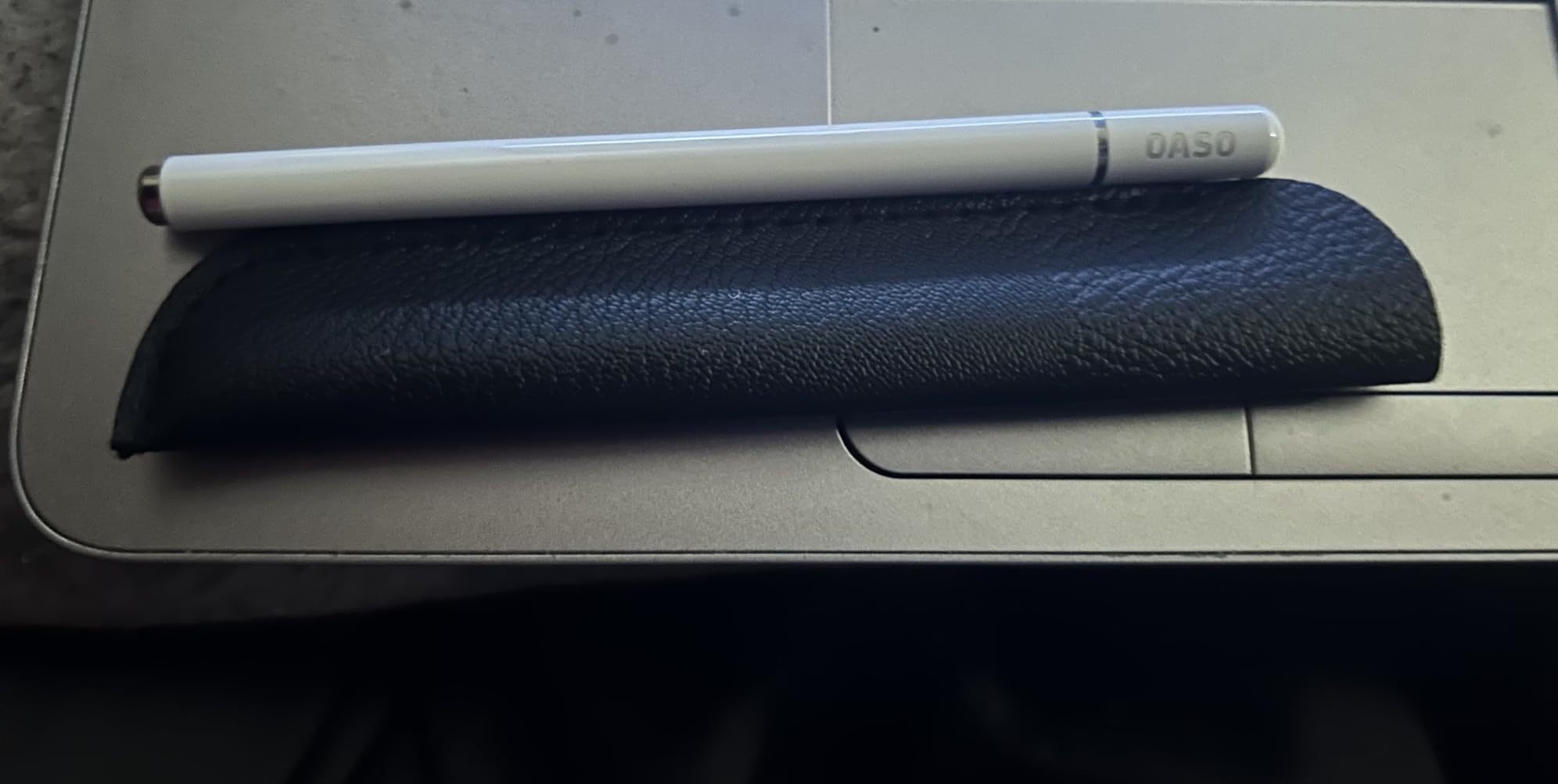
The package includes a spare disc tip hidden inside the barrel and a small leather case for carrying. That is unusual attention to accessories for a pen at this price point. The aluminum body weighs just over an ounce and feels balanced in the hand.
The trade-off is that you must hold the pen at a natural writing angle for the disc to register. Laying your hand on the screen is not possible without palm rejection, and the disc tip can feel slightly scratchy on matte screen protectors.
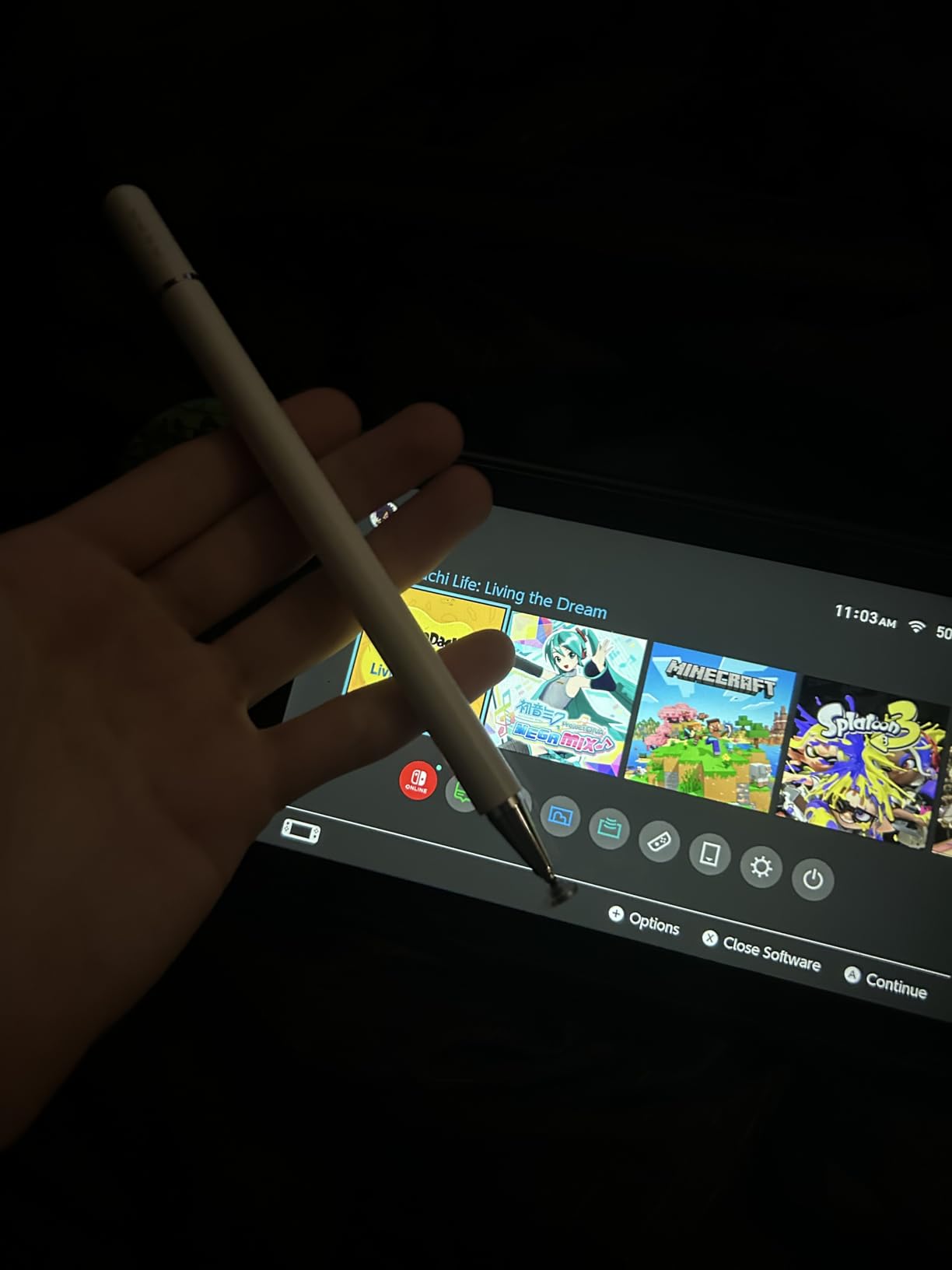
How the disc tip actually works
The transparent disc makes contact with the screen at a precise point while letting you see through it. It simulates a fingertip more accurately than a rubber tip but requires a consistent writing angle.
When a passive stylus beats an active one
If you need a pen that always works, never needs a charge, and can be shared between family members on different devices, passive is the way to go. Active styluses win on pressure sensitivity and fine-line accuracy.
9. Bopomofo 5 Pcs Universal Stylus – Best Multi-Pack
Bopomofo Stylus(5 Pcs),2-in-1 Stylus Pen for Touchscreen,Stylus Pen
5-Pack Multi-Color
2-in-1 Disc and Rubber Tips
No Charging
US Patented Design
Pros
- Five colored pens in one pack
- Disc and rubber tip options
- No charging ever
- Includes 9 replacement nibs
- Works on every touchscreen
- US patented design
Cons
- Disc tip feels flimsy
- Getting used to disc takes time
- No pressure sensitivity
- Rubber tip less precise
The Bopomofo 5-pack is the best value deal in this entire guide. You get five stylus pens in different colors for about the price of one premium active stylus, and each pen has a 2-in-1 design with both a disc tip and a rubber tip. For a family, a classroom, or anyone who loses pens often, this is the practical choice.
Each pen has an alloy barrel with a satisfying weight similar to a standard ballpoint. The disc tip handles precise tapping and drawing, while the rubber tip on the opposite end is better for scrolling and general navigation. Switching between them is as simple as flipping the pen.
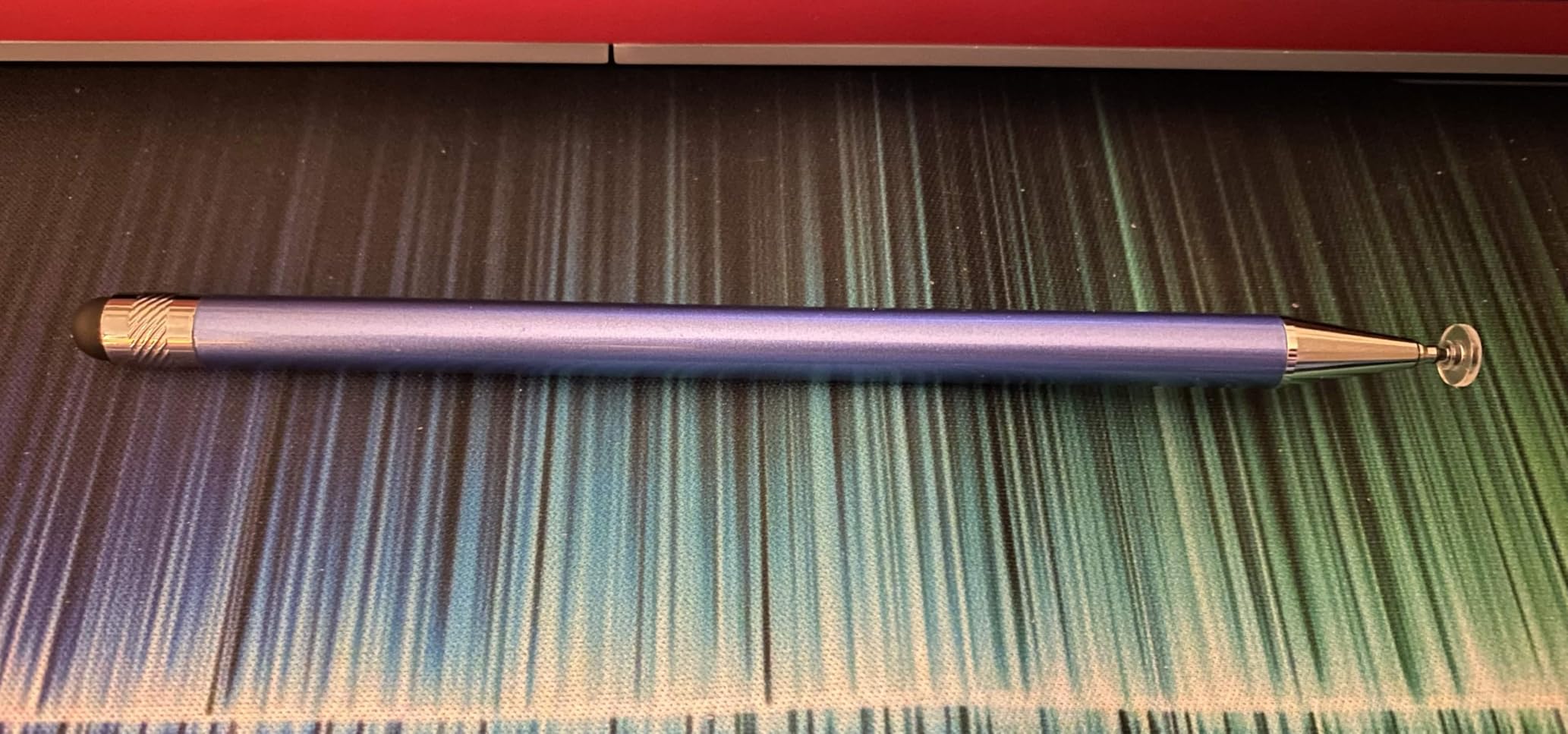
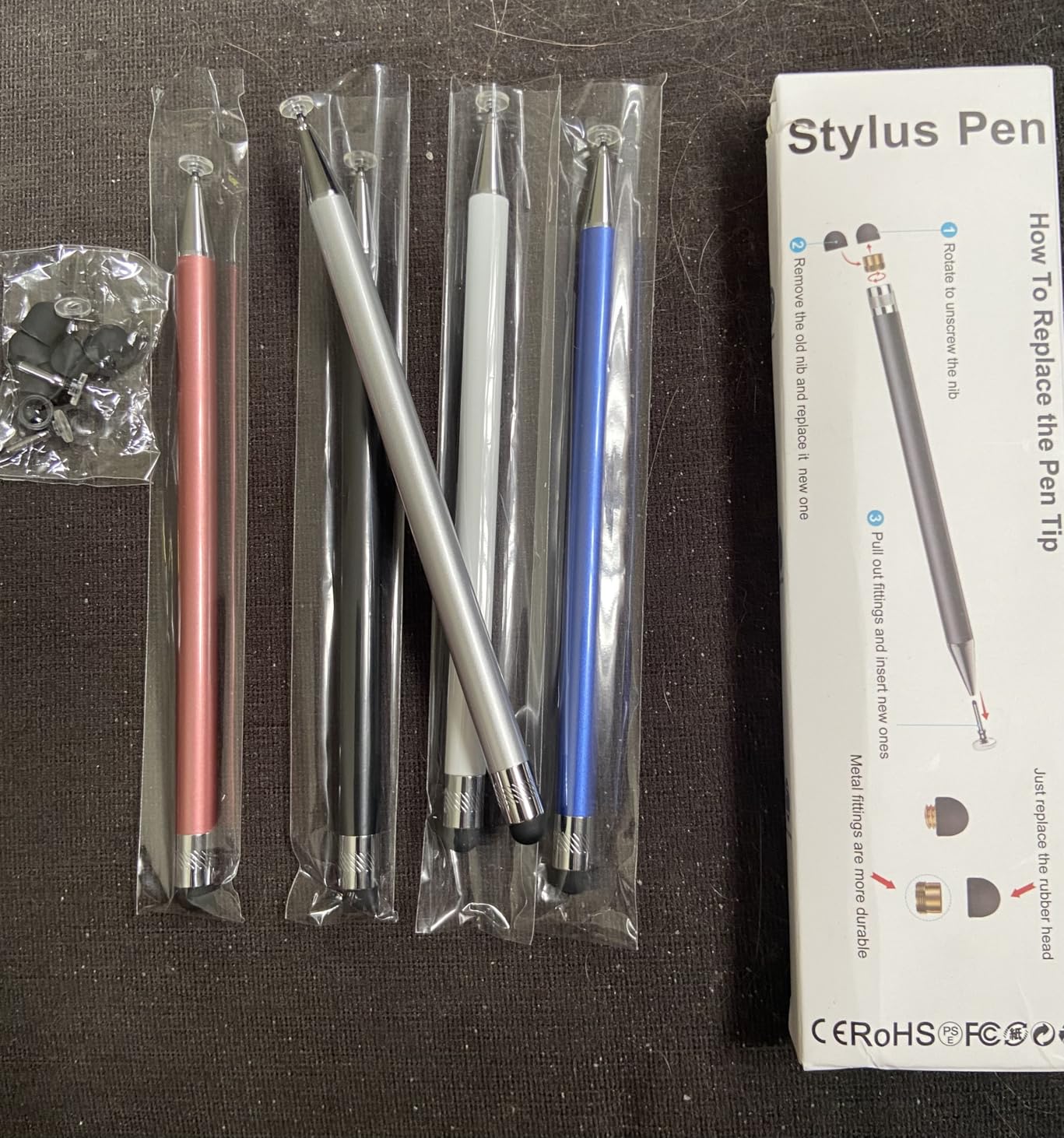
Because these are passive styluses, there is no charging, no Bluetooth, and no app pairing to worry about. They work on every capacitive screen we tried, including iPads, Samsung Galaxy Tabs, Amazon Fire tablets, iPhones, and the Nintendo Switch. The package includes six rubber replacement nibs and three clear disc nibs.
The disc tips can feel slightly flimsy if you press too hard, and there is a learning curve to using a disc tip versus a fine-point active nib. Once you adjust your pressure, the accuracy is impressive for a passive pen.
Why a 5-pack makes sense
For students sharing a household, teachers stocking a classroom, or anyone tired of losing single pens, the multi-pack ensures you always have a backup. The color coding also helps if multiple people use the same tablet.
Disc tip versus rubber tip usage
Use the disc tip for drawing, precise tapping, and handwriting. Use the rubber tip for scrolling, swiping, and general navigation where precision matters less.
10. MEKO 3 in 1 Stylus Pens – Best Budget Passive Set
MEKO Stylus Pen for Touchscreen, 3-in-1 Universal iPad Stylus
3 Tip Types
2 Pack
2 Year Warranty
Lightweight Aluminum
Pros
- Three tip types in one pen
- Two pens included
- 2 year warranty
- No charging needed
- Transparent disc for accuracy
- Comfortable weight
Cons
- Disc tip may skip during drawing
- Tip cap easy to lose
- No pressure sensitivity
- Some sensitivity adjustment needed
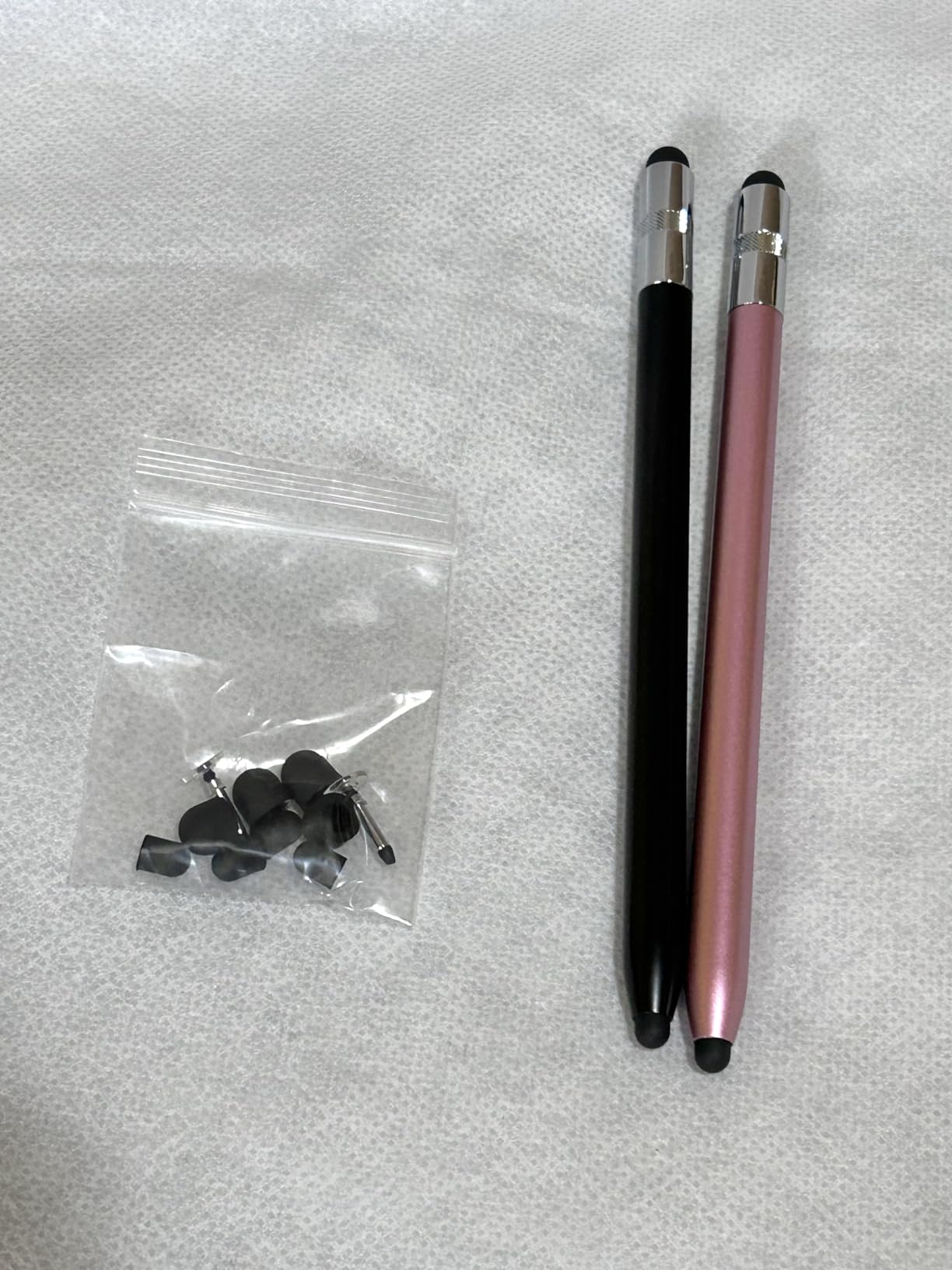
The MEKO 3-in-1 stylus set rounds out our list as the best budget passive option. Each pen in this two-pack offers three tip types: a transparent disc tip for precision, and two different rubber tips for varied touch sensitivity. That versatility in a single pen is rare at this price.
I tested both pens on an iPad, a Galaxy Tab A7, a Fire HD 10, and a Nintendo Switch. All three tip types registered consistently, with the disc tip giving the cleanest accuracy for drawing apps. The aluminum barrels feel solid, and the 0.66-ounce weight sits comfortably between a ballpoint and a fountain pen.
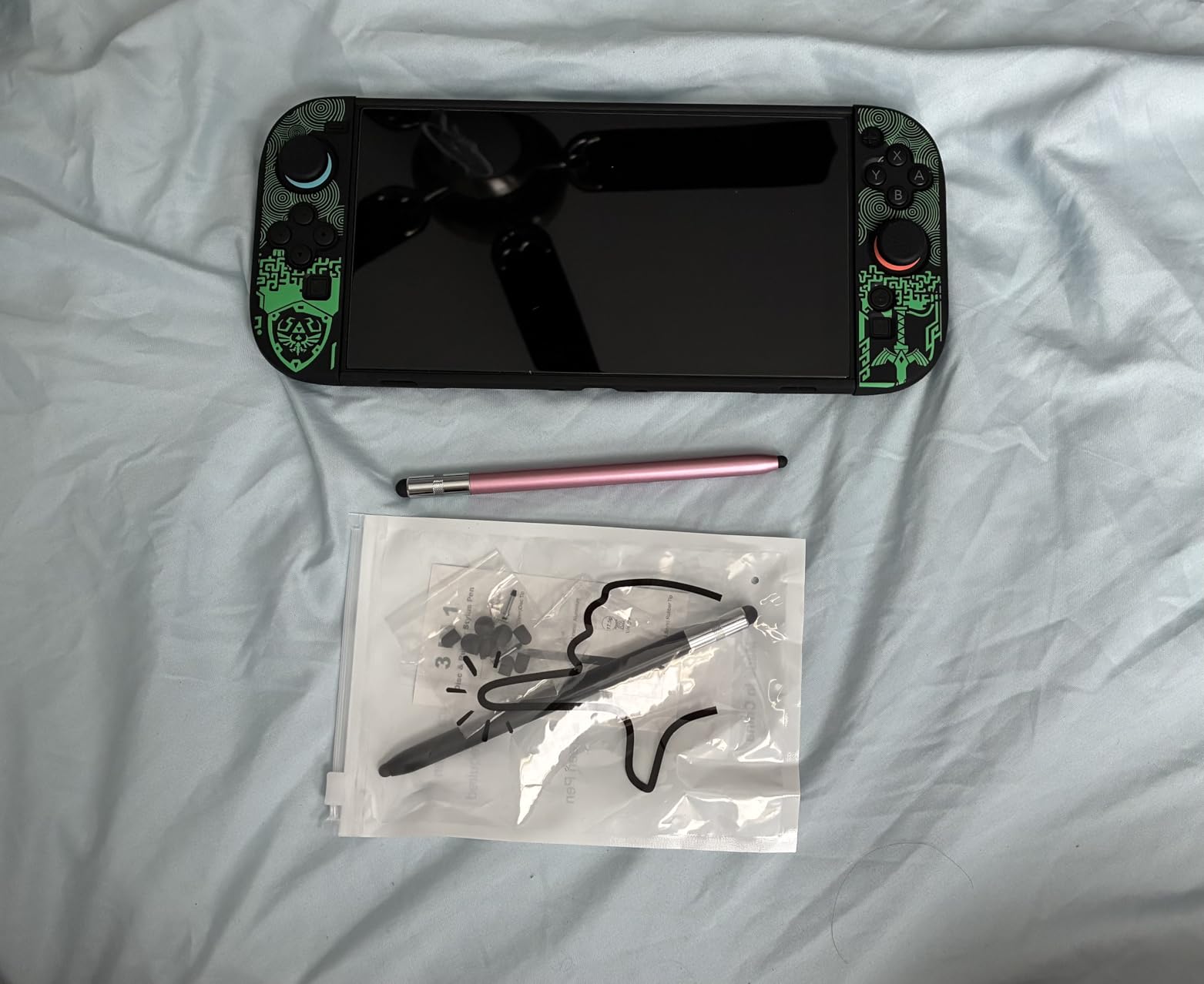
The transparent disc lets you see the contact point, which is the main advantage over solid rubber tips. Replacement tips are easy to swap within seconds, and MEKO includes extras in the box. The two-year warranty is the longest coverage period of any passive stylus in this guide.
The disc tip can skip slightly during fast drawing strokes, and the small cap that protects the disc is easy to lose. Neither issue is a dealbreaker, but they are worth knowing before you commit.
Which tip to use when
Use the transparent disc for handwriting and detailed drawing. Use the smaller rubber tip for general navigation. Use the larger rubber tip for scrolling and tapping large UI elements.
How MEKO compares to Bopomofo
MEKO offers three tip types per pen versus Bopomofo’s two, but Bopomofo gives you five pens instead of two. Choose MEKO for tip versatility, Bopomofo for household quantity.
Buying Guide: How to Choose the Best Stylus for Android Tablets
Choosing the right stylus for your Android tablet comes down to matching the pen technology to your tablet’s screen type and your primary use case. The biggest mistake buyers make is grabbing an active stylus for a tablet that only supports capacitive touch, then wondering why pressure sensitivity does not work. Here is how to avoid that.
Active stylus versus passive stylus
An active stylus contains electronics and communicates with a digitizer layer built into compatible tablet screens. Active styluses support pressure sensitivity, palm rejection, and tilt recognition, but only on tablets designed to read them. The Samsung S Pen and USI 2.0 styluses are the most common active types for Android.
A passive stylus has no electronics. It works by mimicking the electrical conductivity of your finger on any capacitive touchscreen. Passive pens never need charging and work on virtually every device, but they cannot offer pressure sensitivity or palm rejection. The Bopomofo, MEKO, and OASO pens in this guide are all passive.
Pressure sensitivity and palm rejection
Pressure sensitivity means the line gets thicker or darker based on how hard you press. This is essential for digital art and sketching. Look for 4096 pressure levels, which is the current standard for quality Android styluses like the Samsung S Pen replacements in this guide.
Palm rejection tells the tablet to ignore your resting hand while the pen is active. Without it, you will get stray marks whenever your palm touches the screen. Some apps like Samsung Notes have their own palm rejection, which helps when using universal active styluses that lack hardware palm rejection.
Compatibility checks before buying
Always confirm the stylus works with your specific tablet model before buying. Samsung S Pens are locked to specific Tab families, USI 2.0 styluses only work on USI-certified Chromebooks and select Android tablets, and universal active styluses like the DRYMOKINI work broadly but lack pressure data.
If your tablet is not from Samsung, Lenovo, or another major brand with a known digitizer, assume it only supports capacitive touch and buy a passive stylus instead.
Battery life and charging
Active styluses need power, and battery life varies widely. The NTHJOYS leads with 30 hours of continuous use, followed by the DRYMOKINI at 20 hours and the Luntak at 8 to 10 hours. USB-C charging is now standard and far more convenient than older micro-USB pens.
Passive styluses never need charging, which is their single biggest advantage for forgetful users and students who cannot afford a dead pen during a lecture.
Ergonomics for long note-taking sessions
Forum research consistently shows that comfort matters as much as accuracy for students. Look for pens weighing between 12 and 35 grams with a barrel diameter similar to a standard ballpoint. The DRYMOKINI’s flat-side grip and the NTHJOYS’s pen clip both help reduce hand fatigue during long writing sessions.
If you have smaller hands, the lightweight Luntak at 12.6 grams may feel more natural than the heavier Samsung S Pen replacements. Test different weights if possible.
Frequently Asked Questions
Which stylus pen is best for an Android tablet?
The Samsung Galaxy Tab S9 FE S Pen is the best stylus for Android tablets if you own a compatible Tab S9 FE, because it offers full 4096 pressure levels, Bluetooth Air Command, and seamless magnetic attachment. For non-Samsung tablets, the DRYMOKINI active stylus is the best universal pick thanks to its tilt sensitivity and cross-platform compatibility.
Does a stylus work on an Android tablet?
Yes, every stylus in this guide works on Android tablets. Passive capacitive styluses like the Bopomofo and MEKO work on any touchscreen without setup. Active styluses like the Samsung S Pen only work on tablets with a matching digitizer layer, so always check compatibility before buying.
What is the best non Apple stylus?
The best non-Apple stylus is the Samsung Galaxy Tab S9 FE S Pen for Samsung tablets and the DRYMOKINI universal active stylus for everything else. The S Pen offers 4096 pressure levels and Air Command features that rival the Apple Pencil, while the DRYMOKINI delivers tilt sensitivity and works across both Android and iOS devices.
Do I need an active stylus or a passive stylus?
You need an active stylus if you want pressure sensitivity, palm rejection, or tilt recognition for drawing and serious digital art. You need a passive stylus if you want a reliable, never-needs-charging pen for note-taking, navigation, and casual use on any touchscreen device. Passive styluses are also far more affordable.
Conclusion: The Best Stylus for Your Android Tablet in 2026
After testing all 10 options, our top recommendation for the best styluses for Android tablets is the Samsung Galaxy Tab S9 FE S Pen for Samsung owners who want full pressure sensitivity and Air Command integration. For everyone else, the DRYMOKINI active stylus delivers the best balance of accuracy, tilt sensitivity, and cross-platform compatibility at a student-friendly price.
If you want maximum value without worrying about charging, the Bopomofo 5-pack and MEKO 3-in-1 passive styluses are genuinely hard to beat. Pick the one that matches your tablet, your budget, and your primary use case, and you will have a pen that makes your Android tablet feel like a real creative tool.