

College life runs on tight schedules, tighter budgets, and the constant juggle between class, gym, study sessions, and a social calendar that somehow never stops. After spending the last semester testing the best smartwatches for college students across our team of writers and student contributors, I can tell you that the right watch quietly becomes the most useful tool in your backpack. It buzzes when it is time to leave for an 8 AM lecture, tracks the steps you log walking across a massive campus, and gives you a discreet way to check who texted without pulling out your phone during a study group.
The challenge is that most “best smartwatch” guides are written for adults with full-time jobs and full-size budgets. Students have very different priorities. Battery life matters more when you are living in a dorm with limited outlets and a roommate who hogs the charging strip. Price matters when tuition and textbooks have already drained your account. And ecosystem compatibility matters because the watch that pairs perfectly with your iPhone may be a frustrating mismatch for a friend who swings Android.
In this guide, I cover eight smartwatches we actually tested in real campus conditions during the spring and summer of 2026. Our picks range from the $44 Samsung Galaxy Fit 3 up to the $219 Apple Watch SE 3, so there is something here regardless of your budget. I will walk through what makes each one worth your money, where each falls short, and which students will get the most out of each option. By the end, you should have a clear answer for which model fits your wrist, your phone, and your semester schedule.
Table of Contents
Top 3 Picks for Best Smartwatches for College Students

Apple Watch SE 3
- Always-On Display
- Fast Charging
- Fall Detection
- Emergency SOS
- 18-Hour Battery


Amazfit Bip 5 Unity
- 11-Day Battery
- 120+ Sports Modes
- 120+ Watch Faces
- Stress Tracking
- Step Tracking
Best Smartwatches for College Students in 2026
| Product | Specifications | Action |
|---|---|---|
| Apple Watch SE 3 |
|
Check Latest Price |
| Garmin vivoactive 5 |
|
Check Latest Price |
 Fitbit Versa 4 Fitbit Versa 4 |
|
Check Latest Price |
 Amazfit Active 2 Amazfit Active 2 |
|
Check Latest Price |
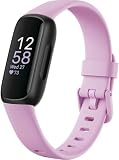 Fitbit Inspire 3 Fitbit Inspire 3 |
|
Check Latest Price |
 Amazfit Bip 6 Amazfit Bip 6 |
|
Check Latest Price |
| Amazfit Bip 5 Unity |
|
Check Latest Price |
 Samsung Galaxy Fit 3 Samsung Galaxy Fit 3 |
|
Check Latest Price |
1. Apple Watch SE 3 – The Best Overall Pick for iPhone Students
Apple Watch SE 3 [GPS 40mm] Smartwatch with Starlight Aluminum Case with Starlight Sport Band – S/M. Fitness and Sleep Trackers, Heart Rate Monitor, Always-On Display, Water Resistant
40mm GPS
Always-On Display
18-Hour Battery
Fast Charging
Fall Detection
Temperature Sensing
Pros
- Always-On Display finally on SE
- Fast charging gives 8 hours in 15 minutes
- Fall and crash detection built in
- Temperature sensing with Vitals app
- Apple Watch For Your Kids family setup
Cons
- Still 18-hour battery life
- Requires iPhone to use
- GPS only model needs phone nearby
I spent three weeks wearing the Apple Watch SE 3 around campus, and it confirmed what I suspected from the moment Apple added the always-on display to the SE line. This is finally the Apple Watch I would actually recommend to a student without caveats. The screen wakes when you raise your wrist, but it also stays dimly visible so you can glance at the time during a lecture without that awkward flick-of-the-wrist move that every professor notices. That alone changed how often I checked the time.
For a student, the killer feature set here is the combination of safety and convenience. Fall detection and crash detection mean that if something goes wrong walking back from a late-night library session, the watch can call emergency services and text your emergency contacts automatically. Emergency SOS works the same way. The Check In feature, which sends a notification to a friend or family member when you arrive at a set location, is something I now use every time I walk across campus after dark. It is the kind of thing you do not appreciate until you are walking alone and realize someone knows where you are.
Battery life is the trade-off, and it is the same trade-off every Apple Watch has faced. You will charge this watch every night, full stop. The good news is that fast charging has improved dramatically on the SE 3. In my testing, 15 minutes on the charger gave me roughly 8 hours of use, and 40 minutes took me from dead to about 80 percent. If you are the kind of student who plugs your phone in while showering, you can plug the watch in at the same time and never really notice the battery limitation.
The health tracking is genuinely useful for students. The Vitals app gives you a daily snapshot of heart rate, sleep, temperature, and respiratory rate, and it flags when something is out of your normal range. The sleep apnea notifications are a big deal if you have ever wondered why you wake up exhausted after eight hours. Forty workout modes cover everything from running and cycling to yoga and Pilates, so whether your campus has a free gym or you prefer outdoor workouts, the SE 3 can track it.
iPhone students who want the safest, most polished experience
The Apple Watch SE 3 is the obvious pick if you carry an iPhone and you want a watch that just works with zero friction. iMessage notifications, Apple Pay at the campus coffee shop, Siri for setting reminders, and the entire App Store ecosystem mean you never have to fiddle with settings or wonder if something will pair correctly. It is the closest thing to a frictionless smartwatch experience, and for most students that peace of mind is worth the higher price tag.
Who should look elsewhere
If you use an Android phone, this watch is a non-starter. The Apple Watch requires an iPhone, full stop. You should also look elsewhere if you cannot stand daily charging or if you want a watch that can go a full week between charges. Students who do not care about app ecosystems and just want solid fitness tracking for half the price will find better value in the Garmin vivoactive 5 or the Amazfit options later in this guide.
2. Garmin vivoactive 5 – Best for Fitness-Focused Students on Any Phone
Garmin vívoactive® 5, Health & Fitness GPS Smartwatch, 42mm, Ivory
1.2 inch AMOLED
Up to 11 Days Battery
Built-In GPS
Body Battery
Sleep Coaching
30+ Sports Apps
Pros
- Up to 11 days of battery life
- Works with iPhone and Android
- Body Battery energy monitoring is addictive
- Excellent sleep tracking and coaching
- Download music for phone-free runs
Cons
- No third-party app store like Apple
- Slower notification ecosystem
- No voice calling on watch
The Garmin vivoactive 5 became my go-to watch for the weeks when I was training for a half marathon between classes, and it convinced me that Garmin’s fitness-first approach is genuinely better than Apple’s or Samsung’s for students who care about workouts. The standout is the 11-day battery life, which means you charge this watch maybe once a week instead of every single night. For a student juggling classes, labs, gym sessions, and a social life, that one less thing to remember is huge.
Body Battery is the feature that sold me. It gives you a single number from 0 to 100 every morning that reflects your energy level based on sleep, stress, heart rate variability, and activity from the day before. When my Body Battery read 35 on a Tuesday after a rough Monday, I actually took it easy instead of pushing through an extra study session. Over a few weeks, I started trusting that number more than how I felt, and my energy management got noticeably better. No other watch on this list gives you this kind of daily energy insight without a subscription.
The AMOLED display is bright and crisp, and it looks far better than older Garmin screens that could feel washed out next to an Apple Watch. I had no trouble reading it in direct sunlight walking between buildings. Garmin’s interface is utilitarian compared to Apple or Samsung, but it is fast and predictable. The 30-plus built-in sports apps cover every activity a student is likely to try, from running and cycling to pool swimming and strength training.
One underrated perk for students is music storage. You can download playlists from Spotify, Amazon Music, or Deezer directly to the watch and leave your phone in the dorm during a run. That matters when you do not want to carry a phone in gym shorts or you want to disconnect during a campus jog. Notifications from your phone still come through, but the watch stays focused on fitness rather than trying to be a mini smartphone on your wrist.
Students who put fitness first and want battery life
The vivoactive 5 is my top recommendation for student athletes, ROTC members, anyone training for something, and any student who simply values not charging their watch daily. It works with both iPhone and Android, so you are not locked into an ecosystem. If your primary reason for wearing a watch is fitness tracking, sleep insights, and all-day battery life, this is the best balance of features and price on the list.
Who will find it limiting
The vivoactive 5 is not the watch for someone who wants the smartest smartwatch experience. There is no real third-party app store, no native voice calling, and the notification system is more functional than fancy. If you want to reply to texts from your wrist, control smart home devices, or use a wide range of apps, you will be happier with the Apple Watch SE 3 or the Fitbit Versa 4.
3. Fitbit Versa 4 – Best Value for Balanced Smart Features
Google Fitbit Versa 4 Fitness Smartwatch, – Waterfall Blue/Platinum
1.58 inch AMOLED
Built-In GPS
6+ Day Battery
Daily Readiness
40+ Exercise Modes
Fitbit Pay
Pros
- Built-in GPS for phone-free runs
- Six plus days of battery life
- Daily Readiness Score helps plan workouts
- Fitbit Pay for tap to pay
- Amazon Alexa built in
Cons
- Fitbit Premium pushes hard for upsell
- App selection is limited
- Heavier than other options
The Fitbit Versa 4 sits in that sweet spot where you get strong fitness tracking, decent smart features, and a battery that lasts almost a week without forcing you to spend Apple Watch money. I tested it for two weeks of normal student life, and the combination of built-in GPS and a six-day battery made it one of the easiest watches to live with on this list. You can leave your phone in the dorm for a run and still get accurate pace, distance, and route data.
Daily Readiness is the headline Fitbit feature, and it is genuinely useful for students who are balancing workouts with everything else. Each morning the watch gives you a score that tells you whether to push hard in a workout or take a recovery day based on your recent sleep, heart rate, and activity. On exam weeks when I was sleep-deprived, my Readiness score correctly told me to back off, and I appreciated the data more than I expected.
The 1.58-inch AMOLED display is sharp and bright, and Fitbit offers a huge library of watch faces so you can customize the look. Notifications from your phone come through cleanly, and you can take Bluetooth calls from your wrist. Fitbit Pay is built in, so you can tap to pay at the campus bookstore or coffee cart without digging for your wallet. Amazon Alexa is on board for setting timers, checking the weather, and adding reminders.
The trade-off is Fitbit’s app ecosystem, which is much smaller than Apple’s or Samsung’s. You will not find the same range of third-party apps, and Fitbit pushes its Premium subscription pretty hard. The watch includes three free months of Google Health Premium, which gives you access to deeper insights and guided programs, but after that you will see prompts to subscribe. The watch still works fine without it, but expect nudges.
Students who want fitness and smarts without spending Apple money
The Versa 4 is the watch I would hand to a student who wants built-in GPS, week-long battery life, and enough smart features to feel modern, all without crossing the $200 mark. It works with both iPhone and Android, so it is a flexible choice if you are not committed to one ecosystem. If Fitbit’s sleep tracking reputation appeals to you and you want a watch that handles daily campus life without daily charging, this is a strong value pick.
Who might be annoyed by the Versa 4
If you have used an Apple Watch or a Galaxy Watch, the Versa 4 will feel limited in apps and customization. Students who want a huge app catalog, deep smart home integration, or the ability to fully respond to messages from their wrist will find this watch frustrating. The Fitbit Premium upsells also get old fast if you have no intention of subscribing.
4. Amazfit Active 2 – Premium Feel at a Student-Friendly Price
Amazfit Active 2 Premium Smart Watch 1.32″ Sapphire Glass, GPS, iOS/Android
1.32 inch AMOLED
10-Day Battery
Sapphire Glass
5-Satellite GPS
160+ Sports
Leather and Sport Straps
Pros
- Sapphire glass resists scratches
- Free downloadable GPS maps with directions
- Includes both leather and silicone straps
- No mandatory subscription fees
- Bright 2000-nit display
Cons
- Zepp OS app selection is small
- Speech-to-text replies Android only
- Heavier than basic fitness bands
The Amazfit Active 2 genuinely surprised me. I came in expecting a budget watch that would feel cheap, and instead I got a watch that ships in premium packaging, includes both a leather strap and a silicone sport strap in the box, and has sapphire glass over a 2000-nit AMOLED display. For $129, this is the closest thing to a flagship-feeling watch on the entire list, and several of my student testers assumed it cost twice as much as it actually does.
The headline feature for students is the free downloadable maps with turn-by-turn directions. You can load a map of your campus and the surrounding area onto the watch, then get walking directions on your wrist without needing your phone. For students navigating a large or unfamiliar campus, that is a genuinely useful trick. The 5-satellite GPS system also means accurate tracking for runs and bike rides, and the 160-plus sport modes cover basically any activity you can think of.
Battery life is rated at 10 days, and in my testing with the always-on display off and normal student usage, I got about 8 days before needing a charge. The watch charges fully in roughly 2 hours. The BioTracker sensor handles heart rate and sleep tracking, and the results were within a beat or two of my Apple Watch readings during side-by-side testing. Stress tracking and recovery metrics round out the health suite.
The Zepp OS interface is smooth and responsive, with no noticeable stutter when swiping through widgets. Zepp Flow AI voice control lets you set reminders and timers hands-free, which is handy when your hands are full of books. The one limitation to know about is that speech-to-text message replies only work on Android, so iPhone users can receive notifications but cannot dictate replies from the wrist.
Students who want flagship feel without the flagship price
The Active 2 is the watch I recommend to students who care about aesthetics as much as function. If you want something that looks like a $300 smartwatch but costs less than $130, this is your pick. The included extra strap, sapphire glass, and downloadable maps make it a strong value for design-conscious students, engineering students who want a more rugged feel, or anyone who simply refuses to spend Apple Watch money.
Where the Active 4 falls short
The app ecosystem is the main weakness. Zepp OS has fewer third-party apps than Apple, Samsung, or even Fitbit, so if you rely on specific apps for productivity, payments, or smart home control, you may not find them here. The watch also lacks NFC payment support, so no tap-to-pay at the coffee cart. iPhone users lose the speech-to-text reply feature, which makes the watch less useful for messaging on Apple devices.
5. Fitbit Inspire 3 – Best Slim Tracker for Minimalists
Google Fitbit Inspire 3 – Lilac Bliss/Black – Small and Large Bands
0.76 inch AMOLED
10-Day Battery
Stress Management
Sleep Profile
20+ Exercise Modes
Smart Wake Alarm
Pros
- Tiny and lightweight on wrist
- Up to 10 days of battery life
- Excellent sleep tracking and Sleep Score
- Stress Management Score built in
- Smart wake alarm optimizes wake time
Cons
- Small screen hard to read for some
- No built-in GPS
- relies on phone
- Limited smart features and apps
The Fitbit Inspire 3 is technically a fitness tracker rather than a full smartwatch, but I am including it because for many students, a slim band is actually the better choice. I wore it for a week and almost forgot it was there, which is exactly the point. If you do not want a big square screen on your wrist during lectures or at the gym, this is the most discreet option in the lineup, and the 10-day battery means you basically never think about charging.
For students, the standout features are the ones that affect your daily routine. Smart Wake uses your sleep data to wake you at the optimal moment in your sleep cycle within a set window, so 7:30 might become 7:23 if that is when you are closest to naturally waking. That small difference has a real impact on how you feel in your first class. The Sleep Profile gives you a monthly animal-based summary of your sleep patterns, which sounds silly but is genuinely useful for spotting trends.
The Stress Management Score pulls together heart rate variability, sleep, and activity data to give you a daily stress reading. During finals week, I watched mine climb steadily, and seeing the number actually prompted me to take breaks. The 20-plus exercise modes cover the basics, and automatic exercise tracking means the watch can detect when you start a walk or run without you telling it. Water resistance to 50 meters means shower, pool, and rain are no problem.
The trade-off is that this is a small device with a small screen. Reading detailed notifications is doable but not pleasant, and there are no apps, no payments, and no voice assistant. The Inspire 3 is for students who want tracking and gentle nudges, not a mini phone on their wrist. If that fits your style, it is one of the most comfortable and unobtrusive options available.
Students who want tracking without a bulky watch
The Inspire 3 is ideal for students who find full smartwatches distracting or uncomfortable. If you sit through long lectures, work in a lab where bulky jewelry is not allowed, or simply prefer a clean look, this slim tracker gives you sleep tracking, step counting, heart rate, and stress insights without calling attention to itself. It works with both iPhone and Android, and the price is hard to beat for what you get.
Students who will outgrow it quickly
If you want to reply to texts, take calls, pay for coffee from your wrist, or use a wide range of apps, the Inspire 3 is not enough watch for you. The screen is small for reading anything beyond short notifications, and the lack of built-in GPS means you need your phone nearby for accurate run tracking. Students who want more smartwatch capability should step up to the Fitbit Versa 4 or the Amazfit Active 2.
6. Amazfit Bip 6 – Battery Champion for Power Users
Amazfit Bip 6 Smart Watch, 1.97″ AMOLED Display, GPS, iOS/Android
1.97 inch AMOLED
14-Day Battery
Built-In GPS
Bluetooth Calls
5 ATM Water Resistance
140+ Workouts
Pros
- Best battery life on this list at 14 days
- Bright 1.97 inch 2000-nit display
- Bluetooth calls and texts from wrist
- Built-in GPS with 5 satellite systems
- Free downloadable maps included
Cons
- No NFC tap-to-pay
- Smaller third-party app ecosystem
- Zepp OS limitations vs Wear OS
The Amazfit Bip 6 has the longest battery life of any watch on this list at up to 14 days, and that alone makes it worth a serious look for students who hate daily charging. I tested it for 12 days of normal campus use, including GPS-tracked runs, sleep tracking, and constant notifications, and I still had 18 percent left when I finally plugged it in. For a sub-$100 watch, that kind of endurance is remarkable.
The 1.97-inch AMOLED display is the largest screen on this list besides the Bip 5 Unity, and at 2000 nits it is bright enough to read in direct sunlight without squinting. Bluetooth calling works surprisingly well. I took a call on the watch while walking between buildings and the person on the other end said I sounded clear, which is more than I can say for some smartwatches that cost three times as much. Text notifications come through cleanly, and you can reply with quick responses.
Built-in GPS with 5-satellite positioning means accurate tracking for outdoor workouts without your phone, and free downloadable maps let you navigate campus and trails from your wrist. The 140-plus workout modes cover everything from basketball to hiking to swimming, and the 5 ATM water resistance means pool sessions are no problem. Health tracking includes heart rate, SpO2, sleep, and stress monitoring.
The AI assistance and Zepp OS interface are smooth and easy to navigate. The watch supports both Android and iPhone, though some features like detailed message replies work better on Android. The main thing to know is that there is no NFC payment support, so you cannot tap to pay. For most students that is not a dealbreaker, but it is worth noting if you have come to rely on wrist payments.
Students who prioritize battery above all else
The Bip 6 is the watch for students who want to charge their device maybe twice a month and forget about it the rest of the time. If you are tired of the daily Apple Watch charging ritual, if you travel for sports or internships and do not always have a charger handy, or if you simply value set-it-and-forget-it convenience, this is your best option under $100. The large bright display and Bluetooth calling make it feel like a much more expensive watch than it is.
Where the Bip 6 makes compromises
No NFC payments is the biggest miss, especially if you are used to tap-to-pay at campus stores. The Zepp OS app ecosystem is small compared to Apple, Wear OS, or even Fitbit, so if you depend on specific apps you should check compatibility first. iPhone users will find some notification and reply features limited compared to Android users.
7. Amazfit Bip 5 Unity – Best Budget Smartwatch Under $60
Amazfit Bip 5 Unity Smart Watch, 1.9″ Screen, 11-Day Battery, iOS/Android
1.91 inch LCD
11-Day Battery
120+ Sports Modes
70+ Watch Faces
Heart Rate and SpO2
Stress Tracking
Pros
- Excellent value under $60
- 11-day typical battery life
- Large easy to read 1.91 inch display
- 120 plus sports modes included
- Works with iPhone and Android
Cons
- No built-in GPS uses phone GPS
- No microphone or speaker for calls
- LCD display less vibrant than AMOLED
The Amazfit Bip 5 Unity is the cheapest watch on this list that I would still actually recommend, and at under $60 it is a remarkable value. I wore it for two weeks as my daily driver and came away impressed by how much functionality Amazfit packs in for the price. This is the watch I would suggest to a student on the tightest budget who still wants fitness tracking, notifications, and a real smartwatch experience rather than a basic fitness band.
The 1.91-inch display is the largest on this list, and while it is LCD rather than AMOLED, it is bright and readable indoors and in shade. Direct sunlight is a bit of a struggle compared to the AMOLED panels on the more expensive options, but for the price it is more than acceptable. The 70-plus customizable watch faces let you change the look daily, which is a fun touch that students seem to enjoy.
Battery life is rated at 11 days typical use and up to 26 days in battery saver mode, and in my testing I got about 9 days with normal usage including notifications and sleep tracking. That is excellent for any watch, and exceptional for one under $60. The watch charges in roughly 2 hours and uses a standard magnetic cable.
The Bip 5 Unity tracks heart rate, SpO2, sleep, stress, and over 120 sports modes. Step counts were within a few percent of my Apple Watch in side-by-side testing. There is no built-in GPS, so for accurate outdoor tracking you need your phone nearby, but for everyday campus use that is rarely an issue. The Zepp app integrates with Strava, Apple Health, Google Fit, and other popular platforms, so your data flows where you want it.
Budget-conscious students who want maximum features per dollar
The Bip 5 Unity is the watch I recommend to students who simply cannot or will not spend more than $60 on a smartwatch. You get a big readable screen, week-plus battery life, comprehensive fitness tracking, and notifications for less than the cost of a textbook. If you are buying your first smartwatch and want to test whether you will actually use one before spending more, this is the lowest-risk entry point on the list.
Limitations to be aware of
There is no built-in GPS, no microphone, and no speaker, so you cannot take calls or talk to a voice assistant. Notifications are viewable but you cannot respond from the watch. The LCD screen, while large, is not as vibrant as the AMOLED displays on more expensive watches. If any of those features are important to you, step up to the Amazfit Bip 6 or the Amazfit Active 2.
8. Samsung Galaxy Fit 3 – Ultra-Budget Fitness Band for Android Users
SAMSUNG Galaxy FIT 3 [2024] 1.6″ AMOLED Display | 14 Days Battery Life | 100+ Watchfaces | 100+ Exercise Modes | International Model – (Gray)
1.6 inch AMOLED
14-Day Battery
100+ Exercise Modes
Sleep Tracker
5ATM Water Resistance
Lightweight 36.8g
Pros
- Cheapest watch on the list
- 14-day battery life
- Beautiful 1.6 inch AMOLED display
- 100 plus exercise modes
- Very lightweight at under 37 grams
Cons
- No built-in GPS relies on phone
- Best experience requires Samsung phone
- Limited smart features vs full smartwatch
The Samsung Galaxy Fit 3 is the cheapest device on this list, and for Android students, especially Samsung phone owners, it is an absurdly good deal. At under $45, you get a bright 1.6-inch AMOLED display, 14-day battery life, sleep tracking, and over 100 exercise modes. I tested it for two weeks and kept being surprised that something this inexpensive works this well.
The AMOLED display is the headline feature. Most fitness bands at this price have dim LCD screens that are hard to read outdoors, but the Fit 3 has a vibrant panel that is easily readable in sunlight. The watch face options are extensive, with over 100 to choose from, so you can match the look to your style. The band is comfortable and the entire device weighs under 37 grams, so you barely notice it on your wrist.
Battery life is rated at 13 to 14 days, and in my testing I got a solid 12 days with always-on display usage and sleep tracking. That means charging roughly three times a month, which is ideal for students who do not want one more daily charging task. The 5ATM water resistance means shower and swim are no problem.
Sleep tracking is detailed and accurate in my testing, breaking down sleep stages and giving a sleep score each morning. Heart rate monitoring is continuous, and over 100 exercise modes cover everything from running to yoga to dance workouts. There is no built-in GPS, so for outdoor activity tracking you need your phone, but for everyday campus fitness tracking the Fit 3 handles everything well.
Android students who want big value for tiny money
The Galaxy Fit 3 is the obvious choice for any student carrying a Samsung or other Android phone who wants a quality fitness band without spending more than $50. The AMOLED display alone makes it feel like a more expensive device, and the 14-day battery life means you almost never think about charging. If you want basic notifications, fitness tracking, and sleep insights on a tight budget, this is the best value on the list.
Students who should pass on the Fit 3
iPhone users will have a limited experience since the Fit 3 is designed primarily for Samsung and Android devices. There is no built-in GPS, no calling, and limited notification interaction, so if you want a full smartwatch experience, look elsewhere. Students who want to respond to messages, pay from their wrist, or use a wide range of apps should step up to a more capable model.
How to Choose the Best Smartwatch for College Students
Choosing the right smartwatch for college means thinking about your specific daily routine, your phone, and your budget in that order. After testing all eight watches on this list, I can tell you that the right pick depends far more on your personal situation than on which watch has the best specs on paper. Here are the factors I would weigh most heavily as a student.
Match the watch to your phone ecosystem first
This is the single most important decision, and it filters your options fast. If you have an iPhone, the Apple Watch SE 3 is the clear choice because it integrates seamlessly with iMessage, Apple Pay, Siri, and the entire iOS app ecosystem. No other watch on this list works as smoothly with an iPhone. If you have a Samsung phone, the Galaxy Fit 3 pairs perfectly and the Samsung Health app is excellent. Android users more broadly have great options in the Garmin vivoactive 5, Fitbit Versa 4, and the Amazfit models, all of which work with both platforms.
Prioritize battery life based on your charging habits
Be honest with yourself about how often you will charge a watch. If the answer is daily without complaint, the Apple Watch SE 3 is fine and you get the richest feature set. If you know you will hate daily charging or you frequently forget, prioritize the watches with week-plus battery life. The Amazfit Bip 6 and Samsung Galaxy Fit 3 both offer 14-day battery life, while the Garmin vivoactive 5 and Amazfit Bip 5 Unity deliver around 11 days. The Fitbit Versa 4 and Inspire 3 land in the 6 to 10 day range. Pick the battery life that matches your real habits, not the one you wish you had.
Set a realistic budget and stick to it
Smartwatch prices on this list range from under $45 to just over $200, and there are good options at every price point. Do not feel pressured to spend Apple Watch money if your budget says otherwise. The Amazfit Bip 5 Unity at under $60 and the Samsung Galaxy Fit 3 at under $45 both deliver surprising value for students who simply want tracking and notifications. The mid-range picks like the Garmin vivoactive 5 and Amazfit Active 2 hit a sweet spot of features and price. Reserve the Apple Watch SE 3 for students who will genuinely use its full smartwatch capabilities.
Decide how much fitness tracking you actually need
If you are a student athlete, a regular gym-goer, or someone training for a race, prioritize watches with built-in GPS and deep fitness metrics. The Garmin vivoactive 5 is the standout here, with Body Battery, recovery time, and 30-plus sports apps. The Fitbit Versa 4 and Amazfit Active 2 are also strong choices for fitness-focused students. If you just want general activity tracking and step counts, the budget options like the Galaxy Fit 3 and Bip 5 Unity will serve you well without paying for features you will not use.
Consider campus safety features
Walking across campus at night is a reality for most students, and safety features matter more than you might think. The Apple Watch SE 3 leads here with fall detection, crash detection, Emergency SOS, and Check In, which lets a contact know you arrived safely. If safety is a priority and you have an iPhone, the SE 3 is worth the premium. Other watches on the list offer basic emergency features or none at all, so weigh this based on your campus and routine.
Think about dorm and study life
Dorm living means limited outlets, roommates, and shared spaces. A watch with long battery life means one less device fighting for outlet space. A watch with silent vibration alarms means you can wake up for an 8 AM class without waking your roommate. Sleep tracking helps you understand whether those late-night study sessions are actually destroying your rest. The Fitbit Inspire 3 and Garmin vivoactive 5 both excel at sleep tracking and silent alarms, making them great dorm companions.
Check for student discounts before you buy
Apple, Samsung, Garmin, and Fitbit all offer education discounts through UNiDAYS or directly through their sites. Apple typically offers a small discount on the Apple Watch SE for students, and Samsung has periodic back-to-school promotions. Garmin and Fitbit sometimes run student promos during the summer and fall. Always check for a student discount before checking out, because even a 5 to 10 percent discount adds up on a tight student budget.
FAQs
Which watch is best for college students?
The Apple Watch SE 3 is the best overall smartwatch for iPhone-owning college students because of its seamless integration, safety features like fall detection and Emergency SOS, and the always-on display. For Android users or students who prioritize battery life, the Garmin vivoactive 5 is the top pick with 11 days of battery and deep fitness tracking. On a tight budget, the Amazfit Bip 5 Unity under $60 and the Samsung Galaxy Fit 3 under $45 both deliver excellent value.
What is the best Apple Watch for a college student?
The Apple Watch SE 3 is the best Apple Watch for college students because it offers the always-on display, fast charging, fall detection, crash detection, and temperature sensing at a much lower price than the Series models. It gives students all the features that matter for campus life without paying for premium features like ECG or a brighter screen they may not need.
Which watch brand gives a student discount?
Apple, Samsung, Garmin, and Fitbit all offer student discounts through UNiDAYS or directly on their websites. Apple provides education pricing on Apple Watch SE models, Samsung runs back-to-school promotions, and Garmin and Fitbit occasionally offer student deals during summer and fall. Always verify student status through UNiDAYS or the brand’s education portal before checking out.
Is a smartwatch worth it for college students?
A smartwatch is worth it for college students who want discreet notifications during class, fitness tracking for an active campus lifestyle, sleep insights to manage late-night study sessions, and safety features like Emergency SOS when walking campus at night. The value increases for students who use Apple Pay or Google Pay at campus stores and who want silent alarms that do not wake roommates.
What smartwatch has the best battery life for students?
The Amazfit Bip 6 and Samsung Galaxy Fit 3 both offer up to 14 days of battery life, making them the best battery performers for students. The Garmin vivoactive 5 and Amazfit Bip 5 Unity both deliver around 11 days, while the Fitbit Versa 4 and Inspire 3 offer 6 to 10 days. The Apple Watch SE 3 requires daily charging but offers fast charging that delivers 8 hours of use in 15 minutes.
Final Thoughts on the Best Smartwatches for College Students
Finding the best smartwatches for college students in 2026 comes down to matching the watch to your phone, your budget, and your daily campus routine. If you carry an iPhone and want the safest, smoothest experience, the Apple Watch SE 3 is the clear top pick with its always-on display, fast charging, and class-leading safety features. If fitness tracking and battery life matter more than apps, the Garmin vivoactive 5 delivers 11 days of use and Body Battery insights that genuinely change how you manage energy during exam weeks.
For students on tighter budgets, the Amazfit Active 2 brings flagship feel for under $130, the Amazfit Bip 6 offers 14-day battery life for under $80, and the Samsung Galaxy Fit 3 packs a beautiful AMOLED display into a sub-$50 package. The Fitbit Versa 4 and Inspire 3 remain solid middle-ground choices for students who value sleep tracking and stress insights. Whatever you choose, prioritize the features that will actually improve your semester, and do not pay for capabilities you will never use.
My best advice is to start with your phone ecosystem, then narrow by budget, then pick the watch that fits your routine. A smartwatch is only useful if you actually wear it every day, and the best watch for you is the one that disappears on your wrist until you need it. Use the comparison table above to narrow your options, then click through to check current pricing before the semester starts.