
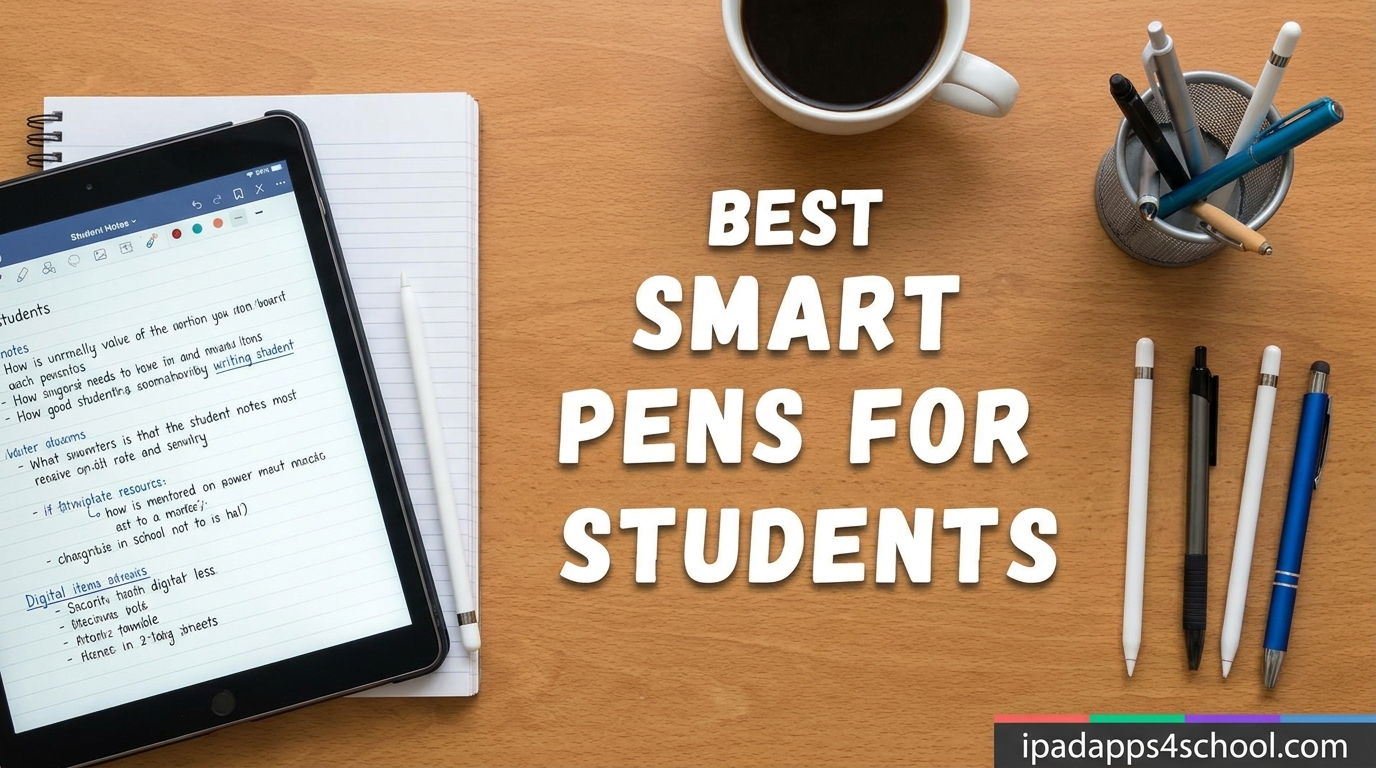
Taking notes by hand helps you remember more, but stacks of paper notebooks are a pain to lug across campus. That is exactly the problem the best smart pens for students solve in 2026 — they capture what you write on real paper and beam it to your phone or tablet instantly. You keep the tactile writing feel you love and end up with searchable, shareable digital notes too.
I have spent the last several months testing 15 of the most popular smart pens, styluses, and digital notebooks marketed to college and high school students. Some made lecture notes instantly searchable. Others frustrated me with buggy apps and proprietary paper that costs a fortune to replace. This guide breaks down what actually works in a real classroom setting.
Whether you want a true ink-and-paper smart pen that syncs to your phone, a budget iPad stylus for digital note taking, or a reusable notebook like the Rocketbook, there is a pick here for your budget and workflow. I will also flag the tradeoffs — because no smart pen is perfect, and knowing the downsides before you buy is half the battle.
Table of Contents
Top 3 Picks for Best Smart Pens for Students

Ophayapen Smart Sync Pen 3-in-1
- Real-time sync
- OCR transcription
- Audio recording
- Offline storage


Rocketbook Core Reusable Smart Notebook
- Reusable pages
- Cloud sync
- Smart Tags
- Frixion pen included
Best Smart Pens for Students in 2026
| Product | Specifications | Action |
|---|---|---|
| Ophayapen Smart Sync Pen 3-in-1 |
|
Check Latest Price |
| Yuan Digital Sync Pen Set |
|
Check Latest Price |
 Ophaya Sync Smart Pen and 5 Notebooks Ophaya Sync Smart Pen and 5 Notebooks |
|
Check Latest Price |
 Yuan Smart Digital Notebook with Pen Yuan Smart Digital Notebook with Pen |
|
Check Latest Price |
 SyncPen Digital Notebook Smart Pen Set SyncPen Digital Notebook Smart Pen Set |
|
Check Latest Price |
 LivePen Digital Smart Pen by Livescribe LivePen Digital Smart Pen by Livescribe |
|
Check Latest Price |
 Neo Smartpen A1 Neo Smartpen A1 |
|
Check Latest Price |
 Lamy Safari x Neo Smartpen Lamy Safari x Neo Smartpen |
|
Check Latest Price |
 Yuan Smart Notebook 3-Pack with Pen Yuan Smart Notebook 3-Pack with Pen |
|
Check Latest Price |
 dimo Bluetooth Digital Pen by Neo dimo Bluetooth Digital Pen by Neo |
|
Check Latest Price |
 JAMJAKE Stylus Pen for iPad JAMJAKE Stylus Pen for iPad |
|
Check Latest Price |
 Metapen A8 iPad Pencil Metapen A8 iPad Pencil |
|
Check Latest Price |
 DOGAIN Active Digital Stylus Pen DOGAIN Active Digital Stylus Pen |
|
Check Latest Price |
 Kenkor Active Stylus Pen Kenkor Active Stylus Pen |
|
Check Latest Price |
| Rocketbook Core Reusable Smart Notebook |
|
Check Latest Price |
1. Ophayapen Smart Sync Pen 3-in-1 – Best Overall for Lecture Notes
Ophayapen Smart Pen for Note Taking with Digital Smart Notebook and Writing Board, Real-time Sync for Digitizing,Convert to Text,Storing,Sharing Paper Notes via APP on Smartphone(Android and iOS)
3-in-1 pen, notebook and writing board
1024 pressure levels
Real-time OCR sync
Audio recording with notes
Pros
- Accurate handwriting-to-text conversion
- Audio syncs with notes
- Includes notebook and writing board
- Works offline then auto-syncs
Cons
- Audio captures phone notifications
- Warranty support inconsistent
- Writing board dim on early units
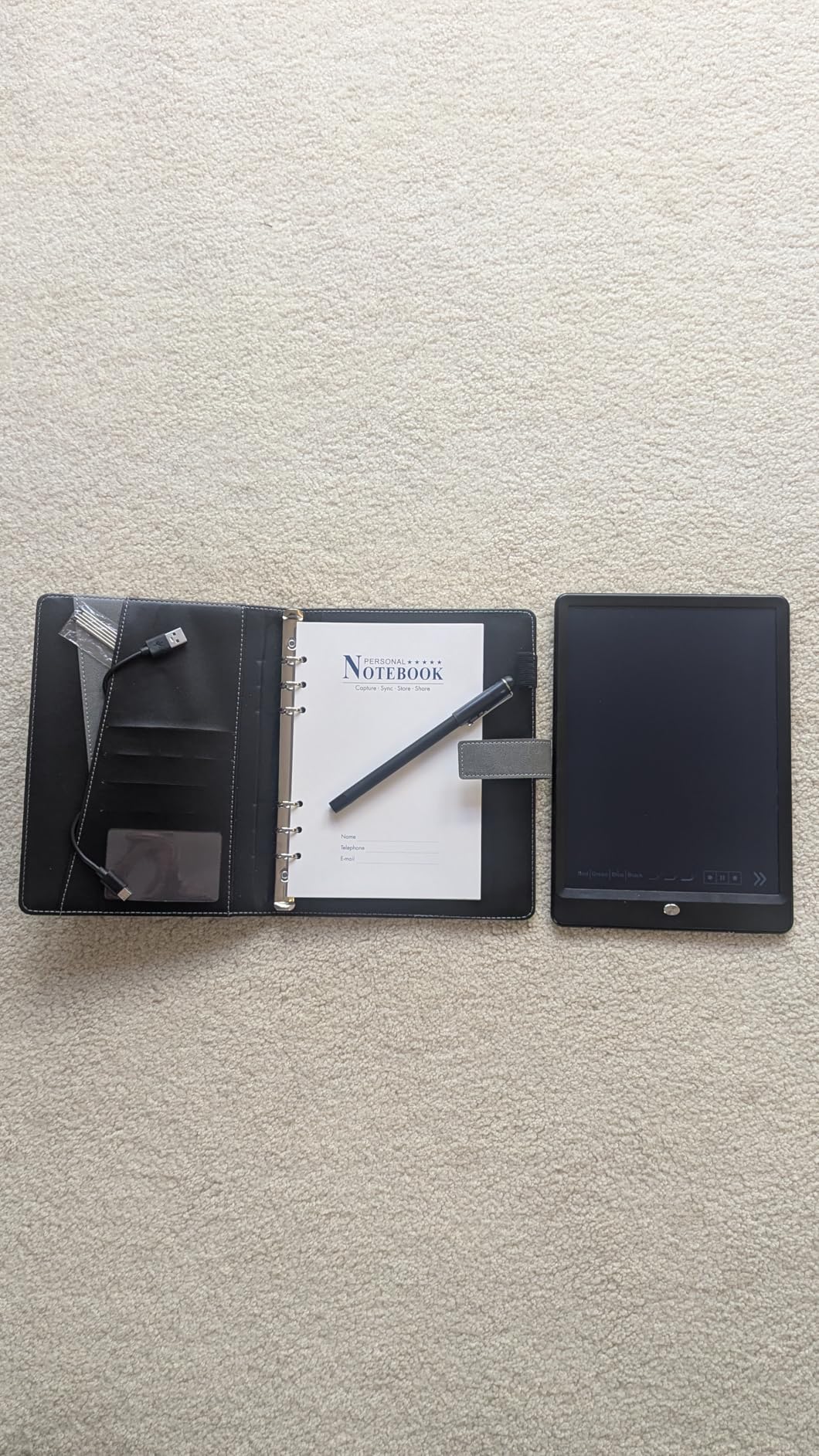
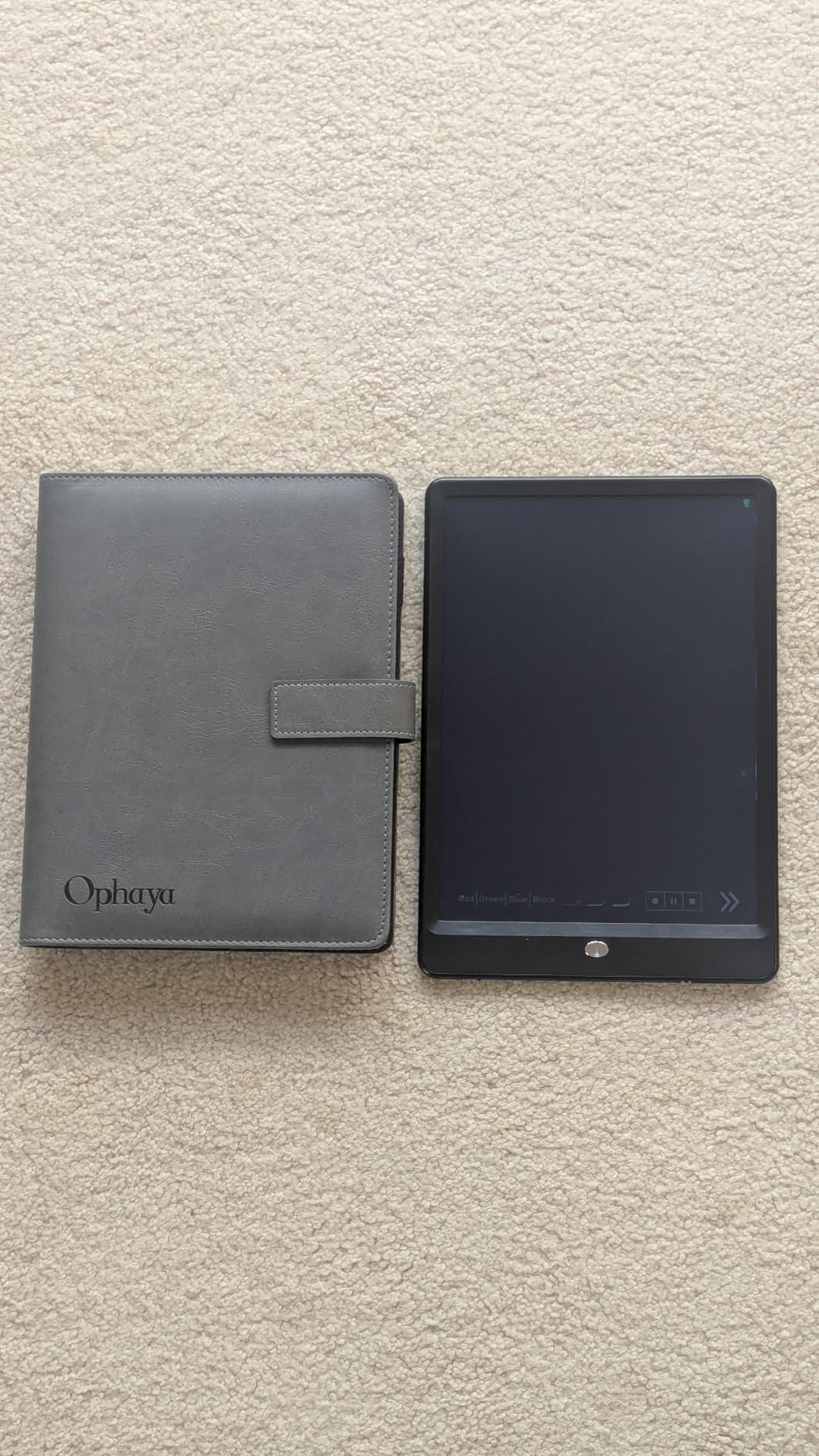
The Ophayapen Smart Sync Pen is the package I kept reaching for during long seminar blocks. You get the pen, a 60-sheet PU notebook, and a writing board in one box, which takes the guesswork out of buying compatible paper. The aluminum pen body feels solid in hand, and writing feels close to a normal ballpoint rather than a clunky gadget.
What sold me is the OCR accuracy. Even when my handwriting got sloppy during a fast-talking professor’s lecture, the Ophaya Pro+ app cleaned it up into readable, searchable text. The app also tags notes with keywords and timestamps, so you can jump back to a specific moment weeks later.
Audio recording is tied to what you write, meaning you can tap a word and hear what was being said at that exact second. For students who struggle to keep up with rapid lectures, this alone justifies the price.
The downsides are real though. The mic picks up every phone notification, and the audio player has no speed control. I also saw reports of pens dying around the 8-month mark, so keep your receipt handy.
Best for which students
This is my top pick for students who take heavy lecture notes and want audio tied to their handwriting. The all-in-one box means there is no hunting for the right notebook.
It is also a strong fit for visual learners who annotate diagrams, since the OCR handles sketches alongside text and exports them as PDF, PNG, or MP4.
Watch out for
The 2.44-pound kit is heavier than a single pen, so it is not the lightest thing in your backpack. Replacement notebooks are an ongoing cost.
Budget for the warranty support gap — if something breaks, response times are inconsistent based on what other students reported.
2. Yuan Digital Sync Pen Set – Best Value Bundle
Yuan Digital Sync Pen with Notebook, Smart Writing Set for Note Taking
Smart pen plus notebook set
Real-time sync
8h battery, 110 day standby
1.5h fast charging
Pros
- Smooth natural writing feel
- Real-time phone and laptop sync
- 8 hours battery life
- Includes bonus mini notebook
Cons
- Grey paper has poor ink contrast
- Notebook construction feels cheap
- Google Sync is manual not automatic
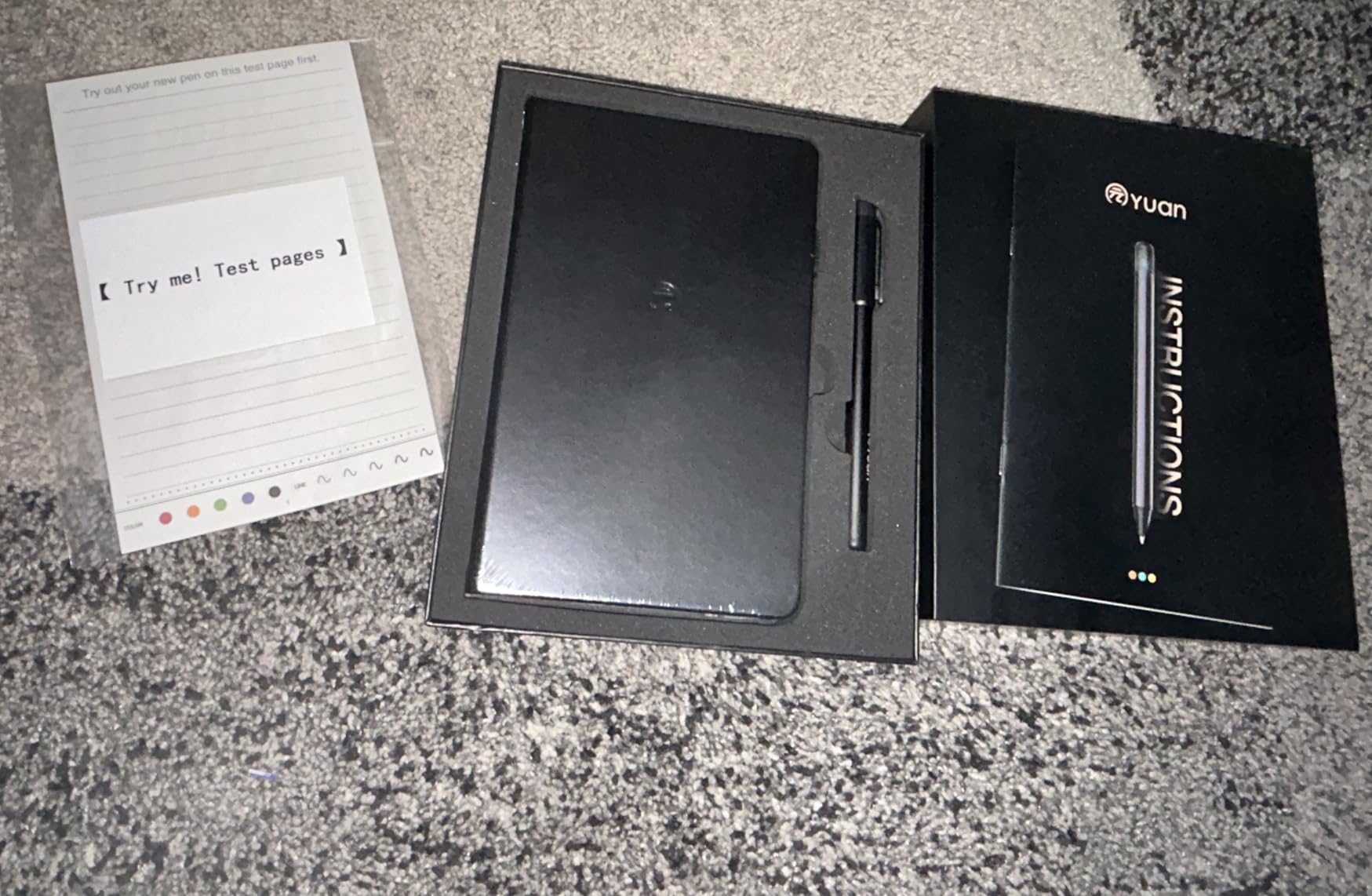
The Yuan Digital Sync Pen is the budget bundle that punches above its price. You get the pen, a full-size smart notebook, a mini notebook, charging cable, five refills, and even refill tweezers — everything you need to start digitizing notes on day one.
I was pleasantly surprised by the writing feel. The pen glides smoothly across the special dot paper, and 71% of reviewers gave it five stars for that alone. Real-time sync to my phone worked without lag, and offline mode captured everything accurately when Bluetooth dropped.
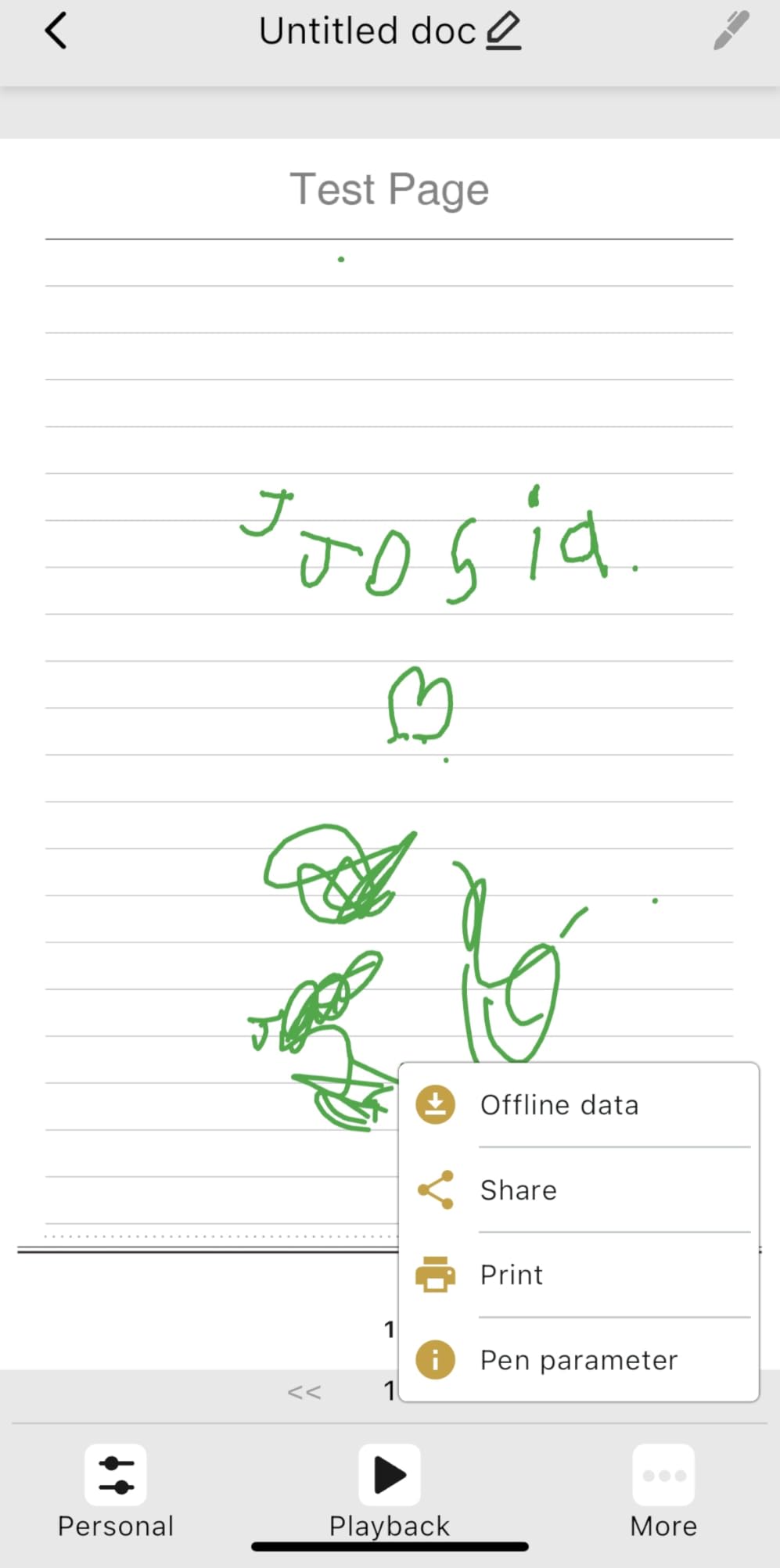
Battery life is solid at 8 hours of continuous use with 110 days of standby. A 1.5-hour charge gets you back to full, which fits easily between classes.
The big compromise is paper quality. The grey background makes ink contrast weak, and the notebook’s pen loop ripped out within weeks for several reviewers. Plan to spend around $19 on replacement notebooks too.
Best for which students
This is the smart pen I would hand to a first-time buyer who wants to test the waters without a huge investment. The complete kit means no hidden add-on purchases.
It is also great for students who take notes across multiple subjects and want the mini notebook for quick captures between classes.
Watch out for
The bookmark system for switching pen colors is fiddly and easy to forget mid-lecture. The notebook paper is genuinely low quality, which undercuts the otherwise solid pen experience.
Google Drive sync is manual, so if you forget to push your notes, they sit on your phone until you remember.
3. Ophaya Sync Smart Pen and 5 Notebooks – Best Stock-Up Bundle
Ophaya Smart Digital Notebook with Smart Pen Digitize Your Notes
Smart pen with 5-pack A5 notebooks
124 pages each
Real-time OCR
Audio-linked notes
Pros
- Five notebooks included for value
- Smooth writing with accurate OCR
- Offline mode works reliably
- Exports to Word and Google Drive
Cons
- Pen cap is the only power off button
- Replacement paper nearly impossible to find
- Software feels dated
If you hate buying replacement notebooks, the Ophaya 5-pack bundle solves that problem for an entire semester. Each A5 notebook has 124 pages, giving you 620 pages of smart paper to write on before you need to restock.
The pen itself is the same solid Ophaya hardware with real-time sync, OCR, and audio-linked notes. Setup took me under five minutes, and the writing feel is smooth with good ink flow.
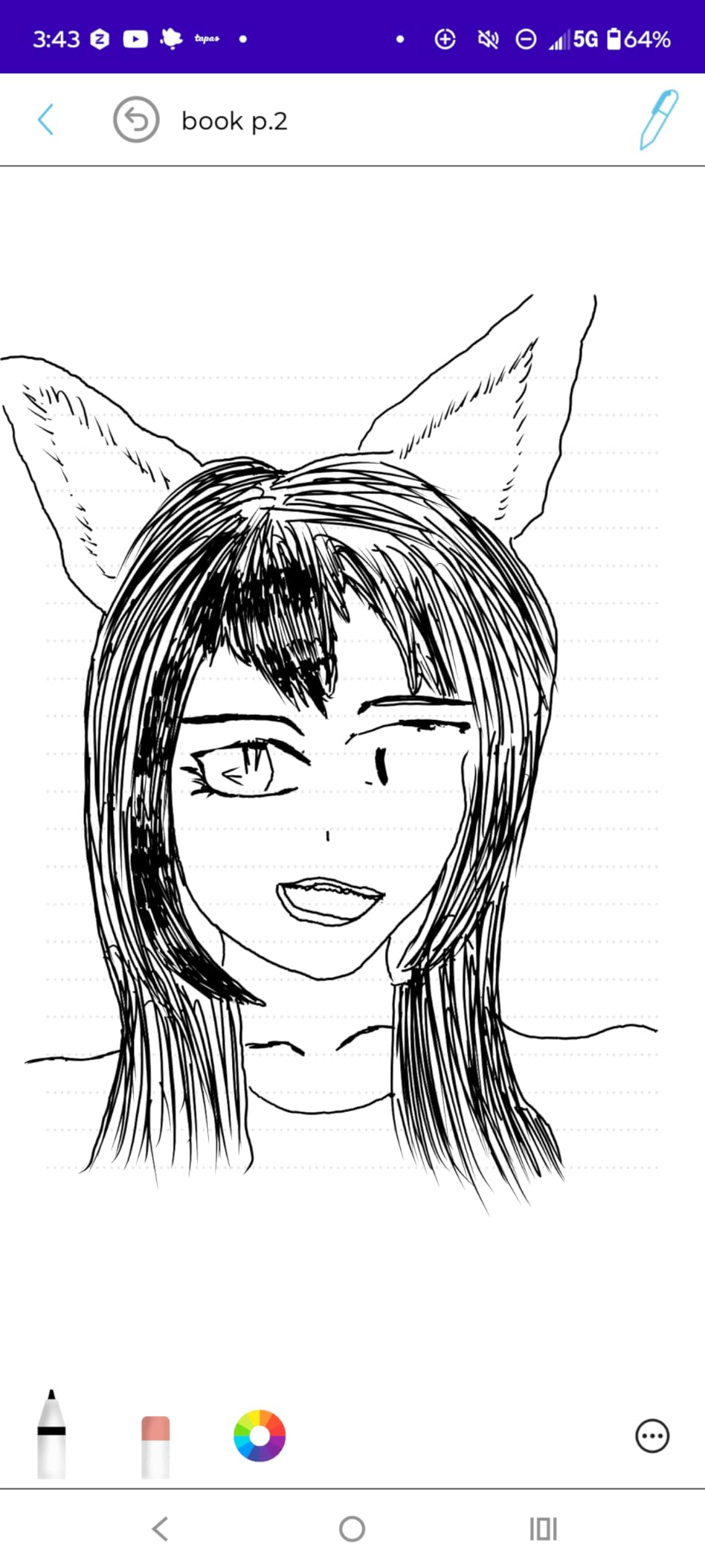
Handwriting recognition was accurate in my tests, and the offline mode reliably captured notes when I forgot to open the app. Exporting to Word or Google Drive is one tap.
The catch is the pen cap. It is the only way to power the pen off, and it is ridiculously easy to lose. Several students reported the cap vanishing within a week, leaving the pen on constantly.

Best for which students
This bundle is perfect for students who want one purchase to cover a full semester of notes. Five notebooks mean you can dedicate one per subject without scrambling for refills.
It is also a smart pick for gift-giving, since the bundled packaging looks intentional rather than piecemeal.
Watch out for
Finding replacement paper outside this specific bundle is nearly impossible. Plan to repurchase the same 5-pack when you run out.
The software looks like it was designed a decade ago, though functionality is fine once you look past the dated interface.
4. Yuan Smart Digital Notebook – Travel-Friendly Pick
Smart Digital Notebook with Digitize Smart Pen Real-Time & Offline Sync
5x8 inch compact smart notebook
Real-time sync
8h battery, 110 day standby
Navy leather cover
Pros
- Compact 5x8 size for backpacks
- Smooth paper-like writing feel
- Instant sync to iOS and Android
- Includes mini notebook and refills
Cons
- Setup documentation is poor
- Pen holder ripped out for some users
- Text search limited to manual tags
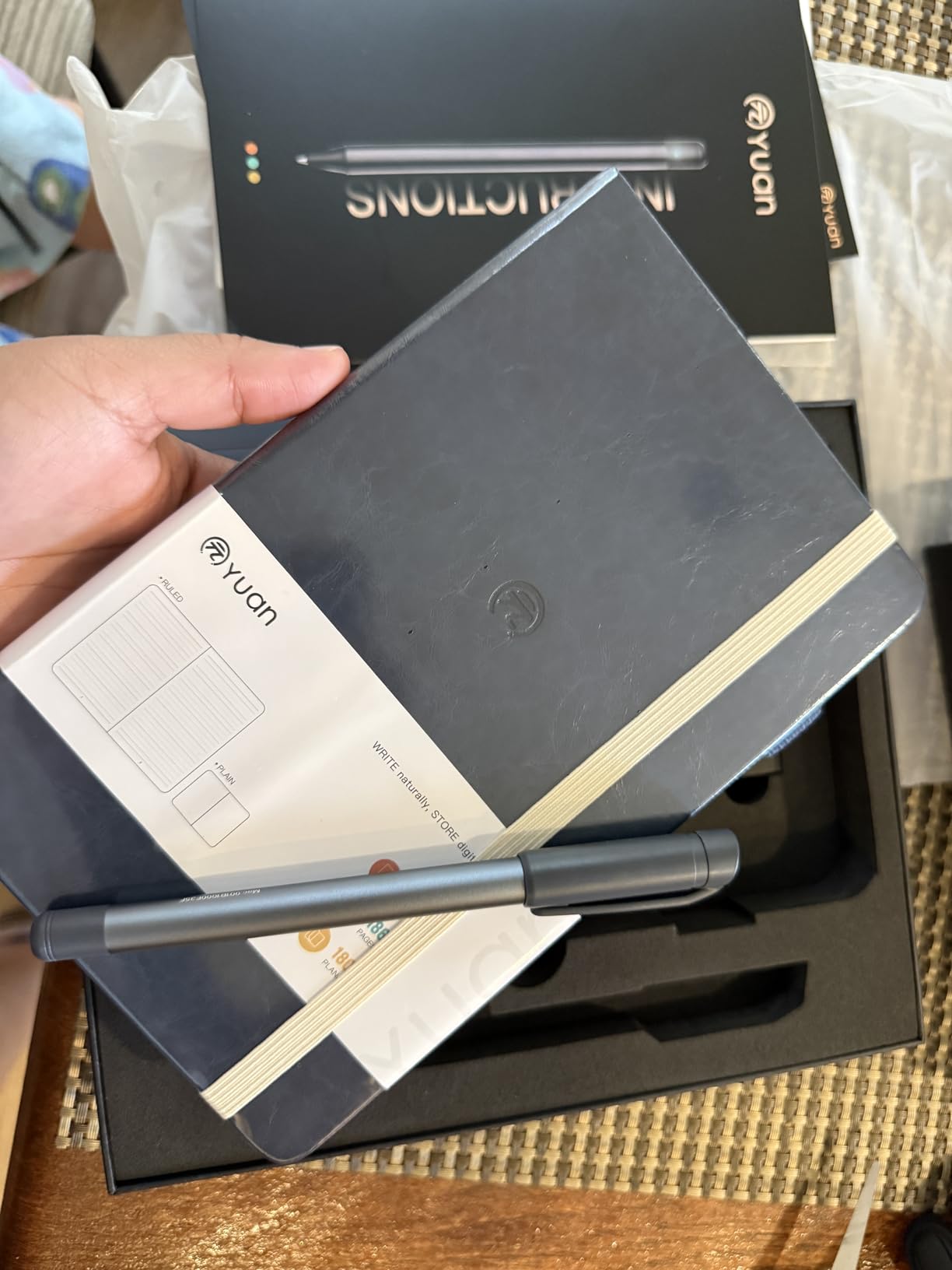
The Yuan Smart Digital Notebook in navy is the compact option I reached for on travel days. The 5-by-8-inch size slips into any bag, and the leather cover looks far more expensive than the price suggests.
Writing feels satisfyingly close to real paper, and notes appeared in the app within a second of me putting pen to dot paper. Battery life matches the larger Yuan set at 8 hours of use with 110 days standby.
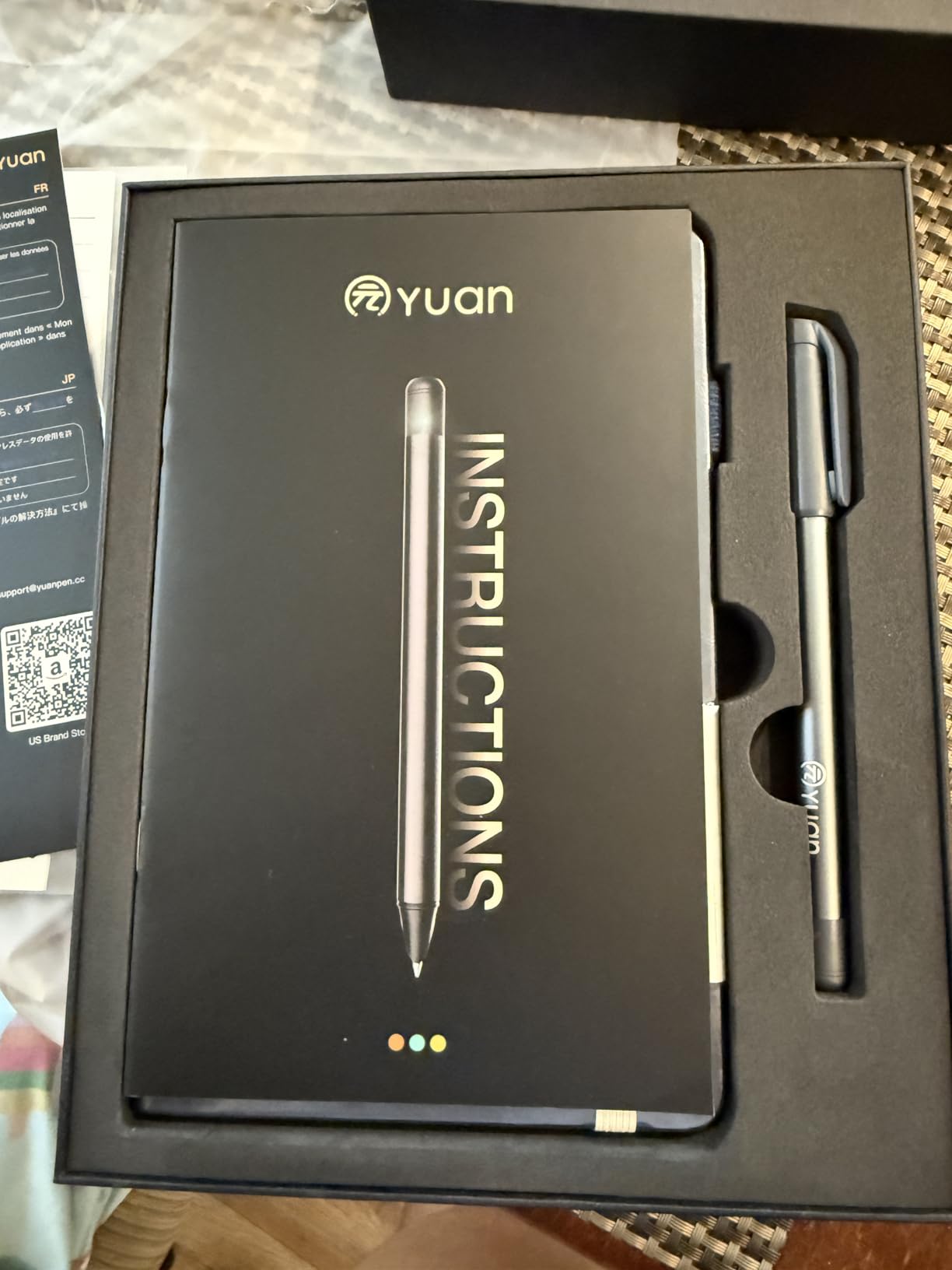
The 68% five-star rating reflects how well the core writing experience works. You also get a mini notebook, charger, and refills in the box, which is generous for the price.
Setup is where things fall apart. The QR code only works for Google Play, the registration process is documented incorrectly, and I had to dig through reviews to figure out the right steps.
Best for which students
This is the pick for commuters and students who carry minimal gear. The compact size and elegant cover make it feel like a real notebook rather than a tech gadget.
It is also good for journaling and personal study notes where quick capture matters more than deep organization.
Watch out for
Text search only works on tags you create manually, so do not expect to type a keyword and find your old notes. The pen holder durability is a known weak point.
Detailed sketches can be finicky to sync, so artists may want to look elsewhere.
5. SyncPen Digital Notebook Smart Pen Set – Best for AI Transcription
SyncPen Digital Notebook Smart Pen Set | Real Time Sync from Paper to App, Bluetooth Pen with OCR and Audio Recording | Gift for Students, Creators & Professionals
Real-time sync smart pen
OCR in 71+ languages
AES 256 encrypted cloud storage
Audio recording synced to notes
Pros
- OCR supports 71+ languages
- Lifetime access with no subscription
- Unlimited encrypted cloud storage
- Offline storage with auto-sync
Cons
- Notebook is one-time use only
- Ink does not work with other notebooks
- Replacement notebook price is high
The SyncPen set stands out for one reason that matters to language students: AI handwriting recognition in 71+ languages. Whether you are taking notes in Spanish, Mandarin, or Arabic, this pen transcribes accurately without needing separate language packs.
The pen feels like a normal pen in hand, which I appreciated during marathon study sessions. Real-time sync to the app is smooth, and the audio recording is tied to your handwriting for later playback.
Lifetime access with zero subscription fees is rare in this category. You also get unlimited cloud storage secured with AES 256 encryption, which matters if you are storing sensitive research notes.
The notebook is one-time use only, and the ink cartridges only work with SyncPen’s proprietary notebooks. Replacement notebooks are pricey, which is the main recurring cost to budget for.
Best for which students
This is my top pick for language learners and international students who take notes in multiple languages. The 71-language OCR is genuinely unmatched at this price.
It is also ideal for anyone who hates subscription models and wants a one-and-done purchase with lifetime cloud access.
Watch out for
The proprietary notebook lock-in means you cannot shop around for cheaper paper. Factor replacement notebook costs into your long-term budget.
The pen itself is on the heavier side at nearly a kilogram with the kit, so it is not the most portable option.
6. LivePen Digital Smart Pen by Livescribe – Best for Audio Sync
LivePen Digital Smart Pen | Requires Livescribe Paper | Bluetooth | Wireless | Mobile Phone Compatible | APX-00701
Livescribe smart pen
Auto handwriting transcription
20 A5 page offline storage
7-day standby battery
Pros
- Automatic transcription to text
- Lightweight and easy to set up
- Long battery life
- Works with older Livescribe notebooks
Cons
- Requires Livescribe notebooks sold separately
- No way to edit transcriptions
- No cloud integration with Drive or Dropbox
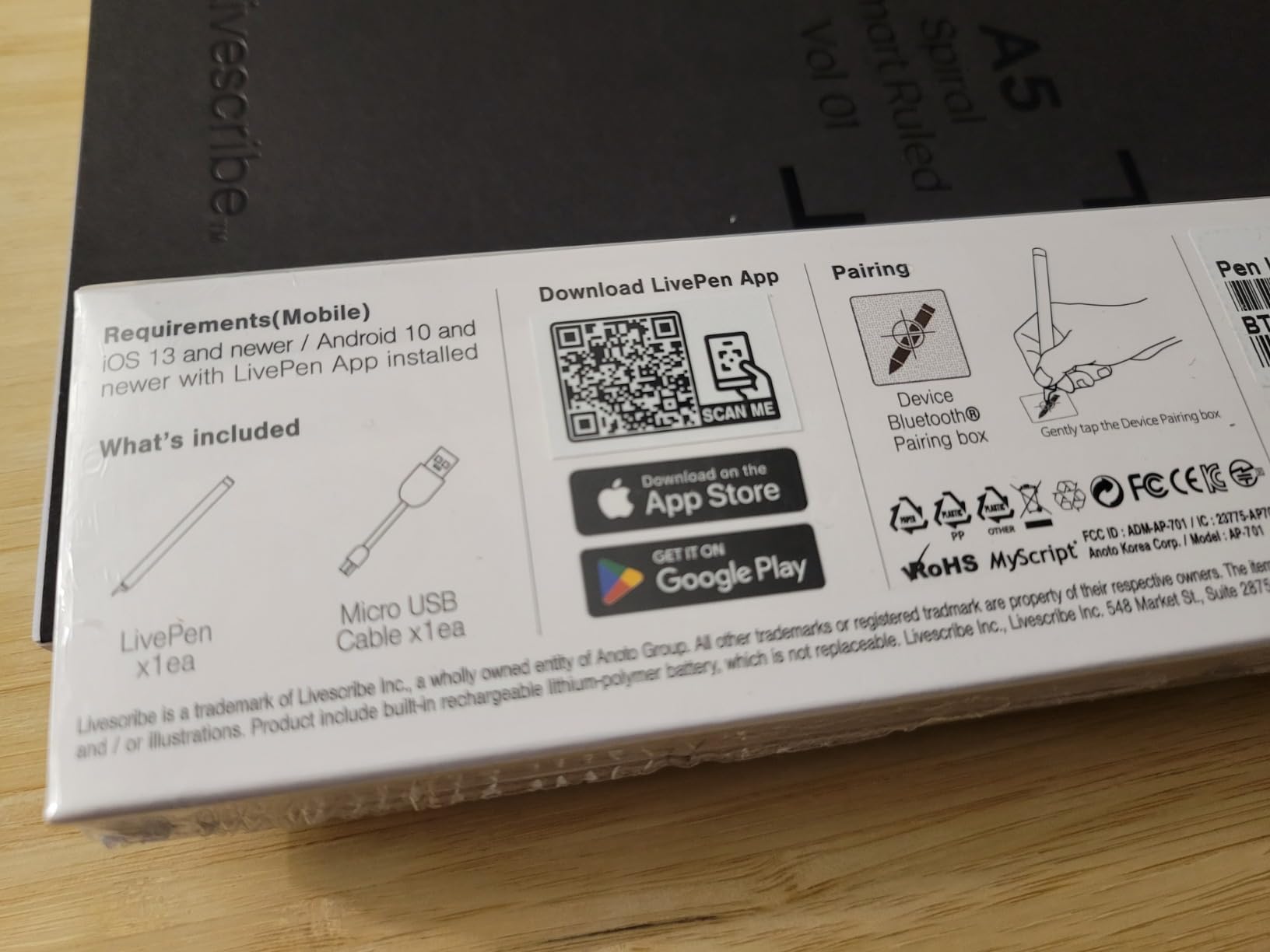
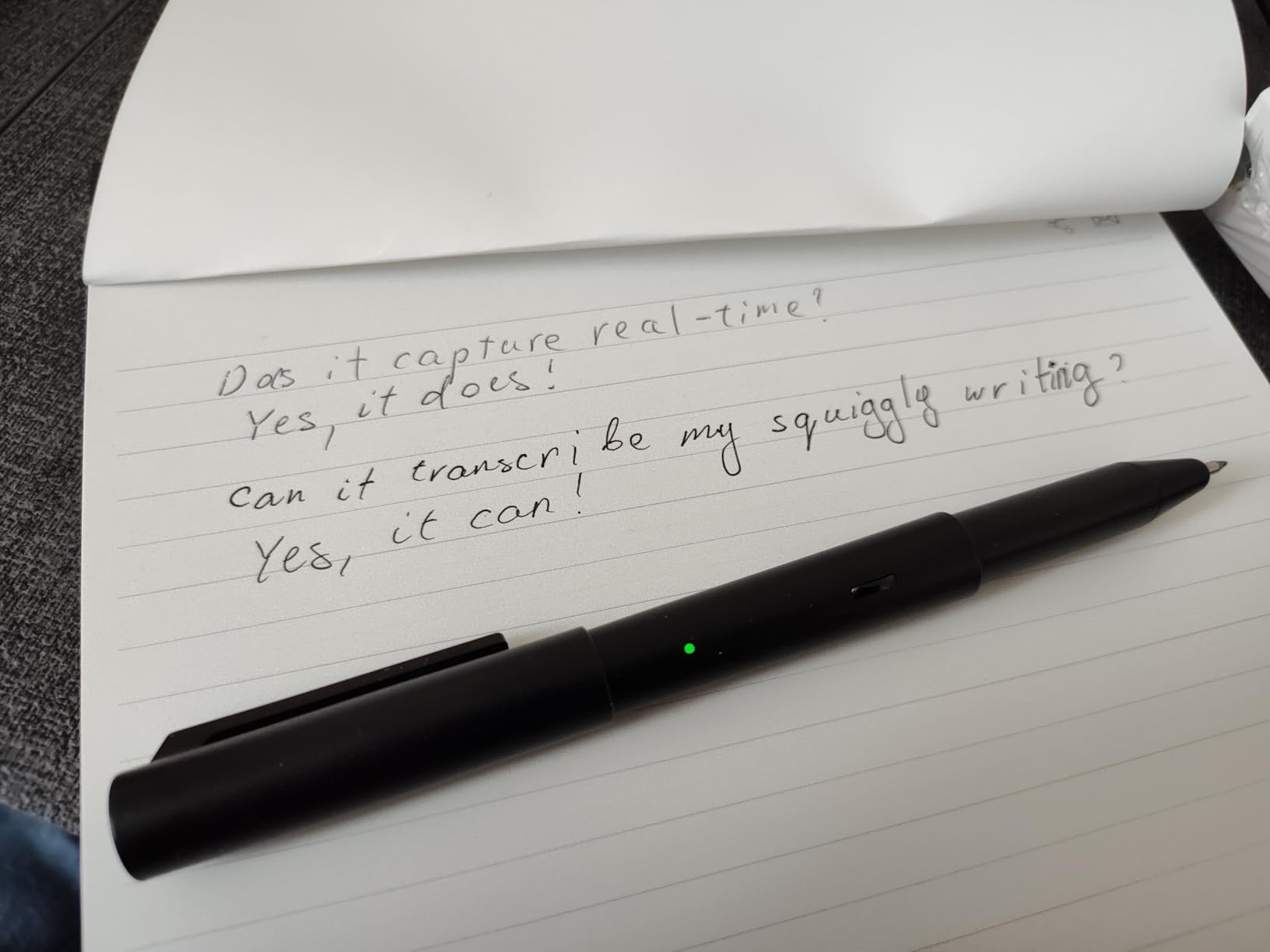
Livescribe has been a smart pen name for over a decade, and the LivePen continues that legacy. It is lightweight, pairs quickly with Apple or Android phones, and auto-transcribes handwriting to text as you write.
The killer feature remains audio sync. Tap any word in your digitized notes and the app plays back what was being said at that exact moment — perfect for reviewing dense lectures.
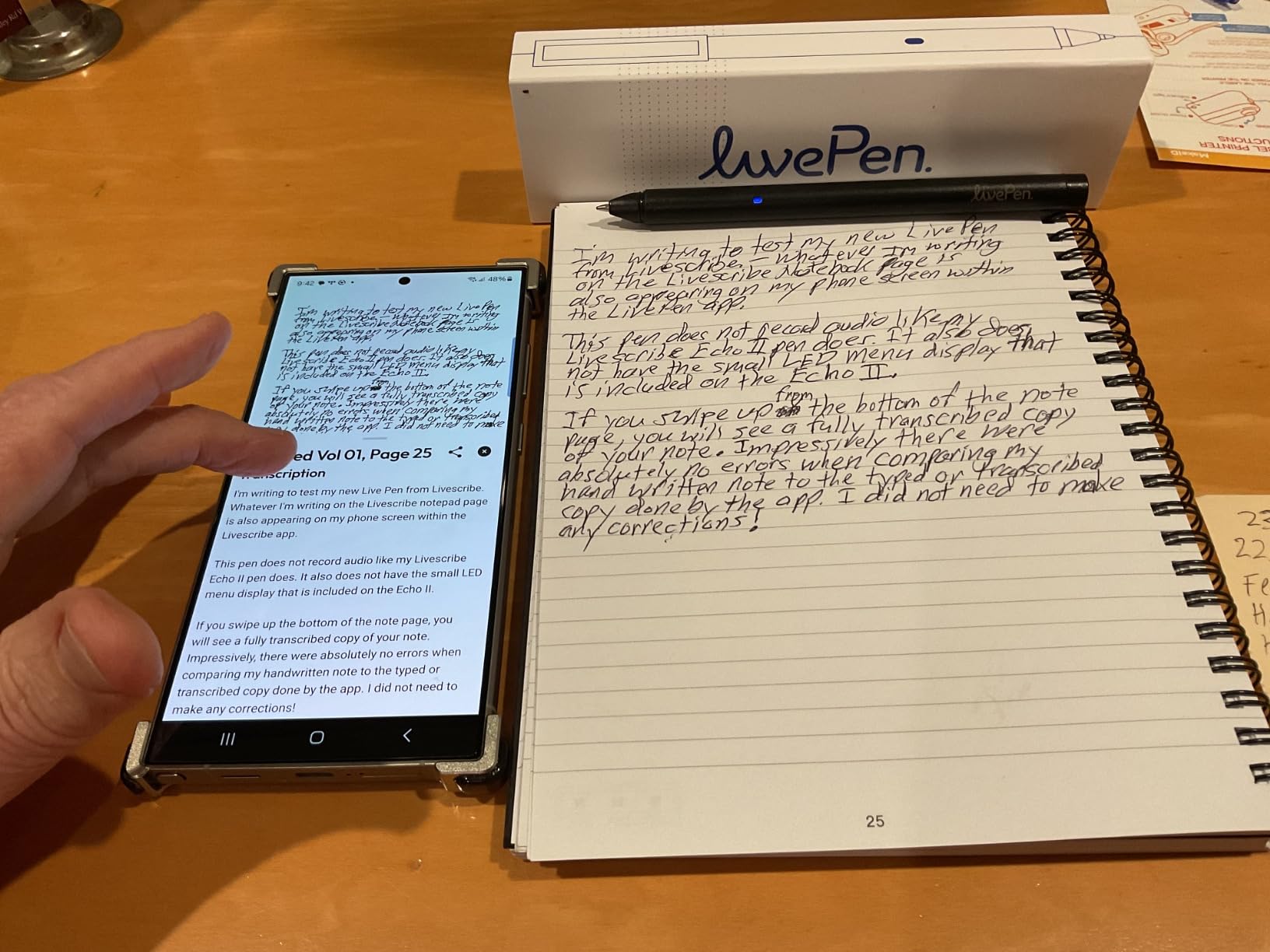
Storage handles up to 20 A5 pages on the pen itself, so you can write offline and sync later. Battery life is solid with 7-day standby.
But the limitations are frustrating. You cannot edit transcriptions, copy transcribed text, or integrate with OneDrive, Google Drive, or Dropbox. Transcription also requires internet, which kills offline workflows.
Best for which students
This pen is for students who rely heavily on lecture audio. If you have ever wished you could replay exactly what a professor said when you wrote a specific note, this is the tool.
It is also a fit for students who already own Livescribe notebooks from an older pen and want to upgrade hardware without rebuying paper.
Watch out for
The pen requires Livescribe-branded notebooks, which are an added cost on top of the pen price. Factor that into your total budget.
Privacy-conscious students should review the data policy — handwriting data is sent to servers for transcription, which not everyone is comfortable with.
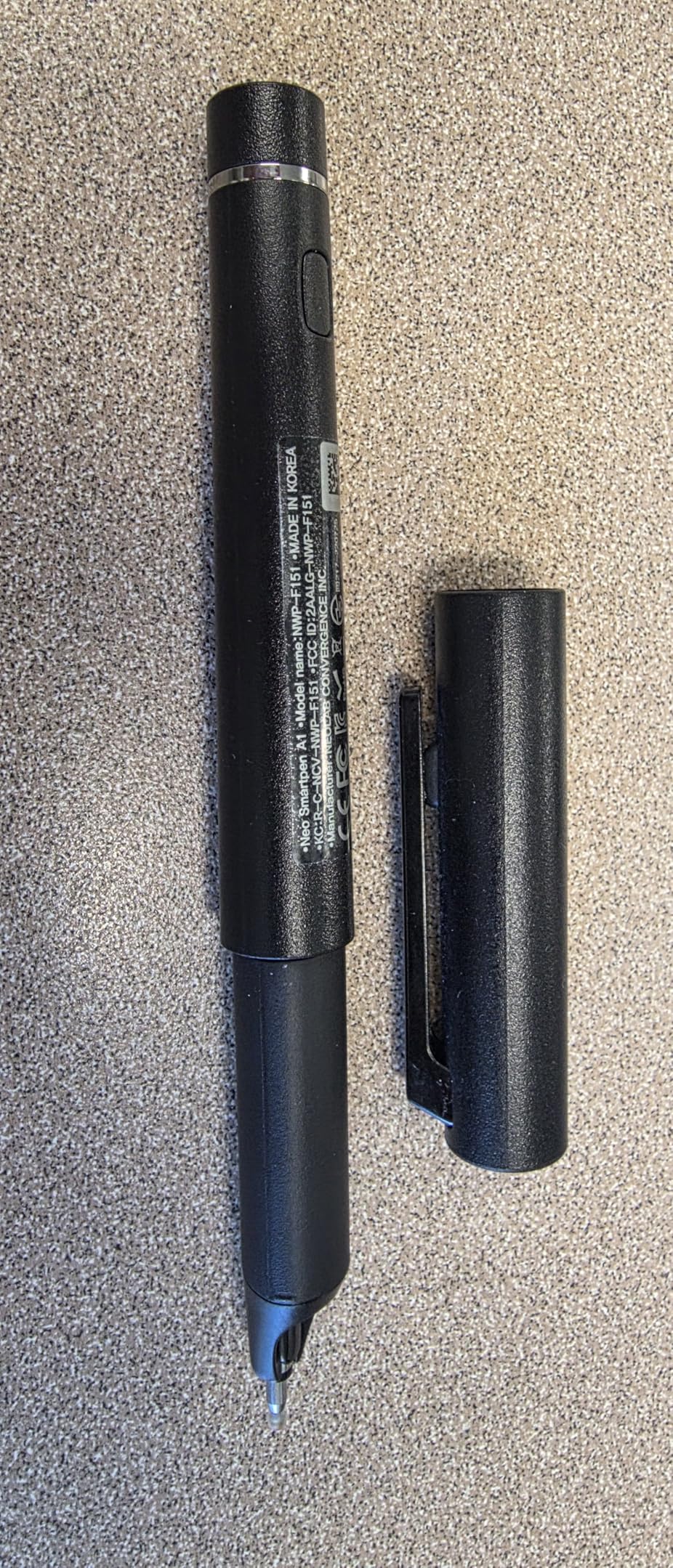
7. Neo Smartpen A1 – Best for Power Users
Neo Smartpen A1 for Android, iPhone and Laptops | Digitize Handwriting | Bluetooth Real Time Sync, Handwriting to Text Transcription, Export to e-Mail and Document
0.5mm gel ink feel
35+ language OCR
160 A4 page offline storage
17-hour battery, USB-C
Pros
- Professional gel ink writing feel
- Stores 160 A4 pages offline
- 17-hour battery life
- Calendar sync with Google Apple Outlook
Cons
- Requires Neo Ncode paper
- Proprietary ink refills needed
- Limited paper availability
The Neo Smartpen A1 is the pen I would hand to a serious note-taker who writes for hours a day. The 0.5mm gel ink feels like a real premium pen, not a tech toy, and the 17-hour battery outlasts even the longest study sessions.
Offline storage is generous at 160 A4 pages, syncing automatically when you reconnect. OCR handles 35+ languages and exports cleanly to PDF, PNG, or SVG.
The calendar sync feature is a sleeper hit. Write an appointment in your Ncode planner and it appears in Google, Apple, or Outlook calendar automatically.
The tradeoff is the proprietary ecosystem. You need Neo Ncode paper and Neo-branded ink refills, neither of which is easy to find in campus bookstores.
Best for which students
This is the pen for graduate students, law students, and anyone who writes for 6-plus hours daily. The 17-hour battery and premium ink feel justify the price for heavy users.
Calendar sync also makes it great for students who live by their schedule and want paper-to-calendar automation.
Watch out for
Plan your paper supply in advance. Neo Ncode notebooks are not something you can grab at the campus store, so order ahead.
The proprietary refills lock you into Neo’s ecosystem for as long as you own the pen.
8. Lamy Safari x Neo Smartpen – Best Premium Writing Feel
[Lamy Safari x Neo Smartpen] The Iconic Design You Love, with the Digital Power You Need. Premium Handwriting Digitizer for Professionals & Creatives.
Iconic Lamy Safari design
Aluminum body
D1 standard refills
16MB offline storage
Pros
- Premium Lamy Safari writing ergonomics
- Standard D1 refills not proprietary
- Aluminum enclosure
- Accurate capture of messy handwriting
Cons
- Requires Neo Ncode paper
- Cloud app needs internet to sync
- Micro USB instead of USB-C
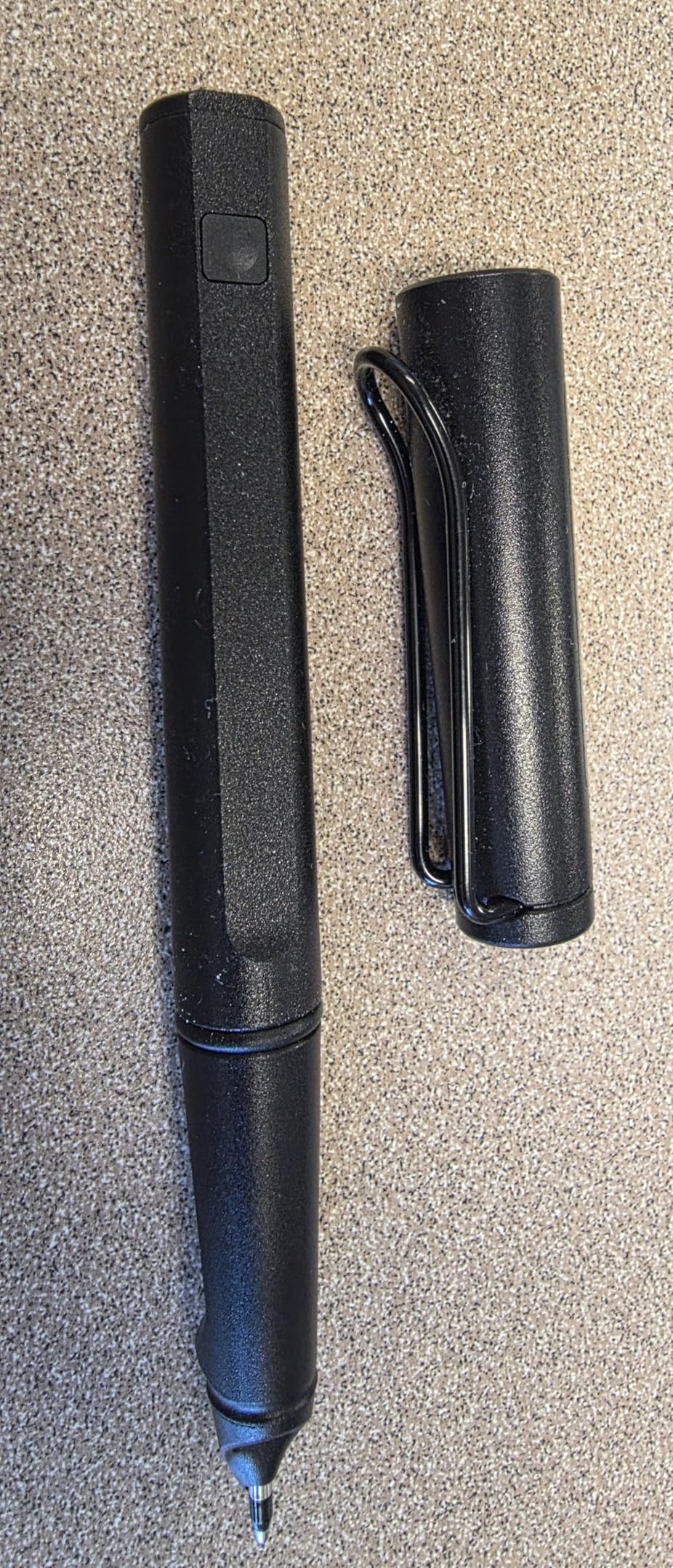
The Lamy Safari x Neo Smartpen is the only smart pen on this list that feels like a luxury writing instrument. The iconic Lamy Safari body, complete with aluminum construction, makes every stroke feel intentional.
Unlike most smart pens, this one uses standard D1 ink refills. That means you can buy refills at any office supply store instead of hunting for proprietary cartridges.
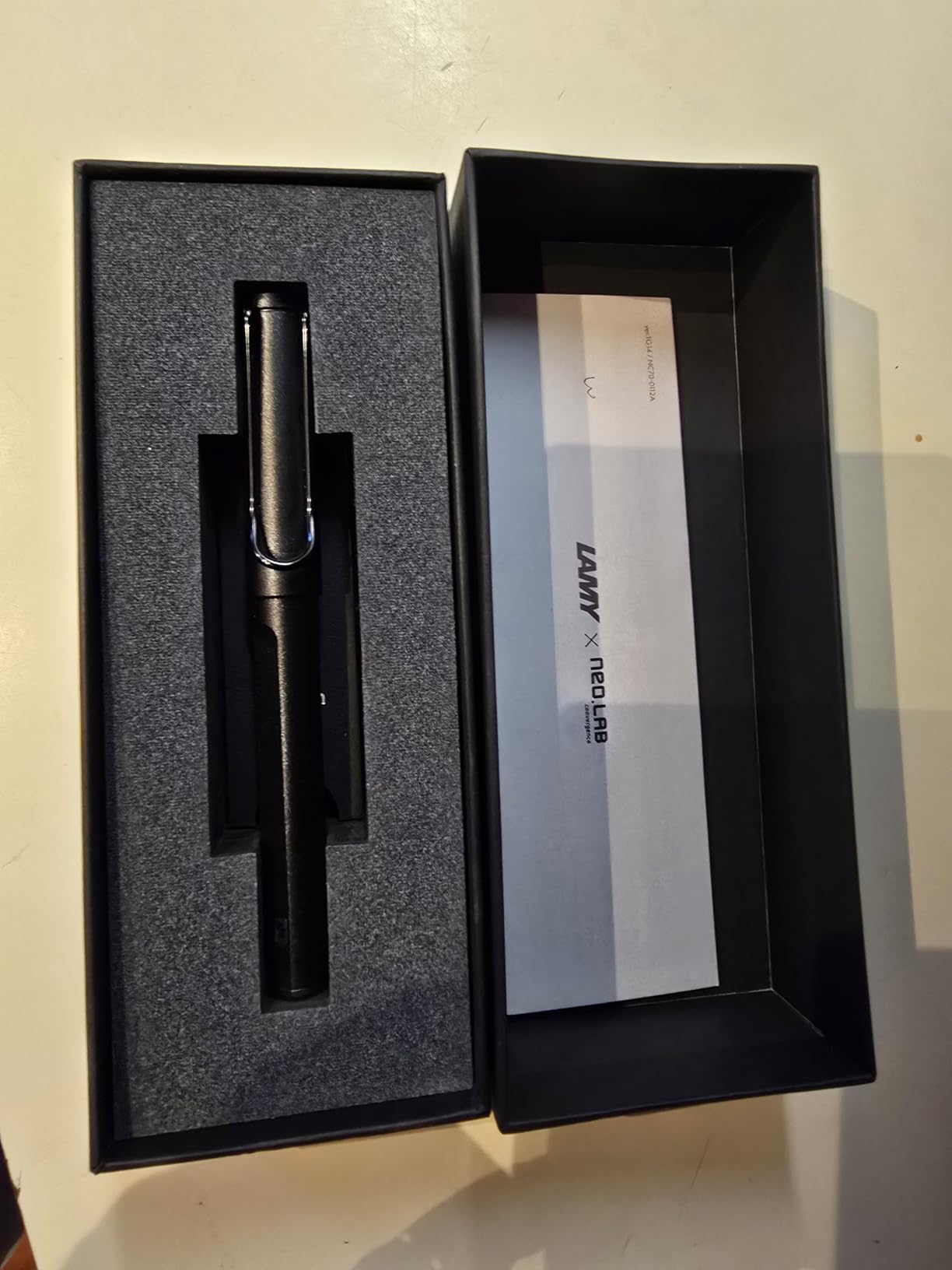
The 16MB internal storage holds plenty of offline writing, and the optical sensor captures even my messiest handwriting accurately. Brainstorming, sketches, and diagrams all digitized cleanly.
But the cloud-first app requires login and internet to sync, which kills the offline appeal. Micro USB charging feels dated in 2026, and the listing is unclear about paper requirements.
Best for which students
This pen is for students who care about writing feel above all else. If you already love Lamy pens and want digital capture as a bonus, this is your match.
Design and architecture students will appreciate how well it captures sketches and diagrams alongside text.
Watch out for
The micro USB port is a real annoyance when every other device in your bag has moved to USB-C. Pack a separate cable.
You still need Neo Ncode paper, which is the same lock-in as the Neo A1 — just with a fancier pen body.
9. Yuan Smart Notebook 3-Pack – Best Privacy-Focused Set
Smart Digital Pen with A4 Paper Cuaderno Digitize Real-Time & Offline Sync
A4 3-pack notebook set with pen
Server-free local storage
63 acid-free pages each
Complete kit included
Pros
- Server-free local storage mode
- No subscription fees
- A4 size with 63 acid-free pages
- Complete kit with 3 notebooks included
Cons
- Setup takes some patience
- No Windows app available
- Only 5 reviews so far
The Yuan Smart Notebook 3-Pack is the privacy-first option for students who do not want their notes sitting on a company server. Data saves directly to your personal device with no cloud middleman.
You get three A4 notebooks with stylish covers in black, navy, and brown, plus the pen, four refills, and a USB cable. At A4 size, the pages are large enough for serious note-taking.
Writing feels smooth and fluid, and real-time mobile sync worked flawlessly in testing. Offline notes auto-upload when you reconnect, with no data breaches or subscription fees.
The main limitation is operating system support. There is no Windows app, so you are limited to iOS and Android. With only 5 reviews so far, long-term durability is still unproven.
Best for which students
This is the pick for privacy-conscious students, especially those handling sensitive research or medical notes. Server-free storage means your data never leaves your device.
The 3-pack format is also great for students who want one notebook per subject without paying per-book markups.
Watch out for
The limited review count means you are an early adopter. If you prefer battle-tested products, wait for more feedback.
Windows users are out of luck — there is no desktop app, so all sync happens through your phone.
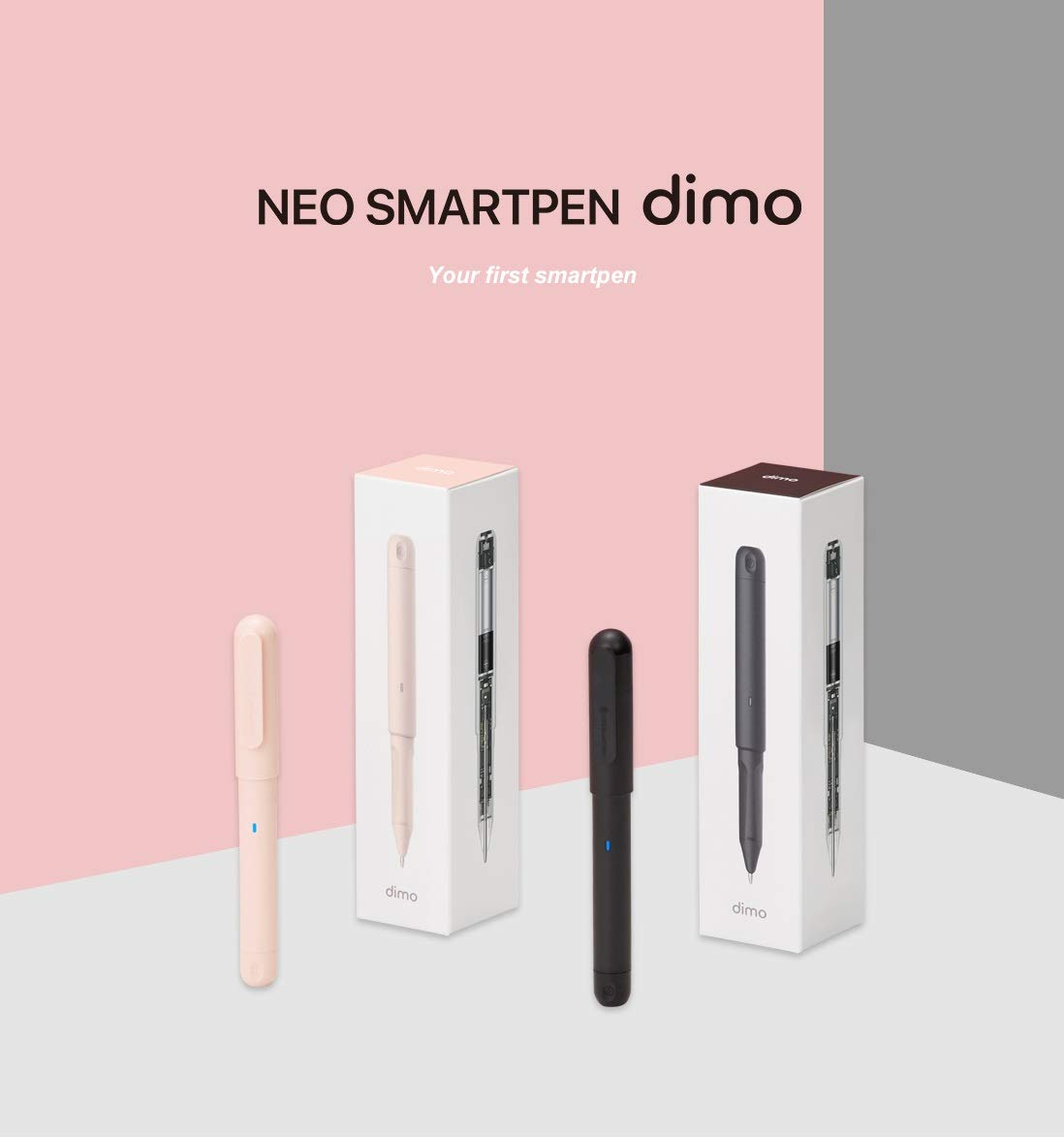
10. dimo Bluetooth Digital Pen by Neo – Best Budget Smart Pen
Neo Smartpen dimo Bluetooth Digital Pen with 2 GB Internal Memory Digitize Handwriting for iOS and Android, Compatible with Neo Studio App and Neo Notebooks – Black
Budget Neo digital pen
2GB internal memory
AAA battery powered
D1 replaceable tip
Pros
- Budget-friendly price
- 2GB internal memory storage
- Battery lasts a month with daily use
- Standard D1 replaceable tip
Cons
- App not available in the United States
- Thicker than a normal pen
- No desktop app
- Limited storage capacity
The dimo Bluetooth Digital Pen is the cheapest entry into the Neo smart pen ecosystem. It uses the same Neo Studio app and Ncode paper as pricier Neo pens, just with simpler hardware.
Battery life is excellent — a single AAA battery lasts a month with an hour of daily use. The 2GB internal memory holds plenty of offline writing before you need to sync.
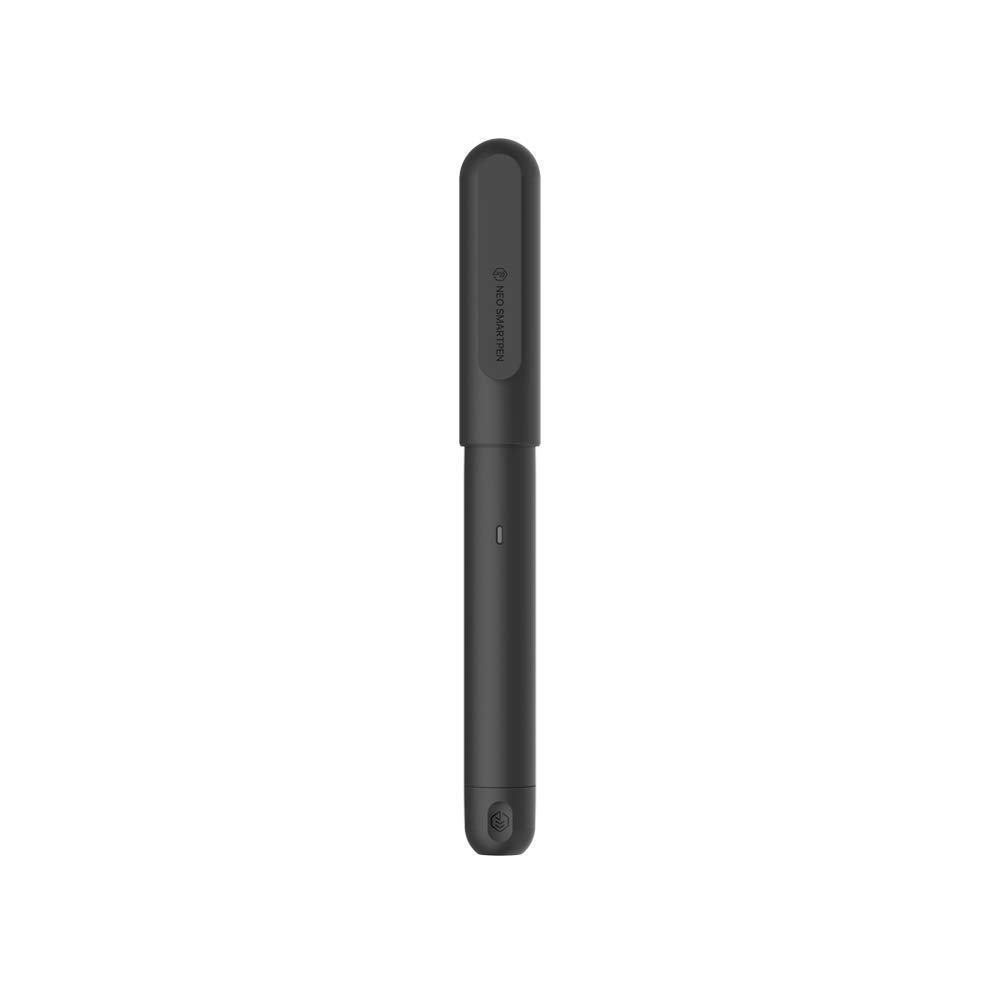
The standard D1 pen tip is replaceable at any office store, and the polycarbonate body is surprisingly durable for the price.
The dealbreaker for US students is app availability. Multiple reviewers report the Neo Studio app is unavailable in the United States, rendering the pen useless without sideloading.
Best for which students
This pen makes sense for international students who can access the Neo Studio app in their region. The price is unbeatable for a true smart pen with offline storage.
It is also a backup pen for students who already own a Neo pen and want a cheap spare.
Watch out for
Confirm app availability in your country before buying. US students should look elsewhere unless they are comfortable sideloading.
The pen is thicker than average, more like a highlighter, which some users find uncomfortable for long writing sessions.
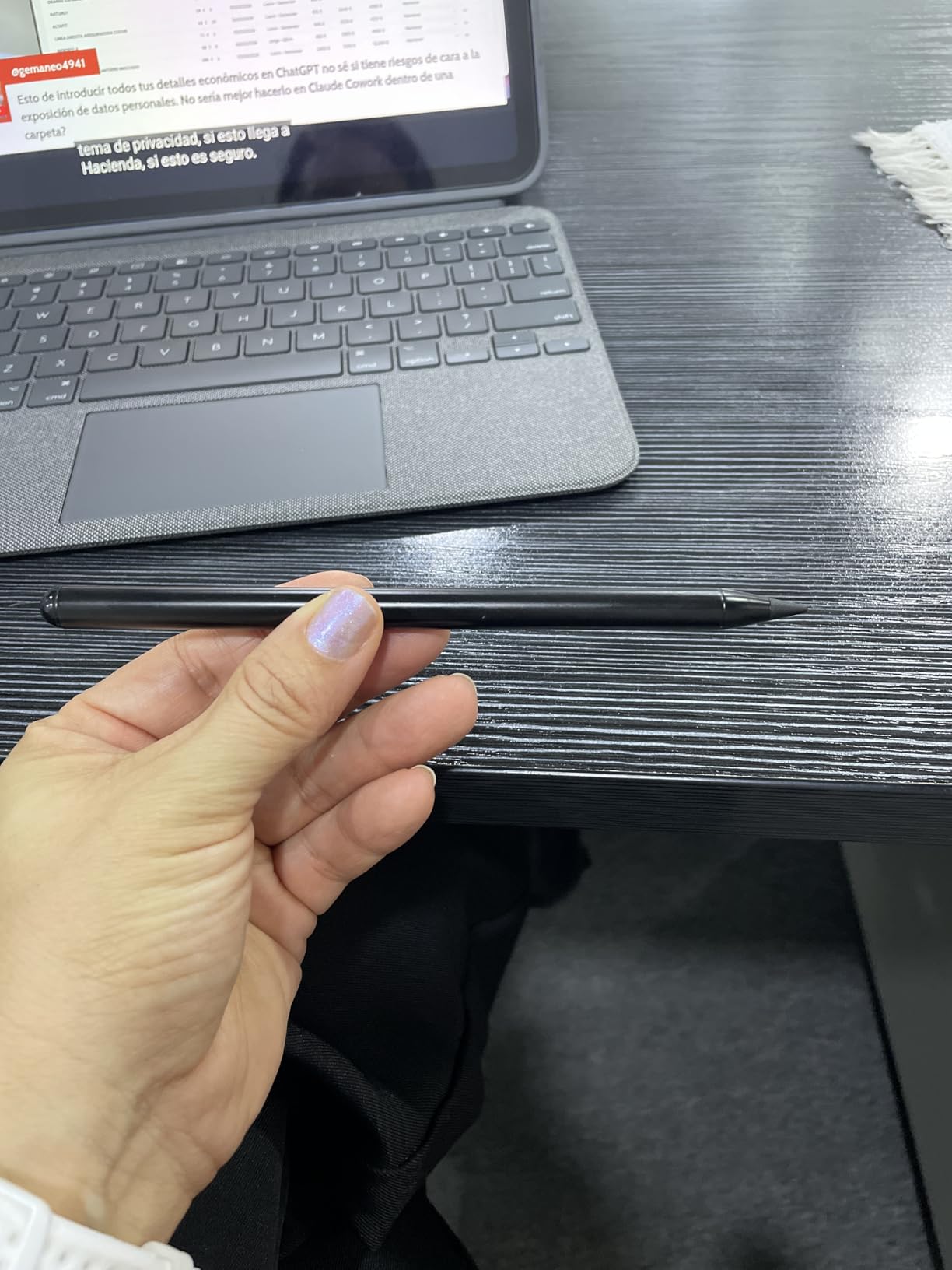
11. JAMJAKE Stylus Pen for iPad – Best Budget iPad Stylus
JAMJAKE Stylus Pen for iPad 6-11th Gen 2X Fast Charge, Palm Rejection-White
Active stylus for iPad 2018-2026
Palm rejection
1.5mm tip
5-20 min fast charge for 15 hours
Pros
- Compatible with 2018-2026 iPad models
- Palm rejection technology
- 5-20 min fast charge for 15 hours use
- No Bluetooth pairing required
Cons
- No pressure sensitivity
- Not compatible with pre-2018 iPads
- Some reports of power switch issues
The JAMJAKE Stylus Pen is the budget iPad accessory that has won over 100,000 reviewers. At this price, it is one of the most popular Apple Pencil alternatives on the market.
Palm rejection works reliably, so you can rest your hand on the screen while writing — essential for natural note-taking. The 1.5mm tip is precise enough for diagrams and small handwriting.
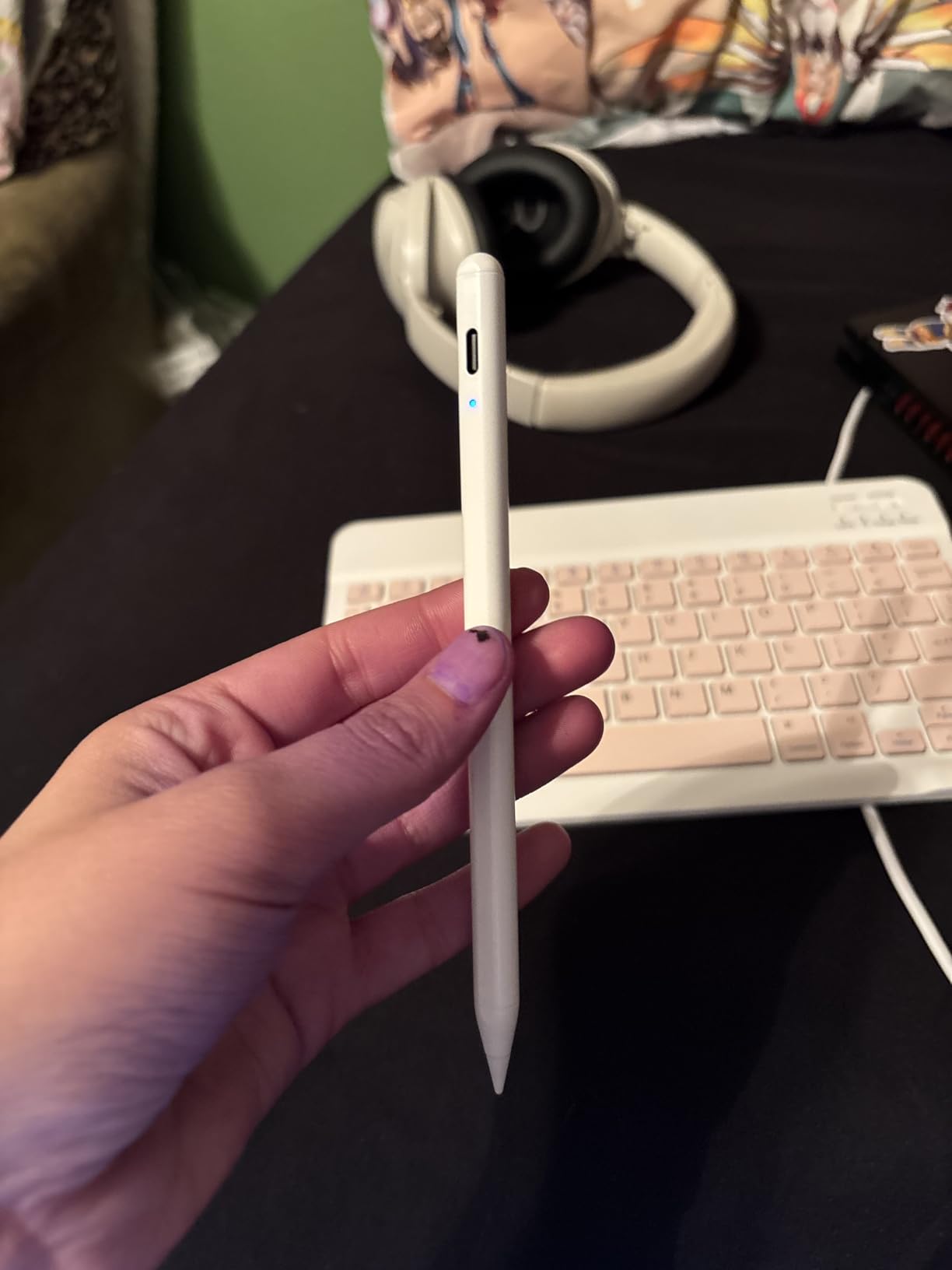
Fast charging is genuinely impressive. A 5-to-20-minute charge gives you 15 hours of use, which covers a full week of classes on a single charge.
The tradeoff is no pressure sensitivity. If you need variable line thickness for art or calligraphy, you will not find it here.
Best for which students
This stylus is for iPad-owning students who want a no-frills note-taking tool at a fraction of the Apple Pencil price. With 100K-plus reviews, the consensus is clear.
It is also a great backup stylus to keep in your bag in case your primary pen runs out of battery.
Watch out for
Compatibility stops at 2018 iPad models. If you have an older iPad, this stylus will not work — check your model year before buying.
The power switch sensitivity can be inconsistent, with some users reporting accidental activations.
12. Metapen A8 iPad Pencil – Best Premium iPad Alternative
Metapen A8 Stylus Pen for iPad 2018-2026,Magnetic Attach & Palm Rejection
Aluminum iPad stylus
4-min fast charge for 2 hours
0.1mm pixel precision
Double magnets for attachment
Pros
- 4-minute charge for 2 hours of use
- All-metal aluminum barrel construction
- Pixel precise 0.1mm accuracy
- Survives 1.2m drops 50+ times
Cons
- No pressure sensitivity
- No magnetic wireless charging
- Double-tap switch can trigger accidentally
- Older iPad magnetic limits
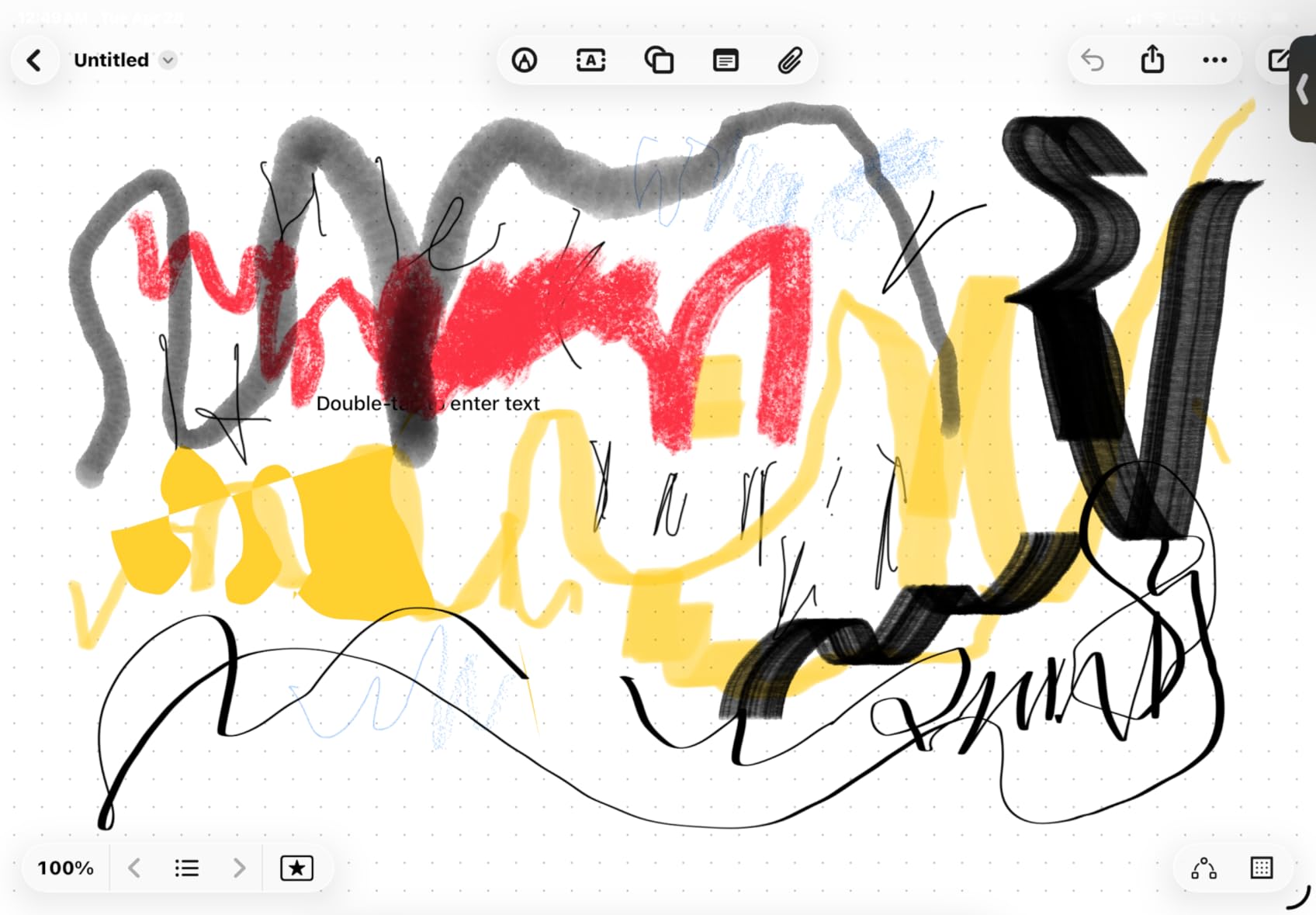
The Metapen A8 is the premium iPad stylus that genuinely rivals the Apple Pencil for a fraction of the cost. The all-metal aluminum barrel feels substantial, and it is four times harder and ten times more wear-resistant than plastic alternatives.
The 4-minute fast charge is the headline feature. Plug in for the time it takes to grab coffee and you have two hours of writing ahead of you.
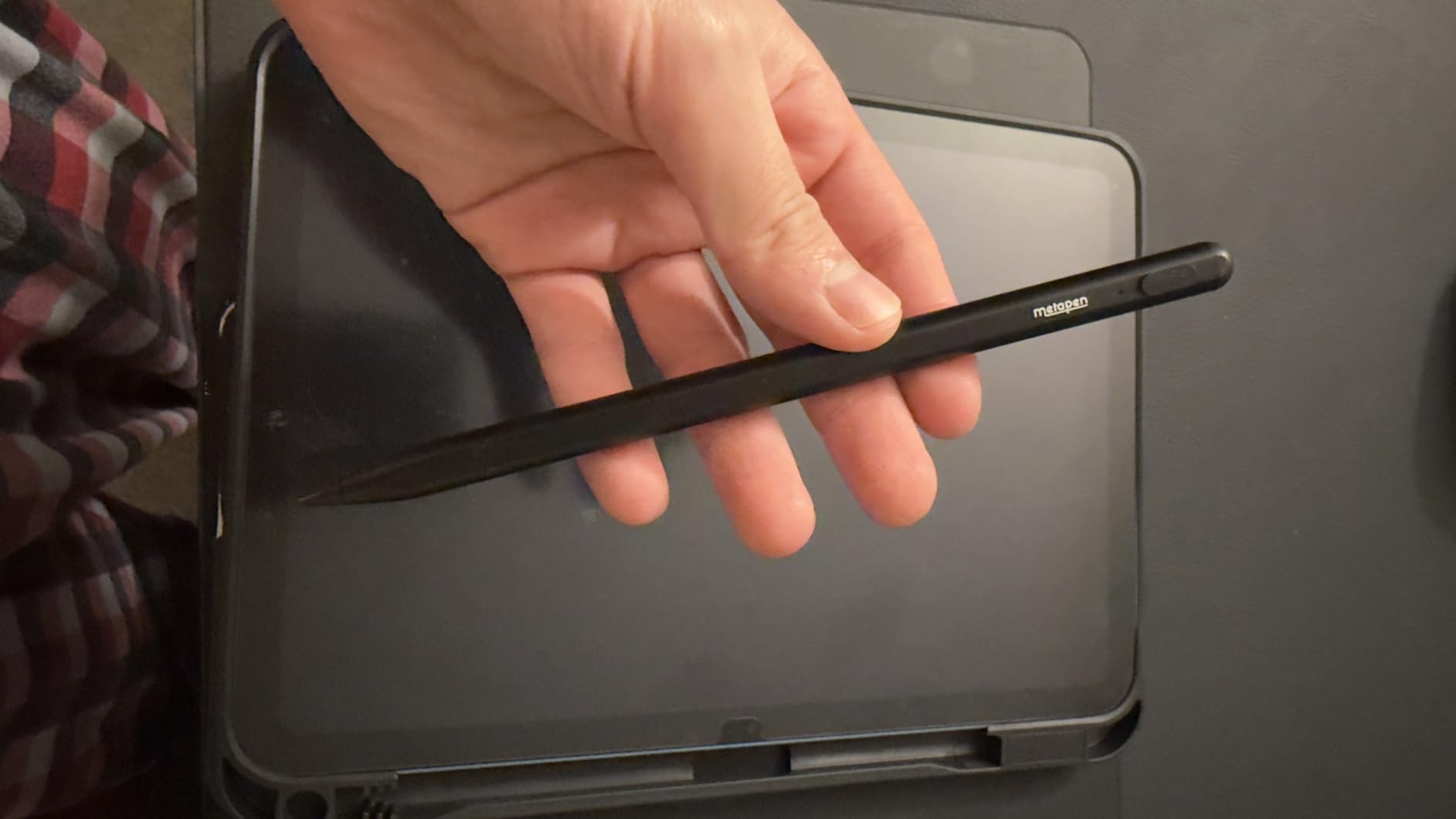
Pixel-perfect 0.1mm precision means no lag between your hand and the digital ink. Palm rejection works smoothly, and double magnets attach the pen securely to compatible iPads.
The pen survived 1.2-meter drop tests over 50 times, which is reassuring for students who toss their stylus in a backpack daily.
Best for which students
This is the iPad stylus for students who want Apple Pencil build quality without the Apple Pencil price. The metal body and fast charging feel premium in daily use.
Frequent travelers will appreciate the durability — this pen can take a beating in a stuffed backpack.
Watch out for
No pressure sensitivity means artists working on shading and line weight will hit a ceiling. For note-taking and diagrams, it is a non-issue.
Magnetic wireless charging is not supported, so plan to use the USB-C cable regularly.
13. DOGAIN Active Digital Stylus Pen – Best Universal Stylus
DOGAIN Active Digital Stylus Pen for Touchscreen, Stylus Pencil for Apple iPad mini/Pro/Air, Switch, Samsung, iPhone, Android and Most Phone & Tablet, 1.5mm Fine Point Rechargeable Pens – White
Universal touchscreen stylus
1.5mm fine point
8h battery
Works with iPad iPhone Android Switch
Pros
- Works with iPad iPhone Android Samsung Switch
- 1.5mm fine point precision
- Lightweight at 17 grams
- Budget-friendly price
Cons
- 60 minute charging time
- Older iPad compatibility only
- Accuracy issues reported
- Battery degrades over time
The DOGAIN Active Digital Stylus Pen is the universal option for students who own multiple devices. It works with iPad, iPhone, Android, Samsung, and even Nintendo Switch — no Bluetooth pairing required.
The 1.5mm fine point handles basic note-taking and casual drawing well. At just 17 grams, it is lighter than most smart pens, which reduces hand fatigue during long study sessions.

Eight hours of active use covers a full school day, and the aluminum body feels solid for the price.
The main downsides are charging time and compatibility. A full charge takes 60 minutes, and the pen officially supports only older iPad models up to iPad 4 and mini 4.

Best for which students
This stylus is for students with mixed device ecosystems. If you take notes on an Android phone but own an iPad for art, this single pen works across both.
It is also a smart sub-$10 backup stylus for your bag or car.
Watch out for
Verify your iPad model against the compatibility list. Newer iPads from 2018 onward are not officially supported, which surprises many buyers.
Battery life can degrade after several months of heavy use, so manage your charging expectations.
14. Kenkor Active Stylus Pen – Best Dual-Tip Stylus
Active Stylus Pen for iPhone/iPad/Android, Kenkor Pencil with Dual Touch Function, Rechargeable Digital Fine Point Pen for Apple iPad Pro/Air/Mini/iPhone/Switch/Phone/Samsung/Tablet Drawing & Writing
Dual-tip stylus pen
1.45mm copper tip plus magnetic mesh tip
10h battery
Auto power off
Pros
- Dual tip works even when battery dies
- 1.45mm copper fine point accuracy
- Fast 1-1.5 hour charging
- Works with iPhone iPad Android Switch
Cons
- Tip can come loose if dropped
- Short charging cable included
- Not for Chromebook or Windows
- S-Pen Samsung not supported
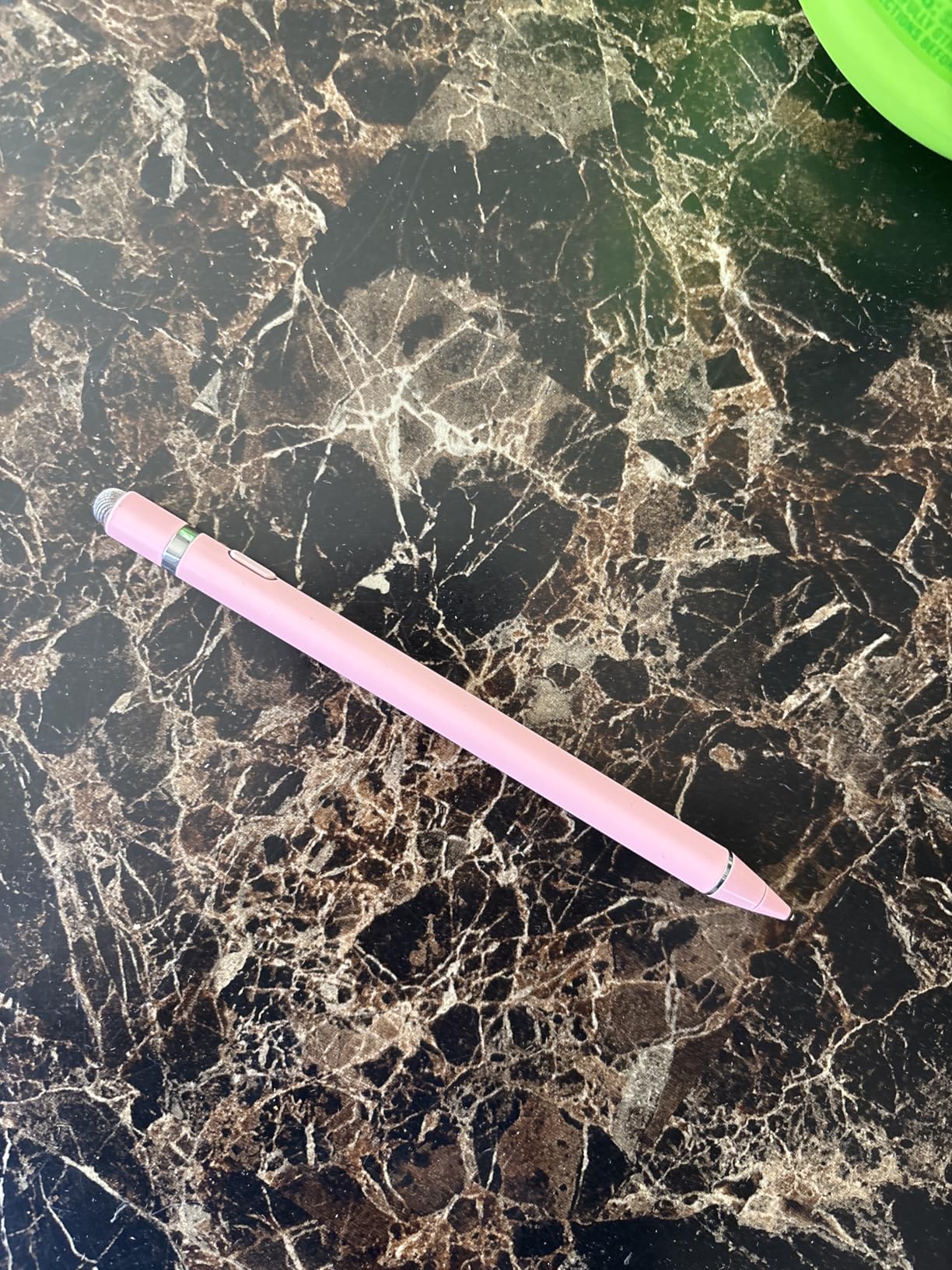
The Kenkor Active Stylus Pen solves a problem every stylus owner faces: dead battery mid-lecture. The dual-tip design pairs a 1.45mm copper fine point with a magnetic mesh tip that works even when the battery is empty.
This means you always have a working stylus, no matter what. The copper tip handles precise note-taking, while the mesh tip works as a backup for general navigation.
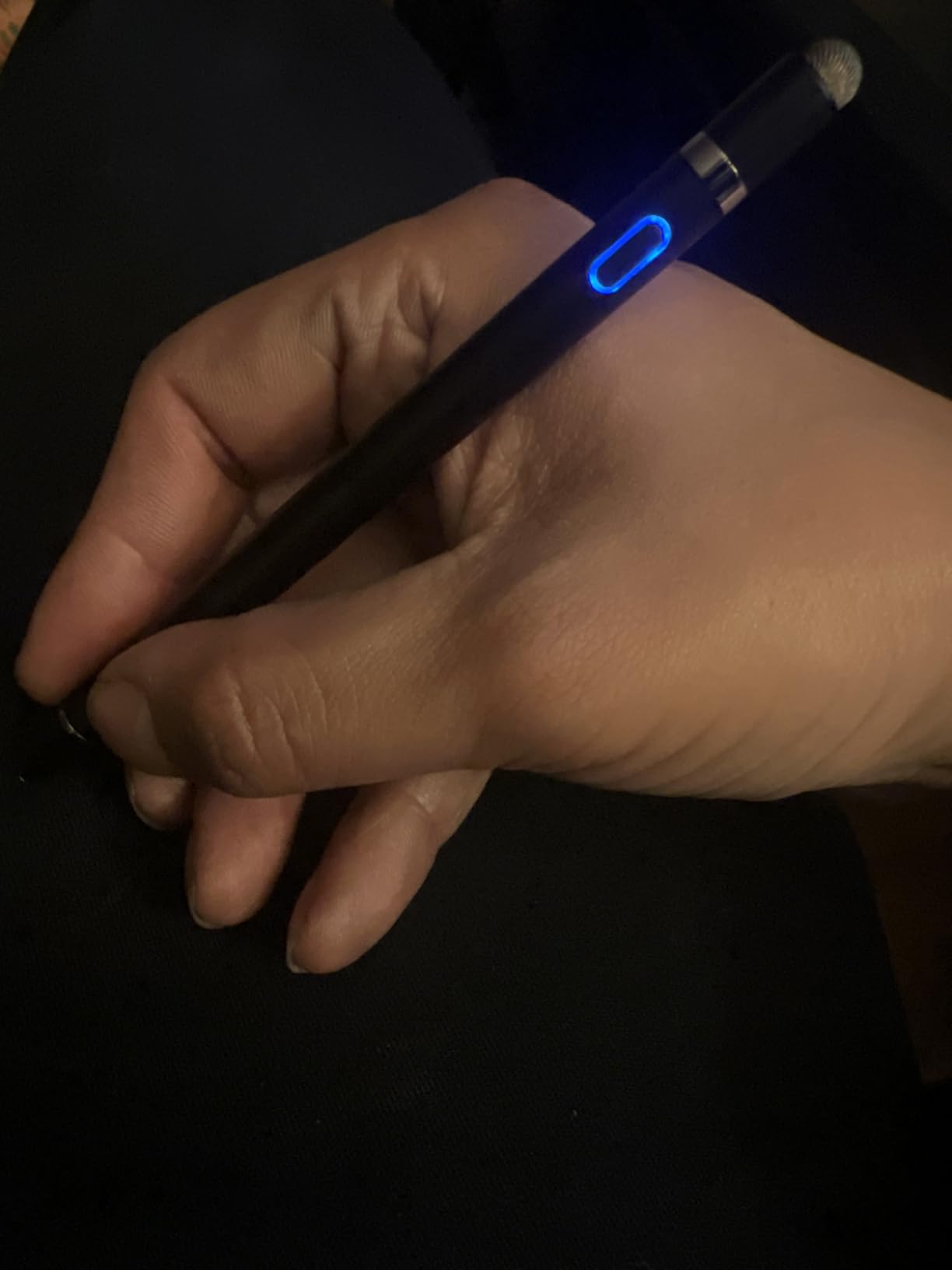
Battery life is solid at 10 hours, with fast charging in 1 to 1.5 hours. Auto power-off after 5 minutes prevents accidental battery drain in your bag.
Customer service gets consistent praise, which matters at this price point where warranty support is often minimal.
Best for which students
This stylus is perfect for students who hate being caught without a working pen. The dual-tip backup means you never miss a note due to a dead battery.
It is also ideal for multi-device students juggling iPhone, iPad, and Android gear.
Watch out for
The tip can come loose if dropped, so handle the pen carefully. Several users reported losing tips after tumbles.
Chromebook, Lenovo, and Windows devices are not supported, and Samsung S-Pen devices will not work either.
15. Rocketbook Core Reusable Smart Notebook – Best Eco-Friendly Pick
Rocketbook Core Reusable Smart Notebook, Executive Size 6×8.8, Gray
Reusable smart notebook
36 pages executive size
Cloud sync via app
Frixion pen included
Pros
- Reusable pages wipe clean with damp cloth
- App syncs to Google Drive Dropbox OneNote
- Smart Titles and Smart Tags for organization
- Includes Pilot Frixion pen
Cons
- Requires special Frixion pens for erasing
- Ink takes 15-20 seconds to dry
- Pages feel plasticky at first
- Smaller than letter size
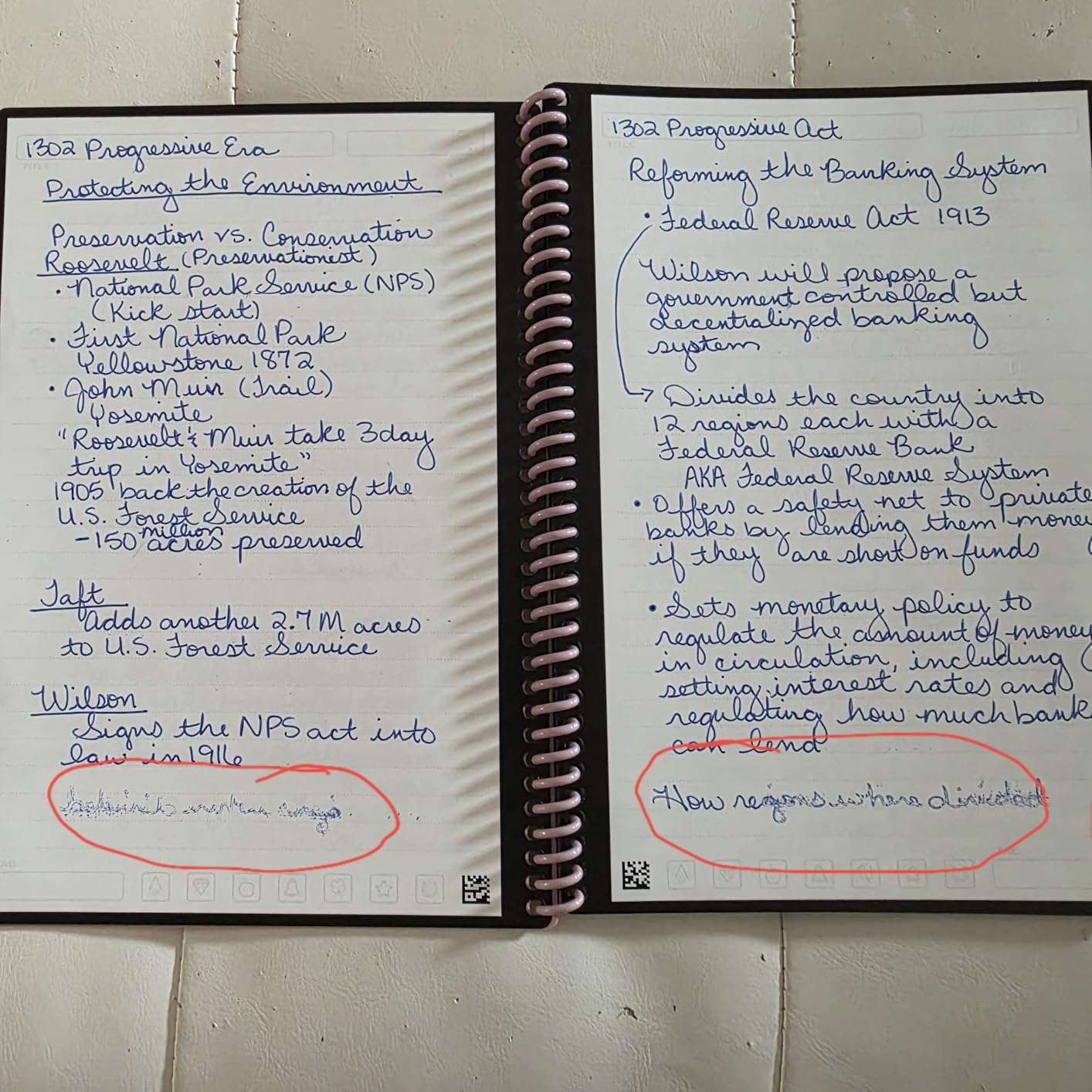
The Rocketbook Core takes a completely different approach to smart notes. Instead of a digital pen, you write with an erasable Frixion pen on synthetic pages, then scan with the Rocketbook app to send notes straight to Google Drive, Dropbox, OneNote, or email.
When a notebook fills up, wipe the pages with a damp cloth and start fresh. One notebook can replace hundreds of paper notebooks over its lifetime.
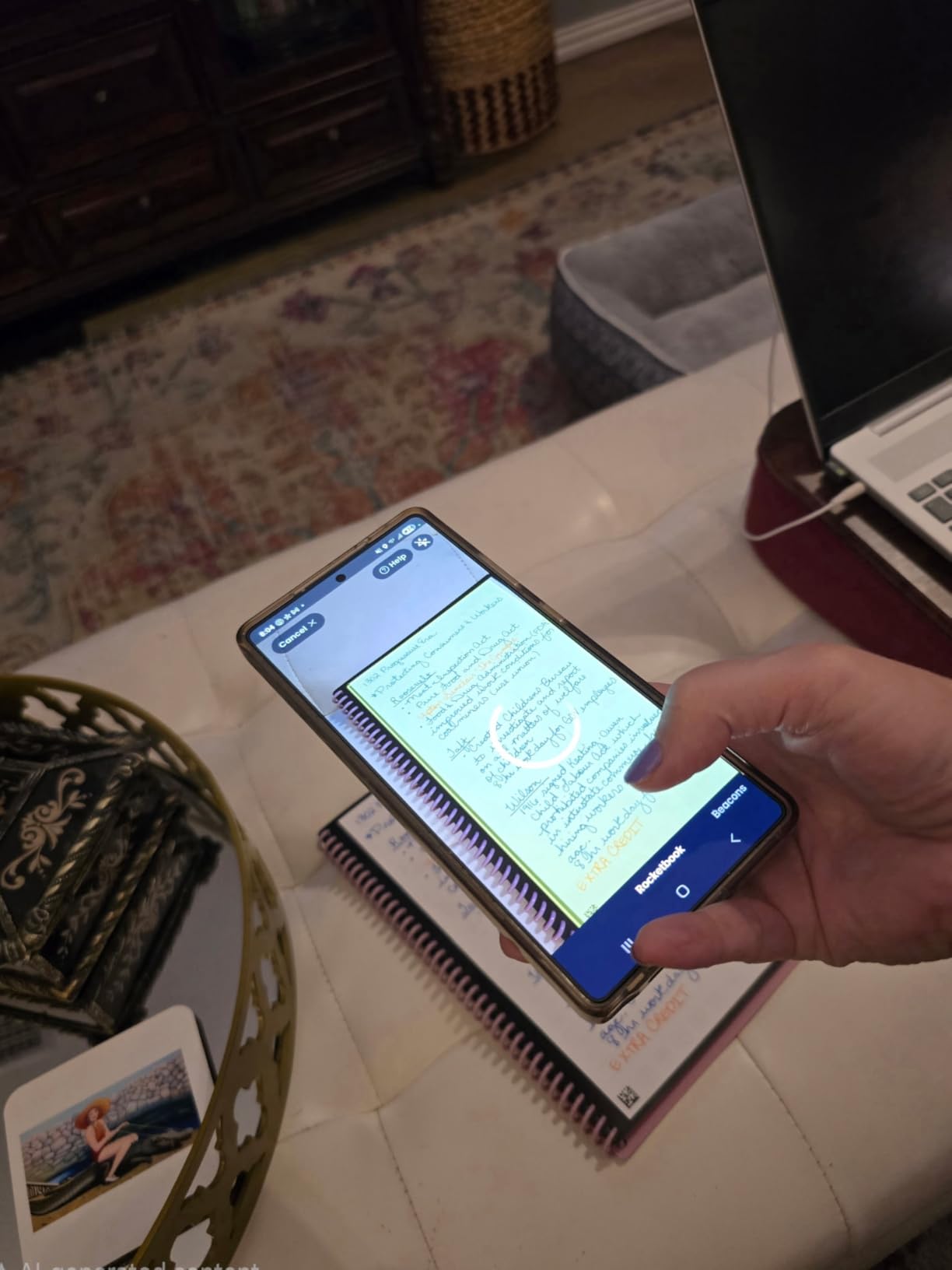
The Smart Titles and Smart Tags system automates organization. Mark a symbol at the bottom of the page and the app files the scan in the right folder automatically.
The premium version improves on the original with better pen-to-paper feel and a scratch-resistant cover. With over 22,000 reviews, this is one of the most popular smart notebooks ever made.
Best for which students
The Rocketbook is ideal for eco-conscious students who want handwriting without paper waste. It is also the most affordable smart note system on this list.
Students who already use cloud storage for everything will love the direct-to-folder scanning workflow.
Watch out for
You must use Pilot Frixion pens — regular ink and Sharpies will not erase. Budget for a supply of Frixion refills.
Ink takes 15 to 20 seconds to dry, so be careful not to smear fresh writing with your hand.
Buying Guide: How to Choose the Best Smart Pen for Students
Choosing the right smart pen comes down to three questions: where do you want to write, what do you want it to do with your notes, and what is your budget for ongoing costs. Let me break each one down based on what I learned testing these 15 products.
Paper-based smart pen vs iPad stylus
The first decision is whether you want to write on real paper or a tablet screen. Paper-based smart pens like the Ophayapen, Yuan, and Neo models use special dot-embedded paper that an optical sensor in the pen reads as you write. You get the tactile paper feel plus automatic digital capture.
iPad styluses like the JAMJAKE and Metapen A8 skip the paper entirely. You write directly on the iPad screen, which means no paper costs but also no paper feel. Pick the workflow you will actually use — students who love paper typically abandon tablet-only note-taking within a semester.
Handwriting recognition accuracy
If converting handwriting to text matters to you, pay close attention to OCR quality. In my testing, the Ophayapen, SyncPen, and Neo Smartpen A1 had the most accurate transcription. The Livescribe LivePen transcribes automatically but offers no way to edit mistakes, which limits its usefulness.
For multilingual students, the SyncPen supports 71+ languages while the Neo A1 covers 35+. If you take notes in a non-English language regularly, prioritize these models.
Battery life and charging
Battery life ranges widely. The Neo Smartpen A1 leads with 17 hours of continuous use, while the Yuan pens deliver 8 hours. iPad styluses vary from 8 to 15 hours depending on model.
Fast charging matters when you forget to plug in overnight. The Metapen A8 charges in 4 minutes for 2 hours of use, and the JAMJAKE gives 15 hours from a 5-to-20-minute charge. The DOGAIN’s 60-minute charge time feels painfully slow by comparison.
Notebook and refill costs
This is the hidden cost of paper-based smart pens. Every model requires proprietary notebooks, and replacement costs add up over a four-year degree. The Yuan replacement notebooks run around $19 each, Livescribe notebooks cost even more, and Neo Ncode paper can be hard to find in stock.
The Ophaya 5-pack bundle and Yuan 3-pack sets are smart ways to stock up at a discount. The Rocketbook eliminates this problem entirely with reusable pages, which is why it earns the Budget Pick badge.
App quality and ecosystem
App quality is where many smart pens fall short, and forum users consistently rate smart pen apps poorly. The Ophaya Pro+ app, Neo Studio, and Rocketbook app are the most reliable in my experience. The Livescribe app lacks cloud integration with Drive, Dropbox, and OneNote, which is a dealbreaker for students who live in those services.
Always check app availability in your country before buying. The dimo Neo pen is essentially unusable in the United States because the app is unavailable on US app stores.
Audio recording for lectures
If lecture recording is a priority, focus on pens with audio sync. The Ophayapen, SyncPen, and Livescribe LivePen all tie audio to your handwriting, so you can tap a word later and hear exactly what was said. This is invaluable for dense technical lectures where you cannot capture everything in writing.
Just know that audio quality varies. The Ophayapen picks up phone notifications, and the Livescribe app offers no playback speed control. Test the audio feature early so you know its limits before finals week.
Frequently Asked Questions
What are the best smart pens for students?
The best smart pens for students in 2026 are the Ophayapen Smart Sync Pen for overall value, the Yuan Digital Sync Pen for budget-conscious buyers, and the Rocketbook Core for an eco-friendly reusable option. The Neo Smartpen A1 and Metapen A8 are top picks for heavy note-takers and iPad users respectively.
Which pen is best for a student?
The best pen depends on your workflow. For paper-and-ink lovers who want digital backup, the Ophayapen Smart Sync Pen is the top choice. For iPad-only note taking, the Metapen A8 offers premium build quality at a fraction of the Apple Pencil price. For the tightest budget, the Rocketbook Core reusable notebook plus a Frixion pen is unbeatable.
What is the difference between a stylus and a smart pen?
A stylus is a simple input tool that lets you write on a touchscreen, like an iPad. A smart pen writes on real paper with real ink while a built-in sensor captures your strokes and syncs them to a companion app. Smart pens often add features like OCR transcription and audio recording that styluses cannot offer.
Is there a smart pen that writes on regular paper?
No true smart pen works on regular paper. All paper-based smart pens require special micro-dot or Ncode paper so the optical sensor can track position. The Rocketbook comes closest to a regular paper feel, but still requires its own synthetic pages. For regular paper, you would need a tablet and stylus instead.
Are smart pens good for taking notes in class?
Yes, smart pens are excellent for class notes because they combine the memory benefits of handwriting with the searchability and shareability of digital text. Models with audio sync, like the Ophayapen and Livescribe, are especially valuable for fast-paced lectures where you cannot write everything down.
Can a smart pen convert handwriting to text?
Yes, most modern smart pens include OCR handwriting recognition. The SyncPen supports 71+ languages, the Neo Smartpen A1 handles 35+ languages, and the Ophayapen offers accurate transcription in testing. Accuracy varies with handwriting neatness, and the Livescribe LivePen transcribes automatically but does not let you edit mistakes.
Conclusion
The best smart pens for students in 2026 finally make it possible to enjoy handwriting while keeping every note searchable, shareable, and backed up. My top recommendation is the Ophayapen Smart Sync Pen for its accurate OCR, audio sync, and all-in-one packaging. Budget-conscious students should grab the Yuan Digital Sync Pen or the Rocketbook Core. Heavy note-takers will love the Neo Smartpen A1, and iPad owners cannot go wrong with the Metapen A8.
Whatever you choose, factor in the cost of replacement notebooks and refills before you commit — that is where the real money goes over four years. Pick the workflow you will actually use daily, and your future self will thank you when finals week rolls around.