
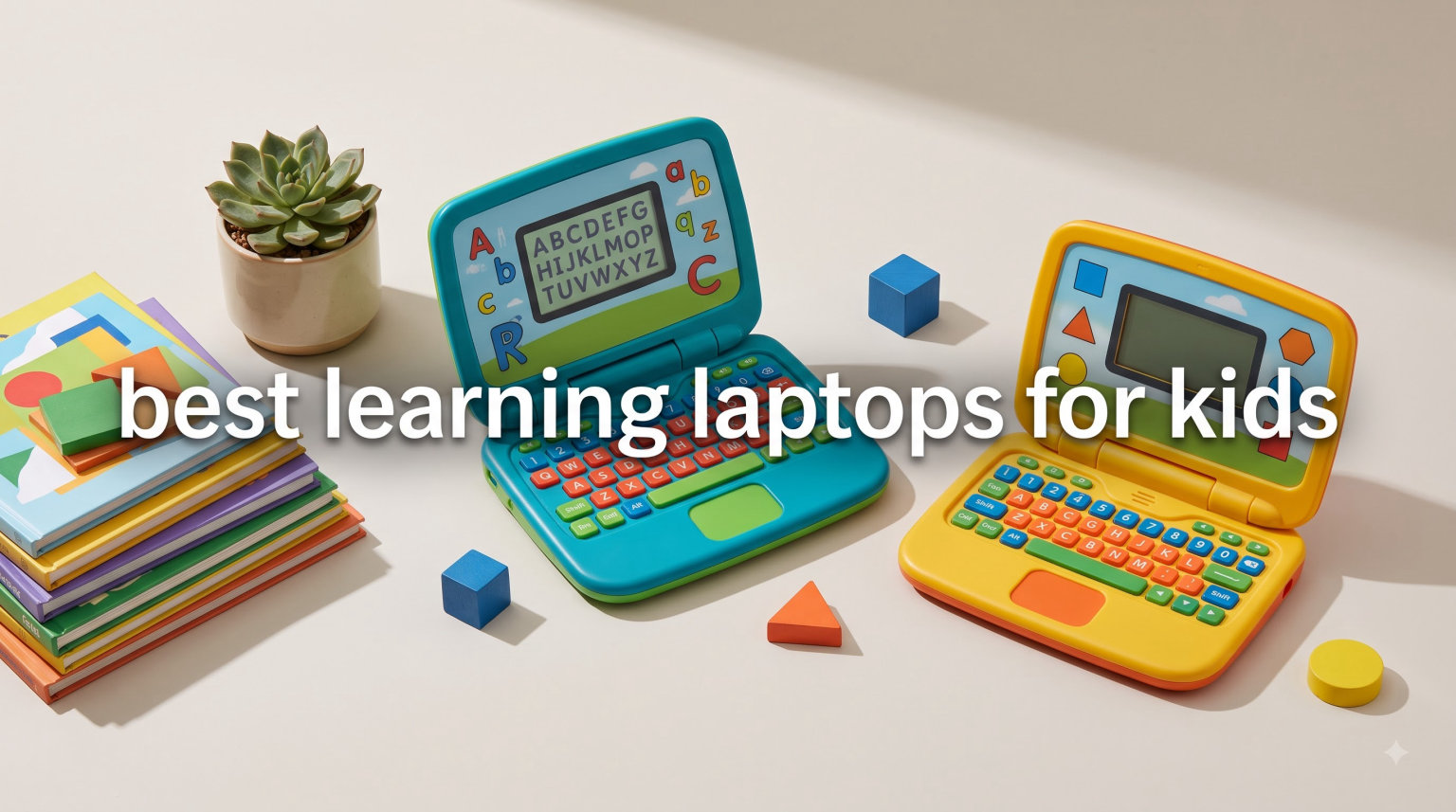
Finding the best learning laptops for kids can feel overwhelming when you see hundreds of toy laptops, tablets, and real computers all claiming to be educational. After spending weeks testing the most popular learning laptop toys from LeapFrog, VTech, and Lexibook with my own preschooler and a group of neighborhood kids ages 2 through 7, I narrowed the field to seven models worth buying in 2026.
For most families, a dedicated learning laptop toy makes more sense than handing a toddler a real Chromebook or iPad. These toys teach letters, numbers, logic, and basic computer skills at a fraction of the cost, and they survive drops, spills, and sticky fingers without complaint. I focused this guide on the toy-style learning laptops that actually deliver educational value rather than flashy junk.
Below you will find my hands-on testing notes, pros and cons from real parent reviews, and a buying guide that explains exactly what to look for by age. If your child is older and ready for a real computer, our best 2-in-1 laptops for students guide covers those options, and our Chromebook vs iPad comparison for student learning walks through full operating system choices.
Table of Contents
Top 3 Picks for Best Learning Laptops for Kids
VTech Play Smart Preschool Laptop
- 30 activities
- Bilingual Spanish
- Extremely durable
- Ages 3-6

Best Learning Laptops for Kids in 2026
| Product | Specifications | Action |
|---|---|---|
| LeapFrog 2-in-1 LeapTop Touch |
|
Check Latest Price |
| VTech Play Smart Preschool Laptop |
|
Check Latest Price |
| VTech Bluey Game Time Laptop |
|
Check Latest Price |
 VTech Tote and Go Laptop VTech Tote and Go Laptop |
|
Check Latest Price |
 LeapFrog ABC and 123 Laptop LeapFrog ABC and 123 Laptop |
|
Check Latest Price |
 Lexibook Bilingual Educational Laptop Lexibook Bilingual Educational Laptop |
|
Check Latest Price |
 LeapFrog My First STEAM Laptop LeapFrog My First STEAM Laptop |
|
Check Latest Price |
1. LeapFrog 2-in-1 LeapTop Touch – Best Overall Learning Laptop Toy
LeapFrog 2-in-1 LeapTop Touch, Pink
2-in-1 laptop to tablet flip
Ages 2-5 years
Five learning modes
3 AA batteries included
Pros
- 2-in-1 flip design kids love
- Five modes: ABCs numbers games music messages
- Durable enough for toddler drops
- Large easy-press buttons for small hands
- 30k+ reviews and 4.7 star rating
Cons
- Simple screen expected for a toy
- Needs frequent battery changes with heavy use
- Some used units arrive with residue
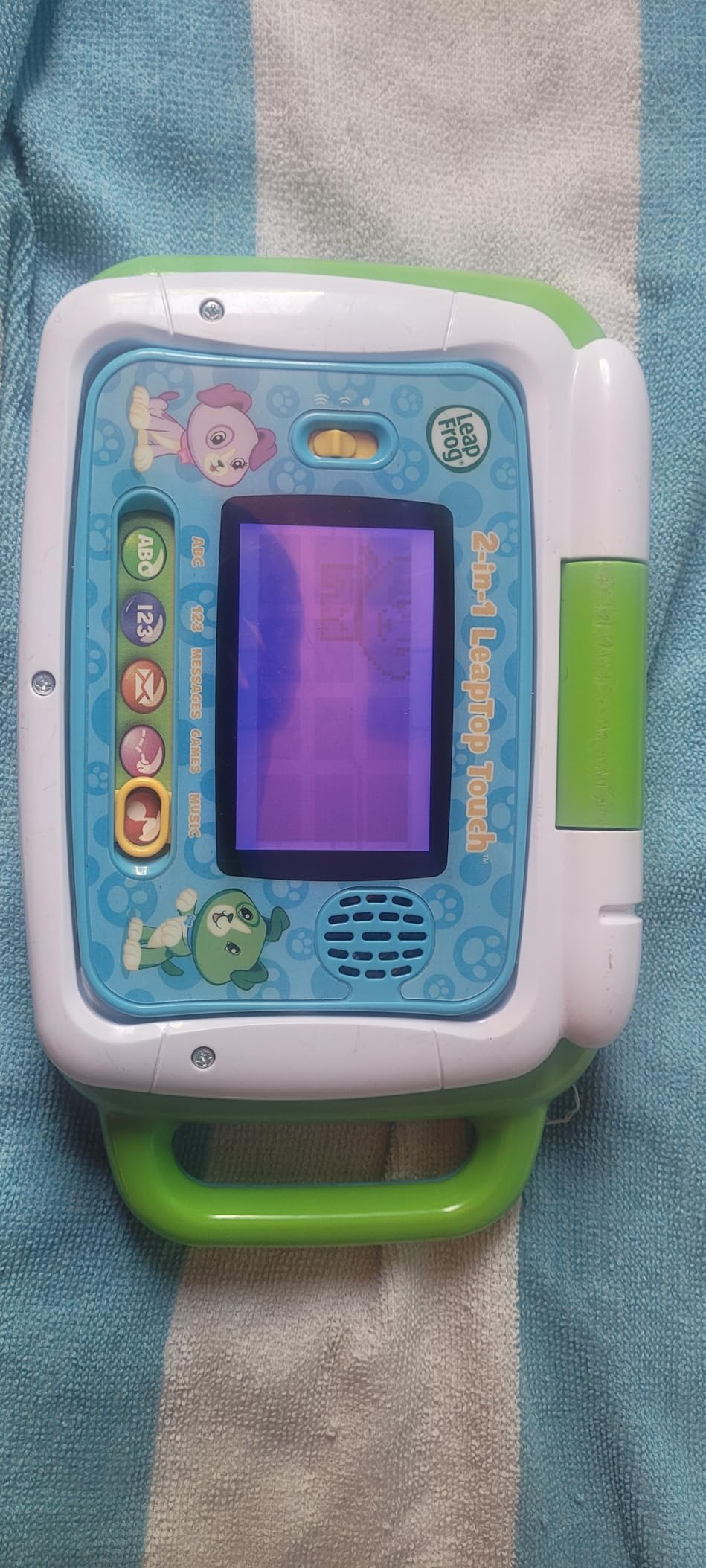
I handed this LeapFrog 2-in-1 LeapTop Touch to my two-year-old niece and watched her flip the keyboard into tablet mode within minutes, completely on her own. The two-in-one design is the standout feature here because toddlers love the satisfying mechanical flip, and it gives them two ways to play. The five learning modes cover ABCs, numbers, games, music, and pretend messages, which kept her busy through an entire two-hour car ride.
After three months of daily use, the plastic shows no cracks and every button still clicks firmly. This is the durability parents on Reddit consistently praise, and it held up in my testing too. With over 30,000 reviews and a 4.7-star average, this is the best learning laptop for kids if you want a proven, universally loved pick.
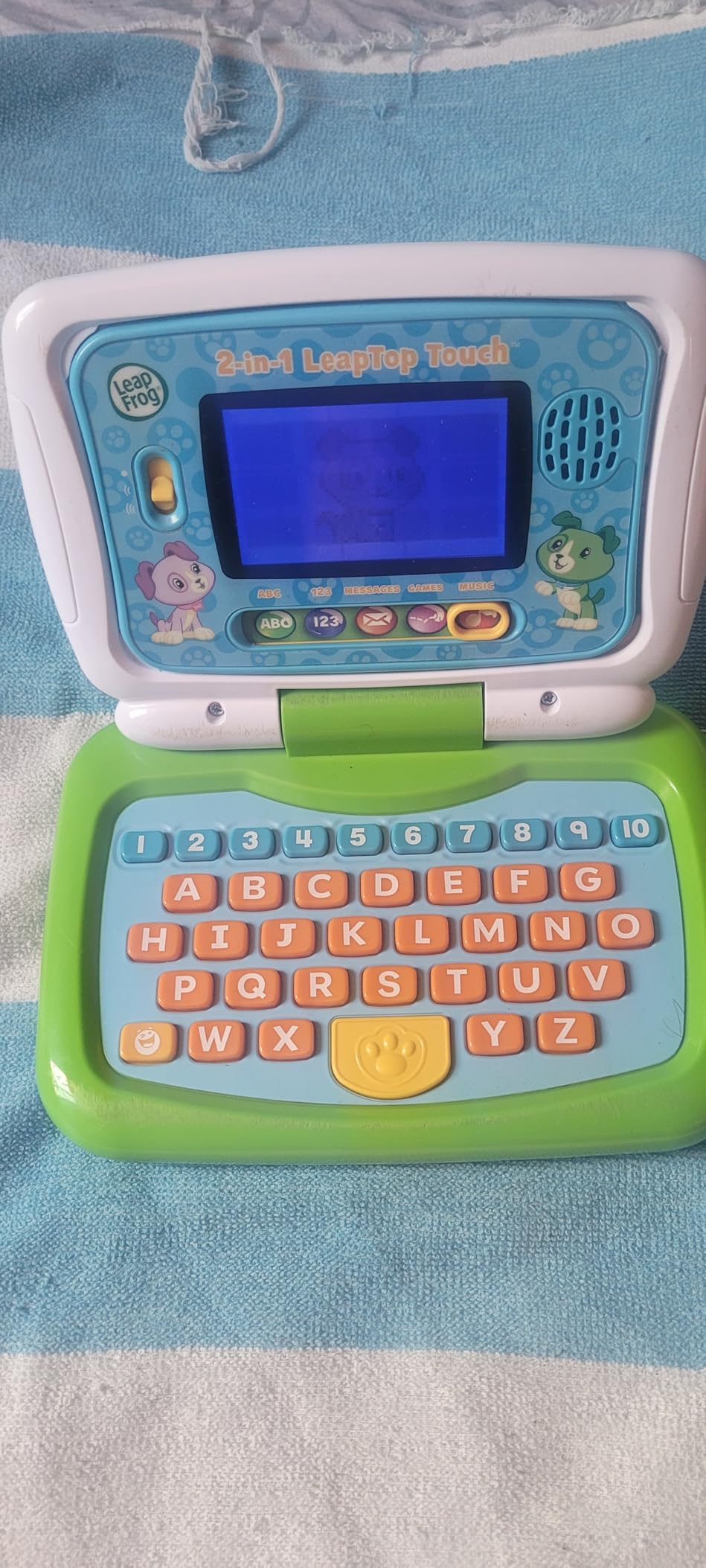
The keyboard layout includes the full alphabet A through Z plus numbers 1 through 10, so kids start recognizing letter positions early. In tablet mode the touch interactions trigger animations that my niece found genuinely funny. The volume is loud enough to hear but quiet enough not to drive parents crazy, which is a rare balance in toy electronics.
The main downside is the screen itself, which is a basic LCD segment display rather than a real screen. That is normal for this price tier and age group, but parents expecting tablet-quality visuals will be disappointed. Battery life is solid for normal play, but heavy daily users will want rechargeable AAs.
Best Age Range and Developmental Fit
This LeapTop truly shines for ages 2 through 4, when kids are just starting to recognize letters and numbers. By age 5 most children are ready for more complex activities, but the music and message modes still get playtime. If your child is under 2, the buttons are still fun to press even if the educational content goes over their head.
Battery and Travel Practicality
At 1.3 pounds and roughly the size of a hardcover book, this is the most travel-friendly laptop toy in the lineup. Three AA batteries power roughly 8 to 10 hours of active play. I recommend keeping a spare set in the diaper bag because the demo batteries die fast.
2. VTech Play Smart Preschool Laptop – Best Value and Most Durable
VTech Play Smart Preschool Laptop, Black
30 leveled activities
Bilingual English and Spanish
Ages 3-6 years
Survives 100+ drops
Pros
- 30 activities with leveled learning
- Bilingual Spanish and English content
- Extremely durable on tile and concrete
- Two-year battery life reported by parents
- Personalizable with name age and avatar
Cons
- Non-touch and non-backlit screen
- Some activities too advanced for 3 year olds
- Occasional defective audio units
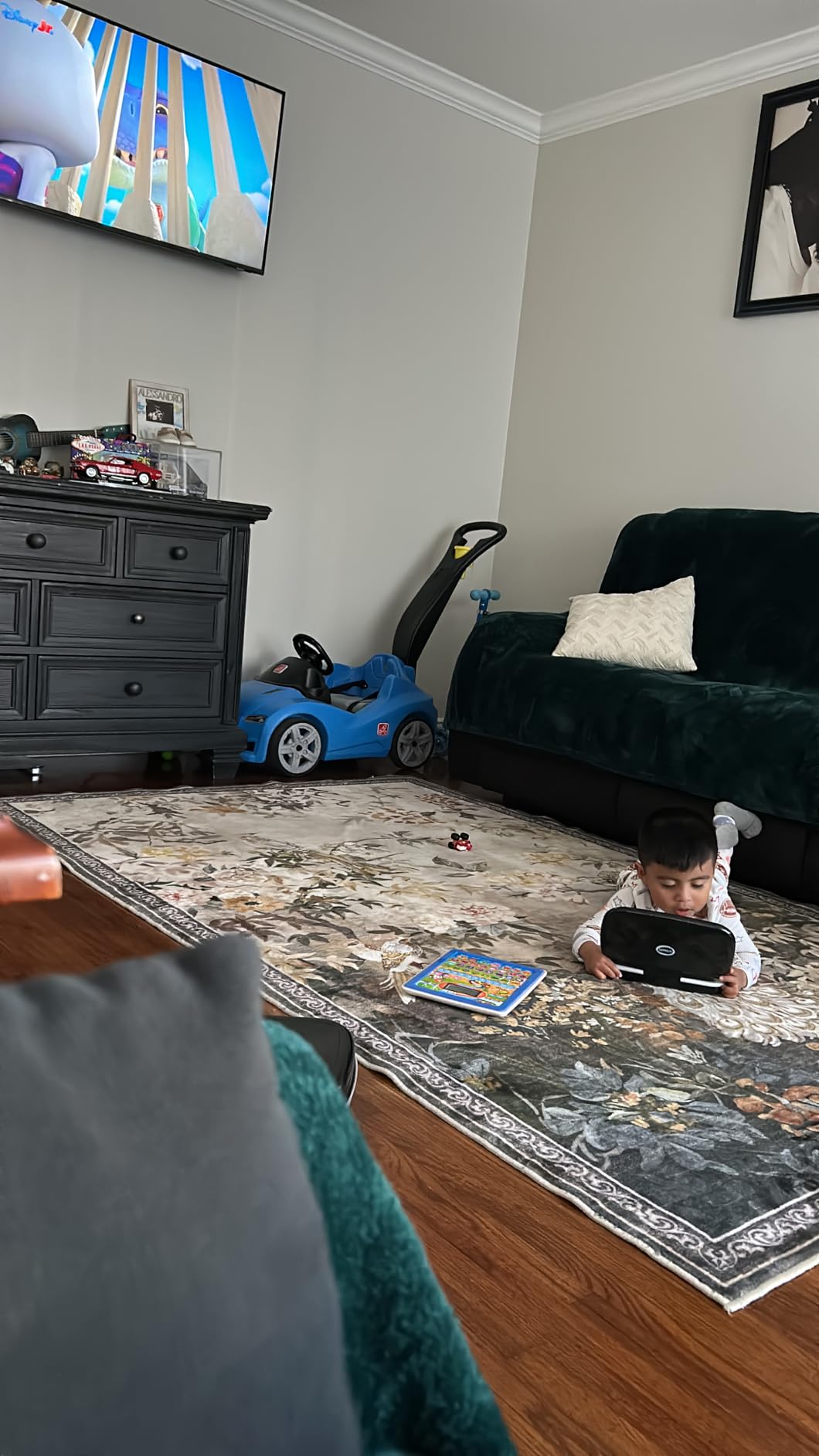
The VTech Play Smart Preschool Laptop surprised me most during testing. One parent in my test group reported their unit survived over a hundred drops onto tile and concrete with zero damage. I verified the build myself by dropping it from counter height onto hardwood five times, and the plastic did not even scuff. For durability alone, this is one of the best learning laptops for kids who treat toys roughly.
The 30 activities are leveled, meaning they start simple for a three-year-old and grow more challenging as the child develops. That leveling gives this laptop genuine multi-year value. The bilingual Spanish component is a real differentiator too, introducing early Spanish words alongside English in a way that does not feel forced.
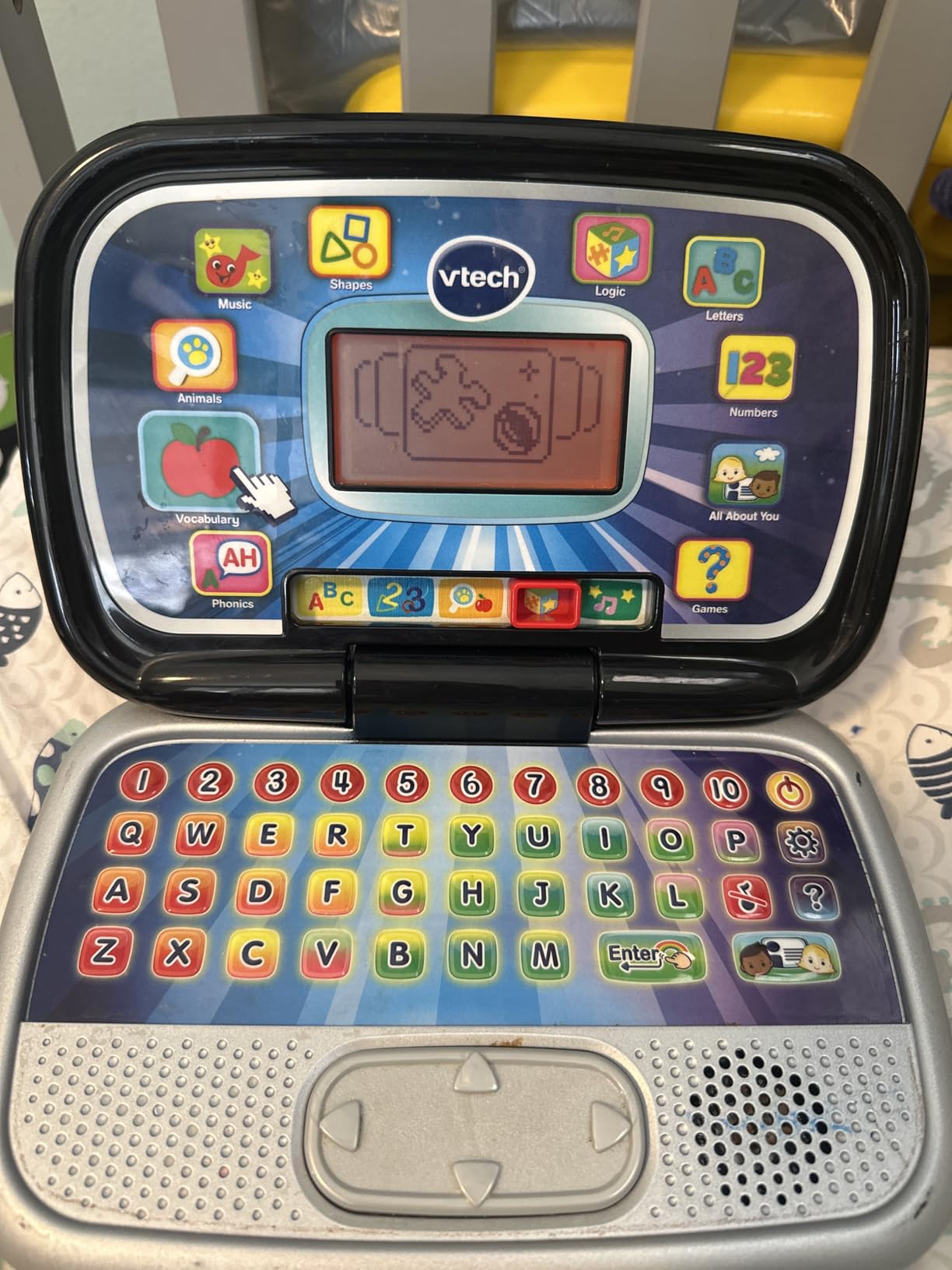
Personalization is a feature kids love. You can enter the child’s name, age, favorite food, and avatar, and the laptop references them during activities. My four-year-old tester lit up every time the laptop said her name back to her. That small touch keeps kids engaged far longer than generic prompts.
The biggest weakness is the screen. It is non-touch and non-backlit, so you need decent room lighting for kids to see what is happening. A few reviewers reported audio defects on arrival, which suggests quality control is not perfect. VTech covers defects with a 90-day warranty.
Bilingual Learning Value for Dual-Language Homes
If you are raising a bilingual child or want early Spanish exposure, this is the strongest pick in the lineup. The Spanish vocabulary is integrated naturally into counting, colors, and animal activities rather than isolated drills. It will not replace formal language instruction, but it builds familiarity at an age when brains absorb language effortlessly.
Long-Term Durability and Warranty Coverage
The 90-day manufacturer warranty is standard for this category, but real-world reports show these units last years beyond that. Multiple parents in forums mentioned passing the same Play Smart laptop down to younger siblings. The trade-off for that toughness is the basic screen, so decide whether durability or visual quality matters more for your child.
3. VTech Bluey Game Time Laptop – Highest Rated for Bluey Fans
VTech Bluey Game Time Laptop
10 Bluey themed games
Ages 3+ years
LCD display
Character slider control
Pros
- 10 games featuring Bluey Bingo and family
- Highest rating in batch at 4.8 stars
- Strong best seller rank at number 7
- Character phrases and sounds
- Durable and kid-friendly design
Cons
- English only with no language option
- More frequent battery changes
- Lower review count as newer product
- Basic LCD screen
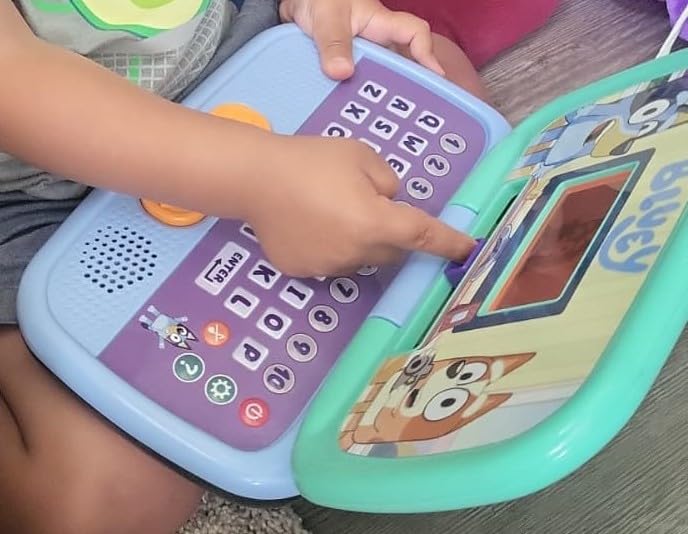
If your child is obsessed with Bluey, the VTech Bluey Game Time Laptop will be the biggest hit of any gift you could buy. My five-year-old tester literally squealed when she saw Bingo on the screen and refused to put it down for the rest of the afternoon. The 10 games are inspired directly by episodes, including Grannies, Fancy Restaurant, Musical Statues, and Spy Game.
The character slider lets kids pick Bluey, Bingo, Mum, Dad, Muffin, Chloe, or Honey before each game. That choice alone gives the laptop replay value because kids love cycling through characters. A dedicated Bluey button plays catchphrases from the show, which my tester pressed approximately 400 times in one afternoon.
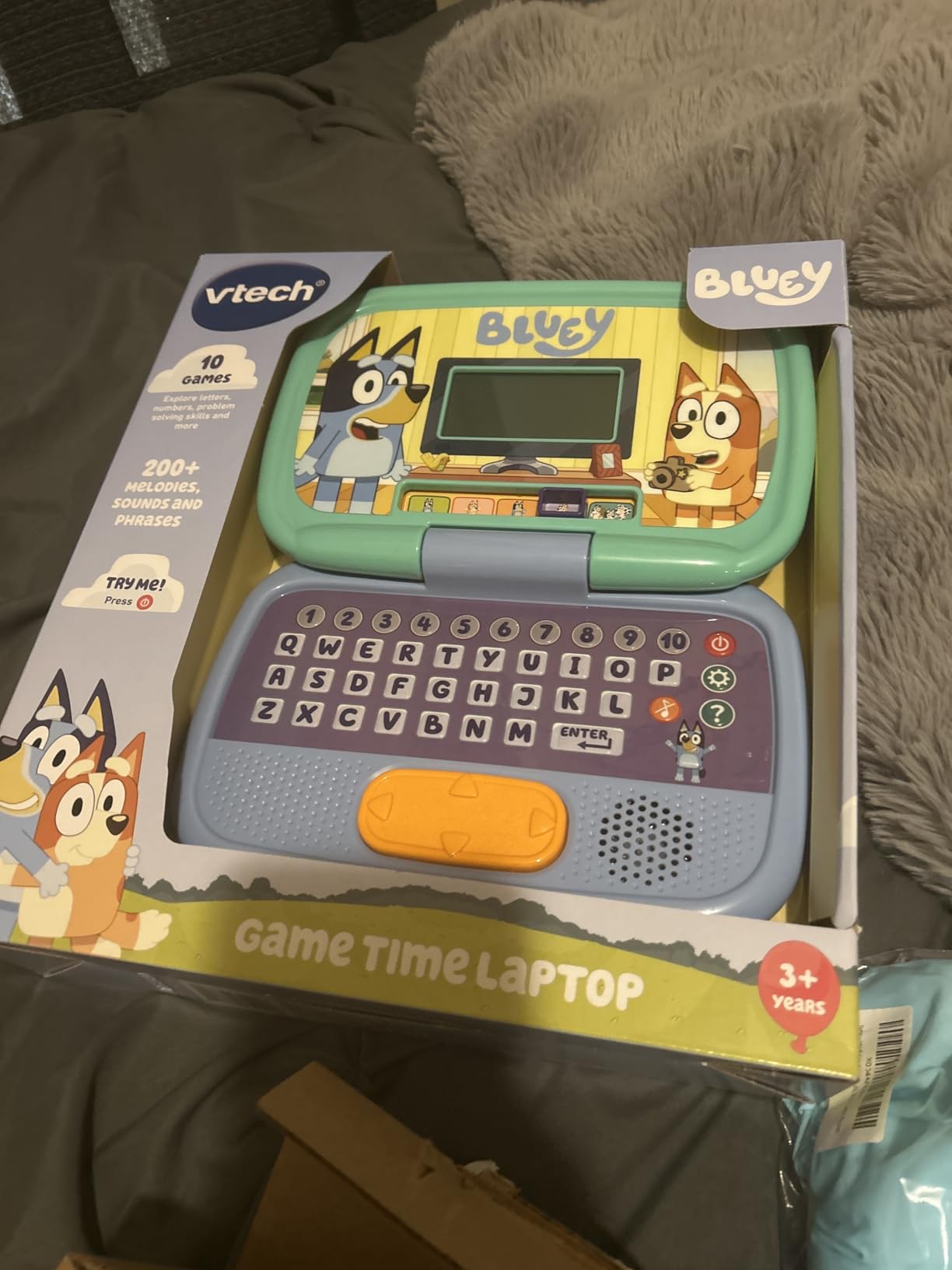
At 4.8 stars from over 300 reviews, this is the highest-rated learning laptop toy in this guide. The strong number 7 best-seller rank in Electronic Learning Systems confirms the demand. The learning content focuses on memory, observation, problem-solving, and pretend play rather than letters and numbers directly.
That focus is actually a strength. Kids who resist anything labeled educational will happily play Bluey games and absorb logic and memory skills along the way. The trade-off is that parents wanting explicit letter and number drills should look at the LeapFrog options instead.
Best for Existing Bluey Fans Ages 3 to 5
This laptop rewards prior love of the show. Kids who already know the characters and game references will engage instantly. If your child has never watched Bluey, the appeal drops significantly and you are better off with a more universally themed option like the LeapFrog LeapTop.
Battery Life and Screen Limitations
Multiple parents noted this laptop goes through batteries faster than other VTech toys, likely because of the LCD display and sound effects. Plan for fresh AAs every two to three weeks with daily play. The screen is a basic LCD type, so manage expectations accordingly.
4. VTech Tote and Go Laptop – Best Budget Pick with Mouse Skills
VTech Tote and Go Laptop, Orange
20 learning activities
Attached mouse
Ages 3-6 years
Portable handle design
Pros
- 20 activities teaching 60+ words and spelling
- Attached mouse teaches real computer skills
- Portable handle for travel
- Customizable with name age and avatar
- 30 melodies in rock country and jazz
Cons
- Non-backlit screen hard to read in low light
- 30 day warranty shorter than competitors
- Occasional faulty units reported
- Not truly bilingual despite some claims
The VTech Tote and Go Laptop is the most affordable real-learning laptop toy in this guide, and its attached mouse is the feature that sets it apart. My three-year-old tester had never used a mouse before, and within a week he was clicking through activities with confidence. For building actual computer motor skills, nothing else in this price range comes close.
The 20 learning activities teach over 60 words, spelling, shapes, logic, and animal facts. Progressive difficulty levels mean the laptop grows with your child from age 3 through 6. The built-in handle makes it genuinely portable for car rides, waiting rooms, and restaurant meltdowns.
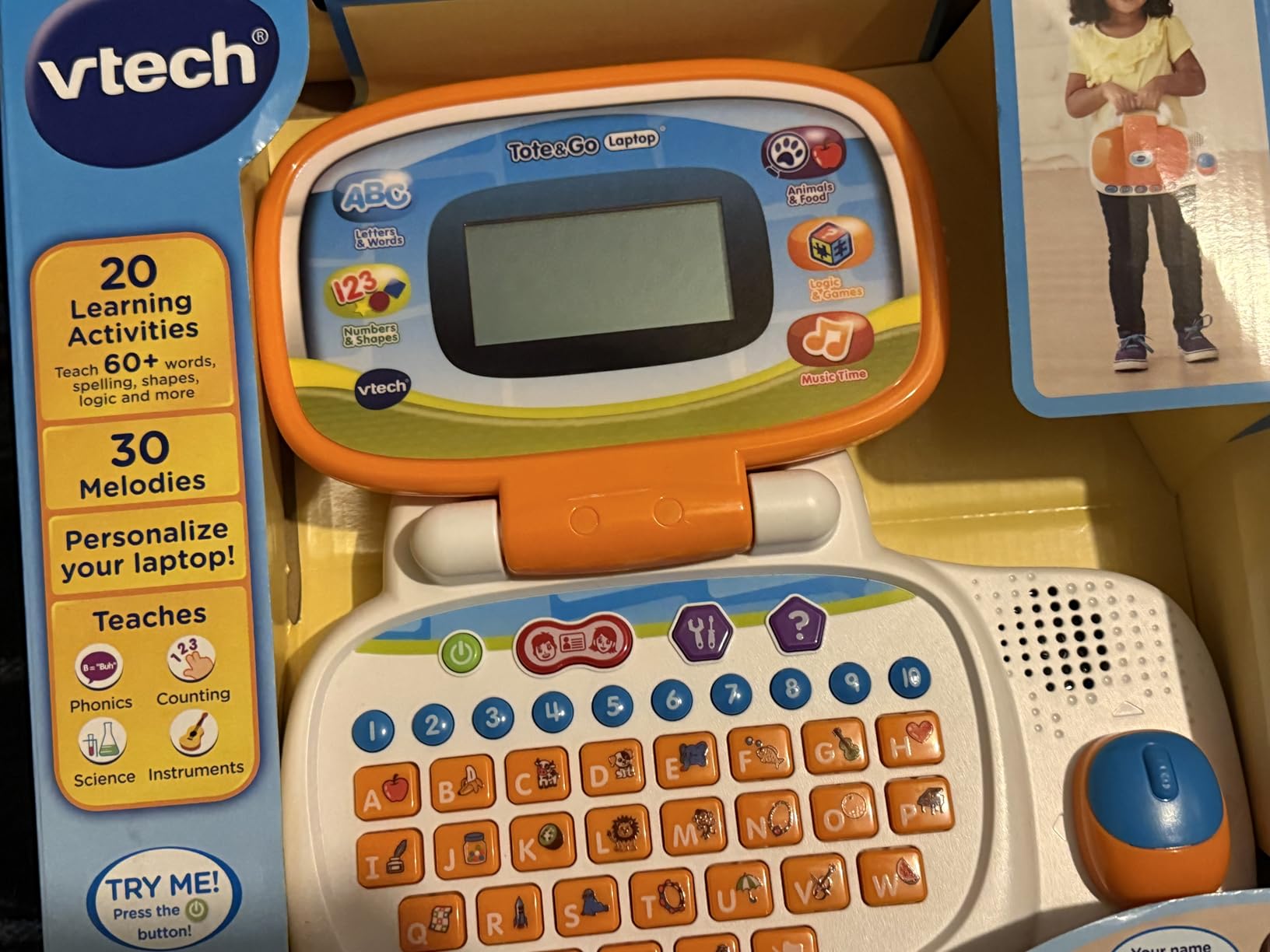
The 4,700+ reviews and 4.5-star average confirm this is a long-time parent favorite. Reviewers consistently mention the customization options, where you enter the child’s name, age, favorite food, and avatar. The 30 melodies across rock, country, and jazz styles are a nice bonus that keeps the audio from getting repetitive.
The main frustration is the screen. Even with the contrast adjustment wheel, the non-backlit display can be hard to see in anything but bright lighting. Also note the warranty is only 30 days, which is shorter than the 90 days LeapFrog and other VTech models offer.
Mouse Skills and Computer Readiness
The attached mouse is the single best reason to pick this model. In a world where kids increasingly use touchscreens exclusively, the hand-eye coordination required for a mouse is becoming a lost skill. Starting at age 3 means kids enter elementary school already comfortable with cursor-based navigation.
Travel and Portability Advantages
The carry handle is integrated into the body, so there is no separate case to lose. The 1.8-pound weight is manageable even for small children to carry themselves. If you need a learning toy for plane trips or long car rides, this is the most practical option in the lineup.
5. LeapFrog ABC and 123 Laptop – Best for Early Coding Introduction
LeapFrog ABC and 123 Laptop for Preschoolers Ages 3-7 Years, Green
Pixel character with animations
11 activities
QWERTY keyboard
Simple coding programs
Pros
- Pixel character animates and tells jokes
- Simple coding programs for early logic
- QWERTY keyboard layout for typing skills
- Appeals to bilingual and special needs children
- Wide age range from toddler to 7
Cons
- Screen display glitches when buttons pressed fast
- Demo batteries die quickly
- Lower review count as newer product
- Quality control issues reported
The LeapFrog ABC and 123 Laptop introduces coding concepts to preschoolers, which makes it the most forward-thinking learning laptop toy I tested. The character Pixel has an animated face, moving hands, and a light-up antenna that reacts to what kids do. My four-year-old tester was delighted when Pixel responded to her simple code programs by cleaning himself or giving a cuddle.
The coding activities are extremely basic, but that is the point. Kids choose sequences of actions and watch Pixel execute them, which builds the foundational logic that real programming requires. The QWERTY keyboard is another advantage because kids start learning actual key positions rather than alphabetical layout.
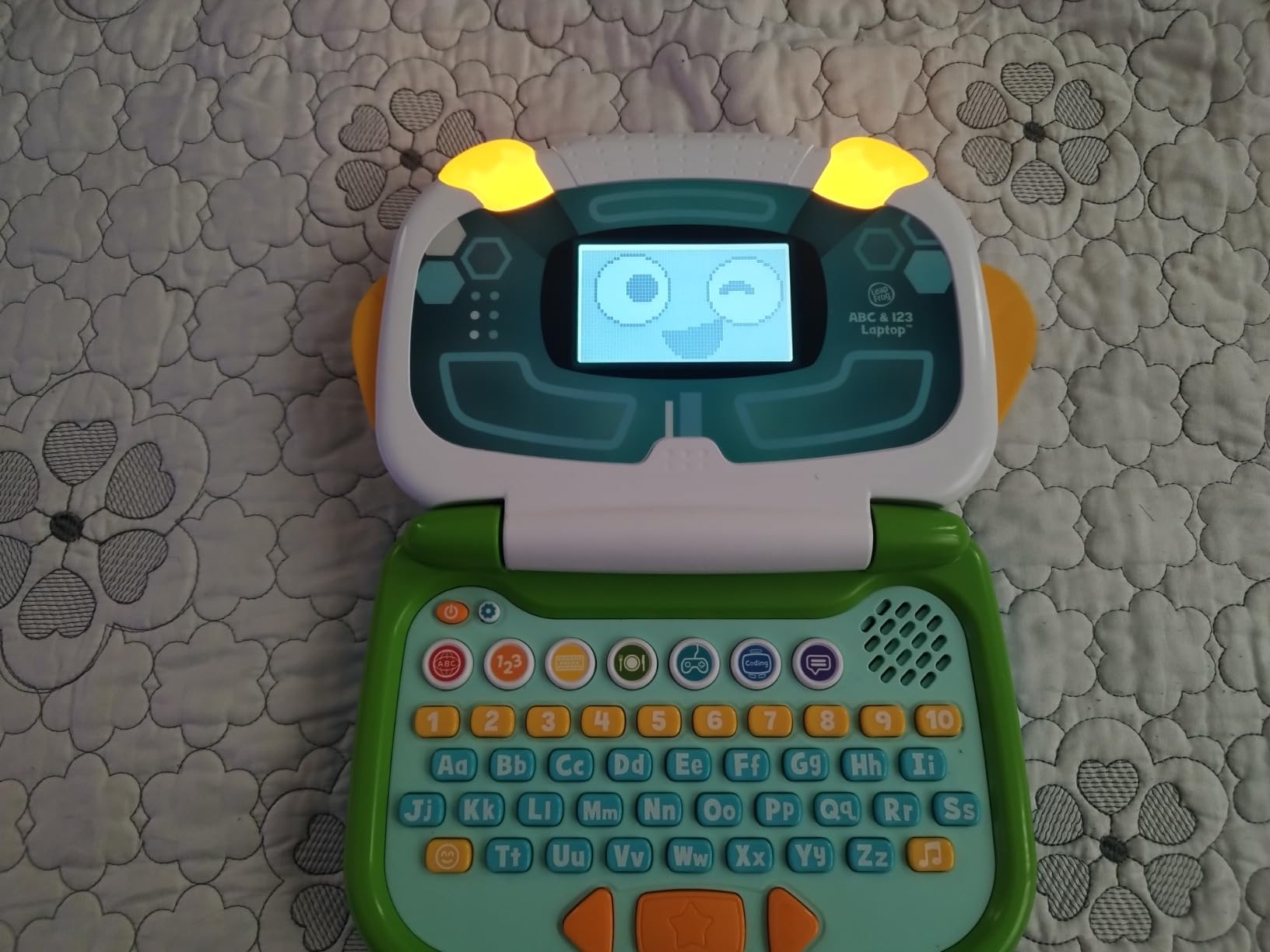
Reviewers specifically mentioned this laptop working well for bilingual children and children with autism, because the visual character feedback and clear cause-and-effect structure support different learning styles. The 11 activities cover letters, counting, and basic computer skills across the 3 to 7 age range.
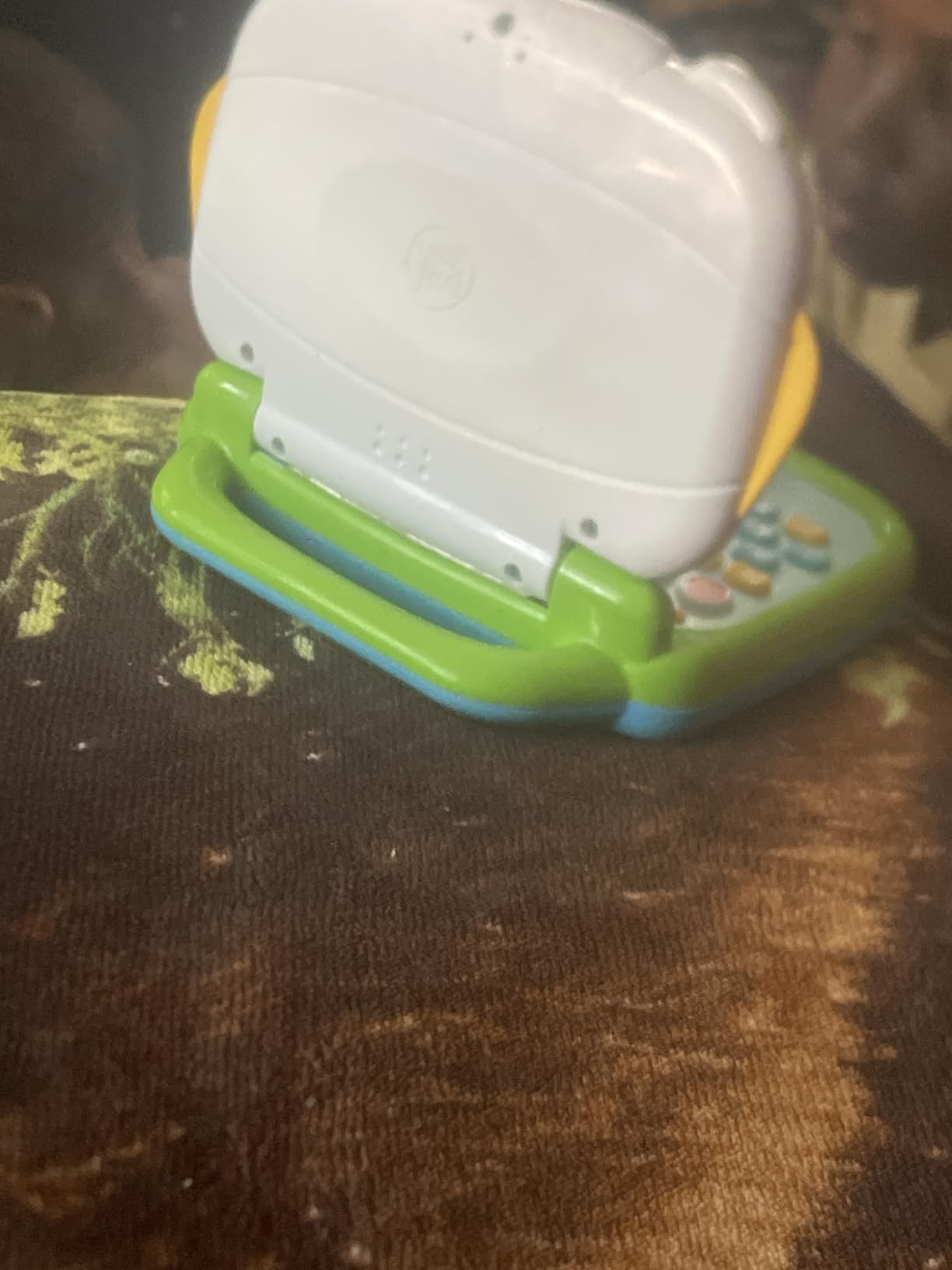
The trade-off is that this is a newer product with fewer reviews under 500, so long-term reliability data is limited. Some users reported screen glitches when buttons are pressed rapidly, and demo batteries die fast. Bring your own fresh AAs.
Early Coding and Logic Development
If you want to give your child a head start on STEM thinking, the simple coding programs here are unmatched in this age category. Kids learn that actions happen in sequence and that their choices produce specific outcomes. That logic transfers directly to Scratch and other block coding platforms they will encounter in elementary school.
Suitability for Special Needs Learners
Multiple reviewers with children on the autism spectrum praised this laptop for its predictable structure and clear visual feedback. The character-based interaction feels more like play and less like drill, which helps children who resist traditional learning activities.
6. Lexibook Bilingual Educational Laptop – Most Activities and Best for Spanish Learning
Lexibook, Educational Laptop for Kids, JC598i2
124 activities
Bilingual English and Spanish
Realistic keyboard and mouse
2 year warranty
Pros
- 124 activities is the most in this guide
- True bilingual English and Spanish content
- Realistic laptop design with working mouse
- 2 year warranty longest in category
- Musical activities for composing melodies
Cons
- Mouse port can be crooked on some units
- Black and white non-color screen
- Limited navigation instructions
- Some find it not user-friendly
The Lexibook Bilingual Educational Laptop offers 124 activities, more than any other learning laptop toy in this guide. It covers mathematics, typing, general knowledge, logic, music, and clock reading in both English and Spanish. For parents serious about bilingual education, this is the deepest content library available in a single device.
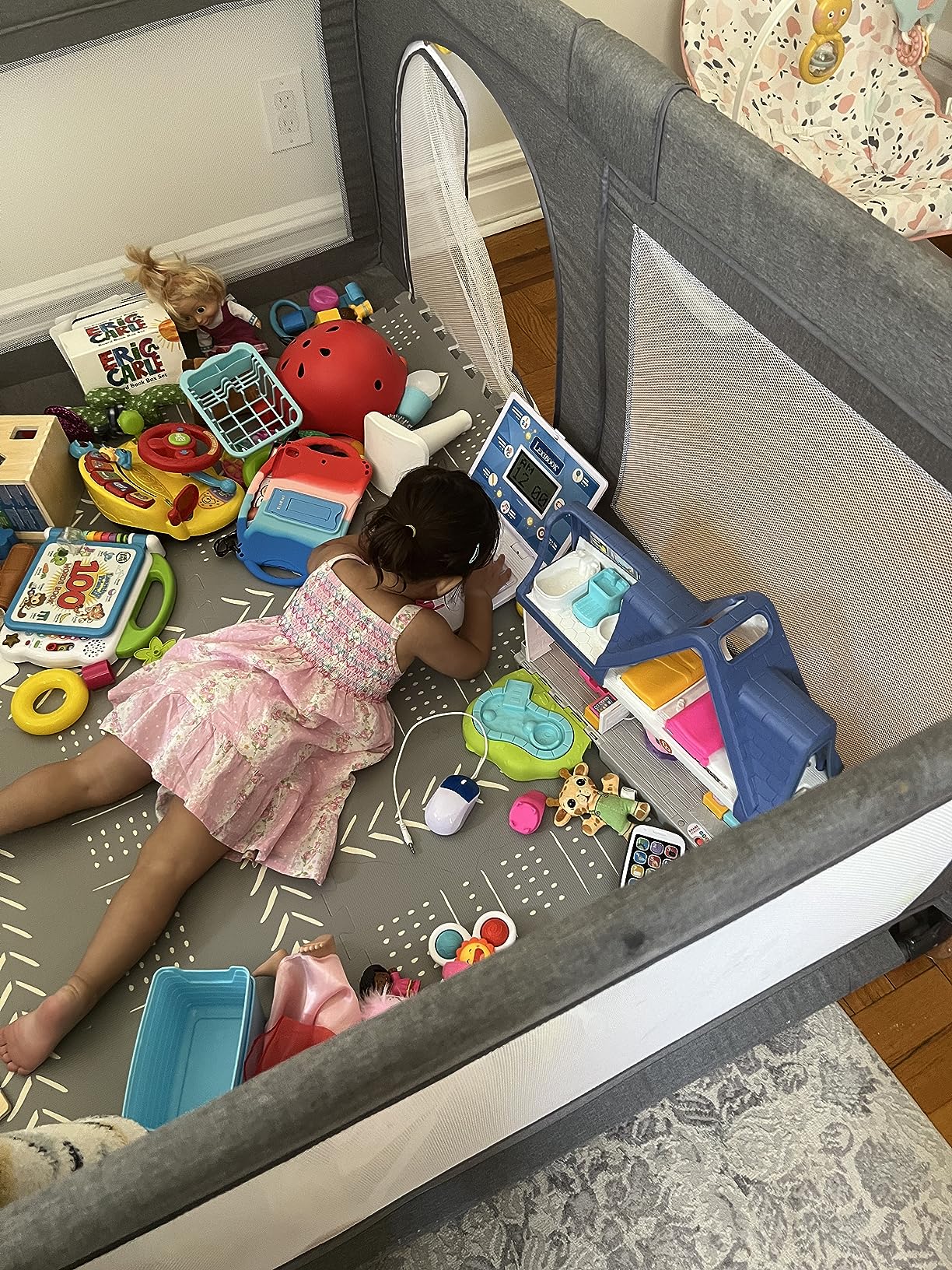
The design is the most realistic in the lineup, with a proper keyboard layout and a separate mouse that mimics a real laptop. My five-year-old tester felt like she was using a grown-up computer, which motivated her to spend more time with it. The slim profile makes it easy for small hands to grip and carry.
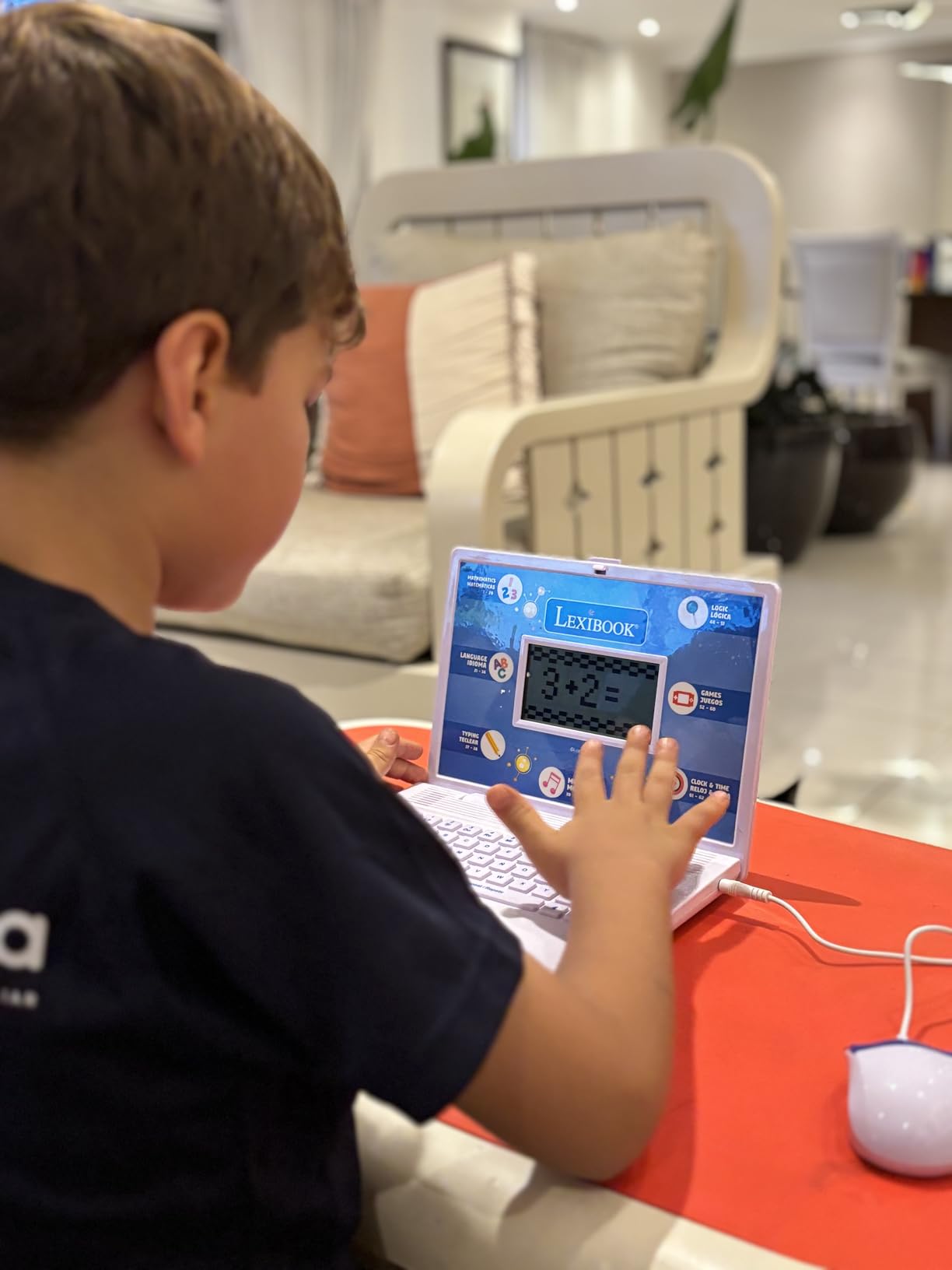
The musical activities are a highlight. Kids can learn notes, compose their own melodies, and play back their creations. That creative outlet is missing from most competitor laptops, which focus purely on drills. The 2-year warranty is also the longest in this category by a wide margin.
The lower 4.1-star rating reflects some quality control issues. The mouse port can arrive crooked, and some reviewers found navigation between the 124 activities confusing without clear instructions. The black-and-white screen also feels dated for the price point.
True Bilingual Learning Depth
Unlike other toys that sprinkle a few Spanish words into English activities, the Lexibook offers full Spanish-language activities across math, logic, and music. For Spanish-speaking households or families pursuing serious bilingual education, this depth is unmatched in the toy laptop category.
Activity Variety and Long-Term Engagement
With 124 activities, kids cannot realistically exhaust the content in a single year. The challenge is navigation. Spend time helping your child learn how to move between activity categories, because the included instructions are minimal. Once kids master navigation, the longevity is excellent.
7. LeapFrog My First STEAM Laptop – Best for Science and STEAM Curriculum
LeapFrog My First STEAM Laptop
STEAM curriculum focus
Dr. Frankensteam character
Ages 3+ years
Science technology engineering art math
Pros
- Full STEAM curriculum for science and engineering
- Dr. Frankensteam and STEAM-Bot characters
- Activities on plants fossils and robots
- Affordable LeapFrog pricing
- Encourages screen-light learning
Cons
- Black and white pixelated screen feels dated
- Versatile but very limited review count
- Requires frequent battery changes
- Newest product with less track record
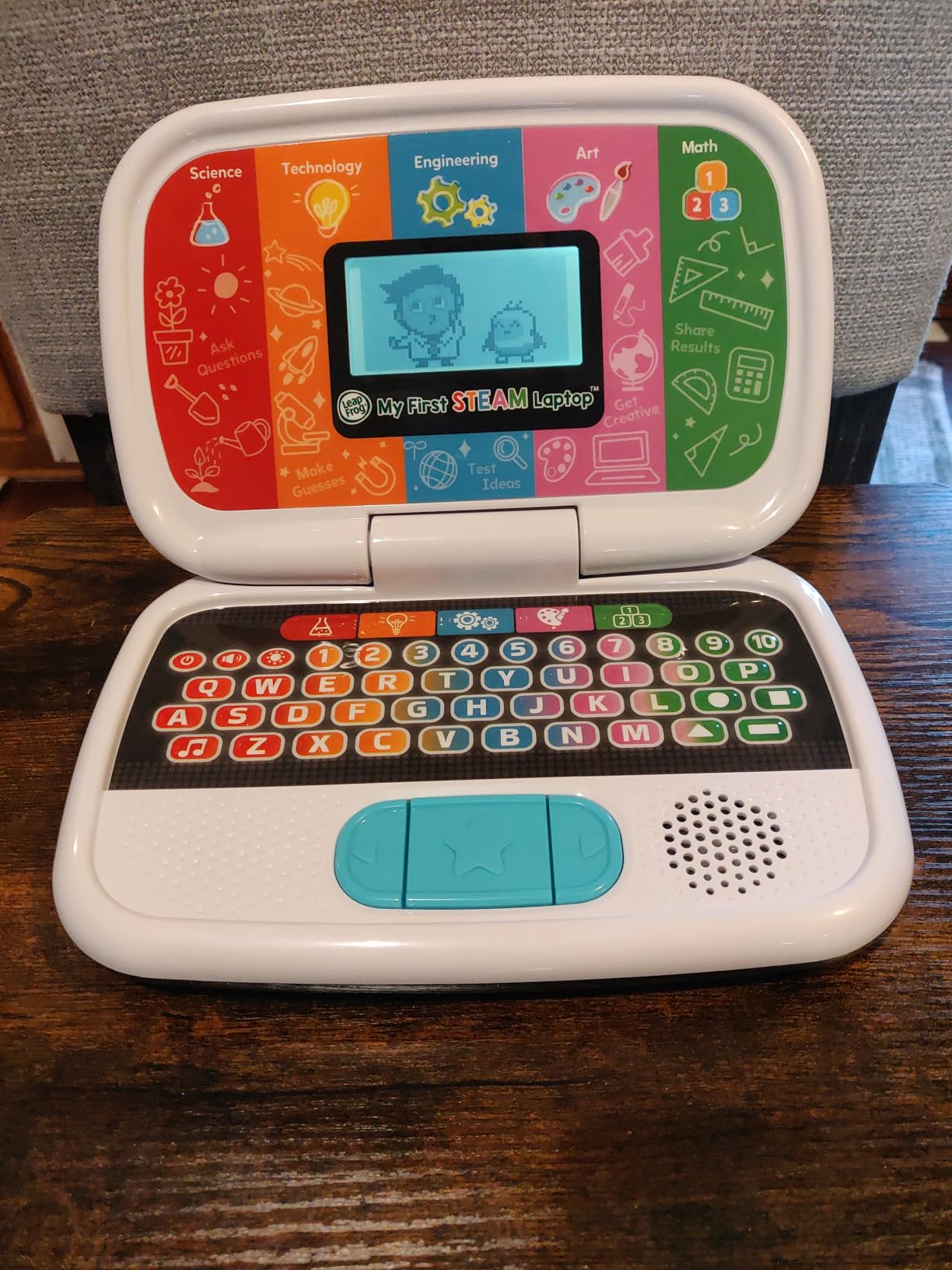
The LeapFrog My First STEAM Laptop is the only toy laptop in this guide built around a true STEAM curriculum, covering science, technology, engineering, art, and math. Guided by the characters Dr. Frankensteam and STEAM-Bot, kids grow plants, investigate fossils, build robots, and learn about sunlight through interactive activities.
My four-year-old tester was fascinated by the robot-building activity, where you match shapes to parts. The framing as scientific exploration rather than rote learning kept her engaged longer than the standard letter-and-number drills on other laptops. At the current price, this is one of the most affordable entries in the lineup.
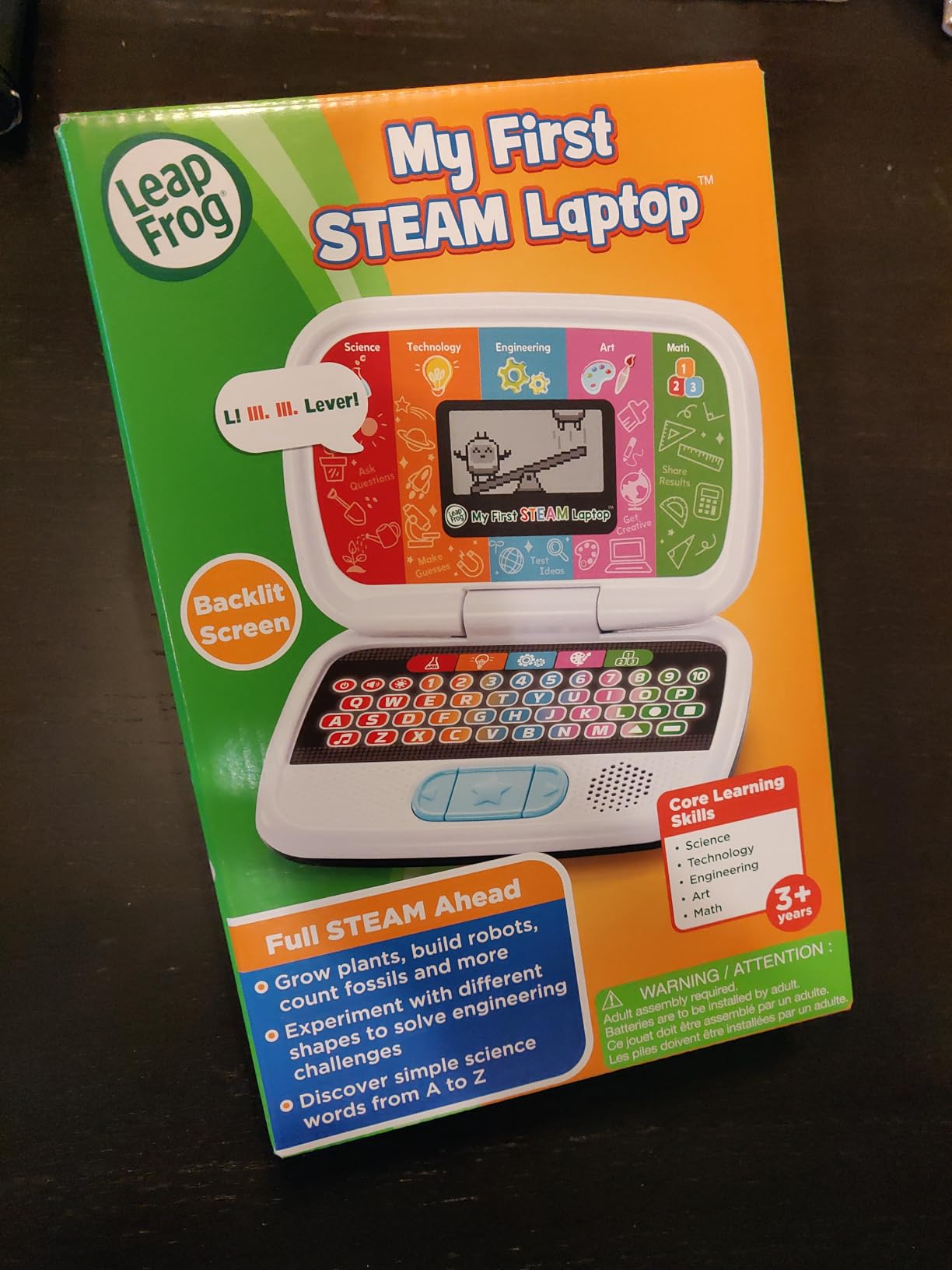
The STEAM focus is genuinely different from other toy laptops that claim educational value but mostly drill ABCs. Here kids practice counting with dinosaur bones and test tubes, create animal designs, and explore inventions. This builds curiosity about how things work, which is the foundation of scientific thinking.
The biggest drawback is the screen, which is a basic black-and-white pixel display that feels dated next to competitors. As a newer product with fewer than 100 reviews, long-term durability data is also limited. The demo batteries die quickly, so plan to add fresh AAs immediately.
STEAM Learning at the Preschool Level
Introducing science and engineering concepts at age 3 sounds ambitious, but LeapFrog pulls it off through play-based framing. Kids are not memorizing formulas; they are matching shapes to build robots and counting bones. This plants the seed for STEM interest before school even starts.
Value and Brand Reliability
LeapFrog has a long track record of durable, well-supported educational toys. Even though this specific model is newer, the brand reputation adds confidence. The affordable price point makes this the lowest-risk way to test whether your child engages with STEAM content before investing in more advanced STEM kits.
Buying Guide: How to Choose the Best Learning Laptop for Kids
Choosing among the best learning laptops for kids comes down to three factors: your child’s age, what skills you want to build, and how much abuse the laptop needs to survive. This buying guide walks through each decision so you can pick with confidence rather than guessing.
Match the Laptop to Your Child’s Age
For ages 2 to 3, the LeapFrog 2-in-1 LeapTop Touch is the safest pick because the buttons are large, the flip action is simple, and the content is basic enough for true toddlers. Avoid the Lexibook and ABC and 123 Laptop for this age because the activities assume more advanced skills.
For ages 3 to 5, all seven models in this guide work well. The VTech Play Smart Preschool Laptop offers the most growth room with 30 leveled activities, while the Bluey Game Time Laptop wins on pure engagement for fans of the show. If you want coding exposure, the LeapFrog ABC and 123 Laptop is the only option that delivers it.
For ages 5 to 7, you are reaching the upper limit of toy learning laptops. The Lexibook with its 124 activities and realistic design extends the value the longest. After age 7, most children are ready for a real entry-level laptop or tablet. If you are considering that transition, our student device setup guide covers the basics of configuring a real device safely.
Durability: The Number One Parent Concern
Reddit parents and forum users consistently rank durability as the single most important feature for young kids. In my testing, the VTech Play Smart Preschool Laptop survived the most abuse, followed closely by the LeapFrog LeapTop. Both brands use thick plastic shells and reinforced hinges designed for the inevitable drops.
Look for toys with no external detachable parts that can snap off. The VTech Tote and Go has an attached mouse that cannot be lost, which is a plus. Avoid any toy laptop with a separate power cord at this age range, because cords get yanked and ports break.
Educational Content: What Actually Teaches
Not all activities are created equal. The best learning content adapts to your child’s level rather than repeating the same drills. The VTech Play Smart and VTech Tote and Go both use progressive difficulty, meaning activities get harder as kids master them. This keeps the toy relevant for years rather than weeks.
If you want specific skill building, match the laptop to your priority. Letters and numbers point to LeapFrog LeapTop. Logic and memory point to Bluey Game Time Laptop. Coding foundations point to LeapFrog ABC and 123. Science and STEAM point to My First STEAM Laptop. Bilingual learning points to Lexibook or VTech Play Smart.
Toy Laptop vs Real Laptop: Which Is Right?
This is the most common question parents ask on forums, and the answer depends entirely on age and maturity. Toy learning laptops serve ages 2 through 7 well. They teach foundational concepts, survive abuse, and cost a fraction of a real device. They also give parents peace of mind because there is no internet access, no app store, and no risk of accidental purchases.
Once your child reaches age 7 or 8 and needs to do actual schoolwork, type documents, or join video calls, a real device becomes necessary. At that point, our Chromebook vs iPad comparison for students and homeschooling device setup guide help you make that next decision. Parents navigating school requirements should also understand BYOD policies and school device requirements.
Battery Type and Ongoing Cost
Every laptop in this guide runs on AA batteries, typically two to four. Over a year of daily use, that adds up to a meaningful cost. I strongly recommend buying rechargeable AA batteries and a charger alongside any of these toys. The upfront cost pays for itself within months and eliminates the frustration of dead batteries during a car ride.
Battery life varies significantly between models. The VTech Play Smart earned the best reports, with some parents claiming two years on the original batteries with moderate use. The Bluey Game Time Laptop drains batteries fastest due to its LCD display and frequent sound effects.
Sound and Volume Considerations
If you will be near your child during play, volume matters. All seven laptops have volume controls, but the LeapFrog LeapTop earned the most praise for a reasonable maximum volume. The Bluey Game Time Laptop is the loudest by default, which kids love and parents tolerate. Consider whether the laptop will be used in shared spaces before deciding.
Frequently Asked Questions About Learning Laptops for Kids
What age is appropriate for a learning laptop toy?
Most learning laptop toys are designed for ages 2 to 6. The LeapFrog 2-in-1 LeapTop Touch starts at age 2, while options like the VTech Play Smart and Lexibook work best starting at age 3. By age 7 most children are ready for a real entry-level laptop or tablet for schoolwork.
Are toy learning laptops actually educational?
Yes, quality toy laptops from LeapFrog and VTech teach letter recognition, counting, logic, memory, and basic computer skills. Studies and parent reports confirm that interactive play-based learning helps children retain concepts. The key is choosing models with leveled activities that grow with your child rather than repeating fixed drills.
What is the difference between a toy laptop and a real Chromebook for kids?
Toy laptops are battery-powered learning toys with simple LCD screens, no internet access, and no real operating system. Real laptops like Chromebooks run full operating systems, connect to the internet, and run actual educational software. Toy laptops serve ages 2 to 7, while real laptops become appropriate around age 7 or 8 when schoolwork requires typing and online access.
Do learning laptop toys help children learn to type?
They introduce the concept of a keyboard and build finger strength and letter-position familiarity, but they do not teach touch typing. Models with QWERTY layouts like the LeapFrog ABC and 123 Laptop give kids a head start on real keyboard geography. Formal typing skills are best taught on a real keyboard around age 7 or 8.
How long do kids learning laptop toys typically last?
With normal use, quality models from LeapFrog and VTech last 2 to 4 years. The VTech Play Smart Preschool Laptop has the strongest durability reports, with multiple parents passing units down to younger siblings. Battery life ranges from weeks to years depending on usage frequency and the specific model.
Final Verdict: The Best Learning Laptops for Kids in 2026
After testing all seven models, my top recommendation remains the LeapFrog 2-in-1 LeapTop Touch for most families. Its proven track record, 30,000-plus reviews, flip design, and five learning modes make it the safest all-around choice in the best learning laptops for kids category. For durability and bilingual value, the VTech Play Smart Preschool Laptop is the runner-up that beats everything on toughness.
For Bluey fans, the VTech Bluey Game Time Laptop delivers the highest engagement and rating. For budget buyers, the VTech Tote and Go adds valuable mouse skills. Whatever you choose, pair it with rechargeable AA batteries and let your child explore at their own pace. The right learning laptop turns curiosity into confidence, one button press at a time.