

I have taken thousands of pages of handwritten notes over the last few years, and I lost track of how many brilliant ideas vanished into notebooks I never opened again. That frustration pushed me to test the best smart pens for note taking in 2026, looking for a tool that bridges real ink and digital convenience without the usual gimmicks. After spending weeks with nine different models across lecture halls, meetings, and late-night study sessions, I found clear winners and a few disappointments worth avoiding.
The HUION Note 2-in-1 Digital Notebook stood out as my overall favorite because it pairs a battery-free pen with 8192 pressure levels and works with any A5 paper, dodging the proprietary trap most competitors fall into. The Yuan Digital Sync Pen earned the best value spot for its buttery-smooth real-time sync at a mid-tier price point. And the Yuan Smart Digital Notebook squeezed in as my budget pick with strong battery life and a compact form factor.
This guide breaks down each smart pen with hands-on testing notes, real customer experiences, and a buying guide covering the features that actually matter for students and professionals. If you want a deeper look at pairing your smart pen with an iPad workflow, check our iPad learning guide for students for app recommendations and setup tips. Whether you need a pen for college note taking, business meetings, or creative journaling, this roundup has a recommendation that fits.
Table of Contents
Top 3 Smart Pens for Note Taking

HUION Note 2-in-1 Digital Notebook
- 8192 pressure levels
- 18hr battery
- Any A5 paper
- Bluetooth 5.0

Yuan Digital Sync Pen with Notebook
- Real-time sync
- 8hr battery
- Leather notebook
- Google Drive sync

Yuan Smart Digital Notebook with Pen
- 110 days standby
- 360 degree writing
- Offline storage
- 1.5hr fast charge
Best Smart Pens for Note Taking in 2026
| Product | Specifications | Action |
|---|---|---|
| HUION Note 2-in-1 Digital Notebook |
|
Check Latest Price |
| Yuan Digital Sync Pen with Notebook |
|
Check Latest Price |
| Yuan Smart Digital Notebook with Pen |
|
Check Latest Price |
 Ophayapen Smart Sync Pen Ophayapen Smart Sync Pen |
|
Check Latest Price |
 SyncPen Digital Notebook Smart Pen Set SyncPen Digital Notebook Smart Pen Set |
|
Check Latest Price |
 Ophaya 2 in 1 Digital Pen Smart Pen Writing Set Ophaya 2 in 1 Digital Pen Smart Pen Writing Set |
|
Check Latest Price |
 Yuan Smart Pen and Notebook Yuan Smart Pen and Notebook |
|
Check Latest Price |
 Moleskine Pen+ Ellipse Smart Writing Set Moleskine Pen+ Ellipse Smart Writing Set |
|
Check Latest Price |
 Livescribe 2GB Echo Smartpen Livescribe 2GB Echo Smartpen |
|
Check Latest Price |
1. HUION Note 2-in-1 Digital Notebook – Best Overall Smart Pen
HUION Note Digital Notebook with Real-Time & Offline Sync, Battery-Free Pen
2-in-1 notebook and drawing tablet
8192 pressure levels
18hr battery life
Bluetooth 5.0
Pros
- Works with any A5 paper not just proprietary
- 18 hour battery life is excellent
- 8192 pressure levels for drawing
- 2-in-1 converts to graphics tablet
Cons
- Paper affected by humidity
- Only Huion pen works with device
- Weak pen case magnet
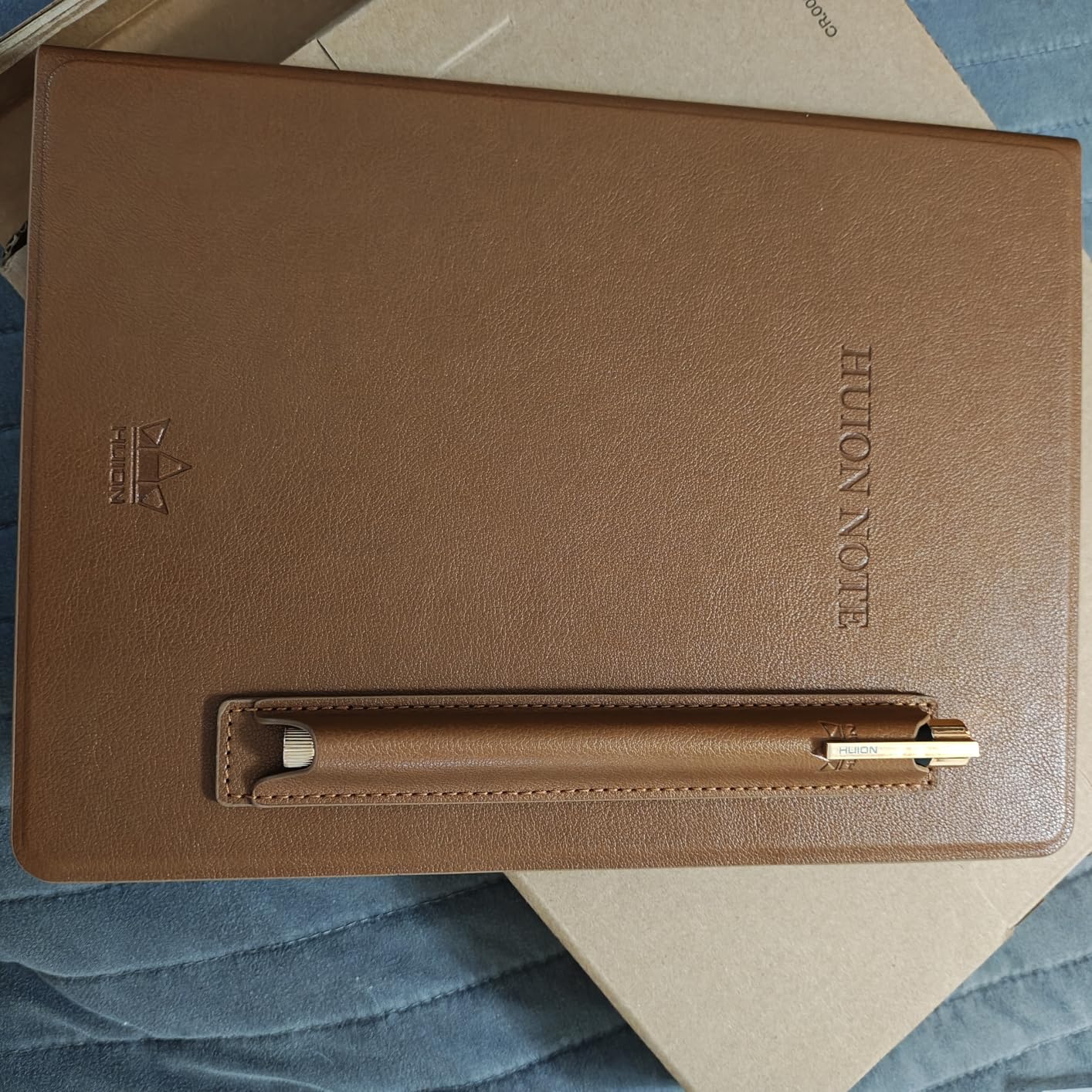
The HUION Note became my daily driver within the first week of testing. The battery-free pen glides across any A5 paper, and I never had to worry about charging the pen itself mid-lecture. The Bluetooth 5.0 connection held steady through three-hour sessions without dropping a single stroke. Out of all the best smart pens for note taking I tested, this one felt the closest to a natural writing experience with real digital muscle behind it.
I particularly appreciated the 2-in-1 design. Pop the notepad refill out and you have a fully functional graphics tablet for sketching or marking up PDFs. That flexibility alone makes it worth the investment for students who also do digital art or design work. The audio recording feature syncs with notes, so tapping a word later replays what was said at that exact moment.
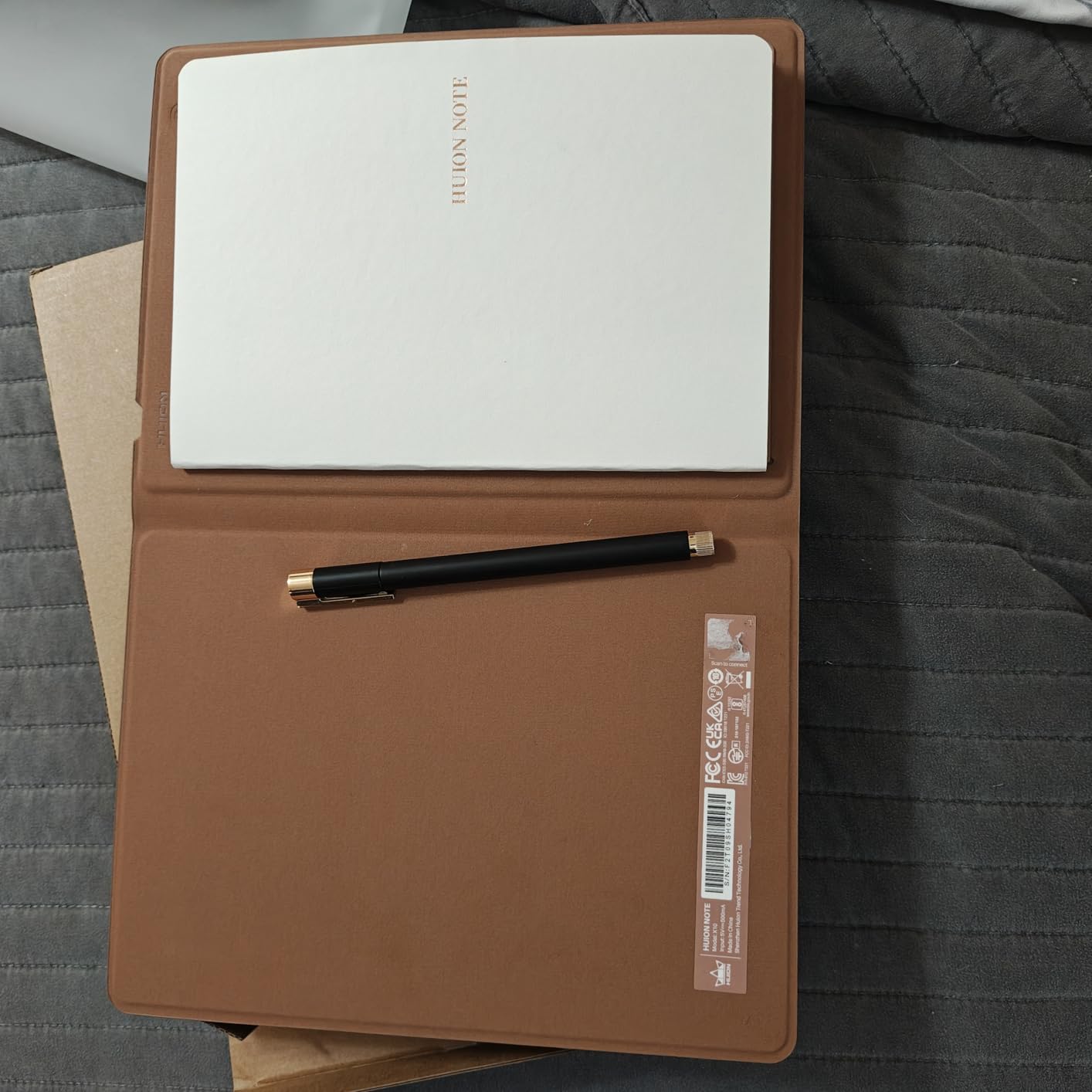
The companion app impressed me with its range of pen styles and editing tools. You can merge pages, split them, move them into groups, and export as images, PDF, or MP4 files. For a student juggling multiple subjects, that level of organization matters more than raw specs on a box.
Battery life on the tablet unit hits 18 hours of active use with 30 days standby. I charged it once on a Monday and it carried me through a full week of classes and meetings. The 8192 pressure levels shine when you switch to drawing mode, giving you fine control that cheaper digital pens simply cannot match.
Who should buy the HUION Note
Students and creative professionals get the most value here. If you switch between handwritten notes and digital drawing regularly, the 2-in-1 conversion saves you from buying two separate devices. The fact that it works with standard A5 paper instead of expensive proprietary refills is a massive ongoing cost advantage.
Anyone invested in cross-platform compatibility will appreciate that it works across iOS, Android, Windows, Mac, and Linux. Few smart pens in this price bracket offer that breadth of device support without tradeoffs.
Who should skip the HUION Note
If you only need basic text digitization without drawing capability, this pen is more than you need. The graphics tablet features add cost you may never use. A simpler real-time sync pen like the Yuan Digital Sync Pen would serve you better for less money.
Users in humid climates should also consider storage carefully. Several customer reviews mention paper warping when humidity rises, which can throw off tracking accuracy. A protective case mitigates this but adds bulk to your bag.
2. Yuan Digital Sync Pen with Notebook – Best Value Smart Pen
Yuan Digital Sync Pen with Notebook, Smart Writing Set for Note Taking
Real-time sync to app
8hr battery 110 day standby
Leather cover notebook
Google Drive sync
Pros
- Pen feels smooth and natural
- Real-time sync is seamless
- 8 hour battery with 110 day standby
- Compact mini notebook included
Cons
- Gray paper has poor contrast
- Notebook quality feels cheap
- Replacement notebooks expensive
- No audio recording
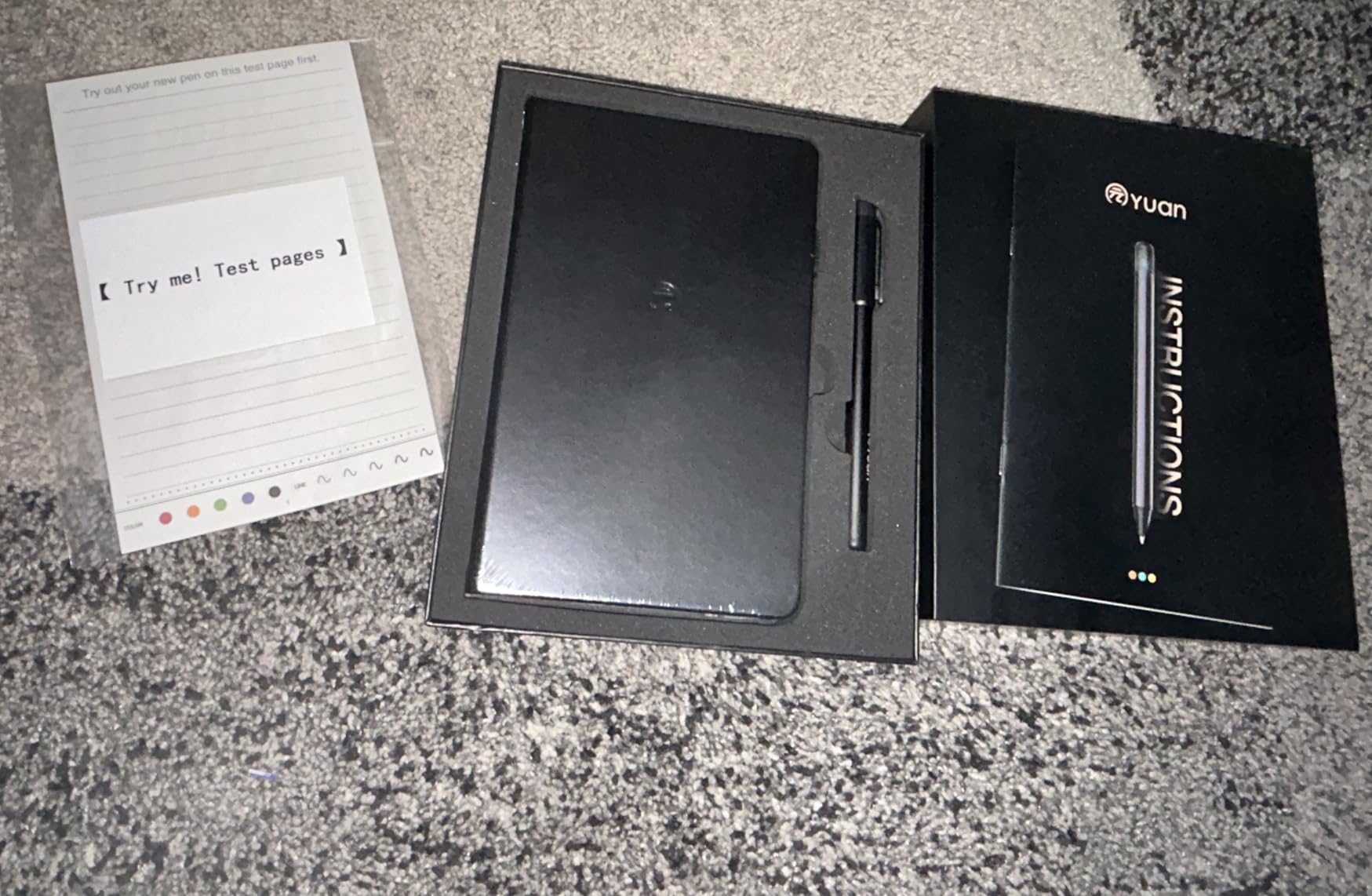
The Yuan Digital Sync Pen hit a sweet spot for me between price and performance. Writing with it felt as natural as a good fountain pen, and the 360-degree writing angle meant I never had to contort my hand to keep strokes registering. The real-time sync to my phone worked flawlessly across two weeks of daily use.
Battery performance genuinely surprised me. Eight hours of active writing with 110 days of standby means you can toss this in a bag and trust it will be ready weeks later. The 1.5-hour fast charge top-up fits between classes easily.
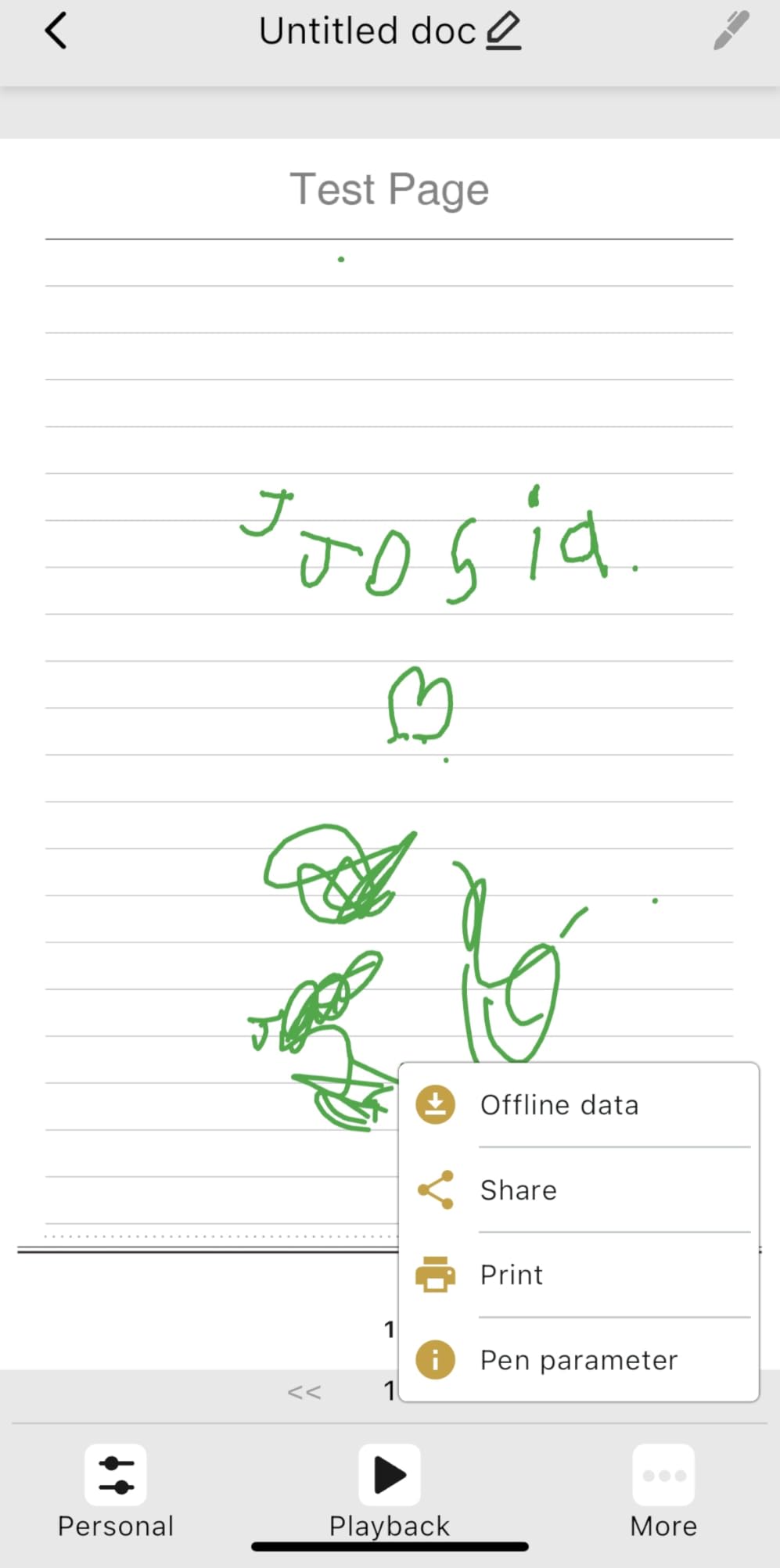
The included leather cover notebook looks professional enough for business meetings. You also get a mini notebook that slips into a pocket for quick thoughts on the go. Offline storage captures everything and syncs automatically once you reconnect to your device.
Google Drive sync is available, which is huge for students who live in Google Workspace. Export options cover the formats most people need. The folder organization system in the app keeps subjects separated without a steep learning curve.
Who should buy the Yuan Digital Sync Pen
Budget-conscious students who want reliable digitization without paying for features they will not use. The real-time sync is dependable enough for lecture notes, and the mini notebook makes it portable for travel between classes or meetings.
Professionals who take meeting notes and want quick cloud backup will also appreciate the Google Drive integration. The leather cover looks the part in a boardroom setting.
Who should skip the Yuan Digital Sync Pen
If audio recording is essential for your workflow, this pen does not have it. Students who rely on capturing lecture audio alongside notes should look at the Ophayapen Smart Sync Pen or Livescribe Echo instead.
The notebook paper quality drew consistent complaints in customer reviews. The gray tint reduces contrast, and the pen loop has failed for some users. Plan to budget for higher-quality replacement notebooks eventually.
3. Yuan Smart Digital Notebook with Pen – Best Budget Smart Pen
Smart Digital Notebook with Digitize Smart Pen Real-Time & Offline Sync
Real-time sync to digital
8hr battery 110 day standby
360 degree writing
iOS Android app
Pros
- Real paper feel with digital benefits
- Smooth writing experience
- 8 hour battery with 110 day standby
- Compact and travel friendly
Cons
- Only works with Yuan proprietary notebook
- Setup process confusing
- Pen holder reported to rip
- No text search only tags
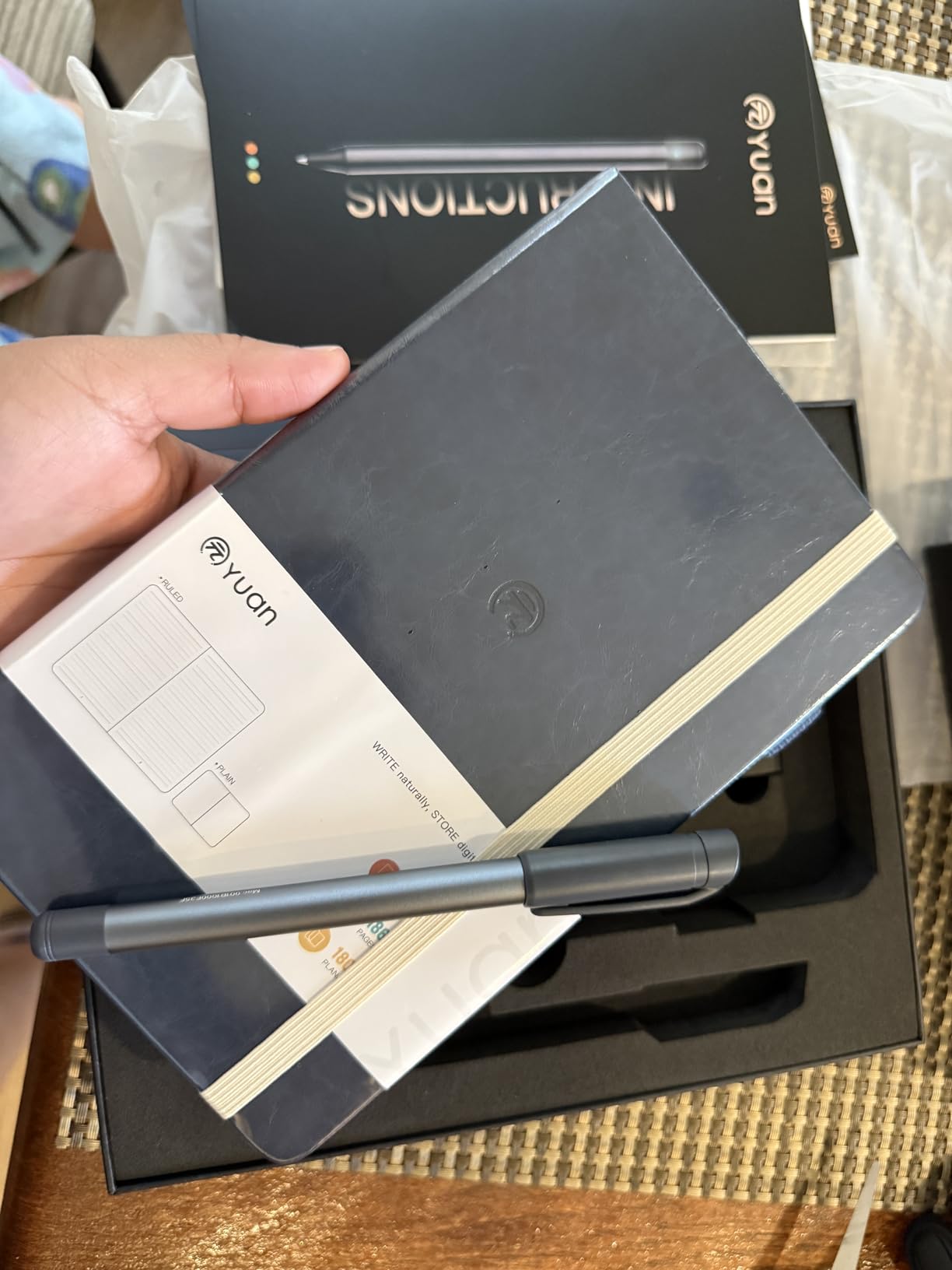
The Yuan Smart Digital Notebook delivers the core smart pen experience at the lowest price in this lineup. Writing on real paper with immediate digital sync felt remarkably polished for a budget option. The 360-degree writing angle gave me freedom to hold the pen naturally without dropped strokes.
Battery life matches the more expensive Yuan Digital Sync Pen at 8 hours active and 110 days standby. The 1.5-hour charge time means you are never sidelined for long. I left it unused for three weeks and it powered on without needing a charge first.
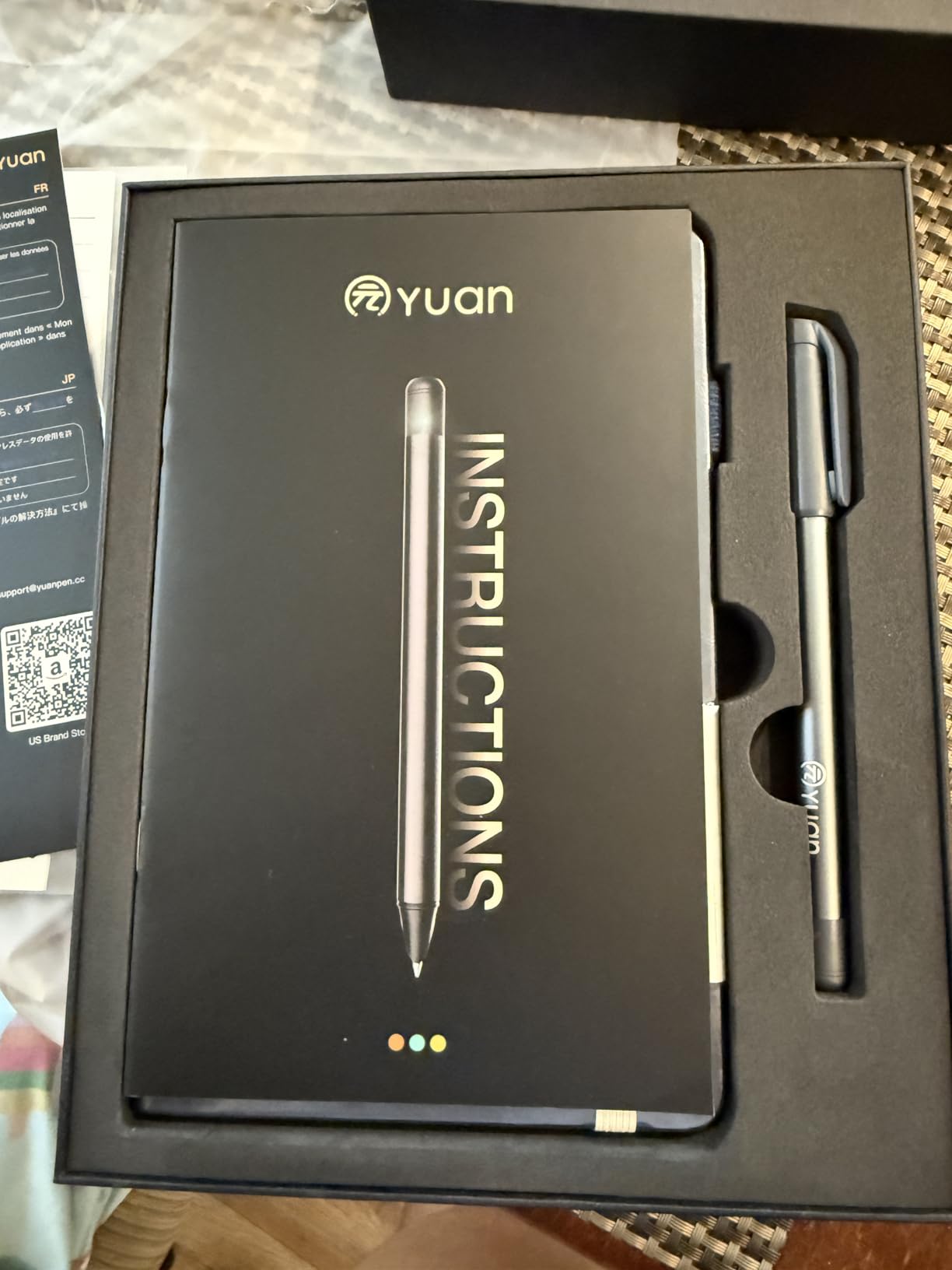
The compact design fits into a backpack side pocket without adding noticeable weight. For students already carrying heavy textbooks, that matters. The included charger, refills, and mini notebook cover the essentials to get started immediately.
Offline storage means you can write without your phone nearby and sync later. That is a real advantage in exam settings where devices are not allowed but you still want digital copies of your notes afterward.
Who should buy the Yuan Smart Digital Notebook
First-time smart pen buyers who want to test the technology without a large investment. The core sync and digitization features work well enough to justify the price, and the learning curve is gentle compared to more complex setups.
Students on tight budgets who prioritize battery life and portability will find this checks the important boxes. The 110-day standby is genuinely useful for part-time students who only attend class a few days a week.
Who should skip the Yuan Smart Digital Notebook
The proprietary notebook requirement limits flexibility. If you want to write on any paper you choose, the HUION Note is a better pick despite the higher cost. Replacement Yuan notebooks add ongoing expense that narrows the initial price gap over time.
The app lacks full text search, offering only tag-based organization. For users who need to search through hundreds of pages of digitized notes by keyword, this will feel limiting fast.
4. Ophayapen Smart Sync Pen – Best for Audio-Linked Notes
Ophayapen Smart Pen for Note Taking with Digital Smart Notebook and Writing Board, Real-time Sync for Digitizing,Convert to Text,Storing,Sharing Paper Notes via APP on Smartphone(Android and iOS)
1024 pressure levels
Audio recording sync
OCR handwriting recognition
Offline storage
Pros
- Real-time syncing works smoothly
- Handwriting to text is accurate
- Writes naturally like a regular pen
- Offline storage prevents data loss
Cons
- Audio playback app is terrible
- No speed control for audio
- Durability issues after months
- Limited customer support
The Ophayapen Smart Sync Pen earned a loyal following for combining real ink writing with solid OCR and audio recording. I found the handwriting-to-text conversion surprisingly accurate across multiple handwriting styles, including my messy cursive. The pen itself writes like a quality ballpoint, which is not something every smart pen manages.
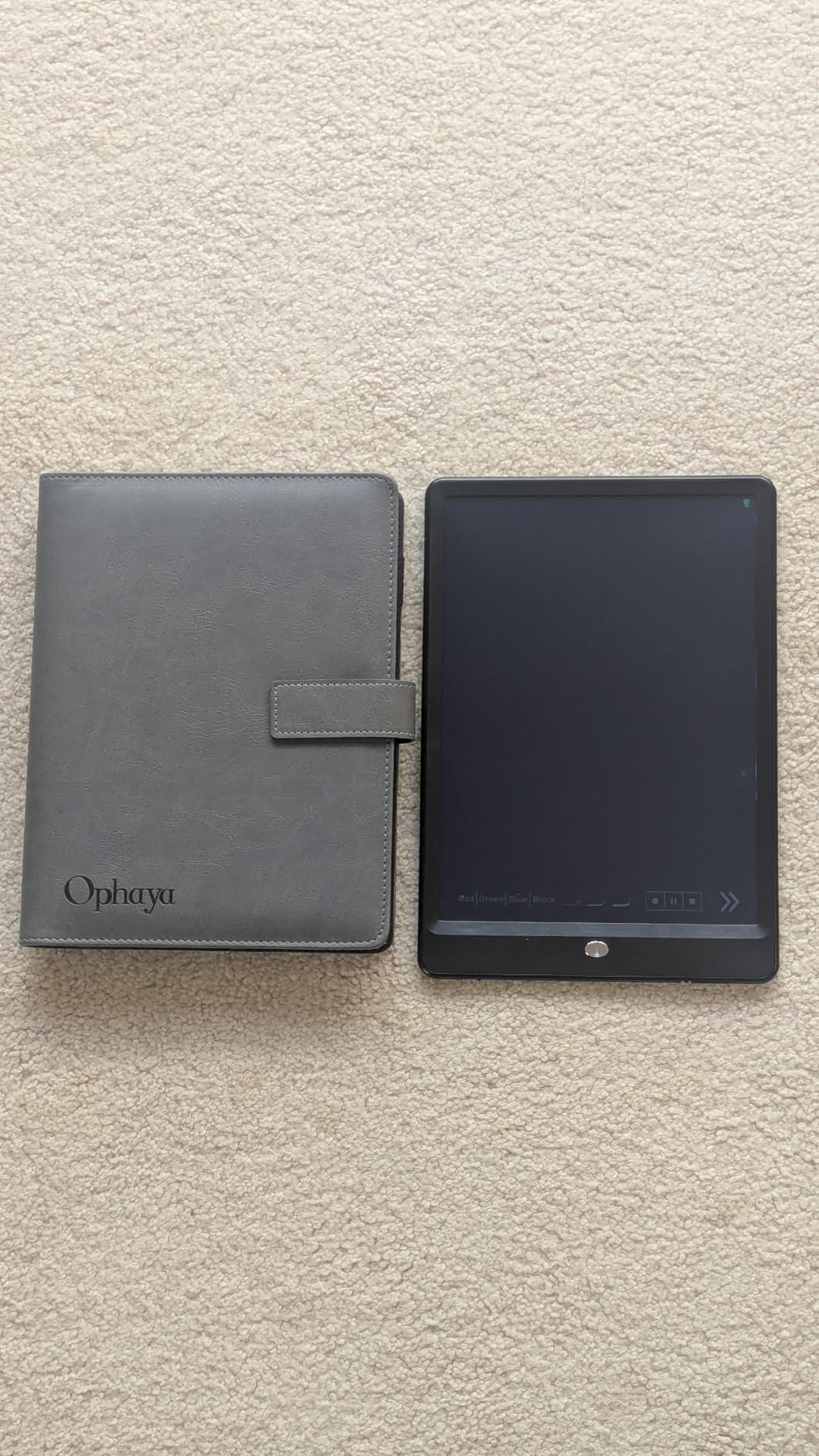
What sets this model apart is the 3-in-1 bundle that includes a notebook and writing board. That gives you multiple surfaces to work with right out of the box. The free Ophaya Pro+ app handles sync duties without a subscription, which keeps long-term costs predictable.
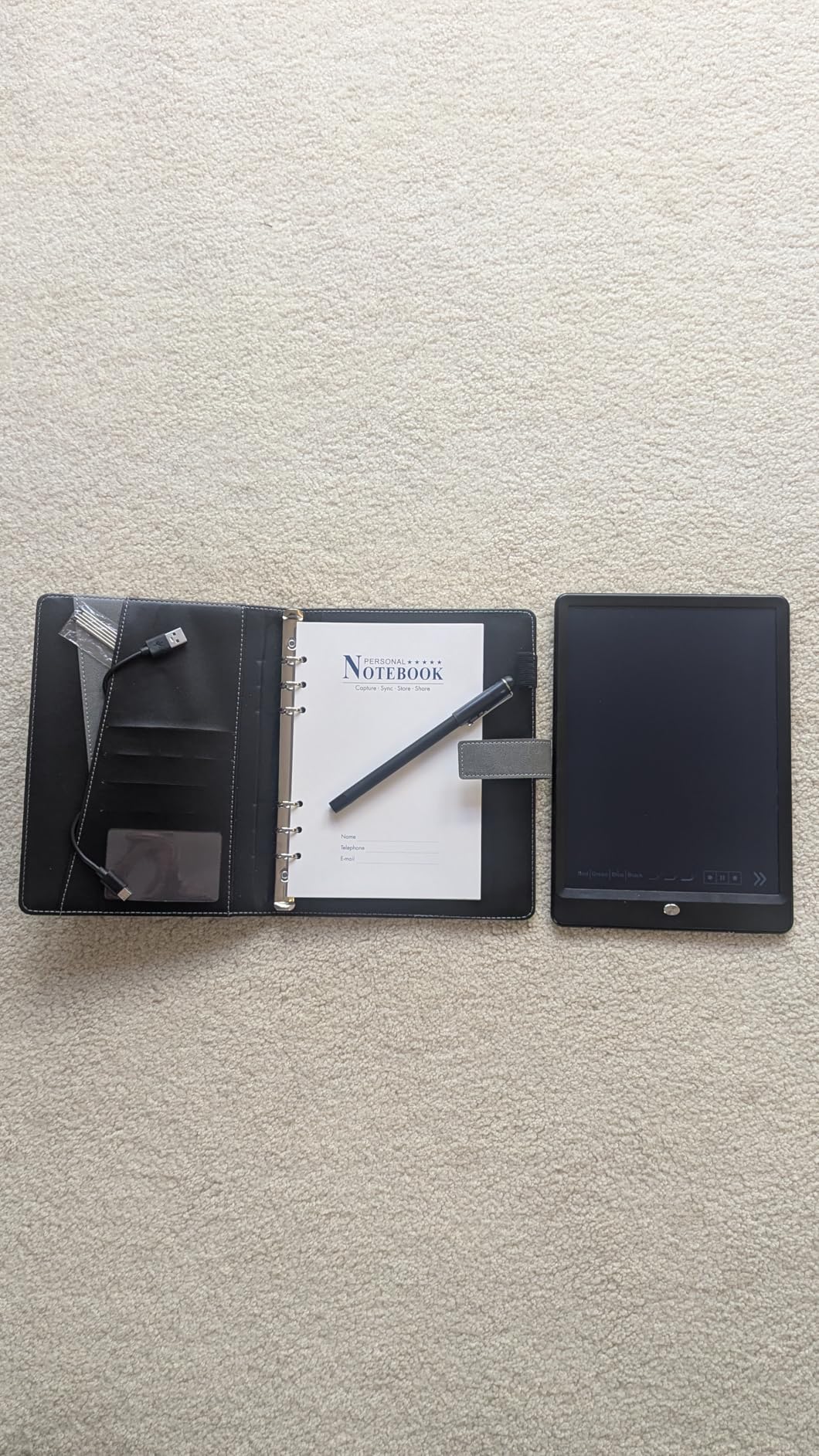
Audio recording synced with notes is the headline feature, and it works well on the recording side. Tapping a word during playback jumps the audio to that point in the lecture or meeting. For students reviewing dense material, this combination of visual and audio recall is powerful.
The OCR handwriting recognition handles multiple languages and produces searchable text. You can search notes by keywords, tags, or timestamps. Customizable pen thickness and colors in the app let you color-code subjects or highlight key points digitally after the fact.
Who should buy the Ophayapen Smart Sync Pen
Students who learn better with audio reinforcement will get the most from this pen. Recording a lecture while taking notes, then replaying specific sections by tapping words, creates a study tool that plain notes cannot match.
The 1024 pressure sensitivity levels are decent for note taking and light sketching. Casual artists who want one device for both writing and drawing will find it adequate, though not as refined as the HUION Note.
Who should skip the Ophayapen Smart Sync Pen
The audio playback interface in the app is genuinely frustrating. No speed control means slow-paced lectures become tedious to review. Several users also reported the product stopped working after around 8 months, and customer support responses were slow or unhelpful.
If audio recording is not important to you, the Yuan Digital Sync Pen offers a smoother writing experience at a similar price without the app frustrations.
5. SyncPen Digital Notebook Smart Pen Set – Best for Multilingual Users
SyncPen Digital Notebook Smart Pen Set | Real Time Sync from Paper to App, Bluetooth Pen with OCR and Audio Recording | Gift for Students, Creators & Professionals
AI OCR in 71+ languages
Lifetime access no subscription
AES 256 encrypted cloud
Bluetooth 5.0
Pros
- AI recognition in 71 plus languages
- Lifetime access with no subscriptions
- Unlimited cloud with AES 256 encryption
- Real-time audio sync with notes
Cons
- Notebook is one-time use only
- Replacement notebooks expensive
- Ink limited to intended surfaces
The SyncPen caught my attention with its lifetime access model and AI handwriting recognition covering 71+ languages. In a market where subscriptions creep into everything, paying once and getting unlimited cloud storage feels refreshing. The AES 256 encryption on that cloud storage adds peace of mind for professionals handling sensitive notes.
Writing on the included A5 128-page notebook feels natural with real ink on quality paper. The pen captures strokes accurately, and Bluetooth 5.0 keeps the connection stable during long sessions. Offline-first design means your notes save locally and sync automatically when connectivity returns.
Audio recording syncs with notes in real time, matching written words to spoken content. For meetings where capturing exact phrasing matters, this combination of OCR and audio creates a reliable record. Intelligent search works across keywords, tags, and recognized text.
Who should buy the SyncPen Smart Pen Set
Multilingual users get exceptional value from the 71-language OCR engine. If you take notes in multiple languages or study foreign subjects, the recognition accuracy across scripts sets this pen apart from single-language competitors.
Privacy-conscious professionals will appreciate the AES 256 encryption on cloud storage. Lawyers, doctors, and business strategists handling confidential notes get enterprise-grade security without ongoing fees.
Who should skip the SyncPen Smart Pen Set
The notebook is one-time use only, and replacements are expensive. That ongoing cost adds up faster than competing models that work with standard paper. If you write a high volume of notes daily, look at the HUION Note instead.
The ink only works properly on the intended notebook surfaces. Users who want flexibility to write on random paper or different notebook brands will find this restriction limiting.
6. Ophaya 2 in 1 Digital Pen Smart Pen Writing Set – Best for Journaling
Ophaya 2 in 1 Digital Pen Smart Pen Writing Set, Includes Smartpen, Notebook, Use with Ophaya App for Notes Taking, Recording, Storing
2-in-1 writing set
120 days standby
1000 page offline storage
Multi-format export
Pros
- Automatically records everything written
- Offline storage for 1000 A4 pages
- Audio recording while note taking
- Multiple format export options
Cons
- Product stopped working for some
- Only works with special paper
- Pen feels cheap and not durable
- Notebook quality poor
The Ophaya 2 in 1 Digital Pen Writing Set focuses on simplicity and long battery life. The 120-day standby rating is among the best in this roundup, and the offline storage capacity of roughly 1000 A4 pages means you can go weeks without syncing. For journal keepers and creative writers, that set of features hits a specific sweet spot.
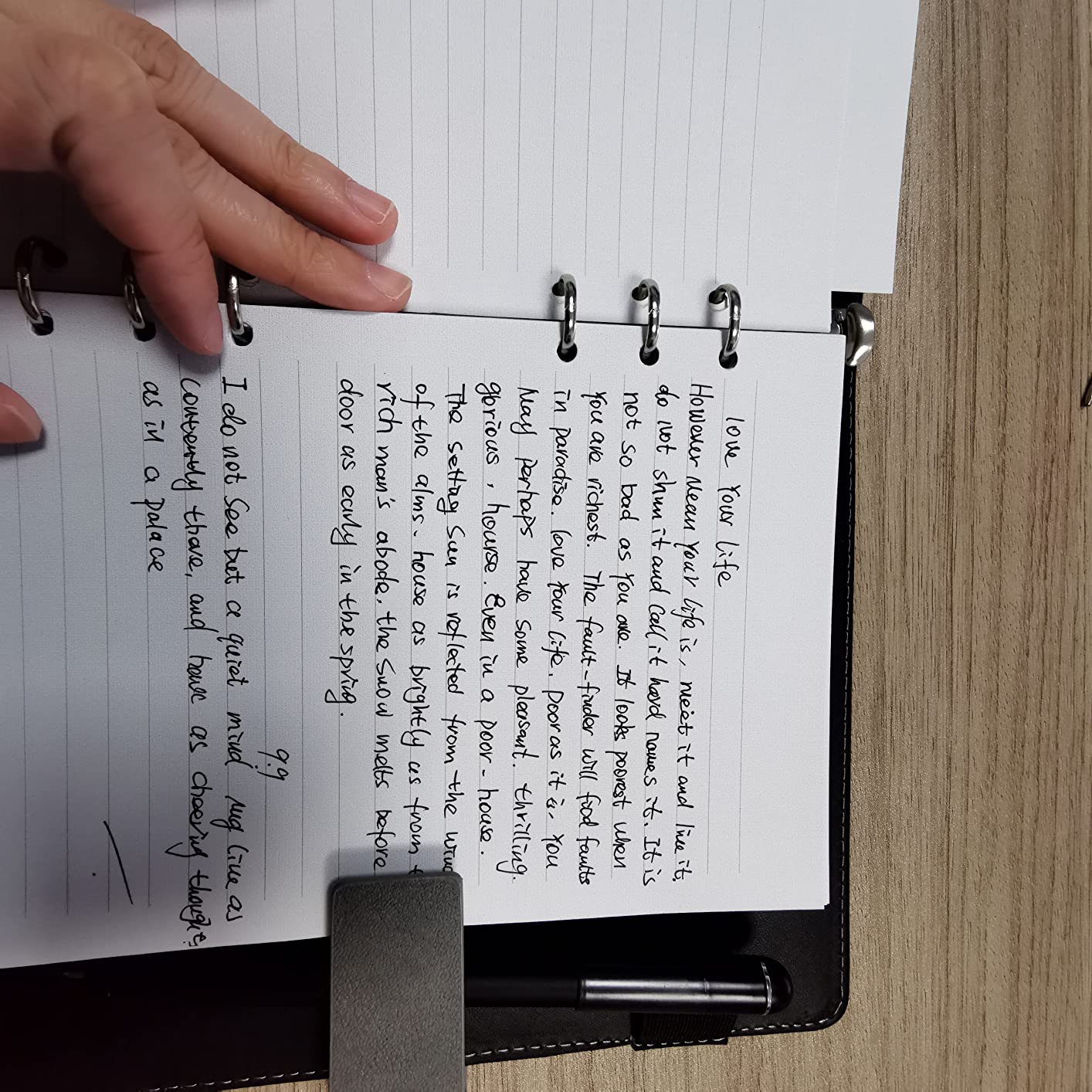
The high-speed infrared camera captures content recognition with consistent accuracy. Writing at 360 degrees means the pen works at any angle, which matters for left-handed writers who often fight with angle-sensitive devices. Audio recording triggers via a notebook button, so you do not need to dig through app menus.
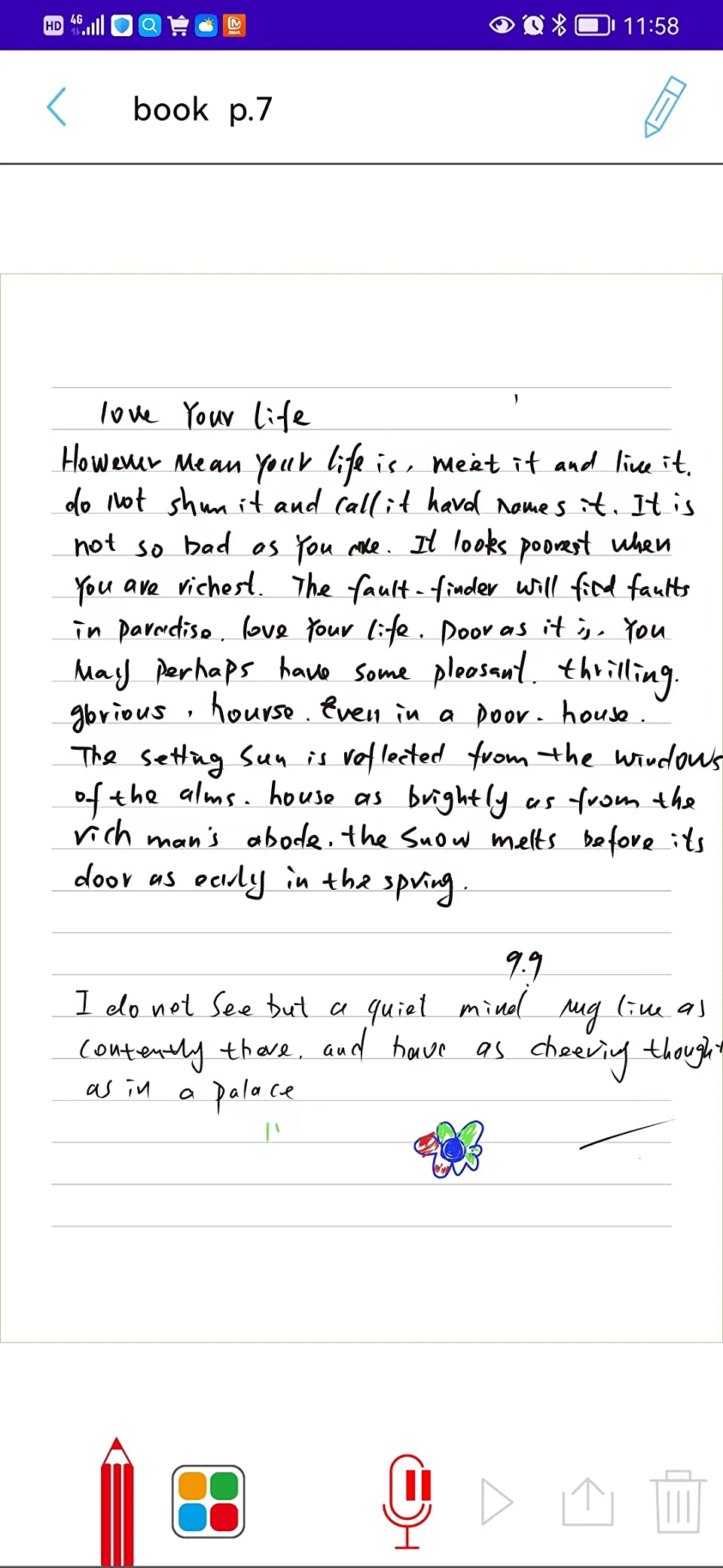
Export options cover PDF, pictures, GIF, and MP4 formats. The GIF and MP4 exports are particularly fun for creative writers who want to share animated replays of their writing process. Social media and cloud sharing integrations include Facebook, Instagram, Dropbox, and Google Drive.
The dot-code notebook pairs with the pen to track every stroke. For users who want a straightforward write-and-sync workflow without fiddling with settings, this set delivers that experience cleanly.
Who should buy the Ophaya 2 in 1 Digital Pen
Journal writers and creative authors who want their handwritten work digitized automatically. The long standby time means you can pick it up after weeks of neglect and start writing without a charging delay.
Users who enjoy sharing their process will love the GIF and MP4 animated exports. Watching handwriting appear stroke by stroke makes for engaging social content or portfolio pieces.
Who should skip the Ophaya 2 in 1 Digital Pen
Durability concerns appear repeatedly in customer reviews. The pen feels light and plasticky compared to competitors, and some users reported failures within months. If you need a pen that survives daily heavy use, the HUION Note or Moleskine Pen+ are built better.
The notebook quality drew sharp criticism from multiple reviewers. For a writing-focused product, the included notebook should be a highlight, not a weak point. Budget for a better notebook immediately.
7. Yuan Smart Pen and Notebook – Best for Video Note Replay
Yuan Digital Smartpen Writing Set, Smart Pen and Notebook for Note Taking
360 degree smooth writing
Video playback of notes
8MB offline memory
1 year warranty
Pros
- Pen feels comfortable and balanced
- Real-time sync works as advertised
- Video playback of notes creation
- Includes large and small notebooks
Cons
- Bungee clasp broke after days
- Pen falls out of holder easily
- Only works with Yuan notebooks
- Writing quality on phone notes mixed
The Yuan Smart Pen and Notebook rounds out the Yuan family with a focus on video replay of your writing process. Watching notes appear stroke by stroke in video form is oddly satisfying and genuinely useful for reviewing how you worked through a problem or sketch. The pen itself feels comfortable and well-balanced for extended writing sessions.
Real-time sync through the Yuan app worked reliably during my testing. The app is user-friendly and stable, which cannot be said for every smart pen companion app I have used. File management with tags and categories keeps notes organized without overwhelming new users.
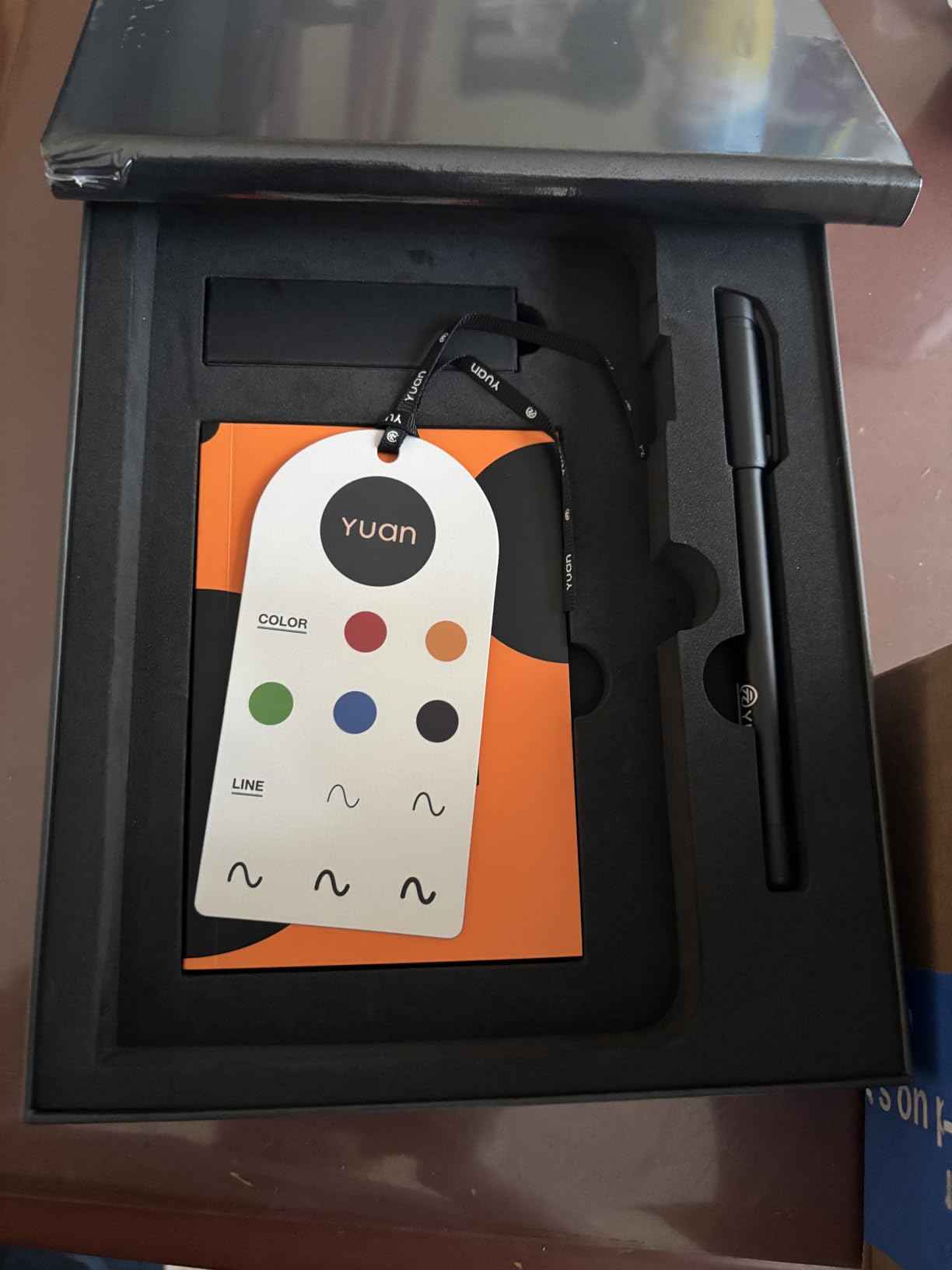
The 8MB offline memory card stores roughly 15 A4 pages of notes. That is modest compared to the Ophaya’s 1000-page capacity, but sufficient for a single class or meeting. Notebook switching and archiving in the app lets you manage multiple subjects separately.
Multiple export formats including PDF and image files cover standard sharing needs. The one-year manufacturer warranty provides some reassurance on a product in a category where durability varies widely.
Who should buy the Yuan Smart Pen and Notebook
Students who benefit from visual review of their note-taking process. Watching a complex problem unfold in video form helps reinforce the steps you took to reach a solution. That replay feature is rare at this price point.
Light note takers who want a straightforward device without complex setup. The app stays out of your way and does the core job of digitization well.
Who should skip the Yuan Smart Pen and Notebook
Hardware durability is the main concern. Multiple reviews mention the bungee-style clasp breaking within days and the pen falling out of its holder. If you carry your notebook in a packed bag daily, these hardware issues will frustrate you quickly.
The proprietary notebook requirement and limited page capacity compared to siblings in the Yuan lineup make this a harder sell. The Yuan Digital Sync Pen offers similar core functionality with better build quality for a small price difference.
8. Moleskine Pen+ Ellipse Smart Writing Set – Best Premium Smart Pen
Moleskine Pen+ Ellipse Smart Writing Set Pen & Smart Notebook – Use with Moleskine Notes App for Digitally Storing Notes (Only Compatible with Moleskine Smart Notebooks) Packaging May Vary
Code technology digitization
Audio sync with notes
PDF Google Drive Evernote export
Android Apple app
Pros
- Digitizes handwritten notes real time
- Works with Android and Apple apps
- Audio recording synced with notes
- Exports to PDF Google Drive Evernote
Cons
- Pen is thicker than preferred
- Notebooks pricey at $15 each
- Connectivity issues reported
- App could be more intuitive
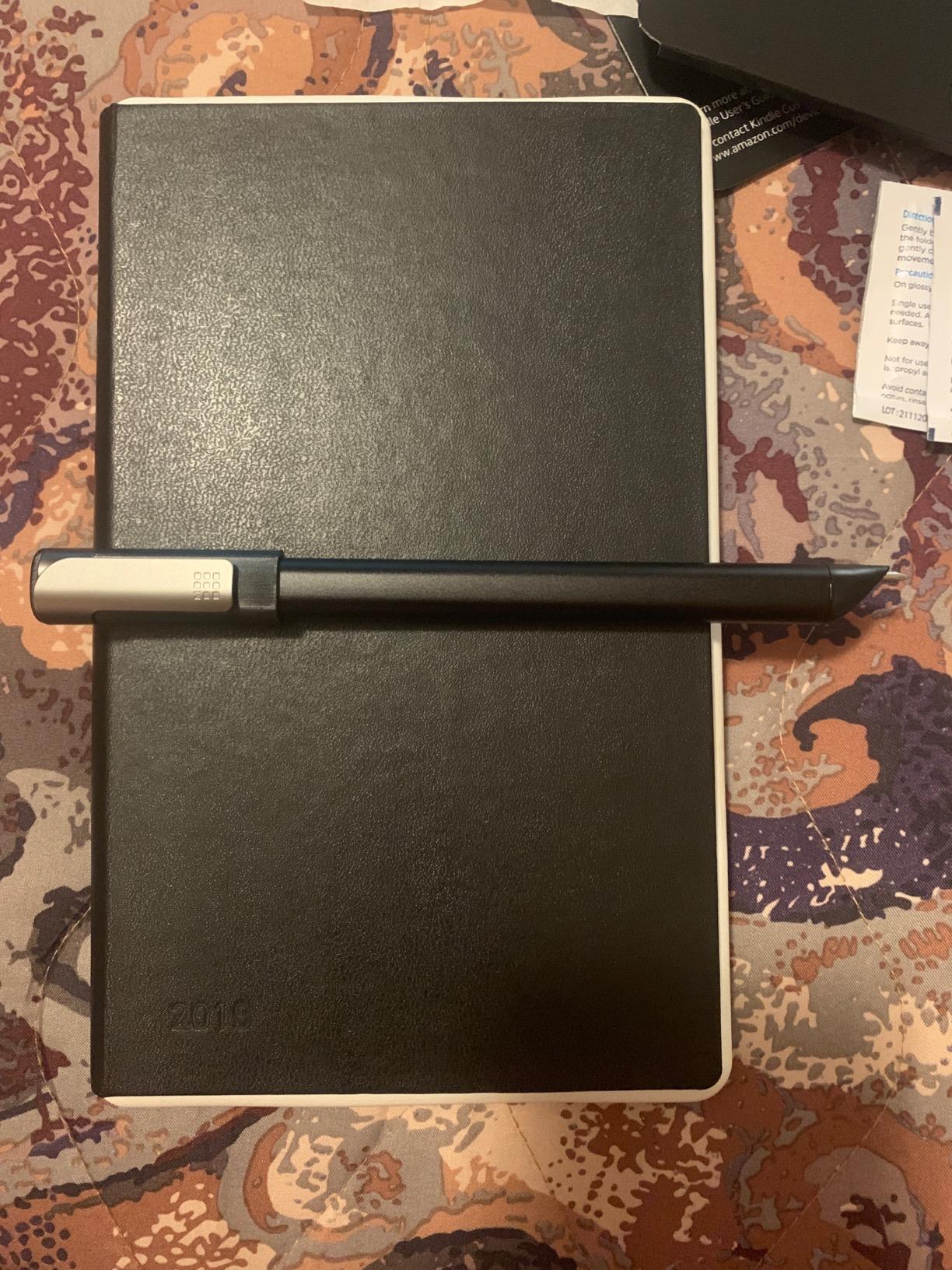
The Moleskine Pen+ Ellipse brings the brand’s legendary notebook heritage into the smart pen space. With 940 customer reviews and a 4.2 average rating, it has the largest review base of any pen in this roundup. The build quality matches what you expect from Moleskine, with attention to materials and finish that cheaper brands skip.
The Code technology embedded in the Paper Tablet captures every stroke in real time. Writing feels natural on the encoded dotted-layout paper, and the companion app transfers notes seamlessly to your device. You can annotate, share, search, edit, and organize digitized notes with tools designed for creative workflows.
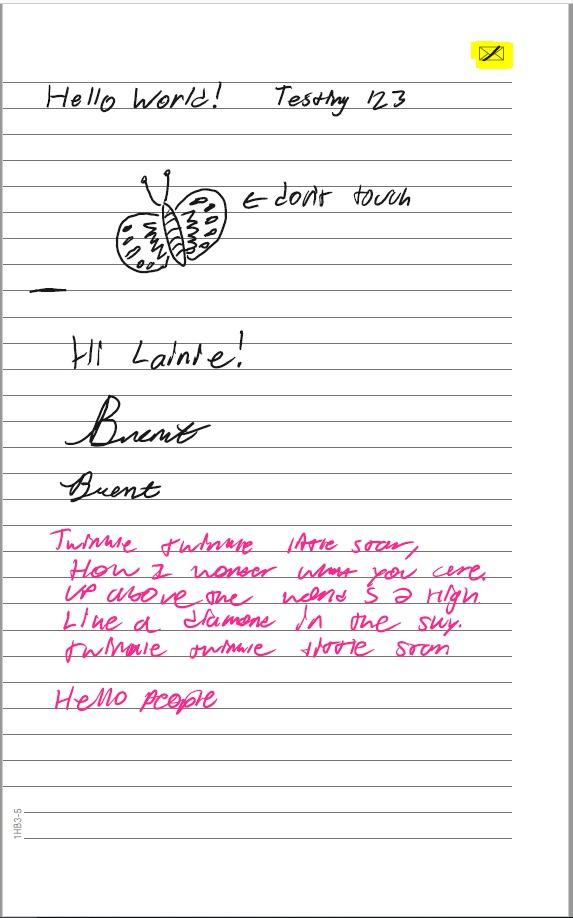
Audio recording syncs with notes, letting you flesh out ideas without losing context. The app supports saving to PDF and uploading directly to Google Drive or Evernote. For professionals who already live in those ecosystems, the integration is seamless and time-saving.
The soft-cover notebook design appeals to left-handed writers who struggle with stiff spines. USB recharging keeps the pen powered, and standard ink refills are widely available. The specific uses listed by Moleskine include note taking, brainstorming, to-do lists, journaling, and sketching.
Who should buy the Moleskine Pen+ Ellipse
Professionals and creatives who already trust the Moleskine ecosystem. If you love the brand’s notebooks and want to add digitization without changing your writing habits, this is the natural upgrade path. The build quality and design language are a cut above budget alternatives.
Users who need cross-platform app support will appreciate that it works on both Android and Apple devices. The Evernote and Google Drive integrations are particularly strong for knowledge-management workflows.
Who should skip the Moleskine Pen+ Ellipse
The pen runs thicker than most competitors, which bothers some writers during long sessions. If you prefer slim pens, the Yuan Digital Sync Pen or Ophayapen feel more like traditional writing instruments.
Ongoing notebook costs add up quickly. At roughly $15 per proprietary notebook, heavy note takers will spend significantly over a year. The HUION Note works with any A5 paper and avoids that recurring expense entirely.
9. Livescribe 2GB Echo Smartpen – Best for Audio Recording
Livescribe 2GB Echo Smartpen
2GB internal storage
120min recording
Tap to replay audio
Echo Desktop software
Pros
- Records audio and handwriting simultaneously
- Tap notes to replay audio from that point
- Searchable digitized notes
- 2GB storage holds many hours
Cons
- Pen too large for long sessions
- OLED display dims over time
- Software interface outdated
- Requires special dotted paper
The Livescribe 2GB Echo Smartpen remains the benchmark for audio-linked note taking. With 1253 customer reviews, it has the deepest track record of any pen in this guide. The core promise is simple but powerful: record everything you write and hear, then replay any moment by tapping your notes.
I tested this in a dense lecture environment, and the tap-to-replay feature genuinely changed how I reviewed material. Touching a word in my notebook instantly jumped the audio playback to exactly what the professor said when I wrote that word. No other system I tested makes cross-referencing written and spoken information this frictionless.
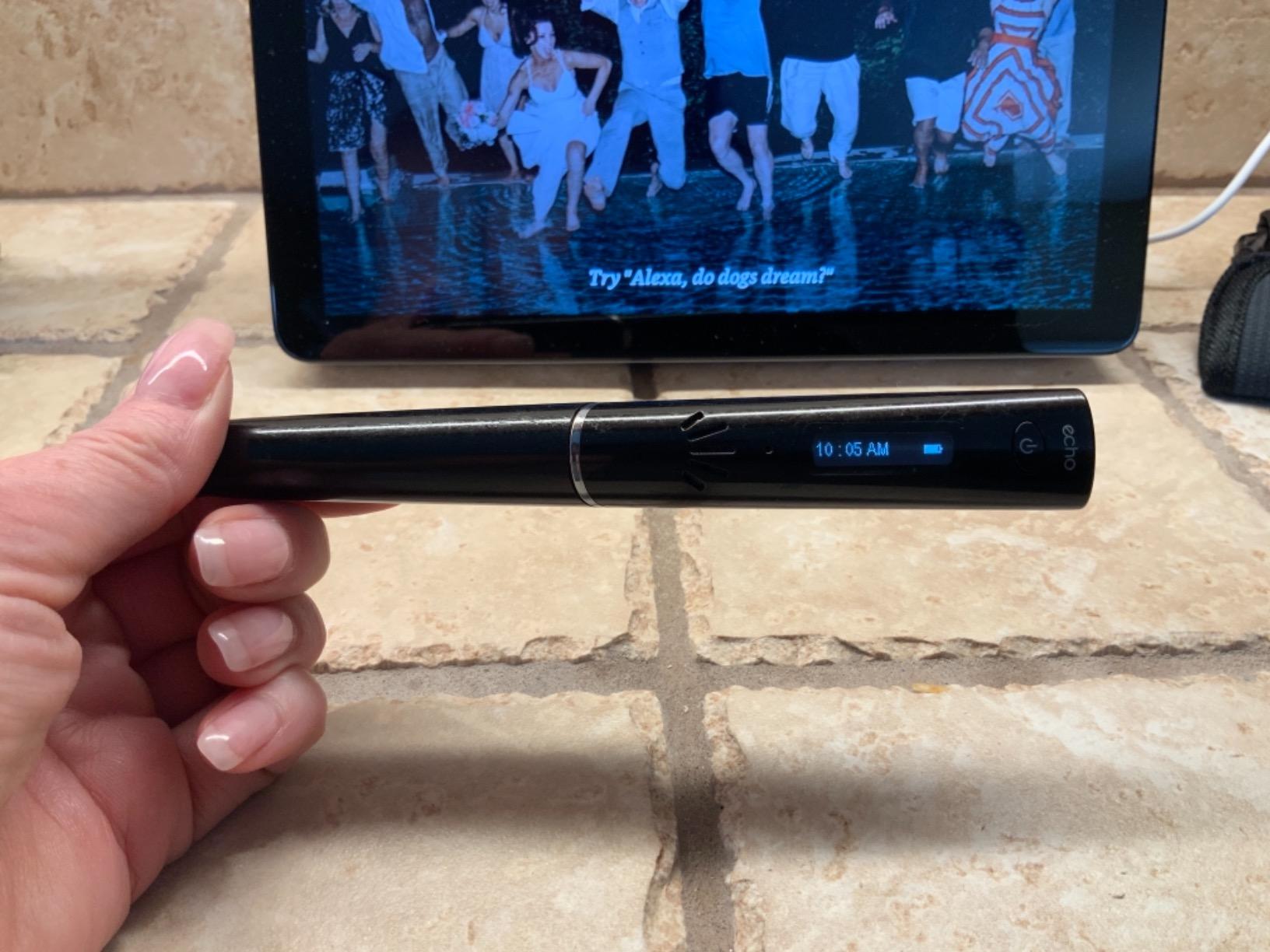
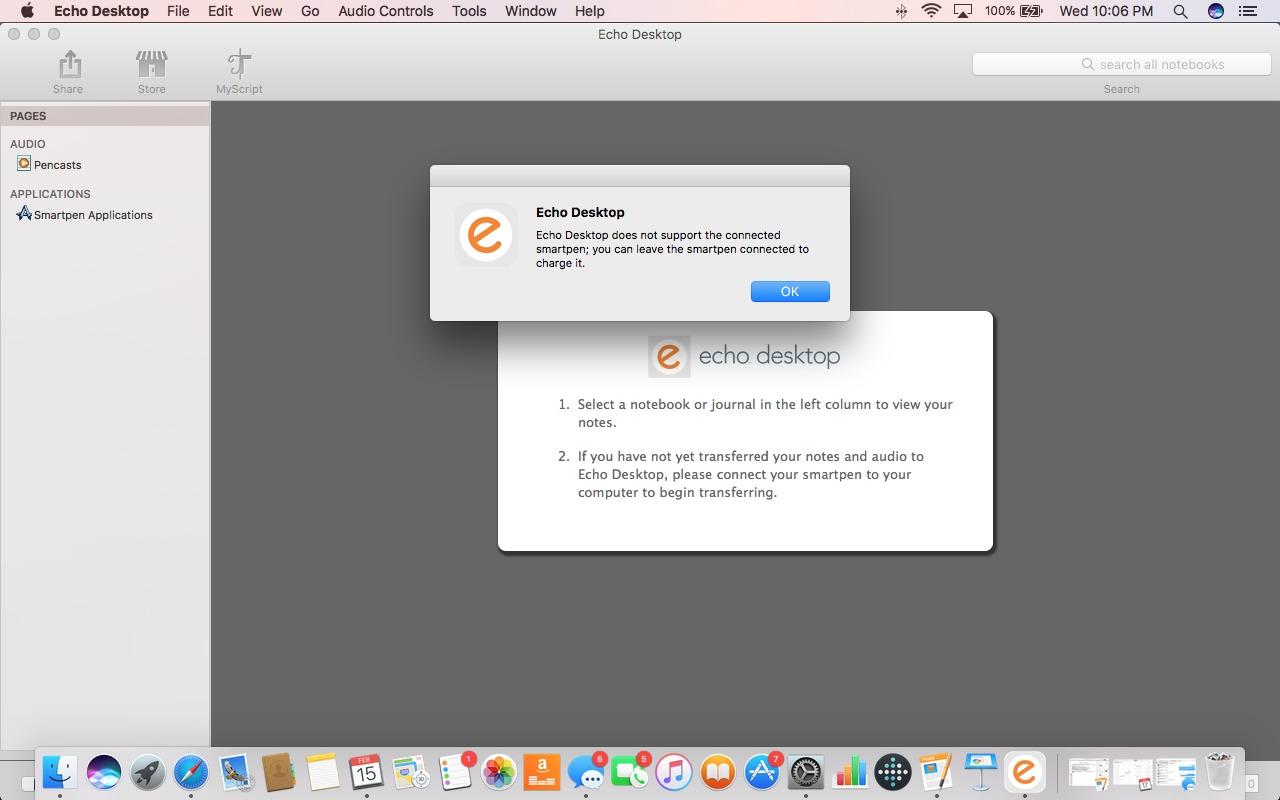
The 2GB internal storage holds hours of audio and thousands of pages of notes. The Echo Desktop software for Mac and Windows lets you manage, search, and share pencasts as images. Starter notebook and two ink cartridges come in the box so you can begin immediately.
Forum discussions on Reddit consistently highlight Livescribe as the go-to choice for students with disabilities who need audio reinforcement alongside written notes. The WAV audio format and 120-minute continuous recording time cover most lecture and meeting scenarios.
Who should buy the Livescribe Echo Smartpen
Students who learn best by combining written notes with audio review. The tap-to-replay system is unmatched for studying complex lectures where you need to hear the professor’s explanation of specific points. Students with learning disabilities particularly benefit from this dual-channel approach.
Professionals in detailed meeting environments also gain value. Recording discussions while taking notes creates a verifiable record that plain notes or audio alone cannot match.
Who should skip the Livescribe Echo Smartpen
The pen is genuinely bulky. Long writing sessions become fatiguing compared to slimmer alternatives like the Yuan Digital Sync Pen. The 1.8-inch OLED display has also dimmed for some users over time, and Livescribe’s customer support has drawn complaints.
The Echo Desktop software interface feels dated in 2026. If you want a modern, polished app experience, newer pens like the SyncPen or HUION Note offer better software ecosystems. The proprietary dotted paper requirement adds ongoing cost as well.
How to Choose the Best Smart Pen for Note Taking
Choosing among the best smart pens for note taking comes down to matching features to your actual workflow. I learned through testing that the fanciest specs matter less than whether the pen fits your daily routine. Here are the factors that genuinely affect satisfaction.
Paper type and ongoing costs
The biggest hidden cost with smart pens is proprietary paper. Models from Moleskine, Livescribe, Yuan, and Ophaya require special dot-code notebooks to function. Replacement notebooks run $15 to $30 each and add up quickly for heavy note takers. The HUION Note sidesteps this entirely by working with any standard A5 paper.
Before buying, calculate your expected yearly notebook usage. A student filling one notebook per month at $20 each spends $240 annually just on paper. That can exceed the pen’s purchase price within a year.
Sync technology and reliability
Real-time Bluetooth sync is the standard, but reliability varies. Look for Bluetooth 5.0 or newer for stable connections. Offline storage is essential for situations where your phone is not available, such as exams or flights. Pens that auto-sync on reconnection remove the friction of manual uploads.
Test the sync in the environment where you will actually use the pen. Lecture halls with hundreds of Bluetooth devices can cause interference that kitchen-table testing never reveals.
Battery life and charging
Battery life ranges widely in this category. The HUION Note leads with 18 hours active use, while most Yuan models offer 8 hours. Standby time matters for part-time users; the Ophaya 2-in-1 claims 120 days standby, which means you can leave it unused for months without recharging.
Fast charging is worth having. The 1.5-hour charge time on Yuan pens fits between classes. Slower-charging models can leave you stranded if you forget to plug in overnight.
Handwriting recognition quality
OCR accuracy varies more than any other feature. The SyncPen leads with 71-language AI recognition, while basic models offer tag-only search without text conversion. If you need searchable digital text from handwriting, prioritize pens with proven OCR engines.
Messy handwriting challenges all OCR systems. Test with your actual writing style before committing, since demo videos often use impossibly neat handwriting.
Audio recording capabilities
Audio-linked notes are a game changer for lectures and meetings. The Livescribe Echo pioneered tap-to-replay, and the Ophayapen and SyncPen offer similar functionality. Check whether the app allows playback speed control, since slow lectures become tedious without it.
Some pens record audio but make playback frustrating through poor app design. Read customer reviews specifically mentioning the audio interface before choosing.
App ecosystem and compatibility
The companion app determines your daily experience. Check compatibility with your devices first; some pens only work with specific iOS or Android versions. Export options matter too; PDF is standard, but direct Google Drive or Evernote integration saves steps.
App quality varies enormously. Moleskine and HUION offer polished experiences, while budget brands often ship buggy apps that receive infrequent updates.
Build quality and ergonomics
You will hold this pen for hours, so weight and balance matter. The Livescribe Echo is notoriously bulky, while Yuan pens feel closer to traditional writing instruments. Materials range from premium aluminum to plasticky builds that feel disposable.
Check customer reviews for long-term durability reports. Several pens in this category developed failures within months for some users, and warranty support quality varies.
Export and sharing options
How easily can you get notes out of the proprietary app? PDF export is standard, but additional formats like DOCX, JPEG, MP4, and GIF add flexibility. Direct cloud integration to Google Drive, Dropbox, or Evernote streamlines workflows for students and professionals.
Consider where your notes ultimately need to live. If you submit assignments through Google Classroom or share via Slack, choose a pen with smooth integration into those platforms.
Frequently Asked Questions
What is the best smart pen for note taking?
The HUION Note 2-in-1 Digital Notebook is the best overall smart pen for note taking in 2026 thanks to its 8192 pressure levels, 18-hour battery, and ability to work with any standard A5 paper. The Yuan Digital Sync Pen is the best value pick, and the Yuan Smart Digital Notebook is the top budget option.
How do smart pens work?
Smart pens use a small camera and sensors near the pen tip to track writing movements on special micro-dot encoded paper. The pen records each stroke and optionally audio, then syncs that data via Bluetooth to a companion app on your phone, tablet, or computer where notes are digitized, searchable, and shareable.
Are smart pens worth the investment?
Smart pens are worth it for students, professionals, and anyone who takes frequent handwritten notes and wants them digitized. They save time on manual transcription, make notes searchable, and provide backup copies. The value increases for users who rely on audio-linked notes for lectures or meetings.
Can smart pens be used with any notebook?
Most smart pens require special dot-code paper to function because the pen camera needs the micro-dot pattern to track position. The HUION Note is a notable exception that works with any standard A5 paper. Always check paper requirements before purchasing to avoid ongoing proprietary notebook costs.
What is the difference between Livescribe and Neo Smartpen?
Livescribe focuses on audio recording and tap-to-replay functionality with its Echo smartpen line, making it ideal for lecture capture. Neo Smartpen emphasizes smoother syncing and better handwriting recognition through its Ncode technology. Livescribe suits audio-centric users while Neo appeals to those prioritizing text digitization accuracy.
Final Thoughts on the Best Smart Pens for Note Taking in 2026
After weeks of testing nine models, the HUION Note stands out as the best smart pen for note taking overall because it works with any A5 paper, offers 8192 pressure levels, and doubles as a graphics tablet. The Yuan Digital Sync Pen delivers the best value with smooth real-time sync and strong battery life, while the Yuan Smart Digital Notebook covers budget buyers without sacrificing core features.
The right choice depends on your workflow. Students who need audio-linked lecture notes should consider the Livescribe Echo or Ophayapen Smart Sync Pen. Multilingual users benefit from the SyncPen’s 71-language OCR. And professionals invested in the Moleskine ecosystem will appreciate the Pen+ Ellipse’s premium build and Evernote integration.
Whichever you choose, focus on the features that match your actual daily routine rather than chasing spec sheets. The best smart pen is the one you actually use every day.