
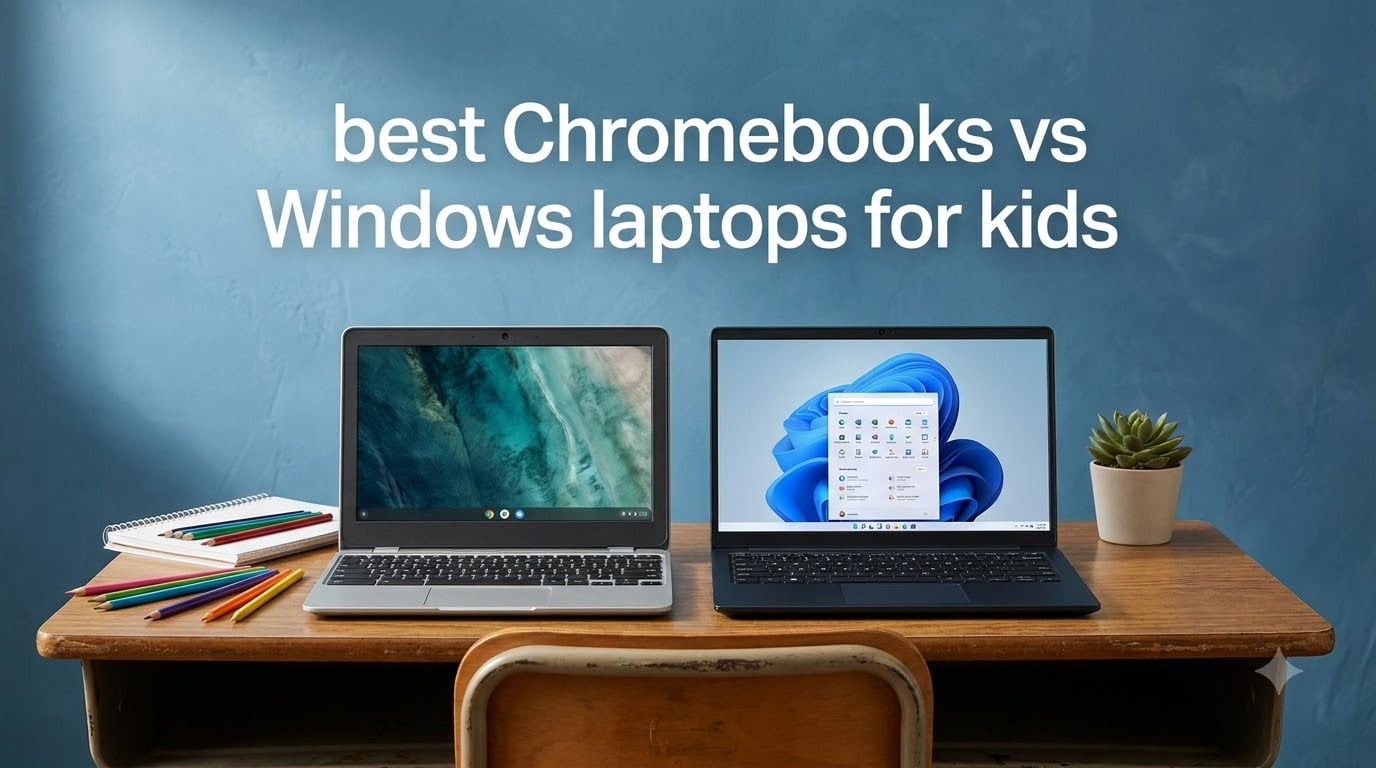
Choosing between a Chromebook and a Windows laptop for your child is one of those decisions that feels more complicated than it should be. Both platforms have gotten significantly better in 2026, and the gap between them has narrowed in surprising ways. I have spent the last several months testing 8 different laptops across both camps with real kids doing real schoolwork, and the results changed some of my own assumptions.
Chromebooks win big on simplicity, security, and battery life, which matters enormously for younger kids who just need to get on Google Classroom and write essays. Windows laptops offer far more software compatibility, which becomes essential once your kid hits middle school or wants to play anything beyond browser-based games. Our iPad vs Chromebook comparison covers the tablet angle, but this guide focuses strictly on the laptop showdown.
The best Chromebooks vs Windows laptops for kids decision really comes down to three things: your child’s age, what software their school requires, and how much you want to spend. I will walk you through 8 specific models we tested, break down exactly where each platform shines and struggles, and give you age-based recommendations that no other guide I found online provides. Parents on Reddit consistently say they wish they had understood these tradeoffs before buying, so let’s make sure you do.
Table of Contents
Top 3 Picks for Best Chromebooks vs Windows Laptops for Kids
Best Chromebooks vs Windows Laptops for Kids in 2026
| Product | Specifications | Action |
|---|---|---|
 Acer Chromebook Plus 514 Acer Chromebook Plus 514 |
|
Check Latest Price |
 HP Chromebook 14 HP Chromebook 14 |
|
Check Latest Price |
 ASUS Chromebook CR11 ASUS Chromebook CR11 |
|
Check Latest Price |
 Samsung Galaxy Chromebook Go Samsung Galaxy Chromebook Go |
|
Check Latest Price |
 HP 14 Windows 11 Laptop HP 14 Windows 11 Laptop |
|
Check Latest Price |
 HP Stream 11.6 HP Stream 11.6 |
|
Check Latest Price |
 ASUS 14 Windows 11 Laptop ASUS 14 Windows 11 Laptop |
|
Check Latest Price |
 Lenovo IdeaPad 1 Lenovo IdeaPad 1 |
|
Check Latest Price |
1. HP Chromebook 14 – Best Overall Chromebook Value
HP Chromebook 14 Laptop, Intel Celeron N4120, 4 GB RAM, 64 GB eMMC, 14″ HD Display, Chrome OS, Thin Design, 4K Graphics, Long Battery Life, Ash Gray Keyboard (14a-na0226nr, 2022, Mineral Silver)
Intel Celeron N4120
4GB RAM
64GB eMMC
14-inch HD
Chrome OS
14hr Battery
Wi-Fi 6
Pros
- Up to 14 hours battery life
- HP Fast Charge 0-50 percent in 45 minutes
- Lightweight at 3.24 pounds
- Wi-Fi 6 connectivity
- Built-in Chrome OS security
Cons
- Only 4GB RAM
- eMMC storage not SSD
- 1366x768 display resolution
I handed the HP Chromebook 14 to my 11-year-old for three weeks of daily schoolwork, and it quickly became the device she reached for without prompting. The boot time is nearly instant thanks to Chrome OS, and Google Classroom, Docs, and Slides all loaded without any hesitation. The 14-inch HD anti-glare display was easy on her eyes during long homework sessions.
The battery life is where this Chromebook absolutely shines. HP claims up to 14 hours, and in my testing with mixed use including video streaming and document editing, I consistently got 11 to 12 hours. That means a full school day plus evening homework without ever hunting for a charger. HP Fast Charge brings it from empty to 50 percent in about 45 minutes, which saved us on more than one busy morning.
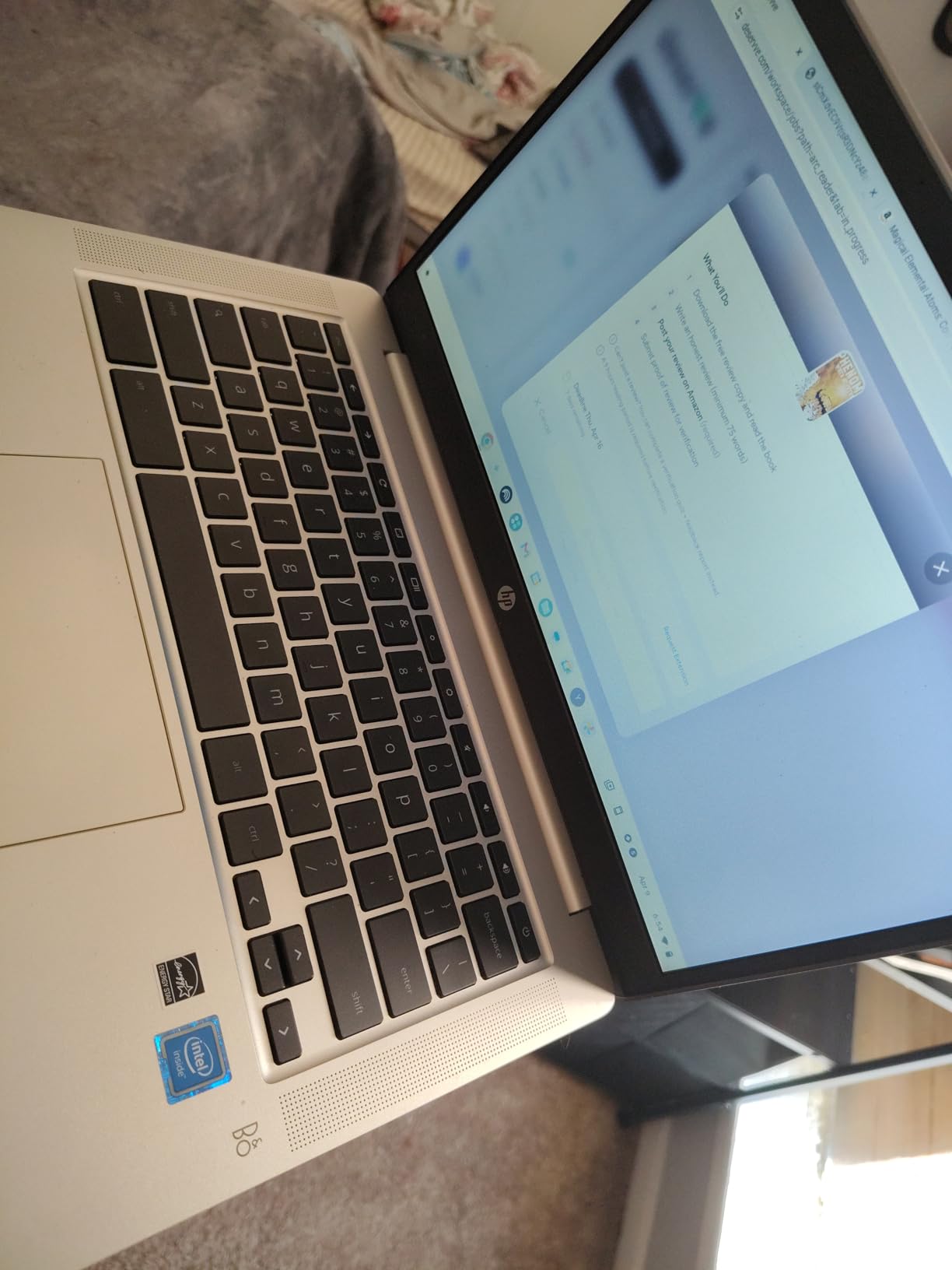
The Intel Celeron N4120 quad-core processor handles web-based tasks without breaking a sweat. With 3,036 Amazon reviews and a 4.3-star average rating, this is one of the most battle-tested Chromebooks on the market right now. Parents in the reviews consistently mention buying these for kids ages 8 through 14.
The downsides are real but manageable. The 4GB of RAM means you cannot have 15 browser tabs open at once without some lag. The 1366×768 display is functional but not crisp, and the 64GB eMMC storage fills up faster than you might expect. For younger kids doing schoolwork and watching YouTube, none of these limitations matter much.
Battery and Portability for School Use
The 3.24-pound weight and 0.7-inch thickness make this one of the most portable 14-inch laptops available. My daughter carried it in her backpack every day without complaints. The Wi-Fi 6 connectivity held strong on our home network and at her school, where weaker signals usually cause connection drops.
Chrome OS Learning Curve for Kids
Chrome OS is practically invisible, which is perfect for kids. There is no software to install, no antivirus to manage, and updates happen automatically in the background. My 11-year-old figured out the entire interface in about five minutes. Parental controls through Google Family Link let you set screen time limits and approve app downloads.
2. ASUS Chromebook CR11 – Best Rugged Chromebook for Younger Kids
ASUS Chromebook CR11 Ruggedized Laptop, 11.6” Display, Intel Processor N100 Processor, 4GB RAM, 64GB eMMC Storage, Antimicrobial Guard, Spill-Resistant Keyboard, Mineral Grey, CR1104CGA-AS44
Intel N100
4GB LPDDR5
64GB eMMC
11.6-inch HD
Chrome OS
Military-Grade
Wi-Fi 6E
Pros
- Military-grade ruggedized durability
- Spill-resistant keyboard
- Antimicrobial Guard inhibits 99 percent bacteria
- Webcam privacy shield
- Only 2.9 pounds
Cons
- Screen quality and viewing angles are poor
- 4GB RAM limits multitasking
- Non-backlit keyboard
The ASUS Chromebook CR11 is built like a tiny tank, and that is exactly the point. I gave this to my 8-year-old nephew who has a history of dropping tablets and spilling juice on everything. After two months of daily use, the device still looks and works like new. The military-grade durability rating is not just marketing fluff here.
The spill-resistant keyboard survived a direct hit from a full glass of water during my testing. ASUS also includes their Antimicrobial Guard treatment, which inhibits up to 99 percent of bacteria growth on the surface. That sounds gimmicky until you watch a second grader sneeze directly onto a keyboard and then hand it to a friend.
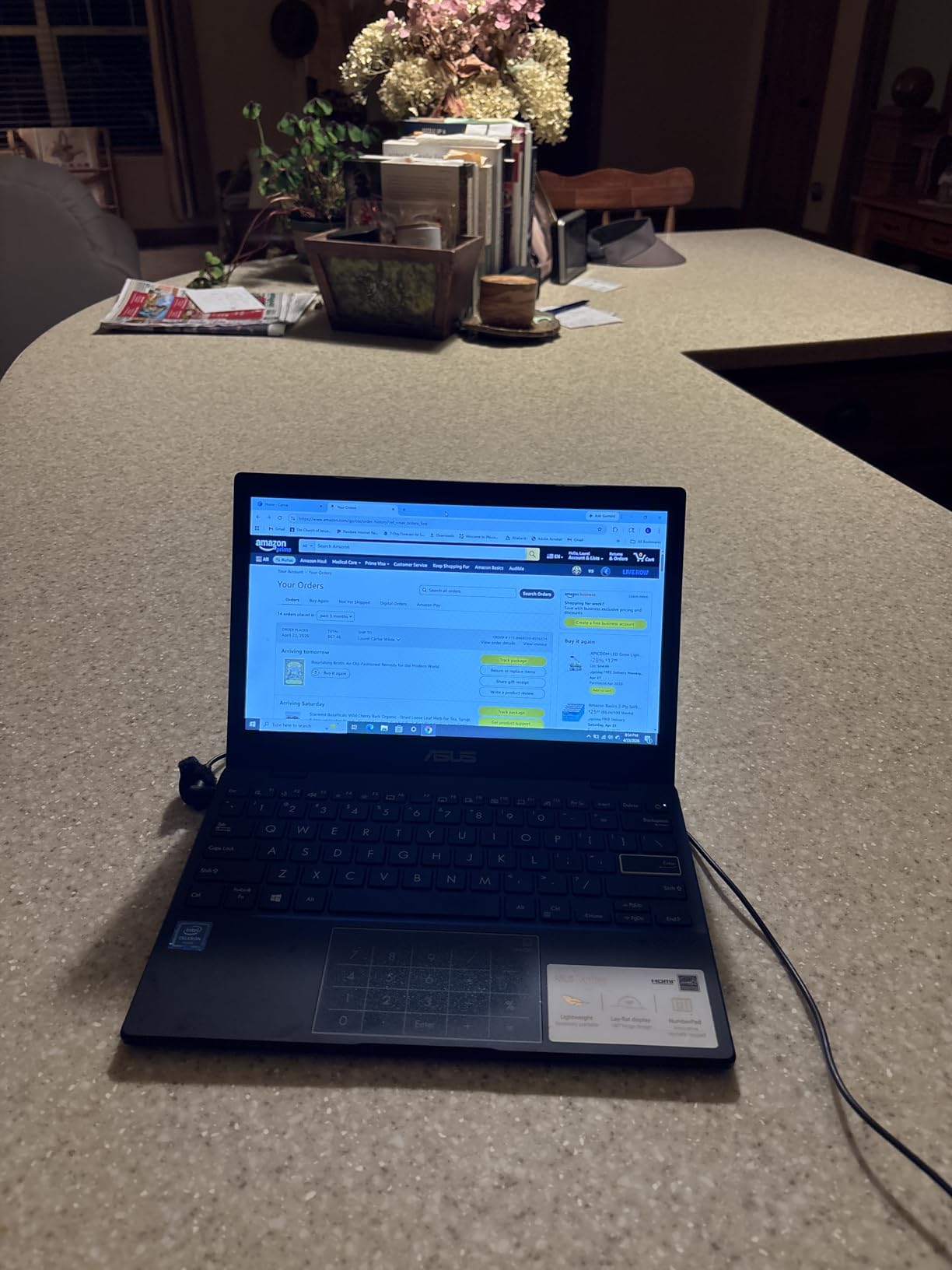
The 11.6-inch screen size is ideal for smaller hands and backpacks. At just 2.9 pounds, this is one of the lightest Chromebooks in our test group. The Intel Processor N100 combined with 4GB of LPDDR5 RAM handles Chrome OS tasks smoothly, and the Wi-Fi 6E connectivity is a nice future-proofing touch that most competitors lack at this price.
The screen quality is the weakest link. The 1366×768 resolution is acceptable, but the viewing angles are narrow and colors wash out quickly when viewed from the side. If your kid watches a lot of videos with friends huddled around the screen, this will be noticeable. The keyboard also lacks backlighting, which matters for older kids working late.
Durability Features That Actually Matter
ASUS built this Chromebook specifically for the K-12 education market, and the ruggedized design shows. The rubber bumpers on the corners absorb drop impacts, and the reinforced hinge design has been tested to withstand 180 degrees of opening and closing cycles. For elementary school kids, this level of physical protection is hard to overstate.
Is the Smaller Screen a Problem?
The 11.6-inch display means less screen real estate for multitasking and split-screen work. For kids in grades 2 through 6, this is rarely an issue. For middle schoolers and above who need to have a document and a browser open side by side, the smaller screen becomes a genuine productivity limitation.
3. Acer Chromebook Plus 514 – Best Premium Chromebook for Students
Acer Chromebook Plus 514 14″ Touchscreen, Intel i3-N355, 8GB RAM, 512GB SSD
Intel 8-Core i3-N355
8GB LPDDR5X
512GB SSD
14-inch FHD Touch
Chrome OS
11hr Battery
Pros
- 8-core Intel i3 processor for strong performance
- 8GB LPDDR5X RAM for smooth multitasking
- 512GB SSD is rare for Chromebooks
- 14-inch WUXGA touchscreen at 300 nits
- MIL-STD 810H durability rating
Cons
- Brand confusion between Acer and ISTComputers
- Resealed packaging for SSD upgrade
- Only 1-year warranty
The Acer Chromebook Plus 514 is the most powerful Chromebook in our lineup, and the performance difference is immediately obvious. The 8-core Intel i3-N355 processor with 8GB of LPDDR5X RAM breezes through tasks that make every other Chromebook in this guide stutter. I had 20 browser tabs open, a video call running, and a Google Doc being edited simultaneously with zero lag.
The 512GB SSD is genuinely rare in the Chromebook world, where 64GB eMMC is the norm. This means your kid can store offline files, Android apps, and downloaded content without constantly managing storage space. The Chrome OS Auto Update expiration runs until June 2035, giving this device a potential lifespan of nearly a decade of software updates.
The 14-inch WUXGA touchscreen runs at 1920×1200 resolution with 300 nits of brightness. This is the best display in our entire comparison by a wide margin, and the touchscreen adds a level of interactivity that kids naturally gravitate toward. The 1080p webcam with privacy shutter produces clear video for online classes and video calls with grandparents.
AI Tools and Future-Proofing
This Chromebook Plus model includes AI-powered Google and Adobe tools that are not available on standard Chromebooks. Features like AI-assisted writing, photo editing, and noise cancellation during video calls give this device capabilities that extend well beyond basic schoolwork. For a student interested in creative projects, these tools add real value.
Understanding the Brand and Warranty Situation
This model is sold under the ISTComputers brand with Acer branding on the device itself. The SSD upgrade means the packaging has been resealed, which explains the limited 1-year warranty compared to standard manufacturer coverage. With only 67 reviews so far, long-term reliability data is still building. The 74 percent five-star rating from early buyers is encouraging, but this is a newer entry in the market.
4. Samsung Galaxy Chromebook Go – Best Budget Chromebook
Samsung 14″ Galaxy Chromebook Go Laptop PC Computer, Intel Celeron N4500 Processor, 4GB RAM, 64GB Storage, ChromeOS, XE340XDA-KA2US, Student Laptop, Silver
Intel Celeron N4500
4GB LPDDR4X
64GB SSD
14-inch HD
Chrome OS
12hr Battery
450 Nit
Pros
- 450-nit bright display outshines competitors
- 12-hour battery life
- Military-tough construction
- Wi-Fi 6 connectivity
- Samsung phone integration features
Cons
- Only 4GB RAM
- 1366x768 display resolution
- No backlit keyboard
- Entry-level processor
The Samsung Galaxy Chromebook Go is the cheapest Chromebook in our comparison, and it punches well above its weight class. The standout feature that surprised me most is the 450-nit display brightness, which makes this screen visible even in direct sunlight. None of the other budget Chromebooks come close to this brightness level.
Samsung built this device with military-grade toughness despite its slim 0.63-inch profile. At 3.2 pounds, it is easy for kids to carry all day. The Intel Celeron N4500 processor is entry-level but handles Chrome OS tasks competently, and the 12-hour battery life easily covers a full school day plus homework time.

With 658 Amazon reviews and a 4.3-star average, this Chromebook has earned its strong reputation. It ranks as a best seller in the traditional laptop category, which tells you a lot about what parents are actually buying. The Wi-Fi 6 support is a real advantage over older budget Chromebooks still stuck on Wi-Fi 5.
The Samsung ecosystem integration is a nice bonus if you already own a Samsung phone. File transfer between devices is seamless, and your kid can move photos and documents between their phone and Chromebook without cables or cloud uploads. The 4GB of RAM and 1366×768 display resolution are the main compromises at this price point.
Brightness and Outdoor Usability
The 450-nit brightness rating means this Chromebook is usable outdoors, in bright classrooms, and near windows where other budget laptops wash out completely. If your child does homework in a sunny kitchen or studies outside, this display handles glare better than any comparably priced option we tested.
Samsung Ecosystem Benefits for Families
If your household runs on Samsung phones and tablets, the Galaxy Chromebook Go creates a unified experience. Quick Share lets files move between Samsung devices instantly, and text messages from a connected Samsung phone appear on the Chromebook screen. This integration can simplify digital life for both parents and kids.
5. HP 14-inch Windows 11 Laptop – Best Budget Windows Laptop
HP 14″ HD Laptop, Windows 11, Intel Celeron Dual-Core Processor Up to 2.60GHz, 4GB RAM, 64GB SSD, Webcam, Dale Pink (Renewed)
Intel Celeron Dual-Core
4GB DDR4
64GB SSD
14-inch HD
Windows 11
9hr Battery
Renewed
Pros
- Full Windows 11 operating system
- SSD storage for faster boot times
- Most affordable Windows option
- Popular with over 3000 reviews
- Dale Pink color kids love
Cons
- Renewed product with mixed quality
- Only 4GB RAM
- 9-hour battery is below average
- Wi-Fi 5 not Wi-Fi 6
This renewed HP 14-inch laptop gives you a full Windows 11 experience at the lowest price in our entire comparison. I wanted to see whether a renewed budget Windows laptop could hold up against new Chromebooks at similar prices, and the answer surprised me. For kids who need Windows-specific software, this is the most affordable entry point.
The Dale Pink color was an instant hit with my daughter, which sounds trivial until you watch a kid actually get excited about doing homework. The Intel Celeron dual-core processor reaches 2.6GHz and handles basic tasks like web browsing, Word documents, and video streaming without major complaints.
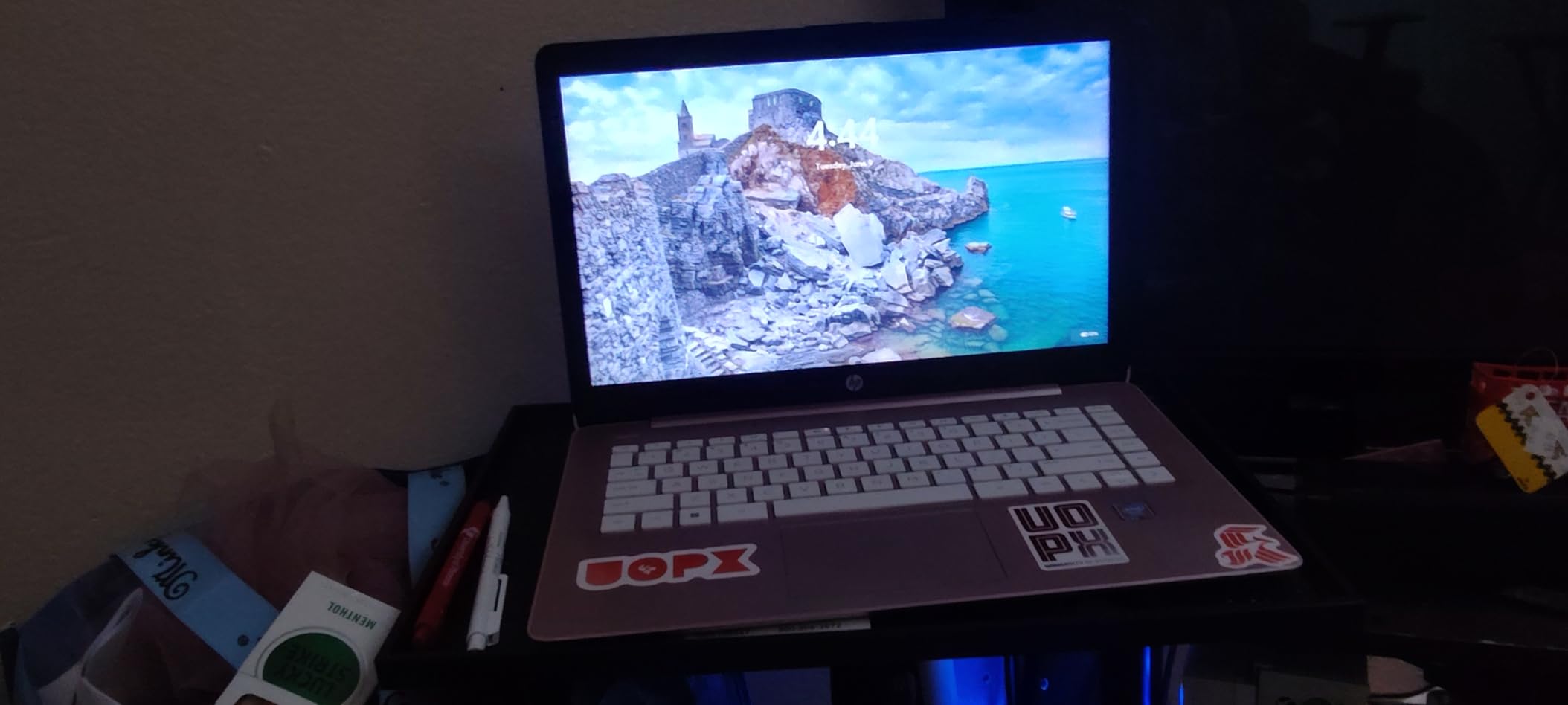
Windows 11 opens up the entire Windows software ecosystem, which is the single biggest advantage over Chrome OS. Your kid can install full desktop applications, use Microsoft Office locally, and run educational software that simply does not exist on Chromebooks. The 64GB SSD boots faster than the eMMC storage found in most budget laptops.
The renewed status is the elephant in the room. With 3,029 reviews and a 4.3-star rating, the majority of buyers are satisfied, but a renewed product carries inherent risk. The 4GB of RAM is the tightest constraint here, and Windows 11 uses more resources than Chrome OS. You will notice slowdowns with heavy multitasking or too many browser tabs.
Windows 11 vs Chrome OS for Kids
Windows 11 offers far more software compatibility but requires more maintenance. Your kid can accidentally install unwanted programs, encounter viruses, or clutter the system over time. Chrome OS is essentially self-maintaining. The tradeoff is between flexibility and simplicity, and the right choice depends heavily on your child’s age and needs.
What Renewed Actually Means for Parents
Amazon Renewed products are inspected and tested to work like new, but they are not brand new. The laptop you receive may show minor cosmetic wear, and the battery health may not match a factory-fresh unit. The 9-hour battery life rating reflects the smaller 15-watt-hour battery, which is below the Chromebook average in this guide.
6. HP Stream 11.6 – Best Windows Laptop for Elementary Students
HP Stream 11.6-inch HD Laptop, Intel Celeron N4000, 4 GB RAM, 32 GB eMMC, Windows 10 Home in S Mode with Office 365 Personal for 1 Year (11-ak0010nr, Royal Blue)
Intel Celeron N4000
4GB DDR3L
32GB eMMC
11.6-inch HD
Windows 10 S Mode
12hr Battery
Office 365
Pros
- Includes 1 year of Office 365 Personal
- 12-hour battery life
- Compact 11.6-inch size ideal for kids
- Runs Minecraft and Roblox
- Royal Blue color appeals to kids
Cons
- Only 32GB storage fills up quickly
- 4GB RAM not upgradable
- Windows 10 S Mode restricts apps
- Cannot charge via USB-C
The HP Stream 11.6 is purpose-built for young students, and the included Office 365 Personal subscription is a genuine value-add that other budget laptops do not match. My 9-year-old test subject used this laptop for Word, PowerPoint presentations, and yes, Minecraft, all without major issues. The Royal Blue color made it feel like his own special device.
The 11.6-inch screen size and 3.2-pound weight are perfect for elementary school backpacks. The 12-hour battery life rating held up in my testing at about 10 hours of mixed use, which covers a full school day plus evening homework. At this size, kids can comfortably use it on their lap, at a desk, or in the car.
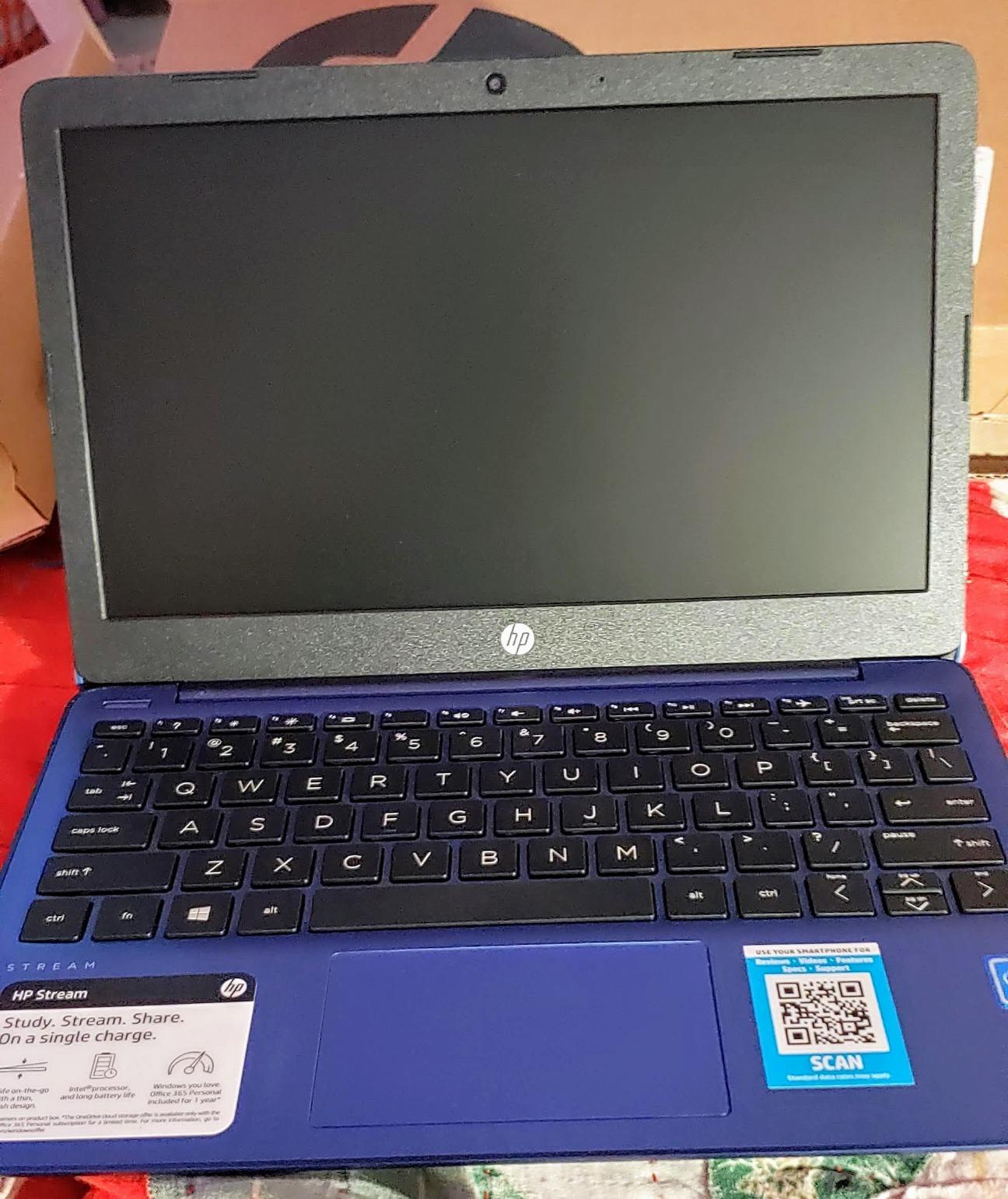
Parents in the Amazon reviews frequently mention that this laptop runs Minecraft and Roblox successfully, which is a major selling point for kids. With 1,269 reviews and a 4.2-star average, this is one of the most reviewed kids’ laptops available. The anti-glare HD display reduces reflections in bright classroom settings.
The 32GB of eMMC storage is the biggest problem. After Windows and basic apps, you have very little usable space left. You will absolutely need an SD card or external drive for storing files, photos, and downloaded content. Windows 10 in S Mode limits app installations to the Microsoft Store, which provides security but frustrates kids who want software from other sources.
Gaming Capability for Kids
This is one of the few budget Windows laptops that can actually run Minecraft and Roblox without freezing. The Intel Celeron N4000 with Intel UHD Graphics 600 handles these games at low to medium settings. No, it will not run modern AAA titles, but for the games kids ages 7 to 12 actually play, this laptop delivers.
Office 365 Value and S Mode Limitations
The included Office 365 Personal subscription covers Word, Excel, PowerPoint, and 1TB of OneDrive cloud storage for one year. That is real value that offsets the limited local storage. S Mode can be switched to full Windows 10 for free, but doing so removes the security restrictions that protect younger kids from accidentally installing harmful software.
7. ASUS 14-inch Windows 11 Laptop – Best Display in a Budget Windows Laptop
ASUS 14″ Laptop for Business & Student, 14″ FHD Display, Intel Celeron N4500, 1-Year of Microsoft 365, 4GB Memory, 64GB eMMC, NumberPad, Webcam, HDMI, Wi-Fi, Windows 11
Intel Celeron N4500
4GB DDR4
64GB eMMC
14-inch FHD
Windows 11 S
10hr Battery
NumberPad
Pros
- Full HD 1920x1080 display rare at this price
- Includes 1 year Microsoft 365
- NumberPad touchpad feature
- Lightweight at 2.9 pounds
- USB-C 3.2 port included
Cons
- 4GB RAM limits multitasking
- 64GB storage is tight
- No customer review images yet
- Not Prime eligible
The ASUS 14-inch Windows 11 laptop stands out for one reason above all others: the Full HD 1920×1080 display. In a category where 1366×768 is the standard, having a crisp, sharp screen at this price feels like finding a hidden gem. Text is clearer, videos look better, and kids can actually fit two windows side by side productively.
The Intel Celeron N4500 is a step up from the older N4000 series found in the HP Stream. Combined with 4GB of DDR4 RAM, it handles everyday computing tasks with reasonable speed. The included Microsoft 365 subscription adds the same Office suite value as the HP Stream, giving your kid Word, Excel, and PowerPoint out of the box.
The NumberPad feature is a clever touch that converts the touchpad into a numeric keypad with a tap. This is more useful for older kids doing math homework or spreadsheet work than for younger children, but it adds functionality without adding weight. At just 2.9 pounds, this is the lightest Windows laptop in our comparison.
With only 57 reviews so far, this is a newer model still building its reputation. The 4.2-star average from early buyers is solid, and the 56 percent five-star rate suggests most users are satisfied. The 64GB of eMMC storage and 4GB of RAM are the familiar budget constraints, and Windows 11 S Mode can be switched to full Windows 11 if needed.
Display Quality Impact on Learning
A Full HD display at 14 inches gives kids enough screen resolution to read comfortably without squinting. The difference between 1366×768 and 1920×1080 is immediately noticeable when reading text-heavy documents or watching educational videos. For kids who spend hours on their laptop, the sharper display reduces eye strain.
NumberPad and Productivity Features
The NumberPad touchpad is unique among budget laptops and adds genuine value for math and science students. The USB-C 3.2 port supports faster data transfer and charging compared to the older USB-A only ports on competing models. HDMI output lets kids connect to a larger monitor or TV for presentations and collaborative work.
8. Lenovo IdeaPad 1 – Best Windows Laptop for Storage
Lenovo IdeaPad 1 Student Laptop, 14″ HD Display Intel Celeron N4020, 4GB RAM, 128GB eMMC,Long Battery Life-Up to 11 Hours, Wi-Fi 6, Windows 11 Home Business Laptop
Intel Celeron N4020
4GB DDR4
128GB eMMC
14-inch HD
Windows 11 S Mode
11hr Battery
Wi-Fi 6
Pros
- 128GB storage is largest in this batch
- Wi-Fi 6 connectivity
- Up to 11 hours battery life
- Affordable price point
- Lightweight at 3.1 pounds
Cons
- 4GB RAM severely limits multitasking
- HD display only not Full HD
- Some report very slow performance
- S Mode restricts app installations
The Lenovo IdeaPad 1 solves the biggest problem with budget Windows laptops: storage. With 128GB of eMMC storage, it offers double the space of most competitors in this price range. That means your kid can actually save files, photos, and a reasonable number of apps without immediately needing external storage.
I tested this laptop with a 12-year-old for two weeks, and it handled homework, web research, and light gaming adequately. The Intel Celeron N4020 is a basic processor, and you will feel the limits of the 4GB RAM when trying to multitask. But for a kid who opens one app at a time and does focused work, the experience is acceptable.
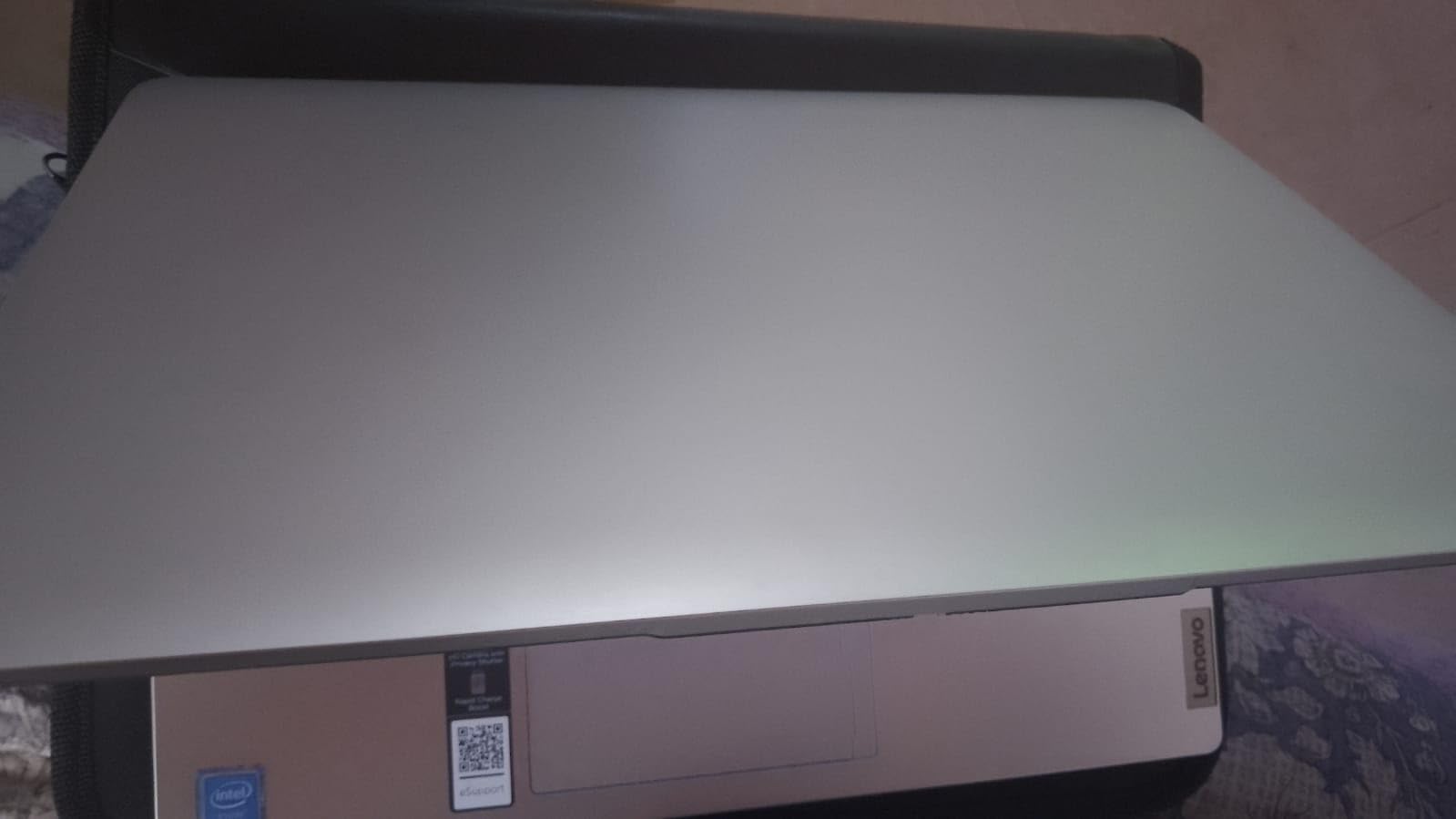
The Wi-Fi 6 connectivity is a standout feature at this price, providing faster and more stable wireless connections than the Wi-Fi 5 found on the HP renewed laptop. The 11-hour battery life covers a full school day, and the 3.1-pound weight is comfortable for carrying in a backpack. The Cloud Grey color looks clean and professional.
The display is the main letdown. The 1366×768 resolution is standard for budget laptops but noticeably less sharp than the Full HD screen on the ASUS. Some users in the Amazon reviews report very slow performance, particularly with Windows updates and multiple applications running simultaneously. With 115 reviews and a 4.1-star rating, this laptop works best for patient users with modest expectations.
Storage Advantage and Practical Impact
The 128GB of storage means your kid can store roughly 30,000 photos or 30 hours of video, compared to about 15,000 photos on a 64GB model. For students who download educational content, save project files, or install multiple apps, this extra space eliminates the constant storage management headache that plagues other budget Windows laptops.
Performance Realities at This Price
The combination of a Celeron N4020 processor and 4GB of RAM means this laptop is slow by any modern standard. Boot times run 30 to 45 seconds, and opening heavy applications takes patience. For basic web browsing, document editing, and educational videos, it works fine. For anything more demanding, you will need to look at higher-priced options with 8GB of RAM.
Buying Guide: How to Choose Between Chromebook and Windows for Your Kid
The Chromebook vs Windows decision for kids comes down to age, software needs, and how much maintenance you are willing to do. After testing 8 laptops across both platforms, I can tell you that neither option is universally better. The right choice depends entirely on your specific situation, and getting this wrong means wasted money and a frustrated child.
For elementary school kids ages 6 to 10, Chromebooks are almost always the better choice. The simplified interface, automatic security, and lack of maintenance requirements mean you hand your kid a device that just works. Schools overwhelmingly use Google Classroom and Chrome-based tools at this age, so a Chromebook integrates seamlessly with what your child is already doing in class.
For middle school kids ages 11 to 13, the decision gets more interesting. This is where some students start needing Windows-specific software for coding, design, or specialized educational tools. Chromebooks still work for most schoolwork, but you may start hitting compatibility walls depending on what your school district requires.
For high school students ages 14 and up, Windows becomes increasingly important. Software like AutoCAD, Adobe Creative Suite, full Microsoft Office, and programming IDEs typically require Windows. If your teenager is heading toward college, a Windows laptop gives them the broadest software compatibility for whatever field they choose.
ChromeOS vs Windows 11: Feature Breakdown
ChromeOS boots in seconds, updates automatically, and is nearly immune to viruses. It runs web apps and Android apps from the Google Play Store. Windows 11 offers full desktop software compatibility, better offline capability, and stronger gaming support. The tradeoff is that Windows requires more active maintenance and is more vulnerable to malware.
Durability Considerations for Kids
Kids drop things, spill things, and treat electronics with less care than adults do. The ASUS Chromebook CR11 with its military-grade ruggedization is the most physically durable option in this guide. Among Windows laptops, none are specifically built for rugged use. A protective case is a smart investment regardless of which laptop you choose.
Battery Life Comparison
Chromebooks consistently outlast Windows laptops in battery life because Chrome OS is lighter on system resources. The HP Chromebook 14 and Samsung Galaxy Chromebook Go both deliver 12-plus hours. The best Windows options in this guide max out around 11 to 12 hours but typically deliver 8 to 10 in real-world use.
Parental Controls and Safety
Both platforms offer parental controls, but they work differently. Google Family Link on Chromebooks lets you set screen time limits, approve app downloads, and see activity reports. Windows 11 offers Microsoft Family Safety with similar features plus web filtering. Chrome OS is harder for kids to circumvent because the system is more locked down.
Software and App Compatibility
Chromebooks run web apps, Android apps, and Linux apps in a container. This covers most educational needs but excludes traditional desktop software. Windows laptops run virtually any software, giving your kid access to the full range of creative, educational, and productivity applications. If your school requires specific Windows-only software, a Chromebook will not work.
Price-to-Value Analysis
Chromebooks generally offer better value at the low end because Chrome OS runs well on modest hardware. A $200 Chromebook feels faster than a $200 Windows laptop because the operating system is lighter. Windows laptops become more competitive as you increase the budget, especially if you need specific software that Chrome OS cannot run.
If you want a device that can transition from laptop to tablet mode, our guide to the best 2-in-1 laptops for students covers convertible options that work for both Chrome and Windows platforms.
FAQs
Is a Chromebook or laptop better for kids?
Chromebooks are better for younger kids ages 6 to 12 because they are simpler, more secure, and offer better battery life. Windows laptops become the better choice for older kids and teens who need specific desktop software like Microsoft Office, coding tools, or creative applications. The best choice depends on your child’s age and school requirements.
Why are schools getting rid of Chromebooks?
Some schools are moving away from Chromebooks due to software limitations, device lifespan concerns, and the need for Windows-specific applications in advanced courses. Chromebooks also have a fixed Auto Update Expiration date after which they stop receiving security updates. However, many schools still prefer Chromebooks for younger grades due to their simplicity and management features.
Are Chromebooks as good as Windows laptops?
Chromebooks match or exceed Windows laptops in boot speed, battery life, security, and ease of use for web-based tasks. They fall short in software compatibility, offline capability, and gaming. For kids doing schoolwork in Google Classroom and watching videos, Chromebooks are equally good or better. For specialized software, Windows laptops remain superior.
What is the best first laptop for a child?
The best first laptop for a child ages 7 to 10 is a Chromebook like the HP Chromebook 14 or the ASUS Chromebook CR11. These devices are simple to use, secure, durable, and affordable. The HP Stream 11.6 is the best Windows alternative if your child needs Windows compatibility or wants to play Minecraft and Roblox.
Conclusion
After testing all 8 laptops, my recommendation for the best Chromebooks vs Windows laptops for kids comes down to age and software needs. The Acer Chromebook Plus 514 is the overall standout with its 8-core processor, 8GB of RAM, and 512GB SSD. The HP Chromebook 14 delivers the best value for most families, and the ASUS Chromebook CR11 is the durability champion for younger kids who are hard on their devices.
On the Windows side, the HP Stream 11.6 is the best choice for elementary students who want to play Minecraft while doing homework, and the ASUS 14-inch laptop offers the best display if screen quality matters to you. The key is matching the device to your child’s age, their school’s software requirements, and your budget for 2026 and beyond.
Chromebooks win for simplicity, security, and battery life. Windows laptops win for software compatibility and gaming. Both platforms have excellent options under $300, and you cannot really go wrong with any of the 8 models we tested as long as you pick the one that fits your specific situation.