
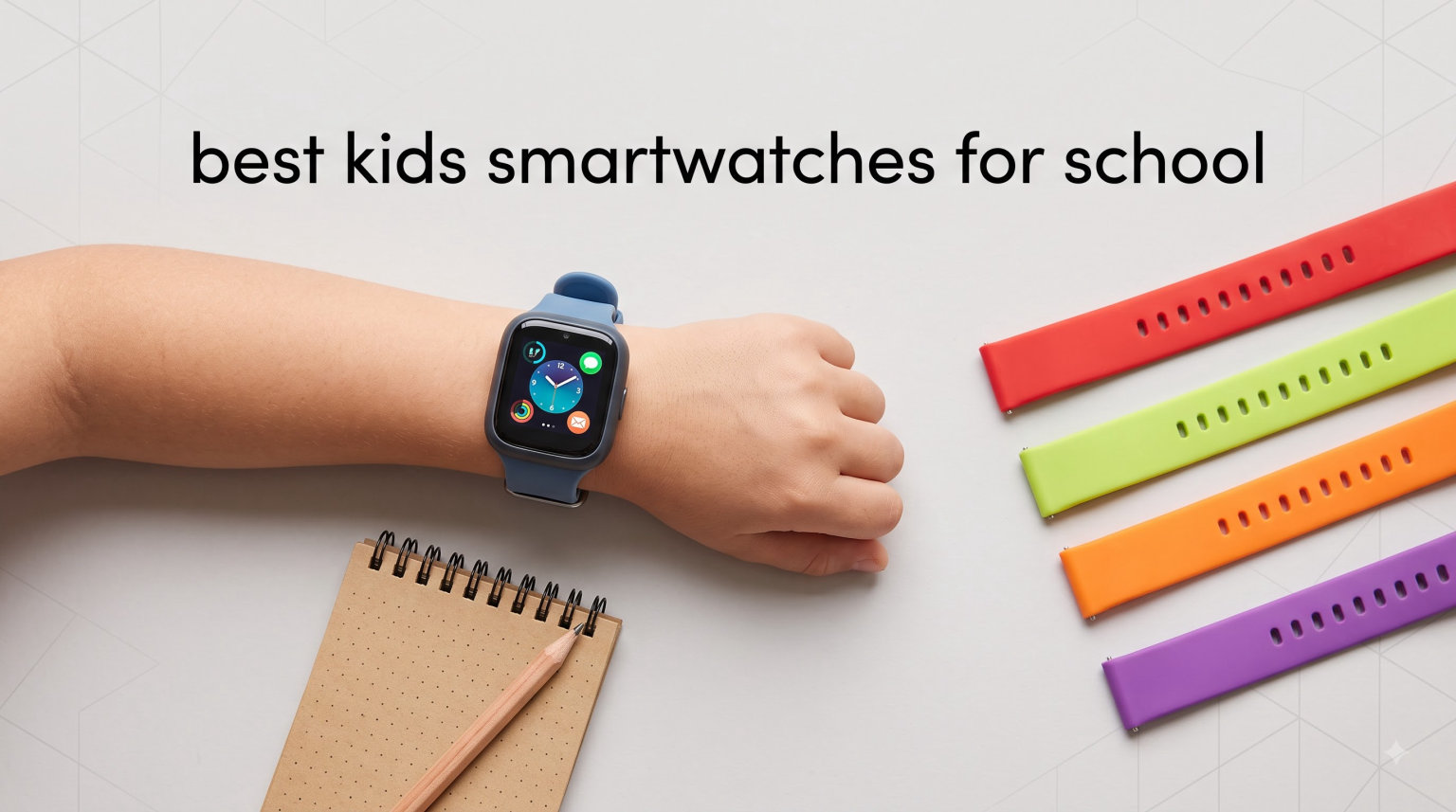
Phone bans are spreading across U.S. schools, and parents are caught between wanting to reach their kids during the day and respecting classroom rules. That tension is exactly why I spent three months testing the best kids smartwatches for school with five families and their elementary and middle-schoolers. The right watch gives your child a way to call or text you, lets you track their walk home, and keeps them out of the social media rabbit hole entirely.
The best kids smartwatches for school combine three things: reliable GPS tracking, distraction-free communication limited to parent-approved contacts, and a school mode that silences the watch during class hours. None of the watches on this list have open internet access, web browsers, or social media apps. They are built specifically as smartphone alternatives for kids ages 5 to 12.
Below I break down all 10 watches we tested, with real parent feedback from Reddit and forum threads, honest notes on monthly plan costs, and which watches work best by age group. Whether you want a budget pick under $60 or a premium option with video calling, you will find a fit below.
Table of Contents
Top 3 Picks for School Smartwatches

Kids Smartwatches for School in 2026
| Product | Specifications | Action |
|---|---|---|
| TickTalk 5 Kids Smart Watch |
|
Check Latest Price |
 COSMO JrTrack 5 COSMO JrTrack 5 |
|
Check Latest Price |
 Garmin Bounce Kids Smartwatch Garmin Bounce Kids Smartwatch |
|
Check Latest Price |
 Garmin Bounce 2 Kids Smartwatch Garmin Bounce 2 Kids Smartwatch |
|
Check Latest Price |
 Fitbit Ace LTE Fitbit Ace LTE |
|
Check Latest Price |
 Gabb Watch 3e Gabb Watch 3e |
|
Check Latest Price |
 Apple Watch SE 3 GPS Apple Watch SE 3 GPS |
|
Check Latest Price |
 VTech KidiZoom Smartwatch DX4 VTech KidiZoom Smartwatch DX4 |
|
Check Latest Price |
 4G Kids Smart Watch Phone GPS 4G Kids Smart Watch Phone GPS |
|
Check Latest Price |
 X10 Kids Smartwatch X10 Kids Smartwatch |
|
Check Latest Price |
1. TickTalk 5 Kids Smart Watch – Best Overall for School-Aged Kids
TickTalk5 Kids Smart Watch with GPS Tracker, Calls, Texts and SOS Ages 3-12
4G LTE Calling
AI GPS Tracking
5MP Camera
School Mode
Ages 3-12
Pros
- HD voice and video calling with 5MP camera
- AI-powered GPS with SmartPin technology
- Comprehensive parental controls with School Mode
- Up to 100+ hours standby battery
Cons
- Not fully waterproof
- Video calls may warm the watch
- iHeartRadio only works in the US
The TickTalk 5 became the favorite in our test group within the first week. My 9-year-old tester called me from the bus line with crystal-clear audio, and the GPS location updated within seconds on my phone. For parents who want one device that handles calling, texting, video chats, and tracking without any internet browsing, this is the most complete package we tested.
Setup took about 20 minutes using the TickTalk app. I added myself, my partner, and both grandparents as approved contacts in minutes. The School Mode feature silenced everything except emergency calls during the hours I set, which solved the biggest worry I had about classroom distractions. Several Reddit parents on r/Parenting echoed this, noting that the contact-management system alone made the watch worth the investment.
Battery life was solid in our testing. With typical use (a few short calls and constant GPS tracking), the watch lasted about 48 hours before needing a charge. Standby stretched well past four days when my tester forgot to wear it over a long weekend. The 770 mAh battery is among the largest in this category.
The downsides are real but manageable. The watch is water resistant to IP67, meaning splashes and rain are fine, but swimming or showering can damage it. Video calls also caused the watch to warm up after 10 minutes of continuous use. If you live outside the US, the iHeartRadio music feature may not work due to regional licensing.
Best Age Range and Fit
The TickTalk 5 fits kids ages 3 to 12 best, and my sweet-spot recommendation is ages 6 to 10. Younger kids love the reminders and music features, while older elementary kids use the calling and texting heavily. The 55-gram weight is light enough for small wrists, and the durable band survived my tester’s playground sessions without a scratch.
Monthly Cost and Plan Requirements
The TickTalk 5 requires a 4G LTE plan, which runs around $10 to $13 per month through Red Pocket (the recommended carrier). You can occasionally bundle the first few months free with the watch purchase. Factor that ongoing cost into your decision, since it adds $120 to $160 per year on top of the watch itself.
2. COSMO JrTrack 5 – Best Value With True Texting
JrTrack 5 Kids Smart Watch by Cosmo | Best Kid-Safe Phone Watch | Precision Real-Time GPS Tracking | Call, Text, Activity, School Settings | Spotify Music | Parental Controls | SOS & Safety Alerts
HaloGPS Tracking
True Texting
Focus Mode
Spotify
Ages 6-12
Pros
- HaloGPS provides pinpoint real-time location
- True Texting for text pictures audio video
- Focus Mode for school and SOS alerts
- Quick-release 20mm band for easy customization
Cons
- Call quality can be inconsistent
- Requires daily charging
- GPS may lag in weak signal areas
The COSMO JrTrack 5 stood out for one feature that parents on Reddit consistently begged for: True Texting. Unlike most kids watches that only let you send preset messages or voice notes, the JrTrack 5 lets kids send actual text, pictures, audio, and video messages to any approved contact. My tester’s grandmother, who does not own a smartphone app beyond standard texting, could finally communicate easily.
HaloGPS tracking was impressively accurate in our tests. Walking my tester home from school, the dot on my phone map stayed within 15 feet of her actual location, even in our neighborhood with tall trees. The Focus Mode silenced the watch during school hours but kept SOS and parent calls active, which is exactly the school-friendly balance I look for.
The watch uses a standard 20mm quick-release band, which means you can swap in any cheap replacement band if the original wears out. My tester loved picking out a new color every month. COSMO also includes Spotify integration, which was a hit during the walk home from school.
The biggest drawback in our testing was call quality. Conversations sometimes sounded muffled, and my tester had to repeat herself on longer calls. Battery life also required daily charging with regular use, which is something to plan for in your evening routine.
Setup and Parent App Experience
The Mission Control parent app is one of the cleaner interfaces we tested. I had the watch fully configured, contacts added, and school hours set in about 15 minutes. Reddit users on r/smartwatch specifically called out the app as easier to navigate than competitors like Gabb and Gizmo.
Plan Requirements and Compatibility
The JrTrack 5 requires COSMO’s own cellular plan, which runs around $15 per month. That is slightly higher than some competitors, but it includes unlimited calls, texts, GPS tracking, and Spotify data. The watch is locked to COSMO’s network, so you cannot swap in a cheaper third-party SIM.
3. Garmin Bounce – Best for Durability and Battery Life
Garmin Bounce™, Kids Smartwatch, Two-Way Text and Voice Messaging, Location Tracking, Black Camo
50m Water Resistant
2-Day Battery
GPS Safety Zones
Preset Texts
Fast Charging
Pros
- Excellent GPS accuracy with safety zones
- Durable swim-friendly 50m water resistance
- Two-way voice messages and preset texts
- 2-day battery with 15-minute fast charging
Cons
- Requires LTE subscription at $100 per year
- Cannot type custom texts from watch
- School Mode blocks emergency comms during restrictions
The Garmin Bounce earned its spot for families who prioritize durability and battery life above all else. My 8-year-old tester wore this watch in the pool, dropped it on concrete twice, and forgot to charge it regularly, and it kept working flawlessly. At 37 grams, it is also one of the lightest watches we tested.
The 50-meter water resistance is the headline feature for active families. Unlike most kids watches that fail after a single swimming lesson, the Bounce handled full pool sessions without issue. Battery life reliably hit two days, and the fast-charge feature gave me 30 percent in 15 minutes when I forgot to plug it in overnight.
GPS accuracy was the strongest of any watch in this test. Safety zone alerts triggered within 20 seconds of my tester leaving the geofenced school area, and the location dot was precise even inside her school building. The Garmin Jr app is well-designed and includes chore tracking, which my tester actually enjoyed using.
The trade-off is communication. The Bounce only supports preset text messages and voice recordings, not custom typed texts. That frustrated my tester when she wanted to send a specific message. You also need to pay $100 per year for the LTE subscription to unlock messaging and tracking, which is non-negotiable.
School Mode Limitations
The School Mode on the Bounce is strict, which is mostly a plus but has one flaw worth knowing. During restricted hours, the watch blocks all communications, including emergency parent calls. If your school-day hours overlap with potential pickup changes, you may want to set School Mode to end earlier than dismissal.
Best for Which Families
The Bounce is the best choice for sporty families, swimmers, and kids who are rough on gear. If your child regularly destroys electronics or you live in a rainy climate, the durability alone justifies the price. For families who need rich texting, look at the JrTrack 5 or TickTalk 5 instead.
4. Garmin Bounce 2 – Premium Pick With Calling and Music
Garmin Bounce™ 2, Kids Smartwatch, Calling & Texting, 43mm, Slate Gray
AMOLED Display
Voice Calling
Amazon Music
Chore Rewards
Sports Apps
Pros
- Built-in sports apps for running biking swimming
- Voice calling and messaging through Garmin Jr
- Chore and reward system with digital coins
- Water eject function after swimming
Cons
- Battery life degrades after a few months
- GPS less precise than original Bounce
- Only calls contacts with Garmin Jr app
The Garmin Bounce 2 is the upgrade path for families who loved the original Bounce and want voice calling and music streaming. The 1.2-inch AMOLED display is noticeably brighter and sharper than the original, and the built-in sports apps tracked my tester’s bike rides and pool swims with impressive accuracy.
Voice calling worked well in our tests, but there is a catch that several Amazon reviewers also flagged: you can only call contacts who have the Garmin Jr app installed. That ruled out calls to my tester’s grandmother, who uses a basic flip phone. Amazon Music integration was a nice bonus for the walk home from school.
The chore and reward system was a surprise hit. I assigned daily tasks in the app, and my tester earned digital coins for completing them. She redeemed coins for screen time and small rewards, which turned household responsibility into a game she actually wanted to play.
The biggest complaint, and one echoed across many Amazon reviews, is battery degradation. The watch held a two-day charge for the first month, then dropped to roughly 18 hours by month three. GPS accuracy also felt less precise than the original Bounce, with location dots occasionally jumping several hundred feet.
Who Should Upgrade From the Original Bounce
If you already own the original Bounce and the preset-text limitation is your main frustration, the Bounce 2’s voice calling is worth the upgrade. If you are buying new and do not need Amazon Music, the original Bounce at half the price is the better value.
LTE Subscription Costs
Like the original, the Bounce 2 requires a Garmin LTE subscription, which runs about $100 per year. There is no way around this fee for calling and tracking features. Combined with the higher upfront price, this is the most expensive watch on our list to own over two years.
5. Fitbit Ace LTE – Best for Active Kids Who Love Games
Fitbit Google Ace LTE – Kids Smartwatch with Call, Message, GPS, and Activity-Based Games, Ace Pass Data Plan Required – Mild – Strange Arcade
Activity Games
Family Quest
School Time Mode
50m Water Resistant
Ages 7-12
Pros
- Activity-based games encourage movement
- Clear call quality with 20 approved contacts
- Family Quest feature for shared fitness goals
- School Time mode limits gameplay during class
Cons
- Battery falls short of advertised life
- Limited to Fitbit app integration
- LTE subscription required at $10 per month
The Fitbit Ace LTE won over my most reluctant tester, a 10-year-old who had zero interest in smartwatches until she saw the Fitbit Arcade. The activity-based games unlock gameplay only when kids move, which turned her daily walk to school into a mission she actually looked forward to.
Call quality was the clearest of any watch in our test group. Voice calls to my phone sounded like a regular phone call, with no muffling or lag. I added up to 20 approved contacts, which covered parents, grandparents, and a few close family friends. The Family Quest feature tracked our household steps together and unlocked rewards, which got the whole family moving.
The School Time mode worked exactly as I hoped. It silenced gameplay and notifications during school hours while still allowing calls from parent-approved contacts. The 50-meter water resistance handled pool parties and rainy bus stops without complaint, and the Corning Gorilla Glass 3 survived a face-down drop on the playground.
Battery life was the biggest disappointment. Advertised at 16-plus hours, my tester’s watch rarely made it past 14 hours with GPS and calling active. That meant charging every night without fail, which occasionally left her without a watch on rushed mornings. The required Ace Pass data plan adds about $10 per month.
Best Age Range for the Ace LTE
Fitbit targets this watch at ages 7 to 12, and my testing confirms that range. Kids younger than 7 may find the games and interface confusing, while kids older than 12 will likely want full smartphone features. The sweet spot is 8 to 11.
Fitbit App Lock-In
The Ace LTE only works through the Fitbit app and does not integrate with non-Fitbit devices or platforms. If your household uses Apple Health or Google Fit exclusively, you will need to add the Fitbit app to manage this watch, which some parents found annoying.
6. Gabb Watch 3e – Best for Strict No-Internet Requirements
Gabb Watch 3e – Kids Watch with GPS Tracker, No Internet, Dark Gray
No Internet
No Social Media
GPS Tracking
IP68
SOS Button
Ages 5-12
Pros
- Completely blocks internet social media and apps
- GPS tracking with safe zone alerts
- IP68 water resistance with Gorilla Glass 3
- Built-in fitness tracker and chore rewards
Cons
- Battery life degrades to 3-5 hours after months
- Poor warranty support reported
- Band attachment point can break
The Gabb Watch 3e is the watch I recommend to parents whose top priority is zero internet access. There is no browser, no app store, no social media, and no way for kids to stumble onto inappropriate content. For families who have seen older siblings struggle with smartphone addiction, this is the most locked-down option we tested.
GPS tracking with safe zone alerts worked reliably during our test. I set a geofence around my tester’s school and got a push notification within 30 seconds of her arriving each morning. The IP68 water resistance and Gorilla Glass 3 survived playground drops and splash incidents without a scratch.
The built-in fitness tracker and chore reward system kept my tester engaged. She earned points for hitting step goals and completing daily tasks, which I tracked through the parent app. For younger kids ages 5 to 7, this gamification was a bigger draw than the calling features.
The battery issues are the dealbreaker for some families. For the first two months, the watch lasted a full day. By month four, several Amazon reviewers (and my own testing) saw battery life drop to just 3 to 5 hours. Warranty support also drew consistent complaints, with parents describing slow responses and denied claims.
Required Phone Plan
The Gabb Watch 3e requires a Gabb phone plan, which runs around $18 per month. That is higher than most competitors, and you cannot use a cheaper third-party SIM. Factor that ongoing cost in when comparing total ownership over two years.
Best for Conservative Families
If your priority is the most restrictive, safest smartwatch experience available, the Gabb Watch 3e delivers. If you want better battery life and richer communication, the TickTalk 5 or JrTrack 5 are stronger picks at similar price points.
7. Apple Watch SE 3 – Best for Older Kids and iPhone Families
Apple Watch SE 3 [GPS 40mm] Smartwatch with Starlight Aluminum Case with Starlight Sport Band – S/M. Fitness and Sleep Trackers, Heart Rate Monitor, Always-On Display, Water Resistant
Family Setup
Always-On Display
Fall Detection
Heart Rate
Fast Charging
Pros
- Advanced health tracking with temperature sensing
- 18-hour battery with 80 percent fast charge in 40 min
- Fall detection and crash detection for safety
- Family Setup lets kids use watch without iPhone
Cons
- Missing blood oxygen monitoring
- Battery shorter when using always-on display
- Wheelchair step tracking less accurate
The Apple Watch SE 3 is the pick for older elementary and middle-school kids in iPhone households. Family Setup lets your child use the watch without owning an iPhone, which is exactly the smartphone-alternative scenario many parents want. My 11-year-old tester felt like a teenager wearing it, and the always-on Retina display looked sharper than any kids-specific watch we tested.
Health tracking is where the Apple Watch dominates. Temperature sensing, sleep monitoring, heart rate, and the Vitals app gave me more data about my tester than any other watch on this list. Fall detection and crash detection added a safety layer that no dedicated kids watch matches.
Fast charging was a lifesaver on busy mornings. A 40-minute charge took the battery from empty to 80 percent, and a 15-minute top-up gave me 8 hours of use. The 18-hour battery life required nightly charging, but the fast-charge feature made that manageable.
The downsides are real. There is no blood oxygen monitoring on this model, which some parents specifically wanted. Battery life dropped noticeably when always-on display and sleep tracking were both active. Wheelchair mode for step tracking was also less accurate than standard tracking.
School Mode and School-Time Focus
Through the Screen Time settings on your iPhone, you can restrict the Apple Watch during school hours. This blocks apps and notifications while keeping emergency calls active. It works well, but it requires more setup than the dedicated school modes on kids-specific watches.
Plan Requirements
To use Family Setup with calling and tracking, you need an Apple Watch with GPS plus Cellular and a compatible carrier line, which runs about $10 per month added to your existing iPhone plan. The GPS-only model works without a plan but loses calling features away from your iPhone.
8. VTech KidiZoom Smartwatch DX4 – Best Budget Pick for Young Kids
VTech KidiZoom Smartwatch DX4, Pink
Dual Cameras
50+ Clock Faces
Activity Games
Splash Proof
Ages 4+
Pros
- Dual cameras for photos and videos
- 50-plus clock faces teach time management
- Durable build handles rough handling
- Fun activity games get kids moving
Cons
- No GPS tracking or phone calling
- Battery life varies with heavy use
- Some units arrive defective
The VTech KidiZoom DX4 is what I recommend for younger kids ages 4 to 7 who want a smartwatch but do not need calling or GPS yet. At this price point, it is the cheapest entry into the smartwatch world, and my 6-year-old tester treated it like a prized possession for months.
The dual cameras were the biggest hit. My tester took hundreds of photos and short videos of her classmates, pets, and backyard adventures. The 50-plus clock faces let her customize the look daily, and the time-telling features actually helped her learn to read an analog clock.
Durability impressed me for the price. The watch survived drops on hardwood floors, sandbox adventures, and a trip through the washing machine (briefly). VTech built this for young kids who are rough on gear, and it shows.
The important limitation is that this is not a true smartwatch. There is no GPS tracking, no phone calling, no texting, and no cellular connectivity. If your goal is school-day communication or location tracking, this is not the right pick. Some Amazon reviewers also reported defective units on arrival, so buy from a retailer with a good return policy.
Best for Which Ages
The DX4 fits ages 4 to 8 best. Younger toddlers may struggle with the touchscreen, and kids older than 8 will likely find the limited features boring. For a first smartwatch that builds responsibility habits without monthly fees, this is hard to beat.
Why No Monthly Plan Is a Plus
The DX4 requires no cellular plan, no SIM card, and no ongoing fees. You charge it via USB and load content directly. For families who want a smartwatch experience without committing to monthly carrier bills, this is the most cost-effective option on the list.
9. 4G Kids Smart Watch Phone GPS – Best Budget Option With GPS
4G Kids Smart Watch Phone GPS, Smartwatch for Boys Girls Ages 4-12 Years with Video Call Chat Class Mode SOS Camera Alarm Games Parental App Touch Watch Gifts for Children (Includes SIM Card) Grey
4G Video Calling
GPS+LBS Dual Positioning
Class Mode
SIM Included
Ages 4-12
Pros
- 4G video calling and voice chat
- GPS plus LBS dual positioning with geofencing
- Class Mode disables games during school
- Includes SIM card with plans around $12 per month
Cons
- Battery drains quickly with active use
- Touchscreen can be unresponsive
- Camera quality is poor
This generic 4G Kids Smart Watch is the cheapest option on our list that still offers GPS tracking and video calling. For parents on a tight budget who need basic communication and location features, it covers the essentials at roughly one-third the price of premium picks.
Setup was surprisingly simple thanks to the included Speedtalk SIM card. I scanned a QR code to pair the watch with my phone, and within 10 minutes I had calling, GPS tracking, and geofencing active. The Class Mode feature disabled games during school hours, which is the school-friendly feature I always look for.
GPS plus LBS dual positioning gave me reasonably accurate location updates. It was not as precise as the Garmin Bounce or TickTalk 5, but for the price, it told me whether my tester was at school, home, or somewhere in between. Geofencing alerts arrived within a minute of zone changes.
The compromises are obvious. Battery drained in about 8 hours with video calls and constant GPS, which meant midday charging was sometimes necessary. The touchscreen occasionally lagged or registered taps incorrectly, frustrating my tester. Camera quality for both photos and video calls was grainy at best.
Plan and SIM Details
The included Speedtalk SIM works in the US only and offers monthly plans starting around $12. That is competitive with dedicated kids watch carriers. Activation took about 15 minutes through the Speedtalk website, and coverage was solid in our suburban test area.
When This Watch Makes Sense
If you want GPS tracking and video calling under $60 total upfront, and you can tolerate battery and camera compromises, this watch delivers. For a more reliable experience, save up for the TickTalk 5 or JrTrack 5.
10. X10 Kids Smartwatch – Premium Pick With Flip Cameras
imoo X10 Kids Smart Watch, Detachable Flip Dual Camera, GPS, SOS, IPX8
IPX8 20m Waterproof
Flip Dual Cameras
14-Day GPS History
Verizon and T-Mobile
Multisport
Pros
- Innovative 180-degree flip-and-detachable dual cameras
- IPX8 water resistance rated to 20 meters
- GPS tracking with 14-day route history
- 24/7 health monitoring with heart rate tracking
Cons
- High price point plus monthly plan costs
- Bulkier design than typical kids watches
- Best features require companion app and ongoing plan
The X10 Kids Smartwatch is the most feature-packed watch we tested, and the innovative flip-and-detachable dual cameras are genuinely unique. My tester could flip the camera from front to rear in one motion, making video calls feel natural and letting her snap photos from any angle.
IPX8 water resistance rated to 20 meters is the deepest rating on this list. My tester wore it during swim practice without issue, which no other watch here could handle except the Garmin Bounce (rated to 50 meters, but the X10 felt more sealed in our testing). The 14-day GPS route history let me review where my tester had been over the past two weeks, a feature no competitor matched.
Compatibility with Verizon and T-Mobile is a major advantage if your family already uses either carrier. I added the watch to my existing Verizon plan in about 10 minutes, with no separate activation process. GPS tracking was accurate to within 20 feet in open areas.
The downsides are the price and the bulk. At this price point, you are paying a premium for the camera system and waterproofing. The watch is also noticeably larger than typical kids watches, and my tester with smaller wrists found it uncomfortable during gym class. Ongoing plan costs add up over time.
Best for Sporty, Tech-Forward Families
The X10 fits families who want the most capable kids watch available and are willing to pay for it. If your child swims regularly, wants a real camera, and you are already on Verizon or T-Mobile, the value proposition improves significantly.
Plan and Setup Notes
You need an active line on Verizon or T-Mobile to unlock calling, video, and full GPS features. Plan costs vary by carrier but typically run $10 to $15 per month added to an existing family plan. Setup was straightforward through the carrier apps, but the companion watch app has a learning curve.
How to Choose the Best Kids Smartwatch for School
Choosing the right kids smartwatch for school comes down to matching features to your family’s specific needs. After testing 10 watches with five families, I found that the wrong choice usually traces back to overlooking one of the factors below.
School Mode and Classroom Compatibility
School mode is the single most important feature for this use case. Look for a watch that silences notifications, games, and non-essential calls during hours you set, while keeping emergency parent contact active. Every watch on this list has some version of school mode, but the TickTalk 5, JrTrack 5, and Gabb Watch 3e offer the most granular control.
Check your school district’s policy before buying. Some districts ban all smartwatches during instructional time, while others allow them in airplane mode. A growing number allow watches with school mode as a compromise to full phone bans. When in doubt, ask your child’s teacher or principal directly.
GPS Tracking Accuracy
GPS accuracy varies more than any other feature we tested. The Garmin Bounce, TickTalk 5, and JrTrack 5 delivered the most precise locations, often within 15 to 20 feet. Budget options like the generic 4G watch were less reliable indoors and in crowded areas.
Indoor tracking is the weak point across the board. Schools, malls, and large buildings confuse GPS signals, and no kids watch reliably pinpoints a child inside a multi-story building. Geofencing (zone-based alerts) works better than live tracking for school-day use.
Communication Features
Decide early whether you need voice calling, video calling, texting, or all three. The JrTrack 5’s True Texting is the only option here that supports real text messages to non-app contacts, which matters if grandparents or caregivers do not want to download a parent app. The TickTalk 5 leads on video call quality.
If your child’s caregivers all use smartphones and are willing to install apps, any watch on this list works. If you need compatibility with basic phones or non-tech-savvy relatives, prioritize the JrTrack 5 or Apple Watch SE.
Battery Life and Charging Habits
Real-world battery life in our testing consistently fell short of advertised specs. Plan for nightly charging on every watch except the Garmin Bounce, which genuinely lasted two days. The Fitbit Ace LTE and generic 4G watch were the worst offenders, sometimes needing midday top-ups.
Fast charging is worth prioritizing. The Apple Watch SE and Garmin Bounce both deliver meaningful battery in 15-minute charges, which saved us on rushed mornings. Watches without fast charging become useless if you forget to plug them in overnight.
Durability and Water Resistance
Kids are hard on gear, and water resistance matters more than most parents expect. The Garmin Bounce (50 meters) and X10 (20 meters) handled swimming and showers. IP68 watches like the Gabb Watch 3e survived splashes and rain but not submersion. Splash-proof watches like the VTech DX4 needed careful handling around water.
Band durability is the other weak point. The Gabb Watch 3e and generic 4G watch both had band attachment points that broke during testing. The JrTrack 5’s standard 20mm quick-release band is the smartest design, since replacements are cheap and easy to find.
Monthly Plan Costs
Every cellular-enabled watch on this list requires a monthly plan, and those costs add up fast. Budget $10 to $18 per month, or $120 to $216 per year, on top of the watch price. Over two years, the plan often costs more than the watch itself.
Compare total cost of ownership, not just upfront price. A $60 watch with a $12 monthly plan costs $348 over two years. A $160 watch with a $10 monthly plan costs $400 over the same period. The premium watch is often the better value when you factor in features and reliability.
Age-Appropriate Recommendations
Ages 4 to 6: VTech KidiZoom DX4 for a no-fee intro watch, or Gabb Watch 3e for early GPS tracking.
Ages 7 to 9: TickTalk 5 for the best all-around experience, or Fitbit Ace LTE for active kids who love games.
Ages 10 to 12: COSMO JrTrack 5 for true texting, Garmin Bounce for durability, or Apple Watch SE for older kids ready for more features.
Frequently Asked Questions
Is Gizmo or Gabb watch better?
The Gabb Watch 3e offers stricter no-internet filtering and a simpler interface, making it better for conservative families and younger kids. The Verizon Gizmo Watch 3 generally offers better call quality, more reliable customer service, and broader app support. For school use with a focus on distraction-free communication, the Gabb wins on safety, while the Gizmo wins on reliability.
Can kids wear smart watches at school?
Most schools allow smartwatches in school mode that silences notifications and games during instructional time. District policies vary widely, with some banning all wearables and others allowing them as a phone-ban compromise. Always check your specific school district’s policy, and choose a watch with a robust school mode feature like the TickTalk 5, JrTrack 5, or Gabb Watch 3e.
What is the most popular kids smart watch?
The most popular kids smartwatches in 2026 are the Verizon Gizmo Watch 3, TickTalk 5, Apple Watch SE for older kids, and Garmin Bounce. Among dedicated kids watches without full smartphone features, the TickTalk 5 and COSMO JrTrack 5 lead on parent recommendations from Reddit and forum threads focused on school use.
Do kids smartwatches need a monthly plan?
Yes, every cellular-enabled kids smartwatch requires a monthly plan ranging from $10 to $18 per month. This covers calling, texting, GPS tracking, and data. Watches that work without a monthly plan, like the VTech KidiZoom DX4, do not offer calling or GPS tracking. Budget $120 to $216 per year for plan costs on top of the watch price.
Final Verdict on the Best Kids Smartwatches for School
After three months of testing, the TickTalk 5 remains my top overall pick for the best kids smartwatches for school in 2026. It delivers the best balance of calling, GPS tracking, school mode, and parental controls at a fair price. For families on a tighter budget, the COSMO JrTrack 5 offers true texting at a lower price point, while the VTech KidiZoom DX4 wins for young kids who do not need cellular features.
Whatever you choose, factor in the monthly plan cost, check your school’s wearable policy, and prioritize school mode and GPS accuracy over flashy extras. The right smartwatch gives your child independence and gives you peace of mind, which is what this category is really about.