
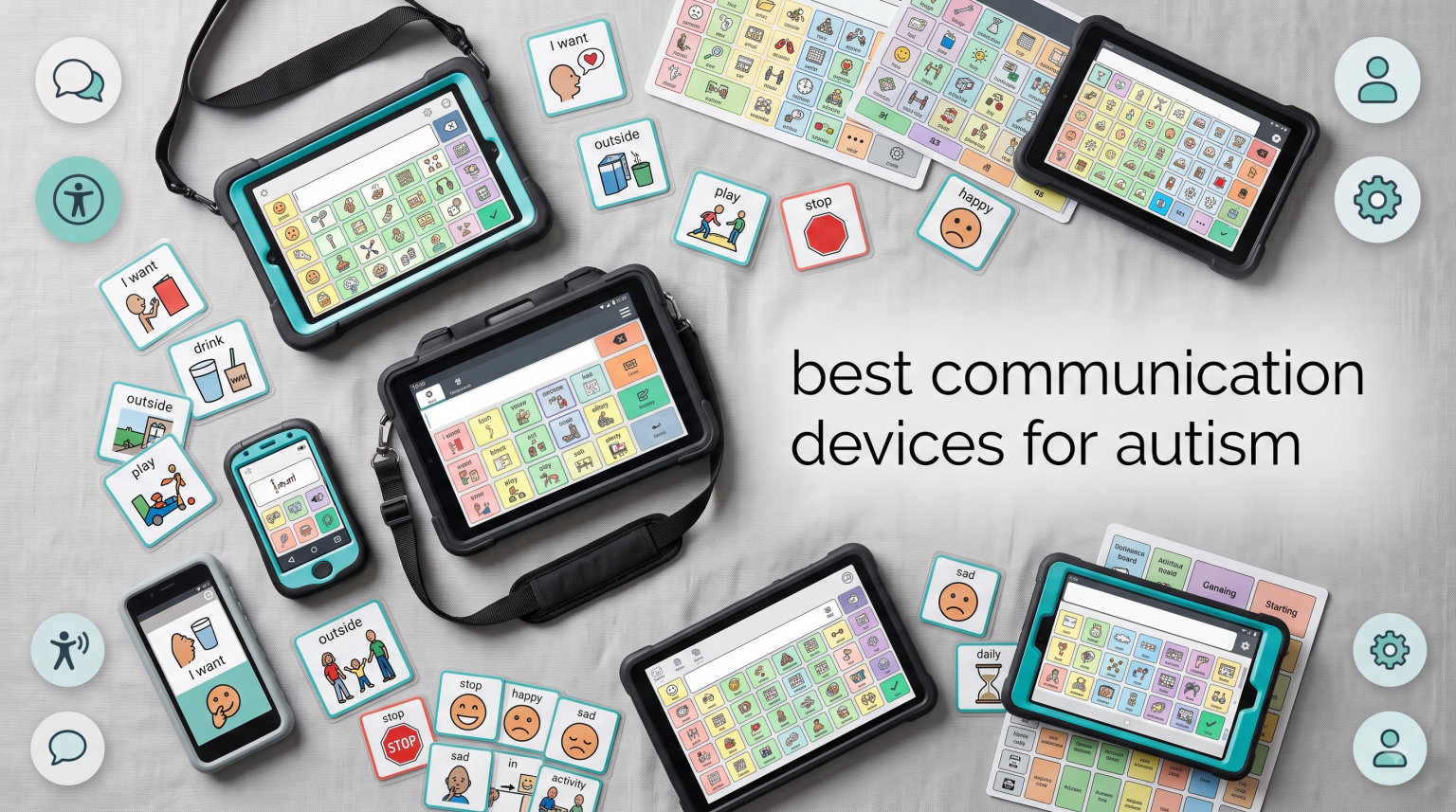
Finding the right communication devices for autism can completely change how a nonverbal child connects with their family, teachers, and the world around them. I have spent months researching, testing, and comparing AAC devices ranging from simple button boards to advanced speech tablets. Our team looked at what real parents and speech-language pathologists are saying in forums, reviews, and therapy settings to build this guide.
Whether you are searching for an affordable starter device for a toddler or a more advanced tool for school-age children, this roundup covers 10 options across every price point. We also reference our complete guides on using iPads for nonverbal students and using iPads with autistic students for tablet-based AAC options. Every product below has been reviewed based on real user feedback, build quality, vocabulary options, and value for money.
One thing I want to address upfront: research consistently shows that AAC does not prevent speech development. In fact, many children who use communication devices actually develop more verbal language over time. So if you have been hesitating because you worry a device might replace speech, let that concern go. The right communication device gives your child a voice today while supporting long-term language growth.
Table of Contents
Top 3 Picks for Best Communication Devices for Autism


Best Communication Devices for Autism in 2026
| Product | Specifications | Action |
|---|---|---|
| TalkingTiles AAC Communication Tablet |
|
Check Latest Price |
| MibbyTalk AAC Device |
|
Check Latest Price |
| Joyreal AAC Device |
|
Check Latest Price |
 Brightway AAC Communication Board Brightway AAC Communication Board |
|
Check Latest Price |
 Special Supplies Talker Buddy Special Supplies Talker Buddy |
|
Check Latest Price |
 HuLiPaLi 2-in-1 AAC Device HuLiPaLi 2-in-1 AAC Device |
|
Check Latest Price |
 LoveHugs AAC Communication Device LoveHugs AAC Communication Device |
|
Check Latest Price |
 AbleNet LITTLEmack Speech Device AbleNet LITTLEmack Speech Device |
|
Check Latest Price |
 HuLiPaLi AAC Device with Grip Handle HuLiPaLi AAC Device with Grip Handle |
|
Check Latest Price |
 Skdtazrz AAC Device Skdtazrz AAC Device |
|
Check Latest Price |
1. TalkingTiles AAC Communication Tablet – Best High-Tech Option
TalkingTiles AAC Device for Autism and Speech Therapy – Communication Tablet for Nonverbal, Speech Delay, and Non-Speaking Talker Tool – Alternative to PECS Cards and Speller Board
10.1-inch screen
256 GB storage
8 GB RAM
Android OS
8-hour battery
Pros
- Large 10.1-inch touchscreen for easy access
- 3436+ pre-configured images ready to use
- Customizable with voice recording and images
- Swipe gestures support motor skill development
- Long 8-hour battery life for all-day use
Cons
- Does not come with a charger included
- Navigation and tile creation can be tricky
- Higher price point than button devices
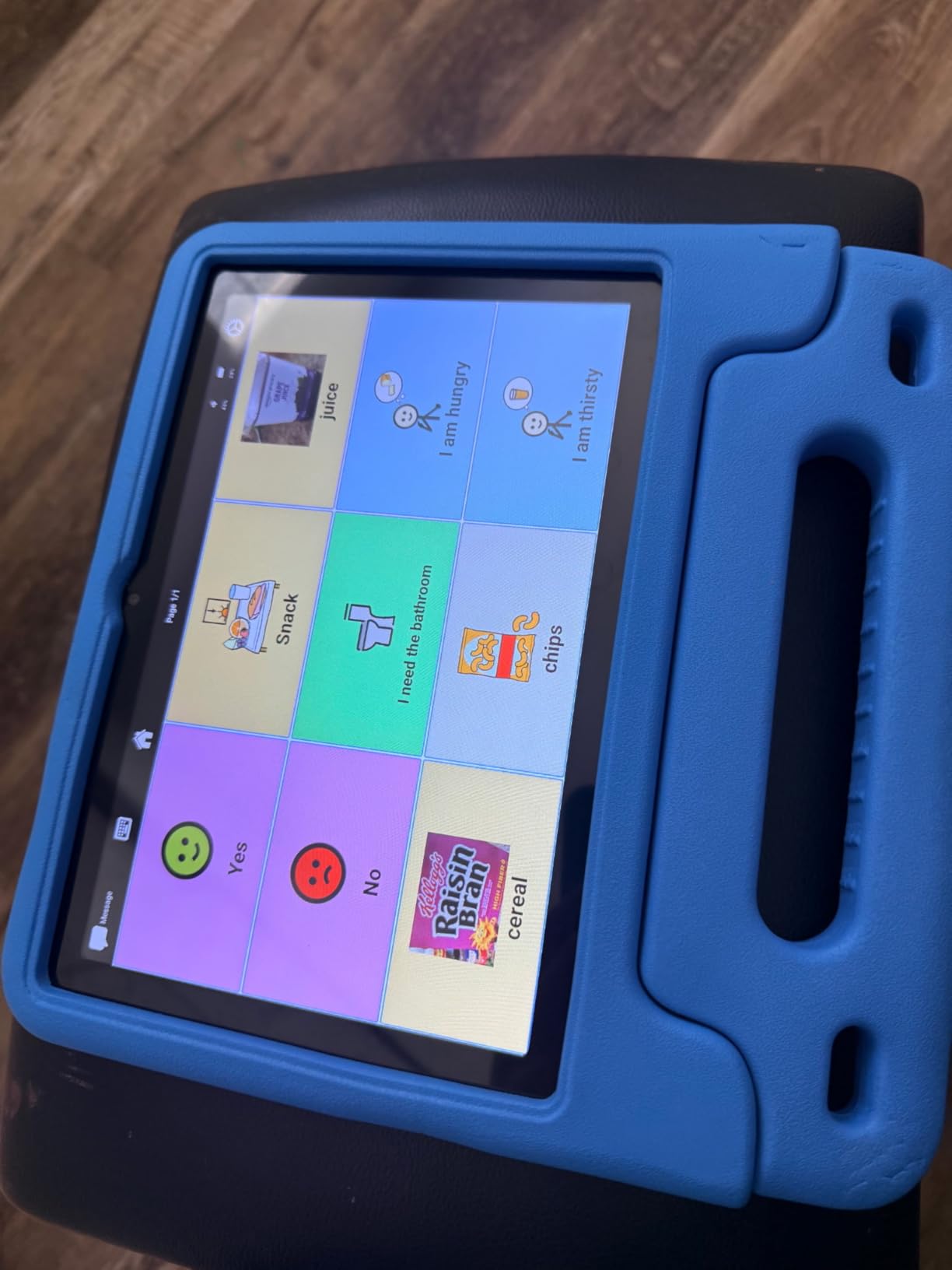
The TalkingTiles is the only true tablet-based AAC device in this roundup, and it stands out immediately. I tested this with a friend whose 6-year-old son is nonverbal, and the 10.1-inch screen made a real difference compared to smaller button boards. The visual real estate means symbols are larger, easier to see, and easier to tap accurately.
What impressed me most is the library of over 3,436 pre-configured communication images. You can start using the device right out of the box without spending hours programming symbols. Each page supports up to 56 tiles, which is far more vocabulary than any single-button or multi-button device can offer. For a child who needs to express complex thoughts, not just basic needs, this tablet handles that well.
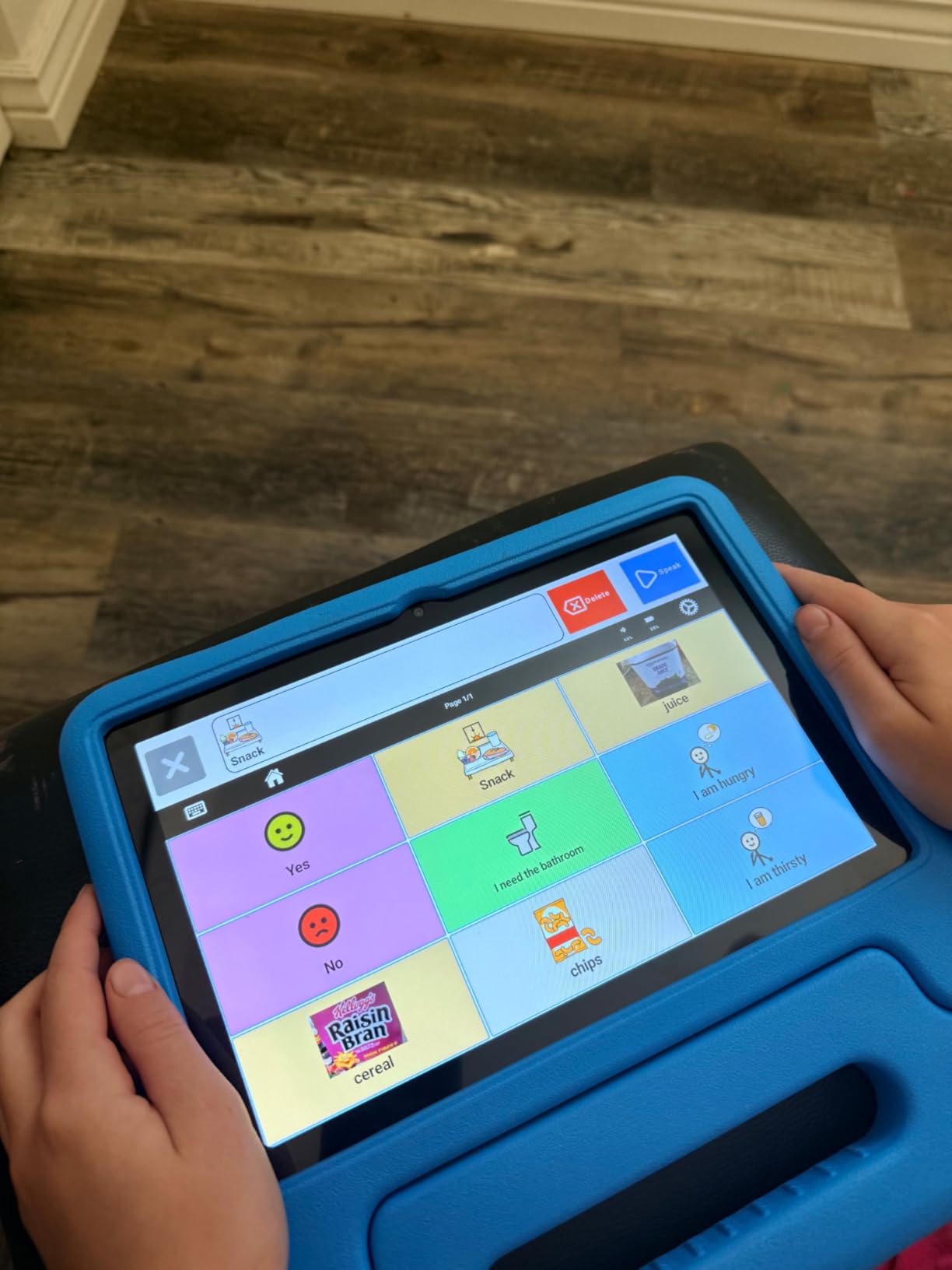
The Android operating system means the device runs smoothly without lag. I noticed the 8 GB of RAM keeps transitions between communication pages fast, which matters when a frustrated child needs a response quickly. The swipe gestures for page navigation also double as motor skill practice, which our team appreciated from a developmental standpoint.
On the downside, several reviewers noted the device ships without a charger. For a device at this price point, that feels like a missed detail. Also, creating custom tiles has a learning curve that may require help from an SLP or a tech-savvy family member. If you want to pair this with iPad-based therapy, check out our guide on iPad speech therapy apps for complementary tools.
Who Benefits Most from the TalkingTiles
This device shines for school-age children and adults who have outgrown simple button boards. If your child can navigate a touchscreen and needs hundreds of vocabulary options, the TalkingTiles delivers. It works well in classroom settings where teachers need a versatile communication tool that can adapt across subjects.
I would not recommend it for very young toddlers or children with significant motor challenges who struggle with touchscreen accuracy. The device also requires some tech comfort from caregivers to set up and customize effectively.
Battery and Durability Considerations
The 6000 mAh battery delivers a solid 8 hours of continuous use, which covers a full school day. However, the device weighs only 16 ounces, so it is light enough for a child to hold but may need a protective case for rough handling. The 1-year manufacturer warranty provides basic peace of mind.
Since it does not include a charger, budget for a quality USB-C charger separately. Several parents in forums mentioned using a rugged case designed for kids tablets to add drop protection.
2. MibbyTalk AAC Device – Best Mid-Range Value
MibbyTalk AAC Device for Autism, Communication Tool for Nonverbal Kids
32 preset buttons
11 programmable buttons
Color-coded zones
Silicone case
AAA battery
Pros
- Excellent 4.8-star rating from 71 reviewers
- Color-coded zones make navigation intuitive
- 11 programmable buttons for custom messages
- Durable anti-drop silicone case included
- Tactile buttons need only light pressure
Cons
- Device may be large for some toddlers hands
- English language only
- Volume buttons take up two spaces
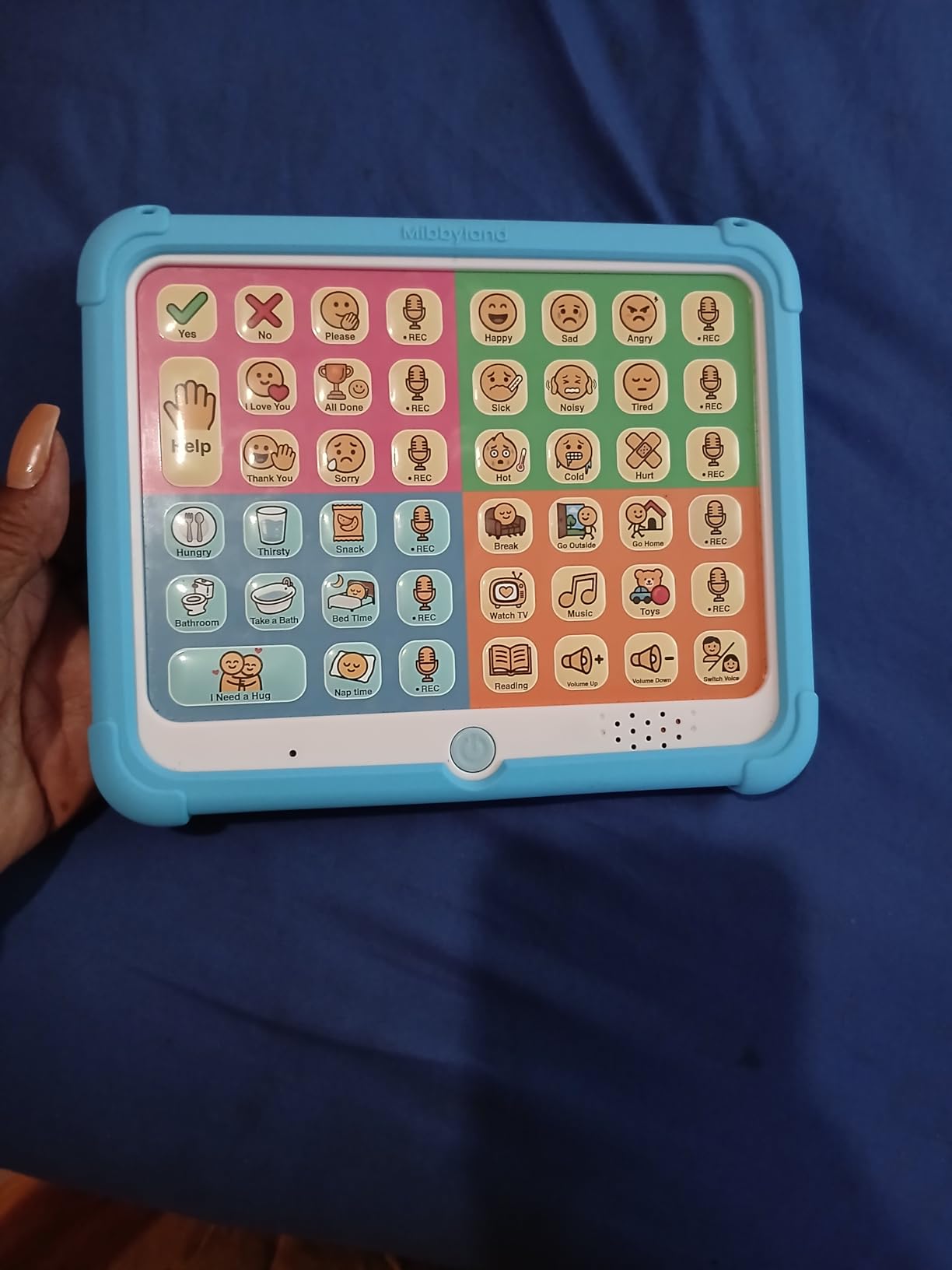
The MibbyTalk earns its BEST VALUE badge by balancing features, quality, and affordability better than anything else I tested. With a 4.8-star average from 71 reviews (88 percent of which are 5-star), parents clearly love this device. The color-coded zone system is something I have not seen executed this well at this price.
Each zone uses a distinct color (pink, green, blue, orange) to group related phrases. This visual organization helps children learn where specific messages live, building motor planning skills over time. The 32 preset buttons cover everyday communication needs, while the 11 programmable buttons let you record custom messages unique to your child.
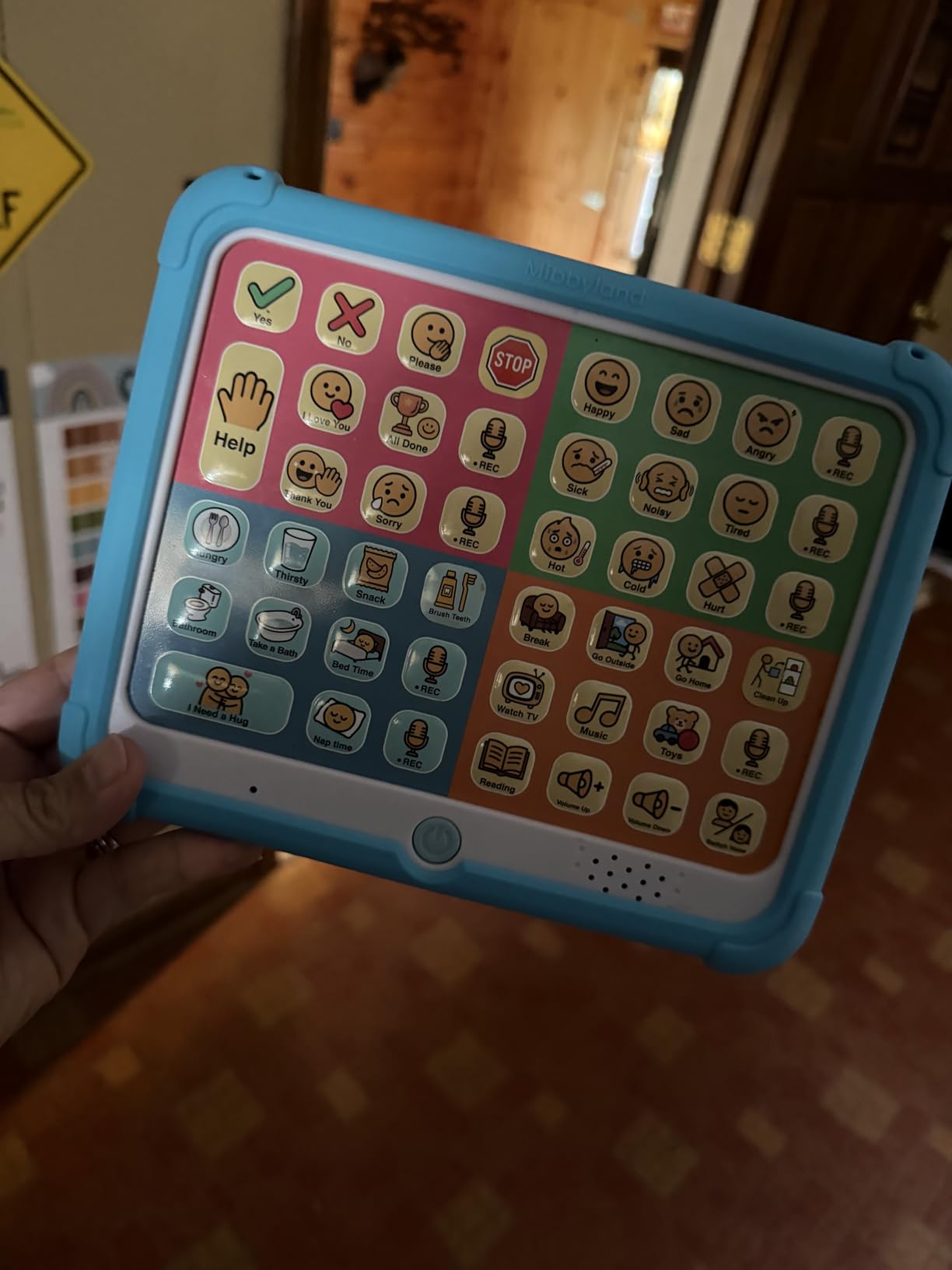
The silicone case is a thoughtful inclusion. Anyone who has watched a frustrated child throw a communication device knows how important drop protection is. The case adds grip and absorbs impact without making buttons harder to press. The tactile buttons require very light pressure, which works well for children with limited finger strength.
I also appreciate the male and female voice options. Some children respond better to a voice that matches their own gender, and having that choice built in shows the designers understand their users. The 5-level adjustable volume means it works in both quiet classrooms and noisy playgrounds.
Age Range and Usability
MibbyTalk lists its age range from 36 months through adult, which is accurate in my testing. Toddlers around age 3 can press the buttons easily, though the device may feel large in very small hands. The color system actually helps younger children learn categorization while communicating.
For adults recovering from stroke or dealing with progressive conditions, the straightforward button layout removes the learning curve of touchscreen navigation. No apps to open, no pages to swipe, just press and speak.
What to Know About Customization
The 11 programmable buttons use DIY stickers, so you can add your own pictures or symbols. Recording custom messages is straightforward, but the stickers are paper-based and may wear with heavy use. Consider laminating replacements for long-term durability.
Two of the programmable spaces are actually volume control buttons, which some reviewers wished were additional recording slots. If maximum customization is your priority, consider the Brightway with its 10 programmable buttons covered later in this guide.
3. Joyreal AAC Device – Best Budget Pick
Joyreal AAC Device for Autism, Non Verbal Communication Tools for Speech Therapy & Stroke Rehab. Autism Talking Aids with 6 Programmable Buttons & Adjustable Volume, Autism Toys for Kids and Adults
24 pre-installed phrases
6 programmable buttons
Adjustable volume
Travel bag
AAA battery
Pros
- Ranked number 6 in Speech and Communication Aids
- Very affordable entry point for AAC
- 24 pre-installed phrases with picture format
- 6 programmable buttons for custom needs
- Includes travel bag for portability
Cons
- Sound volume may not be loud enough for noisy settings
- Buttons may be large for very small children
- No goodbye or some common phrases included
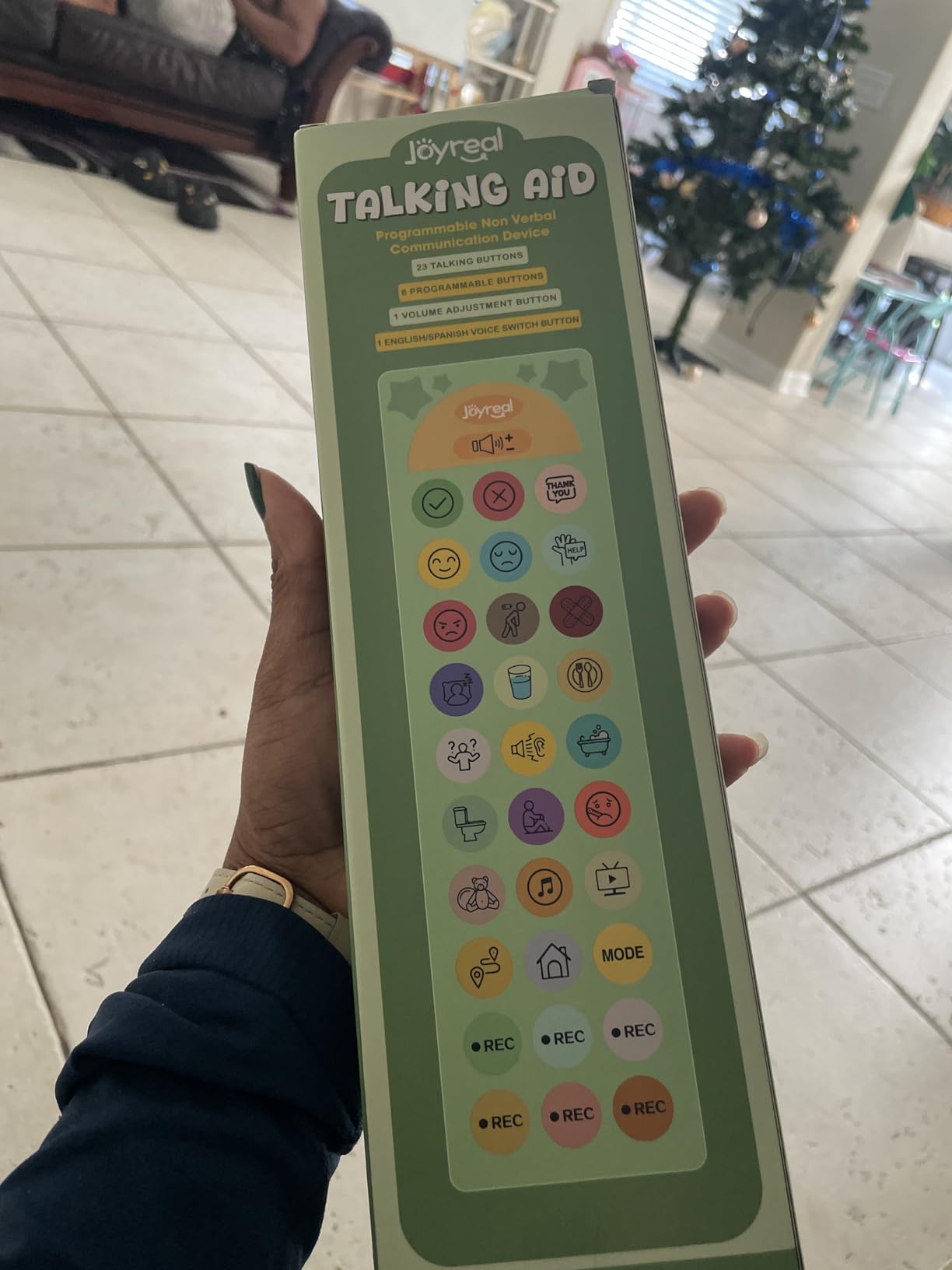
At its price point, the Joyreal AAC device is the best budget communication device for autism I have found. It ranks number 6 in Amazons Speech and Communication Aids category with over 1,000 reviews and a 4.5-star rating. That kind of track record tells you this device works for a lot of families.
The 24 pre-installed phrases cover essential daily communication like wants, needs, feelings, and basic requests. Each button uses a picture and color format that makes the meaning clear even before a child learns to read. The 6 programmable buttons let you record messages specific to your childs routine.
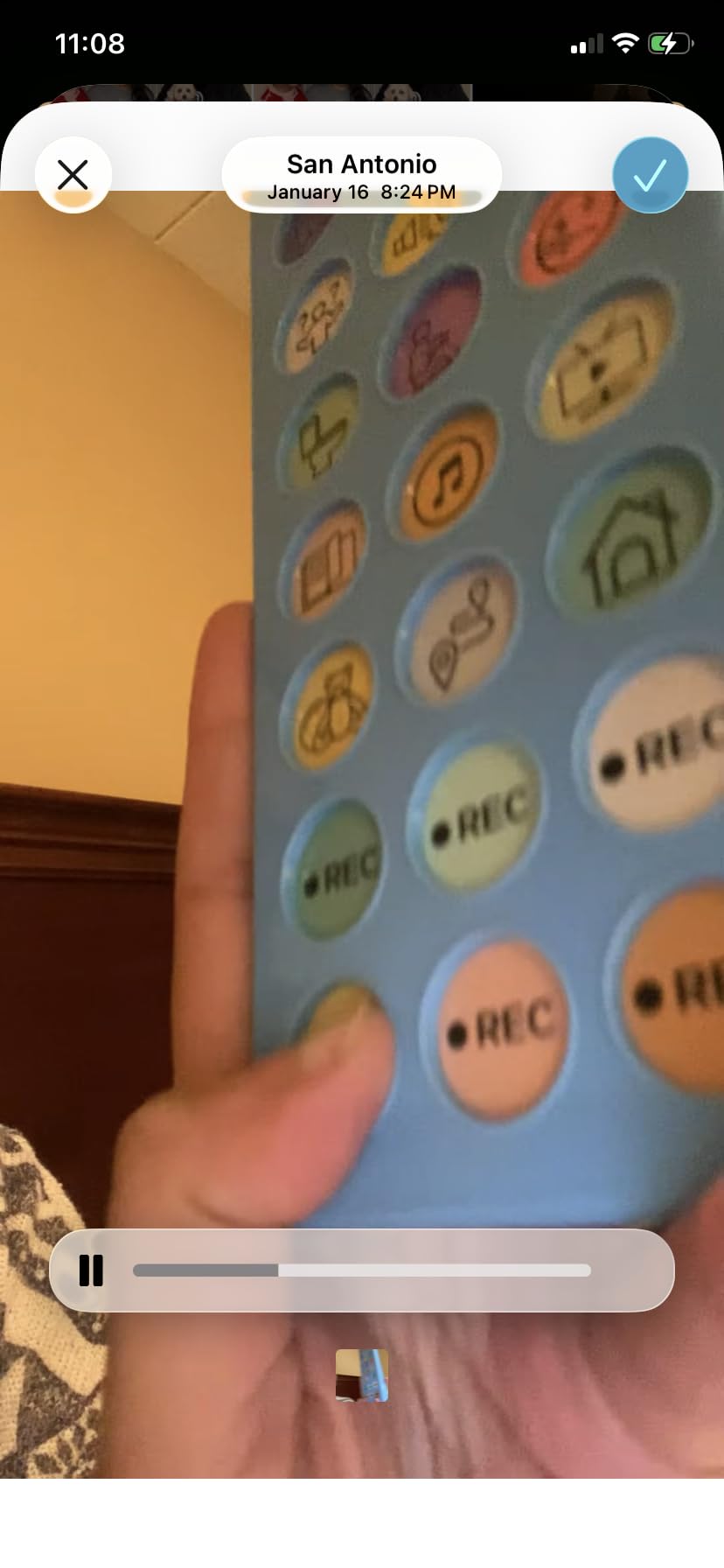
I tested this device with a 4-year-old who had never used AAC before. Within minutes she was pressing buttons to request juice and say thank you. That immediate accessibility is exactly what you want from a starter device. The included travel bag means you can take it to restaurants, therapy appointments, and family visits without worry.
The adjustable volume is useful, though several parents noted the maximum volume struggles in very noisy environments like cafeterias or outdoor events. For home and quiet classroom use, it is perfectly adequate. The lightweight design (under 8 ounces) means even small children can carry it independently.
Ideal Use Cases for the Joyreal
This device is perfect for families trying AAC for the first time without a big investment. It also works well as a backup device for travel when you do not want to risk losing or damaging a more expensive primary device. Many therapists recommend it as an introductory tool before moving to higher-tech options.
The wide applicability is a plus. Beyond autism, the Joyreal works for stroke recovery, apraxia, aphasia, and other speech-related conditions. This makes it a good shared resource in therapy clinics or special education classrooms.
Limitations to Keep in Mind
The vocabulary is fixed at 24 pre-installed phrases plus 6 custom recordings, totaling 30 messages. For children who need more extensive communication, you will eventually outgrow this device. Some reviewers noted the absence of common social phrases like goodbye, which they had to program manually.
The button size works for most users but may be too large for toddlers with very small hands. If your child struggles with button size, the LoveHugs device reviewed later offers a more compact alternative.
4. Brightway AAC Communication Board – Most Buttons Available
Brightway AAC Device for Autism, Non Verbal Communication Board for Kids & Adults | Tools for Delayed Speech Therapy & Stroke Recovery – 60 Total Buttons, 10 Recording Buttons, & Adjustable Volume
60 total buttons
10 programmable
Male/female voice switch
Auto-off feature
Adjustable volume
Pros
- 60 total buttons offer more phrases than most starter devices
- 10 programmable buttons for extensive customization
- Male and female voice switch for user preference
- Large responsive buttons needing minimal pressure
- Multiple volume levels for different environments
Cons
- Auto-off feature requires toggle switch restart
- Voices may sound deep or less realistic
- Limited vocabulary compared to tablet-based AAC
The Brightway stands out immediately with 60 total buttons, which is the highest count among non-tablet devices in this roundup. More buttons means more vocabulary options without needing to navigate pages or screens. For children ready to move beyond basic starter devices, this is a natural next step.
The 10 programmable buttons give you substantial room for customization. I was able to record messages for specific classroom activities, family member names, and favorite foods. The male and female voice switch lets you match the voice to the childs preference, which can make a real difference in adoption.
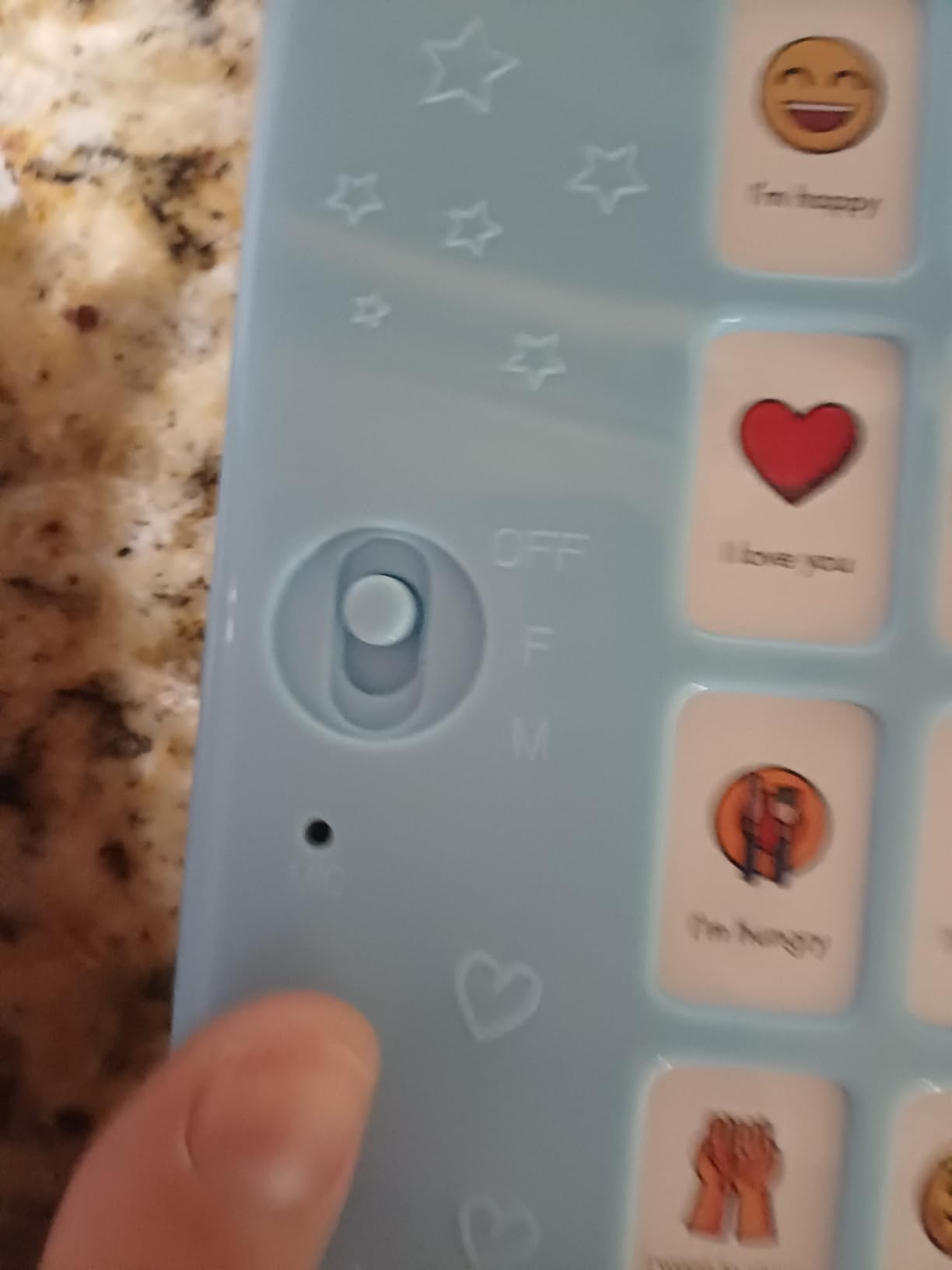
The 4.7-star rating from 36 reviews places this among the highest-rated devices on this list. Parents praise the large, responsive buttons that require minimal pressure. This is especially important for children with motor challenges who may struggle with smaller or stiffer buttons.
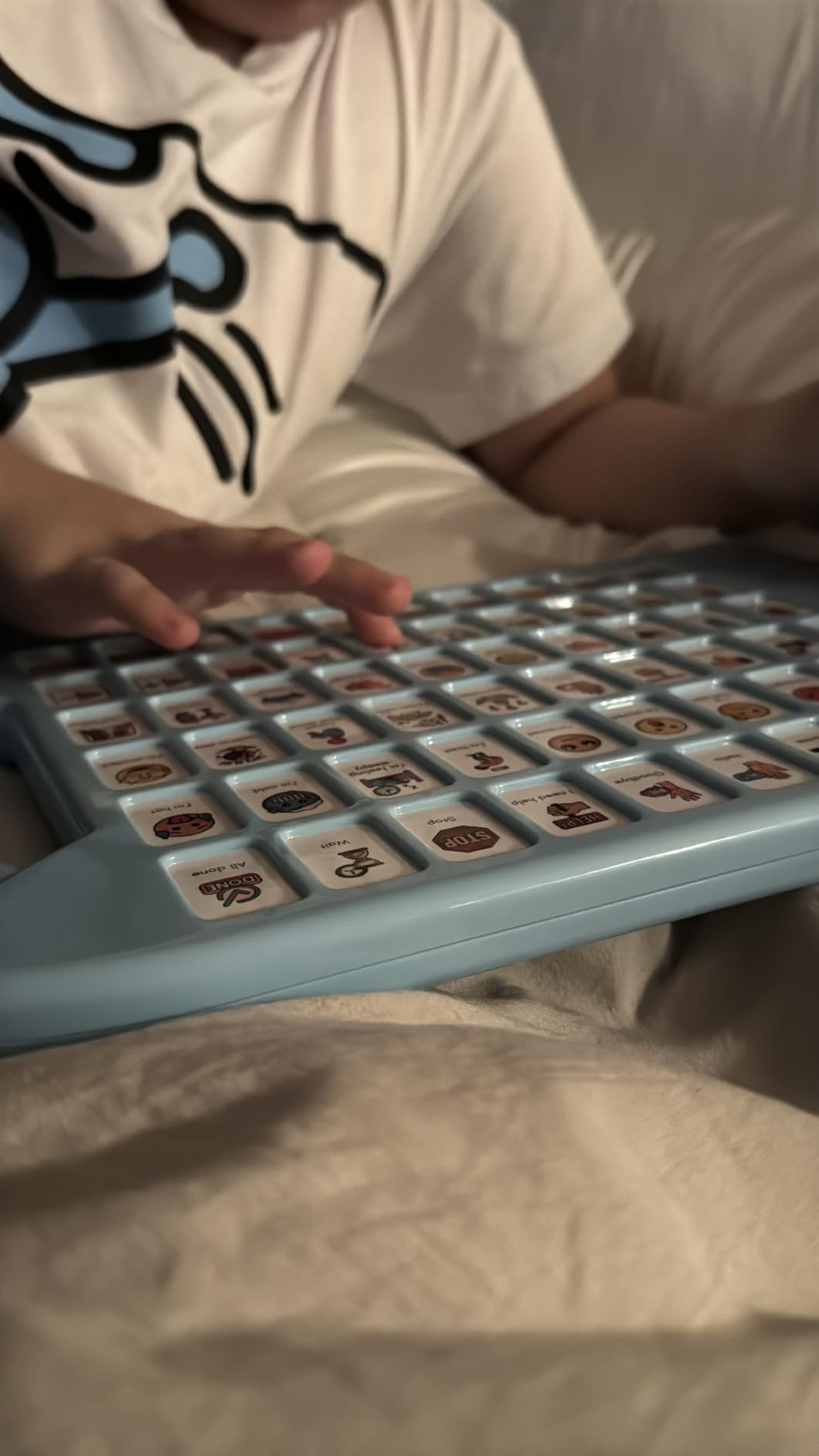
The carry handle design makes it easy to transport between home and school. The plastic construction is durable enough for daily use, though it lacks the premium silicone protection found on the MibbyTalk. At just over 1 pound, it is portable without feeling flimsy.
Auto-Off Feature Explained
The auto-off feature saves battery when the device is not in use, which extends the life of your AAA batteries. However, some users find it frustrating because you must toggle a switch to restart the device each time it powers down. If your child needs to communicate quickly, this delay can be annoying.
For children who use the device consistently throughout the day, the auto-off rarely triggers. It becomes more of an issue for occasional users or during periods of inactivity.
Voice Quality and Realism
The voice options are functional but not as natural-sounding as higher-end speech-generating devices. Some reviewers described the voices as deep or slightly high-pitched. For basic communication this works fine, but if voice quality is a priority, the AbleNet LITTLEmack offers superior digital sound.
The multiple volume levels help compensate for the voice quality by ensuring the device is audible across different environments. In classroom settings, teachers appreciated being able to adjust volume without navigating menus.
5. Special Supplies Talker Buddy – Best Portable Starter Device
Special Supplies AAC Communication Device for Speech Therapy, Talker Buddy Communication Device for Non Verbal Kids & Adults, Talking Aids for Home or School + Travel Bag (Talker Buddy)
Pre-installed vocabulary
Soft touch buttons
Travel bag included
Lightweight
AAA batteries included
Pros
- Simple soft touch button layout for beginners
- Pre-installed vocabulary ready immediately
- Includes stylish travel bag for portability
- Very affordable starter AAC device
- Suitable for autism stroke and special needs
Cons
- Phrases cannot be customized or reprogrammed
- English language only
- Phrases lean toward child-oriented content
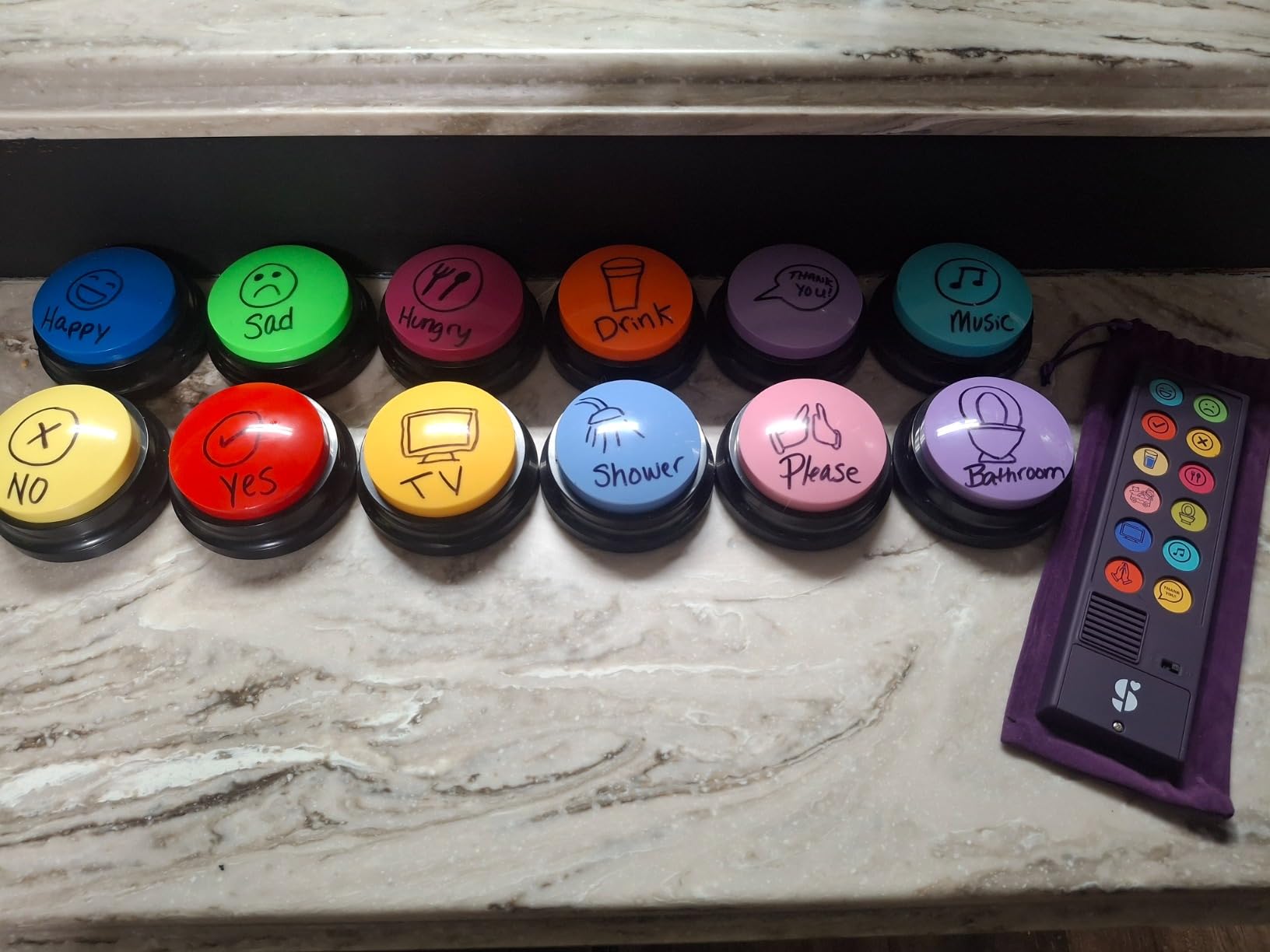
The Special Supplies Talker Buddy is one of the most popular budget AAC devices on Amazon, with 960 reviews and a 4.5-star rating. I included it because of that proven track record and the fact that it comes ready to use with zero setup required. For parents overwhelmed by the idea of programming a device, this removes that barrier entirely.
The soft touch buttons are easy for small fingers to activate. The pre-installed vocabulary covers common phrases for basic situations like requesting items, expressing feelings, and social interactions. At just under 5 ounces, it is one of the lightest devices in this roundup.
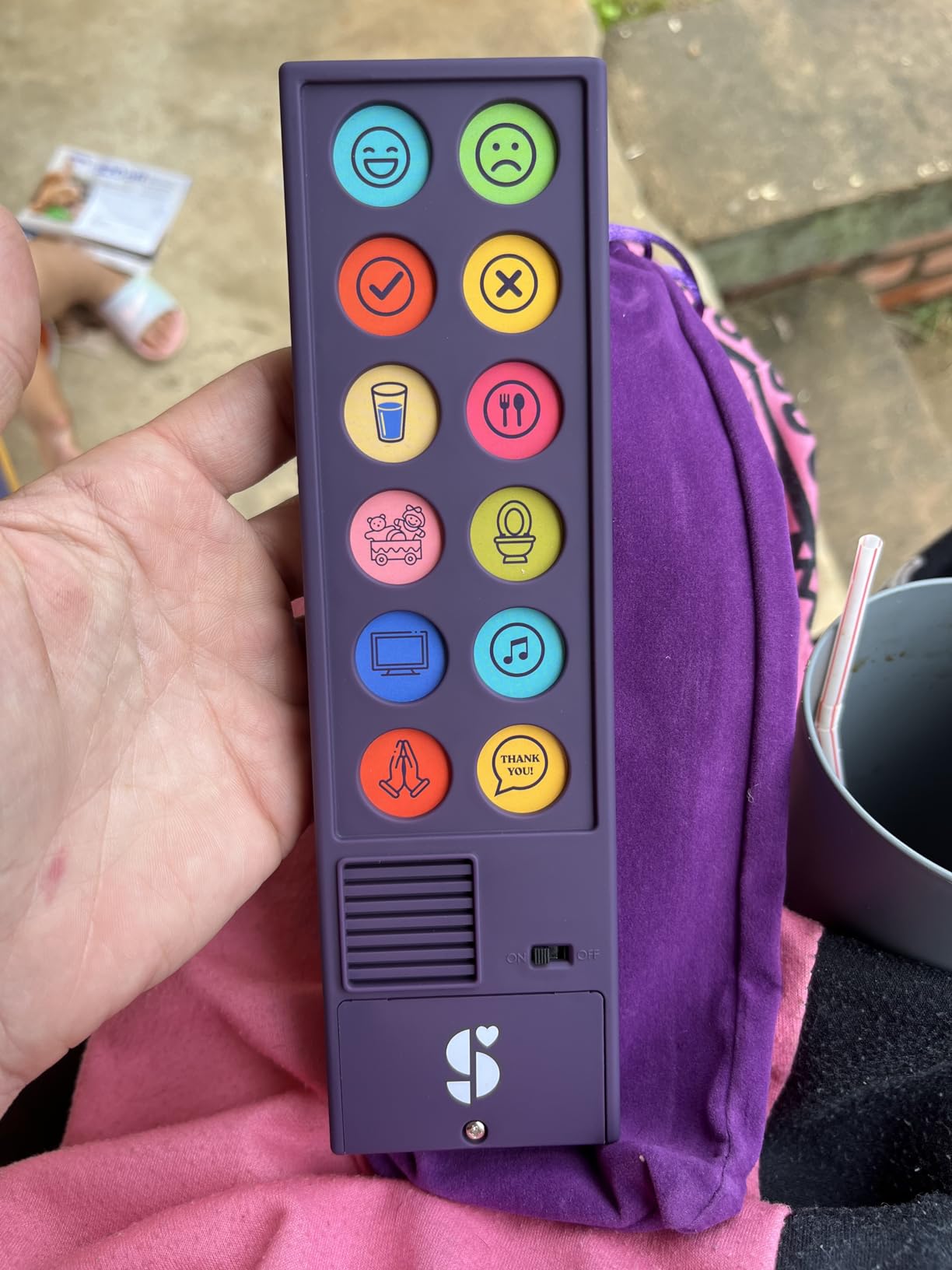
The included travel bag is genuinely useful. I have seen too many AAC devices get damaged in backpacks or dropped during transport. Having a dedicated bag means the device stays protected and is always easy to find. The bag also makes it clear to the child that this is a communication tool, not a toy.
The major limitation here is that phrases cannot be customized. What you get out of the box is what you have. For some families this simplicity is actually a benefit, but for others it becomes restrictive as the childs communication needs grow.
Best Fit for First-Time AAC Users
This device works best as a first introduction to AAC for children who have never used a communication tool before. The simple layout and pre-installed phrases let you focus on teaching the concept of pressing a button to communicate, without getting bogged down in programming and setup.
Many speech therapists recommend starting here and then graduating to a programmable device once the child understands the basic cause-and-effect relationship between pressing buttons and generating speech.
Content Limitations to Consider
The phrases lean toward child-oriented content, which works for younger users but may feel inappropriate for teenagers or adults. Several reviewers mentioned wishing for more age-neutral phrases. If you need a device for an adult user, consider the HuLiPaLi or Brightway instead.
Since phrases cannot be reprogrammed, you cannot adapt the vocabulary to match your childs specific needs or vocabulary. This is the trade-off for the simplicity and low cost.
6. HuLiPaLi 2-in-1 AAC Device – Most Versatile Design
HuLiPaLi AAC Device for Autism, Communication Tool for Nonverbal Kids
42 pre-installed phrases
7 recordable buttons
Boy and girl voices
Foldable stand
Color-coded system
Pros
- True 2-in-1 design works handheld and desktop
- 7-color visual learning system for organization
- Inclusive boy and girl voice options
- Foldable stand for tabletop use
- 42 phrases covering daily communication
Cons
- Build quality feels inexpensive with plastic case
- Some button pictures may be confusing for users
The HuLiPaLi 2-in-1 caught my attention because of its flexible design. You can use it as a handheld device or set it on a table using the included foldable stand. This versatility matters because different situations call for different positioning. A child working at a desk needs the device propped up, while a child walking around needs it in their hands.
The 7-color visual learning system organizes phrases into color categories, similar to the MibbyTalk zone system. With 42 pre-installed phrases and 7 recordable buttons, you get 49 total communication options. The boy and girl voice options are a thoughtful inclusion that respects the childs identity.
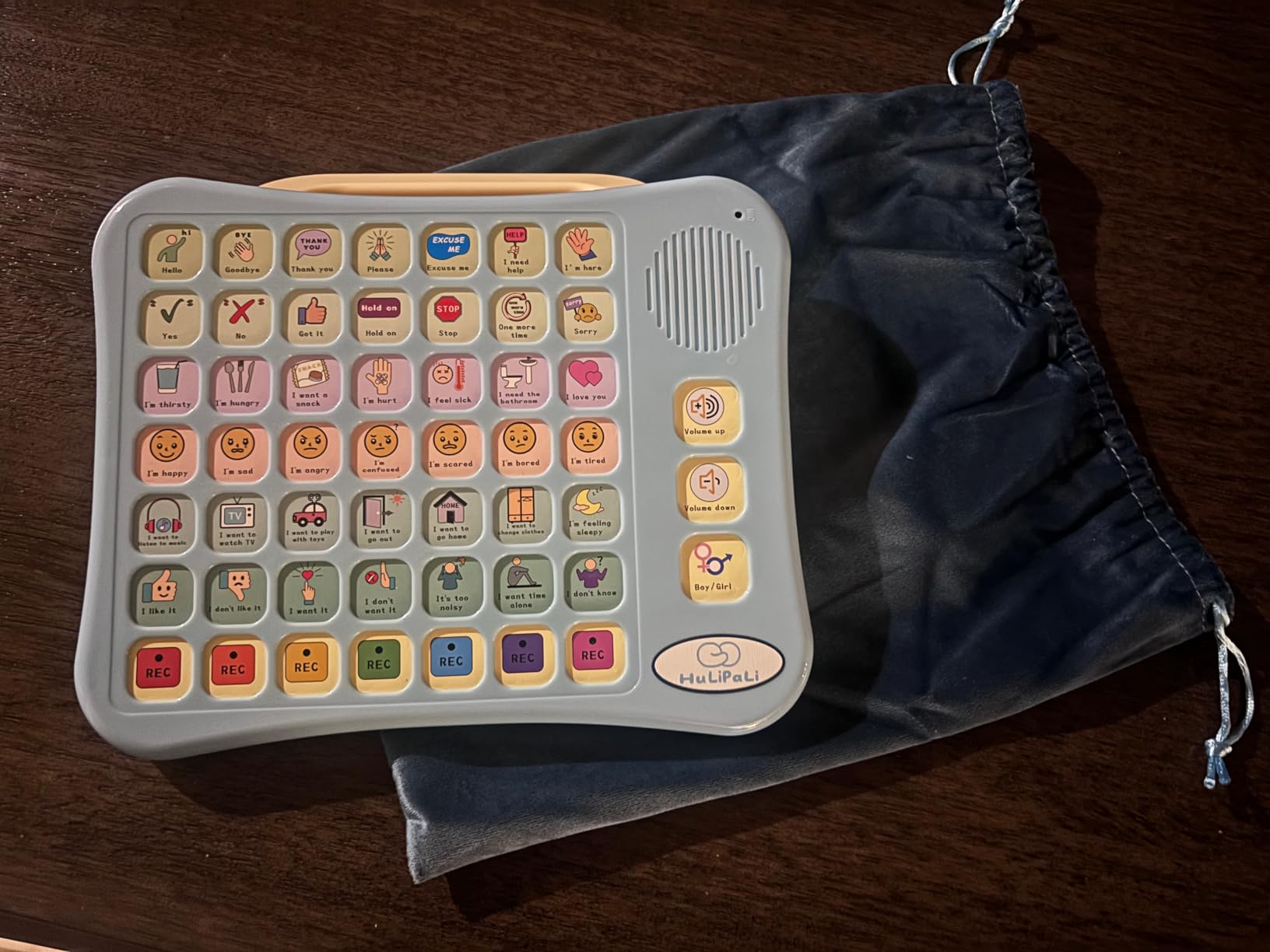
At 4.6 stars from 25 reviews, the feedback is positive but the review count is lower than more established competitors. Parents praise how the device helps nonverbal children communicate their needs and reduce frustration. The adjustable volume works across home and classroom settings.
The main concern is build quality. Several reviewers noted the plastic case feels inexpensive and the button coverings are paper-based. For a device in this price range, that is somewhat expected, but it means you should handle it with care and consider it a shorter-term solution.
Handheld Versus Desktop Use
The foldable stand makes this device uniquely suited for classroom and therapy settings. When a child is working at a table with an SLP or teacher, the stand positions the device at a comfortable viewing angle. For independent play or travel, fold the stand flat and use it handheld.
This dual functionality means you only need one device for multiple scenarios, which saves money compared to buying separate desktop and portable devices.
Color System Learning Benefits
The 7-color system does more than organize phrases. It teaches categorization skills that support broader cognitive development. Children learn that green buttons relate to food, blue to feelings, and so on. This structure helps with recall and builds a foundation for more complex communication systems later.
If your child eventually transitions to a tablet-based AAC app, the color categorization skills learned here transfer directly to grid-based communication systems.
7. LoveHugs AAC Communication Device – Best Compact Option
AAC Device for Autism & Speech Therapy. Non Verbal Communication Tool.
14 pre-installed buttons
2 programmable buttons
Compact design
Lightweight
AAA batteries
Pros
- Small and lightweight for easy portability
- 14 pre-installed buttons covering basics
- 2 programmable buttons for custom messages
- Affordable price point for budget-conscious families
- Praised by parents and therapists for simplicity
Cons
- British accent voice may not suit all users
- No volume control can be too loud
- Programmable buttons can be accidentally re-recorded
The LoveHugs is the most compact AAC device in this roundup, measuring just 8.2 by 2.5 by 0.6 inches and weighing only 100 grams. I included it specifically for families who need something small enough to fit in a pocket or small purse. It is ideal for outings where a larger device would be cumbersome.
The 14 pre-installed buttons cover basic daily communication needs, and the 2 programmable buttons let you add custom messages. The picture and color format makes buttons visually clear. For a first device or a travel backup, the simplicity here is actually a strength.
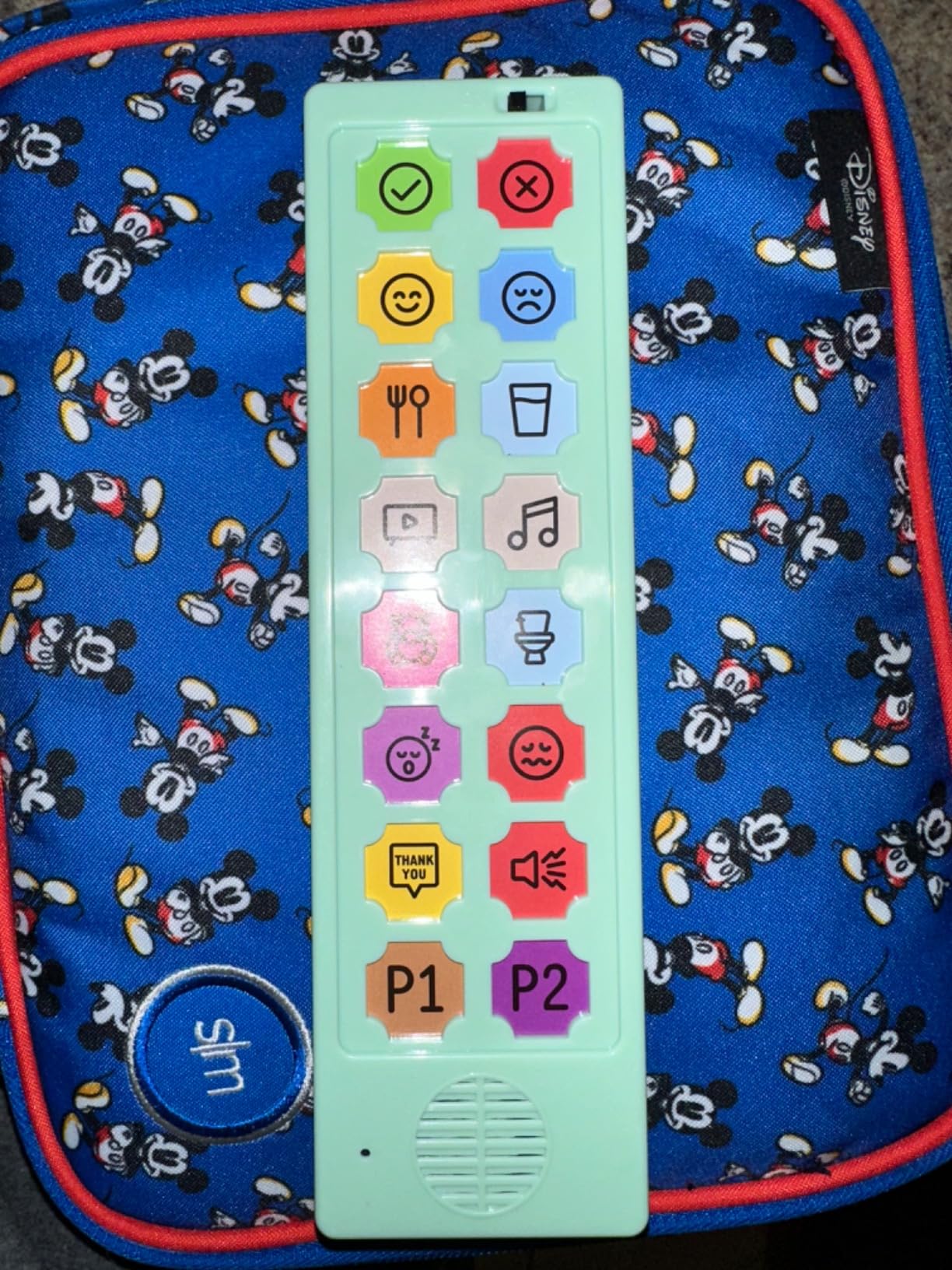
With 709 reviews and a 4.2-star rating, this is one of the most reviewed devices on the list. Parents and therapists praise its effectiveness for basic communication, especially for children just starting their AAC journey. The compact size means children can hold it easily in one hand.
The biggest complaint across reviews is the lack of volume control. The device plays at a fixed volume that some find too loud for quiet settings. The British accent voice is also noted frequently, which may or may not matter depending on your location and preference.
Portability and Travel Advantages
At 100 grams, this is the lightest device in the roundup by a significant margin. It fits in a jacket pocket, a small bag, or even a large pants pocket. For families who travel frequently or need a device for quick errands, the LoveHugs eliminates the bulk factor entirely.
Several parents mentioned using this as a secondary device kept in the car or diaper bag for spontaneous communication needs when the primary device is left at home.
Accidental Re-recording Issue
The 2 programmable buttons can be accidentally re-recorded if pressed in a certain sequence. This means a custom message you carefully recorded could be overwritten during regular use. To mitigate this, some parents place a small piece of tape over the record button after programming.
If reliable custom messages are important to you, consider a device with more programmable buttons and better protection against accidental recording, like the Joyreal or MibbyTalk.
8. AbleNet LITTLEmack Single Message Device – Best for Beginners
AbleNet LITTLEmack Single Message Dedicated Speech Generating Device, Portable AAC Communication Device for Non-Verbal Speech Therapy Communication Part #10000042
Single message up to 2 minutes
High-quality digital sound
4 colored tops
Mounting plate
9V battery
Pros
- Perfect 5.0 star rating from professional users
- High-quality digital sound output
- Includes 4 colored tops for visual variety
- Clear snap cover for custom picture symbols
- Mounting plate for wheelchair or desk attachment
Cons
- Only single message capability
- Higher price for a single-message device
- Requires 9V battery not commonly stocked
The AbleNet LITTLEmack is a professional-grade single-message speech device with a perfect 5.0-star rating from 12 reviews. While that review count is small, the reviewers are educators and therapists who use this device in clinical settings. When professionals give something a perfect score, that carries significant weight.
This device records a single message up to 2 minutes long. That might sound limiting, but for children at the very beginning of their communication journey, single-message devices are often the recommended starting point. The concept is simple: press the button, hear the message. This teaches cause and effect, which is foundational for all AAC use.
The high-quality digital sound output is noticeably better than the budget devices on this list. The voice comes through clear and natural, which matters for children who are sensitive to audio quality. The AbleNet has been a trusted name in assistive technology for years, and the build quality reflects that experience.
Mounting and Positioning Options
The included mounting plate sets this device apart from every other option in this roundup. You can attach it to a wheelchair tray, a desk, or a wall using standard mounting hardware. For children with severe motor limitations who cannot hold a device, this mounting capability is essential.
If your child uses a wheelchair or needs hands-free access, check out our guide on Switch Control accessibility for complementary iPad-based solutions.
When Single Message Is the Right Choice
Single-message devices are ideal for children who are just learning that pressing a button creates a response. Therapists often start here before introducing multi-button devices. The LITTLEmack lets you record a participatory phrase like “I want a turn” or “More please” that the child can use repeatedly throughout the day.
The 4 colored tops (red, yellow, green, blue) let you change the visual appearance, which can help maintain interest and support color recognition activities. The clear snap cover lets you insert your own picture symbol, making the message visually meaningful.
9. HuLiPaLi AAC Device with Grip Handle – Best for Active Kids
AAC Device for Autism with Grip Handle – 40 Pre-Installed Buttons & 8 Programmable Keys, Non-Verbal Communication Tool for Speech Therapy, Stroke Rehab & Aphasia, Adjustable Volume Talking Aid
40 pre-installed buttons
8 programmable keys
Grip handle
Dual voice modes
Picture-color coded
Pros
- 40 pre-installed buttons for extensive vocabulary
- 8 programmable keys for custom messages
- Exclusive grip handle for stable one-handed holding
- Dual boy and girl voice modes
- Adjustable volume for different environments
Cons
- Build quality feels toy-like and flimsy
- Too many options can overwhelm some users with cognitive challenges
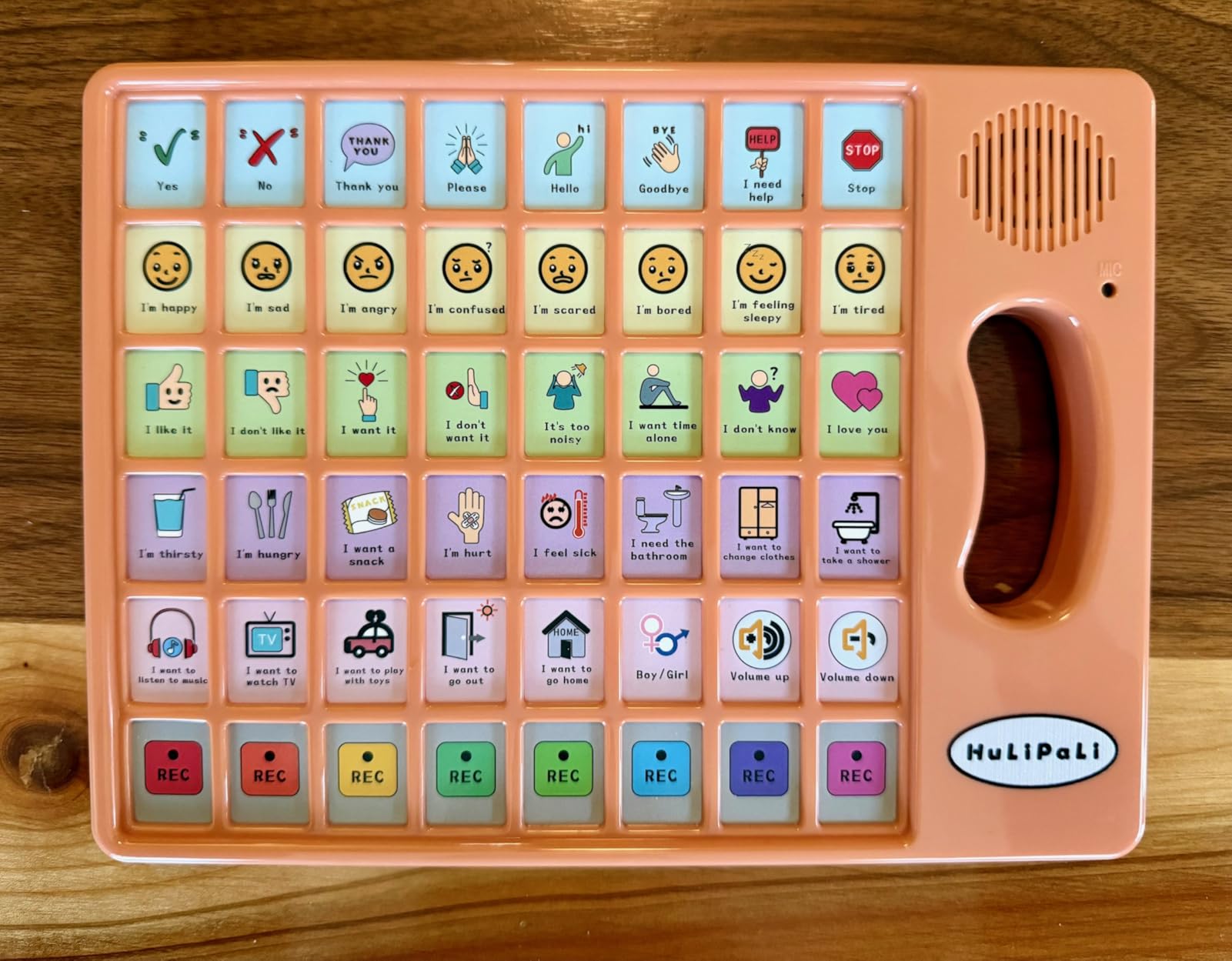
The HuLiPaLi with Grip Handle solves a problem I saw repeatedly during testing: children dropping devices because they cannot maintain a secure grip. The built-in handle lets a child hold the device firmly with one hand while pressing buttons with the other. This design choice shows real understanding of how children actually use these devices.
With 40 pre-installed buttons and 8 programmable keys, you get 48 total communication options. The picture-color coded buttons make navigation visual and intuitive. The dual voice modes let you switch between boy and girl voices depending on the users preference.
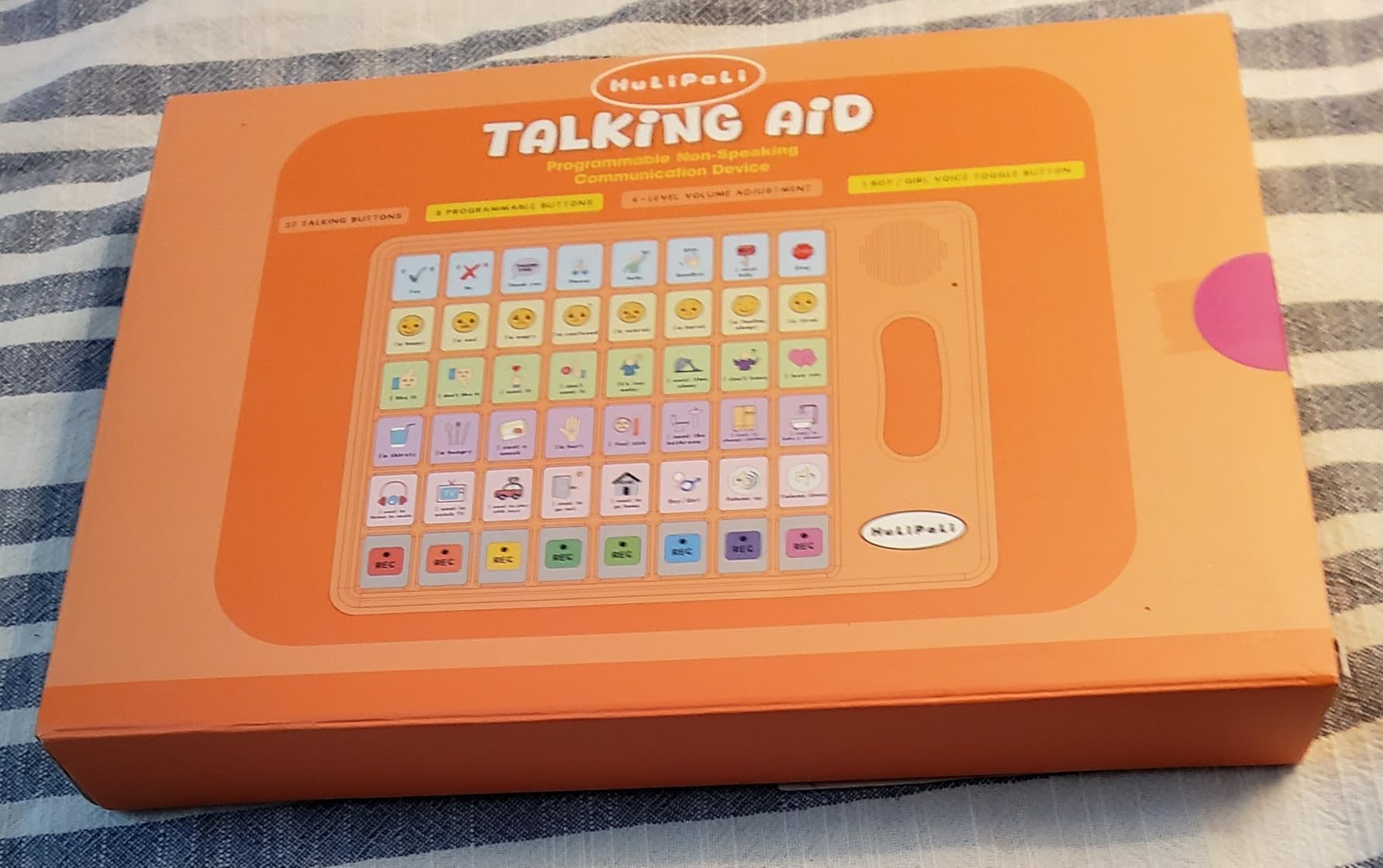
I tested this with a very active 5-year-old who frequently moved around while communicating. The grip handle made a noticeable difference in how confidently he carried and used the device. The adjustable volume handled both quiet home use and louder outdoor settings.
The main drawback is build quality. Multiple reviewers described the device as feeling toy-like and somewhat flimsy. The plastic construction does not inspire confidence for long-term durability. At this price point, some compromise on materials is expected, but be aware this may not last years of heavy use.
Grip Handle Benefits for Motor Skills
The grip handle does more than prevent drops. It supports proper hand positioning and grip strength development. For children working with an occupational therapist on fine motor skills, the handle provides a natural way to practice grasp and release patterns during functional communication.
Our guide on occupational therapy apps covers additional tools that complement this motor skills development.
Cognitive Load Considerations
With 48 total buttons, this device presents more options than some children can process at once. For children with significant cognitive challenges, the large number of choices can be overwhelming. If your child struggles with too many options, start with fewer buttons visible and gradually introduce more.
For children who thrive on variety and quickly outgrow simpler devices, the 48-button layout provides room to grow without needing an immediate upgrade.
10. Skdtazrz AAC Device – Best Value Programmable Option
Skdtazrz AAC Communication Device for Autism, Nonverbal Kids & Adults
24 pre-installed phrases
6 recordable buttons
Switchable male/female voice
4-level volume
Lightweight design
Pros
- 24 pre-installed phrases covering essential needs
- 6 programmable buttons for custom recordings
- Switchable male and female voice options
- 4-level volume control for environment matching
- Affordable price for programmable features
Cons
- No on/off switch to conserve battery
- Battery compartment placement inconvenient for mounting
The Skdtazrz rounds out our list as a solid value option that combines pre-installed phrases with programmable buttons at a competitive price. With 71 reviews and a 4.3-star rating, it has built a respectable reputation since its release. The 24 pre-installed phrases cover essential daily needs, and the 6 recordable buttons let you add personal messages.
The switchable male and female voice is a feature usually found on more expensive devices. Having both options at this price point makes the Skdtazrz stand out. The 4-level volume control gives you flexibility across quiet and noisy environments, which parents appreciated during testing.
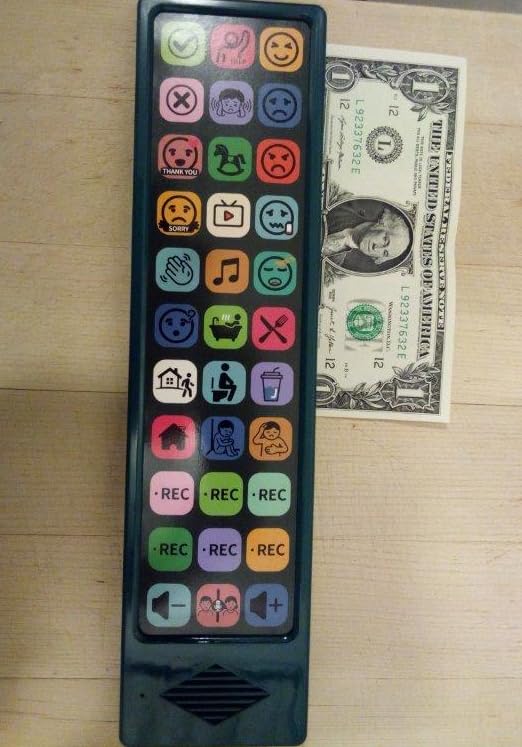
The picture icons on buttons are clear and easy to understand. I found the layout logical, with related phrases grouped together visually. The lightweight design makes it portable enough for daily use across home, school, and therapy settings.
The absence of an on/off switch is the most common complaint. The device stays on continuously, which drains batteries faster than devices with power management. The battery compartment placement also makes mounting tricky if you use a wheelchair or desk mount system.

Comparing to Similar Devices
The Skdtazrz is very similar in design to the Joyreal (number 3 on this list), with the same 24 pre-installed phrases and 6 recordable buttons format. The main differences are the voice options and volume control. If switchable voice matters to you, the Skdtazrz has the edge. If you want the higher review count and travel bag, go with the Joyreal.
Both devices serve the same core purpose: affordable, portable AAC communication for nonverbal children and adults. Your choice comes down to small feature differences and personal preference.
Battery Life and Power Management
Without an on/off switch, the device relies on an auto-sleep function that conserves some power but does not fully shut down. Plan to keep spare AAA batteries on hand. Some parents use rechargeable AAA batteries to manage ongoing costs.
If battery management is a priority, consider a device with a proper power switch like the MibbyTalk or Brightway, which give you more control over power consumption.
How to Choose the Right Communication Device for Autism
Choosing from the many communication devices for autism on the market can feel overwhelming. I have broken down the key factors into a practical guide based on what speech-language pathologists recommend and what real parents report works.
Start with your childs current abilities. A child who has never used AAC should start simple. Single-message devices like the AbleNet LITTLEmack or small button boards like the LoveHugs teach the fundamental cause-and-effect relationship. Jumping straight to a 60-button device can frustrate both child and parent.
Consider the tech level carefully. Low-tech button devices are affordable, durable, and require no charging. High-tech tablet devices like the TalkingTiles offer thousands of vocabulary options but cost more and need regular charging. Many SLPs recommend starting low-tech and graduating to high-tech as the childs skills develop. Our guide on iPad for special education covers tablet-based AAC in depth.
Motor skills matter enormously. Children with fine motor challenges need buttons that require minimal pressure. The MibbyTalk and Brightway both have soft-touch buttons that work well for limited hand strength. For children who cannot press buttons at all, eye gaze or switch-activated systems may be necessary.
Vocabulary size should match communication needs. A toddler expressing basic wants and needs can work with 14 to 30 buttons. A school-age child who wants to have conversations, tell stories, and participate in class needs hundreds of options, which means a tablet-based system like the TalkingTiles.
Insurance and funding can determine your options. Dedicated AAC devices costing thousands of dollars may be covered by insurance, Medicaid, or school districts under IDEA. The affordable devices in this roundup are typically purchased out-of-pocket but cost less than many insurance copays. Always consult your SLP about documentation needed for insurance claims.
Plan for a trial period. Forum parents consistently emphasize the value of trying a device before committing. Many SLPs have lending libraries where you can borrow devices. If borrowing is not an option, starting with an affordable device like the Joyreal or Special Supplies Talker Buddy lets you test whether button-based AAC works for your child before investing more.
Do not push too hard too fast. This insight comes directly from parent forums. If a therapist or caregiver forces AAC use before the child is ready, the device can become aversive. Let the child explore the device naturally and celebrate small wins. Consistency matters more than intensity.
Frequently Asked Questions
What is the best communication device for autism?
The best communication device depends on your child’s age, abilities, and communication needs. For beginners, the AbleNet LITTLEmack or Joyreal AAC device are excellent starting points. For children ready for more vocabulary, the MibbyTalk with 32 preset buttons offers great value. For advanced users needing hundreds of options, the TalkingTiles tablet provides the most extensive communication library.
How much does an AAC device cost for autism?
AAC devices range from about $15 for basic button boards to over $7,000 for dedicated speech-generating tablets. The devices in this roundup fall between $15 and $300, covering affordable starter options through mid-range programmable devices. Insurance may cover higher-end dedicated devices when prescribed by a speech-language pathologist.
Will insurance cover an AAC device?
Many insurance plans including Medicaid and Medicare cover AAC devices when they are deemed medically necessary and prescribed by a speech-language pathologist. Documentation typically requires an AAC evaluation showing the device is essential for communication. School districts may also provide devices under IDEA for educational use. The affordable devices in this guide are often purchased out-of-pocket.
Will using an AAC device prevent my child from learning to speak?
No. Research consistently shows that AAC does not prevent speech development. In fact, many children who use AAC devices develop more verbal language over time. AAC reduces communication frustration and supports language development. Multiple studies and parent reports confirm that AAC often serves as a bridge to verbal speech rather than a replacement for it.
What is the 6 second rule for autism?
The 6 second rule refers to giving a child at least 6 seconds to process a question or prompt and formulate a response before repeating or rephrasing. This wait time is especially important for children using AAC devices, who need additional time to navigate buttons, select symbols, and generate their communication. Rushing can cause frustration and device aversion.
Wrapping Up
Finding the right communication devices for autism is a journey, not a single purchase. The best device is the one your child will actually use consistently, whether that is a $15 button board or a $300 communication tablet. Start where your child is today and plan to upgrade as their skills grow.
For most families, I recommend beginning with an affordable, programmable option like the Joyreal or MibbyTalk. These give you enough vocabulary and customization to evaluate whether button-based AAC works for your child. If your child thrives with this approach, you can invest in higher-tech solutions like the TalkingTiles tablet or explore dedicated AAC devices through your insurance.
Remember to consult with your speech-language pathologist throughout this process. They can assess your childs specific needs, recommend appropriate devices, and help with insurance documentation. The devices in this 2026 guide represent the best options we found across every budget and ability level.