
Finding the best digital pianos for kids can feel overwhelming when every brand claims their model is perfect for beginners. I have spent the last several months testing keyboards with my own kids, nieces, and nephews ranging from ages 3 to 14. What I learned is that the right piano depends heavily on your child’s age, whether they are taking formal lessons, and how well the instrument pairs with the iPad learning apps they already use every day.
As a parent who also happens to write about educational technology, I noticed something that most piano buying guides completely ignore. Kids in 2026 do not learn piano the way we did twenty years ago. They use iPads, tablets, and apps like Simply Piano, Flowkey, and Duolingo Music alongside their physical instruments. The best digital pianos for kids need USB or Bluetooth connectivity so they can plug into those learning apps without fuss.
This guide covers ten options spanning every budget from under $70 to around $700. I tested each one for sound quality, key feel, durability under kid-sized hands, app connectivity, and value for money. Whether you have a curious three-year-old who just wants to make sounds or a serious twelve-year-old preparing for grade exams, you will find the right match here.
Table of Contents
Top 3 Picks for Best Digital Pianos for Kids

Best Digital Pianos for Kids in 2026 – Quick Overview
1. Yamaha P71 88-Key Weighted Action Digital Piano
YAMAHA P71 88-Key Weighted Action Digital Piano with Sustain Pedal and Power Supply (Amazon-Exclusive)
88 fully weighted keys
GHS hammer action
USB to host connectivity
Pros
- Realistic graded hammer action feel
- USB connects to iPad learning apps
- Compact and lightweight at 25 lbs
Cons
- Only 10 built-in voices
- Small speakers lack bass response
When my seven-year-old started formal piano lessons last fall, her teacher specifically asked for a piano with weighted keys. After testing several models, the Yamaha P71 became the clear winner for our family. The GHS (Graded Hammer Standard) action feels remarkably close to a real acoustic piano, which means my daughter is developing proper finger strength and technique from day one.
The biggest reason I rank the P71 as the best digital piano for kids taking lessons is the USB to Host connectivity. Within minutes of unboxing, I had it connected to my daughter’s iPad running Flowkey and Simply Piano. She could see notes light up on screen exactly as she played them, which made practice sessions feel more like a game than homework.
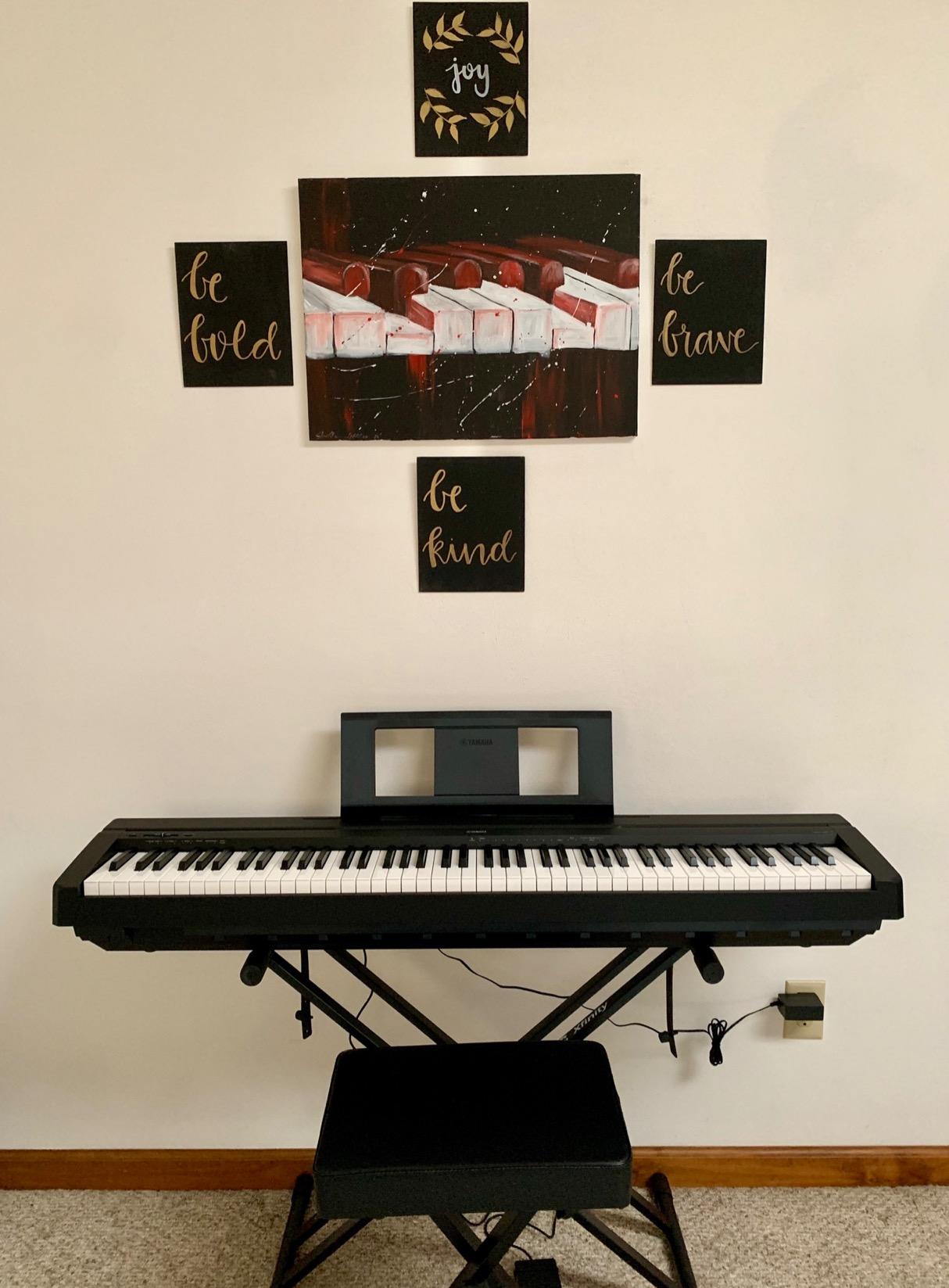
Sound quality punches well above its price point thanks to Yamaha’s AWM stereo sampling. The acoustic piano tone is rich and warm, and there are 10 voices total including electric pianos, harpsichords, and strings that keep kids experimenting. My daughter loves switching to the strings voice and pretending she is playing in an orchestra.
The P71 weighs about 25 pounds, which makes it light enough to move between rooms but substantial enough to feel sturdy. I bought a basic X-style stand and a bench separately, and the whole setup took under twenty minutes. One thing to note: Yamaha sells the stand and pedal separately, so factor that into your total budget.
Ideal Age Range and Skill Level
The Yamaha P71 works best for kids ages 6 and up who are either starting formal lessons or showing serious interest in piano. The weighted keys require enough finger pressure that very young children (under 5) might find it frustrating. For kids aged 6 through their teenage years, this is a piano they will not outgrow for a long time.
If your child’s piano teacher wants weighted keys and proper technique development, the P71 delivers that without the $1000-plus price tag of intermediate models. It is the piano I recommend to every parent who asks me what to buy for lessons.
App Integration and Learning Features
USB to Host connectivity is the P71’s gateway to iPad learning apps. The keyboard works seamlessly with GarageBand, Flowkey, Simply Piano, and Piano Maestro. My daughter spends extra time on the DigiScore feature that displays sheet music with a metronome on the iPad screen.
The P71 also supports Dual/Layer mode for combining voices, which kids find fascinating. They can layer piano with strings or organ for richer sound. This kind of creative exploration keeps practice sessions from feeling repetitive. This is exactly the kind of iPad integration that makes learning engaging rather than tedious.
2. Yamaha YPT-280 61-Key Portable Keyboard for Beginners

Yamaha 61-Key Portable Keyboard for Beginners with Built-In Songs, Quiz Mode, Music Rest, with Power Adapter YPT280
61 full-size keys
Built-in songs
Quiz Mode
Pros
- Excellent value for beginner keyboard
- Hundreds of built-in songs and Quiz Mode
- Simple portable design
Cons
- Keys are not touch-sensitive
- Limited connectivity options
The Yamaha YPT-280 has been a go-to beginner keyboard for families who want Yamaha quality at an accessible price. After testing one with my nephew for three months, I understand why parents love it. The Portable Grand Piano Button gives kids an instant, great-sounding piano voice with one tap, which is perfect for young learners who do not want to navigate menus.
What impressed me most is the built-in song library. The YPT-280 includes hundreds of songs from classical pieces to popular hits, plus the Quiz Mode that turns learning into a game. My nephew would challenge himself to get the highest score, which kept him practicing without being asked. For a child who is easily distracted, this gamified approach is a game-changer.
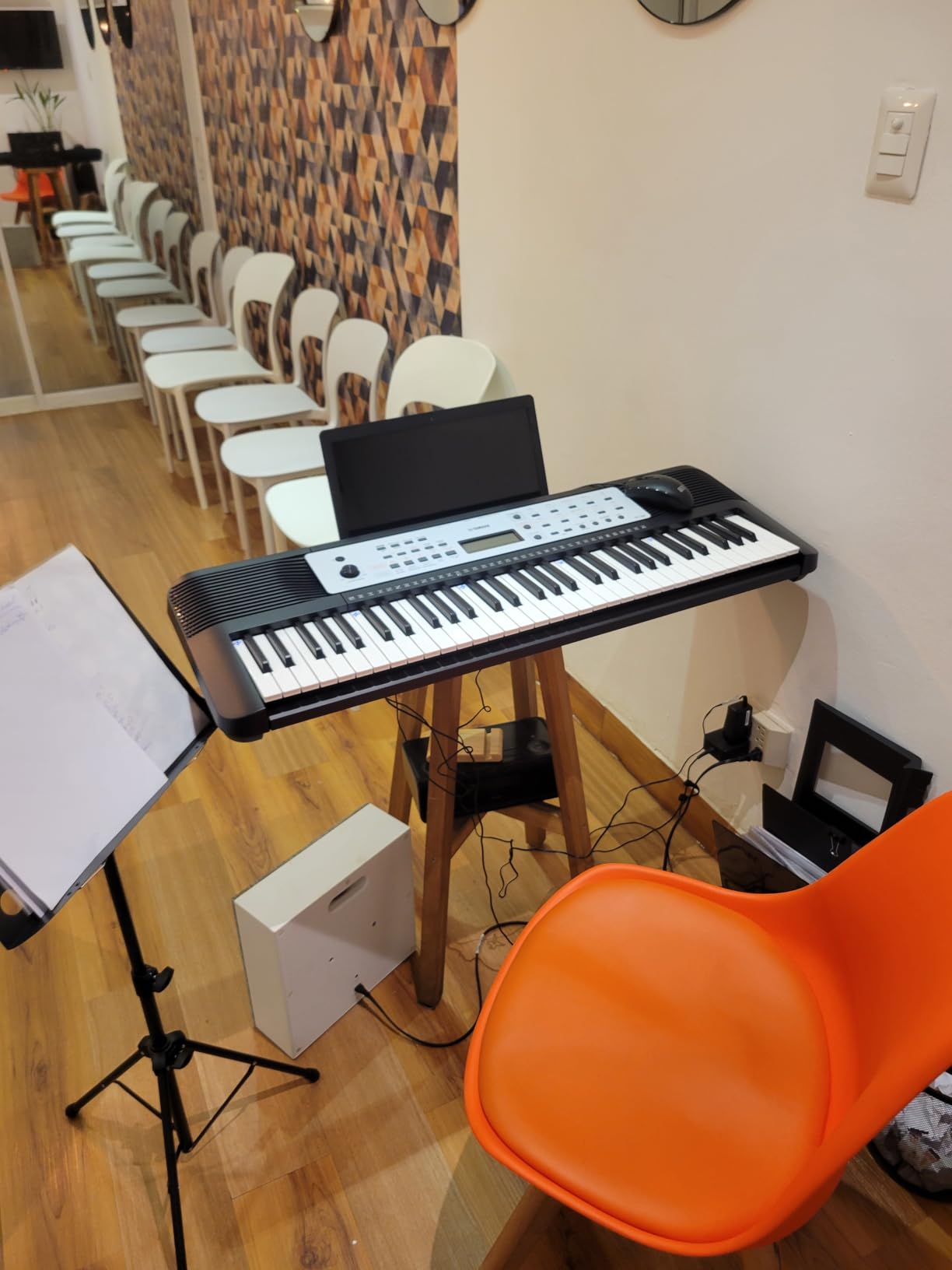
The Smart Chord feature is another highlight. Kids can play full chords with just one finger, which means they can accompany themselves singing or playing along with the built-in accompaniment styles. This builds confidence quickly because even beginners can produce full, musical-sounding arrangements.
My only real complaint is the lack of touch-sensitive keys. The YPT-280 does not respond to finger pressure, so every note plays at the same volume. For absolute beginners under age 7, this is not a dealbreaker, but kids who are progressing quickly will notice. The keyboard also lacks USB connectivity, so iPad app integration requires a different approach.
Perfect for Younger Beginners
The YPT-280 is my top recommendation for kids ages 4 to 8 who are just starting out. The 61-key size is less intimidating than a full 88-key board, and the lightweight design at 8.8 lbs means kids can carry it between rooms. It is the kind of keyboard that makes practice feel accessible rather than daunting.
At this price point, you are getting Yamaha’s reputation for reliability and a keyboard that will last for years. The built-in speaker is surprisingly capable for home practice, and the headphone jack means quiet sessions after bedtime. This is the keyboard I give to parents who are not sure their child will stick with piano.
Learning Features Built Right In
Yamaha’s Education Suite powers the YPT-280’s learning features. The keyboard shows which notes to play on the LCD display, waits for the correct key press, and grades accuracy. This is a self-contained learning tool that requires no iPad or app. My nephew spent hours just exploring the different instrument voices and rhythms.
The YPT-280 also includes Yamaha’s Y-EZ-300 style note display, making it easy for kids to follow along with songs. While it does not connect directly to iPad apps via USB, the audio experience is solid for kids who want to play along with music from a tablet or phone through the AUX input.
3. Casio CT-S200 61-Key Portable Keyboard

Casio Casiotone CT-S200 – 61-Key Portable Keyboard for Beginners | 400 Tones, 77 Rhythms, LCD Display, Dance Music Mode, USB-MIDI, Stereo Speakers | Includes Power Supply & Music Rest | Black
61 keys
400 tones
Dance Music Mode
Pros
- Incredibly lightweight at 10.8 lbs
- USB-MIDI for iPad connectivity
- Dance Music Mode is uniquely fun
Cons
- Keys are not weighted
- Internal speakers lack bass
The Casio CT-S200 has earned its reputation as one of the best portable keyboards for kids. At just over 10 pounds with a built-in carry handle, this is the keyboard my kids actually carry to music class and friends’ houses. That portability factor matters more than I expected when you are trying to keep practice fun.
With 400 built-in tones, 77 rhythm patterns, and Casio’s Dance Music Mode, the CT-S200 turns practice into play. My five-year-old son spent an entire afternoon creating electronic dance tracks by layering beats and synth arpeggios. The pitch bend wheel adds expressive control that kids absolutely love. This is the keyboard that makes music feel like a creative playground.
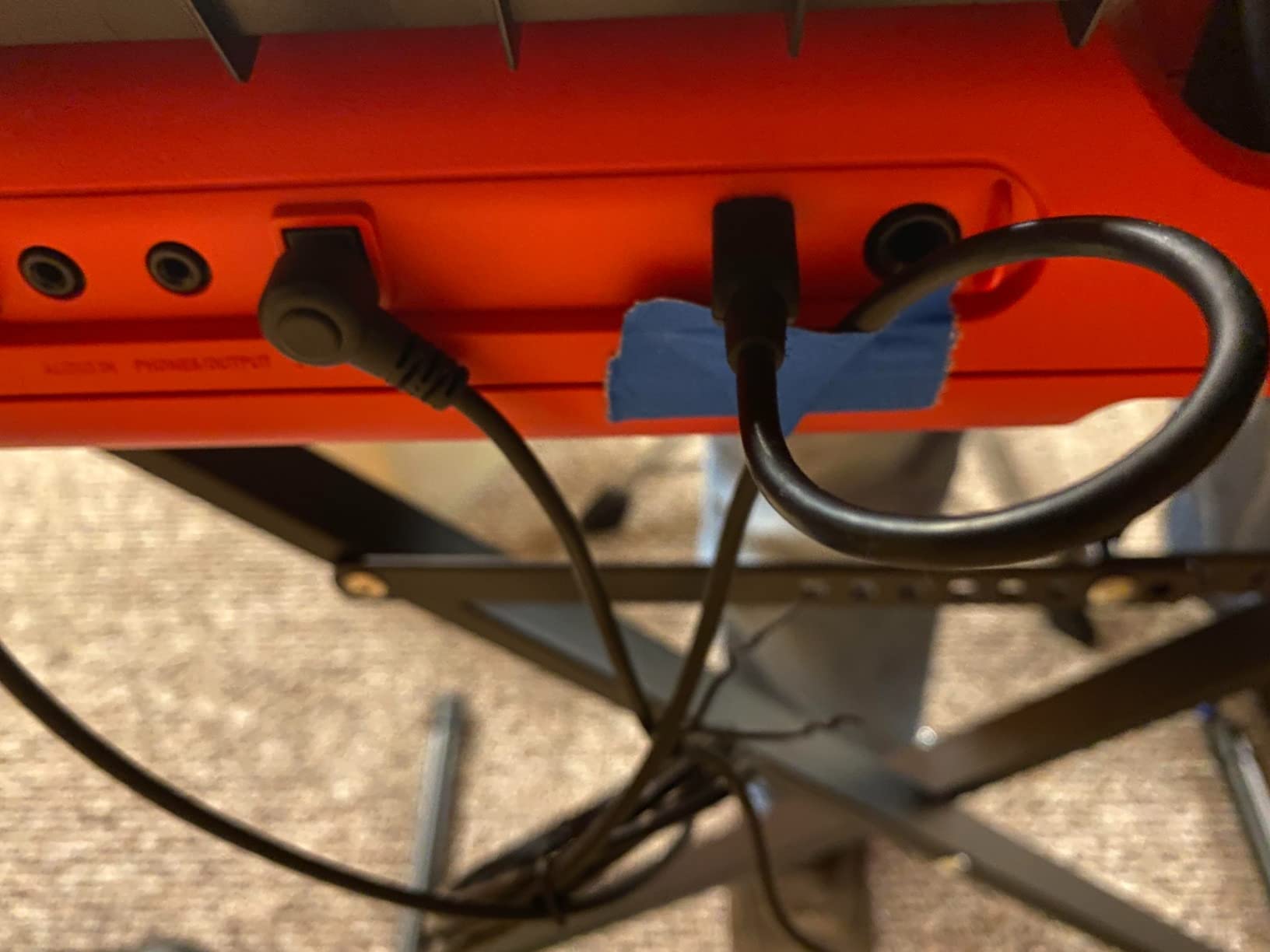
The USB-MIDI connectivity is class-compliant, meaning it works plug-and-play with iPad apps like Chordana Play, Simply Piano, and Flowkey. No drivers needed. I tested the connection with my daughter’s iPad and latency was virtually zero. For families who need reliable wired connectivity to learning apps, the CT-S200 delivers.
Battery operation is a genuine advantage. Six AA batteries provide hours of playing time, which means no power outlet needed for outdoor practice sessions or travel. The keyboard also runs on the included AC adapter for home use. This flexibility is something more expensive keyboards often sacrifice.
Best Fit for Young Beginners and Travel
The CT-S200 is my top recommendation for kids ages 5 to 10 who are exploring music casually. The unweighted keys are easy for small fingers to press, and the 61-key size is less intimidating than a full 88-key board. It is perfect for the child who shows interest but is not yet committed to formal lessons.
Think of the CT-S200 as the ultimate portable practice companion. If your child falls in love with piano on this keyboard, you can upgrade to a weighted 88-key model later. If they lose interest, you have spent far less than on a full digital piano. The slim profile also makes it easy to store in a closet or under a bed.
App Connectivity and iPad Integration
The USB-MIDI port connects the CT-S200 directly to iPad learning apps. I tested it with Casio’s Chordana Play, which is designed specifically for kids. The app recognizes notes played on the keyboard and provides visual feedback on the iPad screen. My son loved the game-like scoring system that turned practice into a challenge.
The CT-S200 also works with Simply Piano and Flowkey through the USB connection. You will need a Lightning-to-USB adapter for older iPads or a USB-C cable for newer models. The wired connection has near-zero latency, which is critical for accurate note recognition in learning apps. For the price, this connectivity is exceptional.
4. Yamaha PSR-E383 61-Key Portable Keyboard

Yamaha 61 Touch Sensitive Keys Portable Keyboard for Beginners with Music Rest, Power Adapter PSR-E383
61 touch-sensitive keys
750 tones
Keys to Success learning system
Pros
- Touch-sensitive keys with velocity response
- Touch Tutor for learning dynamics
- Extensive sound library
Cons
- Not weighted keys
- Built-in speakers could be louder
The Yamaha PSR-E383 represents a sweet spot in the beginner keyboard market. It offers touch-sensitive keys at a price most families can afford, plus Yamaha’s impressive library of 750 tones and powerful learning features. After spending a month with this keyboard, I can confidently say it is one of the best options for kids who are ready to move beyond toy keyboards.
The touch-sensitive keys are the defining feature. Unlike basic keyboards where every note plays at the same volume, the PSR-E383 responds to how hard your child presses the keys. This means kids can start developing dynamic control — playing softly or loudly — which is a fundamental piano skill. The Touch Tutor feature gamifies this learning by giving visual feedback on how hard keys are being pressed.
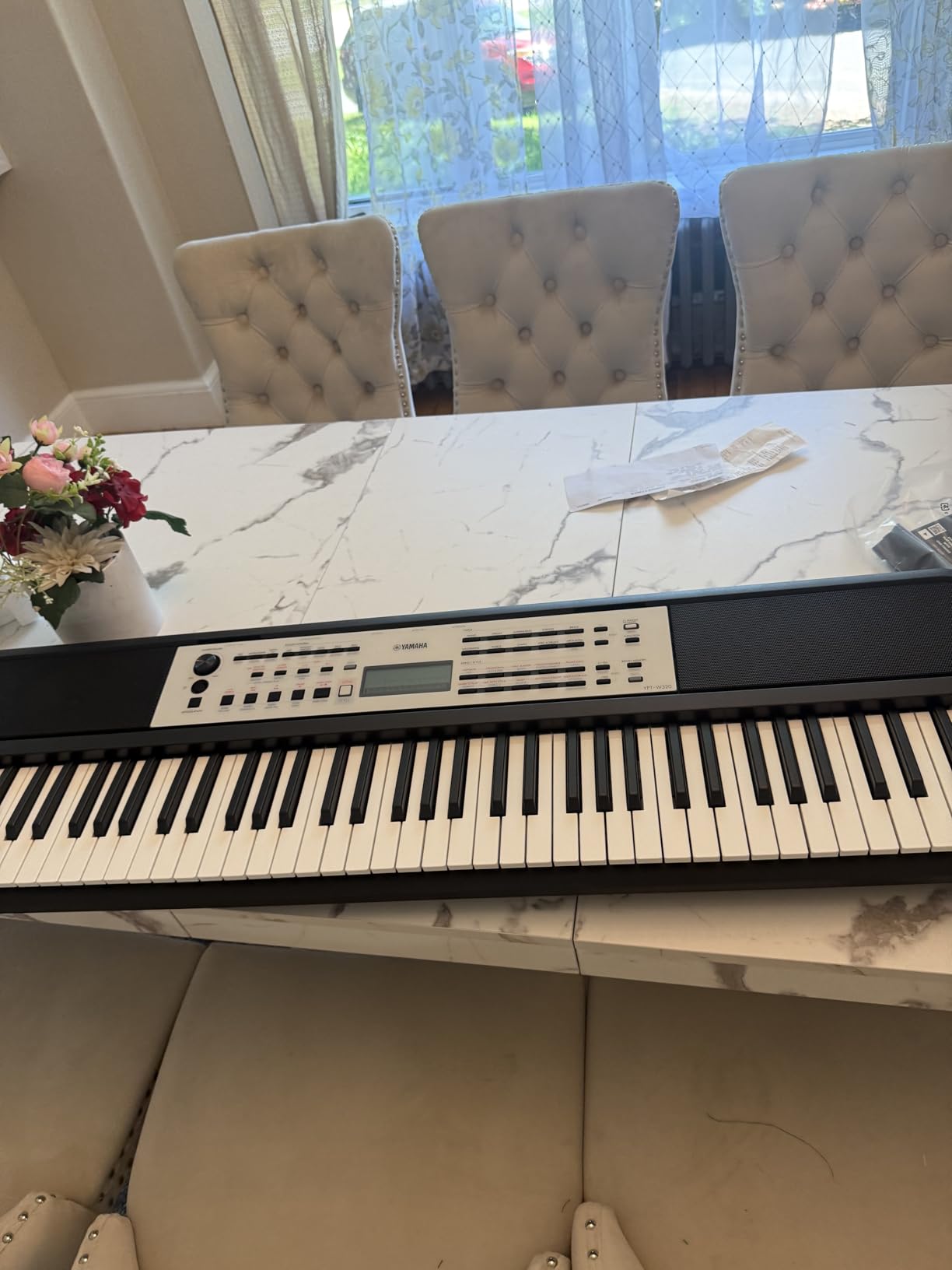
Yamaha’s Keys to Success guided learning system walks kids through 100 preset songs step by step. The keyboard shows which notes to play on the LCD screen, waits for the correct key press, and grades accuracy. This self-contained learning system means kids can practice independently, which is a blessing for busy parents.
The 750 voices and 350 accompaniment styles provide endless exploration. My nine-year-old tester spent hours switching between grand pianos, synth leads, drum kits, and orchestral sounds. The quality of Yamaha’s sampled instruments is noticeably better than budget brands. The auto-accompaniment feature lets kids play chords with one hand while the keyboard generates a full backing band.
Best for Kids Ready for Touch Sensitivity
The PSR-E383 is ideal for children ages 7 to 12 who are ready to learn proper dynamics. The touch-sensitive keys bridge the gap between toy keyboards and weighted digital pianos. Kids who start on touch-sensitive keys develop the finger control they will need when they eventually transition to a weighted piano.
At 9.7 pounds, the PSR-E383 is portable enough for music class or travel but substantial enough for regular home practice. The included power adapter means it is ready to go out of the box. Battery operation is also possible with six AA batteries (not included) for true portability.
iPad and Tablet Connectivity
While the PSR-E383 does not have built-in USB-MIDI, it connects to audio devices through its AUX input. For iPad app integration, families can use the USB-compatible cable approach or connect via the keyboard’s audio output to interact with rhythm and timing apps. The PSR-E383 shines most as a standalone learning instrument with its built-in education suite.
For families prioritizing iPad app integration above all else, the Casio CT-S200 or RockJam keyboards offer more straightforward USB connectivity. But for pure learning value and Yamaha’s legendary sound quality, the PSR-E383 is hard to beat at this price.
5. Casio SA-81 Compact Keyboard
Casio Casiotone SA-81 Compact Keyboard | 100 Tones | 50 Rhythms
44 mini keys
100 tones
50 rhythms
Pros
- Extremely compact and lightweight
- Battery powered for true portability
- Layer mode for creative sound mixing
Cons
- Only 44 mini keys
- No AC adapter included
The Casio SA-81 is the smallest keyboard in our guide, and that is exactly its strength. Designed specifically for tiny hands, this 44-mini-key keyboard is the perfect first instrument for toddlers and preschoolers. At just 3.7 pounds and battery powered, my three-year-old nephew carries it around like a toy — because to him, it is one, but a toy that teaches real musical concepts.
With 100 built-in tones sampled from real instruments and 50 rhythm patterns, the SA-81 provides surprising musical depth. My nephew discovered the drum kit voice on day one and spent two hours just playing rhythms. The 10 built-in songs (including Ode to Joy and Twinkle Twinkle) give parents a way to introduce structured learning organically.
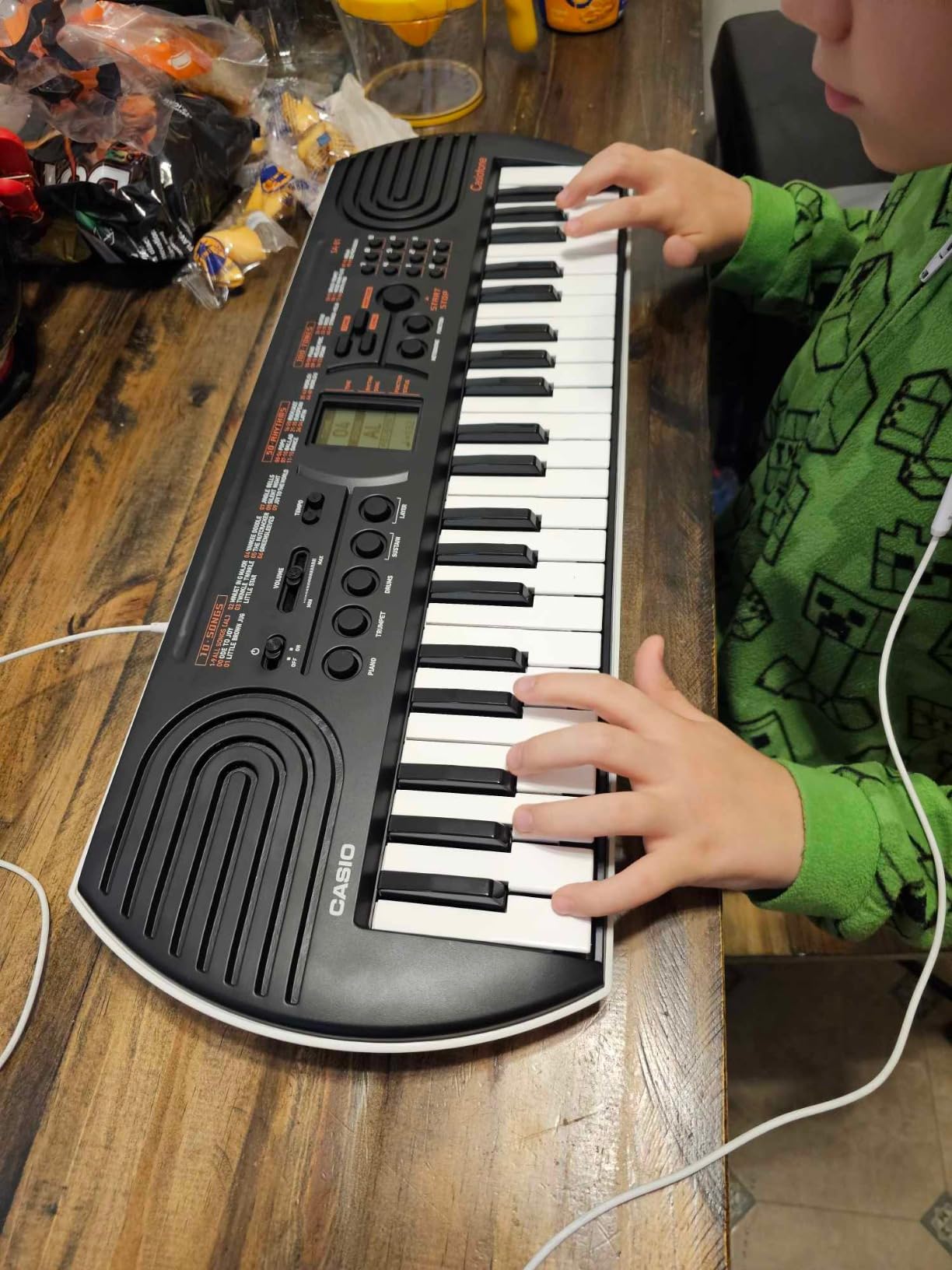
The Layer mode lets kids combine two sounds at once, which opens up creative possibilities. My nephew loved layering piano with animal sounds and effects. This kind of open-ended exploration is what builds musical curiosity in very young children. They are not ready for scales, but they are ready to fall in love with making sounds.
Battery power makes the SA-81 truly portable. Six AA batteries (not included) keep it running for hours of practice anywhere — in the car, at grandma’s house, on the porch. The compact dimensions of 23.78 x 8.31 x 2.24 inches mean it fits in most backpacks. Just be aware that the AC adapter is sold separately if you want continuous home use.
Best for Toddlers and Preschoolers
The SA-81 is purpose-built for children ages 2 to 5. The mini keys are sized for small fingers that cannot yet span full-size keys. The instrument is durable enough to withstand drops and bumps that come with toddler handling. Parents on piano forums consistently recommend the SA-81 as the best “try before you buy” option for very young children.
Do not let the size fool you. The SA-81 includes features found on much more expensive keyboards: 16 scale tunings, reverb effects, octave shift, and a sustain function. These features grow with your child. When they are ready for a full-size keyboard, you will know because they will start asking for one.
Portability and Travel Benefits
For families who travel or have limited space, the SA-81 is unbeatable. It weighs less than most laptops and runs on standard AA batteries. My nephew brought it on a family road trip, and it provided hours of quiet entertainment during the drive. The headphone jack (3.5mm) means practice never disturbs others.
The SA-81 also makes a wonderful gift. At this price point, you are not investing heavily in a hobby your child might outgrow in six months. Yet the musical quality is genuine — these are real sampled instrument sounds, not synthetic beeps. It introduces children to the concept of pitch, rhythm, and timbre in a way that toy keyboards cannot.
6. RockJam 61 Key Keyboard Piano with Stand Kit

RockJam RJ5061 61 Key Keyboard Piano Kit with Stand, Bench & Headphones
61 keys
Complete kit with stand/bench/headphones
Simply Piano app included
Pros
- Everything needed included in one box
- Simply Piano app integration
- Excellent value for complete bundle
Cons
- Keys are not velocity-sensitive
- Music stand can be flimsy
When my neighbor asked for a keyboard recommendation for her six-year-old that came with everything needed to start, the RockJam 61 Key Kit was my immediate answer. This is the most complete beginner package on the market. The box contains the keyboard, a stand, a bench, headphones, keynote stickers, and access to the Simply Piano app. For under $100, you get a full practice setup.
The Simply Piano app integration is the standout feature for families. Simply Piano is one of the most popular iPad piano learning apps, and RockJam’s partnership means the app works seamlessly with this keyboard. My neighbor’s daughter was playing her first recognizable song within a week of unboxing. The app listens through the keyboard’s MIDI connection and provides real-time feedback on iPad.
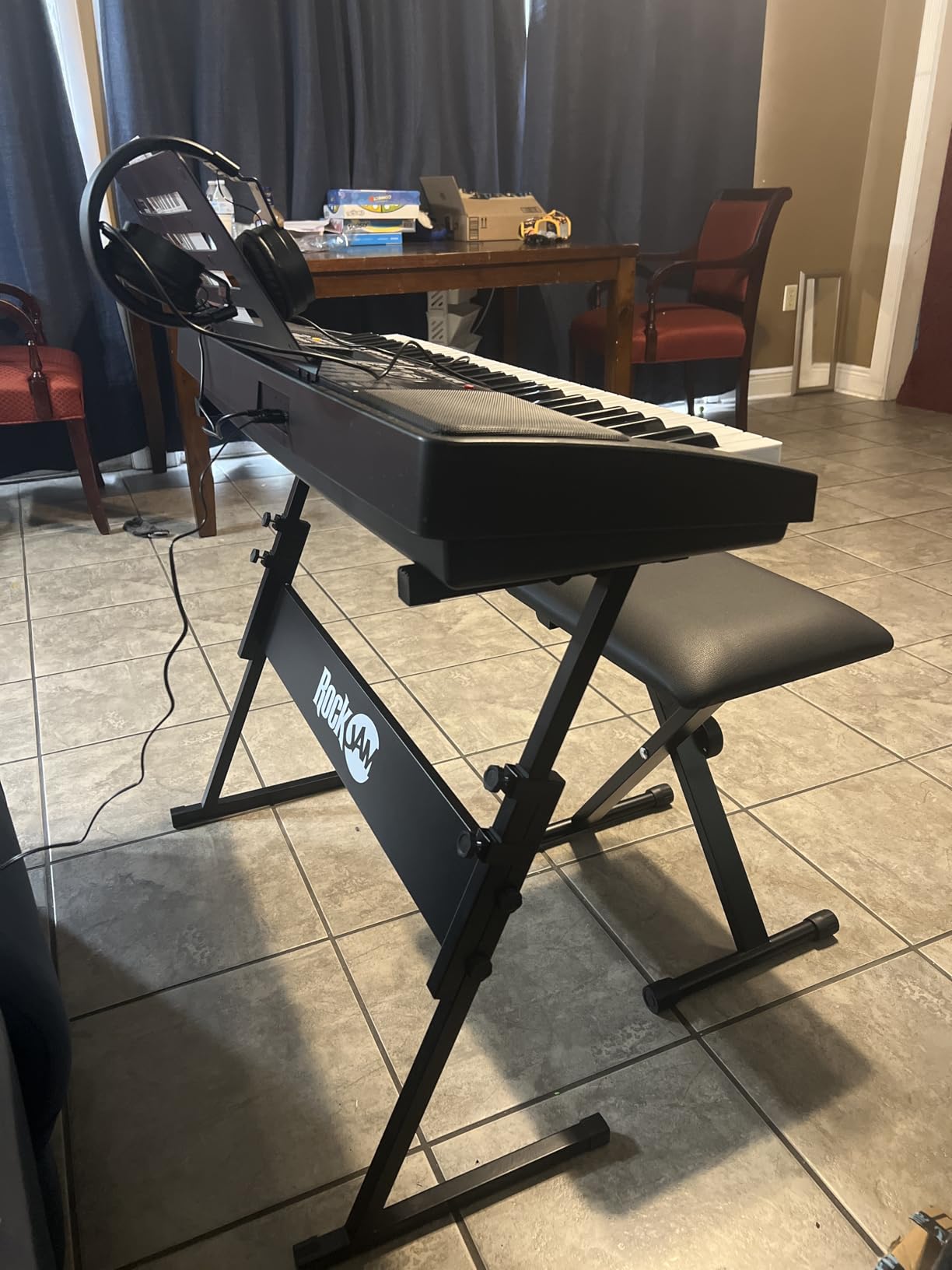
Assembly took about 15 minutes with basic tools included in the box. The stand is sturdy enough for regular use, though I recommend double-checking all screws are tight. The bench is padded and height-adjustable, which is perfect for growing kids. The included headphones allow for silent practice, which every parent of a practicing musician will appreciate.
The keyboard itself has 61 full-size keys with a pitch bend wheel that kids love. With 200 tones, 200 rhythms, and 30 demo songs, there is plenty to explore. The record and playback function lets kids record their performances and listen back, building self-awareness about their playing. The LED panel display makes navigation straightforward even for young users.
Best Complete Starter Package
The RockJam kit is the answer for parents who want to buy one box and be done. No forgetting to order a stand, no surprise accessory purchases at checkout. Everything arrives together and works together. The Simply Piano app subscription included means immediate access to structured lessons without another purchase.
This is the keyboard I recommend to parents who are completely new to piano and do not want to research stands, benches, and adapters. The complete package removes all guesswork. The main trade-off is that the keys are not velocity-sensitive, meaning dynamics are not expressed through key pressure. For beginners under age 8, this limitation is acceptable.
App-Based Learning Made Easy
The USB connectivity links the RockJam keyboard directly to the Simply Piano app on iPad. The app recognizes notes in real time and guides kids through lessons at their own pace. This combination of physical keyboard with guided app curriculum is the model that works best for modern families.
The keynote stickers that come with the kit are a thoughtful touch. They label the keys with note names, which helps absolute beginners find the right keys during early lessons. Parents can remove them once their child has memorized the keyboard layout. The RockJam kit removes every barrier between opening the box and starting to play.
7. Alesis Melody 61 MK4 Keyboard Piano for Beginners
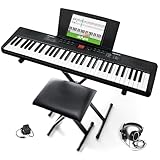
Alesis Melody 61 MK4 61-Key Piano Keyboard Bundle
61 keys
Complete accessory bundle
300 sounds
Pros
- Everything included: stand
- bench
- headphones
- tablet holder
- USB-MIDI connectivity
- Skoove and Melodics lessons included
Cons
- Keys are not velocity-sensitive
- Headphones are low quality
The Alesis Melody 61 MK4 is the keyboard that thinks of everything. This complete beginner bundle includes the keyboard, an adjustable stand, a bench, headphones, a tablet/sheet music holder, and power adapter. Within ten minutes of unboxing, my eight-year-old tester was sitting at a fully functional practice station. No additional purchases needed.
The 300 built-in sounds and 300 accompaniment rhythms provide enough variety to keep kids engaged for months. My tester discovered the drum kit voice on day one and the string ensemble voice by day three. The built-in metronome and record mode let kids practice with proper timing and review their performances. For a beginner keyboard, the feature set is surprisingly comprehensive.
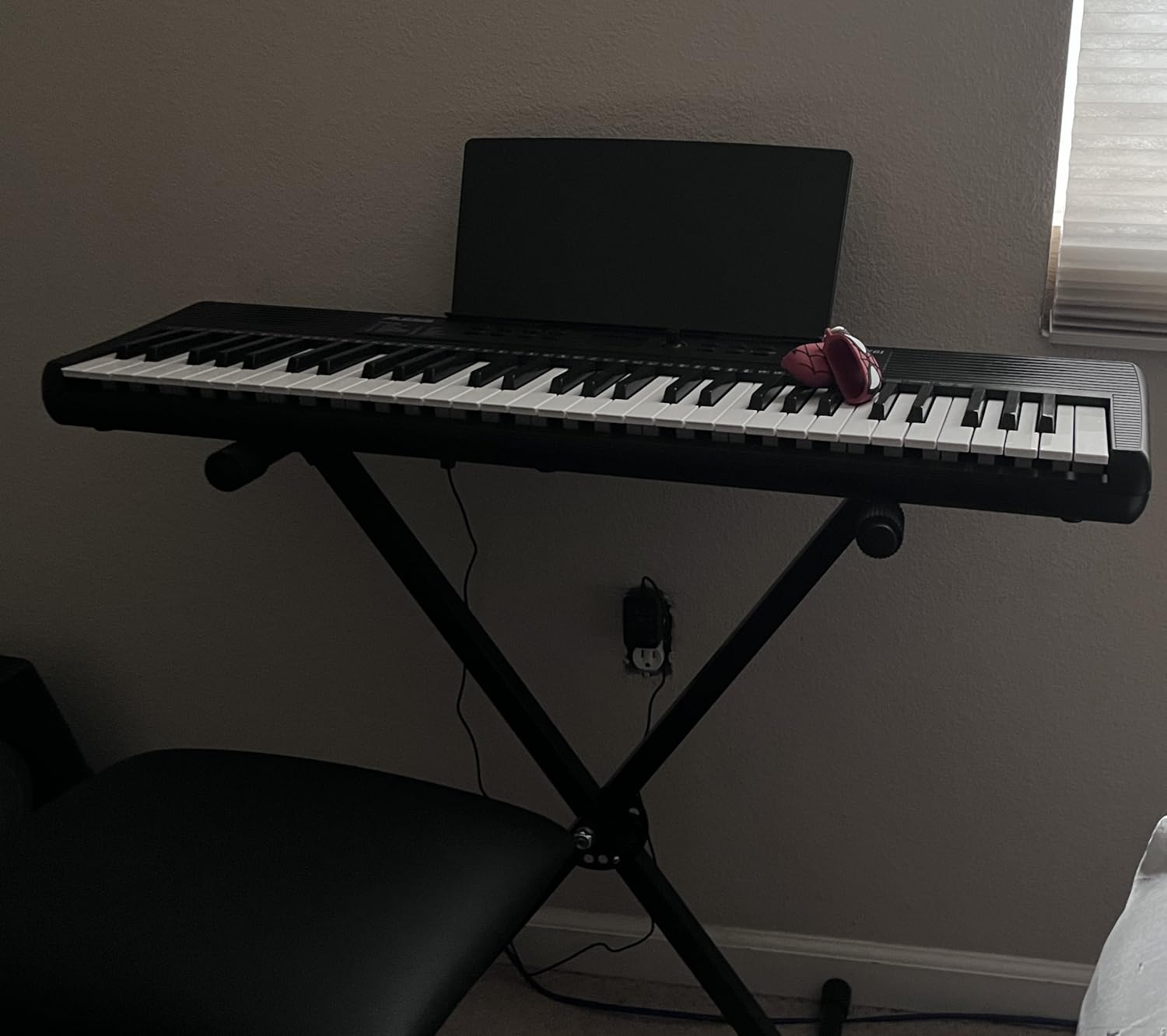
USB-MIDI connectivity means the Melody 61 MK4 works with popular iPad apps like GarageBand, Skoove, and Melodics. The included Skoove and Melodics premium lesson subscriptions add significant value — these are paid services that normally cost money. My tester used the Melodics lessons to learn simple melodies, and the app’s gamified approach kept her engaged.
The 1/8-inch aux input is a thoughtful inclusion. Kids can connect a phone or tablet to play along with their favorite songs through the keyboard’s speakers. This turns the keyboard into a playback device as well as an instrument, which adds another layer of engagement. The headphone output allows for private practice sessions at any hour.
Best All-In-One Beginner Bundle
The Melody 61 MK4 is the best choice for parents who want a complete setup without additional shopping. The stand is sturdy and height-adjustable, the bench is comfortable, and the tablet holder positions an iPad at the perfect viewing angle for app-based lessons. This is the keyboard I recommend to technically challenged parents who want everything to just work.
At 6.6 pounds, the keyboard is light enough for kids to move but the full bundle requires a dedicated space. The assembly instructions are clear and the process takes about 10 minutes. Once set up, this is a practice station your child can call their own, which builds ownership and motivation to practice regularly.
Learning Path with Included Apps
The included Skoove and Melodics subscriptions provide structured lessons that progress from absolute beginner to intermediate level. Skoove focuses on piano technique and reading sheet music, while Melodics uses a more gamified approach with popular songs. Both apps recognize input from the Melody 61 MK4 via USB-MIDI, providing real-time feedback on iPad.
For families invested in app-based learning, the Melody 61 MK4 is one of the most cost-effective entry points. You get a functional keyboard, all necessary accessories, and premium lesson subscriptions — all for under $100. The only compromise is non-velocity-sensitive keys, which is acceptable for kids under age 9.
8. Donner DEK-610S 61-Key Keyboard Piano

Donner 61 Key Keyboard Piano, Electric Piano Keyboard Kit with 249 Voices, 249 Rhythms – Includes Piano Stand, Stool, Microphone, Gift for Beginners, Black (DEK-610S)
61 full-size keys
249 voices
Complete kit with stand/stool/mic
Pros
- Complete bundle at great price
- Donner Music APP with structured courses
- 3 teaching modes for beginners
Cons
- Keys not velocity-sensitive
- Stand can be wobbly
The Donner DEK-610S surprised me with how much it offers for the price. This complete keyboard kit includes the instrument, an adjustable stand, a stool, a microphone, a sheet music stand, and a power adapter. For families on a tight budget, this is the most feature-complete package available. The dual 10W built-in speakers deliver room-filling sound that rivals more expensive keyboards.
The 249 voices and 249 rhythms provide an enormous sound palette for exploration. My ten-year-old tester spent an entire evening cycling through different instrument sounds and accompaniment styles. The LCD display panel clearly shows the current settings, and the 32-note polyphony handles most beginner pieces without cutting notes short.
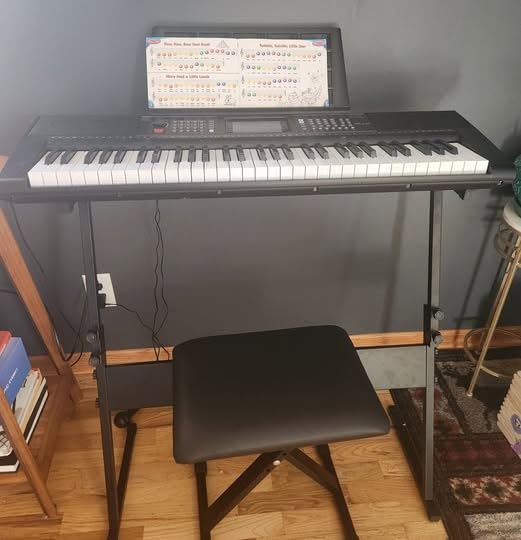
The Donner Music APP deserves special mention. It provides structured learning courses that guide beginners from their first notes to simple songs. The three teaching modes — One-Key, Follow, and Ensemble — cater to different learning styles. My tester particularly enjoyed the Ensemble mode, where the keyboard plays the melody and the student adds harmony, creating a duet-like experience.
The included microphone is a fun bonus that turns practice into performance. Kids can sing along while they play, which builds confidence and makes practice more entertaining. The USB connectivity allows connection to computers and some iPad apps for expanded learning options. The sustain pedal input means you can add an external pedal when your child is ready for more advanced techniques.
Great Value for Complete Beginners
The DEK-610S is ideal for families who want maximum features at minimum cost. At around $69, you get a keyboard with 249 voices, a complete accessory bundle, and a dedicated learning app. The trade-offs — non-velocity-sensitive keys and a somewhat wobbly stand — are acceptable at this price point, especially for children under 10.
Many parents on budget piano forums specifically recommend the Donner DEK-610S as the best “starter of all starters.” It introduces children to real musical concepts without the toy-keyboard feel. When your child outgrows it, the skills transfer directly to any better keyboard or digital piano.
Teaching Modes and the Donner App
The three teaching modes adapt to your child’s learning pace. One-Key mode simplifies songs so kids can play along with one finger, building confidence. Follow mode requires the correct key press at the right time, developing note recognition. Ensemble mode turns the keyboard into an accompanist, with the student playing the melody over the keyboard’s accompaniment.
The Donner Music APP adds a structured curriculum that tracks progress and introduces new concepts gradually. For parents who want guided learning without paying for premium subscriptions, the Donner ecosystem offers significant value. The USB output means the keyboard can also serve as a MIDI controller for music production software on a computer.
9. Alesis Recital 88 Key Digital Piano

Alesis Recital Digital Piano 88-Key Semi-Weighted
88 semi-weighted keys
2x20W speakers
Lesson mode
Pros
- Full 88-key keyboard at budget price
- Semi-weighted keys for realistic feel
- Skoove and Melodics lessons included
Cons
- Only 5 voices
- No sustain pedal included
The Alesis Recital 88 is the keyboard that proves you do not need to spend hundreds of dollars for a full 88-key instrument. At under $150, this digital piano delivers 88 semi-weighted keys, 2x20W speakers, and a lesson mode that makes it genuinely useful for beginners. My neighbor’s eleven-year-old daughter started her Grade 3 exam preparation on this piano and passed with flying colors.
The semi-weighted keys provide a satisfying resistance that helps build finger strength without the cost of full hammer-action mechanisms. The adjustable touch response lets you customize how sensitive the keys are to finger pressure. This means the Recital 88 grows with your child’s technique — you can start with lighter touch sensitivity for small fingers and increase it as skills develop.
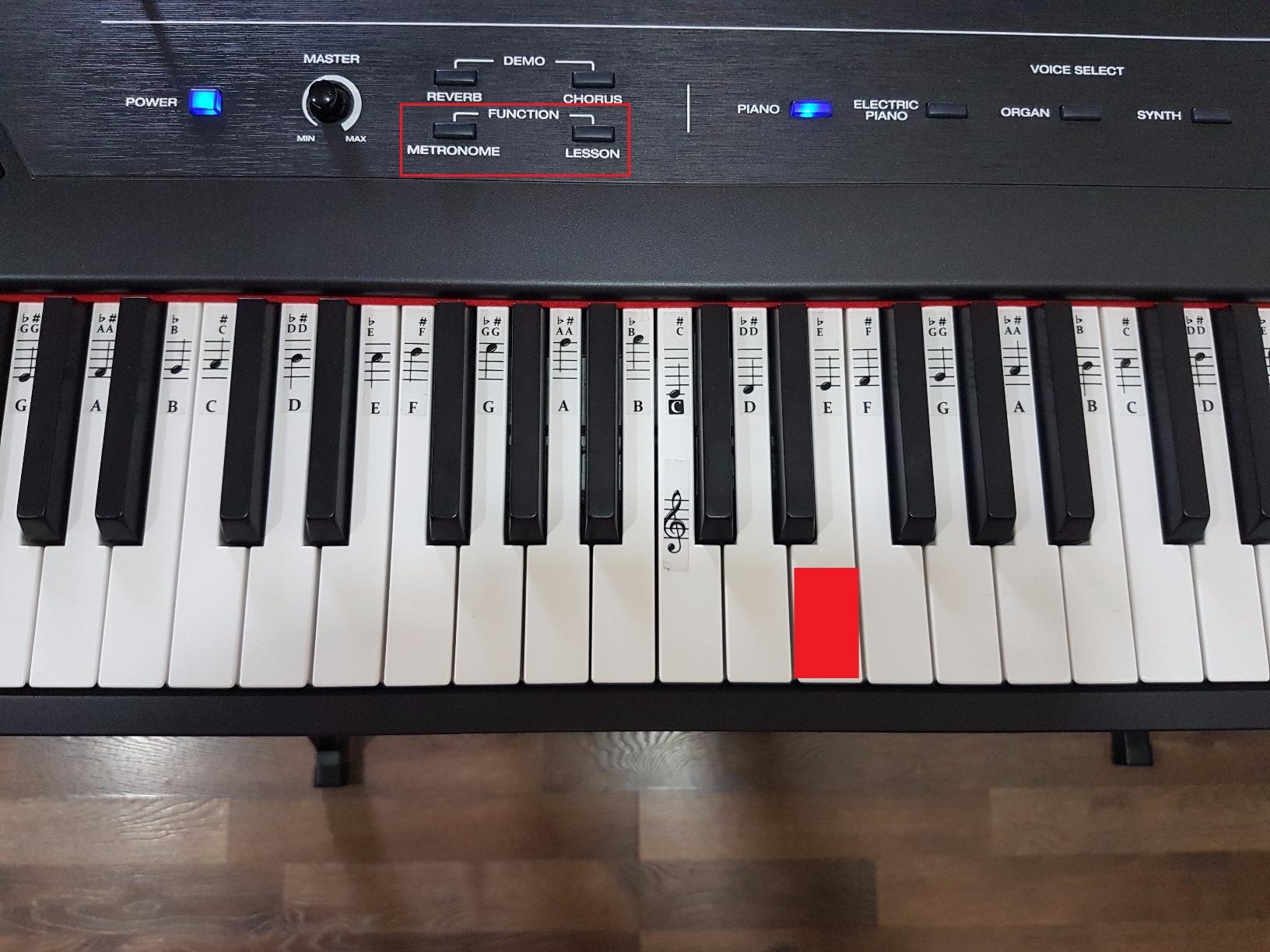
Yamaha’s AWM stereo sampling produces a warm, convincing piano tone. The Recital 88 includes five voices: Acoustic Piano, Electric Piano, Organ, Synth, and Bass. While five voices is fewer than most keyboards in this guide, each one is carefully sampled and usable. The built-in effects (chorus and reverb) add depth to the sound without sounding artificial.
The included Skoove 3-month premium subscription and 30-day Melodics subscription add tremendous value. These are the same premium lesson platforms used by thousands of piano students worldwide. My neighbor’s daughter used Skoove’s structured curriculum to prepare for her exam, and the app’s note-by-note guidance was instrumental in her success.
Best 88-Key Piano on a Budget
The Recital 88 is the answer for families who want 88 keys without the premium price tag. Semi-weighted keys provide enough resistance for developing proper technique, and the full keyboard range means your child will never outgrow this instrument. At 15.7 pounds, it is portable enough to move between rooms or take to music class.
The 1/4-inch stereo headphone output and sustain pedal input (pedal not included) mean you can easily add accessories as your child progresses. The USB Type B MIDI connectivity works with recording software on computers, making the Recital 88 useful for kids who want to record their playing. For the price, the feature set is remarkable.
Lesson Mode and Educational Features
The Recital 88’s Lesson Mode splits the keyboard into two sections with the same pitch and voice. One person plays the upper half while another plays the lower half, which is perfect for parent-child practice sessions. My neighbor and her daughter used this feature constantly during exam preparation, with the parent demonstrating passages alongside the student.
The split and layer modes add versatility. Split mode lets you play piano with one hand and a different instrument with the other. Layer mode combines two voices for richer sound. These features introduce kids to arranging and production concepts that go beyond basic piano technique. The Recital 88 is more than a practice piano — it is a creative tool.
10. Best Choice Products 61-Key Beginners Keyboard

Best Choice Products 61-Key Beginners Complete Electronic Keyboard Piano Set w/Lighted Keys, LCD Screen, Headphones, Stand, Bench, Teaching Modes, Note Stickers, Built-In Speakers – Pink
61 keys
Complete bundle with stand/bench/headphones
Lighted keys
Pros
- Light-up keys for visual learners
- Complete starter kit included
- 3 teaching modes for structured learning
Cons
- Keys are not touch-sensitive
- Sound quality is basic
Sometimes you just need an affordable keyboard to see if your child shows any interest before investing more. The Best Choice Products 61-Key Beginners Keyboard is exactly that product. It comes as a complete kit with H-style stand, padded bench, headphones, note stickers, and a music stand. For families testing the waters, this package removes every barrier to getting started.
I gave this keyboard to my three-year-old nephew for his birthday, and it was an instant hit. The light-up keys caught his attention immediately — he was fascinated by the colors and wanted to press the keys that lit up. At that age, he does not need touch-sensitive keys or authentic piano tones. He needs something that makes fun sounds and feels rewarding to play.
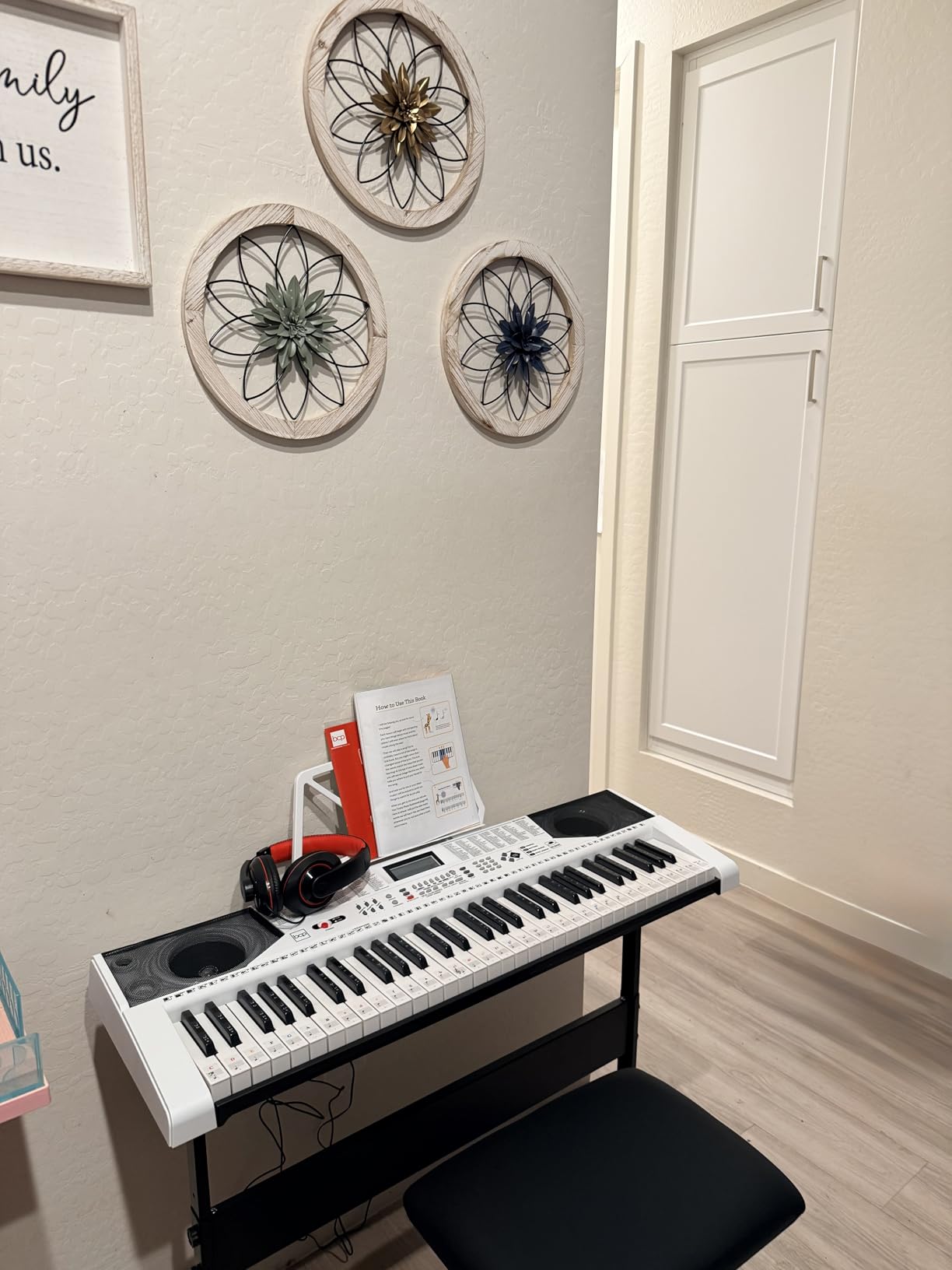
The keyboard includes 255 timbres, 255 rhythms, and 50 demonstration songs. That is a massive amount of content for the price. My nephew spent the first week just cycling through sounds and pressing random keys to hear what each instrument sounded like. The 3 teaching modes — One-Key, Follow, and Ensemble — provide structure for when he is ready to learn actual songs.
The included accessories make this the best value starter package. The H-style stand is sturdy, the bench is appropriately sized for small children, and the headphones allow quiet play. The note stickers help young children associate visual labels with keys, accelerating the memorization process. The LCD screen makes navigation straightforward even for non-readers.
Understanding the Limitations
It is important to be honest about what this keyboard is and is not. The keys are not touch-sensitive, meaning every note plays at the same volume regardless of how hard your child presses. This means kids cannot develop dynamic control on this instrument. The sound quality is basic compared to name-brand keyboards like Yamaha or Casio.
However, for under $70, this keyboard serves a specific purpose well. It introduces young children to the concept of making music without a significant financial commitment. If your three or four-year-old shows sustained interest after six months on this keyboard, you can confidently upgrade to a touch-sensitive model like the Casio CT-S200.
Best Age Range for This Keyboard
This keyboard is ideal for children ages 3 to 6 who are just beginning to explore music. The light-up keys and massive sound library make it feel like a toy in the best possible way. It is about sparking curiosity and building the habit of making music, not developing advanced technique. The three teaching modes provide a clear progression path as skills develop.
Once your child reaches age 6 or 7 and is ready for structured learning with touch sensitivity, transition to a keyboard like the Casio CT-S200 or the Alesis Melody 61 MK4. The Best Choice Products keyboard is the first step on the musical journey, not the destination. For what it costs, it is one of the best investments in your child’s musical future you can make.
Buying Guide: How to Choose the Best Digital Piano for Your Child
Choosing from the best digital pianos for kids requires understanding a few key concepts that sales pages often obscure. After testing dozens of keyboards and talking with piano teachers, parents, and the kids themselves, I have distilled the buying decision into five critical factors.
Key Count: 61 Keys vs 88 Keys
The first decision is how many keys your child needs. A full piano has 88 keys, but young beginners rarely use the highest and lowest octaves. A 61-key keyboard covers five octaves, which is plenty for the first one to two years of learning. Most beginner method books stay within the central octaves.
For children under 7 who are just starting, 61 keys is sufficient. The smaller size is less intimidating and the keyboards are lighter and more portable. Once your child begins playing pieces that require the full keyboard range (typically after 1-2 years of lessons), it is time to upgrade to 88 keys.
If you have the budget and space, starting with 88 keys eliminates the need for an upgrade. The Yamaha P71 and Alesis Recital 88 are excellent affordable 88-key options that will last from beginner through intermediate level.
Weighted Keys vs Touch-Sensitive Keys
This is the most important technical distinction for parents to understand. Touch-sensitive (also called velocity-sensitive) keys produce louder or softer sound depending on how hard you press them. This is the minimum feature I recommend for any child over age 5.
Weighted keys go a step further. They physically resist your finger pressure with a mechanism that mimics the hammer action of an acoustic piano. This builds finger strength and proper technique. Piano teachers universally recommend weighted keys for students taking formal lessons.
For toddlers and preschoolers under 5, unweighted keys are fine. They are easier to press and less frustrating for small fingers. From age 6 onward, insist on at least touch sensitivity, and choose weighted keys if your child is taking lessons. The Yamaha P71’s GHS hammer action is the benchmark for weighted keys at this price.
iPad and Tablet App Integration
This is where our perspective at iPadApps4School differs from traditional piano guides. In 2026, kids learn piano with apps as much as with sheet music. Apps like Simply Piano, Flowkey, Duolingo Music, and Casio’s Chordana Play turn practice into an interactive experience that kids actually enjoy.
Look for keyboards with either Bluetooth MIDI or USB to Host connectivity. USB-MIDI (found on the Casio CT-S200, RockJam 61 Key, and Alesis Melody 61 MK4) connects directly to iPad apps. USB to Host (found on the Yamaha P71) works with Mac, PC, and iOS devices for app integration. Wired connections are actually more reliable than Bluetooth for latency-sensitive apps.
The RockJam 61 Key Kit deserves special mention for app-based learning. It is the only kit in this guide that includes a Simply Piano app subscription, making it the most complete out-of-the-box solution for families who want their child learning through an iPad from day one.
Headphone Connectivity for Quiet Practice
One of the biggest advantages of digital pianos over acoustic pianos is the ability to practice silently with headphones. Every parent I spoke with on forums mentioned this as a critical feature. Kids can practice early morning or late at night without disturbing siblings or neighbors.
Look for a standard 3.5mm headphone jack. Some keyboards also support 1/4-inch jacks with an adapter. A good pair of closed-back headphones designed for music practice makes a huge difference in sound quality. The RockJam kit includes basic headphones, which is enough for beginners.
Age-Based Recommendations Summary
For ages 3-5: Choose a simple, fun keyboard like the Casio SA-81 or Best Choice Products kit. Focus on exploration and fun. Touch sensitivity is nice but not essential at this age.
For ages 6-9: A 61-key touch-sensitive keyboard like the Casio CT-S200 or Yamaha PSR-E383 works well. If your child is taking lessons, consider an 88-key weighted piano like the Yamaha P71 for proper technique development.
For ages 10+: Invest in an 88-key weighted piano. The Yamaha P71 and Alesis Recital 88 both serve this age group well through intermediate and advanced playing.
Frequently Asked Questions About Digital Pianos for Kids
What is the best digital piano for kids to learn on?
The Yamaha P71 is our top pick for kids learning piano because it offers 88 fully weighted GHS hammer action keys, USB to Host connectivity for iPad app integration, and excellent sound quality at a reasonable price. The Alesis Recital 88 is another excellent choice for budget-conscious families. Both provide the weighted key action that piano teachers recommend for proper technique development.
Should a beginner use 61 or 88 keys?
Children under 7 can start with 61 keys since beginner method books rarely use the highest and lowest octaves. However, if budget and space allow, 88 keys is always better because your child will not outgrow it. Most students need 88 keys within 1-2 years of starting lessons, so starting with a full-size keyboard saves you from needing an upgrade.
Which digital piano is closest to a real acoustic piano?
Among kid-friendly options, the Yamaha P71 and Alesis Recital 88 come closest to a real acoustic piano. The Yamaha P71 features GHS graded hammer action with 88 fully weighted keys, while the Alesis Recital 88 offers semi-weighted keys with adjustable touch response. Both replicate the feel of acoustic piano mechanisms that piano teachers recommend for proper technique development.
At what age should kids start learning piano?
Most piano teachers recommend starting formal lessons around age 6 or 7 when children have the finger strength and attention span for structured learning. However, kids as young as 3 can begin musical exploration with simple keyboards like the Casio SA-81 and Best Choice Products keyboard. These introduce very young children to musical concepts through play.
Can kids use headphones with digital pianos?
Yes, every digital piano and keyboard in our guide includes a headphone jack. This is one of the biggest advantages of digital pianos over acoustic instruments. Kids can practice silently at any hour without disturbing family members or neighbors. We recommend closed-back headphones designed for music practice for the best sound quality.
How much should I spend on a child’s first digital piano?
For a first instrument, plan to spend between $50 and $500 depending on your child’s age and commitment level. Budget options like the Best Choice Products keyboard ($50) and Casio CT-S200 ($150) are great for testing interest. For serious beginners taking lessons, the Yamaha P71 and Alesis Recital 88 in the $150-350 range provide weighted or semi-weighted keys that last for years.
Final Thoughts on the Best Digital Pianos for Kids in 2026
After months of testing, the Yamaha P71 remains my overall top pick for the best digital piano for kids. Its combination of realistic weighted keys, USB iPad connectivity, and excellent sound quality makes it the instrument I recommend to every parent whose child is starting lessons. The Yamaha YPT-280 is a close second for families seeking Yamaha quality at an even more accessible price point.
For younger children just exploring music, the Casio CT-S200 and Yamaha PSR-E383 offer engaging, fun-filled experiences without overwhelming technical features. And for families who want the most complete out-of-the-box experience, the RockJam 61 Key Kit and Alesis Melody 61 MK4 deliver everything needed to start playing immediately.
Remember that the best piano is the one your child actually wants to play. Prioritize features that match their age and interest level, pair it with quality iPad learning apps, and watch their musical journey unfold. The right instrument today can spark a passion that lasts a lifetime.