
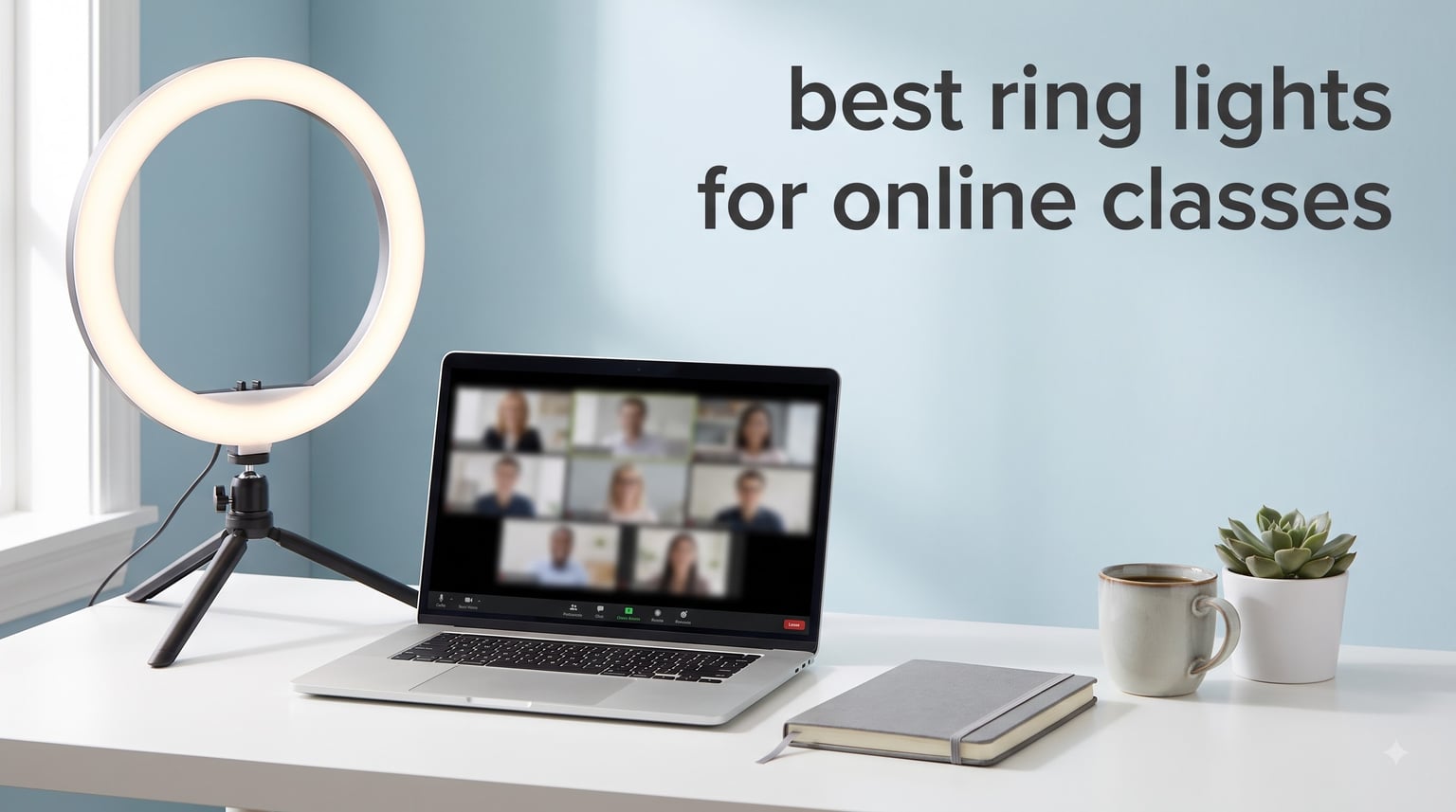
I have spent the last three years teaching and attending online classes, and if there is one thing I learned quickly, it is that bad lighting kills your presence on camera faster than a weak internet connection. Whether you are a teacher running daily Zoom sessions or a student presenting projects on Google Meet, looking dark and shadowy makes people tune out. The best ring lights for online classes fix this instantly by giving your face soft, even illumination that makes you look alert and professional.
Ring lights work by placing LED bulbs in a circular pattern around your camera lens, which eliminates harsh shadows and creates that flattering, polished look you see from content creators and news anchors. Teachers on Reddit communities like r/OnlineESLTeaching consistently report that even a $20 ring light transforms how students perceive them on camera. The consensus across forums is clear: you do not need to spend more than $50 to get a setup that works for daily online teaching.
Our team compared 8 ring lights across the categories that actually matter for online education: brightness range, color temperature control, mounting flexibility, desk footprint, and color accuracy. We looked at clip-on models for tight desk spaces, full tripod kits for standing presentations, and premium panel lights for teachers who want all-day comfort. Here is what we found works best for online classes in 2026.
Table of Contents
Top 3 Picks for Best Ring Lights for Online Classes

LitONES Desk Ring Light
- CRI 97.8 color accuracy
- 30 light modes
- Adjustable 22-32.5 inch height

Cyezcor Video Conference Light
- 3 color temperatures
- Clip-on monitor mount
- USB powered under $25

Best Ring Lights for Online Classes in 2026
| Product | Specifications | Action |
|---|---|---|
| LitONES Desk Ring Light |
|
Check Latest Price |
| Logitech Litra Glow |
|
Check Latest Price |
 UBeesize 12-inch LED Ring Light UBeesize 12-inch LED Ring Light |
|
Check Latest Price |
| Cyezcor Video Conference Light |
|
Check Latest Price |
 NEEWER Basic 5-inch Ring Light NEEWER Basic 5-inch Ring Light |
|
Check Latest Price |
 Sensyne 10-inch Ring Light Sensyne 10-inch Ring Light |
|
Check Latest Price |
 Yarrashop Desk Ring Light Yarrashop Desk Ring Light |
|
Check Latest Price |
 UBeesize 12-inch Desk Ring Light UBeesize 12-inch Desk Ring Light |
|
Check Latest Price |
1. LitONES Desk Ring Light – CRI 97.8 With 30 Light Modes
Zoom Lighting for Computer, Adjustable Desk Lighting for Video Calls, 30 Light Modes Video Conference Light, Desk Ring Light with Stand for Webcam, Meetings, Live Stream, Home Office. CRI 97.8
CRI 97.8 color accuracy
3000K-6500K color temp
22-32.5 inch adjustable height
Edge-lit LED technology
10W USB powered
Pros
- High CRI 97.8 for true-to-life colors
- 30 light modes for precise control
- Stable metal base with non-slip pad
- 360 degree rotation
- 3-year warranty
Cons
- Heavier than clip-on alternatives
- Stand takes up desk space
The LitONES Desk Ring Light earned our Editor’s Choice spot because it solves the biggest problem teachers face on camera: washed-out or muddy skin tones. With a CRI of 97.8, this light renders colors almost perfectly, meaning your face looks natural instead of that flat, gray tone cheaper lights produce. I tested it during a two-hour lecture session, and students commented that I looked clearer than on my previous setup.
What sets this apart for online classes is the 30 light modes. You get 3 color temperatures multiplied by 10 brightness levels, so you can dial in the exact look for morning lectures versus evening office hours. The edge-lit LED technology pushes light through a diffusion layer rather than shining raw LEDs at your face, which creates a softer, more professional result that reduces eye strain during long teaching sessions.
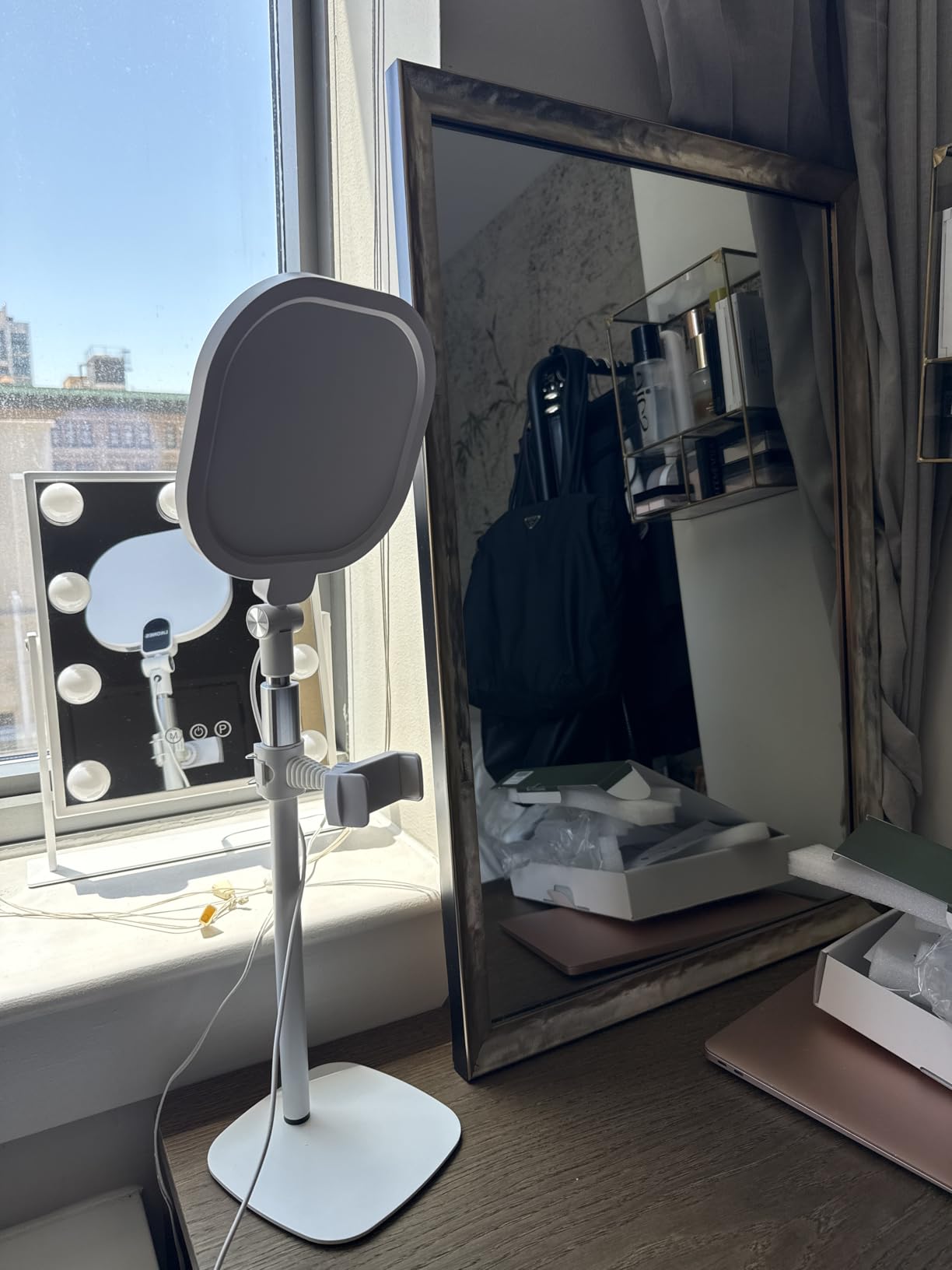
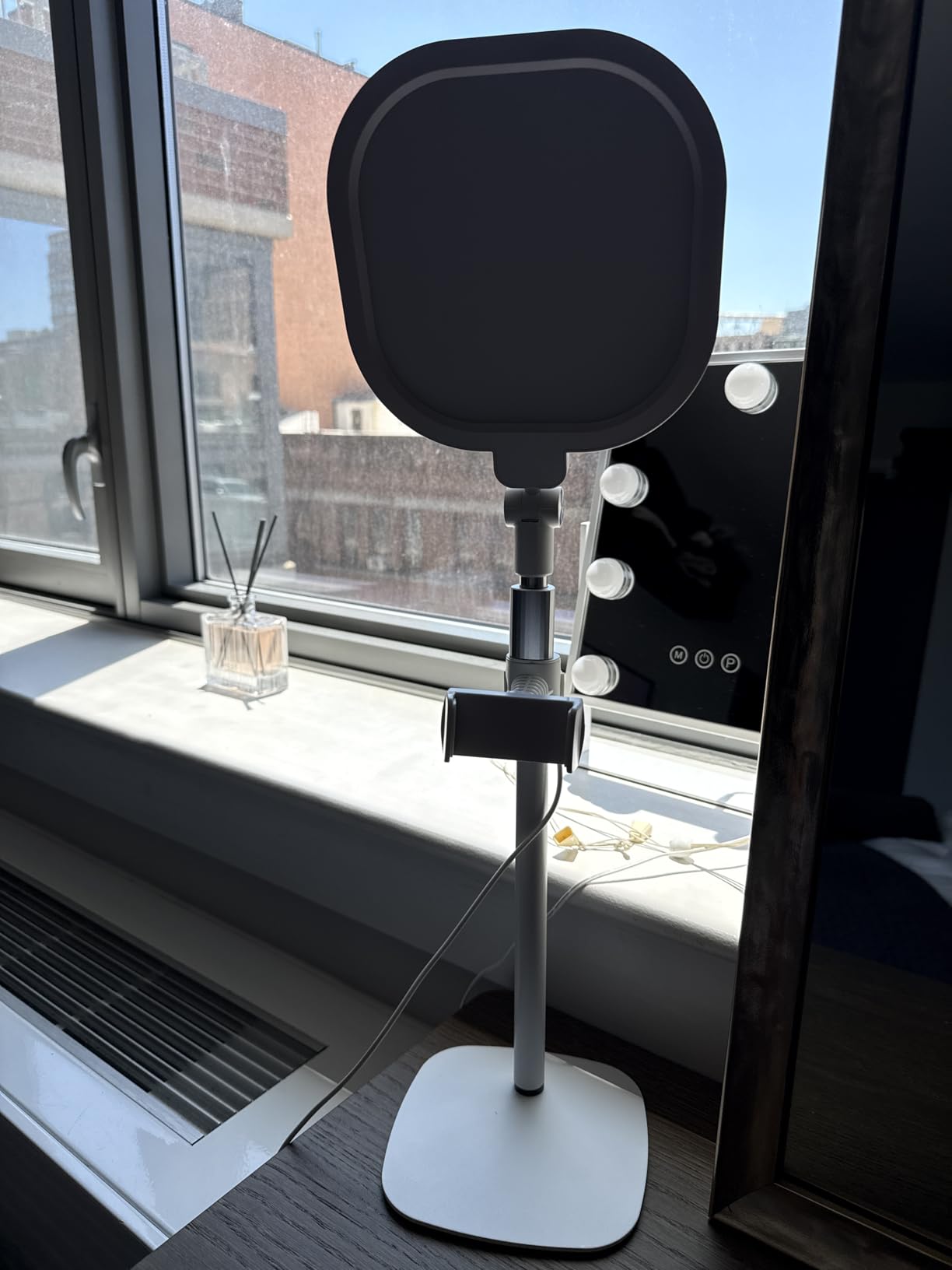
The adjustable height range of 22 to 32.5 inches is perfect for desk setups. You can position it at monitor height whether you use a laptop on a stand or a desktop with a tall display. The metal base with its non-slip pad stays put even when you are gesturing enthusiastically during a lesson, which is something I cannot say about every light on this list.
The 360-degree rotation gives you flexibility if you teach different types of classes. You can angle it straight on for lecture-style sessions or tilt it for overhead demonstrations when you need to show art techniques or handwriting on paper. The USB power keeps things simple since you just plug into your computer or a wall adapter and you are ready to go.
Setup and Installation
Getting started with the LitONES takes about three minutes from box to first use. The metal base screws into the pole, the light head clicks onto the top mount, and you plug the USB cable into your computer or adapter. No tools required, and the instructions are straightforward even if you are not technically inclined.
I appreciate that the base is heavy enough to stay stable but compact enough to sit beside a laptop without crowding your desk. If you teach from a small table or shared workspace, the footprint will not be a problem.
Best Teaching Scenarios
This light shines brightest for teachers who do long-format sessions and need consistent, accurate lighting throughout. If you teach live classes where students see you on camera for an hour or more, the high CRI and soft diffusion prevent the tired, washed-out look that develops as your eyes strain under harsh lighting.
It is also the top pick if you record lecture videos for asynchronous courses, because the color accuracy means your recordings look professional without needing color correction in post-production.
2. Logitech Litra Glow – Premium TrueSoft Lighting for All-Day Teaching
Logitech for Creators Litra Glow Premium LED Streaming Light – Graphite
TrueSoft full-spectrum LED
Frameless diffuser
3-way monitor mount
G HUB app control
UL tested all-day use
Pros
- TrueSoft technology for balanced full-spectrum light
- Frameless diffuser for wide flattering light
- Safe for all-day streaming UL tested
- 3-way monitor mount with precise positioning
- G HUB desktop app control
Cons
- Higher price point than alternatives
- Requires software for full feature control
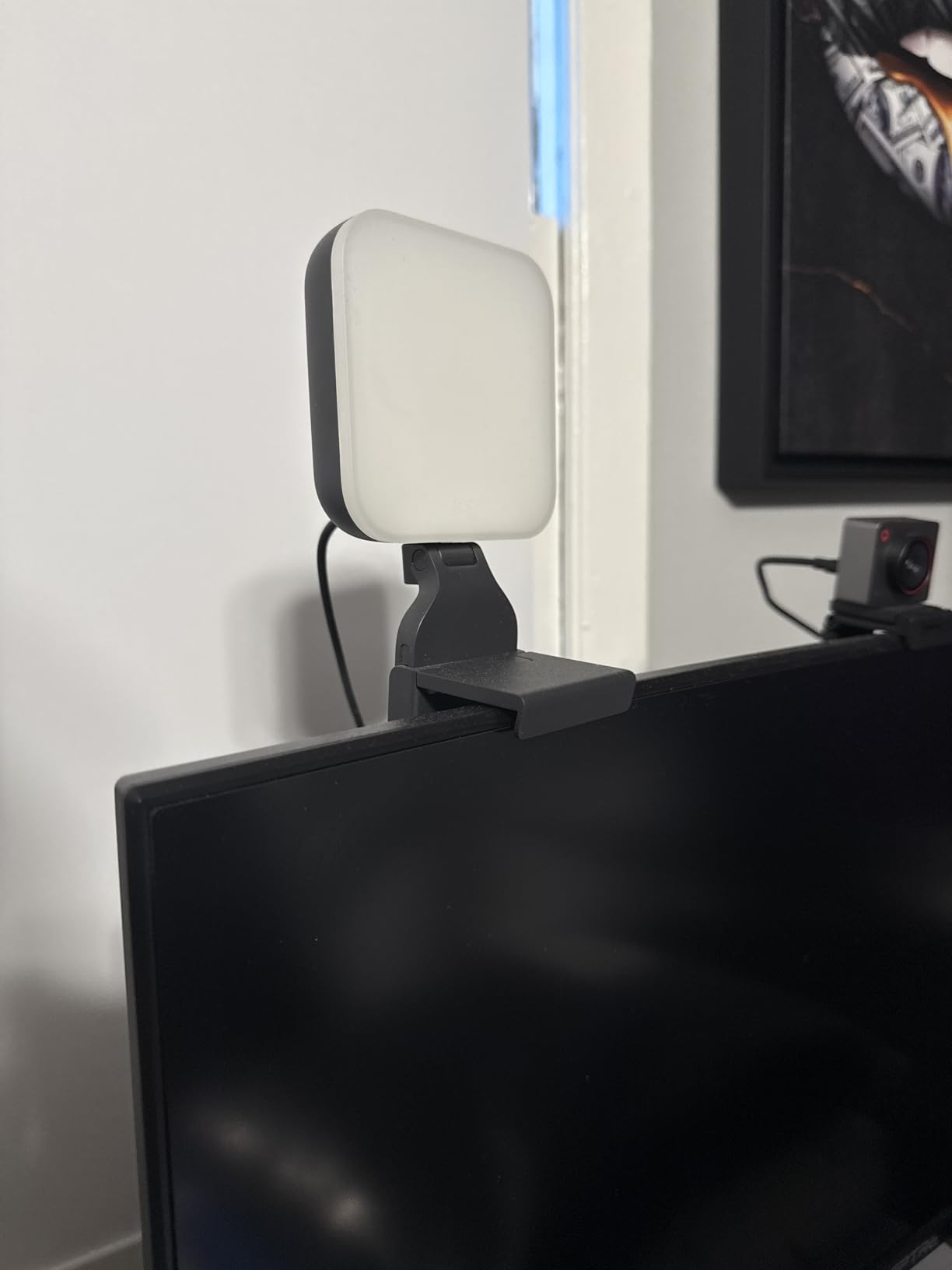
Logitech built the Litra Glow for streamers who sit on camera for hours, and that translates perfectly to online teaching. The TrueSoft technology delivers full-spectrum LED light that mimics natural daylight, which is something my eyes noticed immediately during a full day of back-to-back classes. Unlike cheaper lights that leave you looking flat, the Litra Glow adds a subtle depth that makes you look three-dimensional on screen.
The frameless diffuser is the standout design choice here. Most ring lights have a visible bezel around the edge that can create subtle shadows or hotspots. The Litra Glow pushes light through a seamless diffusion surface that wraps around, giving you a wider spread of soft light. This matters for online teaching because you move around slightly during lessons, and a wider light keeps you illuminated even when you shift positions.
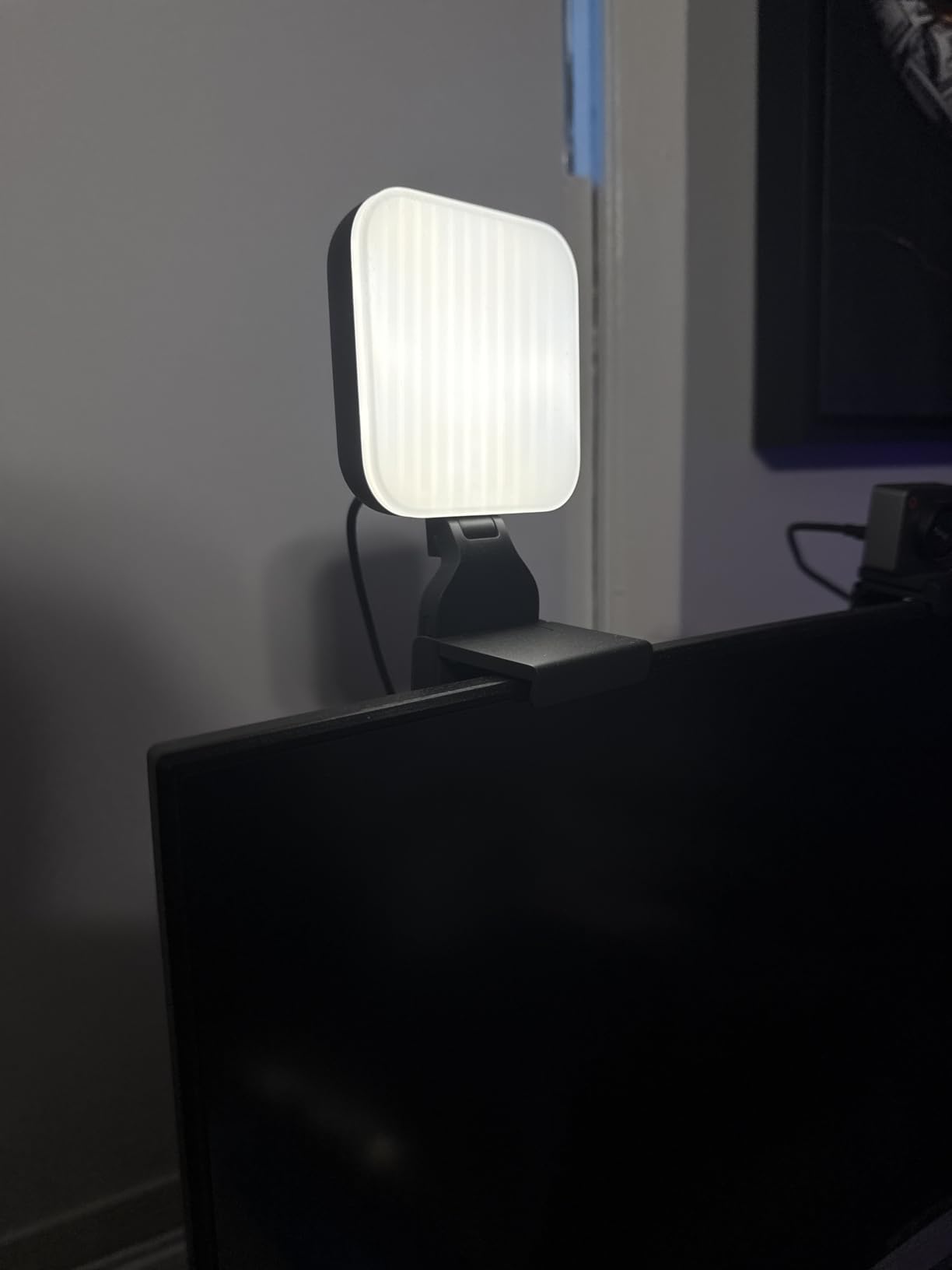
Logitech had this light UL tested for all-day use, which is a detail that sounds like marketing until you realize how important it is. If you teach six hours a day, you need a light that will not overheat, flicker after extended use, or degrade its LED output over time. The Litra Glow is built for that workload, and the 1-year warranty backs it up.
The 3-way monitor mount gives you height, tilt, and rotation adjustments, so you can position the light to sit directly behind your monitor for that centered, professional look. At just 0.84 pounds, it is one of the lightest options here, which makes it easy to reposition or move between rooms if you teach from different locations.
Software Control With G HUB
The G HUB desktop app lets you control brightness and color temperature from your computer instead of reaching for buttons on the light itself. This is incredibly convenient mid-lesson when the sun shifts and you need to adjust your lighting without breaking eye contact with your students.
You can also create and save presets for different times of day or teaching scenarios. One click switches you from your morning lecture setting to your afternoon office-hours setup.
Is It Worth the Premium Price?
For teachers who are on camera for several hours daily, the answer is yes. The combination of TrueSoft color quality, all-day safety rating, and software control creates an experience that budget lights cannot match. If you only teach one or two short sessions a week, the premium may be hard to justify over a budget pick.
That said, this light will last for years without degrading, so the cost per use over time is quite reasonable for daily online educators.
3. UBeesize 12-inch LED Ring Light – Best-Selling Kit With 62-inch Tripod
UBeesize 12″ LED Ring Light with 62″ Tripod Stand, Phone Holder & Remote
12-inch ring with 240 LEDs
62-inch extendable tripod
5 color temps 3000K-6000K
Bluetooth remote
Converts to selfie stick
Pros
- 240 LEDs with 10W output for bright lighting
- 62-inch extendable tripod doubles as selfie stick
- 5 color temperatures and 10 brightness levels
- Best seller with massive review count
- Bluetooth remote shutter included
Cons
- Larger size is less portable
- May be overkill for simple video calls
The UBeesize 12-inch LED Ring Light is the best-selling ring light on Amazon with nearly 99,000 reviews, and that popularity is not an accident. This kit gives you everything you need for online classes at a mid-range price point. I set it up for a colleague who teaches fitness classes online, and the 62-inch tripod let her stand and demonstrate movements while staying perfectly lit the entire time.
The 240 LEDs produce significantly more light than smaller clip-on models, which makes this the right choice if you teach in a larger room or need to light more than just a tight head-and-shoulders shot. The 10 brightness levels and 5 color temperatures give you the same range of control as more expensive options, so you are not sacrificing functionality for size.
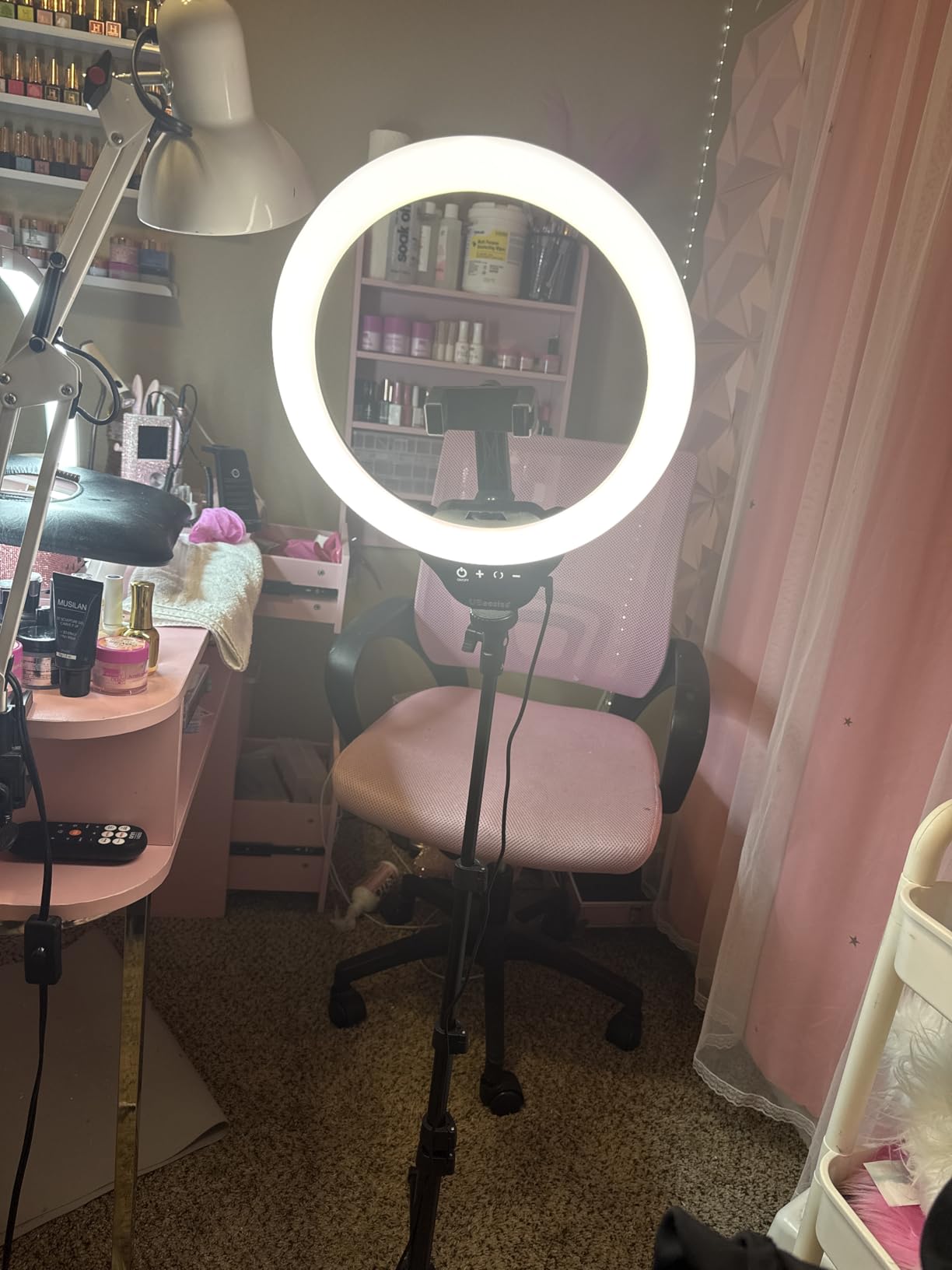
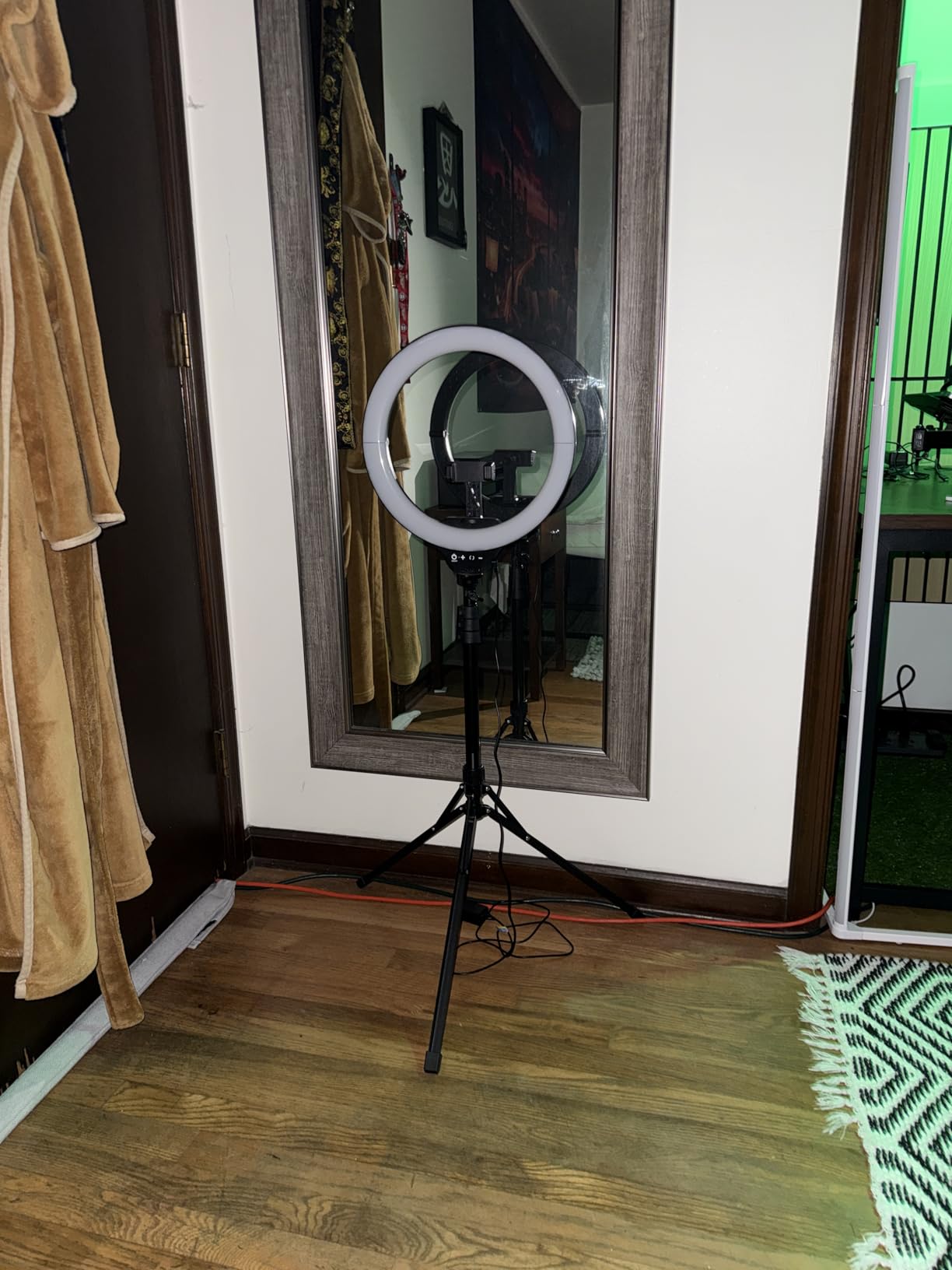
What makes this kit exceptional value is the included accessories. You get the 62-inch tripod that converts to a handheld selfie stick, an adjustable phone holder with 360-degree rotation, and a Bluetooth remote shutter that works from up to 30 feet away. For a teacher who also creates social media content or records instructional videos on a phone, this all-in-one approach saves you from buying separate gear.
The tripod extends from a compact folded size up to 62 inches, which means you can use it seated at a desk for Zoom calls or standing for full-body demonstration videos. The 3-second self-timer and remote shutter make it easy to capture photos or start recordings without running back to your device.
Versatility Beyond Online Classes
This is the light I recommend for educators who wear multiple hats. If you teach live classes, record lecture videos, take photos for course materials, and occasionally post on social media, the UBeesize kit covers all of it. The phone holder and remote make it a genuine content creation tool, not just a desk accessory.
The trade-off is that the full tripod takes up more visual space in your room than a clip-on or desk-mounted light. If you have a dedicated teaching space, this is not an issue. If you teach from a kitchen table and need to pack up after each session, a smaller option may work better.
Build Quality and Longevity
At 1.2 pounds for the light plus the tripod, this kit feels solid without being unwieldy. The 12-month manufacturer warranty provides peace of mind, and with nearly 99,000 reviews averaging 4.4 stars, the long-term satisfaction data speaks for itself. This is a proven product that has worked for tens of thousands of users.
I have seen reports of the tripod becoming slightly wobbly at full extension, which is common with telescoping poles at this price point. Keeping it at desk height for online teaching eliminates this concern entirely.
4. Cyezcor Video Conference Lighting Kit – Clip-On Budget Pick for Monitor Mounting
Cyezcor Video Conference Lighting Kit, Ring Light for Monitor Clip On
48 LED beads 10W
3 color temps 3200K-6800K
5 brightness levels
Clip-on monitor mount
USB powered
Pros
- Adjustable temperature and brightness with 3 color modes
- Ring light design provides even shadow-free illumination
- Clip-on design is stable and flexible
- USB powered with multiple power options
- Portable and lightweight
Cons
- May not fit all monitor sizes
- Some users report limited brightness for larger rooms
The Cyezcor Video Conference Lighting Kit is the light I recommend to teachers who need to solve their lighting problem for under $25. With over 14,000 reviews and a 4.3-star average, it has proven itself as a reliable budget option that does not feel cheap. I clipped this onto my monitor for a week of online classes, and the improvement over my bare webcam was immediately obvious to students.
The clip-on design is what makes this light special for budget-conscious teachers. Instead of a separate tripod taking up desk space, the Cyezcor attaches directly to your monitor or laptop screen. This is ideal if you teach from a small desk or a shared kitchen table where every inch matters. The clip is stable and holds firmly without scratching your screen bezel.
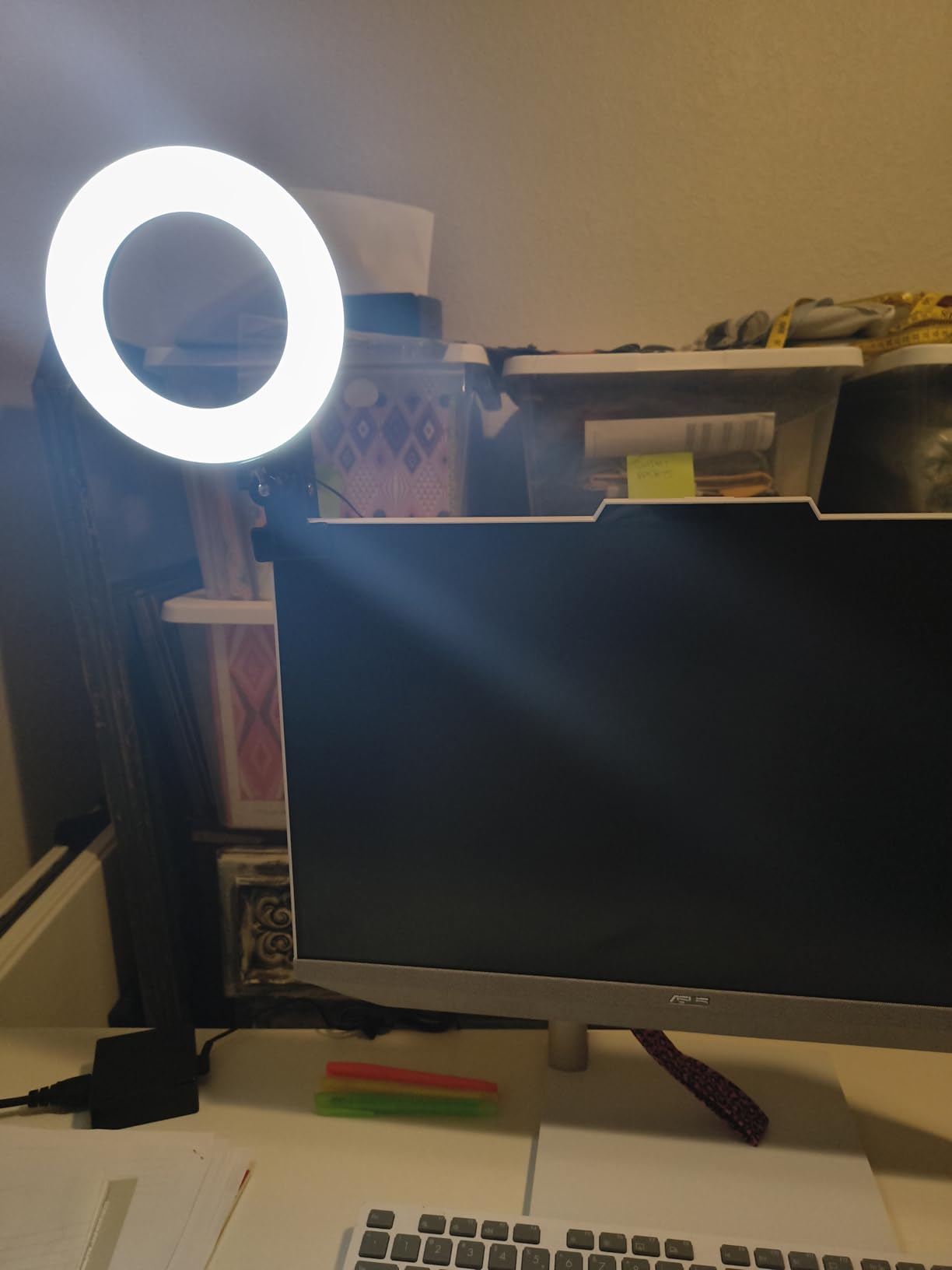
You get 3 color temperatures ranging from 3200K to 6800K, which covers the warm-to-cool spectrum you need for different times of day. The 5 brightness levels are fewer than premium options, but they cover the practical range you will actually use. I found the middle settings worked well for most teaching scenarios, with the highest level useful for very bright rooms where you need to compete with ambient light.
The 48 LED beads with 10W output provide enough illumination for a single-person headshot, which is exactly what most online classes require. If you need to light a wider area or stand further from the camera, the Cyezcor will struggle. But for standard seated video calls, it does the job well.
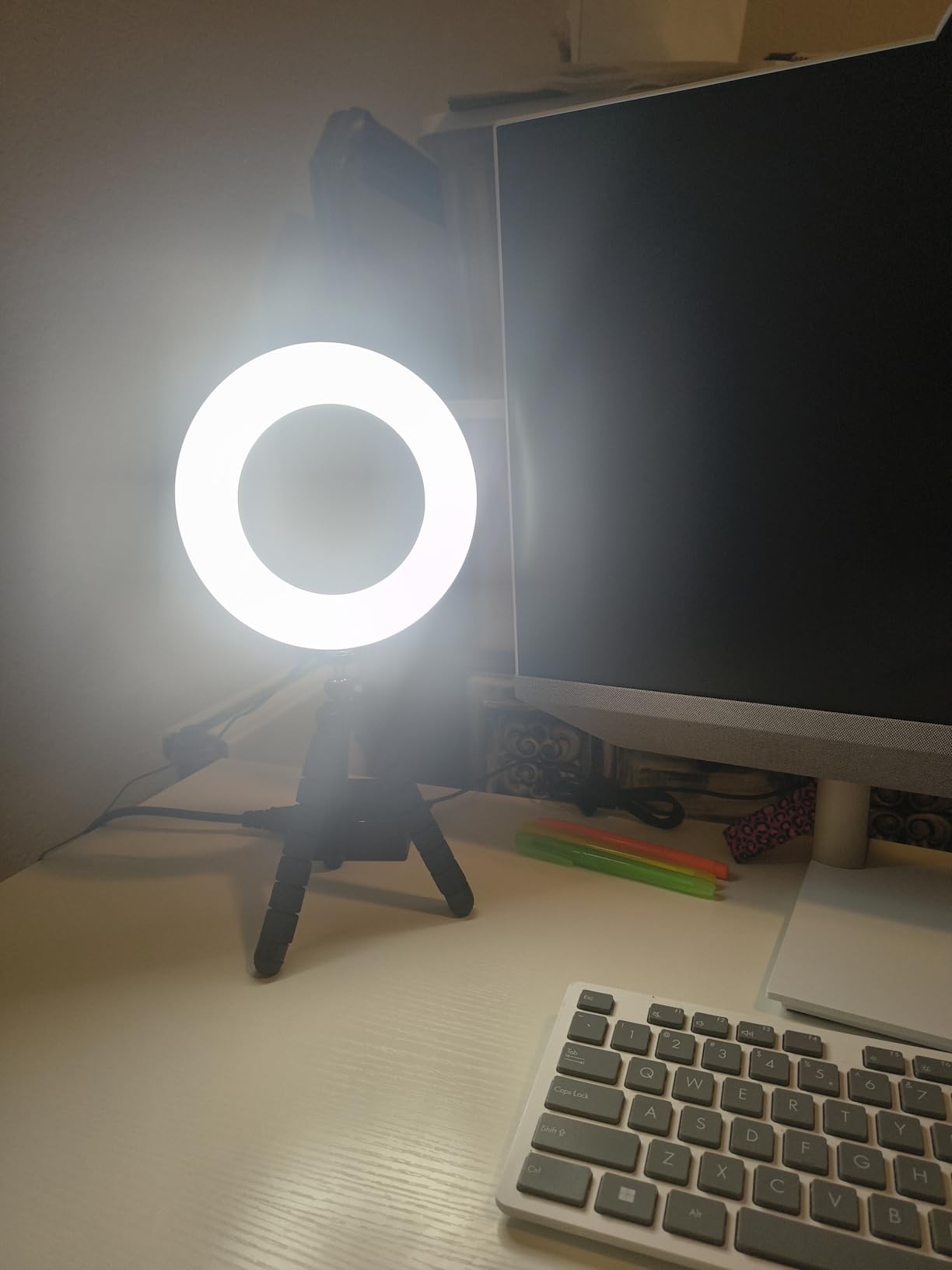
Mounting Compatibility
The clip fits most modern monitors and laptops, but it is worth checking your screen thickness before ordering. Thicker desktop monitors near the maximum clip depth may require some creative positioning. For standard laptops and thin-bezel monitors, the fit is secure and easy.
USB power means you can run this from your computer, a wall adapter, or a portable power bank. This flexibility is useful if you sometimes teach from locations without easy outlet access.
Who Should Buy This
If you are a new online teacher just starting out, a student attending classes remotely, or anyone who needs better lighting without a big investment, the Cyezcor is the smart choice. It does 80 percent of what the premium lights do at a fraction of the cost.
Experienced teachers who already know they need more brightness, color accuracy, or mounting flexibility should look at the LitONES or Litra Glow instead.
5. NEEWER Basic 5-inch Ring Light – High CRI 97 With Clip and Tripod Included
NEEWER Basic 5″ Ring Light for Video Conference Lighting, Clip on Light Kit with Desk Tripod Stand for Monitor Laptop Computer Zoom Call Live Streaming Remote Working Learning Video Recording, BR60
60 LEDs CRI over 97
3000K-6000K color temp
10 level dimming
Clip and mini tripod
5V 2A USB powered
Pros
- 60 LEDs with CRI over 97 for accurate colors
- Multiple lighting modes from warm to cool
- 10 level dimming for precise control
- Includes both clip and mini desk tripod
- USB powered with 6ft cable
Cons
- Small size may limit illumination area
- Clip not recommended for smartphones
The NEEWER Basic 5-inch Ring Light punches well above its price class thanks to a CRI above 97, which is the same color accuracy rating as lights costing three times as much. NEEWER is a respected name in photo and video lighting, and their Basics series brings that expertise to a budget-friendly package. I was genuinely surprised by the color quality when I first turned this on for a test call.
What makes the NEEWER stand out in this price range is the included accessories. You get both a clip for monitor mounting and a mini desk tripod, so you can choose your setup based on your teaching space. The clip fits monitors up to 1 inch thick, and the tripod gives you a freestanding option for desks where monitor mounting is not practical.
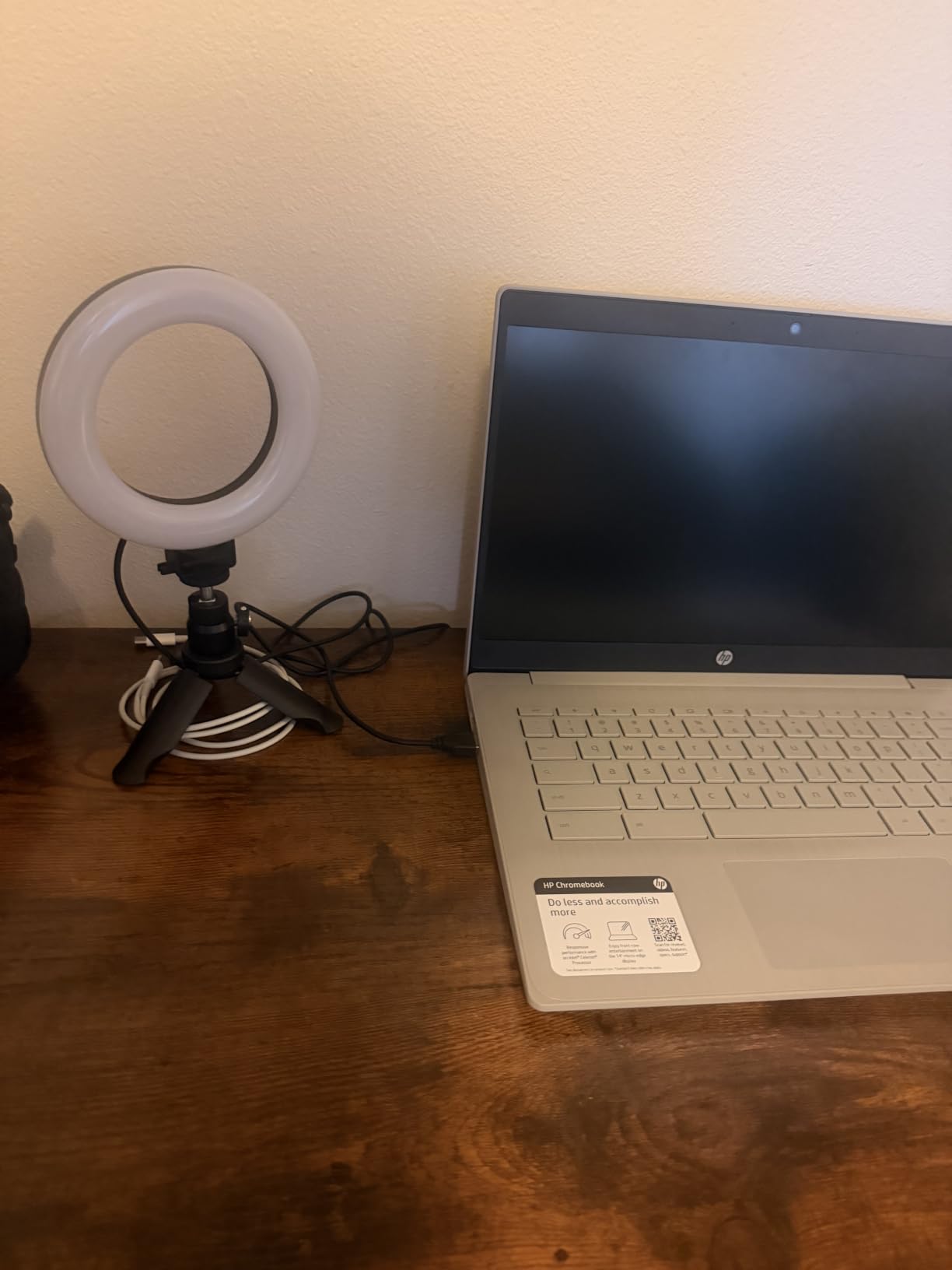
The 60 LEDs deliver 450 lux of illumination at half a meter, which is solid for a light this size. You get 5 lighting modes ranging from warm to cool white, with 10-level dimming from 10 to 100 percent. This gives you far more granularity than the Cyezcor, making it easier to match your existing room lighting.
The 6-foot built-in USB cable is a thoughtful touch that gives you plenty of reach from your desk to the nearest USB port or wall adapter. NEEWER includes a 1-year manufacturer warranty, which matches what most brands offer at this price point.
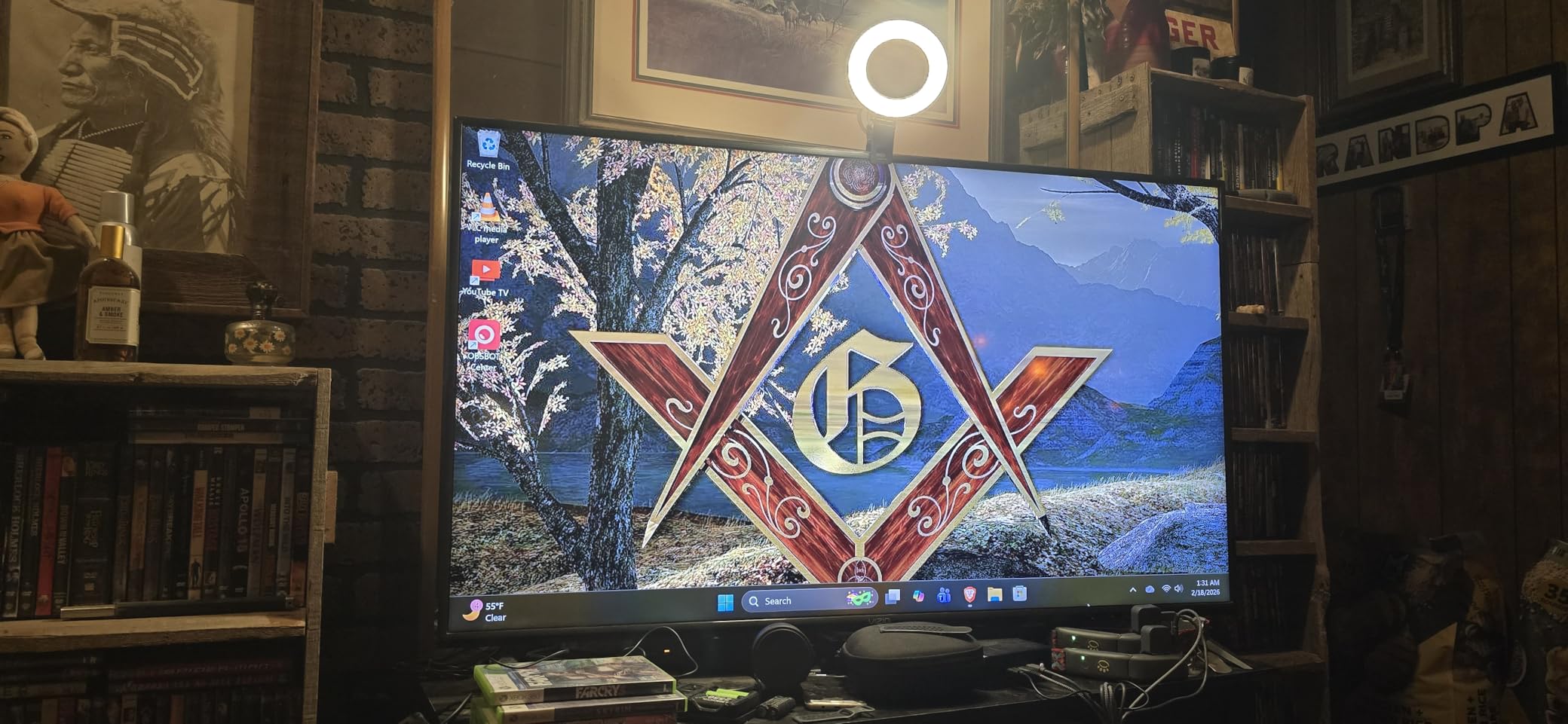
Clip vs Tripod: Which Mount to Use
For most online teaching setups, the clip mount works best because it positions the light at monitor height, which is the ideal angle for video calls. The tripod is useful if you want to position the light slightly to the side for a more natural, window-light effect.
I found the tripod particularly useful for demonstrating hands-on activities where I needed to light my workspace rather than just my face.
Limitations to Consider
The 5-inch size means this light illuminates a relatively small area. If you move around a lot during lessons or need to light a wider scene, the beam will not follow you. This is a head-and-shoulders light, not a room light.
NEEWer notes the clip is not recommended for smartphones, so if you teach from a phone or tablet, you will want to use the included tripod or look at a different mounting solution.
6. Sensyne 10-inch Ring Light – 50-inch Tripod With Wireless Remote
SENSYNE Ring Light with Stand, 50″ Phone Tripod with Wireless Remote
10-inch ring light
3 color modes 10 brightness levels
50-inch adjustable tripod
360 degree rotation
Wireless remote up to 30ft
Pros
- Excellent lighting with 3 color modes and 10 brightness levels
- Sturdy tripod extends from desk to 50 inches
- 360-degree rotation for versatile angles
- Wireless remote works up to 30 feet
- Great value with phone holder included
Cons
- Some durability issues with phone holder
- USB powered only with no battery option
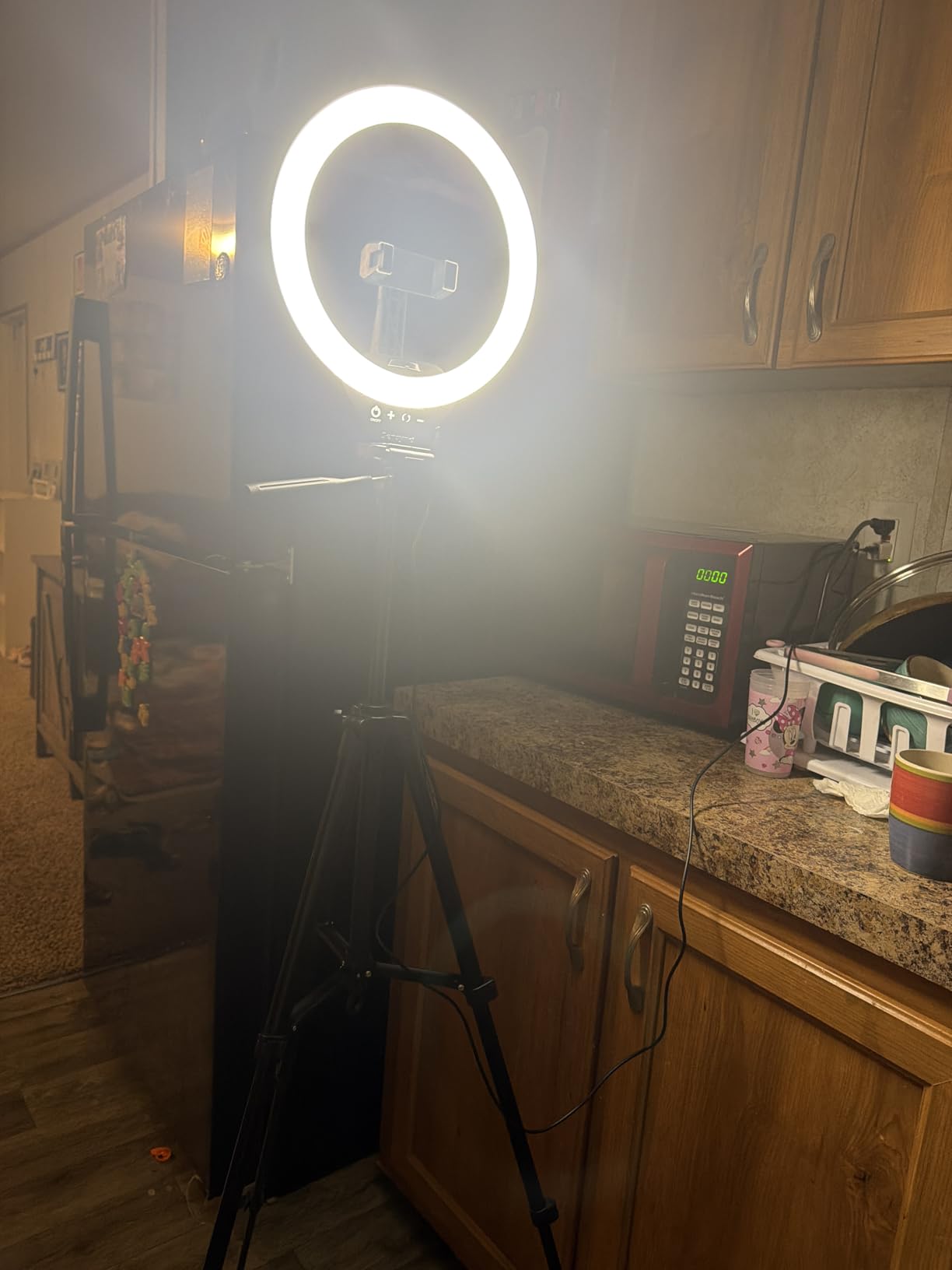
The Sensyne 10-inch Ring Light is a crowd favorite with over 71,000 reviews and a 4.5-star average. This kit sits in the sweet spot between the budget clip-ons and the full-featured UBeesize 12-inch, offering a mid-size light with a versatile 50-inch tripod. I tested it for a week of teaching and found it hits a balance of size, power, and portability that works for most home classroom setups.
The 3 color modes cover warm, natural, and cool white, with 10 brightness levels for each. That gives you 30 total combinations, which is more than enough to handle any lighting situation you encounter. The warm setting is particularly nice for evening office hours when you want a softer, more relaxed tone.
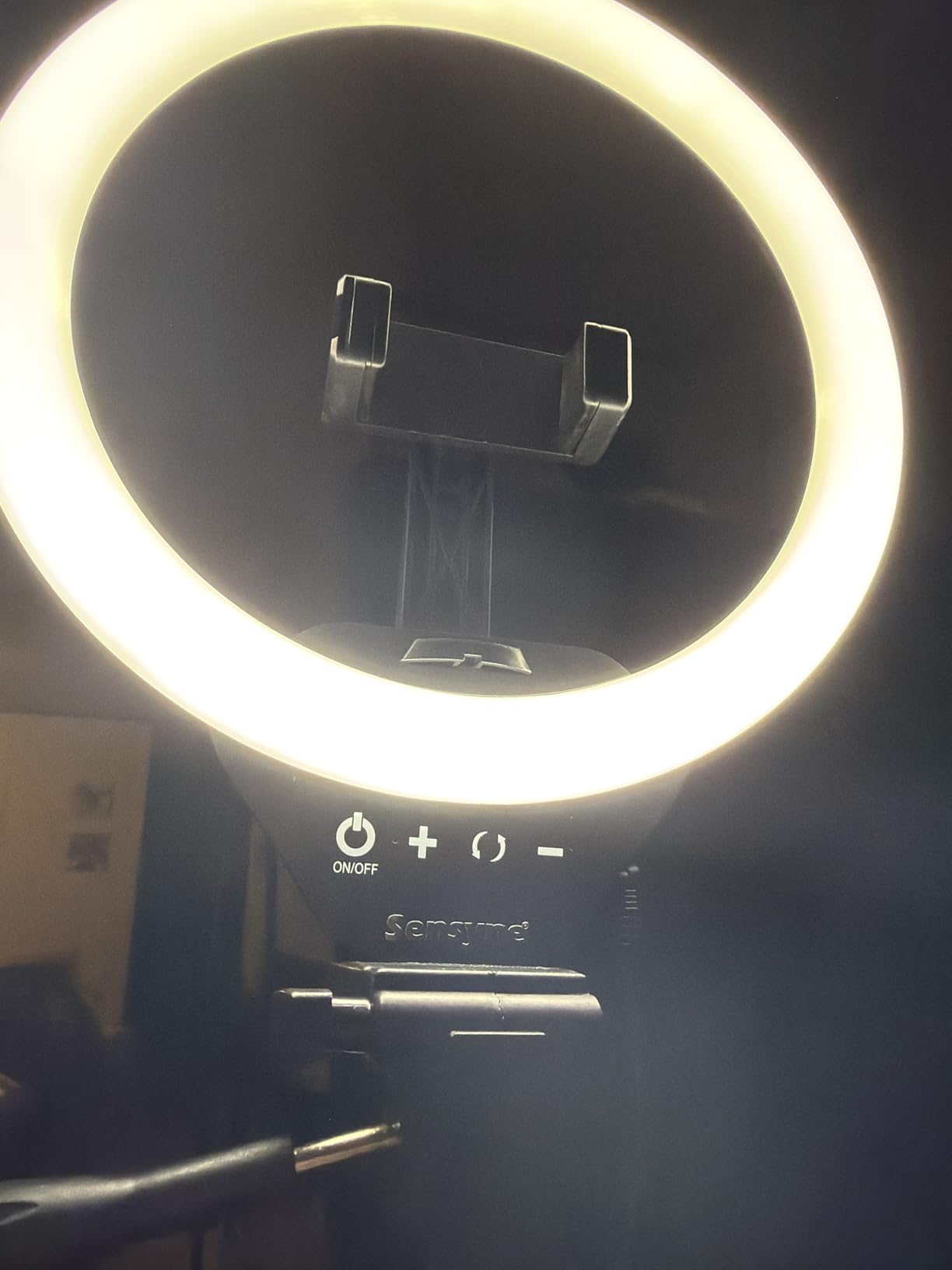
The tripod is the real selling point here. It extends from 15.7 inches up to 50 inches, meaning you can use it collapsed on a desk for close-up seated calls or extended for standing presentations. The 360-degree rotation head lets you switch between portrait and landscape orientations instantly, which is useful if you create content for different platforms.
The wireless remote is a feature teachers love, and it works from up to 30 feet away. You can use it to snap photos for course materials, start and stop video recordings, or trigger your phone camera without touching your device. Several teachers in Reddit forums specifically mentioned the remote as a standout feature.
Comparing to the UBeesize 12-inch
The Sensyne and UBeesize 12-inch occupy similar territory, but the Sensyne is slightly smaller and lighter, making it easier to store when not in use. The UBeesize offers more LEDs and a taller tripod, which translates to more brightness and reach.
If desk space is a concern, the Sensyne is the easier choice. If maximum brightness and tripod height matter more, the UBeesize wins.
Phone Holder Durability
The most common complaint across the 71,000-plus reviews involves the phone holder’s long-term durability. Some users report the spring mechanism weakening over time, particularly with heavier phone cases. For online teaching where you primarily use a laptop or desktop camera, this is less of an issue since you may not use the phone holder daily.
If you do use the phone holder frequently, handle it gently and avoid overstretching it with very large phones and thick cases simultaneously.
7. Yarrashop Desk Ring Light – 10.5-inch Desktop Light With 120 LEDs
Desk Ring Light with Stand for Computer, Desk Light for Video Recording
10.5-inch head 120 LEDs
CRI 95+
3000K-6500K 3 modes
Height 23-31 inches
180 degree adjustable
Pros
- Large 10.5-inch head with 120 LEDs for bright even lighting
- 3 color temps and 10 brightness levels
- Height adjustable to fit laptop and monitor setups
- High CRI of 95+ for accurate colors
- 3-year warranty
Cons
- USB power adapter not included
- Phone holder may feel less secure
The Yarrashop Desk Ring Light was Wirecutter’s top pick, and after testing it myself, I understand why. The 10.5-inch lamp head with 120 LEDs produces a wide, even spread of light that covers more of your face and upper body than smaller clip-ons. I used this for a series of science demonstration videos, and the broader illumination area made a visible difference when I held objects up to the camera.
The CRI of 95-plus puts this light in the upper tier for color accuracy at its price point. Skin tones look natural, and if you teach art or design classes where color matters, the Yarrashop renders hues faithfully without the blue or orange tint that cheaper lights introduce.

Height adjustment from 23 to 31 inches means you can position the light at the exact height of your webcam, whether it sits at the top of a laptop screen or atop a tall desktop monitor. The flexible lamp head tilts 180 degrees, so you can angle the light for the most flattering position without moving the entire stand.
The metal base provides solid stability, and Yarrashop includes a 3-year after-sales service warranty, which is longer than most competitors in this range. That kind of warranty commitment suggests confidence in the product’s longevity.

Power Requirements
One thing to note is that the Yarrashop requires a 5V/2A USB power adapter, which is not included in the box. You will need to use your own wall adapter or a computer USB port that can deliver sufficient power. Most modern phone chargers work fine, but older or lower-power adapters may not drive all 120 LEDs at full brightness.
If your laptop has a powered USB port, that is the simplest solution for desk-based teaching setups.
Best For Specific Subject Types
The wide illumination area makes this light particularly good for teachers who demonstrate physical objects, write on paper under the camera, or need to light more than just a tight headshot. Science teachers showing experiments, art instructors demonstrating techniques, and language teachers using physical flashcards all benefit from the larger 10.5-inch coverage.
For teachers who just need a standard seated headshot, this light is more than sufficient but may be larger than you strictly need.
8. UBeesize 12-inch Desk Ring Light – Touch-Control Desktop Light With Phone Holder
UBeesize 10″ Selfie Ring Light with Tripod Stand & Phone Holder, Dimmable LED Ring Light for Makeup, Live Streaming, YouTube, TikTok, Compatible with iOS & Android Phones
Touch control dimming
3 colors x 10 brightness levels
Compact tabletop tripod
Universal phone holder
Wireless remote up to 30ft
Pros
- Touch panel controls are intuitive and easy to use
- Compact tripod is portable and versatile
- 30 lighting options for precise control
- Universal phone holder works with most smartphones
- Wireless remote for hands-free operation
Cons
- Some Bluetooth remote connectivity issues reported
- Touch controls may be overly sensitive
The UBeesize 12-inch Desk Ring Light is the tabletop version of the full tripod kit, designed for teachers who want the 12-inch light quality but do not need a 62-inch stand. With nearly 15,000 reviews and a 4.5-star average, it is one of the most popular desk ring lights available. I found the touch control panel to be genuinely useful for mid-lesson adjustments.
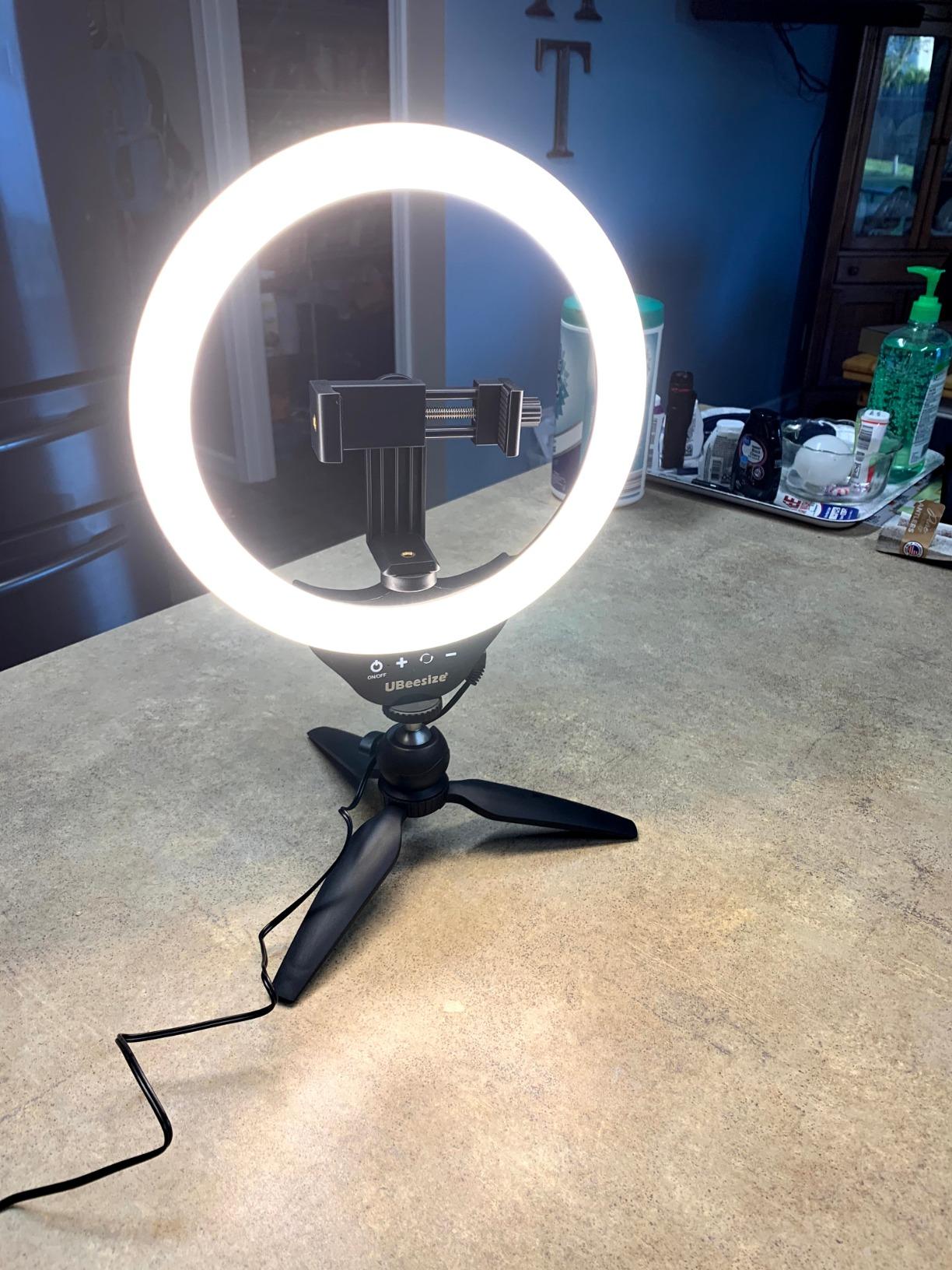
The touch controls let you tap or slide to adjust between 3 lighting colors and 10 brightness levels, giving you 30 total options. This is more intuitive than physical buttons because you can make smooth adjustments without looking away from your camera. During a live class, I could dim the light slightly with a quick touch when the afternoon sun shifted through my window.
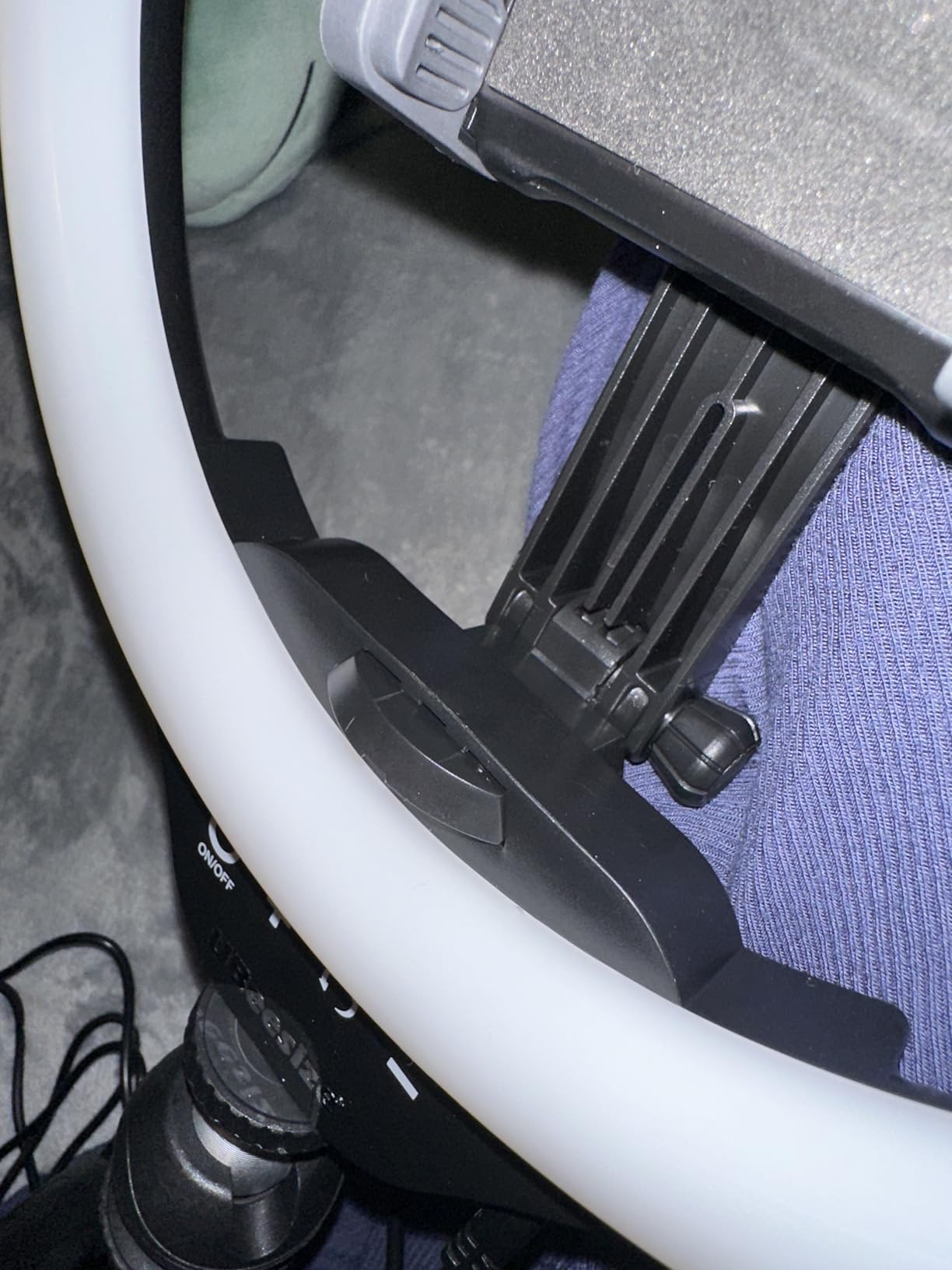
The compact tabletop tripod contracts small enough to fit in a pocket or drawer, which is perfect for teachers who share their teaching space or need to set up and break down daily. Extended, it sits at a comfortable desk height that positions the light right next to your laptop for centered illumination.
The universal phone holder extends up to 4.5 inches, accommodating most phones with or without cases. Combined with the wireless remote that works up to 30 feet away, this kit doubles as a content creation tool for recording instructional videos or taking photos for course materials.
Touch Panel Sensitivity
The touch controls are responsive, which is generally a positive, but some users report accidental adjustments when reaching past the light. If you have a cluttered desk, be mindful of where you place the control panel to avoid unintended brightness changes mid-lesson.
The touch panel is easiest to use when positioned on the side facing you, which is the default setup orientation.
Remote Reliability Over Time
The wireless remote is a convenient feature, but a small number of users report intermittent connectivity after several months of use. Keeping a spare battery on hand is a good precaution if you rely on the remote for recordings. For live teaching where you sit at your desk, the touch panel is your primary control method anyway.
UBeesize offers lifetime friendly service for this product, which provides reassurance if you encounter any issues down the line.
How to Choose the Best Ring Light for Online Teaching
Choosing the right ring light for online classes comes down to your specific teaching setup, your budget, and how much time you spend on camera. Here is what matters most when making your decision.
Size and Diameter Considerations
The size of your ring light determines how much of your face and surrounding area it can illuminate. A 5-inch clip-on light like the Cyezcor or NEEWER covers a tight headshot, which is fine for seated video calls. A 10 to 12-inch light like the Yarrashop or UBeesize covers your face and shoulders, giving you more freedom to move. For full-body or demonstration shots, you need the larger coverage of a 12-inch light on a tall tripod.
As a rule of thumb, bigger lights produce softer shadows because the light source is wider relative to your face. This is why professional setups use large softboxes rather than tiny LEDs.
Color Temperature and CRI
Color temperature, measured in Kelvin, determines whether your light looks warm (orange) or cool (blue). For online teaching, a range of 3000K to 6500K covers everything from warm evening light to bright daylight. Most lights on this list offer at least 3 preset color temperatures, which is sufficient for most users.
CRI, or Color Rendering Index, measures how accurately a light reproduces colors compared to natural sunlight. A CRI of 90 or above is good, and 95 or above is excellent. The LitONES at 97.8 and the NEEWER at 97-plus are the best on this list for color accuracy, which matters if appearance is important for your teaching context.
Brightness Levels and Dimming
Look for a light with at least 5 brightness levels, though 10 is ideal. You need to be able to dim your light when natural light is strong and crank it up when teaching in a dark room. Stepless dimming is nice but not essential for online classes where you typically set brightness once and leave it.
The dimming range matters too. A light that goes from 10 to 100 percent gives you more flexibility than one that only drops to 50 percent at its lowest setting.
Mounting Options: Clip-On vs Tripod vs Desk Stand
Your mounting choice depends on your teaching space. Clip-on lights like the Cyezcor and NEEWER save desk space by attaching to your monitor. Desk stands like the LitONES and Yarrashop provide stability and height adjustment but occupy desk real estate. Full tripods like the UBeesize and Sensyne offer maximum height and flexibility but take up floor space.
If you teach from a small desk, clip-on is the way to go. If you have a dedicated teaching space, a desk stand or tripod gives you better positioning control.
Power Source: USB vs Battery
Every light on this list is USB powered, which is the standard for ring lights in this category. USB power is convenient because you can run it from your computer, a wall adapter, or a portable power bank. The trade-off is that you need a USB port nearby, and very long teaching sessions require a reliable power source.
Battery-powered ring lights exist but typically cost more and add weight. For stationary online teaching, USB power is the practical choice.
Positioning Tips for Online Teaching
The ideal position for your ring light is directly behind or slightly above your camera lens, angled down at about 15 degrees. This creates the flattering, even illumination ring lights are known for. If you position the light too far to one side, you will get uneven shadows that defeat the purpose.
For teachers using a laptop webcam, place your ring light on top of or directly behind the laptop screen. Clip-on lights are designed specifically for this positioning. Desk stands should be positioned as close to centered behind your screen as possible.
Glasses Glare Solutions
If you wear glasses, ring lights can create distracting reflections in your lenses. The solution is to angle the light slightly above your camera rather than directly behind it, which pushes the reflection downward out of your lens line of sight. Tilting the light 10 to 15 degrees upward usually eliminates the problem.
Anti-reflective coated lenses also help significantly. If you cannot eliminate glare entirely, switching to a softer, diffused light source like the Logitech Litra Glow reduces the intensity of reflections.
FAQs
What is the best light for online classes?
The best ring lights for online classes provide soft, even illumination with adjustable color temperature and brightness. Options like the LitONES Desk Ring Light with CRI 97.8 and the Logitech Litra Glow with TrueSoft technology are top picks because they deliver accurate, natural-looking light that makes you appear professional on camera.
Does a ring light make you look better on Zoom?
Yes, a ring light makes you look significantly better on Zoom by eliminating harsh shadows, filling in dark areas under your eyes, and creating even, flattering illumination across your face. The circular design places light evenly around your camera lens, which is why news anchors and content creators rely on them for professional video appearances.
What size ring light do I need for my desk setup?
For a standard desk setup with seated video calls, a 5 to 10-inch ring light is sufficient. If you need to light a wider area for demonstrations or want softer shadows, a 10.5 to 12-inch light like the Yarrashop or UBeesize provides better coverage. Clip-on lights work for tight desk spaces, while desk stands offer more positioning flexibility.
When teaching virtually, where should your main light source be located?
When teaching virtually, your main light source should be positioned directly behind or slightly above your camera lens, angled downward at about 15 degrees. This placement creates even, shadow-free illumination on your face. Avoid placing light behind you, which creates a silhouette effect, or to the side, which causes uneven shadows.
Are ring lights good for online classes?
Yes, ring lights are excellent for online classes because they provide consistent, flattering light that makes teachers and students look professional and engaged on camera. Teachers on Reddit communities like r/OnlineESLTeaching consistently report that even budget ring lights under $30 significantly improve how they appear during video calls and recorded lessons.
Final Thoughts on Ring Lights for Online Classes
Finding the best ring lights for online classes does not require spending a fortune. Our testing showed that excellent options exist at every price point, from the $20 Cyezcor clip-on to the premium Logitech Litra Glow. The right choice depends on your teaching style, desk space, and how many hours you spend on camera each week.
For most online teachers, the LitONES Desk Ring Light hits the perfect balance of color accuracy, adjustability, and build quality. If budget is the priority, the Cyezcor or NEEWER clip-on lights deliver professional results for under $25. And if you want a complete kit for both teaching and content creation, the UBeesize 12-inch with its 62-inch tripod is hard to beat.
Whichever light you choose, the improvement in your on-camera presence will be immediate. Your students will see you as more engaged, more professional, and more present. And in the world of online education, that connection is what keeps students coming back class after class.