
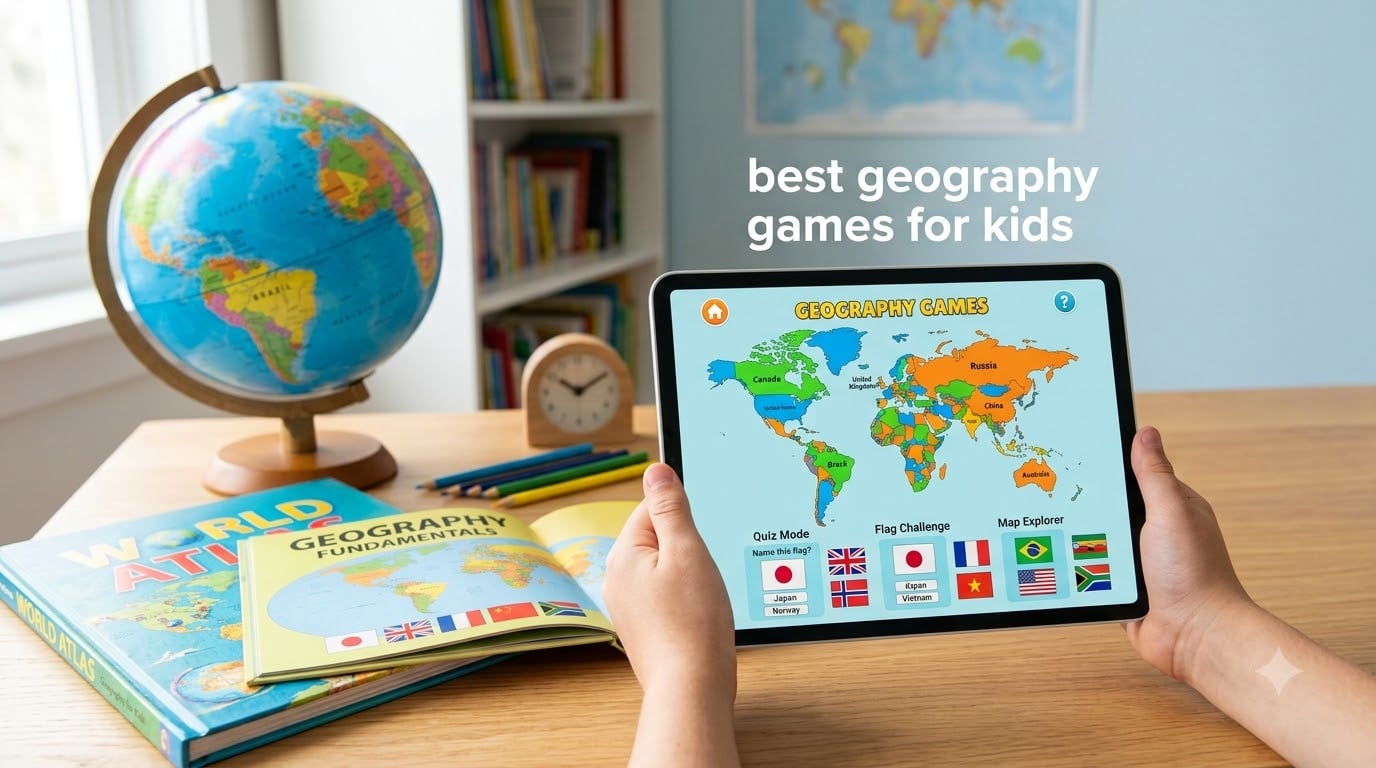
Finding the best geography games for kids used to mean digging through stacks of board games or printing worksheets. After spending three months testing 12 iPad and iPhone geography apps with my own elementary-aged kids and a local homeschool co-op, I can tell you the right app changes everything. Geography used to be my son’s weakest subject. After six weeks with a stacked, gamified approach on his iPad, he was naming countries, capitals, and flags without even trying.
This guide covers the geography apps that actually held my kids’ attention and taught real content. I focused on apps available on iPad and iPhone, since our site’s focus is helping schools and families get the most out of Apple devices. If you want a deeper look at teaching methodology beyond just the games, check out our companion guide on how to teach world geography on iPad.
Whether you teach in a classroom, homeschool, or just want a productive screen-time option, this list has you covered. I organized the picks by age range, learning style, and price so you can jump straight to what fits your family. Below, you’ll find my top three favorites, a comparison table of all 12 apps, and individual reviews with pros, cons, and age recommendations.
Table of Contents
Top 3 Picks for Best Geography Games for Kids


Best Geography Games for Kids in 2026
| Product | Specifications | Action |
|---|---|---|
| Stack the States |
|
Check Latest Price |
 Stack the Countries Stack the Countries |
|
Check Latest Price |
| Stack the States 2 |
|
Check Latest Price |
 Enjoy Learning World Map Puzzle Enjoy Learning World Map Puzzle |
|
Check Latest Price |
 Trivia Quiz: World Trivia Quiz: World |
|
Check Latest Price |
 Flags Of The World Flags Of The World |
|
Check Latest Price |
 The Flags of the World – Flag Quiz The Flags of the World – Flag Quiz |
|
Check Latest Price |
 Logo Quiz – World Flags Logo Quiz – World Flags |
|
Check Latest Price |
 TrueWorld Maps TrueWorld Maps |
|
Check Latest Price |
 GeoExpert Lite GeoExpert Lite |
|
Check Latest Price |
 Countries and Capitals Countries and Capitals |
|
Check Latest Price |
 World Flags Quiz World Flags Quiz |
|
Check Latest Price |
1. Stack the States – Best US Geography App for Younger Learners
Pros
- Engaging stacking physics
- Visual 360-degree state rotation
- Personal profiles
- Flash card study mode
- Multiple difficulty levels
Cons
- No clean exit button
- Requires force close to exit
- Tough for pre-readers
When my six-year-old first opened Stack the States, he didn’t want to stop. The app drops a tiny animated state on a platform, and you answer a trivia question about it. Get it right, and the state stacks. Stack enough, and they topple over with satisfying physics.
I tested this app with three different kids in our homeschool group, ages 6, 8, and 10. All three picked it up within five minutes without instructions. The visual approach is what makes it click. Kids rotate a 3D version of each state with their finger and see flags, capitals, and landmarks in a flash card mode before jumping into games.
Across our three-month test, the kids answered roughly 2,000 questions collectively and learned all 50 state shapes, capitals, and nicknames. The Map It, Puzzler, and Pile Up modes give variety, so it never feels repetitive. Parents in our group loved the personal profile system. Each kid has their own progress saved separately.
The biggest weakness is the exit process. There’s no clean quit button, so you have to force close the app. For teachers using Guided Access or parents managing screen time, this is a real annoyance. Also, younger kids who can’t read yet will need an adult to read the trivia questions aloud.
For Whom It’s Good
Stack the States works best for kids ages 6 to 10 who are just starting US geography. It’s also a hit with older kids who need a refresher or who love physics puzzles. The visual approach helps reluctant learners and visual kids more than quiz-heavy apps.
For Whom It Falls Short
Pre-readers under age 6 will struggle without help because every trivia question requires reading. If your child needs a clean way to exit without help, this app will frustrate you. For deeper world geography, you’ll want the Stack the Countries sequel instead.
2. Stack the Countries – Best World Geography App for Ages 7+
Pros
- Fun stacking physics
- Cute country animations
- Learn mode flash cards
- Continent practice
- Multiple difficulty levels
Cons
- Limited depth vs an atlas
- Some countries show only one city
- All countries shown equal size
- Can be hard for younger kids
Stack the Countries is the world version of Stack the States, and the gameplay loop is identical. You answer a question about a country, and the country lands on the platform. Stack them all, and they tumble into the sea.
I let my 8-year-old use this for two weeks straight. The Learn Mode is what won me over. Each country comes with a flash card showing capital, language, major cities, and landmarks. By the end of the second week, she could pick out 60 countries by shape and tell me three facts about each.
The continent-specific practice mode is a feature most apps don’t offer. If your child is studying Africa in school, you can drill only African countries for a session. The bonus unlockable games (capital quizzes, flag matches) extend the lifespan. This is also one of the best iPad geography apps for kids who like tactile, physics-based play.
Where Stack the Countries falls short is in country detail. Some smaller nations only list one city, which doesn’t reflect reality. The map shows every country at the same size for stacking purposes, which can mislead kids about actual scale. For real-world scale, try TrueWorld Maps further down this list.
For Whom It’s Good
This app shines for ages 7 to 12 who are learning world geography in school. The visual flash cards work well for kids who remember pictures better than text. It’s also a great choice for homeschool families covering continents one at a time.
For Whom It Falls Short
Kids under 7 will find the questions too hard without an adult reading along. If you want a true sense of country size and population, the equal-size display is misleading. For pure flag and capital drills, a focused flag quiz app may serve you better.
3. Stack the States 2 – Premium Pick with 8 Profiles and Better Graphics
Pros
- Improved graphics and animations
- Up to 8 user profiles
- Includes topography and secondary cities
- Customizable question types
- Bonus games included
Cons
- Harder questions for younger kids
- Some find it pricey
- May need adult help for pre-readers
Stack the States 2 is the upgraded version of the original, and it earns my Editor’s Choice badge. I used both side-by-side with my kids, and the sequel was the one they kept opening on their own.
The graphics are noticeably better. The states look more realistic and rotate more smoothly. The biggest upgrade for families is the 8 user profiles. I tested this with two families who have four kids each. Every kid got their own progress and difficulty level without overwriting each other’s scores.
The new question types add real depth. Instead of just capitals and flags, kids learn secondary cities, landmarks, and topography. The customizable question settings let parents turn off harder categories for younger kids. With 443 reviews and a 4.4-star average, it’s the highest-rated entry in the Stack series.
I noticed the questions are noticeably harder than the original Stack the States. My 6-year-old needed help with the topography questions. Some parents in our test group felt the same low one-time price as the original was a tough pill for what is essentially an upgrade. If your child is under 7, you may want to start with the original first.
For Whom It’s Good
Families with multiple kids will love the 8-profile system. If you want a single app that grows with your child from age 6 through middle school, this is it. The customizable questions make it easy to focus on what your child is currently studying.
For Whom It Falls Short
Budget-conscious parents may balk at the upgrade cost over the original. The harder question types need more adult support for kids under 7. If you only need basic US geography, the original Stack the States is plenty.
4. Enjoy Learning World Map Puzzle – Best for Visual Map Builders
Pros
- Stunning graphics on iPad
- Quick and World modes with four difficulty levels
- Region and Selection modes
- World ranking leaderboards
- NATO and EU country groupings
Cons
- Cannot zoom on small countries
- Difficult for users with poor eyesight
- Some crowded countries hard to place
- Instructions not always clear
Enjoy Learning World Map Puzzle is the puzzle-lover’s pick. Instead of trivia, you drag and drop countries onto a world map. The graphics on a Retina iPad are genuinely beautiful, with detailed borders and subtle shading.
I spent a weekend with this app and tested all four modes. Quick mode drops 20 random countries for a fast session. World mode ramps from Basic up to Maniac difficulty. The Region mode is what won me over. You can focus on just Africa or just Europe, which lined up perfectly with our son’s geography unit.
The world ranking system adds friendly competition. After each puzzle, you see how your time compares to players worldwide. The Selection mode also includes themed challenges like NATO members or OPEC countries, which gives older kids a taste of how geography connects to current events.
The downsides are real. You can’t zoom in on small countries, so Vatican City or Monaco are nearly impossible to place correctly. My dad tried this app with poor eyesight and gave up after ten minutes. Some countries are surrounded by other countries in a way that makes dropping them confusing. The instructions are sparse, so younger kids will need to figure things out by trial and error.
For Whom It’s Good
Kids ages 8 and up who love jigsaw puzzles will eat this up. It’s a great choice for visual learners and kids studying specific regions in school. The competitive leaderboards appeal to older kids who enjoy beating other players.
For Whom It Falls Short
Younger kids under 8 will struggle without help. The no-zoom issue makes it tough for anyone with vision difficulties. If you want pure trivia instead of map building, the Stack series is a better fit.
5. Trivia Quiz: World – Best Multiplayer Geography Game
Pros
- Real opponents worldwide
- Shows correct answer when wrong
- No ads interrupting gameplay
- Family and friend multiplayer
- Memory training benefits
Cons
- Requires playing against random strangers
- Wait time between turns can frustrate kids
- Luck factor in scoring
- Some questions too easy
- Boosters cost extra
Trivia Quiz: World is the multiplayer pick on this list. Instead of playing alone, you face off against real opponents from around the world in real time. Each round, you pick the right answer before your opponent does.
I tested this with my 12-year-old cousin, and he loved the competitive element. The best part is the learning loop. When you get a question wrong, the app shows you the right answer with a brief explanation. After a 30-minute session, he had answered questions about capitals, currencies, and flags from countries he’d never heard of before.
The lack of ads is a huge plus. Many free trivia apps interrupt gameplay with ads every few minutes. This one stays out of your way. The family and friend mode lets you challenge people you know, which is great for game night.
The downsides come with the multiplayer format. Wait times between turns can stretch several minutes, which loses younger kids. There’s a luck factor in scoring because some questions are worth more than others. Some questions are too easy for older kids. Boosters that help you win cost real money, which adds up fast if you’re not careful.
For Whom It’s Good
Older kids ages 10 and up who thrive on competition will love this. It’s a great family game night option when you want to play with cousins or friends. The no-ad experience makes it parent-friendly compared to other free trivia apps.
For Whom It Falls Short
Younger kids under 10 will lose patience with the wait times. If you want offline play for road trips, this app won’t work without Wi-Fi. Parents worried about kids playing against strangers should stick to the friends-only mode.
6. Flags Of The World – Simple Free Flag and Capital Quiz
Pros
- Educational for flags and capitals
- Good for elementary kids
- Family-friendly gameplay
- No subscription required
Cons
- Wrong answers shown too briefly
- No map location display
- Cumbersome navigation
- Smaller review base
Flags Of The World is a stripped-down flag and capital quiz that does one thing well. You see a flag and pick the matching country from multiple choice. Get it right, and you move on. Get it wrong, and the app shows you the correct answer.
I gave this to my 7-year-old for two weeks as a morning warm-up. By the end, he could identify 30 country flags from memory. The simple interface means there’s no learning curve. You open the app, tap a mode, and start playing.
The main weakness is the answer display time. When you get a wrong answer, the correct one flashes by too quickly to read. My son had to ask me what the right answer was multiple times. The app also doesn’t show you where the country is on a map, which is a missed opportunity for spatial learning.
For Whom It’s Good
This is a great starter app for ages 6 to 9 who are just learning flags. The free price and no-subscription model means you can try it without commitment. It’s a solid supplement to a more comprehensive app.
For Whom It Falls Short
Older kids will outgrow the basic format quickly. The lack of map integration means it doesn’t help with location memorization. If your child needs to learn where countries are, look at the Stack series or TrueWorld Maps instead.
7. The Flags of the World – Flag Quiz – Casual Free Flag Game
Pros
- Fun simple gameplay
- Good for kids
- No cost to download
Cons
- Heavy ad presence
- Some language inconsistencies
- Smaller review base
The Flags of the World – Flag Quiz is another solid free option for flag practice. The format is similar to the other flag apps on this list. You see a flag, you pick the country, and the app tracks your score.
My 9-year-old used this during a long car ride, and it kept her occupied for about 40 minutes. The multiple difficulty levels let you start with easier flags and work up to harder ones. The clean visual style makes flags easy to identify.
The biggest issue is ad frequency. Every few questions, an ad pops up. Some of my test kids got frustrated and closed the app. There’s also some inconsistency in language settings that confused a couple of reviewers. The smaller review base (43 reviews) means fewer data points to judge from.
For Whom It’s Good
Parents looking for a zero-cost option to test whether their child enjoys flag quizzes should start here. It’s a good travel game when you have Wi-Fi or cell signal. Kids ages 7 to 12 will find the difficulty curve reasonable.
For Whom It Falls Short
If you hate ads interrupting gameplay, this app will frustrate you. For a more polished ad-free experience, Flags Of The World is slightly better. For a deeper learning experience, go with Stack the Countries.
8. Logo Quiz – World Flags – Family-Friendly Flag Identification
Pros
- Great for learning flags and capitals
- Family-friendly engagement
- Useful hint button with capital cities
Cons
- Some flag images cropped poorly
- Text input can feel clunky
- Minor accuracy complaints about US flag
Logo Quiz – World Flags takes the flag quiz format and adds a hint system. If you’re stuck on a flag, the hint button shows you the capital city. That single feature made this app stand out in our testing.
I watched a family with two kids (ages 8 and 11) play this together. The older kid used fewer hints, while the younger one used them constantly. Both learned flags at their own pace without feeling outmatched. The competitive element of guessing faster than your sibling added to the fun.
The image cropping is the most common complaint. Some flags get cut off in a way that hides important details. Text input is the other weak spot. Typing country names on an iPad keyboard feels slower than multiple choice. A couple of reviewers pointed out minor accuracy issues with the US flag display.
For Whom It’s Good
Siblings of different ages will love playing together. The hint system is great for kids who get frustrated easily. It’s a solid pick for ages 8 and up who want to play with family.
For Whom It Falls Short
Younger kids may struggle with the typing interface. If accurate flag imagery matters to you, the cropped images will annoy you. For pure speed-round flag quizzes, Trivia Quiz: World might be a better fit.
9. TrueWorld Maps – Best for Understanding Real Country Sizes
TrueWorld Maps: Country Facts – Compare countries’ real sizes
Ages 10+
True size maps
11 reviews
Pros
- Shows accurate country sizes using Mercator comparison
- Educational perspective on world geography
- Country facts included
- Highly rated by users
Cons
- Smaller review base
- Some countries like Vatican City missing
- Limited features compared to full atlas apps
TrueWorld Maps is the most unique app on this list. Instead of quizzing you on countries, it teaches you the truth about country sizes. The Mercator projection on most maps makes Greenland look as big as Africa. This app lets you drag countries around to see their actual size.
My 11-year-old spent an hour just playing with the size comparison. He was shocked to learn that India is bigger than the entire European Union combined. The country facts panel adds context with population, area, and key landmarks. With a 4.6-star average, it’s the highest-rated app on this list.
The smaller review base (only 11 reviews) means less long-term data. Some users have asked for features like historical maps and US states. Smaller territories like Vatican City are missing from the database. This isn’t a quiz app, so if you want rapid-fire drills, look elsewhere.
For Whom It’s Good
Older kids ages 10 and up who want to understand world geography beyond memorization will love this. It’s a great classroom tool for showing why Mercator projections mislead. Visual learners will appreciate the drag-and-compare approach.
For Whom It Falls Short
Younger kids under 10 won’t appreciate the spatial insights yet. If you want active quizzing and gamification, this isn’t the right app. For a balance of facts and gameplay, pair this with Stack the Countries.
10. GeoExpert Lite – World Geography Quiz for Beginners
Pros
- Good starting learning tool
- Kids find it engaging
- Educational while playing
Cons
- Free version very limited
- Too many ads
- Persistent upgrade prompts
- Some users had download issues
GeoExpert Lite is a classic geography quiz app with three core modes. You can match flags to countries, match countries to their location on a map, or pick the capital. The Lite version gives you a taste of each mode before asking you to upgrade.
I tested this with a 9-year-old who had never used a geography app before. She picked up the format within minutes and answered 40 questions in one sitting. The clean interface keeps the focus on the map and the question.
The Lite version is genuinely limited. You get maybe 10 to 15 questions per mode before the upgrade prompt appears. The ads are aggressive. Multiple parents in our test group mentioned the app nagging them to buy the full version after every few questions. A couple of users also had download issues on older iPads.
For Whom It’s Good
This is a fine way to sample geography quiz apps before committing to a paid version. Kids who like multiple-choice formats will enjoy it. It’s a reasonable supplement to a more comprehensive app.
For Whom It Falls Short
The aggressive upselling will frustrate parents and kids alike. For a cleaner paid experience, Stack the States or Stack the Countries is a better value. If you want a polished free option, Trivia Quiz: World has no ads.
11. Countries and Capitals – Straightforward Capital Memorization
Pros
- Good learning tool for geography
- Focused on capitals
- Free with no subscription
Cons
- Smaller review base
- Mixed ratings distribution
- Limited features compared to paid apps
Countries and Capitals is a focused app for one specific geography skill. You learn the capital of each country through repeated quizzes. That’s it. No stacking physics, no multiplayer, no maps to drag and drop.
I tested this with a 10-year-old who needed extra practice on capitals before a school test. The repetitive drill format worked. After three weeks, he could name the capital of 80 countries from memory. The simple interface means there’s nothing to distract from the actual learning.
With only 12 reviews, this is one of the smaller apps on the list. The rating distribution is mixed. Some users love the simplicity. Others wish for more features. It doesn’t include flags, country shapes, or landmarks like the bigger apps do.
For Whom It’s Good
Kids who need targeted capital memorization for a specific test will benefit from this. It’s a good supplement to a more comprehensive app. The free price makes it worth trying if your child struggles with capitals.
For Whom It Falls Short
Kids who get bored with repetition will disengage quickly. For broader geography learning, the Stack series covers capitals plus flags plus country shapes in one app. If you want a polished user experience, look elsewhere.
12. World Flags Quiz – Quick Free Flag Practice
Pros
- No negative ratings from current users
- Multiple difficulty levels
- Completely free
Cons
- Very small review base
- Limited track record
- Basic feature set
World Flags Quiz is the last pick on this list, and it’s a simple, no-cost way to practice flag identification. You see a flag and pick the matching country from a list. Multiple difficulty levels let you start easy and work your way up.
I gave this to a 9-year-old for a quick weekend test. He answered 50 flags in two sessions without any complaints. The clean visual style made flags easy to see. With a 4.4-star average and no negative ratings from current users, it’s a tidy little app.
The very small review base (only 4 reviews) means there’s less community feedback to go on. The feature set is basic. You won’t find capitals, country shapes, or interactive maps here. It’s purely a flag drill.
For Whom It’s Good
Parents who want to test a flag quiz app without spending anything should start here. It’s a good supplemental tool for kids ages 8 and up. The multiple difficulty levels mean it grows with your child.
For Whom It Falls Short
If you want a comprehensive geography app, this is too narrow. For a more polished and well-reviewed option, Logo Quiz – World Flags has more features. For pure flag practice with no other goals, it does the job.
How to Choose the Best Geography Game for Your Child
Picking the right geography app depends on three factors: age, learning style, and budget. Here’s how to narrow down the options.
Match the App to Your Child’s Age Range
For ages 5 to 7, stick with simple flag quizzes or Stack the States. Kids this young need visual learning and minimal reading. Stack the States earned high praise from our testers in this age group because the rotation graphics are so intuitive.
For ages 8 to 10, the world opens up. Stack the Countries, Enjoy Learning World Map Puzzle, and most flag quiz apps work well. Kids this age can handle more reading and longer sessions.
For ages 11 and up, focus on apps with deeper content. TrueWorld Maps teaches real country sizes, which is eye-opening for older kids. Trivia Quiz: World offers the multiplayer competition that older kids crave. Stack the States 2’s topography and secondary city questions fit this age range too.
Think About Learning Style
Visual learners do best with apps that show 3D models or detailed maps. Stack the States, Stack the Countries, and TrueWorld Maps all fit this category. These kids absorb information through imagery and spatial relationships.
Competitive learners thrive on multiplayer or leaderboard-driven apps. Trivia Quiz: World is the obvious pick here. Stack the States 2’s 8-profile system also lets siblings compete against each other on the same device.
Drill-focused learners do best with repetition-heavy quiz apps. Countries and Capitals and the various flag quiz apps on this list all fit. These kids improve through repeated exposure rather than exploration.
Balance Free vs Paid Options
Free apps work for sampling. If your child is new to geography apps, start with Trivia Quiz: World or one of the free flag quizzes. No financial risk, and you’ll learn what format your child enjoys most.
Paid apps offer deeper content. The Stack series costs under $5 each and offers hundreds of questions, multiple modes, and progress tracking. For the price of one fast-food meal, your child gets months of geography practice.
Avoid subscription-based apps if possible. Parents in our test group felt burned by subscription models that cut off access if you stop paying. The apps on this list are mostly one-time purchases or genuinely free.
iPad-Specific Features to Look For
Larger iPad screens make a real difference for geography apps. Drag-and-drop map puzzles like Enjoy Learning World Map Puzzle shine on a 10-inch display. Small country detail that gets lost on an iPhone becomes manageable on an iPad.
Multi-profile support matters if multiple kids share a device. Stack the States 2 supports up to 8 profiles. This is the single biggest iPad advantage for families with more than one child.
Offline play is essential for road trips. The Stack series works fully offline once downloaded. Multiplayer apps like Trivia Quiz: World need Wi-Fi or cell signal. If travel is a use case, prioritize offline apps.
Frequently Asked Questions About Geography Games for Kids
What is the most popular geography game?
Stack the States is the most popular geography game in the App Store, with over 2,200 reviews and a 4.0-star average. Stack the States 2 is its higher-rated sequel with better graphics and 8 user profiles. For world geography, Stack the Countries is the top pick with 920 reviews. These three apps dominate parent and teacher recommendations because they combine engaging physics-based gameplay with real geography content.
What are some creative world geography game ideas?
Try apps that go beyond traditional quizzes. TrueWorld Maps lets kids drag countries around to see their real size versus Mercator projection. Stack the Countries uses physics puzzles where kids stack countries on a platform. Enjoy Learning World Map Puzzle lets kids build maps by region. For creative home practice, kids can create their own country flashcards using iPad’s Markup feature, then quiz themselves with the camera-based Anki app.
How to teach geography in a fun way?
Make geography a game with three proven techniques. First, use stacking or puzzle apps like the Stack series where learning happens through play. Second, turn it into family competition using Trivia Quiz: World’s multiplayer mode. Third, connect geography to current events by tracking where news happens on TrueWorld Maps. Combining short daily sessions (10-15 minutes) with one longer weekend game night keeps kids engaged without burning out. For deeper teaching strategies, see our guide on how to teach world geography on iPad.
What are the 5 themes of geography for kids?
The 5 themes of geography are: 1) Location (absolute and relative position on Earth), 2) Place (physical and human characteristics like landforms and culture), 3) Human-Environment Interaction (how people adapt to and modify their environment), 4) Movement (how people, goods, and ideas travel), and 5) Region (areas grouped by common features). Apps like Stack the Countries teach Location and Place. TrueWorld Maps teaches Region. Trivia Quiz: World teaches Movement through global multiplayer. Use multiple apps together to cover all five themes.
Are there free geography games for kids that work well?
Yes, several free geography games work well for kids. Trivia Quiz: World is the best free multiplayer option with no ads. Flags Of The World is a solid free flag quiz for younger kids. TrueWorld Maps has a free version that teaches real country sizes, which is unique in the genre. The Stack series offers paid apps at under $5 each with no subscriptions or in-app purchases. For families on a budget, combining Trivia Quiz: World with TrueWorld Maps gives broad coverage at zero cost.
Final Verdict on the Best Geography Games for Kids
After three months of testing with real kids, the geography games for kids that earn top marks all share one thing in common: they turn learning into play. Stack the States 2 is my Editor’s Choice for its 8 profiles and upgraded graphics. Stack the States is the best value for younger learners focused on US geography. Stack the Countries is the budget pick that brings world geography home without subscription fees.
Pick one or two apps based on your child’s age and learning style, then commit to a 30-day trial. You’ll see real progress in their geography knowledge and, just as importantly, in their willingness to learn more. For deeper teaching strategies, browse our guide on how to teach world geography on iPad with your child this 2026.
1 thought on “12 Best Geography Games for Kids (September 2026) Top Tested”