
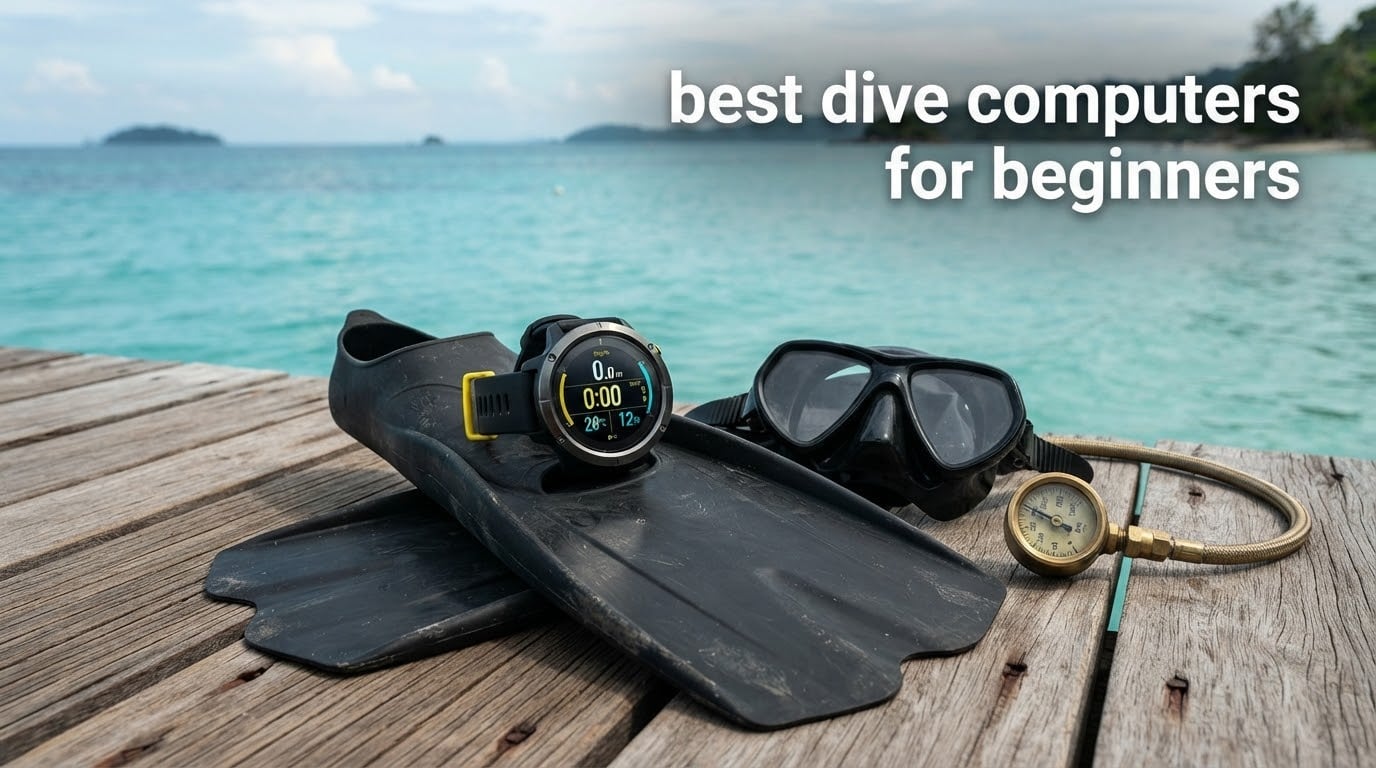
The best dive computers for beginners are the Cressi Leonardo 2.0 G2 for most first-time divers, the Cressi Donatello if you want the simplest setup, and the Mares Puck Pro+ if you want to spend as little as possible without buying something flimsy. All three track depth, dive time, ascent rate and your no-decompression limit on every dive, and all three cost less than a single set of fins.
That is the short answer. The long answer is that a dive computer is the one piece of scuba equipment a recreational diver is expected to own rather than rent, and the gear shop will hand you one with a fifteen-button menu whether you ask for it or not. We looked at eight models for this roundup, focusing on what a new diver can actually read at 15 metres and configure without a YouTube tutorial.
What follows is a plain-English look at each one: what it does well, what it does badly, and whether it is the right shape for your wrist and your dive plans. We also explain the decompression algorithm question that divers argue about on forums more than any other, because it is the single feature that separates a computer you will grow with from one you will replace in two seasons.
One thing to clear up first: a dive computer does not plan your dive and it does not replace training or a buddy. It tracks tissue loading in your body and tells you when to stop. Your course, your instructor and your dive plan still decide everything else. Several of the models below also do things you will never use in your first year, and we say so plainly in each review rather than pretending otherwise.
If you are still assembling a kit, our picks for the best cameras for beginners cover the other gadget most new divers end up buying for the same reasons: something reliable that survives being used outside its comfort zone. The same entry-level logic applies if your time on the water is spent paddling rather than diving, which is where our beginner kayak picks come in.
Top 3 Dive Computer Picks for Beginners in 2026

Cressi Leonardo 2.0 G2
- Air
- Nitrox and Gauge modes
- Single-button control
- Visual and audible alarms
The Cressi Leonardo 2.0 G2 carries the editor’s choice because of evidence, not hype. Its 4.2 star average is not the highest number in this roundup, but it is backed by more than 3.5k ratings, which means the failure modes are already documented and the long-term behaviour is well understood. For a computer you will strap to your wrist before you have a good sense of what you need, that matters more than a higher score on a newer listing.
All 8 Dive Computers for Beginners Side by Side in 2026
| Product | Specifications | Action |
|---|---|---|
| Cressi Leonardo 2.0 G2 |
|
Check Latest Price |
 Cressi Donatello Cressi Donatello |
|
Check Latest Price |
 Cressi Giotto Cressi Giotto |
|
Check Latest Price |
 Cressi Raffaello Cressi Raffaello |
|
Check Latest Price |
 Mares Puck Pro+ Mares Puck Pro+ |
|
Check Latest Price |
 Garmin Descent G2 Garmin Descent G2 |
|
Check Latest Price |
 Suunto D5 Suunto D5 |
|
Check Latest Price |
 Mares Puck 4 Mares Puck 4 |
|
Check Latest Price |
Two patterns jump out immediately. Five of these eight are single-button or touch-controlled, which is the norm in this category and the reason most entry-level models are easy to work with one gloved hand. And the only two with Bluetooth built in are the Cressi Donatello and the Mares Puck 4, so if syncing logs to a phone matters to you, the field narrows quickly.
1. Cressi Leonardo 2.0 G2 – The Most Proven First Dive Computer
CRESSI Leonardo 2.0 G2 Dive Watch, One-Button Air Nitrox Gauge, White/Black
44 mm LCD
44 mm screen, 240 x 280 resolution
70 hour listed battery
User serviceable
Pros
- Single-button interface is easy to learn underwater
- Air Nitrox and Gauge modes in one watch
- Visual and audible alarms for critical data
- Over 3.5k ratings document its long-term behaviour
Cons
- Plastic case and silicone strap feel basic
- No Bluetooth so logs move by IR or USB cradle
- Basic LCD is harder to read in low light
I put the Leonardo 2.0 G2 first because it is the model I would hand to a friend who is getting certified next month and has never looked at a dive table. One button does everything. Press it to scroll, hold it to confirm, press and hold to back out. There is no multi-function dial to rotate, no gesture to learn, and nothing on the case that can be accidentally twisted with a wetsuit sleeve.
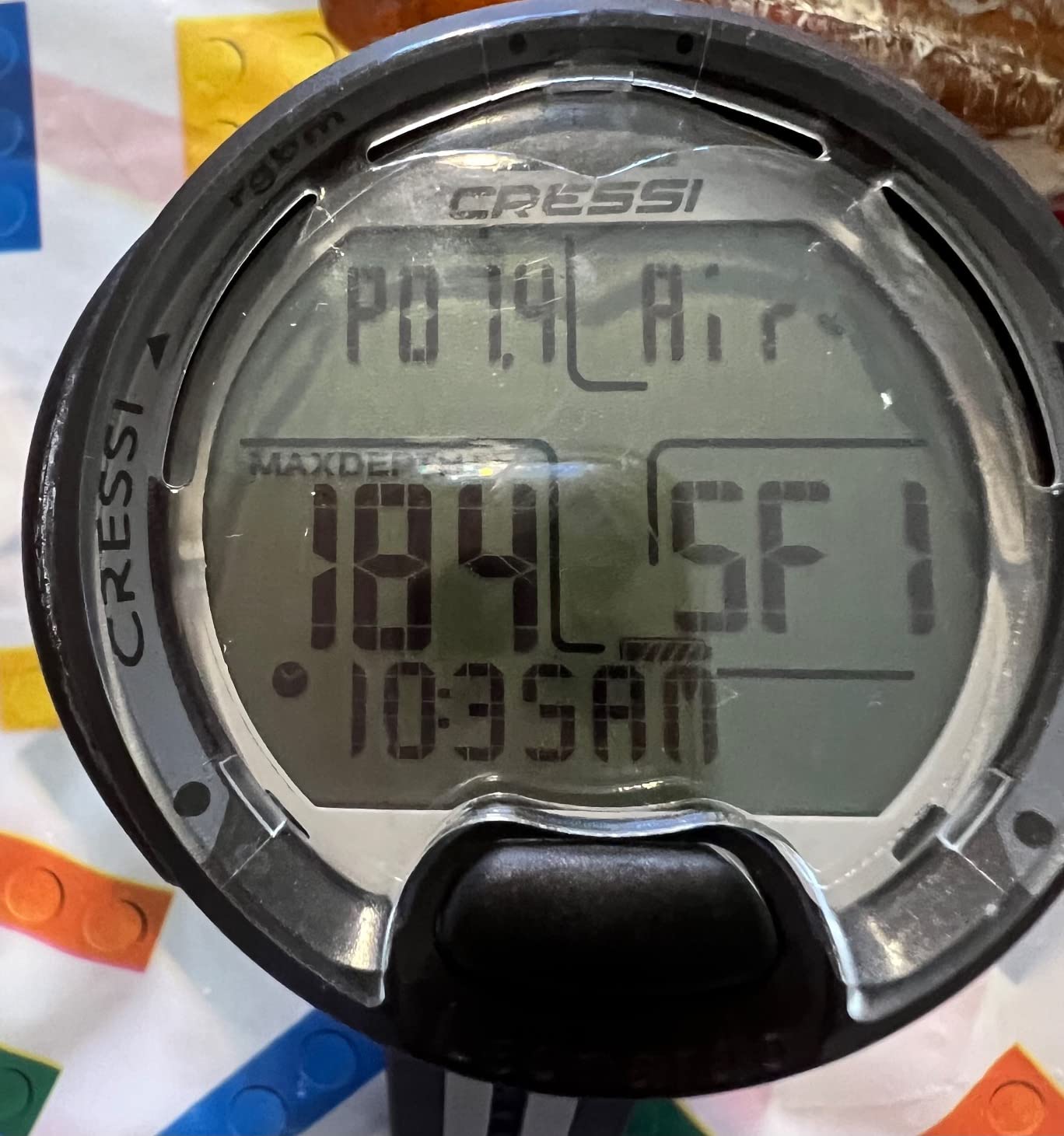
It runs air, nitrox and gauge modes, which is exactly the set of modes a recreational diver touches. The alarms are both audible and visual, so if you are looking somewhere other than your wrist, you still get a haptic-equivalent cue through the beeping. The screen is a 240 by 280 LCD on a 44 millimetre face, and while it is not a colour panel, the font size is large enough that most owners report reading it without glasses.
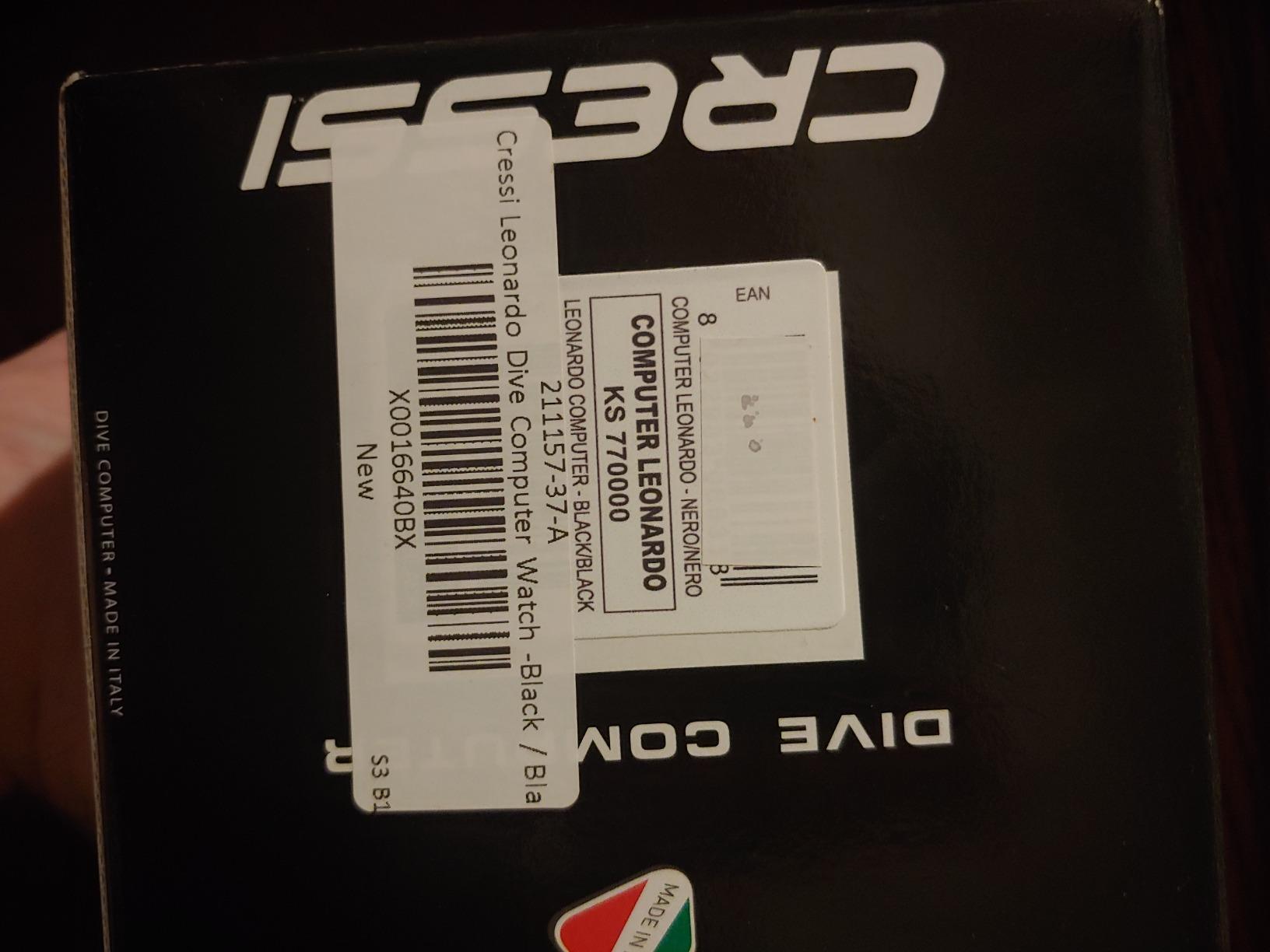
Where it earns its place is in the logbook and the ownership history. Cressi has made this family of computers for long enough that a large second-hand market exists, spare parts are easy to source, and a two-year limited warranty is included. The listed battery life of 70 hours is measured under conditions most divers will recognise, and the cell type is a standard user-replaceable format rather than a sealed pack.
The honest complaints are about materials and connectivity. The case is plastic with a silicone strap, so next to a metal-cased computer it reads as basic, and the data transfer runs over infrared or a USB cradle rather than Bluetooth. You will need the cradle to move profiles to your laptop, and that is one more piece of kit to keep in a dive bag. Reviewers also flag that the basic LCD loses detail in low light compared with an AMOLED panel.
About 9% of ratings are one-star, and the pattern in those reviews is early unit failure rather than design flaw. That is normal for a mass-market electronics product with a large installed base, and it is worth checking the warranty terms where you buy. For a computer that will be used on holiday dives and then sitting in a drawer between trips, a well-supported budget design is a rational first purchase.
Is the Leonardo 2.0 the right size over a wetsuit
At 44 millimetres the case is mid-sized rather than bulky, and the silicone strap extends far enough to go over a full suit sleeve without riding up. The listed weight is 200 grams, which sounds heavy for a wrist watch but is the packaging-inclusive figure most sellers publish, not a bare-case measurement. On the wrist it sits like a chunky sports watch, which is the right size for reading through a mask.
If you dive in a thin wetsuit or in a rash vest, this is the sweet spot. Divers moving to a thick exposure suit with wrist seals sometimes find the strap end just short, and the fix is a longer strap rather than a different computer. The white and black colourway is the one most people recognise, and the rectangular screen shape leaves no dead space around the numbers.
Who should skip the Leonardo 2.0
Skip it if you want Bluetooth log syncing without buying a cradle, or if you plan to move into mixed-gas diving within a year. Neither is a safety issue, both are just friction. The infrared and USB route gets your data onto a computer eventually, and multi-gas support is a genuine gap if your future includes technical training.
Also skip it if you are the sort of person who will be fiddling with settings in a dark hotel room on the night before a dive. The single button is forgiving, but long press-and-hold sequences still take practice. Buy it, then sit with it for twenty minutes at home before you rely on it underwater.
2. Cressi Donatello – Best Value for a First-Time Owner
Cressi Donatello Scuba Dive Computer, Single-Button Interface, Black/Silver
Single button control
Bluetooth and IR connectivity
129 g listed weight
2 year warranty
Pros
- Genuinely simple single-button interface
- Clear display owners prefer over costlier smartwatches
- Air nitrox and freedive modes plus no-fly timer
- Bluetooth and IR both included
- User-selectable deep stops
Cons
- Isolated reports of water ingress at the bezel
- Screen protector is scratch-prone
- Warranty support response times criticised
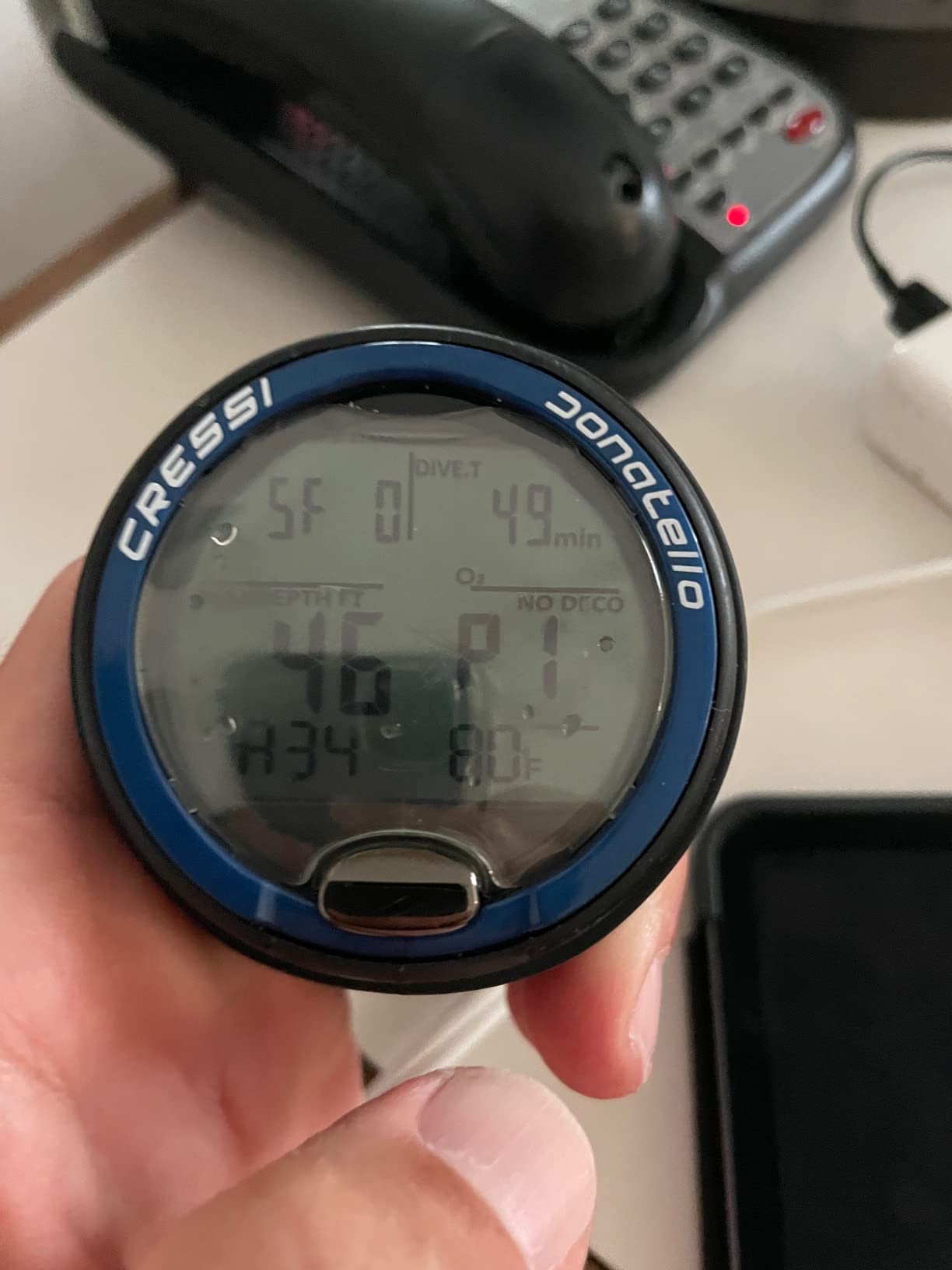
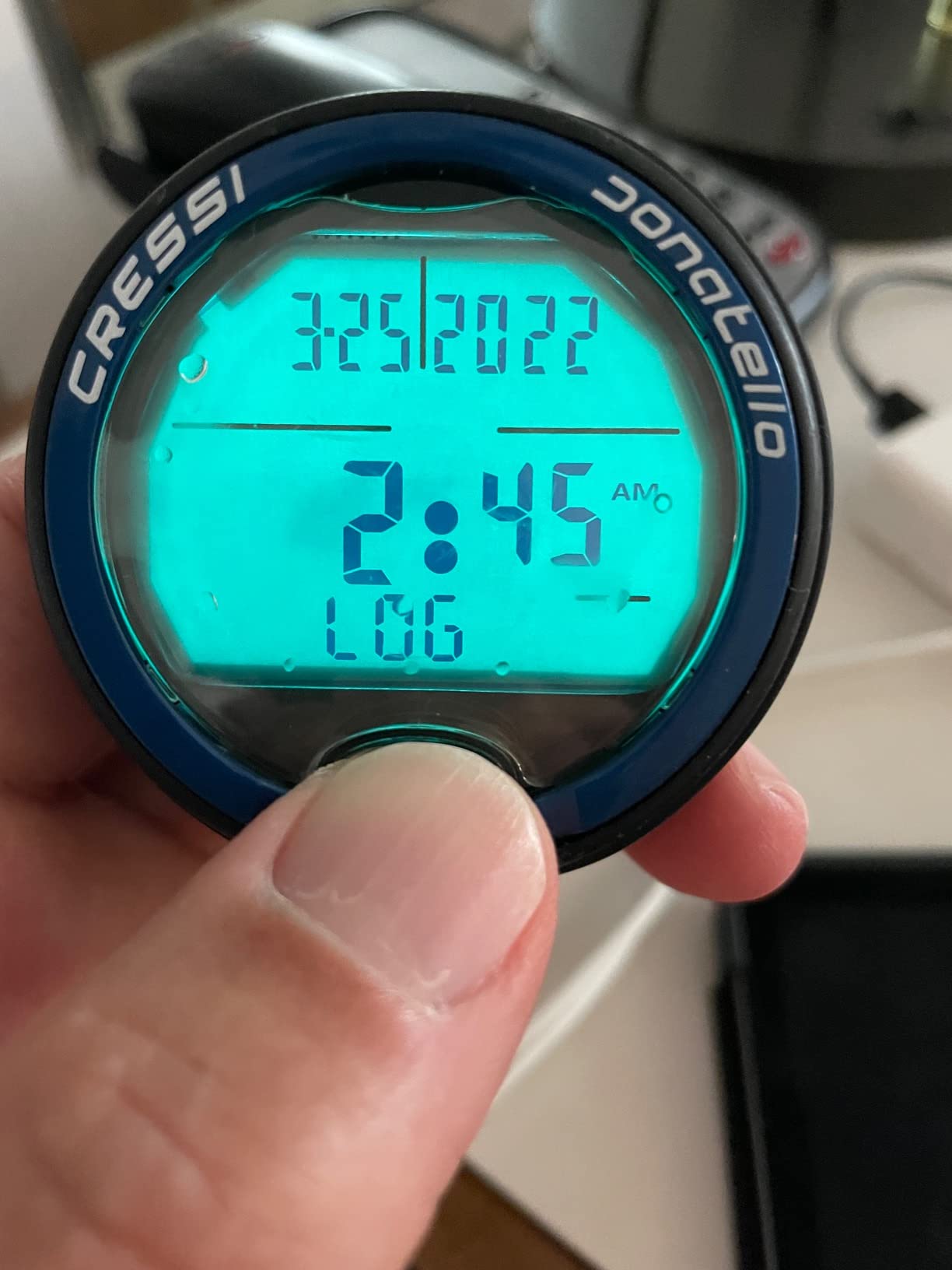
The Donatello is the one I recommend to anyone who says the words “I do not want to mess with it” before a first trip. Reviewers consistently describe the single-button interface as the easiest they have used, and one owner went as far as preferring the display to a far more expensive smartwatch. That is a useful signal for a beginner, because the pressure of an unfamiliar screen underwater is real.
It covers air and nitrox switching, adds a freediving gauge mode, and includes a no-fly timer so you know when it is safe to board a plane after a diving day. The deep stop selection is a feature you will probably ignore in year one and appreciate in year three, when you start running deeper profiles. Bluetooth and infrared are both present, so you can log to a phone or a desktop without buying a cradle.
At 4.4 stars with 73% five-star ratings, this is one of the better rating profiles in the roundup, and the review base of over 600 is large enough to be meaningful for a mid-priced model. The listed weight is 129 grams and the water resistance is quoted at 150 metres, which is deeper than most recreational dives and deeper than the shallow-water limit recreational agencies teach.
The negatives are narrow and specific. A small cluster of reviews reports water getting under the bezel after roughly a year of use, which points at a seal rather than a design fault and is the single most important thing to watch on this model. Others mention a screen protector that scratches easily, and a few note slow responses from warranty support. If you buy it, keep it in the supplied case and register the serial number on arrival.
Connectivity covers PC, Mac and smartphone, with infrared as a backup path. That makes it one of only two models here that can reach a laptop without an adapter, which matters if you are the sort of diver who reviews profiles properly after every trip and does not want to fiddle with cable formats.
Does the Donatello work as a freedive and snorkel computer
Yes, and that is a genuine advantage for anyone who also freedives or does a lot of surface snorkelling. Gauge mode turns the watch into a straightforward depth and time instrument without decompression logic running underneath, and freedive mode gives you a short surface interval recovery readout that helps you understand your breath-hold performance over a session.
Because it is a round-cased watch rather than a rectangular console, it sits reasonably well on a bare wrist between dives. The listed weight of 129 grams keeps it from feeling like a slab, and the black and silver finish is understated enough that you will not get comments about it. Daily wear is a fair use case here, though it is a dive computer first.
Where the Donatello falls short
It has no digital compass, so you are still relying on your own navigation or a separate instrument for anything beyond a surface heading. There is also no wireless tank pressure support, which again is a convenience rather than a safety gap on recreational air dives. If your buddy team dives deep or long on a single tank, having a pressure reading matters more.
The one real risk is the bezel seal report. It is not widespread, but it is the kind of failure that ends a trip. If you buy this model, test it in a sink or a shallow pool before you rely on it, and keep the receipt for the two-year limited warranty.
3. Cressi Giotto – Best for Divers Who Might Add Gases
CRESSI Dive Computer, Giotto, 70 hr Logbook, Altitude Diving, Black/Pink
Three gas mixes
Stainless steel case, 6.7 cm LCD
User replaceable battery
70 hour logbook
Pros
- Manages three nitrox mixes from 21 to 99 percent oxygen
- Large highly legible display
- Standard replaceable battery
- 70 hour logbook with PC download
- Altitude adjustment for mountain lakes
Cons
- Large case overhangs smaller wrists
- Weak backlight for night dives
- Face cover traps water droplets
- Some units failed to power on
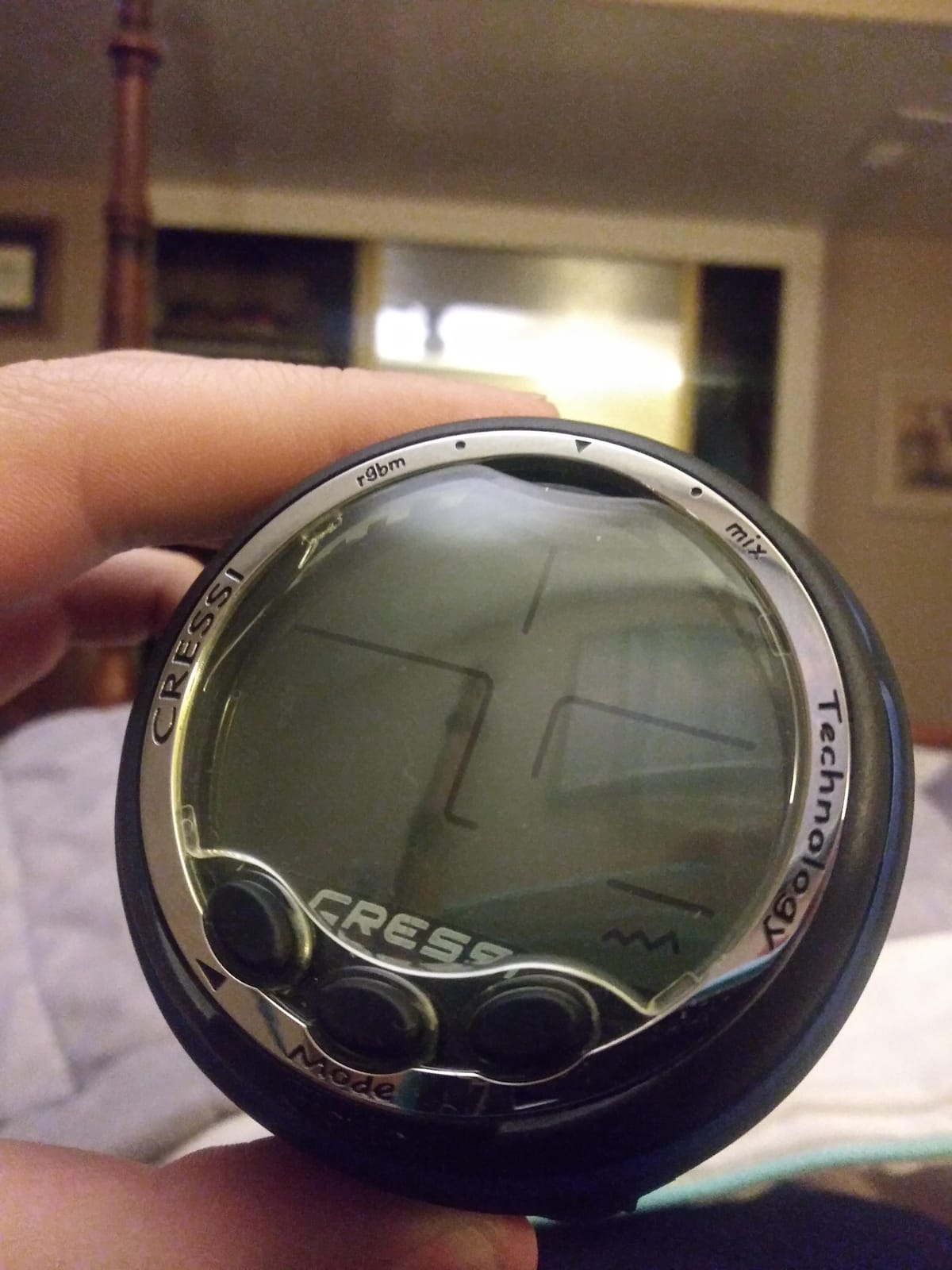
The Giotto is the stainless steel option in this roundup, and it is the one I would look at if you can already see a future for yourself. It handles up to three gas mixes on a single dive with oxygen fractions from 21% to 99%, tracks to a maximum depth of 393 feet, and adjusts for altitude so it still makes sense at a mountain lake. None of that is needed for a first Caribbean dive trip.
What is needed is the large, bright display. Reviewers call it very visible underwater, and that is the feature that decides whether you enjoy a dive or spend it squinting. The stainless steel case also resists the corrosion that plastics and painted finishes pick up in salt water, which is why it is a common pick for people who dive in the sea rather than a freshwater quarry.
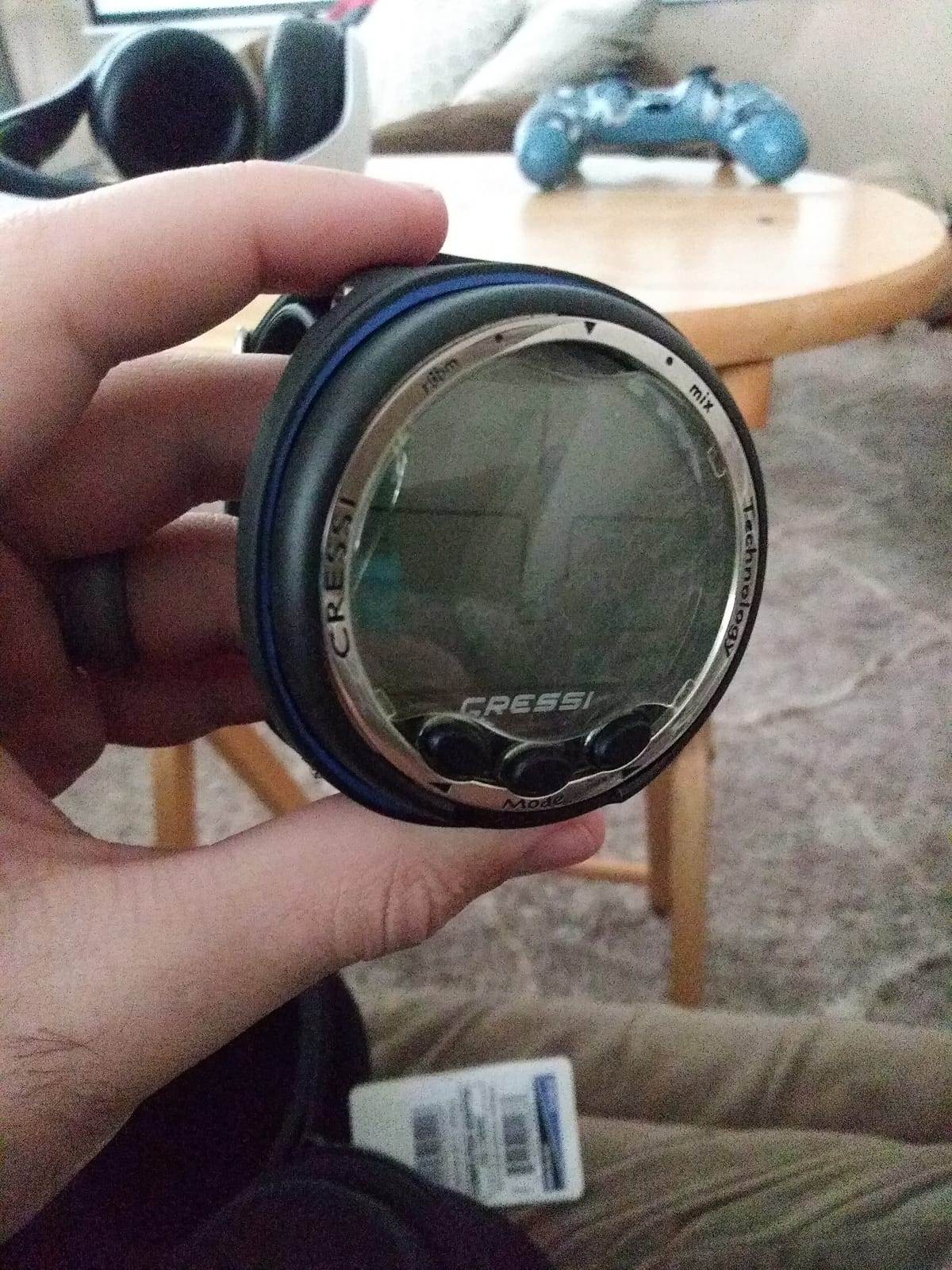
Two practical details make this an easy first computer to own. The battery is a standard user-replaceable cell that any dive shop or hardware store can supply, and the 70-hour internal logbook downloads to a computer over USB. Nothing about keeping it running depends on a proprietary cable or a cloud account, which is exactly what you want when you are on a boat in a country with no reliable power.
The drawbacks are physical. The case is large, and divers with smaller wrists report it overhanging, with a strap that sometimes needs trimming at the buckle. The raised face cover is a recurring complaint because it traps water droplets that are hard to clear, and the backlight is weak for night dives and deep drops. A handful of owners also report units that failed to power on, and slow cross-border warranty repair is mentioned in reviews.
None of that makes it a poor choice. It makes it a choice for someone with a larger wrist who wants a metal case and does not dive at night often. If your wrist is under about 16 centimetres around, look at something flatter.
Do you need multi-gas support as a beginner
Almost certainly not. Nitrox itself is worth learning, because a lower oxygen percentage gives you a longer no-decompression limit at the same depth, and it is available on most of the models here. Carrying and switching between multiple gases on one dive is a technical-diving skill, and paying a premium for it in your first season is money spent on a feature you will not use.
The argument for the Giotto is different. It is not the gas list that justifies it, it is the stainless steel case and the large screen. If those are what you are paying for, the multi-gas capability is a free upgrade rather than a reason on its own.
Wrist sizing and long-term ownership
This is the model most likely to be handed down rather than sold on. The replaceable battery, the lack of app dependency and the metal case all point to a device that keeps working for a decade if you change the cell. That is a different kind of value from a feature list, and it is the reason experienced divers on forums argue for buying above the entry tier.
Against that, the size is the practical limit. If it rotates on your wrist or sits awkwardly over a suit sleeve, you will stop looking at it, and a computer you do not look at is a computer that cannot keep you honest. Try it on over the thickest exposure you own before you commit.
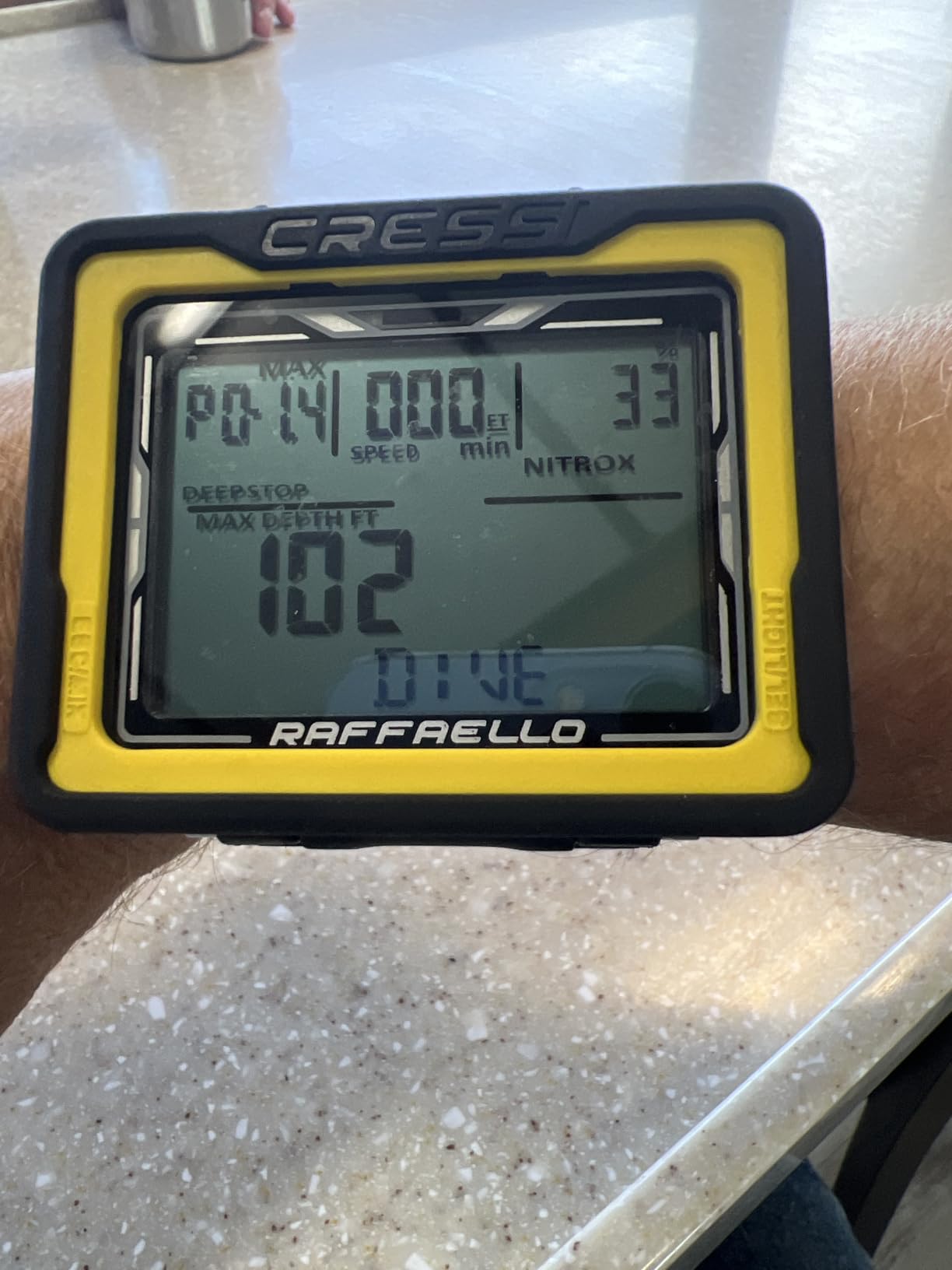
4. Cressi Raffaello – The Big-Screen Option With a Compass
CRESSI Raffaello Dive Computer, Built-in Digital Compass, Black/Yellow
Built-in digital compass
Big-screen rectangular case
Bluetooth and USB
4.5 stars
Pros
- Strongest rating among the Cressi models here at 4.5
- Built-in compass removes a separate instrument
- Mixed-gas planning with RGBM
- Apnea gauge nitrox and scuba modes
- Bluetooth and USB transfer
Cons
- Listed water resistance is only 30 metres
- Touchscreen is awkward with cold or gloved hands
- Large rectangular case suits bigger wrists
The Raffaello is the model to consider if you want the numbers big and want a compass in the same box. It has the highest rating of any Cressi in this roundup at 4.5 stars, with only 7% of ratings at one star, and it comes with a built-in digital compass so you are not carrying a separate navigation instrument on every dive. The rectangular big-screen case puts more information in front of you at once.
It runs apnea, gauge, nitrox and scuba modes, uses RGBM-based mixed-gas planning, and moves data over both Bluetooth and USB to a phone or computer. Oxygen indicators and ascent speed alarms are built in, which are two cheap safety features that cost nothing to have and are genuinely reassuring on your first independent dive.
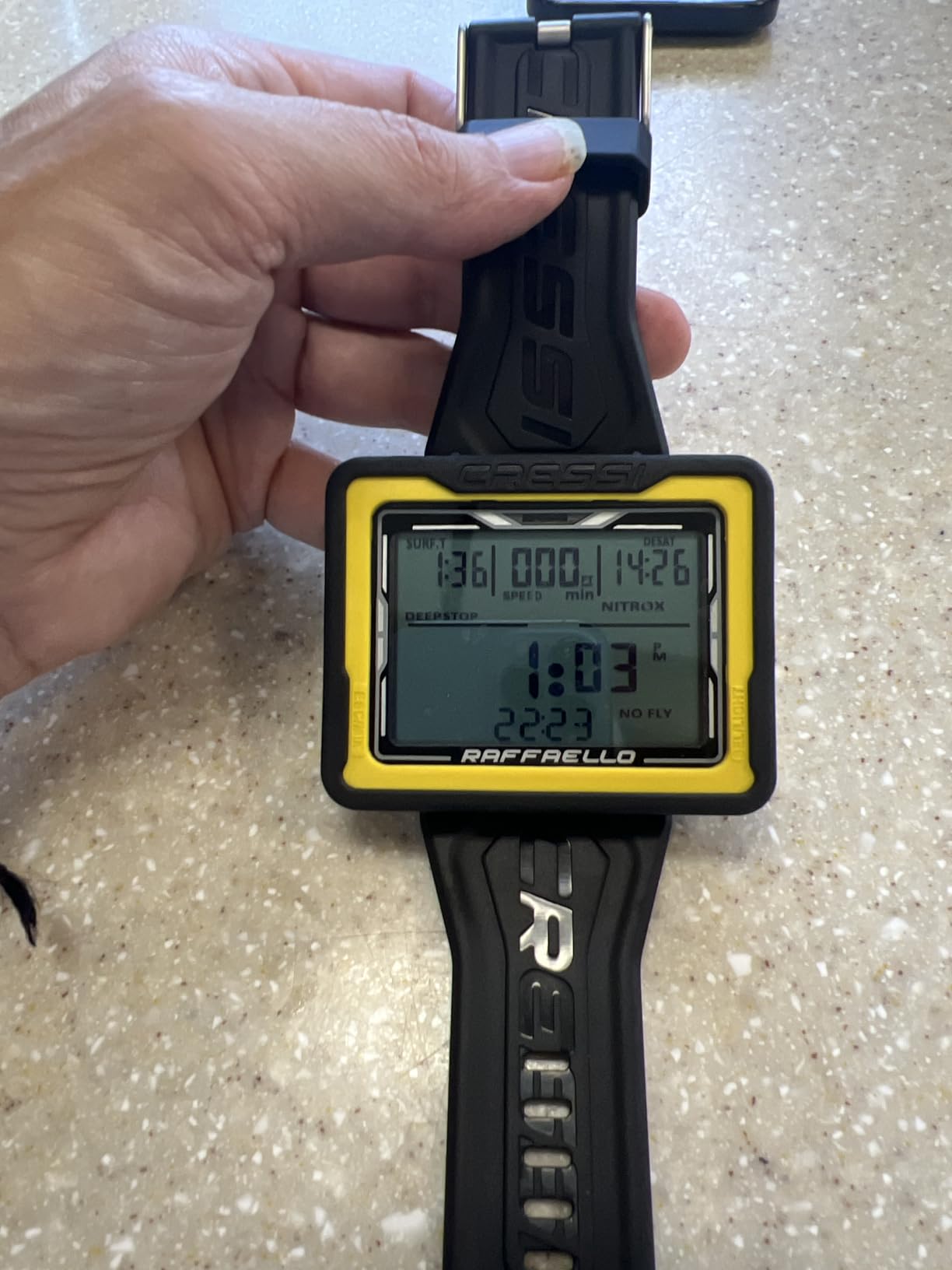
There is one specification here that deserves careful attention. The listed water resistance depth is 30 metres, which is lower than every other computer in this roundup, and the unit is labelled water resistant rather than waterproof. For recreational open water diving inside training limits, that rating is workable, but it is not the margin you want if you are storing the watch in a rinse bucket, washing it with a hose, or dropping it in a pool.
Control is by touchscreen, which is the main usability question. Touch works well with a bare hand and gets the job done quickly, but owners note it is less reliable with cold fingers or gloves, and a mistimed tap underwater can change a setting mid-dive. If you dive in temperate water in summer, this is a non-issue. If you dive in a northern sea in October, it is a real one.
Long-term data is the other limit. This is a newer listing with 221 ratings, so there is a shorter ownership history than the Leonardo or the Giotto. EU spare part availability is quoted at four years, which is a positive signal, and Cressi is an established brand with service centres in most regions.
Is a built-in compass worth having as a beginner
For most recreational divers, a compass is optional. You find your way back by following the guide, by landmarks, and by the boat, and recreational courses do not require a dedicated instrument. What a compass does give you is an independent check on your orientation when visibility drops or when you are the only one who noticed the boat moved while the surface was choppy.
That is enough reason to like it here, and it is a reason the Cressi Donatello and the Suunto D5 in this roundup also satisfy. What a compass is not is a substitute for buoyancy control or for knowing where the boat is. Treat it as a backup tool, not a plan.
When the touchscreen works against you
Wet hands, cold water and gloves are the conditions where touch input fails, and they overlap more than buyers expect. A diver in a full suit with a hood and gloves is already managing a lot of physical task loading, and fumbling a confirm button is a distraction you do not need at 25 metres. Physical buttons are more forgiving because you feel the click through your fingertips.
If your diving is warm-water, shallow and short, the touchscreen is a genuine convenience and the big screen more than compensates. If you are buying for cold water or extended bottom time, spend your money on a button-controlled model with a bigger battery instead.
5. Mares Puck Pro+ – The Budget Pick Buy for New Divers
Mares Puck Pro+ Wrist Dive Computer | Ultra Flat Design Watch-Style One Button Control Underwater Scuba Diving Computer, Grey/Black
Ultra-flat watch case
8.8 ounce listed weight
Replaceable battery
35 hour logbook
Pros
- Lowest cost in the roundup with a 4.4 star average
- Large display with large fonts
- One-handed operation including with gloves
- Works on a cheap widely available replaceable cell
- Solid build owners describe as a daily tool
Cons
- Single-button navigation has a real learning curve
- Written instructions are thin
- Screen sleep makes log copying awkward
- No air integration
- Wrist band runs long on smaller wrists
The Mares Puck Pro+ is the answer the diving forums give most often when someone asks for a cheap first computer that is not disposable, and after reading hundreds of reviews for this roundup we agree with them. It sits at the bottom of the price range, averages 4.4 stars, and does the four things a recreational diver needs: depth, time, ascent rate and no-decompression limit.
Physically it is an ultra-flat watch-style design, and that flatness is the point. It is rated as comfortable for long multi-dive days, and the profile sits better under a sleeve than a chunky console. The display uses large fonts that owners report reading without glasses, which for a first computer is more valuable than any menu depth.
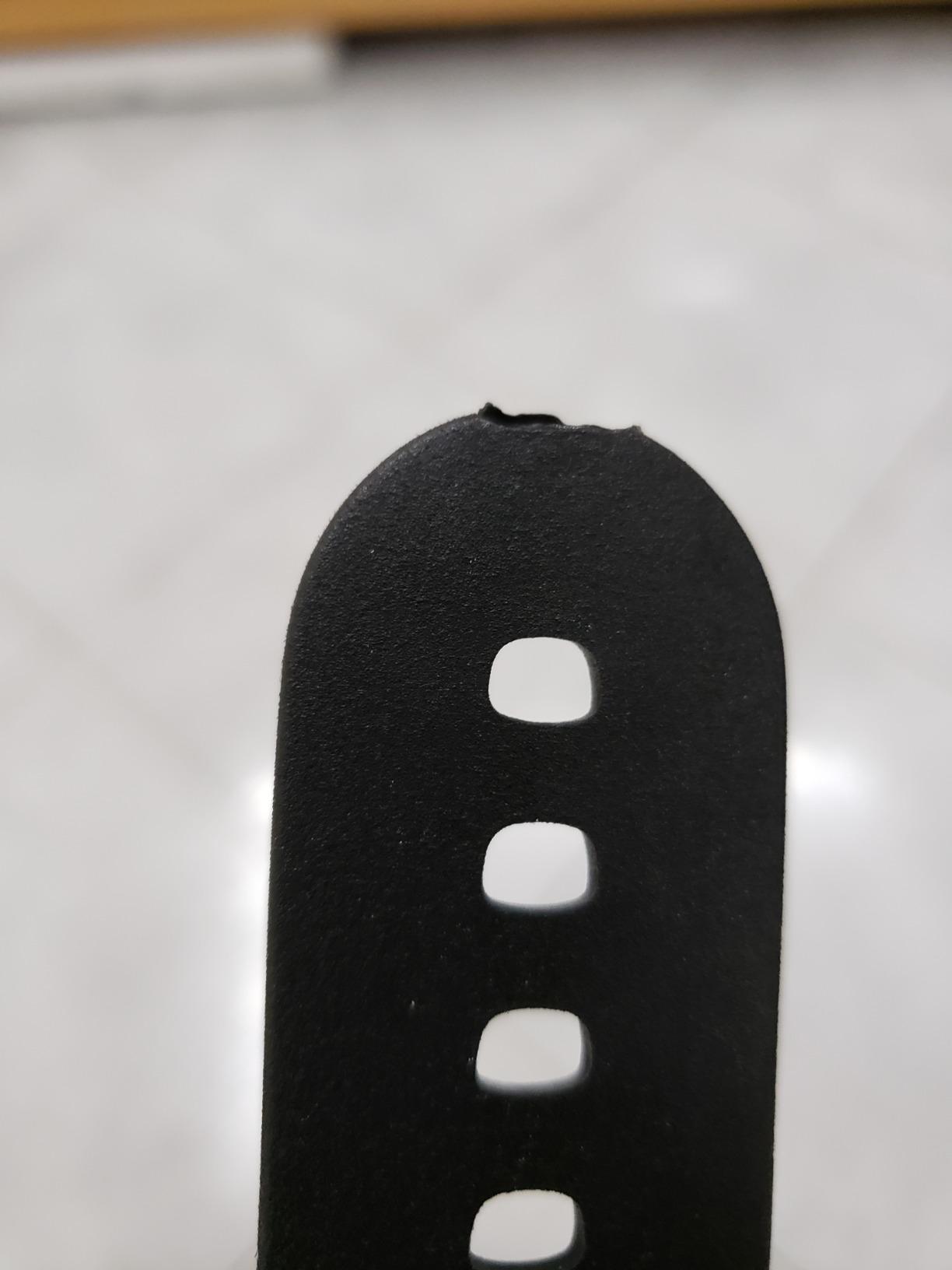
Operation is a single button, usable one-handed and reportedly workable with gloves on. It supports up to two nitrox blends from 21% to 99% oxygen, stores up to 35 hours of dive data at five-second sampling, and has upgradable firmware with Bluetooth pairing through the Mares BLUELINK system. That last point is worth flagging: the wireless link is part of a separate accessory ecosystem, so check what the current package includes before assuming phone syncing is built in.
The complaints are honest and consistent. Single-button navigation is clunky and carries a learning curve, several owners compare it unfavourably to the two-button Mares Smart Air, and the written instructions are thin enough that many people set the watch up from video guides. The screen sleeps, which makes copying logs more awkward, and there is no air integration, so tank pressure is not tracked. The wrist band is also noted as running long even on smaller wrists.
There is a small number of depth sensor failures after a few years of light use. That is a percentage worth weighing against the price, and on this model the maths works out in your favour.
Is the cheapest computer actually safe enough
This is the question that comes up constantly, and the answer from established divers is consistent: the safety floor in this category is low. Any modern computer that runs an open circuit algorithm, tracks your ascent rate, and gives you a no-decompression limit calculated from your actual profile is sufficient for recreational training limits. Cheaper here means fewer features, not a dangerous device.
Where you should be careful is buying something so stripped back that it cannot do Nitrox, or so old in design that it lacks a proper ascent rate alarm. The Puck Pro+ is not that product. It has replaceable power, a real logbook, upgradable firmware and a large readable screen, and for a diver doing 10 to 20 dives a year on holiday it is genuinely enough.
What you give up by starting at this level
You give up air integration, wireless tank pressure, and the sense of buying something final. That last point is the real cost. If you take up diving seriously within a year, you will move up, and you will either sell this or keep it as a backup. Mares watches hold value reasonably well because they are popular, but the resale is not going to cover a large part of what you paid.
Set against that, you avoid a first purchase you feel intimidated by, which is a real failure mode for new divers. A computer you can configure alone without a phone call to a dive shop is worth a great deal when you are nervous about your first independent dive.
6. Garmin Descent G2 – The Aspirational Upgrade With a Colour Screen
Garmin Descent™ G2, Watch-Style Dive Computer, 46mm, Black
1.2 inch AMOLED display
45.5 mm case, 15.2 mm thick
27 hours in dive mode
2.3 ounce weight
Pros
- Highest average rating here at 4.6 stars with 82% five-star
- Bright AMOLED screen under a sapphire lens
- Light at 2.3 ounces with a low profile case
- Full smartwatch with notifications and payments
- 27 hour dive battery covers multi-dive days
- Dive readiness metrics from sleep and stress
Cons
- The most expensive option in the set
- Garmin Connect and Connect IQ add a learning curve
- Rechargeable rather than a replaceable coin cell
The Garmin Descent G2 is the only smartwatch in this roundup, and it is also the only one with a full-colour AMOLED display under a sapphire lens. That combination makes it the easiest computer to read underwater by a wide margin. If your vision is not what it was, or you are reading through a mask at depth, the difference between a colour screen and a segment display is not subtle.
At 4.6 stars with 82% five-star ratings, it has the highest average score of anything we analysed, and the 2.3 ounce weight with a 15.2 millimetre case profile makes it the least intrusive watch here. Band sizing covers 128 to 224 millimetre wrists with an extra-long band reaching 373 millimetres, so it fits over a thick exposure suit as well as a bare arm.
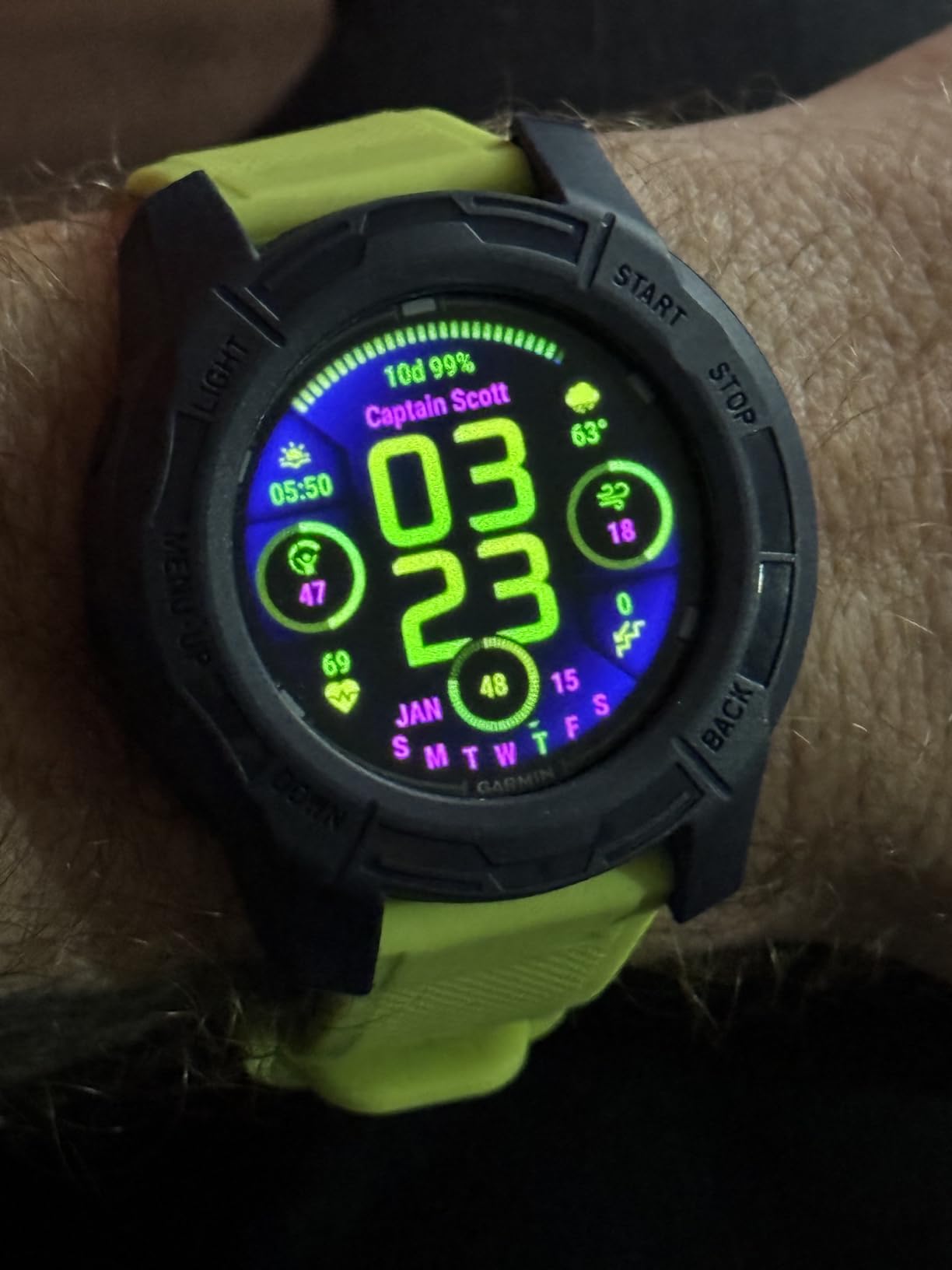
The dive side is properly built. It carries a 10 ATM dive rating, leakproof buttons, and supports recreational, advanced, technical, freediving and pool apnea modes. Battery life is quoted at up to 27 hours in dive mode and up to 10 days in smartwatch mode, and there is 4 GB of internal storage with on-device log review through the Garmin Dive app. Multi-GNSS lets you mark your entry and exit points at the surface, which is genuinely useful for boat-based diving.
The dive readiness feature is the underrated part. It uses sleep, stress and recent exercise data to tell you how recovered you are before you get in the water, and for a diver taking a morning boat trip on back-to-back days it is a meaningful signal rather than a gimmick. Housing, bezel and buttons are made from recycled ocean-bound plastic, which is a manufacturing detail rather than a performance one but not a meaningless one.
Now the honest problem for a beginner. This is the most expensive computer in the set, and the majority of what it does you will not use in your first year. Garmin Connect, Connect IQ apps, payments, notifications and the training suite all add configuration work before your first dive, and the rechargeable battery means you cannot carry a spare cell.
Is a smartwatch-style dive computer worth it for a first diver
For some people yes, and the reason is wearability rather than diving. If you already wear a fitness watch and would not add a second device to your wrist, consolidating is a good outcome. You get a colour screen, a sapphire lens and a very readable display, and you stop thinking about the computer when you are not diving.
For others it is the wrong first purchase, because the ecosystem asks for attention at the exact moment you want attention elsewhere. New divers report menu complexity anxiety more than any other complaint on forums, and a device that pulls training data, notifications and payments into the same interface is a bigger setup task than a dedicated dive watch.
Travel, charging and the daily-wear question
This is where a rechargeable model changes character. You get roughly two full multi-dive days from one charge, then you need a cable and a socket. Plan your trip around that: charge the watch the night before every diving day, and carry the cable in your carry-on because a replacement is hard to find abroad. With a replaceable coin cell you carry three batteries in a bag and think about it never.
Charging is otherwise the best daily-wear story of any model here. Ten days in smartwatch mode means you wear it without thinking about it, and the 1.79 by 1.77 by 0.6 inch body slips under a cuff. For a diver who wants one device rather than two, the compromise is real but manageable.
7. Suunto D5 – Smallest Case for Daily Wear
SUUNTO D5 Dive Computer, Color Display 100m Waterproof, All Black
Compact colour display
Digital compass and vibration alarms
Supports wireless tank pod
Three button interface
Pros
- Compact and light so it does not dominate a small wrist
- Colour display readable in low light and bright sun
- Three-button menu structure described as very easy to learn
- Suunto app presents profiles and air data clearly
Cons
- Rechargeable battery falls well short of the stated dive time
- Low-battery banner can block the display mid-dive
- Safety stop must be set inside a 2.4 to 6 metre range
- Display hard to read for some eyesight
- Black paint scratches with use
The Suunto D5 is the smallest watch-style computer here, and if you have a slim wrist that is the whole argument. Reviewers repeatedly single out the compact, light feel as the reason they stopped resenting their dive computer, and the colour display holds up in both bright surface conditions and low light, which is more than most segment displays manage.
Controls are three physical buttons rather than one, and the menu structure is described as very easy to learn. There is a digital compass, vibration alarms for discreet alerts underwater, wireless mobile connection to the Suunto app, and support for wireless tank pressure through a Suunto tank pod if you decide you want air data later.
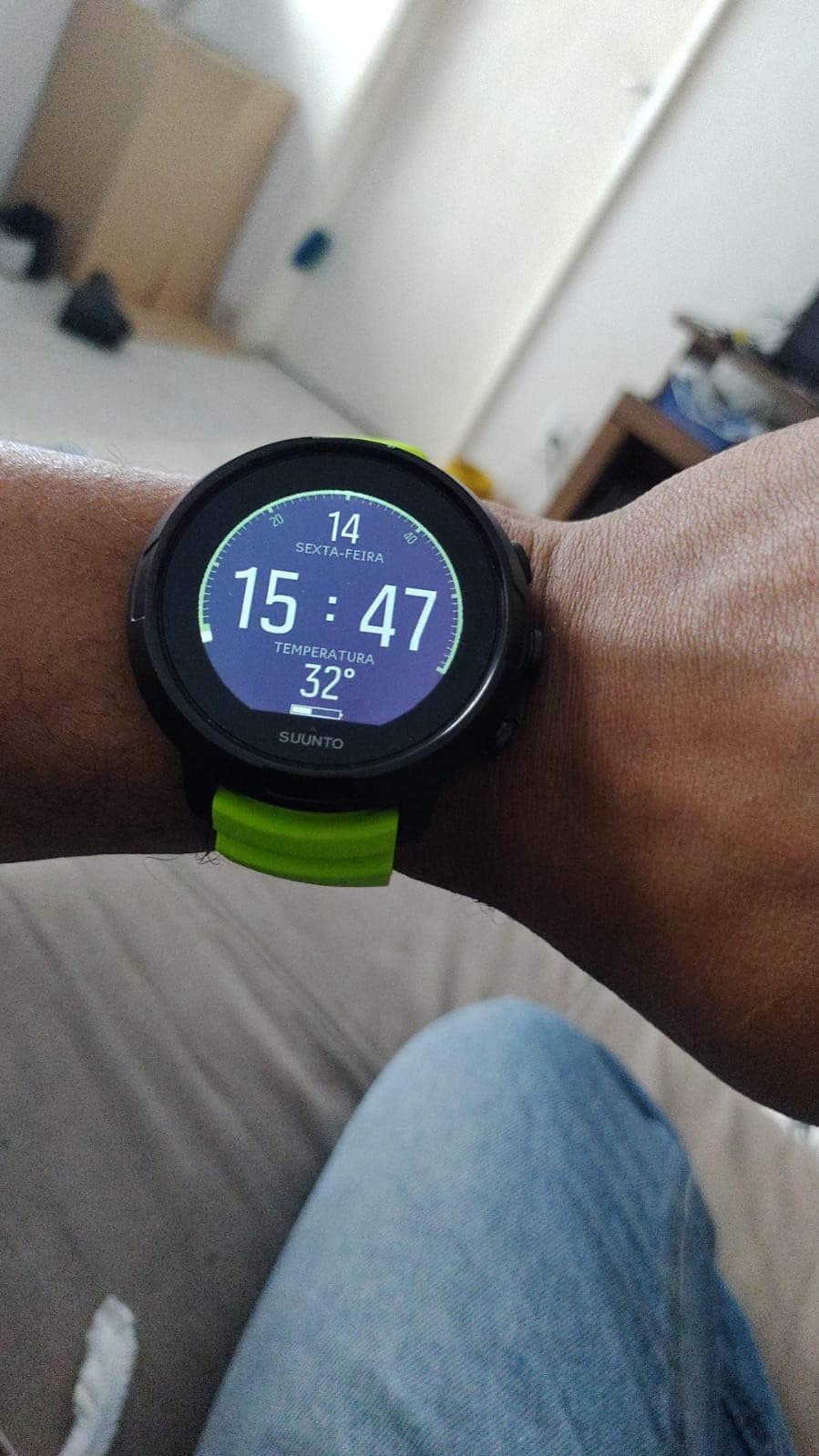
The battery is the problem, and it is the one you must read carefully. The stated diving time is up to 12 hours, and owners report getting a small fraction of that in real use, with a persistent low-battery warning that can cover part of the display during a dive. On a three-dive boat day, that banner arriving on the second dive is the exact situation you do not want. My advice would be to treat this as a one-dive-per-charge model and plan accordingly.
There is also a configuration quirk worth knowing: the safety stop has to be set within a 2.4 to 6 metre range or the unit pauses and will not start a dive. Set it once, check it before every trip, and it is a non-issue. Screen customisation is PC-only rather than syncing from the mobile app, only two watch faces are available, and the black paint scratches with regular use.
For readers who need a little help with vision, this is not the model. Reviewers describe the display as hard to read for some eyesight, and there is no way to change the font size. If you already own reading glasses for the boat deck, check the display before you commit.

How to live with the rechargeable battery
Treat charging as part of the pre-dive routine rather than an emergency. The watch goes on the charger with your gear the night before, and it comes off fully charged in the morning. Set the safety stop inside the 2.4 to 6 metre band during that same session, so the whole checklist takes two minutes.
If you are the kind of diver who takes three boats in a day without returning to a hotel, that routine is hard to keep. In that case pick a model with a user-replaceable cell and stop worrying about it. Battery anxiety is one of the most common first-year complaints on diver forums, and it is entirely avoidable with the right choice of power source.
Why daily wearability and readability pull in opposite directions
Small cases feel good on a bare wrist between dives, and that is not a trivial benefit when you are wearing a computer 16 hours a day for a year. But a compact case means smaller digits, and small digits are exactly what a masked diver at depth struggles with. This is the trade-off that runs through the whole roundup, and the Suunto D5 sits at one end of it while the Cressi Raffaello sits at the other.
Decide which end you are. If your diving is tropical, shallow and you mostly want the watch to disappear under a shirt, the D5 is the better buy. If readability is the thing that will keep you calm underwater, spend the extra case size on a bigger screen and accept a heavier wrist.
8. Mares Puck 4 – The Only Model Here With Adjustable Gradient Factors
Mares Puck 4 Wrist Dive Computer | Entry-Level Watch-Style One Button Control Underwater Scuba Diving Computer, Black/Blue
Buhlmann ZH-L16C with gradient factors
Chip-on-glass segment display
Built-in Bluetooth
Three gas support
Pros
- Adjustable Buhlmann ZH-L16C algorithm with gradient factors
- Up to three gases including air nitrox and bottom timer
- Chip-on-glass segment display built for depth readability
- Built-in Bluetooth so no download cradle is needed
- Decompression dive planner and resettable average depth
Cons
- Single-button navigation gives fewer direct controls than multi-button models
- Feature set may exceed what a new diver needs
- Smallest review base in the roundup
The Mares Puck 4 is the only computer in this roundup built around the Buhlmann ZH-L16C algorithm with user-adjustable gradient factors, and that single fact separates it from everything else on this list. If you have read dive forums, you have seen that algorithm named as the quality bar by instructors with thousands of logged dives. It is the algorithm behind most of the computers divers treat as serious equipment.
It also supports up to three gases including air, nitrox and a bottom timer mode, uses a chip-on-glass segment display designed for clear reading at depth, and has Bluetooth integrated into the watch rather than relying on a cradle. There is a decompression dive planner and a resettable average depth function, which is useful when you want to see the same descent again after adjusting your gas.
Because gradient factors are adjustable, you can make the computer more conservative or more permissive than the factory setting. That is a real capability, not a marketing line. It is also a responsibility, and it is the reason we did not put this model first despite liking it.
Do not touch gradient factors in your first year
Here is the honest advice. The factory setting on a Buhlmann computer is already tuned conservatively enough for recreational diving, and the whole point of buying a computer rather than a table is that it removes this calculation from your dive. Turning the numbers yourself in your first season adds a variable you cannot yet evaluate, and the worst outcome is a profile that looks more exciting than it is safe.
What the Puck 4 gives you is the knowledge that the option is there. The algorithm is the one that serious equipment uses, so the computer will not become the weak link when you eventually progress. Set it once from the manual, leave it alone, and come back to it in two years when you understand what the numbers mean.
What the small review base means for you
This is the newest listing in the roundup, with 67 ratings, the smallest sample we analysed, and a 13% one-star share, the highest here. That is not a deal breaker, but it does mean there is less long-term data than for the Leonardo or the Puck Pro+. A small number of owners also point out that the single-button interface gives fewer direct controls than a multi-button watch, and that the feature set may be more than a brand-new diver needs. Both are fair.
It ranks strongly in its category, which suggests Mares is putting real distribution behind it, and built-in Bluetooth without a cradle is a genuine convenience. If you specifically want a Buhlmann algorithm with adjustable gradient factors at the entry end of the market, this is the model that delivers it. If you just want a readable, uncomplicated watch, the Donatello or the Leonardo will serve you better for less mental effort.
How to Choose a Dive Computer for Beginners in 2026
Start with readability, not features. The computer exists to give you four numbers at a glance: current depth, elapsed dive time, remaining no-decompression time, and required ascent rate. Every other screen is secondary. Buy the largest, highest-contrast display your wrist will tolerate, and ignore everything else until you have logged a few dozen dives. Our beginner equipment picks for other sports follow the same principle: the tool you can actually use beats the tool with more settings.
Rechargeable or user-replaceable battery
This is the decision most likely to annoy you on a liveaboard, so decide it before you buy rather than after. A user-replaceable coin cell means you carry three batteries in a plastic bag and never think about power again. A rechargeable lithium pack means better construction and longer intervals between charges, but you need a cable, a socket, and a charging habit.
Choose replaceable if you dive from a small boat, go multi-day without returning to a hotel, or travel to places where a proprietary charger is hard to find. Choose rechargeable if you want to wear the watch daily and only dive on holiday. The Cressi Leonardo 2.0, the Cressi Giotto and the Mares Puck Pro+ all use a cell you can change yourself.
The decompression algorithm is the quality bar
Here is the question forums ask most and editorial pages answer least. A decompression algorithm is a mathematical model of how much gas your body tissues are holding after a dive, and the computer uses it to work out how long you can stay down before you must decompress on the way up. It recalculates continuously against a set of simulated tissue compartments and updates your no-decompression limit in real time.
Different manufacturers use different algorithms. Dive forums repeatedly name Buhlmann ZHL-16C with user-adjustable gradient factors as the quality bar, because it is what reputable brands use and because the gradient factors let you tune conservatism. In this roundup, the Mares Puck 4 is the model that offers it directly at the entry level.
Does a beginner need to understand it? No. You need to know that the number on your wrist came from a real model rather than a lookup table, that you can make it more conservative if you are cold, tired or flying soon after, and that you should never dive a profile you have not planned. The practical point is simple: do not buy a computer so simple that it cannot be adjusted, and do not buy one so complex that you will be tempted to adjust it on a dive you have not thought about.
Air integration: skip it for now
Air integration means a wireless transmitter on your first stage sends tank pressure to the computer, which then calculates your gas consumption and remaining gas at the surface. It is a genuinely useful feature for deep or long dives on a single tank. It is not a safety requirement, and it is not something a new recreational diver will use in their first year.
Our recommendation is to buy a computer that supports a transmitter without bundling one, then add the transmitter later if your diving changes. The Suunto D5 does exactly this. If you think you will be doing the kind of multi-day liveaboard diving where gas planning matters, prioritise it. Otherwise it is money you can spend on a better display.
Fit over the wetsuit and wrist size
This is the most under-discussed factor and the one most likely to make you dislike your computer. Measure your wrist, then try the watch over the thickest sleeve you own. A computer that rides up your forearm, or that sits with a lug sticking past your suit cuff, will be a computer you stop looking at.
The flat models here, the Mares Puck Pro+ and the Garmin Descent G2, are the most forgiving over a thick exposure suit. The larger round cases, the Cressi Giotto and the Cressi Raffaello, suit bigger wrists and may need a strap trimmed. If you are under about 16 centimetres around the wrist, weight the compact models higher and read the small-wrist complaints in each review before you decide.
Support, spares and resale
Established divers on forums tend to advise buying the best Nitrox-capable computer you can comfortably afford rather than the cheapest, on the grounds that beginners stop being beginners within a season. That advice is sound, with one caveat: the real mistake is overspending on technical features, not underspending on a solid basic model.
Two things tell you whether a computer will still work in five years. Brand support matters, particularly whether the manufacturer services units bought second hand, and spare parts matter, particularly batteries and straps. Computers that depend on an app or a proprietary cloud account tend to age badly when that app is abandoned. Cressi and Mares both have long manufacturing histories, and both brands hold resale value reasonably well because the used market is active.
Features a New Diver Can Skip for Now
Multi-gas switching is on the list for a reason. You will learn Nitrox because a lower oxygen percentage gives you more bottom time at the same depth, but carrying and switching between gases on one dive is a technical skill. The Cressi Giotto supports three mixes and the Mares Puck 4 supports three gases, and neither is wrong to own. They are simply not what your first course is teaching you.
Trimix and technical modes are deeper still, and they only make sense once you are breathing mixtures far outside recreational training limits. Full-colour AMOLED screens and GPS are the third category. The Garmin Descent G2 is a superb computer, but its colour panel, onboard maps and training metrics exist for a diver with a decade of logbook behind them, not someone on their first boat trip.
Wireless air integration is the fourth. It is a gas management convenience, not a decompression function, and every model on this list tracks your dive correctly without one. The one thing worth paying for early is adjustability, because it is the only capability here that changes what the computer can do for you as your diving progresses.
Frequently Asked Questions
Which dive computer is the easiest for beginners to read?
The easiest to read are the ones with the largest, highest-contrast display, not the ones with the most features. Among these picks, the Cressi Raffaello and the Garmin Descent G2 have the biggest screens, and the Garmin adds a bright AMOLED panel under a sapphire lens with a leakproof 10 ATM rating. The Cressi Giotto and the Mares Puck Pro+ are strong alternatives if you prefer physical buttons. Check that the font size works for your eyesight before buying.
What is the 120 rule in diving?
The 120 rule means staying within 120 feet of the surface and within 120 minutes of surfacing from a dive. Recreational training agencies teach it as a hard limit on both figures. A dive computer tracks the time and depth part of this automatically, along with your ascent rate and no-decompression limit, but the rule itself is a limit your training defines rather than something the computer overrides.
Which dive computer is best for daily use?
For daily wear, look for a slim case, a light weight and a display that is not distracting on a bare wrist. The Suunto D5 is the most compact model here at a small case and low weight, and the Garmin Descent G2 works well as a full smartwatch with up to 10 days between charges. Daily wearability often works against maximum underwater readability, so decide which matters more for you.
What decompression algorithm should a beginner look for?
Prefer a computer using the Buhlmann ZHL-16C algorithm with user-adjustable gradient factors, because it is the model reputable brands use and it lets you tune how conservative the computer is. In plain terms, the algorithm predicts how much gas your tissues are holding and calculates your no-decompression limit. The Mares Puck 4 in this roundup offers it at the entry level, and you can leave the factory settings alone while you learn.
Do I need an air integrated dive computer as a beginner?
No, not for a new recreational diver. Air integration means a wireless transmitter on your regulator sends tank pressure to your computer so it can show gas consumption and remaining gas. A computer without it still tracks depth, time, ascent rate and decompression correctly. The sensible approach is to buy a model that supports a transmitter later, such as the Suunto D5, and add the transmitter only if your diving changes.
Should I buy a cheap dive computer or save up for one I can grow into?
Buy the best Nitrox-capable computer you can comfortably afford rather than the cheapest, because most beginners advance within a season or two. The safety floor is low, though: any modern computer with Nitrox support, an ascent rate alarm and either a replaceable or rechargeable battery is sufficient for recreational training limits. The real mistake is overspending on trimix, multi-gas and smartwatch features rather than underspending on a solid basic model.
The Best Dive Computers for Beginners in 2026
For most first-time divers, the Cressi Leonardo 2.0 G2 is the right first dive computer: air, nitrox and gauge modes, a single button you can work with a glove on, alarms you will actually notice, and more than 3.5k ratings of long-term evidence behind it. If setup simplicity is what frightens you about the whole idea, the Cressi Donatello is gentler and adds Bluetooth and infrared for log review.
Spend less and you are not giving up safety with the Mares Puck Pro+, which is a properly engineered flat watch with a replaceable battery. Spend more and the Garmin Descent G2 buys you a colour screen, a sapphire lens and a watch you will keep wearing between dives, while the Suunto D5 stays the most discreet option for a slim wrist. Whatever you choose, buy it, configure it at home, and go dive.