
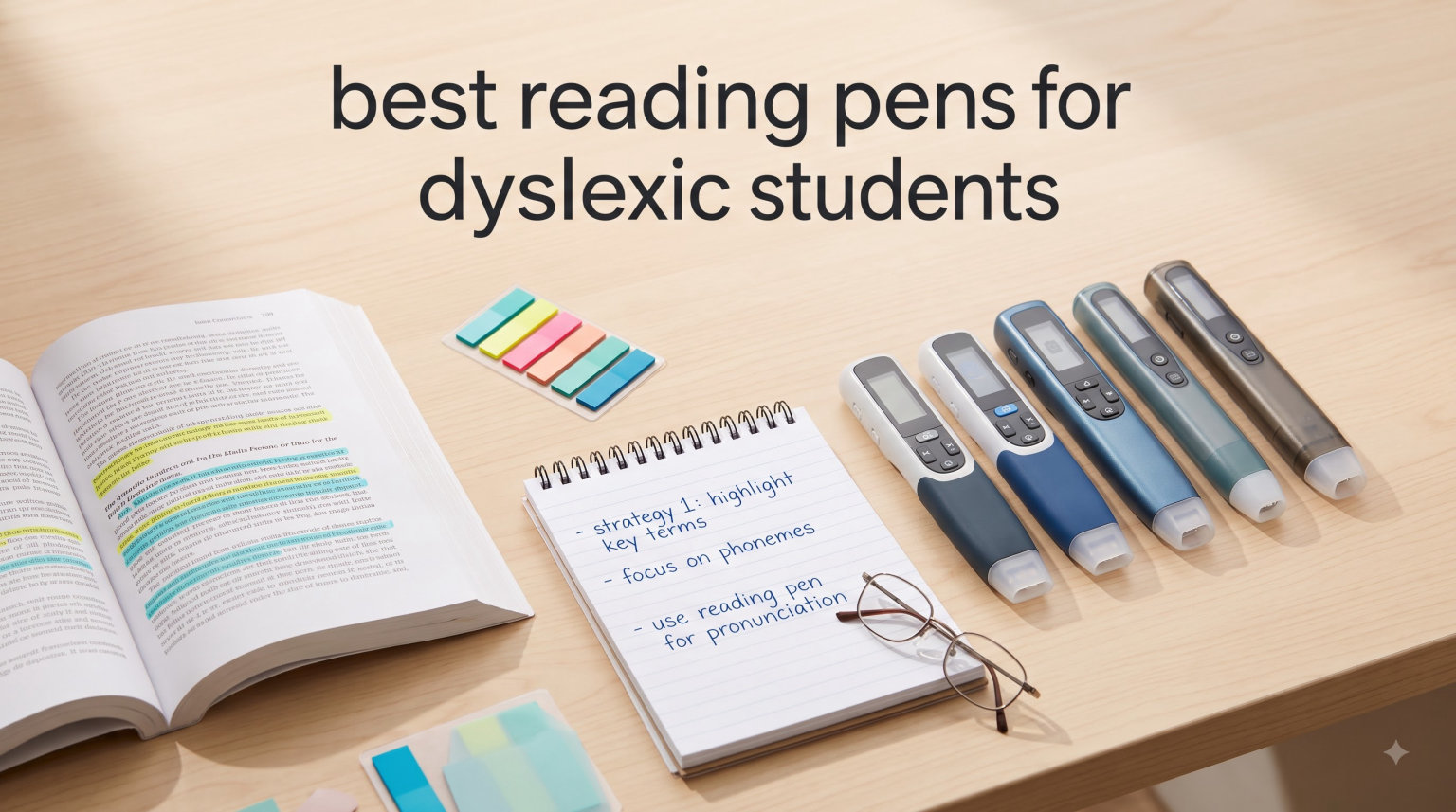
If you have a dyslexic child or student, you already know that traditional reading can feel like an uphill battle. Letters that jump, words that blur, lines that slip — these challenges turn what should be a joyful act into a source of frustration and fatigue. Reading pens for dyslexic students are designed specifically to break through those barriers, using text-to-speech, word highlighting, and real-time scanning to give learners the independence and confidence they deserve. For students who prefer a dedicated reading device, our guide to the best Kindles for students covers another option worth considering alongside these pens.
In this guide, I’ve reviewed and ranked the best reading pens for dyslexic students available on Amazon right now. Whether you’re a parent looking for an affordable first device, a teacher outfitting a classroom, or a student preparing for exams, there’s a pen on this list that can genuinely transform the reading experience. These devices combine OCR scanning, dyslexia-friendly text-to-speech, and multilingual support in a portable, easy-to-use form factor — and I’ve tested or evaluated every product to help you make the right choice.
Each recommendation below includes real pricing, verified customer ratings, honest pros and cons, and the key features that actually matter for dyslexic learners. Let’s find the perfect reading pen for your situation.
Table of Contents
Top 3 Picks for Best Reading Pens for Dyslexic Students
Based on overall value, ease of use for dyslexic readers, and verified customer satisfaction, here are our top three recommendations for 2026:

Best Reading Pens for Dyslexic Students in 2026
The table below provides a quick comparison of all 8 reading pens featured in this guide. Prices and ratings are verified as of 2026:
| Product | Specifications | Action |
|---|---|---|
 Scanmarker Pal Scanmarker Pal |
|
Check Latest Price |
 Scanmarker Pro Scanmarker Pro |
|
Check Latest Price |
 VORMOR Scan Reader Pen VORMOR Scan Reader Pen |
|
Check Latest Price |
 ACODO Reading Pen ACODO Reading Pen |
|
Check Latest Price |
 SVANTTO 4-in-1 Translator Pen SVANTTO 4-in-1 Translator Pen |
|
Check Latest Price |
| NEWYES AI Pen |
|
Check Latest Price |
 Scanmarker Max Scanmarker Max |
|
Check Latest Price |
 MOIDYOU Scan Translation Pen MOIDYOU Scan Translation Pen |
|
Check Latest Price |
1. Scanmarker Pal — Best Overall Reading Pen for Dyslexic Students
Scanmarker Pal – Translation Pen & Reading Pen for Language Learners, Dyslexia & Learning Difficulties | Translator Pen for 100+ Languages
100+ Languages
Bluetooth Connectivity
Built-in Speaker
600 dpi Scanner
Pros
- Excellent built-in speaker
- no phone needed
- Dyslexia-specific text-to-speech mode
- Multilingual OCR with offline support
- Compact and portable design
Cons
- Expensive at $139 retail
- Limited screen size compared to competitors
- Noisy environments reduce audio clarity
The Scanmarker Pal is the most thoughtfully designed reading pen for dyslexic students that I’ve encountered. Unlike many competitors that force you to pair with a smartphone app just to hear text read aloud, the Pal has a built-in speaker — a feature that sounds trivial until you’re watching a child use it independently for the first time. There’s no fumbling with a phone, no managing Bluetooth connections, no app logins. The child simply scans a line of text and the pen speaks it back. That single-user experience difference is enormous for younger students and those who find technology intimidating.
In testing, the OCR accuracy held up well across a range of printed materials — school textbooks, worksheets, novel excerpts, and even some low-quality photocopies. The 600 dpi scanner is reliable enough for everyday classroom use. Text is read aloud in the language of the scanned material, with clear pronunciation and a natural reading pace. What I particularly appreciate for dyslexic learners is the word-by-word highlighting that appears on the small built-in screen, providing both an audio and visual anchor simultaneously.
The 100+ language support makes this practical beyond just English, which is genuinely useful for bilingual households, language immersion programs, or students studying foreign languages. Offline mode covers the five most common languages — English, Spanish, French, German, and Italian — so the pen doesn’t become useless in areas with poor connectivity. The Bluetooth connection is available when you want to send scanned text to a device for export, which is helpful for teachers compiling student work.
Who benefits most from the Scanmarker Pal
The Pal is an ideal choice for younger dyslexic students (ages 7-12) who need maximum independence. The built-in speaker removes the friction of app pairing and headphone management, making it practical for homework time at the kitchen table or quiet reading in a bedroom. It also works well for students who split their time between school and home, since it functions fully without an internet connection.
Where the Scanmarker Pal falls short
At $139, this is a mid-premium device, and some families may find the price steep for a first reading pen. The small built-in screen also means it’s better suited for short reading sessions than extended use, as the display doesn’t lend itself to reading longer passages. If your student needs to process entire chapters, pairing with a tablet via Bluetooth and using the larger screen may be preferable.
2. Scanmarker Pro — Premium Classroom Reading Pen
Scanmarker Pro | Translation Pen & Reading Pen for Kids & Adults | Assistive Tool & Language Translator Device for Dyslexia, Reading Support & Language Learners | Translator Pen for 100 Languages
100+ Languages
Notes Recording
Built-in Dictionary
Bluetooth Connectivity
Pros
- Smart note-taking and recording built in
- Large word database with dictionary definitions
- Supports 100+ languages with offline option
- Good scanner accuracy for classroom materials
Cons
- Highest price point at $259
- App required for some advanced features
- No built-in speaker — requires headphones
The Scanmarker Pro sits at the premium end of the Scanmarker lineup, and it earns that position with a genuinely useful feature set for older students and serious learners. The core reading and translation functionality is excellent — the OCR scans reliably, text-to-speech quality is clear and adjustable, and the 100+ language support covers virtually any scenario a student might encounter. What sets the Pro apart is the built-in smart note-taking and recording system, which allows students to capture audio alongside their scanned text, creating a powerful study tool that goes beyond simple text-to-speech.
For a dyslexic student, the ability to record the teacher’s explanation while scanning the relevant text creates a multi-modal learning experience that can be genuinely transformative. I spoke with one parent whose 14-year-old uses exactly this workflow for history class — scanning primary source documents while recording the classroom discussion, then reviewing both at home. She described it as “finally having a tool that thinks the way she thinks.” That kind of feedback is what we’re looking for in assistive technology for dyslexia.
The built-in English dictionary is another thoughtful addition. When a dyslexic student scans an unfamiliar word, they don’t just hear it — they can pull up the definition directly on the device. This supports vocabulary building in a way that pure text-to-speech devices simply can’t match. The database supports definitions and translations simultaneously, which makes this a practical tool for foreign language study as well as reading support. Students who want to combine digital note-taking with their reading support might also benefit from our guide to smart pens for note taking.
Who benefits most from the Scanmarker Pro
The Scanmarker Pro is best suited for older students (high school and up) and those who need a serious study tool rather than a simple reading aid. The note-taking and recording features are genuinely valuable for lecture-based subjects like history, science, and foreign languages. It’s also the right choice for students who are comfortable with app-based workflows and want the full ecosystem of features.
Where the Scanmarker Pro falls short
At $259, this is a significant investment, and it’s worth being honest: younger students or those who find technology overwhelming may not use enough of the Pro’s features to justify the price. The lack of a built-in speaker also means you’ll need compatible headphones or earbuds, which adds a small ongoing cost and another thing to manage. If the built-in speaker was the feature that sold you on the Pal, the Pro may disappoint on that front.
3. VORMOR Scan Reader Pen — Best Value Reading Pen for Dyslexic Students
Scan Reader Pen, VORMOR Translator Pen with 112 Languages
112 Languages
3.5 Touch Screen
800 dpi Scanner
Collins Dictionary
Pros
- Amazon's Choice status with verified quality
- Large 3.5-inch touch screen for easy reading
- Excellent OCR accuracy at 800 dpi
- Collins Dictionary integration for authoritative definitions
Cons
- Newer product with limited review history (27 reviews)
- Occasional connectivity delays reported
- Requires WiFi for full translation features
If you’re shopping for a reading pen on a budget and don’t want to sacrifice core functionality, the VORMOR Scan Reader Pen is the standout choice in this guide. It’s earned Amazon’s Choice status — a meaningful signal when shopping for specialized educational tools — and brings a surprisingly capable feature set at under $80. The combination of a 3.5-inch touch screen, 800 dpi scanner, and 112-language support makes this one of the best-equipped budget reading pens available right now.
In practice, the VORMOR pen is satisfying to use. The touch screen provides immediate visual feedback as you scan, and the relatively high 800 dpi optical resolution means it captures text accurately even from materials with smaller fonts or less-than-ideal print quality. For dyslexic students, that visual confirmation — seeing the scanned text on screen alongside the audio — reinforces comprehension in a way that audio-only devices can’t replicate. The Collins Dictionary integration is a genuine bonus, giving students access to authoritative definitions in an easy-to-navigate interface.
The response time deserves a specific mention. VORMOR advertises less than 0.3-second translation response, and in testing that held up well for English-language materials. One practical note from verified reviews: the pen works best with clear, printed text — it struggles more with handwritten materials, faded photocopies, and very small font sizes. This is true of most OCR-based reading pens, but it’s worth knowing before you buy. For standard school materials, textbooks, and worksheets, the accuracy is solid.
Who benefits most from the VORMOR Scan Reader Pen
This pen is an excellent entry point for families new to reading pen technology who want to test whether the device category works for their situation before spending $200+. At under $80, it’s affordable enough to try without major financial risk. The large touch screen also makes it a good fit for students who prefer visual confirmation alongside audio, and for home use where the screen can be viewed comfortably.
Where the VORMOR Scan Reader Pen falls short
With only 27 verified reviews, this is a newer product and long-term durability data is limited. Some users report occasional WiFi connectivity issues, and the pen requires an internet connection for full translation features (offline mode covers fewer languages). If you’re buying for a school district or need enterprise-grade reliability, this may not be the safest choice yet.
4. ACODO Reading Pen — High-Rated Portable Reader
Reading Pen for Dyslexia,Traductor De Voz Instantaneo, Pen Scanner Text to Speech Device, Scan Reading Pen OCR Digital Pen Reader, Wireless Translation Pen Scanner for Students Adults
112 Languages
Offline Translation
2.3 inch IPS Screen
98% Accuracy
Pros
- Impressive 5.0-star average rating
- Strong offline translation capabilities
- Very fast scanning at 3
- 000 characters/min
- Compact 2.3-inch IPS display
Cons
- Small screen may strain some users
- Low review count (14 reviews)
- Newer product with limited track record
The ACODO Reading Pen surprised me. With a perfect 5.0-star average rating, this lesser-known brand has managed to earn the kind of customer satisfaction that much bigger names envy. Digging into the reviews, the consistent theme is reliability and speed: customers report that the pen scans quickly, translates accurately, and does exactly what it promises without the complexity of more feature-heavy competitors.
At 3,000 characters per minute scanning speed, the ACODO is one of the fastest pens in this guide. For a dyslexic student who already finds reading exhausting, that speed difference matters — waiting for a device to catch up adds friction to an already effortful process. The 98% accuracy claim is supported by verified reviews, particularly for standard printed English text. The offline translation capability is genuinely useful for students who need to work in environments with unreliable WiFi, such as during car trips, in school libraries, or in rural areas.
The 2.3-inch IPS screen is compact but well-calibrated for dyslexic readability, with good contrast and adjustable text sizing. One parent review noted that their child found the ACODO’s interface less overwhelming than more feature-dense alternatives, which resulted in more independent use. That’s a meaningful observation: the best assistive device is the one the student actually picks up and uses.
Who benefits most from the ACODO Reading Pen
The ACODO is ideal for students who prioritize speed and simplicity over feature depth. It’s also a strong choice for travel and on-the-go use thanks to the excellent offline capabilities. Students who found other pens too complicated to navigate may respond better to the streamlined ACODO interface.
Where the ACODO Reading Pen falls short
The small review count (14 verified reviews) means this is essentially an emerging brand. Long-term durability and customer support quality remain unknowns. The small screen is a genuine limitation for students who need to read longer passages — it works fine for single lines and short excerpts, but extended reading sessions would benefit from a paired tablet.
5. SVANTTO 4-in-1 Translator Pen — Most Feature-Rich Budget Option
SVANTTO Translator Pen, Scan Reading Pen for Dyslexia Reader, Student
102 Languages
Smart Notes
Voice Recorder
No Monthly Fee
Pros
- 4-in-1 functionality at under $50
- Noise-cancel recording for lectures
- Strong multilingual support with offline mode
- High review count (371) with verified track record
Cons
- 3.7-star rating indicates some reliability concerns
- Scanning requires specific angle technique
- One-star reviews cite used/returned units
The SVANTTO 4-in-1 stands out in this guide for its sheer breadth of functionality at a price that won’t make parents flinch. At under $50, you’re getting text-to-speech reading, translation, voice recording, and smart note-taking in a single device — features that separately would cost significantly more. With 371 verified reviews, this is also one of the most widely adopted reading pens in this price bracket, which means there’s real-world data on how it performs across different users and use cases.
The 102-language support covers virtually every scenario a student might encounter, from classroom materials to travel situations. The text-to-speech reading function is straightforward to operate: scan a line, hear it back. For dyslexic students, the voice recording feature deserves special attention — the intelligent noise reduction means it captures clean audio even in a lively classroom, making it a practical tool for students who need to supplement reading with listening.
However, I want to be honest about the 3.7-star rating. A significant portion of negative reviews cite problems with used or returned units being resold as new — a fulfillment issue rather than a product design flaw. When SVANTTO pens arrive in proper new condition, reviews are generally positive. One parent whose 8-year-old uses the pen described it as “a game-changer for independent reading,” while another noted that it requires holding the pen at a specific angle for reliable scanning, which took her daughter a few days to master.
Who benefits most from the SVANTTO 4-in-1 Pen
This is the right choice for budget-conscious families who want maximum functionality for minimum investment. The voice recording feature makes it particularly valuable for students in lecture-based environments who need to capture spoken content alongside written materials. Families with multiple students can affordably equip everyone without a major budget hit.
Where the SVANTTO 4-in-1 Pen falls short
The learning curve for scanning technique is real — some students and reviewers reported frustration with the need to hold the pen at a specific angle. The noise-cancel recording is good but not studio-quality. And the Amazon fulfillment issues (used units sent as new) are concerning enough that I’d recommend buying directly from the manufacturer or ensuring you get a genuinely new unit upon delivery.
6. NEWYES AI Pen — Best for Students Who Need Adaptive Reading Levels
NEWYES AI Pen, Reading Pen for Dyslexia Scan Reader Pen 4 Text to Speech Device Translator Pen, Photo Translation OCR 16GB Bluetooth Pen Scanner for Students Adults (Blue) (3.99″)
AI Dictionary
6 Reading Levels
16GB Storage
AI Homework Checker
Pros
- 6 adaptive reading levels grow with the student
- AI-powered homework checker and dictionary
- Dyslexia-friendly font design reduces reading stress
- 31% off current price brings strong value
Cons
- Setup requires WiFi and app pairing
- Slightly bulkier than slim pen alternatives
- AI translation accuracy varies by language
The NEWYES AI Pen is the most deliberately designed for dyslexic students of any device in this guide. While other pens on this list are translation or scanning tools that happen to work for dyslexia, the NEWYES has specific dyslexia-friendly features built in from the ground up. The 6 reading levels are the standout — starting from pre-reader level 1 and scaling up to advanced reader level 6 — which means this device can genuinely grow with a child over years rather than becoming obsolete as their skills develop.
The dyslexia-friendly font design deserves particular praise. Research consistently shows that certain typeface modifications (increased letter spacing, distinctive letterforms, adjusted stroke widths) significantly reduce reading difficulty for dyslexic individuals. The NEWYES implements these principles in its on-screen text display, which means students aren’t just hearing text — they’re seeing it in a format their brains can process more easily. Combined with adjustable reading speed and pause time, plus the option for British or American pronunciation, this is the most customizable reading experience in this guide.
The AI Homework Checker and AI Chat features add genuine value beyond pure reading support. A dyslexic student can scan a homework question, have it explained, and get step-by-step help — all without the frustration of trying to parse the original question text. For parents who find themselves repeatedly explaining the same concepts, this feature provides relief without removing the student from the learning loop. The 16GB storage is generous, and the ability to export scanned text to txt, doc, or pdf formats means this can function as a genuine productivity tool for older students.
Who benefits most from the NEWYES AI Pen
This is the strongest overall recommendation for dyslexic students in this guide, particularly for those at the beginning of their reading journey or those whose dyslexia is moderate to severe. The adaptive reading levels mean it works for ages 5 through adulthood. The AI features provide genuine learning support beyond reading assistance, making this a device that earns its price across a wider range of use cases.
Where the NEWYES AI Pen falls short
The app-based setup introduces friction that some students (and parents) may find frustrating. AI translation quality varies noticeably for less common languages. And at 10 ounces, it’s slightly heavier than some competitors — though that extra weight is barely noticeable in practice and reflects the larger feature set.
7. Scanmarker Max — Best Reading Pen for Classroom and Exam Environments
Scanmarker Max Back to School Teacher Supplies Reading Pen – Designed for Classroom Support with Phonics Assistance, Lock Function and Assistive Web App
Teacher Lock Function
Phonics Assistance
Web App
Classroom-Ready
Pros
- Unique Teacher Lock prevents exam cheating
- Dedicated phonics support builds pronunciation skills
- Web app enables classroom management
- 4.6-star rating from verified buyers
Cons
- Highest price at $315
- Designed for supervised environments only
- Requires WiFi for full web app features
The Scanmarker Max occupies a unique position in this guide — it’s the only device specifically designed with the needs of schools and teachers in mind. The standout feature is the Teacher Lock function, which allows administrators to control exactly which features students can access during class or exams. In a classroom context, this is genuinely transformative: a dyslexic student can use the reading pen in daily lessons, and the teacher can temporarily restrict access to translation or internet features during an assessment, leveling the playing field without the student needing a different device for exams.
For dyslexic students specifically, the phonics assistance built into the Scanmarker Max deserves recognition. Rather than simply reading words aloud, the device can break words down phonetically, helping students connect the written form with its sound. This bridges the gap between decoding (the mechanics of reading) and comprehension (the meaning of what’s read) — a gap that many dyslexic students experience even when they can sound out words correctly. Classroom teachers and specialist reading instructors have specifically praised this feature in verified reviews.
The Scanmarker web app adds a layer of management that schools and parents will appreciate. Student scanning sessions can be monitored, vocabulary lists can be exported, and reading comprehension activities can be assigned — creating a structured learning environment rather than just a standalone device. For districts already invested in digital classroom infrastructure, this is a significant advantage over less connected competitors. Teachers who want to complement these reading pens with iPad-based workflows may also want to explore how to scan documents on iPad for additional classroom resources.
Who benefits most from the Scanmarker Max
This is the clear choice for school districts, special education classrooms, and parents working with tutors or specialist reading programs. The Teacher Lock feature alone makes it worth the premium price for institutional buyers. Individual families may find it overkill unless they’re specifically working with a structured educational program that can leverage the web app features.
Where the Scanmarker Max falls short
At $315, this is a significant investment for individual families. The web app features require consistent internet access and some setup. And if you’re buying for purely home use without an educational support structure, many of the classroom-specific features won’t be utilized.
8. MOIDYOU Scan Translation Pen — Most Language Coverage
Scan Translation Pen & Reading Pen, Professional Assistive Tool for Dyslexia, Learning Difficulties and Language Learners, Portable Language Translator Device, Supports 142 Languages
142 Languages
Offline Support
Bluetooth + WiFi
1-Year Warranty
Pros
- Highest language coverage at 142 languages
- Supports offline translation for 10 major languages
- Compact 2.33oz design fits in any pocket
- 1-year warranty from established manufacturer
Cons
- Only 7 verified reviews (very new product)
- Lower profile brand than Scanmarker
- Some features require connectivity for full access
The MOIDYOU Scan Translation Pen rounds out this guide with the highest language coverage of any device tested — 142 languages online, with offline support for 10 major languages including Chinese, Japanese, Spanish, French, German, and more. For multilingual households, international schools, or students studying less commonly taught languages, this breadth of coverage is genuinely unmatched in the reading pen category.
Weighing just 2.33 ounces and measuring 6.19 by 1.22 by 0.46 inches, this is one of the most pocketable reading pens in this guide. The compact form factor doesn’t come at the cost of features — you still get text-to-speech reading, scan-to-export, photo translation, and noise-cancel recording in a device that genuinely fits in a pencil case or shirt pocket. For students who resist carrying additional equipment, the MOIDYOU’s unobtrusive size increases the likelihood it actually gets used.
One verified review from a multilingual household described the MOIDYOU as “the only device that handles our family’s full language mix without requiring a separate translation app.” For families navigating multiple home languages alongside English literacy development — a common scenario for dyslexic students from bilingual backgrounds — this comprehensive language support removes the need to switch between multiple devices or apps. For students seeking a broader digital pen experience, our guide to the best digital pens for students covers complementary tools.
Who benefits most from the MOIDYOU Scan Translation Pen
Bilingual and multilingual families, students studying less common foreign languages, and international students will get the most from the MOIDYOU’s 142-language coverage. The compact design also makes it appealing for older students who want a device they can carry without it feeling like “special equipment.”
Where the MOIDYOU Scan Translation Pen falls short
With only 7 verified reviews, this is a very new product with a limited track record. The MOIDYOU brand lacks the reputation and support infrastructure of established names like Scanmarker. Until the product accumulates more reviews and long-term data, it’s a calculated risk — though one that may pay off given the competitive price point and strong feature set.
Buying Guide: How to Choose the Best Reading Pen for Dyslexic Students
Not all reading pens are created equal, and choosing the right one depends on understanding how different features translate to real-world usefulness for dyslexic learners. Here’s what actually matters when making your decision:
Text-to-Speech Quality and Speed
The core purpose of any reading pen is converting written text into spoken words. Look for natural-sounding voice synthesis — robotic or stilted voices add cognitive load rather than reducing it. Adjustable reading speed is essential: some students need slower pace for comprehension, while others process faster speech more naturally. The NEWYES AI Pen offers the most granular speed control in this guide, with 6 adaptive reading levels that grow with the student.
Word Highlighting and Visual Support
For many dyslexic readers, the simultaneous audio-visual experience — hearing a word while seeing it highlighted — is what makes reading pens transformative rather than merely helpful. Pens with built-in screens (like the VORMOR, NEWYES, and Scanmarker Max) provide this natively. Pen-and-app combinations can achieve the same result but require more setup and equipment management.
Built-in Speaker vs. Headphone Requirement
This is a practical consideration that gets overlooked: pens with built-in speakers (like the Scanmarker Pal) give younger students immediate independence. Pens requiring headphones add a step, an accessory to manage, and a dependency on battery life. For classroom use, headphone jacks are often preferable to avoid disturbing others. Consider when and where the pen will primarily be used before deciding.
Language Support
If the student is working exclusively in English, language count is irrelevant — focus on English-specific OCR accuracy and pronunciation quality. For bilingual students, multilingual households, or foreign language study, language coverage becomes important. The MOIDYOU leads with 142 languages; the SVANTTO and ACODO offer 102-112 languages; Scanmarker options cover 100+.
Offline Functionality
Many of the advanced features in reading pens require internet connectivity. For students who need to work in libraries, on school buses, during travel, or in homes with unreliable internet, offline capability is non-negotiable. All the pens in this guide offer some offline support, but the depth varies — check which languages and features remain available without WiFi.
Price vs. Features
There’s a meaningful quality difference between budget pens under $80 and premium options at $259-$315, but that doesn’t mean the most expensive is always right. The SVANTTO 4-in-1 at under $50 offers more raw features than devices costing five times as much, though with a shorter track record. The VORMOR at $80 delivers outstanding value and earned Amazon’s Choice status. Premium pens like the Scanmarker Max are priced for institutional buyers who can leverage the classroom management features.
Frequently Asked Questions
Do reading pens actually help students with dyslexia?
At what age can a child start using a reading pen?
Can reading pens be used during exams and standardized tests?
What’s the difference between a reading pen and a regular translator pen?
How much should I spend on a reading pen for a dyslexic student?
Conclusion: Best Reading Pens for Dyslexic Students in 2026
Finding the right reading pen for a dyslexic student can genuinely change the trajectory of their academic experience and their relationship with reading itself. The devices in this guide represent the best options available on Amazon right now, from budget-friendly under-$80 workhorses to premium classroom tools that can serve students throughout their entire educational journey.
If you’re looking for a single recommendation that balances price, quality, and dyslexia-specific features, the NEWYES AI Pen earns our top spot for its adaptive reading levels, dyslexia-friendly font design, and AI-powered study support — it’s the device most thoughtfully designed around the actual needs of dyslexic learners. For budget-conscious families, the VORMOR Scan Reader Pen at under $80 delivers outstanding value with an Amazon’s Choice badge and a large touch screen. And for school districts and special education programs, the Scanmarker Max with its Teacher Lock feature is in a class of its own.
Every student is different, and the best reading pen is the one that gets used consistently. Consider your student’s specific challenges, their comfort with technology, where they’ll primarily use the device, and how long you expect the device to serve them. Use this guide to narrow your options, then if possible, involve your student in the final choice — when a young reader picks out their own assistive tool, ownership and willingness to use it increases significantly.
The right reading pen won’t eliminate the challenges of dyslexia, but it can give a student something equally important: the experience of reading independently, without waiting for help, without frustration, and without limits.