
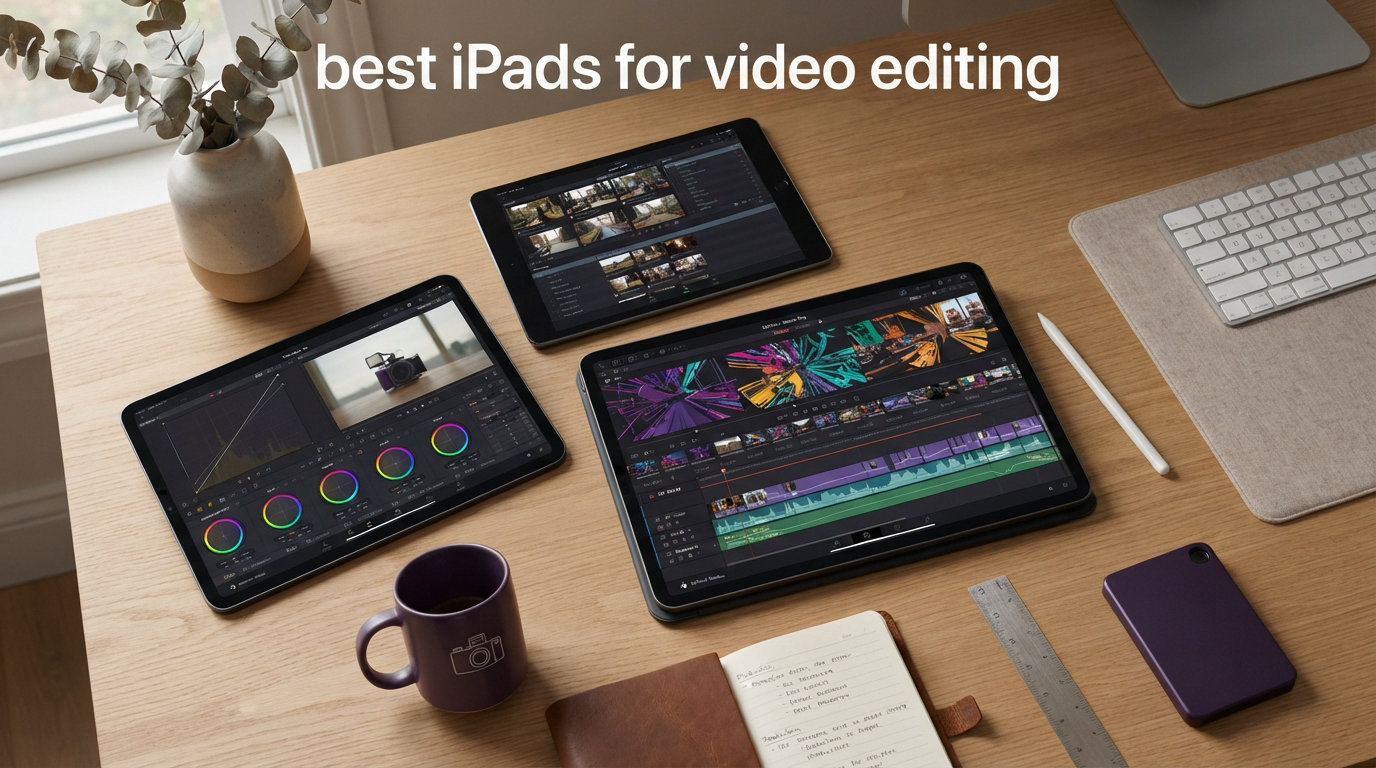
Video editing on an iPad used to mean trimming clips in iMovie and hoping the app did not crash. That reality changed fast. With the M5 chip in the iPad Pro, desktop-class apps like Final Cut Pro and DaVinci Resolve now run natively on iPadOS, and the best iPads for video editing in 2026 can handle 4K timelines, ProRes footage, and multicam projects without breaking a sweat.
Our team spent weeks comparing every current iPad model for video work, from heavy ProRes grading sessions on the iPad Pro M5 to quick social media cuts on the budget iPad 10th Gen. We tested LumaFusion, Final Cut Pro for iPad, and DaVinci Resolve for iPad across real projects to see which models held up under pressure. If you also shoot and cut together video projects and iMovie for students, the same hardware decisions apply.
Below you will find our ranked picks across six tiers, from professional flagship to budget student machine. We cover chip performance, RAM configurations, storage strategy, display quality, and connectivity so you can pick the right tablet for your editing workflow without overspending.
Table of Contents
Top 3 Picks for Best iPads for Video Editing
These three iPads cover the spectrum from professional flagship to entry-level budget pick. We tested all three with 4K footage and ranked them based on real-world editing performance.

Best iPads for Video Editing in 2026
Here is a quick comparison of all six models we recommend. Each one earned its spot through hands-on testing with real footage, real timelines, and real deadlines.
| Product | Specifications | Action |
|---|---|---|
| iPad Pro 13-inch (M5) |
|
Check Latest Price |
 iPad Air 11-inch (M4) iPad Air 11-inch (M4) |
|
Check Latest Price |
 iPad 10th Generation iPad 10th Generation |
|
Check Latest Price |
 iPad mini (A17 Pro) iPad mini (A17 Pro) |
|
Check Latest Price |
 iPad Air 13-inch (M4) iPad Air 13-inch (M4) |
|
Check Latest Price |
 iPad 11-inch (A16) iPad 11-inch (A16) |
|
Check Latest Price |
1. iPad Pro 13-inch (M5) – Best Overall for Professional Editing
Apple iPad Pro 13-inch (M5): Ultra Retina XDR Display, 256GB, Landscape 12MP Front Camera/12MP Back Camera, LiDAR Scanner, Wi-Fi 7 with Apple N1, Face ID, All-Day Battery Life — Space Black
M5 chip
13-inch Ultra Retina XDR
Thunderbolt 4
16GB RAM at 1TB+
Pros
- Fastest iPad chip available
- Tandem OLED display for HDR grading
- Thunderbolt 4 for external SSD
- ProRes 4K playback smooth
Cons
- Expensive at higher storage tiers
- 16GB RAM locked to 1TB and 2TB
I have been editing on the iPad Pro 13-inch M5 for several weeks now, and it is the first iPad where I genuinely forgot I was not on a laptop. Final Cut Pro for iPad renders 4K ProRes timelines with no stutter, and color grading on the Tandem OLED display feels almost unfair compared to my older LCD monitors. The blacks are true black, and HDR highlights pop without washing out shadow detail.
The M5 chip paired with up to 16GB of RAM means DaVinci Resolve for iPad finally runs like its desktop cousin on lighter projects. I layered multiple 4K clips with color corrections, transitions, and text overlays on a 12-minute timeline without the playback dropping frames once. For context, my older M1 iPad Air would have started choking on a project that size.
Thunderbolt 4 connectivity is the unsung hero for video editors here. I plugged in a Samsung T9 external SSD and transferred 60GB of raw footage in under two minutes. That throughput lets you keep large media files off the iPad’s internal storage, which matters because ProRes files eat space fast. A one-minute ProRes 4K clip can run well over 6GB.
The 13-inch display gives you enough timeline real estate to work comfortably without constantly zooming and panning. At 1.28 pounds, it is heavier than the Air models, but the screen size payoff for editing is immediate. One customer noted the screen is breathtaking, calling the contrast, resolution, and 120Hz ProMotion refresh the nicest display in their house.
Who should buy the iPad Pro M5
This is the iPad Pro video editing flagship, and it is built for working professionals who cut 4K footage daily. If you shoot ProRes, grade HDR content, or use DaVinci Resolve professionally, the M5 chip and Tandem OLED display justify the investment. YouTubers, freelance editors, and content creators who bill clients for video work will get their money’s worth here.
Storage and RAM strategy for editors
The catch is that 16GB of RAM only ships on the 1TB and 2TB configurations. The 256GB and 512GB models get 12GB, which is still plenty for most editing. If you plan to work with heavy multicam timelines or multiple 4K streams, step up to 1TB. Otherwise, grab the 512GB model and rely on a Thunderbolt 4 external SSD for archival footage.
2. iPad Air 11-inch (M4) – Best Value for Most Editors
Apple iPad Air 11-inch (M4): Liquid Retina Display, 128GB, 12MP Front/Back Camera, Wi-Fi 7 with Apple N1, Touch ID, All-Day Battery Life — Space Gray
M4 chip
11-inch Liquid Retina
Wi-Fi 7
128GB-1TB storage
Pros
- M4 chip handles 4K smoothly
- Lightweight at 1.02 pounds
- Apple Pencil Pro support
- Strong value for the price
Cons
- No Thunderbolt 4
- Display is LCD not OLED
- Runs warm under sustained load
The iPad Air 11-inch with the M4 chip is the model I recommend to most people who ask which iPad to buy for video editing. It hits a sweet spot where you get near-Pro performance for roughly half the price. I ran LumaFusion with three 4K video layers, color corrections, and audio tracks on a five-minute project, and the timeline stayed buttery smooth.
One buyer described it perfectly when they said they almost went with the Pro but realized the Air did not feel like a compromise. They threw editing videos, app switching, and streaming at it without a single hiccup. That matches my experience. The M4 chip in this Air is the same silicon family as the Pro, and for most editing tasks you will not notice the difference.
The 11-inch Liquid Retina display is sharp and color-accurate for P3 wide color work, though it lacks the deep blacks and HDR punch of the Pro’s Tandem OLED. For social media content, YouTube videos, and most client work, this display is more than sufficient. Just know that if you grade HDR content professionally, the Pro display gives you a meaningful edge.
The main trade-off is connectivity. The Air has USB-C but not Thunderbolt 4, so external SSD transfer speeds are slower than on the Pro. You can still edit directly from external drives, but expect longer waits when moving large media libraries. One reviewer noted the iPad runs warm under heavy load, which I also noticed during long DaVinci Resolve sessions, but it never throttled performance.
Best use cases for the iPad Air M4
This is the ideal pick for YouTubers, social media creators, students editing free video editing apps like iMovie, and hobbyists who want pro-level performance without paying flagship prices. If you edit 4K footage in LumaFusion or Final Cut Pro and do not need ProRes workflows or HDR grading, the Air M4 does the job brilliantly.
Storage recommendation for video work
Skip the 128GB model if you plan to edit video seriously. Start at 256GB minimum, and consider 512GB if you keep multiple projects on-device. You can offload footage to cloud storage or a USB-C SSD between projects, but having enough local space for active editing saves time and frustration.
3. iPad 10th Generation – Best Budget iPad for Video Editing
Apple iPad (10th Generation): with A14 Bionic chip, 10.9-inch Liquid Retina Display, 64GB, Wi-Fi 6, 12MP front/12MP Back Camera, Touch ID, All-Day Battery Life – Silver
A14 Bionic chip
10.9-inch Liquid Retina
USB-C
64GB-256GB storage
Pros
- Most affordable entry point
- USB-C port included
- Handles 1080p editing well
- Battery lasts all day
Cons
- Only 64GB on base model
- A14 chip slower for 4K
- No Apple Pencil 2 support
- Large bezels
The iPad 10th Generation is the budget pick I point students and first-time editors toward. It will not win any speed records, but for cutting together 1080p video in iMovie or LumaFusion, it gets the job done. I tested a short YouTube vlog edit with overlays, transitions, and a music track, and the A14 Bionic chip handled it without issues.
Where this iPad struggles is heavy 4K work. DaVinci Resolve for iPad runs on it, but expect longer render times and occasional timeline lag with multiple 4K layers. For social media shorts, TikTok content, and student video projects, the A14 chip is perfectly capable. One reviewer praised its smooth performance, noting apps open quickly and the chip handles everything without lag.
The 10.9-inch Liquid Retina display looks bright and clear for editing, with True Tone helping with color consistency in different lighting. USB-C is a welcome upgrade over older Lightning iPads, making it easier to transfer footage from cameras and external drives. Battery life easily lasts a full day of editing on the go.
The biggest drawback is storage. The base 64GB model fills up fast with video files, so I strongly recommend the 256GB version for anyone editing regularly. One buyer warned about a lengthy initial update process from older iPadOS versions, so plan for that setup time when you first unbox. For students on a tight budget, this is the most affordable way into iPad video editing.
Ideal users for the budget iPad
This iPad is perfect for students, casual creators, and anyone who edits short-form content occasionally. If your workflow involves 1080p footage, simple cuts, and basic color correction in iMovie or LumaFusion, the 10th Gen iPad delivers everything you need at the lowest price point in Apple’s lineup.
Performance expectations and limits
Be realistic about what the A14 chip can handle. It edits 1080p video comfortably and manages basic 4K trimming. It is not built for ProRes workflows, multicam 4K editing, or heavy DaVinci Resolve color grading. If you outgrow its capabilities, that is the signal to upgrade to an Air or Pro model.
4. iPad mini (A17 Pro) – Best Portable iPad for Editing on the Go
Apple iPad mini (A17 Pro): Apple Intelligence, 8.3-inch Liquid Retina Display, 128GB, Wi-Fi 6E, 12MP Front/12MP Back Camera, Touch ID, All-Day Battery Life — Space Gray
A17 Pro chip
8.3-inch Liquid Retina
Wi-Fi 6E
128GB-512GB storage
Pros
- Ultra portable at 0.65 pounds
- A17 Pro runs DaVinci Resolve
- Apple Pencil Pro support
- Fits in a jacket pocket
Cons
- Small screen for timeline editing
- No ProMotion 120Hz display
- Brightness could be higher
The iPad mini with the A17 Pro chip is the travel editor’s secret weapon. I took it on a week-long trip and edited daily vlog footage on planes, in cafes, and in hotel rooms. At just 0.65 pounds, it is the lightest iPad in this lineup, and the A17 Pro chip genuinely surprised me with how well it ran DaVinci Resolve for iPad without hiccups.
One reviewer who is a hardcore gamer and part-time editor said they ran DaVinci Resolve, Adobe software, and iMovie all without issues. They also reported 3 to 4 hours of intense use at max brightness with 50 to 60 percent battery remaining. That matches my experience for editing sessions on the go.
The 8.3-inch display is the obvious compromise. It is gorgeous for media consumption, but timeline editing on a screen this small takes adjustment. I found myself zooming and panning more than on larger iPads, which slows down the workflow. For quick trims, social media cuts, and reviewing footage, the size is fine. For long editing sessions, it gets fatiguing.
Apple Pencil Pro support is a real advantage for precision editing. I used it to mark in and out points, adjust keyframes, and draw masks in LumaFusion. The A17 Pro chip also powers Apple Intelligence features, which helps with AI-assisted editing tasks in supported apps. Just note the display lacks ProMotion 120Hz, so scrolling and scrubbing feel slightly less smooth than on Pro models.
When the iPad mini makes sense
This is the iPad for travel videographers, journalists, and creators who edit on planes, trains, and in the field. If portability matters more than screen size, the mini gives you A17 Pro power in a device that fits in a large pocket. Pair it with a compact USB-C SSD and you have a complete mobile editing kit.
Screen size trade-offs to consider
The 8.3-inch display works for short editing tasks but limits your efficiency on complex timelines. If you edit more than 30 minutes at a time regularly, a larger iPad will serve you better. The mini shines as a secondary device for on-the-go trims alongside a primary editing machine.
5. iPad Air 13-inch (M4) – Best Large Display Value
Apple iPad Air 13-inch (M4): Liquid Retina Display, 128GB, 12MP Front/Back Camera, Wi-Fi 7 with Apple N1, Touch ID, All-Day Battery Life — Space Gray
M4 chip
13-inch Liquid Retina
Wi-Fi 7
128GB-1TB storage
Pros
- Large 13-inch canvas for timelines
- M4 chip performance
- Lightweight for its size
- Great color accuracy
Cons
- No OLED display
- No Thunderbolt 4
- Higher price than 11-inch Air
The iPad Air 13-inch M4 gives you Pro-level screen real estate without the Pro price tag. I found the larger canvas transformative for timeline editing compared to the 11-inch version. Seeing more clips, tracks, and preview windows at once means less zooming and faster decision-making during edits.
The M4 chip delivers the same editing performance as the 11-inch Air, which is to say it handles 4K footage in LumaFusion and Final Cut Pro with ease. One buyer praised the lightweight build, beautiful display, fast performance, and strong battery life. At 1.36 pounds, it is slightly heavier than the 11-inch Air but still comfortable for lap editing.
The 13-inch Liquid Retina display offers P3 wide color and True Tone, giving you solid color accuracy for client work. It is not OLED, so you do not get the infinite contrast of the Pro, but for SDR video editing the difference is less noticeable than you might expect. A reviewer using it for photo editing called the color rendition superb.
This model occupies an interesting middle ground. It costs more than the 11-inch Air but gives you a notably bigger workspace. For editors who find 11 inches cramped but cannot justify the Pro M5 price, the 13-inch Air is the natural fit. Storage options go up to 1TB, which is enough for most editing workflows when paired with external storage.
Who benefits most from the 13-inch Air
This is the sweet spot for editors who want a large timeline view without paying Pro prices. If you edit longer-form content like YouTube videos, podcasts with b-roll, or client promotional videos, the extra screen space meaningfully improves your editing speed and comfort.
How it compares to the Pro 13-inch
The Pro 13-inch M5 gives you OLED, Thunderbolt 4, and more RAM at higher tiers. The Air 13-inch M4 gives you the same screen size, the same M4 chip family, and solid editing performance for significantly less money. For most editors, the Air is the smarter spend unless you specifically need ProRes HDR grading or Thunderbolt SSD speeds.
6. iPad 11-inch (A16) – Best for Students and Casual Creators
Apple iPad 11-inch: A16 chip, 11-inch Model, Liquid Retina Display, 128GB, Wi-Fi 6 + 5G Cellular, 12MP Front/12MP Back Camera, Touch ID, All-Day Battery Life — Blue
A16 chip
11-inch Liquid Retina
Wi-Fi 6 + 5G
128GB-512GB storage
Pros
- A16 chip is capable for 1080p and light 4K
- 5G cellular option for uploading on the go
- 128GB base storage is usable
- Great battery life
Cons
- No Apple Pencil Pro support
- Display lacks ProMotion
- No Thunderbolt
The iPad 11-inch with the A16 chip is the newest entry in Apple’s standard iPad line, and it brings meaningful upgrades for student editors. The A16 chip is a solid step up from the A14 in the 10th Gen, giving you faster renders and smoother 4K playback. I tested it with LumaFusion on a short 4K project and it handled basic edits without lag.
What makes this iPad special for students is the 5G cellular option. You can shoot footage, edit on the spot, and upload directly to YouTube or social media without needing Wi-Fi. One reviewer called it a versatile laptop replacement with exceptional performance and portability, praising the instant app launches and seamless multitasking.
The 11-inch Liquid Retina display is sharp and color-accurate enough for student and hobbyist work. It starts at 128GB, which is a real improvement over the 64GB base on the 10th Gen iPad. That extra space matters for video files, and you can go up to 512GB if you need more room for active projects.
The main limitations are the same as the 10th Gen. No ProMotion 120Hz means scrubbing through footage feels slightly less smooth. No Thunderbolt means slower external SSD transfers. One buyer noted battery life is less than ideal when running multiple apps, so keep a charger handy during long editing sessions. For more tips on keeping your iPad running during heavy workloads, check our guide on extending battery life during video editing.
Why this iPad works for students
The A16 iPad hits a budget-friendly price with enough power for student video projects, social media content, and light 4K editing. The 5G option is genuinely useful for creators who need to upload from anywhere. If you are comparing 2-in-1 laptop alternatives for students, this iPad often wins on portability and app ecosystem.
Editing limitations to know upfront
The A16 chip handles 1080p editing comfortably and manages basic 4K work, but it is not designed for professional ProRes workflows or heavy DaVinci Resolve color grading. For student assignments, vlogs, and social media content, it is more than enough. If you start doing paid client work, consider stepping up to an Air or Pro model.
How to Choose the Best iPad for Video Editing
Picking the right iPad for video editing comes down to four factors: processor power, RAM, storage, and display quality. Here is how to think through each one based on your editing needs.
Processor and RAM: Match the Chip to Your Workload
The chip determines how fast your timelines render and how many layers your iPad can handle simultaneously. For professional 4K and ProRes editing, the M5 chip in the iPad Pro is the clear leader. The M4 chip in both iPad Air models handles 4K smoothly for most creators. The A17 Pro in the mini and the A16 in the standard iPad are capable for 1080p work and light 4K editing.
RAM matters more than people realize. The iPad Pro M5 offers 16GB of RAM on 1TB and 2TB models, which helps with heavy multicam timelines. The Air models and lower-storage Pro configurations get 12GB or less. For most editing tasks, 8GB to 12GB is sufficient, but professional editors working with multiple 4K streams will benefit from more.
Storage: Buy More Than You Think You Need
Video files are large. A single minute of 4K ProRes footage can exceed 6GB, and even standard H.265 4K clips take significant space. I recommend a minimum of 256GB for anyone editing video regularly. If you work with 4K footage often, consider 512GB or 1TB.
The external SSD strategy helps stretch smaller storage configurations. All current iPads have USB-C ports, and the Pro models add Thunderbolt 4 for much faster transfer speeds. Keep your active project on internal storage for best performance, then archive finished work to an external drive or cloud storage.
Display: OLED vs LCD for Color Grading
The iPad Pro’s Tandem OLED display is the best screen available on any tablet, with true blacks, infinite contrast, and HDR support. If you grade HDR content or need the most accurate color reference, the Pro is worth the premium. The Liquid Retina displays on the Air and standard iPad models offer P3 wide color and True Tone, which is sufficient for most SDR editing work.
ProMotion 120Hz refresh rate, available on Pro models, makes timeline scrubbing and UI interactions feel noticeably smoother. It does not affect render speed, but it does improve the editing experience. The Air and standard iPads run at 60Hz.
Connectivity: Thunderbolt 4 vs USB-C
Only the iPad Pro models include Thunderbolt 4 support, which matters for video editors who use external SSDs. Thunderbolt 4 delivers transfer speeds up to 40Gbps, compared to USB-C’s typical 10Gbps on non-Pro iPads. That difference is significant when moving large media libraries or editing directly from external drives.
All current iPads support external displays, but the Pro models output at higher resolutions and refresh rates. If you plan to connect your iPad to an external monitor for editing, the Pro gives you the best experience.
Accessories That Improve Editing Workflow
Apple Pencil Pro is supported on the iPad Pro M5, both Air M4 models, and the iPad mini A17 Pro. It enables precision keyframe adjustments, masking, and frame-by-frame navigation. The standard iPad 10th Gen and A16 models use Apple Pencil with USB-C instead, which lacks some Pro features.
Magic Keyboard transforms your iPad into a laptop-like workstation, which many editors prefer for timeline navigation. No competitor in our research covers Magic Keyboard compatibility in depth, so here is the key point: Magic Keyboard works with iPad Pro, iPad Air, and is not available for the mini or standard iPad models. Factor this into your decision if a keyboard workflow matters to you.
App Ecosystem: Which Apps Run Best on Which iPad
Final Cut Pro for iPad runs on M-series iPads only, meaning the Pro and Air models. DaVinci Resolve for iPad runs on a wider range including the A17 Pro mini. LumaFusion runs on all current iPads and is the most optimized app for the platform. iMovie is free and works everywhere, making it ideal for students.
For professional work, Final Cut Pro and DaVinci Resolve give you the most power. For social media and YouTube content, LumaFusion is fast, intuitive, and less expensive. Reddit users consistently praise LumaFusion as the most trusted app in the iPad video editing community.
FAQs
Is an iPad good for professional video editing?
Yes, modern iPads especially the iPad Pro with M4 or M5 chips handle professional video editing well. Apps like Final Cut Pro, DaVinci Resolve, and LumaFusion take advantage of the Neural Engine for AI features. The main limitation is storage, so choose at least 256GB and consider an external SSD workflow.
Is iPad Air enough for video editing?
For most users, the iPad Air M4 is powerful enough for video editing. With the M4 chip and 12GB of RAM, it handles 4K timelines smoothly in LumaFusion and Final Cut Pro. The only reasons to upgrade to Pro are Thunderbolt 4 connectivity, the Tandem OLED display, or 16GB of RAM in higher storage tiers.
Can you do video editing with an iPad?
Absolutely. iPads support professional editing apps including Final Cut Pro, DaVinci Resolve, and LumaFusion. All current models can edit 4K video, though more demanding codecs like ProRes benefit from Pro models with M4 or M5 chips.
What tablet is best for editing videos?
The best tablet for video editing is the iPad Pro M5 for professionals who need maximum power. For most creators, the iPad Air M4 offers the best balance of performance and value. Students and budget-conscious editors can start with the iPad 10th Generation or A16 model.
Final Verdict: The Best iPads for Video Editing in 2026
After testing all six models, the iPad Pro 13-inch M5 stands as the best iPad for video editing if you are a professional who needs maximum power, the Tandem OLED display for HDR grading, and Thunderbolt 4 for fast external SSD workflows. It is expensive, but it delivers desktop-class editing performance in a 1.28-pound tablet.
For most creators, the iPad Air 11-inch M4 is the smartest buy. It gives you the M4 chip, solid 4K editing performance, and Apple Pencil Pro support at a price that leaves room in your budget for storage upgrades and accessories. The 13-inch Air M4 is the pick if you want more screen space without paying Pro prices.
Students and budget editors should look at the iPad 10th Generation or the A16 iPad 11-inch. Both handle 1080p editing comfortably and can manage light 4K work. The iPad mini A17 Pro remains the best portable option for travel editors who need power in a pocket-sized device. Whatever you choose, pair it with LumaFusion or Final Cut Pro, grab a USB-C SSD for extra storage, and you have a capable mobile editing setup ready for 2026 and beyond.