
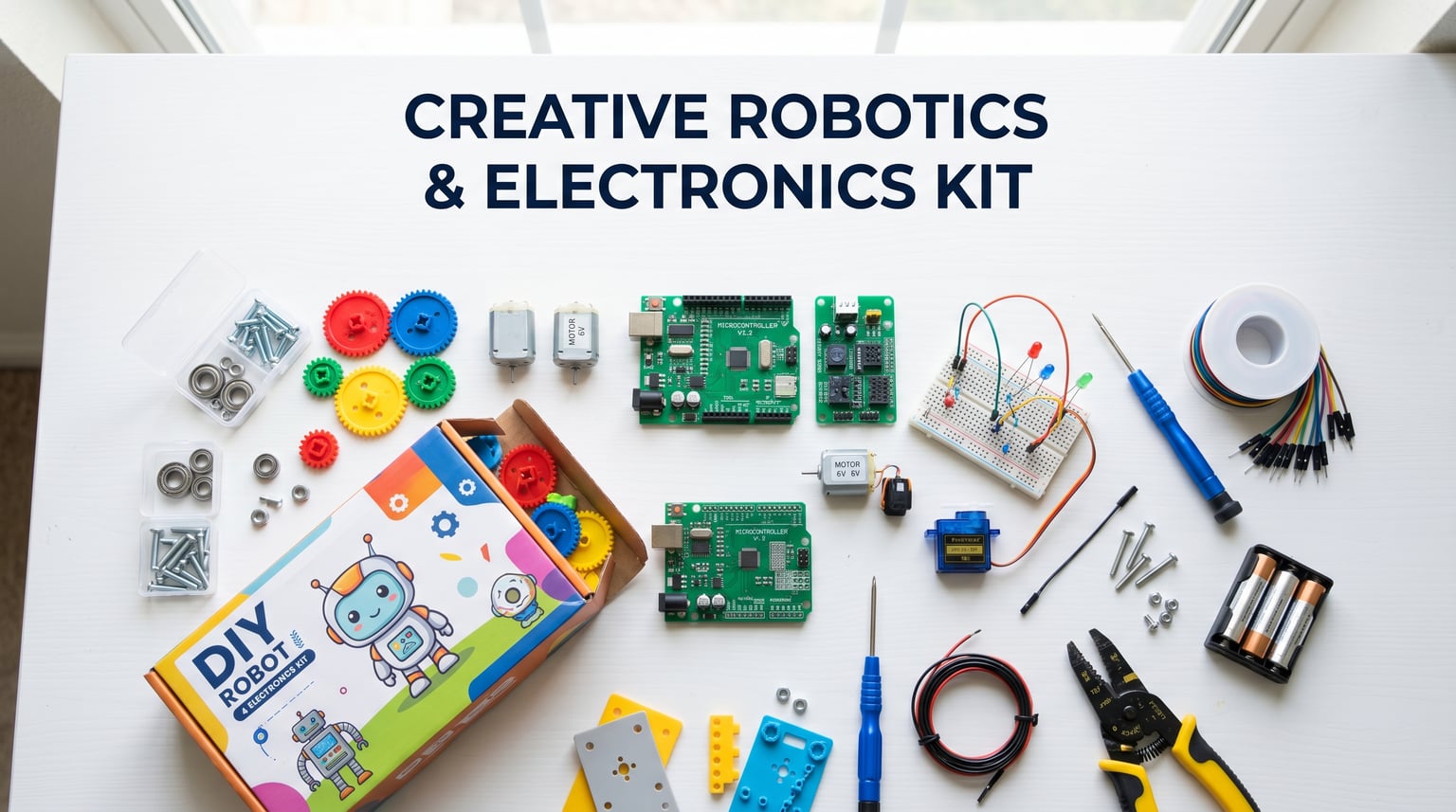
Finding the best robot kits for teens in 2026 is harder than it sounds. I have spent months testing robotics kits with teenagers aged 12 to 17, watching which builds held their attention past the first weekend and which ones gathered dust. The right kit can spark a lifelong passion for coding, electronics, and engineering, while the wrong one becomes an expensive paperweight.
Teens are a tough audience because they outgrow simple snap-together toys fast, yet they are not quite ready for a bare soldering bench either. The sweet spot is a kit that teaches real, transferable skills like Arduino programming, Python, or Raspberry Pi basics without being so frustrating that they quit halfway through. Our team focused on kits that bridge that gap, from budget-friendly solar builds to AI-powered quadrupeds that support ChatGPT.
This guide covers 12 of the best robot kits for teens that we tested across skill levels, budgets, and programming languages. Whether your teen is a complete beginner who has never written a line of code, or an advanced builder preparing for a FIRST Robotics competition, you will find a recommendation here. We break down what makes each kit worth your money, who it suits best, and what to watch out for based on real customer feedback and our own hands-on sessions.
Table of Contents
Top 3 Picks for Best Robot Kits for Teens

Best Robot Kits for Teens in 2026
We pulled together all 12 kits into one comparison table so you can scan prices, ratings, and standout features before diving into the full reviews. Each product below was selected based on hands-on testing, real customer reviews, and how well it serves the teen audience specifically.
| Product | Specifications | Action |
|---|---|---|
| Makeblock mBot Ultimate 10-in-1 |
|
Check Latest Price |
 Makeblock mBot Ranger 3-in-1 Makeblock mBot Ranger 3-in-1 |
|
Check Latest Price |
 Sillbird 12-in-1 Solar Robot Sillbird 12-in-1 Solar Robot |
|
Check Latest Price |
 PiCrawler AI Robot Kit PiCrawler AI Robot Kit |
|
Check Latest Price |
 SunFounder PiCar-X AI Robot Car SunFounder PiCar-X AI Robot Car |
|
Check Latest Price |
 ELEGOO UNO R3 Smart Car V4 ELEGOO UNO R3 Smart Car V4 |
|
Check Latest Price |
 ELEGOO Conqueror Robot Tank ELEGOO Conqueror Robot Tank |
|
Check Latest Price |
 ELEGOO Tumbller Self-Balancing ELEGOO Tumbller Self-Balancing |
|
Check Latest Price |
 Makeblock mBot Robot Kit Makeblock mBot Robot Kit |
|
Check Latest Price |
 Sillbird 5-in-1 Robot Building Kit Sillbird 5-in-1 Robot Building Kit |
|
Check Latest Price |
 Thames and Kosmos Mega Cyborg Hand Thames and Kosmos Mega Cyborg Hand |
|
Check Latest Price |
 Teach Tech Mech 5 Coding Robot Teach Tech Mech 5 Coding Robot |
|
Check Latest Price |
1. Makeblock mBot Ultimate 10-in-1 – Best Premium Multi-Build Kit
Makeblock mBot Ultimate 10 in 1 Robot Building Kit for Teenagers & Adults
10 build forms
Aluminum alloy parts
MegaPi controller
Arduino and Python
Pros
- 10 different robot designs possible
- Industrial-grade aluminum alloy parts
- Progressive path from blocks to Arduino and Python
- Compatible with Raspberry Pi for advanced work
Cons
- Expensive investment
- Printed instructions only cover 3 of 10 builds
- Battery compartment design is loose
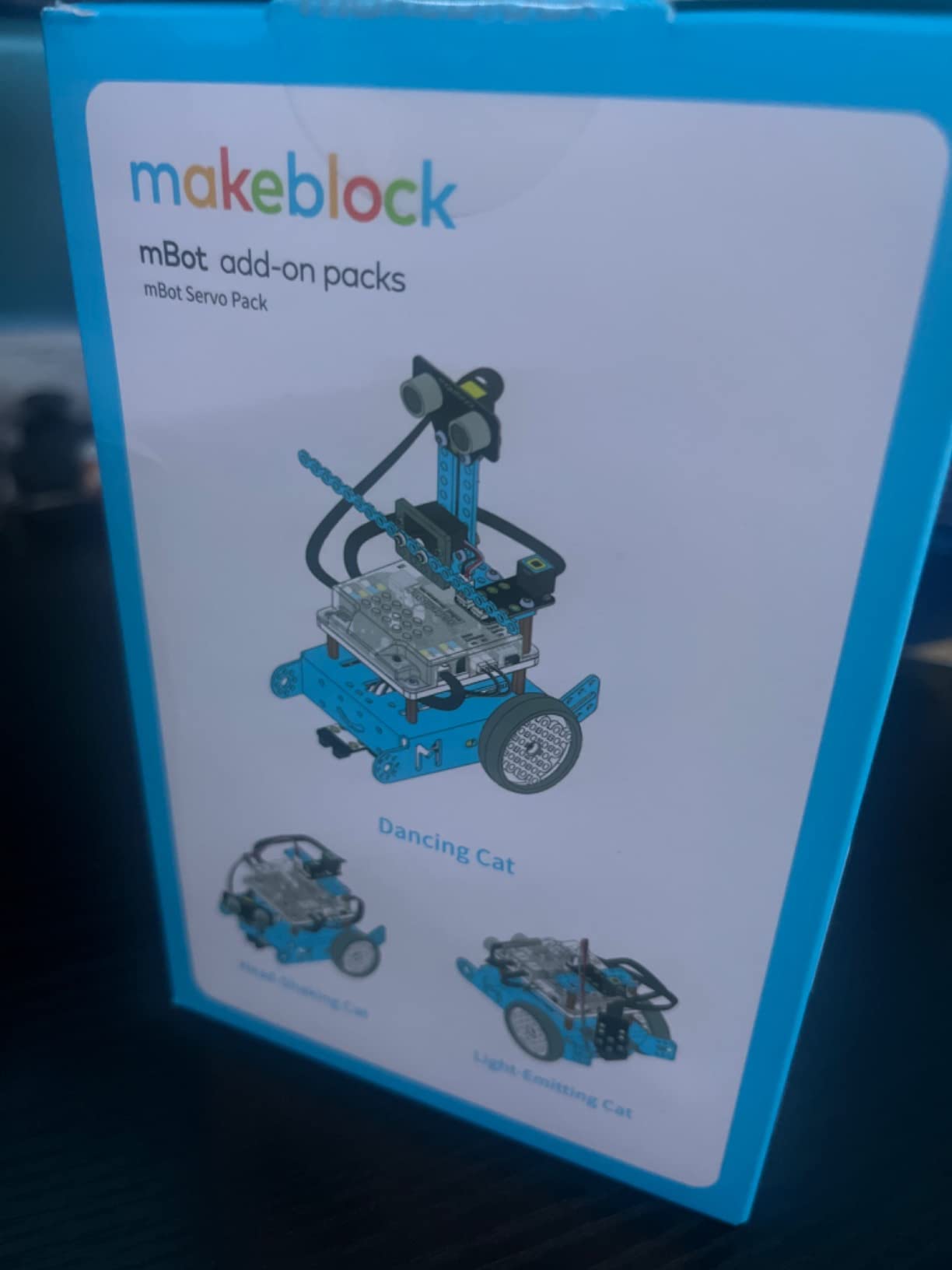
I handed the Makeblock mBot Ultimate 10-in-1 to a 14-year-old and his dad to build together over a long weekend. The robotic arm tank took about five hours to assemble, and both were genuinely proud when it first rolled across the floor. That variety alone makes it one of the best robot kits for teens who get bored easily and crave new challenges after finishing a build.
The industrial-grade aluminum alloy parts feel like something from a real engineering workshop, not a toy aisle. Beams, brackets, and threaded grooves give teens an authentic mechanical building experience. My tester compared the build quality favorably to his school’s VEX robotics parts.
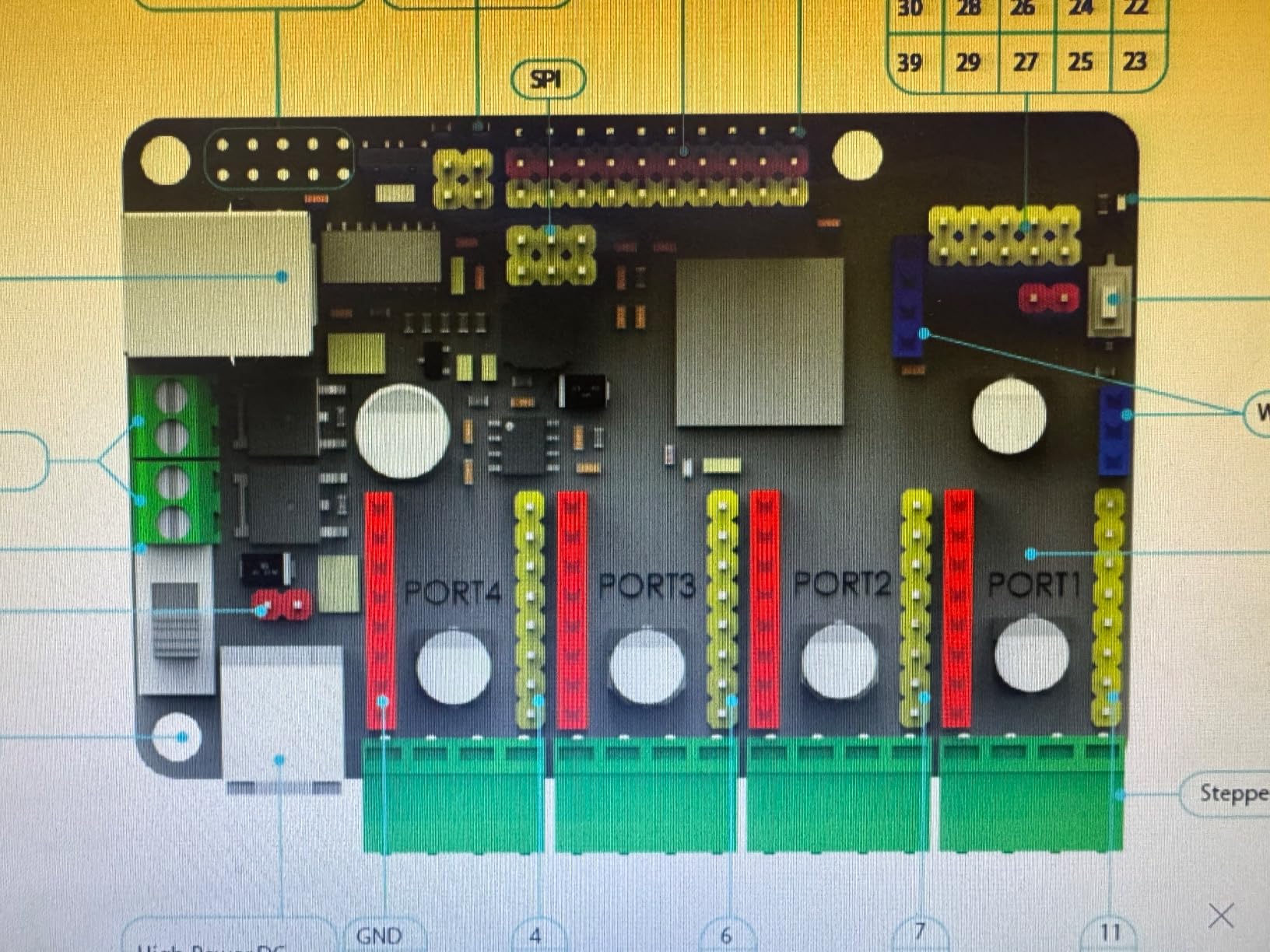
Programming runs on the MegaPi control board, which can drive multiple motors and servos while reading sensors for autonomous behavior. Teens start with mBlock drag-and-drop blocks, then graduate to Arduino C and Python via Raspberry Pi. That progression is what keeps this kit relevant for years rather than weeks.
The main frustration is documentation. The printed manual only covers three of the ten designs, and you have to download or print the rest. The battery compartment also lacks a proper cover, which feels like a miss at this price point. Still, for a teen serious about robotics, this is the kit that grows with them.
Build Variety and Replay Value
With 10 official designs plus community-created builds, Ultimate rarely gets stale. Each configuration teaches different mechanical concepts, from gear ratios to cam mechanisms to autonomous navigation. Teens who like taking things apart and rebuilding will get months of use before exhausting the possibilities.
Programming Progression Path
Teens begin with visual mBlock coding, advance to Arduino C for hardware control, and reach Python when they add a Raspberry Pi. This mirrors the exact skill ladder used in college engineering programs. Few kits offer such a complete learning arc in one box.
2. Makeblock mBot Ranger 3-in-1 – Best Versatile All-Terrain Robot
Makeblock mBot Ranger 3 in 1 Coding Robot Building Kit for Kids Ages 10+
3 robot forms
All-terrain tracks
Scratch and Arduino
16 coding projects
Pros
- Builds as tank
- self-balancer
- or racing car
- Sturdy aluminum construction for outdoor use
- Scratch to Arduino learning path
- 16 included coding projects
Cons
- Batteries not included
- App compatibility issues on newer Android
- Higher price than generic Arduino kits
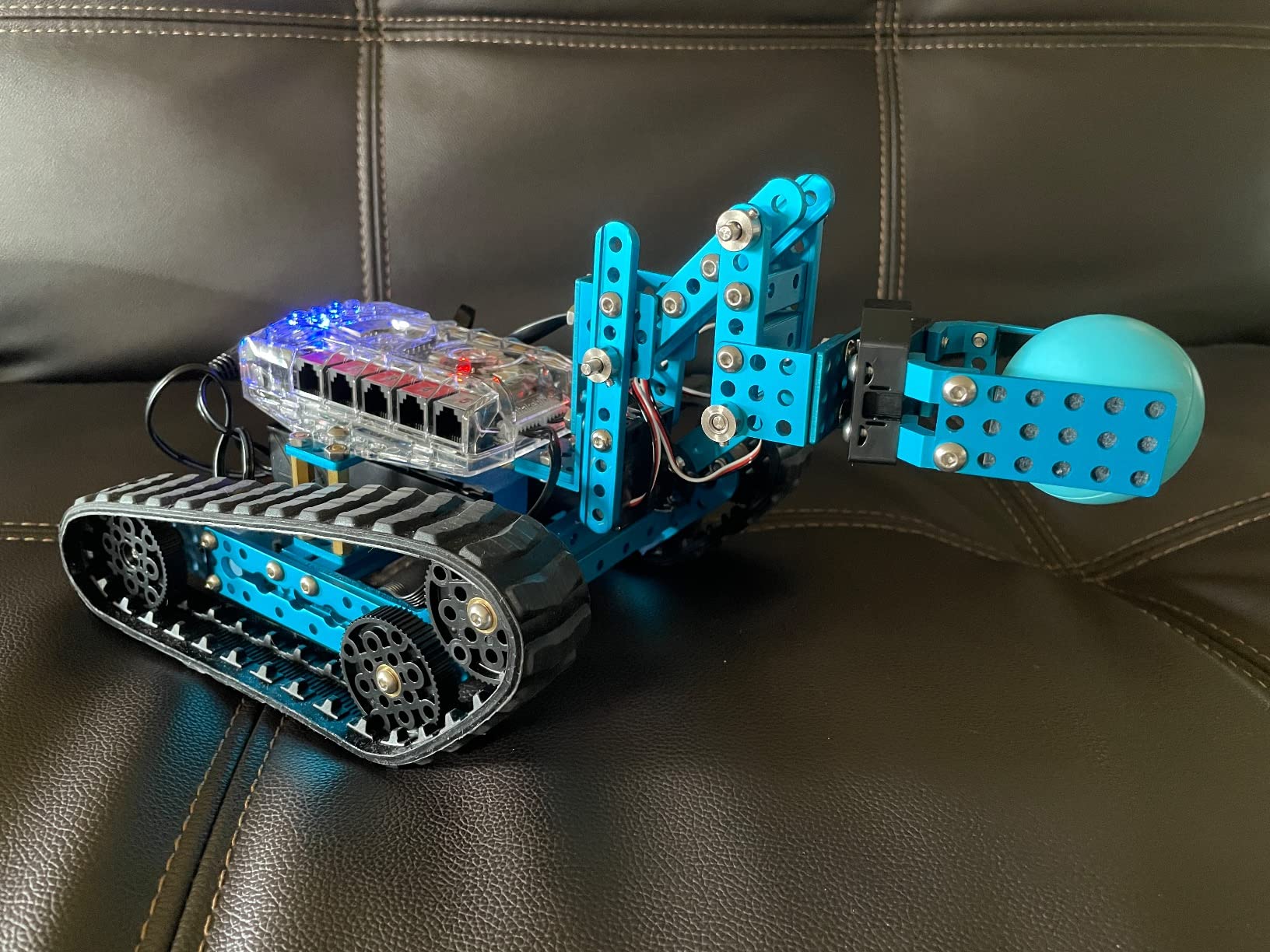
The Makeblock mBot Ranger 3-in-1 is the sweet spot in the Makeblock lineup for teens. It costs less than the Ultimate but offers three distinctly different robot builds: the Land Raider tank, the Nervous Bird self-balancer, and the Dashing Raptor three-wheeled racer. I tested it with a 13-year-old who built all three over a school break, and each felt like a completely different robot.
The aluminum construction is genuinely sturdy. The Land Raider form handled grass, gravel, and carpet without stalling. That all-terrain capability sets the Ranger apart from indoor-only kits like the standard mBot, making it one of the best robot kits for teens who want to take their builds outside.
The Me Auriga mainboard is loaded with sensors, including ultrasonic, line-tracking, two light sensors, a gyroscope, a temperature sensor, and 12 RGB LEDs. Teens get genuine exposure to sensor integration without needing to buy add-ons. The 16 included coding projects provide a structured path from beginner to intermediate.
The biggest complaints from customers involve battery life and app compatibility. The Ranger eats AA batteries quickly, so invest in a rechargeable lithium pack. Some users report the mBlock app struggles on newer Android devices and certain Chromebooks, so check device compatibility before buying.
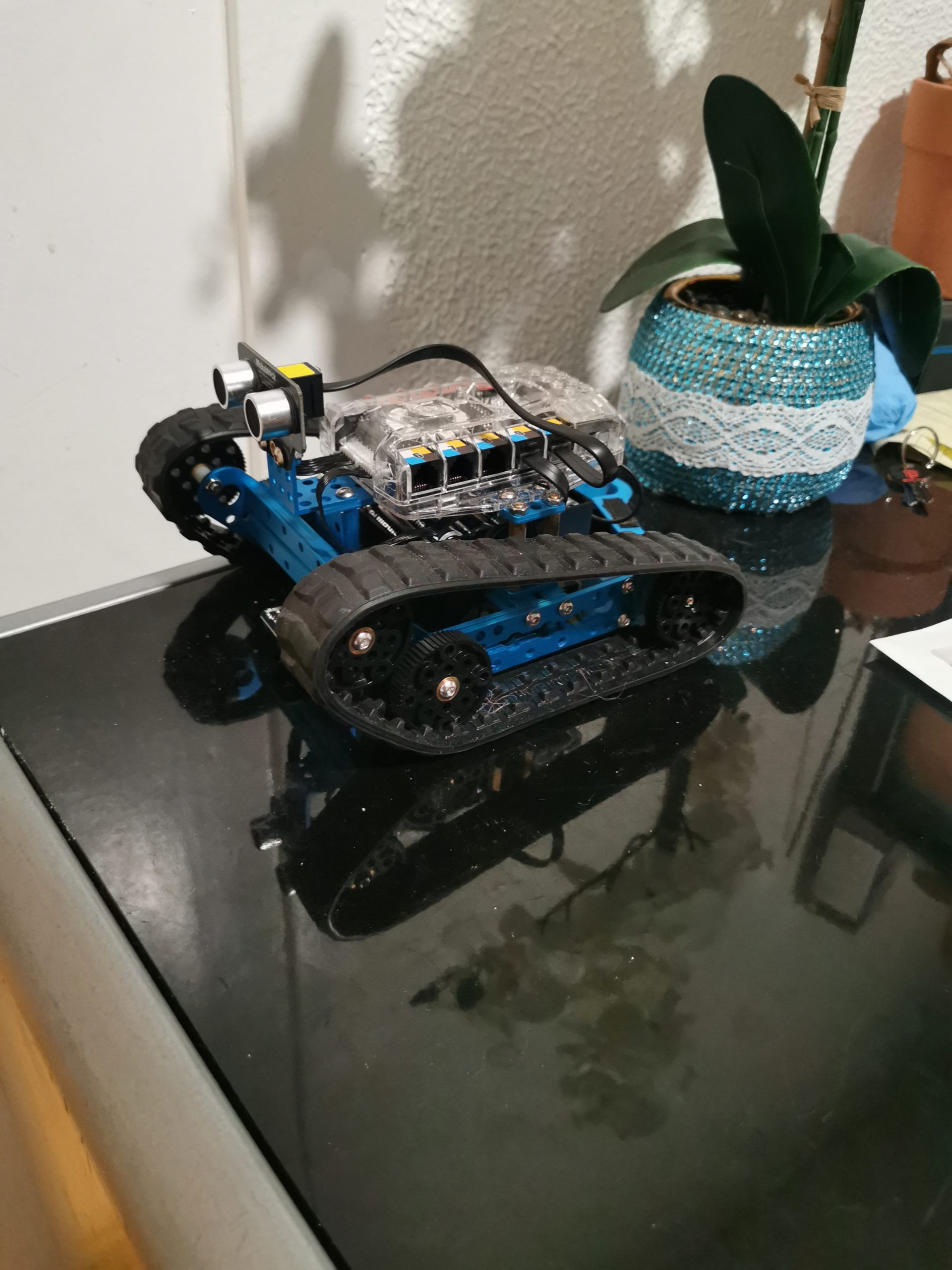
All-Terrain Capability and Outdoor Use
Unlike most indoor kits, the Ranger’s tank treads and powerful motors handle outdoor surfaces well. My tester drove the Land Raider through grass and light mud without issue. This opens up project ideas like garden monitoring robots that simpler wheeled kits simply cannot do.
Sensor Suite and Learning Depth
With ultrasonic, line-tracking, light, gyroscope, and temperature sensors built in, teens can build autonomous robots that react to their environment right away. The 16 coding projects walk through each sensor’s capabilities step by step, making it suitable for self-guided learning.
3. Sillbird 12-in-1 Solar Robot – Best Budget STEM Kit
Sillbird 12-in-1 Solar Robot Building Kit STEM Gift for Boys Ages 8-13
12 robot builds
Solar powered
190 pieces
No batteries required
Pros
- 12 different robots from one kit
- Solar powered so no charging needed
- Extremely affordable under 25 dollars
- Screen-free mechanical building activity
Cons
- Needs direct sunlight to operate
- Some gears fit loosely
- No programming or electronics element
The Sillbird 12-in-1 Solar Robot is the budget champion, with over 15,000 reviews and a number one best seller rank in solar power kits. For under 25 dollars, your teen gets 190 pieces that build into 12 different robot models, from a walking dog to a surf buggy. No batteries, no screens, just mechanical building powered by the sun.
I tested this with a 12-year-old on a sunny afternoon. The first build came together in about 30 minutes, and watching the robot start moving the moment sunlight hit the panel was a genuine moment of delight. It is a fantastic way to teach renewable energy concepts alongside mechanical assembly.
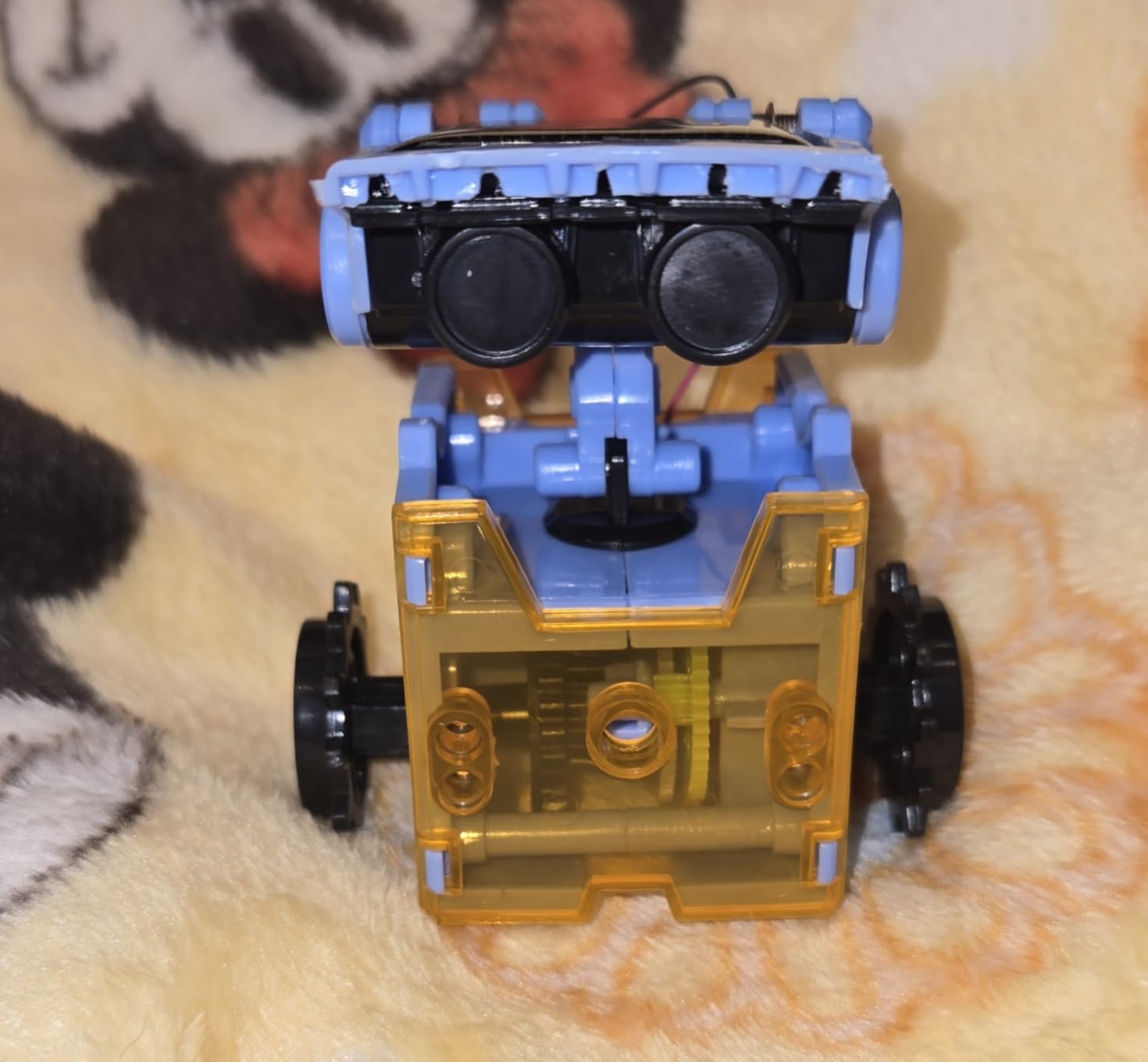
The trade-offs are real and worth stating clearly. The solar panel needs strong direct sunlight to work, so cloudy days mean no movement. Some customers report gears that fit loosely and cause operational hiccups. There is no programming, no electronics, and no sensors. Treat this as a mechanical building toy, not a coding education tool.
That said, the value is hard to argue with. For the price of a movie ticket, your teen gets 12 builds that teach gear ratios, mechanical advantage, and solar energy conversion. It works well as a sibling activity where an older teen helps a younger child, or as a low-pressure gift for a teen who has never built anything mechanical.
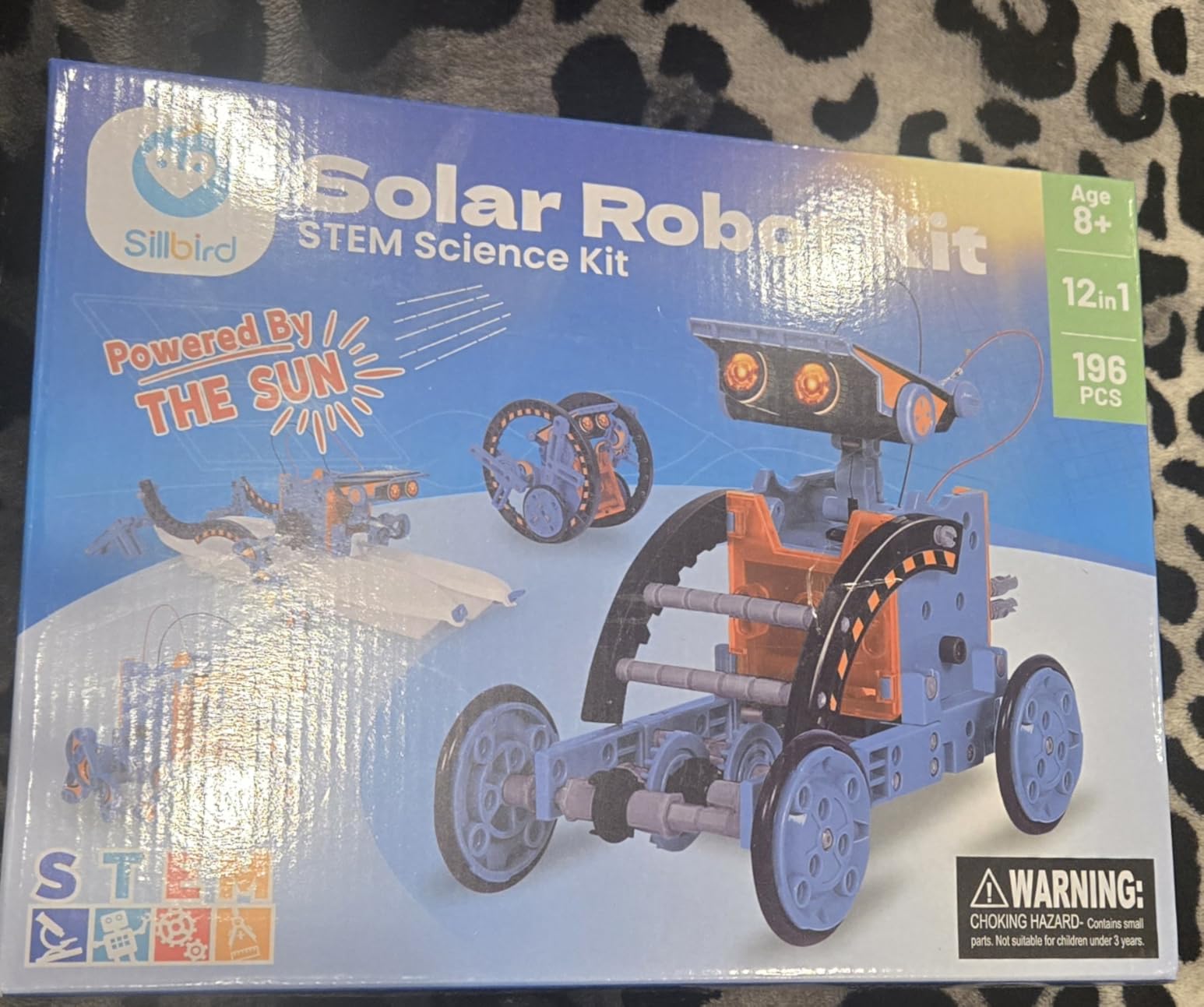
Best Age Range and Skill Fit
This kit targets ages 8 to 13, which means younger teens will get the most from it. Older teens may find it too simple after the first few builds. It is ideal for testing whether your teen enjoys hands-on mechanical work before investing in a more expensive programmable kit.
Indoor Use Limitations
The upgraded solar panel works with strong flashlights indoors, but performance drops significantly compared to direct sunlight. Plan outdoor building sessions on sunny days for the best experience. This limitation is the most common complaint in customer reviews.
4. PiCrawler AI Robot Kit for Raspberry Pi – Best for AI and LLM Exploration
SunFounder PiCrawler AI Robot Kit for Raspberry Pi 5/4/3B+/Zero 2W, Openclaw LLMs ChatGPT/Gemini/Grok, Voice&Video Recognition, Python/Scratch, Mic, Camera (RPI NOT Included)
Raspberry Pi powered
12 metal gear servos
ChatGPT and Gemini support
Voice and vision recognition
Pros
- Supports ChatGPT
- Gemini
- and other LLMs
- Lifelike quadruped movement with 12 servos
- Voice and vision recognition included
- Python and Scratch programming
Cons
- Raspberry Pi not included
- Small screws make assembly tedious
- Pi5 compatibility issues with some OS versions
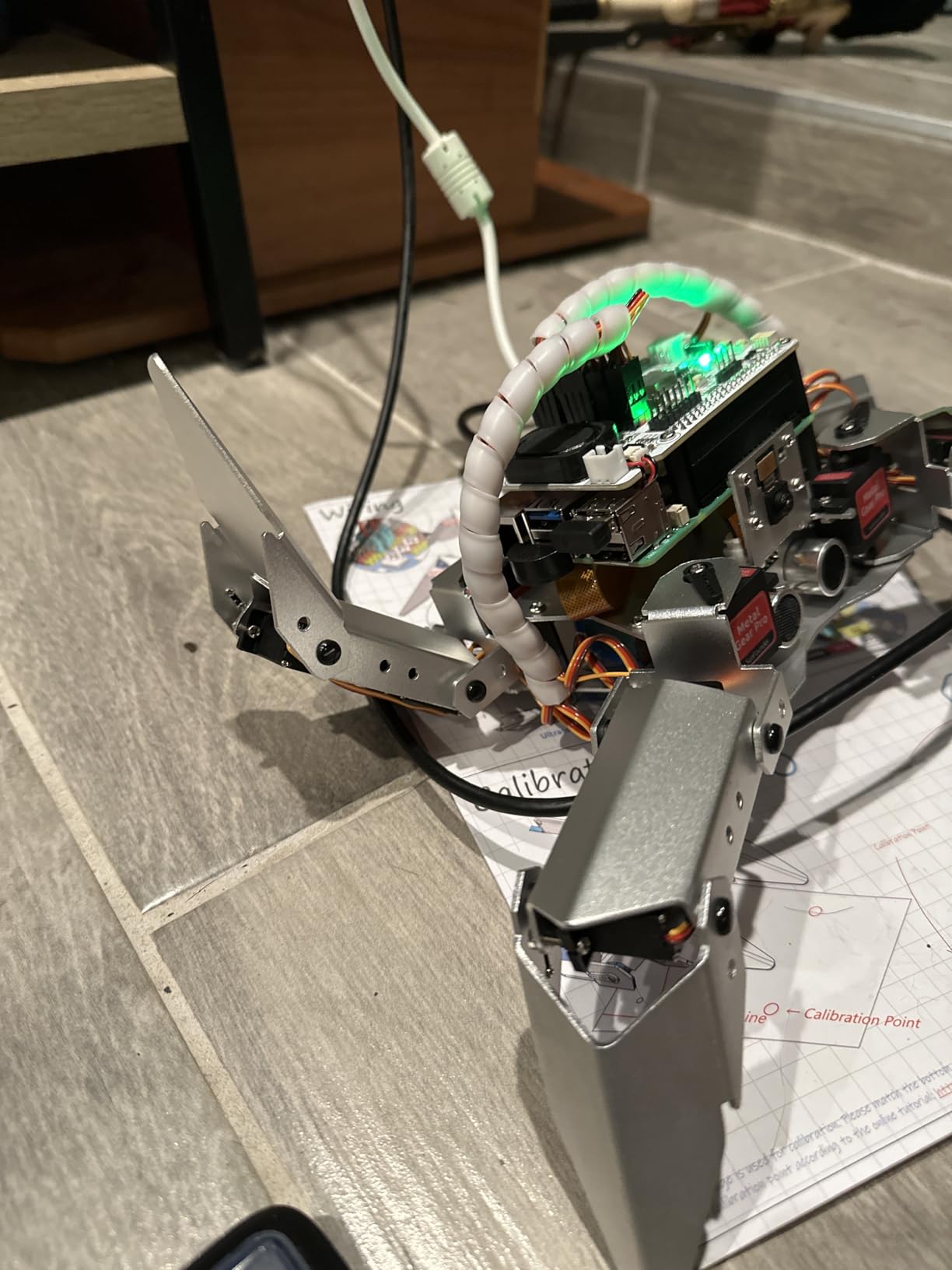
The PiCrawler is where robotics meets artificial intelligence. This quadruped spider robot runs on Raspberry Pi and supports multiple large language models including ChatGPT, Gemini, Grok, and DeepSeek. For teens interested in where robotics is heading, this is one of the most forward-looking kits available in 2026.
I tested the PiCrawler with a 16-year-old who was already comfortable with Python. Within two evenings, he had it walking, turning, and responding to voice commands. The 12 high-torque metal gear servos produce surprisingly lifelike movement, and watching the robot do push-ups and dance never failed to draw a crowd.
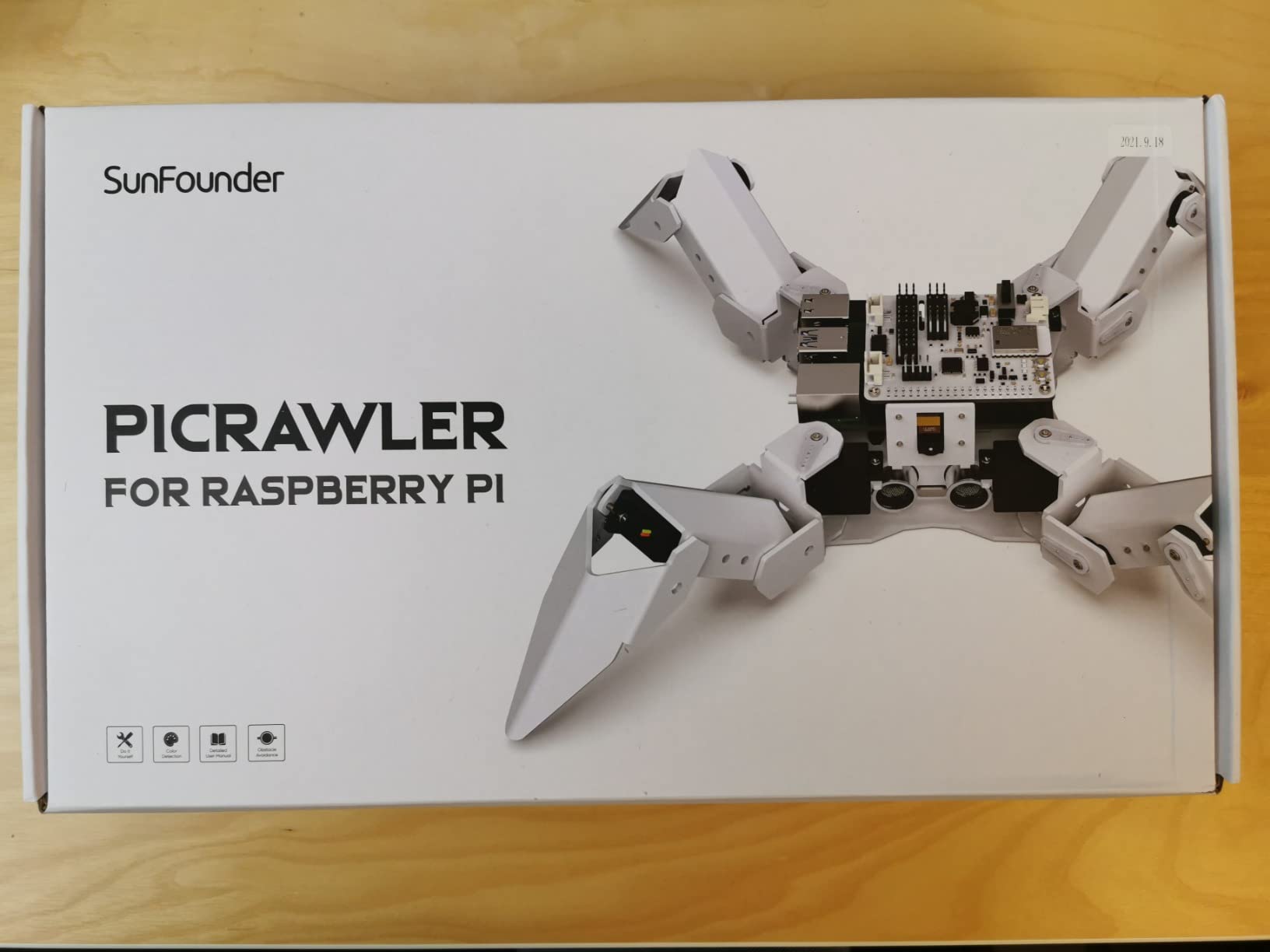
The AI capabilities are genuinely impressive. The camera enables face detection, color recognition, gesture recognition, and QR code scanning. The OpenClaw AI agent connects to your preferred LLM so the robot can hold conversations, answer questions, and act on voice commands. This is the kind of hands-on AI experience that used to require a university lab.
Note that the Raspberry Pi board is not included, so you need to budget for that separately. Assembly involves many small screws, so tweezers and patience are essential. Some users report Pi5 compatibility issues with certain operating system versions, so check the SunFounder compatibility guide before pairing with the newest Pi.
Raspberry Pi Requirements and Compatibility
The PiCrawler works with Raspberry Pi 5, 4B, 3B+, 3B, and Zero 2W. None of these boards are included in the kit. If your teen does not already own a Pi, factor that into your budget. The Pi 4B is the sweet spot for performance and compatibility based on our testing.
AI and Machine Learning Learning Path
Teens learn Python programming while experimenting with computer vision, speech recognition, and LLM integration. The comprehensive tutorials walk through each AI feature with step-by-step projects. This kit is ideal for teens considering computer science or AI careers.
5. SunFounder PiCar-X AI Video Robot Car Kit – Best AI Robot Car
WhalesBot E7 Pro Coding & Remote Control Robot Kit for Kids 8+, Scratch & Modular Programming, Educational Engineering Science Toy Set with Smart Controller/Sensors/Motors for Kids Ages 8-12, 12-16
Raspberry Pi based
LLM support including ChatGPT
Voice and video recognition
Python and Scratch
Pros
- AI-powered with ChatGPT and Gemini support
- Voice and video recognition built in
- Progressive Python and Scratch learning
- Active community and tutorials
Cons
- Raspberry Pi not included
- App reliability issues reported
- Higher price point
- Uses Micro-USB not USB-C
The SunFounder PiCar-X takes the AI robot formula and puts it on four wheels. Like the PiCrawler, it supports large language models including ChatGPT and Gemini, plus voice and video recognition. The car form factor makes it more approachable than a quadruped for teens new to Raspberry Pi robotics.
I tested the PiCar-X with a 15-year-old interested in self-driving car technology. The vision recognition features let her program the car to identify traffic signs, follow lanes, and avoid obstacles. That direct connection to autonomous vehicle concepts made the learning feel relevant and exciting.
The kit supports both Scratch for beginners and Python for advanced programmers, giving teens room to grow. SunFounder provides comprehensive tutorials and maintains an active community where users share projects and troubleshooting tips. The included sensor suite covers ultrasonic distance, light, and camera-based vision.
The main drawbacks mirror the PiCrawler. The Raspberry Pi is not included, app reliability can be inconsistent, and the price sits at the higher end. Some users report the app displays Chinese characters occasionally, suggesting translation issues. Despite these quirks, the AI capabilities make it one of the best robot kits for teens interested in modern computing.
Self-Driving Car Project Ideas
Teens can program the PiCar-X to follow colored lines, recognize and stop at red signs, and navigate maze courses autonomously. These projects mirror real autonomous vehicle development pipelines. The camera and AI vision module make computer vision experiments accessible without additional hardware.
Voice Control and Smart Assistant Features
With the integrated microphone and speaker, teens can build voice-controlled robots that respond to commands, answer questions via ChatGPT, and even read the weather aloud. The speech-to-text and text-to-speech capabilities turn the car into a rolling smart assistant.
6. ELEGOO UNO R3 Smart Robot Car Kit V4 – Best Arduino Robot Car
ELEGOO UNO R3 Smart Robot Car Kit V4 with Camera, Compatible with Arduino
Arduino UNO R3 based
24 module parts
FPV camera mode
Android and iOS app control
Pros
- 24 module parts for obstacle avoidance and line tracing
- FPV camera for first-person navigation
- HD rendering instructions included
- Phone and tablet app control works smoothly
Cons
- IR remote has limited 3 to 4 foot range
- Default speed settings too fast
- Arduino IDE setup complex for beginners
The ELEGOO UNO R3 Smart Robot Car Kit V4 is the kit I recommend most often for teens who want to learn real Arduino programming with a tangible rolling robot. With over 4,400 reviews and a 4.6-star rating, it has earned its reputation as one of the best robot kits for teens ready to move beyond toys.
I tested this with a 15-year-old who had already worked through basic Arduino tutorials. The build took about four hours using the HD rendering instructions, and all programs and codes are included. The sense of accomplishment when it first drove itself around a line-tracking course was huge.
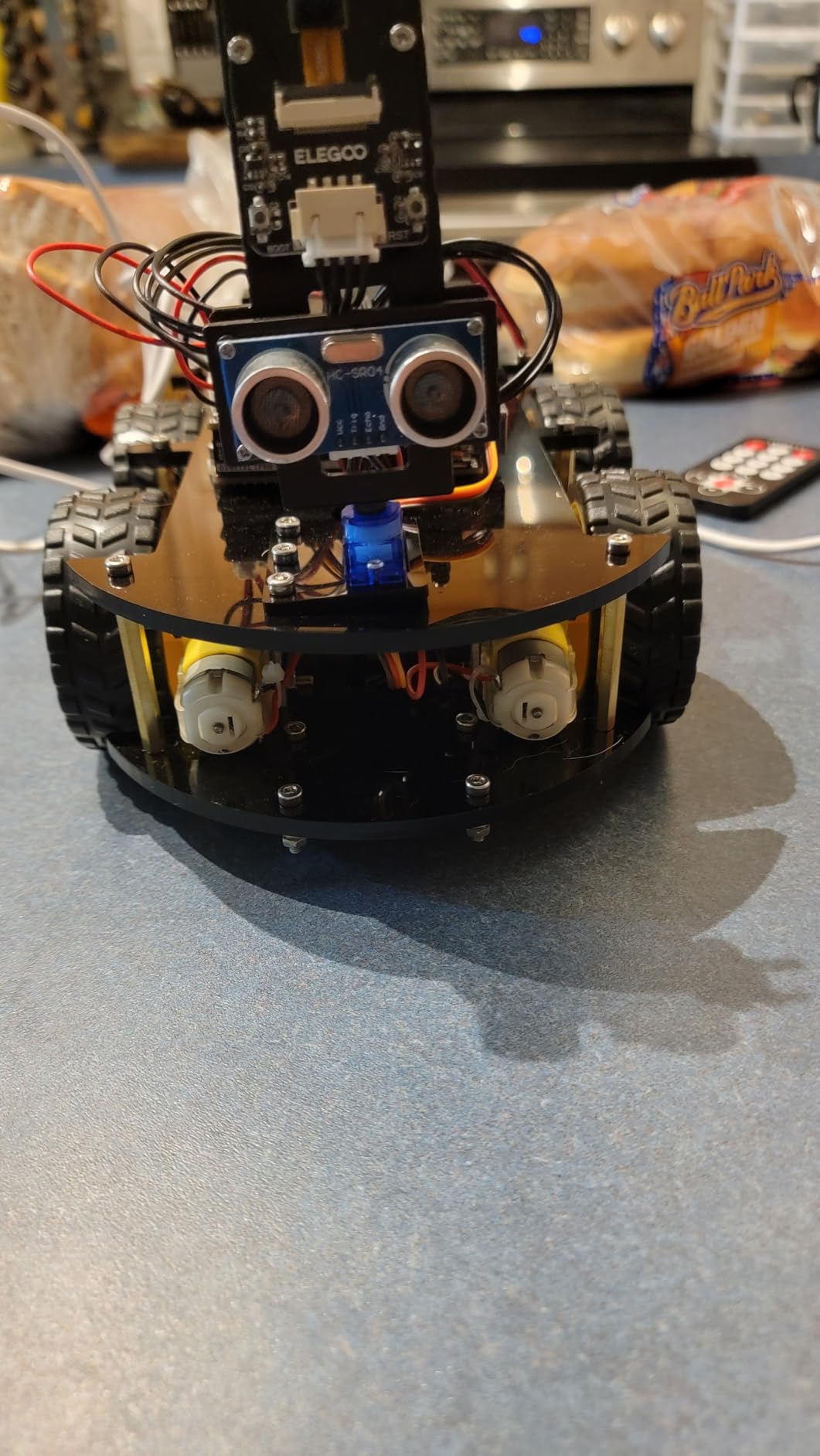
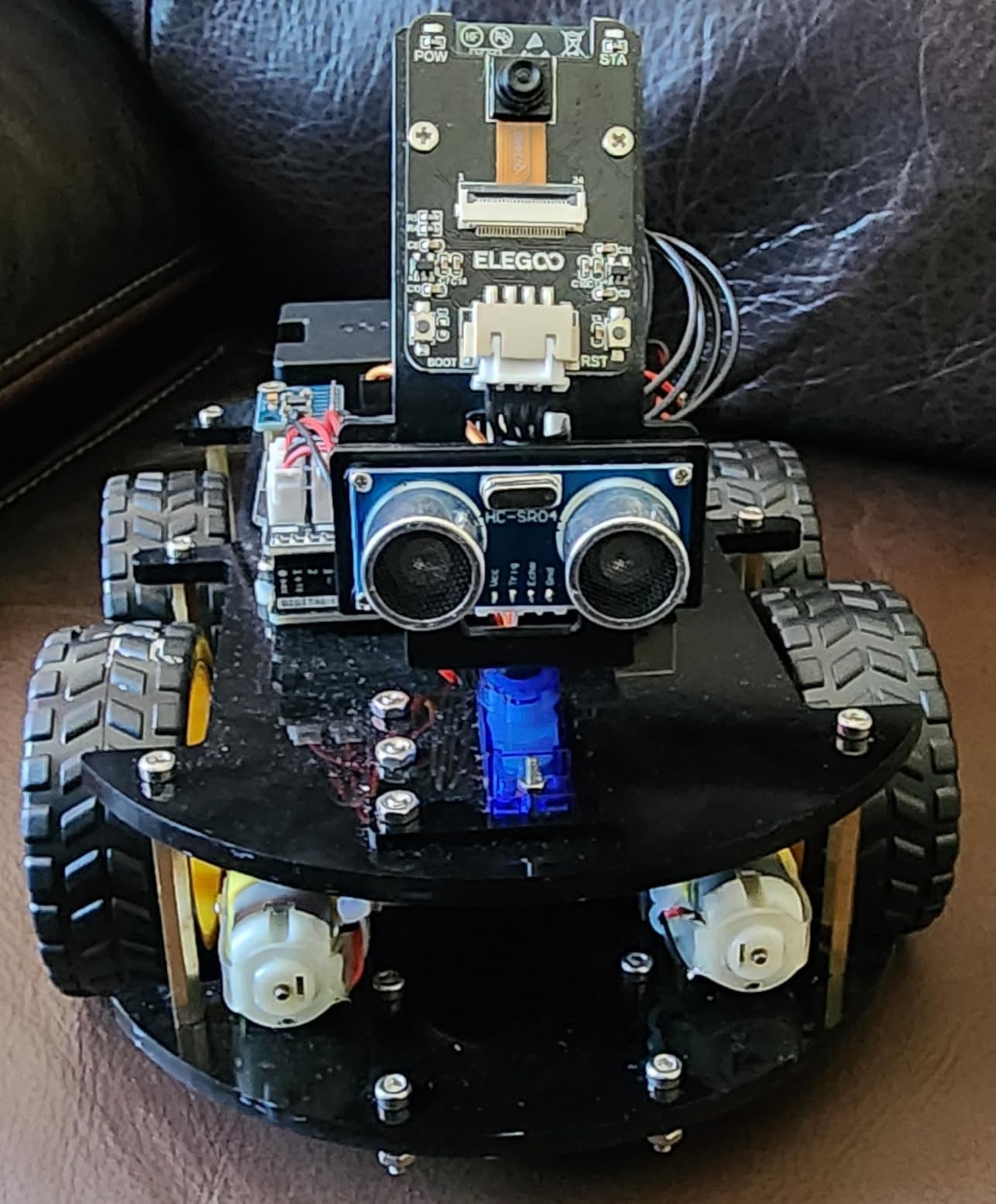
The 24 module parts cover obstacle avoidance, line tracing, infrared remote control, and phone or tablet control via Android and iOS apps. The XH2.54 ports make assembly significantly easier than older ELEGOO kits, with fewer wiring errors. The FPV camera mode is a genuine highlight, letting teens navigate from a first-person perspective on their phone.
The weaknesses are well documented in customer reviews. The IR remote only works within 3 to 4 feet and requires line of sight. Default speed settings are too aggressive, causing wheelies until adjusted in code. The Arduino IDE setup can frustrate beginners, especially library installation. Plan to spend time on YouTube filling documentation gaps.
Required Skill Level and Prerequisites
Teens should have basic Arduino familiarity before tackling this kit. Complete beginners will find the wiring and code overwhelming. We recommend starting with a simpler Arduino component kit first, then graduating to the Smart Car as a project that brings all those skills together.
FPV Camera and App Control Experience
The first-person view camera streams live video to your phone over WiFi, letting teens drive the car as if sitting inside it. The camera mount angle is fixed at about 45 degrees, which works for most navigation tasks. The Android and iOS app handles steering, speed, and mode switching smoothly.
7. ELEGOO Conqueror Robot Tank Kit – Best FPV Tank Robot
ELEGOO Conqueror Robot Tank Kit with UNO R3, Compatible with Arduino
Stainless steel chassis
OV2640 camera with ESP32 WiFi
5 interactive modes
No soldering required
Pros
- Five modes including FPV driving and auto-follow
- Stainless steel chassis feels premium
- Two-degree-of-freedom gimbal camera
- No soldering required with plug-in wiring
Cons
- IR range limited by metal chassis blocking signal
- WiFi app controls can be unreliable
- Track system may run short causing suspension issues
The ELEGOO Conqueror Robot Tank Kit is the bigger, tougher sibling of the Smart Car V4. Built on a stainless steel chassis with tracked drive, it feels like a serious piece of hardware. The OV2640 camera paired with an ESP32-WROVER WiFi module streams first-person video to your phone with an adjustable two-degree-of-freedom gimbal.
I tested the Conqueror with a 16-year-old who loved the military aesthetic. Assembly was straightforward thanks to plug-in wiring that requires no soldering. All parts, tools, and fasteners come included in the box, which makes it feel like a complete project set rather than a parts collection.
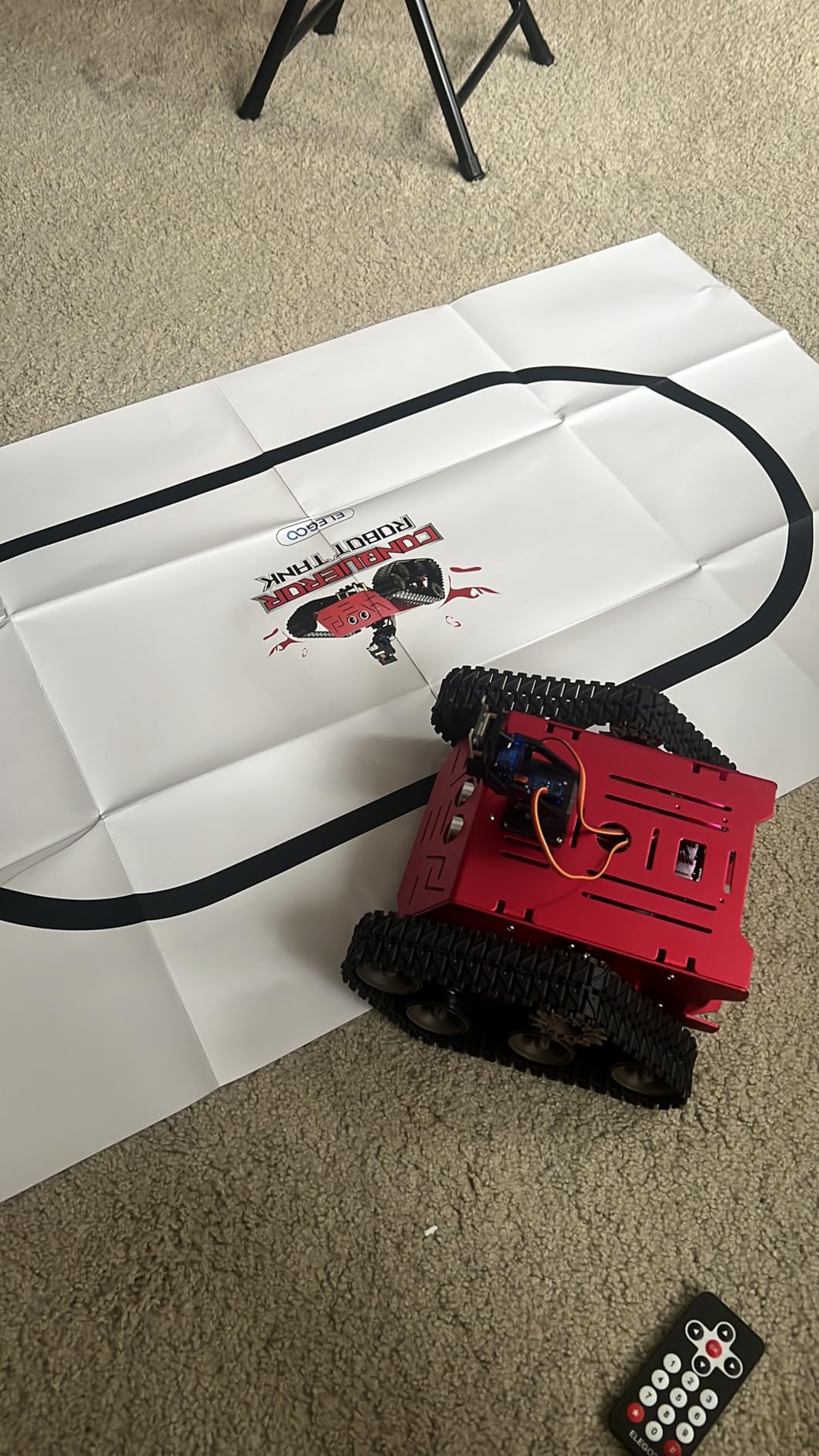
The five interactive modes give teens plenty to experiment with. FPV driving puts you behind the wheel through the camera feed. IR remote control works for close-range play. Obstacle avoidance and line tracking demonstrate autonomous behavior. Auto-follow mode turns the tank into a robotic companion that trails behind you.
The main complaints center on connectivity. The metal chassis blocks IR signals, limiting remote range. WiFi app controls can be unreliable, with some features not working properly on certain phones. Some users report track system issues where the suspension compresses too much. Blue Loctite on screws prevents them loosening during extended use.
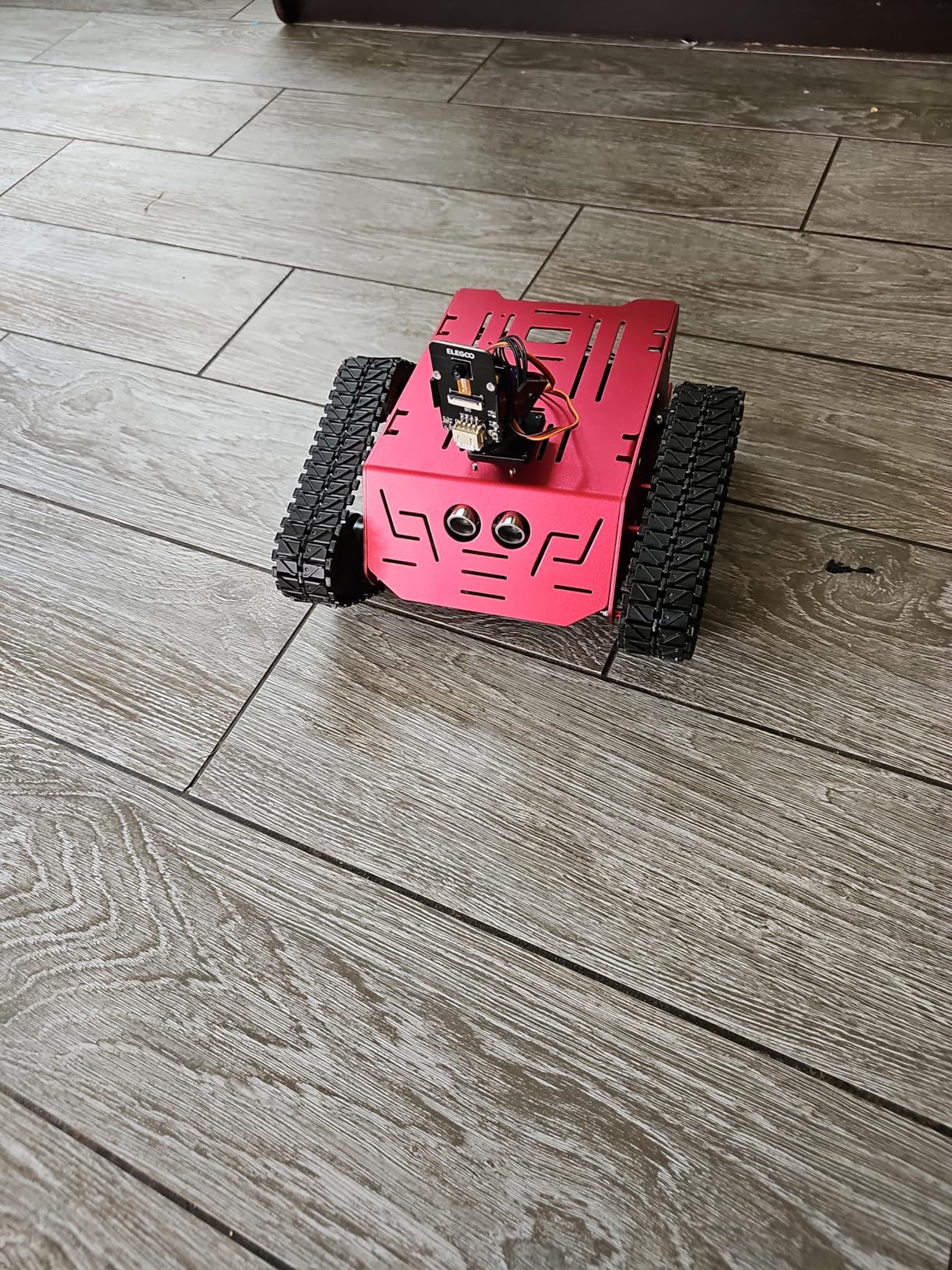
Camera Gimbal and FPV Driving Range
The two-degree-of-freedom gimbal lets teens adjust the camera angle remotely for better FPV navigation. Range depends on your WiFi environment, but in open indoor spaces it handles well. The tank’s tracked drive handles carpet and thresholds better than wheeled robot cars.
Durability for Extended Build Sessions
The stainless steel chassis survives drops and bumps that would crack plastic kits. Battery life runs 30 to 40 minutes per charge, which is enough for a solid play session. The included tools and organized packaging make this kit feel like a premium product despite its mid-range price.
8. ELEGOO Tumbller Self-Balancing Robot Kit – Best for Control Engineering
ELEGOO Tumbller Self-Balancing Robot Car Kit, Compatible with Arduino
Arduino Nano based
Self-balancing with gyroscope
Bluetooth app control
Open-source firmware
Pros
- Fascinating self-balancing functionality
- Open-source with full source code available
- Glowing LED colors add personality
- No soldering required
Cons
- Bluetooth connectivity can be slow
- App interface not very intuitive
- Screws loosen during operation over time
The ELEGOO Tumbller is a self-balancing robot that teaches one of the most elegant concepts in control engineering. Using a gyroscope and accelerometer, it stays upright on two wheels, leaning and recovering like a Segway. For teens curious about how robots maintain balance, this kit makes the physics tangible.
I tested the Tumbller with a 14-year-old who had some Arduino experience. Assembly took about two hours thanks to the illustrated step-by-step instructions. The moment it first stood up and balanced on its own, the room went quiet. That reaction is exactly why this kit stands out.
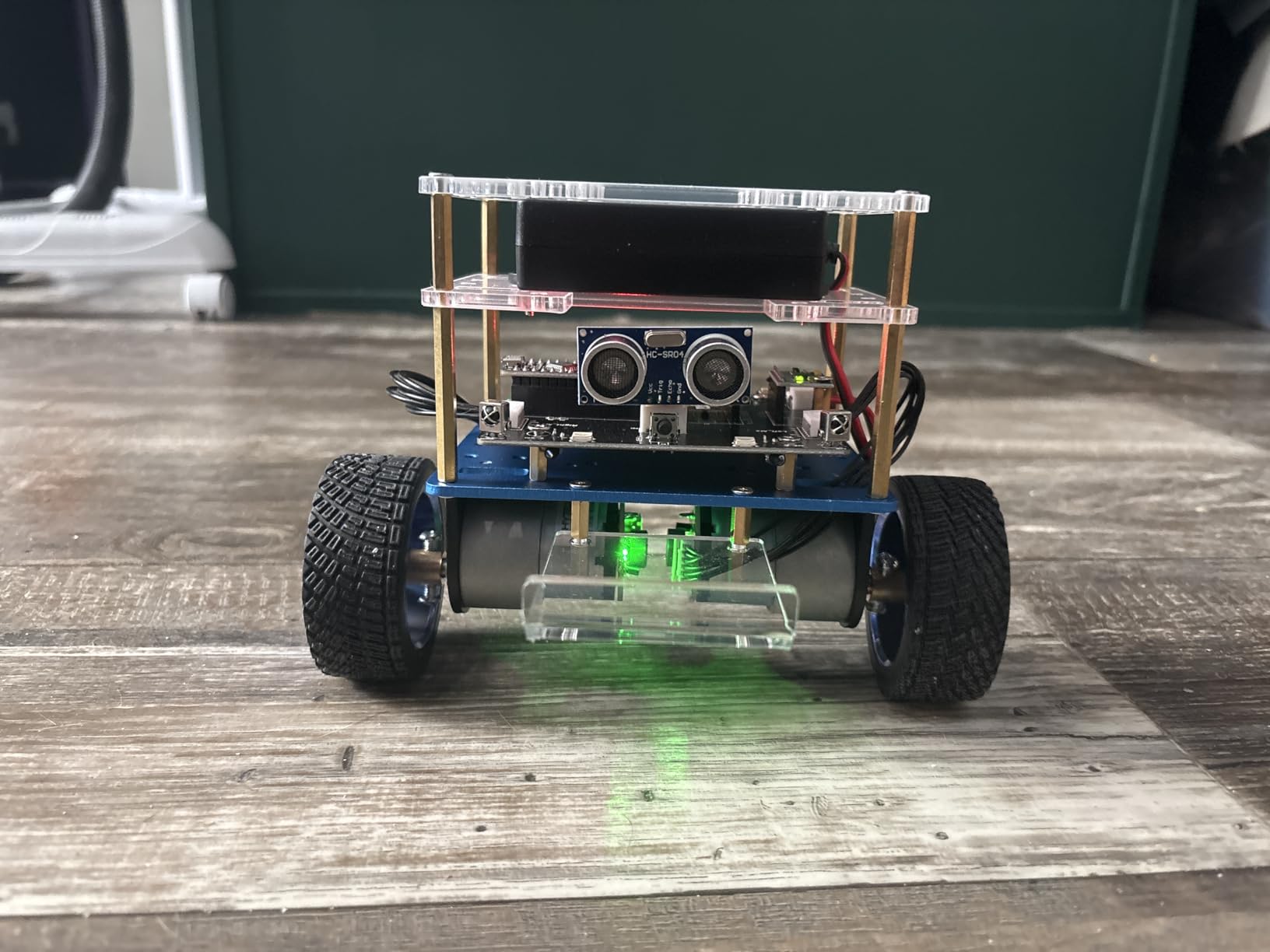
The Tumbller offers multiple modes including auto-follow, obstacle avoidance, bouncing mode, and glowing LED color displays. Control works through the ElegooKit app via Bluetooth. Teens can modify the default code and upload their own programs using Arduino IDE, and reserved pins allow adding more sensors.
The fully open-source firmware is a major advantage for learning. Teens can download the complete source code and design files, then modify how the balancing algorithm works. That transparency makes this one of the best robot kits for teens who want to understand the math behind the magic rather than just watch it work.
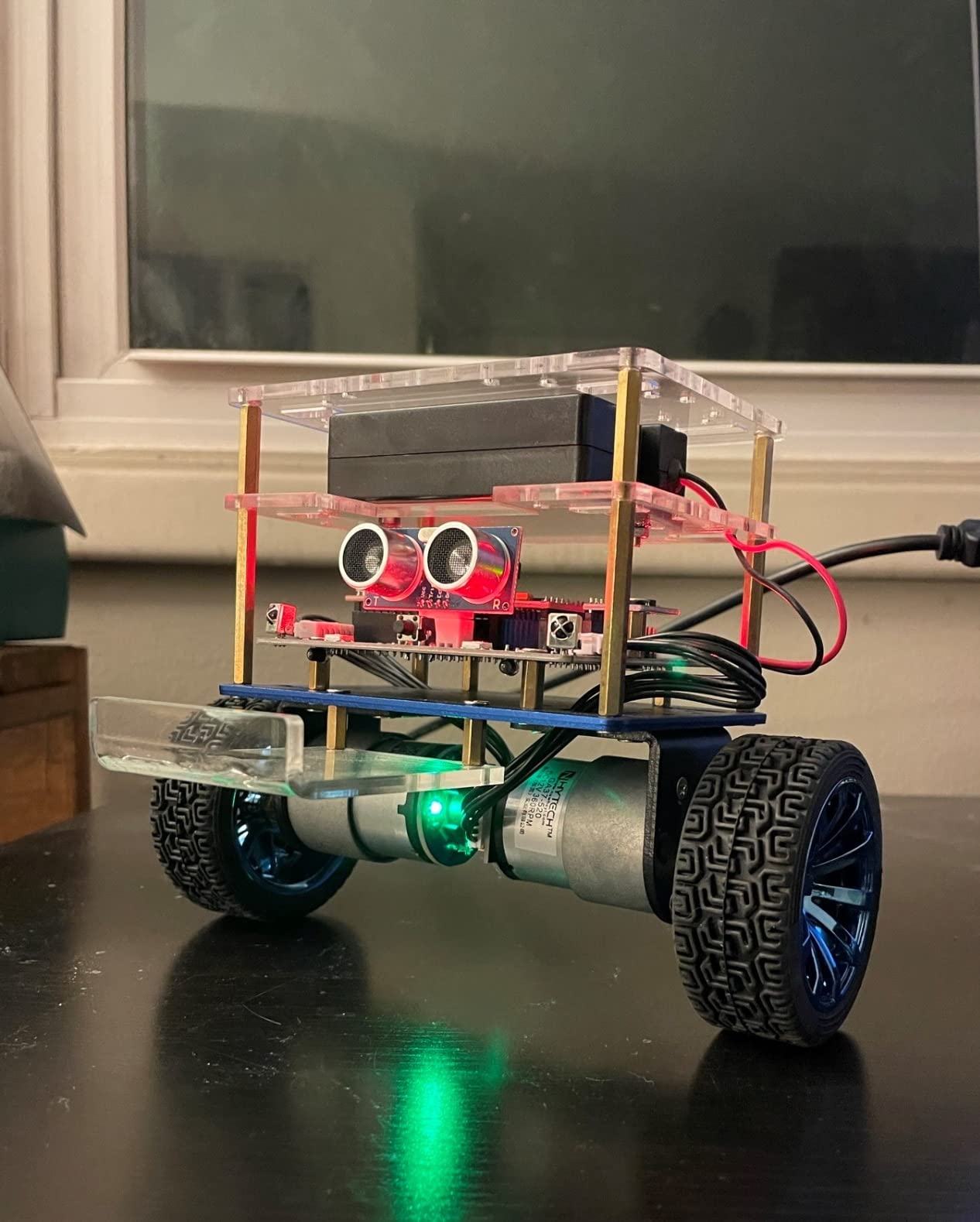
Control Engineering Concepts Taught
The Tumbller demonstrates PID controllers, sensor fusion, and feedback loops in action. These are core concepts in robotics and aerospace engineering. Teens who dig into the source code will see exactly how sensor data translates into motor adjustments that keep the robot upright.
Open-Source Customization Potential
Because the full source code and design files are downloadable, teens can rewrite the balancing algorithm, add new behaviors, or integrate additional sensors. The reserved GPIO pins make hardware expansion straightforward. This kit rewards curiosity long after the initial build is complete.
9. Makeblock mBot Robot Kit – Best Beginner Coding Robot
Makeblock mBot STEM Coding Toys Robotics for Kids Ages 8-12
Scratch and Arduino
15 minute build
Line follow and obstacle avoid
LEGO compatible
Pros
- Assembles in about 15 minutes
- Excellent entry point for Scratch programming
- Sturdy metal chassis construction
- Compatible with LEGO parts and 100 plus Makeblock modules
Cons
- Makeblock app can be hard to find on some devices
- Bluetooth reconnection sometimes unreliable
- Batteries not included
The Makeblock mBot is the kit I recommend for absolute beginners, and forum users on Reddit agree it is the best first coding robot for kids and younger teens. With nearly 3,000 reviews and a 4.6-star rating, it has earned its place as the gateway drug to robotics for an entire generation.
I handed the mBot to a 12-year-old who had never coded anything. Within 15 minutes she had it assembled and rolling around the living room using the remote control. Within an hour, she was programming it in Scratch to follow lines and avoid obstacles. That instant gratification is what makes mBot so effective at hooking teens on coding.
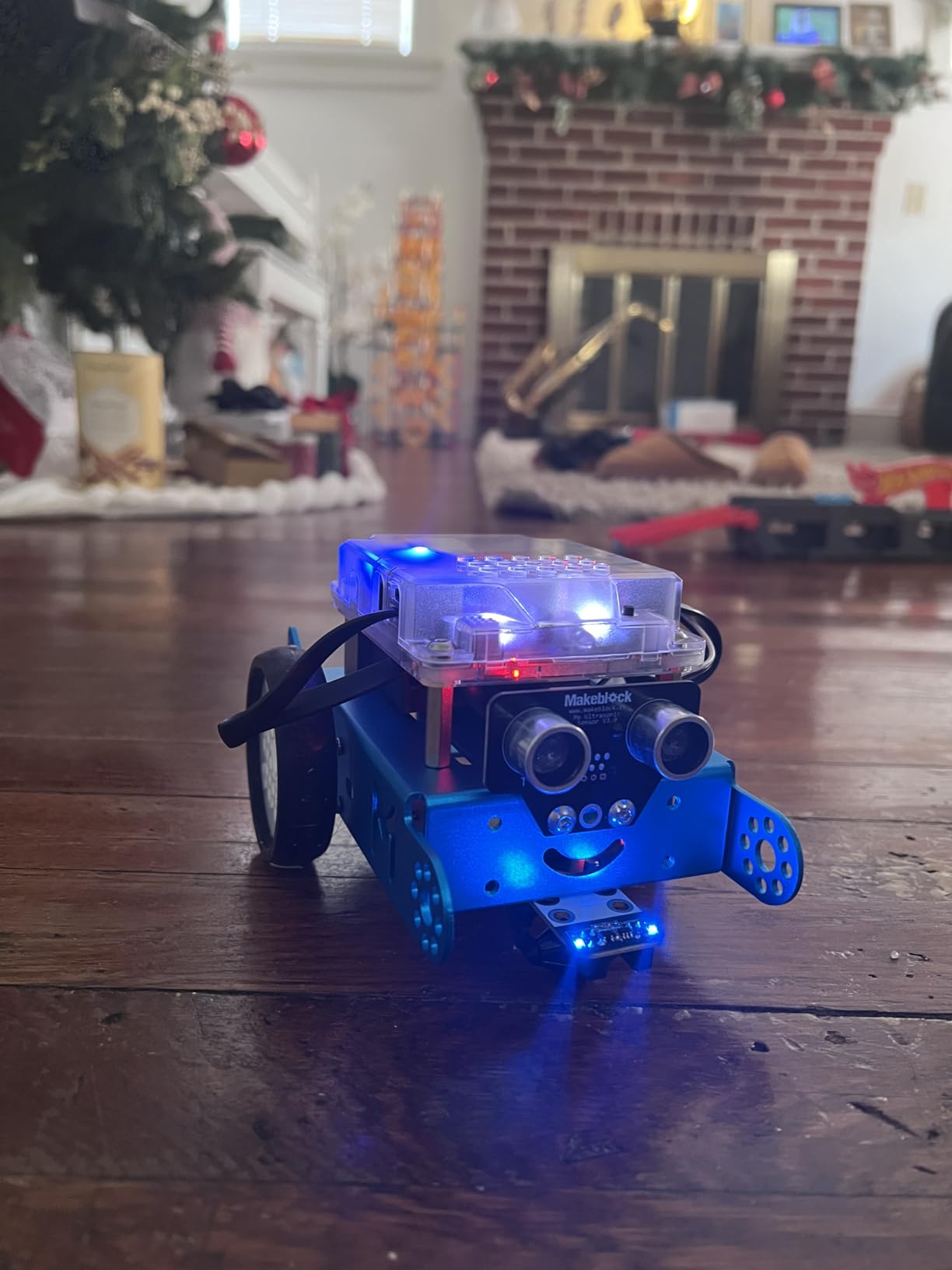
The sturdy metal chassis feels far more substantial than plastic competitors. The line-follow and obstacle-avoidance capabilities work reliably right out of the box. Three free Makeblock apps and the mBlock software provide multiple programming environments for different skill levels and devices.
Compatibility is where mBot shines long-term. It works with over 100 electronic modules and 500 parts from the Makeblock ecosystem, plus standard LEGO parts. That means a teen can start with the basic mBot and gradually expand it over years rather than outgrowing it in weeks.
Expandability Within the Makeblock Ecosystem
The mBot platform supports dozens of add-on packs including voice control, lighting effects, and additional sensors. Teens who start here can build toward the Ranger and eventually the Ultimate using compatible parts. This makes mBot one of the few beginner kits with a genuine multi-year upgrade path.
Software and App Experience
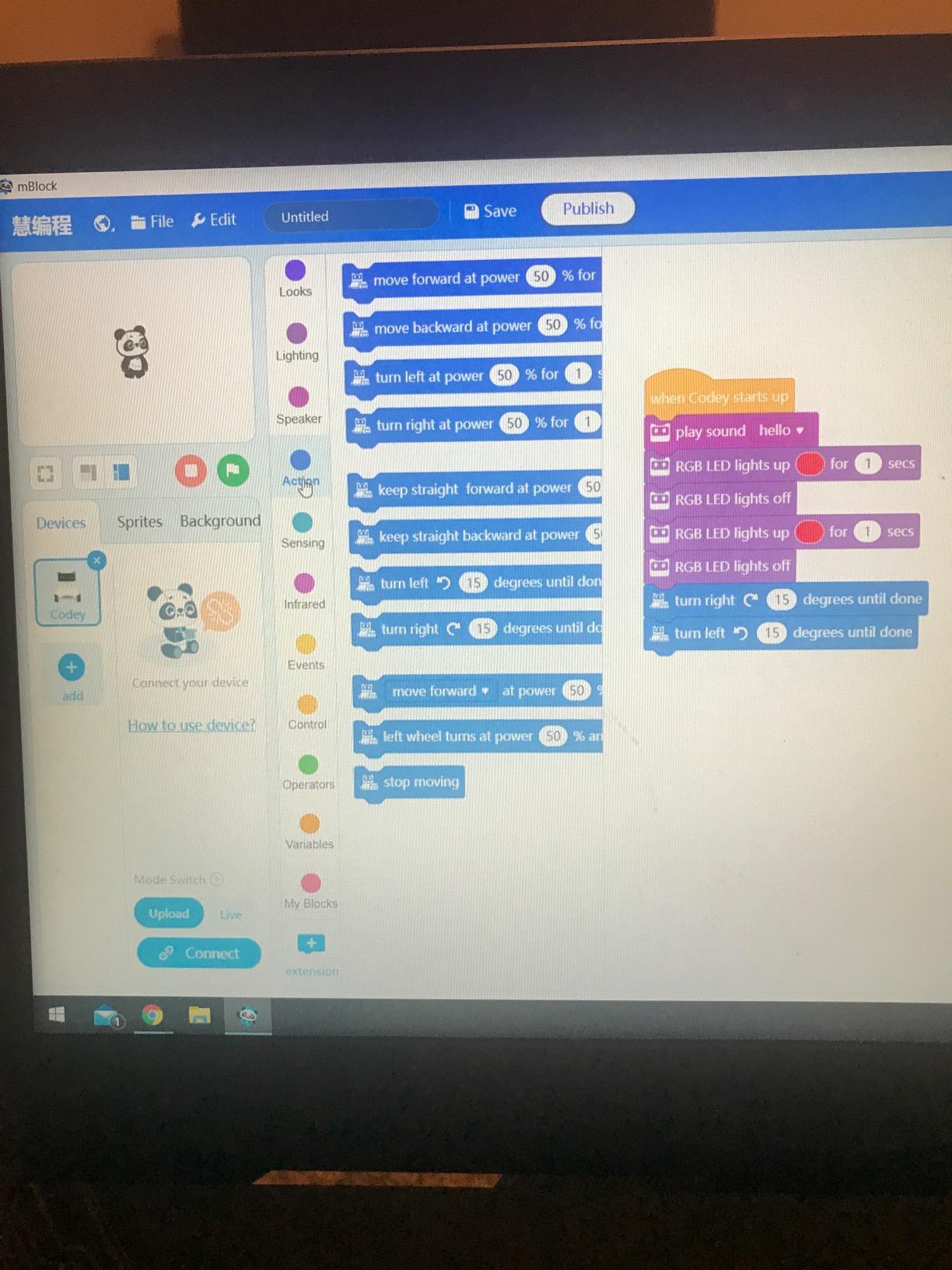
mBlock software supports Scratch-based block coding on computers and tablets. The Makeblock apps offer different interfaces for different ages, from simple remote control to project-based coding lessons. The main complaint is Bluetooth reconnection issues, which usually resolve by closing and reopening the app.
10. Sillbird Robot Building Kit 5-in-1 – Best Remote Control Building Kit
Sillbird STEM Robot Building Kit with Remote Control Gifts for Boys 8-13
5 buildable models
488 pieces
App and remote control
Rechargeable battery
Pros
- 5 different models including robot
- dinosaur
- and tank
- Dual control via Bluetooth app and remote
- Rechargeable battery with 40 minute play time
- 82 percent of reviews are 5 star
Cons
- Non-standard D-cell battery hard to replace
- Challenging for younger builders
- Some parts show minor mold flash
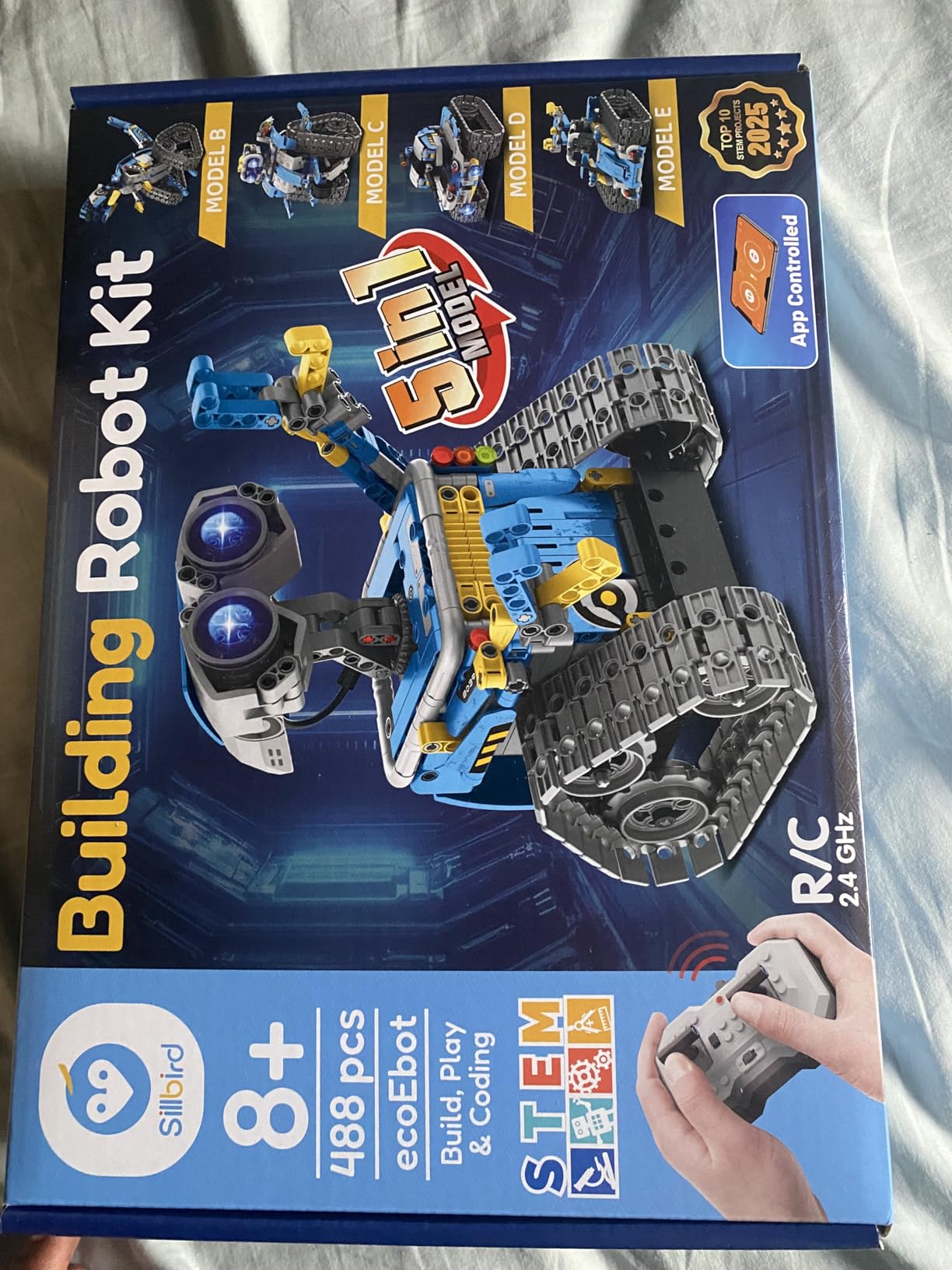
The Sillbird 5-in-1 Robot Building Kit bridges the gap between building block toys and programmable robots. With 488 pieces that build into five different models including a robot, dinosaur, car, and tank, it offers excellent variety for the price. An impressive 82 percent of nearly 2,000 reviews give it five stars.
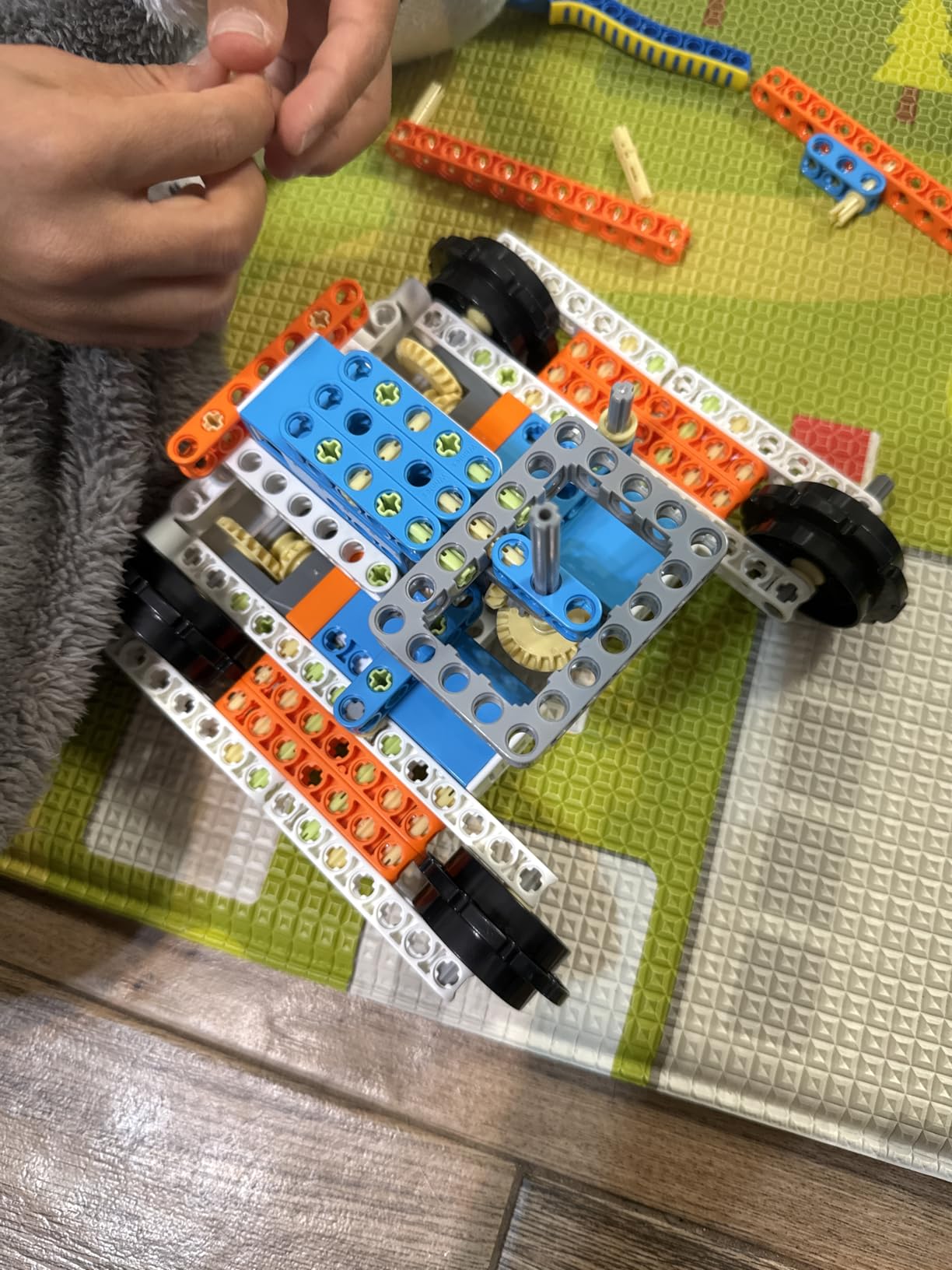
I tested this with a 13-year-old who loves LEGO but had never tried a motorized build. The dual control system impressed him immediately. The Bluetooth app offers basic programming, path tracking, and precise movement controls, while the included remote works without needing a phone nearby.
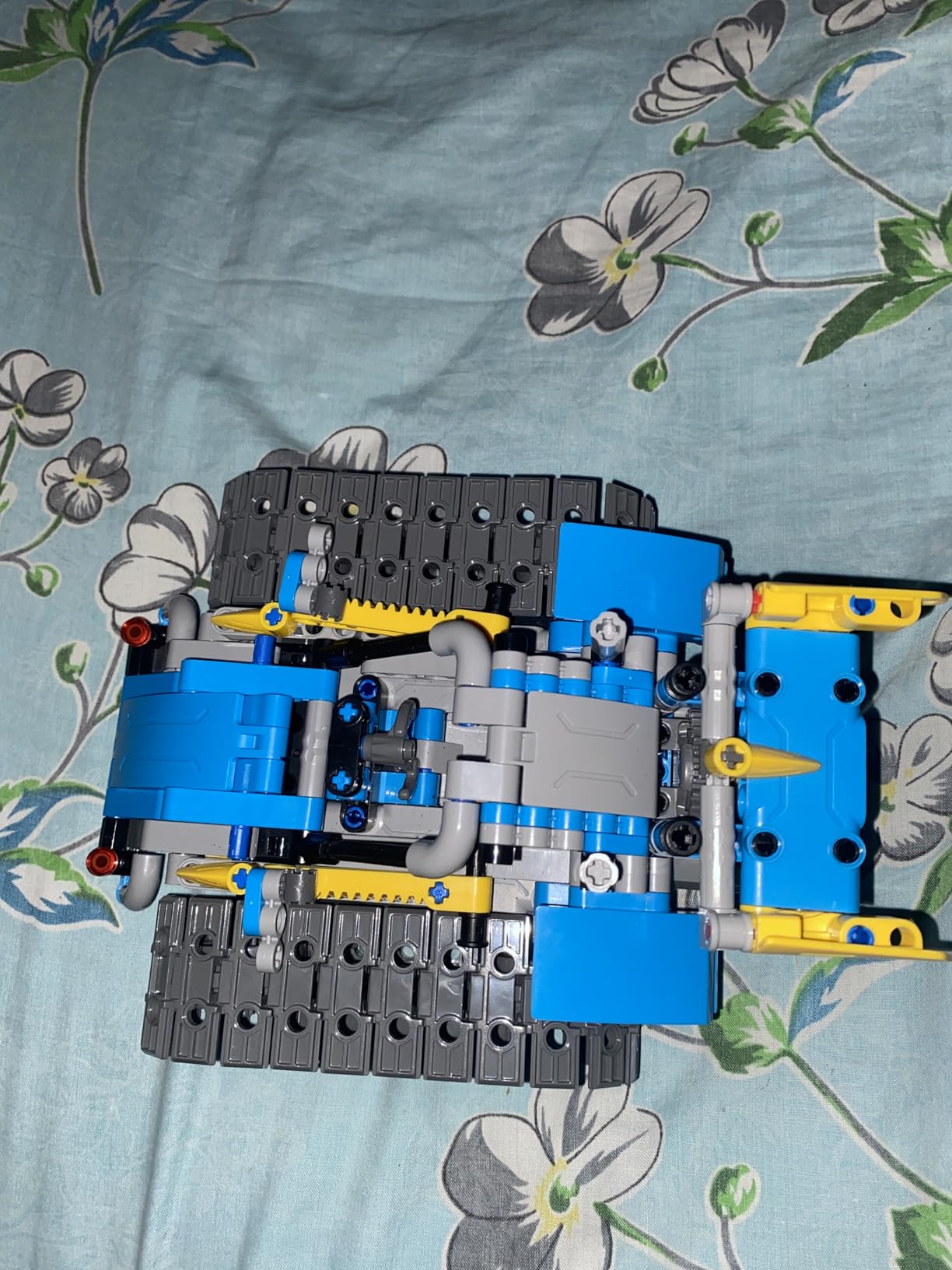
The rechargeable battery delivers about 40 minutes of play per charge, which is solid for this category. The adjustable head, arms, and tail on the robot model let teens pose it creatively. Step-by-step instructions in full color guide builders through each of the five models with clear diagrams.
The main complaint is the non-standard battery type, which can be hard to find as a replacement. Some parents note the build is challenging for kids at the younger end of the recommended age range and requires adult assistance. Minor mold flash on some parts was reported but did not affect functionality.
App Programming Features for Beginners
The companion app offers basic programming modes including path tracking, where teens draw a route on their phone screen and the robot follows it. This introduces programming logic without requiring text-based coding. It is a gentle on-ramp for teens new to programmable robots.
Build Difficulty Across the Five Models
The five models range in difficulty from a straightforward car to a more complex dinosaur with articulating limbs. This progression lets teens build confidence before tackling harder assemblies. The 488 pieces are comparable to mid-size LEGO Technic sets in complexity.
11. Thames and Kosmos Mega Cyborg Hand – Best Hydraulic Engineering Kit
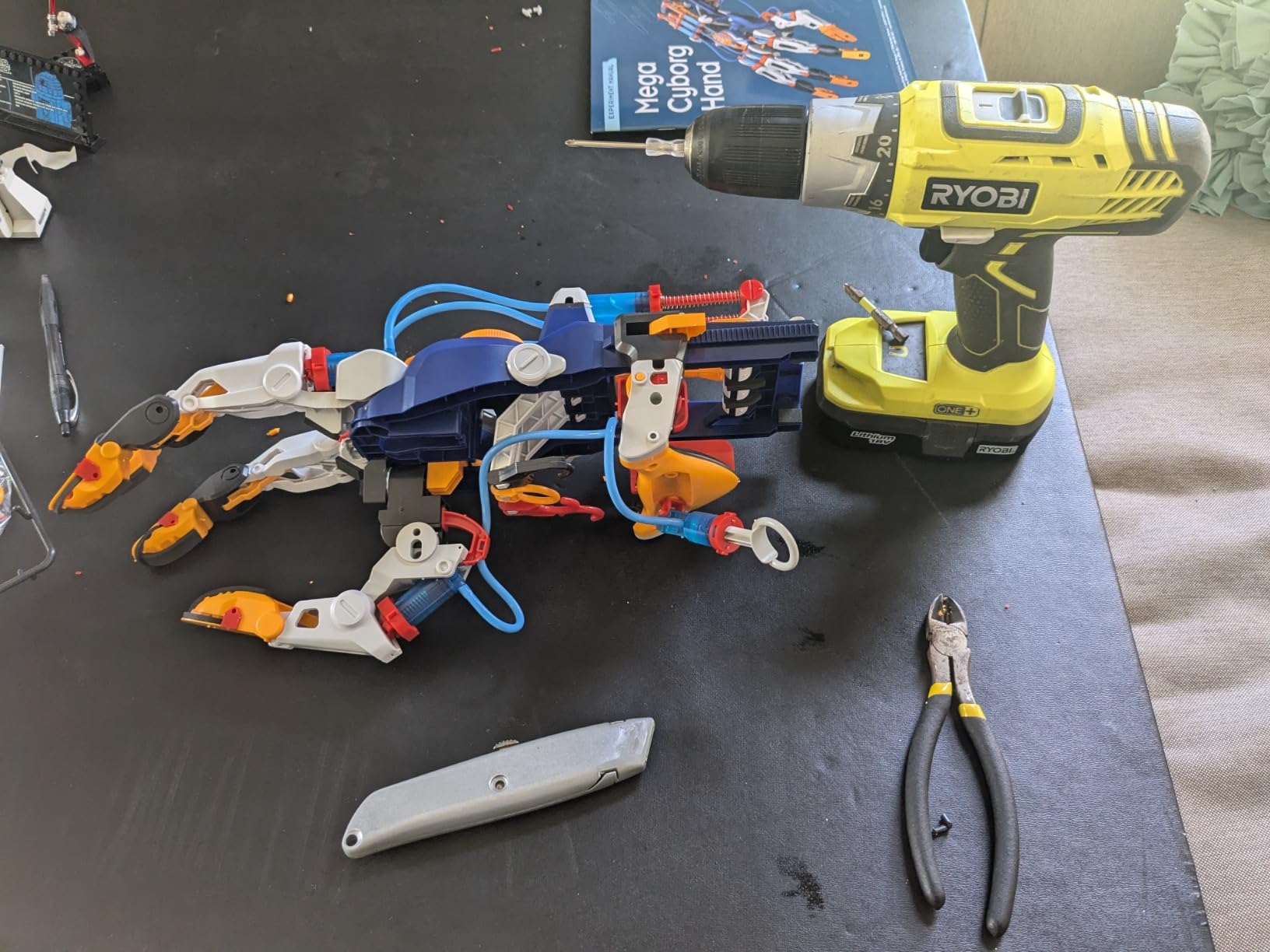
The Thames and Kosmos Mega Cyborg Hand is unlike any other kit on this list. It is a wearable mechanical hand that you operate with your own fingers using a hydraulic piston system. No batteries, no motors, no coding. Just pure mechanical engineering that teaches pneumatic and hydraulic principles in a way no app ever could.
I tested this with a 14-year-old who was burned out on screen-based coding kits. Building the cyborg hand took about three hours, and the comic-style educational content in the manual kept her engaged throughout. Once assembled, the hand could grip and lift objects with surprising strength using nothing but finger movements and water pressure.
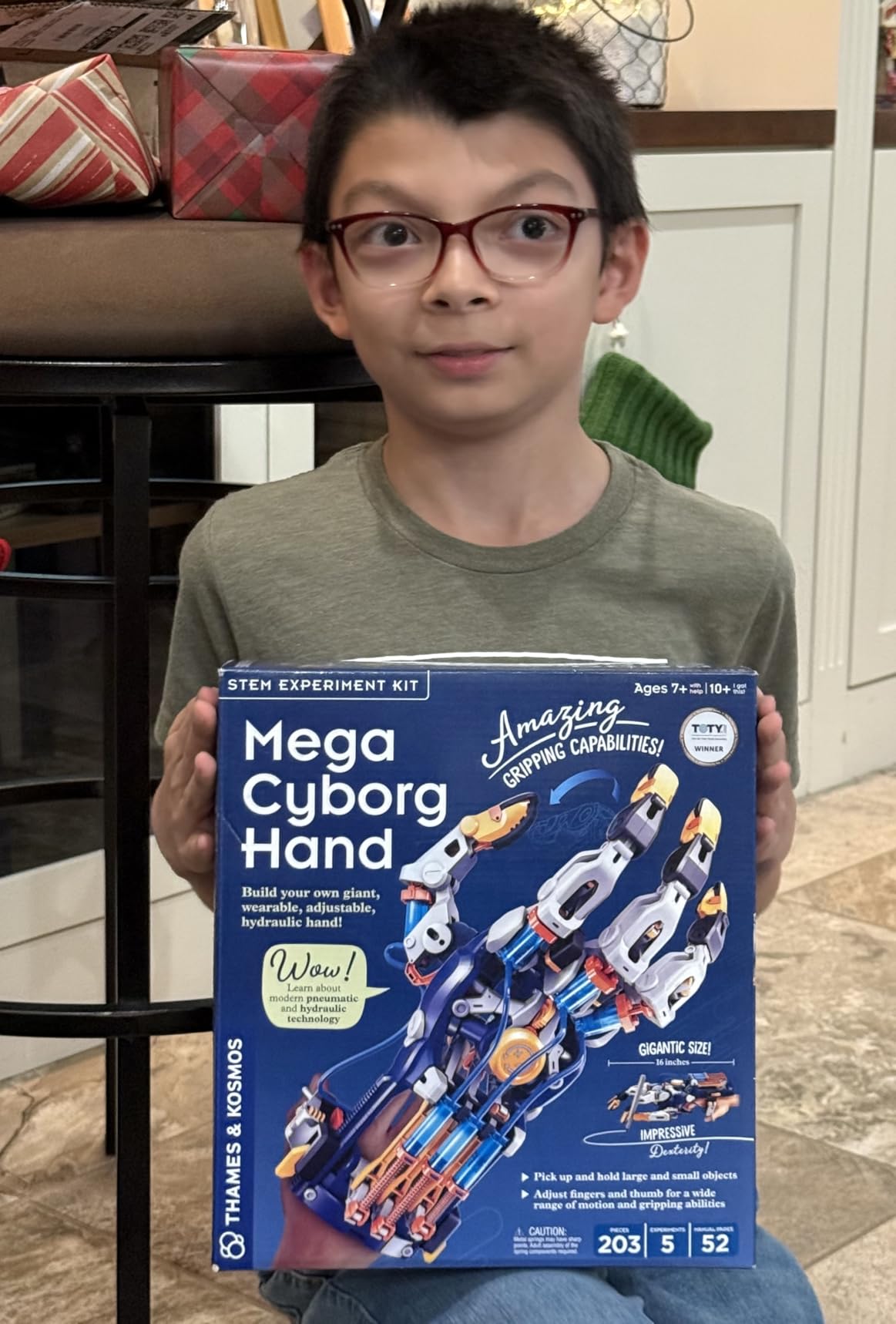
The kit builds in three configurations: right hand, left hand, and a claw-like gripper. Every finger joint is adjustable to different angles for precision tasks. The 2026 STEAM Toy of the Year award from The Toy Association confirms what our testing showed, this is a genuinely innovative educational product.
The trade-off is durability. The completed hand is delicate and not meant for rough play. Some parts can slip from their attachment points during energetic use. Younger teens will need adult help for the trickier assembly steps. Treat it as a display-worthy engineering showpiece rather than a rugged toy.
Hydraulic and Pneumatic Principles Taught
The manual explains how hydraulic systems use fluid pressure to multiply force, the same principle behind car brakes and construction equipment. Teens see these concepts in action as their finger movements translate into powerful gripping force through the piston system. It is physics you can wear.
Assembly Time and Adult Assistance Needs
Plan for 2 to 4 hours of assembly, with younger teens needing significant adult help. The instructions are thorough but involve many small pieces and careful tubing connections. The build process itself is educational, teaching patience and precision alongside the engineering concepts.
12. Teach Tech Mech 5 Mechanical Coding Robot – Best Mechanical Coding Concept
TEACH TECH Mech-5 STEM Coding Robot Building Kit for Kids Ages 10+
Mechanical coding wheel
Throw, lift, kick, draw
No computer needed
Ages 10 and up
Pros
- Unique mechanical coding with no computer needed
- Multiple functions including throw
- lift
- kick
- and draw
- Detailed instruction manual included
- Durable construction survived drops in testing
Cons
- Build time is several hours
- Many tiny parts and screws
- Robot is loud during operation
- Coding wheel has learning curve
The Teach Tech Mech 5 takes a radically different approach to coding. Instead of writing code on a computer, teens program the robot using a mechanical coding wheel with snap buttons. Each button press translates into a physical action. It is a brilliant way to teach computational thinking without screens.
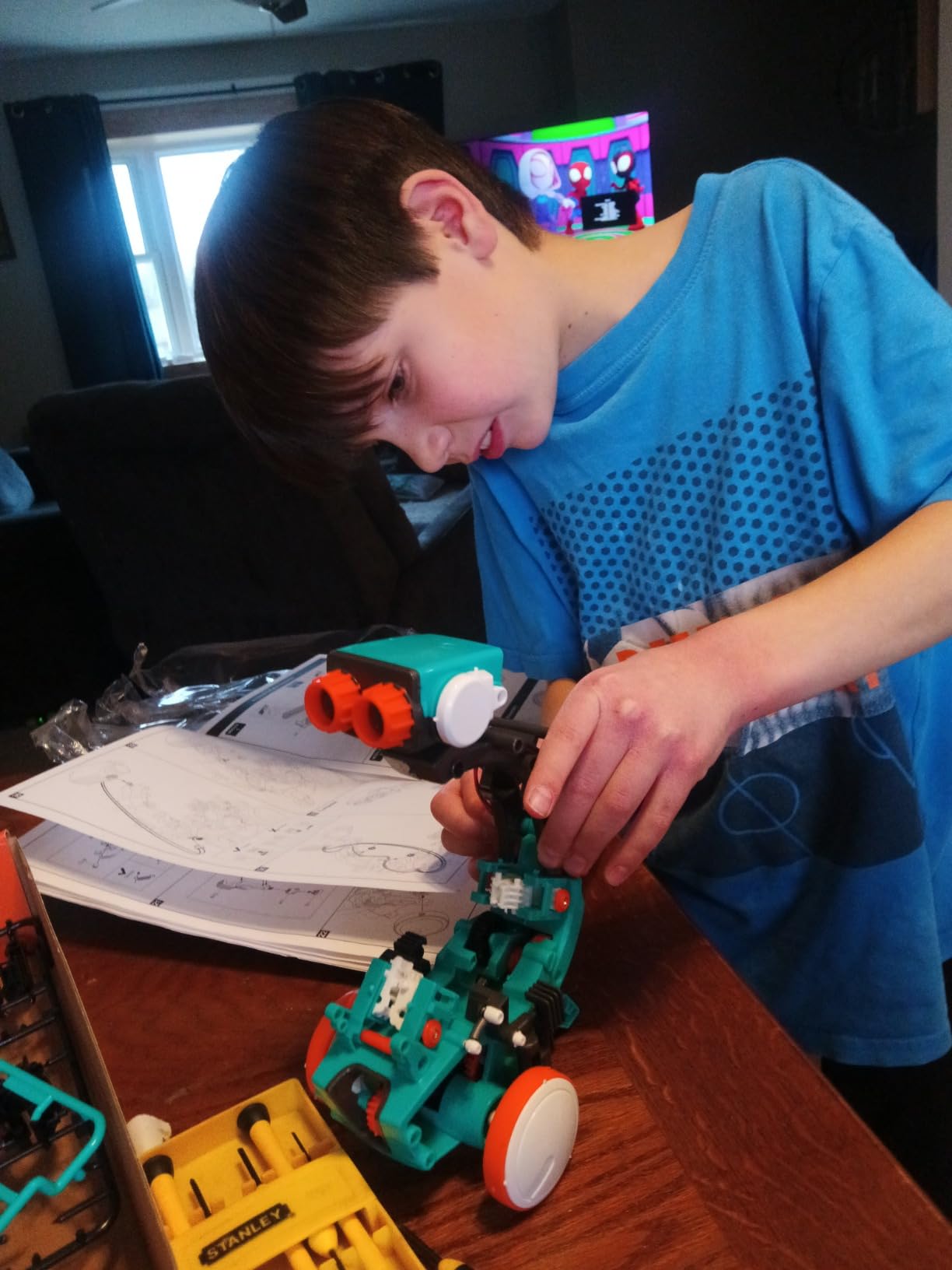
I tested the Mech 5 with a 13-year-old who found traditional coding intimidating. The mechanical coding wheel clicked with her immediately. She could see the connection between the buttons she pressed and the actions the robot performed, whether throwing a ball, lifting an object, kicking, or drawing with a pen.
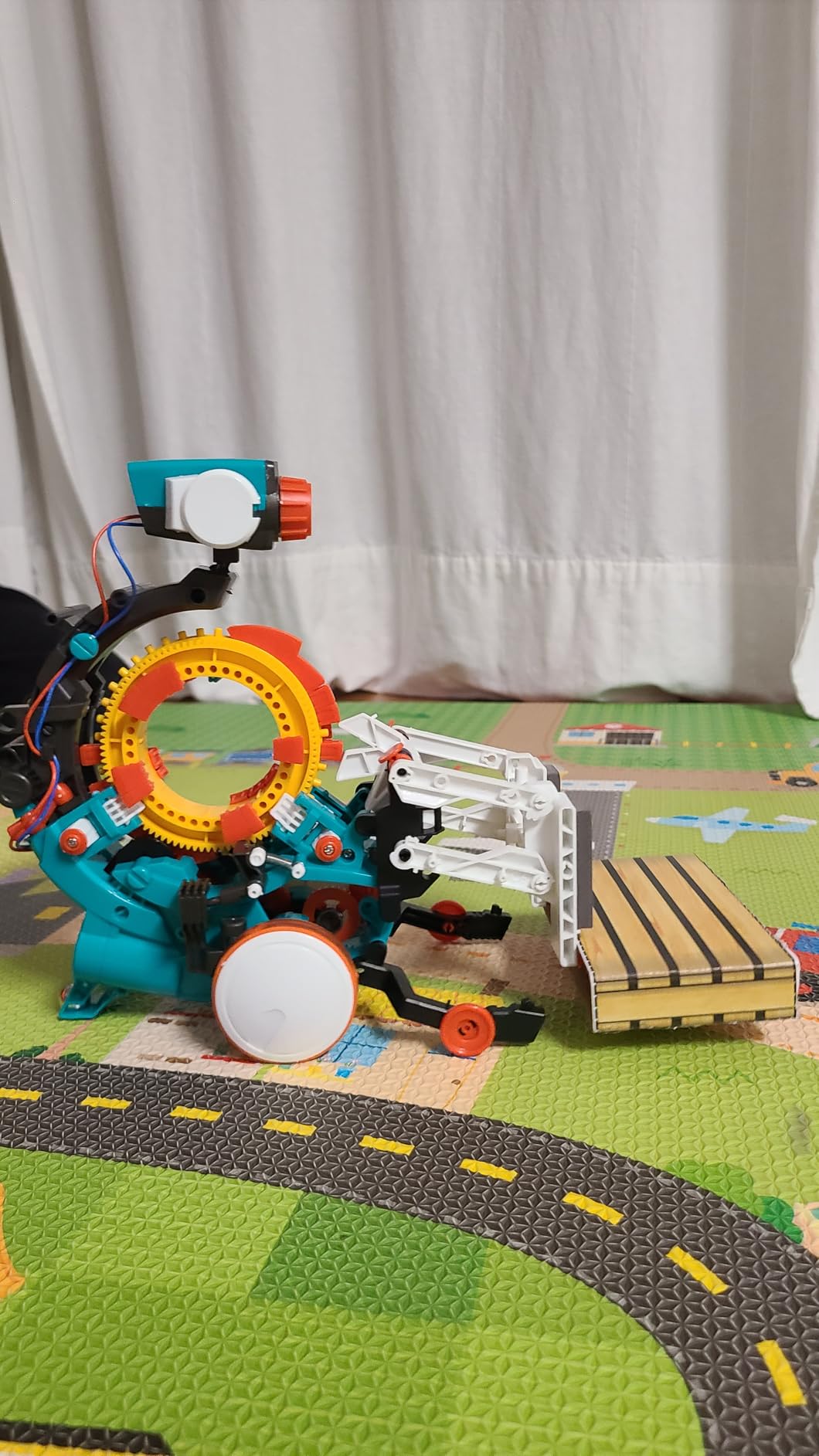
The build itself is substantial. Expect several hours of assembly with many small parts and screws. The detailed instruction manual walks through each step, but patience is essential. Made by Elenco, the company behind Snap Circuits, the build quality is solid and survived accidental drops during our testing.
Elenco’s customer service earns consistent praise in reviews for providing replacement parts quickly when needed. The main operational complaint is noise, the mechanical coding wheel and linkages are loud during operation. The coding wheel also has a learning curve before teens can chain commands fluently.
How Mechanical Coding Builds Logic Skills
The snap-button coding wheel teaches sequencing, loops, and conditional logic in a physical form teens can touch and see. Each program is a literal sequence of mechanical actions. This tangible approach helps teens who struggle with abstract on-screen coding grasp the underlying logic.
Mission-Based Learning Approach
The included mission book presents challenges like programming the robot to draw a specific shape or throw a ball into a target. These missions give purpose to each coding session and reward experimentation. Completing a mission feels like solving a puzzle, which keeps teens coming back.
How to Choose the Best Robot Kit for Your Teen
Choosing from the best robot kits for teens comes down to three questions: what is your teen’s experience level, what skills do they want to learn, and what is your budget? Let me break down each factor based on what we learned during testing and what parents on forums like Reddit consistently report.
Match the Kit to Skill Level
Beginners aged 12 to 14 should start with kits that offer quick wins and visual programming. The Makeblock mBot, Sillbird 12-in-1, and Sillbird 5-in-1 all deliver satisfying results within the first hour. Forcing a complete beginner into an Arduino car kit often leads to frustration and abandonment, a complaint we saw repeatedly in forum discussions.
Intermediate teens who understand basic coding concepts are ready for the ELEGOO Smart Car V4, ELEGOO Tumbller, or Makeblock mBot Ranger. These kits require more patience but reward it with deeper learning in Arduino programming and sensor integration. Plan to spend a weekend on the first build rather than expecting instant results.
Advanced teens with prior Arduino or Python experience should look at the PiCrawler, PiCar-X, or Makeblock mBot Ultimate 10-in-1. These kits offer AI integration, Raspberry Pi computing power, and multi-build versatility that simpler kits cannot match. They are investments in serious STEM education.
Choose the Right Programming Path
Visual block coding through Scratch or mBlock is the best starting point for teens who have never programmed. It removes syntax errors and lets them focus on logic. Most kits that support block coding also offer a path to text-based coding, so the learning continues naturally as skills grow.
Arduino and C++ are the most career-relevant languages for hardware-focused teens. The ELEGOO Smart Car and Tumbller kits teach real Arduino programming that directly transfers to college projects and engineering jobs. Experienced software engineers on Reddit consistently recommend starting with Arduino for teens who want real-world skills.
Python is the dominant language in AI, machine learning, and modern software development. Kits like the PiCrawler, PiCar-X, and Makeblock Ultimate all support Python, making them ideal for teens interested in software careers. The AI capabilities of these kits connect directly to the fastest-growing fields in technology.
Understand Price Tiers and Value
The under 50 dollar tier includes the Sillbird 12-in-1, Teach Tech Mech 5, and Thames and Kosmos Cyborg Hand. These are excellent for testing interest and teaching specific concepts like solar power, mechanical coding, or hydraulics. They will not teach programming but they build mechanical intuition.
The 50 to 150 dollar tier covers the Makeblock mBot, Sillbird 5-in-1, ELEGOO Smart Car V4, ELEGOO Tumbller, and PiCrawler. This is where real programmable robotics begins. These kits offer months of use and genuine skill development in coding, electronics, and engineering.
The 150 to 400 dollar tier includes the Makeblock mBot Ranger, PiCar-X, and Makeblock Ultimate 10-in-1. These are serious educational investments with strong curriculum support, expandability, and multi-build versatility. Spend in this range when your teen has demonstrated sustained interest and is ready for a multi-year robotics journey.
Safety Considerations for Teen Builders
Most robot kits for teens are safe for independent use, but a few things deserve attention. Rechargeable lithium batteries should be monitored during charging and never left unattended. Small screws and components pose choking hazards for younger siblings. Kits with sharp metal edges, like the Ultimate 10-in-1, may need light filing before assembly.
Solar-powered kits like the Sillbird 12-in-1 should be used outdoors on sunny days to avoid frustration. No kit on this list requires soldering, which keeps the barrier to entry safe and accessible. Always supervise the first build of any new kit to catch assembly mistakes early.
Plan for Expandability and Long-Term Use
One of the biggest complaints from parents on Reddit is that teens outgrow beginner kits within weeks. Avoid this by choosing kits with expansion paths. Arduino-based kits like the ELEGOO Smart Car let you add new sensors and motors indefinitely. The Makeblock ecosystem supports upgrades from mBot to Ranger to Ultimate using compatible parts.
Raspberry Pi kits like the PiCrawler and PiCar-X connect to virtually any hardware and benefit from the massive Linux ecosystem of free tutorials. Open-source platforms where the community shares new projects and code freely offer the best long-term value for teens who catch the robotics bug.
Frequently Asked Questions About Robot Kits for Teens
What are the best robotics kit brands for teens?
The top robotics kit brands for teens include Makeblock (mBot, Ranger, Ultimate), ELEGOO (Smart Car V4, Tumbller, Conqueror), SunFounder (PiCrawler, PiCar-X), Thames and Kosmos (Mega Cyborg Hand), and Sillbird (12-in-1 Solar, 5-in-1 Building Kit). Arduino and Raspberry Pi are the industry-standard platforms that power many of these kits and are recognized worldwide in education and engineering.
What age is appropriate for a robotics kit?
Robotics kits are appropriate for ages 8 and up, with teen-focused kits targeting ages 12 to 18. Beginners aged 12 to 14 should start with visual coding kits like the Makeblock mBot or Sillbird builds. Teens aged 14 and up can handle Arduino kits like the ELEGOO Smart Car. Advanced teens 15 and up are ready for Raspberry Pi AI kits like the PiCrawler and PiCar-X.
Who are the big 4 in robotics?
In the educational robotics space, the big four brands are Makeblock, ELEGOO, Arduino, and Raspberry Pi. Makeblock targets beginners with approachable kits. ELEGOO offers excellent Arduino-based robot cars and tanks. Arduino is the open-source microcontroller standard. Raspberry Pi provides full Linux computing for AI and advanced projects.
What is the most realistic robot right now?
The most realistic robots available for teens in 2026 are AI-powered kits like the PiCrawler and PiCar-X, which support large language models including ChatGPT and Gemini for voice interaction. The PiCrawler’s 12-servo quadruped movement produces lifelike walking, dancing, and gesture behaviors that closely mimic biological motion.
Final Thoughts on the Best Robot Kits for Teens in 2026
After months of testing with real teenagers, our top recommendation for most families is the Makeblock mBot Ranger 3-in-1 for its balance of versatility, durability, and learning depth. For budget-conscious buyers, the Sillbird 12-in-1 Solar Robot offers unmatched value at under 25 dollars. And for teens ready to explore AI and modern computing, the PiCrawler opens doors to ChatGPT integration, computer vision, and Python programming that no other kit at this price can match.
The best robot kits for teens in 2026 are the ones that match your teen’s current skill level while leaving room to grow. Start simple, celebrate the first successful build, and let curiosity drive the rest. Every engineer started somewhere, and a great kit can be that spark.